Skill for ChatGPT (in German)
Blog-Starter for ChatGPT Sites
Want to start blogging but don't know where to begin? This skill guides you from the idea to your published blog in 8 steps. I made it as simple as I could.
This skill is in German.

€27plus VAT, one-time
- The skill as a ZIP file, right after purchase
- Updates included
- Personal license
- All 8 steps, 19 blog types and 15 styles
Instant ZIP download via Polar. The skill itself is in German.
How it works
Start and requirements
The skill checks whether you have everything you need before you invest any time.
Find a topic
With a passion test, a niche and ten article ideas to choose your topic from.
Choose a blog type
You pick one of 19 blog types. If none fits, you get a personal blog.
Find a blog name and domain name
Three formulas for names, plus a rough availability check. If you want, you buy the domain from do.de (affiliate link, more on that below).
Choose a style
You get two style samples as images and compare them. There are 15 styles to choose from.
Prepare the content
The About page text is built only from your own input. Plus categories and first articles as drafts with placeholders for your own experience. The imprint and privacy policy come as placeholders, without legal advice.
Build the blog with ChatGPT Sites
ChatGPT builds your blog. You check the preview with a checklist and publish.
Connect your own domain
You connect your domain and add new articles later using a template.
19 blog types, 15 styles
Blog types
- Travel blog
- Food and recipe blog
- Garden and plant blog
- Fitness and sports blog
- Family and parenting blog
- Pet blog
- DIY, crafts and handiwork blog
- Fashion and beauty blog
- Home and interior blog
- Finance and saving blog
- Tech and gadget blog
- Books and reading blog
- Gaming blog
- Photography blog
- Sustainability blog
- Local and city blog
- Music blog
- Camping, van and outdoor blog
- Professional blog for a job or self-employment
If none of them fits, you get a personal blog.
Styles
- Magazine
- Notebook
- Minimal
- Riso
- Postcard
- Photo book
- Newspaper
- Editorial
- Herbarium
- Playful
- Dark
- Tech
- Kitchen
- Sporty
- Workshop
All styles use open-source fonts that are self-hosted. Before you choose, you compare two style samples as images. Inside the skill, the blog types and styles carry German names.
Examples of style samples
This is what the style samples look like that the skill creates as an image in step 5. You always get two of them to compare. The finished site then looks similar, but not pixel-identical.
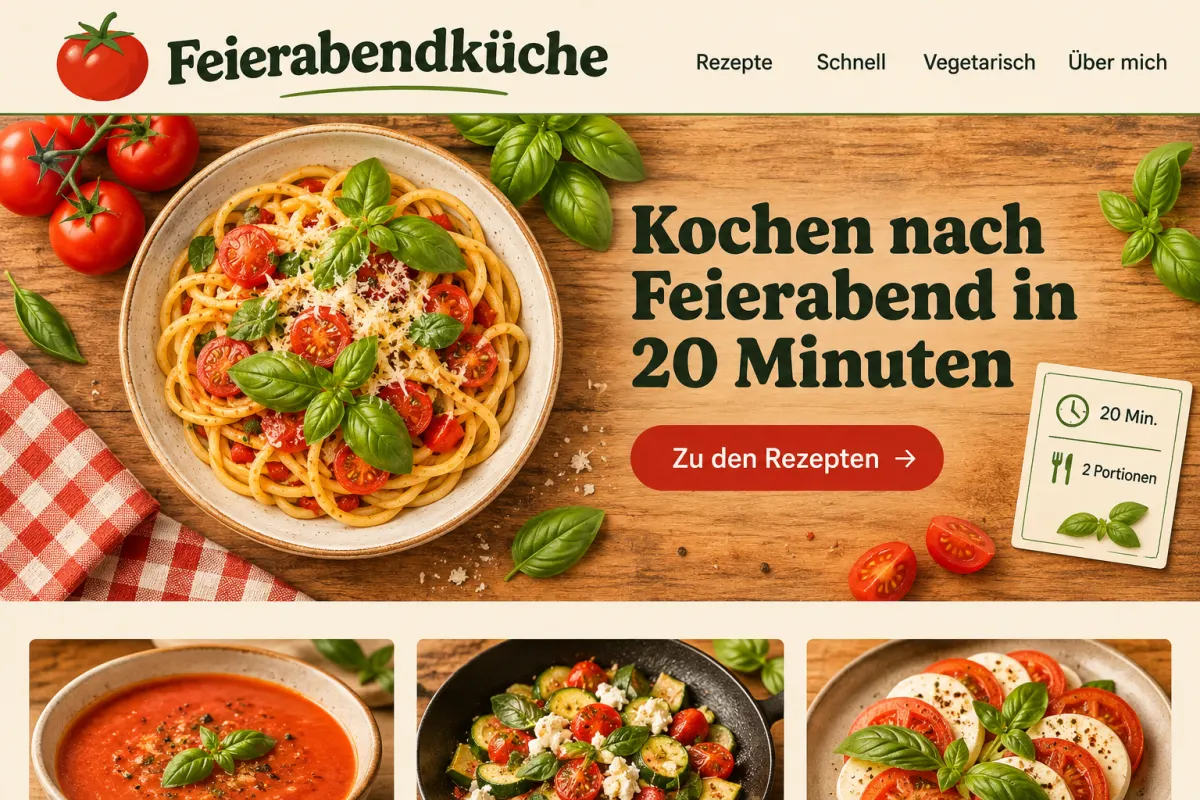
Food blog, Kitchen style 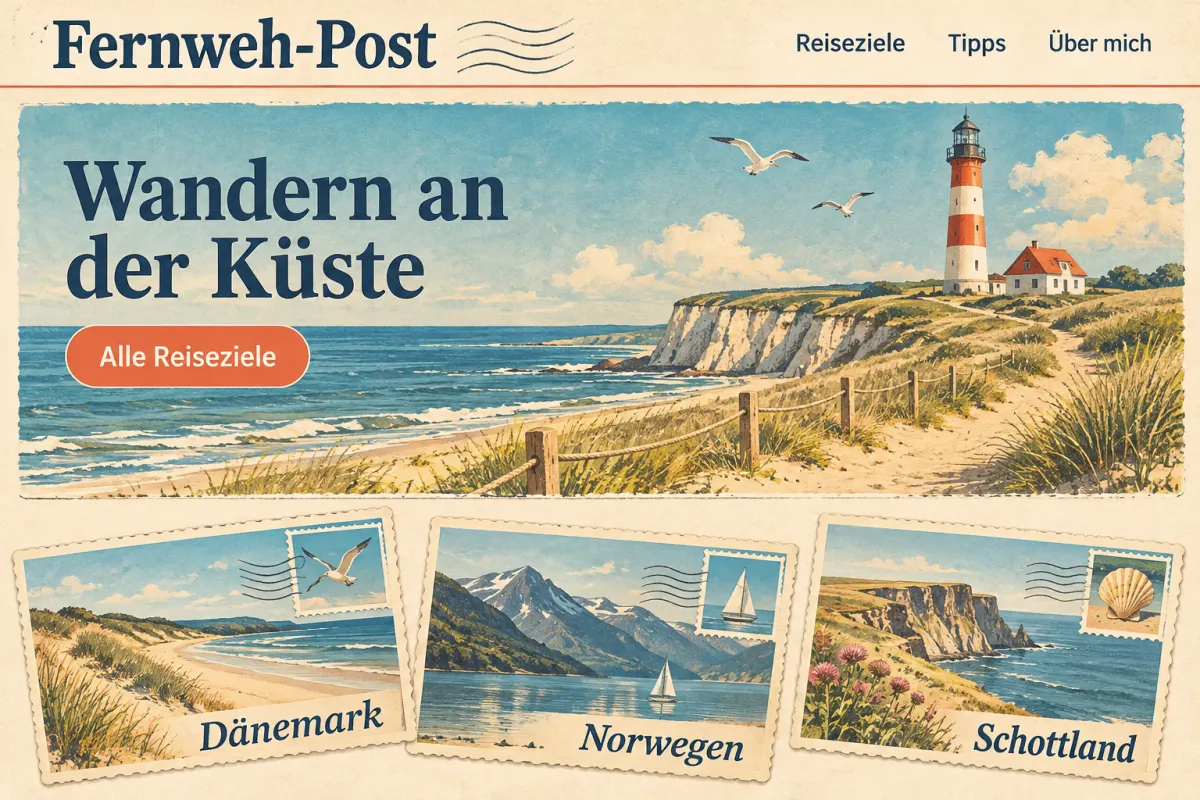
Travel blog, Postcard style 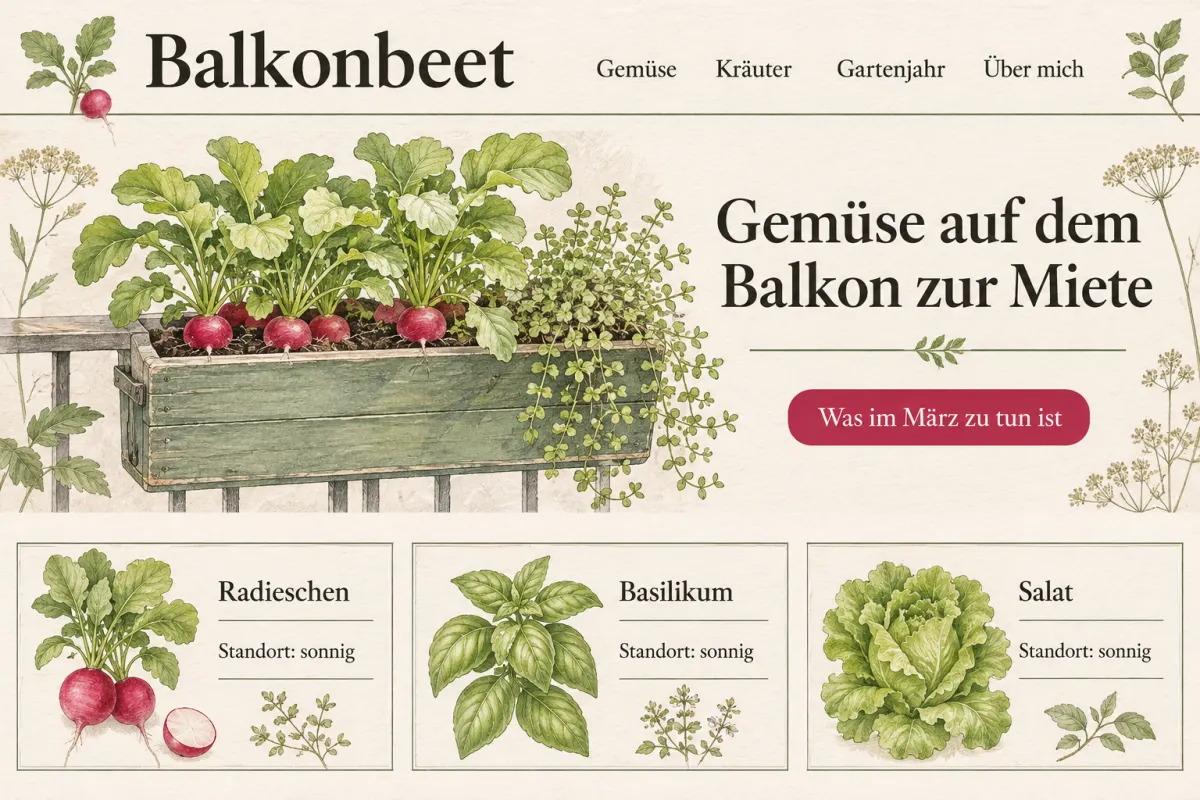
Garden blog, Herbarium style 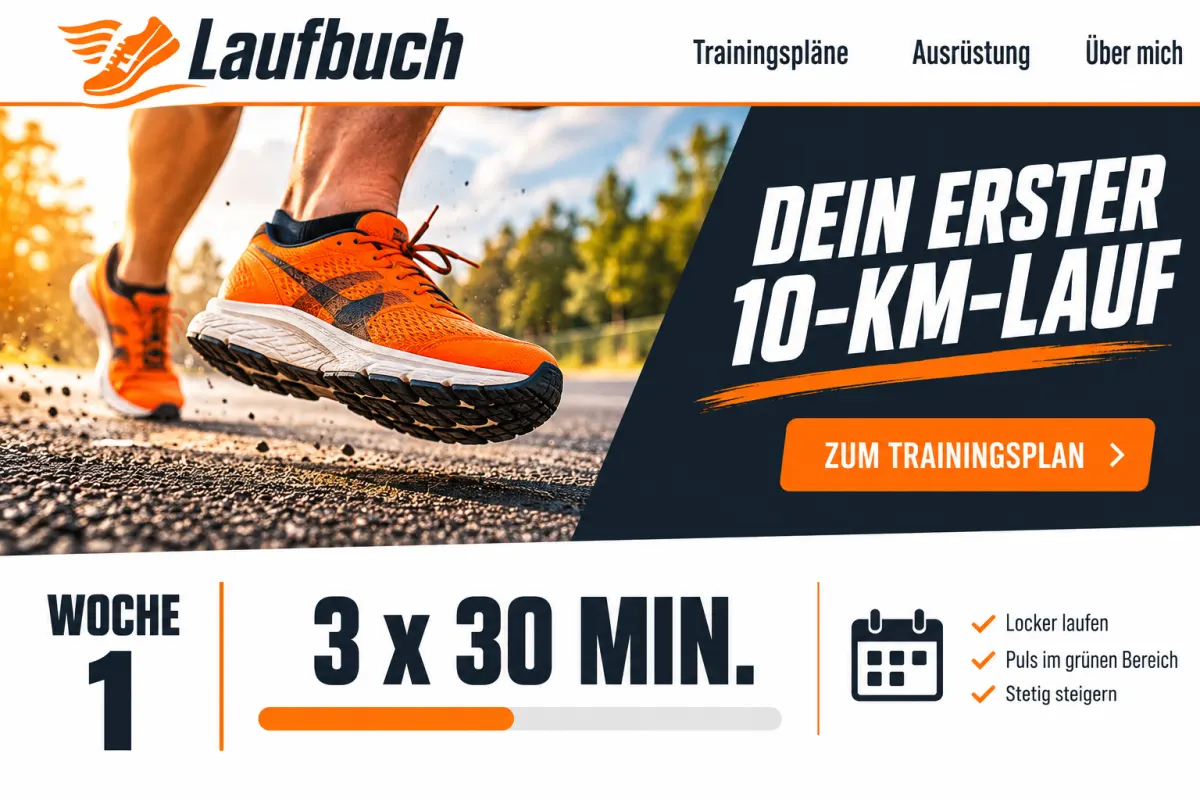
Fitness blog, Sporty style 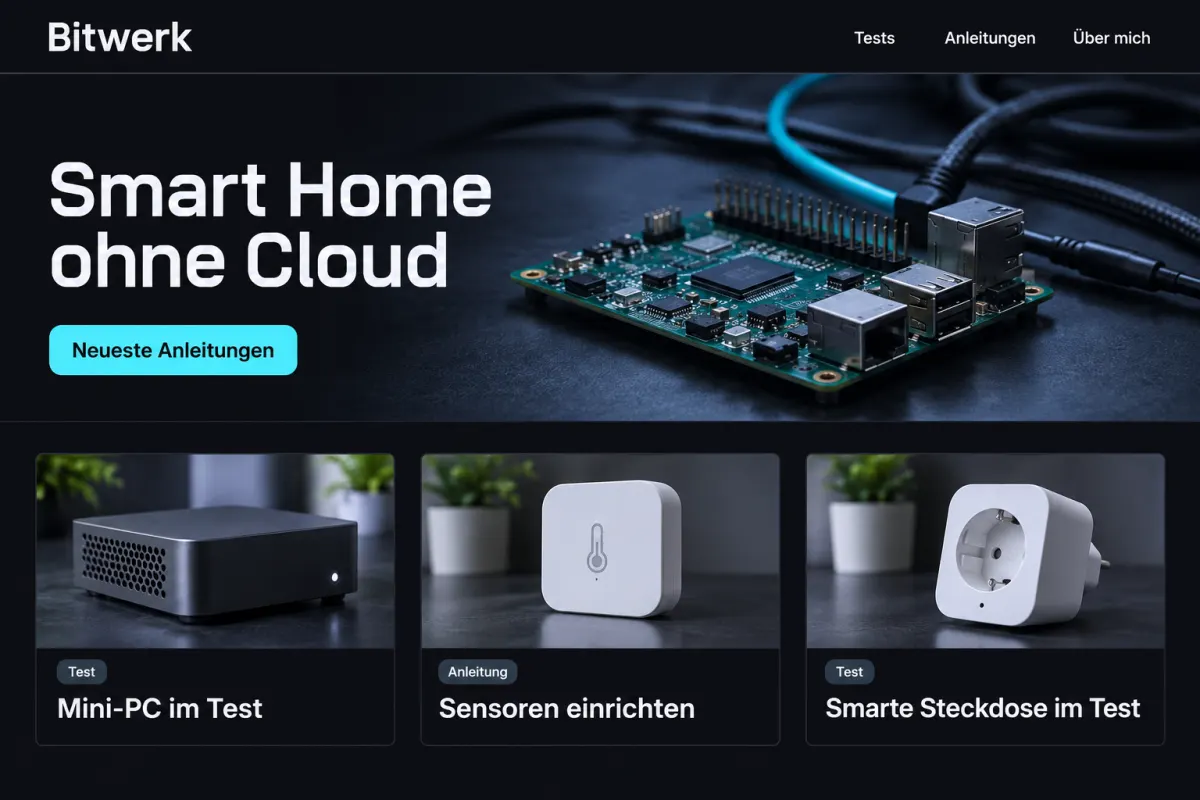
Tech blog, Dark style 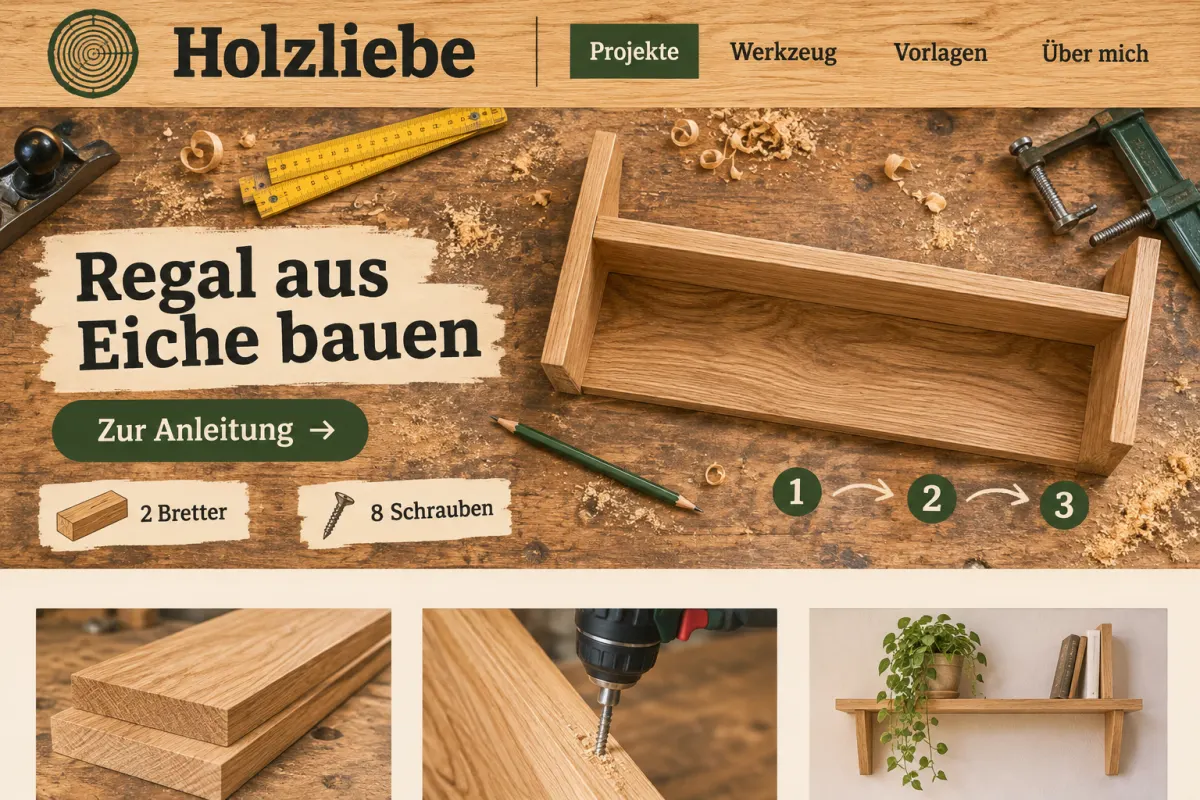
DIY blog, Workshop style 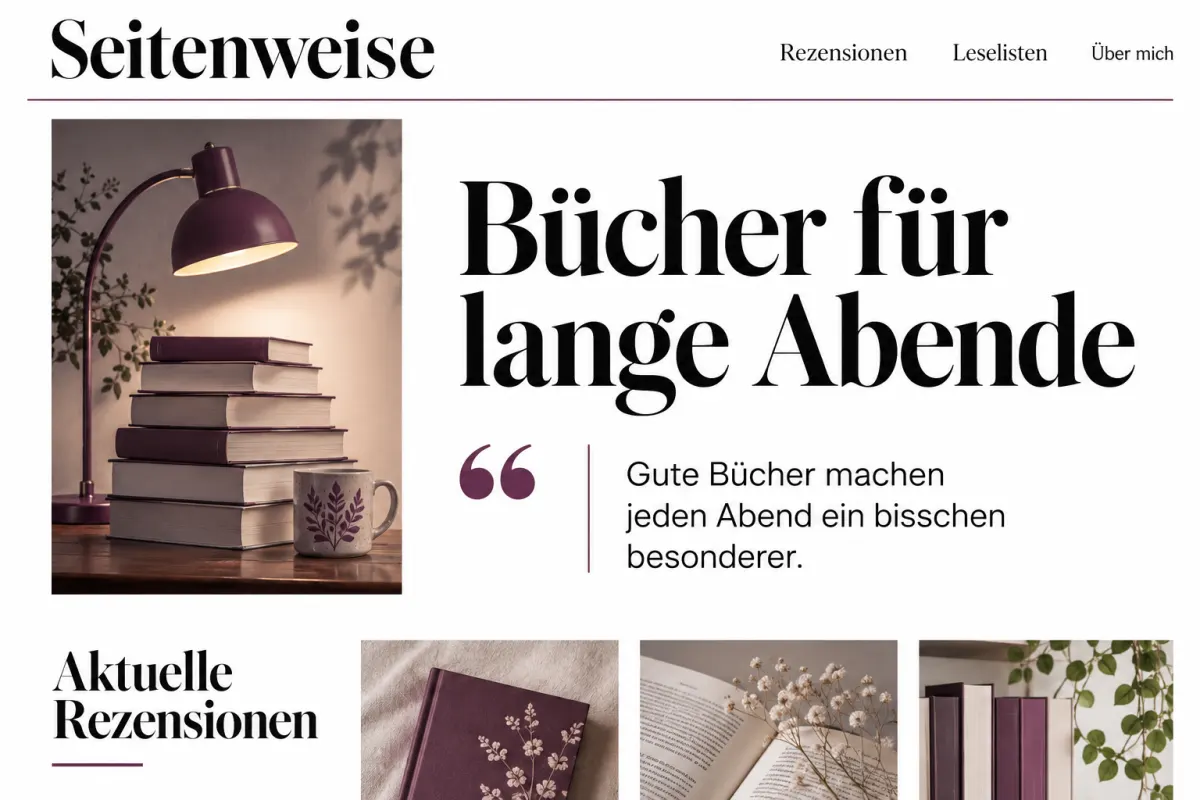
Book blog, Editorial style 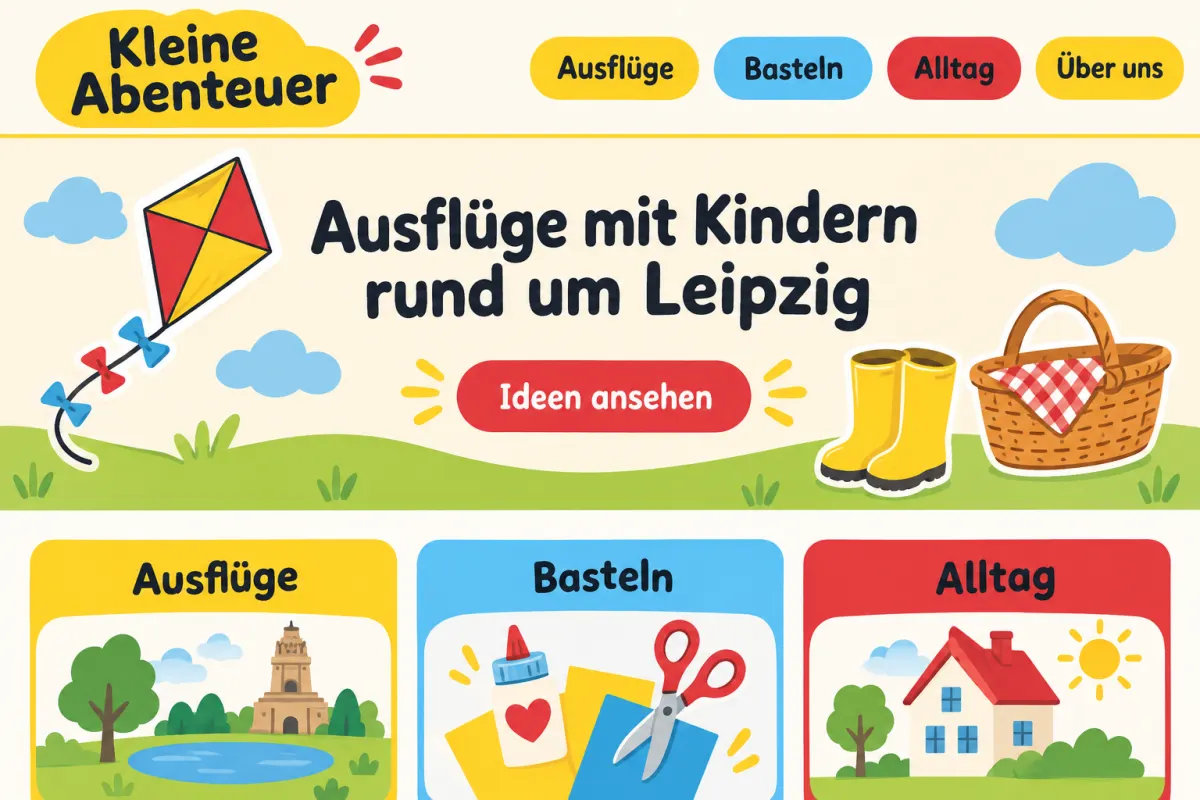
Family blog, Playful style
AI-generated sample images (illustration), blog names invented and in German.
What you need and what it costs
- Paid ChatGPT plan with Sites
- You need a paid plan that includes Sites, for example Plus. Sites isn't available on the free plan.
- Building and editing uses credits
- When ChatGPT builds or changes your blog, it uses up credits from your plan.
- Hosting
- Hosting is free until December 31, 2026. After that, usage counts against your plan's allowance.
- Your own domain in Sites
- Your own domain costs 25 credits per month in Sites. The Plus plan includes 125 credits per month.
- The domain itself
- You buy the domain from a domain provider. The skill doesn't buy anything for you. It can show you do.de, and that's an affiliate link: if you buy through it, I may earn a commission.
As of November 2026, according to OpenAI. OpenAI may change plans and prices. Check OpenAI's current information before you buy.
What the skill doesn't do
What it leaves alone
- It doesn't buy anything. Neither domains nor plans.
- It doesn't give legal advice. The imprint and privacy policy are placeholders.
- It doesn't promise visitors or income.
What it sticks to
- It doesn't invent reader quotes, numbers or facts about you.
- It labels generated images as illustrations.
- Your blog gets no tracking scripts and no cookies.
- The fonts are open source and self-hosted.
How to install it
After purchase, download the ZIP and unzip it.
Upload the included file blog-starter.zip at chatgpt.com/skills via “Add” and then upload from your computer (the buttons may be labeled slightly differently in the English interface). Don't unzip it.
Start a new chat, switch from “Chat” to “Work” at the top, type @blog and pick the skill “Blog-Starter”. Then write the sentence below. From there, the skill guides you through all the steps.
Your first sentence in the new chat:
I want to create a blog. Please guide me step by step.
The skill answers in German. The German original of the start sentence, in case you want to use it: Ich möchte einen Blog erstellen. Führ mich bitte Schritt für Schritt durch.
Frequently asked questions
Is the Blog-Starter available in English?
Where do I find the skill in ChatGPT?
Who is the Blog-Starter for?
How much does the Blog-Starter cost?
Do I need a paid ChatGPT plan?
What does hosting my blog cost?
How do I get the skill after purchase?
Do I get updates?
May I pass the skill on?
Does the skill write my articles?
Will I get visitors or income from this?
Can I connect the blog to my own domain later?
What is the blog profile?
Ready for your blog?
€27plus VAT, one-time
- The skill as a ZIP file, right after purchase
- Updates included
- Personal license
- All 8 steps, 19 blog types and 15 styles
Instant ZIP download via Polar. The skill itself is in German.