
Rank Math is quietly becoming one of the most popular SEO plugins and is even giving Yoast SEO some competition.
But is Rank Math really as good as its reputation?
In this article, we get to the bottom of that question and put the plugin through its paces.
- Rank Math is a free WordPress SEO plugin with more extensive features than the free version of Yoast SEO.
- The plugin offers meta optimization, an SEO score, social media previews, an XML sitemap, a 404 monitor, redirects and more.
- The premium version (from $7.99 per month) adds Content AI, image SEO, a rank tracker and advanced schema markups.
1. What is Rank Math?

Rank Math is an SEO plugin for WordPress that was released in 2018 and developed by MyThemeShop.
The developers call Rank Math the “Swiss Army knife of WordPress SEO” because it combines numerous features in one solution and therefore makes many other plugins unnecessary. These include an XML sitemap, the SEO analysis of a post, schema markups and much more.
Especially helpful for bloggers: the plugin lets you edit the meta description and page title of a post without having to edit any code.
Thanks to its really large range of features, the plugin has been growing in popularity for many months and is replacing the long-time market leader Yoast SEO on more and more sites. Yoast SEO's free version has nowhere near the generous feature set that Rank Math offers.
Is Rank Math rightly considered the best alternative to Yoast SEO? And is the plugin's performance really better than Yoast's?
We answer these questions and many more in a detailed Rank Math review.
By the way: besides a free version (which you download directly from the WordPress plugin library), there is also Rank Math Premium, which extends the feature set even further, for example with a rank tracker or additional schema markups.
More on that later.
Pros
- Free
- Very large range of features
- Replaces numerous plugins (e.g. redirects, meta editing, etc.)
- Clear SEO analysis of a post
- Very good loading time
- Tidy backend (beginner-friendly)
- Premium version with pro features
- Elementor integration
- Can be connected to Google Search Console
- Very good rank tracker
Cons
- Content AI is of little use
- Occasionally causes conflicts with other plugins
Pricing
Rank Math is basically a free plugin, but its feature set can be extended with a premium plan.
We'll go through exactly which features those are and whether Rank Math Pro can be worth it for you in the following chapters. First, let's take a quick look at the pricing model.

There are 3 plans in total:
- Pro: $7.99 / month (about $96 / year, 15 Content AI credits, 500 keywords in the tracker)
- Business: $24.99 / month (about $300 / year, 125 Content AI credits, 10,000 keywords in the tracker)
- Agency: $54.99 / month (about $660 / year, 600 Content AI credits, 50,000 keywords in the tracker)
All plans also come with 24/7 premium support and an advanced schema generator.
2. Top features
Title and meta settings
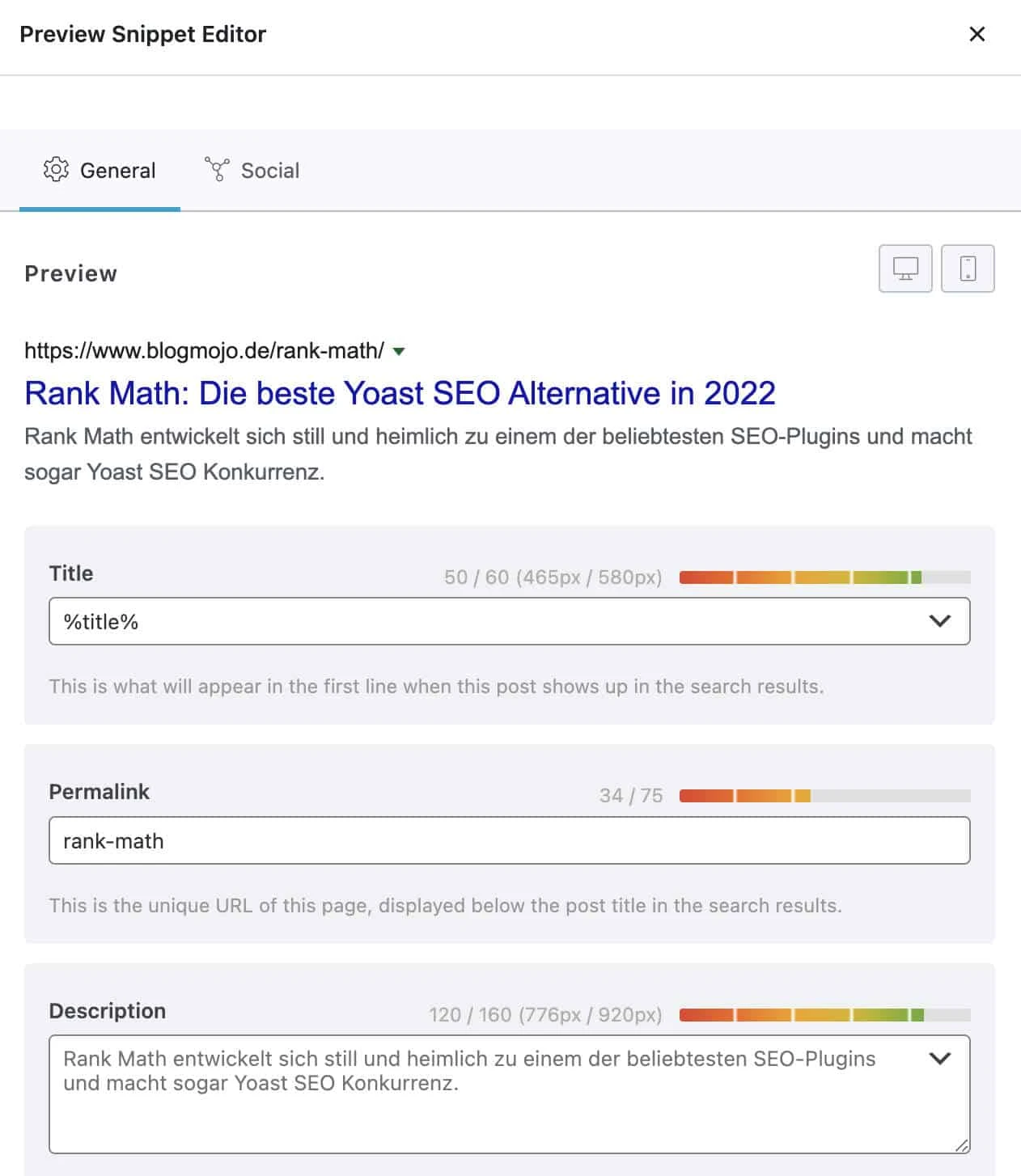
An optimized meta title and meta description are an important way to stand out in the SERPs.
Without a plugin, you would have to adjust both directly in the HTML code, which inexperienced users would probably find difficult.
Luckily, Rank Math takes this work off your hands. Just edit the title and description directly in the backend of a post.
And it gets better: besides an individual description and title per post, you can define a basic approach for all posts in the Rank Math settings. That works fairly easily through placeholders that Rank Math then replaces automatically (such as the post title and the site name).
If you've defined a main keyword, the title and description are also checked for keyword optimization.
SEO score
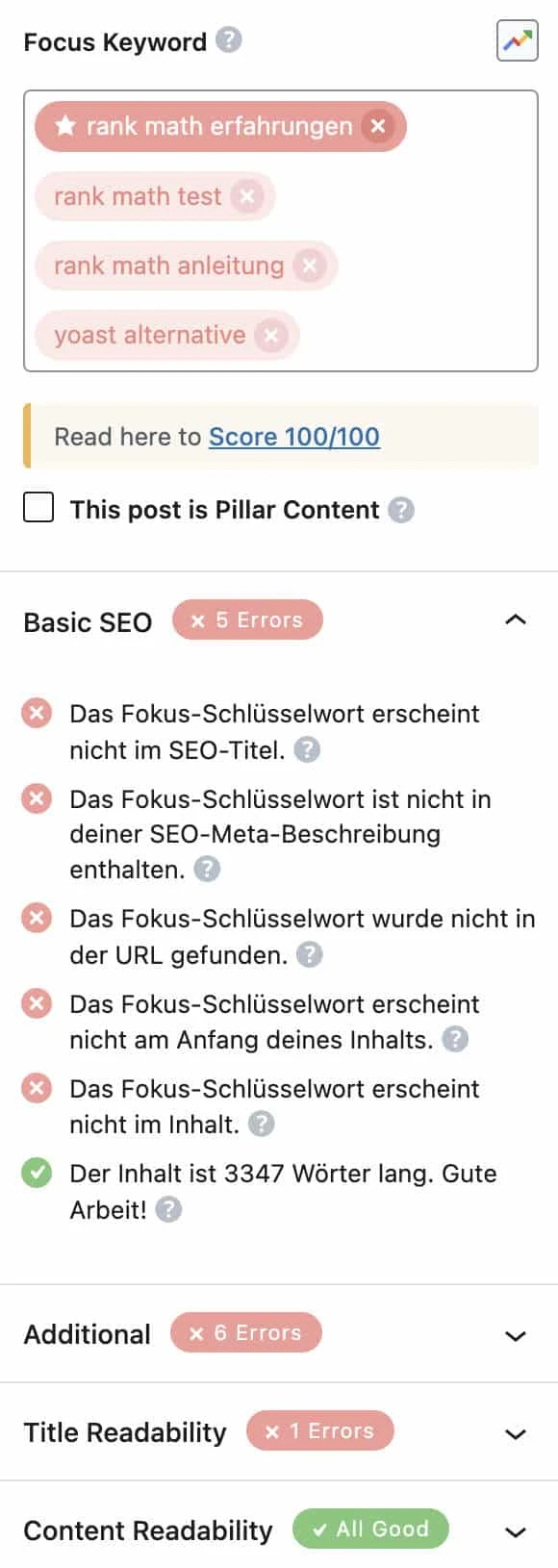
For every post, Rank Math shows an SEO score that tells you at a glance how well your post is optimized for a keyword you've defined. The maximum is 100 points, and we've almost never reached that with any post.
Among other things, the following are examined:
- Meta data
- URL
- Text length
- Keyword density
- Media optimization (alt tag, etc.)
Besides a very precise and detailed analysis of the current state, you're also shown further opportunities for optimization right away.
Social media preview

So that your posts also shine on social media, Rank Math optimizes their social media preview on the side.
Here, too, you can either define a template for all posts through placeholders or create an individual social media preview for every post. Here you can adjust not only the title and description but also the preview image shown.
And it gets better: you can even create a different preview for Facebook than, say, for Pinterest. That lets you define images and texts that perform best on each network.
Robots meta
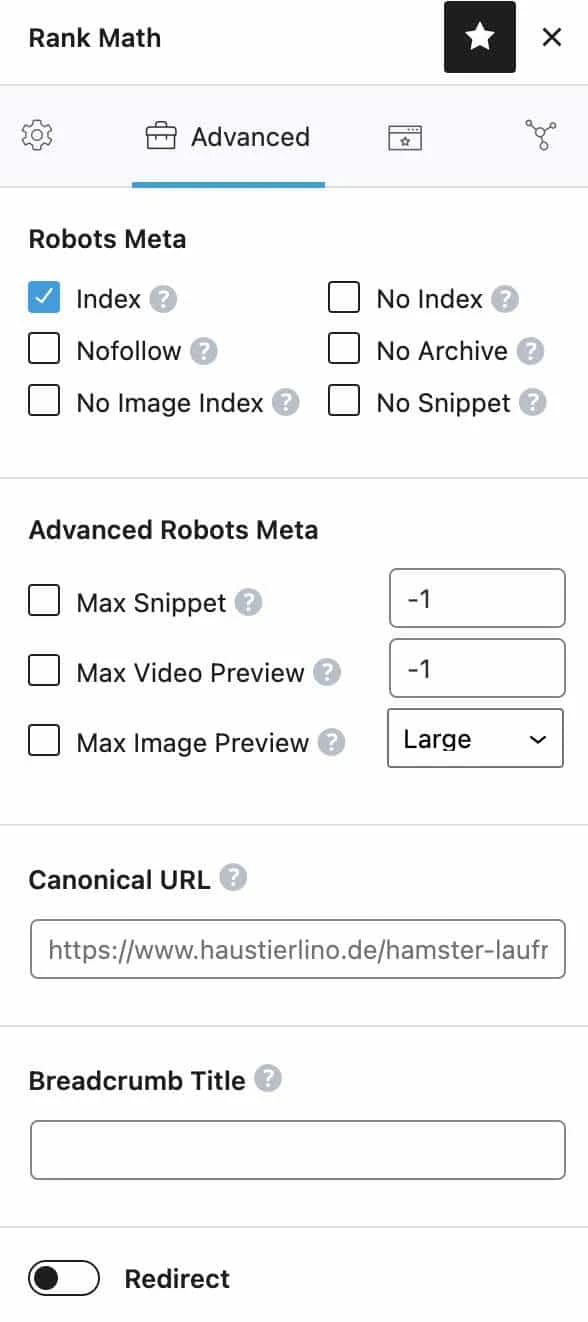
Not every page belongs in the Google index and should be shown in the SERPs. That includes, among others, the legal notice (Impressum) or the privacy policy.
With the “noindex” directive, you can specifically block pages and posts for the search engines' crawlers. Rank Math also has global settings here. You can, for example, mark category and tag pages or similar generally with “noindex” and don't have to do it by hand.
You can also mark links directly in the Gutenberg editor with the attributes sponsored, new window or nofollow, which saves you the detour through HTML. Global settings are possible here as well.
Verification with webmaster tools
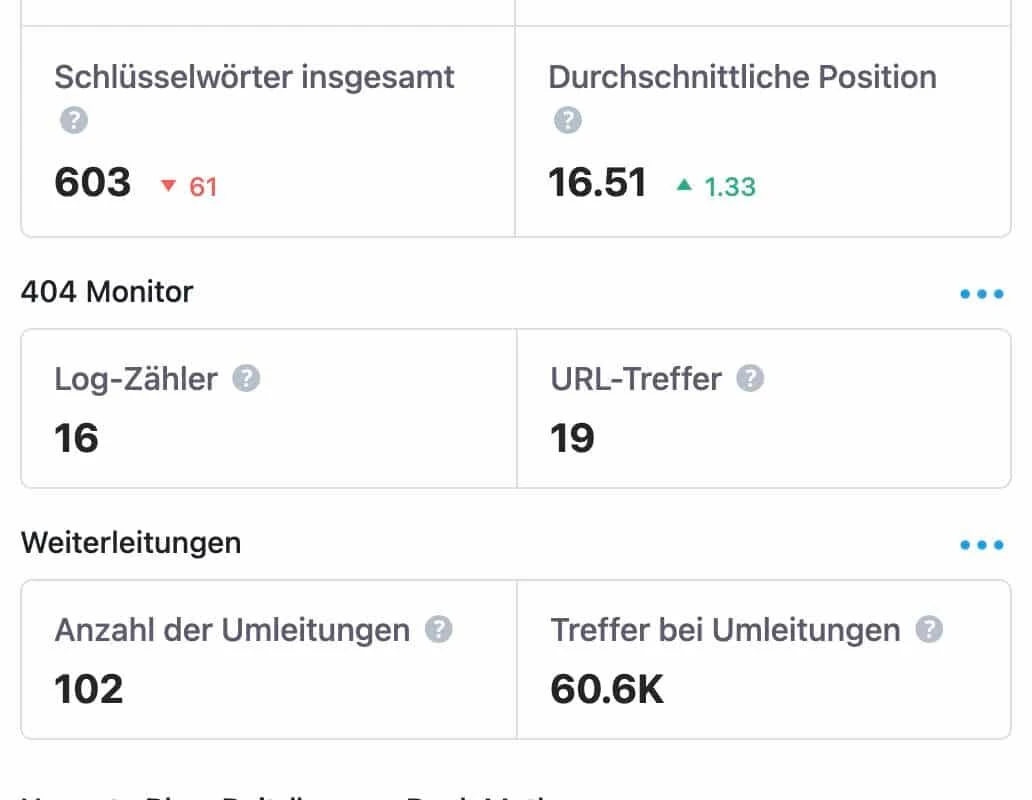
Google Webmaster Tools (today Search Console) are one of the most important instruments for bloggers to improve and optimize their own site.
The Search Console shows you exactly what the traffic numbers of your subpages look like, which keywords they're found for and what position a keyword reaches on average.
With Rank Math, you can skip the detour to this data and get insights directly in the WordPress backend.
In the Pro version, you can also select keywords directly that you want to monitor with the rank tracker.
More on that in a moment.
XML sitemap
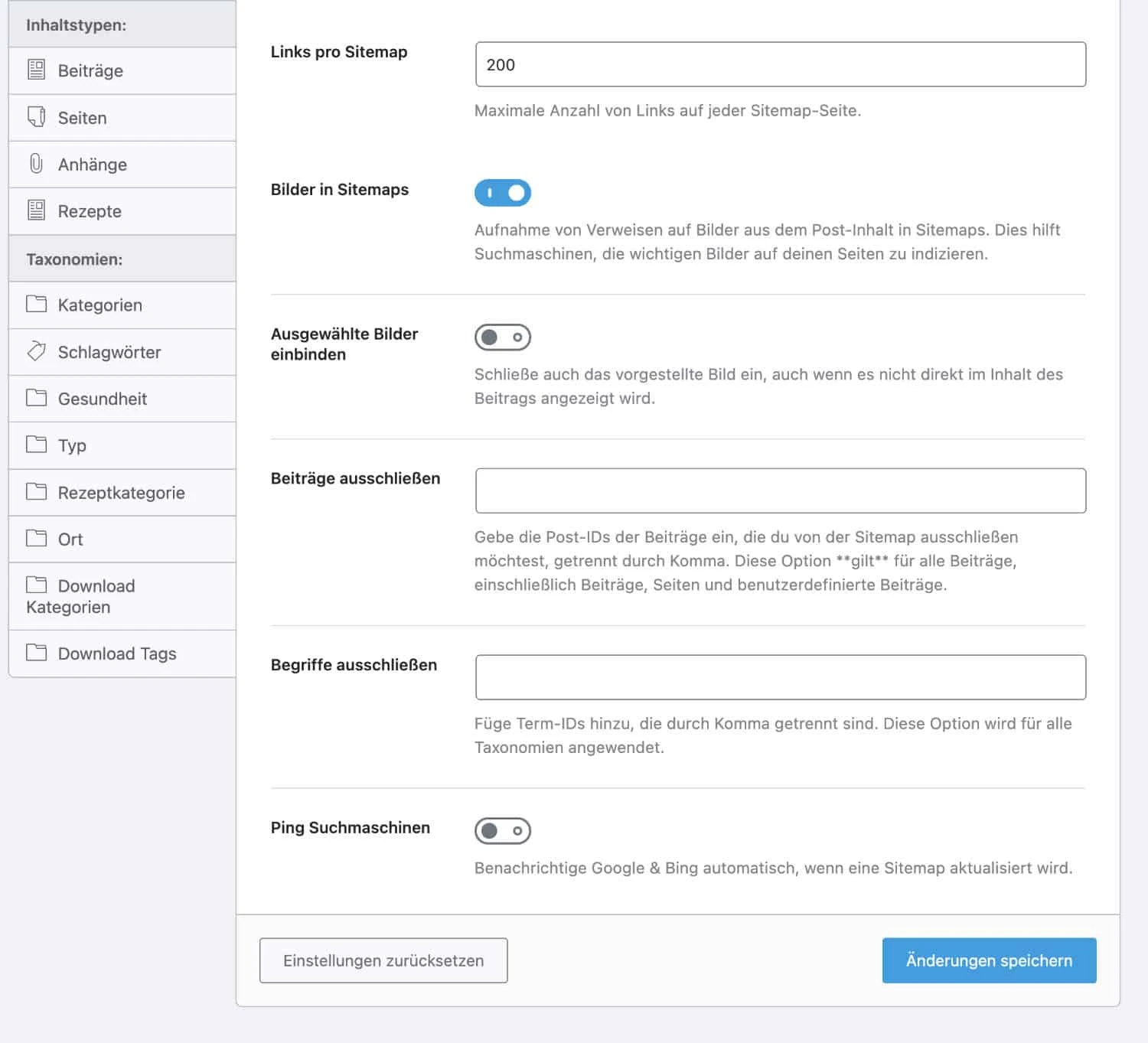
An XML sitemap is an important tool for giving Google and co. a better overview of your site. All posts, pages and media of your website are captured here and conveniently made available to the search engine's crawlers.
This compact representation has the advantage that the SERP coverage of your website improves significantly, because all subpages are found by search engines without gaps.
So that you don't have to create such an XML sitemap yourself, Rank Math generates it automatically when you install the plugin and makes it available at the link “yoursite.com/sitemap.xml”.
As soon as new posts are published, Rank Math adds them to the existing sitemap on its own and notifies search engines about the changes (ping), so you don't have to do anything here.
You submit the link to the sitemap to Google through the Search Console.
By the way: in the Pro version, Rank Math provides an XML sitemap not only for posts, pages and images but also for videos and news.
404 monitor
You've certainly experienced it before: you wanted to open a URL, but the page you were looking for couldn't be found.
In that case, your browser shows a so-called 404 error and a message such as “Page not found”.
Such a message is bad in two ways:
- The visitor will probably leave your site again and not come back, because the content they wanted wasn't found.
- Search engines rate such 404 errors very negatively, so the rankings of your website could get worse under certain circumstances.
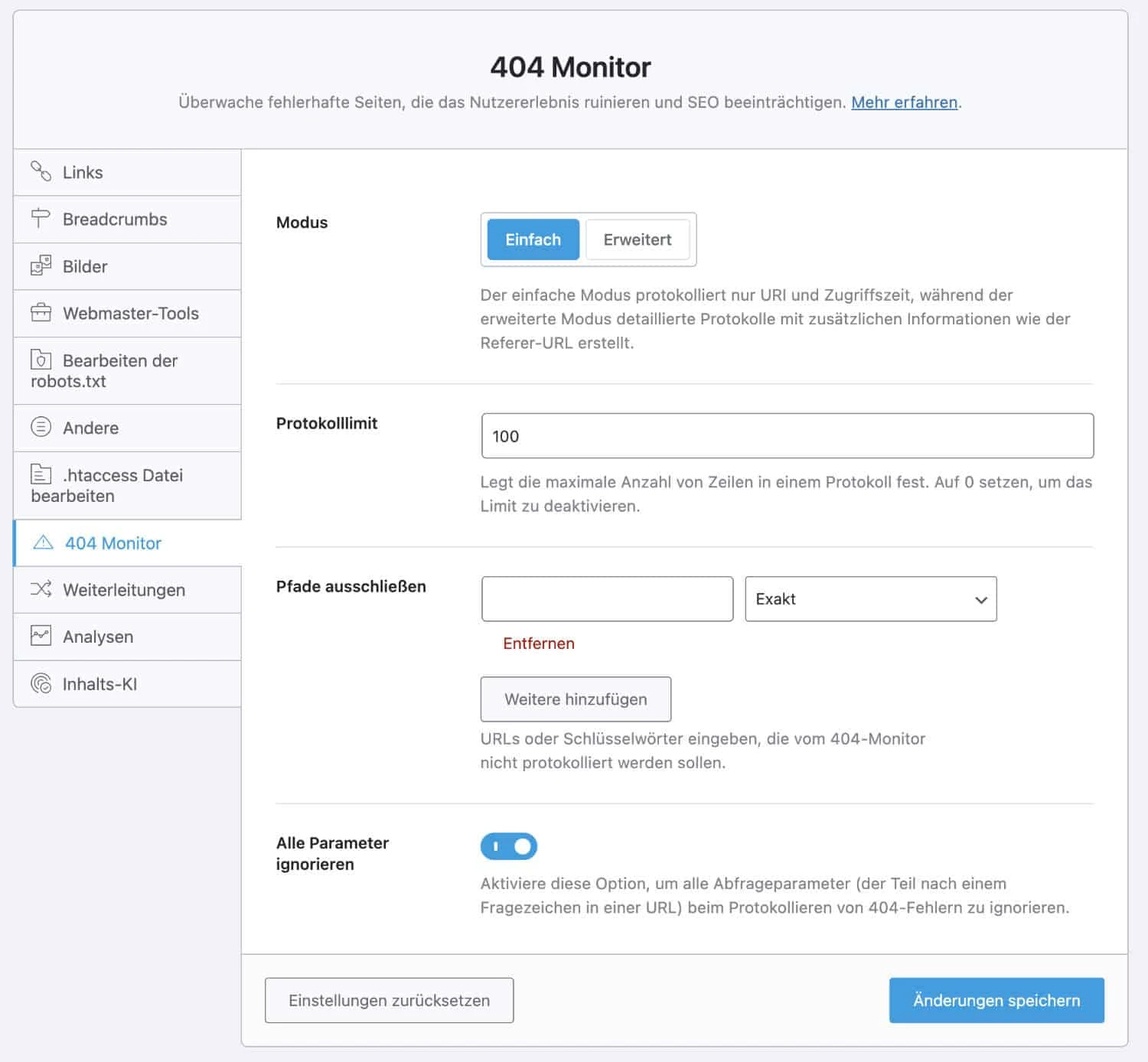
To spot piling-up 404 errors early and fix them quickly, Rank Math gives you a 404 monitor that stores these errors and lists them clearly.
That way, you immediately see when a subpage was deleted by accident or when there are broken internal links on your website, and you can set up the matching redirects (right in Rank Math itself, more on that in a moment).
Breadcrumbs
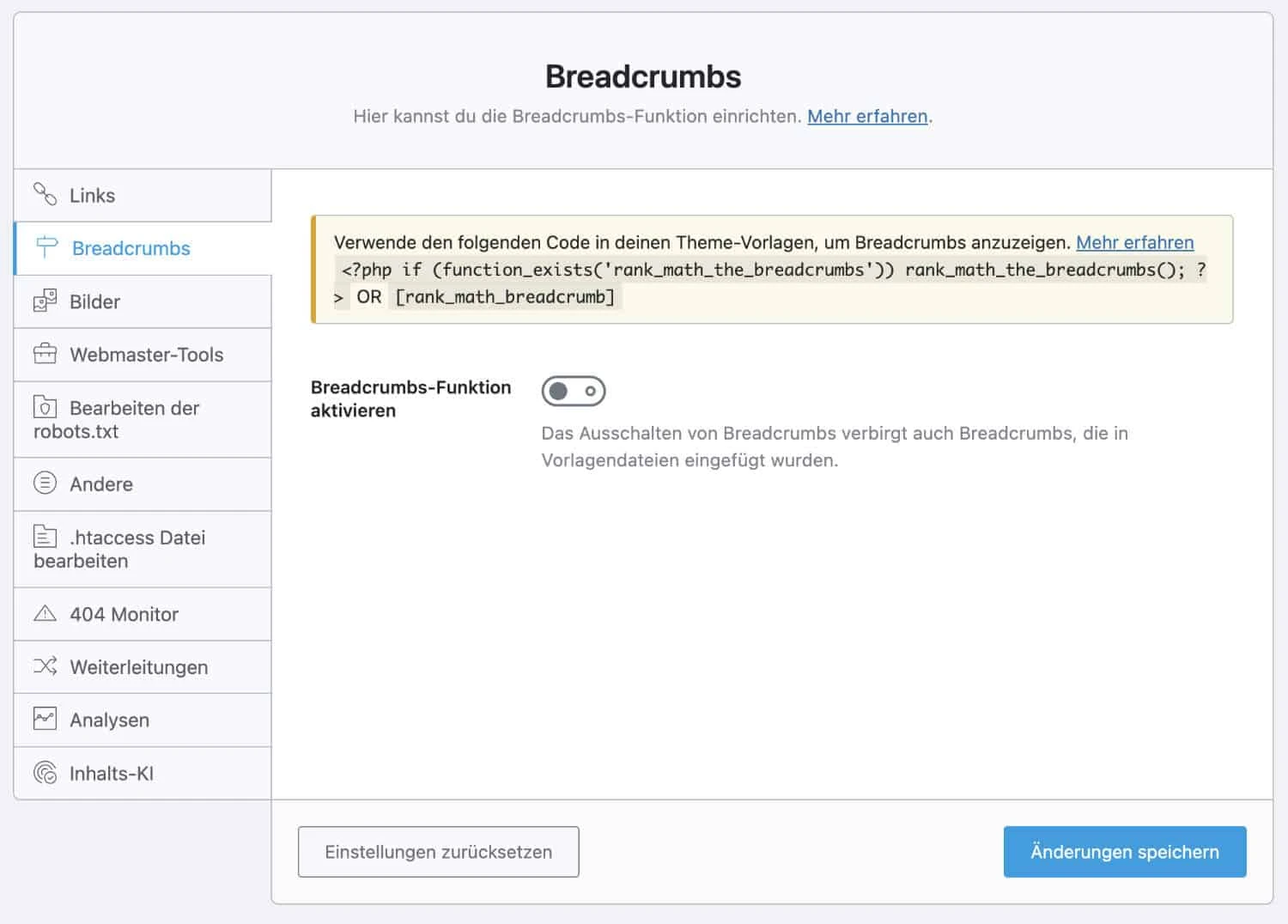
Breadcrumbs give your visitors orientation and make sure they find their way around quickly even with a complex site architecture.
But these breadcrumbs are worth their weight in gold not only for visitors but also for search engines, because crawlers can find and index your content faster.
We use such breadcrumbs on Blogmojo, too.
To add breadcrumbs to your site, you can either maintain the link paths by hand (which can take a lot of time) or use a plugin like Rank Math that already includes this feature and gives you a placeholder for breadcrumbs.
Redirects
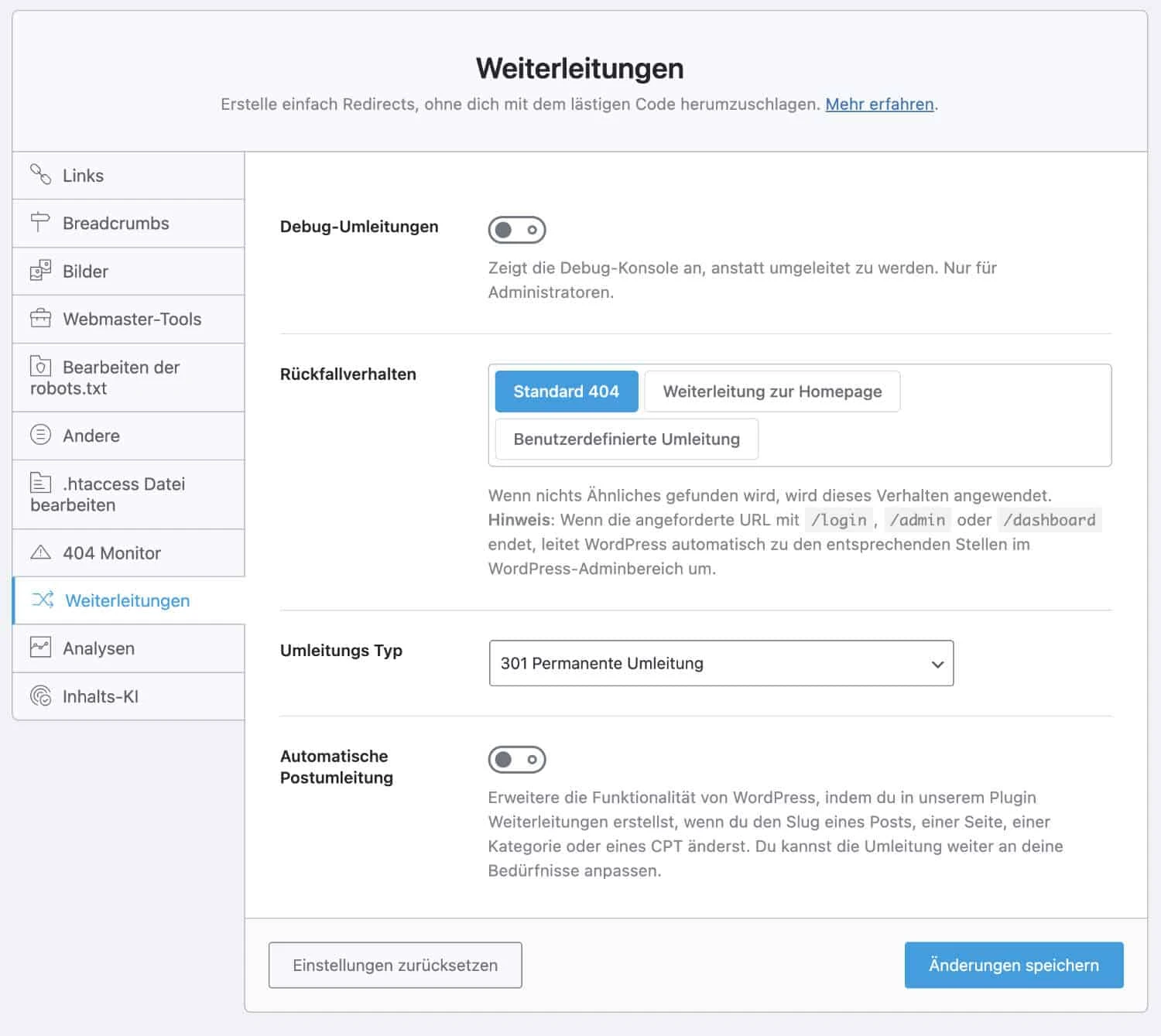
If you want to delete an already published post or change its URL, redirecting the old URL is a must so you don't send visitors to a dead page (and generate a 404 error).
Rank Math offers a simple and quick solution to this problem and already has a redirect manager built in. Combined with the 404 monitor mentioned above, you can reliably prevent broken links on your site.
As usual with Rank Math, the redirect manager is simply built and really easy to use for beginners and pros alike.
Besides a classic 302 redirect, you can even define 410 redirects (for deleted pages) through Rank Math.
So here, too, you save yourself another plugin!
Google Web Stories

Together with the official Google Web Stories plugin, Rank Math helps you get Web Stories into the SERPs successfully and correctly.
In a dedicated Web Stories module in the Rank Math backend, you set all the important meta data such as title or description as well as the article type, schema type or the thumbnail for Facebook.
You then create and publish your story through a Gutenberg block and the Google plugin.
Link counter
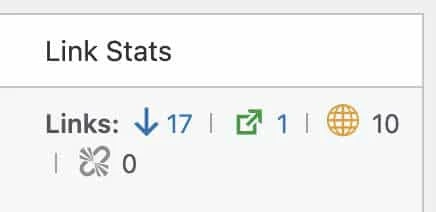
Links, whether external or internal, are an important part of a successful website.
Rank Math adds a link counter to the post and page overview that shows you at a glance how many of the links mentioned above your post has. This great overview gives you several benefits:
- You immediately see whether a post has few internal links and can add more to improve the site architecture.
- You can identify popular posts in your own site architecture
- You can use subpages with a high page authority very specifically to pass link juice on to other pages
Tip: sometimes the internal links are calculated incorrectly. You can fix this quickly and easily under Rank Math > Status & Tools > Database Tools (in the German interface: “Datenbank Tools”) by clicking “delete internal links” (in the German interface: “interne Links löschen”). However, “Advanced Mode” has to be enabled for this.
Content AI (Pro)
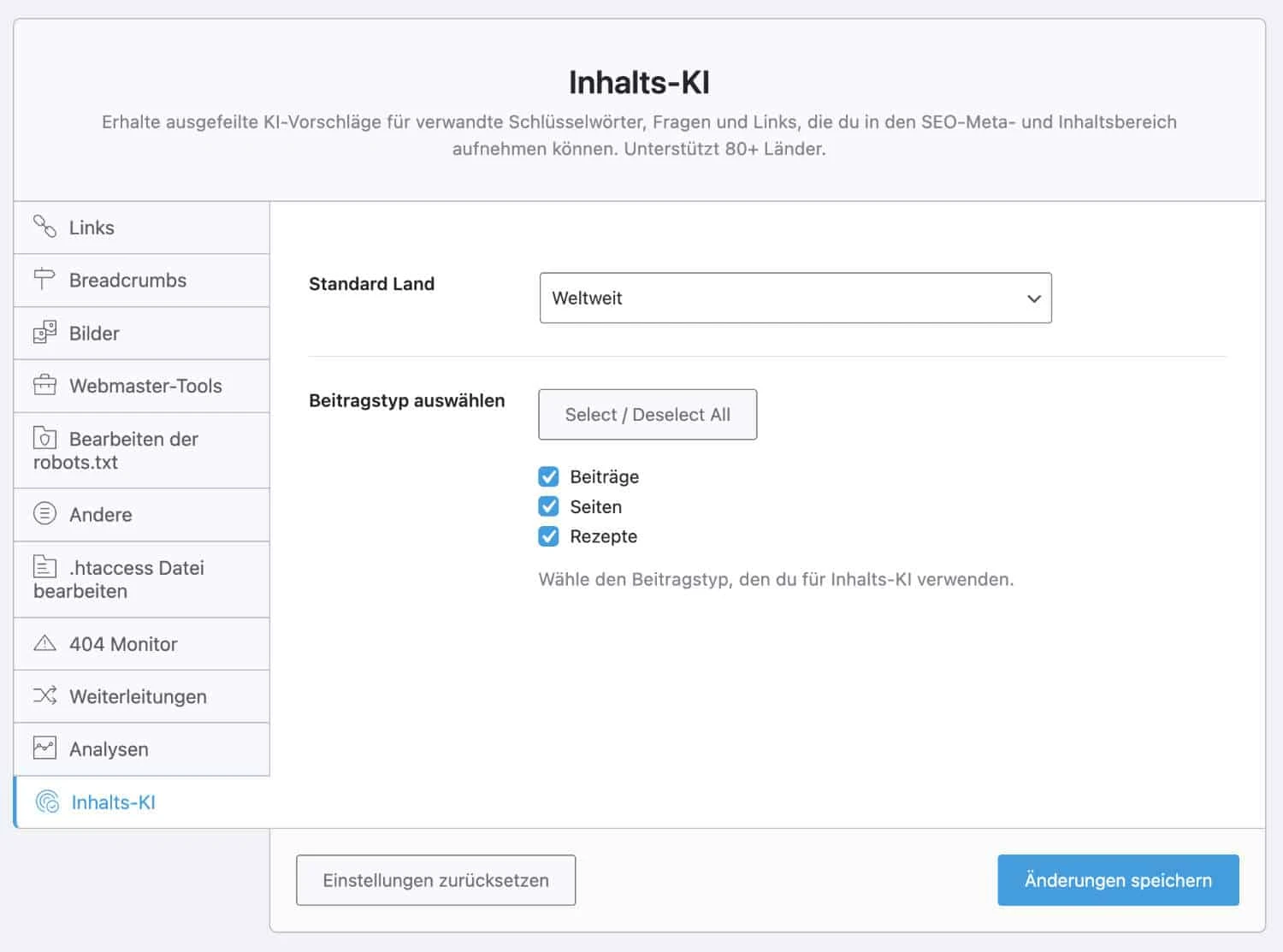
With Content AI, which is only included in Rank Math Pro, the plugin helps you improve the quality of your posts by analyzing the existing text and making specific suggestions:
- How long a text should be
- Specific suggestions on the number of links included
- Number and structure of headings
- Keywords and relevant phrases and words
- Potential questions that arise from the post's topic
Content AI is paid for through an account with credits, which are only credited once you book a premium plan.
Image SEO (Pro)
Gaining SEO benefits through image optimization is still underestimated by numerous bloggers.
So that Google can understand your images correctly and assign them to the right search queries, you should by no means neglect things like a descriptive file name or alt attributes.
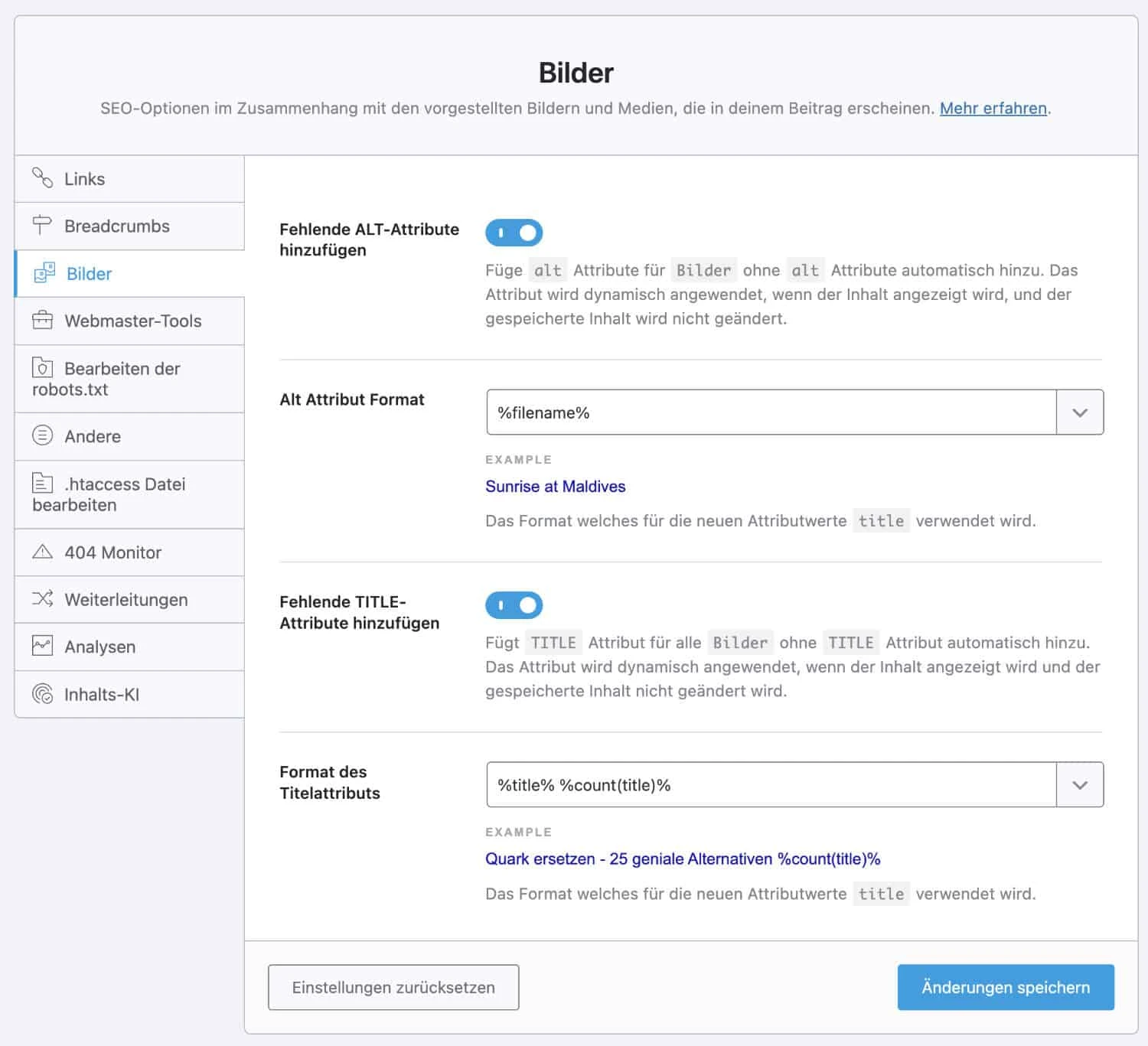
With that in mind, Rank Math Pro offers extensive settings for image SEO and automatically adds forgotten optimizations.
That means: for every part, from the alt attribute and meta data to the image description, Rank Math automatically fills in missing data based on predefined placeholders.
And the great thing is: you can even optimize files you've already published after the fact. There is even a search-and-replace function, for example to correct wrong alt attributes.
Rank tracker (Pro)
With the rank tracker, you keep an overview of the rankings of your posts and keywords and immediately see which articles perform especially well. Possible Google penalties or algorithm updates that have a negative or positive influence on your rankings are also visible immediately.
Such rank trackers are included in many SEO tools like Ahrefs, KWFinder or SEMrush too, but there you have to maintain them by hand (and they're often very expensive).
In Rank Math, thanks to the Search Console integration, you can add keywords to monitor with a simple click and display them clearly in the WordPress backend.
The inexpensive Pro plan also already includes 500 tracking slots, which should be enough for most private blogs.
Advanced schema generator (Pro)
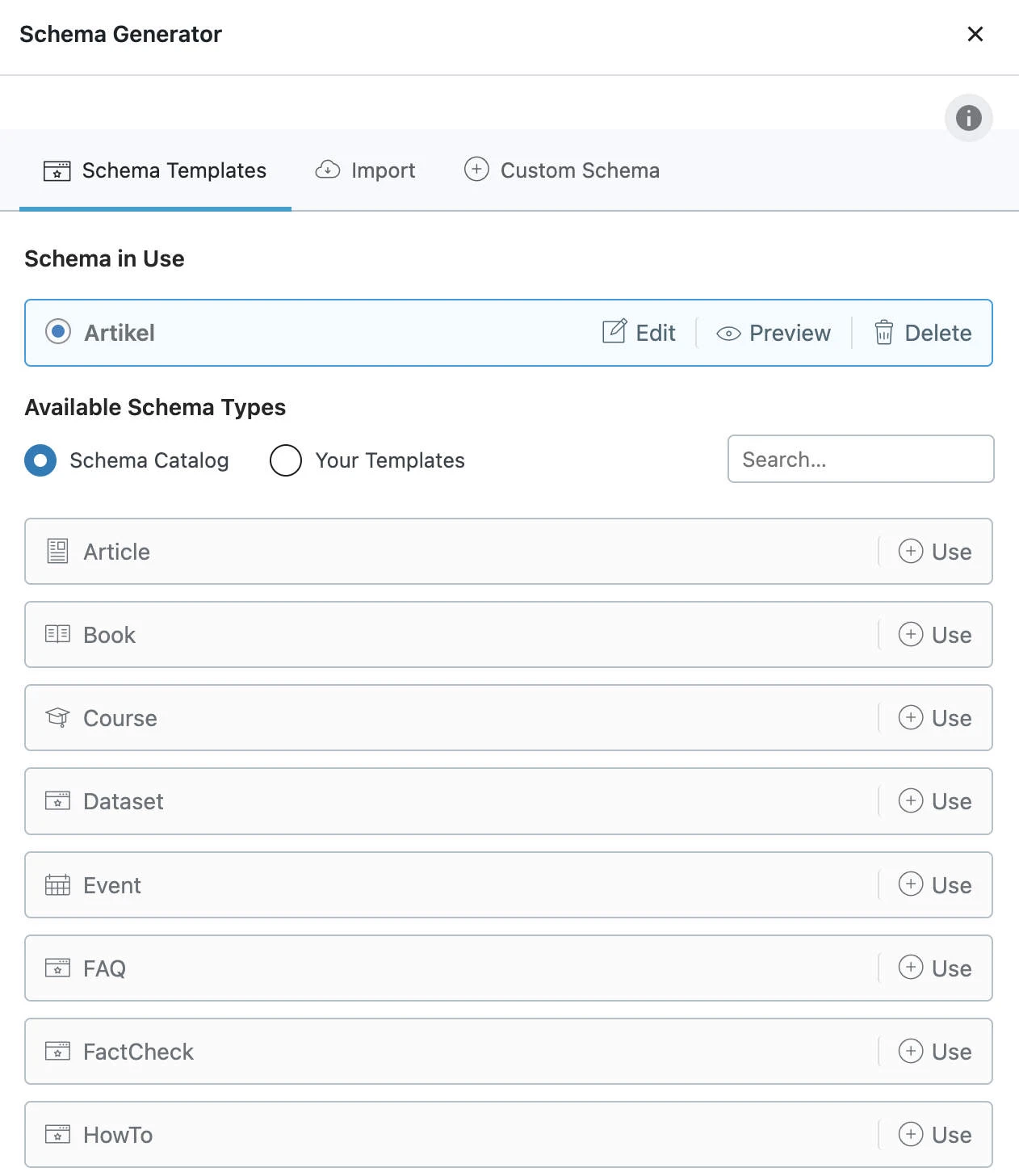
Classic schemas like “How to” or “FAQ” are already built into the free Rank Math version. Rich snippets for articles, events or recipes are of course included here as well.
With Rank Math Premium, this already very long list is extended once more, namely by a schema generator that lets you add multiple markups to one post.
This feature is even implemented additionally in the page builder Elementor.
News sitemap (Pro)
Any website can qualify for Google News. Yours too.
To be included, several requirements under strict Google guidelines have to be met. These include a special sitemap type that contains published posts for only 2 days and then removes them automatically. It may also contain a maximum of 1,000 entries.
Rank Math Pro gives you exactly this sitemap.
Once the news sitemap has been activated in the backend, you'll find it at yoururl.com/news-sitemap.xml.
In the WordPress backend of a post, a button is also added under the Rank Math settings (Advanced) that you can use to control specifically whether a post should be included in the news index or not.
Video sitemap (Pro)
If you've embedded videos on your site, a separate video sitemap is essential so that Google can recognize your content ideally and show it within the search results.
The sitemap is activated in the Rank Math backend as soon as you've purchased the Pro version.
You'll then find it at yoururl.com/video-sitemap.xml.
Tip: Rank Math lets you hide this sitemap from “normal” visitors and show it only to bots.
WooCommerce support (Pro)

Rank Math calls itself “the most advanced SEO for WooCommerce”. We can underline that.
Besides very classic features like the option to define a title and description for your products, there is also a dedicated product schema that makes sure your items are displayed correctly within the SERPs and are also added to Google Shopping.
Rank Math also gives you a wealth of advanced settings to configure the SEO of your shop very individually to your liking.
3. Downsides of Rank Math
We admittedly had a hard time finding downsides of Rank Math. And even though we list a few points here, they are “complaining at a high level”, because it's hard to criticize one of the most extensive free SEO plugins.
The biggest downside is probably that Content AI isn't particularly good. Tools like Surfer SEO or Frase cut a much better figure (but are also much more expensive).
4. Is the Pro version worth it?
The Rank Math Premium version has been available since July 2021 and, by its own account, combines plugins worth $1,675 in total in one solution (which is a bit exaggerated).
We already introduced some of the most important Pro features in the previous chapter, so you can roughly judge for yourself whether the Pro version could be worth it for you and your website.
To give you a little something to go on, we'd answer the question posed at the start as follows:
If you don't use a rank tracker yet, Rank Math Pro offers a simple and very user-friendly way to keep a good overview of your own positioning in the SERPs. So the roughly $96 per year ($7.99 / month) can be well invested.
Rank Math Pro is almost a must if you run a WooCommerce online shop or want to get your site into Google News. Here we would definitely recommend the Pro version.
5. Installing Rank Math
Rank Math is downloaded and activated the classic way through the WordPress plugin directory. Afterwards, a user-friendly setup wizard awaits you that helps you very well even with complex parts.
In this chapter, we show you how easily and quickly you can install and set up Rank Math.
5.1 Create a profile
Before you can start the actual installation of Rank Math, you first need a free account, which you can create directly on the Rank Math website.
5.2 Download and activate the plugin
As mentioned, Rank Math is listed in the WordPress plugin library and can be downloaded there easily and quickly.
Tip: definitely create a backup before the installation.
5.3 First steps
After the plugin has been activated, the setup wizard starts automatically and first asks you to enter your membership details.
Next, your WordPress installation is checked. It is tested against various requirements that Rank Math has:
- PHP version
- WordPress version
- PHP DOM extension
- PHP SimpleXML extension
- PHP GD or Imagick extension
- etc.
As a rule, no problems or conflicts are found here, so you can move on to the next step.
5.4 Import
Rank Math can take over settings from other plugins.
That means: the setup wizard automatically detects which plugins can be integrated into Rank Math. This mostly concerns SEO plugins such as Yoast SEO, or redirects.
Even though we haven't had any negative experiences with the import function so far, we still recommend that you create a backup and run an export with your previous SEO plugin.
5.5 Website details
In the fourth step, Rank Math asks you for some data about your website.
This includes first of all the type of your website (blog, portfolio, shop, etc.), the business type as well as the name of your company and the matching logo.
Please don't skip these entries, because the logo or your company name can be listed accordingly in the Google SERPs.
5.6 Connecting to the Search Console
Now it's time to synchronize the Google Search Console with your website or your Rank Math account. This works through an authorization code that you can generate directly in the setup wizard.
Then you have to sign in with a Google account to be linked and paste the code you just received there. Your site should now appear in the drop-down menu within the setup wizard, and you can select it.
Done.
5.7 XML sitemap
Creating the sitemap correctly is one of the most important steps in the setup process and should by no means be skipped.
You can actually keep the default configuration here.
Make sure that both the sitemap itself and the image sitemap are enabled and that the checkbox is ticked for all post types (this section can vary depending on your website, for example if you've added a portfolio to the site).
Categories should also not be included.
5.8 Submit the sitemap to Google
Once the initial setup is done, you shouldn't lose any time and should enter the XML sitemap you just created in the Google Search Console. That helps Google index your site faster and more completely.
By the way: all the settings you make during the initial setup are not set in stone and can be adjusted at any time in the Rank Math settings.
6. FAQ
Here I've put together the answers to the most common questions about Rank Math:
What are the best alternatives to Rank Math?
Besides Rank Math, Yoast SEO is still one of the best SEO plugins for WordPress.
All in One SEO is also very popular, but in our opinion it can't compete with either Rank Math or Yoast SEO.
Does Rank Math hurt my loading time?
Every plugin you add to your site affects your loading time. With Rank Math, though, the effect is so small that it doesn't register in tools like Google PageSpeed Insights or GTmetrix.
So the answer is: No, Rank Math doesn't hurt your loading time.
Can I try Rank Math Pro for free?
In Germany, you have a statutory right of return of 14 days for every online purchase. Rank Math even extends this guarantee to a full 30 days, so you can test Rank Math Pro thoroughly.
Can I use Rank Math with WordPress.com?
Yes, the plugin is listed in the WordPress.com plugin collection. However, you need a special plan to be able to use plugins.
Does Rank Math Pro work with Google Analytics 4?
Because Google Analytics 4 is still in a beta phase, Rank Math doesn't support it yet.
Which SEO plugins can I import data from into Rank Math?
Yoast SEO, SEOPress and All in One SEO Pack are supported. You can run the import directly in the installation wizard or later in the backend.
Which page builders and WordPress editors is Rank Math compatible with?
Rank Math natively supports the following page builders and editors:
- Classic Editor
- Gutenberg Editor
- Elementor
- Divi