
I've noticed that I sometimes sit on blog posts for far too long.
That's not only frustrating but also bad for the blog business. After all, time is money!
That's why over the past weeks and months I've tried various techniques and strategies to write blog posts, newsletters, or e-books faster.
And with complete success!
- Plan your content in advance with an editorial calendar so you never run out of topics.
- Create templates for recurring text structures such as introductions, listicles, and conclusions.
- Use keyboard shortcuts and snippets to insert frequently used text blocks quickly.
- Block distracting websites and apps with Focus, or schedule fixed focus time with Reclaim.ai.
- Write the complete draft first and only then proofread; keep writing and proofreading separate.
The following strategies and tricks helped me write blog posts almost twice as fast (!) as before, without having to accept any loss in quality:
1. Constantly collect inspiration
So that I don't have to think forever about what to write, I'm always looking for ideas. I read a lot on other blogs, and when I see a topic that interests me and that I'd like to write about, I add it to my inspiration list.
I set up a list in Google Sheets where I always enter potential article ideas (together with reference links). On the go, I also collect ideas with the Notes app on my iPhone, and I save articles I like and that inspire me as bookmarks in Chrome.
When I have time to write again, I simply look at my lists, pick a topic (without thinking about it for too long), and start writing.
2. Reduce distractions
Distractions are a massive problem for me. Instead of writing (or doing other things that are important), I often check Facebook and Twitter, or read news on the German sites heise or Tagesschau.
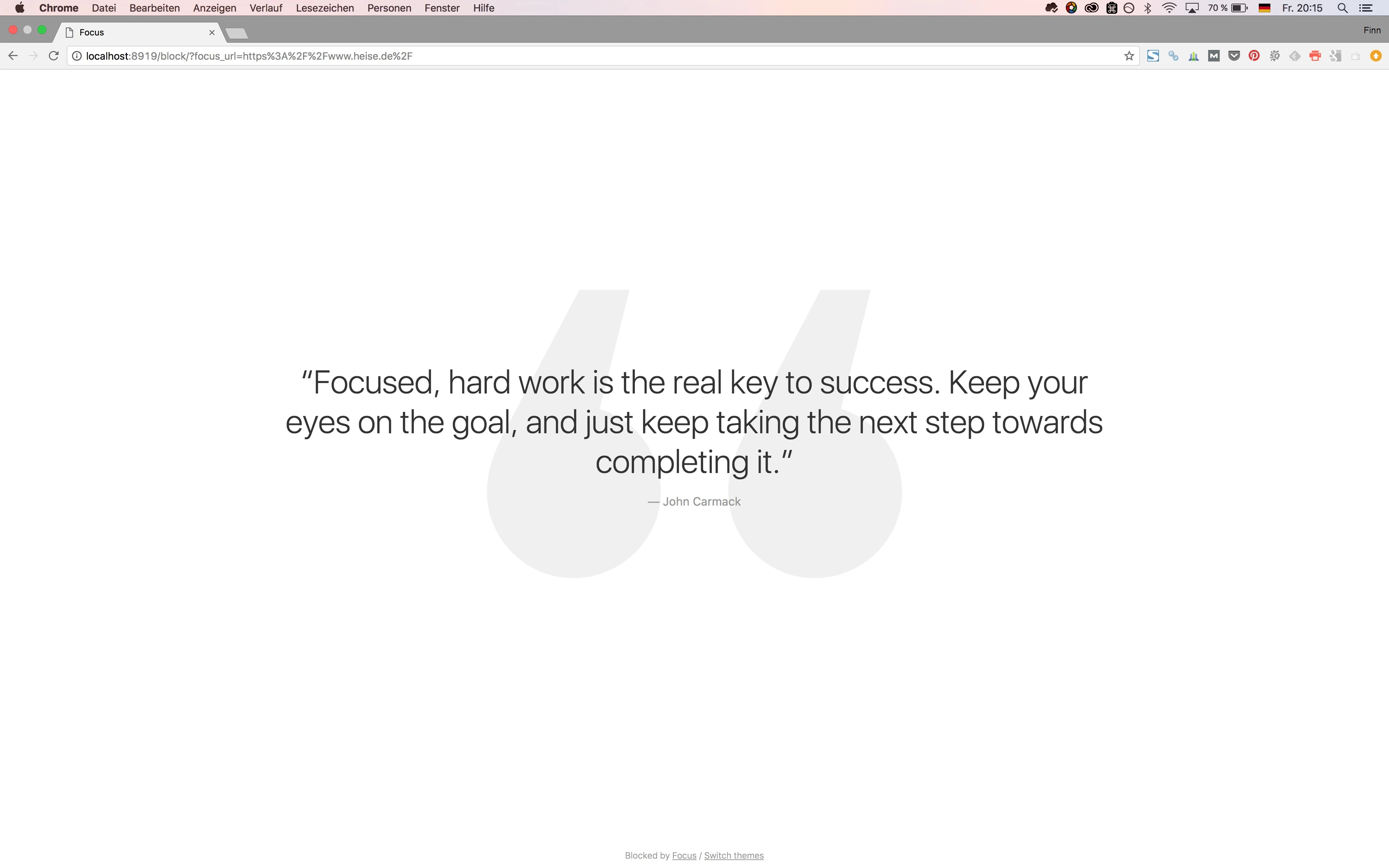
What helped me reduce distractions back then was the app Focus.
I currently have it set up so that all social media sites (except Pinterest), the news sites I often visit as a distraction, and distracting apps like WhatsApp are switched off from 7:00 a.m. to 7:00 p.m. That way I can concentrate on writing during the hours when I'm most productive.
When Focus is active and you visit a website on the block list in your browser, a motivational quote is shown instead:
I also reduce distractions away from the computer.
This includes, for example, the following measures:
- Switch off the smartphone or put it on silent
- Work in a quiet place
- Tidy up and clean (clutter in the room often creates clutter in my head)
- Eat before or after work, not during it
One addition is Reclaim.ai. The tool automatically keeps focus time free in your calendar and adjusts it when other appointments move. It doesn't block websites or apps, though. That's why it's not a full replacement for Focus.
3. Improve your concentration
You can only write faster if you're really concentrated.
Here's what I can recommend to clear your head:
- Take breaks in between (e.g., with the Pomodoro technique)
- Stay physically fit and eat healthily
- Make sure you get enough sleep
- Eliminate negative thoughts (e.g., through meditation or deliberate mindfulness breaks)
- Don't drink too much coffee (or other caffeinated drinks) and use them more deliberately
- Listen to music in the background that doesn't distract you
4. Do one thing at a time
If you write and do a thousand other things at the same time, like formatting, proofreading, editing images, or keyword research and optimization, it takes ten times longer until your blog post is done.
Instead of doing everything at once, do everything one after the other. While you write, you write. While you edit, you edit. While you work on images, you work on images, and so on.
5. Group similar tasks together (batching)
Say your blog post has 10 paragraphs and you want to insert an image for each paragraph. Then you probably proceed like this:
- You write a paragraph.
- You find/create a fitting image for the paragraph, upload it, and insert it.
- You write a paragraph.
- You find/create a fitting image for the paragraph, upload it, and insert it.
That's totally inefficient.
It's better to group similar tasks together. That means:
- You write 10 paragraphs.
- You find/create 10 images.
- You upload all 10 images at once.
- You insert the 10 images one after the other at the right places in the article.
This way:
- you don't lose your concentration by switching back and forth between different tasks and maybe already being mentally at the next task.
- you save yourself many work steps, because you do them once instead of 10 times (e.g., you only need one step to upload all 10 images)
6. Always stick to the same process
Routines make you more productive.
Not just in blogging, but in pretty much everything in life. When I write blog posts, I always stick, if possible, to a similar process with the following 4 steps:
Step 1 (day one):
- Keyword research
- Define the outline (create an outline with H headings directly in WordPress)
- Pick out research sources
Step 2 (day two):
- Write down the first draft
Step 3 (day three):
- Proofreading and fine-tuning
- Formatting
- Find/make images (featured image, images in the article), edit them, and insert them into the article
- Insert quotes and links
- Keyword optimization
Step 4: (day three or later on day two)
- Final proofreading
- Publishing
- Sharing on social media, via newsletter, etc.
Day 1 and day 2, or day 2 and day 3, don't necessarily have to be consecutive. But it makes sense not to let too much time pass between the individual days.
Splitting the work across several days makes sure you don't become blind to your own work, but too long a gap can make you lose your flow and force you to read your own article again.
For my detailed tutorials, though, a total time of an hour and a half is nowhere near enough.
7. Use placeholders
So that I'm not distracted in my writing flow and don't have to look for fitting images, sources, quotes, or things that require research while writing, I use placeholders.
When I've finished writing the article, I search for my placeholders with CTRL + F (or CMD + F on the Mac) and fill in the missing content one by one.
I use XX for this, because there are no words in German that contain this sequence of letters, so I can be sure that my placeholder search only marks placeholders.
For longer blog posts I also use other abbreviations, e.g., XTD (for extend).
8. Keep it short
I'm someone who likes to write sentences that are too long and goes off on tangents. By now I'm trying to make it a habit to keep it short and limit myself to the essentials.
That saves valuable lifetime.
Not just for me, but for you, my reader.
9. Give every task a time window
You can save a lot of time if you concentrate on the essentials while writing.
But it works the other way around just as well:
By limiting the time you're allowed to spend on a blog post (and on the individual work steps) from the start, you're more likely to concentrate on the essentials.
For this article, for example, I had three more points that weren't as important. Because I set myself the deadline of finishing it today, I simply left those points out.
This technique is part of Parkinson's laws, named after the British sociologist Cyril Northcote Parkinson:
10. Click Publish faster!
I tend toward perfectionism.
That's not necessarily bad, but it often means I start fiddling around, don't finish a task, and take twice as long as necessary.
Yet with imperfect blog posts you usually get the same results. Maybe there's a comma missing here or there, or something isn't phrased quite as clearly as it could be, or the lighting in the featured image isn't top notch. But most readers don't notice that anyway.
Just now, for example, I caught myself wondering whether herumtüdeln (German for fiddling around) is actually a good choice of word. But I ignored my perfectionist brain and simply left it as it is...
11. Use templates
Templates help you avoid doing the same work over and over again. This includes, for example:
- HTML and CSS templates for tables, notice boxes, or buttons
- Templates in Canva or Photoshop for featured images or Pinterest images
- Plugins for inserting Amazon product boxes or tables (such as AAWP or ASA 2 Pro)
- Using WordPress shortcodes (either coded yourself in the functions.php, via theme shortcodes, or a plugin like Shortcodes Ultimate)
- Inserting affiliate links, e.g., with ThirstyAffiliates
One of my Canva templates for Pinterest images looks like this, for example:

12. Learn to type faster
Anyone who can type faster can also write faster.
It helped me a lot to learn early on how to touch type with 10 fingers. You don't even have to take a course for it. There are numerous computer programs and browser apps you can use to practice at home on your own PC.
Back then I used the program TIPP10, which I still open from time to time even after many years to increase my speed a little. It's now available in several languages, both offline for Windows, Linux, and Mac and online.
13. Write directly in WordPress
For quite some time now I've been writing blog posts directly in the WordPress editor.
That has one big advantage:
I get the formatting I want right away. And I don't have to adjust it after writing the article in Microsoft Word or Google Docs and copying it into the WordPress editor.
Thanks to the improved preview in the Gutenberg editor, I can also see right away what the article will look like later.
If you outsource your writing, I'd handle it exactly the same way: have your employees or freelancers write directly in WordPress. That saves you a work step.