Surfer SEO for content optimization helps you optimize pages and blog articles based on artificial intelligence and real SERP data, and more recently have them written as well.
I've been using the tool regularly for several years. In my view, Surfer SEO has the potential to replace many other SEO tools in the long run.
- Surfer SEO combines SERP analysis, content optimization, website audits, topic planning, and the measurement of mentions in AI answers.
- The tool is mainly suited to advanced SEOs, editorial teams, and agencies who want to derive recommendations from current search results.
- The suggestions save analysis time, but you should always review them editorially. A high Content Score replaces neither search intent nor readability.

1. Features
Since my first test, Surfer SEO has grown from a content editor into a platform for classic and AI-powered search.
The most important current areas include Content Editor, Auto-Optimize, AI Writer, Sites with Content Audit and Topical Map, SERP Analyzer, and an AI Tracker for mentions in AI answers. Since June 2026, the Content Score shows performance in Google Search and in AI search side by side, and Auto-Optimize takes both into account.
1.1 SERP Analyzer
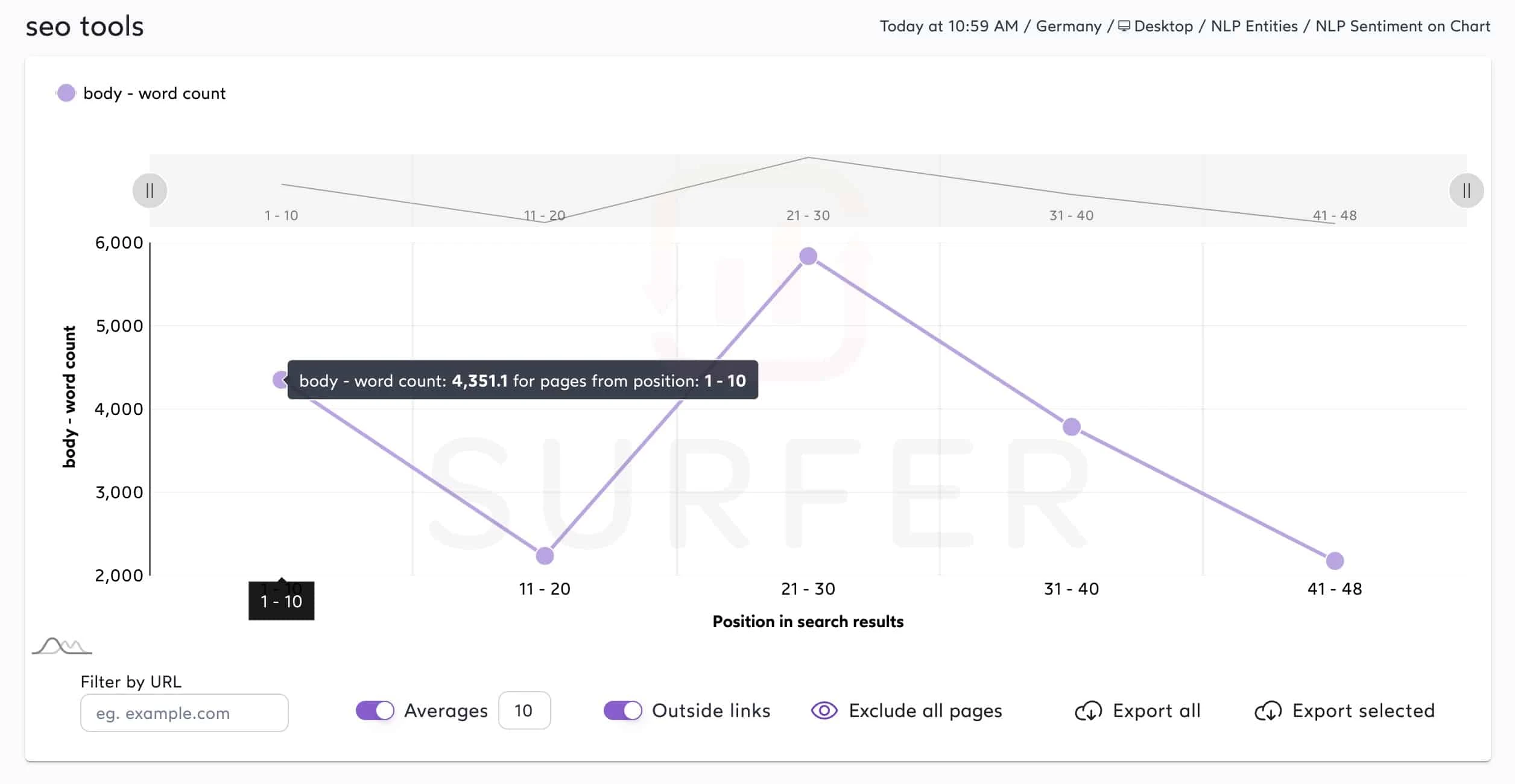
Thorough keyword research should always include an analysis of the top 10 results. That way you see which content formats Google expects and how detailed the content needs to be.
Surfer SEO goes particularly deep here and shows you, among other things, correlations and recommendations on:
- Density and number of relevant keywords in the content
- Word count of the competition
- Number of internal and external links
The following screenshot comes from my earlier test for the keyword “seo tools”. The word count shown back then is a snapshot of the search results at that time and not a lasting text length target:
1.2 Keyword research and Topical Map
Besides classic keyword research, Surfer now offers a Topical Map. It combines data from Google Search Console with semantically related topic clusters and shows which topics your domain already covers and where gaps remain.
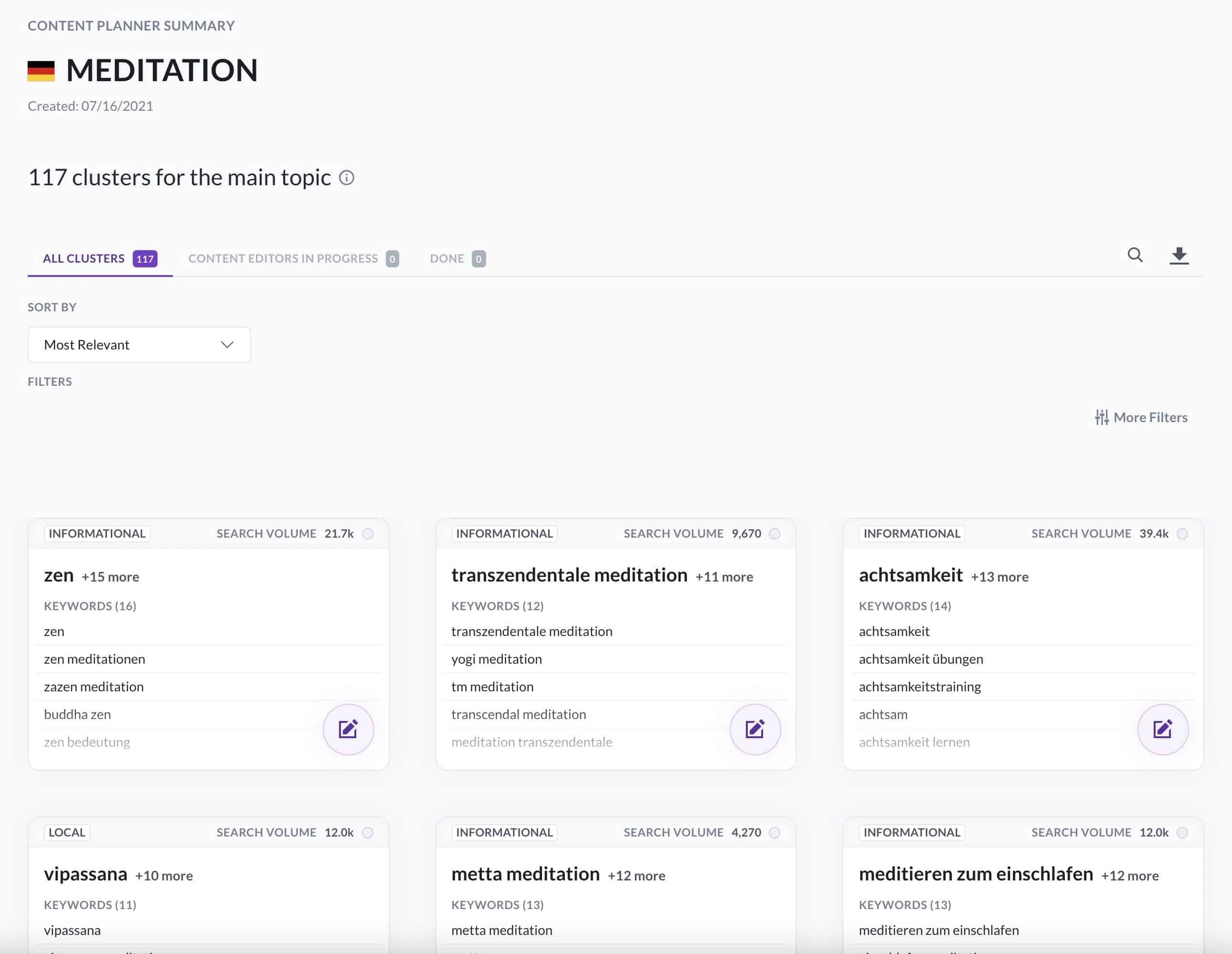
The screenshot shows the former Content Planner. The current successor concept is the Topical Map in a Site project.
1.3 Content Editor
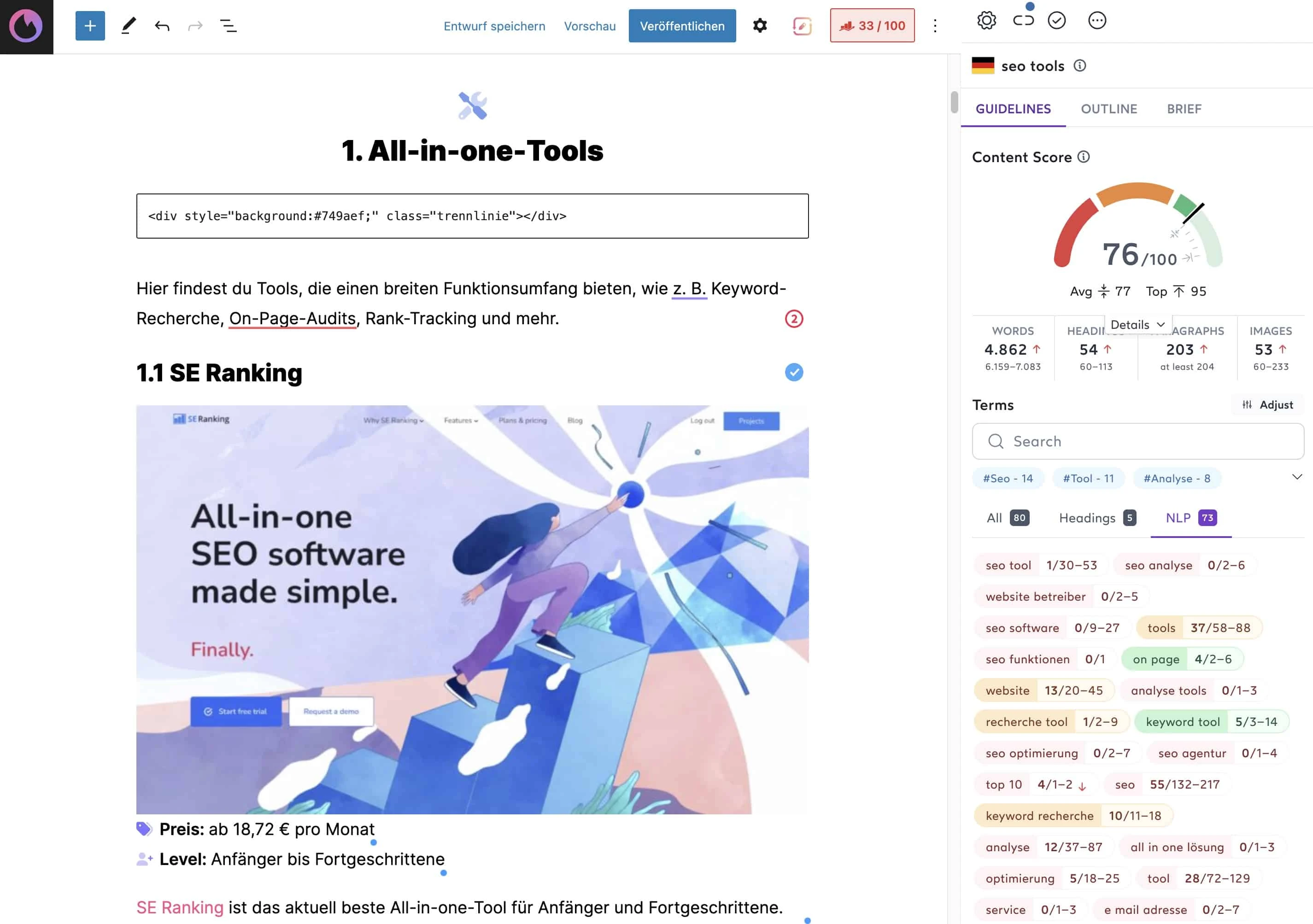
The Content Editor is the heart of Surfer SEO. It shows you which phrases and words could be important and how many words, headings, paragraphs, and images your text should ideally contain.
This is how you put the findings from the SERP Analyzer into practice without having to wade through every competitor text yourself. For my articles I aim for a Content Score of at least 75, because higher values can hurt readability.
1.4 AI Writer and Auto-Optimize
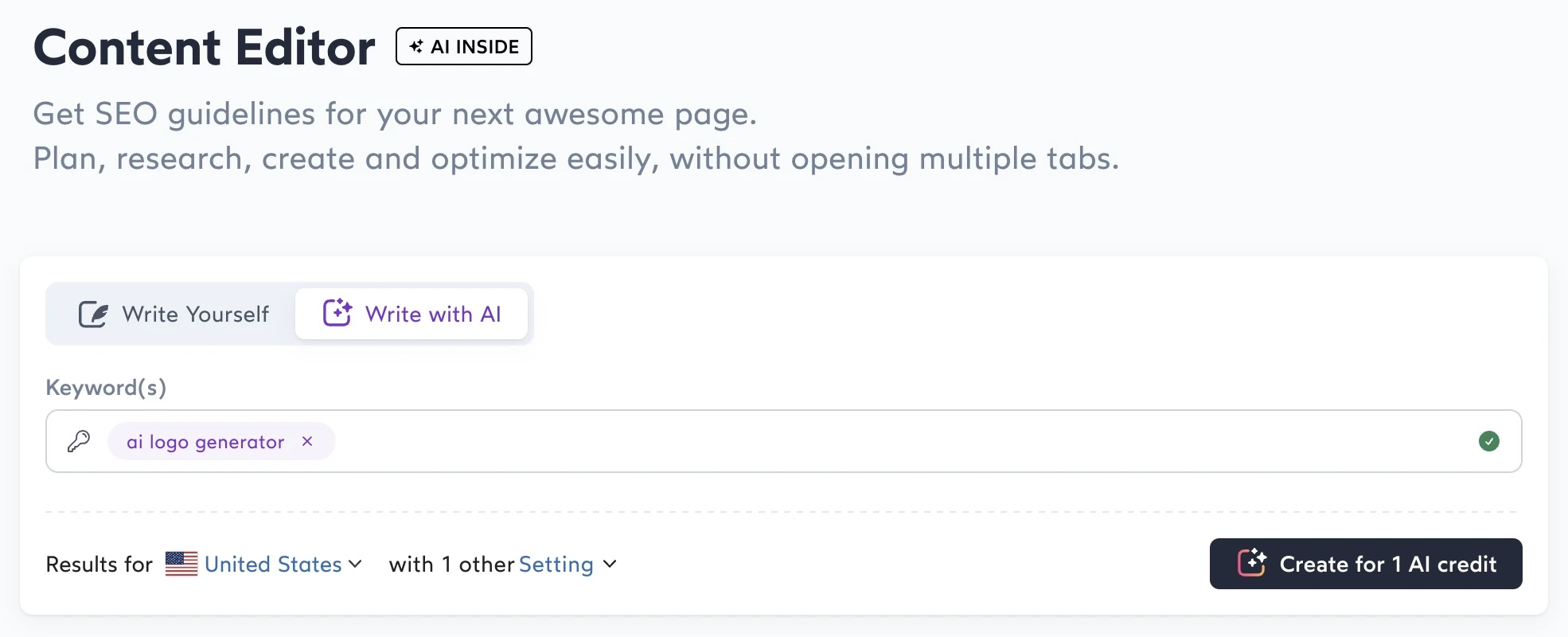
The AI Writer creates complete articles based on a keyword. The texts land directly in the Content Editor. The new editor wizard also draws on Brand Knowledge, templates, your own instructions, competitor layouts, and SERP data.
German is now supported. Auto-Optimize even works independently of language and suggests additions for entities, facts, and internal links. You should still review the changes one by one:
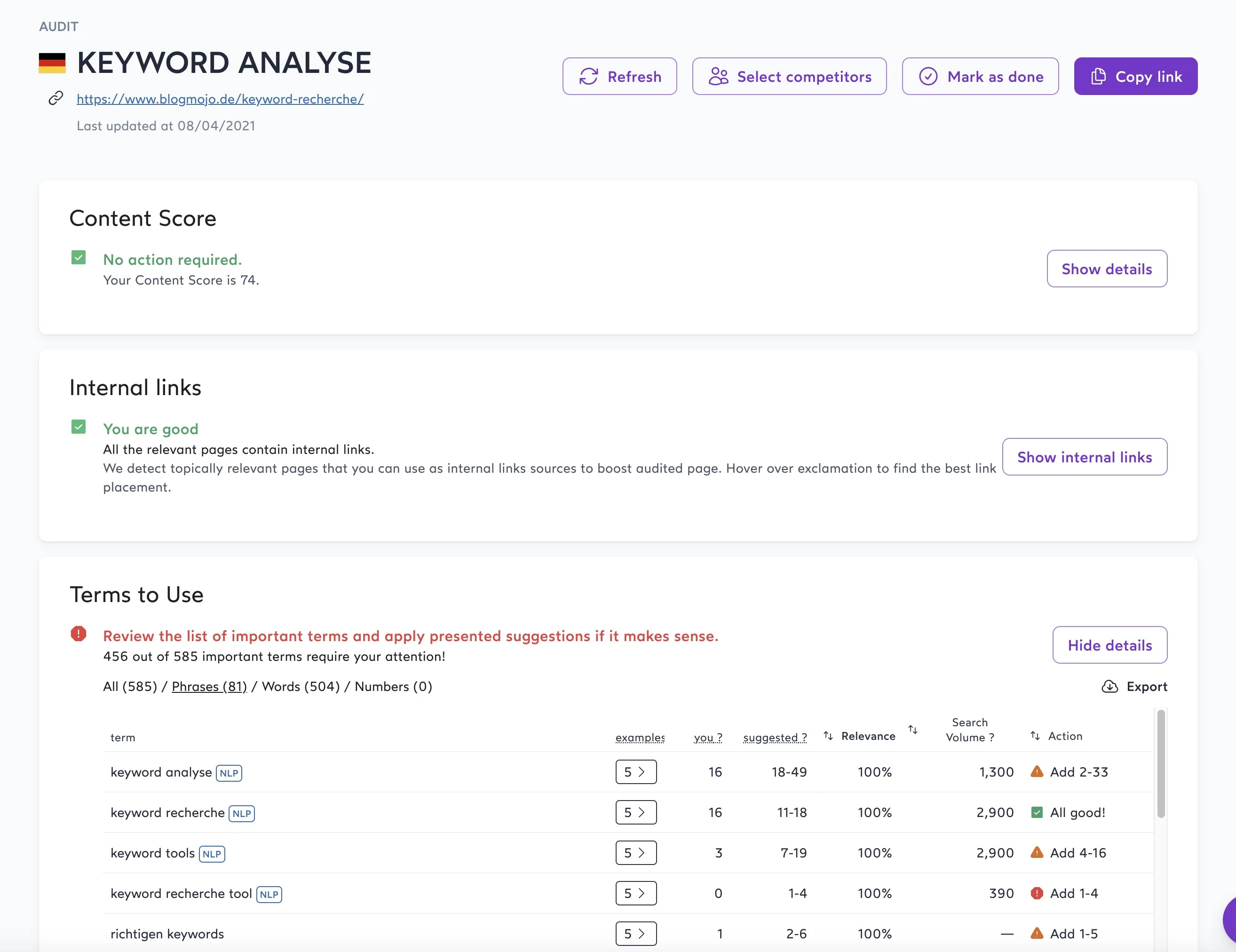
1.5 Sites and Content Audit
Sites is the current control center per domain. It bundles performance data from Google Search Console, Content Audit, recommendations, Topical Map, and an Activity Log.
Content Audit combines GSC data with the SERP analysis, monitors positions, traffic, and impressions, and suggests pages for an update:
1.6 Topical Map
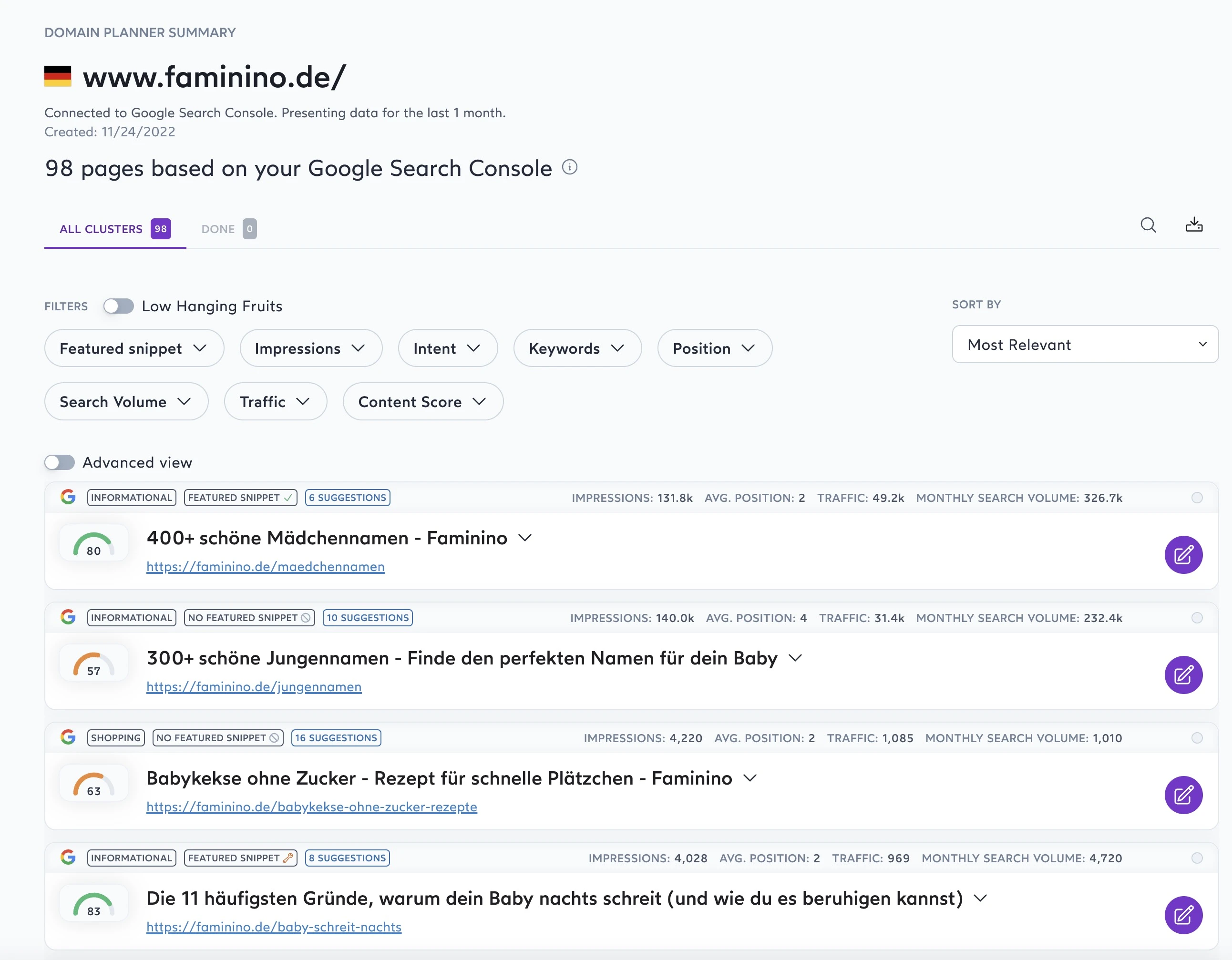
The former Domain Planner has been replaced functionally by Site projects and the Topical Map. The map groups existing and missing topics and updates itself based on your domain and GSC data.
The following screenshot still shows the former Domain Planner view:
1.7 Recommendations
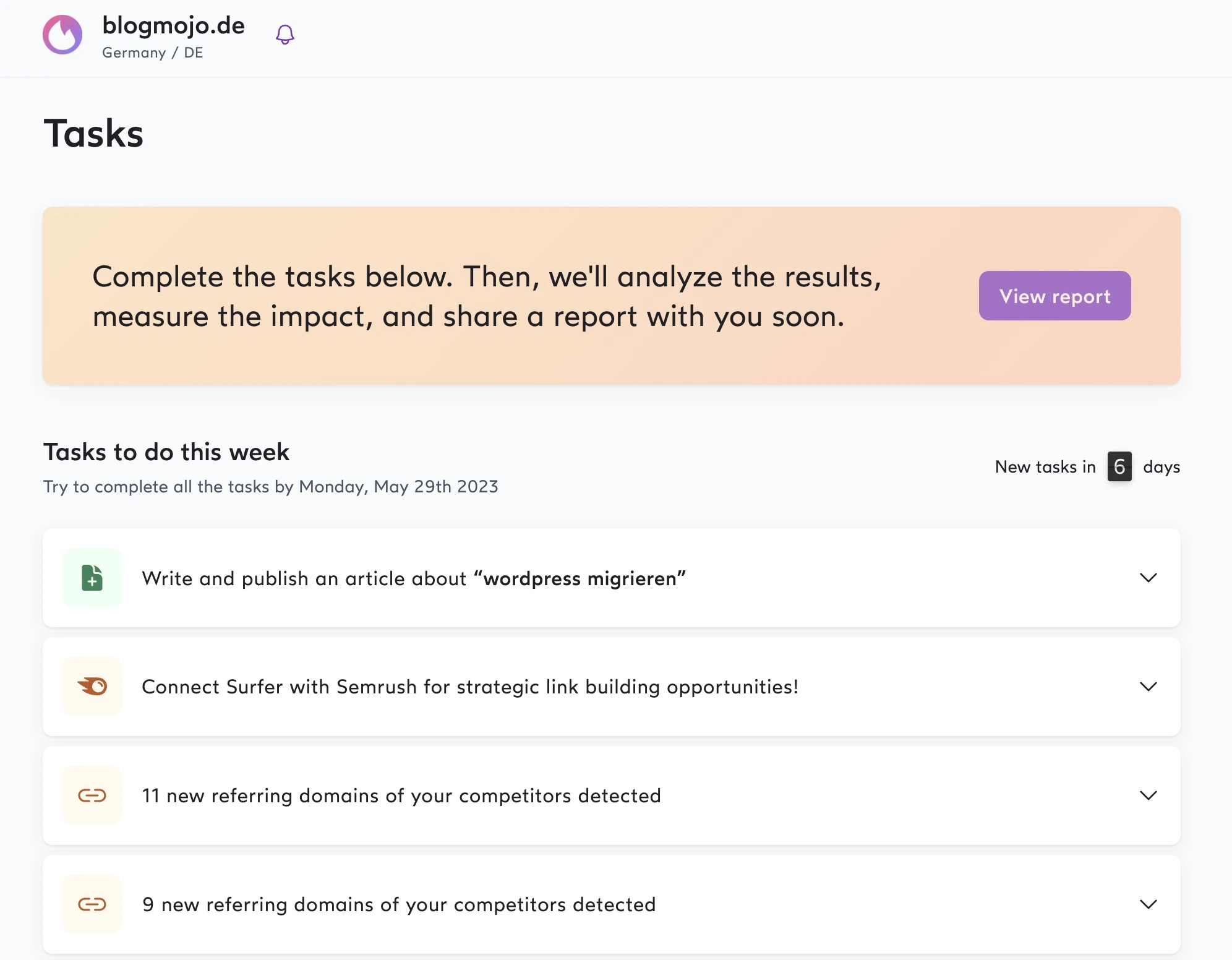
The former Grow Flow idea now lives on in the recommendations inside a Site project. There, Surfer prioritizes pages and topics with clear optimization potential.
The screenshot shows the former Grow Flow interface:
1.8 AI Tracker
The AI Tracker monitors whether your brand and competitors are mentioned or cited in AI answers. Standard tracks 25 prompts weekly. Pro tracks 50 prompts daily and Peace of Mind 100 prompts daily. The AI Search Analytics plan is pure tracking with 50 prompts daily. Discovery includes no prompt tracking.
2. Integrations & extensions
Surfer SEO offers several integrations and extensions that make your workflow easier:
- WordPress plugin: Posts can be imported straight from WordPress into the Content Editor and pushed back after optimization.
- Google Docs, Contentful, and Zapier: Which integration is included depends on the plan.
- Keyword Surfer: The Chrome extension delivers keyword data directly in Google Search and can also be used without a Surfer subscription.
- API: API access is included in the Peace of Mind plan.
- Surfer MCP: According to the pricing page, the connection to AI agents such as Claude or ChatGPT is available in AI Search Analytics, Pro, and Peace of Mind.
3. Who is Surfer SEO for?
Surfer SEO is aimed primarily at advanced SEOs, but it has become much more beginner-friendly in recent years.
Discovery starts at €49 per month with annual billing and is good for getting to know the tool. Standard costs €99 and adds, among other things, 360 documents and 25 weekly updated AI Tracker prompts.
I've been working with Surfer SEO for several years and am still very satisfied.
Admittedly, optimizing for a very high Content Score doesn't always bring immediate ranking jumps.
In about 30% of cases, though, the fine-tuning leads to noticeable improvements, not only for the main keyword but also for many related topical keywords.
4. Pricing
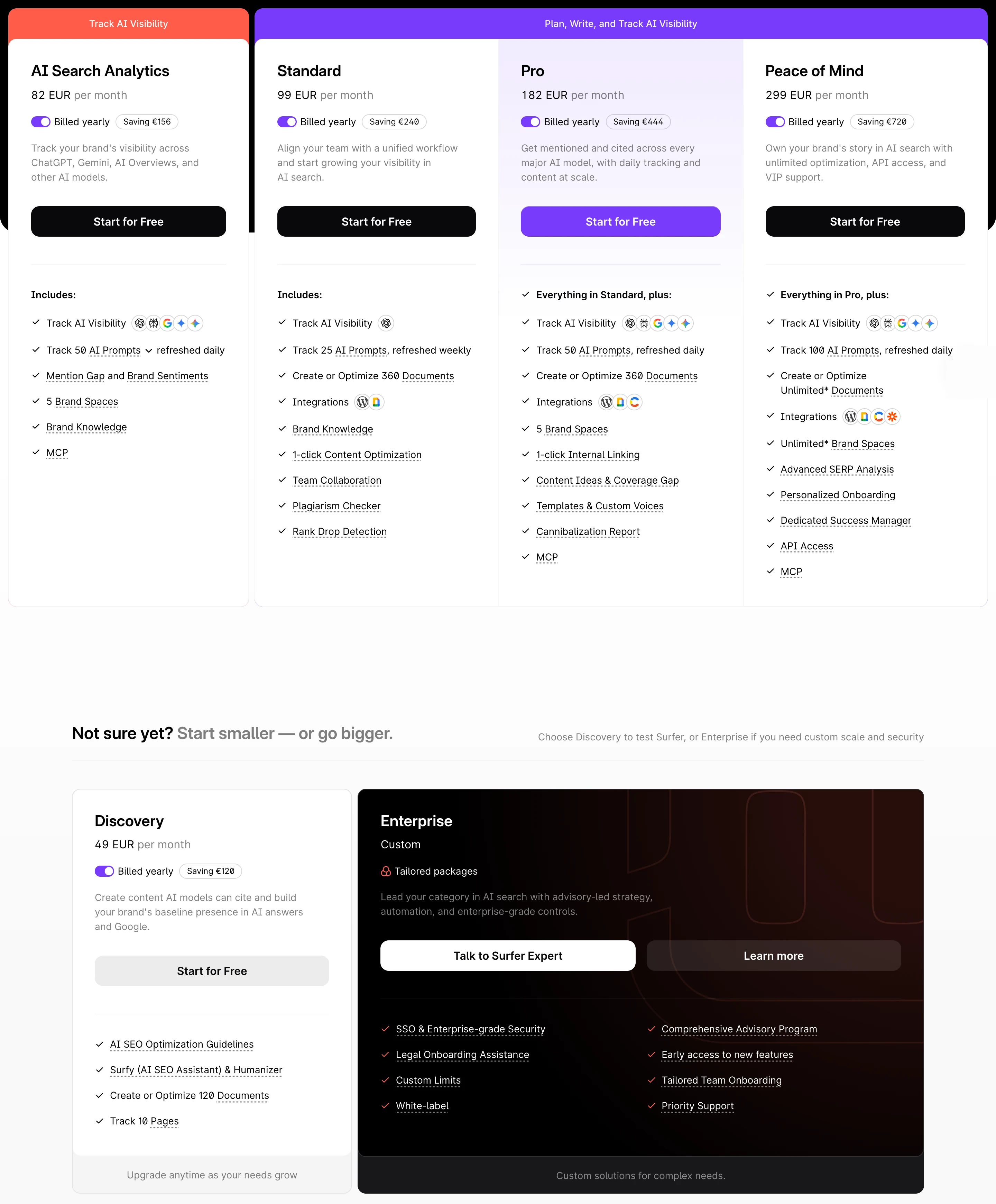
With annual billing, the pricing page shows these prices in euros per month: €49 for Discovery, €82 for AI Search Analytics, €99 for Standard, €182 for Pro, and €299 for Peace of Mind. Enterprise is available on request only. Depending on your region, Surfer may show the plans in USD instead. Discovery includes 120 documents and 10 monitored pages. AI Search Analytics only includes tracking of AI answers. Standard and Pro offer 360 documents, Peace of Mind unlimited documents. Standard, Pro, and Peace of Mind step by step add more AI tracking, workspaces, integrations, and team features. API access and unlimited documents only come with Peace of Mind. A fair-use policy applies to unlimited features.