
There are hundreds, maybe even thousands of SEO tools on the market.
For example for keyword research and keyword optimization, competitor analysis, checking and monitoring rankings, building backlinks, or optimizing Core Web Vitals.
In this article, I introduce you to the 19 best SEO tools. I've been using the first 16 for many years already and can recommend them without reservation.
These 16 tools are sorted by how often and how long I use them in my daily work as an SEO and SEO coach. Behind them come three well-known tools that show up in many SEO tool comparisons: SISTRIX, Seobility and Screaming Frog.
The best part:
Of these SEO tools, 11 are free or have free basic versions. You'll find an overview right below the summary.
To help you find your way around and pick the right tools for your needs, I've listed for each SEO tool whether it suits beginners, advanced users or professionals and how much it costs. At the end you'll also find recommended “tool stacks” for each knowledge level.
- Google Search Console is the most important free SEO tool and an absolute must-have for every website
- As an all-in-one tool, SE Ranking offers the best value for money for beginners and advanced users
- With 11 free or freemium tools, you can already implement 40-60% of all important SEO measures without spending any money
Free SEO tools at a glance
You can use these 11 tools from the list for free, some of them with limitations:
| Tool | What it's for | What's free |
|---|---|---|
| Google Search Console | Clicks, rankings and indexing of your own website | completely free |
| Keyword Surfer | Search volume and keyword ideas right in Google search | free Chrome extension |
| Answer The Public | Questions and subtopics for a keyword | 3 searches per day |
| Google Trends | Interest in a topic over time | completely free |
| ahrefs Webmaster Tools | Site audit and backlinks for your own website | free for your own, verified websites |
| Detailed SEO | SEO data of a page in the browser toolbar | free Chrome extension |
| SEO Minion | Broken links, link overview and SERP preview | free Chrome extension |
| GTMetrix | Load time of individual pages | free tests |
| SpeedVitals | Core Web Vitals of several URLs at once | free tests |
| Seobility | Website audit and rank tracking | Basic: 1 project, 100 pages per crawl, 10 keywords |
| Screaming Frog SEO Spider | Technical crawl audit | up to 500 URLs, without saving and JavaScript rendering |
1. Google Search Console
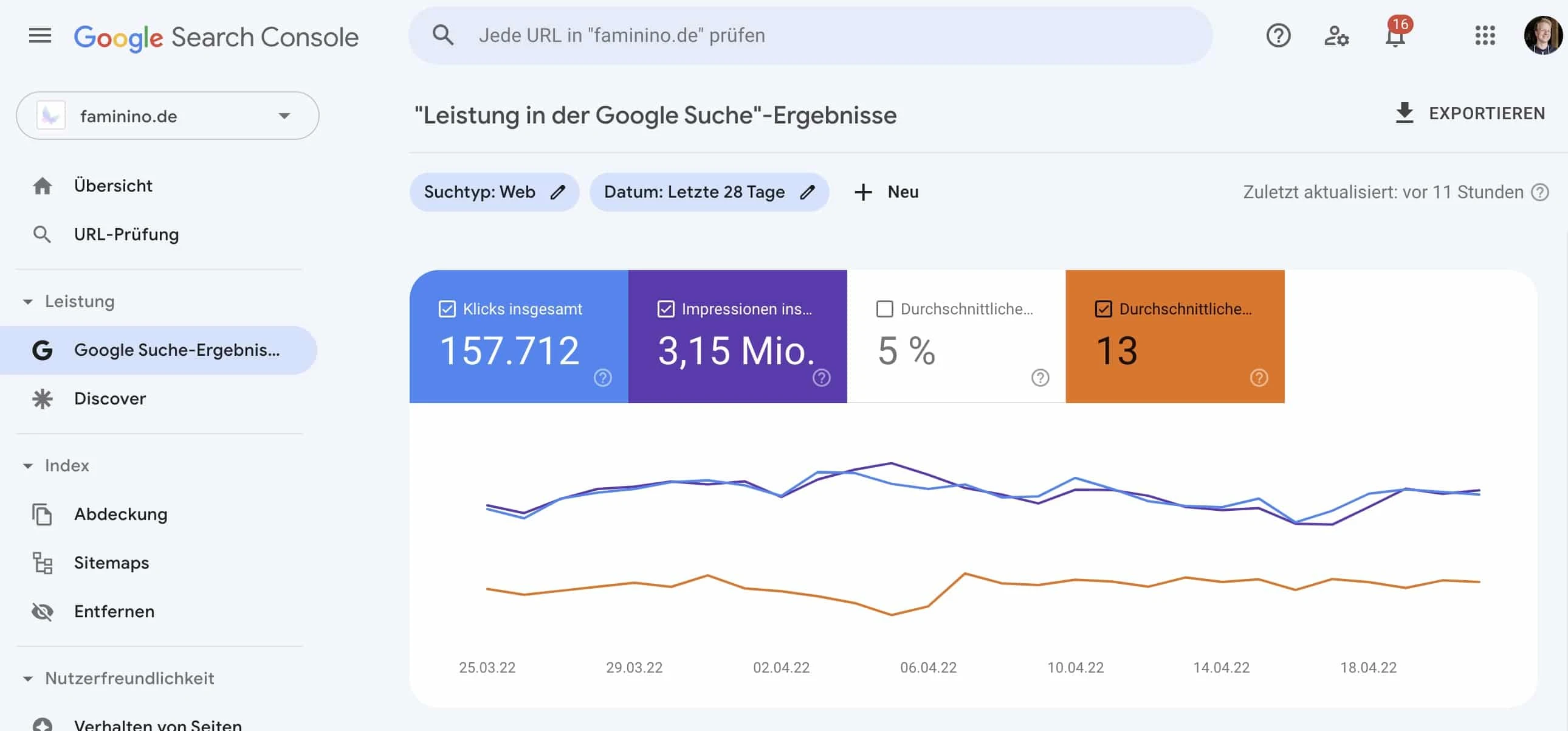
The Google Search Console (formerly Google Webmaster Tools) is an absolute must-have for every website.
Even before any other SEO tool on this list!
It isn't just important for finding SEO errors on your website, improving its user experience and helping Google crawl and index it better.
The Search Console is also very good for keyword research and monitoring!
It shows you exactly which keywords your website and its subpages are found for on Google, together with the average ranking, clicks, impressions and click-through rate in the search results. That lets you, for example, find new keywords you don't rank for yet or could rank even better for.
2. SE Ranking
SE Ranking is currently the best all-in-one tool for beginners and advanced users.
It offers many important features that professional tools like Semrush, ahrefs and SISTRIX also offer:
- Keyword ideas
- Analysis of individual keywords (including ranking history!)
- Ranking analysis of individual pages or domains
- Backlink checker
- A comprehensive site audit
- A content editor (comparable to the one from Surfer SEO)
- A very good rank tracker on the market (SE Ranking's basic feature)
However, SE Ranking offers a clear user interface and is easier to use.
The Core plan of SE Ranking costs €109 per month, or the equivalent of €87.20 per month when billed annually. For comparison: Semrush SEO costs €134 per month, SISTRIX Start €119 per month plus VAT, and ahrefs Lite €119 per month plus VAT.
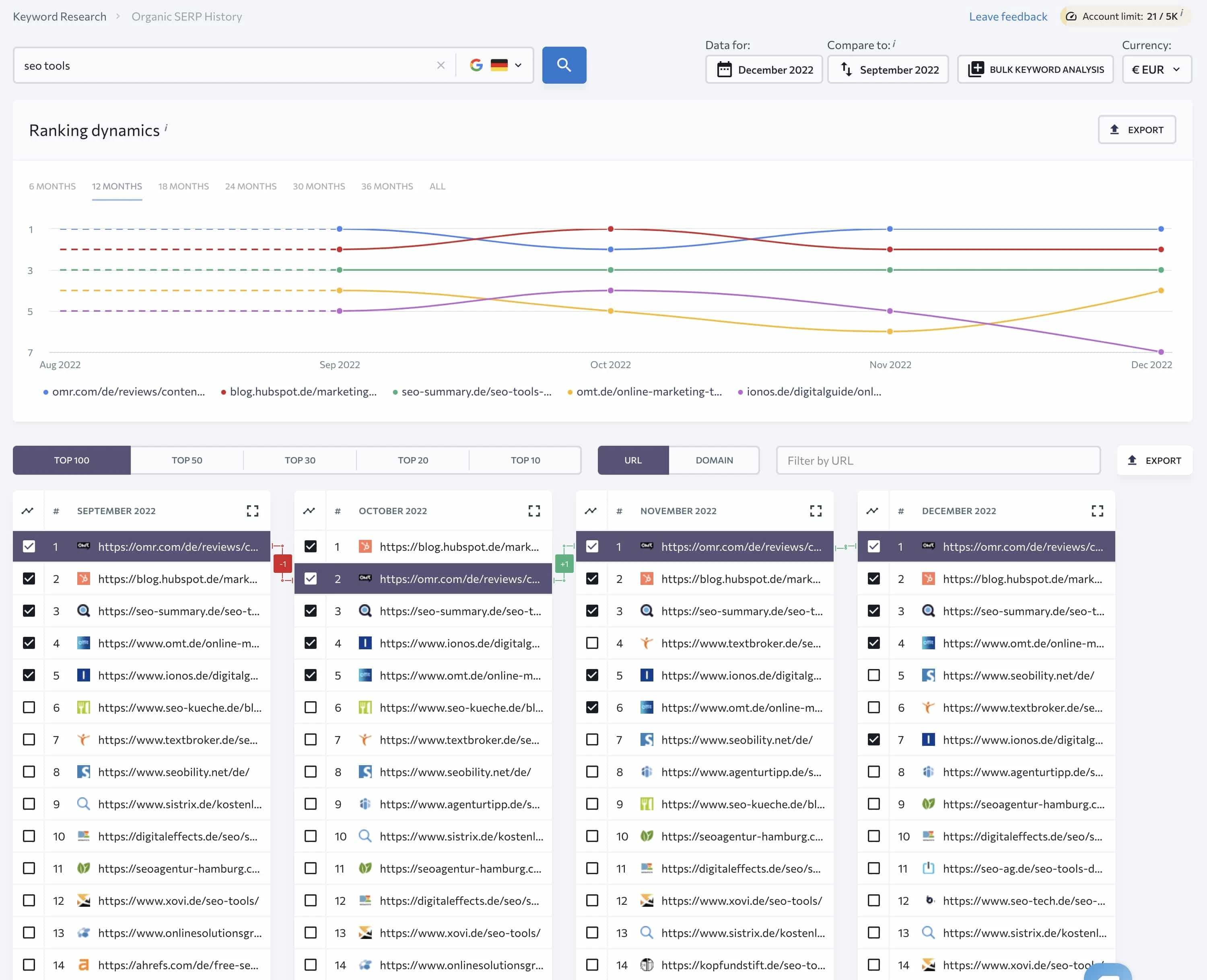
By the way, I especially like the “Ranking dynamics” report. It lets you see month by month how the rankings for a keyword have developed:
Because it's easy to use and still has a large feature set, I also use SE Ranking as the main tool for my SEO course (available in German only).
3. Surfer SEO
Surfer SEO is the SEO tool I currently use the third most (right behind SE Ranking), and in my opinion one of the tools with the greatest potential to eventually replace all the others.
I mainly use it for the following three things:
1. Detailed analysis of the top 10
Keyword research should always include an in-depth analysis of the top 10, meaning the pages that already rank for the keyword.
This is by far the easiest way to find out what kind of content Google users expect (blog article, product category, price comparison, etc.) and what the content has to look like.
And Surfer SEO takes this analysis to the extreme. Among other things, the tool shows you correlations and recommendations for:
- Density and number of keywords in the content
- Number of words
- Number of internal and external links in the content
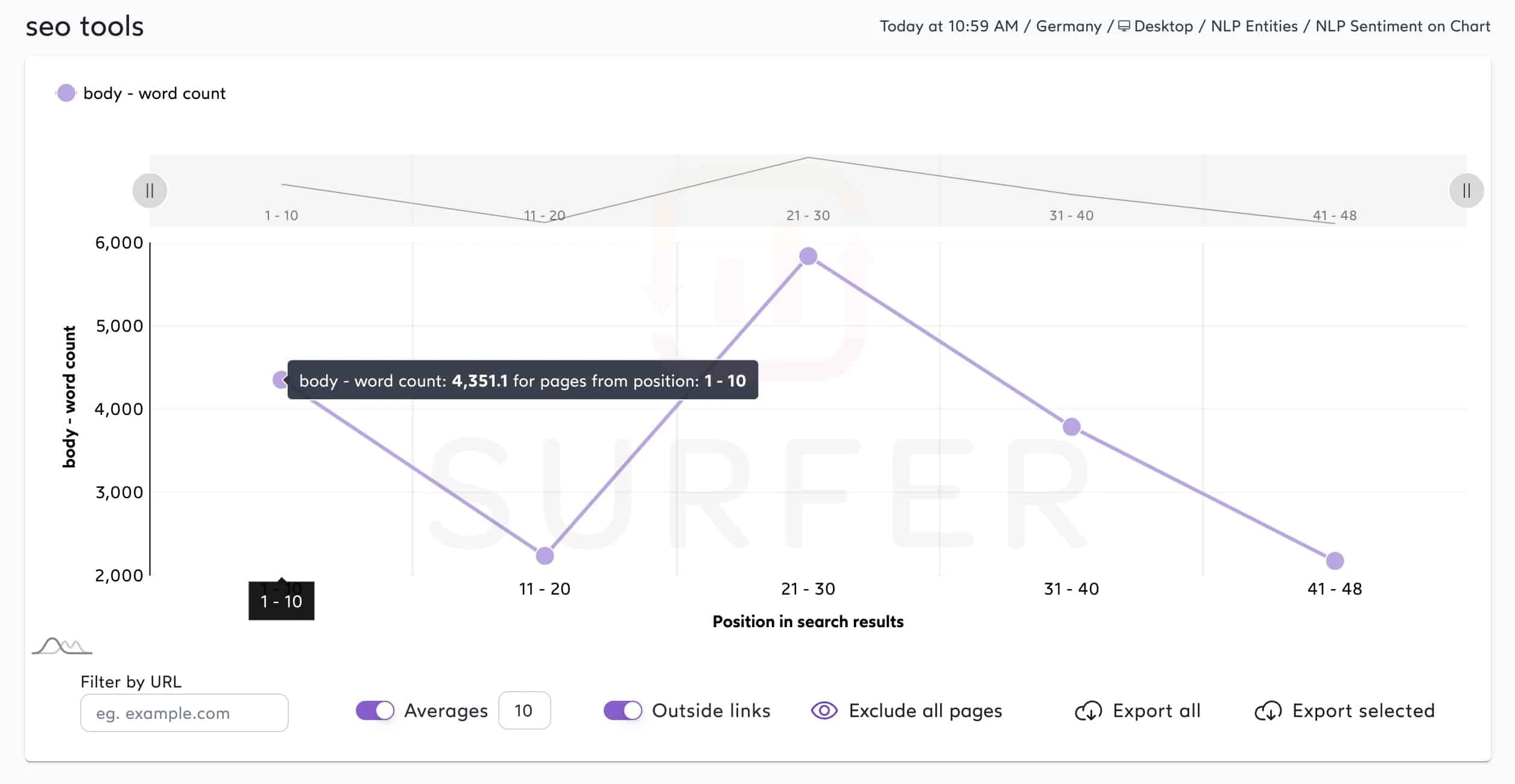
For the keyword “seo tools”, Surfer SEO shows, for example, that the average word count in the top 10 is about 4,400 words. That means I probably wouldn't get far with content of 500 to 1,000 words:
2. Finding keyword clusters
Besides SERP analysis, Surfer SEO offers a powerful keyword research tool.
With it you can have relevant topics / keyword clusters shown for a seed keyword you enter, like “meditation”:
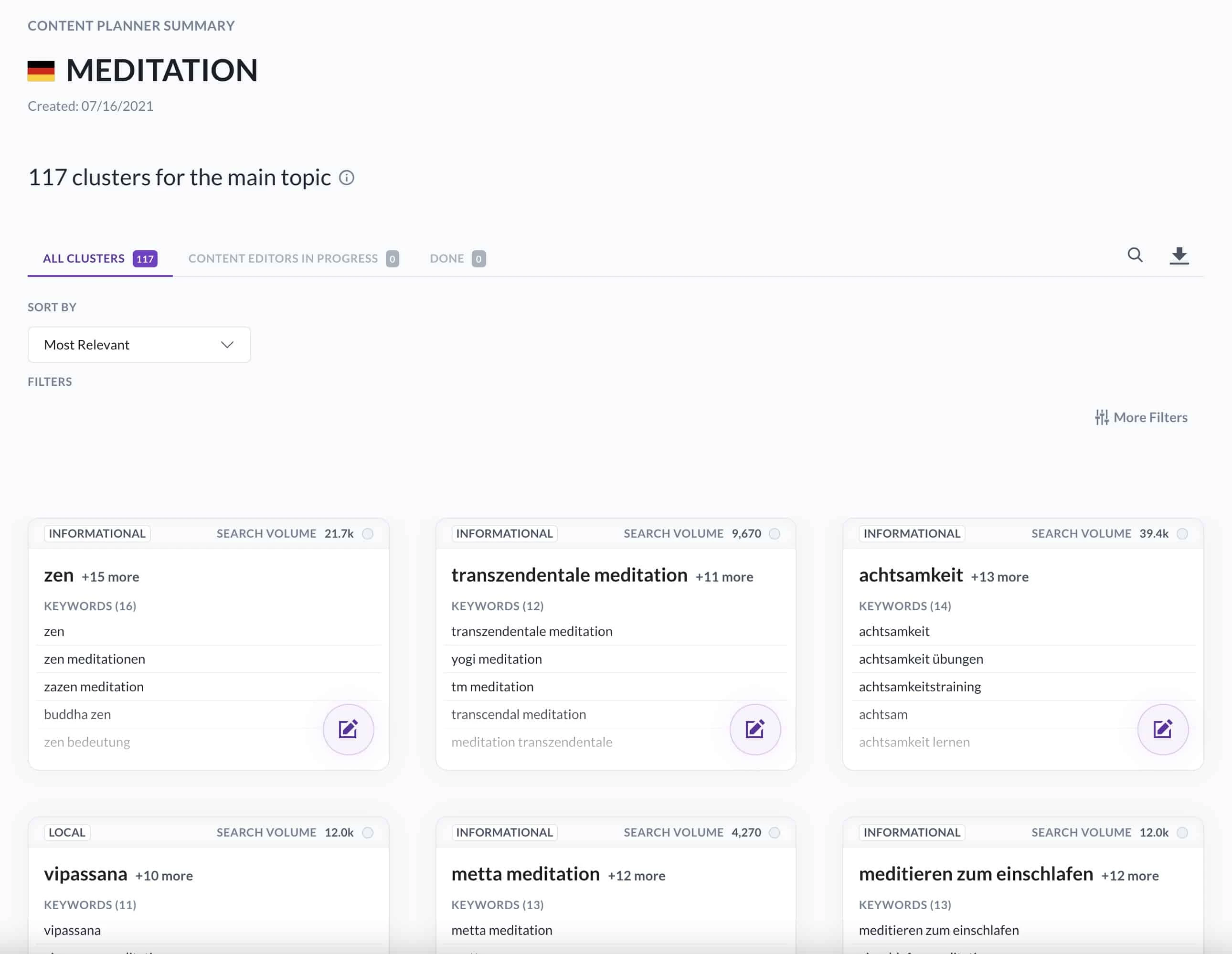
Compared with other keyword tools like UberSuggest and KWFinder, the advantage is that you see not just the search volume for a single keyword but the whole topic, and you get fitting synonyms.
3. Content Editor
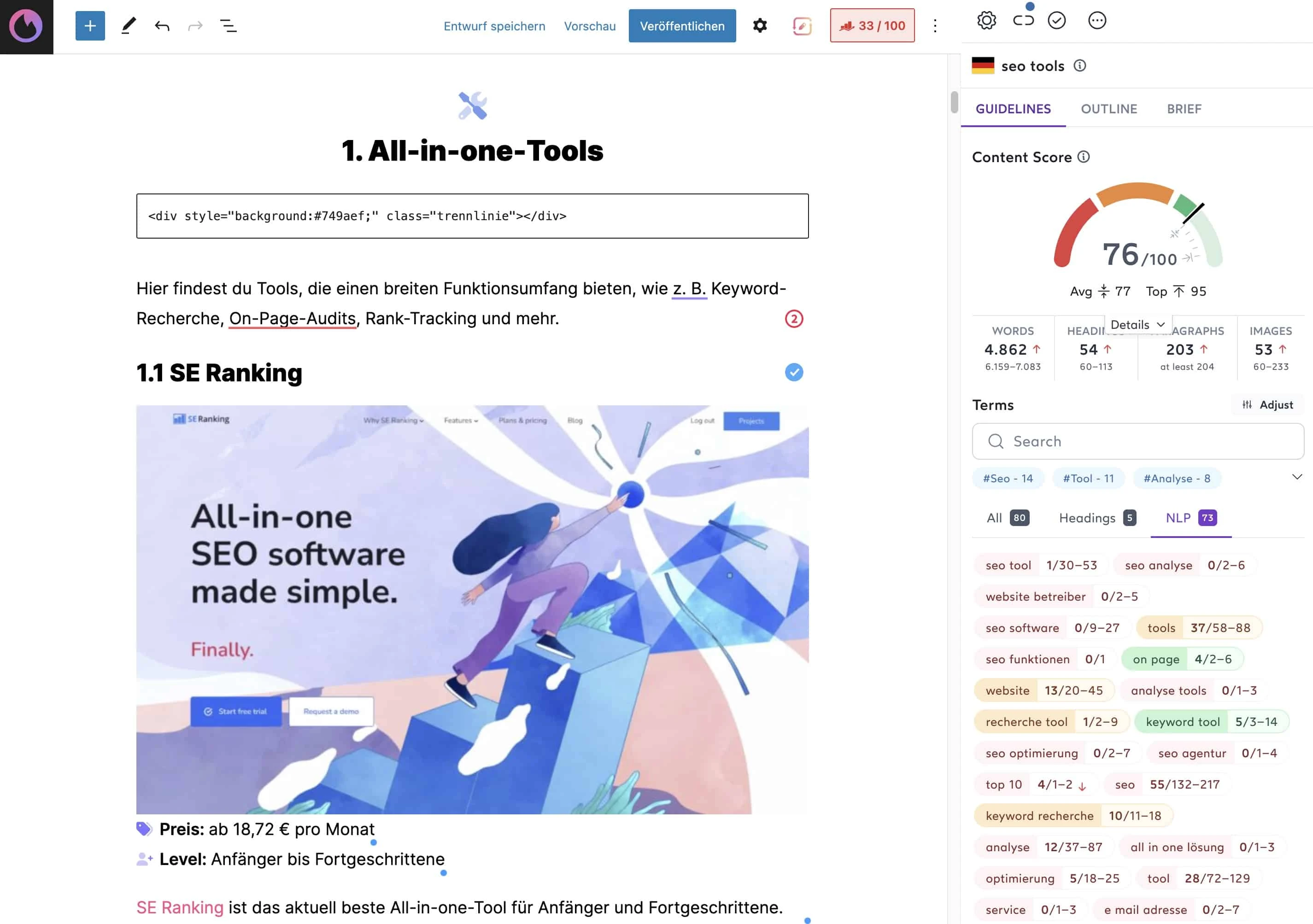
The Content Editor is the real heart of Surfer SEO. It shows you which phrases and words could matter for a better ranking and how many words, headings, paragraphs and images an article should ideally contain.
That lets you put the findings from the SERP Analyzer into practice without having to dig deep into the analysis yourself.
For my blog articles, I try to reach a Content Score of at least 75 (higher scores often make the text harder to read):
4. KWFinder (mangools)
The KWFinder (short for Keyword Finder) has now been my standard tool for keyword research for over 10 years.
And not without reason:
It doesn't just show similar keywords or autocomplete suggestions with search volume, trends and CPC, but also the matching search results for every search term.
These are displayed together with various backlink metrics and the Facebook shares in a table to the right of the keyword suggestions.
The user interface is modern and clear, and it's one of the few tools that also works very well on a smartphone.
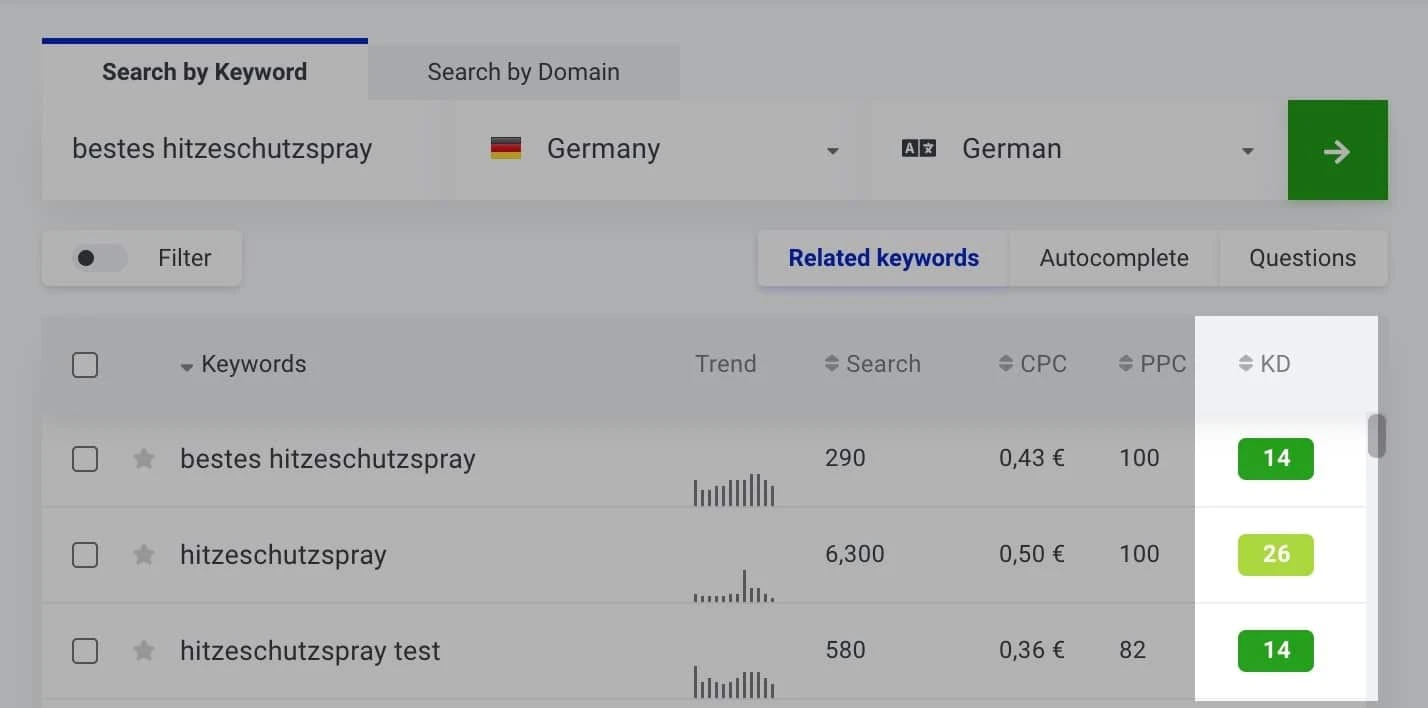
The Keyword Difficulty Score is handy for beginners. You can spot keywords with weak competition by their light and dark green scores, which is great for a first assessment:
The import function is brilliant too, letting you check search volume, CPC etc. for hundreds of keywords at once:
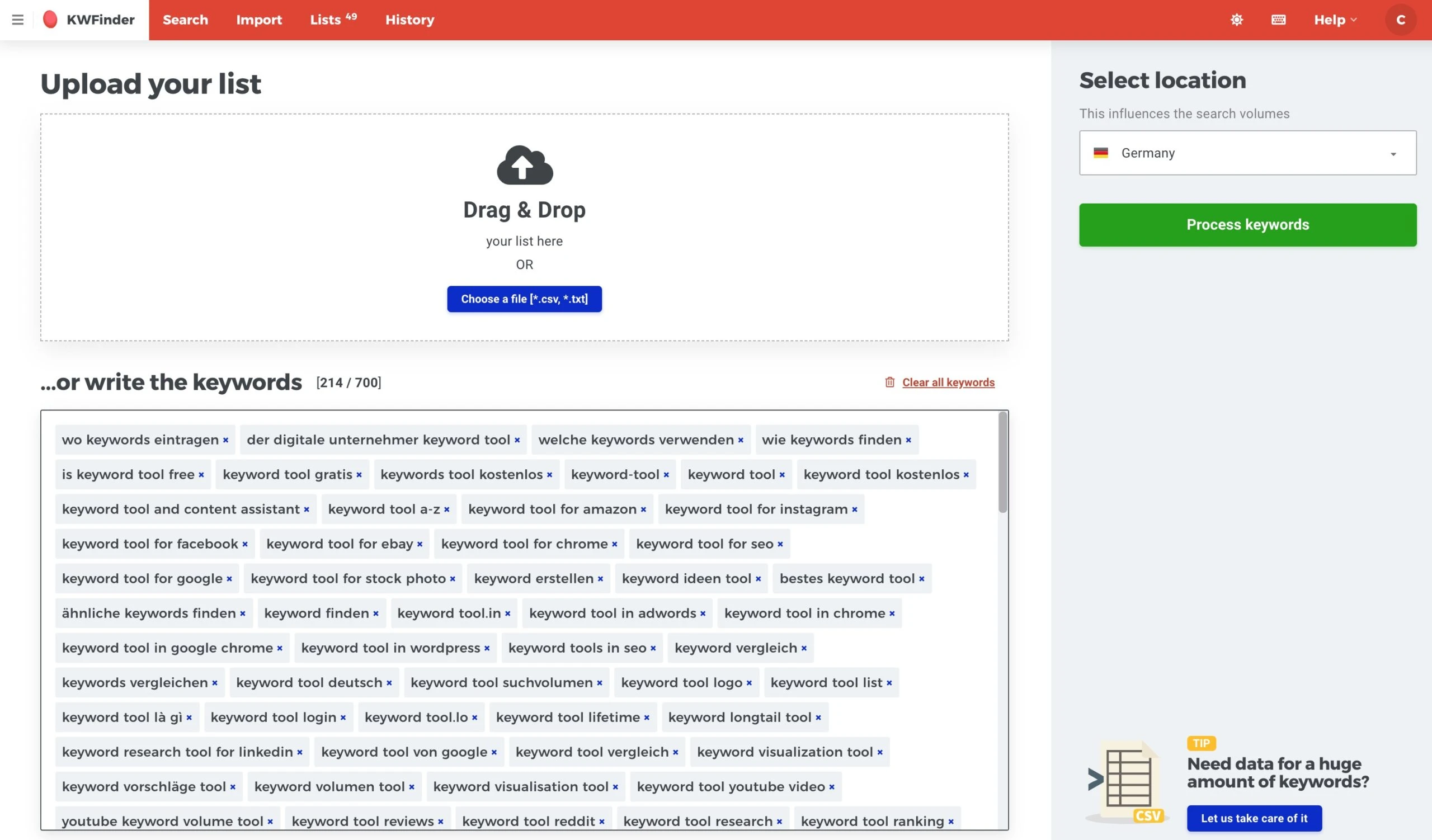
That way you can, for example, export keyword lists from AnswerThePublic or another tool and look up the keyword data in KWFinder.
With the Basic plan, at the equivalent of €37.70 per month when billed annually, you get 100 keyword lookups within 24 hours. That's enough for many small projects.
As part of the mangools Suite you also get many other useful tools, like SERPWatcher for keyword monitoring.
5. ahrefs
ahrefs (pronounced “aitch-refs”) has been the best all-in-one SEO solution on the market for some years now.
There are tools that, in my experience, do individual aspects better, like on-page analysis or keyword research. But other professional tools such as SISTRIX, XOVI, Moz, Majestic or Semrush can't match the overall package of ahrefs.
ahrefs' specialty has always been link building, and thanks to its huge data base it puts many other tools in the shade (according to ahrefs, its crawler processes up to 8 billion pages a day).
ahrefs also has a huge keyword database with about 12 billion keywords in over 200 countries and regions. You can do your research through the Keyword Explorer:
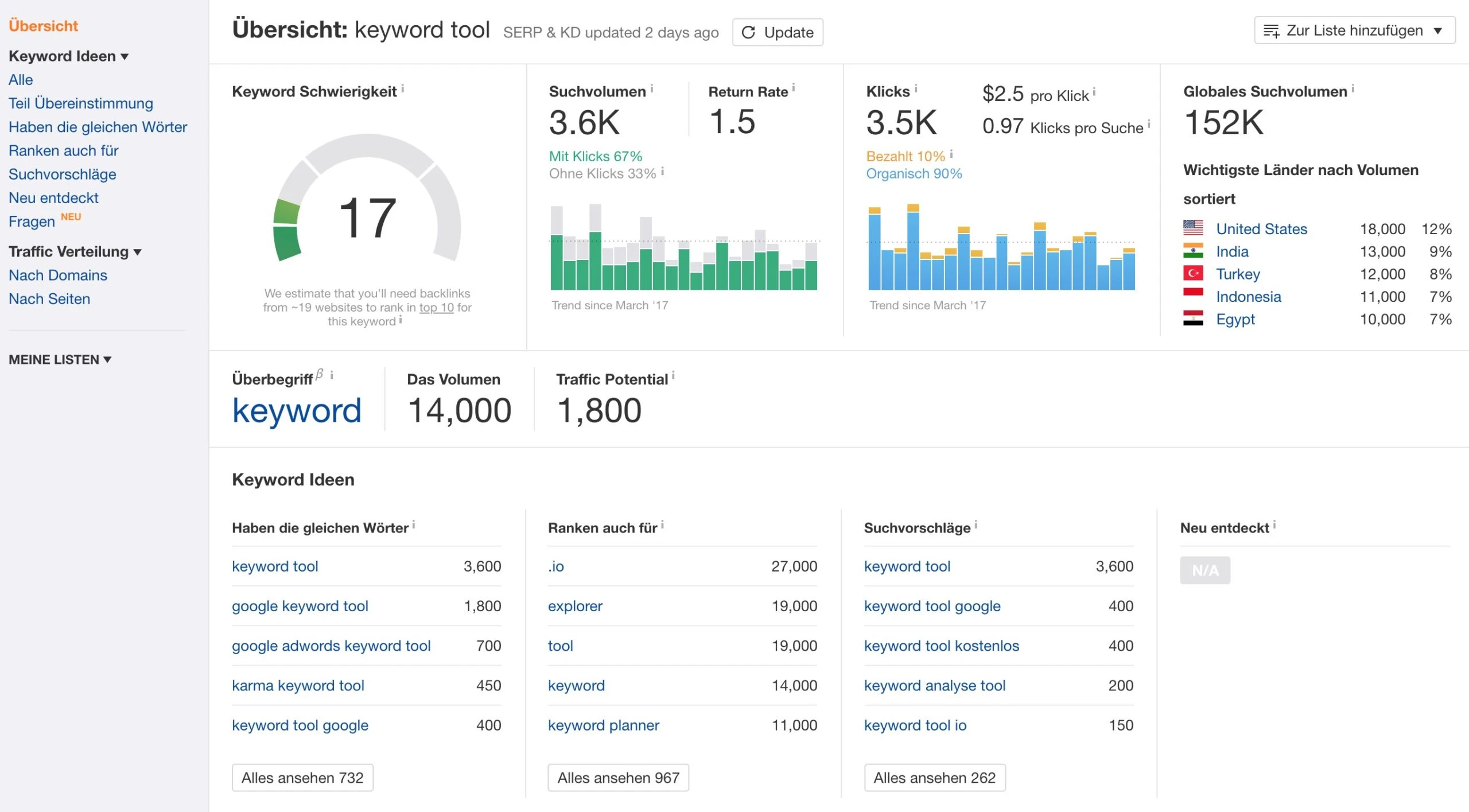
It doesn't just show various keyword ideas for a keyword you enter (keywords with the same words, search suggestions and keywords the top 10 websites also rank for), but also data like:
- Search volume
- The parent topic (for a better classification into a particular topic)
- CPC (cost per click)
- Keyword difficulty
- The ratio between searches with clicks and searches without clicks
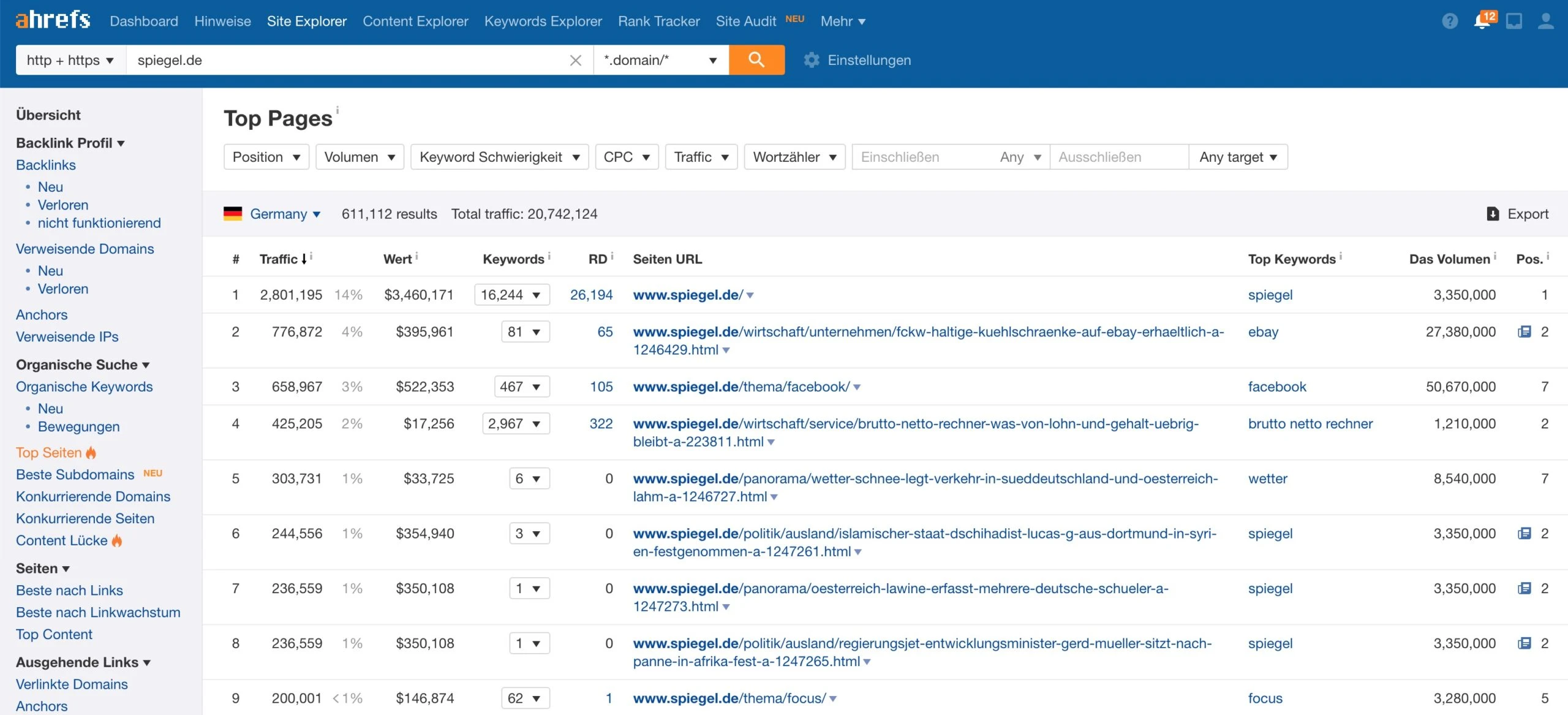
In keyword analysis at the domain level, the clear superiority over Semrush shows. The overview of the top pages looks similar, but for some pages ahrefs finds significantly more keywords.
For the gross-to-net calculator, for example, ahrefs finds 2,967 keywords, almost 1,300 more than Semrush:
I have to say, though, that I'm no longer as satisfied with ahrefs as I used to be and use SE Ranking more and more often. There are several reasons for this:
- I don't like the redesign of some reports (like with Site Explorer 2.0)
- ahrefs is expensive. Some ahrefs features, e.g. Link Intersect, are available at SE Ranking for a fraction of the price.
Before taking out a subscription, compare the current plans and limits. The plans differ in feature scope and data limits.
6. Keyword Surfer
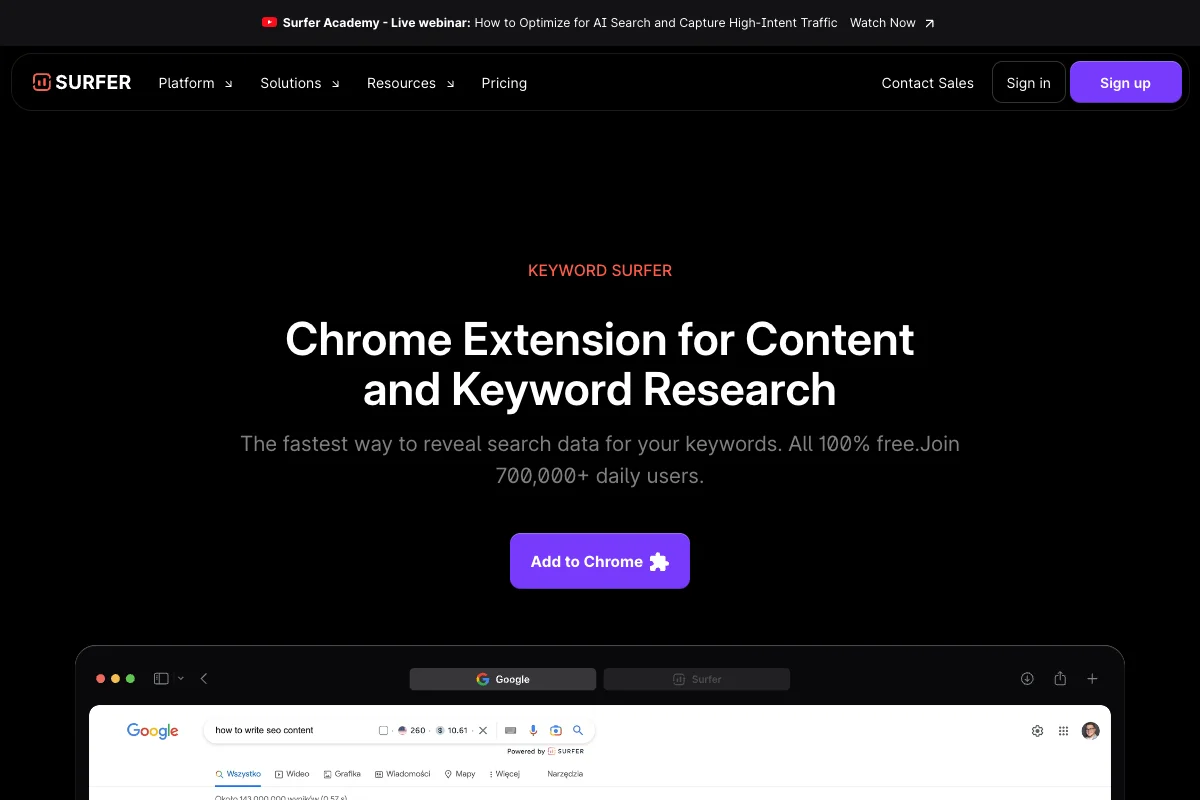
Surfer SEO has become very well known in the SEO scene by now, the accompanying Chrome extension less so.
It's called Keyword Surfer and shows you synonyms and further keyword ideas for the keywords you enter right in the search engine:
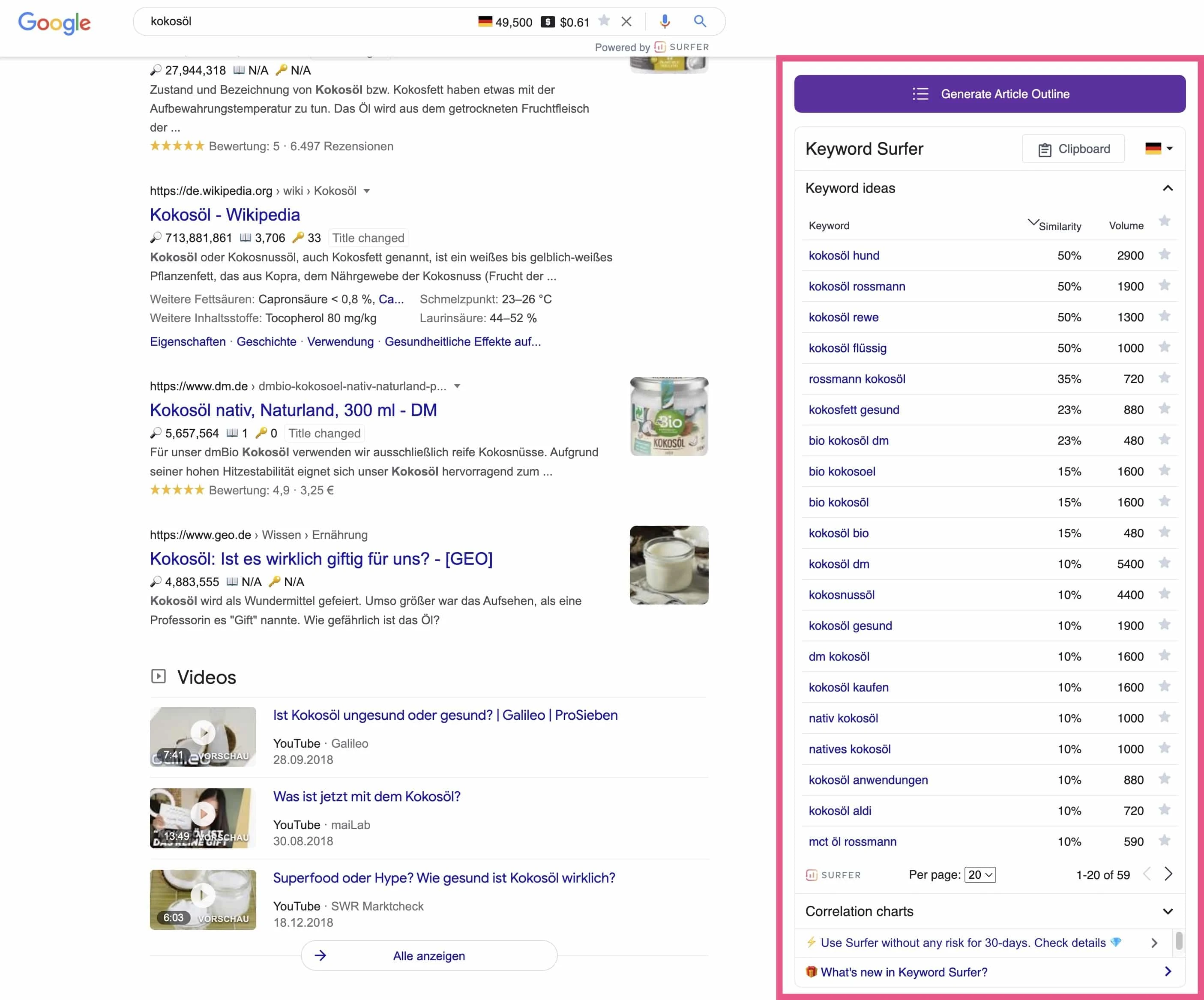
You can also use the SEO tool to analyze the search results more closely. It shows you, for example, how often a keyword appears in the exact order on a page and how many words a page contains.
7. Semrush
In terms of features, Semrush (pronounced “sem-rush”) is roughly comparable to ahrefs.
With Semrush you can do not just keyword research, but also analyze individual keywords, pages or domains, run extensive backlink and site audits, and monitor your rankings.
Like ahrefs, Semrush offers a gigantic database of keyword and domain data and backlinks, which however can't always keep up with the one from ahrefs.
It also offers numerous additional tools for local SEO, SEA, social media and content marketing.
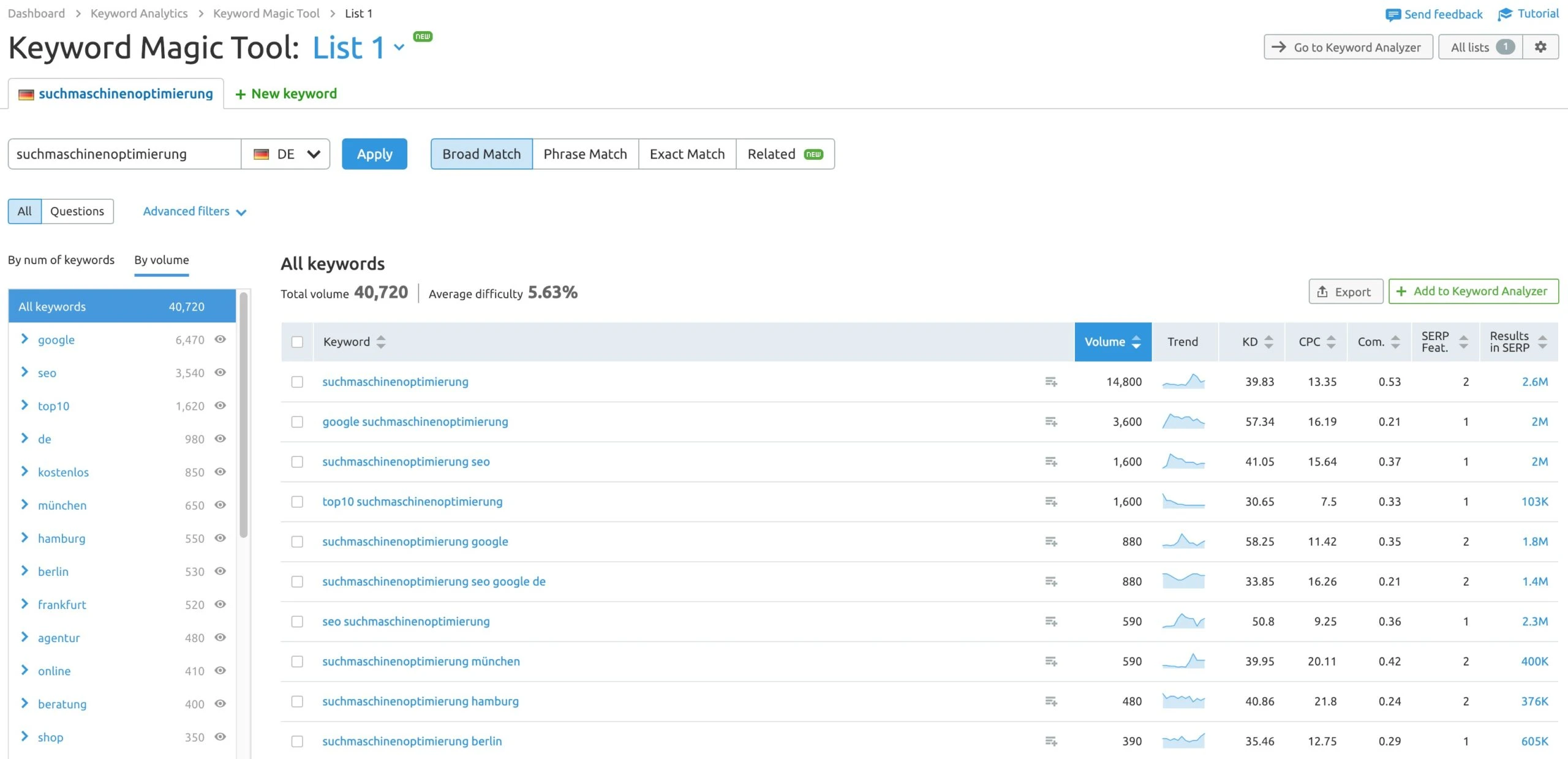
What I like best about Semrush is the “Keyword Magic Tool,” which I find slightly better than the Keywords Explorer from ahrefs. The Keyword Magic Tool also shows keywords in groups, which gives you a quick overview of a topic or a whole niche:
All in all, I still prefer working with ahrefs and SE Ranking, since I find both tools clearer.
8. Answer The Public
AnswerThePublic is a great keyword tool for finding subtopic keywords.
It collects suggestions from Google search and sorts them by prepositions and questions:
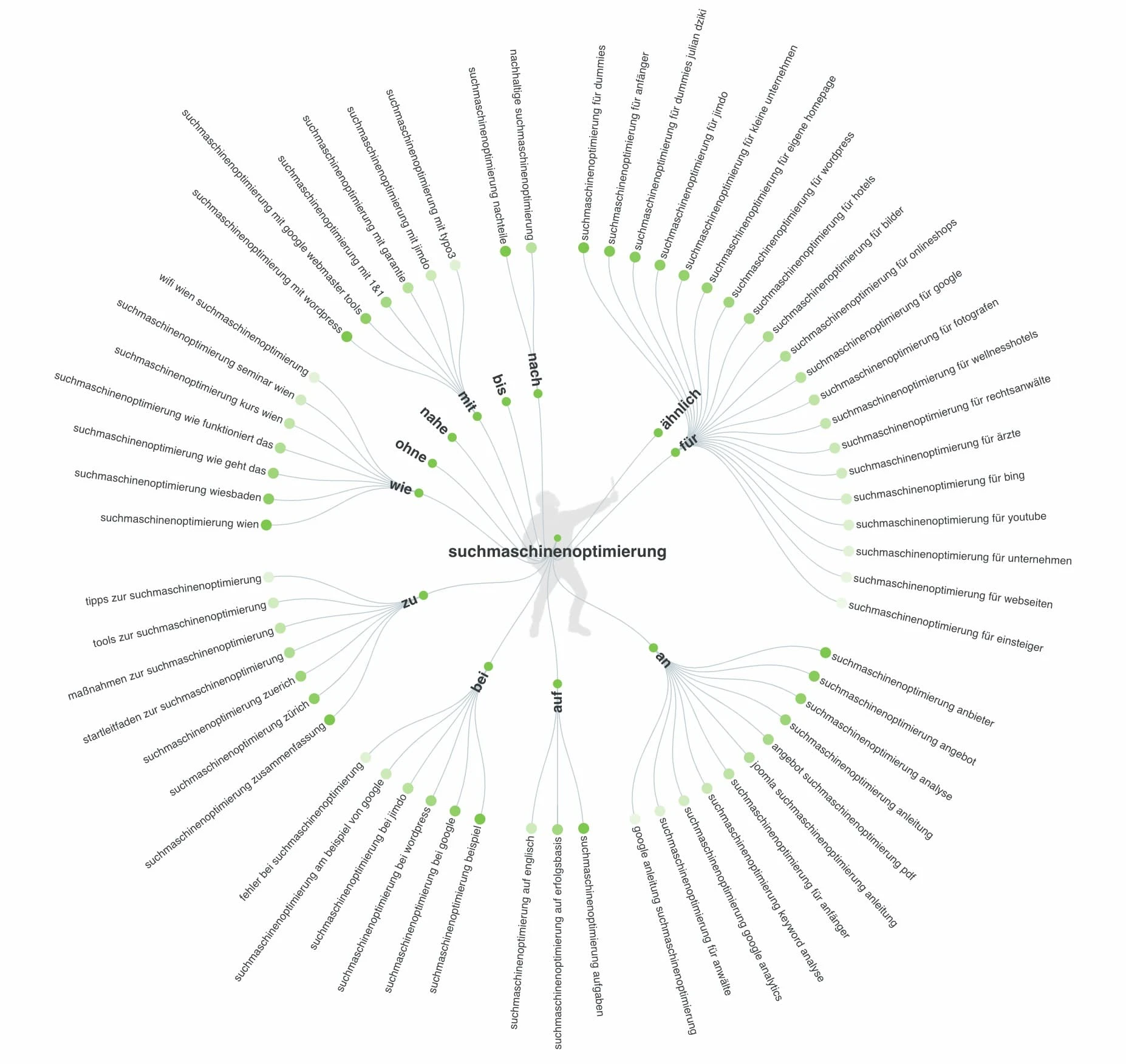
It's also very good for finding out the different search intents behind a keyword and getting to know the target audience better.
From the diagram above you can read, for example, that users who search Google for the very general keyword suchmaschinenoptimierung (German for search engine optimization) are active on the platforms Jimdo and WordPress and are mostly beginners.
First, that helps you tailor your content better to the needs of search engine users and answer their questions better.
Second, you get a better overview of the different aspects of a topic. That makes it easier for you to structure articles or pages and find subheadings.
9. LowFruits
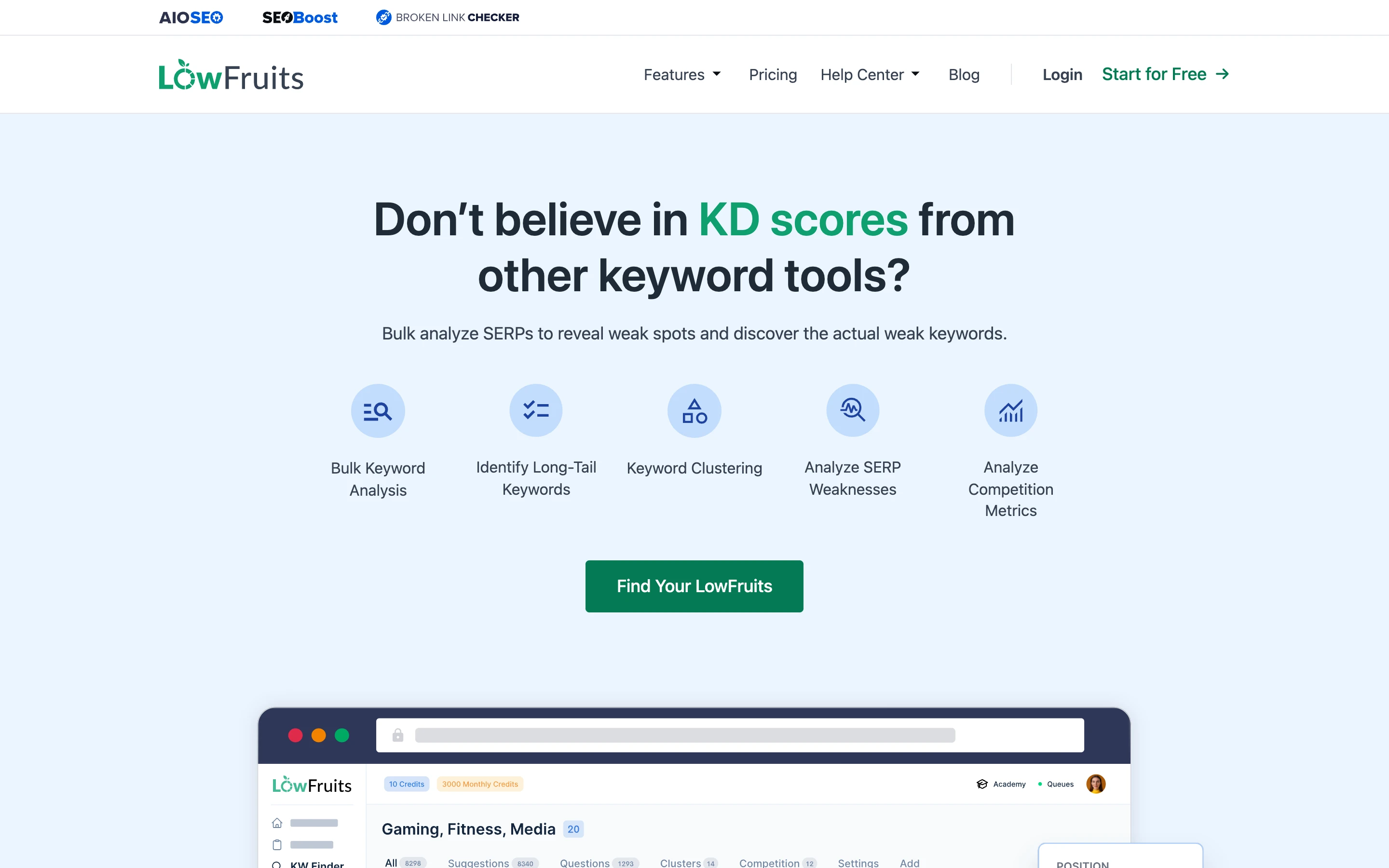
LowFruits is an absolute insider tip when it comes to keyword research.
You can use it to analyze imported keyword lists or suggestions the tool generates for a seed keyword you enter.
It runs a special competition analysis that doesn't rely only on backlink metrics like DR or DA, as with KWFinder, ahrefs and co., but takes many other signs into account and shows you “weak spots” in the SERPs.
10. Google Trends
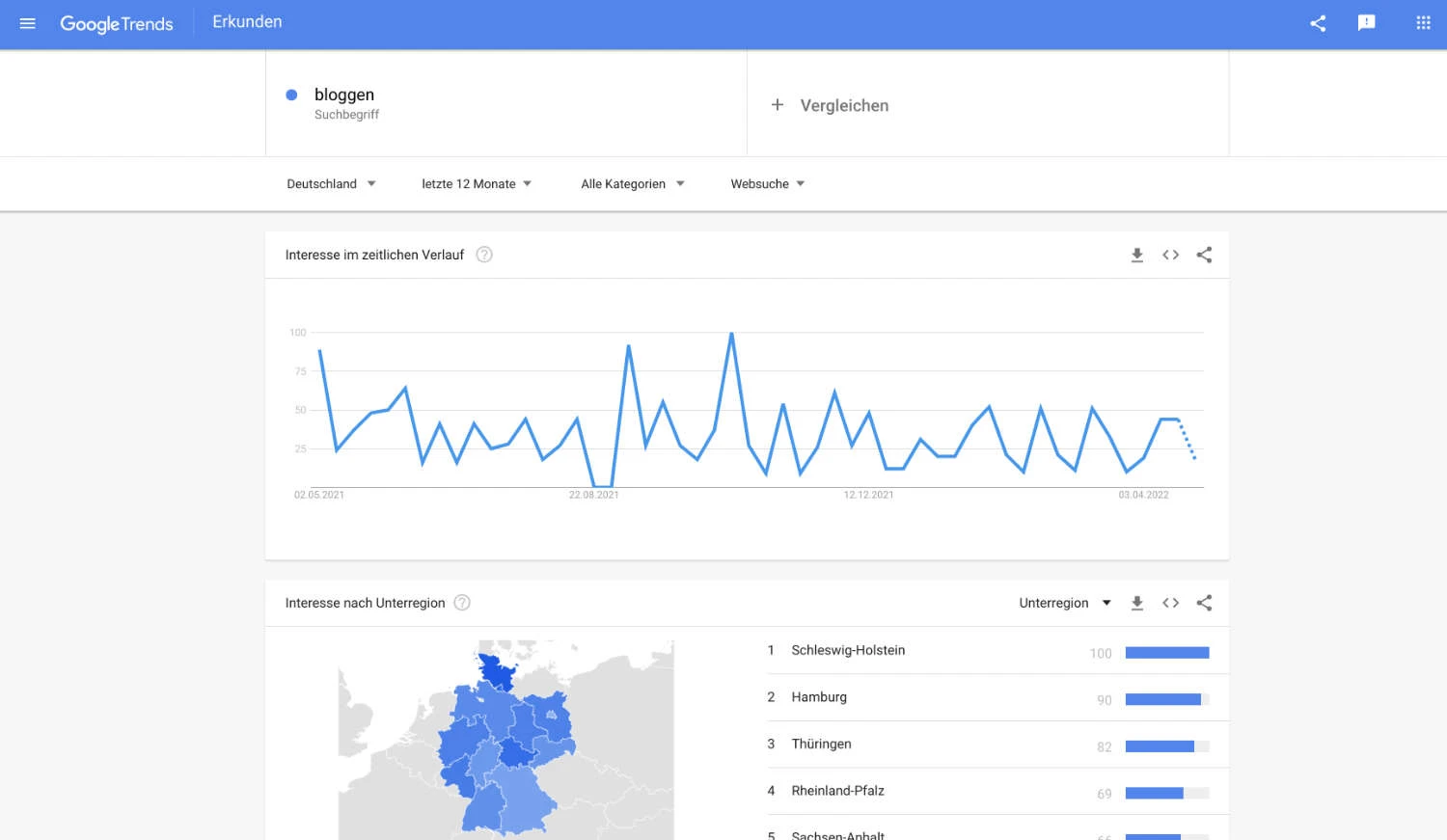
Google Trends is a great tool for showing interest in a keyword over time and comparing it with other keywords.
It also shows regions where a topic is or was especially popular.
One drawback, unfortunately: Google Trends only gives relative, not absolute, search volumes. For determining general interest in a keyword and especially possible seasonality, though, it's great.
We often use Google Trends for keyword research and can definitely recommend it.
11. ahrefs Webmaster Tools
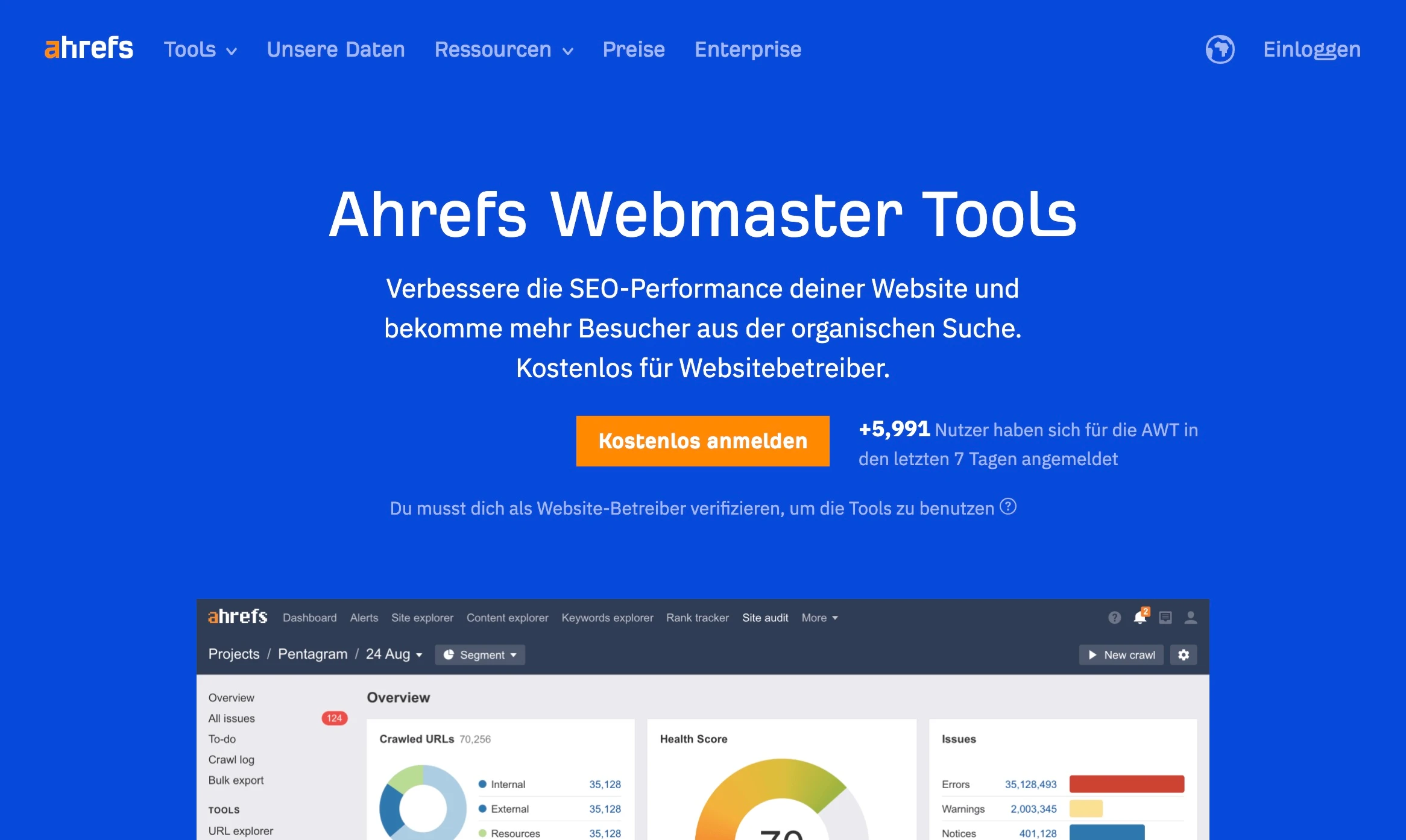
The ahrefs Site Audit is one of the best and most comprehensive SEO tools for on-page audits on the market.
The best part:
For your own website you can use the Site Audit for free as part of the ahrefs Webmaster Tools, and in full!
A good benchmark for a technically optimal website in search engine optimization is a Health Score of over 95.
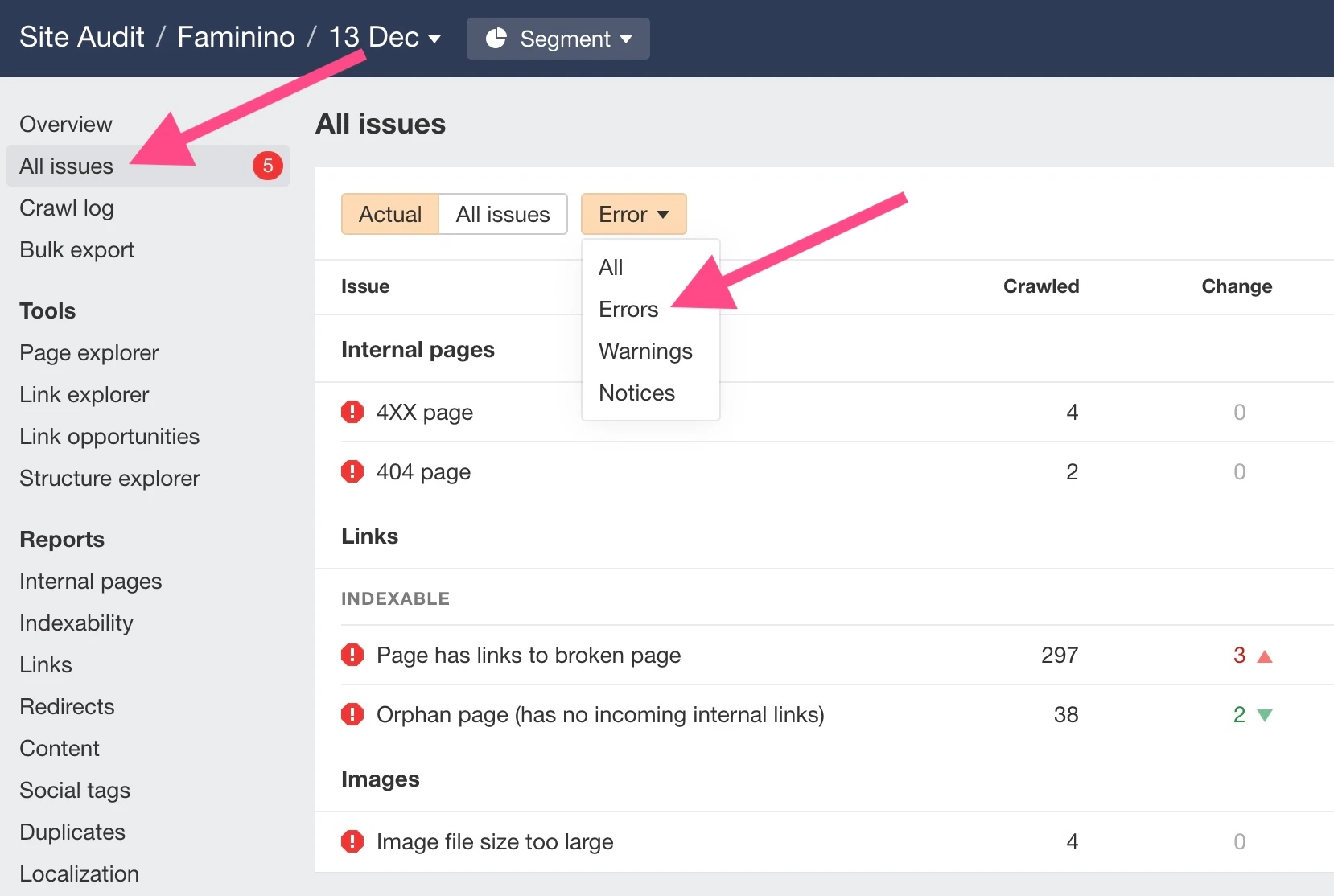
What matters most here is fixing technical SEO errors, such as internal links to pages that don't work or are broken (e.g. Error 500).
You get an overview of all errors by clicking “All issues” in the sidebar on the left and then selecting “Errors” from the dropdown menu:
12. Sitebulb
Besides the ahrefs Site Audit, I also use Sitebulb when I want to examine a website even more deeply and thoroughly.
Unlike many other audit tools, Sitebulb isn't cloud software but has to be installed locally on your own computer (which isn't a big deal). It's available for Mac and Windows.
At $13.50 per month, the SEO tool is cheap, considering you can examine any number of websites with it and run any number of audits. In the ahrefs Lite plan, for example, the number of websites is limited to 5.
I especially like the crawl maps, which present your site structure and internal links graphically.
13. Detailed SEO
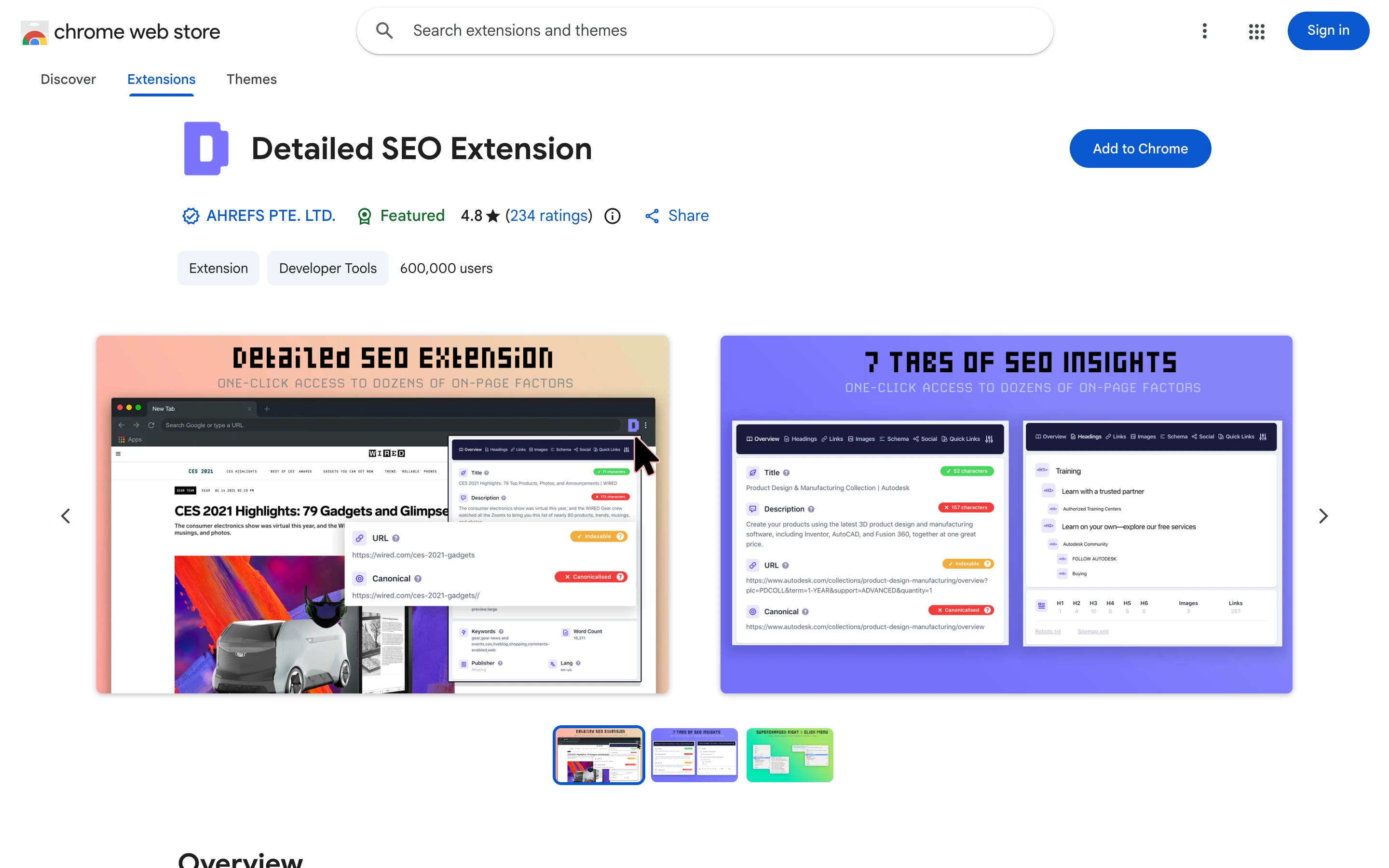
Detailed SEO delivers a minimalist short overview of important SEO metrics right in the Chrome toolbar.
The extended right-click menu is very well done. With its help, you can hand a website over to big SEO tools like Ahrefs or Majestic with a single click.
That saves a lot of time when you want to run more extensive analyses.
14. SEO Minion
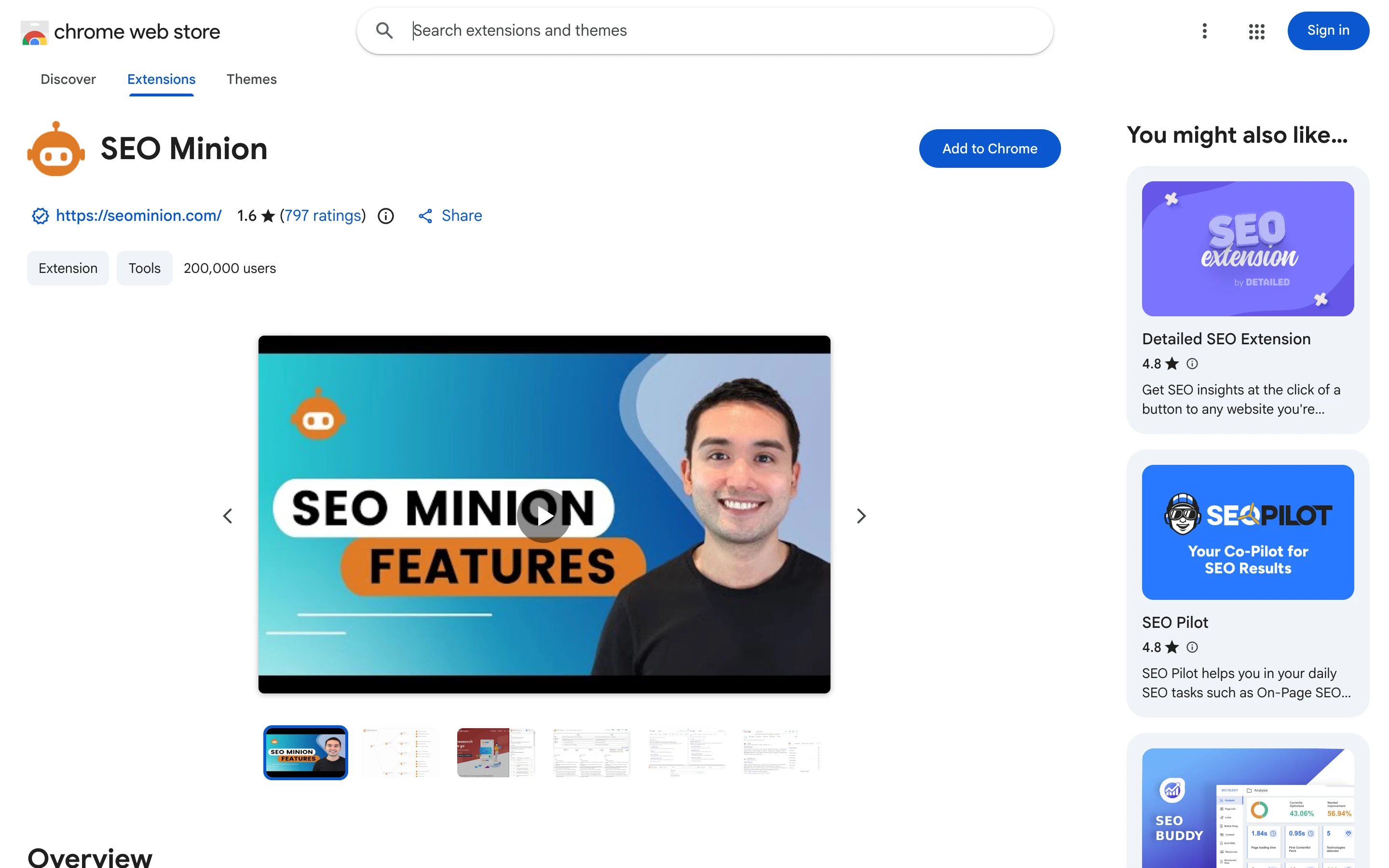
SEO Minion is a handy everyday helper for many tasks that come up daily in search engine optimization.
This small SEO tool, for example, analyzes the content of individual pages, marks broken links or, on request, shows all links in color. The extension also includes a SERP preview function and a search query simulator.
The developers regularly add new features.
15. GTMetrix
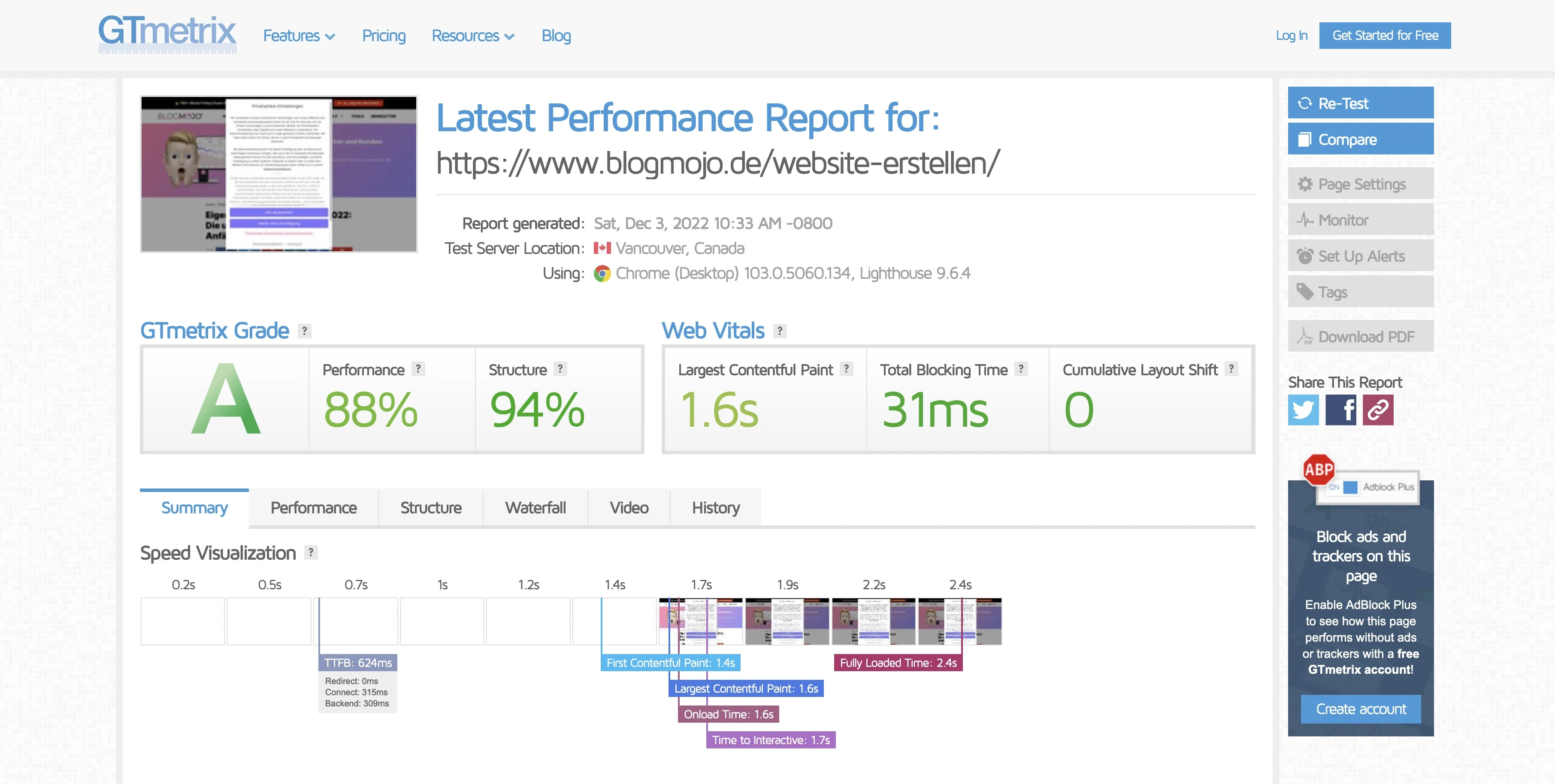
GTMetrix has been one of my favorite tools for years for testing the loading speed of web pages.
The reason is simple:
It's super clear, and problems with loading speed are quickly found.
You're not just shown optimization tips, you can also view a visualization of your website's loading process (in which key metrics like “Largest Contentful Paint” or “Time to Interactive” are marked).
You can also look at a waterfall chart showing all server requests over time.
16. SpeedVitals
PageSpeed Insights, GTMetrix and co. are great SEO tools for improving your loading speed.
They have one problem, though:
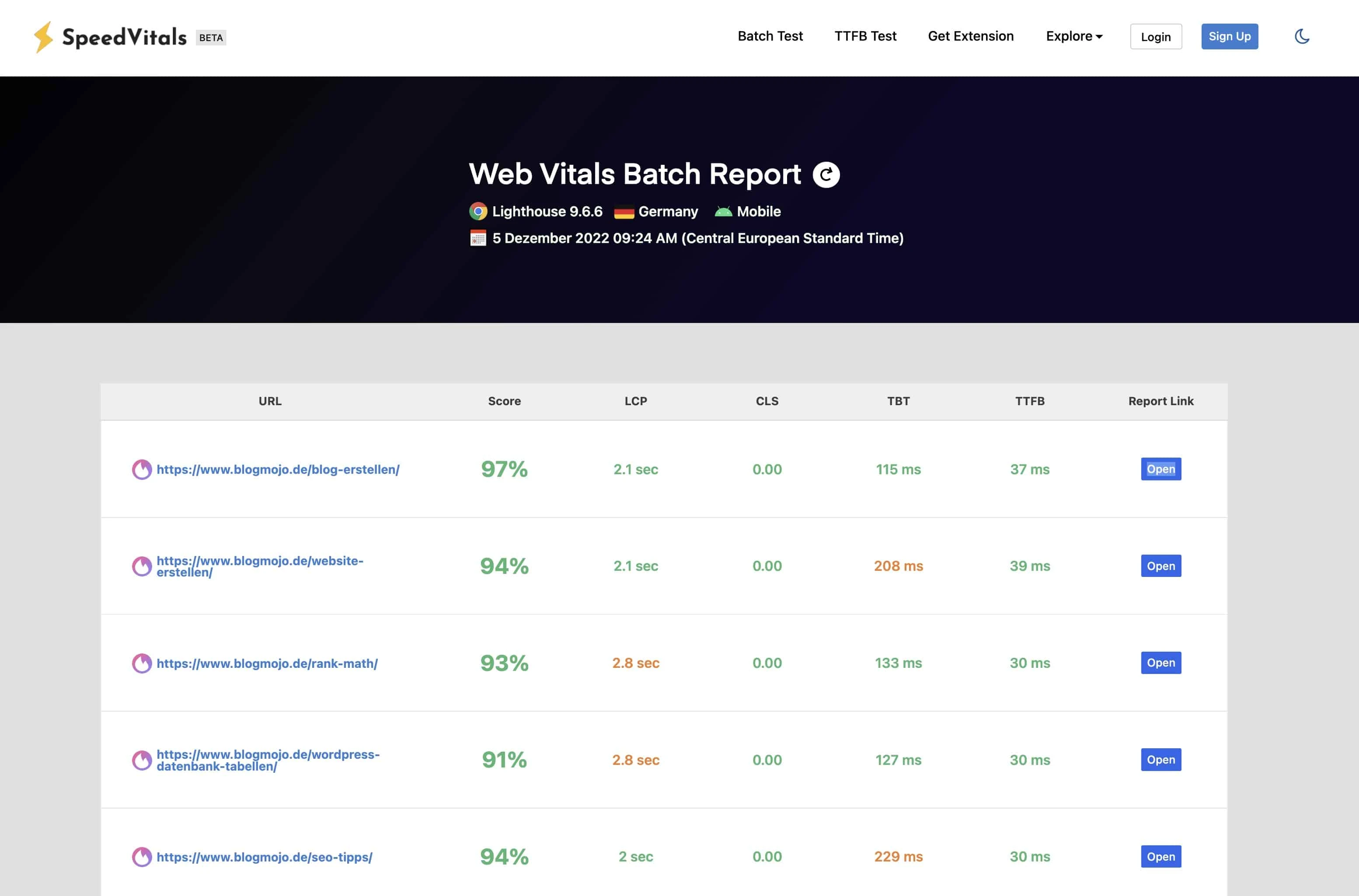
You can only test one URL at a time, which can make finding optimization potential on your website tedious.
With the Batch Test from SpeedVitals you can not only test the Core Web Vitals of several URLs at once, but also create detailed reports.
17. SISTRIX
SISTRIX is one of the best-known SEO tools in the German-speaking region. When people in the SEO scene talk about the “visibility” of a domain, they usually mean the SISTRIX visibility index.
The visibility index sums up in a single number how strongly a domain is represented in Google's search results. In the trend, you can quickly see, for example, whether a website has gained or lost after a Google update (yours or your competitors').
Besides that, SISTRIX offers keyword research, rank tracking and a crawler for on-page analyses.
The Start plan costs €119 per month plus VAT and can be canceled monthly. It includes one user, 3 projects and 30,000 crawled URLs per month. There's a catch, though:
With the Start plan you only see data from the last 3 months, and you can't add more users. The larger plans cost €239 (Plus), €419 (Professional) and €799 (Premium) per month, each plus VAT. You can test SISTRIX for free for 14 days.
18. Seobility
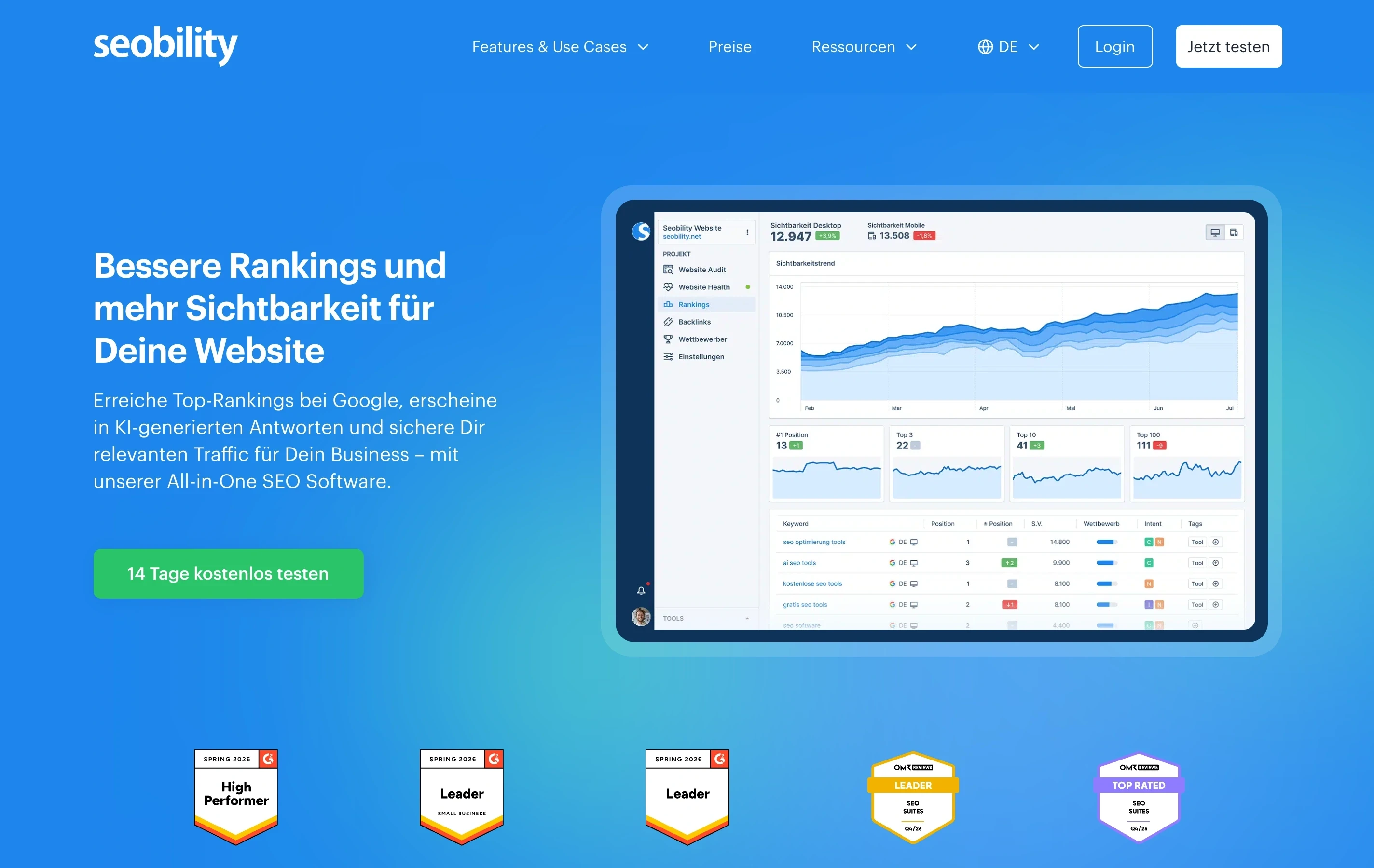
Seobility is an all-in-one tool with website audit, rank tracking, backlink analysis and competitor comparison.
The free Basic plan is especially interesting for beginners. With it you can create one project, have 100 pages checked per crawl, track 10 keywords and make 5 tool queries per day. For a young blog or a small company website, that's often enough to find technical errors.
As your website grows, you need a paid plan. Premium costs €59.90 per month, or the equivalent of €47.92 per month when billed annually (plus VAT), and offers 3 projects, 25,000 pages per crawl and 300 keywords. Professional costs €99.90 and Agency €209.90 per month. You can test the paid plans for free for 14 days.
19. Screaming Frog SEO Spider
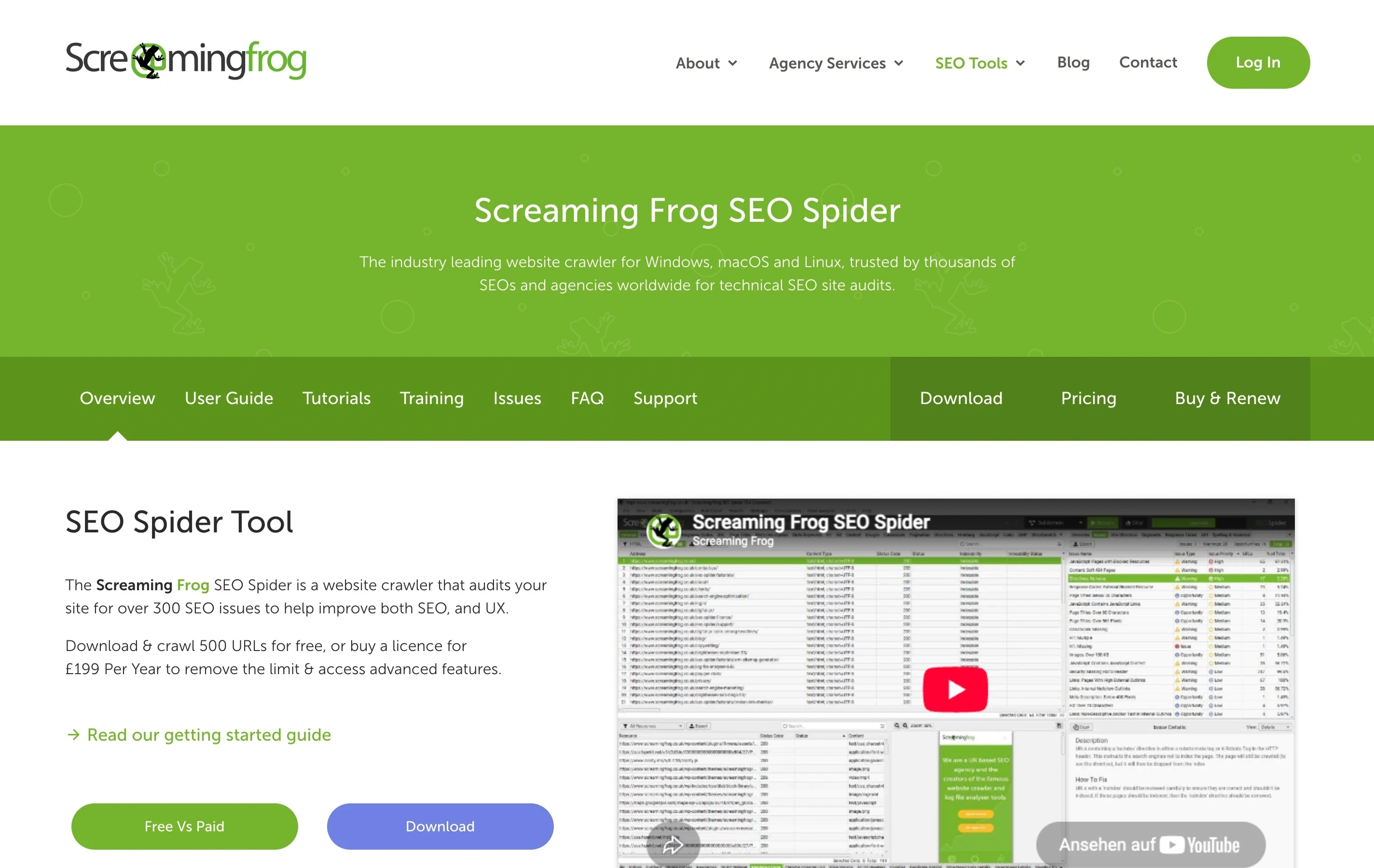
The Screaming Frog SEO Spider is a crawler for technical SEO audits. Like Sitebulb, you install it locally on your computer (Windows, macOS or Linux).
It crawls your website like a search engine bot and lists, for example, broken links, redirects, duplicate page titles, missing meta descriptions and problems with canonical tags or hreflang.
The SEO Spider is free up to 500 URLs. The free version lacks important features, though, like saving crawls, JavaScript rendering, custom crawl settings and the connection to Search Console.
A license costs €245 or £199 per year and user (the equivalent of about €20 per month). Volume discounts start at 5 licenses.
Recommended tool stacks
Recommending general tool stacks for SEO is difficult, because there are not only dozens of different CMSs, website builders and platforms, but also different expertise levels and types of websites (blog, online shop, etc.).
To keep it simple, I've put together tool stacks for the most widely used CMS (WordPress) with the most common use case (blog or online magazine):
SEO tools for beginners
For beginners with a new website or one with little content so far, search engine optimization should focus on keyword research and creating content:
These SEO tools are important for that. Except for KWFinder (from €37.70 per month when billed annually) or SE Ranking (from €87.20 per month when billed annually), all of them are free:
- Google Search Console
- Keyword Surfer (for quick keyword research right in Google search)
- Answer the Public
- KWFinder (mangools) or SE Ranking (offer the most important SEO features but aren't as expensive as ahrefs, Semrush & co.)
- ahrefs Webmaster Tools
SEO tools for advanced users
For advanced users with larger websites that already get traffic from Google, the focus is on re-optimizing existing content or deeper keyword analysis.
These SEO tools are useful for that, and together they cost about €150 to €200 per month:
- Google Search Console
- Keyword Surfer
- Surfer SEO (for TF-IDF and NLP optimization and advanced SERP analysis)
- ahrefs or SE Ranking (for extended competitor, backlink and on-page analyses)
- LowFruits (for finding easy keywords)
- An AI text generator (can save a lot of time in keyword research and when creating briefings)
SEO tools for professionals
SEO professionals who own a larger website or several websites themselves, or manage them on behalf of clients, need tools for deeper SEO analyses and technical optimization.
Depending on the size and complexity of the website(s) you manage, that adds up to at least €300 per month, possibly multiplied by the number of your team members:
- Google Search Console
- Keyword Surfer
- Surfer SEO
- SE Ranking, ahrefs or Semrush
- LowFruits
- An AI text generator (can save a lot of time in keyword research and when creating briefings)
- Sitebulb and/or Screaming Frog (for extended on-page audits)
- Various browser extensions (Detailed SEO, SEO Minion etc.)
- Various tools for speed optimization (PageSpeed Insights, WP Rocket, Lighthouse etc.)
FAQ
Here I've put together answers to common questions about SEO tools:
Which SEO tools do I really need?
Which SEO tools you really need always depends on the SEO measures you want to implement.
The absolute basics for optimizing a WordPress website would be, for example:
- Google Search Console (everyone needs it, regardless of CMS, type of website, industry, etc.)
- One or more keyword tools (e.g. KWFinder and Keyword Surfer)
- Rank Math or Yoast SEO (or another SEO plugin for changing meta descriptions, page titles and indexing settings and for generating a sitemap)
What is the best SEO tool?
It's hard to say which SEO tool is the best. SEO is a broad field with dozens of subareas and hundreds of possible tasks and optimization measures.
Instead of asking which is the best SEO tool, it makes more sense to ask which is the best SEO tool for a specific area of work. Here's an attempt at a ranking (not exhaustive and shaped by personal preferences):
- Best backlink checker: ahrefs
- Best all-in-one tool: ahrefs
- Best all-in-one tool for beginners: SE Ranking
- Best audit tool: Sitebulb
- Best rank tracker: SE Ranking
- Best SEO plugin: Rank Math
- Best tool for SERP analysis: Surfer SEO
- Best browser extension: Keyword Surfer
What are the best free SEO tools?
The best free SEO tools include:
- Google Search Console
- Keyword Surfer
- Answer The Public
- PageSpeed Insights / Lighthouse
- ahrefs Webmaster Tools
With these five tools alone, you can implement 40 to 60% of all possible SEO measures.
What do SEO tools cost?
Prices range from free to several hundred euros per month. Here are the regular list prices of some tools that appear in this article:
- Google Search Console, ahrefs Webmaster Tools, Google Trends: free
- ahrefs: from €27 per month (Starter), Lite €119 per month, each plus VAT
- SE Ranking: Core €109 per month or €87.20 per month when billed annually
- SISTRIX: Start €119 per month plus VAT
- Semrush: from €134 per month
- Seobility: Basic free, Premium €59.90 per month plus VAT
- Screaming Frog SEO Spider: free up to 500 URLs, license €245 per year
Which tools you really need depending on your experience is covered in the recommended tool stacks above.
How can I save money on SEO tools?
There are several ways to save money on SEO tools:
- Use free tools: There are hundreds of free SEO tools and software programs on the market. Many tool vendors, for example, offer certain features of their tools for free or provide stripped-down freemium versions.
- Trial versions: Many SEO tools, even expensive professional tools that cost several hundred euros per month, can be tested for free for a week, two weeks or even a whole month.
- Buy tools on Black Friday: Many SEO tools can be bought at steep discounts over Black Friday and Cyber Monday. Every year we put together an overview of SEO deals for Black Friday, which you can find here.
- Share tool access: Is an SEO tool too expensive for you? Then it makes sense to share the license or access with someone else. Keep in mind, though, that some tools don't allow simultaneous logins. It's ideal if you can create separate accounts for all users, as is possible, for example, with the Premium plan of the mangools Suite.
Why do SEO tools show different data?
For backlink data, such as the number of backlinks or referring domains, this is often down to the capabilities of the crawlers used and/or the rented servers.
For keyword data, all keyword and SEO tools draw on data from the Google Keyword Planner. Still, this data can differ, because this “base data” is processed further.
Depending on the tool, for example, different algorithms and data sources are used to improve search volume data, untangle aggregated search volumes or fill in missing search volumes.
Tools often draw on clickstream data to improve or extend their data. This is access and interaction data from real users of Google Search, mostly collected through browser extensions.
Many tools also have access to their users' Google Search Console and use it to improve their data.
For some metrics, different values are also explained by different algorithms being used to calculate them. The Domain Rating (DR) from ahrefs, for example, is calculated differently from the Domain Authority (DA) from MOZ.