
Even a blind squirrel finds a nut once in a while.
That's how it will go with your Google rankings if you don't use keyword tools. Keyword tools are essential and indispensable for every SEO toolbox.
The problem:
There are hundreds of different tools for keyword research on the market. Who's supposed to find their way through that?
The good news:
You don't have to figure out on your own which of them are any good. In my 14 years as an SEO, I've tried an extremely large number of tools. From free to several hundred euros a month.
In this article, I'll introduce you to the keyword tools I've stuck with. Tools with which I've found plenty of great keywords and which I've sometimes used for research for years.
- For beginners, I recommend KWFinder (from €37.70 per month with annual billing) or SE Ranking (from €87.20 per month with annual billing). Both offer search volume, competitor analysis, and SERPs.
- Google tools like the Keyword Planner, Search Console, and Trends are free, but some only show imprecise search volumes or need an active Ads campaign.
- Professional tools like ahrefs and Semrush offer huge keyword databases and deep analyses, but cost from $129 per month upward.
1. Google tools
Why look any further?
Google itself offers great tools for keyword research and analysis. And completely free!
1.1 Google Trends
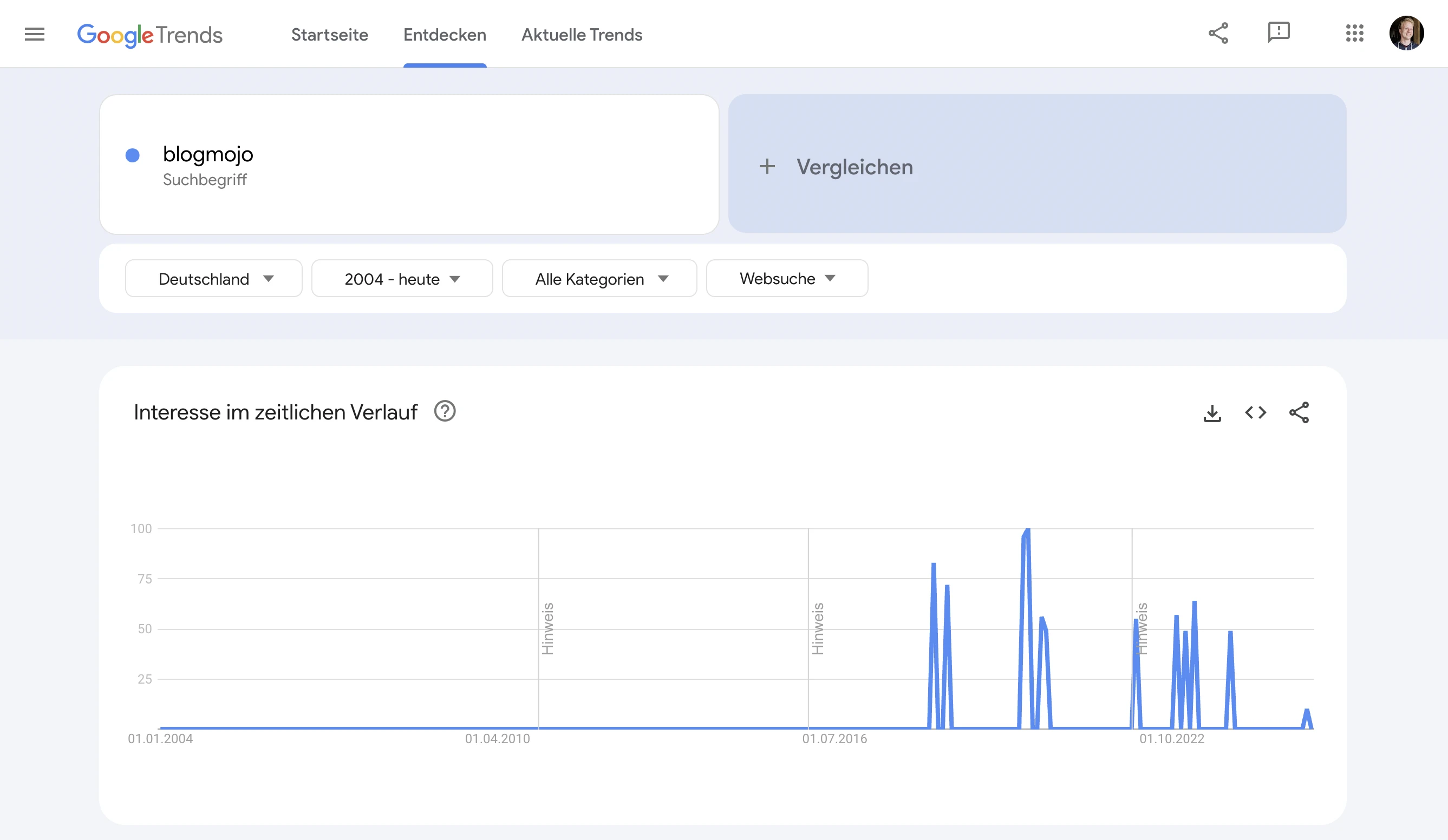
With Google Trends you can see how often keywords are entered by Google users, in which country and which region.
The research tool is very good for identifying seasonal and regional fluctuations in keywords. Or for estimating whether the search volume for a keyword will fall or rise.
It's also great for monitoring your own brand (as you can see in the screenshot above).
One big downside:
Interest in particular keywords is unfortunately shown only in values relative to total search volume, not in absolute ones.
1.2 Google Search Console
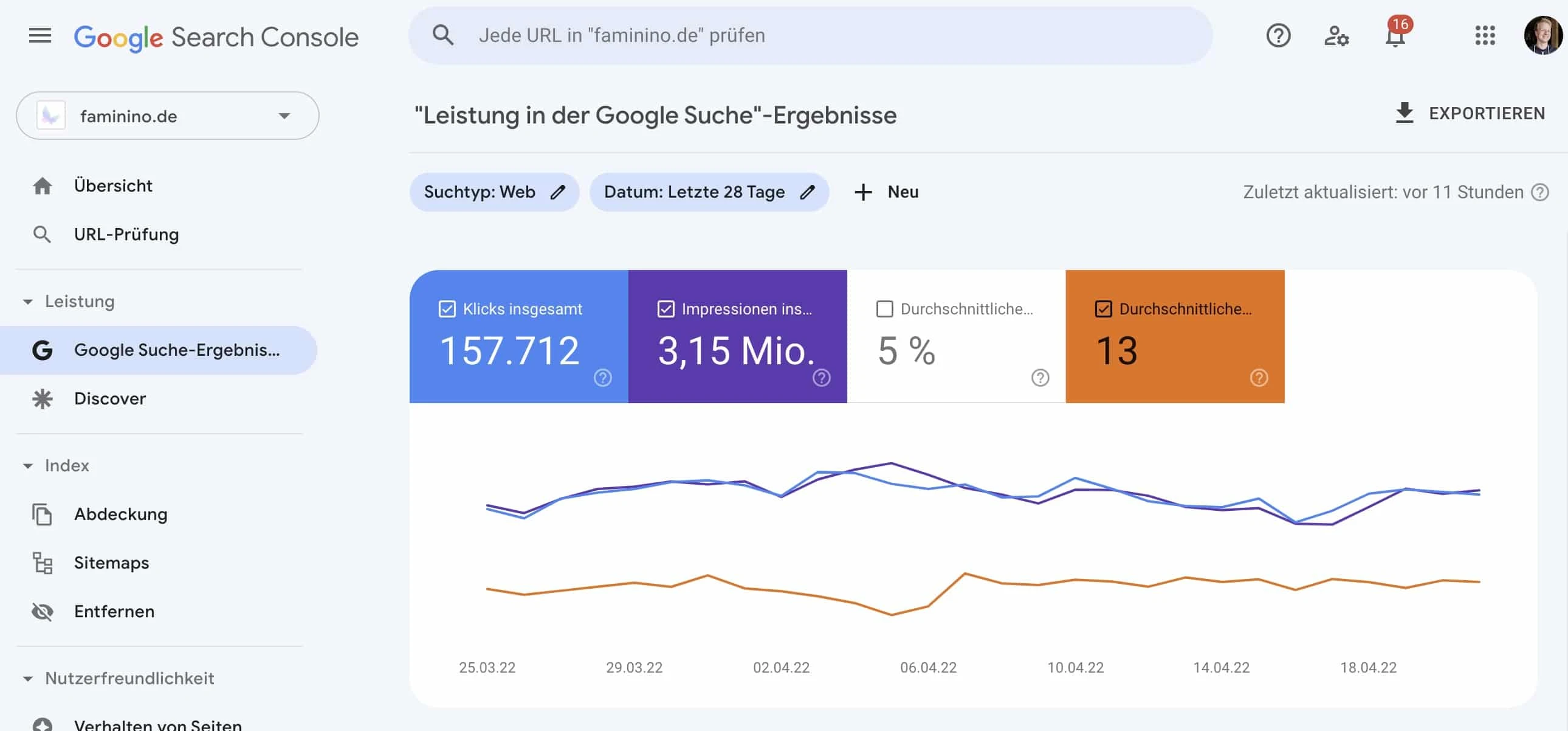
The Search Console (formerly Google Webmaster Tools) is not only an important tool for finding SEO errors on your own website and helping Google crawl and index your website better.
It also works very well for keyword research and monitoring!
For every website, it shows keywords with ranking, impressions, click-through rate, and clicks. That lets you find great new keywords that you don't rank for yet or could rank even better for.
Why does that matter?
Optimizing existing content often brings you results faster and more easily than writing new content!
In short:
The Google Search Console is an absolute must-have for every website.
1.3 Google Ads Keyword Planner
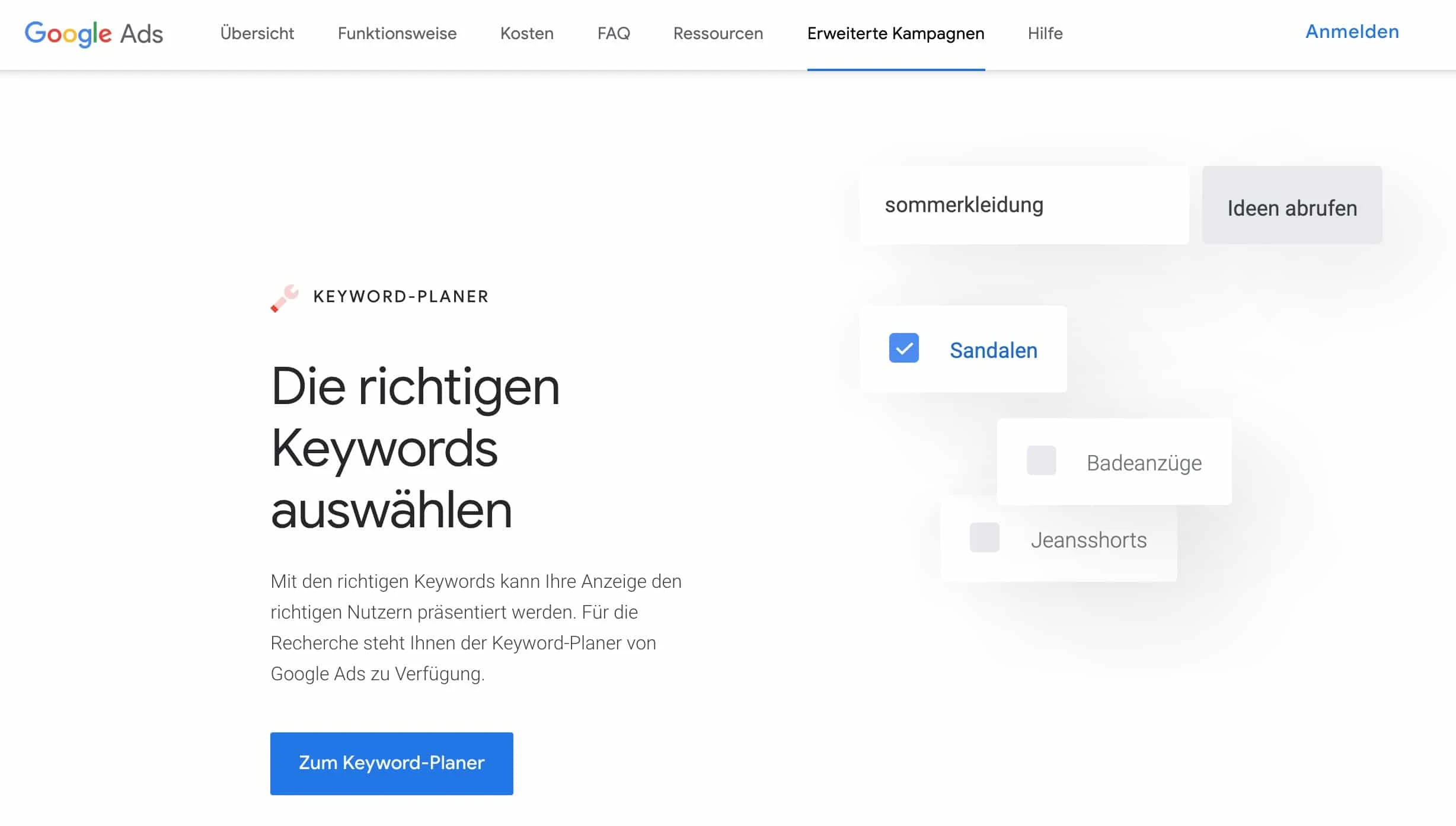
The Google Ads Keyword Planner (formerly Google AdWords Keyword Tool) was the standard tool for keyword research for years.
Unfortunately, it's only of limited use as such now.
Since August 2016, the keyword ideas show the exact number of monthly searches for keywords only if you have an active Ads campaign.
If you don't have an active campaign, you only get ballpark ranges of 10-100, 100-1,000, 1,000-10,000, and so on (marked in pink in the image):
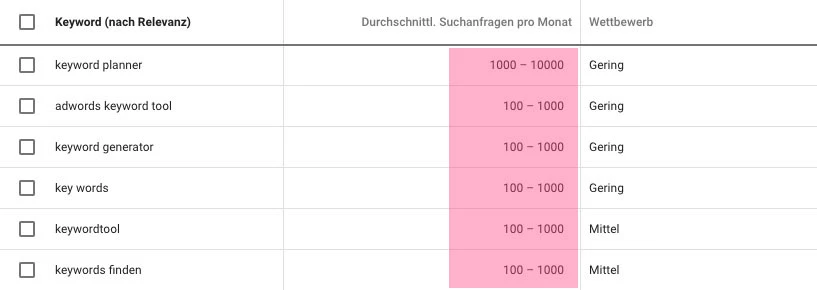
The search volume of keywords (e.g. singular and plural) is also lumped together in groups, which makes the search volume even less precise. That means keyword tool, keyword tools, and keywordtool would each show the same search volume.
You can do a bit of tricking with the Google Keyword Planner, though, to get more precise search volumes for a keyword.
To do that, you select it via the checkbox in the keyword ideas and add it to a plan at the top.
Then you land on the plan overview. There, at the top right, you choose a year as the time period (in the example, December 13, 2018 to December 12, 2019):
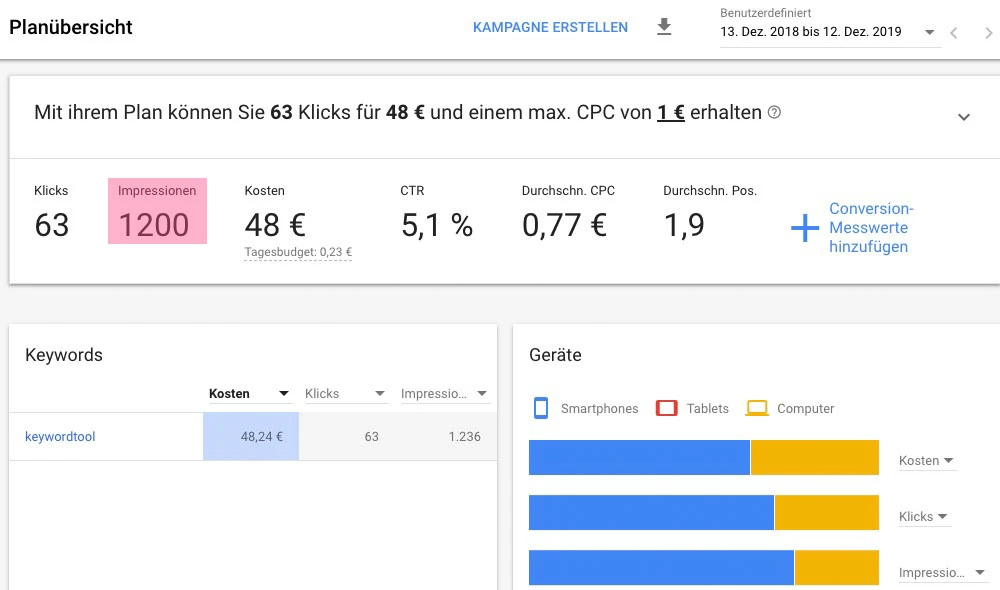
Then you divide the impressions shown (1,200) by 12 and get 100 impressions. That means keywordtool has about 100 monthly searches.
I find this process too cumbersome, though. You also should never forget that these are impressions of ads and not of search queries as such, which isn't 100% identical.
That's why I advise you to use KWFinder instead (see below).
1.4 Google Suggest

Google Suggest, also called Google Autocomplete, isn't a standalone tool but a function in Google Search.
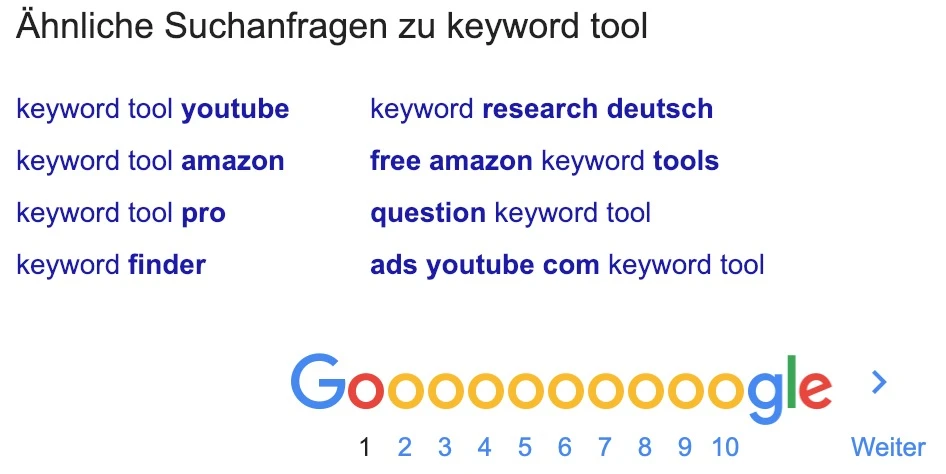
Just enter a keyword in Google and you automatically get more keyword suggestions.
Further down the search results page, Google also shows related searches:
2. Classic keyword tools
A “classic keyword tool” should definitely not be missing from your SEO toolbox!
By that I mean a tool that doesn't just show keyword ideas for a given topic but also the important properties of those keywords, such as search volume, search volume trends, CPC, competition, and the corresponding search results.
2.1 KWFinder
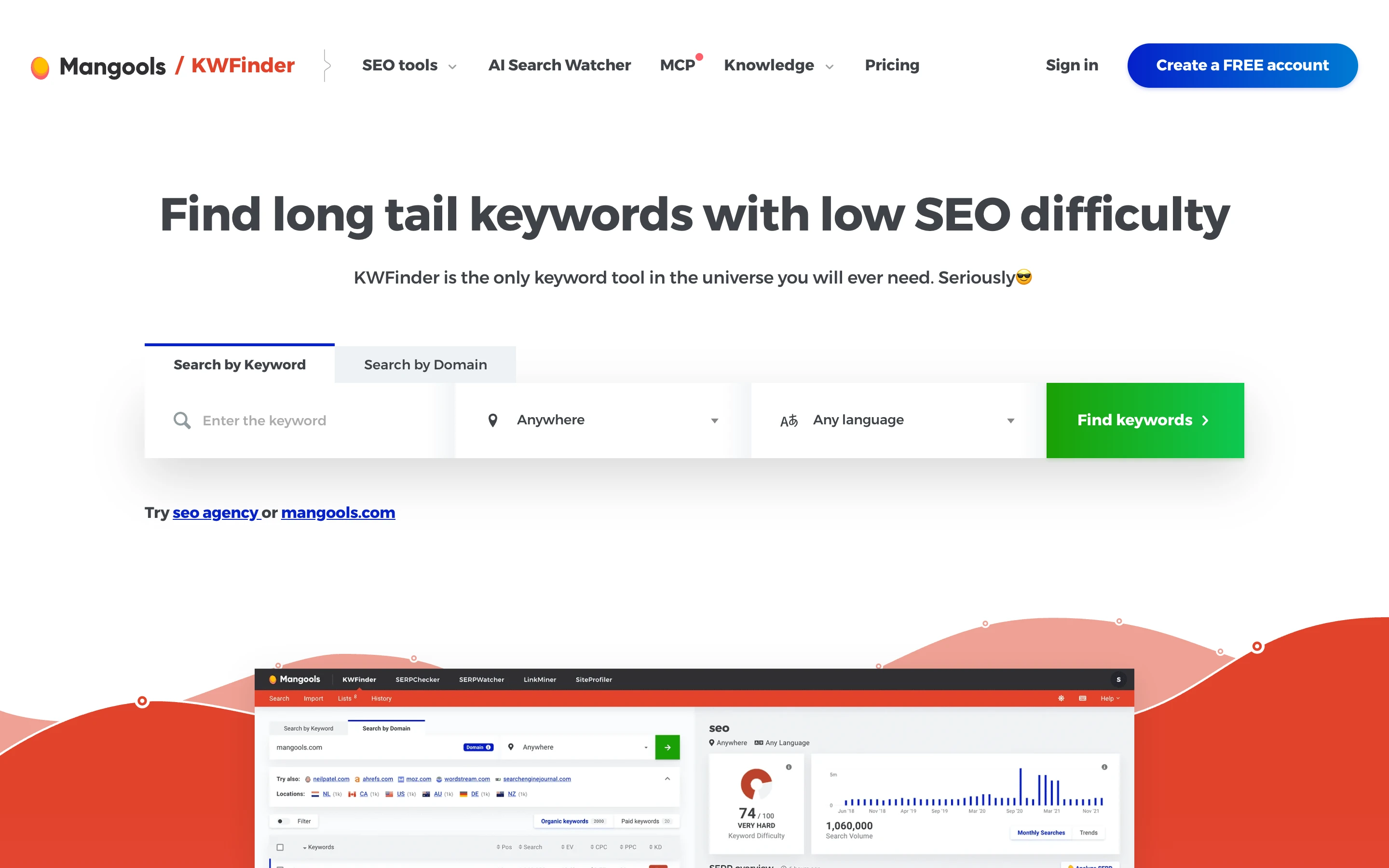
KWFinder (short for Keyword Finder) has been my standard tool for keyword research since 2014.
And not without reason:
It doesn't just show similar keywords or autocomplete suggestions with search volume, trends, and CPC, but also the corresponding search results for every keyword.
The interface is modern and clear, and it's one of the few tools that also works excellently on a smartphone, which makes it great for “checking a keyword real quick.”
The Keyword Difficulty Score is handy for beginners. You can spot keywords with weak competition by their light and dark green scores, which is very good for a first assessment:
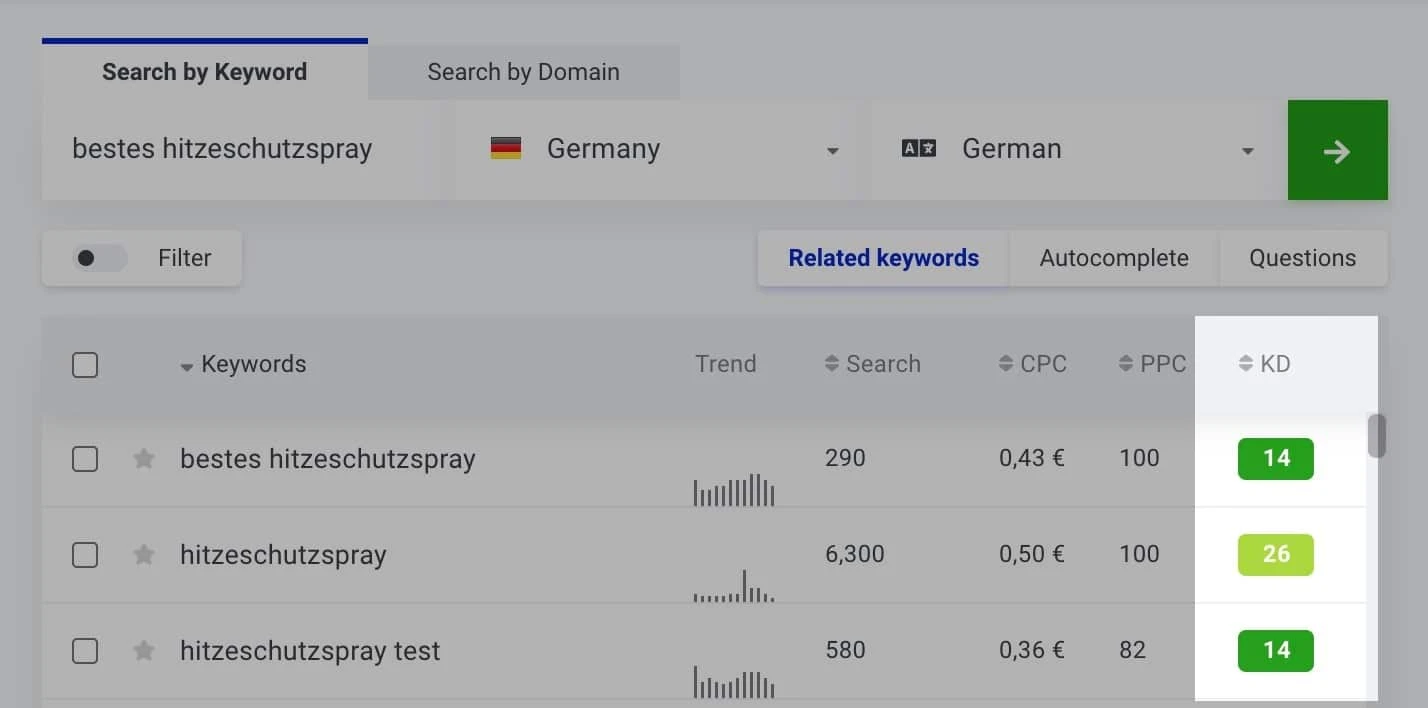
Heads up: Metrics like the “Keyword Difficulty Score” are only of limited use. Even if your website is still new or unknown, you may be able to reach the first page on Google for keywords with yellow or orange scores.
The import function is also brilliant. It lets you check search volume, CPC, etc. for hundreds of keywords at once:
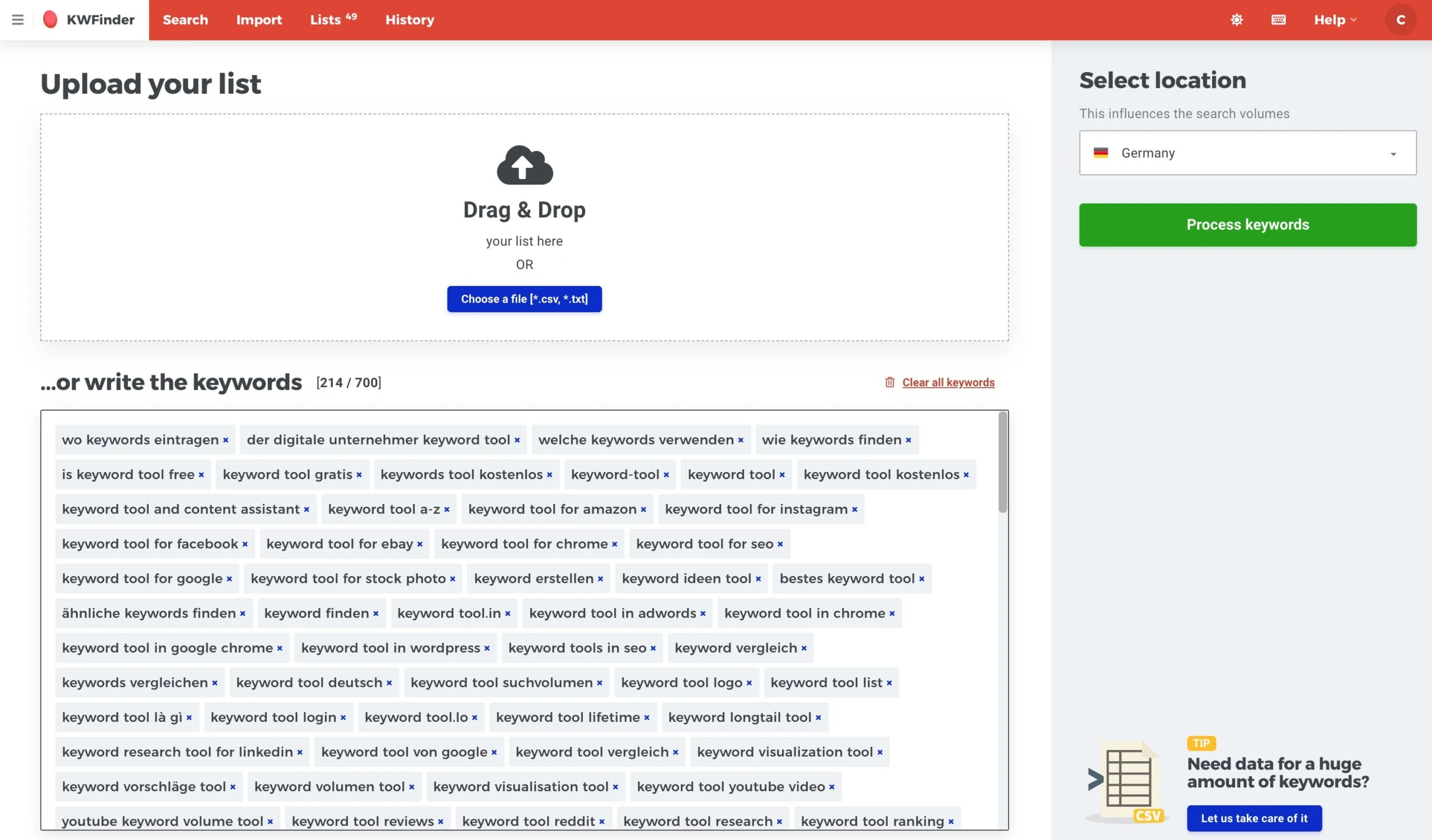
For example, you can export keyword lists from the Google Ads Keyword Planner or another tool and query the keyword data in KWFinder.
With the Basic plan at the equivalent of €37.70 per month with annual billing, you get 100 keyword lookups within 24 hours. That's enough for many small projects.
As part of the mangools suite, you also get many more useful tools, such as SERPWatcher for keyword monitoring.
Create a free Mangools account
2.2 SE Ranking
SE Ranking is currently the best all-in-one tool for beginners and includes many functions for keyword research and analysis.
It's excellent for analyzing a single keyword. It not only shows many different metrics for a keyword but is also much clearer than Semrush, ahrefs, and the like:
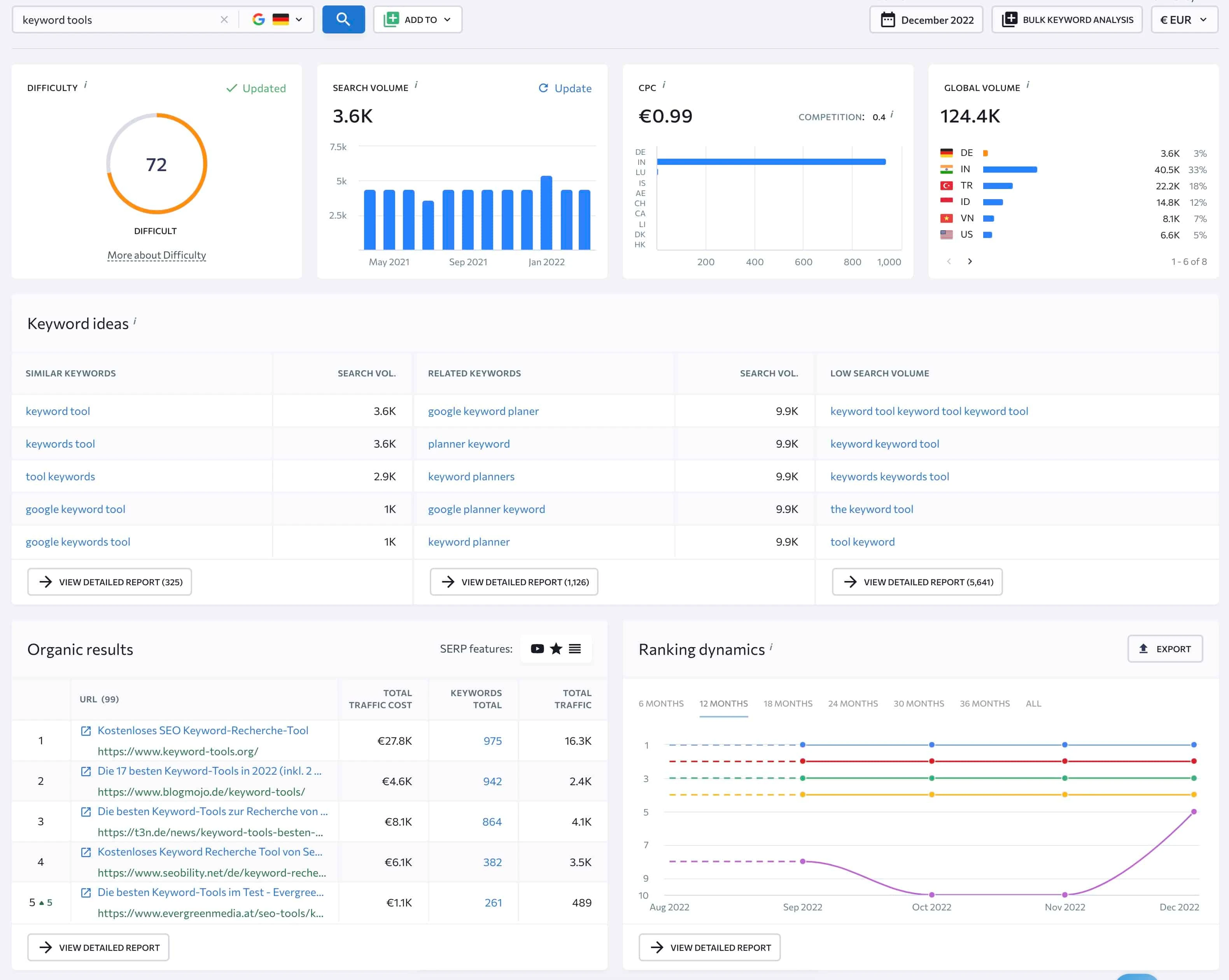
You can also get ideas such as similar or related keywords for every keyword:
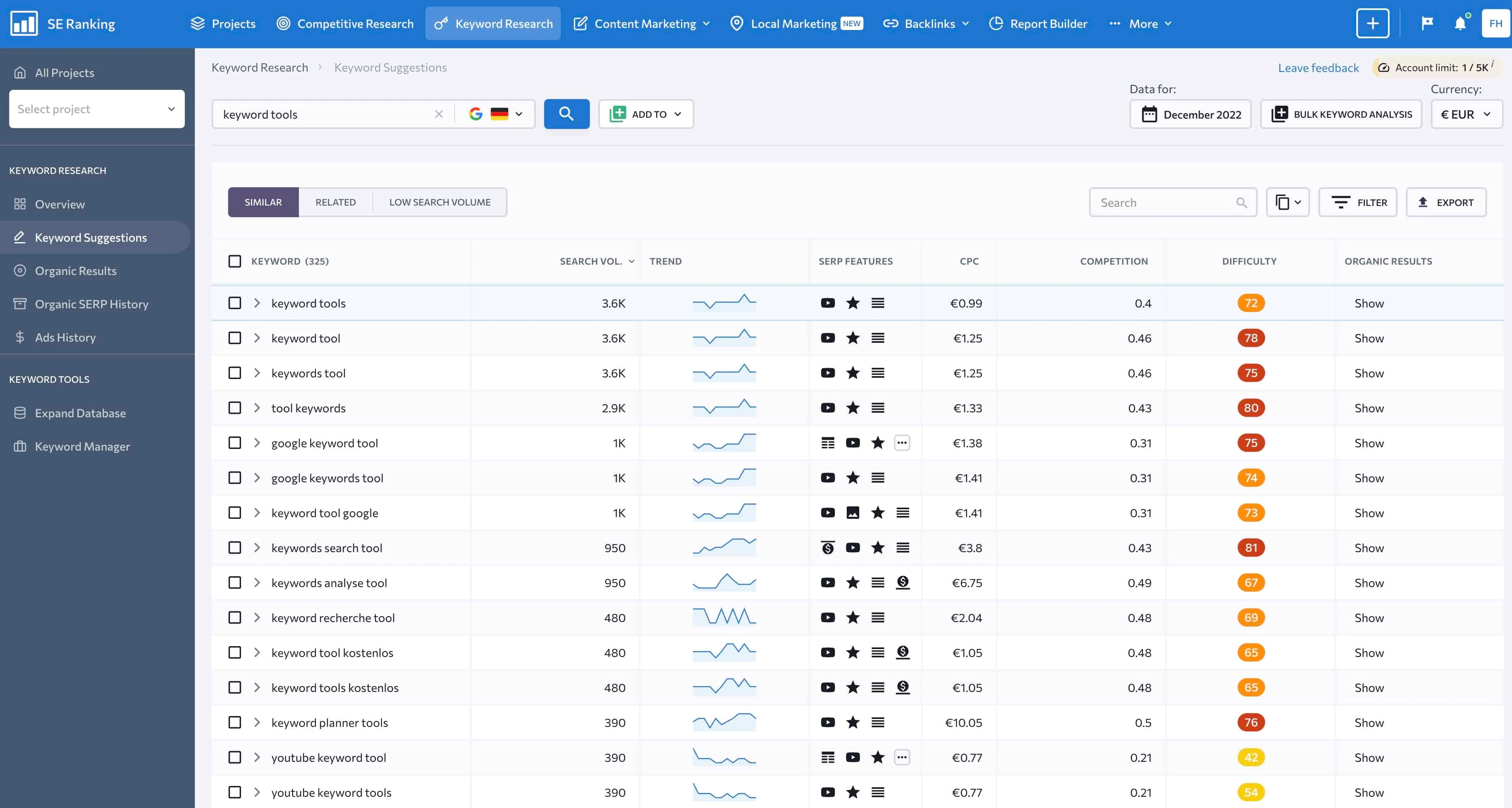
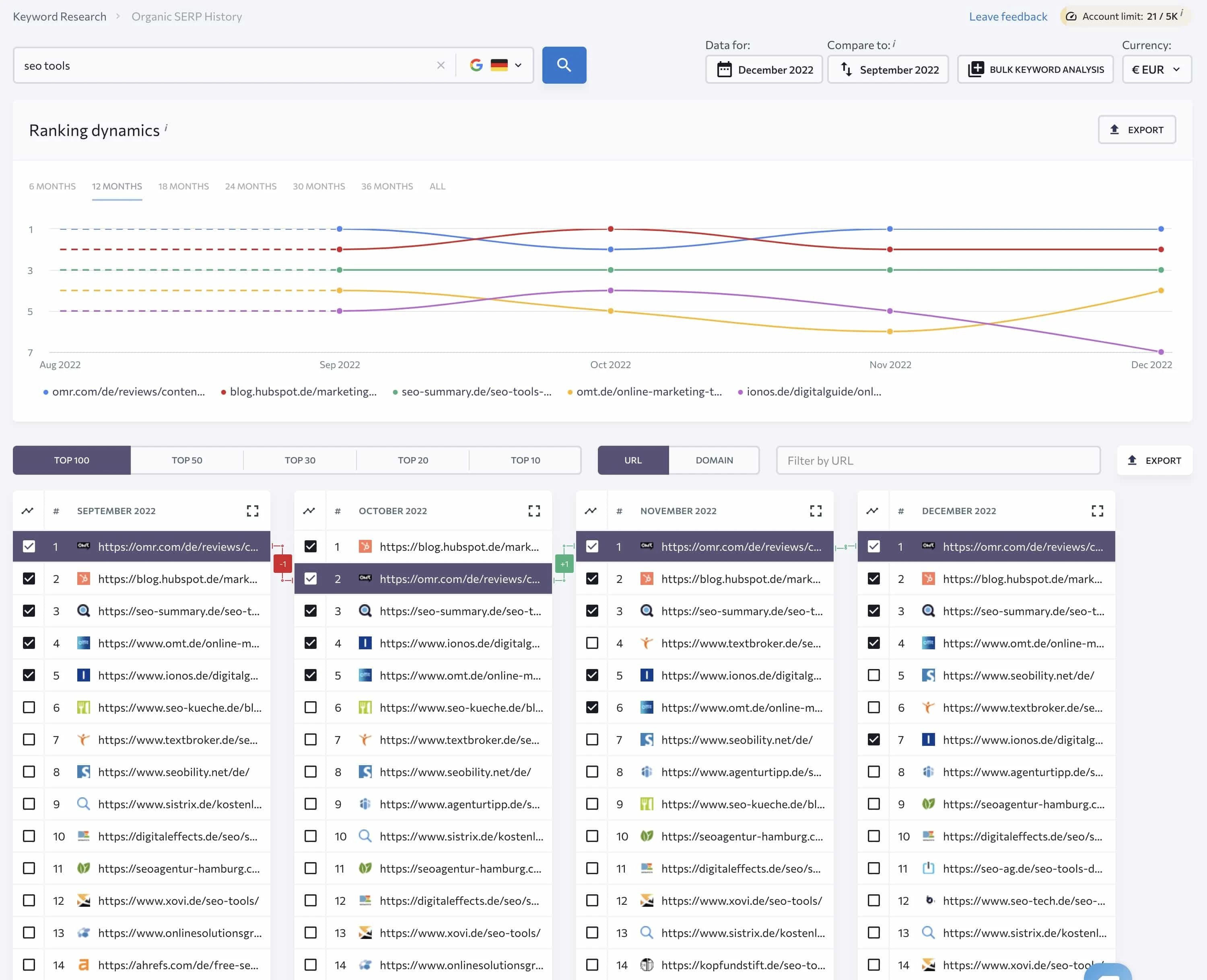
I particularly like the “Ranking dynamics” report. With it, you can see every month how the rankings for a keyword have developed:
But that's not all.
It offers many other SEO functions that professional tools like Semrush, ahrefs, and SISTRIX offer too:
- ranking analysis of individual pages or domains
- a backlink checker
- a comprehensive site audit
- a content editor (comparable to the one from Surfer SEO)
- a very good rank tracker on the market (SE Ranking's base function)
However, SE Ranking has a much clearer interface, is a lot easier to use, and also costs less than half as much:
The Core plan of SE Ranking costs €109 per month or the equivalent of €87.20 per month with annual billing. Semrush Pro costs $139.95 per month, SISTRIX Start €119 per month plus VAT, and ahrefs Lite $129 per month.
2.3 Ubersuggest
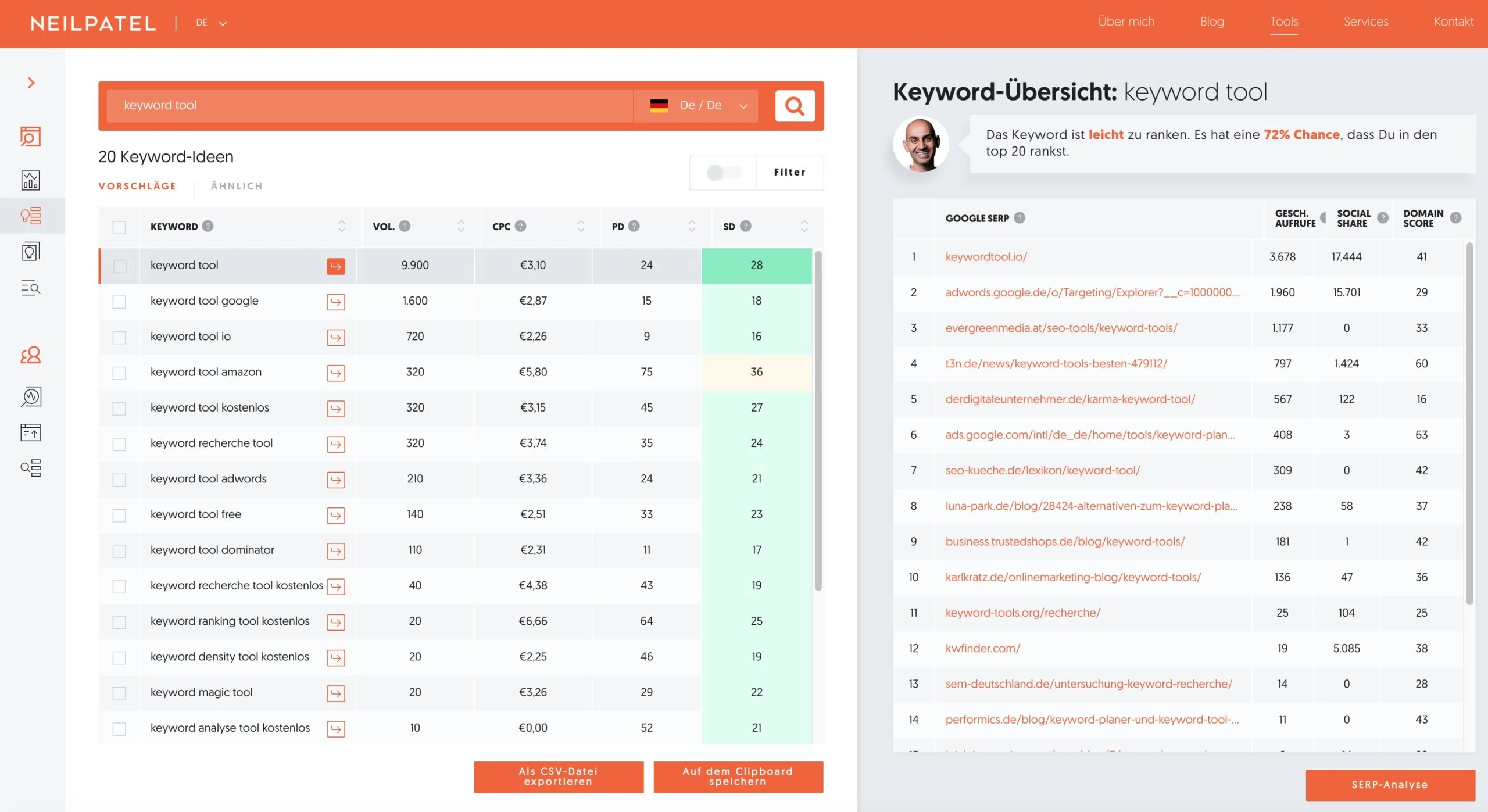
Ubersuggest was originally just a simple suggest tool.
Since internet mogul Neil Patel took it over, it has been completely overhauled and extended with numerous functions:
With it, you can, for example, look up the most important data (search volume, CPC, etc.) of individual keywords, get relevant keywords for a topic, see an overview of the current search results for a keyword, and even find competitors and analyze their rankings.
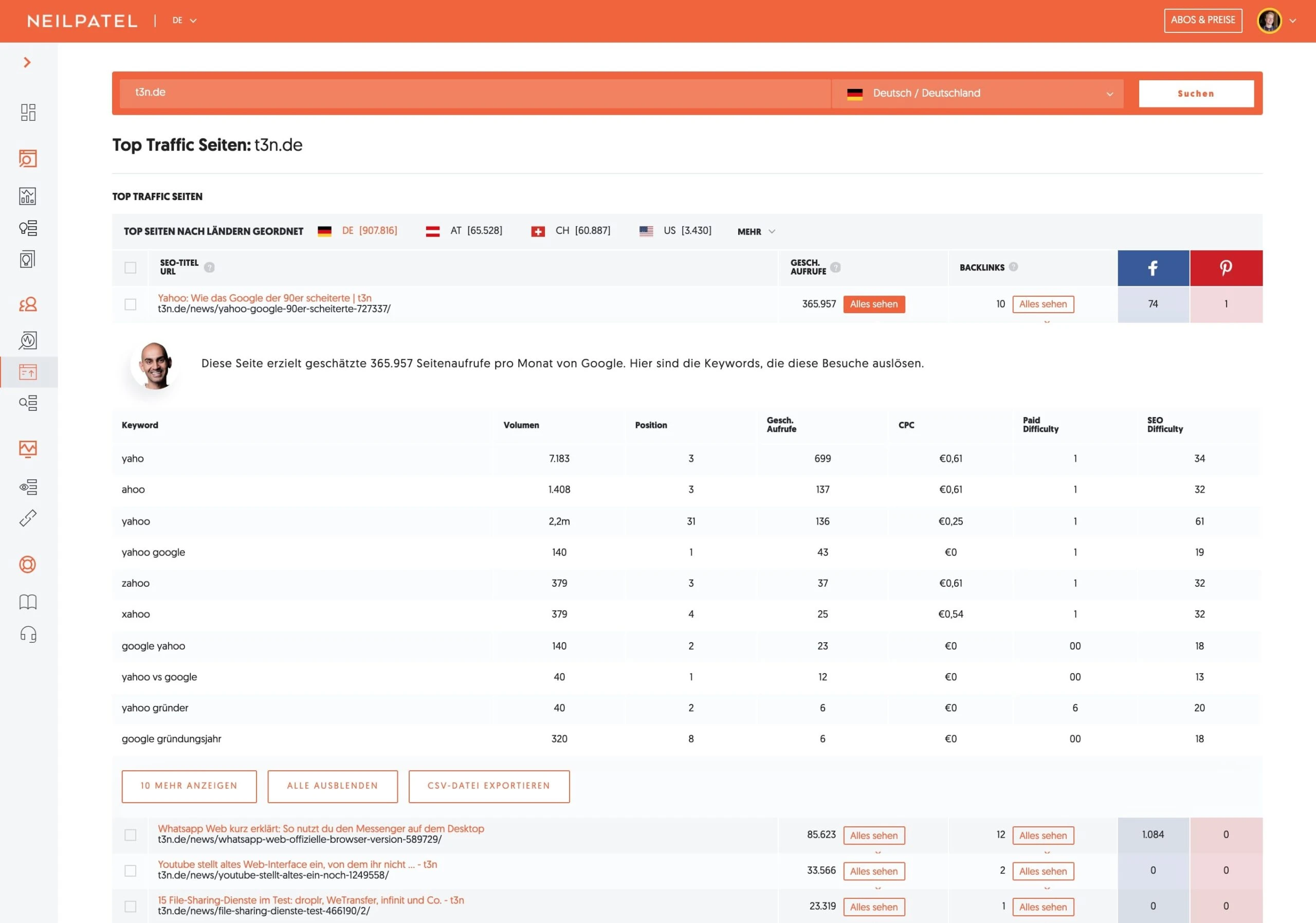
The “Top Seiten” (top pages) function is useful too. With it, you can see which pages of a domain get the most traffic and which keywords they rank for:
So everything a (beginner's) heart could want!
That said:
For normal keyword research, I prefer KWFinder, because I like its interface better.
For competitor analysis, meaning examining the rankings of a domain or a URL, SE Ranking is much better suited, because the results are searchable and filterable, more keyword data is shown, and you can go deeper with the analysis.
3. Suggest tools
When you enter a keyword into a suggest tool, you get a list of keyword suggestions (without search volume and other data). You can in turn enter that list into KWFinder or another tool.
3.1 LowFruits (insider tip!)
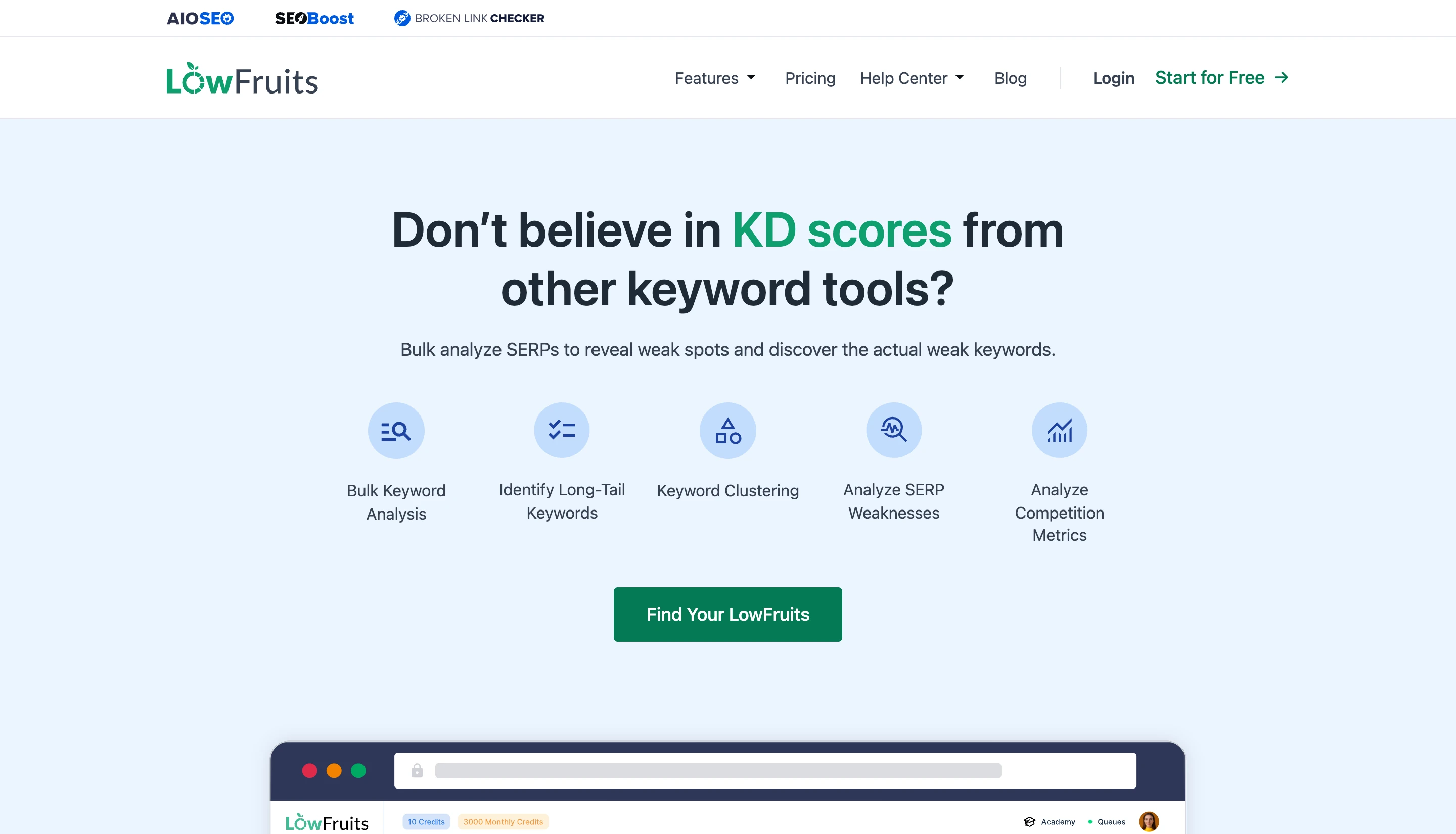
LowFruits is a really exciting keyword tool that I only discovered a little while ago.
You can use it to analyze imported keyword lists or suggestions the tool generates for a seed keyword you enter.
But with a special twist:
It runs a competitor analysis that isn't based only on backlink metrics like DR or DA, as with KWFinder, ahrefs, and the like, but takes further signs into account and shows you “weak spots” in the SERPs.
It uses many of the signs that I put together in my SEO course, which is why I fell in love with it immediately.
An absolute insider tip!
3.2 seospark
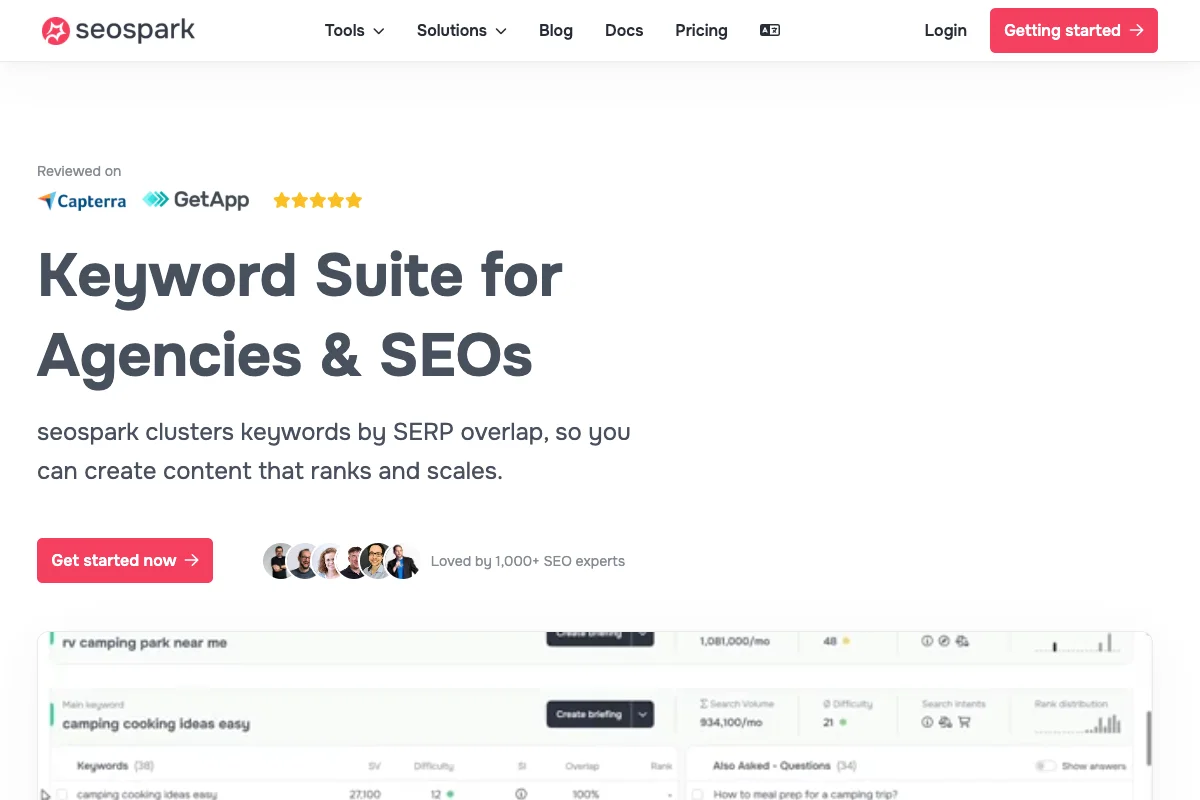
seospark (formerly Hypersuggest) is a great tool that can generate autocomplete suggestions from many different sources, such as:
- Questions (from Google Search)
- Google Images
- Google Shopping
- Google News
- YouTube
- Amazon
- eBay
It's easy to use and kept clear.
Generated keywords can be copied to the clipboard or exported in various formats (CSV, Excel, TXT, JSON, XML, or SQL).
I mainly use seospark to get a quick overview of the long-tail keywords of a topic or to add data from YouTube, Amazon, or eBay to my keyword clusters.
3.3 AnswerThePublic

AnswerThePublic is a great keyword tool for finding subtopic keywords.
It collects suggestions from Google Search and sorts them by prepositions and questions:
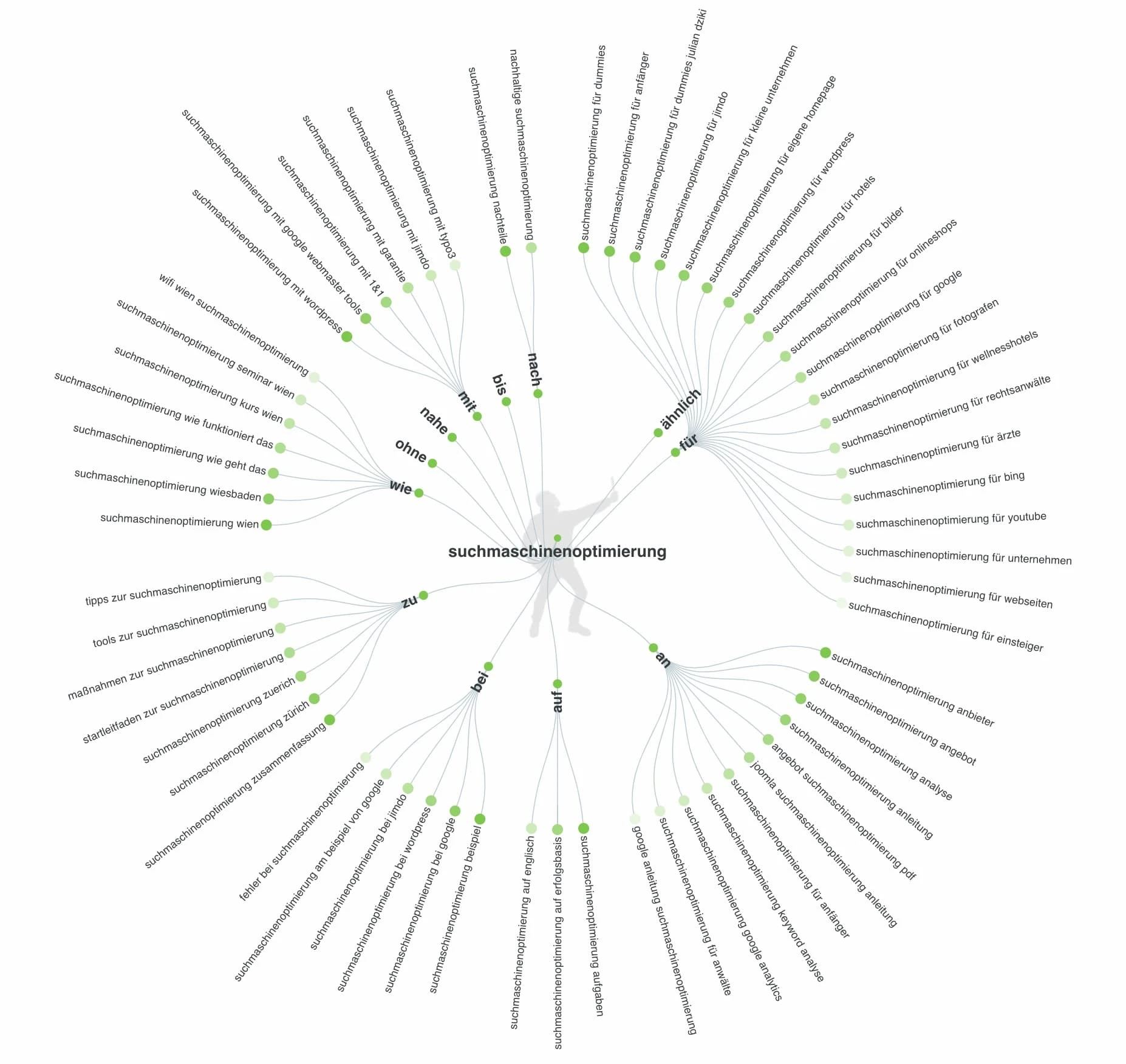
It's also very good for finding out the different search intents behind a keyword and getting to know your target audience better.
From the diagram above, you can read, for example, that users who search Google for the very general keyword suchmaschinenoptimierung (search engine optimization):
- are active on the Jimdo and WordPress platforms
- are mainly beginners
- are small and medium-sized businesses, such as doctors, hotels, lawyers, photographers, etc.
- want to read a guide or an overview on it
First, that helps you tailor your content better to the needs of search engine users and answer their questions better.
Second, you can get a better overview of the different aspects of a topic. That makes it easier for you to structure blog articles and find subheadings.
The one downside:
AnswerThePublic doesn't show keyword data like search volume, CPC, and the like. For that, you need another tool.
4. Tool suites
Tool suites offer two decisive advantages over classic keyword tools when it comes to keyword research:
First, they have a larger data basis. That means you get keywords shown there that you wouldn't find in Ubersuggest or KWFinder. The associated data, e.g. the search volume, is also more reliable.
Second, they allow keyword analysis at the domain level. That means you can see exactly which keywords a website and its subpages rank for.
4.1 ahrefs

ahrefs has been the best all-round tool for SEO on the market for several years now.
There are SEO tools that do individual aspects better, like on-page analysis or keyword research. But other professional tools like SISTRIX, XOVI, Moz, Majestic, or Semrush can't match the overall package of ahrefs.
The specialty of ahrefs has always been backlink analysis, where its huge data basis of 35 trillion external links outshines many other tools.
The same goes for keyword research: ahrefs has a huge database with more than 28.7 billion keywords.
You can do the research via the Keyword Explorer:
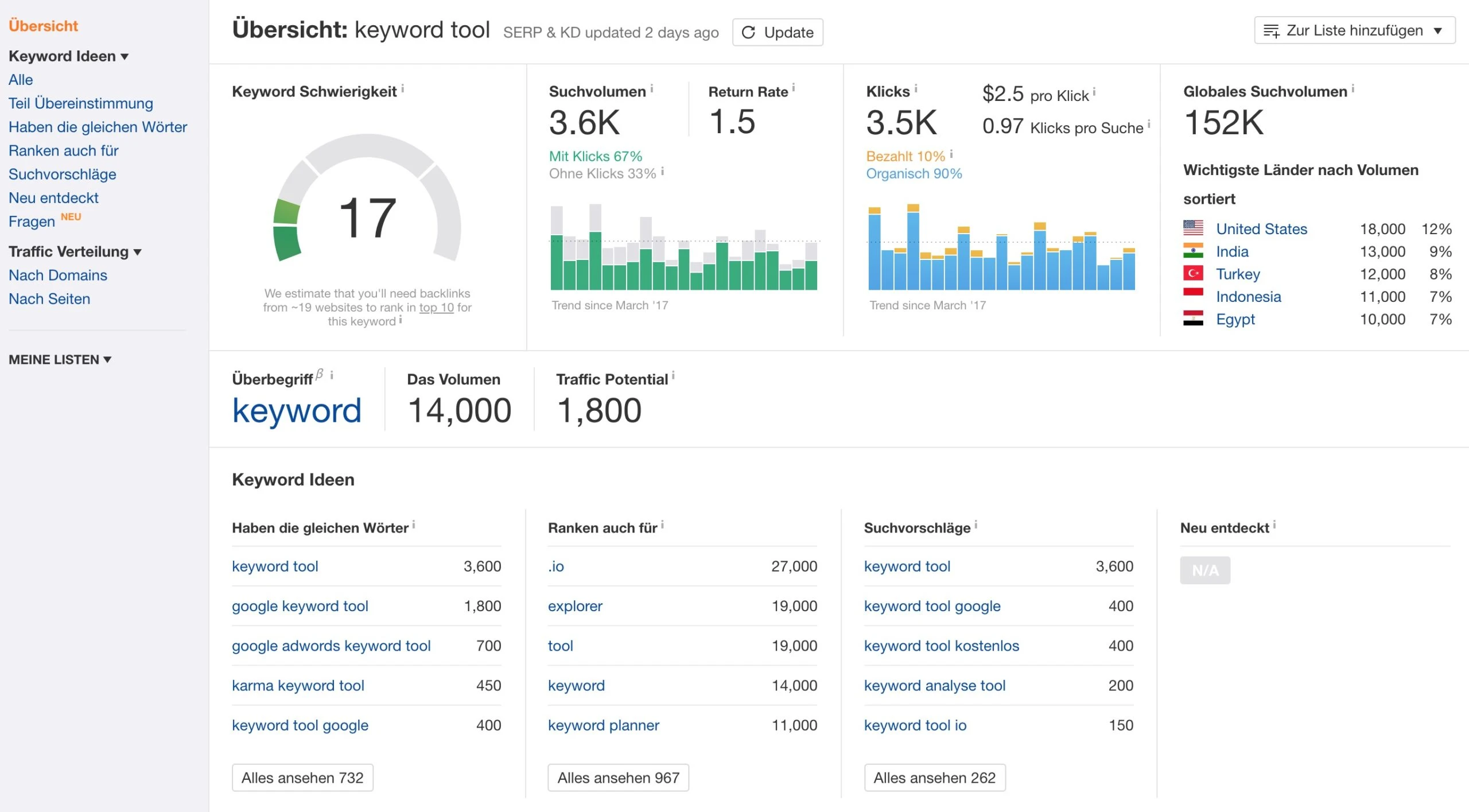
It not only shows various keyword ideas for a keyword you enter (keywords with the same words, search suggestions, and keywords that the top 10 web pages also rank for) but also data such as:
- search volume
- the parent topic (for better classification into a particular topic)
- CPC (cost per click)
- keyword difficulty
- the ratio between searches with clicks and searches without clicks
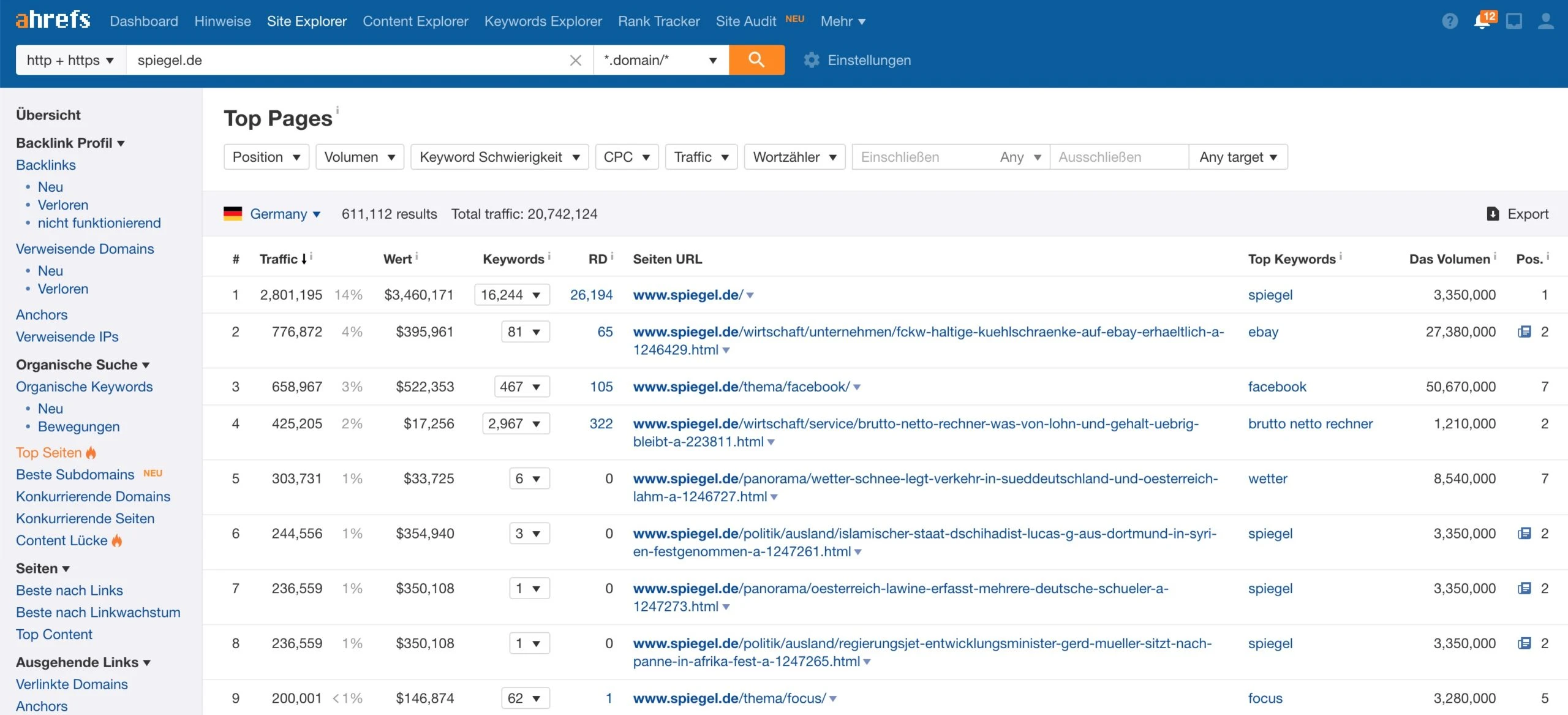
In keyword analysis at the domain level, the clear superiority over Semrush shows. The overview of the top pages does look similar, but for some pages ahrefs finds significantly more keywords.
For the gross-to-net salary calculator, for example, ahrefs finds 2,967 keywords, which is almost 1,300 keywords more than Semrush:
4.2 Surfer SEO
Surfer SEO is the SEO tool I currently use second most (right behind ahrefs) and, in my opinion, one of the tools with the greatest potential to eventually replace all the others.
I mainly use it for the following three things:
1. Detailed analysis of the top 10
Keyword research should always include an in-depth analysis of the top 10, meaning the pages that already rank for the keyword.
That's by far the easiest way to find out what kind of content Google users expect (blog article, product category, price comparison, etc.) and what the content needs to look like.
And Surfer SEO takes this analysis to the extreme. Among other things, the tool shows you correlations and recommendations for:
- density and number of keywords in the content
- number of words
- number of internal and external links in the content
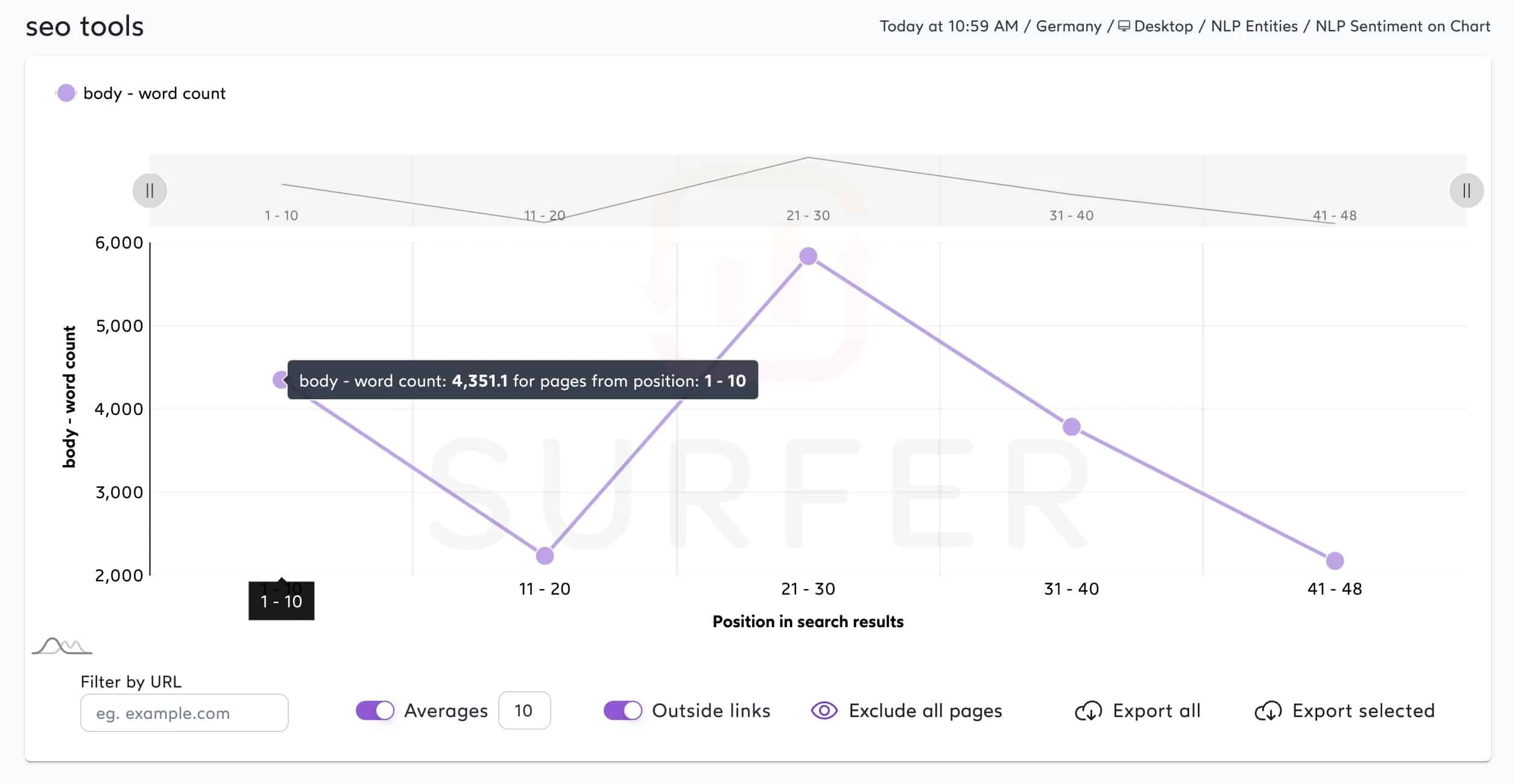
For the keyword “seo tools,” you can use Surfer SEO to see, for example, that the average word count in the top 10 is about 4,400 words. That means I probably wouldn't get far with content of 500 to 1,000 words:
2. Finding keyword clusters
Besides the SERP analysis, Surfer SEO offers a powerful keyword research tool.
With it, you can have relevant topics / keyword clusters shown for a seed keyword you enter, like “meditation”:
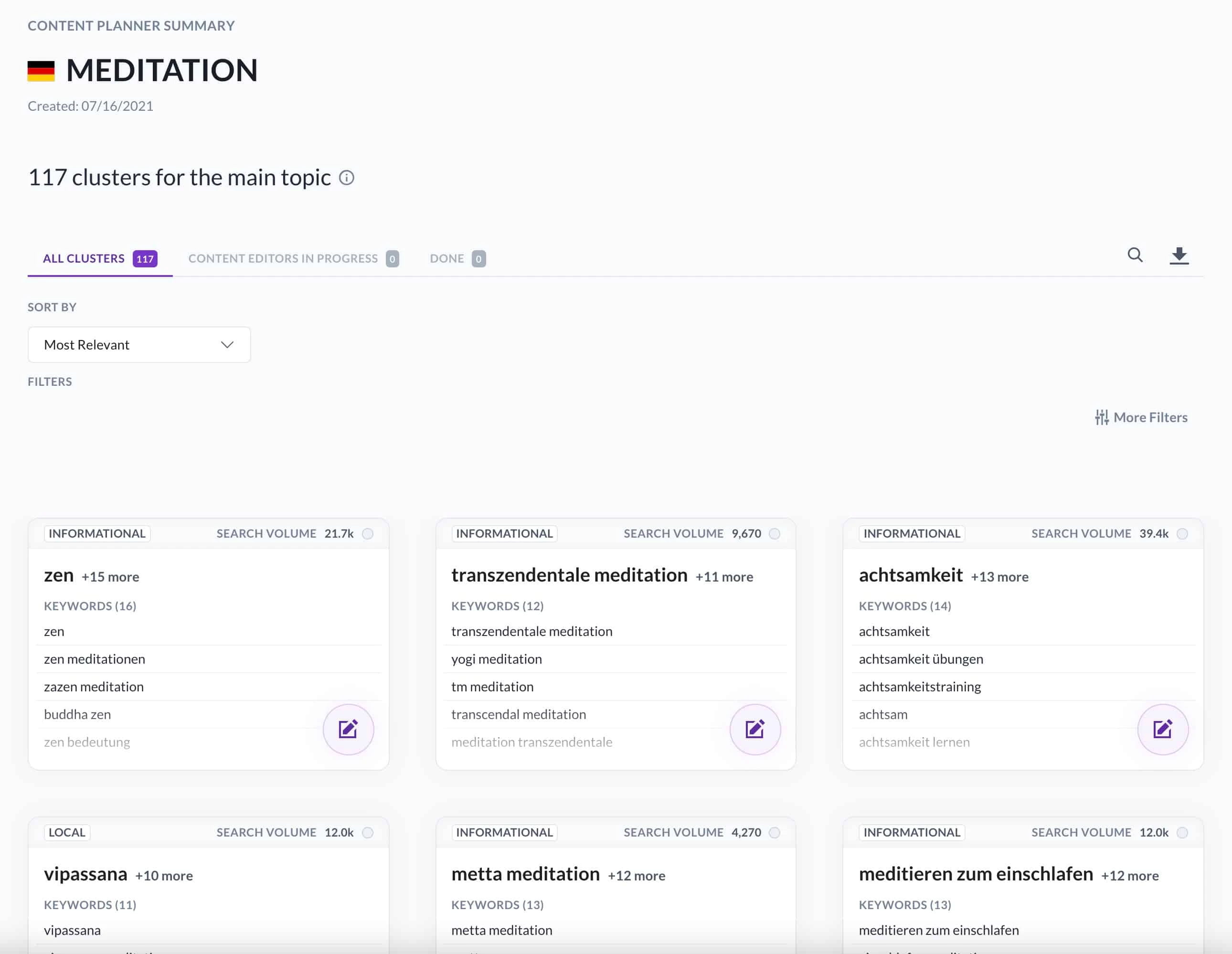
Compared to other keyword tools like UberSuggest and KWFinder, the advantage is that you see not just the search volume for a single keyword but the whole topic, and you get matching synonyms.
3. Content Editor
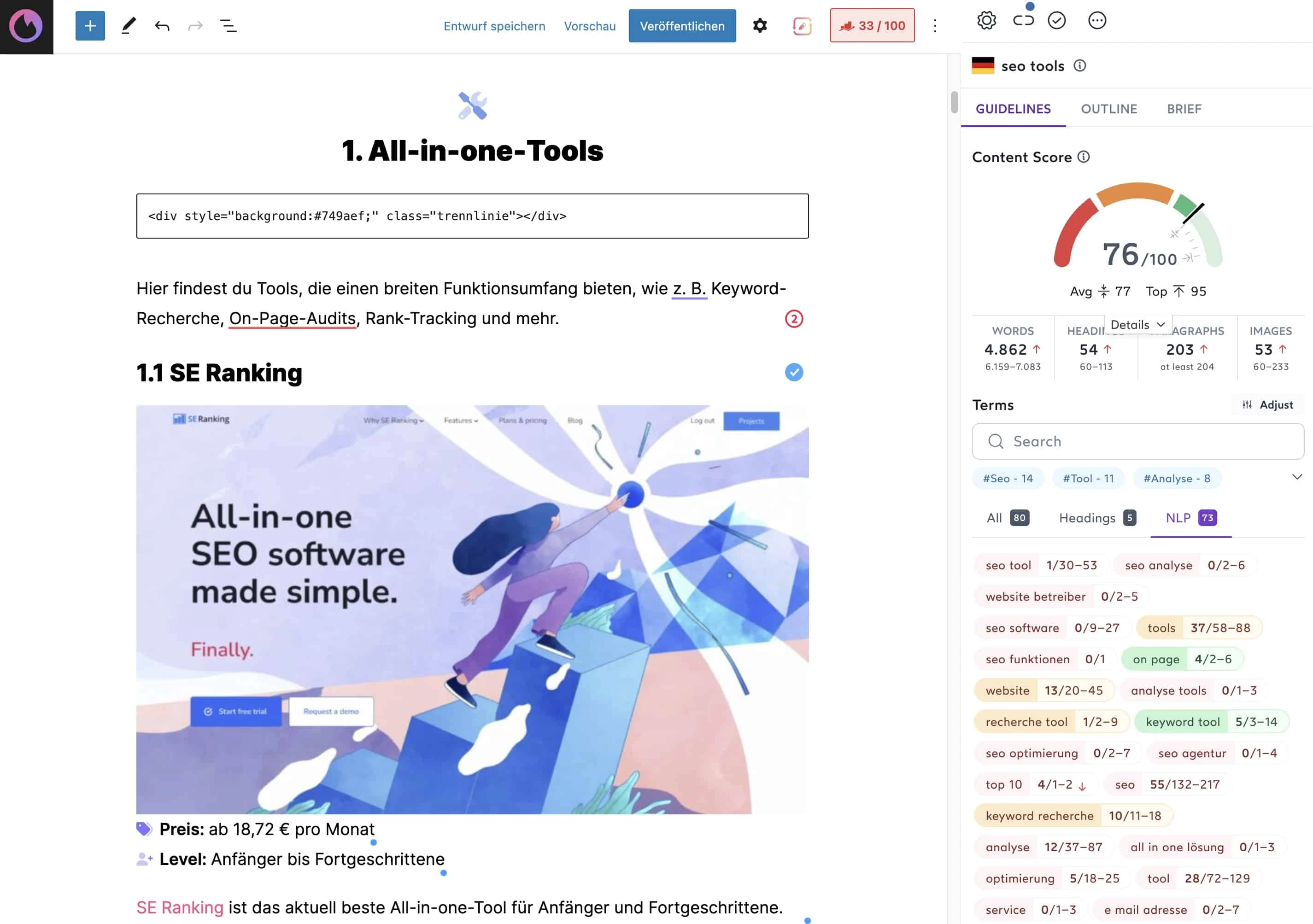
The Content Editor is the real heart of Surfer SEO. It shows you which phrases and words could be important for a better ranking and how many words, headings, paragraphs, and images an article should ideally contain.
That lets you put the insights from the SERP Analyzer into practice without having to go deep into the analysis yourself.
For my blog articles, I try to reach a content score of at least 75 (scores above that often make for worse readability):
4.3 Semrush
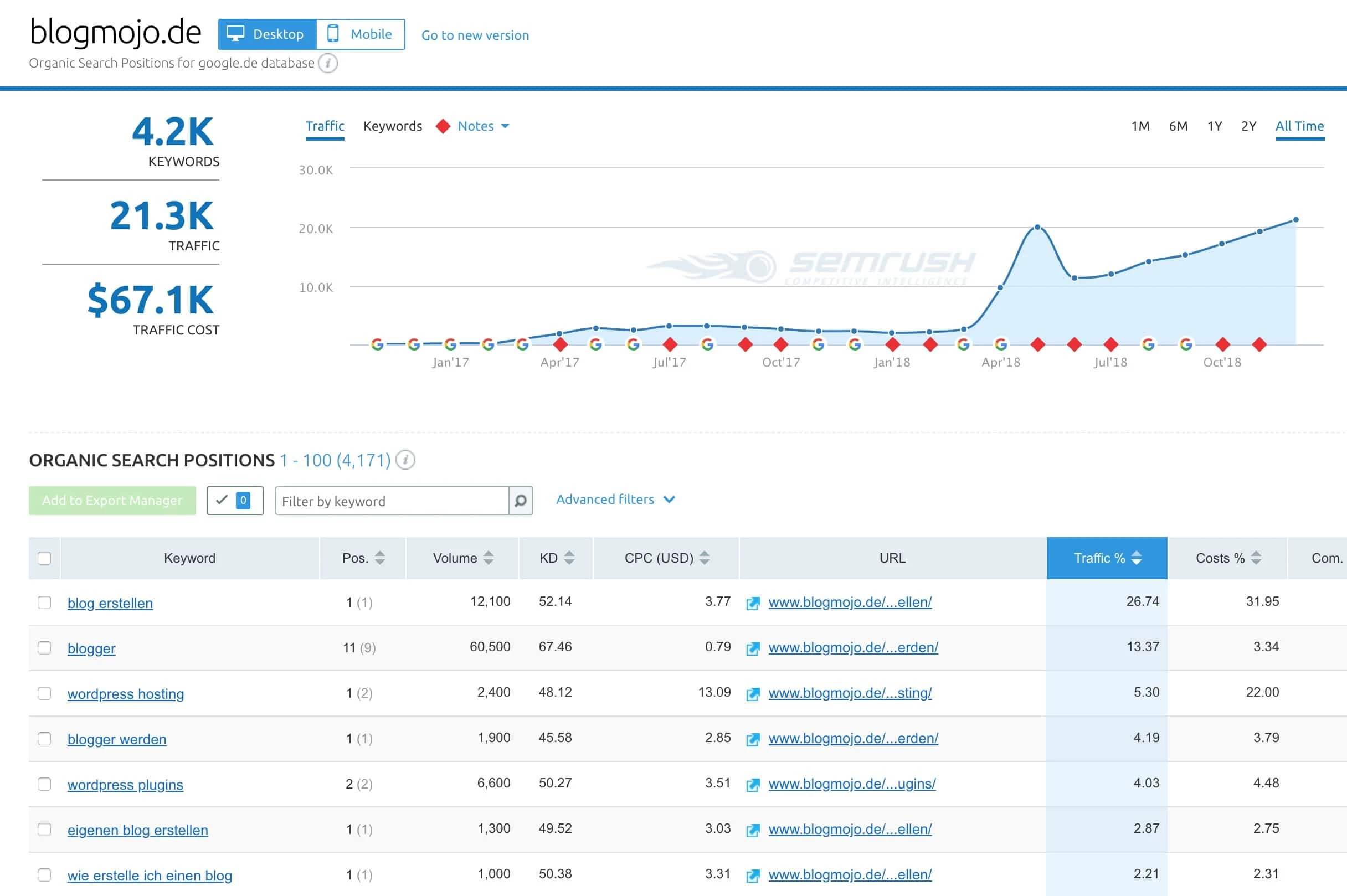
Semrush has always been the tool for competitor analysis.
For example, it shows the general visibility of a domain and all the keywords a domain ranks for. Sortable by search volume, estimated traffic per keyword, and many other metrics:
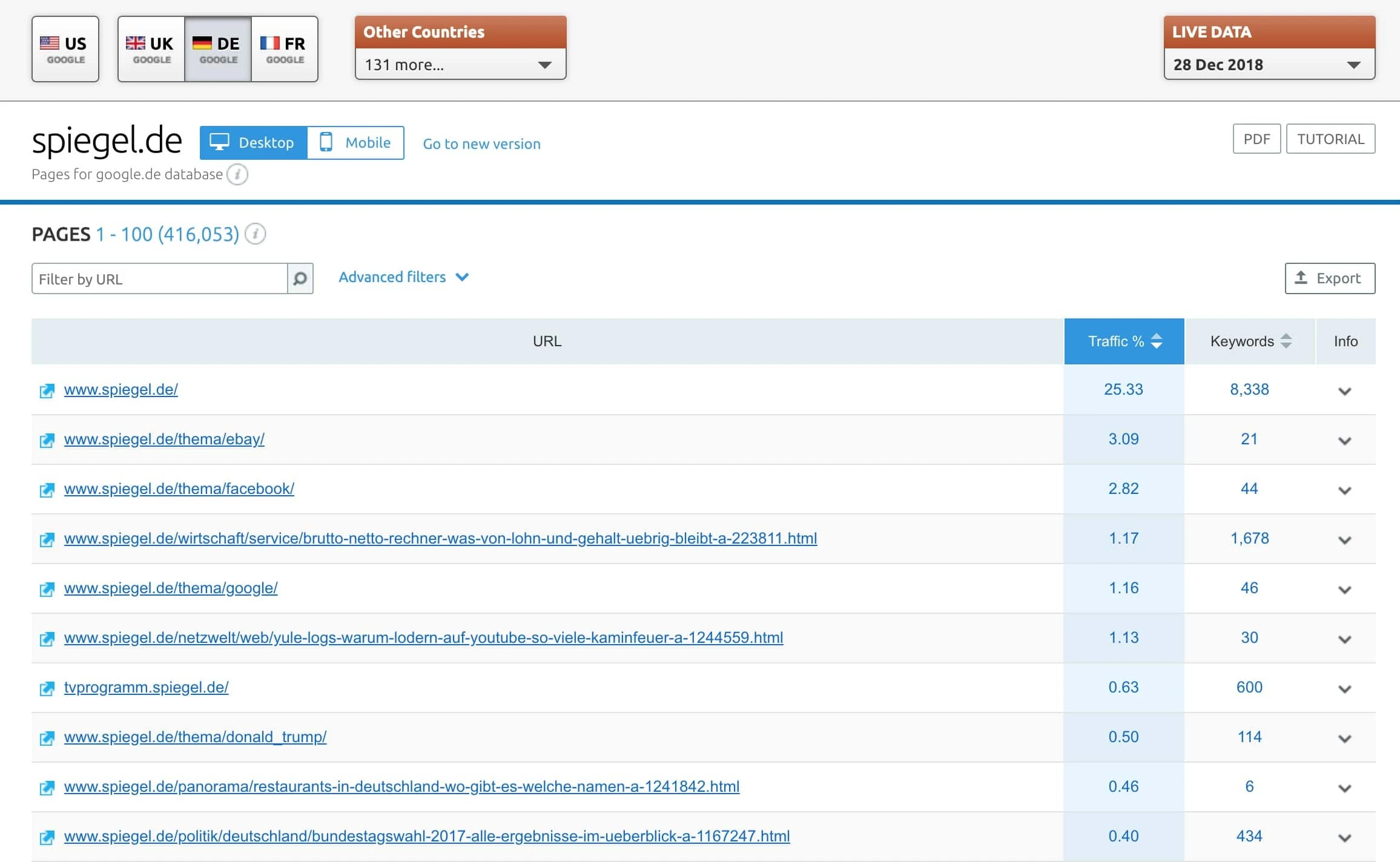
You can also see which subpages bring in the most traffic and which and how many keywords they rank for.
That way, you can find out, for example, that Spiegel Online (a German news site) gets many search engine visitors via a gross-to-net salary calculator (fourth page from the top):
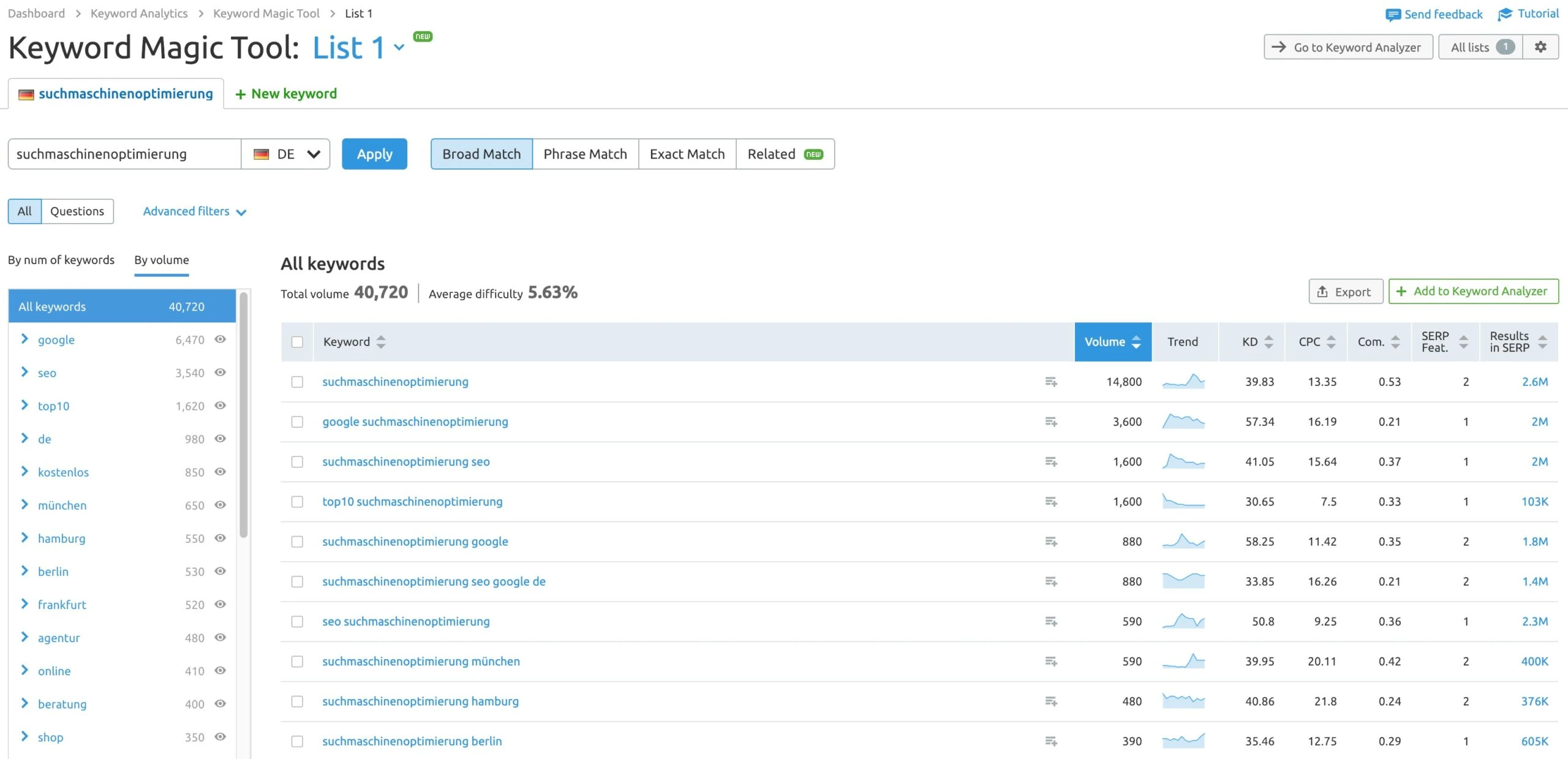
My favorite function in Semrush, though, is by far the Keyword Magic Tool. It's a classic keyword tool that outputs keyword suggestions and shows search volumes.
But with a brilliant twist.
It groups long-tail keywords by parent categories (left column). That way, you can see right away which aspect of a keyword searchers are most interested in:
4.4 SISTRIX
SISTRIX is an extensive tool suite that is especially popular among German SEOs.
I have to admit, though:
SISTRIX doesn't play a big role in my everyday SEO tasks. For keyword research, SERP analysis, backlink checks, and the like, I prefer to use ahrefs, Surfer SEO, and Semrush.
There's one thing, though, for which I find SISTRIX really brilliant and better suited than all the other SEO tools:
Analyzing Google updates.
Two functions are super helpful for that:
1. The Visibility Index (SI)
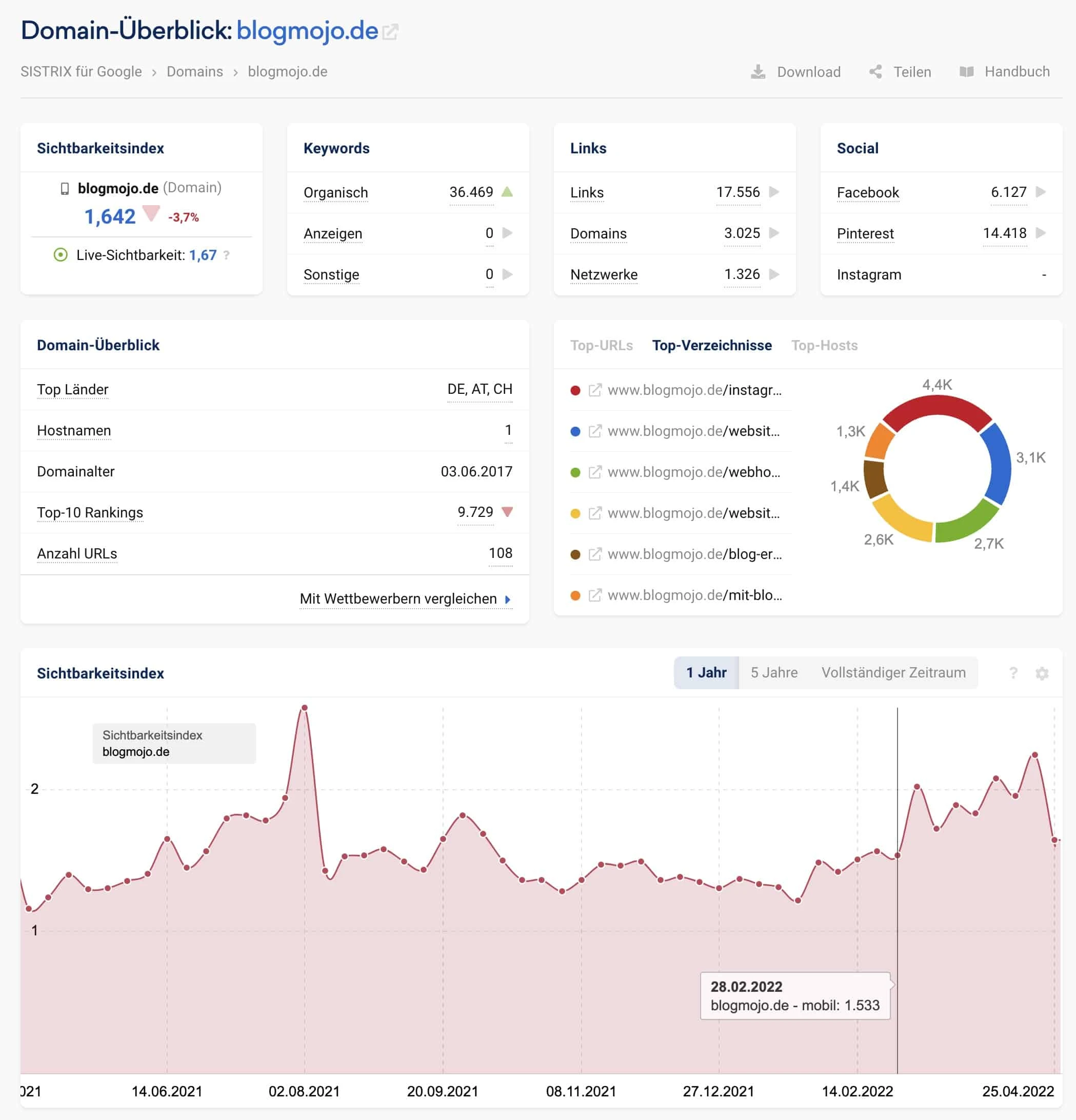
The Visibility Index (SI for short) from SISTRIX has developed over the years into one of the standard metrics in the SEO scene.
It combines the number of keywords a domain ranks for with the search volume of those keywords and the click rate of the position. According to SISTRIX, it's made up of 100 million data points.
The SI gives you a better overall picture of a domain's visibility than isolated metrics like the position in the Google Search Console or (actual or estimated) traffic figures.
2. SERP comparison
The second SISTRIX function I like to use for analyzing Google updates is the SERP comparison:
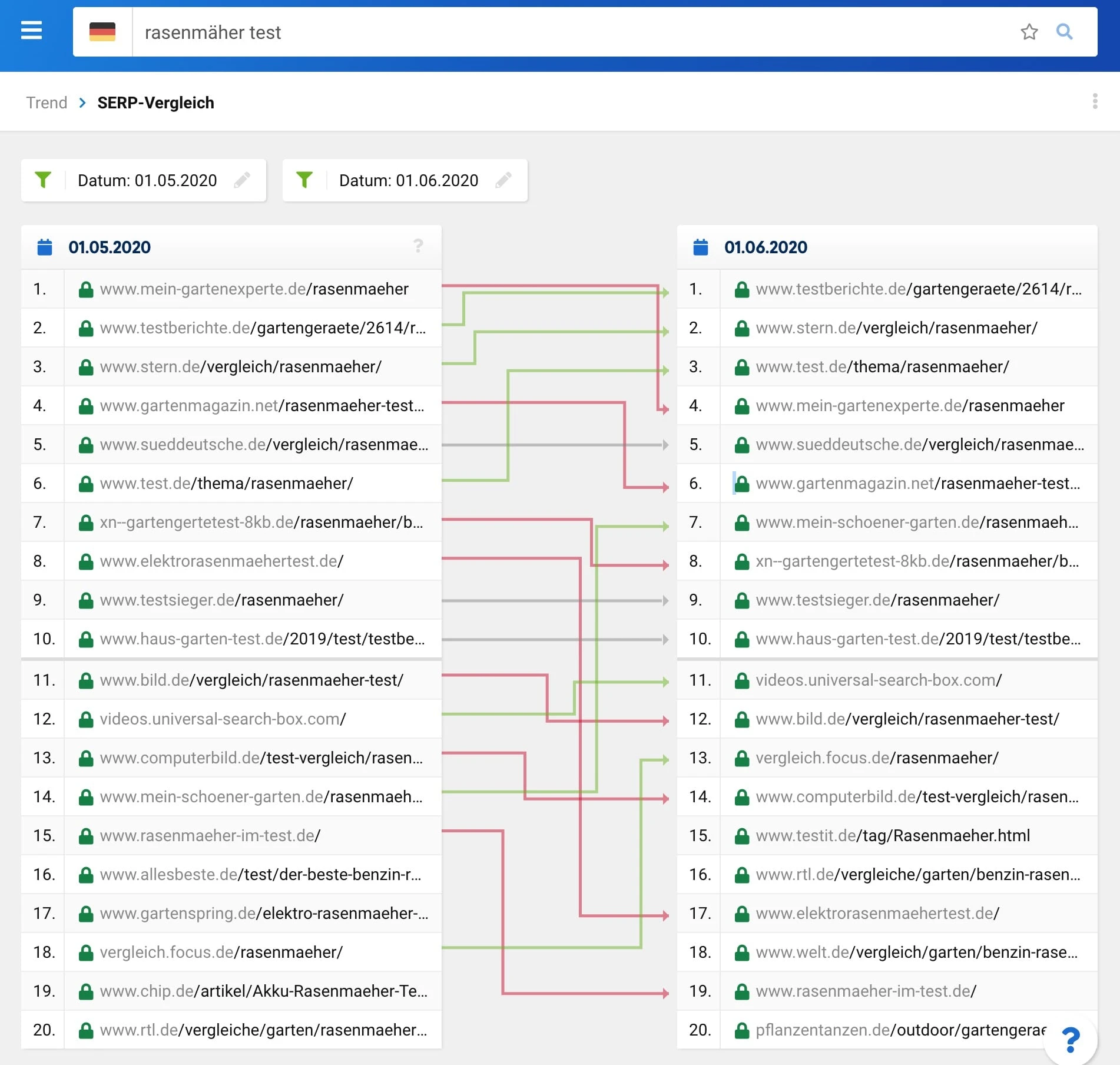
It lets you compare the search results for a keyword on two specific days. For example, one day before a Google update and one or more days after.
That way, you can trace exactly which pages won or lost for particular keywords with an update.
5. Keyword generators
With a keyword generator, you can combine different keyword components with each other.
That's useful when you already know how your keywords are built.
You can then enter the generated list into other tools, like KWFinder or ahrefs, to compare search volume, competition, and CPC.
Examples of possible combinations:
- Reviews [product] + [review/experiences/test]
- Product comparisons: [product category] + [test/comparison/best list/review/experiences]
- Local SEO: [location] + [service provider] (for local SEO)
- Online shop: [product] + [buy/reviews/ratings/experiences/price]
5.1 Keyword generator by Blogmojo
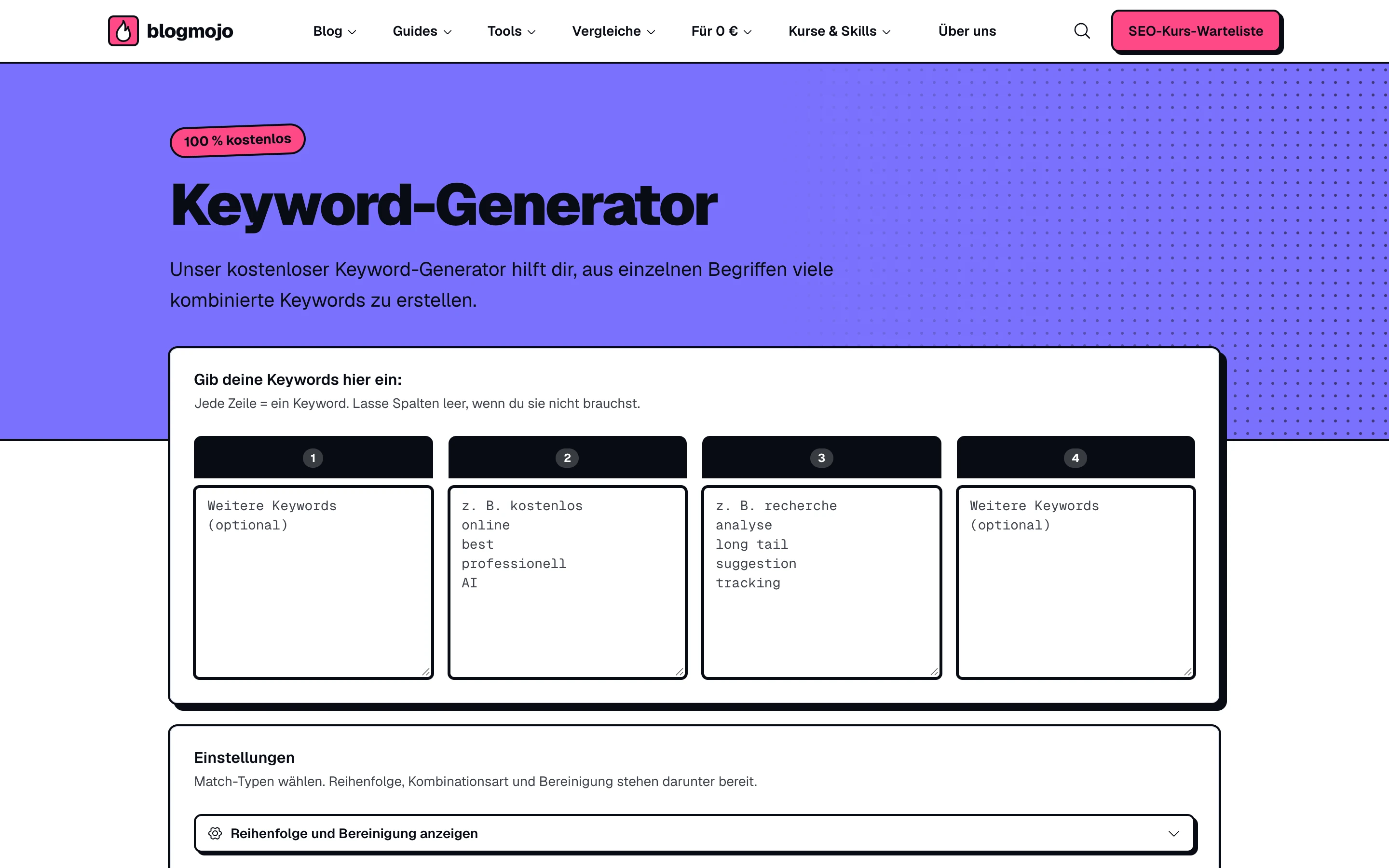
There are numerous keyword generators online as small tools. Since I wasn't really happy with any of them, I programmed my own keyword generator.
It's free and can be used without signing up.
It lets you combine up to four keyword lists and offers many advanced settings, e.g. removing duplicates or converting to lowercase.
You can also have your keywords output as broad match, phrase match, and/or exact match:
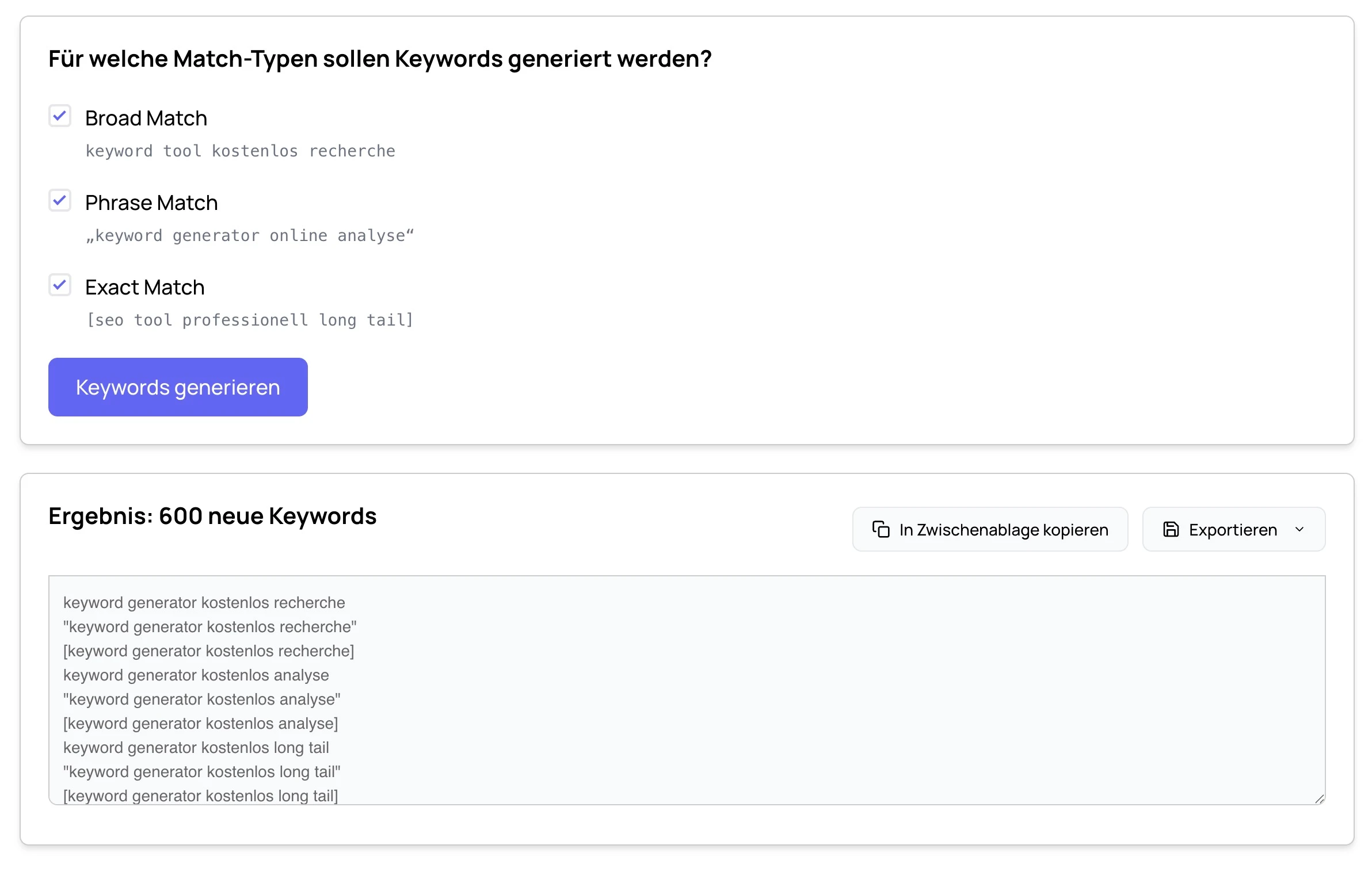
Accordingly, my tool can be used not only for SEO but also well for Google Ads campaigns.
6. Browser extensions
Here you'll find browser extensions you can use for keyword research:
6.1 Keyword Surfer
Surfer SEO is by now very well known in the SEO scene, its accompanying Chrome extension less so.
It's called Keyword Surfer and shows you synonyms and more keyword ideas for the keywords you enter, right in Google Search:
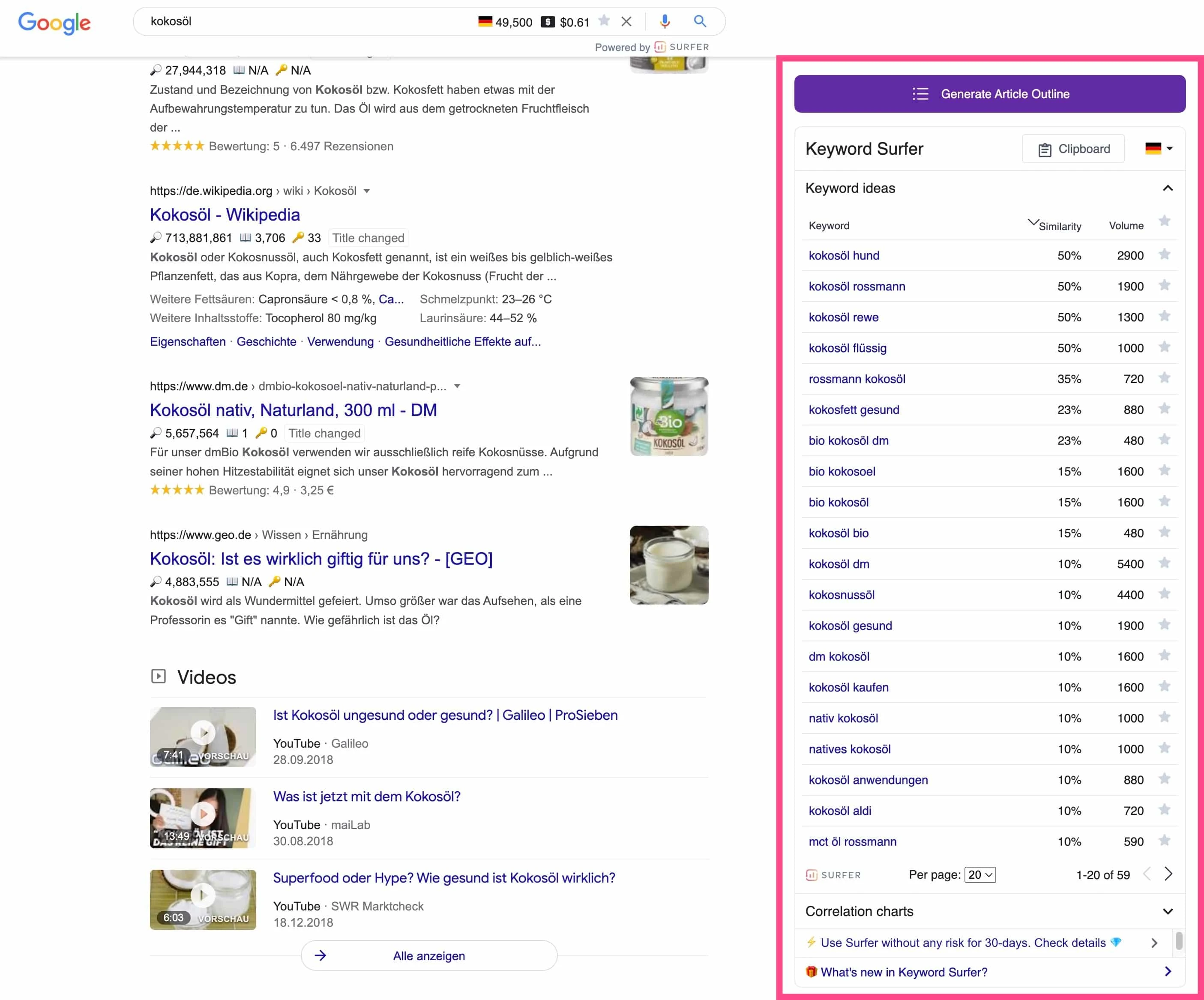
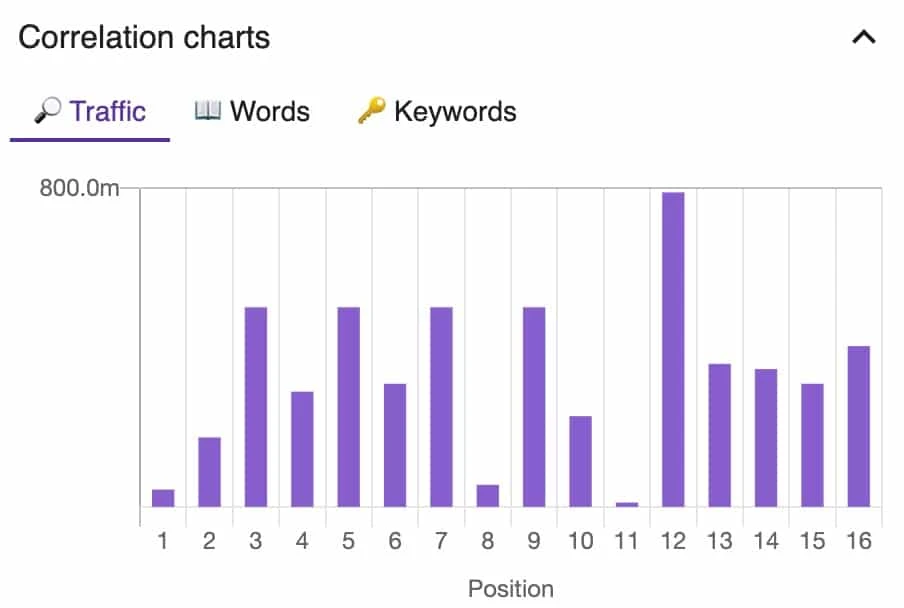
You can also use the tool to analyze the search results more closely. For example, it shows you how often a keyword appears in the exact order on a page and how many words a page contains.
Not just under every search result but also summarized as a chart:
PS: The Keyword Surfer doesn't require a Surfer SEO account. How cool is that?
6.2 Keywords Everywhere
Keywords Everywhere is a browser extension for Chrome, Firefox, and Edge.
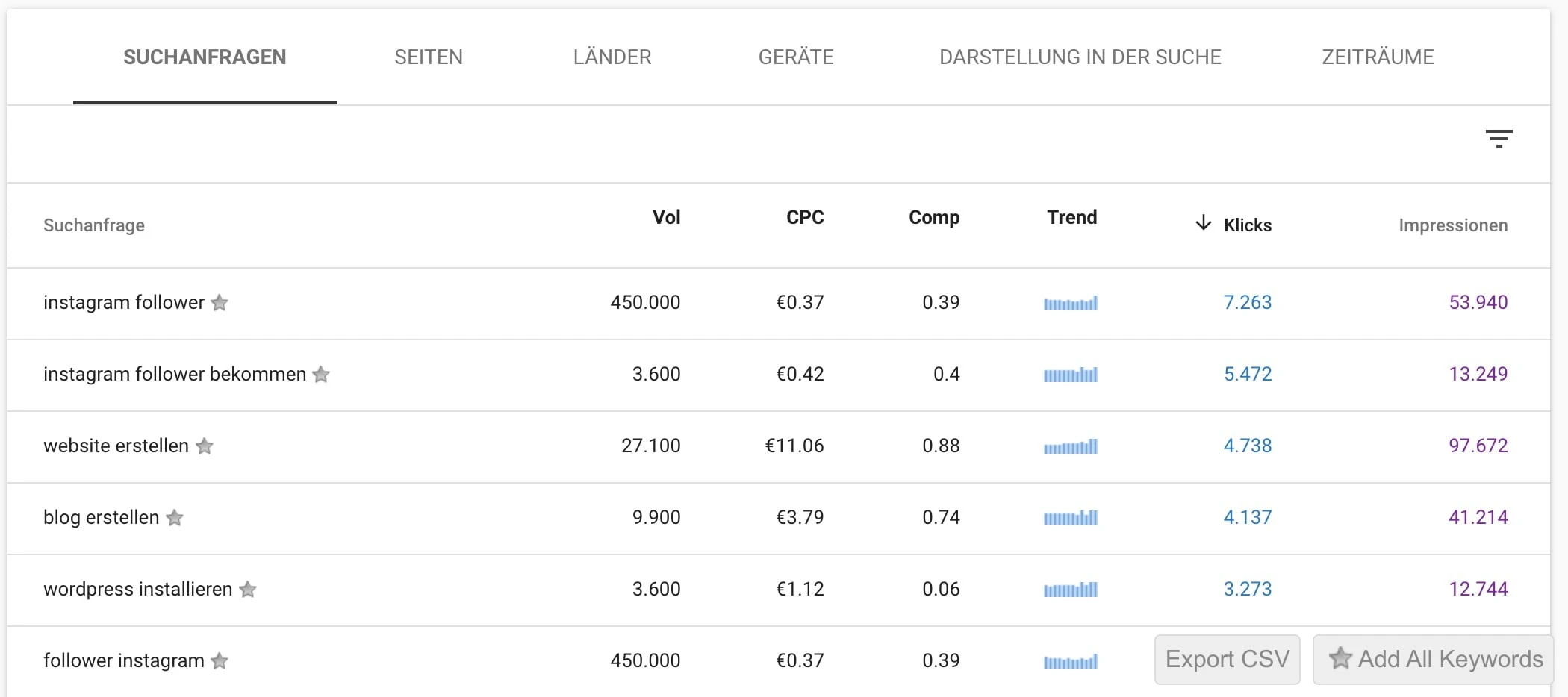
It shows keywords and the associated data (such as search volume and CPC) everywhere it could be useful.
For example, in the Google Search Console:
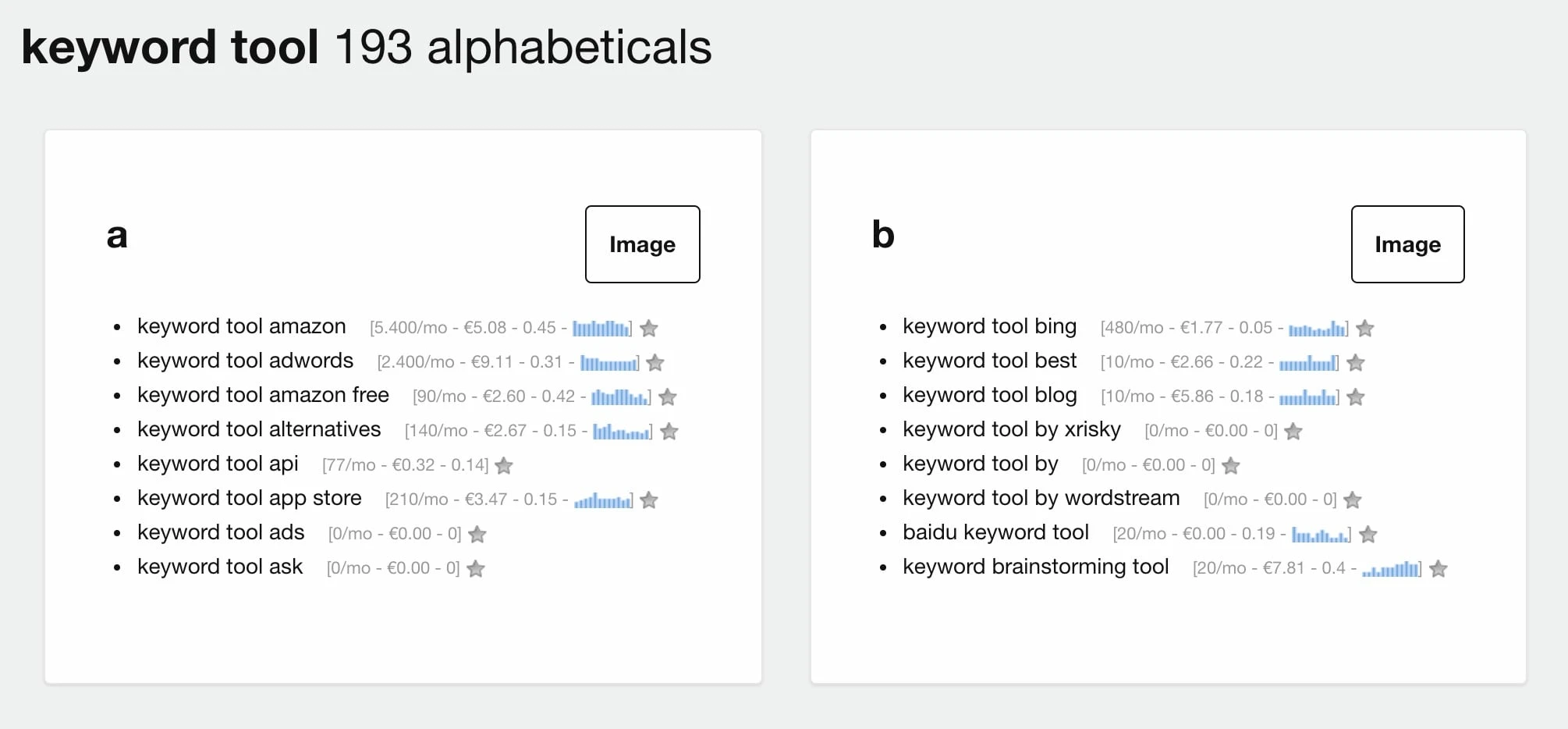
Or in Answer The Public, which turns it from a keyword generator into an (almost) full-fledged keyword tool:
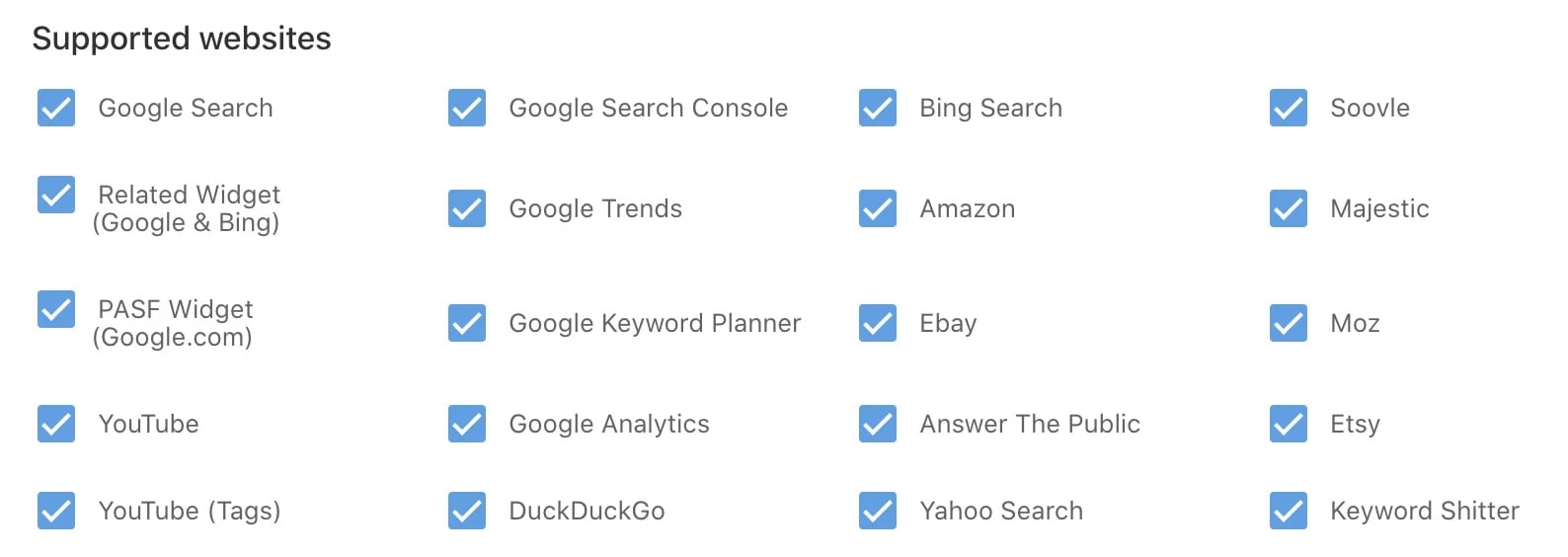
Keywords Everywhere supports the following websites or services:
According to the vendor, Keywords Everywhere also maintains a database of German keywords. It's less extensive than the English database, though.
As a location, the vendor offers “Global” for all countries as well as several countries individually. Germany isn't listed as a separate location.
7. Other keyword tools
Here you'll find other keyword tools that don't fit into the other categories:
7.1 SearchVolume.io (insider tip!)
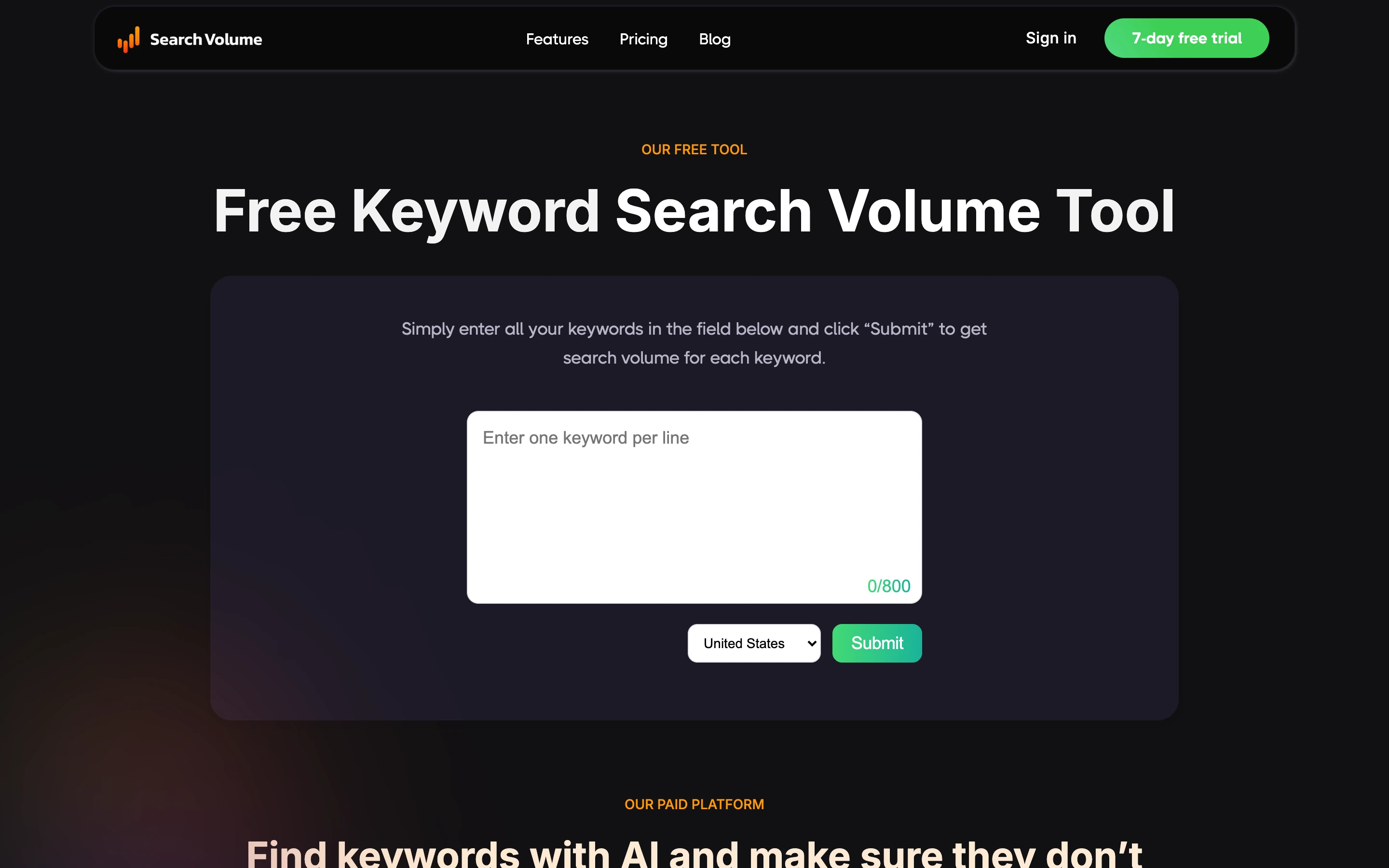
It's getting harder and harder to find out the search volume of keywords for free:
The Google Ads Keyword Planner hasn't shown exact search volume since 2016, and most other tools have also gradually restricted their free basic versions heavily.
Which isn't surprising either, because data costs money...
One of the few remaining options is SearchVolume.io.
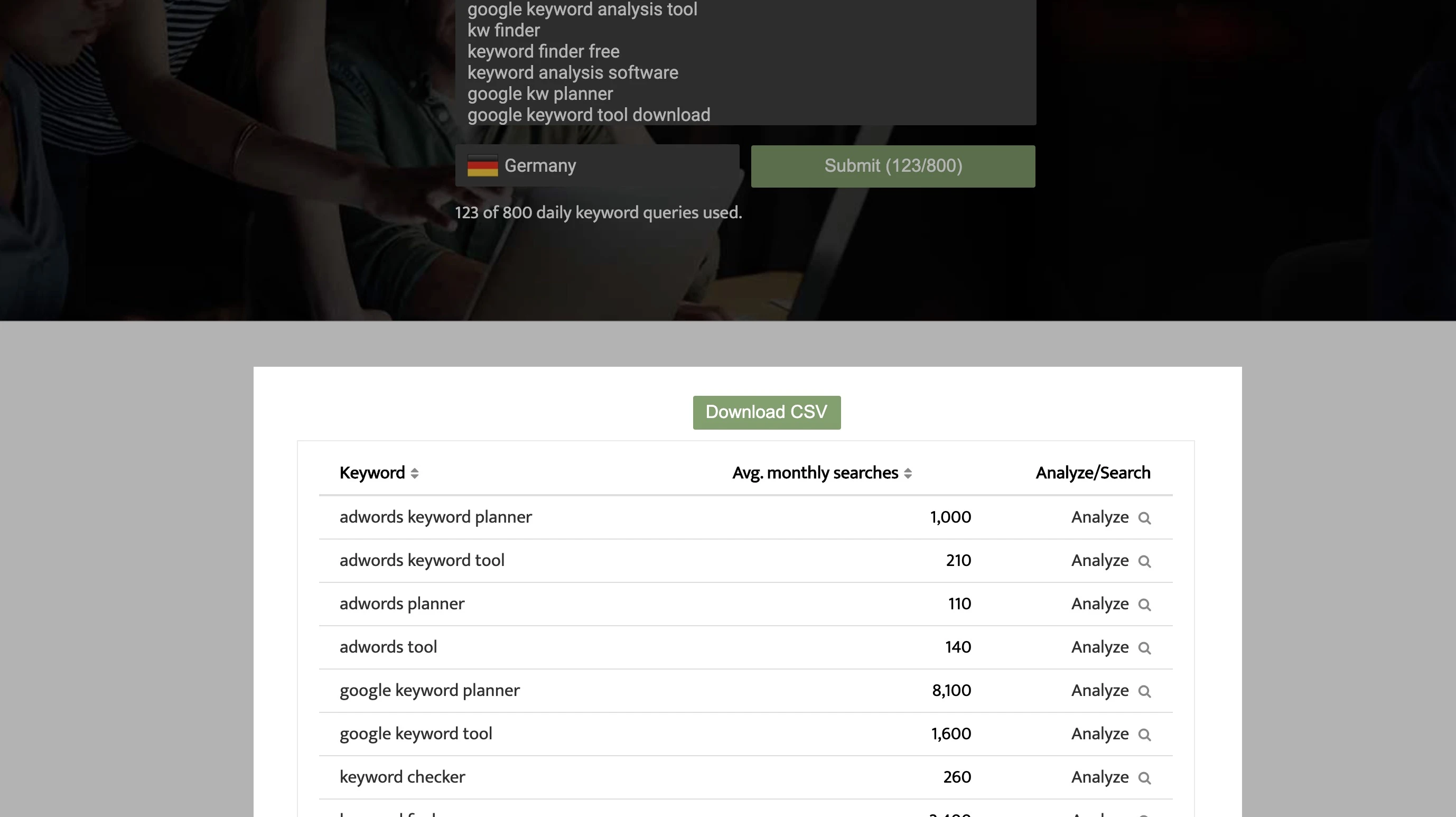
The tool can't generate keyword suggestions, but you can enter a list of up to 800 keywords (e.g. exported from the Google Ads Keyword Planner or from a suggest tool) and get the search volume shown for them:
8. Which tools do you use yourself, and what for?
The ones I use most often are Keyword Surfer, ahrefs, KWFinder, Surfer SEO, and, as of recently, SE Ranking too.
I use all the tools except Keyword Surfer as paid versions.
Because in SEO, this applies:
Whoever has the most and the most accurate data has a clear advantage.
That said, I'm also someone who does an abnormal amount of keyword research. I often subscribe to tools only because they do one or two functions better than others.
Here's a rundown of what I use which paid tool for:
- KWFinder: import function, very accurate Keyword Difficulty Score, generally good for finding keyword ideas
- SE Ranking: great for quickly analyzing a keyword incl. the SERP history, very good rank tracker
- Surfer SEO: deeper analysis of the top 10 (what does the content need to look like to rank?), finding keyword clusters
- Keyword Surfer: quickly checking the search volume of a keyword, showing relevant keywords and their search volume
- Semrush: Keyword Magic Tool (I love it!) and competitor analysis (rankings and backlinks of individual URLs)
- LowFruits: finding easy keywords in long keyword lists
- ahrefs: analyzing huge keyword lists, competitor analysis (finding a website's most linked and most visited pages, incl. keywords), detailed data on keywords, SERP history, Content Explorer for finding viral content
- SISTRIX: analyzing Google updates
By the way, you'll find an overview of all the SEO tools I use myself or can warmly recommend here: The 18 truly best SEO tools in 2026 (10 free)
9. Which tool combinations for which budget?
Not everyone can or wants to spend €100, €300, or €500 a month on different tools.
So below, I've put together which tool combinations (called “tool stacks”) I'd recommend for which budget.
No budget
- Keyword Surfer (finding out search volume, search results, and relevant keywords for a keyword)
- Google Ads Keyword Planner (to generate keyword ideas or find out the CPC)
- Google Suggest (to generate keyword ideas)
- AnswerThePublic (for subtopic keywords)
- SearchVolume.io (to find out the search volumes)
- if needed, occasional trial versions of paid tools
Heads up: I recommend that you use at least one general keyword tool like KWFinder. On the Basic annual plan, that costs €37.70 per month, but it saves you an enormous amount of time. You can of course use free tools too, but then you have to piece the data together from different tools, which is super time-consuming.
Under €50 per month
- mangools Basic (includes KWFinder) or SE Ranking Core
€50 to €100 per month
€100 to €150 per month
- Surfer SEO Standard
- ahrefs Lite
To sum up once more where the priorities lie:
First of all, you need a general keyword tool that shows you keyword ideas with the associated search volumes and the strength of the competition. KWFinder or SE Ranking are best for getting started.
Your further focus should be on competitor and SERP analysis.
10. FAQ
Here you'll find answers to common questions about keyword tools:
Why do some tools not show certain keywords?
When you search for keywords with a tool, you should keep the following in mind:
Keyword tools are never one hundred percent accurate and don't show you a complete picture of all the searches people type into Google.
Every tool has a limited keyword database with a few million or possibly billions of keywords. Anything beyond that isn't captured.
Why do keyword tools show different search volumes for the same keyword?
Pretty much all SEO tools get their search volume data from the Google Keyword Planner, but they differ in how they process that base data further.
Depending on the tool, different algorithms and data sources are used, for example to improve search volume data, to untangle grouped search volumes, or to fill in missing ones.
Tools often draw on so-called clickstream data to improve or expand their data. This is access and interaction data from real users of Google Search, usually collected through browser extensions.
You'll find more on this in my comprehensive guide to search volume.
What alternatives are there to AnswerThePublic?
The best alternative to AnswerThePublic is KWFinder. It has a function for displaying question and autocomplete keywords.
Which tool shows me the keywords I rank for myself?
Of all the tools, the Google Search Console offers the most accurate and most comprehensive keyword data for your own website, because it comes from Google itself.
But here, too, you shouldn't forget:
Small deviations from Google Analytics or other tracking tools are always possible. In addition, the reports in the Search Console show only 1,000 rows, and some keywords, e.g. with offensive content or personal data, are filtered out.
Which keyword tools work for Bing?
Generally all the research tools you'd also use for Google.
If you want to know what search volume certain keywords have on Bing, I recommend the Keyword Research Tool, which is part of Bing Webmaster Tools.
Which keyword tools work for YouTube?
To analyze YouTube keywords, ahrefs works best.
Which keyword tools work for Amazon?
To research keywords on Amazon, these work best:
- ahrefs
- Sonar (free)
- Amazon Keyword Tool from SISTRIX