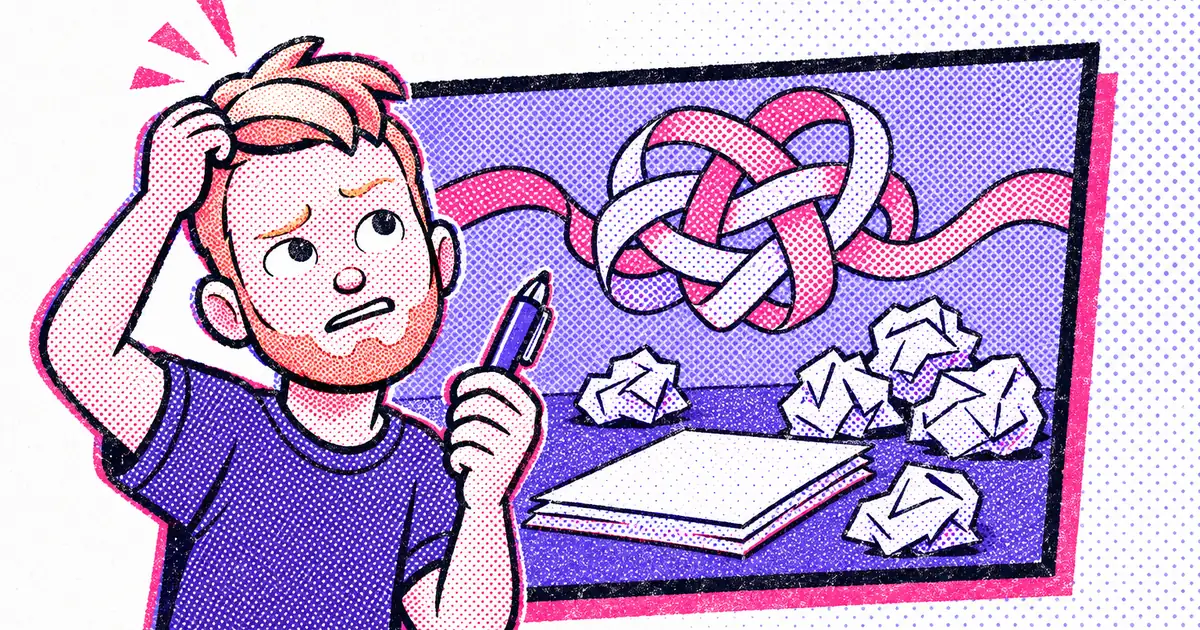
Nightmares.
Nobody likes them, and yet they keep coming back and plaguing you. The result is sweat-soaked sheets and a sudden awakening with a pounding heart.
The nasty thing about nightmares:
You're completely at their mercy. No matter how much you wish for something nice and fulfilling to dream about before you fall asleep, your mind won't take those wishes into account.
Writer's block is the nightmare of every copywriter, blogger, and author.
There is a small but important difference between the two, though:
You're not powerless against writer's block.
With the simple, immediately actionable tips in this article, I'll help you overcome your writer's block.
- Regular training and daily writing (at least 300 words) build the “writing muscle” and reduce blocks in the long run.
- Planning ahead is crucial: create outlines and subtopic checklists, and use keyword tools so you never sit in front of a blank page.
- Strictly separate writing from correcting: write the complete draft first and correct it only afterward to stay in the flow.
1. Practice makes perfect
Writer's block is often the result of too little practice.
Logical, isn't it?
Your mind and your ability to write are like a muscle that gains volume and strength through steady training.
So if you train your “writing muscle” regularly, you'll become a better and better copywriter and cut down on writer's block enormously in the future.
Many professional copywriters force themselves to write at least 500 to 1,000 words every day for exactly this reason, even when no text is due.
Look at it this way:
If you don't want to be out of breath every time you climb the stairs, you should work on your stamina. If you don't want to deal with writer's block on every blog article, you should work on your writing skills.
So from now on, make it your goal to write at least 300 words on any topic every day while you work.
2. Learn to write fast
You'll be able to write texts much more efficiently and quickly if you can use all 10 fingers when typing.
If you can put a thought that shoots into your head on paper right away, the chance that you lose the thread and get blocked is much lower.
3. Create a swipe file
Professional bloggers and copywriters are aware of an important fact that beginners often overlook:
To be successful online and hold your own against the competition, you don't have to reinvent the wheel.
That means:
What has worked once is very likely to work again.
That's exactly why you should create a swipe file. That's nothing more than a collection of successful articles, headlines, or quotes from other bloggers or authors that you can draw on when you're blocked to find new inspiration.
And these don't have to be sources from your niche only.
If you find a blog article that was shared often or generated a high number of links, definitely save it in your swipe file.
4. Create an editorial calendar
Imagine you already know today which articles or texts you'll write in 10 months.
That's exactly what an editorial calendar can do for you.
Once created, your own editorial calendar tells you exactly which blog articles to tackle next, and you no longer have any trouble finding a good topic.
And such a plan has another big advantage:
You can prepare your readers and visitors for upcoming content and build suspense. If you deliver the promised content on time, your credibility benefits as well.
5. Use keyword tools
Keyword tools can support you in finding new posts and structuring planned texts.
Recommended tools include, for example:
In my overview of the best keyword tools you'll find 10+ more tools and my secret tips.
Depending on their range of features, you can work with these tools in different ways.
On the one hand, you can find and analyze successful posts from your competitors (for example by generated links or social shares). You could then use these topics to create even more comprehensive, better content.
On the other hand, they help you structure your posts without any trouble.
Answer The Public is great for getting a rough overview of a topic and developing a feel for what potential readers might be interested in.
And the best part:
You can use numerous features completely free of charge!
6. Outline your text in advance
If you create a rough outline of your text before writing the first word, writing will be much easier.
This applies especially to long and extensive texts.
An outline is particularly helpful when you struggle with writing inhibitions. If you can't think of anything for a certain point, you can jump straight to the next chapter and keep writing.
So:
When you prepare a blog article, define all <h2> headings before you start writing, and ideally all <h3> headings as well.
7. Use an AI text generator
An AI text generator can help you create texts much faster.
We now use Jasper for every single blog article we write. Depending on the topic, this saves us 20 to 40% of the time it takes to create it.
A text generator can also be used for many other types of text:
- Product descriptions in an online store
- Landing pages
- Newsletters
- Email subject lines
- Short stories
- Job ads
- Facebook ads
- Subtitles for TikTok or YouTube videos
Of course, an AI text generator can't (yet) replace a human copywriter or author. And of course, automatically generated texts need to be reworked.
Still, the generators are great for pre-drafting texts and for finding writing ideas or an outline.
And they're a very good helper when you have writer's block and don't know how to start or continue a text or a section of text.
You'll find more info, use cases, and a comprehensive comparison of the most common tools here: my big AI text generator comparison
8. Create a subtopic checklist
After you've created your outline, you can add bullet points to the individual sections.
Write down everything that comes to mind while planning a text, and define which topics you definitely want to cover in a section.
An example:
Let's say you want to write a blog post on the topic “How do I make my blog legally compliant”.
Then your big outline could look like this:
- Impressum (the legal notice German websites must carry) / privacy policy
- Cookie notice
- Visitor analytics
And your subtopic checklist like this:
1.Impressum / privacy policy
- Impressum generator
- Privacy policy generator
- GDPR
2.Cookie notice
- What are cookies?
- Who needs a notice?
- Legal text
- ePrivacy
- The best plugins
3.Visitor analytics
- Matomo
- Google Analytics
- Legal issues
9. Research thoroughly
Writer's block often comes up because you're writing about a topic you haven't fully worked out in your head yet.
I could write a 10,000-word post on “search engine optimization with WordPress” right off the top of my head. Simply because it hits exactly my core competence and I've built up a large pool of knowledge over the last 10 years.
With the topic of internet law, it's a completely different story. I have a lot of prior knowledge there as well, but I lack detailed knowledge, which is why I have to research thoroughly before every article.
Thorough research on a topic is the be-all and end-all for writing more fluently.
10. Find topics you love
Writing about topics you can identify with and that inspire you greatly lowers the probability of writer's block.
Simply because numerous thoughts that you can put on paper will probably come to mind right away for your “passion topics”. You'll also usually engage with these topics often, which will certainly improve your background knowledge on exactly these topics (see also tip 8).
What does that mean for you?
When you're looking for topics to write about, look for topics you love. Topics that accompany you in everyday life and bring you joy.
You can split these topics into many small subcategories and end up with a well-structured editorial calendar full of content ideas.
If, for example, you love gardening and would like to write about it on your mom blog, possible topics could be:
- Planting a herb garden for kids
- Adding water play for kids in the garden
- Building bee and insect hotels
- etc.
11. Define goals for your text
Every text you write for your blog and publish there pursues a certain goal.
These goals can be of different kinds and can roughly be divided into three categories for web texts:
- Informing
- Selling by informing (e.g. product reviews)
- Selling
If the goal of a text is clear to you from the start, writing will be much easier. And your text will also be better optimized for the given goal, which greatly increases its quality.
12. Set a deadline
Decide for yourself when a text has to be finished at the latest. We often work much better with a little pressure than without.
With a self-imposed deadline, you may be able to boost your motivation enormously, especially as you approach that deadline.
You've surely come across this phenomenon once or twice. For example in school, when the date of an exam was approaching fast, or with your tax return, when the filing deadline got closer and closer.
It can help to set short deadlines. The more time you give yourself for something, the longer you often take for it.
The principle behind this is also called Parkinson's law and goes as follows:
Work expands so as to fill the time available for its completion.
13. Break bigger projects into small bites
For long texts or big projects such as a nonfiction book or ebook, I'd definitely advise you to break the writing into many small “bites”.
That works fairly well with a pre-outline.
The reason is simple:
You can always pick the bites you have the most appetite for at the moment. This way you get around writer's block effortlessly without endangering your productivity.
14. Keep several texts in reserve
I'd recommend always working on several texts at the same time.
I don't mean writing several texts in parallel, but having several texts prepared (outline, research, etc.) in stock.
If you're stuck in a writer's block on one text, switching topics often helps you get back into the flow.
No problem.
15. Warm up and “write yourself in”
What seems perfectly logical in sports and is questioned by nobody often seems to be neglected when creating texts.
Before you start writing a longer text, it definitely can't hurt to “warm up your writing” first. Ideally, use texts that don't require much memory work for this. Reply to emails, for example.
You'll see that getting started on writing a blog text afterward will be much easier.
16. Peek at what others do
If writing just doesn't work and the block won't go away despite numerous attempts, it can't hurt to peek at what other copywriters do.
I don't mean copying (!) and duplicating whole texts or sections of text.
But if, for example, you have no idea yet how you want to approach a topic, a Google search can possibly help you gather first ideas and inspiration.
Especially for writing an outline or an introduction to a topic, it can be very helpful to look at how other copywriters or authors have handled it.
In general:
You don't have to reinvent the wheel. In some cases it can make sense to draw on ideas that have already worked successfully.
17. Always start with the headline
If you want to write great blog articles or texts, you should always start with the headline.
Don't write it while you're writing the text for your blog article. Or, even worse, when the text is already finished.
But why this order?
Simple:
Your headline is a promise to the reader. It explains the benefit your blog article or text has for the reader.
And that's the problem:
It's hard to keep a promise you haven't made yet. Accordingly, it's also hard to find a headline for an article you've already written.
Because then you first have to search for the promise.
That can make your article seem vague, leave it without a common thread, or force you to adjust your article afterward to find a headline.
You can get ideas for headlines with our free headline generator.
18. Make big promises in the headline
The headline is not only a promise to your readers that shows them what to expect in your article or text.
It's also a promise to yourself.
If you promise a lot in the headline, you'll also have more motivation to deliver a lot and won't run into writing problems in the first place.
19. Just start
We often think far too much about which problems and questions might come up while creating a text. Most of these potential problems resolve themselves shortly afterward, though.
That's why an important tip is:
Just start writing.
Don't deal with possible problems before you create a text. Take care of them only when they actually occur.
20. Write first, correct later
When writing, it's extremely important to get into the “flow”.
This flow (writing flow) can only arise if you concentrate on writing and don't let yourself get distracted.
One of the worst mistakes you can make when creating a text is correcting a sentence right after you've put it on paper.
Spelling mistakes, weak wording, or faulty grammar don't matter in the first draft.
When you create a text for the first time, you should really concentrate fully on writing. Optimization and correction follow afterward. That's not a problem, it's a deliberate process.
Another practical tip that can help with this:
21. Tape over the delete key
To keep yourself from slipping into correcting while you write, simply take away the possibility of correcting.
Meaning:
Tape over the delete key on your keyboard (often labeled Delete, Del, ⌫ or ←) or remove it completely while you write.
The latter is quite easy with two screwdrivers, especially on older keyboards. On more modern keyboards or laptop keyboards, you'd better stick with taping it over.
22. Create a quiet environment
I just mentioned that you shouldn't let yourself get distracted by spelling or grammar mistakes.
Of course, the same applies to your environment!
Eliminate all possible disturbances for writers. These include ringing smartphones, email programs, and other messaging services. Ideally, disconnect all devices from the internet and create an oasis of calm for yourself.
Every new distraction will make you increasingly inattentive, which greatly increases the risk of writer's block. After all, after every email you've answered, every tweet you've read, and every phone call you've made, you have to think your way back into your text.
23. Write like you talk
Have you ever received a letter from the tax office or another government agency?
There is nothing worse than “bureaucratese”. It must be terrible for the employees there to write such texts.
As a blogger, you don't have to deal with that. You're allowed to write just like you talk.
You should even write just like you talk!
That will not only solve your writer's block, it also comes across as more honest and authentic.
24. Write for a good friend
Writing will be easier for you if you write a text that is addressed directly to one person.
Meaning:
Not “one can”, but “you can”.
Don't write a blog article for your “target group”, but imagine you're telling a good friend about the topic you're writing about.
25. Visualize what you want to write about
Ideally, your texts should create pictures not only in your readers' heads, but in yours too. If you link posts with images, writing definitely feels more real and becomes easier.
Write and report about your personal experiences. That way you not only ensure a steady writing flow, you also make your texts more personal.
26. Be sure to take breaks
Regular breaks are part of any creative work. Including when creating texts.
If your text allows it, for example when a new section or a new chapter begins, breaks are worth their weight in gold for getting back to work with fresh energy afterward.
Many copywriters and creatives swear by, for example, the Pomodoro technique, where you work for 25 minutes and take a 5-minute break.
27. Change your location
The environment plays an important role in creative tasks.
In a tidy office, it will probably be much harder for you to write emotionally and in a good mood than on a deck chair in the sun.
Of course, it's a utopian idea to work with your laptop out in the green all the time (even though that's often suggested on the internet today).
That said, it can make sense to escape the office once in a while to overcome your writer's block with a change of location.
28. Write about the writer's block
If you suffer from writer's block, simply write about that writer's block.
Let me explain: The characteristic of writer's block is that you find it hard to write a meaningful text. Apparently no sensible sentences come to mind.
So to resolve this block, what do you have to do?
Right: Write.
Writing just a few sentences can already help loosen the knot in your head and carry on with new ideas.
In practice, it could look like this:
“Damn, I have writer's block. I simply can't think of how I could continue with this topic. No matter how hard I try, no sensible sentences want to come to mind. And I'd so love to write a text that really helps my readers. They deserve it. And actually I know everything about the topic anyway. I know…”
Definitely try it out the next time you're blocked!
29. Continue with another section
If you've created a proper outline for your text or blog article, you can simply continue with another section or chapter in case of writer's block.
Once you're in the writing flow, the sections where you got stuck before will come easier to you.
30. Use the dictation function
If writer's block strikes, simply speak your text out loud!
Most modern computers and laptops today have dictation apps or functions that make it easy to put this into practice.
Admittedly, it's a matter of habit.
You're guaranteed to have one problem or another with your first dictations. With increasing practice, though, it will get easier and easier.
31. Get some distance
Every now and then, writing inhibitions are insurmountable.
There are cases where nothing works anymore. No matter how good the tips and advice are.
The only thing that helps here:
Get some distance.
Shut down your computer and go out into the fresh air. Play with your kids or do some sports. Find an activity that takes your mind off things, or sleep on it.
32. Write emotionally
Writing is a living process that thrives on feelings and sensations.
That means:
Try to be as emotional as possible when writing.
Of course, you won't manage that with every topic, because a post like “How does a combustion engine work” or “The 5 best cookie plugins for WordPress” simply has hardly any emotional side.
Whenever possible, though, you should definitely make use of this tip, because emotions always help with writing.
33. Ask others for advice
A second opinion can be worth its weight in gold.
So if you're stuck and can't get any further on a topic, ask others for advice or inspiration.
A different perspective is often the key to good texts.
34. Switch off your inner critic
Your biggest enemy when creating texts is yourself.
So if you want to nip writer's block in the bud in the future, you should quiet the critical voice inside you or at least learn to deal with it.
Self-doubt unfortunately often causes many good text ideas to be shelved early on. I don't even want to know how many brilliant texts in the world were never published or even written for this reason.
There's a reason people say:
Done is better than perfect.
35. Discipline yourself
Writing a text won't always be easy for you. That's completely normal and happens to every blogger and writer, guaranteed.
Just because you don't feel 100 percent motivated, though, doesn't mean you have writer's block.
So you shouldn't throw in the towel at the first sign of missing motivation or creativity, but try to stick with it. With discipline and ambition, many a block can be solved successfully.
It can help to negotiate with your inner couch potato and start with the minimum.
Don't tell yourself “I'll write 1,000 words today.”, but “I'll write 100 words.” instead, or, in even smaller steps, “I'll open the writing program now.”
What matters is that you start at all. In the words of Woody Allen:
80 percent of success is just showing up.
FAQ
Here you'll find answers to common questions about writer's block:
What does writer's block feel like?
You can hardly concentrate, every sentence feels sluggish, and you keep getting distracted.
Often everything else suddenly seems more important than the text: your phone, incoming messages, or small tasks.
This avoidance is a typical symptom and makes the block even worse.
Which books help against writer's block?
If you want to dig deeper, these books have proven particularly useful:
- Mindset für Autoren by Joanna Penn, strategies against fears, self-doubt, and blocks.
- Keine Angst vor dem leeren Blatt by Otto Kruse, practical methods especially for university studies.
Which movies deal with writer's block?
There are a few well-known movies that are all about exactly that:
- The Shining with Jack Nicholson (a Stephen King adaptation)
- Shakespeare in Love
- Secret Window with Johnny Depp
- Stranger than Fiction