
Cookie plugins promise a quick setup. But only a real test shows whether they actually block third-party services before consent is given.
That's why I tested Real Cookie Banner, Borlabs Cookie, Complianz, Pixelmate v5 and Cookiebot again. The exact test scope differs depending on the access available and is described in the next section.
The result is clear. Real Cookie Banner remains my test winner, with Borlabs Cookie close behind. Complianz has become more versatile. Pixelmate v5 has made a big leap compared to version 4. Cookiebot is still interesting if you're looking for a platform-independent cloud solution.
- Real Cookie Banner 5.2.28 offers the best mix of guided setup, scanner, templates and reliable content blocking.
- Borlabs Cookie 3.4 is the strongest alternative. The wizard and the Cloud Library save a lot of manual work, but some features depend on the Borlabs Service.
- A scanner alone isn't enough. You have to check in a private browser window whether rejected services really stay blocked.
How I tested the cookie plugins
The WordPress tests ran on a fresh website with WordPress 7.0.1. For Real Cookie Banner and Borlabs Cookie, I checked the blocking in full in the frontend, from rejecting through to targeted consent.
I installed Real Cookie Banner Free 5.2.28, Complianz Free 7.5.0 and Cookiebot 4.7.2 directly on the test website. With Complianz, I checked the wizard and the banner editor, but I didn't accept the additional terms for the advanced scan. I tested Cookiebot up to the account connection. I checked Borlabs Cookie 3.4 with a licensed test account from the vendor.
I tested Pixelmate v5 in the frontend on the vendor's website. On July 30, 2026, support confirmed that my existing lifetime license had been activated. I haven't done a full admin test yet. So the statements about the scanner, integrations and consent log are based on the vendor documentation.
When do you need a cookie plugin?
§ 25 TDDDG (Germany's act on privacy in telecommunications and digital services) generally requires consent before information is stored on a device or read from it. Exceptions apply to the transmission of messages and to processes that are strictly necessary to provide a digital service the user has expressly requested.
That doesn't only concern classic cookies. Local storage, tracking pixels, fingerprinting and external content can also be relevant. What matters is therefore what your website does technically, not what the service is called in its marketing.
For a simple website without analytics, advertising or external media, a configuration that doesn't need consent may be possible. As soon as you use Google Analytics, Google Ads, YouTube, Google Maps, Meta Pixel or similar services, you should check the embedding and blocking carefully.
The five WordPress cookie plugins compared
The template counts are only a rough guide. A service template, a content blocker and a full integration do different jobs. What matters is whether the services on your website can be embedded properly and whether connections that require consent stay blocked until consent is given.
1st place: Real Cookie Banner
Real Cookie Banner remains my recommendation for most WordPress websites. The interface doesn't just explain what to set, it often explains why, too.
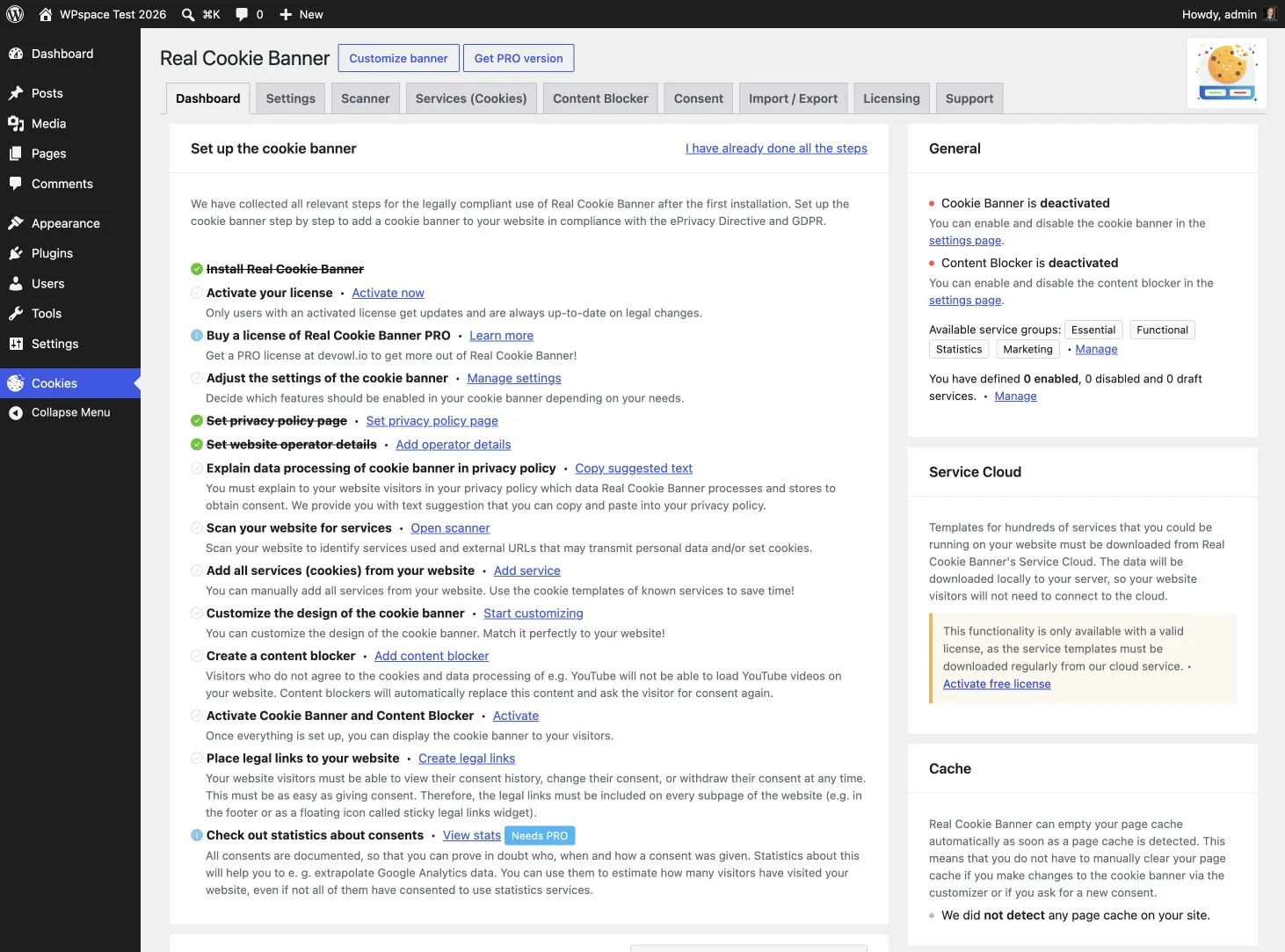
After activation, a checklist led me through twelve tasks. They included the scan, creating the services, designing the banner and checking the privacy policy.
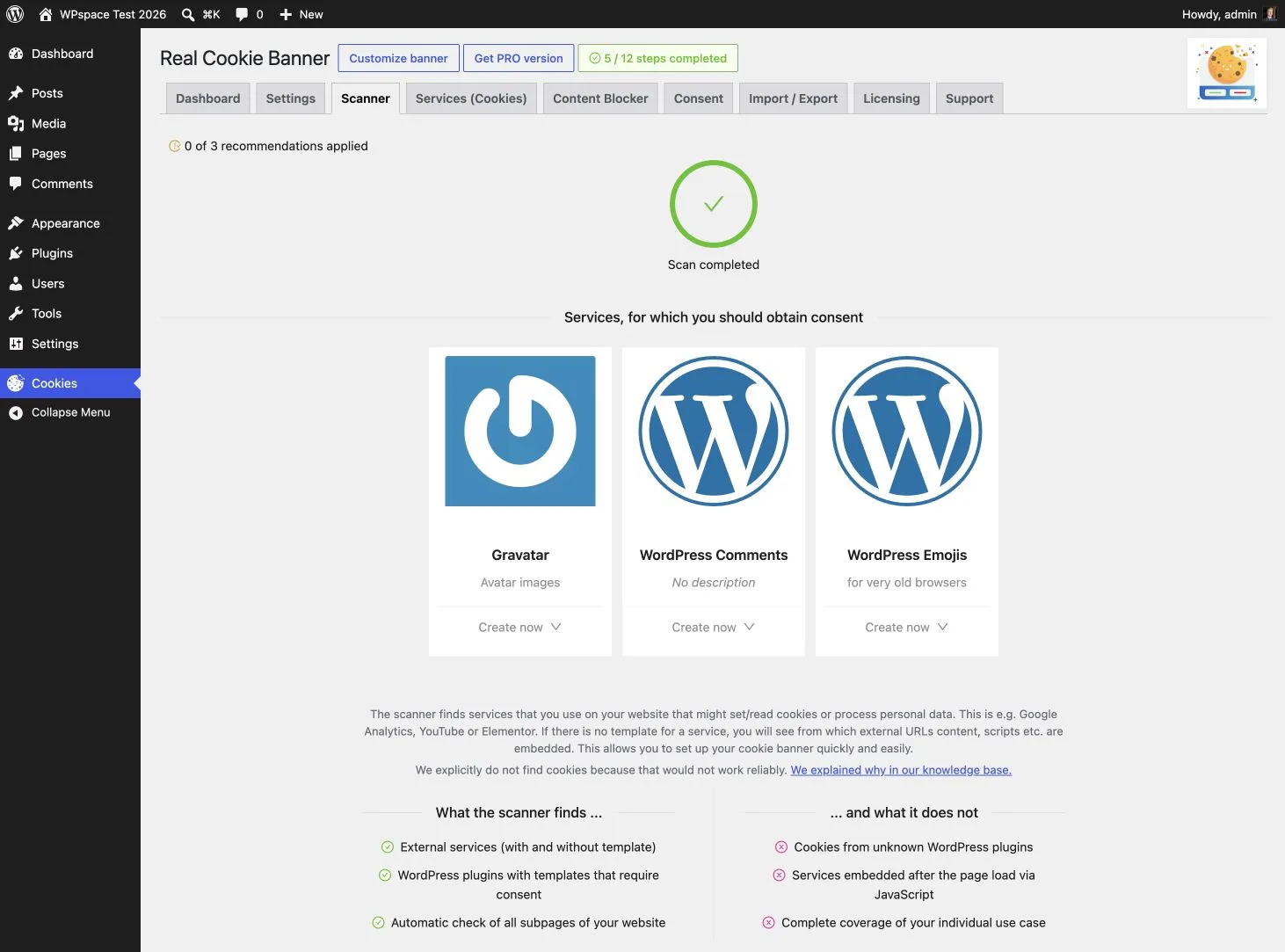
The service scanner found Gravatar, WordPress comments and WordPress emojis. That's useful, but no guarantee of completeness. The scanner looks for known services and doesn't replace a check of all cookies and network connections.
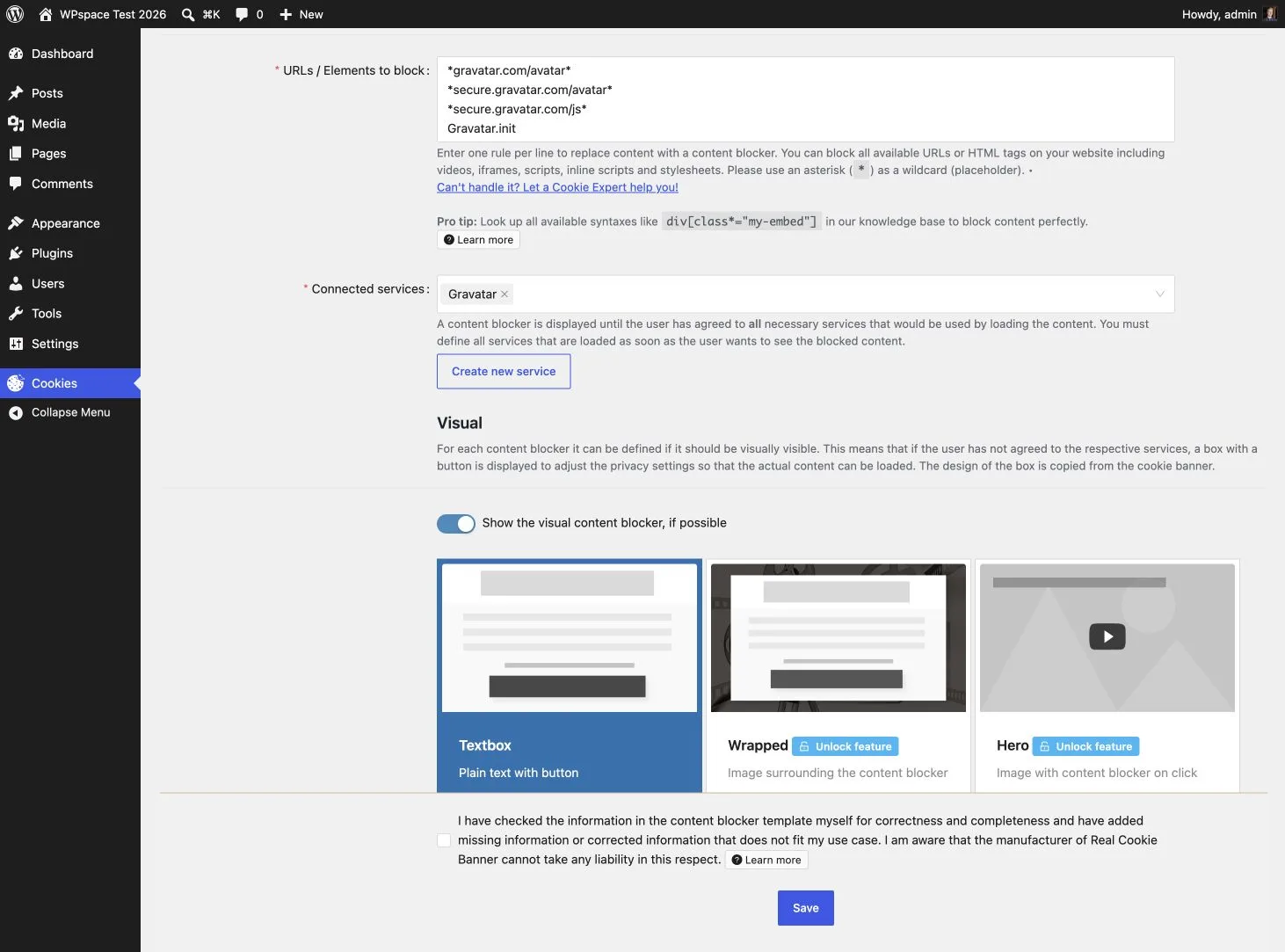
The frontend test was more important. After rejecting, Gravatar stayed blocked. Only targeted consent loaded the external connection. That's exactly the behavior a consent plugin has to deliver reliably.
The Pro version adds more than 160 service templates, more than 130 content blocker templates, Google Consent Mode v2, TCF, statistics and geo restrictions. The free version is enough to seriously test the operation and a manual configuration.
- 12-step checklist with clear explanations
- In the test, the service scanner found Gravatar, WordPress comments and WordPress emojis
- In the test, the content blocker prevented the connection to Gravatar until consent was given
- Live preview for desktop and mobile devices
- 160+ service templates and 130+ content blocker templates in Pro
- Consents are processed and stored natively on your own WordPress server
- Free version for a real practical test
- The scanner detects services but doesn't replace a full technical check of all cookies and connections
- Many templates, Google Consent Mode v2, TCF, statistics and geo restrictions require Pro
- No built-in A/B tests for different banners
2nd place: Borlabs Cookie
Borlabs Cookie is the best alternative if you want a lot of settings and a large library of prepared packages. My practical test ran on the main version 3.4. You'll find newer maintenance versions in the vendor's changelog.
The setup wizard took me through thirteen steps. It checked the environment, created the basic configuration and then prepared the scan.
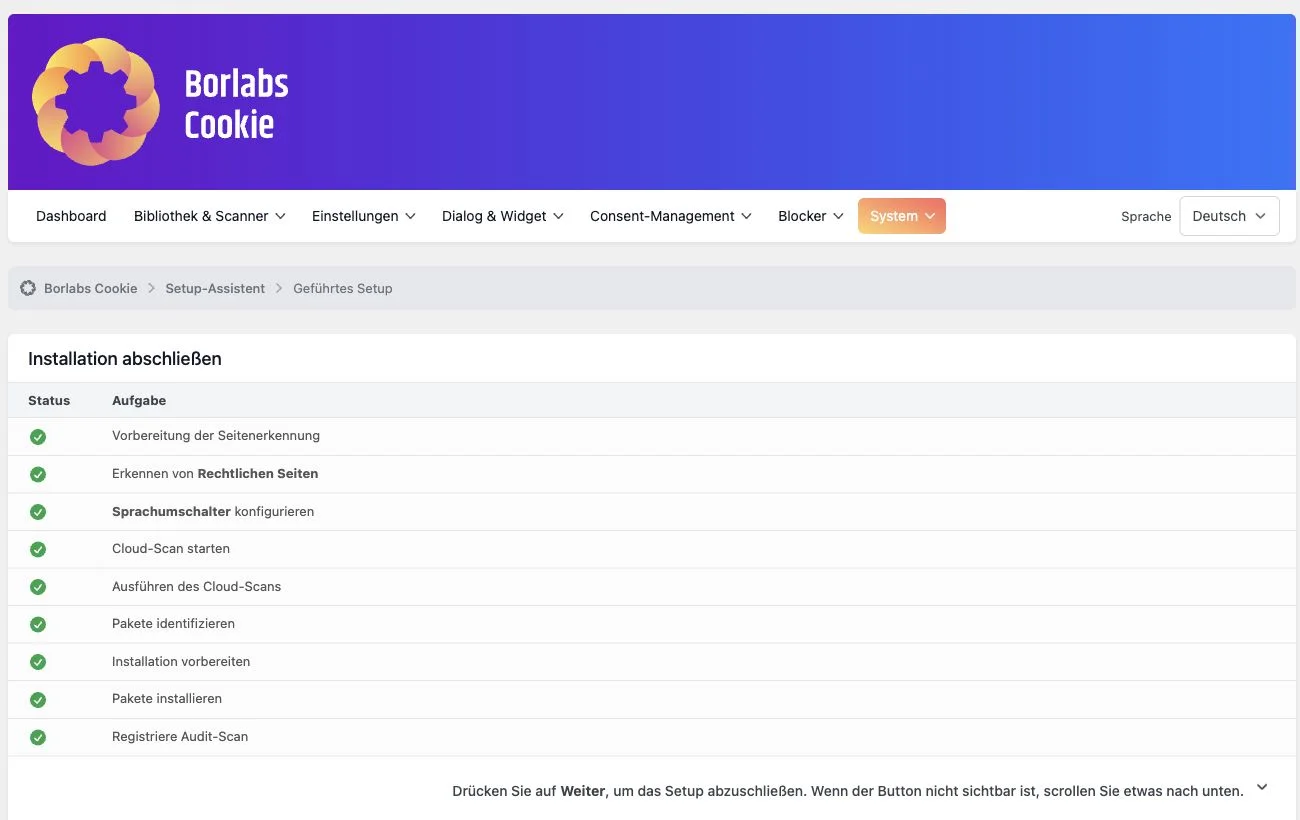
In the test, the Cloud Scanner scanned six pages and installed eleven matching packages. According to the vendor, the Borlabs Cookie Library contains more than 370 packages for services, embeds and compatibility. That doesn't mean 370 services were detected on my test site.
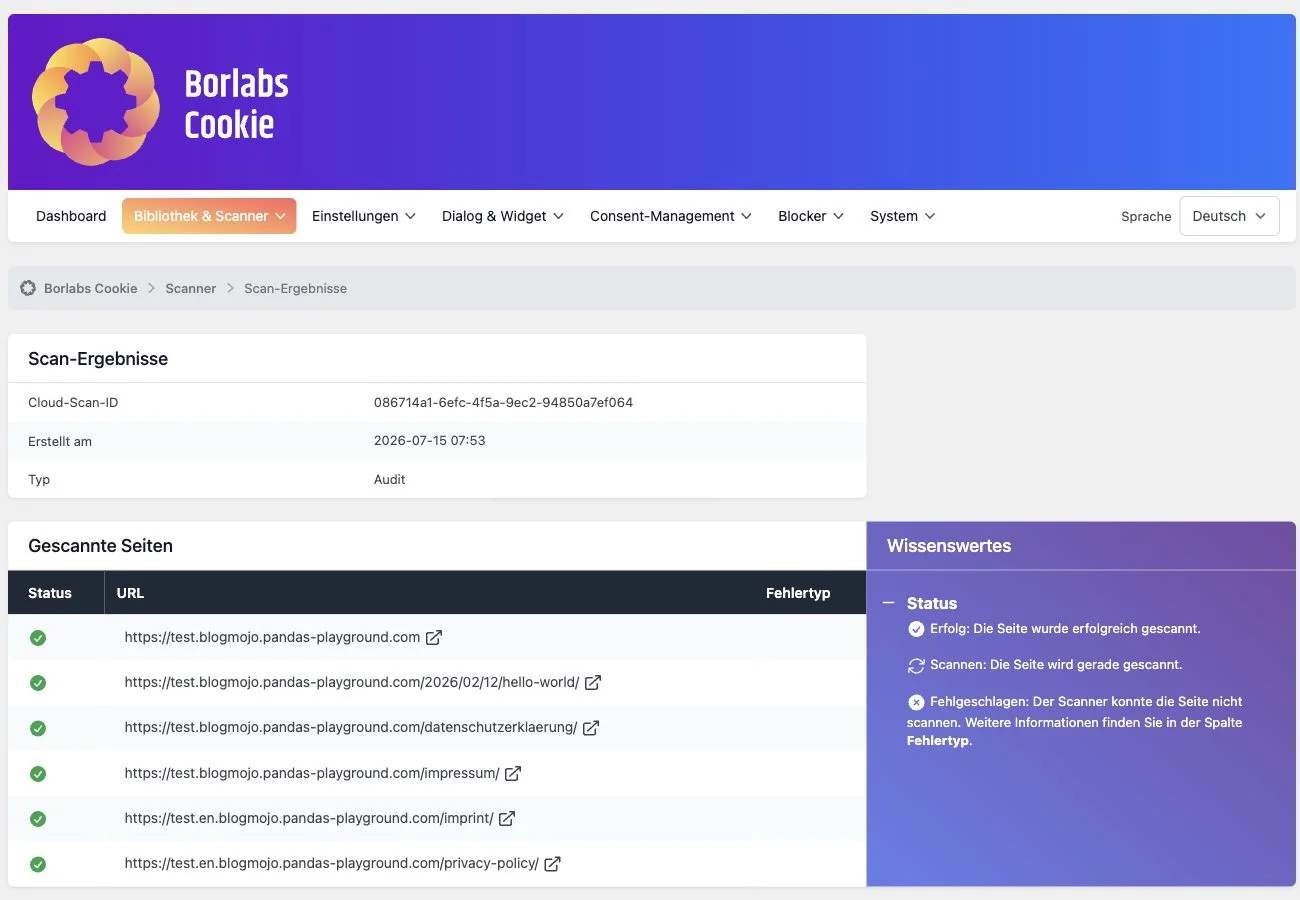
The content blockers for YouTube, SoundCloud, Google Maps and reCAPTCHA were ready to use afterwards. An embedded YouTube video only loaded after I gave consent.
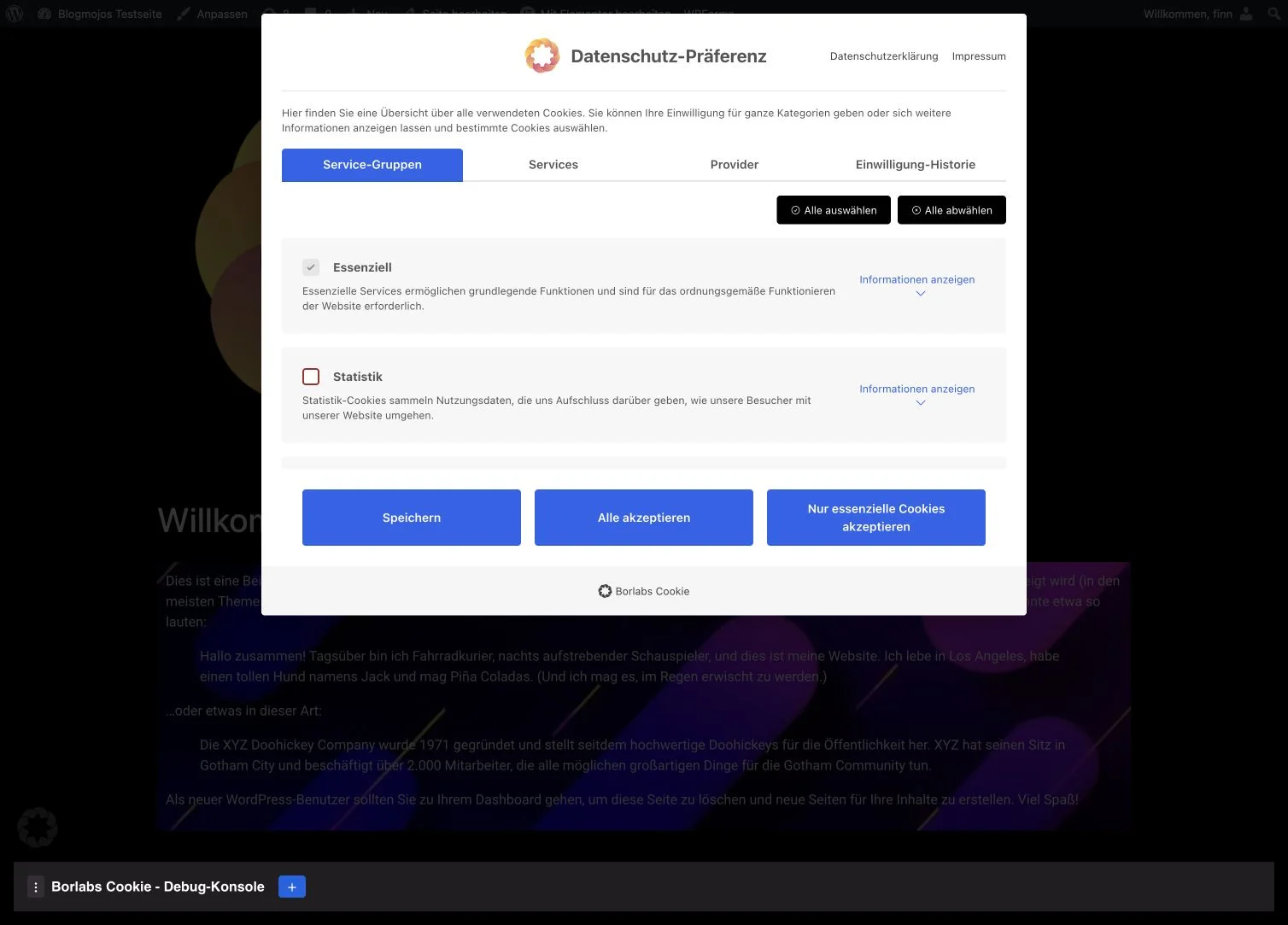
Keep the dependency on the Borlabs Service in mind. After the subscription expires, the plugin keeps running, but according to the vendor the library, the scanner, automatic translations, TCF and geo restrictions are then no longer available.
- 13-step setup wizard with automatic basic configuration
- In the test, the cloud scanner installed eleven matching packages after scanning six pages
- Content blockers for YouTube, SoundCloud, Google Maps and reCAPTCHA worked in the test
- More than 370 packages in the Borlabs Cookie Library according to the vendor
- Many settings for banners, services, consents and statistics
- Native WordPress solution with a German-language interface and documentation
- No free version
- Some important convenience features depend on the external Borlabs Service
- The large number of settings is more demanding than with Real Cookie Banner
3rd place: Complianz
Complianz is more than a cookie banner. The plugin sets up consent management and legal documents for different regions. That's handy for international websites, but it makes the wizard more extensive.
The dashboard of version 7.5.0 bundles progress, documents, integrations and the new website scan. The advanced scan requires email authentication and agreement to additional terms of use. I didn't accept this new agreement for the test.
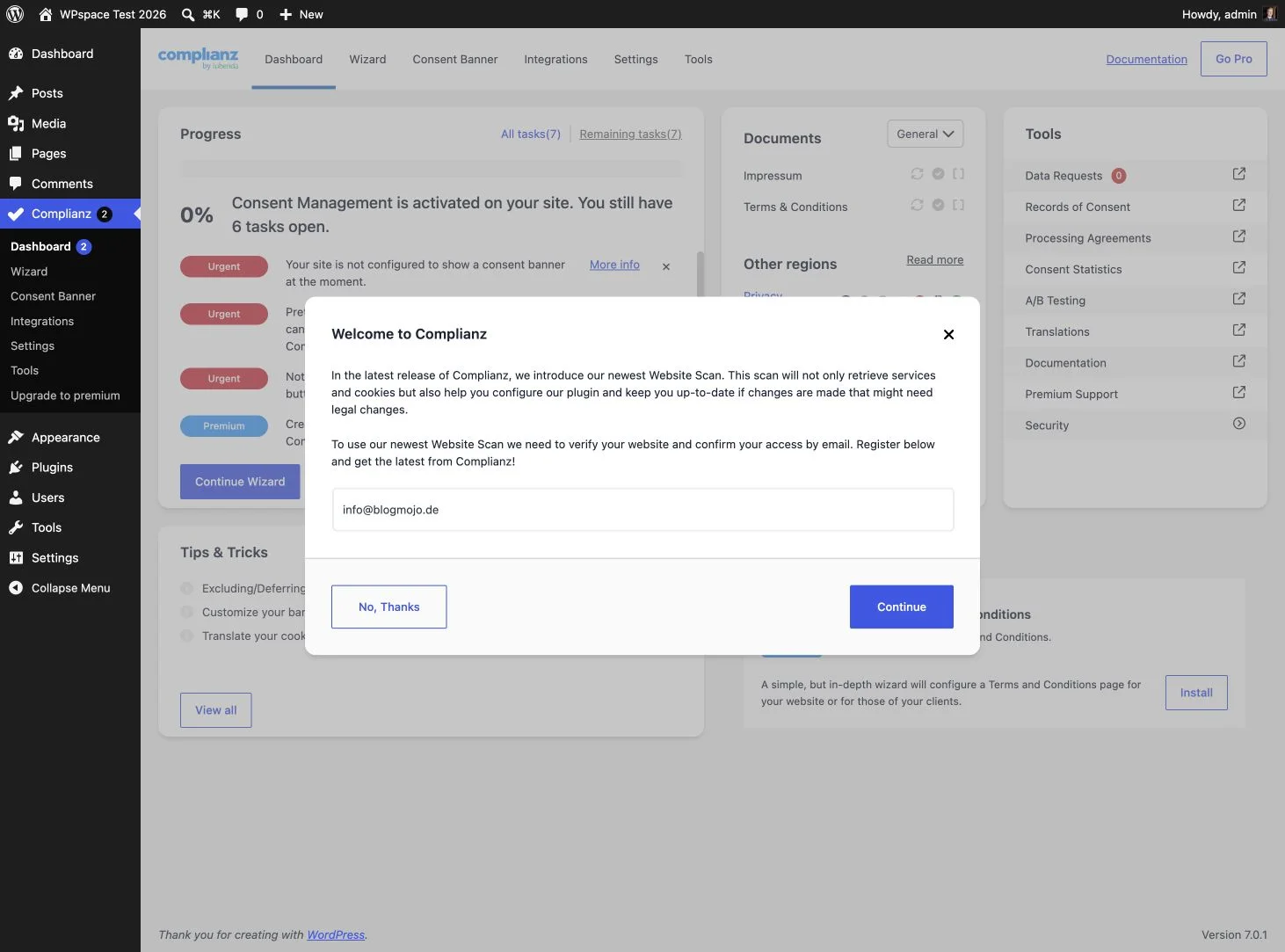
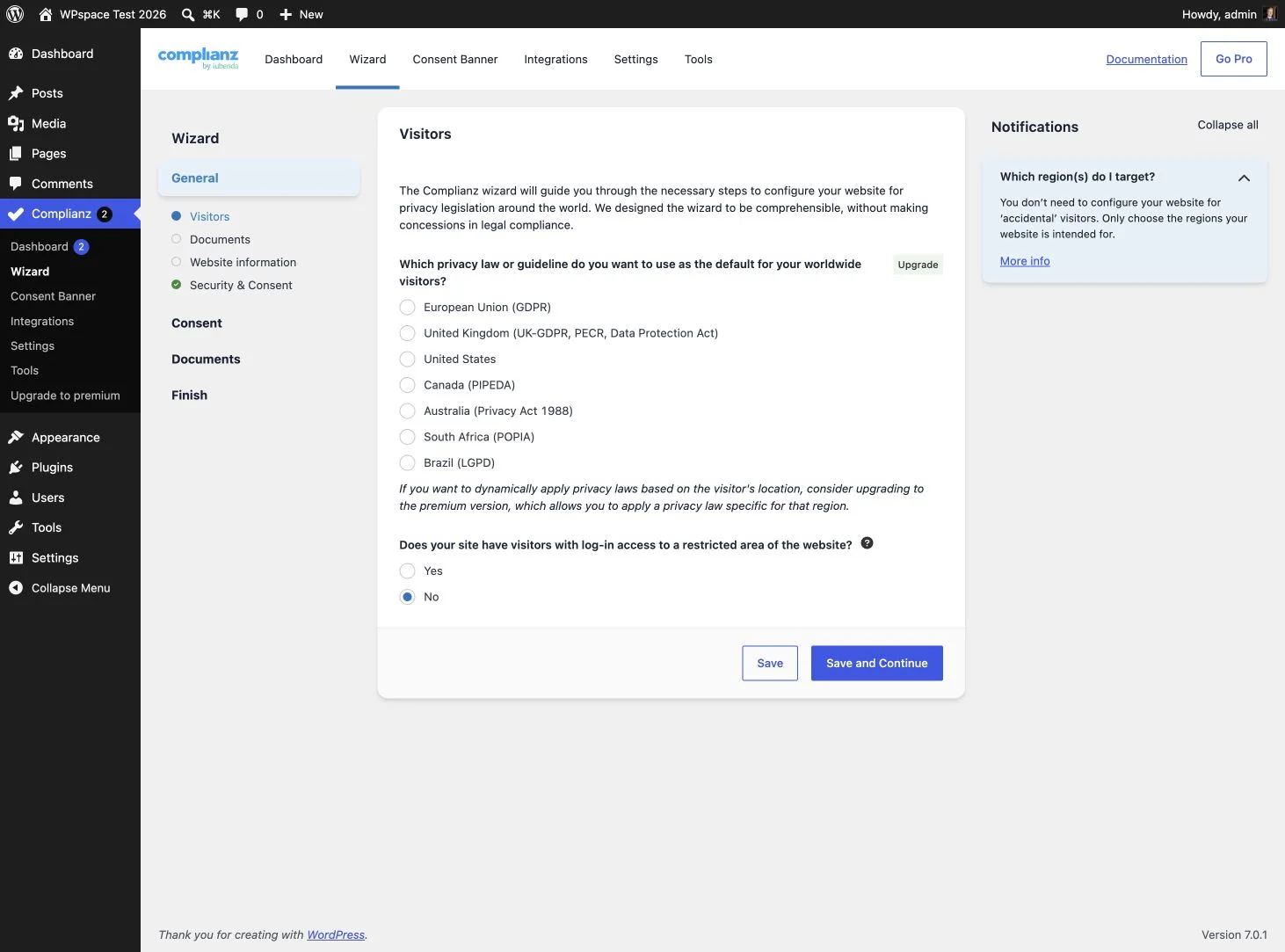
The wizard itself worked without this approval. It asked about region, services, cookies, consent model and documents one after the other.
I liked the banner editor with its instant preview best. You can judge colors, texts, buttons and layout without constantly switching to the frontend.
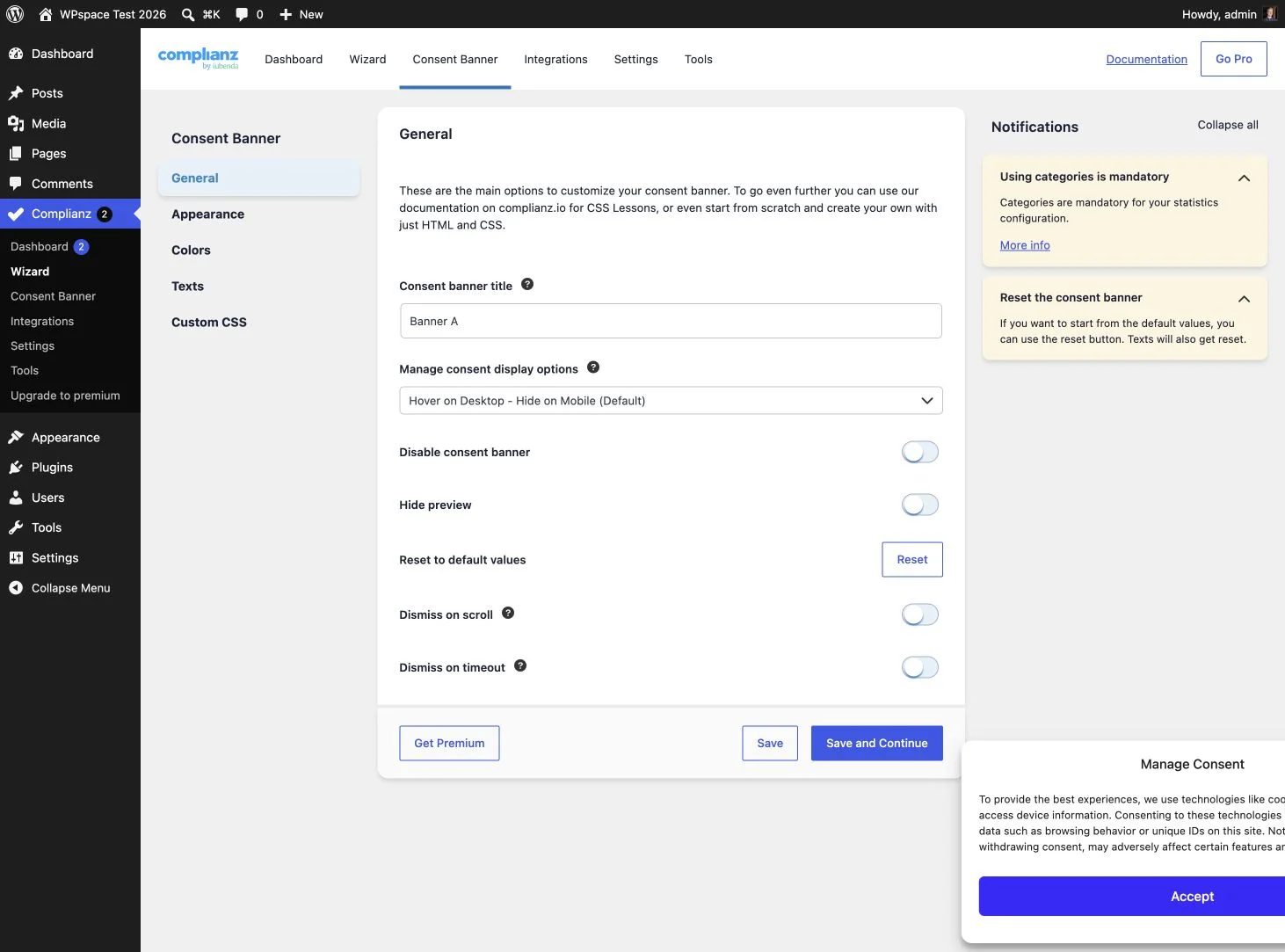
Premium costs €59 per year for one website. Among other things, it includes several jurisdictions, consent records, Geo IP, Google Consent Mode, TCF, data subject requests and A/B tests.
View Complianz- Guided wizard and clear dashboard
- Banner editor with instant preview
- Free version with cookie policy, scan and basic blocking
- Supports several international privacy regulations
- Premium offers A/B tests, Geo IP, Google Consent Mode and TCF, among other things
- No limits on page views or stored consents in Premium
- The advanced website scan requires an external account, an email confirmation and agreement to additional terms
- In some places the interface mixes German and English texts
- Many features and jurisdictions make the setup more extensive
4th place: DSGVO Pixelmate
DSGVO Pixelmate v5 has a website scanner, an integration manager and blocking at server and browser level. The vendor documentation also describes consent logs and Google Consent Mode v2.
With Pixelmate, I wouldn't take the number of templates as a measure of the whole feature set. The vendor describes a general blocking of external resources that haven't been approved. On top of that come prepared integrations and the option to create your own services. That goes beyond a list of individual blocking templates. After the setup, you have to check on your website which connections are actually blocked and which necessary services are approved.
According to the vendor, the website scanner searches content, templates and the delivered website for external services. Google Fonts as well as external JavaScript and CSS files can be hosted locally. That way, the respective external requests can be dropped.
Cloudflare Turnstile is an example of a full integration. Pixelmate can embed the service directly into supported forms using the associated keys. In the “Manuell integrieren” (“integrate manually”) mode, according to the documentation, the script only loads once a visitor submits the form and confirms the connection to Cloudflare in a separate dialog. That's a different feature from merely blocking a script that is already embedded.
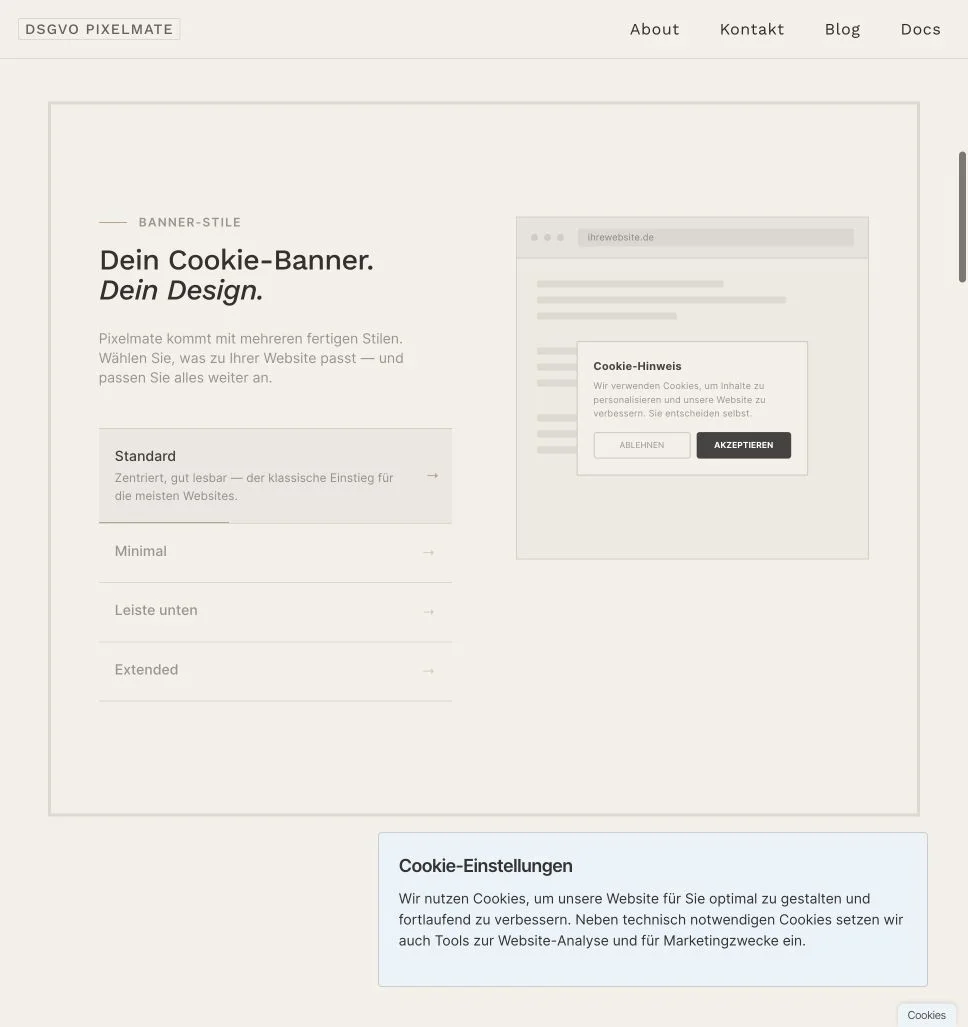
Pixelmate has also visibly caught up on the banner. On the current website, I could check several display forms and the detailed settings dialog.
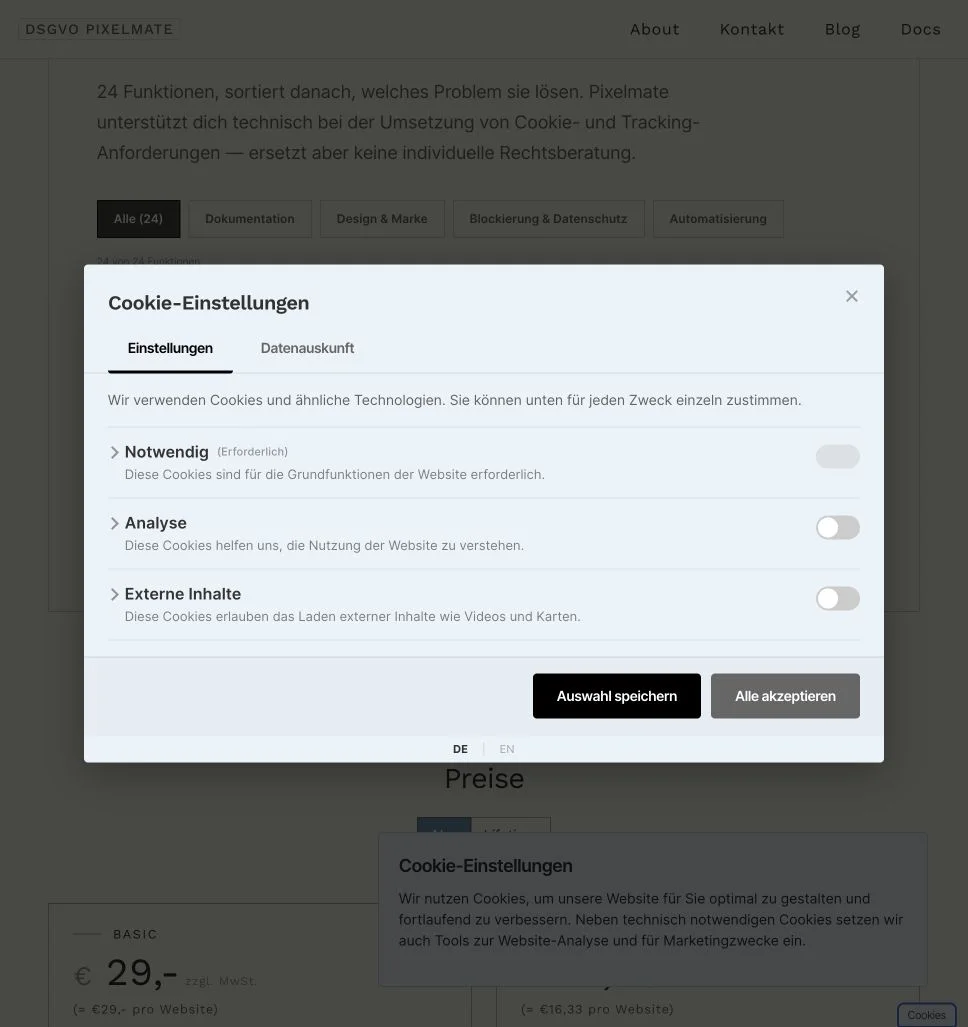
The live dialog separates necessary services, analytics and external content. Visitors can choose categories individually, save their selection or accept everything. You can switch between German and English directly.
The prices start at €29 net per year for one website. Alternatively, there's a lifetime license from €69 net.
- Website scanner for external services and resources according to the documentation
- Google Fonts as well as external JavaScript and CSS files can be hosted locally
- Blocking at server and browser level
- Direct Turnstile integration for supported forms according to the documentation
- Versioned consents, export, statistics and Google Consent Mode v2
- Several banner styles and switching between German and English
- Choice of annual license or one-time purchase
- German-language support and documentation
- No permanently free version
- No IAB TCF listed
5th place: Cookiebot
Cookiebot is primarily a cloud-based consent management platform. The WordPress plugin connects your website to this account.
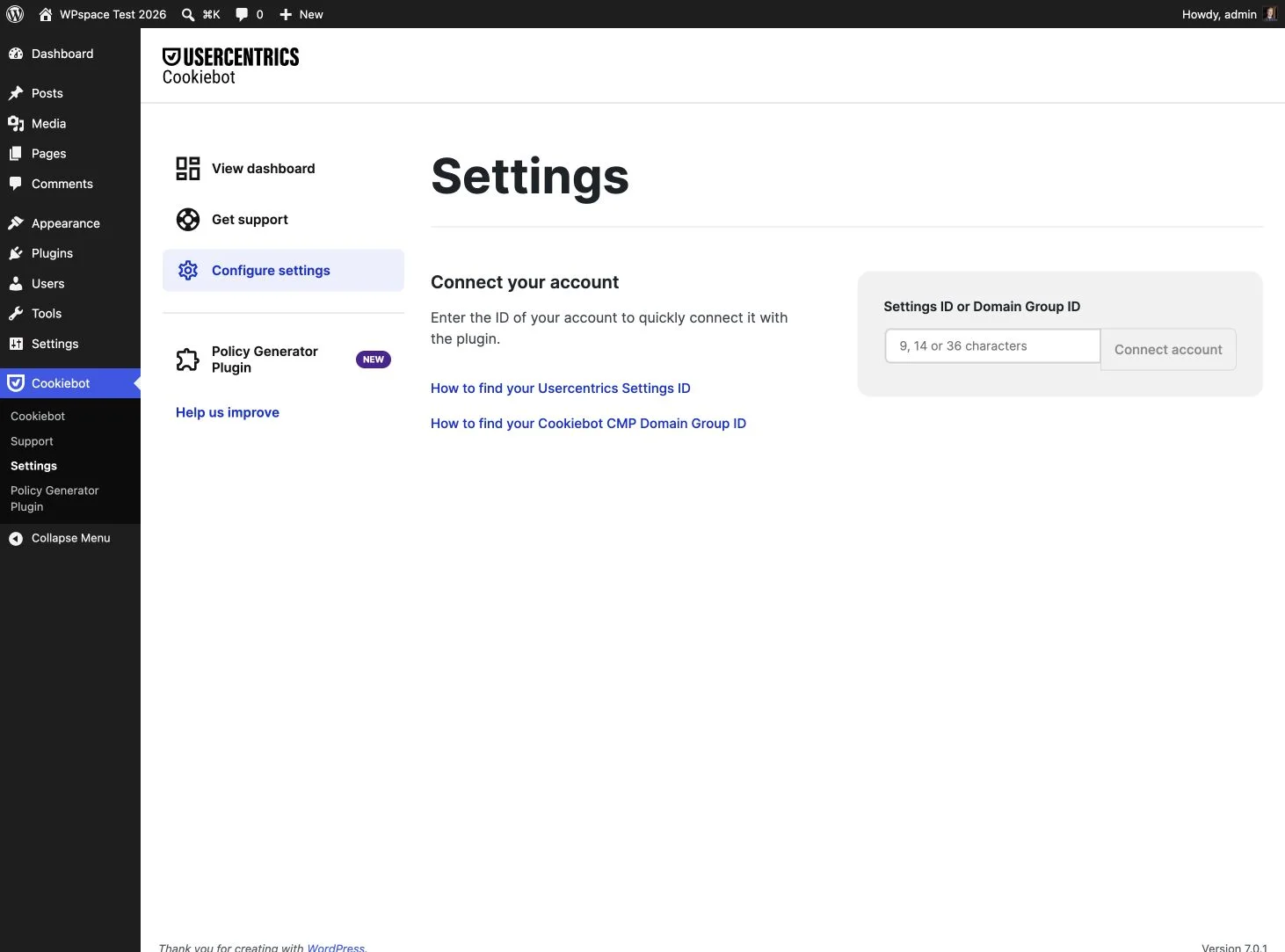
In the test, version 4.7.2 started with two options. I could create a new Cookiebot account or enter an existing Domain Group ID.
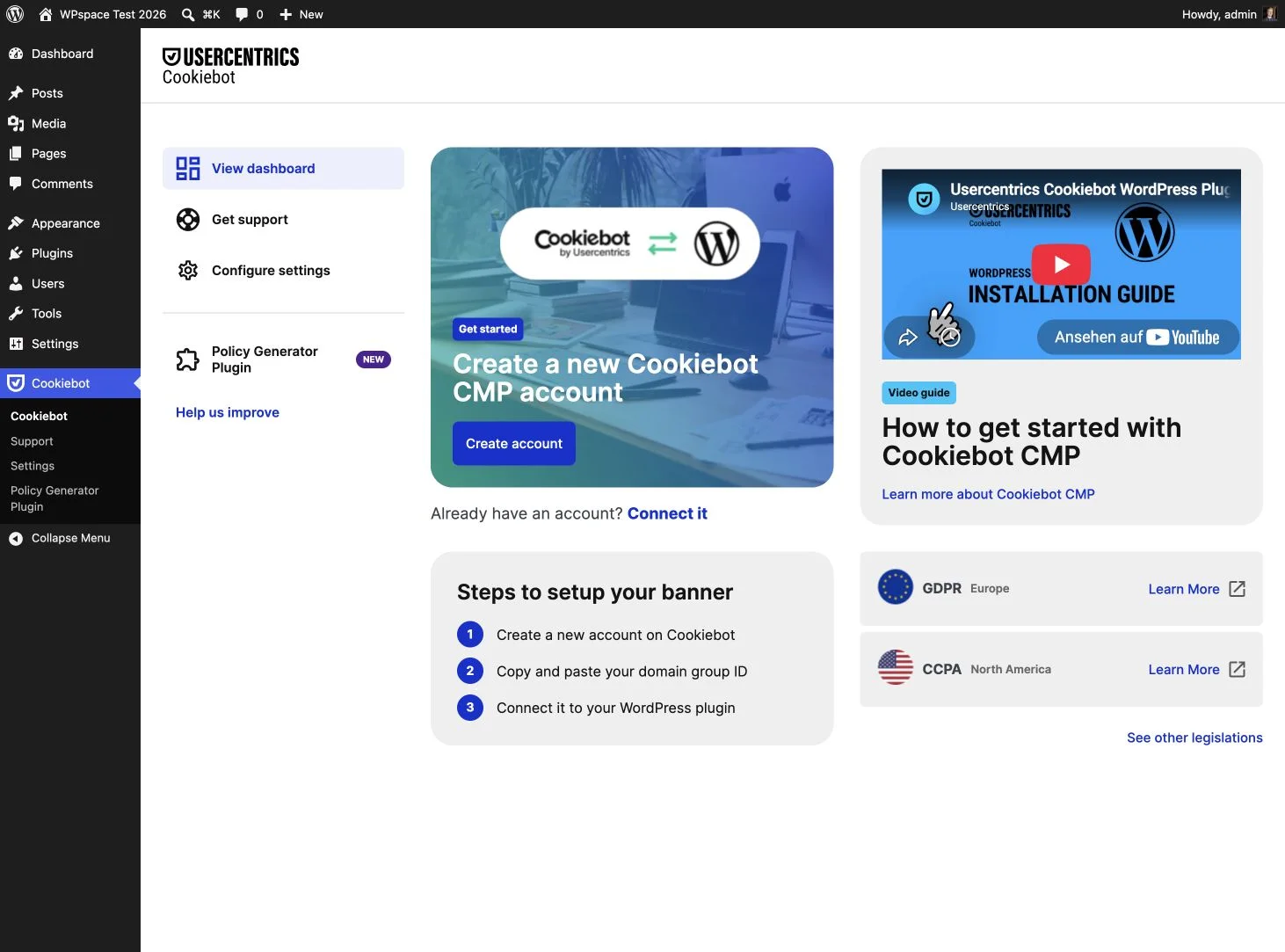
The connection is easy, but the actual configuration mostly happens outside WordPress. That sets Cookiebot clearly apart from the four native plugins in the comparison.
The free tier applies to one domain with up to 50 subpages and includes fewer features. Premium Lite starts at €7 net per month. Larger plans are priced by the maximum number of pages, and subdomains count as separate domains.
Cookiebot makes sense if you want to manage several platforms with one cloud service. For a single WordPress website, I like the more tightly integrated solutions better.
View Cookiebot- Cloud-based scan and automatic categorization
- Can be integrated into different websites independently of WordPress
- Free tier for one domain with up to 50 subpages
- Google Consent Mode and IAB TCF are supported
- WordPress plugin 4.7.2 started without errors in the test on WordPress 7.0.1
- An external Cookiebot account and a Domain Group ID are required
- Most settings are outside WordPress
- The price depends on domain and site size, subdomains count separately
- The free tier is limited in functionality
Which plugin is right for you?
- Real Cookie Banner: For most WordPress websites and for beginners who want very good guidance.
- Borlabs Cookie: For demanding WordPress setups with many services and extensive configuration.
- Complianz: For international websites, several jurisdictions and automatically generated documents.
- Pixelmate v5: For price-conscious users who want a WordPress plugin with German-language support and an optional lifetime license.
- Cookiebot: For mixed website landscapes that don't consist of WordPress alone.
My conclusion
Real Cookie Banner wins the comparison because it left me with the fewest puzzles during setup and the blocking worked in the frontend. Borlabs Cookie is technically strong as well and offers the greater configuration depth.
Complianz has improved, but now requires an additional account step for the advanced scan. Pixelmate v5 is the most exciting up-and-comer. The combination of scanner, local hosting and direct integrations deserves more weight than the bare number of templates. My placement stays provisional until the full backend test. Cookiebot remains a good platform solution, but feels less integrated within WordPress.
Frequently asked questions
Does every WordPress website need a cookie plugin?
No. If your website only uses storage and access that is strictly necessary, a consent banner isn't automatically required.
If non-essential services access information on the device or store data there, consent is generally required beforehand under § 25 TDDDG. For the processing of personal data that follows, you also need a legal basis under the GDPR. That doesn't have to be consent in every case. So check the services that are actually embedded, not just the visible cookies.
Which WordPress cookie plugin is the best?
Real Cookie Banner is my test winner for most WordPress websites. The setup is especially well guided, the scanner makes useful suggestions and the content blocker worked reliably in my test.
Borlabs Cookie is the best alternative if you prefer a lot of configuration options and the large Cloud Library. Complianz is particularly suitable for websites that have to cover several jurisdictions.
Are there free WordPress cookie plugins?
Yes. Real Cookie Banner and Complianz offer free WordPress versions. Cookiebot also has a free cloud tier for one domain with up to 50 subpages.
Before you use one, check whether the free version can block, document and explain in the banner all the services you use.
Is a cookie scanner enough for a legally compliant setup?
No. Scanners help you find cookies, scripts, external connections and known WordPress services. They can miss dynamic content, rarely visited pages, or services behind forms and logins.
So also test in a private browser window whether only strictly necessary connections are made before any choice is made, and whether rejected services really stay blocked.
Which cookie tool also works without WordPress?
Cookiebot isn't tied to WordPress. You can integrate the cloud tool into other content management systems and custom-built websites with a script.
You'll find more platform-independent solutions in my comparison of cookie consent tools.





