
On many websites, nothing works without cookies:
Online shop systems and web analytics tools often depend on them to recognize visitors.
At the same time, cookies and how they're used have kept the courts busy for many years, all the way up to the highest instances such as Germany's Federal Court of Justice (Bundesgerichtshof, BGH) and the Court of Justice of the European Union (CJEU).
The reason: some types of cookies, such as tracking cookies from ad networks, make it possible to follow users' behavior across the internet.
After years of legal back and forth, an explicit rule on accessing information on a user's device has applied in Germany since December 2021. The law at the time, the TTDSG (Germany's telecommunications and telemedia privacy act), has been called the TDDDG since May 2024.
In this article, I introduce ten popular cookie consent tools you can use to implement this on your website.
I go through the pros and cons of every tool and explain what you need to watch out for when using consent tools.
- The TDDDG generally requires consent before information that isn't strictly necessary is stored on or read from a device. Consent tools take care of this request.
- The comparison presents ten cookie consent tools, from WordPress plugins to international consent management platforms, with their features, prices, and target groups.
- Real Cookie Banner and Borlabs Cookie are among the most popular German-language solutions, while providers such as Cookiebot, Usercentrics, or OneTrust cover enterprise requirements.
To start, here is a price overview. Details and limitations of the plans are listed with each tool:
Tool | Free version | Paid from (one website) |
|---|---|---|
| Real Cookie Banner | Free version with core features | €59 gross per year |
| Borlabs Cookie | No | €49 net per year |
| Complianz | Free plugin | $59 per year |
| DSGVO Pixelmate | 30-day free trial | €29 net per year |
| CookieYes | Up to 5,000 page views per month | $10 per month |
| Usercentrics | Up to 1,000 sessions per month | €7 per month |
| Cookiebot | Up to 50 subpages | €7 per month |
| Osano | Up to 5,000 visitors per month | $199 per month |
| OneTrust | Not publicly stated | On request |
| CCM19 | Up to 5,000 impressions per month | €7.90 gross per month |
1. What are cookies?
A cookie is a data record that is managed and stored by the browser. This record contains information such as the cookie's name, its lifetime, its value, and the domain the cookie relates to.
A cookie lets a website, or a service installed on a website, recognize a user again.
This can serve purposes such as the following:
- Ad networks use cookies to track a user's browsing behavior and serve targeted ads based on it
- Cookies can store login data on a website so that the user doesn't have to log in again on the next visit
- Online shops use cookies to store the contents of shopping carts or recently viewed products
- Analytics tools (e.g., Matomo or Google Analytics) use cookies to recognize returning visitors
1.1 What types of cookies are there?
As a website owner, it's essential for you to understand that there are different types of cookies.
“Strictly necessary cookies”, meaning cookies that are crucial for a website to run smoothly (such as shopping cart cookies for online shops), are unproblematic under data protection law. Marketing cookies are not.
That means:
For some cookies you only have to point out that you use them, while for others you need the visitor's consent before they're set.
Here is a quick overview of the different cookie types:
- Strictly necessary cookies: All cookies without which the website couldn't run
- Marketing cookies: Used, for example, by ad networks such as AdSense
- Statistics cookies: Tools such as Matomo or Google Analytics use these to measure visitors correctly
2. What do I need to consider legally when using cookies on my website?
Many website owners are unsure how to use cookies on their website in a legally safe way.
One reason could be that the GDPR says nothing at all about cookies, that the ePrivacy Directive was not transposed into German law for a long time, that the EU Commission withdrew the proposal for the ePrivacy Regulation in 2025, and that the courts have not yet ruled on many questions.
A ruling by the BGH from May 2020 brought more clarity, at least for German website owners: cookies used for market research and advertising require consent before they are set.
The law that came into force in December 2021 and has been called the TDDDG since May 2024 puts it even more clearly. Section 25(1) TDDDG generally requires consent before information is stored on a device or read from it:
(1) The storage of information in the end user's terminal equipment, or access to information already stored in the terminal equipment, is only permitted if the end user has given consent on the basis of clear and comprehensive information. The information for the end user and the consent must comply with Regulation (EU) 2016/679.
The only exceptions are technically necessary cookies and those that merely serve to transmit messages over public networks.
This results in two important rules:
- Technically necessary cookies, such as the cookie a cookie plugin sets in WordPress or the one WooCommerce uses to run the shopping cart, don't require consent. You still have to tell visitors that the cookie is in use.
- Tracking and advertising cookies, such as Google Analytics, may only be set once the user actively consents to their use. So the visitor has to tick the box themselves, and a pre-ticked checkbox does not comply with the TDDDG.
2.1 How do I find out which cookies my website sets?
To run a website in a legally safe way, knowing and identifying all cookies is an important requirement today.
Easier said than done!
First, it's important to understand that Section 25 TDDDG doesn't only cover cookies but also comparable technologies that store information on the device or read it from there.
That means technologies such as these are affected too:
- Local Storage (modern applications that are only read by JavaScript tools)
- Session Storage (information limited to one tab)
- Tracking pixels (invisible graphics that allow a unique identification of the user)
To compile an inventory that is as accurate as possible, you can't avoid analyzing every service, every tool, and every plugin on your website closely.
Tools such as Webbkoll or the developer console of the Chrome browser (reached by right-clicking a web page and selecting Inspect > Application) can give you a first overview:
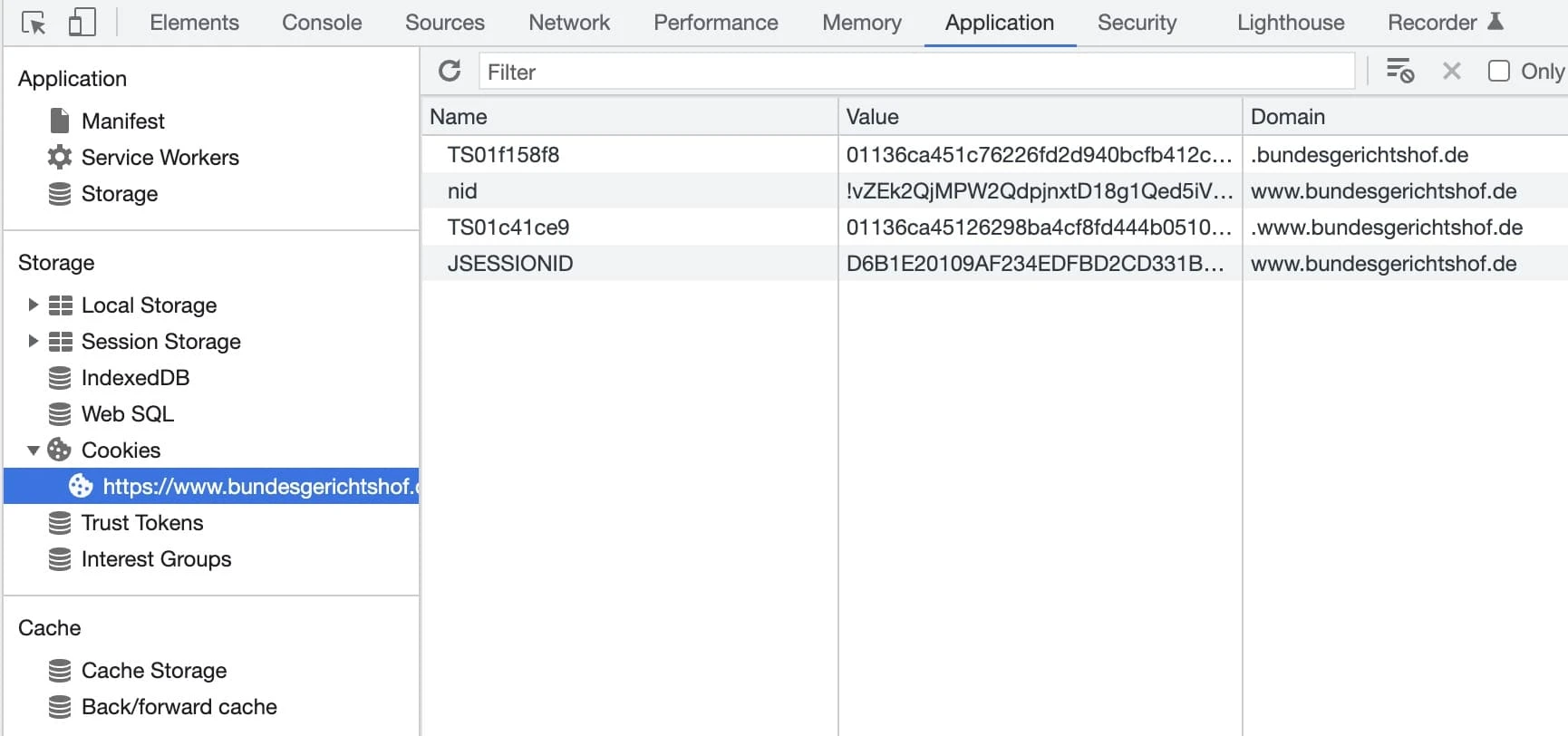
Consent tools such as Real Cookie Banner and its service scanner do a great job here too.
2.2 When do I need a cookie consent tool? And can I do without one?
We have already discussed in enough detail which cookies absolutely require the user's consent and which don't.
From that, you can easily derive the answer to the question of when a cookie consent tool becomes mandatory:
As soon as you use more than just technically necessary cookies on your website.
So if you use services such as Google Analytics, Matomo, Hotjar, AdSense, or the Meta Pixel, you should check carefully before loading them whether consent is required. A consent tool can implement the decision technically and document it.
You can see which cookies your website sets with our free Cookie Scanner.
When in doubt, we would always advise you to use a consent management tool to avoid unpleasant surprises.
3. What does a good consent tool need to offer?
Luckily, there are really mature and good solutions today that simplify cookie management even for inexperienced users.
Before we introduce some of these tools directly, we first want to give you an overview of what makes a good cookie consent tool and which features you should never do without:
- Cookie groups: To collect targeted consents from your visitors, the tool should group existing cookies (Necessary, Marketing, Statistics, etc.).
- Scanner: Modern tools such as Real Cookie Banner have a built-in cookie or service scanner that helps you detect the cookies and services in use
- Content blocker: Blocks embedded content, such as YouTube videos or Google Maps, that can transmit personal data to users before they've given consent
- Statistics: To see how your visitors respond to cookies, the tool should also offer enough statistics.
- Customizability: Good tools can be adapted 100% to your ideas, both visually and in content.
4. Consent tools for WordPress
Below, we present three popular cookie consent tools for WordPress in more detail so that you can decide which solution fits you and your website best.
You can also find a more comprehensive test and comparison of cookie plugins for WordPress here:
The best WordPress cookie plugins in a detailed comparison
4.1 Real Cookie Banner
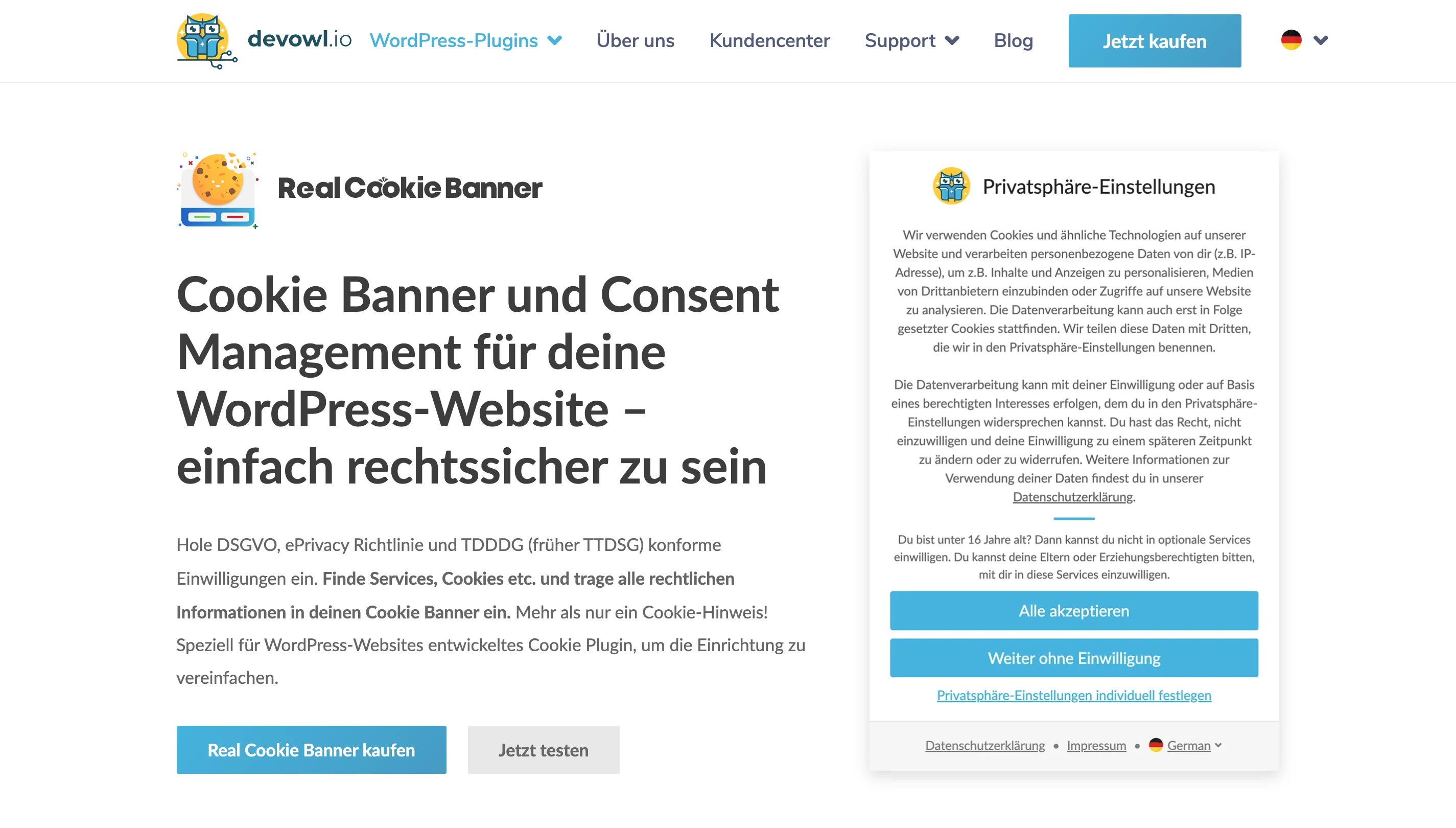
Price (for one website): €59 gross per year
Ease of use: very easy
Type: Local software
Real Cookie Banner is a WordPress plugin that came onto the market in late 2020. In my hands-on test, it was one of the strongest WordPress-only solutions.
And there are many reasons for that:
The plugin is very beginner-friendly and offers a wide range of features with many settings and customization options that a lot of other software doesn't offer.
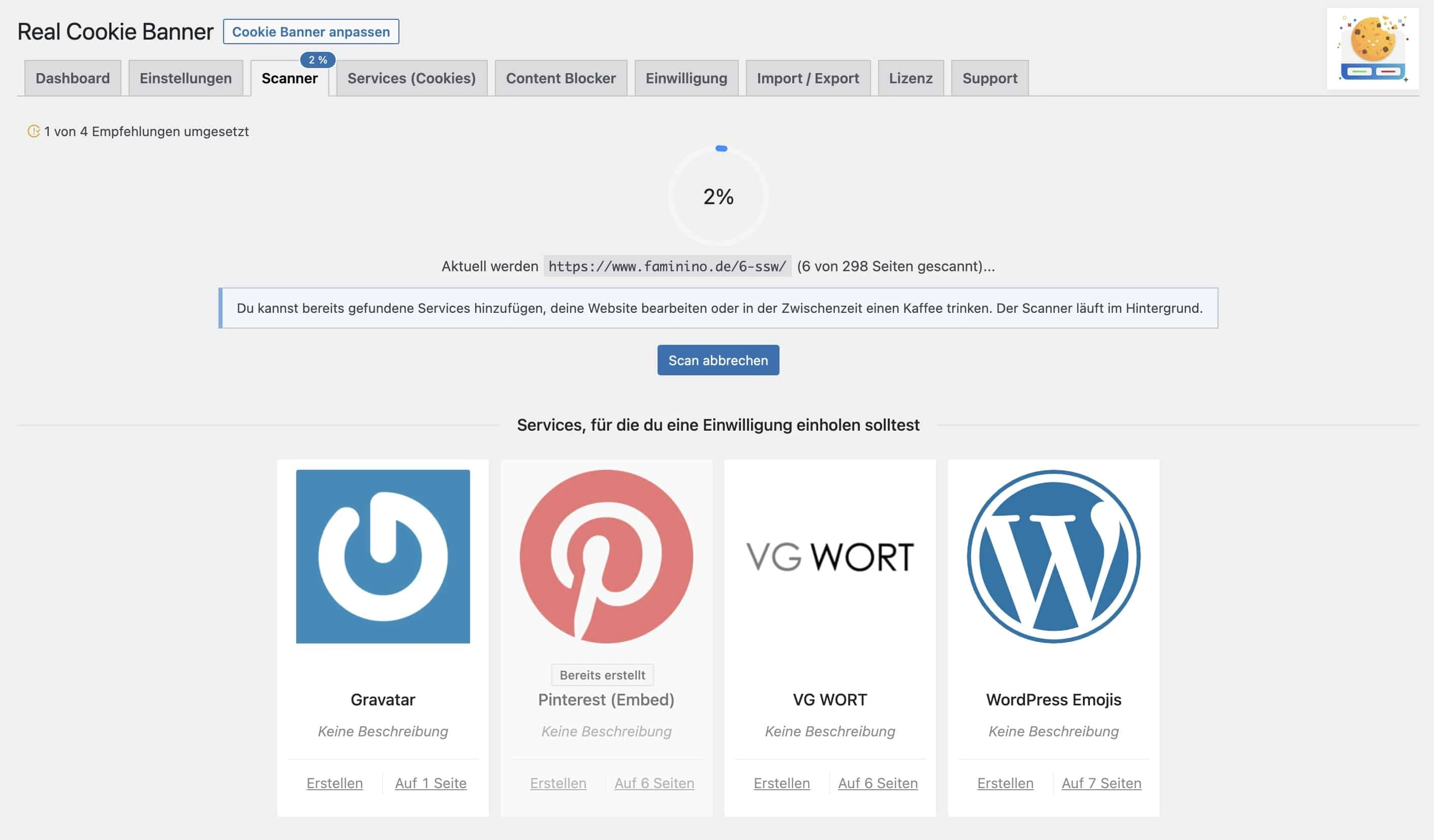
Above all, Real Cookie Banner's service scanner deserves a mention. It searches your website for services that may require consent:
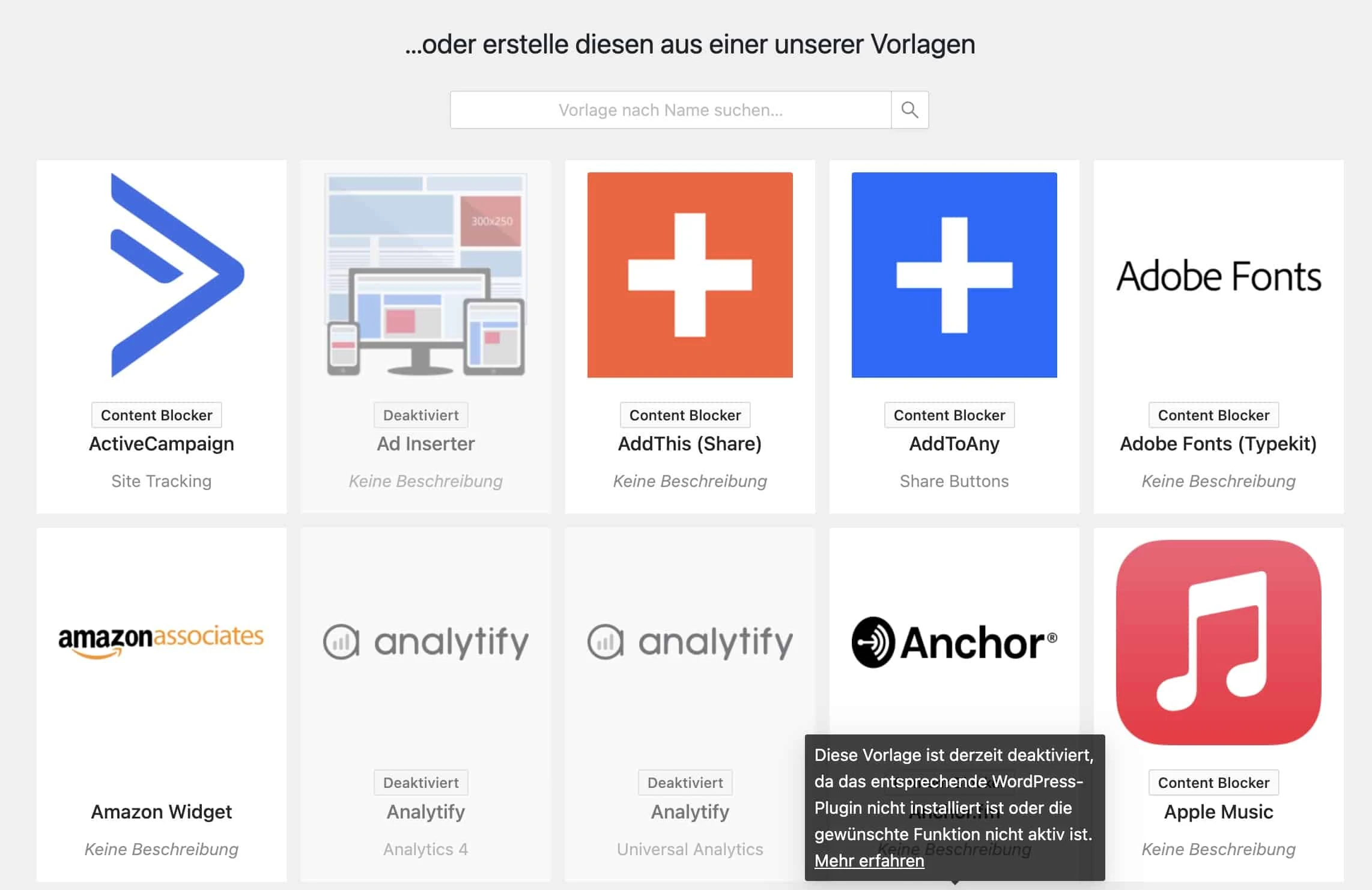
More than 160 service templates and more than 130 content blocker templates make the setup easier for you:
The design of the cookie banner can also be fully adapted to your wishes in the WordPress Customizer, with a live preview:
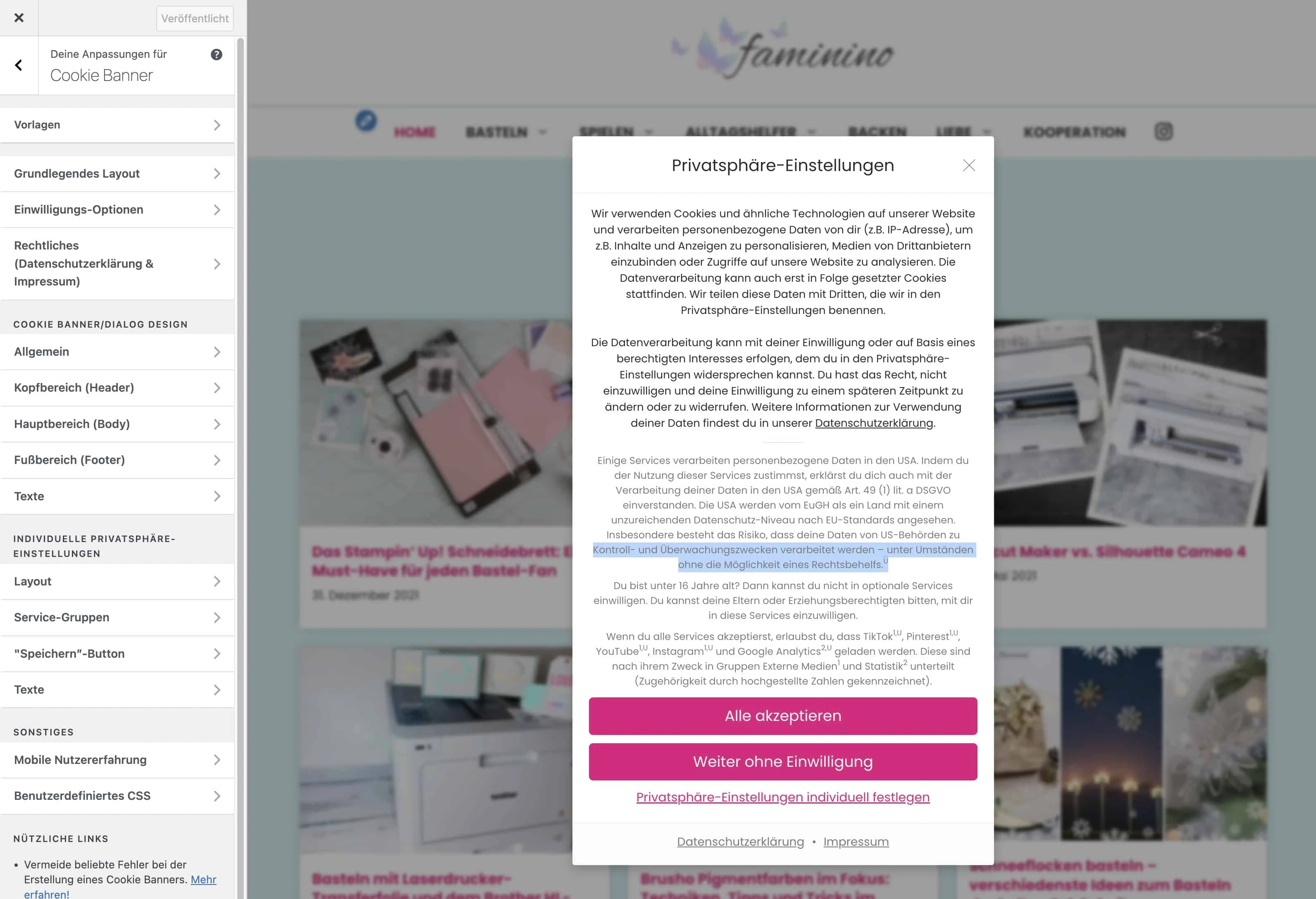
Useful extras, such as notices about the protection of minors or possible data processing in the USA, are also included in Real Cookie Banner.
In addition, Real Cookie Banner offers German-language support and German-language documentation, which many other consent tools don't.
Who is Real Cookie Banner the best solution for?
Real Cookie Banner suits WordPress users who want a guided setup process, many templates, and customizable content blockers.
It suits smaller WordPress blogs as well as company websites, online shops, or large online magazines with thousands of articles. Multisites and multilingual WordPress websites are supported too.
My verdict:
In my current test, the scanner, the consent dialog, and the Gravatar content blocker worked convincingly. The scanner does not replace a complete technical check of the website, though.
Go to the pluginGo to the reviewPros
- Free version available
- Service scanner semi-automatically searches for services that might require consent
- 160+ service templates
- 130+ content blocker templates
- Very good content blocker with many customization options and preview images
- Consent history
- Cookie groups available and freely customizable
- Flexible design adjustments with live preview and 20 design templates
- Notice about protection of minors and data processing in the USA can be activated
- Continuous development of the plugin
- German-language support and documentation
Cons
- No split testing of the banner design possible
4.2 Borlabs Cookie
Price (for one website): €49 per year plus VAT
Ease of use: easy in the guided setup, extensive in standard mode
Type: Local software
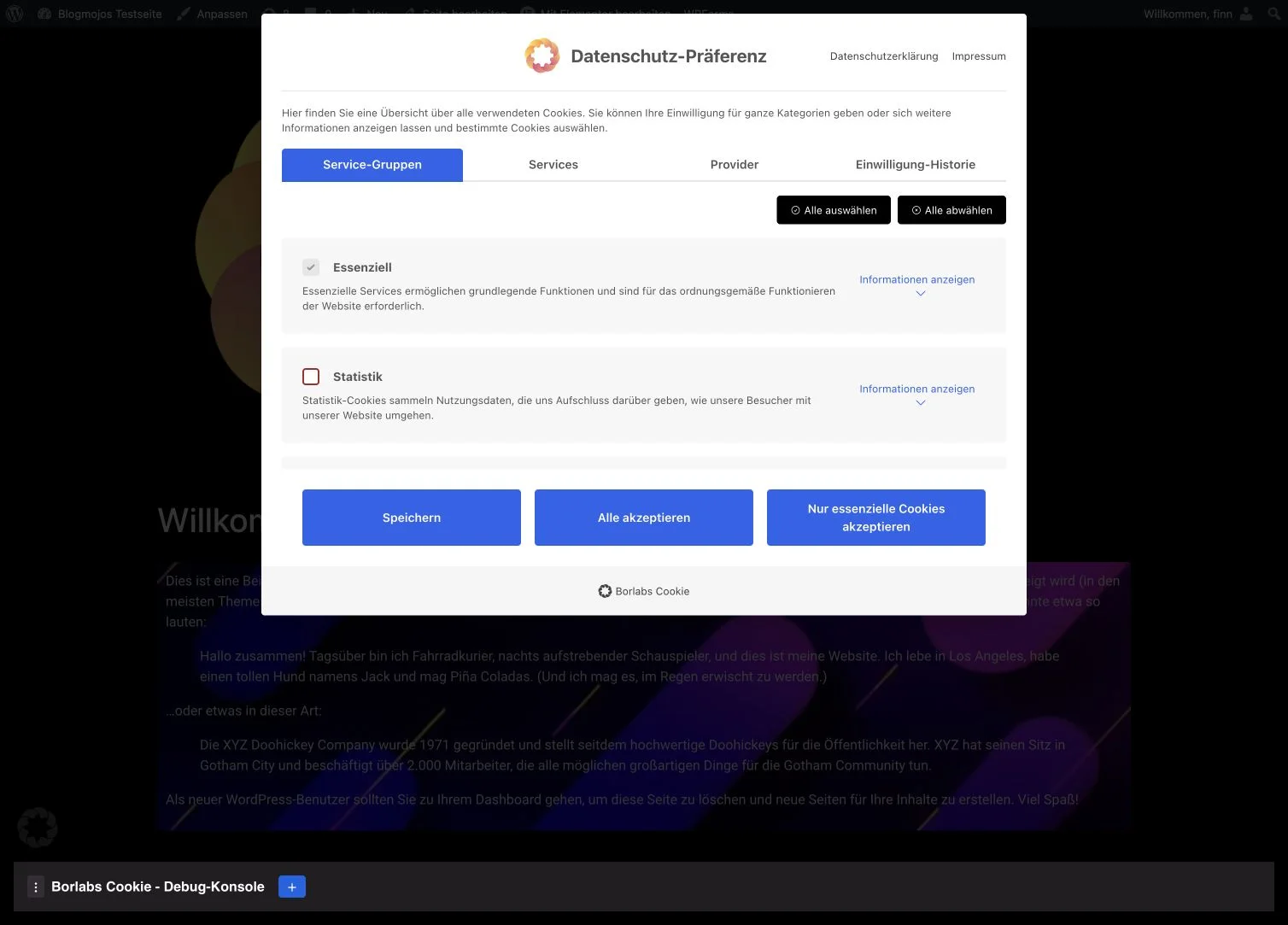
Since version 3.4, Borlabs Cookie guides you through the setup with a wizard. You can choose a quick, a custom, or a thoroughly explained setup. The simplified settings mode hides options that are rarely needed.
On my test site, the plugin scanned six pages and installed eleven matching packages. According to the manufacturer, the library contains more than 370 packages. You still have to check suggested services yourself.
On the frontend, YouTube, SoundCloud, Google Maps, and reCAPTCHA stayed blocked at first. When I enabled only YouTube, the other embeds were still not loaded.
The texts, buttons, position, and colors of the consent dialog can be customized too. You can find my full test in the Borlabs Cookie review.
Who is Borlabs Cookie the best solution for?
If you use many services or look after websites for clients, Borlabs Cookie gives you a lot of control. The wizard makes getting started easier, and the scanner takes part of the search for external services off your hands.
In my WordPress comparison, Real Cookie Banner remains my test winner because I had to think less during its setup. Borlabs Cookie offers me more configuration depth but requires a careful check of the scanner results.
Go to the pluginGo to the reviewPros
- Guided wizard and simplified settings mode
- Cloud Scanner with setup scan and audit scan
- Library with more than 370 packages according to the manufacturer
- Reliable blocking of individual embeds in the test
- Consent history
- Cookie groups available and freely customizable
- Clear statistics
- Text and design adjustments to the cookie banner possible
- Script blocker for stubborn services
Cons
- Suggested services and scan results need a manual check
- Scanner and library require an active Borlabs service account
- No free version
- The full settings mode can overwhelm beginners
4.3 Complianz
Price (for one website): $59.00 per year
Ease of use: medium
Type: Local software
Complianz is far more than a simple cookie plugin. It's a complete privacy suite.
That means you get not just a cookie banner but further features such as an Impressum (the legal notice German websites must carry) and a privacy policy. Even creating terms and conditions is possible with this tool.
These basic features are complemented by many extras such as a cookie scanner, a consent history, extensive statistics, and a split testing tool that lets you try out which cookie banner gets the most acceptance from your visitors.
The cookie banner itself can be adapted to your wishes, both visually and in content. Animations and ready-made templates are also available.
Who is Complianz the best solution for?
Complianz is an all-in-one solution for anyone who also wants to play it safe with the Impressum and privacy policy.
We would recommend this tool especially to owners of international sites, since Complianz, by its own account, ensures legal compliance in most countries.
Pros
- Free version available (but very limited)
- Impressum and privacy policy are generated and checked
- Appealing cookie banner
- WordPress integration
- A/B testing and statistics built in
- Script blocker included
- Perfect for international sites
- Very good support
Cons
- The range of features can slightly overwhelm beginners
4.4 DSGVO Pixelmate
Price (for one website): From €29 net per year or €69 net one-time
Scope of testing: Banner checked on the frontend, full admin test of version 5 still open
Type: Local software
DSGVO Pixelmate v5 combines a WordPress plugin with a choice of an annual or a lifetime license. The provider lists a website scanner, blocking on the server and browser level, as well as consent logs and statistics.
The number of templates only partly reflects the range of features. According to the provider, Pixelmate also blocks external resources that haven't been approved, independently of individual service templates. The scanner helps you find embedded services. You can add your own services. Google Fonts as well as external JavaScript and CSS files can be included locally, which can make the respective external requests unnecessary.
Some integrations also do more than block. Cloudflare Turnstile, for example, can be built directly into supported forms. In the “integrate manually” mode (“Manuell integrieren”), according to the documentation, the script only loads after the form is submitted and after an additional confirmation in the security dialog.
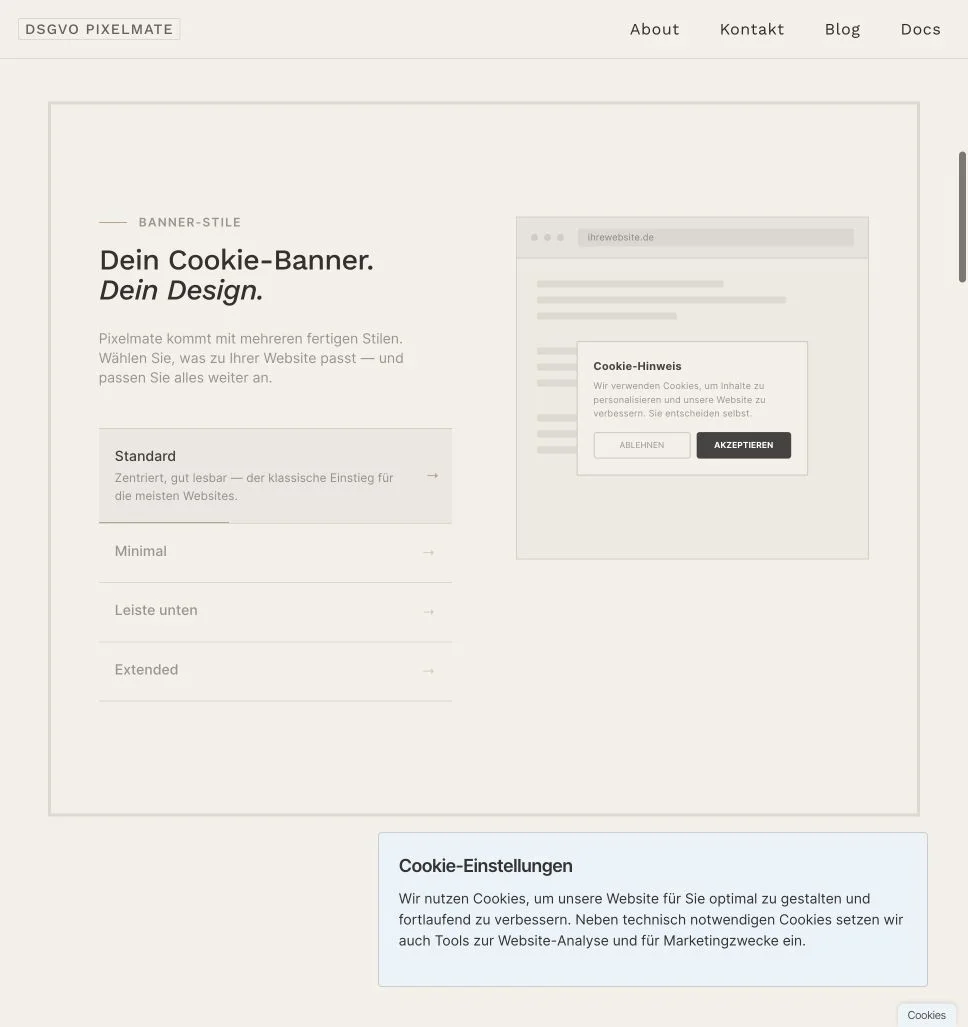
The banner has several display forms and customizable design settings. My observations so far concern the frontend at the provider. The information on the scanner, integrations, and logs comes from the manufacturer's documentation. You can find more details in the comparison of WordPress cookie plugins.
Who is DSGVO Pixelmate the best solution for?
Pixelmate is an option for WordPress websites whose owners are looking for a plugin with German-language documentation and an optional lifetime license. You should check before using it whether your specific services and forms are supported. A low number of templates alone wouldn't be a reason for me to rule it out.
Go to the pluginPros
- Website scanner and local inclusion of external resources according to the provider
- Prepared integrations and custom services
- Direct Turnstile integration for supported forms according to the documentation
- Consent logs and statistics according to the documentation
- Several banner styles and customizable appearance
- German-language support and optional lifetime license
Cons
- No permanently free version
- No IAB TCF listed
5. Consent tools for all websites
Below you'll find six consent tools that suit not only WordPress websites but also other platforms such as Joomla!, Wix, Magento, Drupal, or simple HTML websites.
In many cases, these tools also offer WordPress plugins but are not limited to WordPress:
5.1 CookieYes
Price (for one website): Free up to 5,000 page views per month, paid from $10.00 per month
Ease of use: easy
Type: Cloud tool, local software also available
CookieYes is a small but fine cookie tool that can be used on many systems thanks to various integration options.
First up, you get a good cookie scanner that detects over 100,000+ cookies and automatically creates an entry for popular ones.
This scanner also automatically checks every month whether new cookies have been added. If so, new cookies are blocked automatically until you have reviewed them. The same goes, by the way, for third-party cookies that you haven't yet added to the consent banner.
The banner itself can be adapted to your requirements down to the smallest detail. Visual adjustments are made in an intuitive live builder where you find your way around right away. Of course, grouping into cookie groups is also possible.
A “consent log” lets you trace your visitors' consents and prove them in a legally safe way.
As an additional highlight, you get a privacy policy generator that creates an individual privacy policy for your site based on a questionnaire you fill out beforehand.
Who is CookieYes the best solution for?
CookieYes is a good fit for small to medium-sized sites or blogs.
If you use WordPress, you should rather go for Real Cookie Banner. For larger websites or online shops, Osano or Usercentrics are a better fit.
Pros
- Free version available
- WordPress plugin available
- Cookie scanner with 100,000+ database entries
- Banner with live builder
- Privacy policy generator
- Consent history
Cons
- Number of cookie scans depends on the plan
5.2 Usercentrics
Price (for one website): Free up to 1,000 sessions per month, paid from €7.00 per month (€50.00 per month up to 50,000 sessions)
Ease of use: medium
Type: Cloud tool
Usercentrics is a cloud-based cookie consent management application with a wide range of features.
The tool's strength lies above all in its flexible targeting of visitors. That means Usercentrics lets you serve individual cookie banners that depend on a visitor's region.
This basic function is complemented by numerous extras such as a cookie scanner or extensive analytics.
The setup is simple because templates for most applications are built in, and you only have to replace them with individual parameters.
Who is Usercentrics the best solution for?
Usercentrics is aimed at international sites that, besides the GDPR, also have to comply with other laws such as the CCPA (California).
So we would really only advise this tool for such site owners.
Beginners in particular will quickly be overwhelmed by the large range of features.
Pros
- Can be customized for an international audience
- Customizable cookie banner
- Templates for many applications built in
- Extensive analytics
- Very good support
Cons
- Price rises quickly with sessions and features
5.3 Cookiebot
Price (for one website): Freemium (paid from €7.00 per month)
Ease of use: easy
Type: Cloud tool
Cookiebot is a modern consent management platform whose biggest strength is a very good and reliable cookie scanner.
It doesn't just identify the cookies in use but adopts them directly and sorts them into groups.
What we like less is the script blocker. Its functionality leaves nothing to be desired, but the preview of, say, a YouTube video isn't really nice to look at. Borlabs Cookie, for example, delivers much nicer results.
The integration into WordPress isn't ideal either.
Unfortunately, there is no plugin here. Instead, Cookiebot has to be inserted into your website via a script. That in turn means the reliability of the cookie banner depends on external servers.
The good news: You can use Cookiebot for free up to a site size of 50 subpages. With WordPress, that limit is reached quickly, and the free plan only blocks cookies manually and supports only one language. Still, it deserves a positive rating.
Who is Cookiebot the best solution for?
Cookiebot is ideal for smaller sites and, not without reason, is recommended for exactly these by its makers (Usercentrics).
With the Premium Small plan, you can use the tool for €15 per month on websites with up to 350 subpages. The entry plan Premium Lite costs €7 per month and is limited to 50 subpages.
Pros
- Free up to 50 subpages
- Very good cookie scanner
- Simple integration via a script
- Compatible with many different CMS
- Content blocker for YouTube videos, Maps, and the like
Cons
- Free plan with manual cookie blocking and only one language
- Script blocker doesn't deliver a nice preview
5.4 Osano
Price (for one website): Free up to 5,000 visitors per month, then $199 per month
Ease of use: medium
Type: Cloud tool
Osano is the most comprehensive consent management software we looked at in our test.
Besides classic consent management, you get numerous professional features here, such as monitoring of compliance documents, which are checked for changes every day.
That sounds very complex at first, but it is far from it. The tool is programmed to be very user-friendly and gives you, among other things, a cookie scanner that reliably detects the cookies in use and immediately blocks third-party providers. That quickly gives you legal certainty.
Osano also gives you a consent history that you can even search and export.
We also really like the automatically generated privacy policy.
Who is Osano the best solution for?
Osano is not the right consent software for smaller blogs. It is aimed at large, international sites and companies.
That shows in the price too: While Osano is completely free for up to 5,000 visitors per month, from that limit on it costs $199 per month (for up to three domains and 30,000 visitors per month).
Pros
- Free plan up to 5,000 page views
- Cookie scanner
- Professional features such as compliance monitoring
- Flexibly customizable cookie banner
- Very competent support
- Can be adapted individually to the visitor's region
Cons
- Very expensive
- The large range of features can quickly overwhelm beginners
5.5 OneTrust
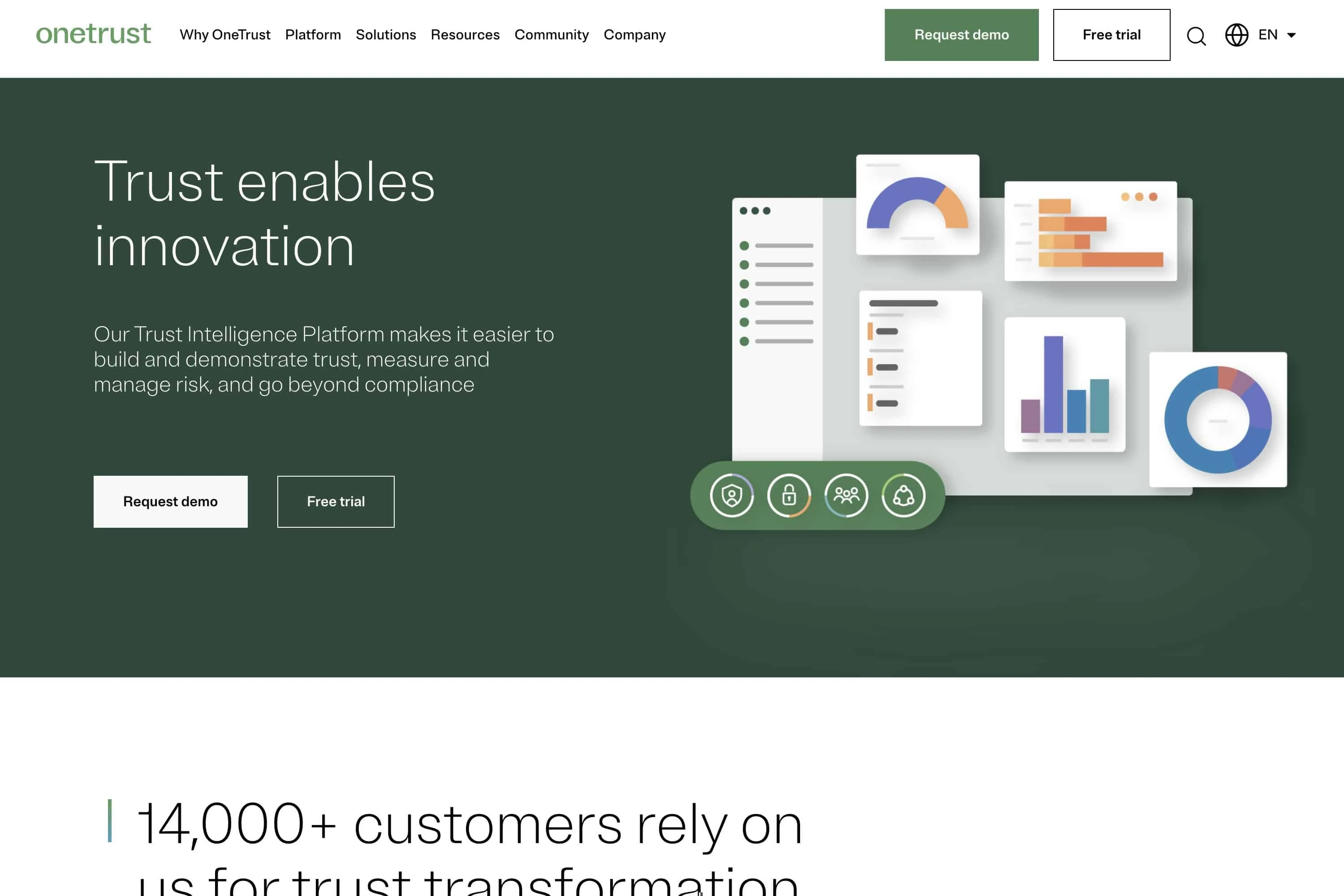
Price (for one website): On request (no public price)
Ease of use: easy
Type: Cloud tool
OneTrust is a complete privacy suite that offers far more than a cookie banner and provides a holistic service instead.
Besides a classic cookie scanner and cookie banner, the software's range of functions also includes automated handling of data subject access requests and cross-channel consents and preferences.
The offering is completed by services such as an automated record of processing activities or benchmark analyses. That said, the company charges significant extra costs for these services.
Who is OneTrust the best solution for?
OneTrust is an absolute professional solution aimed at companies that collect a large amount of personal data.
As a blogger, you won't just be overwhelmed by this software's range of features, you simply won't need 90% of it.
Pros
- Gigantic range of features
- Data protection lawyers right at hand
- Cookie scanner
- Automated handling of data subject access requests
- Optional services can be booked individually
- Fast and competent support
Cons
- Very expensive, especially the optional services
- Hardly suitable for beginners
5.6 CCM19
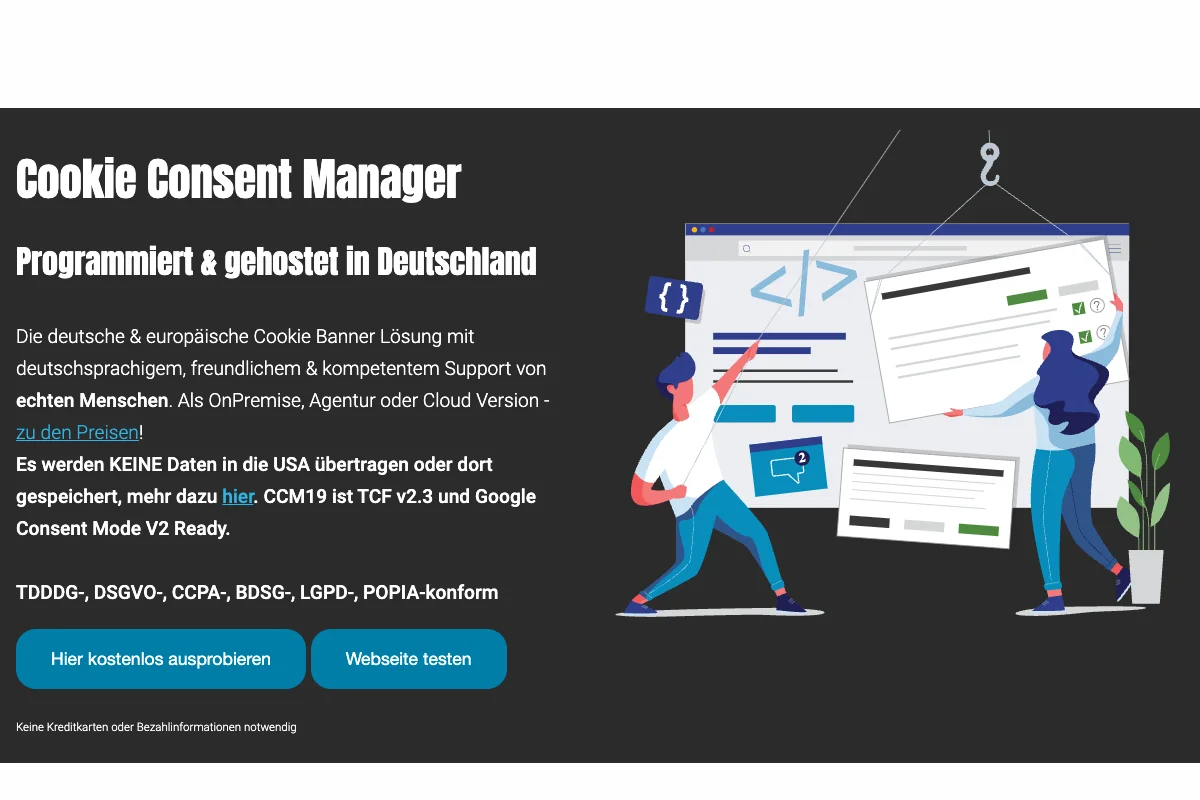
Price (for one website): Freemium / €7.90 gross per month (Starter, two domains)
Ease of use: very easy
Type: Cloud tool or local software available
CCM19 is a consent tool that, unlike many other providers, comes 100% from Germany. Accordingly, it offers German-language support and, by its own account, transmits no data whatsoever to US services.
What we particularly like here is that, besides a cloud version, you can also install CCM19 locally. That provides even more data security, although the cloud version also stores data on servers located in Germany.
Setting up the cookie tool is simple and won't pose any problems even for beginners: A cookie scanner handles the identification, and later adjustments are made in an intuitive drag-and-drop editor.
Of course, there is also a content blocker, and the tool also provides extensive statistics and a consent history.
Who is CCM19 the best solution for?
CCM19 is a classic cookie tool that is very reminiscent of our recommendations Real Cookie Banner and Borlabs Cookie.
The advantage of CCM19 lies especially in the geo-targeting of visitors, which lets you serve individual banners. That makes the tool ideal for international websites.
Pros
- Free plan up to 5,000 impressions / month
- Very good cookie scanner
- Templates built in
- Extensive design adjustments possible (incl. CSS)
- Statistics and A/B testing
- Geo-targeting
Cons
- The free plan is limited to one domain and two languages
6. Cloud providers vs. local software
I have tested consent tools for you that are installed as local software, like Real Cookie Banner or Borlabs Cookie, as well as cloud solutions.
Both have their pros and cons, which I'd like to look at more closely here:
Data protection
When it comes to data protection, local software usually has the edge.
You are the “master of your data” and don't pass it on to a third-party provider. This transfer can cause problems, especially if the third party is based outside the EU.
In addition, a data processing agreement (AV-Vertrag) becomes mandatory as soon as a third party processes data.
Hardware
Local software places minimum requirements on your system. With WordPress plugins, however, these requirements are usually very low.
Still, these requirements disappear completely with cloud software.
Service and maintenance
Backups and updates are among the regular tasks with local installations. With cloud software, the provider takes care of this work.
Conflicts / compatibility
Not every plugin is necessarily fully compatible with your WordPress setup.
That means a plugin can cause conflicts that, in the worst case, lead to a server error.
Since external software is usually included via scripts, these conflicts don't arise.
Costs
Cloud software automatically means extra costs for a provider, since it needs maintenance and upkeep and the hiring of employees responsible for it.
These costs are happily passed on to customers. For small websites, though, there are also cheap cloud plans from about €7 per month. Local solutions are cheaper above all if you run several websites or have a lot of visitors.
7. How does my cookie banner need to be designed to be legally safe?
When you integrate a cookie banner, keep in mind that the banners of many tools are not designed in a legally safe way in their default configuration.
That applies especially to tools that don't come from German developers.
You should make sure, for example, that your banner contains the following:
- List of all cookies your website sets
- Options to withdraw consent (under Art. 7 GDPR)
- Links to the privacy policy and the Impressum
- Notice about the GDPR provisions on protecting minors (under Art. 8 GDPR)
- Notice about data processing in the USA (if applicable)
- Active consent to cookies that are not strictly necessary
- Simple rejection of all cookies that are not strictly necessary
8. Common mistakes when configuring consent tools
It doesn't matter how good the consent tool on your website is if you haven't configured it correctly.
That's why I've put together five common mistakes in configuring consent tools for you below:
Mistake 1: Cookie banner not activated
With most tools, the cookie banner has to be activated after configuration. Only then is it live and served.
The best way to check whether your cookie banner is configured and activated correctly and also prevents all cookies properly is to open your website in a new private window.
You should also check which cookies are set if you only consent to essential cookies.
Mistake 2: Not all cookies correctly captured by the tool
Most modern tools today offer a scanner that automatically captures most of the cookies or services set on your website and creates a matching entry.
The emphasis here is on most. It often happens that tools don't detect certain cookies or services.
So be sure to check whether all of them were detected correctly and, if necessary, add missing ones manually.
Mistake 3: Cookies grouped incorrectly
We keep finding services such as Google Analytics or AdSense listed under “essential” or “strictly necessary” cookies.
That is simply wrong and unlawful!
Be sure that this cookie group contains only the cookies that are actually strictly necessary to run your website.
Mistake 4: Cookies are set before consent
Some consent tools allow cookies to be set even before consent and only deactivated after an objection.
That carries a legal risk, especially with marketing cookies.
Mistake 5: Withdrawal not possible
Visitors to your website should have the option to change and withdraw their consent.
Good consent tools offer matching shortcodes for this that you can simply insert on your website, or they keep showing the banner on the website in a reduced form.
9. FAQ
Here I've put together the answers to the most common questions about cookie consent tools:
Are there free cookie consent tools?
Yes, there are several free cookie consent tools, especially in the form of WordPress plugins.
Whether a free solution is enough depends on the services you need and on whether you're willing to set things up manually.
Real Cookie Banner Free, for example, offers the core features as well as an unlimited number of self-created services and content blockers. Many ready-made templates and special features, however, are only included in Pro.
What is the best cookie consent tool for agencies?
Most cookie consent tools offer agency licenses. So there's no blanket answer to which one is the best solution.
What matters most here is an agency's client base:
Agencies that mainly look after WordPress websites are best served by Real Cookie Banner or Borlabs Cookie. The latter has the cheaper agency license.
If your clients include international companies that don't run on WordPress, a cloud tool such as Osano makes more sense.
Which tools offer a free trial or demo?
You get free trial versions with Real Cookie Banner, CCM19, Osano, and CookieBot.
Which cookies are “strictly necessary”?
Which cookies are strictly necessary for running a website and which aren't has not been settled with 100% certainty.
You can assume, though, that the following cookies count:
- Cookies that store cookie settings
- Cookies that store font size or language selection
- Cookies that store a user's login status
- Cookies that implement required security measures (e.g., defending against brute-force attacks)
- Shopping cart cookies (cookies that are deleted again when the browser is closed, e.g., to store a shopping cart)
- Cookies for load balancing (distributing the server load)
What is the difference between a cookie consent tool, a consent management platform, and a consent management provider?
A cookie consent tool (CCT) asks a website visitor for consent as to which cookies may be set and which may not. The choice is stored together with a user ID that allows the visitor to be recognized again.
A consent management platform (CMP) gives you comprehensive features for using cookies in a legally safe way. It also provides statistics and a detailed consent history, and it supports you with data subject access requests.
A consent management provider (CMP) also delivers compliant cookie banners but offers far-reaching features on top of that.
When do cookies from web analytics or statistics tools require consent?
Simple answer: Always!
A visitor's consent is needed before these cookies are even set.
What is the Transparency & Consent Framework (TCF)?
The IAB Europe Transparency & Consent Framework (TCF) is meant to create a common basis for cooperation between publishers, advertisers, and consent tool providers, which should help them reach GDPR compliance faster.
It standardizes, for example, how consents are stored and what a cookie banner has to look like.





