Borlabs Cookie 3.4 makes setup much easier with a wizard and a Cloud Scanner. I tried both on my own WordPress test site.
Borlabs provided a test site with a license for this. I went through the complete wizard, evaluated the scanner, and checked the blocking of YouTube, SoundCloud, Google Maps, and reCAPTCHA on the frontend.
My experience comes from testing the main version 3.4 on July 15, 2026. In the official changelog, version 3.4.6 from October 12 is the latest entry as of October 26, 2026.
According to Borlabs, an XSS vulnerability in the display of consent logs in the WordPress backend was fixed in August (from version 3.4.2.2). I did not test the IAB TCF 2.4 support in my hands-on test.
Yes, version 3.4 is a pretty big leap.
- The new 13-step wizard takes much of the initial setup work off beginners.
- In my test, the Cloud Scanner found cookies and external resources and installed eleven matching packages.
- Borlabs Cookie reliably blocked embedded content and only loaded YouTube after targeted consent.
What is Borlabs Cookie?
Borlabs Cookie is a consent management plugin for WordPress. It shows a consent dialog and prevents services that require consent from loading before the visitor has made a choice.
The plugin combines several tools for this:
- Consent dialog with service groups and individual services
- Content blockers for embedded media and forms
- Script and style blockers
- Cloud Scanner for setup and later audits
- Library with more than 370 packages according to Borlabs in October 2026
- Consent logs and statistics
- Google Consent Mode v2 and IAB TCF 2.4
- Geo-restriction and automatic translations
The distinction between software and legal advice is important. Borlabs Cookie can block cleanly on a technical level. But it doesn't decide for you which legal basis applies in your individual case.
How I tested Borlabs Cookie 3.4
The vendor provided me with a multilingual WordPress test site. Among other things, Elementor, Polylang, Google Site Kit, and WPForms were active on it, along with embeds from YouTube, SoundCloud, and Google Maps.
My test had five parts:
- Activate the license and run through the guided setup completely
- Check the automatically detected pages, languages, and services
- Evaluate the setup scan and the follow-up audit scan
- Check the installed packages, services, and blockers in the backend
- Test the consent dialog and the unlocking on the frontend
Setup with the new wizard
Version 3.4 guides you through the most important decisions in 13 steps. That is much easier to follow than the earlier setup in version 2.
Among other things, the wizard asks about or explains:
- Basic concept, controls, and debug console
- Dialog layout and colors
- Logo and language switcher
- Privacy policy and legal notice (Impressum) pages
- Simplified or full settings view
- Three variants for the WordPress sidebar menu
There are four layouts to choose from for the dialog. “Box Kompakt” (Box Compact) is preselected. Besides that, there are “Box Advanced”, “Box Plus”, and “Bar Advanced”.
I find the color wizard especially helpful. Three base colors are enough to adapt the entire dialog to your own design. If you want more control, the vendor says you'll find over 150 design settings.
For my test, I activated the full settings view and the extended menu. That only changes which options are visible, not the saved values.
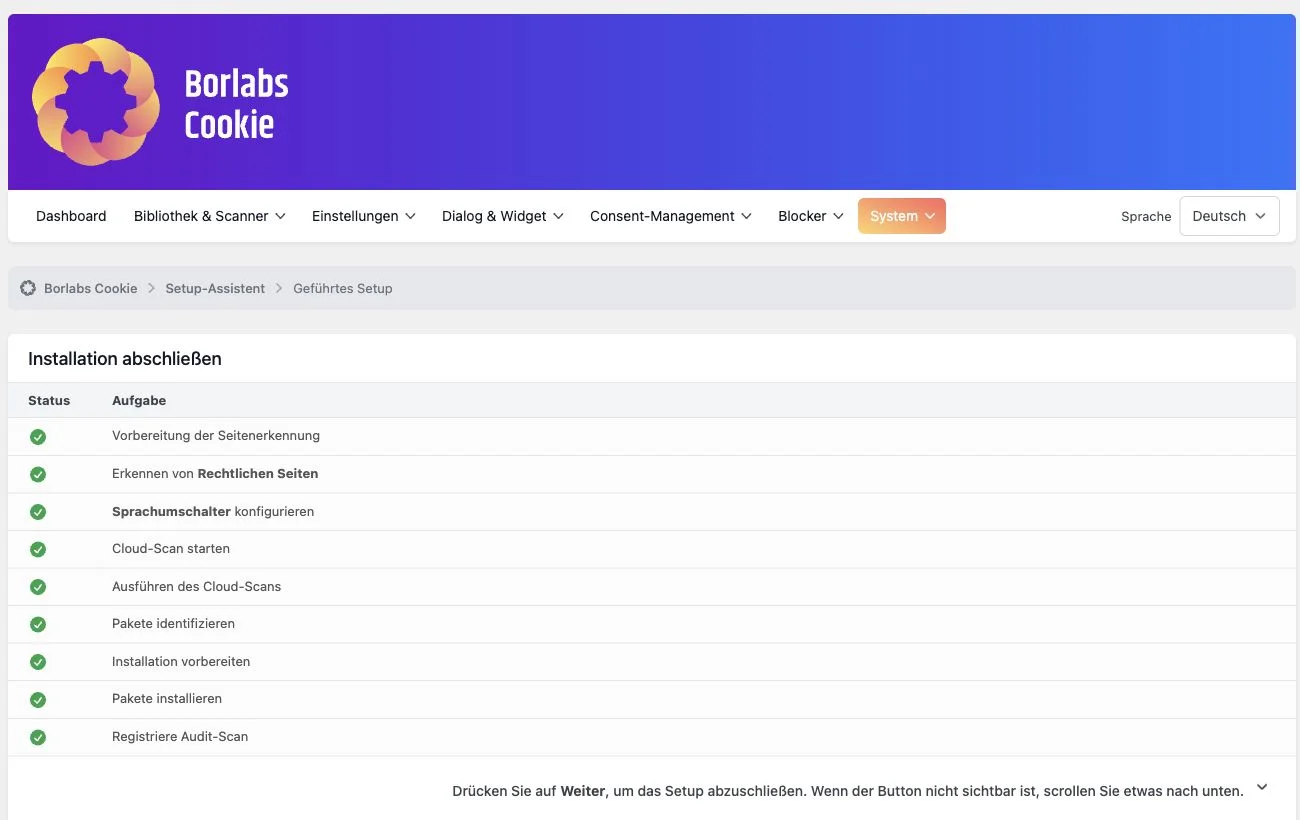
In my test, all nine final tasks were completed successfully. They included page detection, the cloud scan, package identification, installation, and registering an audit scan.
Multilingual support in practice
The test site used Polylang with German, English, and French. Borlabs Cookie detected all three language versions as well as their respective URLs.
The legal pages were also assigned correctly. For each language, the matching privacy policy page and legal notice (Impressum) were available in the wizard.
The Cloud Scanner in a real test
Borlabs Cookie offers two types of scans. The setup scan detects cookies and external resources and recommends matching packages. The audit scan then looks for connections that might load despite missing consent.
On my test installation, Borlabs scanned six pages. All six were processed without errors.
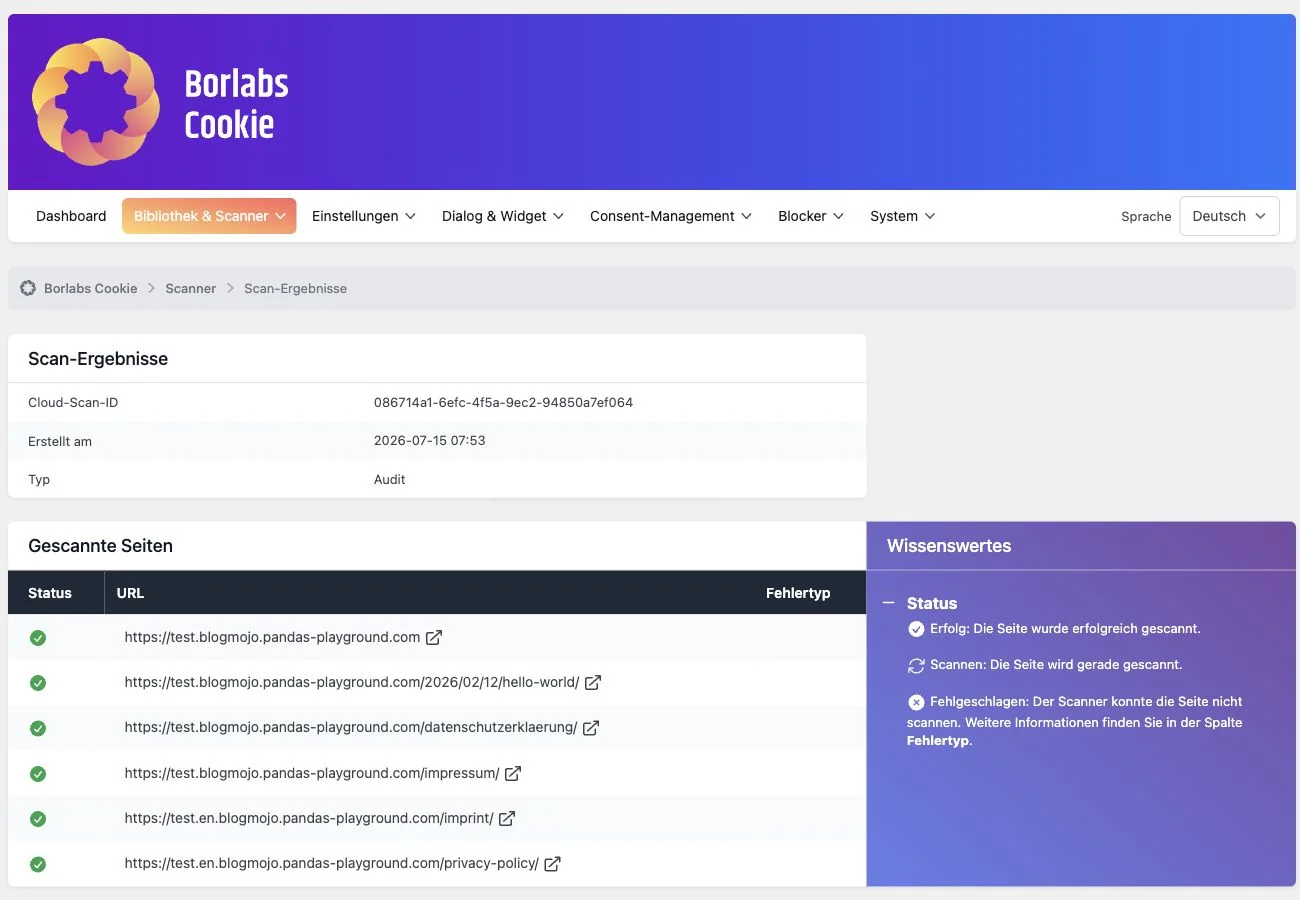
Among other things, the scanner found:
- Google Analytics cookies with a lifetime of 400 days
- Several YouTube cookies
- Google Fonts and Google Maps
- Google Site Kit and Google Tag Manager
- SoundCloud, Gravatar, and other external hosts
For known hits, matching packages were suggested right away. For some individual hosts, the recommendation stayed empty. So the report doesn't just show a reassuring green checkmark, but also raw data that you have to assess yourself.
Eleven automatically installed packages
The setup scan installed eleven packages from the Borlabs library. They included content blockers, script blockers, a style blocker, and compatibility patches.
- Google Maps, SoundCloud, and YouTube as content blockers
- Google Site Kit and WP Emojis as script blockers
- Google Fonts as a style blocker
- Elementor, Essential Addons, Gravatar, and WPForms as patches
- Polylang as a service package
For me, this is where the biggest improvement over version 2 lies. Previously, you had to hunt down many entries and scripts manually. Today, the scanner delivers a reliable starting point.
Consent dialog and content blockers
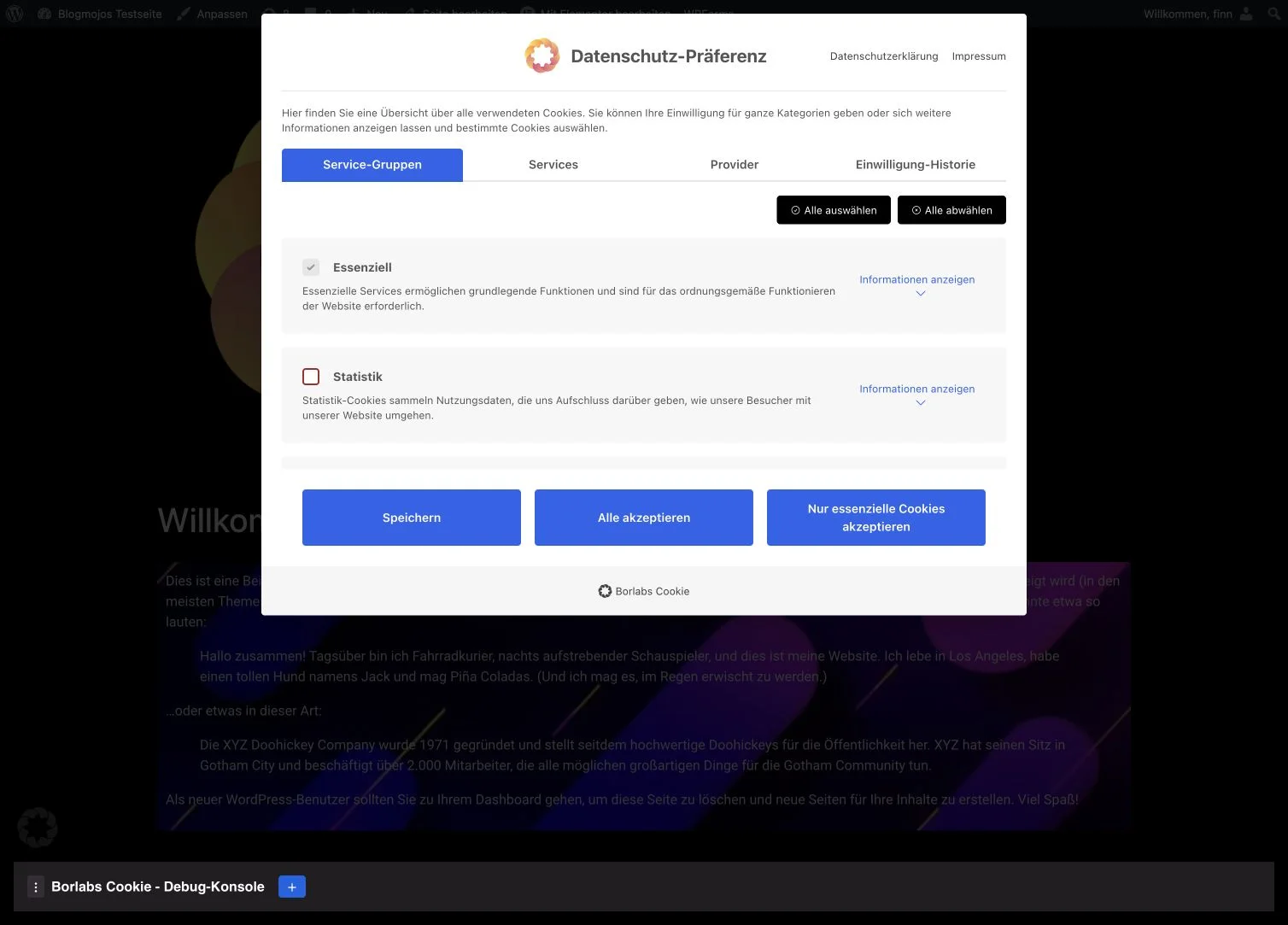
In my test, the finished dialog shows four views. Visitors can review service groups, individual services, providers, and their consent history.
The three groups present were “Essenziell” (Essential), “Statistik” (Statistics), and “Externe Medien” (External media). Essential services are permanently enabled. For all other groups, consent can be given individually.
On the frontend, YouTube, SoundCloud, Google Maps, and reCAPTCHA stayed blocked at first. Instead of the external content, a placeholder with three options appeared in each case.
I first accepted only essential cookies and then enabled only the required YouTube service. The video loaded immediately. SoundCloud, Google Maps, and reCAPTCHA remained blocked.
That is exactly the granularity I expect from a good content blocker.
Debug console for administrators only
During the test, Borlabs Cookie displayed a debug console. Among other things, it checked the configuration, cookie domain, REST interface, script blocker, and services.
The console is only visible to logged-in administrators. It's helpful for troubleshooting. On a finished website, I would deactivate it after testing so it doesn't constantly take up space at the bottom of the screen.
Pricing and licenses
Borlabs offers six license sizes:
- Personal for one website for €49
- Business Small for three websites for €79
- Business Medium for five websites for €109
- Business Large for ten websites for €179
- Agency Small for 25 websites for €229
- Agency for 99 websites for €499
I checked the prices on October 26, 2026, on the Borlabs pricing page. They are plus VAT. Each includes one year of Borlabs Service, updates, and support.
Borlabs explicitly points out that important cloud features require active Borlabs Service access. These include the scanner, library, geo-restriction, IAB TCF, and automatic translations.
You can find the current terms on the official product page.
Pros and cons after my test
Pros
- Much easier initial setup than in version 2
- Real setup and audit scanner
- Large library with automatically installable packages
- Reliable blocking of individual external content
- Granular choice by groups, services, and providers
- Good support for multilingual websites
- Simplified and full settings mode
- Detailed system status and administrator debugging
- Many layout and design options
Cons
- No free version
- Important cloud features require an active license
- Scan results still need to be checked for substance
- The full mode can overwhelm beginners with options
- The plugin doesn't replace a legal review of the configuration
My conclusion on Borlabs Cookie 3.4
Borlabs Cookie 3.4 is not just a fresher interface. Scanner, library, and wizard fundamentally change the setup.
In my test, the plugin detected the multilingual site structure, found relevant cookies and external resources, installed eleven matching packages, and reliably blocked the embeds I tested.
It still doesn't work entirely without follow-up work.
You have to check the suggested services, adjust texts, and take the audit report seriously. If you do, you get a very comprehensive and, by now, surprisingly accessible consent solution for WordPress.
If you want to compare alternatives, you'll find them in my comparison of cookie consent tools.
Frequently asked questions
Is there a free version of Borlabs Cookie?
No. Borlabs Cookie is a paid WordPress plugin.
The Personal license for one website currently costs €49 plus VAT and includes one year of updates, support, and Borlabs Service.
Does Borlabs Cookie detect cookies automatically?
Yes, version 3 includes a Cloud Scanner.
The setup scan looks for cookies and external resources and suggests matching packages. An additional audit scan checks whether unwanted connections still exist after setup.
Is Borlabs Cookie ready to go right after setup?
Not quite.
The wizard takes a lot of work off your hands. You should still review the detected services, deactivate unused entries, and test the finished dialog in a private browser window.
Does Borlabs Cookie work with multilingual websites?
Yes.
On my test site, Borlabs Cookie automatically detected the German, English, and French pages created with Polylang. It also picked up the matching privacy policy and legal notice (Impressum) pages for each language.
What happens after the license expires?
According to Borlabs, support, updates, and access to Borlabs Service end after the term.
This affects the library, the scanner, geo-restriction, IAB TCF, and the translation service, among other things.
Does Borlabs Cookie make a website legally compliant automatically?
No.
The plugin provides the technical tools for consent and blocking. Which services you classify how and which texts you use remains your responsibility.