Despite plenty of innovative marketing tools such as chatbots, and social media channels like TikTok, Snapchat, or Instagram, newsletters are still one of the most effective ways to stay in regular contact with your community and potential customers.
Done right, newsletters are a brilliant tool for maximizing revenue and significantly boosting the profit of your website or your other marketing channels.
But what does “done right” mean?
That's exactly the question I'll get to the bottom of in this post!
You'll learn not only why you shouldn't go without a newsletter of your own under any circumstances, but also how to win subscribers and identify the right content for your target group.
- Despite social media, newsletters are one of the most effective marketing tools, with low costs and a high level of familiarity across all age groups
- With professional newsletter tools like CleverReach you can start for free and stay independent of any platform, because your email list belongs to you
- Successful newsletters need clear goals, a legally compliant setup with double opt-in, and above all valuable content that entertains and informs
1. What is a newsletter, actually?
A newsletter is an email, sent regularly or just once, to the contacts on an email list.
The content of this email can vary widely. It can contain an overview of recent blog posts or news, but it can also promote new or existing products, offer subscribers a discount on their birthday, or tell them about an abandoned shopping cart.
Newsletters can generally be divided into four categories:
- Single message: Have you published a new blog post or want to draw attention to an event? Then you'll probably send a single message to your subscribers.
- Regular newsletter: a newsletter that goes out daily, weekly, or monthly, for example with different recipes for the week.
- Autoresponder: An autoresponder email is sent immediately after someone signs up for the newsletter. It can be a single welcome email or a series.
- Action-based messages: Here, emails are sent after a specific user action, such as a click on a link.
1.1 What are the benefits of a newsletter?
Creating a newsletter for your readers, potential customers, or existing customers has many benefits:
- Familiarity with the medium: Everyone really knows email. The medium enjoys a high level of trust. And that holds for pretty much all target groups and age groups!
- Low costs: Professional newsletters can be created for a low monthly cost. At the start, when you have few or no contacts, you can even create your newsletter for free (some tools are even free up to 500 contacts)
- Quick to create: A newsletter can be created in an hour or two (or, depending on the type, in just a few minutes) and sent to all subscribers at the push of a button
- Easy success tracking: Open rates and click rates can be measured for every email. That way you can optimize and adjust your email strategy at any time.
- Easy integration: A newsletter opt-in can usually be integrated quickly and easily at any point on your website
- Platform independence: With an email list, you're independent of every platform. If you stop liking a newsletter tool, you can simply export your email list and send your emails with a different tool. Try doing that with Instagram followers.
1.2 Cost of a newsletter
You shouldn't send professional newsletters with Outlook, Gmail, and the like, especially once your list keeps growing. It can quickly happen that your emails land in the spam folder or that your email account gets blocked because of sending limits.
What you need instead is a tool built specifically for this. It manages your contacts under strict EU data protection rules and lets you send an email to all subscribers with a single click.
How much a newsletter tool costs depends on how much you use it. In general, there are three pricing models for newsletter tools:
- By number of contacts: The more contacts you have on your list, the higher the monthly or yearly amount you pay (this is the most common pricing model)
- By number of emails sent: The more emails you send per month, the more you pay (in return you can usually have an unlimited number of contacts)
- One-time email quotas: You pay a one-time amount and can send a set number of emails to a usually unlimited number of recipients.
With many providers, the price also depends on the range of features. Advanced features such as split tests, premium support, advanced segmentation, scoring, automations, CRM, or other marketing features cost more per month.
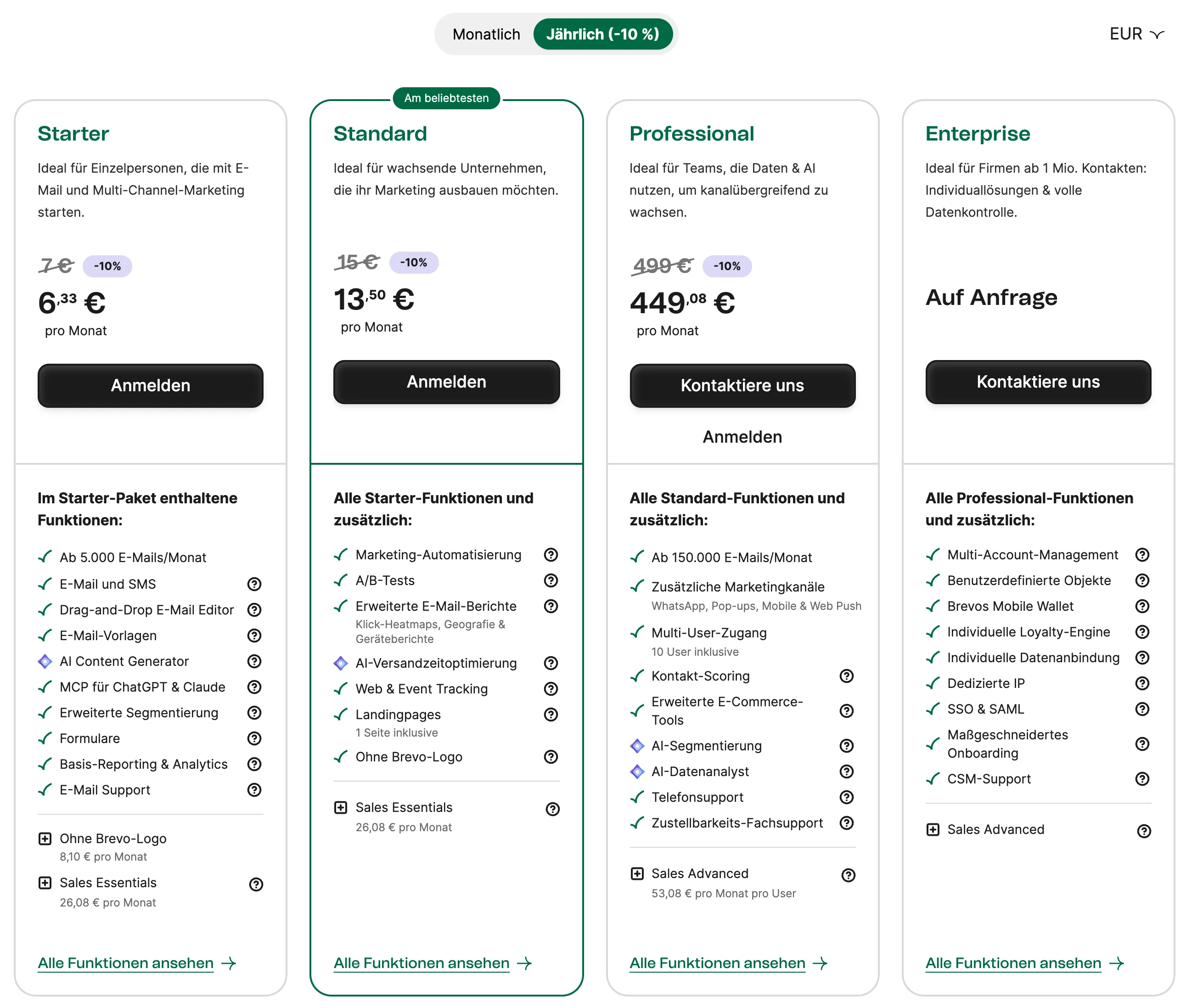
The German-French provider Brevo distinguishes between Starter, Standard, Professional, and Enterprise, for example:
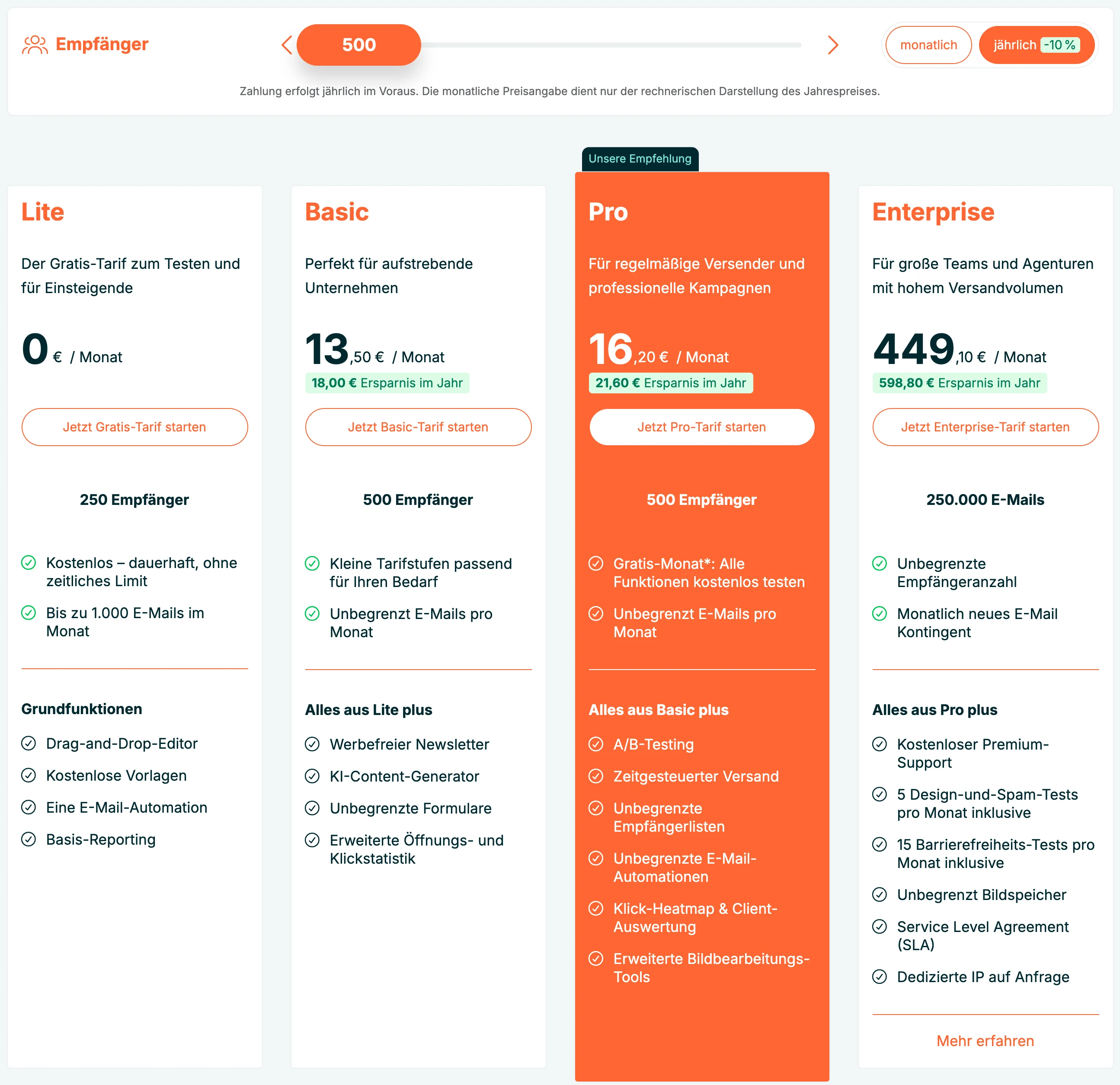
The German provider CleverReach, which I'll introduce in more detail later in this article, tiers its features by plan instead. The free Lite plan contains only the basic features, and Basic, Pro, and Enterprise each build on the previous plan:
To start with, though, you don't need to worry much about prices.
Because, as you can see in the screenshots, you can start for free with many providers.
And even if you later have to pay a higher two-digit amount per month at 10,000+ contacts, or a three-digit amount per month at 100,000+ contacts, that's usually a small cost compared with what you can then earn with the newsletter.
1.3 Who should have a newsletter?
The simple answer: A newsletter is recommended for almost every website owner or online entrepreneur!
Whether you're a blogger or an online coach, run an online shop, or operate an innovative B2B startup. A newsletter lets you stay in regular contact with your readers or potential customers.
2. Create a newsletter in 9 simple steps
After some theoretical groundwork, we're now moving on to practice!
That means I'll show you step by step how to set up a newsletter and integrate it into your website.
We'll start from zero, to avoid typical sources of error and put you on the right track from the beginning.
For the tutorial I use the newsletter tool CleverReach, which is a very good solution, especially for beginners. It's not only easy to use but also fairly priced. On top of that, you can start for free with the Lite plan.
2.1 Set goals for the newsletter
The foundation of a successful newsletter is laid away from any computer.
Before you start using the newsletter software and creating your first content, you should first think about what you actually want to achieve with your newsletter.
Define clear goals that are tailored to your readership and your website.
An online shop, for example, will need to provide different content than a mom blog. Not only because of the different topics, but also because of your readers' differing expectations.
With a mom blog, subscribers expect tips and tricks on parenting, so informative content. A newsletter subscriber of an online shop will rather want to see bargains and special offers.
If you define your goals conclusively right at the start, it'll be much easier for you later to create landing pages, sign-up forms, and of course newsletters that delight your subscribers and move your online business forward at the same time.
You can ask yourself questions like these:
- What do I primarily want to achieve with my newsletter?
- Who is my newsletter for? Existing customers, potential customers, or simple blog readers? Men or women or both? How old are your subscribers on average?
- What content do my readers expect, and what gives them added value?
- What exclusive content can I offer that makes it attractive to sign up for the newsletter (and stay)?
- What lead magnet can I offer (optional)?
- How often do I want to send my newsletter?
- How can I generate regular revenue with my newsletter?
2.2 Find a newsletter tool
You're in the lucky position today of being able to pick exactly the tool that meets your requirements from a wealth of different newsletter tools. 5 to 10 years ago, that wasn't the case.
The absolute must-haves include:
- Double opt-in process (to collect email addresses in a GDPR-compliant way)
- Automated list management (e.g. an unsubscribe link in every newsletter, requests about stored data, etc.)
- Autoresponder (lets you create automated campaigns after sign-up, e.g. sending a welcome email)
- Action-based marketing (e.g. a user clicks a link in the newsletter, which triggers another email)
- Import and export function for email addresses (important so you can switch tools if needed)
- Competent and committed support (ideally in German and available during your own working hours)
- Offers an API (an interface for passing data and communicating with other tools, such as newsletter plugins, online course platforms, LMS plugins, membership plugins or website builders)
- Servers in Germany or in the EU (using newsletter providers from the USA and other non-EU countries can pose a legal risk and should be checked thoroughly)
For beginners, I recommend the German provider CleverReach, which not only meets all the criteria above but also offers fair prices and, in my opinion, is the best German alternative. With the Lite plan you can even start CleverReach for free. The plan includes up to 250 contacts and 1,000 emails per month.
Want to read up further? You'll find a comprehensive comparison of five popular newsletter tools here: Newsletter tools compared in 2026
I've also put together free newsletter tools and plans here. Despite fewer features or contact limits, they may be enough for you for a year or two: Free newsletter tools
2.3 Set up a sender address
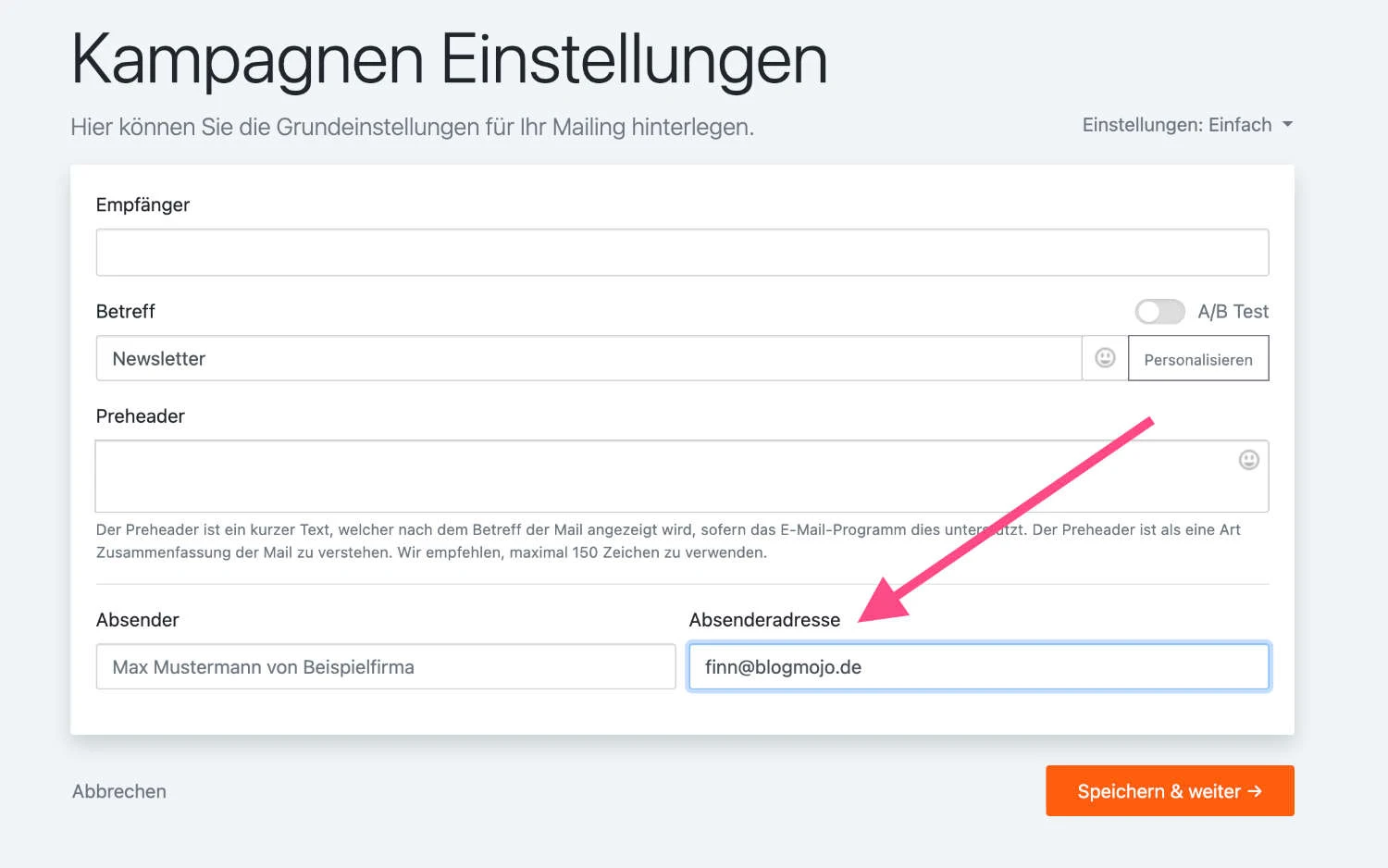
Technically, a newsletter is no different from a classic email. So you need an email address to use as the sender.
When choosing this sender address, you should keep a few points in mind that depend on the type of your website and your target group.
The sender alone can make your subscribers feel addressed, or not.
Sender addresses are generally divided into personal (e.g. finn@www.gradually.ai) and formal (e.g. kundenbetreuung@www.gradually.ai, “kundenbetreuung” meaning customer service).
Which type is right for your newsletter depends on various factors.
If you run a personal blog where you as a person are very much in the foreground, a personal sender address is the better choice. Your visitors don't read your blog only because the content appeals to them. They also read your posts because you write them. Accordingly, they probably want to be addressed directly by you in the newsletter as well.
The sender should likewise be you, or possibly a combination of your name and your brand:
- Finn Hillebrandt
- Finn von Blogmojo
- Finn Hillebrandt von Blogmojo
- Finn Hillebrandt (Blogmojo)
In B2B, on the other hand, things look different. Depending on the industry, it can make a more professional impression to use a formal email address and your brand or company as the sender.
2.4 Set up the opt-in process (with double opt-in)
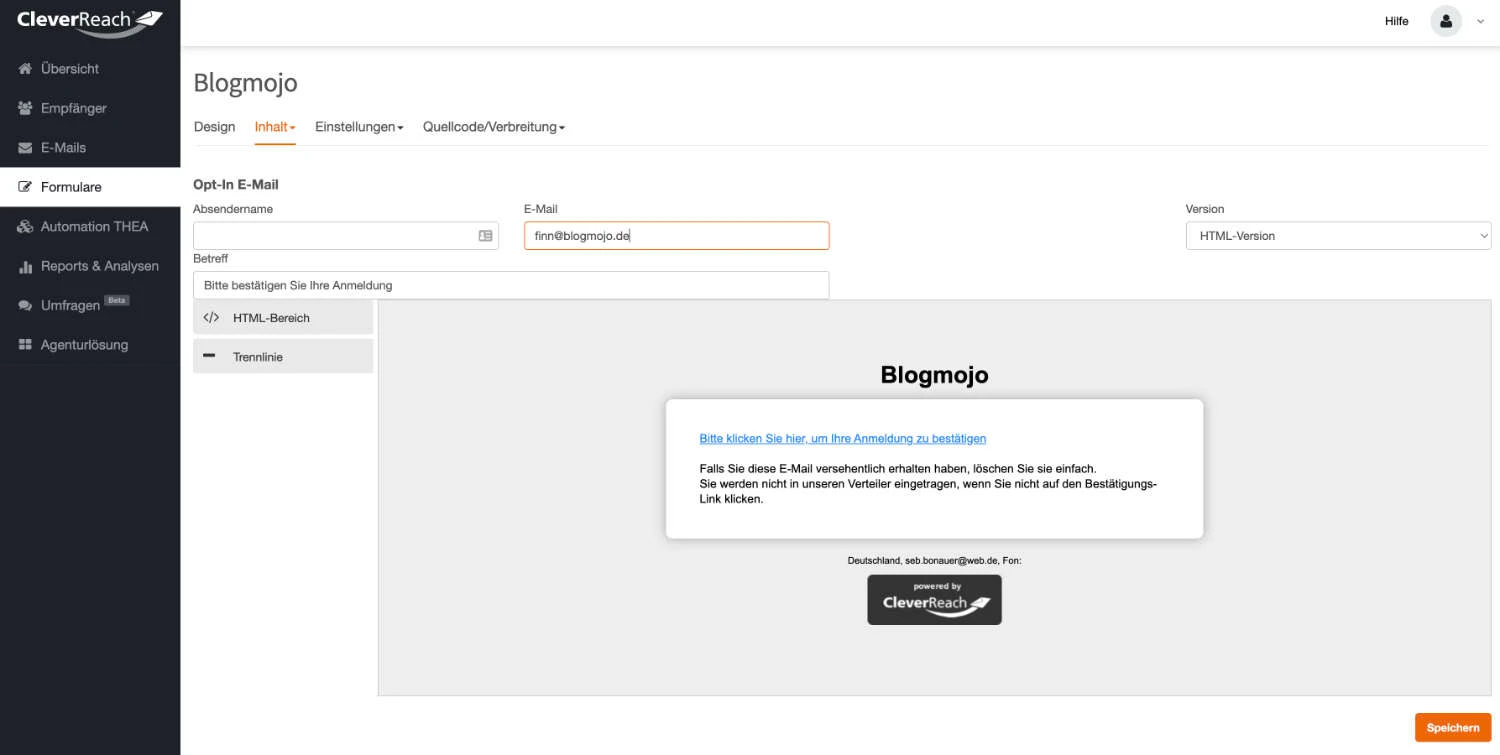
It's mostly legal hurdles that keep bloggers from starting a newsletter of their own. Yet these hurdles are usually easy to clear, because reputable newsletter tools help you meet all legal requirements.
A basic requirement for using a newsletter in a legally compliant way is the so-called double opt-in process, which you've surely come across before if you've subscribed to a newsletter yourself.
What is a double opt-in?
After subscribers have signed up for your newsletter list through the sign-up form, an automated email has to be sent to them confirming the sign-up. This happens through an individual link or button placed in the confirmation email.
Only after the link or button is clicked are you allowed to send your newsletter to your subscribers.
2.5 Data protection measures
Newsletters come with a few data protection challenges. These challenges are easy to master, though, once you know what to do.
AV contract
Newsletter providers are so-called “processors” (see the definition in Art. 4(8) GDPR and Chapter 4 GDPR) who process data on your behalf.
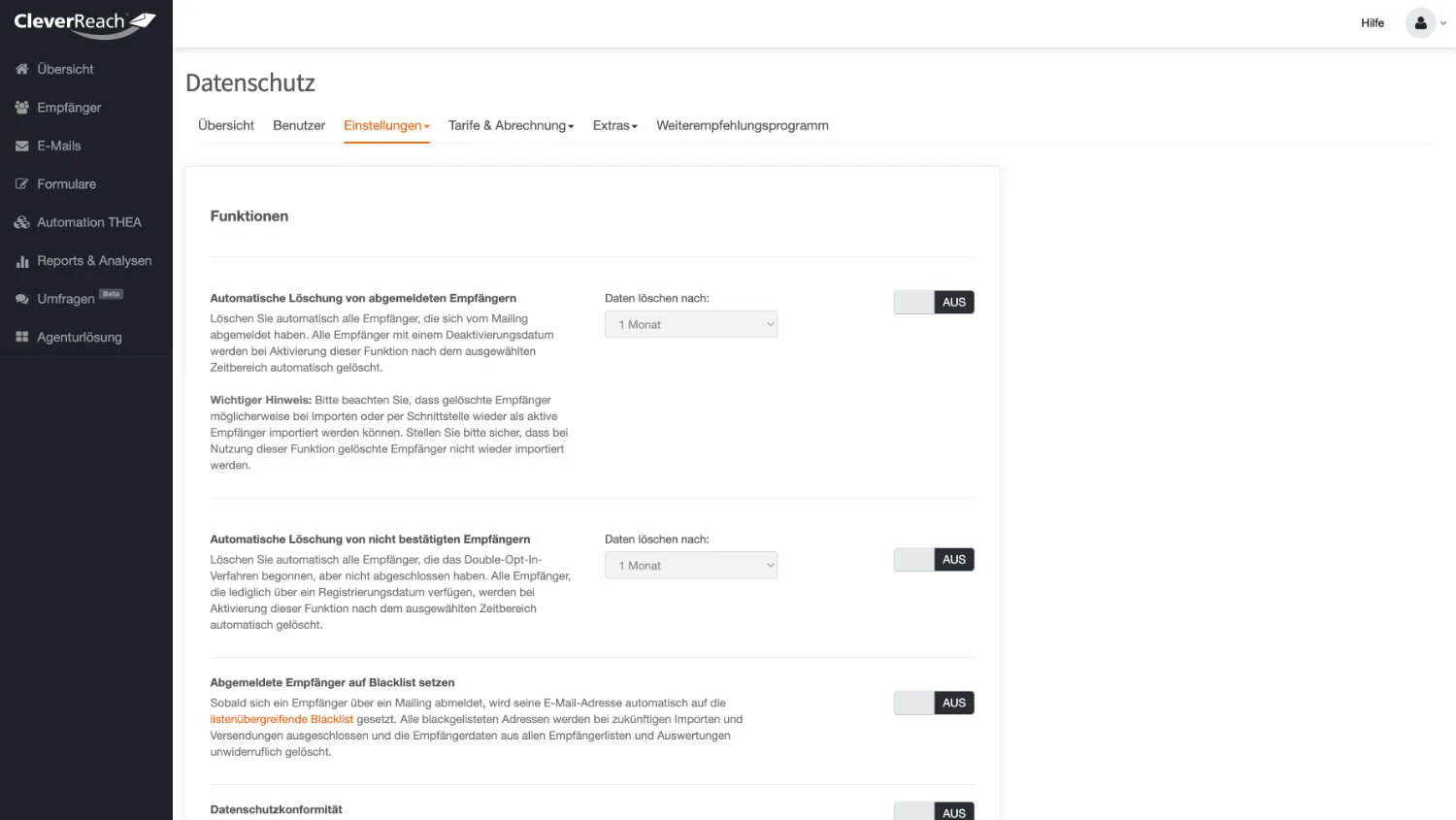
Accordingly, you have to conclude an AV contract (short for Auftragsverarbeitungs-Vertrag, a data processing agreement) with your provider. Most tools provide this contract ready-made in the backend.
With CleverReach, for example, you'll find it under “Mein Account > Einstellungen > Datenschutz” (My account > Settings > Privacy):
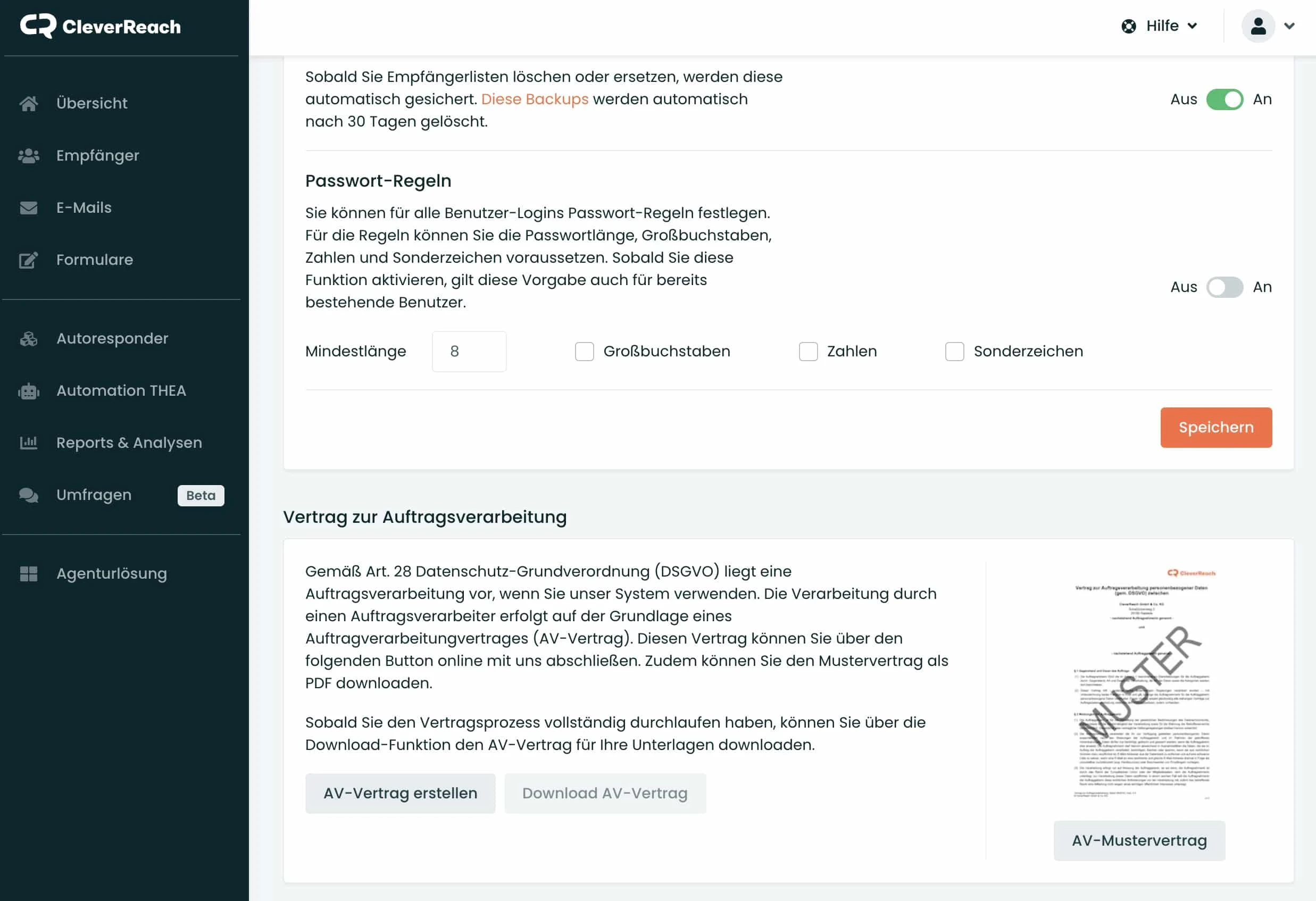
Adjusting the privacy policy
Your privacy policy must include a passage that explains in detail and transparently how the data of your newsletter subscribers is processed.
Impressum and privacy policy in the newsletter
Every email you send to subscribers of your newsletter must include an Impressum (the legal notice German websites must carry) and a privacy policy.
It's enough to include two links in every newsletter, one to your Impressum and one to the privacy policy on your website.
Double opt-in
We covered the double opt-in process in detail in the previous chapter.
Unsubscribe option
Every newsletter should include a link that lets subscribers unsubscribe from your email list.
Most newsletter tools already do this out of the box. Checking it can't hurt, though. With US tools, for example, you may have to translate the link and the text around it.
2.6 Embed opt-in form(s) in your website or landing page
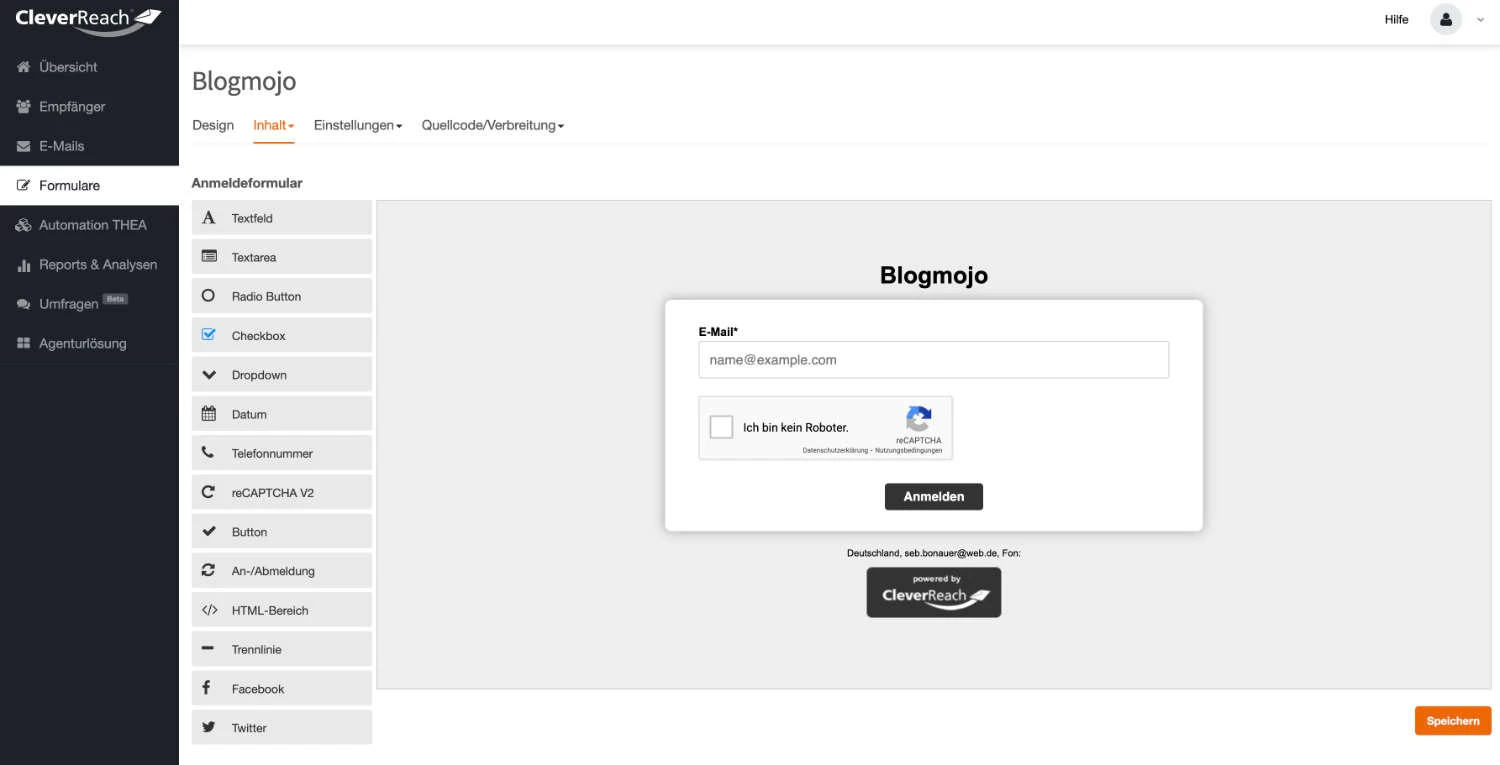
Once all the theoretical and legal measures have been implemented successfully, it's time to meet the technical requirements that let your site visitors sign up for your newsletter.
This happens through a simple sign-up form.
To embed this form on your site, you have two options:
- You generate the form through your newsletter tool and then embed it on your website with an HTML code
- You use a page builder like Elementor and then connect the form and the newsletter provider through the API (note: not always possible, so check beforehand!)
The technical implementation of this step is really simple and is usually explained very well by the newsletter tool of your choice.
Tip: Many bloggers tend to ask for a lot of data in the sign-up form besides the email address, such as first name or date of birth. Of course, there's a certain charm in addressing all subscribers in a newsletter by their first name. However, studies have shown that the conversion rate drops significantly when you ask for data beyond the email address.
2.7 Set up a welcome email or series (optional)
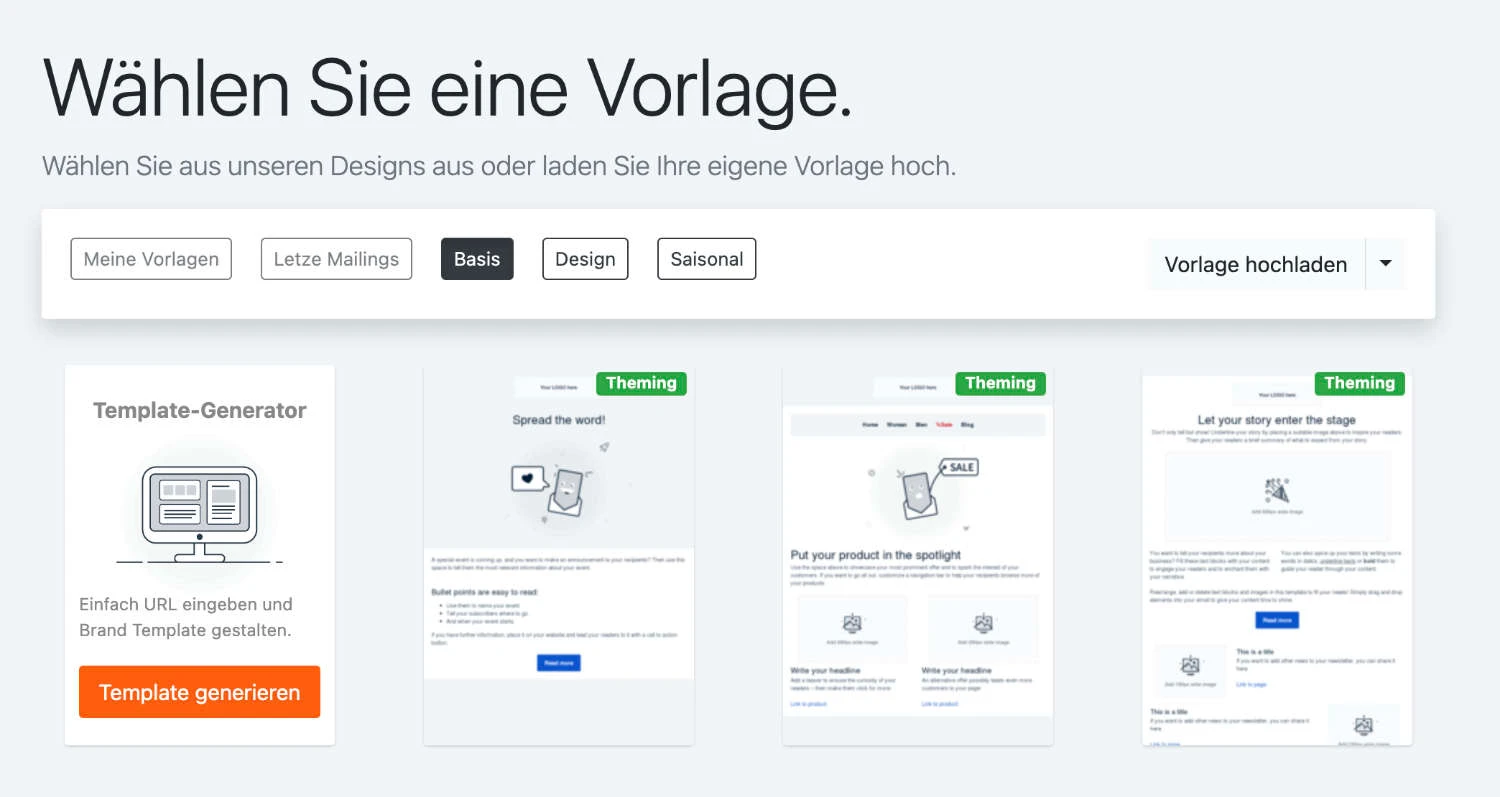
With a welcome campaign, you can introduce yourself, your website, and above all your newsletter to new subscribers.
You shouldn't leave this great opportunity unused under any circumstances.
It doesn't always have to be a welcome series, but you shouldn't skip a single greeting email. It's proven that this email has a very high open rate and therefore offers great chances to engage new subscribers.
In a welcome email or series, you can:
- Introduce further content and blog posts your readers might be interested in
- Introduce your blog and yourself, to give your newsletter a personal touch from the start
- Introduce products and services to generate first sales right away (note: recommended only within a multi-part series, not directly in the first email!)
Tip: With most professional newsletter tools you can set up automated autoresponder campaigns. Once configured, these are played out for every new subscriber.
2.8. Create a lead magnet (optional)
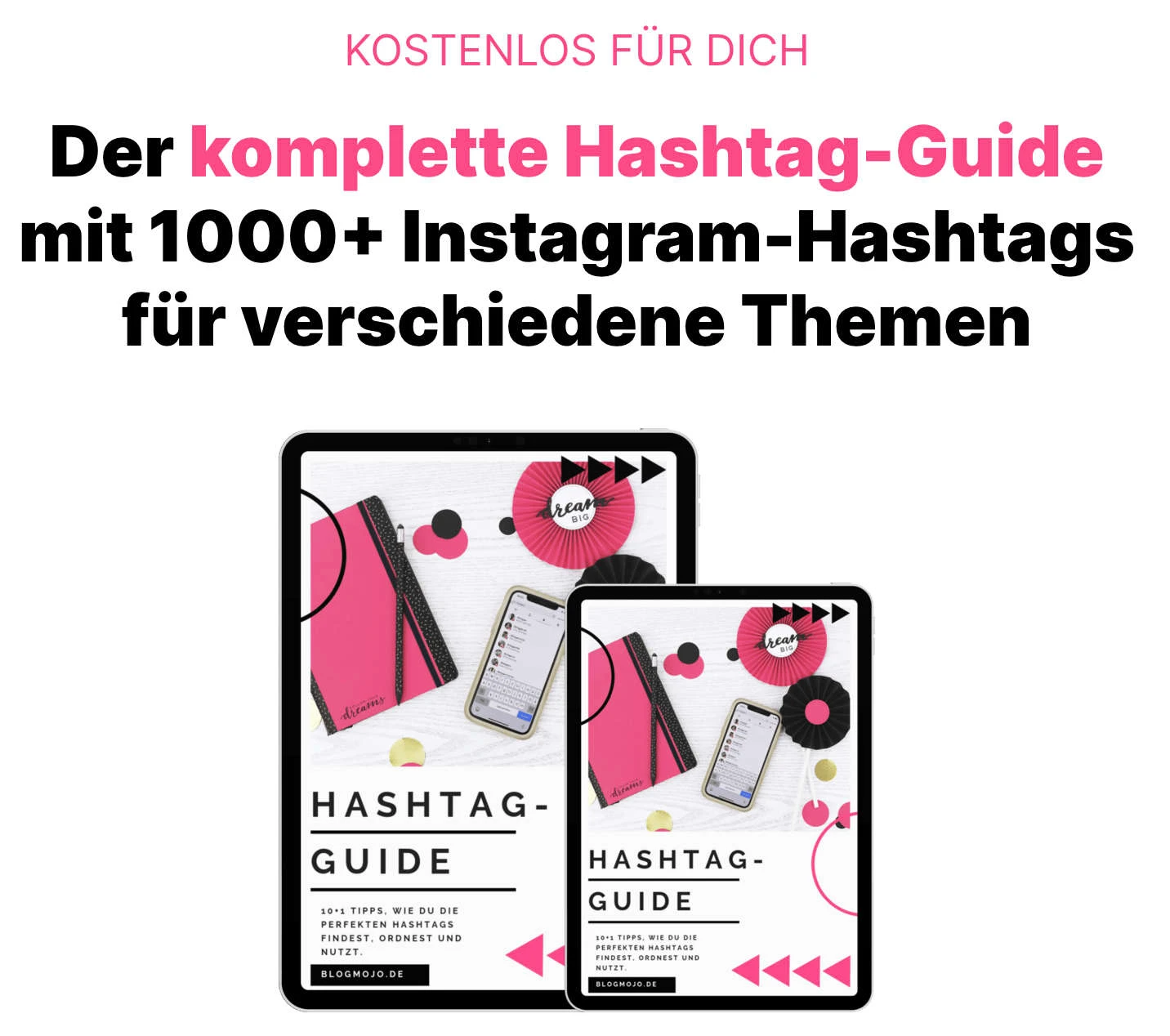
You've surely come across the term “lead” once or twice.
In most cases, it refers to a potential prospect for a service or product. In the case of a newsletter, a lead is understood to be a sign-up with an email address.
With a lead magnet, put simply, you want to attract and generate leads.
That means a lead magnet is delivered in exchange for signing up for the newsletter. The visitor gives you their email address and in return receives a small gift as a thank-you.
What this lead magnet looks like depends on your website and your target group. Possible examples include:
- Information media such as an ebook, an infographic, or an audiobook
- Perks such as a coupon code
- Short trial access to a members' area
Tip: Run a survey to find out where your target group's biggest problems lie, and create a lead magnet based on the results. This approach will significantly increase your conversion rate. You should also test several different variants against each other at the start before making your final decision.
2.9 Send your first newsletter
Done!
Congratulations. You've now implemented all the theoretical, legal, and technical measures and can sit back and relax.
Now you have to wait until your list fills up with the first subscribers.
One tip: Be patient. It will certainly take a few weeks or maybe even months (depending on how many visitors you have on your website) until you've optimized the sign-up form, the lead magnet, and the other steps ideally for your target group.
3. Newsletter tips
The truth is: Writing successful newsletters is an art that you first have to learn.
So you should be aware that you can't expect high open or click rates right away with your first emails. After all, you first have to get to know your subscribers and also gain practice in finding the right wording.
That said, you can avoid many typical mistakes if you get the basics right from the start.
I've collected my 10 most valuable email marketing tips, gathered over many practical years, in this chapter for you.
3.1 Write good subject lines
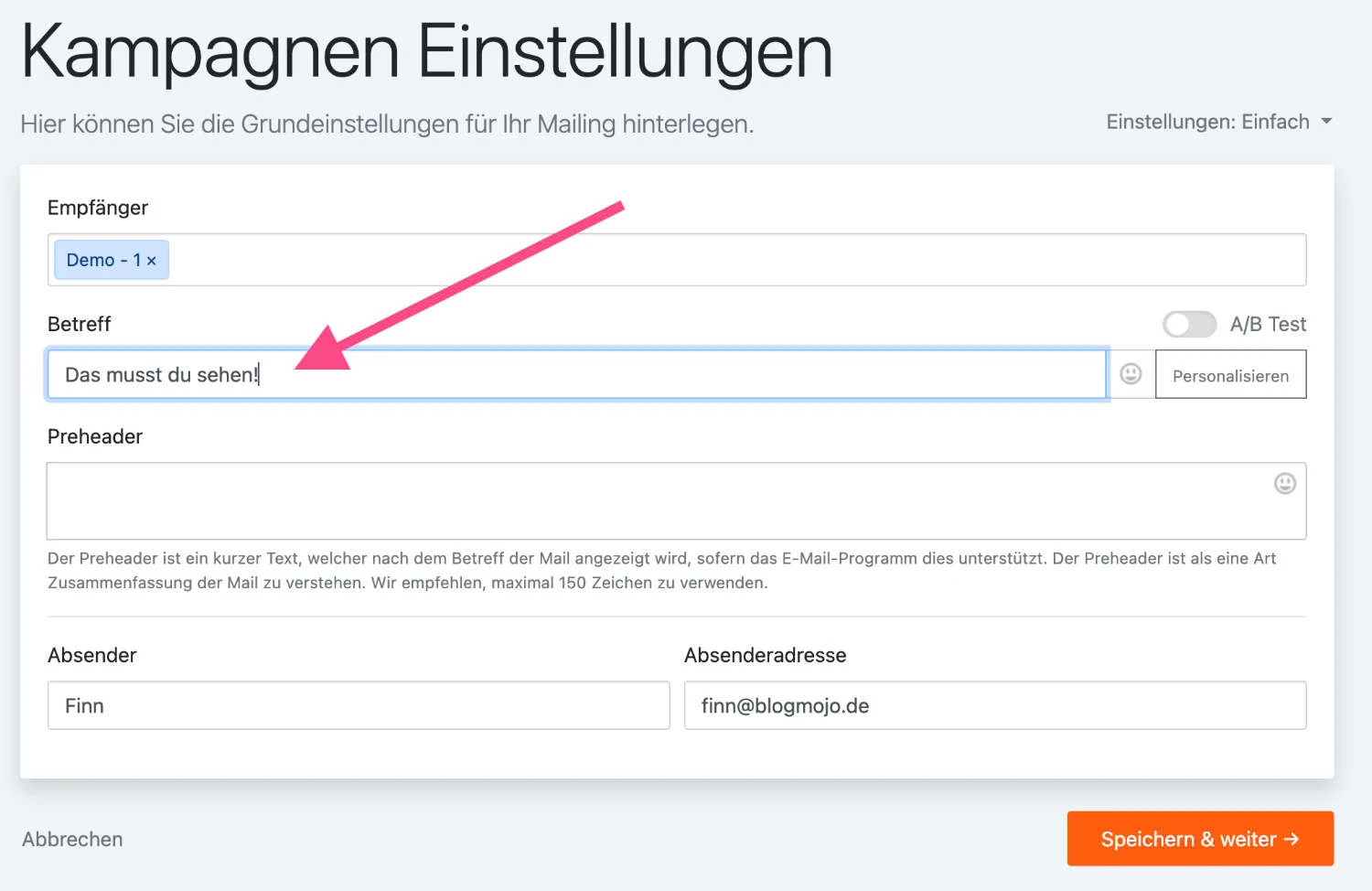
The subject line is the first point of contact between a subscriber and your newsletter. So you should put plenty of time and effort into finding the best possible subject.
To make it clear: According to a study by websiterating.com, 35% of all subscribers decide whether to open an email based on the subject line alone.
Practical tip: Grab a blank sheet of paper or open a new Word document and write down 10-15 subject lines. Then pick the best one.
What makes a good subject line?
Be sure to pay attention to the following criteria:
The right length
In a Statista survey, 42% of respondents said that a good subject line should above all be fully readable.
The ideal length is therefore somewhere between 30 and 70 characters.
Be personal (if possible)
The more your subscribers feel addressed by an email, the higher the open rate. So try to give every subject line a personal touch that speaks to your readers immediately.
Use a number
Subject lines that contain a number seem more concrete.
That's logical, because “the 10 best tips” definitely sounds more interesting than “tips to...”. A Statista survey confirms this too. Here, 15% of respondents say they click more often on subject lines that contain a number.
Include a call to action
If possible, you can work a call to action (CTA) directly into the subject line. It prompts a subscriber to act right away and will most likely raise your open rate.
A final note...
Please don't try to fit all the tips mentioned into one subject line.
It's simply impossible to fit a CTA, a number, and a personal touch into a title limited to 70 characters.
Test different variations and be sure to vary with every newsletter, to give your subscribers some variety.
3.2 Write exciting and valuable newsletters
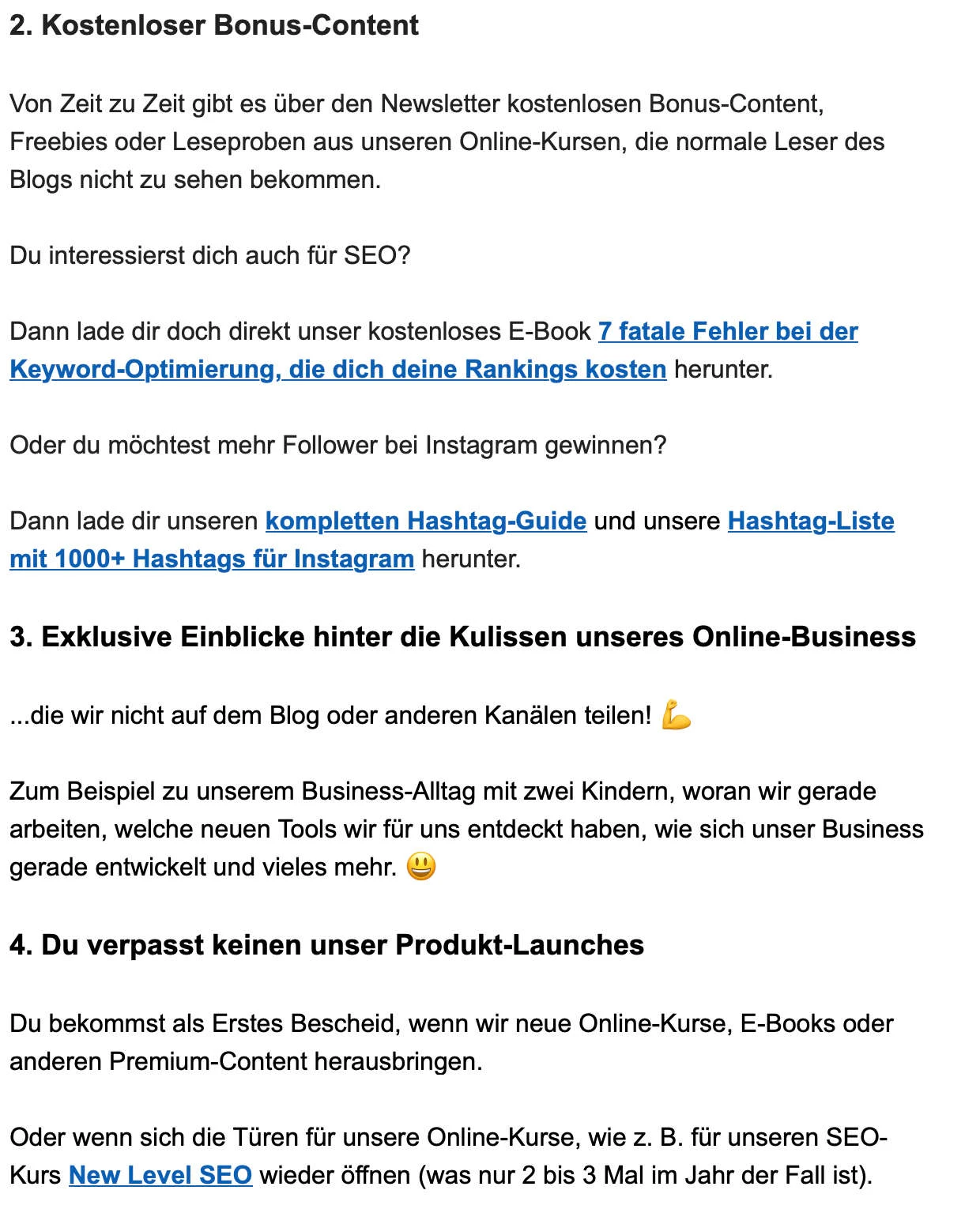
Your subscribers will quickly notice whether you're delivering valuable content with your newsletter or just trying to snatch clicks.
Remember: Newsletter = entertainment
You don't have to publish valuable tips, instructions, or guides with every newsletter. That shouldn't be your aim, and your readers won't expect it either. Still, try to entertain with every newsletter and so offer added value.
That means a newsletter can be valuable in many different ways. Even when it contains no information but, for example, a personal story from your life in which your readers recognize themselves and draw motivation.
Even a funny anecdote that makes a reader laugh and amuses them can be valuable.
So be creative when creating content, and vary the different newsletter types too. Your subscribers will love this kind of variety and look forward to every new message from you in their inbox.
With every newsletter, try to offer added value and serve one of the following categories:
- Information
- Practical guide
- Personal story
- Funny/exciting anecdote
3.3 Use email templates
The newsletter is one of the most popular marketing instruments, used by almost every successful company, coach, or blogger.
Good news for you, because that gives you the chance to peek.
You don't have to reinvent the wheel with your newsletter. You can copy from the most successful companies and bloggers in your industry without a guilty conscience. The content and practices that work there will most likely go down very well with your readers too.
Simply subscribe to 3-5 such newsletters and use their content as a template for your own emails.
Tip: Be sure to save the content, because during creative slumps you can fall back on a well-stocked template database and gather new inspiration.
Based on these templates, you can build finished templates that you can use again and again. That saves an enormous amount of time when creating a newsletter.
3.4 Run A/B tests
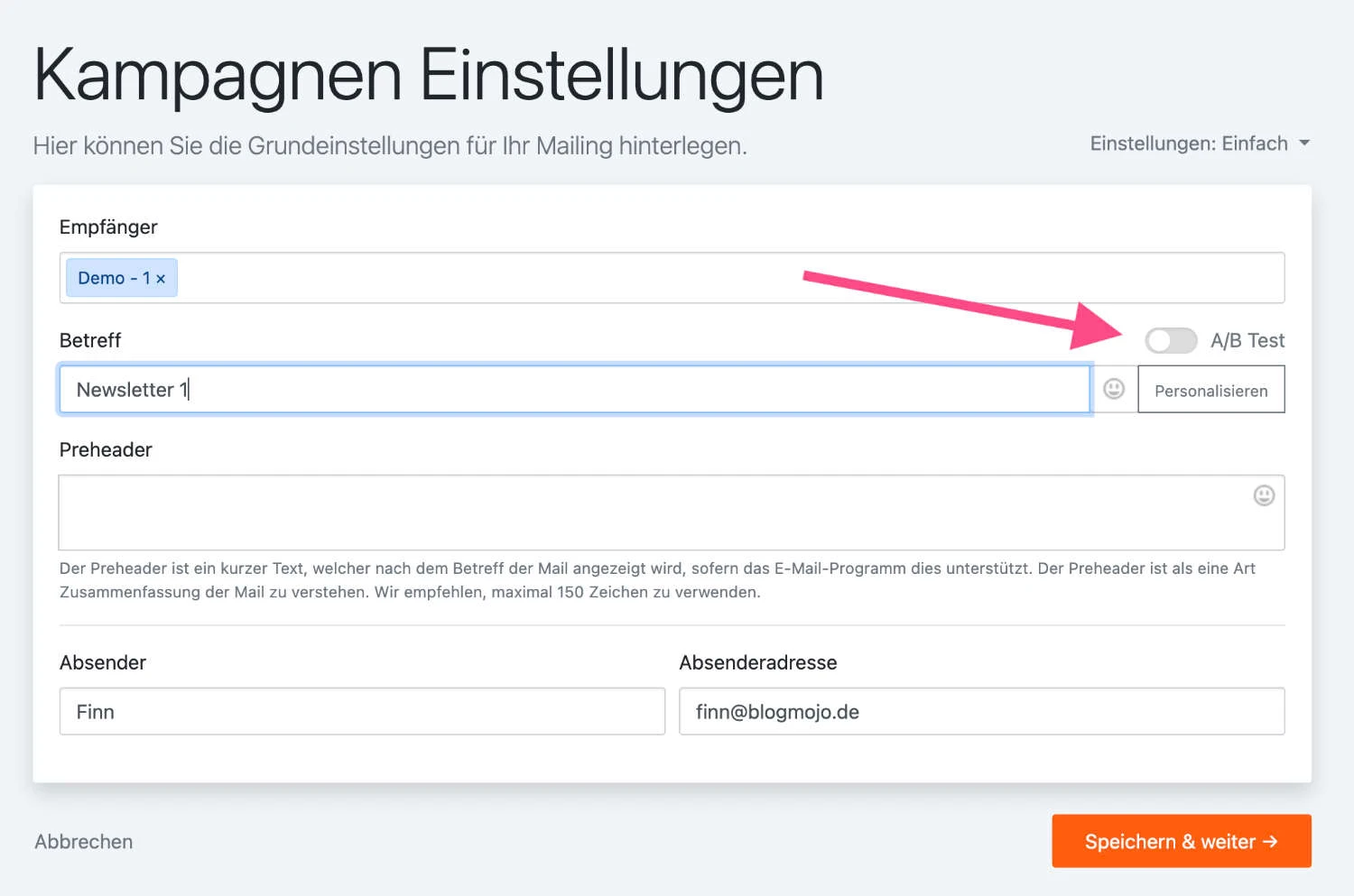
A/B tests (also called split tests) are an absolute must in email marketing.
Every target group, every readership, and every single subscriber ticks differently. To develop a feel for what goes down well with your readers, you inevitably have to test different newsletter variations against each other.
You can test different components:
- Subject lines
- Content
- Call to action
3.5 Improve deliverability
Have you ever taken a look at the spam folder in your private email inbox?
You'll surely find masses of newsletters from various providers there. And that's only a small part of the pie, because the larger share of the newsletters sent is filtered out by your provider beforehand and never delivered at all.
To keep your newsletter from landing in your subscribers' spam folders, you should always keep an eye on the deliverability rate.
The following measures help improve it or keep it high:
- The Impressum and the link to the privacy policy belong in the footer of an email. That makes it look trustworthy.
- Use a decent newsletter provider
- Avoid spam words like free, money, wealth, sex, etc.
3.6 Use tags (optional, for advanced users)
Once you've gained first experience with “normal” newsletter sending, you can start building tag-based emails into your campaigns.
What does that mean?
An example:
You send your list a sales email about a new ebook you've created. A certain percentage of your subscribers will open this email, and a much larger share probably won't.
That's completely normal and no reason to panic.
To optimize sales numbers, you should try to reach the subscribers who didn't open the first email. And do so without annoying the subscribers who already read the email the first time it was delivered.
That's exactly what an “if-then tag” makes possible.
It's nothing more and nothing less than a required condition for sending an email. To stay with the example, it reads: If the subscriber hasn't opened the first email, then send it again after one day.
The possible uses of such tags are almost endless and allow very individual, tailor-made campaigns, since you can define if-then conditions for a wide variety of building blocks.
Note: Tag-based marketing should really only be used once the basics work. It's easy to get lost in unimportant details here.
3.7 How often should I send newsletters?
There's no professional answer to this question. For that reason I can't give you a specific number either, and have to fall back on an unsatisfying “it depends”.
I've already mentioned several times that every target group ticks differently. Accordingly, the frequency of the newsletter also has to be adapted individually to your subscribers.
Let me explain it vividly: The newsletter of a cooking blog that mainly sends tasty recipes to its subscribers can probably go out several times a week without being perceived as a nuisance. After all, the question “What should I eat today?” occupies us anew every single day. Even a daily newsletter email with recipe recommendations can therefore be very promising.
On the other hand, it would probably be fatal if an online shop sent its subscribers the latest special offers every day.
There simply is no ideal solution.
That means for you: Try out what the ideal interval for your newsletter is.
A proven aid can also be a survey. Here you can ask your subscribers directly how many emails per week go down well.
3.8 Test newsletter emails before sending
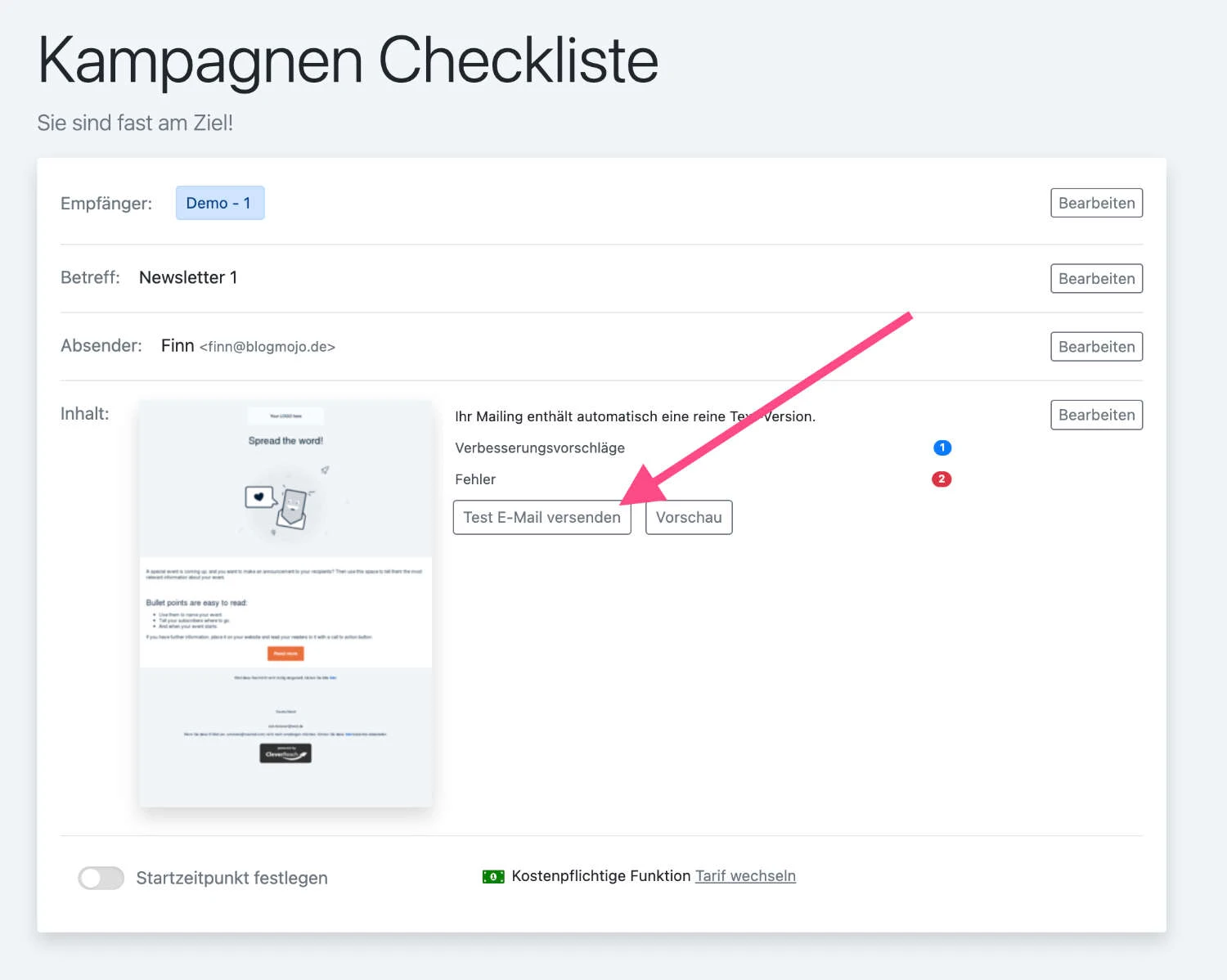
Do all the links within an email lead to the correct destination? Are emojis in the subject line displayed correctly? Is the text formatting carried over properly?
You can only answer all these questions if you send yourself an email before sending it to your subscribers and check whether all the content works.
Most professional newsletter tools offer this function as an intermediate step before the actual sending.
Be sure to make use of it!
Mistakes in a newsletter look unprofessional and untrustworthy. They can also seriously endanger your targets. Imagine you send an email to 20,000 subscribers with a sales link that doesn't point to the sales page because you made a mistake. Even if you follow up with the correct email, you will guarantee yourself a loss on the CTA.
3.9 Don't take unsubscribes personally
Unsubscribes are part of the deal and shouldn't shake you much. Maybe a subscriber actually reached a goal they wanted to reach through your newsletter and no longer needs the information. Perhaps their personal life situation has changed, too.
An unsubscribe doesn't have to mean that the quality of your newsletter is bad.
Accordingly, a certain level of unsubscribes per newsletter sent is completely normal and no cause for concern. According to HubSpot's calculations, the average rate is 0.48%.
If unsubscribes are clearly higher, though, you should investigate the cause. In that case, the frequency or the content may not be ideally adapted to your subscribers. Most newsletter tools offer a feedback function for unsubscribes. Be sure to take note of it and react if individual points of criticism pile up.
3.10 Back up your contacts to your computer regularly
Losing the contacts of a well-maintained newsletter list built up over many years is surely the worst-case scenario in email marketing.
Since even the best email tools aren't immune to technical problems and errors, you should back up your contacts regularly. In practice, that's very easy with the export function of your tool and is usually done within a few seconds.

4. Example
To close, I'd like to hand you a few vivid examples of the Gradually AI newsletter to serve as a source of inspiration.
4.1 Opt-in form
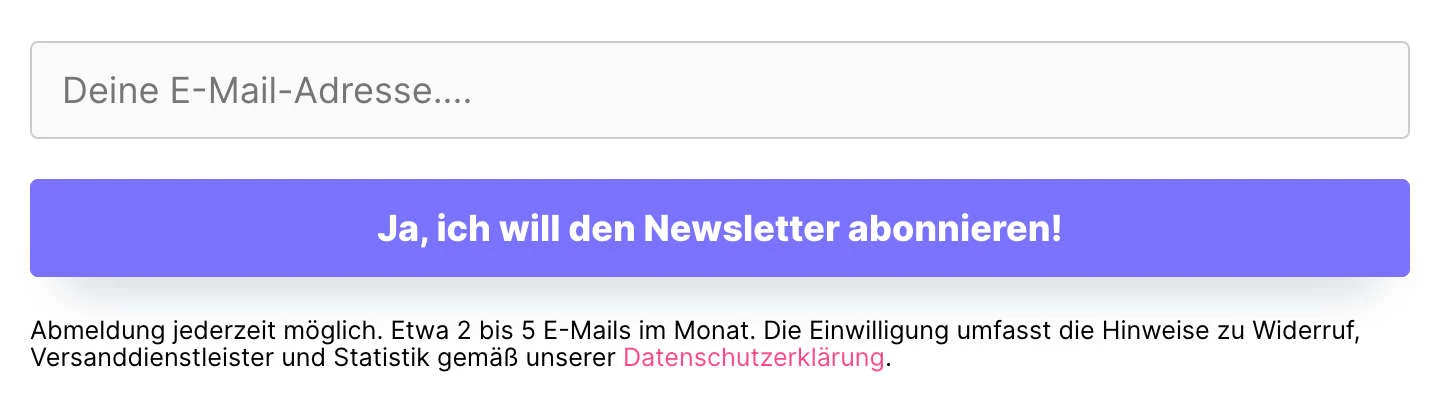
On Blogmojo I use a very transparent opt-in form that not only meets all legal requirements but also makes it immediately clear to the user what it's about.
I've achieved excellent results with this simple form.
By the way, I deliberately don't ask for a reader's name. The less data a potential lead has to enter, the more likely they are to fill out the form.
4.2 Lead magnet
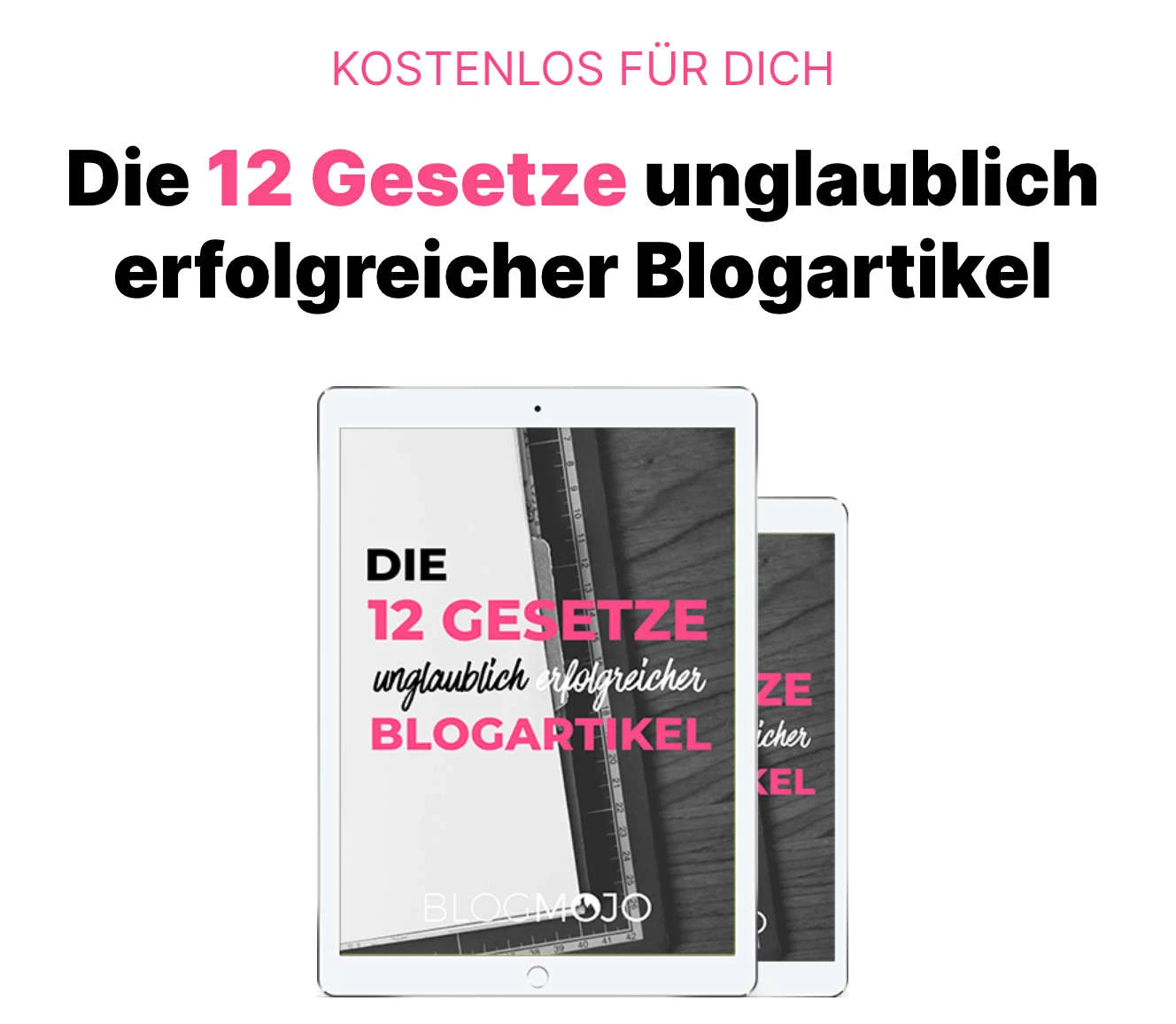
On Blogmojo I use several different lead magnets. All of them relate to blogging, SEO, or online business, though, and are meant to meet the reader at different stages of their skills.
4.3 Welcome email
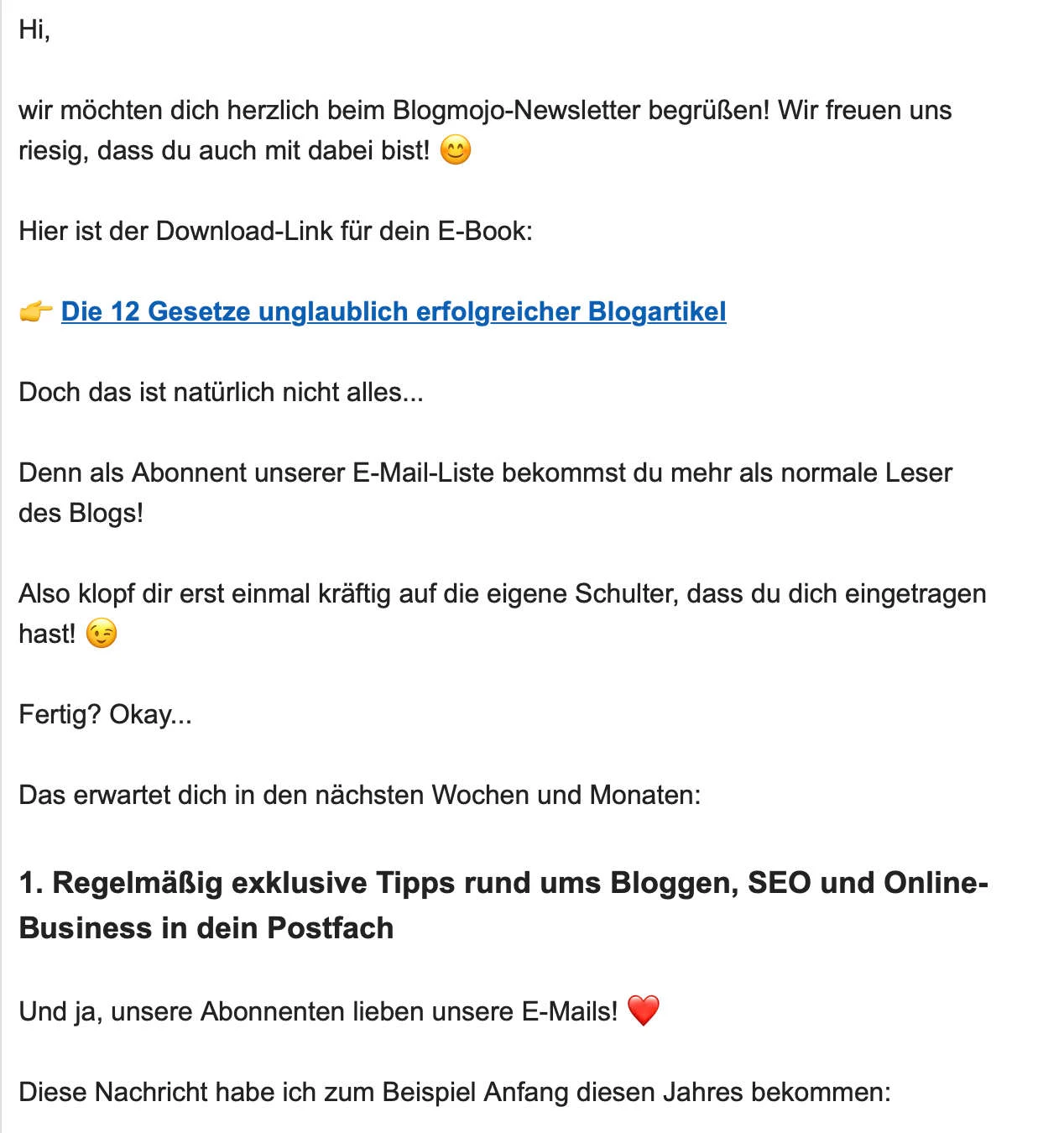
In the welcome email, depending on which lead magnet a subscriber signs up through, I first deliver the promised gift.
In the second step, I start right away passing on valuable content, to build trust and move the reader to the next step. In this case, that is a pointer to further blog articles:
5. FAQ
Here I've put together answers to common questions about creating a newsletter:
Can I use Outlook or Gmail for newsletters?
No, that's not advisable.
To run a newsletter legally and efficiently, you should use a newsletter tool that handles many essential steps automatically in the background.
These include an automated confirmation email after sign-up, an automatic unsubscribe when a subscriber asks for it, and much more.
Do I need my own mail server to send a newsletter?
A mail server of your own isn't strictly necessary for a successful newsletter, but it can improve deliverability.
If you use a professional tool, though, deliverability is usually very high even without a server of your own.
What are good open rates?
There's no blanket answer to this. It always depends on your target group, your niche, and the type of newsletter.
Values above 20% are good. Anything above 30% already earns the rating excellent.
Am I allowed to buy business contacts or subscriber lists?
No, hands off!
Under German law, you may only add contacts to your newsletter list who have actively agreed to subscribe through the double opt-in process.
Buying subscriber lists without the consent of these people would be a clear violation of data protection rules.
What alternatives are there to cloud tools?
Besides cloud tools like CleverReach, you can also use WordPress newsletter plugins such as MailPoet.
The advantage here is that the data you collect isn't passed on to third parties, so a data processing agreement (AV contract) becomes unnecessary.
We've put together the best newsletter plugins in a detailed list: The 9 best newsletter plugins for WordPress.
Won't my (potential) customers find newsletters annoying?
If you send content with no added value for your readers at fairly short intervals, definitely yes!
If you deliver content that is highly useful for your target group, helps solve specific problems, and entertains readers too, subscribers will look forward to your next message rather than find it annoying.