
An email list with lots of active subscribers is one of the best ways to increase the revenue of your online business.
It's no coincidence that you hear many marketing experts repeat like a mantra:
“The money is in the list.”
An important prerequisite for that is a well-functioning newsletter plugin that lets you turn visitors to your website into subscribers!
In this post, I don't just introduce you to the 10 best newsletter plugins for WordPress. I also explain in detail how the plugins work and what to look out for when choosing one.
- MailPoet is free for up to 500 subscribers and 5,000 emails per month. The MailPoet Sending Service is included.
- A professional sending service usually delivers more reliably and offers better scalable sending limits than the mail server of an ordinary web hosting package.
- Double opt-in, transparent privacy notices, an unsubscribe link and suitable contracts with data processors are part of a legally sound setup. You should have the specific implementation checked legally.
1. How can I send a newsletter with WordPress?
Not every newsletter plugin is the same!
Before I introduce you to the best newsletter plugins for WordPress right now, you first need to understand a few important technical details, so your newsletter doesn't fall flat later.
So please take 3 minutes and read this section before you rush into installing a plugin.
There are four different techniques for sending a newsletter with WordPress:
1.1 Sending via your own server (via PHP)
WordPress uses the PHP function mail() by default to send you system notifications by email, e.g. to confirm the email address of a WordPress user, when you forget a password, when WordPress updates are available or when there are new comments.
Accordingly, this function can also be used to send a newsletter.
That's a bad idea for many reasons, though:
- Many hosts disable the function completely
- Many hosts restrict its use very heavily (e.g. to 25 emails per hour)
- Some servers aren't optimal for it or are configured incorrectly
- No SPF and DKIM settings are possible
- You aren't notified about bounces
The result: first, sending emails in bulk doesn't work at all or only very slowly.
Second, there's a very high chance that your emails end up in your recipients' spam folders.
A better alternative is sending via SMTP:
1.2 Sending via your own server (via SMTP)
Maybe you've heard of SMTP before:
You always have to enter the SMTP server when you set up a new email address (e.g. from Gmail, Web.de or GMX) in an email program such as Outlook, Thunderbird or Apple Mail.
Most hosts also give you access to an SMTP server.
You should take advantage of that, because SMTP has far fewer drawbacks than the PHP function mail().
Newsletters go out faster and delivery rates are much better.
That said:
Just like with the PHP function mail(), many hosts have hourly or daily caps on SMTP sending. They're usually more generous, but if you have more than 500 subscribers, you should use one of the last two methods.
1.3 Sending via an external SMTP service
An external SMTP server has various advantages over the SMTP servers of normal web hosting packages.
External SMTP services such as SendGrid, Mailjet or Amazon SES usually offer much higher and more scalable sending quotas than ordinary web hosting packages. There are still plan-dependent limits, though.
These services also offer a reliable sending infrastructure, advanced authentication and reputation management (e.g. blacklist monitoring).
That gets you much better delivery rates than with your own server, and it greatly reduces the chance that your emails land in the sometimes very aggressive spam filters of Gmail, GMX and the like.
A good newsletter plugin should therefore let you send your emails not only through your own server but also through an external SMTP service.
The plugin MailPoet even gives you its own external SMTP server. Even in the free version. More on that in a moment.
1.4 Sending via a cloud tool
The fourth way to send a newsletter is through a cloud tool.
These include providers such as MailChimp, ActiveCampaign or CleverReach. You'll find more information on these and other newsletter tools in this article: Newsletter tools 2026 compared
Cloud tools offer the same advantages as external SMTP services, such as a reliable sending infrastructure and reputation management.
With one important addition:
They come with browser- or app-based software in which you can set up email campaigns, opt-in forms and automations, manage your contacts and look at statistics for your newsletters.
That has the following advantage over external SMTP services:
You save yourself a newsletter plugin such as MailPoet or The Newsletter Plugin, which implements these functions in your own WordPress installation and can negatively affect the performance of your website.
There are two ways to connect a cloud tool to your WordPress website:
Lead generation via plugin
With plugins such as Bloom, MailOptin or Thrive Leads, you can embed opt-in forms or pop-ups on your website and transfer the email addresses collected there to your newsletter tool.
This approach is best for your load time and for data protection.
Lead generation via iframe/JavaScript
Every larger email marketing provider offers its own sign-up forms that you can implement on your page using an iframe or JavaScript.
The drawback, however, is that this creates connections to third-party servers and may set third-party cookies, so you need to obtain consent for the display via a cookie plugin or a cookie consent tool.
2. Newsletter plugins for sending via your own server
Since the GDPR came into force at the latest, newsletter plugins have had a big advantage over external providers: your subscribers' contact data stays directly in WordPress and therefore on your own server.
Nothing is transferred to third parties.
If you use a German host such as WPspace or webgo, the data isn't just stored in Germany, it's also stored under your supervision.
That saves you a lot of work, because things like a data processing agreement become completely unnecessary.
Let's now look at the best of these self-hosted solutions.
2.1 MailPoet
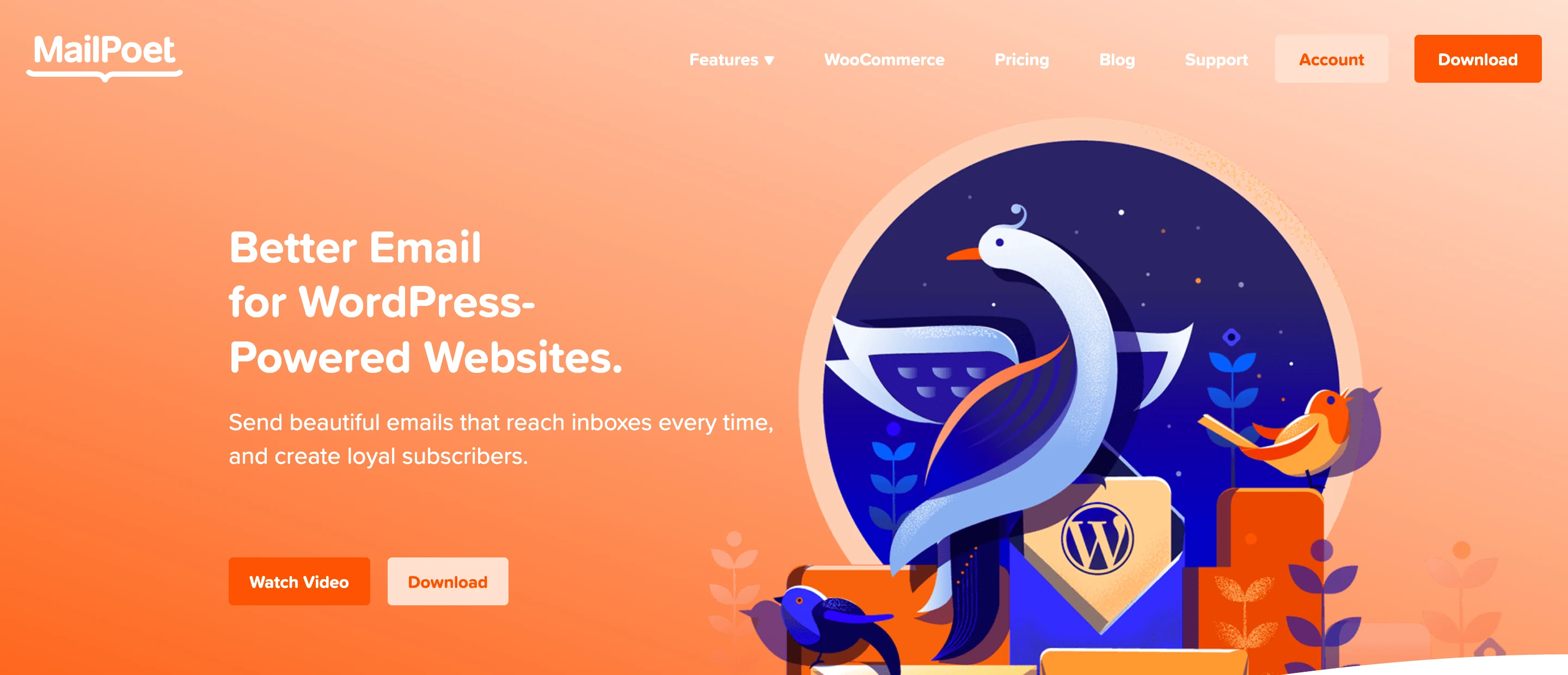
According to WordPress.org, MailPoet is actively installed on more than 500,000 websites. The plugin was last updated on November 10, 2026 and is tested with WordPress 7.1.
The range of features is large, the backend is clear and the learning curve is short.
MailPoet delivers plenty of ready-made templates and also gives you a generator you can use to design emails or newsletter templates that you come back to again and again.
Legal requirements such as double opt-in procedures are of course implemented as well.
You have several options for sending emails. Besides the classic newsletter that you send right after creating it, you can also schedule your emails or run an automated welcome sequence for your new subscribers.
Of course, the emails are sent through an SMTP server.
Pricing
MailPoet charges for its paid plans by the number of your subscribers. The prices for larger lists are displayed dynamically in the provider's pricing calculator.
- The free Starter plan includes up to 500 subscribers and 5,000 emails per month.
- The MailPoet Sending Service is also included in the free plan.
- For more subscribers or additional features, you need a paid plan. Check the final price right before you buy.
- Free up to 500 subscribers and 5,000 emails per month
- Drag-and-drop email builder and plenty of ready-made templates
- Automation options
- Email notifications for new blog posts
- No limit on the number of newsletters per month
- Meaningful analytics
- WooCommerce integration available
- GDPR-compliant (opt-in form, etc.)
- CSV import of existing lists
- Handles even large lists without problems
- Its own SMTP function (no additional plugin required)
- Large lists can get very expensive
- Complex automation with if-then conditions is not possible
2.2 The Newsletter Plugin
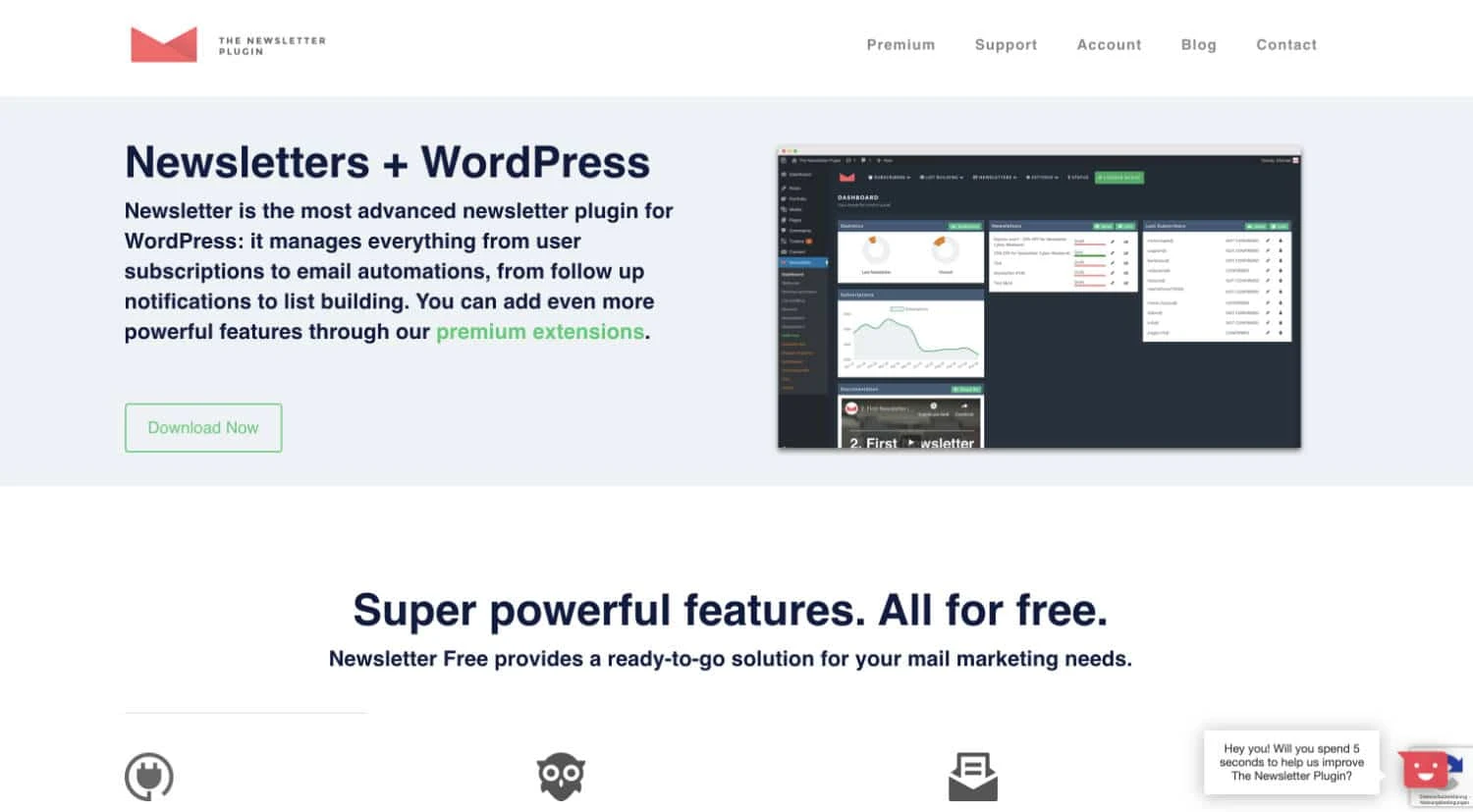
According to WordPress.org, The Newsletter Plugin is actively installed on more than 200,000 websites. The figure of several million refers to downloads and shouldn't be equated with active installations.
There's a reason for that: it's a modern and convenient all-in-one solution, equipped with numerous useful features that only a few other plugins in this category have.
The completely revamped drag-and-drop editor lets you create responsive emails in seconds.
Email addresses are collected either through classic forms that can be built in anywhere on your page or through pop-ups that you can create directly in the tool. Both options of course meet GDPR standards such as double opt-in (single opt-in is possible!) or a checkbox linking to the privacy policy.
Another great feature is the spam check, which keeps your list from getting cluttered with spam contacts.
Detailed statistics on click rates or open rates are available to you in the backend. Measuring via Google Analytics is also easy.
Pricing
In its basic configuration, The Newsletter Plugin is free and lets you send one-off emails to your subscribers.
The premium offerings are called Essential for one website, Professional for up to three websites and Agency for any number of websites. It's a one-time payment with one year of access to updates and premium support. The add-ons keep working afterwards, but their compatibility with future WordPress versions isn't guaranteed without a renewal.
The provider displays the actual prices dynamically on its pricing page. So you should check the final price right before you buy. A 30-day money-back guarantee applies to all premium offerings.
- Free version available
- Very low price for the range of features
- Compatible with most SMTP plugins
- Drag-and-drop builder
- Extensive statistics thanks to Google Analytics integration
- GDPR-compatible (note: geolocation must be disabled)
- Pop-ups integrated
- Automatic spam check after sign-up
- Locked content feature: unlock a blog post only after sign-up
- Numerous integrations (Elementor, Contact Form 7, etc.)
- Automation options
- Larger lists require an external SMTP server
- No complex sequences possible
2.3 Mailster
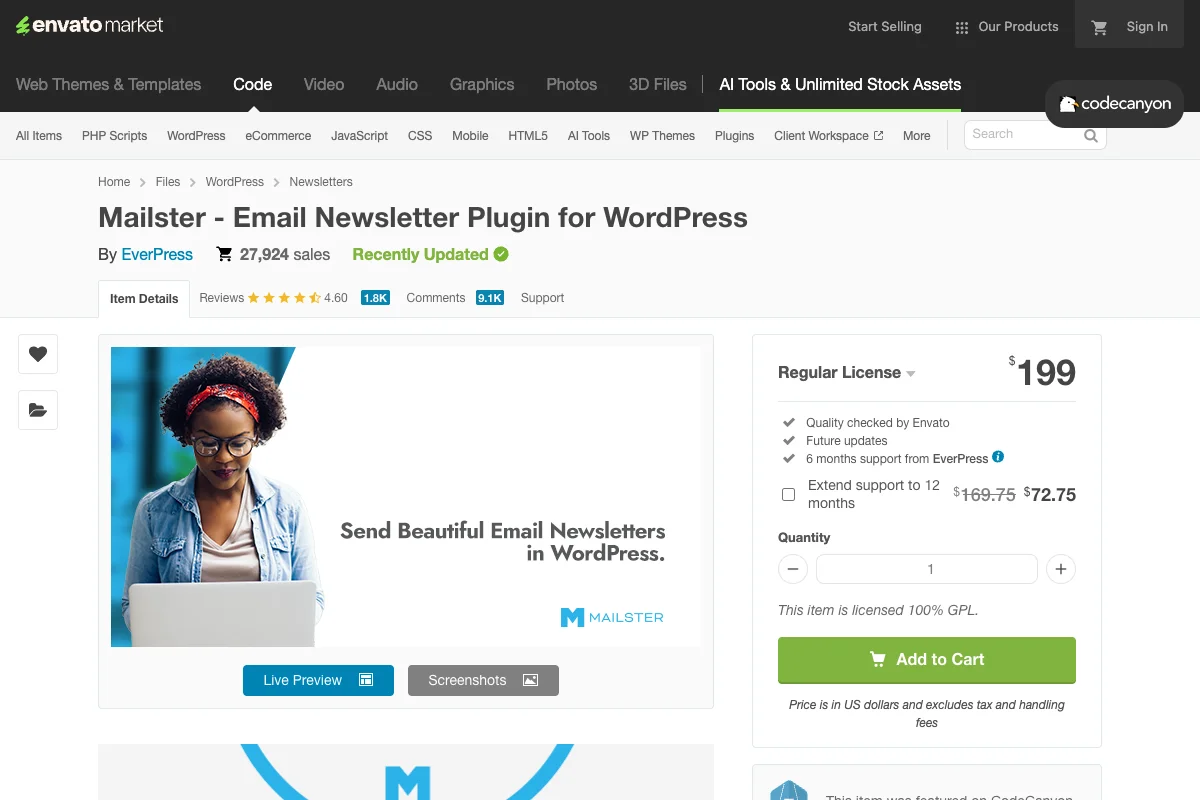
Mailster is simple but effective and includes all the features you need to manage small to medium-sized lists.
The plugin delivers extensive statistics on your subscribers, such as open and click rates, and even tells you which email clients your contacts use.
An intuitive drag-and-drop builder is available for creating your newsletters. 400 ready-made templates are also included.
With Mailster you can not only send standard emails but also fully automate some processes. These include welcome sequences, automatic birthday emails or weekly newsletters with your latest posts, for example. Even trigger campaigns that are only activated when a specific event occurs (e.g. “contact hasn't opened the last email”) are possible here.
An SMTP connection to nearly any provider is included.
Pricing
Mailster is available in two ways. On CodeCanyon, a regular license for one website costs $199 as a one-time payment. Future updates and six months of support from the developer are included. Extending support costs extra.
Directly from the provider at mailster.co, there are now three annual licenses for one website each: Starter for $79, Professional for $99 and Agency for $199 per year. They differ mainly in the number of automations (3, 10 or unlimited) and in the templates. The plugin keeps working after the license expires, but updates and support are then only available with a renewal. There are occasional discount promotions. Unlimited subscribers are included in both cases. mailster.co also offers a 14-day money-back guarantee.
There is no free trial plan. Before buying, you can use the live demo provided by the vendor.
- Very lean, fast plugin
- Extensive automation features
- Low price
- GDPR-compliant
- Numerous templates already built in
- Extensive subscriber statistics
- Intuitive drag-and-drop builder
- Can connect to any SMTP provider
- No limit on subscribers
- Import function for existing contacts
- Unsplash integration for free images
- WooCommerce integration
- No SMTP server of its own
- Free support only in the first 6 months
2.4 Email Subscribers & Newsletters
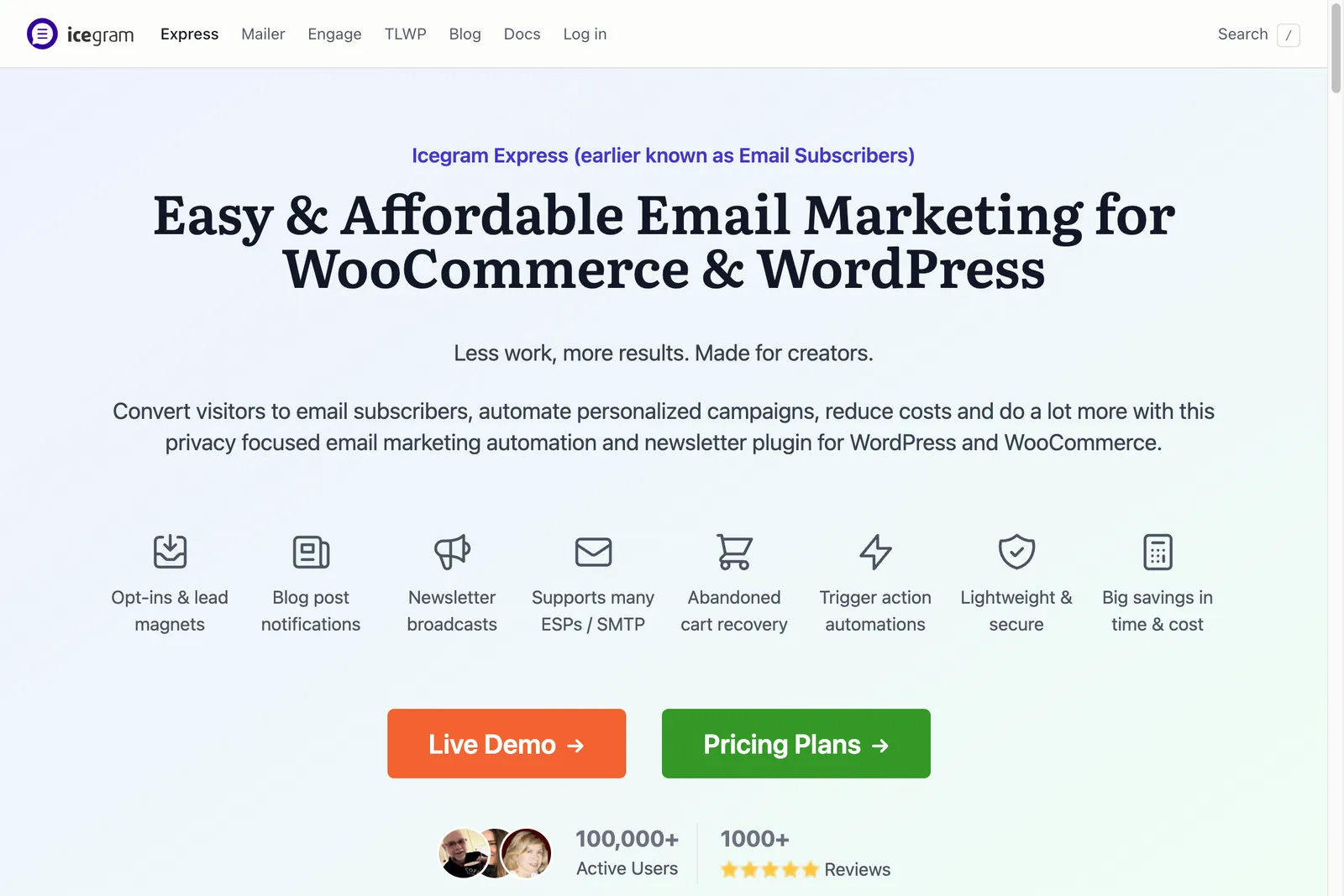
Email Subscribers & Newsletters is an excellent starter plugin that won't overwhelm you with its range of features but still offers the tools to build a list and then manage it easily.
Email Subscribers & Newsletters plays to its strengths in combination with the manufacturer's two other tools, Icegram for creating pop-ups and Rainmaker for implementing sign-up forms.
The plugin includes ready-made templates that make a high-quality impression.
It also gives you simple automation features, such as sending an email after a new blog post is published.
Extras such as captchas in the forms or a well-working spam filter round out the package.
Even a spam score check for your own emails is built into the plugin. Only from the Pro plan on, though.
Pricing
Email Subscribers & Newsletters is now called Icegram Express. There is a free Lite version and a paid Max plan.
- Lite: Free for one website, with unlimited contacts, lists and emails. Sending runs through WordPress or a sending service you set up yourself.
- Max: $99 per year for three websites. Includes detailed reports, automation workflows, advanced integrations and additional sending services, among other things.
- Free plan with a usable range of features
- Pro plan with good value for money
- GDPR-compliant
- High-quality templates
- Numerous automation options
- WooCommerce integration
- Captcha
- Automatic list cleaning
- Spam score calculation for your own emails
- In-house SMTP server
- Unlimited contacts, lists and campaigns
- No drag-and-drop builder for emails
2.5 FluentCRM
According to WordPress.org, FluentCRM is actively installed on more than 80,000 websites and was last updated on November 20, 2026. It's more than a pure newsletter plugin: you manage your contacts, tags and segments directly in WordPress and build campaigns and automations on top of them.
That keeps the data on your own server, just like with MailPoet. For sending, you need a sending service or SMTP access of your choice. The sister plugin FluentSMTP is free.
FluentCRM is the right choice if you want more than a newsletter. Anyone who completes a lesson, buys a product or fills out a form automatically gets the matching email. For that, it can be connected with Fluent Forms, WooCommerce and common membership plugins, among others.
Pricing
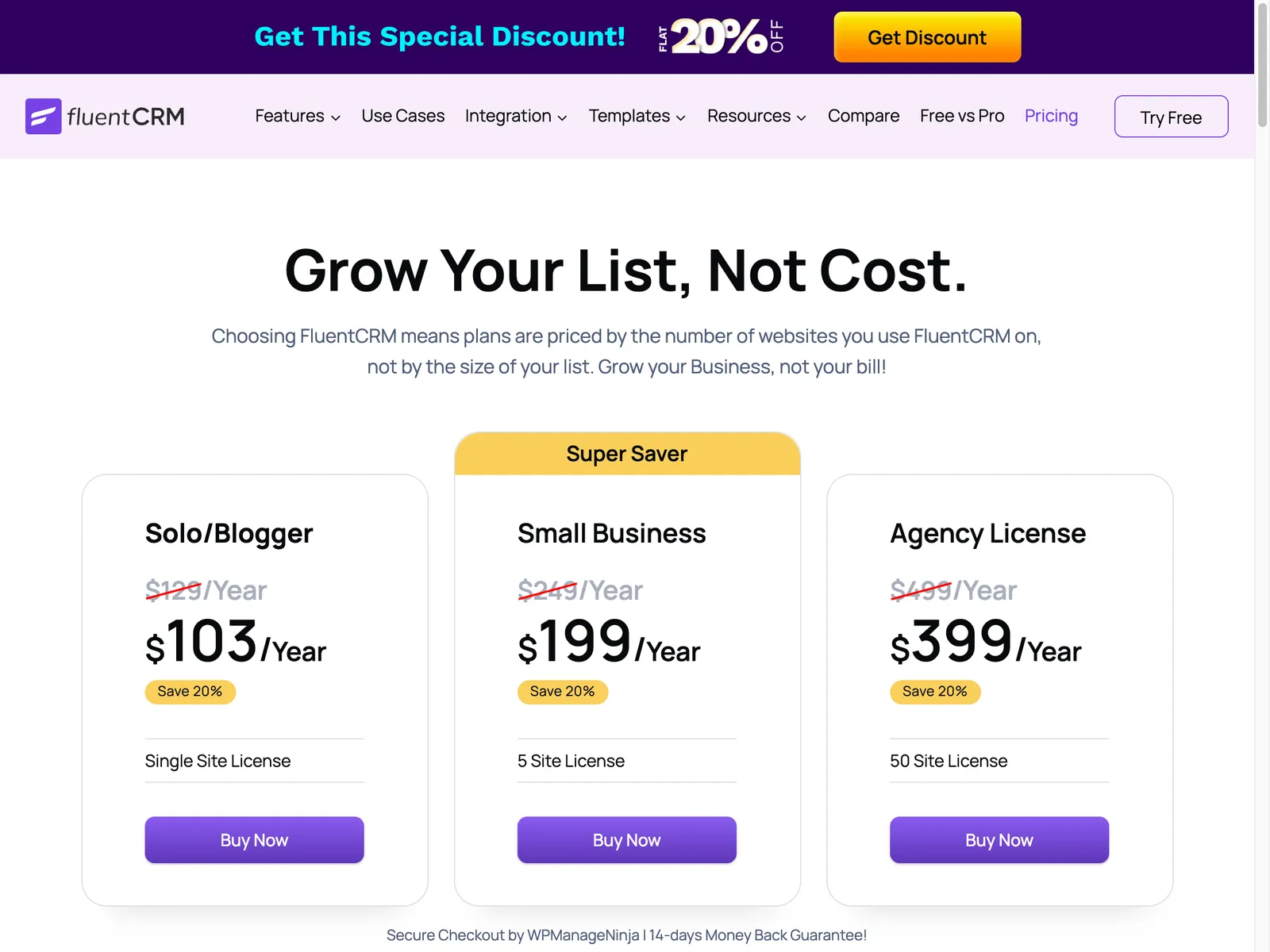
The basic version is free. The Pro version is priced not by the size of your list but by the number of websites. With large lists, that's a clear advantage over MailPoet.
- Solo/Blogger: $129 per year for one website
- Small Business: $249 per year for five websites
- Agency: $499 per year for 50 websites
All plans include all features, unlimited contacts, one year of updates and support and a 14-day money-back guarantee. There are often discounts in the first year; the renewal costs the regular price.
- Contacts, campaigns and automations directly in WordPress
- Priced by number of websites instead of list size, unlimited contacts
- Free basic version
- Segmentation and tags
- Connects to Fluent Forms, WooCommerce and other plugins
- All features in every Pro plan
- Requires a sending service or SMTP access
- Takes more getting used to than a pure newsletter plugin
3. Plugins for integrating third-party tools
Besides classic plugins that already contain all newsletter functions, you can also integrate third-party providers such as Mailchimp, AWeber, KlickTipp and others via special plugins.
The contacts are collected on your website via sign-up forms and then transferred to the third-party provider.
3.1 MC4WP: Mailchimp for WordPress

MC4WP: Mailchimp for WordPress comes from ibericode, which also developed the well-known tools Koko Analytics and Boxzilla.
The plugin helps you implement the newsletter service Mailchimp on your website and automatically transfer collected data to it.
In other words: with MC4WP you create sign-up forms that you can then integrate anywhere on your website.
You can change their design as you like and integrate them into numerous existing tools such as WooCommerce, BuddyPress or Contact Form 7. The connection with WooCommerce in particular gives you various e-commerce functions that are essential for online shop operators.
The plugin's reports show you at a glance which sign-up forms generate the most sign-ups.
Pricing
MC4WP is basically a free plugin that you can install directly in WordPress from the library.
However, the tool can be extended with premium features for a fee, including the reports mentioned above, form templates, design customization options or an extended WooCommerce integration.
The premium license currently costs $59 per year for one website, $99 for up to five websites or $249 for up to 25 websites.
All plans come with a 30-day money-back guarantee.
- High-quality forms that achieve better opt-in rates
- WooCommerce integration
- Extensive statistics
- Automatic notifications for sign-ups
- Low impact on load time
- Design options for the forms are limited
- No pop-ups possible
3.2 MailOptin
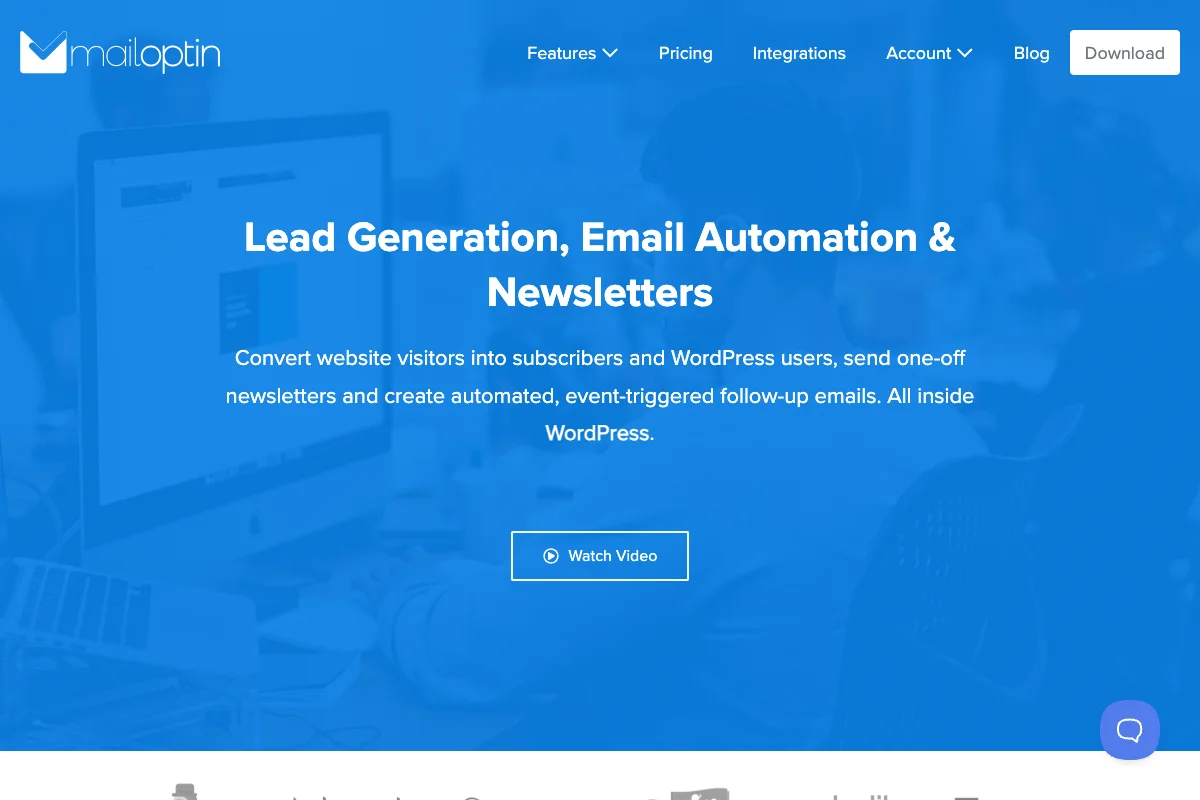
MailOptin is a kind of “hybrid plugin.”
It helps you collect email addresses on your website through attractive opt-in forms, pop-ups or banners. It also lets you create and send newsletters directly in the backend.
But you always need third-party software connected to MailOptin as well. The tool supports most classic providers such as MailChimp, AWeber or ActiveCampaign.
So why use the plugin if you need a third-party provider either way?
MailOptin's biggest advantage lies in its sign-up forms, which you can create exactly the way you want directly in the WordPress Customizer. The display options are extensive too, ranging from pop-ups to slide-ins to sidebar widgets.
You can also set up your newsletter campaigns directly in the WordPress backend, and MailOptin provides numerous statistics on your forms as well as on the newsletters you've sent.
Pricing
You can install MailOptin as a free plugin directly from the WordPress library. Here, however, you only get the Lite version. It offers only the lead generation tools and leaves out the newsletter functions entirely.
The premium version is available in three different annual subscription models:
- Standard: $99 for one website with lead generation, email automation and newsletters
- Pro: $289 for three websites with all the mentioned features
- Agency: $499 for an unlimited number of websites incl. all features
You can also buy the Pro lifetime plan for a hefty 999 US dollars.
- Lead generation and email sending combined in one tool
- A/B testing of sign-up forms
- Forms can be customized directly in the Customizer
- Integrations with many third-party providers
- WooCommerce incl. e-commerce function
- Many different pop-ups, lightboxes, etc. already built in
- Content lock function
- Extensive statistics
- Newsletters can be sent directly in the plugin
- Spam protection
- Third-party software required
- High price once you add up all the required components
3.3 Thrive Leads
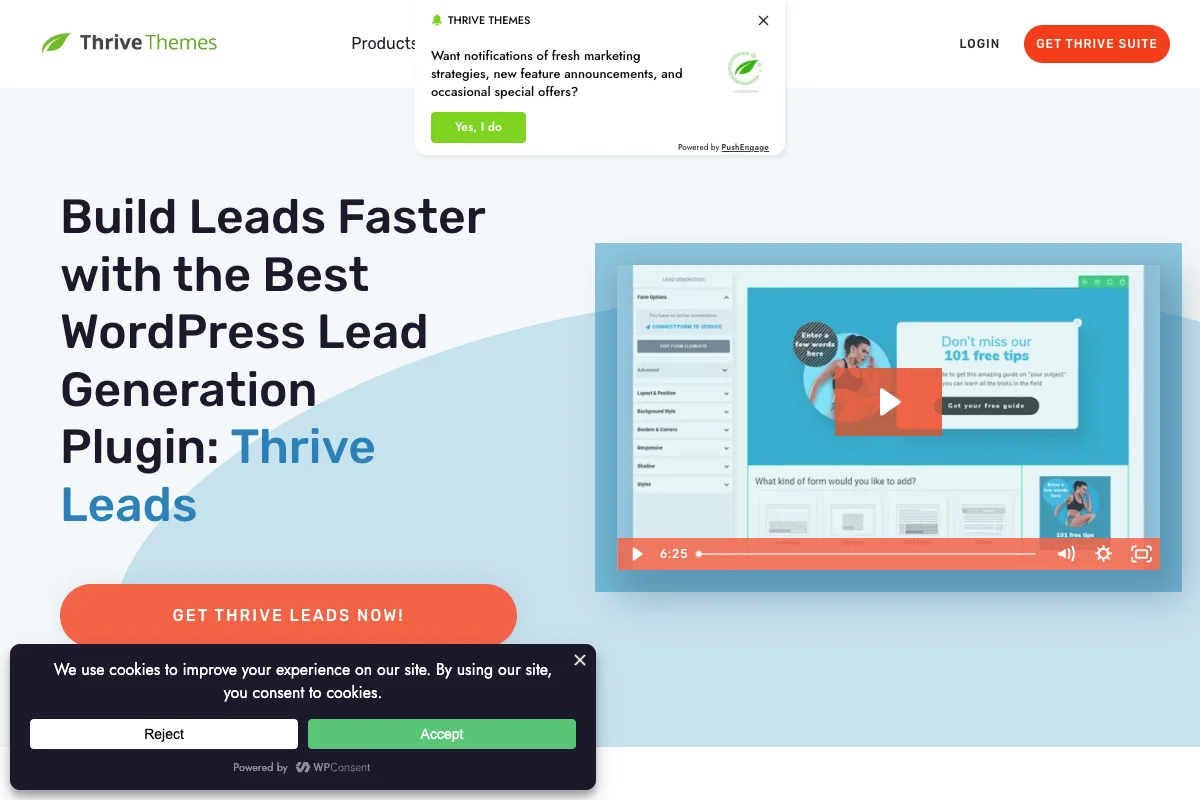
Thrive Leads focuses entirely on building your email list.
For that, the plugin gives you numerous different pop-ups and banners that you can build into your website. You can also create classic sign-up forms with the tool and then place them in the sidebar or within your blog articles.
The highlight is certainly the extensive collection of templates, including the drag-and-drop builder called Thrive Architect, which lets you adapt all forms or banners 100% to your ideas.
Thrive Leads can be connected with countless third-party tools such as ActiveCampaign, MailChimp, AWeber and also the German provider KlickTipp.
Another centerpiece is the A/B testing module. Here you can test not only different formats (2-step vs. 1-step form or ribbon vs. lightbox) against each other, but also content elements such as headlines. That way, the tool helps you gradually increase your opt-in rate.
Pricing
This is exactly where the big drawback of Thrive Leads lies. Until recently it was possible to buy the plugin with a one-time payment, but today it's a fixed part of the so-called Thrive Suite.
This is a bundle of all plugins from the manufacturer Thrive Themes.
The Thrive Suite regularly costs $599 per year. There are introductory prices in the first year; according to the provider, renewals run at the regular price. The license covers up to five websites and includes a 30-day money-back guarantee. Here you can get an overview of the Thrive Suite.
- Comprehensive list-building tool
- Drag-and-drop builder
- Extensive template library
- Numerous third-party solutions can be integrated
- Supports the German provider KlickTipp
- One of the best A/B testing tools
- Various triggers
- Works without problems alongside other page builders such as Elementor
- Not available as a standalone plugin
- Backend in English only
3.4 Bloom (Elegant Themes)
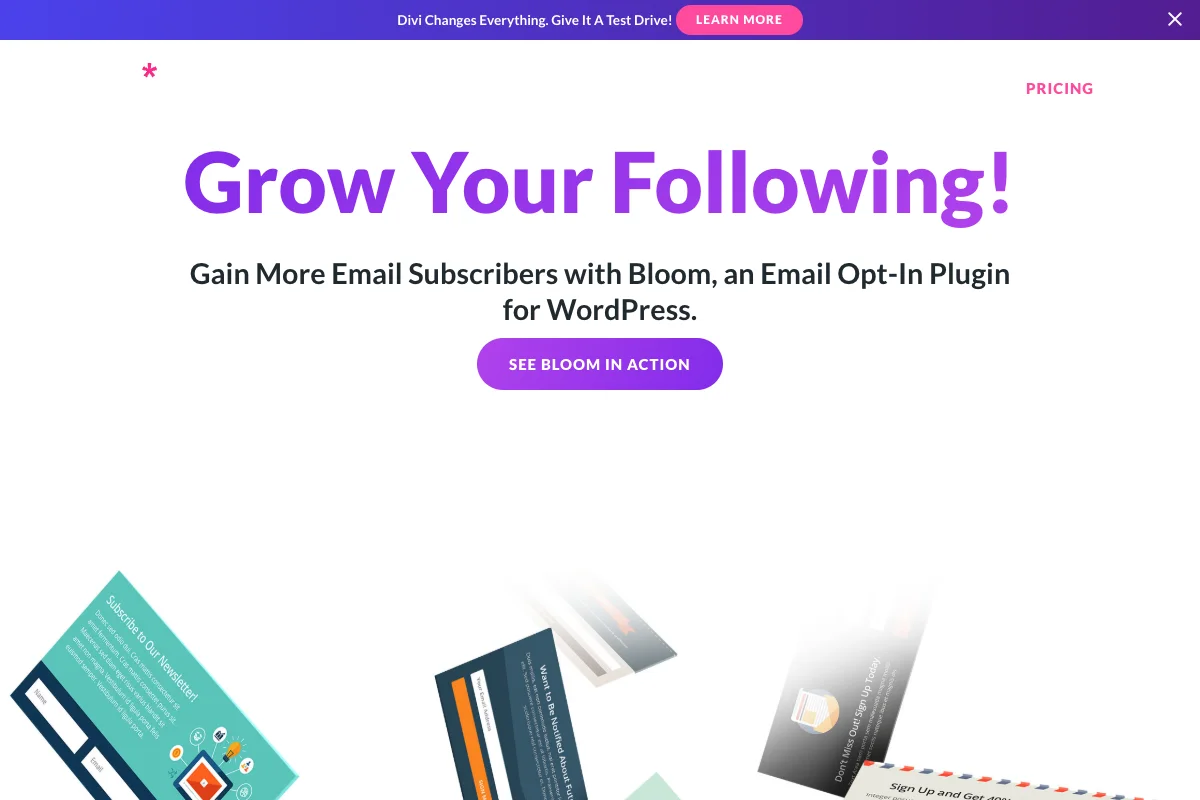
Behind Bloom is the developer Elegant Themes, which is best known for the Divi theme.
Bloom is very similar to Thrive Leads in its features and structure. It offers you a wide range of lead generation options through different forms. These can then be displayed in pop-ups, banners, in the content or as a widget.
For the design, you choose from numerous ready-made templates that you can then customize to your heart's content. The “Custom Fields” function is especially great here, because it lets you add any number of input fields to your forms, including a checkbox that links to the privacy policy.
Bloom is of course compatible with most third-party providers.
The plugin gives you extensive testing options and is really convenient to set up for an A/B test. In very clear statistics, you can see right away which of your forms perform best.
Pricing
Unfortunately, it isn't possible to buy Bloom as a standalone plugin. The tool is sold exclusively in combination with the Divi theme.
The prices here are $89 as an annual subscription or $249 as a one-time payment.
On the plus side, there are no restrictions whatsoever. You get lasting support and updates, and you can use both Divi and Bloom on any number of websites. Considering that, the price is fine.
- Very attractive forms
- Numerous display options such as pop-up, banner or widget
- A/B tests
- Extensive template gallery
- Compatible with most third-party tools
- Can be used on any number of sites after purchase
- Lifetime updates and support despite a one-time payment
- Can only be purchased together with the Divi theme
3.5 Convert Pro (Brainstorm Force)
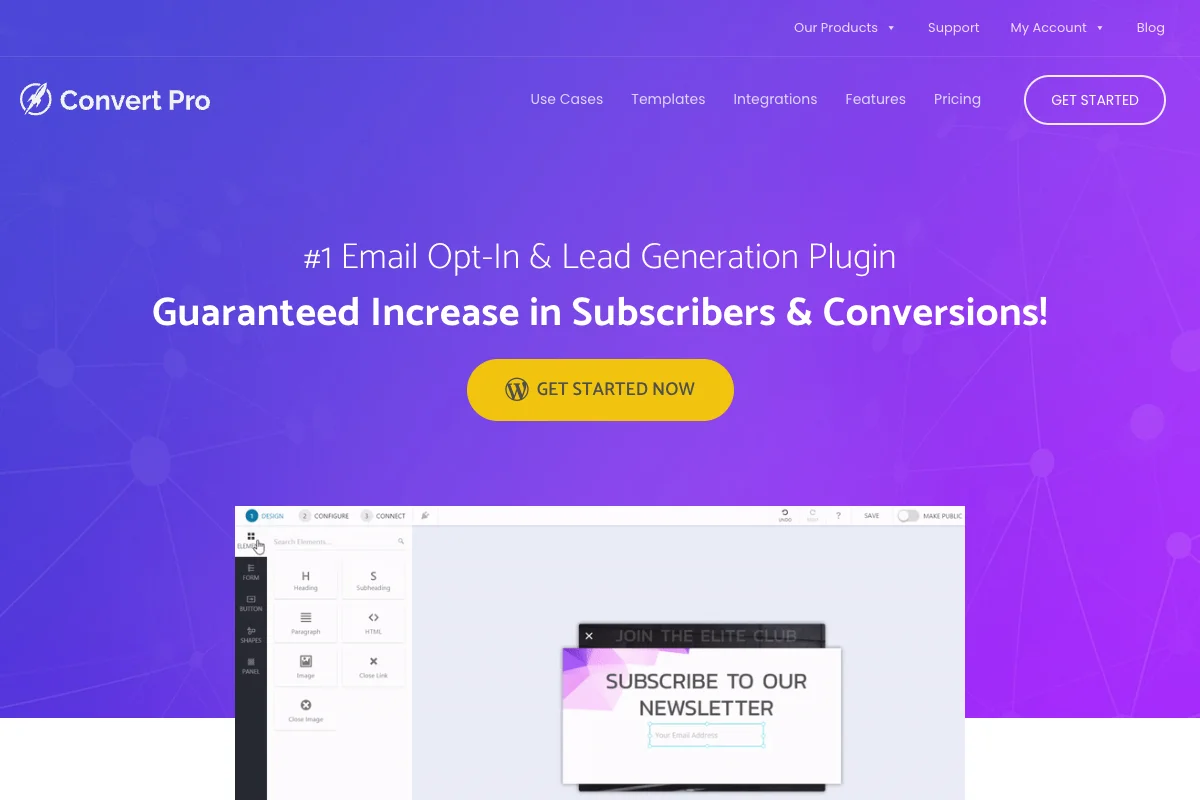
Convert Pro makes it easy to create appealing pop-ups in seconds with an intuitive drag-and-drop editor and to connect them with your newsletter tool. You decide yourself whether to choose from one of hundreds of templates or design your form completely on your own.
With an A/B test function, you can then play out several alternatives against each other and gradually increase your opt-in rate.
Thanks to the many different triggers and filters, you can determine exactly when and on which pages which pop-up should be shown. You can even define different rules for different devices (tablet vs. smartphone).
Besides the statistics shown in the tool, you can alternatively connect Convert Pro with Google Analytics.
Pricing
Convert Pro can be bought either as an annual subscription for $99 or as a lifetime deal for $399.
Both Convert Pro licenses cover any number of websites. According to the provider, renewals run at the regular price.
- Intuitive drag-and-drop builder
- Numerous templates
- Hardly any limits on configuration options
- A/B testing
- Google Analytics integration
- Multi-step pop-ups
- Use it on any number of websites with one license
- I couldn't find any
3.6 Plugins developed by the providers
Larger email marketing providers usually also offer WordPress plugins they developed themselves for integrating opt-in forms.
Here is a short list of the most important plugins:
- MailChimp
- ActiveCampaign
- CleverReach
- GetResponse
- rapidmail
- Klick-Tipp
- Drip
- MailerLite
- Brevo (free plan with up to 300 emails per day, paid plans from €7 per month)
4. What do I need to consider legally with newsletter plugins?
Email addresses are personal data, and collecting, storing and retaining them is subject to a few conditions under the GDPR.
Below I introduce you to the biggest pitfalls when collecting email addresses. Please note that this is not an exhaustive list:
4.1 Double opt-in
For marketing emails in Germany, a properly documented double opt-in procedure is the practical standard for being able to prove consent.
After a contact has signed up via a form, you may only add them to your newsletter list once they've clicked a confirmation link in a confirmation email. This ensures that the address wasn't misused by a third party.
So make sure that a newsletter plugin or third-party tool you use offers a corresponding function.
In the USA, for example, single opt-in, which skips the confirmation email, is also allowed.
4.2 Mention in the privacy policy
The processing of personal data by your plugin and the service providers involved must be described transparently in your privacy policy.
Because you collect personal data through the plugin, you have to make statements about the reason for collection, retention and deletion.
Most plugins give you a text for this or are listed in well-known privacy policy generators.
4.3 Cookie opt-in
Newsletter plugins often use cookies (often the iframe forms of third-party providers too). For example, to control pop-ups or to measure the conversion of a form.
As a result, it may be necessary to use a cookie plugin.
You should also explain these cookies in the privacy policy and set out exactly which cookies are set when and why.
4.4 Data processing agreement (AV-Vertrag)
Even with a self-hosted solution, data processors can be involved, such as your web host or an external sending service. So check for every service whether a data processing agreement (AV-Vertrag) is required.
As soon as further third-party providers come into play, you additionally have to assess their role and data processing.
If you use a plugin that forwards collected data to providers such as MailChimp, AWeber and the like, a data processing agreement with these third-party providers is an important prerequisite. The data processing agreement sets out how the third-party provider uses the data you collected, how data security is ensured and numerous other points.
4.5 Notice below the form
When creating a contact form, the wording is absolutely essential: it must be beyond dispute that this is a newsletter sign-up.
Especially if you tie the sign-up to the release of a lead magnet (e.g. an ebook), you should use clear language to avoid misunderstandings and legal problems: for example, it's advisable to call the button “Subscribe” and not “Download” or “Claim your gift.”
A link to the privacy policy below the form is also mandatory. You'll find more tips on this from the German attorney Dr. Schwenke.
4.6 Option to unsubscribe in emails
In every email you send, you must give your subscribers the option to unsubscribe from your newsletter.
This usually happens via a small link at the bottom.
Reputable plugin providers or third-party tools build this link in automatically.
5. FAQ
Here I've put together the answers to the most common questions about newsletter plugins:
Are there free newsletter plugins?
Yes. Many newsletter plugins are available as freemium versions. MailPoet, for example, is free for up to 500 subscribers and 5,000 emails per month.
What do you need a newsletter plugin for?
An email list with lots of active subscribers is one of the best ways to increase the revenue of your online business.
An important prerequisite for that is a well-functioning newsletter plugin that lets you turn visitors to your website into subscribers!





