
There are dozens of website builder systems by now that let a layperson build a website.
Whether it's Wix, Jimdo or Squarespace, each one promises to be especially user-friendly and beginner-friendly.
That makes it hard to decide on one.
We booked a paid plan with 8 of the most popular website builders and tested them in detail, e.g. in terms of ease of use, loading times and features.
On July 23, 2026, I also rechecked the current pricing pages and publicly accessible product interfaces in the browser. Prices, plan names, trial options and key feature details in this comparison match that follow-up check. The test grades are still based on the full hands-on test.
In doing so, we tried to rate them as fairly and objectively as possible.
The goal:
To help you find the right website builder for your web project!
- In our test, Wix (grade 2.1, on the German school-grade scale where 1 is best) did best, followed by webgo (2.4) and IONOS (2.4). Wix offers the widest range of features with 900+ templates and 200+ apps, webgo the best value for money from €9.95.
- Website builders are ideal for beginners without programming skills. With drag-and-drop editors you can quickly build professional websites, though with limited flexibility.
- For large websites (over 100 pages), professional blogs or complex projects with a members area, WordPress.org is the better choice. Website builders are mainly suited to local businesses, portfolios and simpler company websites.
The 8 best website builders compared
| No. | Website builder | Test grade | Price (month) | Ease of use | Features | Learn more | |
|---|---|---|---|---|---|---|---|
| 1 |  | 2.1Review | €29.75 | easy | very large | Try for free | |
| 2 |  | 2.4Review | €13.95 | easy | large | Try for free | |
| 3 |  | 2.4Review | €18.00 | easy | large | Go to provider | |
| 4 |  | 2.5Review | €18.00 | easy | large | Try for free | |
| 5 |  | 2.8Review | €8.00 | medium | medium | Try for free | |
| 6 |  | 3.1Review | €20.00 | very easy | very small | Try for free | |
| 7 |  | 3.3Review | €12.00 | medium | very small | Try for free |
The 4 test winners in detail
1. Wix
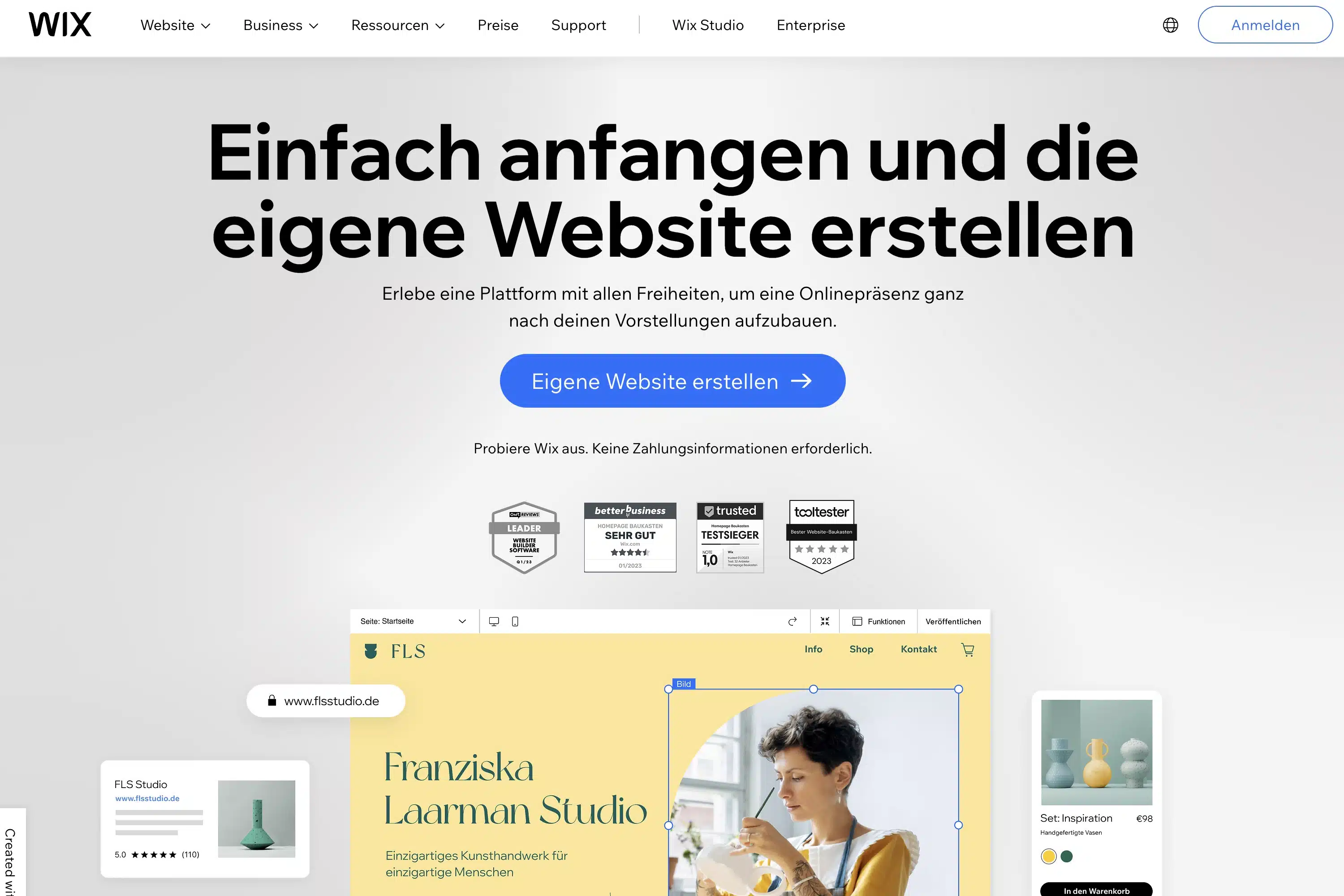
Wix is the undisputed market leader among website builders, with annual revenue of over a billion dollars.
Although the name sounds suggestive to German ears (a pun that only works in German), Wix is not a provider of suggestive content. It's an Israeli company that wasn't primarily targeting the German-speaking market when it developed its website builder in 2006.
There's good reason for Wix's success. The company's website builder is one of the best on the market.
What we like:
Wix stands out among website builders with its wide range of features and proves to be a real all-rounder.
- The drag-and-drop editor gives you a lot of design freedom. You can enlarge elements as you like, move them anywhere and have a wide variety of elements available.
- With more than 900 templates, Wix covers nearly every conceivable type of website or business.
- Thanks to the 200+ integrable apps, even complex features such as a live chat, forum or online booking system are easy to build.
Wix also convinces with a good blog function, surprisingly extensive SEO settings and the ability to create multilingual websites.
In the past we criticized the limited storage of 10 GB, but Wix has stepped up here and raised it to 50 GB.
What should be improved:
Occasionally the Wix editor is unstable, especially on large individual pages. Waiting times can occur in the admin area.
The many settings options for elements are welcome in general, but can overwhelm beginners at times.
Wix is also only conditionally suited to very large websites, since the menu allows only two levels and Wix websites are limited to 100 subpages.
Who Wix is suited for:
The main target group for Wix is local businesses, start-ups and private website owners.
However, Wix is also suitable for more complex websites. So if you have no budget for a web designer or no time to create a WordPress website yourself and maintain it, Wix is a good compromise.
Especially for customer acquisition and e-commerce, Wix has a lot to offer, such as a comprehensive contact form, live chat and a CRM and newsletter function (Wix Ascend). Wix also offers an online store and various options for online bookings or reservations.
If your focus is solely on the shop, though, Shopify is the better platform. It's 100% specialized in selling and came out best in our shop system comparison.
If you want to blog professionally, we recommend creating a self-hosted WordPress blog, even though Wix can offer many good blog features.
2. webgo
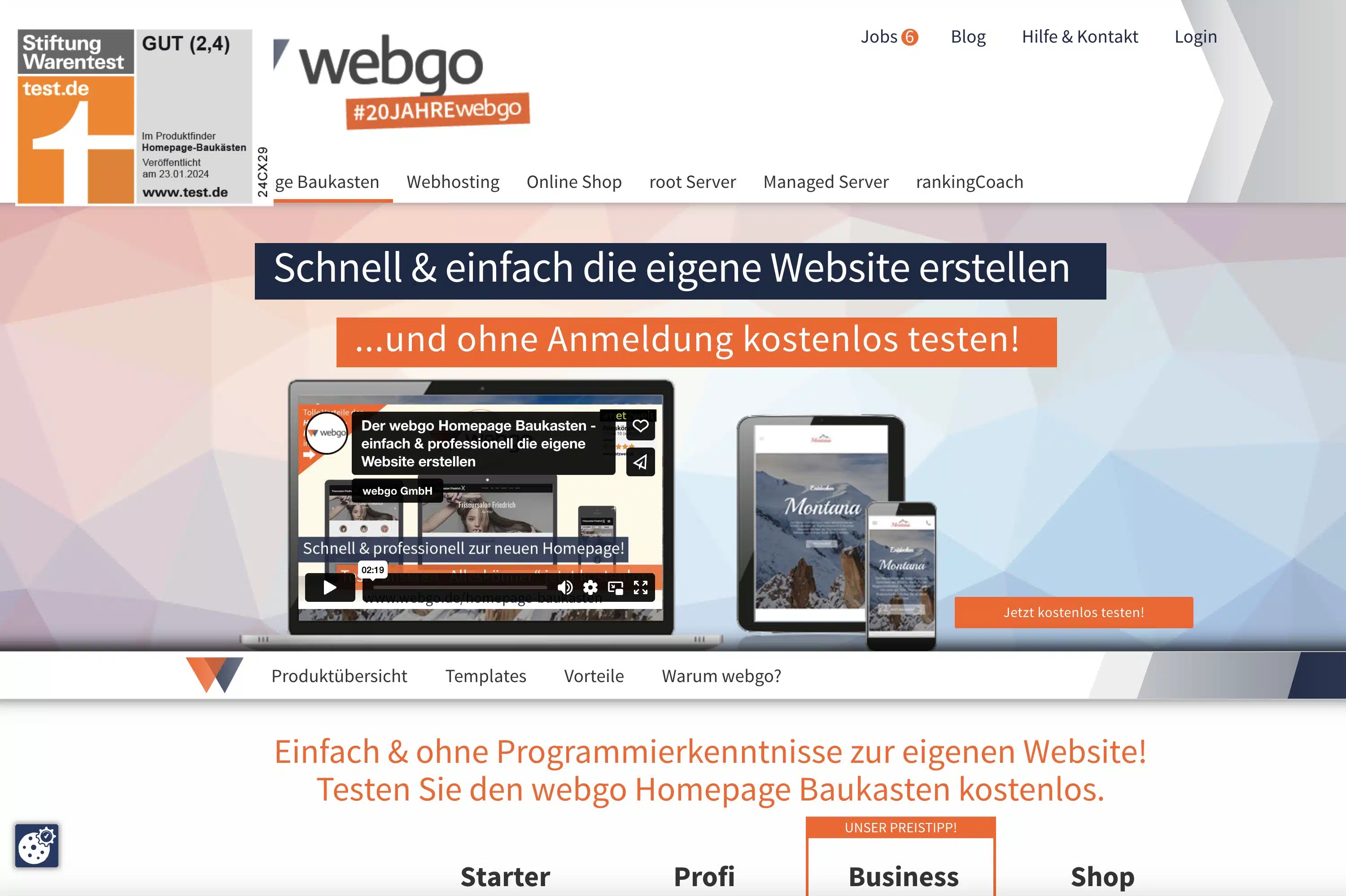
webgo is a German full-service provider that offers all the classic hosting services, such as shared hosting, domain registration or server rental.
We've been recommending webgo as a hosting provider to our customers and readers for several years now. In our big web hosting comparison, webgo also came out as one of the best providers.
Admittedly:
Before the comparison we wouldn't have thought that webgo's website builder would come in just behind an industry heavyweight worth billions, but we were proven wrong.
What we like about the webgo website builder:
The webgo website builder offers fair prices. The Profi plan we tested currently costs €13.95 per month and includes 15 pages, 5 email mailboxes, backups, the AI assistant and Cookiebot.
We find the drag-and-drop builder very simple and intuitive to use. Sections can be enlarged by dragging, elements are clearly labeled and easy to add.
The number and design quality of the templates let even inexperienced users create high-quality websites.
To help increase a website's visibility, beginner SEO features such as noindex tags and a meta title and description for pages are already built into the webgo website builder. webgo also offers a contact form and a comparatively good blog function.
We've had good experiences with webgo support for many years. It's friendly, competent and available every day.
What should be improved:
Where there's light, there's shadow. That naturally applies to the webgo website builder too.
The blog function is better suited to a private or smaller blog. We miss categories and tags, which get in the way when you manage many blog articles.
The templates are probably sufficient for most users, but in our opinion they don't match Wix in quality and selection. In addition, the prebuilt sections sometimes show style breaks in the design because of hard transitions, which can look a bit unattractive.
Another place where webgo's website builder falls short is extensibility: Unlike Wix, Squarespace or Weebly, there's no way to install apps or plugins to expand the range of features when needed.
Who the website builder is suited for:
The webgo website builder is suited mainly for local businesses, such as craft businesses, hairdressers, bike shops, clubs or nonprofit organizations. The builder offers everything you need to create a simple website that looks as if a web designer had made it.
As soon as it gets into professional marketing, though, such as building an online store, a professional blog or an online magazine, you're better served by Shopify, WordPress(.org) or Wix.
3. IONOS
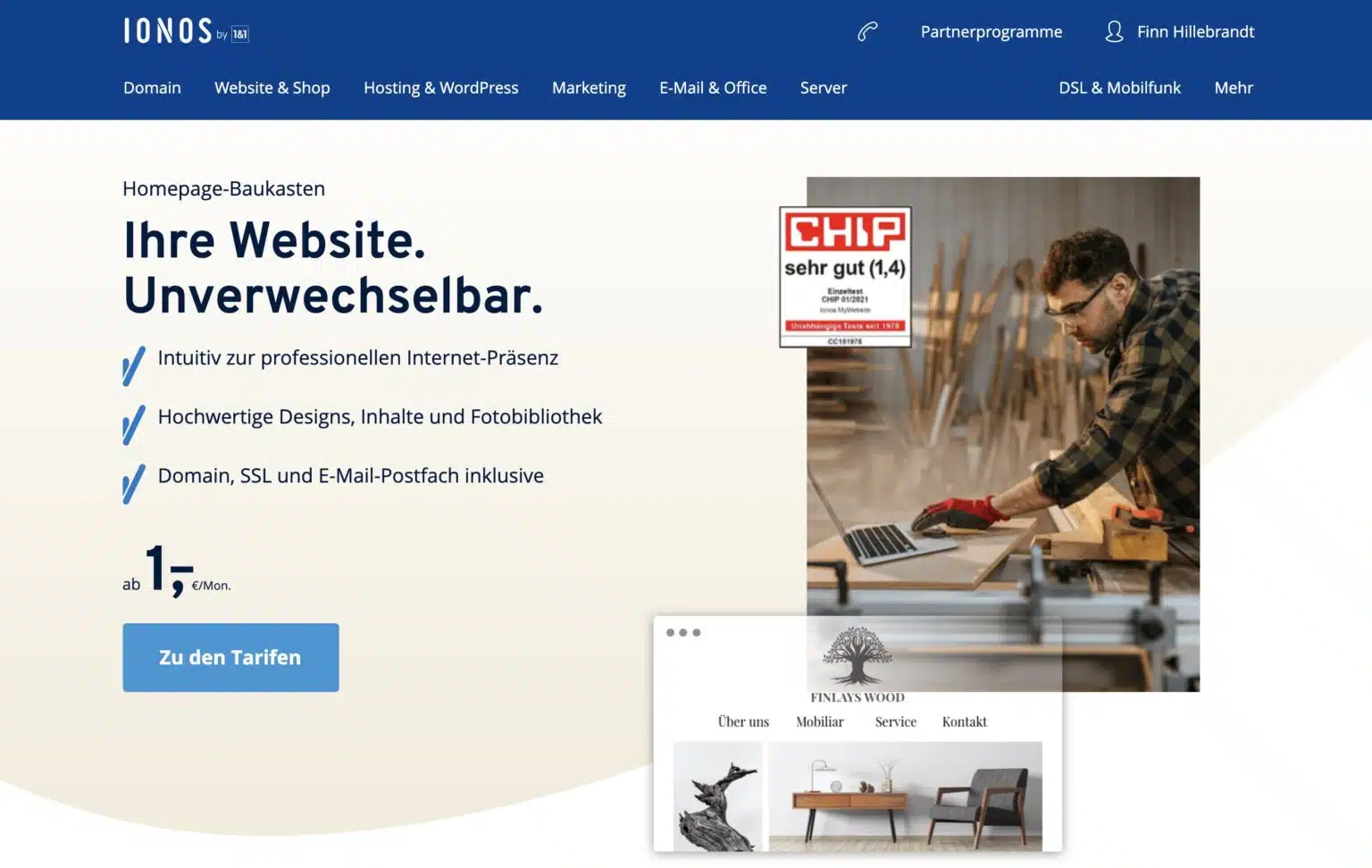
1&1 was founded back in 1988 and is one of the largest German internet service providers.
The company belongs to the internet giant United Internet, which unites numerous well-known brands under one roof, such as GMX, Web.de and also STRATO (so it's represented with two products in our website builder comparison).
Besides mobile phone and DSL services, 1&1 also has a large hosting division, which now runs under the brand name IONOS and offers the MyWebsite website builder alongside classic web hosting.
What we like about MyWebsite Plus:
MyWebsite Plus from IONOS shares the second-highest overall rating of all tested website builders with webgo.
And that's no wonder, because IONOS and webgo use the same website builder system from Duda. MyWebsite Plus accordingly offers the same advantages, such as simple and intuitive operation.
MyWebsite Plus likewise has no storage, traffic or page view limits, which we think is very commendable.
What should be improved:
MyWebsite Plus doesn't just have the same advantages but also the same drawbacks as webgo's website builder system, such as limited extensibility, template designs that are partly in need of improvement and a restricted blog function.
Where webgo's website builder is superior to IONOS's:
- It's €4 cheaper per month
- Support at webgo is better (webgo doesn't pester you with sales calls, for example)
- You can test webgo's website builder for free until you publish your website, or alternatively try it in a live demo (no registration, changes aren't saved). With IONOS you only get a 30-day money-back guarantee, so you have to pay up front.
Who the website builder is suited for:
Like the webgo website builder, IONOS MyWebsite Plus is suited mainly for local businesses, clubs or nonprofit organizations.
4. Squarespace

Squarespace is an American hosting company that was founded in 2004.
Since then, Squarespace has grown into a real big player in the industry, and with its website builder it's increasingly present in the German-speaking region as well.
What we like:
Squarespace sets itself apart from its competition most with its editor. It's simple and intuitive to use and runs smoothly.
The blog function of Squarespace is the only one among all website builders that, in our opinion, can keep up with WordPress's.
Squarespace also scores with the design quality of its templates. They look very professional, have good-looking font and color combinations and are simply coherent and tidy.
We also find the SEO features, including the connection to Search Console, very well done. The only things we miss are adding structured data and noindex tags on blog articles.
Squarespace does cost €18 per month on the Core plan and is therefore one of the more expensive plans in the comparison. In return, Squarespace has no storage, traffic or page view limits, unlike Jimdo or Wix.
What should be improved:
The advantages of Squarespace lie in its intuitive usability and extensive range of features. The drawbacks lie mainly in data protection and data sovereignty, as well as loading time:
In the backend we miss the option to create a backup or to reset the entire site to a previous version. To create a backup copy, your only option is to save the whole website as an XML file, which we find needlessly cumbersome.
Squarespace's servers are in the US and had the slowest loading time of all providers in the comparison test.
Who Squarespace is suited for:
In our opinion, Squarespace is suited primarily to coaches, consultants, freelancers or solo self-employed people who want to show their portfolio or sell digital products or services and would rather not deal much with technology and design.
If you're looking for a cheaper alternative, webgo's website builder is a good fit, though you'll have to accept some compromises on features.
How we test website builders
No website builder is like another, but our test criteria always stay the same.
Unlike many other website builder comparisons, our test grades don't depend on how much commission we get from the providers.
We place great value on rating providers and plans as objectively and conscientiously as possible.
For each website builder we give grades in ten different areas, which add up to the overall grade as a percentage:
1. Features (25%)
At first glance, all website builders offer almost the same: website design via drag-and-drop, many templates, an optional shop function, SEO features.
In detail, though, the range of features differs enormously in some cases:
In search engine optimization, for example, the STRATO website builder only lets you adjust the meta description and title:
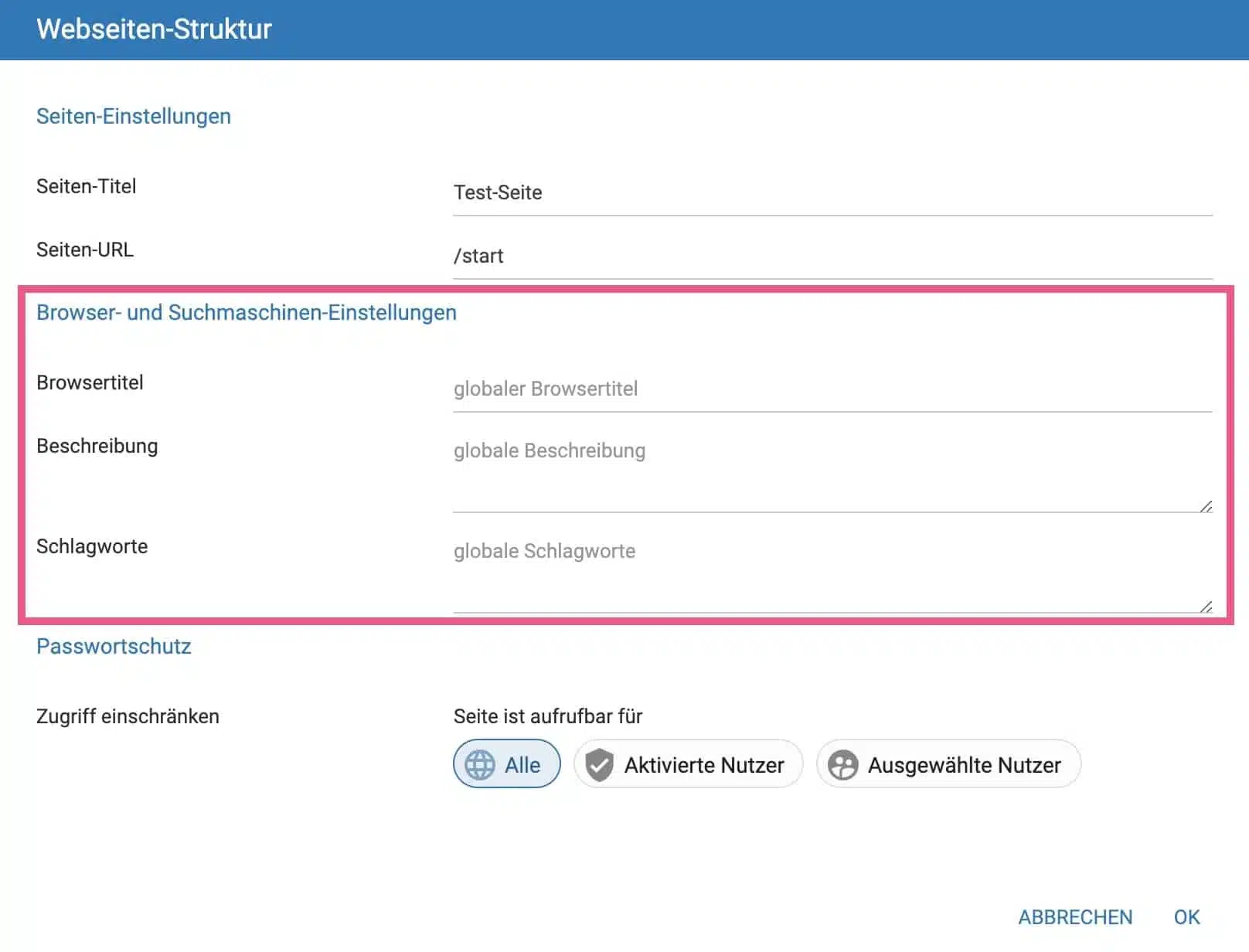
Wix, by contrast, offers very extensive SEO features, including, for example, indexing settings for every individual page, a sitemap and an SEO setup assistant (the so-called SEO Wiz).
You can even set JSON-LD and custom meta tags for each page, which we wouldn't have expected from a website builder:
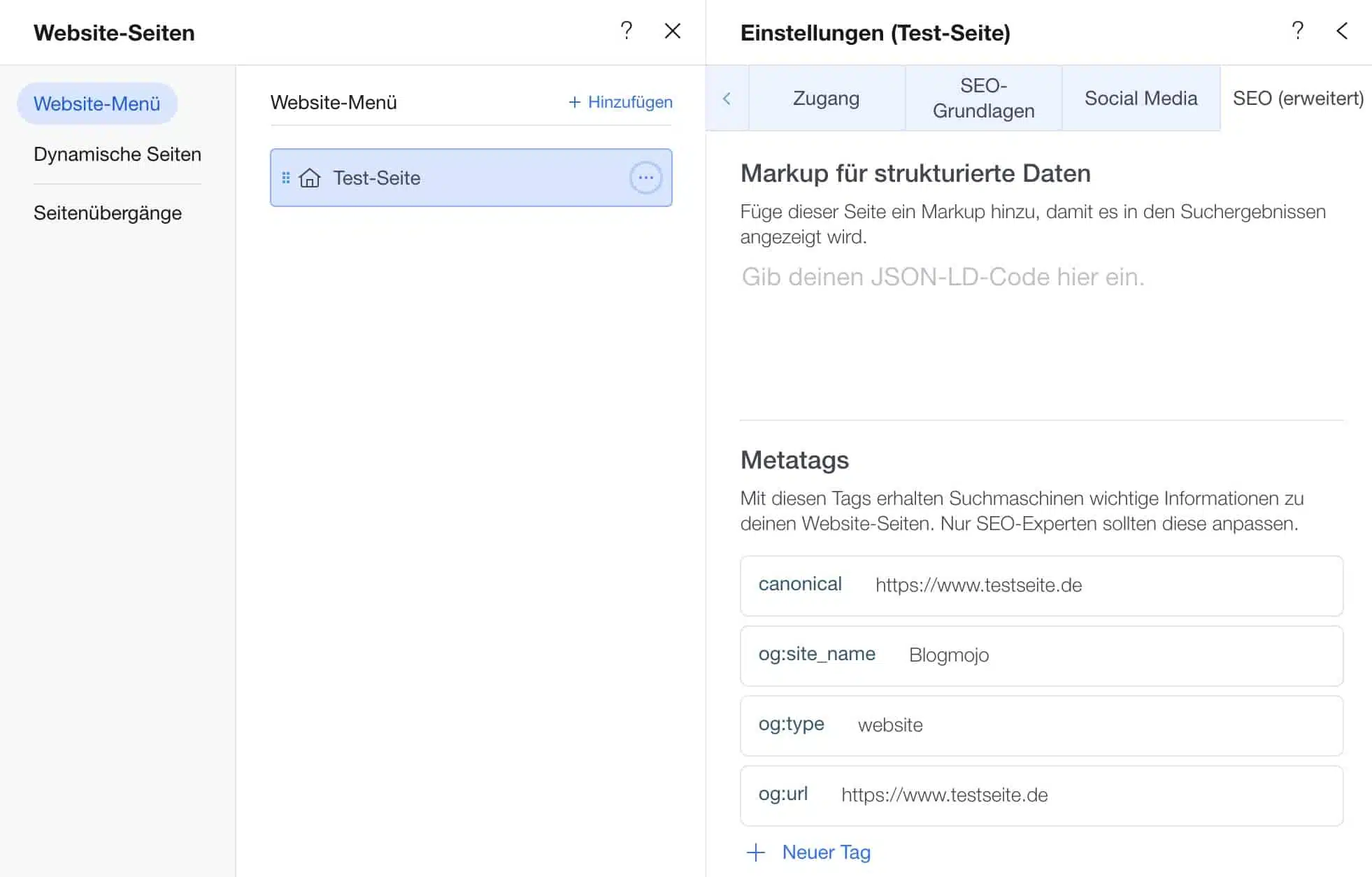
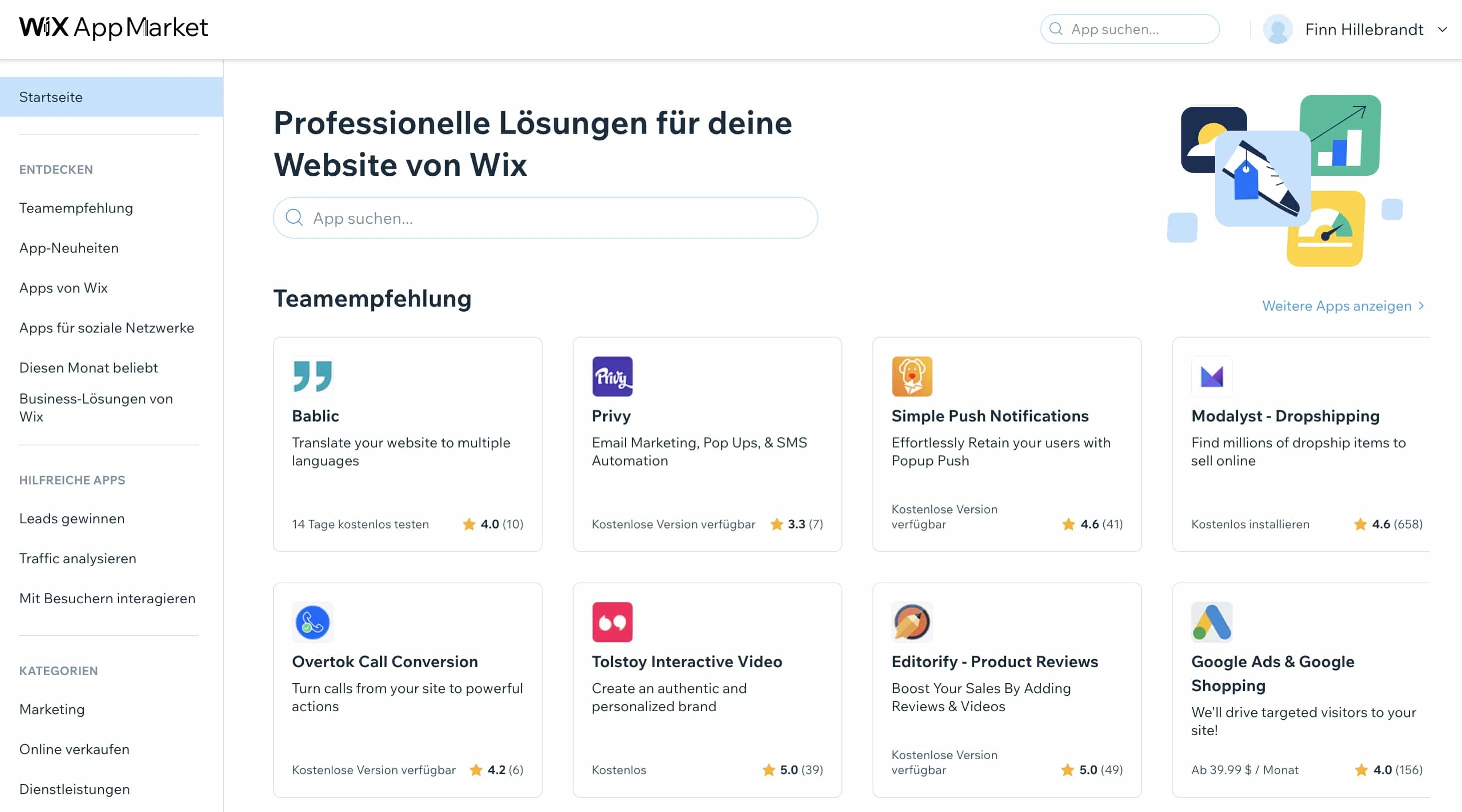
In terms of features, Wix does best overall, above all thanks to the large app market, where you'll find 200+ extensions and integrations for third-party tools:
2. Ease of use (20%)
The ease of use of the website builders was the second most important criterion in our test.
And not without reason:
After all, you book a website builder to simplify creating a website and to avoid learning a programming language or complex software.
Ease of use varied widely across the 8 tested website builders. While Jimdo, Squarespace and webgo convinced with intuitive customer areas and drag-and-drop editors, STRATO and weebly failed to.
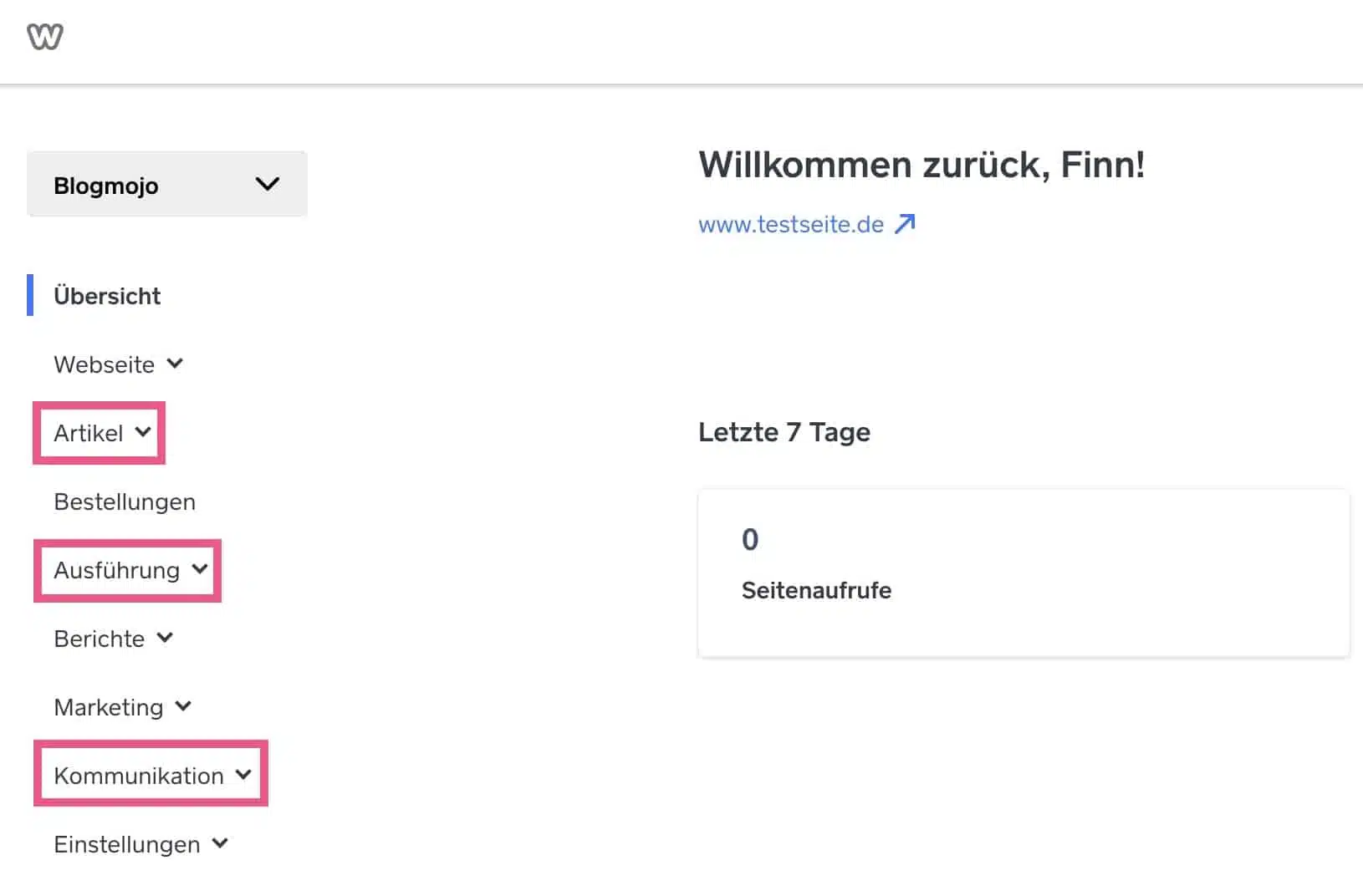
At weebly, for example, the menu items in the admin area are poorly translated.
It's unclear, for example, what exactly is behind “Artikel” (articles: blog posts or products?), “Ausführung” (in English, actually fulfillment) or “Kommunikation” (communication):
3. Templates (15%)
Templates, also called themes, are design templates for your website. They shorten the design process enormously because you don't have to build your website from scratch (a bit like painting by numbers).
We examined the templates of each website builder both qualitatively and quantitatively.
The following table documents the selection at the time of the full hands-on test. It's not a current live count, since providers keep adding, removing or renaming templates. Wix currently still offers more than 900 templates, and with that the largest publicly advertised selection.
Website builder | Number of templates |
|---|---|
| Wix (Unlimited/Combo) | 983 |
| IONOS (MyWebsite Creator) | 459 |
| WordPress.com (Premium) | 197 |
| STRATO (Homepage-Baukasten Plus) | 192 |
| webgo (Homepage-Baukasten Profi) | 116 |
| Jimdo (Grow/Dolphin) | 75 |
| Squarespace (Core) | 57 |
| weebly (Pro) | 50 |
That said:
As for design quality, for which we gave the same number of points as for the number of templates, Squarespace is clearly ahead.
4. Support (10%)
Even though website builder systems simplify a lot, creating and maintaining your own website is anything but child's play.
That makes it important to have a software partner who can help you quickly and competently with problems or questions. And unfortunately that isn't a given.
At Weebly, support and documentation are still mostly in English. WordPress.com, on the other hand, now offers round-the-clock support on all paid plans.
Other providers, such as Squarespace, do offer German-language email support, but no German-language phone support. That can needlessly prolong communication and thus the time it takes to solve a problem.
5. Languages (5%)
In the Languages test category we examined two aspects of the website builders:
First, whether multilingual websites are possible. And second, whether the templates, admin interface and documentation are available in German.
On the latter point, the international providers had shortcomings.
At Weebly, for example, the documentation is only available in English. At WordPress.com, many but by no means all pages of the documentation are translated into German.
6. Loading time (5%)
To compare the loading time of all website builders, we created test pages with every website builder that have (nearly) the same design and contain the same images and display elements.
We tested these test pages with PageSpeed Insights, among other tools. The measurements in the following table are a documented test snapshot, not current live values. They remain traceable because loading times can change at any time through new templates, content and infrastructure.
Unfortunately, none of the providers covers itself in glory when it comes to loading time. Only the pages of IONOS, WordPress.com and webgo reach passable values in PageSpeed Insights' mobile test.
It's questionable, though, whether any of the test pages would pass Google's Core Web Vitals test at all.
Website builder | PSI (mobile) | PSI (desktop) | TTFB (in ms) |
|---|---|---|---|
| Wix (Unlimited/Combo) | 58 | 97 | 351 |
| IONOS (MyWebsite Creator) | 75 | 95 | 153 |
| WordPress.com (Premium) | 73 | 97 | 443 |
| STRATO (Homepage-Baukasten Plus) | 61 | 89 | 143 |
| webgo (Homepage-Baukasten Profi) | 75 | 89 | 297 |
| Jimdo (Grow/Dolphin) | 24 | 81 | 684 |
| Squarespace (Core) | 50 | 83 | 497 |
| weebly (Pro) | 52 | 92 | 701 |
7. Customer reviews (5%)
In addition to our own tests, we factor the customer reviews of the providers and their products into the final grade.
To do this, we aggregated and analyzed customer reviews from dozens of review portals, such as Trustpilot, Google reviews and Capterra.
8. Data protection and legal matters (5%)
When it comes to legal certainty, many website builder providers have room for improvement.
None of the providers could convince with a legally watertight cookie opt-in, which under the ePrivacy Directive is mandatory for advertising cookies.
9. Backup, restoration and data sovereignty (5%)
We also found many shortcomings in the test when it comes to backups and data sovereignty.
With most website builder systems, it's not possible to create your own backups or to save websites on your own computer.
We do advise against relying 100% on providers being able to restore backups. Hosting providers sometimes suffer total losses, as a major fire at two data centers of the French web hosting giant OVH in March 2021 showed.
Portability isn't great either:
Only two providers, WordPress.com and Squarespace, offer an export of your own website (as an XML file for WordPress).
If you create a website on Jimdo or Wix, for example, and want to move to WordPress, you have to do it manually, which can be time-consuming or expensive if you hire a service provider.
10. Contractual matters (5%)
When it comes to contractual matters, most website builders scored well:
- You can test them for free permanently (e.g. Wix or Jimdo) or at least for a certain period.
- Most website builder plans can be conveniently canceled online.
- Many providers also come with a 30-day money-back guarantee.
The only pity:
Only 3 of 8 website builder systems also offer contract terms of one month. With most you have to sign annual contracts.
That's not unusual in the hosting sector, though. Domains, which are included with many website builders, can't be booked monthly or semi-annually either, for example, but require annual contracts.
Is a website builder right for you?
Pros
- Professional-looking website in a short time: With many website builders you can create a complete website within one or two days without any prior knowledge.
- You don't need to know how to code: Design changes to your website are possible by ticking boxes, dragging sliders or using drag-and-drop.
- No software installation: Website builders are cloud-based and can be used through the browser. That means you can get started right away without having to install software on your computer or a server.
- Design templates for many uses and industries: Saves a lot of design work and possibly even a web designer
- Free plans: Many providers offer free plans for trying things out or for hobby projects.
- Versatile uses: Besides professional websites, online stores or (private) blogs can be created as well.
Cons
- Not much flexibility: With a website builder system you always have to stick to the technical constraints and templates the provider supplies. So in some cases you may not be able to build your website the way you'd like, or you have to do without certain features.
- No backups of your own: With many providers you can't create a backup of your website yourself.
- Poor portability: Few website builders let you export your website to another system, such as WordPress. So if you ever want to switch to WordPress because you need more features, you have to move all your content (text including formatting, images, videos etc.) manually, which can be a massive chore.
Website builder or WordPress.org?
I'm an absolute WordPress fan (Blogmojo also runs on self-hosted WordPress) and for a long time I thought nothing of website builders.
In recent years, though, my attitude toward them has changed.
First, because website builder systems have gotten better and better over time (Wix websites used to be based on Flash, for example, which was really creepy).
Second, because I keep getting feedback from readers and customers that WordPress is too complicated for beginners.
The point is:
With a website builder you can build a website faster and more easily than with WordPress.
Still, in the following five cases I would advise you against Wix, Jimdo and the like:
- If you want to build a complex website, e.g. with a members area, online tools, a forum, a directory or classified ads
- If you want to create a large website with over 100 pages
- If you want to run a blog, an online magazine or a news portal commercially or with a team of authors
- If SEO matters to you as a marketing method (most website builders only offer basic features in that area)
- If you plan to expand your website further at some point (switching from a website builder to WordPress usually takes a lot of effort)
If one of these cases applies to you, you should create a self-hosted WordPress website.
For help with the decision and for the general approach to building a website, also take a look at my ultimate guide to creating a website.
Which system for which website?
Unfortunately there isn't one (website builder) system that can do everything and is the best for every user.
Which system is the best for you depends rather on the type of website you want to create. Your industry, the purpose of your website and your prior knowledge (or that of your employees) also play a role.
You can build a website for a local bakery, for example, perfectly well with Jimdo or Wix. For a larger online magazine, though, both systems are unsuitable.
The following table gives you an overview of which system suits which industries and types of website best:
Type of website | Best system | What matters |
|---|---|---|
| Personal homepage | Jimdo (Free) | Free Ease of use |
| Personal blog (e.g. year abroad) | WordPress.com (Free) | Free good blog function |
| Online magazine News portal Professional blog Niche site | WordPress.org | Blog function Flexibly extensible SEO |
| Online coaches and consultants (business, life, yoga etc.) | WordPress.org Squarespace | Blog function Flexibly extensible SEO Booking calendar Landing pages |
| Simple company homepage (e.g. craft business) | webgo | Ease of use |
| Restaurant website | webgo Wix | Ease of use Online reservations Online ordering |
| Clubs, associations or NGOs | webgo | Ease of use Members area Online donations |
| Agency | WordPress.org | Blog function Flexibly extensible SEO |
| Freelancer (e.g. translator, copywriter, author, VA) | WordPress.org Squarespace | Ease of use Blog function Landing pages |
| Portfolio website (e.g. photographer, architect, artist) | WordPress.org Wix | Image galleries Streaming and video integration Projects can be created Testimonials |
| Hotel | Wix WordPress.org Custom-coded | Ease of use Online reservations |
| Wedding website | Jimdo Wix webgo | Ease of use Image gallery Gift list |
| Digital business card | Jimdo Wix webgo | Ease of use |
| Résumé | Jimdo | Ease of use |
| School, daycare or kindergarten | Wix WordPress.org Custom-coded | Ease of use Calendar Donations |
| Real estate agent | Wix WordPress.org Custom-coded | Ease of use Portfolio |
| Doctors, physiotherapists and Heilpraktiker (licensed alternative practitioners) | webgo Wix | Ease of use |
| Law or tax firm (e.g. tax advisor, lawyer) | webgo | Ease of use |
| Musician or band | Wix WordPress.org | Ease of use Integration with streaming services and Bandsintown online shop if applicable |
Website basics
Website
All the content on a domain (pages, images, videos, text etc.)
Webpage / page
A subpage of a website
Homepage
The start page of a website
Blog
A website with (mostly) chronological display of posts, often also part of a website
URL
The complete internet address that appears in the browser:
https://www.blogmojo.de/website-baukasten/Domain
A domain is part of the URL. It consists of a freely chosen name and a top-level domain, such as the country code .de, .at, .fr or the generic code .com:
https://www.blogmojo.de/website-baukasten/Subdomain
A domain that is subordinate to the actual domain and placed in front of it (separated by a dot):
https://www.blogmojo.dePermalink
The part of the URL that comes after the domain:
https://www.blogmojo.de/website-baukasten/Host / hoster / web host
A service provider that supplies the server on which the files and databases for your website are stored.