
Over the last three to four years, the internet giant 1&1 has gone on the offensive with IONOS when it comes to web hosting.
Part of IONOS is its in-house website builder, which has been sold under the name “MyWebsite” for some time now.
We bought both the entry-level plan “My Website Starter” and the advanced plan “MyWebsite Plus” and took a closer look at them in this test report.
Can the website builder hold its own against the market leaders Wix and Jimdo?
The answer to this exciting question comes right now…
1. Verdict
Test categories
Pros
- Easy-to-use drag-and-drop editor with many elements
- Extensive design settings
- Email mailboxes included
Cons
- Promotional prices rise significantly after the introductory period
- Annoying marketing calls
IONOS MyWebsite Plus finishes in third place in the website builder comparison with 70.11 points (graded on the German school scale where 1 is best).
IONOS MyWebsite scored especially well in usability with an easy-to-use drag-and-drop editor with many elements, in the quality of its templates and with the excellent reviews from other customers.
The customer support, which stood out to us through annoying marketing and upselling calls, and the test category “Backup, restoration and data ownership” pull the overall result down a little.
You can now try out the builder in a free demo and switch to a paid plan later.
Who is IONOS MyWebsite suitable for?
Like the webgo website builder (a German hosting provider), IONOS MyWebsite Plus is suitable above all for local businesses, clubs or non-profit organizations.
2. Prices & costs
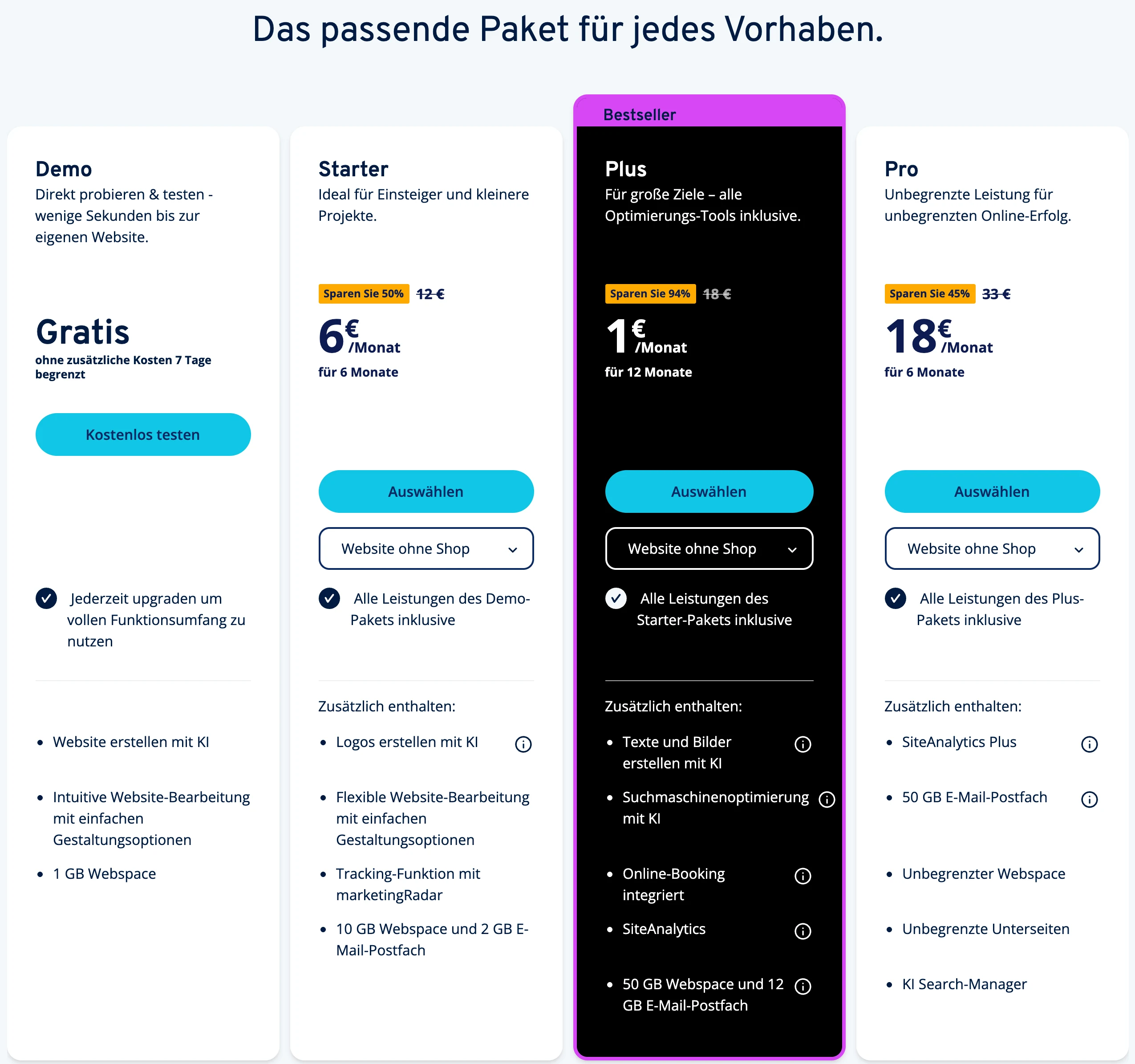
With the IONOS website builder you can choose from a total of three different pricing models.
In addition, 1&1 also offers plans that include having your website built by professionals. We want to leave these plans out, though, because they are not a classic part of the website builder.
2.1 Is there a free version?
Yes. IONOS now offers a free demo of the website builder. You can try out the editor for 7 days and switch to a paid plan if needed. That does not mean a website that stays published for free permanently, though.
2.2 Which premium plans are there?
1&1 distinguishes between three different premium plans, all of which come with a minimum contract term of 12 months and a 30-day money-back guarantee.
“MyWebsite Starter” regularly costs €12 per month. It includes 10 GB of web space, 2 GB of email storage and one domain. Because of its smaller feature set, the plan is intended above all for simple websites.
“MyWebsite Plus” regularly costs €18 per month. The plan includes 50 GB of web space, 12 GB of email storage as well as AI features for text and images, SEO tools, appointment booking and visitor statistics.
“MyWebsite Pro” regularly costs €33 per month. It includes unlimited pages and unlimited web space, 50 GB of email storage, SiteAnalytics Plus and the AI Search Manager.
At times IONOS shows significantly lower promotional prices for the first months. What matters for a fair comparison is the regular price after the promotional period.
2.3 Can I create an online shop with the IONOS (1&1) website builder?
Yes. IONOS still offers a shop for MyWebsite. Supported payment methods include PayPal Checkout, Stripe, Apple Pay, Klarna and SEPA direct debit. Because IONOS markets its shop offers separately from the three pure website plans and promotional prices change often, you should check the current shop price directly before booking.
2.4 How much does a domain cost at IONOS (1&1)?
A domain is included in every premium plan from IONOS.
If you want to add more domains, that is no problem either. You can link them to the website builder fairly easily in the user administration.
At 1&1, domains are generally included in the booked plan in the first year.
In the second year, variable costs apply that depend on the domain ending.
The prices for additional domains depend on the ending and the current promotional period. So besides the introductory price, always check the regular renewal price as well.
3. Test results in detail
Now we want to take a closer look at the IONOS (1&1) website builder together with you.
We will share our experiences with the most important features of a builder like this.
3.1 Features
Storage and traffic
The storage depends on the plan. Starter includes 10 GB, Plus 50 GB and Pro unlimited web space. The number of pages is only unlimited in the Pro plan.
Custom domains
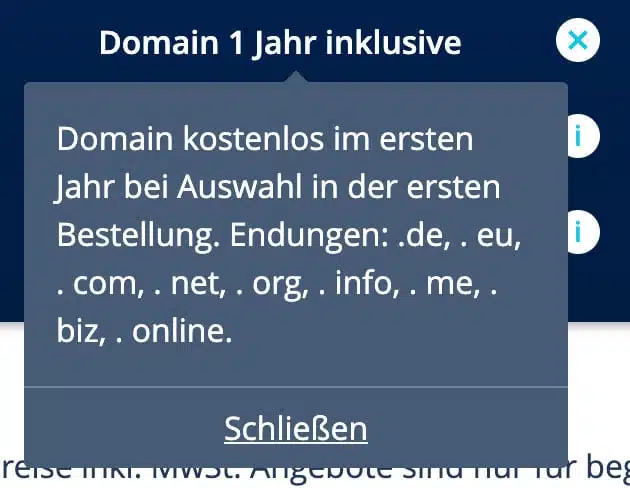
No matter which of the three plans you choose, you get a free domain.
You can choose between different endings.
There are classic .de domains but also .biz, .net or .online.
Blog
The IONOS website builder comes with a blog function.
But, frankly, it isn't really usable if you want to start a real blog.
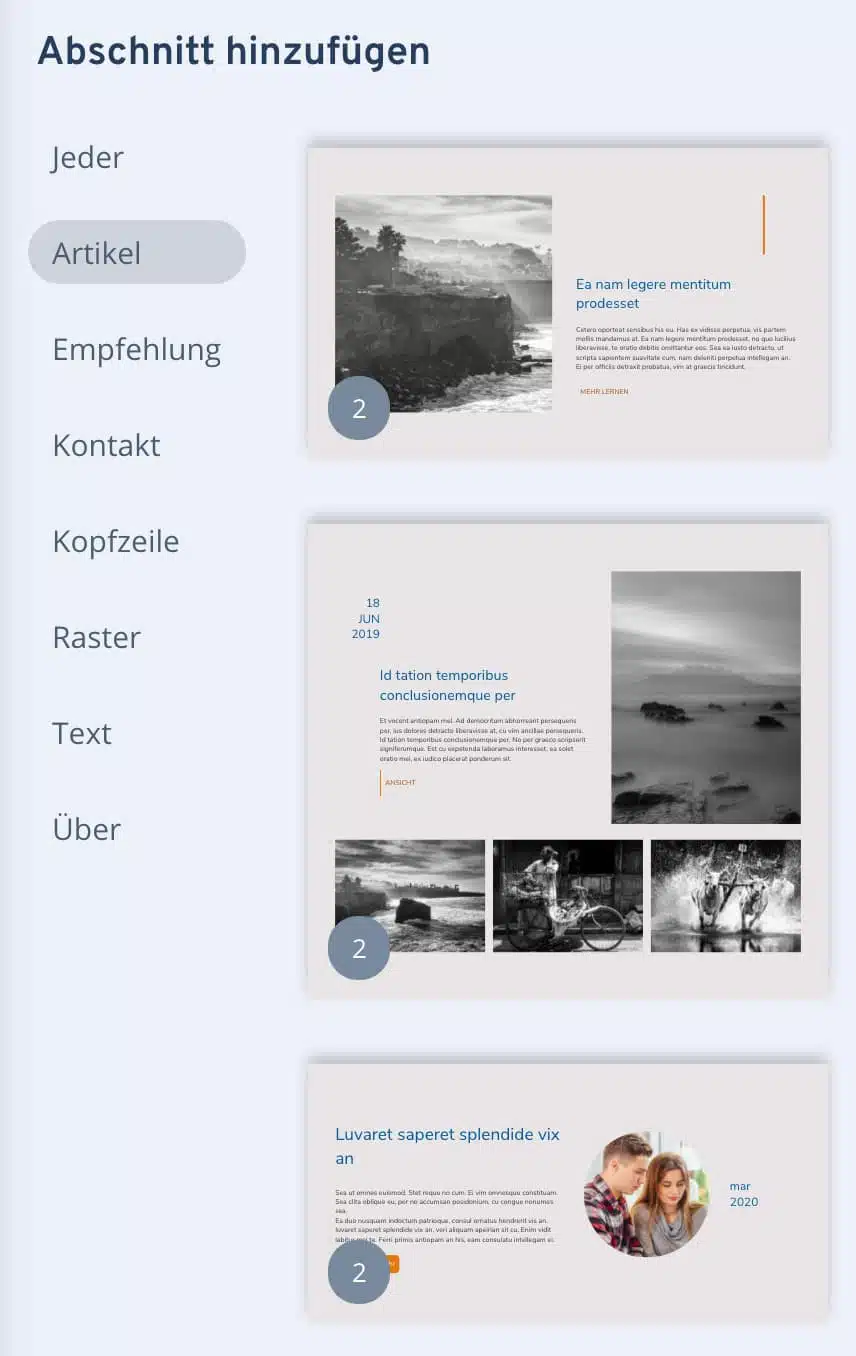
You can't create categories, tags or author profiles. On top of that, you have to add new text elements through the drag-and-drop editor for every post, which takes an enormous amount of time.
If you want to publish 2-3 news items per year, the blog function is sufficient, but for a professional blog it is inadequate.
Online shop
The online shop is the centerpiece of the shop plan.
You can create up to 5,000 products here and sell them conveniently.
You can choose between different payment methods (invoice, cash on delivery, credit card or PayPal) and even integrate different shipping options.
Numerous other features, such as a connection to a Facebook shop or creating coupons and discounts, round off the really very good offering.
With the shop plan you also get access to the email newsletter tool, so you can supply customers with new offers and products in a targeted way.
SEO
Already with the Starter plan you get basic SEO features, which are completely sufficient to get started.
You can set a title and a description for each individual page and also define a custom URL.
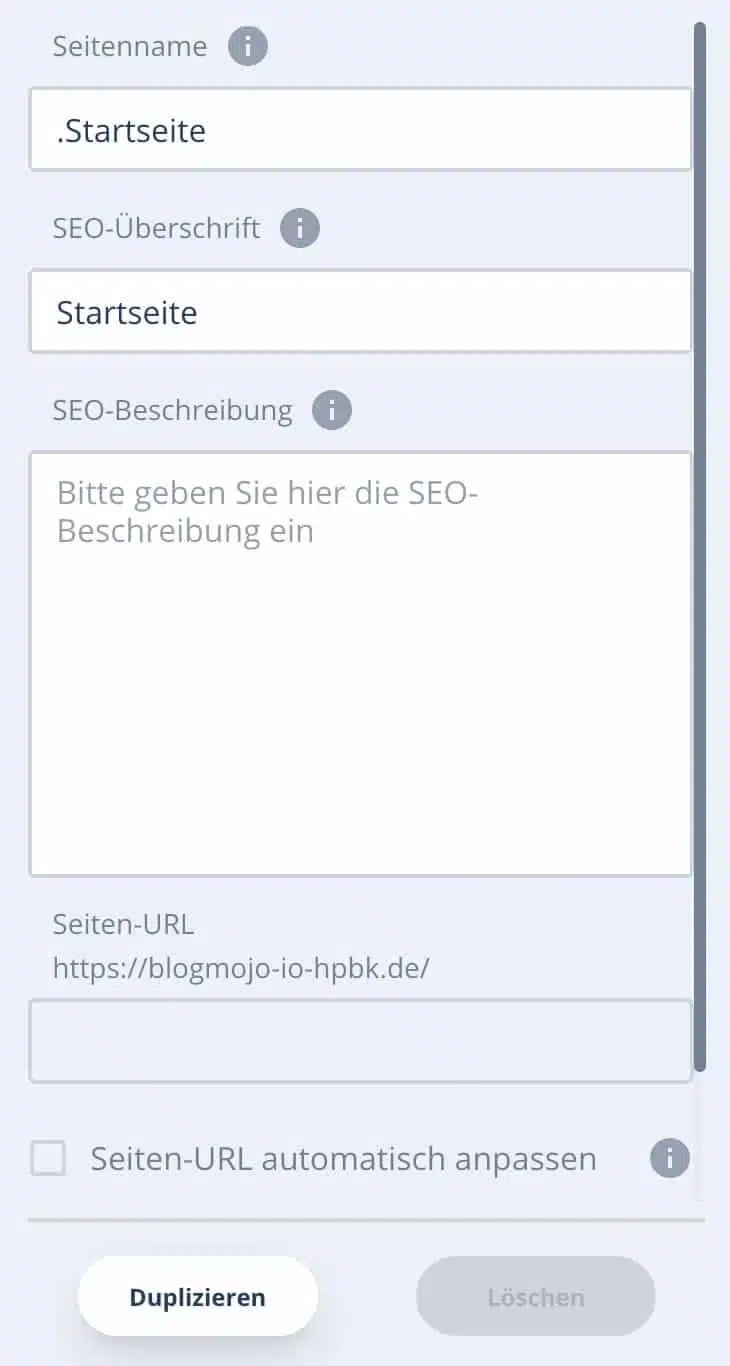
Sure, more features such as 301 redirects would be great, but for getting started this is enough.
Visitor statistics
The Starter plan has no visitor statistics. SiteAnalytics is included from the Plus plan, SiteAnalytics Plus in the Pro plan.
Here you have to fall back on external tools like Google Analytics or Matomo.
We aren't “statistics nerds,” but we would have liked a small insight into how the site is received and how many visitors it gets each day.
Contact form
The IONOS (1&1) builder really scores with the contact form.
The contact form is well done!
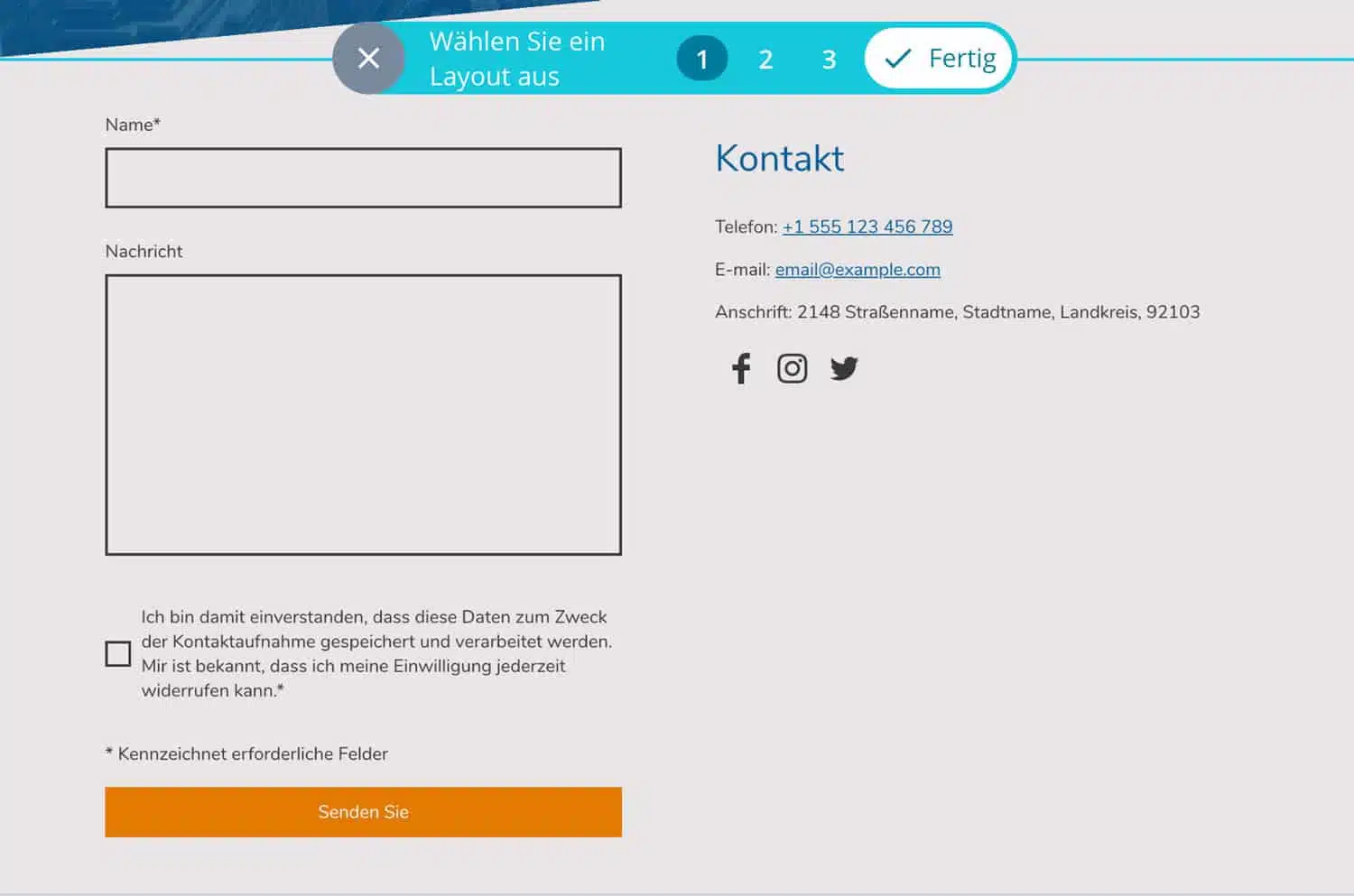
The design varies depending on the template you choose and thus blends seamlessly into the overall look of your website at every spot.
With numerous settings, you can then adapt the form perfectly to your ideas.
For example, you can add several fields, control an automatic message to the sender or have a privacy notice confirmed before the form is sent.
You can even integrate CAPTCHA without any problem.
Password protection
Neither the whole website nor individual pages can be password-protected.
Extensibility (widgets, plugins, apps etc.)
The IONOS (1&1) website builder has many different ready-made elements that you can easily place where you want them via drag-and-drop.
These are classic widgets such as a contact form, an About us section or text elements.
The special widgets are missing a bit, for example a countdown or the like.
There is no app store of its own either.
Already with the very inexpensive Starter plan you get your own email address matching your domain ending.
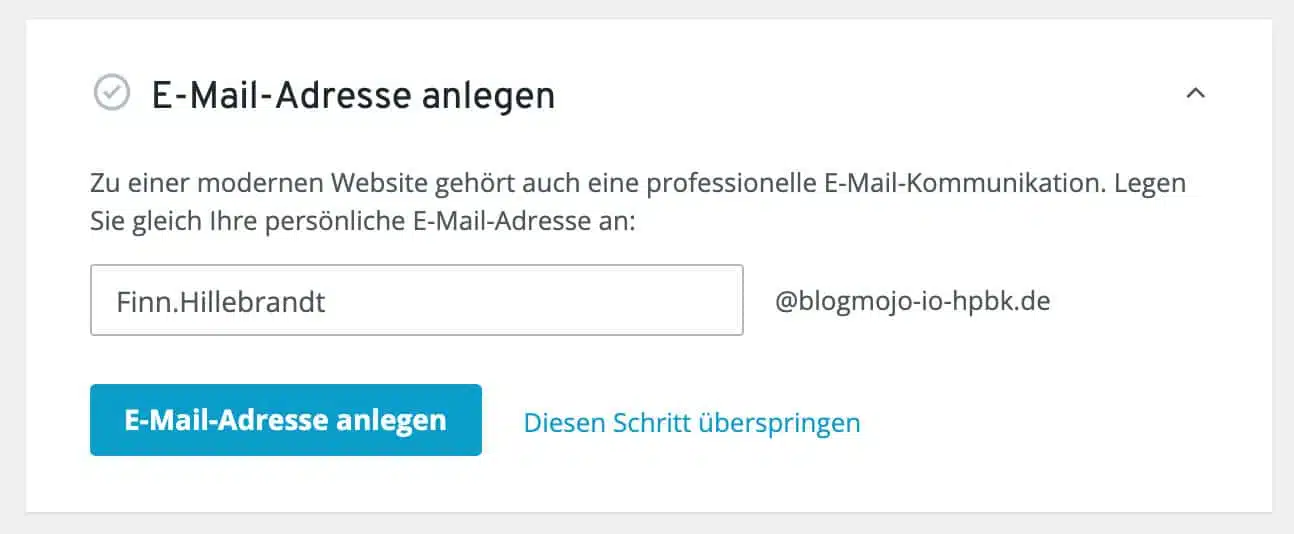
The other two contracts even allow more addresses. You can set up this email address very easily in the user area.
Newsletter
The IONOS website builder does come with a newsletter function, but it is only activated from the SHOP plan.
That's no disaster, though, because you can also build in a newsletter without any problem in the Starter or Plus plan.
The various services, for example Mailchimp, offer ready-made forms that you can simply insert at the desired spot on your page via an HTML code.
And honestly: we would use tools like Mailchimp either way, because they offer a much larger feature set than the newsletter functions built into website builders.
3.2 Usability
Now let's turn to the usability and structure of the IONOS website builder.
The design looks very modern and the operation is intuitive.
After registering and activating your account, you are first guided step by step through the setup process. That means you choose a title for your site, can connect a domain to your project and register an email address.
Afterwards, one click on “MyWebsite” takes you straight to the drag-and-drop editor.
Here you first choose a design on initial setup, then you are taken to a simple and clear editor that lets you make changes to your website quickly and easily.
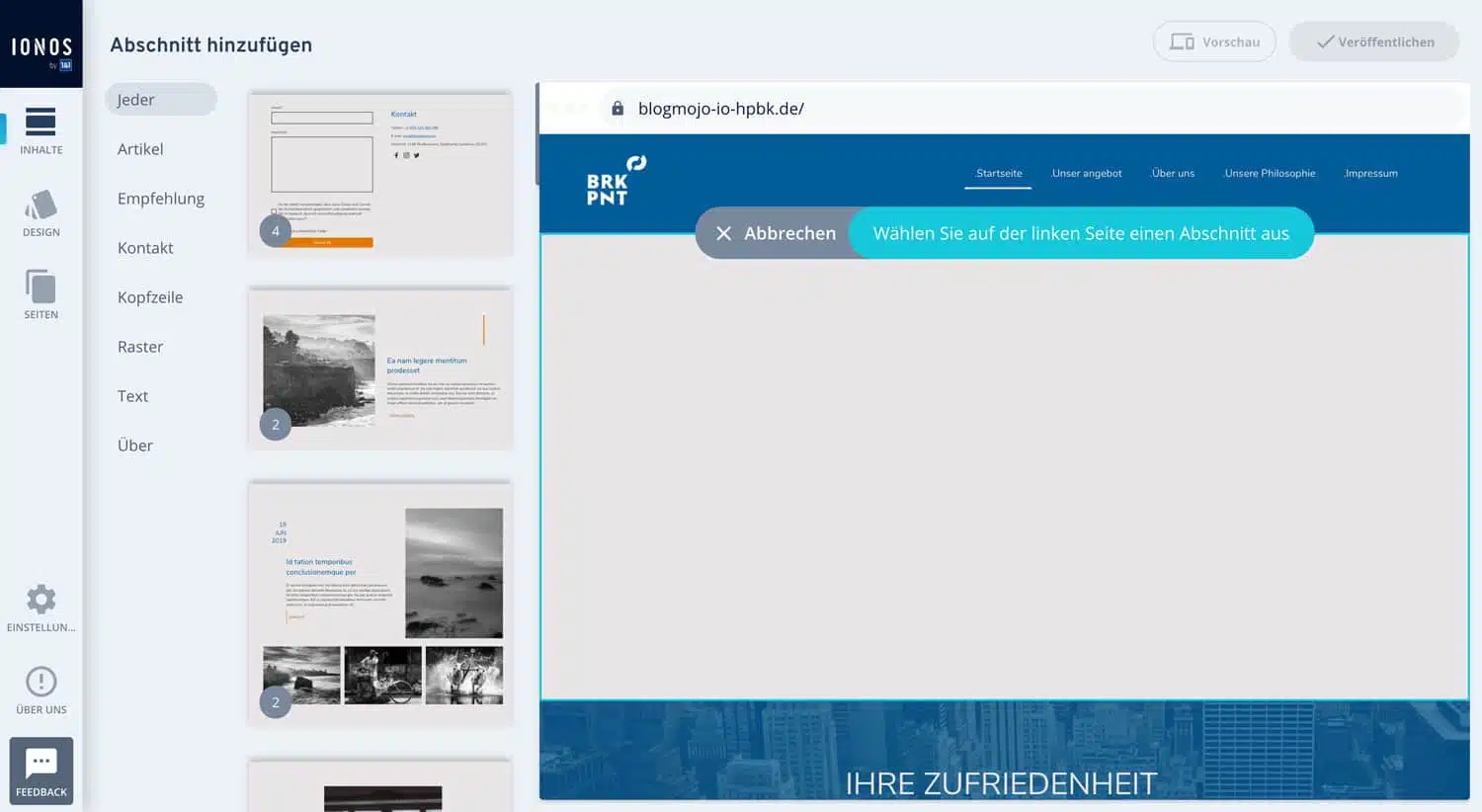
In its structure, the IONOS (1&1) website builder doesn't venture onto new paths. It uses a structure you know from other builders: in the selection on the left you can choose ready-made elements and place them on your website with a simple mouse click.
What is different and really great, though, is that these elements are already adapted to the design you chose. That means every element (whether heading, contact form or review) automatically adapts in structure and colors to your website.
By the way: with technical requirements such as loading time or adaptation to mobile devices, the IONOS website builder really leaves nothing to be desired either.
The site loads extremely fast and changes are applied without delay.
Our only criticism is the fact that 1&1 has completely done without a dashboard that gives you a rough overview of the activity on your site.
Other builders use this dashboard to provide visitor statistics or contact requests through the contact form.
3.3 Templates
Selection
When it comes to the selection of templates, IONOS is not as richly equipped as other website builders.
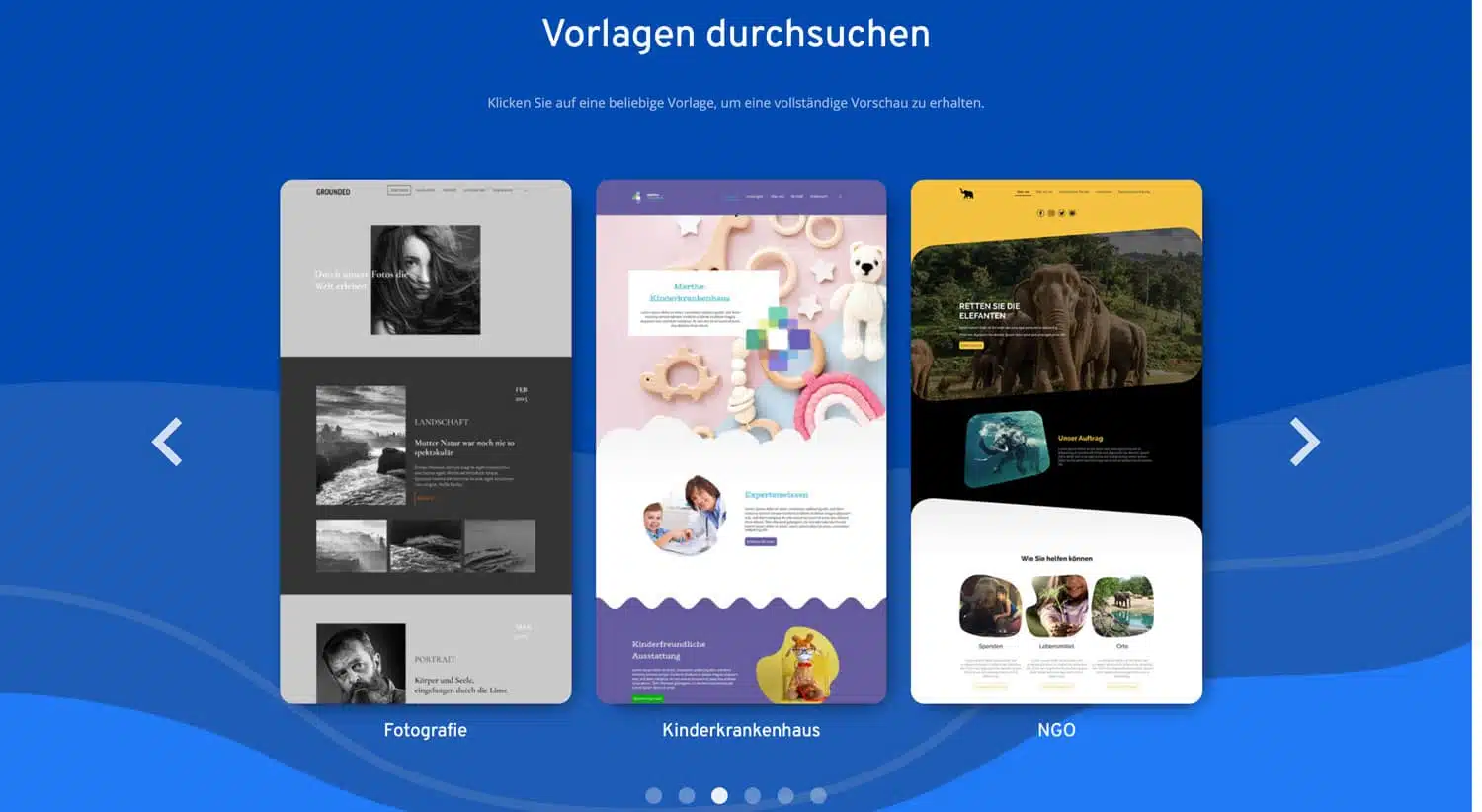
Even so, 1&1 has managed to cover most niches excellently.
The selection is completely sufficient and we didn't find any major shortcomings.
Design quality
While the IONOS website builder falls slightly behind other builders in template selection, it effortlessly makes up for it with the quality of its templates.
The quality of the designs is modern and perfectly coordinated.
It is immediately clear that designers were at work here who completely revised the designs only a few months ago and adapted them to today's demands.
Responsiveness
Of course: all templates of the IONOS website builder are adapted to mobile devices and look good not only on the PC but also on a smartphone or tablet.
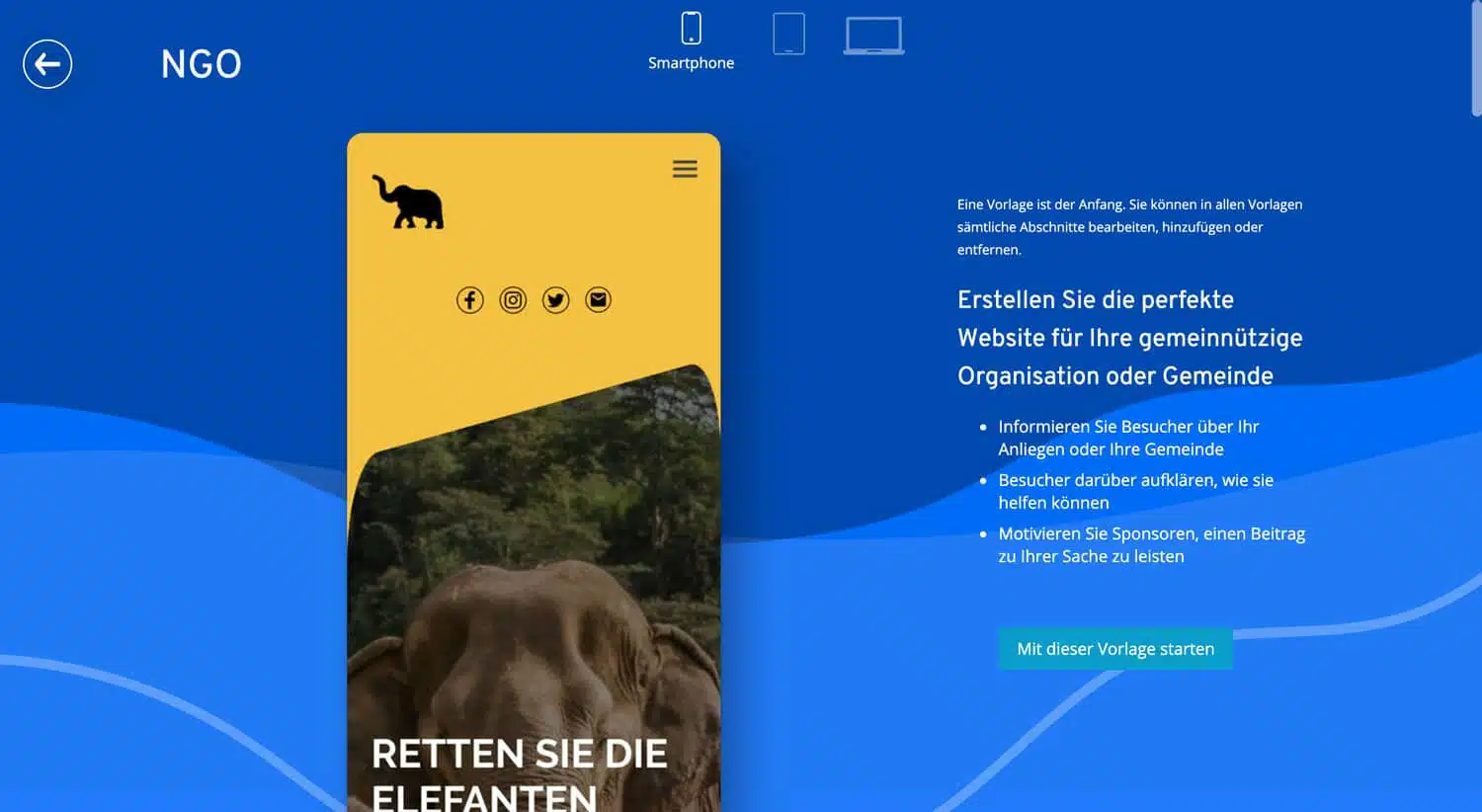
How a template looks on different devices, you can already see in the preview.
Customizability (CSS, custom code etc.)
You can make adjustments to your website and add your own code.
For that, however, at least the IONOS Plus plan is required.
3.4 Help and support
1&1 has been known for its excellent customer service for many years and keeps receiving top marks in customer surveys.
This history naturally continues with the support for the website builder.
For one, there is an extensive IONOS FAQ section that immediately answers almost all questions about the builder and the different plans.
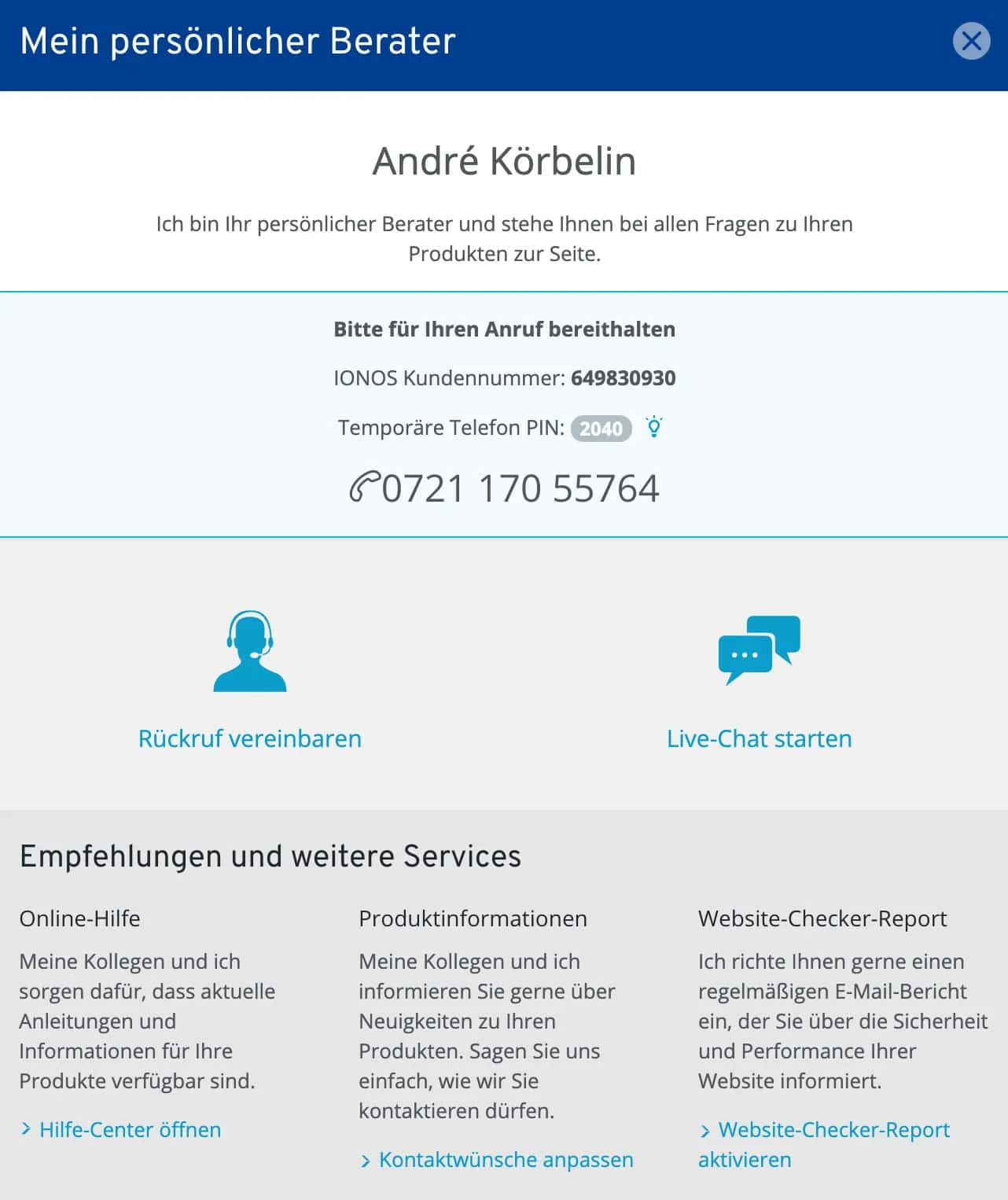
If you still want to contact an employee, you can do so in several ways:
- Send an email to support
- Use the phone hotline, which is reachable 7 days a week, around the clock
- Use the live chat
By the way: since 1&1 is a German company, the support is of course in German.
So there are no problems here either.
During our test, though, customer support called us twice within one week to sell us products that we either don't need or already have (such as an SSL certificate).
3.5 Languages
While many website builders from the US unfortunately keep standing out through inadequate translations, you have no problems at all here with the IONOS (1&1) website builder.
The product is designed specifically for the German-speaking market and is accordingly geared toward a German audience.
Both the builder itself and the FAQ section are completely in German.
3.5.1 Multilingual websites
You can also build multilingual websites with the IONOS builder.
You can choose from up to 60 different languages. How good the translations are in detail, we unfortunately can't tell you. But like all automatic translation tools, you may have to lend a hand yourself here too.
You should also know that this function is only available from the Plus plan.
3.6 GDPR and legal matters
First of all, all servers are located within the EU, so there are no problems with data transfers to non-EU countries.
The data processing agreement you have to conclude with 1&1 is also easy to find and sign in the member area.
Now let's turn to the builder and the requirements placed on your website.
Here IONOS is clearly better than the competition, but not 100 percent perfect either.
For example, you have the option of displaying a cookie notice, but unfortunately there is no opt-in for these cookies. That is a big minus, because the opt-in requirement has already been confirmed by courts (although not yet by any German court).
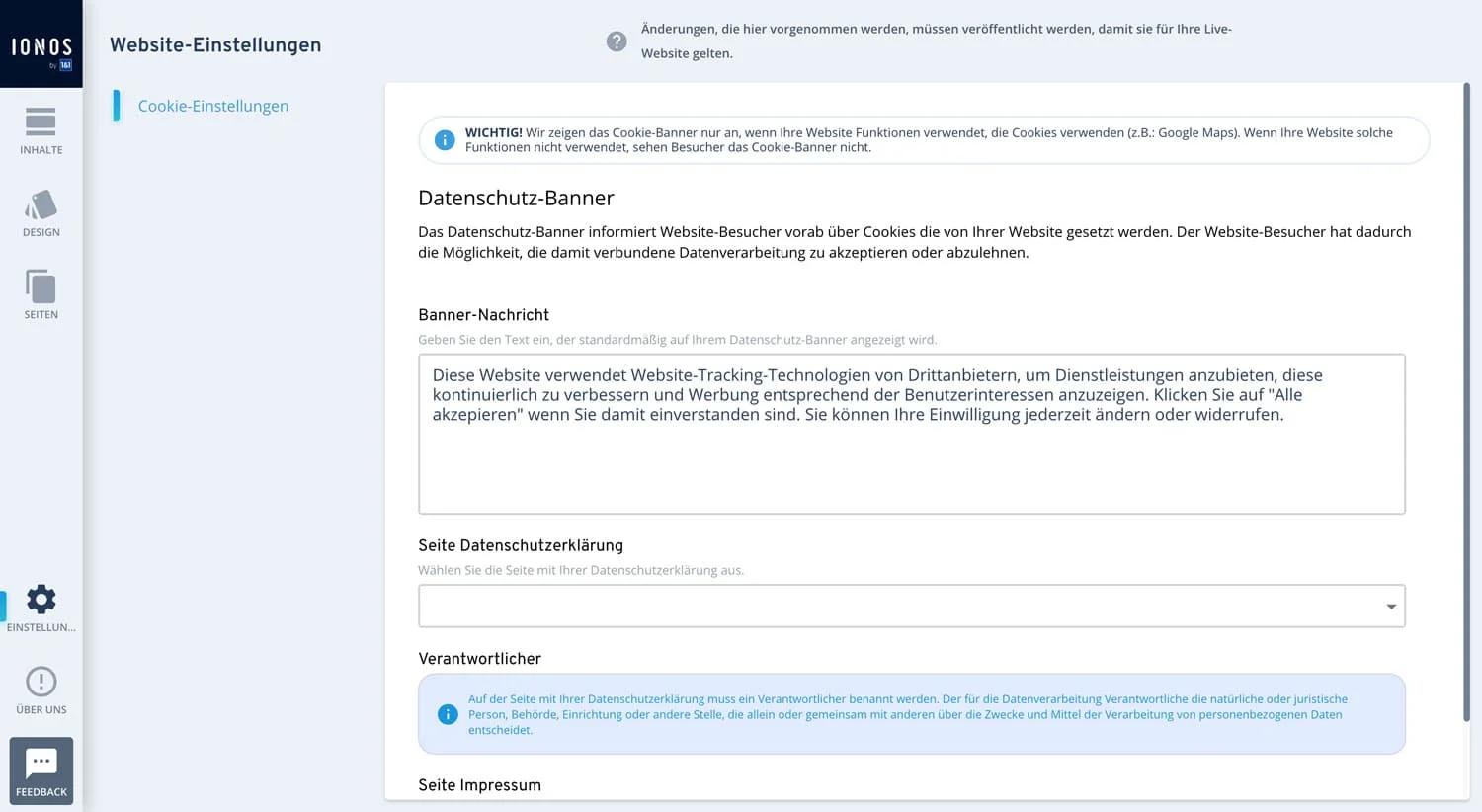
For the Impressum (the legal notice German websites must carry) and the privacy policy, you are given very minimalist templates, but you can't create legally compliant texts with them alone. So here too you have to fall back on an external source.
Overall, we really have no qualms about 1&1 when it comes to data protection. We would have wished for a bit more attention to detail in one place or another, though, because this matters in no area as much as in data protection.
3.7 Backup, restoration and portability
You can create backups with the IONOS website builder at any time.
In addition, an automatic backup is created before every publication of your site.
Unfortunately, there is no way to export the backups or install them on other systems like WordPress.
3.8 Core Web Vitals and loading time
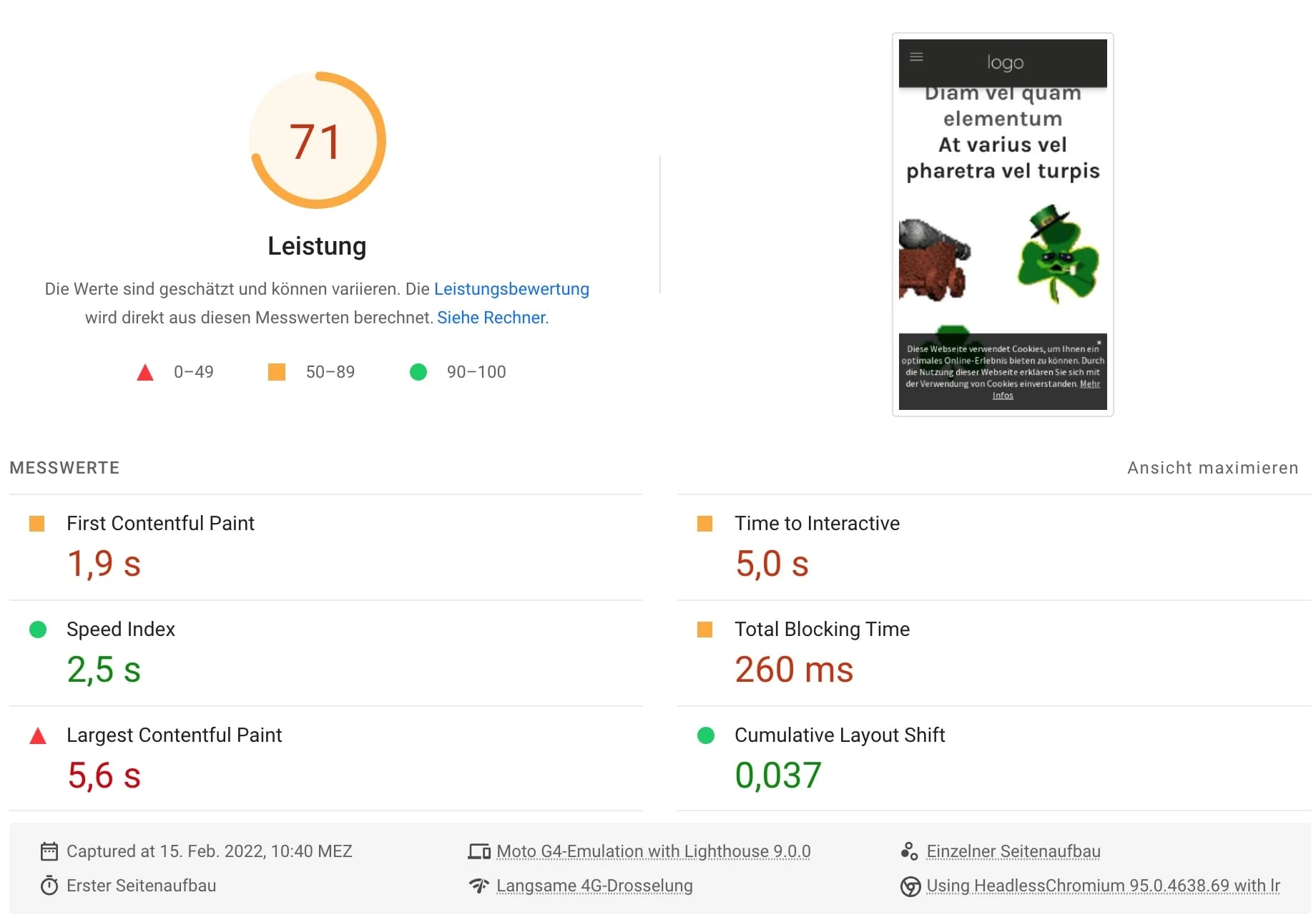
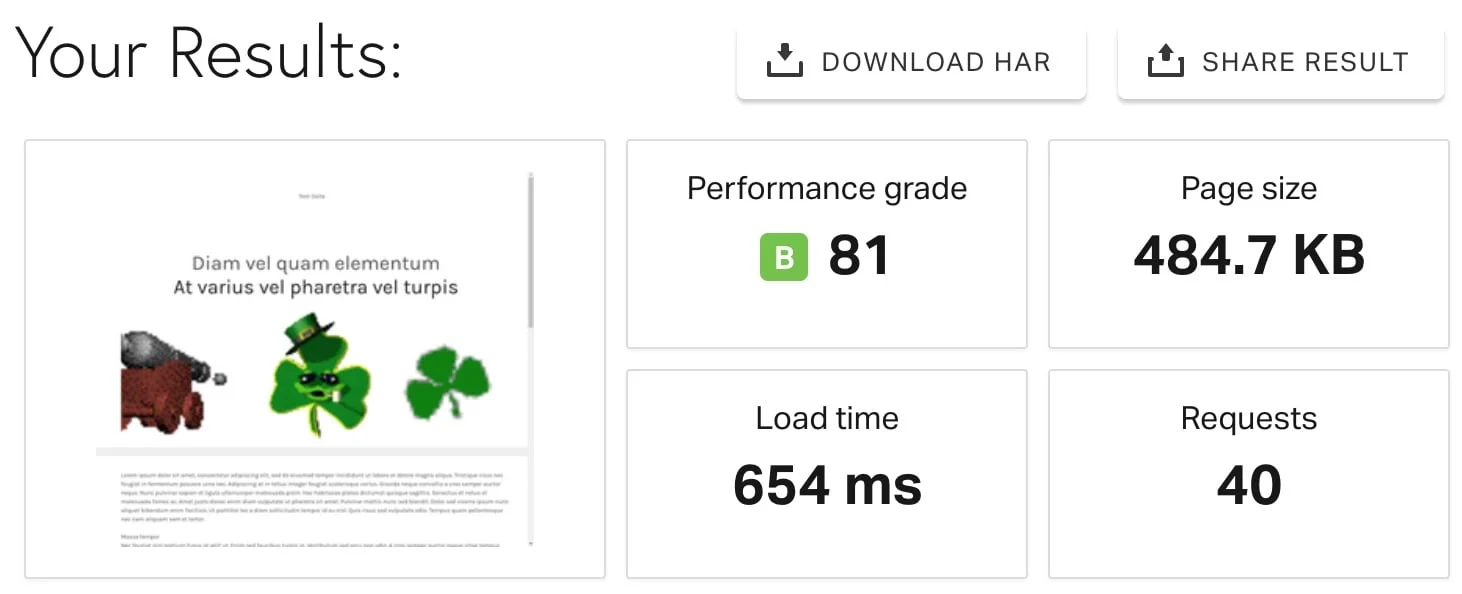
As part of our website builder comparison, we measured the absolute loading time and the Core Web Vitals of every builder.
To do this, we created a test website with every provider that has the same design and is filled with the same five images and the same placeholder text, to get results that are as accurate as possible.
The IONOS test website does mediocre to good on the Core Web Vitals. It gets a PageSpeed score of 71 with a very good Cumulative Layout Shift of 0.037:
The absolute loading time of 0.654 seconds measured by Pingdom Tools (with a location in Frankfurt am Main) is also in the good range:
4. Examples of IONOS MyWebsite
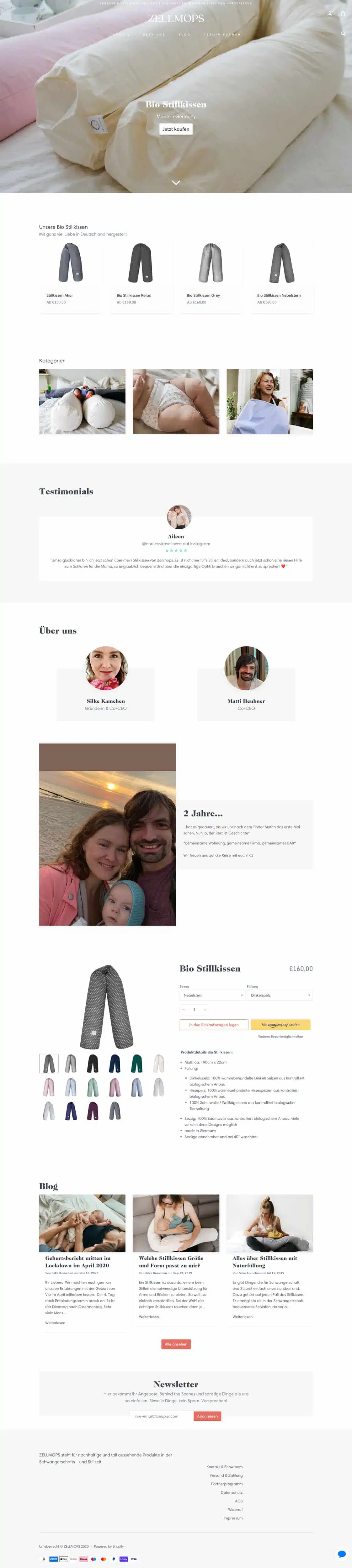
There are numerous renowned sites that were built with the IONOS website builder.
A great example is the site of the company Zellmops, which many expectant mothers in Germany are likely to know.
5. Alternatives to IONOS MyWebsite
The IONOS (1&1) website builder is, at least from the “Plus” plan, a very mature product at a high level.
So if you go looking for an alternative builder, you also have to find one that is either better than IONOS in an area that is particularly important to you, or that perhaps offers other pricing models that suit you and your project better.
If you look purely at the builder's feature set, Wix is certainly such an alternative that you could take a closer look at.
Wix works at a similarly high level to the IONOS builder, but brings a few more features.
You'll find a similar level to the IONOS website builder at webgo for a lower price.
We want to address one more point here.
Website builders all have one decisive disadvantage, whether IONOS, Weebly or Wix: they limit your site's growth potential. Since these builders are always closed systems, it is hard to implement very individual projects.
Here other systems, which are of course also much more complex than a website builder, can win you over with more flexibility.
One of these systems is WordPress.
6. IONOS MyWebsite or WordPress?
Whether you should create a WordPress website or go with IONOS myWebsite is a question that can't be answered across the board.
Because the two systems are so different, no clear recommendation can possibly be made, since the goals of each site owner can be very different.
IONOS shines especially in the time it takes to get started and its low complexity.
That means even as an inexperienced user you can create and publish a website with the IONOS builder within a very short time, without first having to spend several weeks getting to grips with the builder and its features.
On the other hand, this low complexity is only possible because 1&1 deliberately does without many small technical gimmicks and details.
Here WordPress in turn convinces across the board.
There is hardly any technical or design project that can't be implemented with WordPress. You can work not only on the system itself but also make changes of any kind through code, templates or plugins.
The “WordPress app store” alone comprises several tens of thousands of applications.
Of course, such a complex system also requires a basic understanding. With WordPress you won't be able to create a website within a few hours if you have no prior knowledge.
So our advice is:
- Use WordPress if your website is the centerpiece of your business. One example would be a blog of your own.
- Use the IONOS builder if you want to create a website so you can be found online and you only rarely make changes to it after creating it once. One example would be a local trades business.