
Weebly is one of the most popular website builders in the English-speaking world. In Germany, on the other hand, the builder is largely unknown.
But how good is Weebly really?
Is it also suitable for German-language websites? How does it compare with industry giants like Jimdo or Wix?
In our original test report, we signed up for the plan that was called “Weebly Pro” at the time and put it through its paces. Its current successor is called Professional and costs €17 per month when billed annually.
The result was rather sobering...
1. Verdict
Test categories
Pros
- fairly good drag-and-drop editor
- extendable with 350+ apps
Cons
- support team and many help articles primarily in English
- no email mailboxes included
- admin area partly confusing
The ratings are German school grades, where 1 is best.
In our website builder comparison, Weebly scored 51.3 points and came in eighth, which means last place.
Of course, Weebly also has its good sides, such as a fairly good drag-and-drop editor that you can extend with more than 350 apps.
To get to know Weebly, there is also a permanently free version, admittedly with an ugly subdomain, but perfect for testing.
Outside the editor, though, Weebly doesn't exactly stand out. As you can see in the individual ratings, Weebly doesn't even reach half of the possible points in 6 out of 10 categories.
Who is Weebly suited for?
Weebly is a good solution for a personal website, such as a travel diary or a family website.
The permanently free version is a big advantage here.
For a professional website, however, Weebly is hardly suitable.
2. Pricing & costs
2.1 Weebly free version
Weebly offers a free version, but it is hardly suitable for serious web projects.
You only get a Weebly subdomain, and you also have to put up with a Weebly banner that is discreet but permanently visible. That is extremely annoying and will bother your visitors, too.
On the plus side, you get a free SSL certificate. You also won't often find the built-in contact forms and lead capture options in the free version of other website builders.
Still, you should be absolutely clear that the free Weebly version is not suitable for public websites with a professional purpose.
2.2 Which premium plans are there?
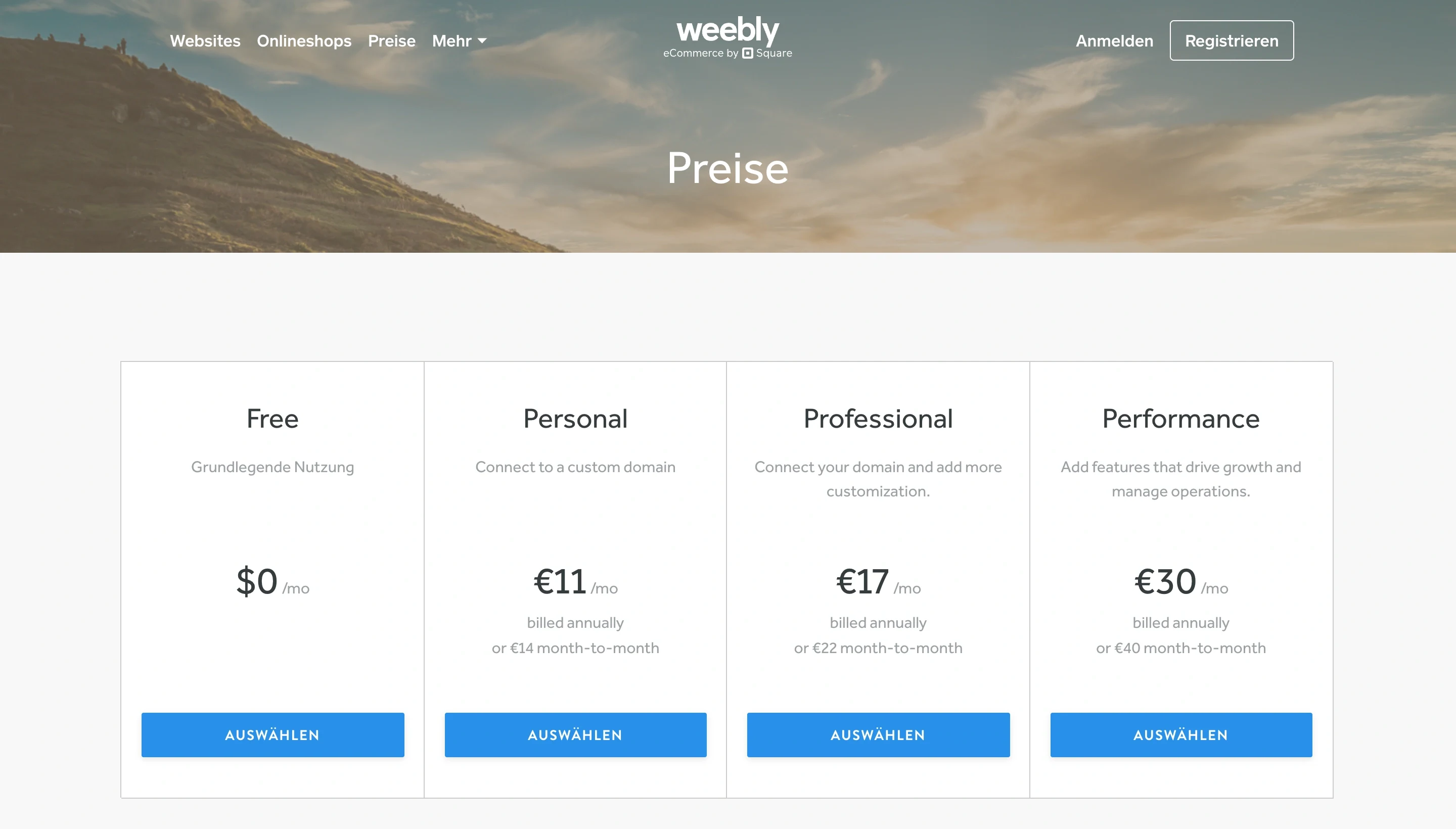
Weebly offers three paid plans. A browser check from Germany showed the following prices:
- The Personal plan costs €11 per month when billed annually or €14 when billed monthly.
- Professional costs €17 per month when billed annually or €22 when billed monthly.
- Performance costs €30 per month when billed annually or €40 when billed monthly.
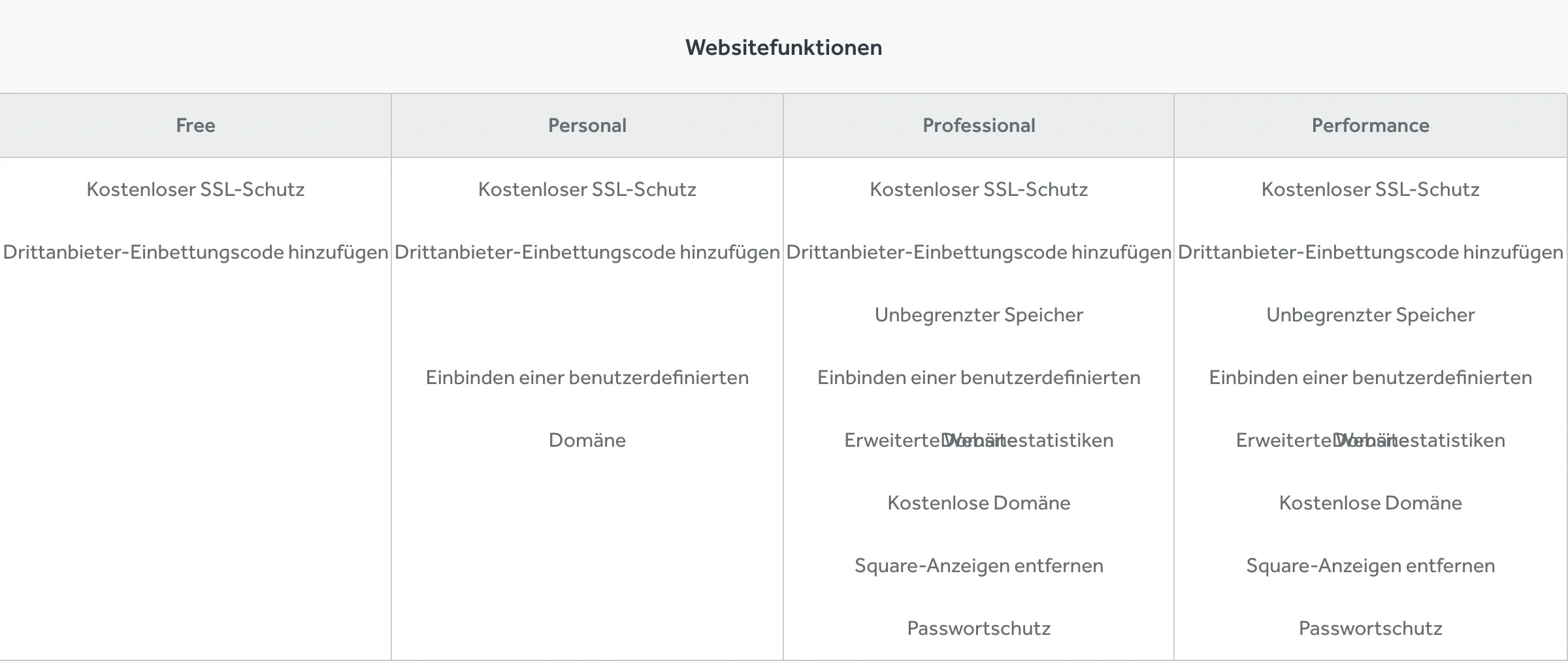
Personal is enough to connect your own domain. If you want to remove the Square advertising and use unlimited storage, you need at least Professional.
Professional also adds advanced website statistics, a domain for the first year, and password protection.
The higher plans also give you access to phone support. Email and chat support are available in all website plans. The staff speak US English, and for chat and email requests Weebly may use translation software.
Performance is mainly interesting if you want to run your own online store. Billed annually, the plan costs €30 per month. For that, you get additional e-commerce features:
- Extensive product management
- Automatic tax calculator
- Coupon codes
- Product reviews
- Shipping calculator
- Integrated shipping labels
- Pop-up notifications
- Advanced e-commerce statistics
In other words, with Weebly Performance you can run a comprehensive online store that also copes well with larger product ranges.
2.3 Can I create an online store with Weebly?
Yes, Weebly comes with a wide range of features that let you build an extensive online store.
Products can be created very quickly and easily and then sold directly through the website.
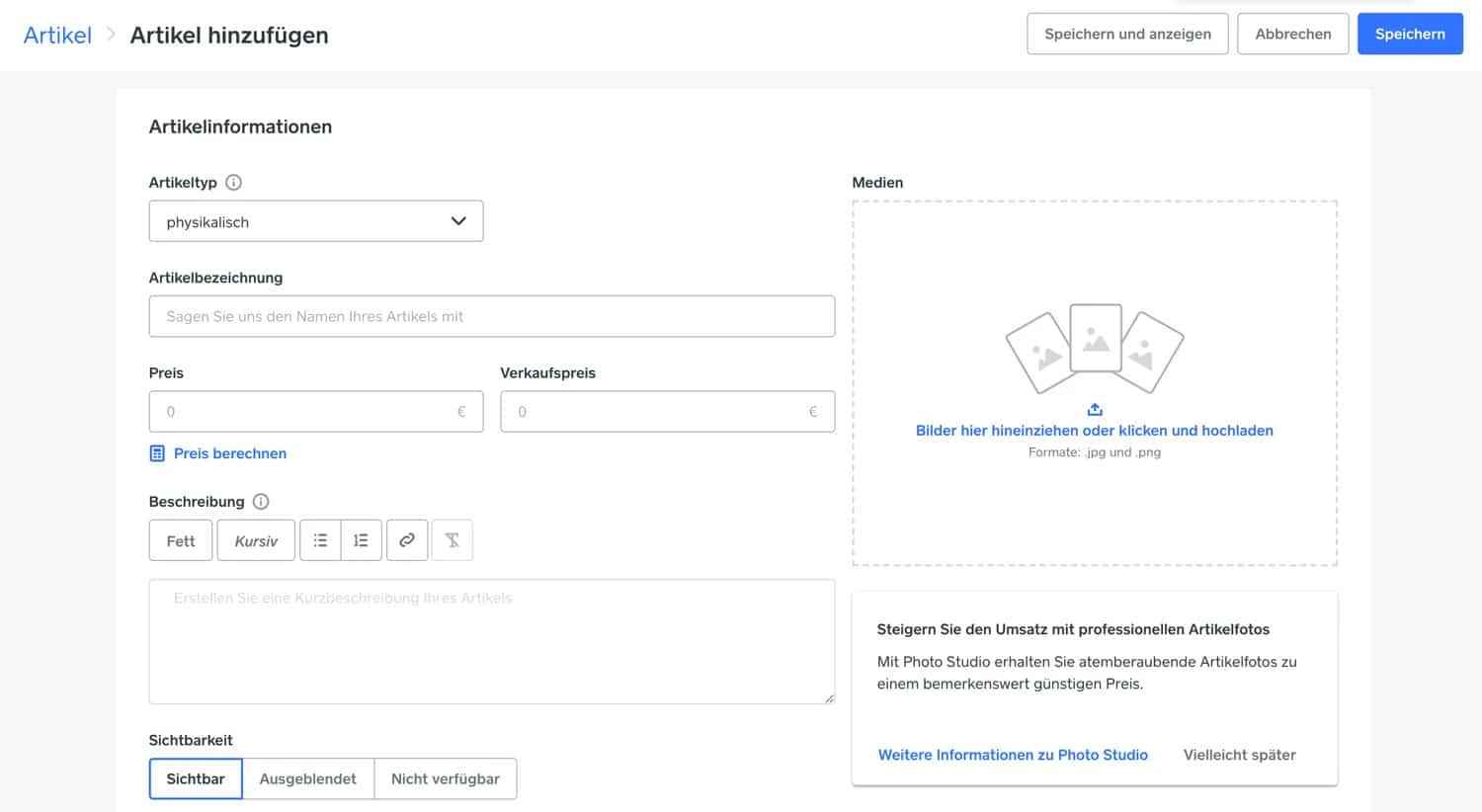
Basic store features are now included in all plans. Features such as PayPal, product reviews, and emails for abandoned shopping carts are reserved for higher plans.
2.4 How much does a domain cost?
According to the current plan overview, a free domain is included in Professional and Performance.
3. Test results in detail
What we particularly like is that even the free version has a lot of features, so you can test the website builder thoroughly.
3.1 Features
Storage and traffic
From the Weebly Professional plan on, you get unlimited storage.
Weebly doesn't make any distinctions when it comes to traffic. So it doesn't matter whether your website gets 10 or 1,000 visitors per day.
Custom domains
In the free Weebly plan, you only get a not particularly pretty subdomain. That is, however, standard for almost all website builders.
You can connect your own domain from Personal on. In Professional and Performance, a domain is included for the first year.
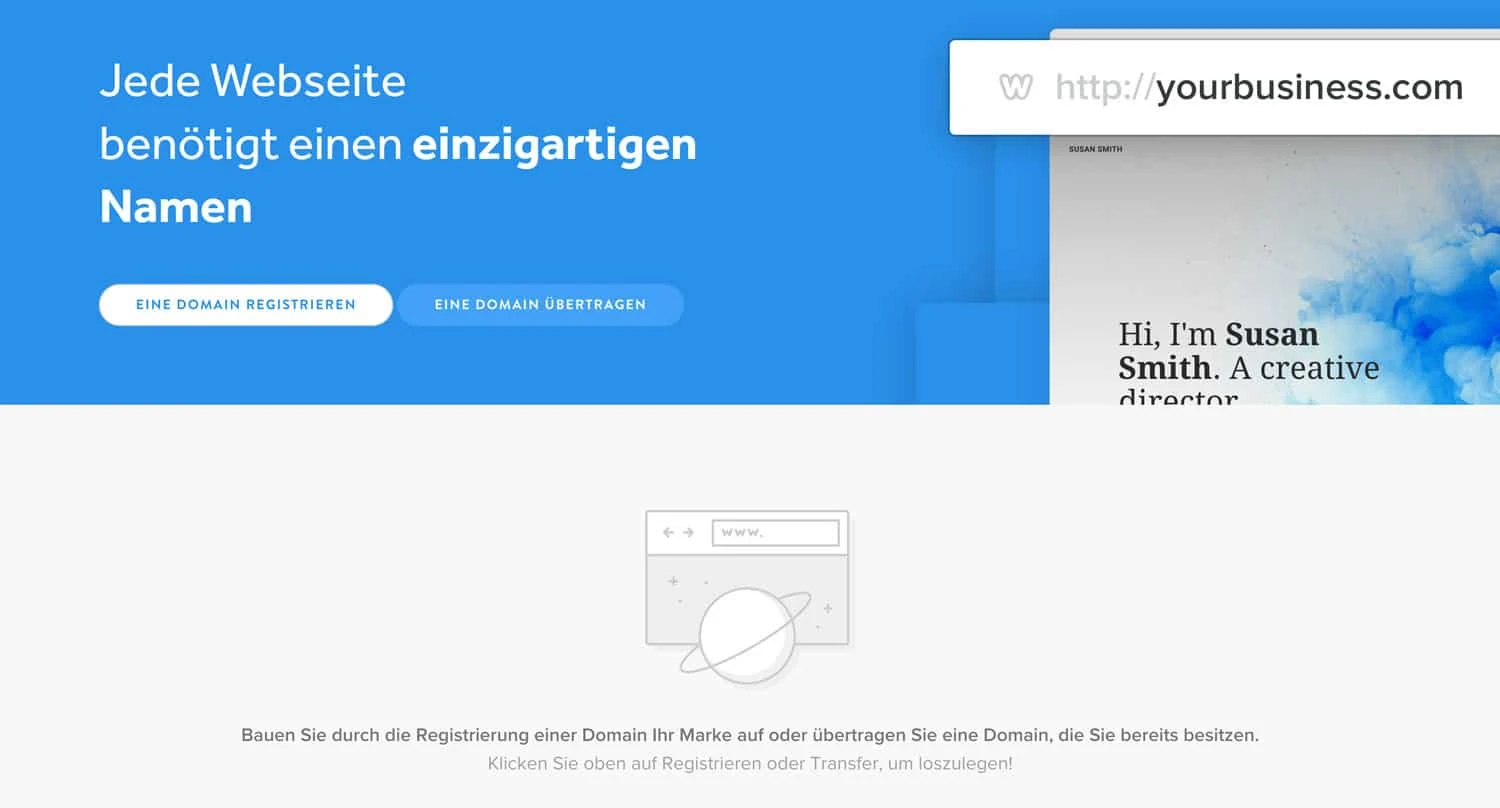
After the first year, the current renewal price of the chosen domain applies.
Blog
Weebly does provide a blogging feature, but it leaves a lot to be desired.
It includes a customizable publication date, categories, and tags.
But that's about it.
If you want to combine several authors in one blog, for example, Weebly's blogging feature already reaches its limits.
For a few months now, at least a comment function has been built in.
Creating a new blog post, on the other hand, is a disaster. Especially if you are used to WordPress, Weebly is incredibly cumbersome here.
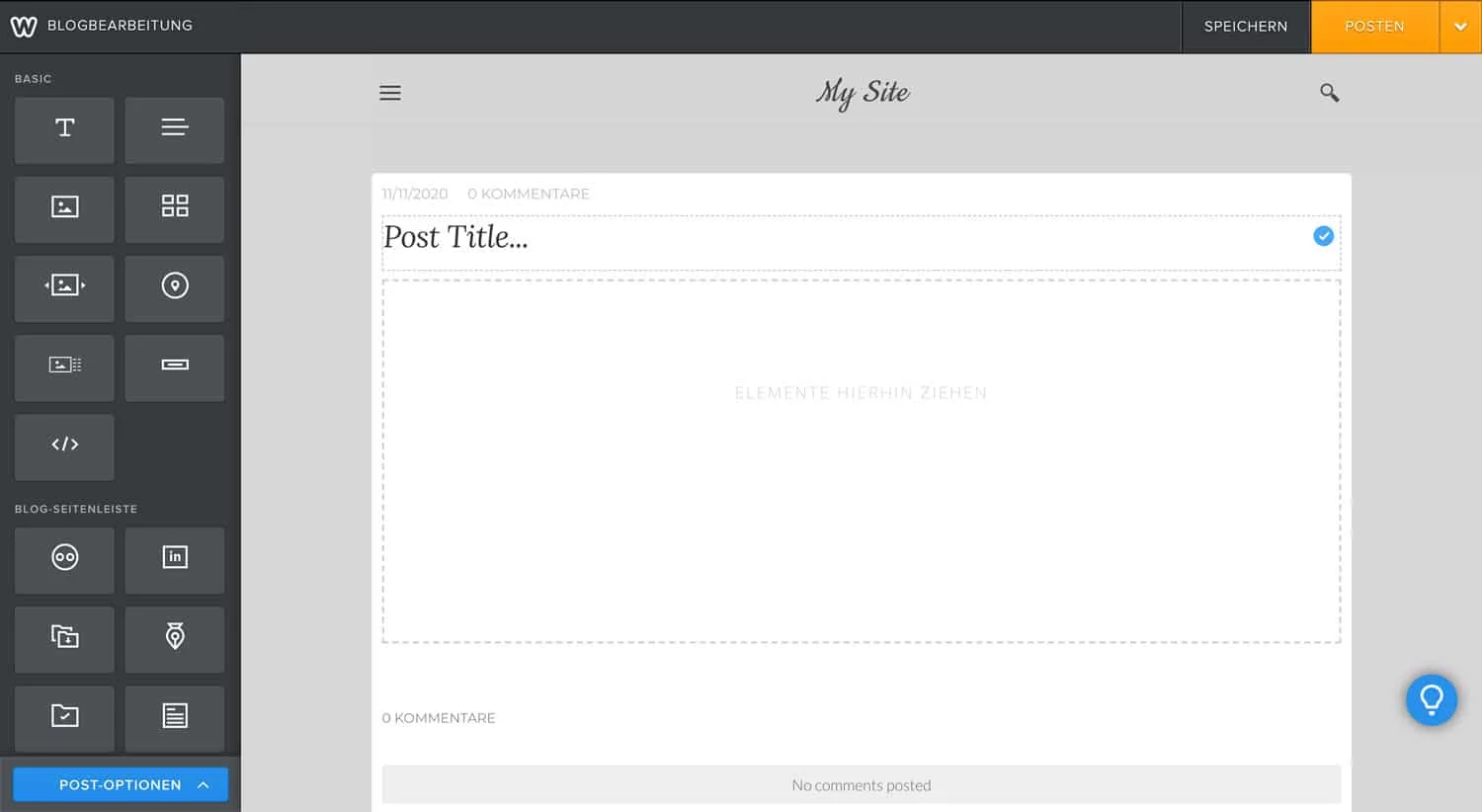
A new blog post has to be added via Edit website > Create new page (in the German interface: Website bearbeiten > Neue Seite erstellen). There you work with the familiar drag-and-drop builder, which makes no sense at all for blogging.
The focus here should be on writing the text.
So if you want to concentrate mainly on blogging, there are much better alternatives than Weebly.
Online store
While Weebly loses a lot of points with its blog, the website builder shines when it comes to the online store.
Basic settings such as taxes or shipping can be done in no time.
Additional extensions such as coupon codes or the login area for your customers are also relatively simple to set up.
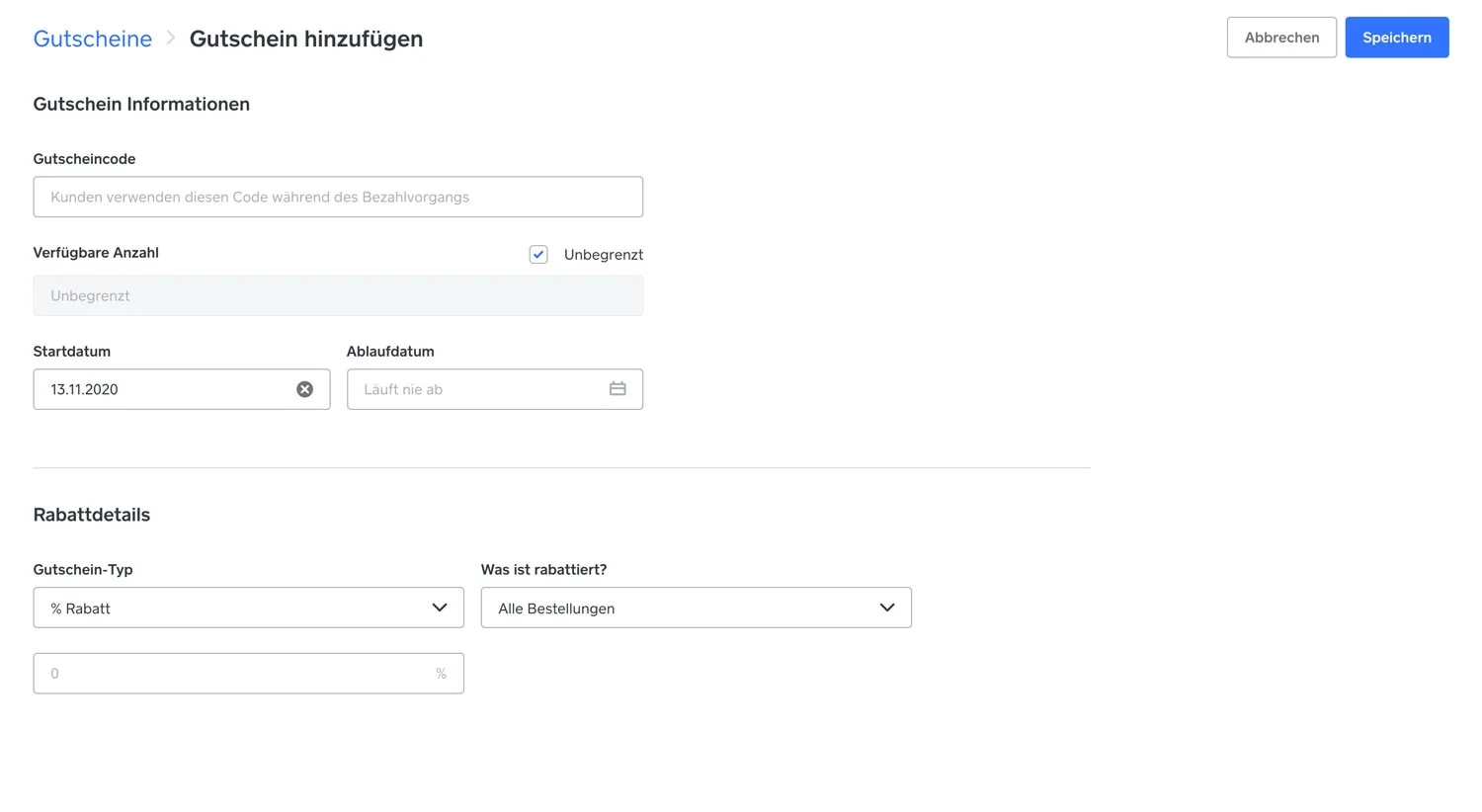
Weebly copes with small and large product ranges alike.
SEO
Beginner SEO features are already available in the free Weebly plan.
That is definitely a special feature compared with other website builders, and one we consider very positive.
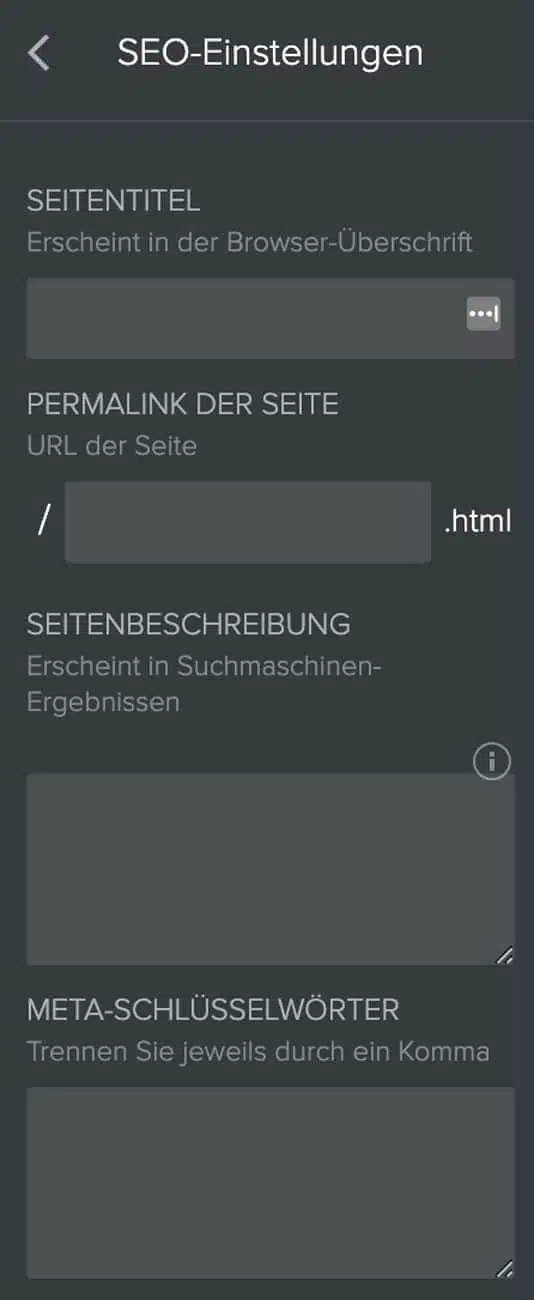
You can edit the page title and page description fairly easily and adjust a page's keywords.
A simple noindex function is also built in. By ticking a box, you can hide a page from search engines with ease.
Visitor statistics
Weebly gives you a simple but clear and easy-to-use statistics tool that contains basically all the important data about your visitors.
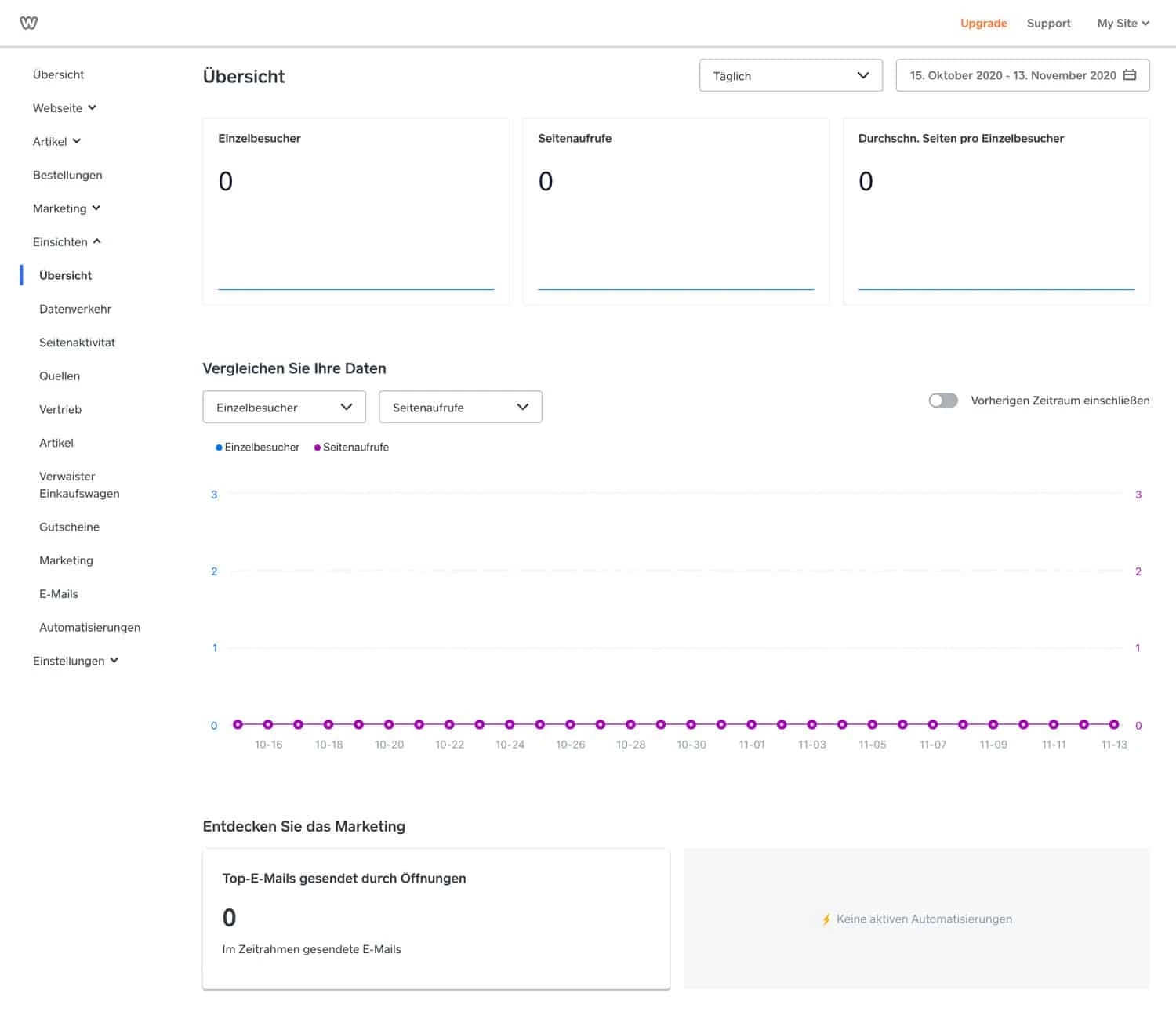
In the free version, you see “visitors” and “unique visitors”.
From the Professional plan on, you also get information on further data, such as the most visited pages or the search terms visitors used to land on your site.
With this data, you can optimize your website even better.
For simple reports, the built-in visitor analysis can be enough. If you also want to use Google Analytics, you can insert the tracking code in the head section of your website.
Contact form
Weebly doesn't just give you a contact form, but an extensive drag-and-drop form editor you can use to build great forms.
Even forms with file upload are possible.
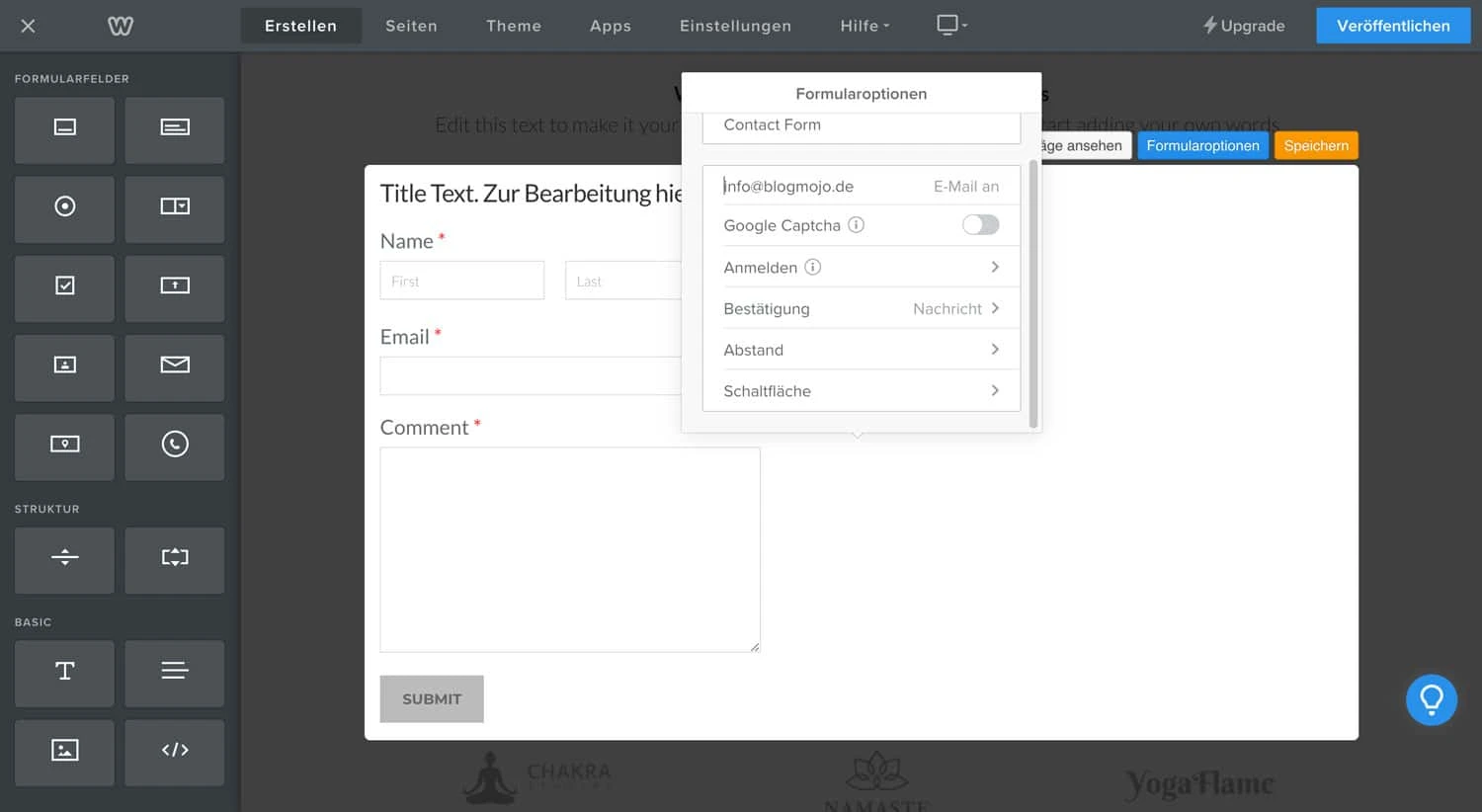
The form can also be adapted 100 percent to your ideas in terms of design and content.
One example: the success message after a form has been submitted can be designed completely individually.
By the way: as soon as you have embedded a form anywhere on your site, all submissions are neatly collected in Weebly's member area.
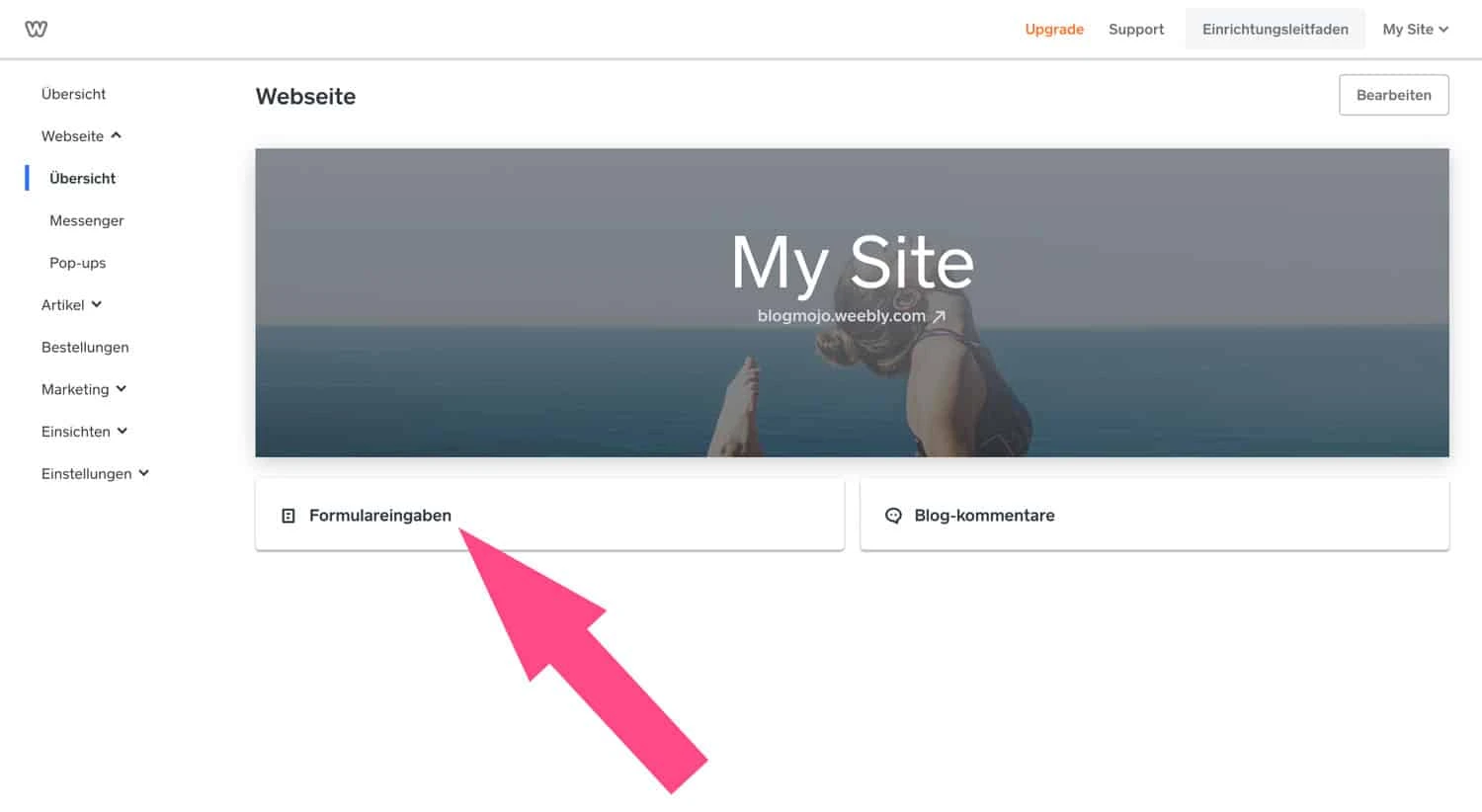
That makes it much easier to keep track.
Password protection
Password protection is no problem with Weebly.
You can password-protect individual pages as well as your entire website.
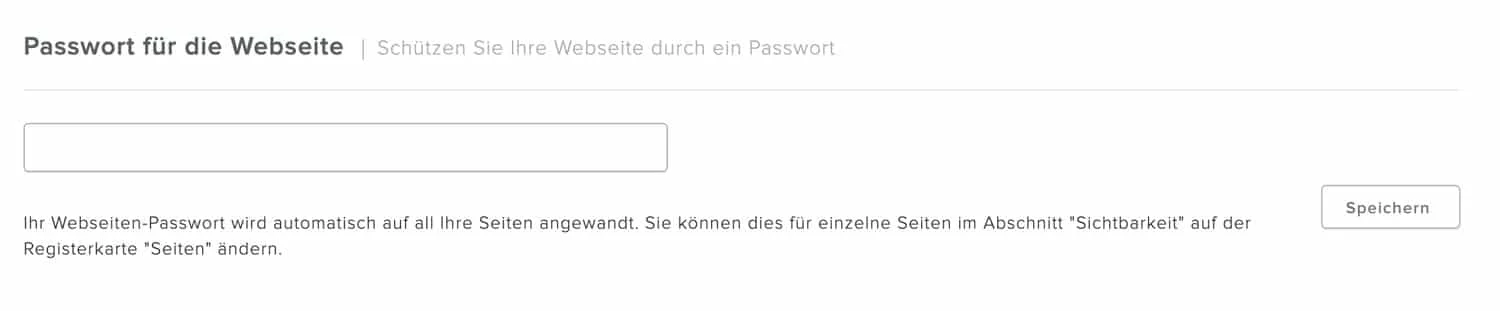
The password protection feature is included in Professional and Performance.
Extensibility (widgets, plugins, apps, etc.)
Although Weebly already comes with many features in its basic setup, an app store is available as well.
It contains more than 350 useful third-party apps that you can use to adapt your website even more to your needs.
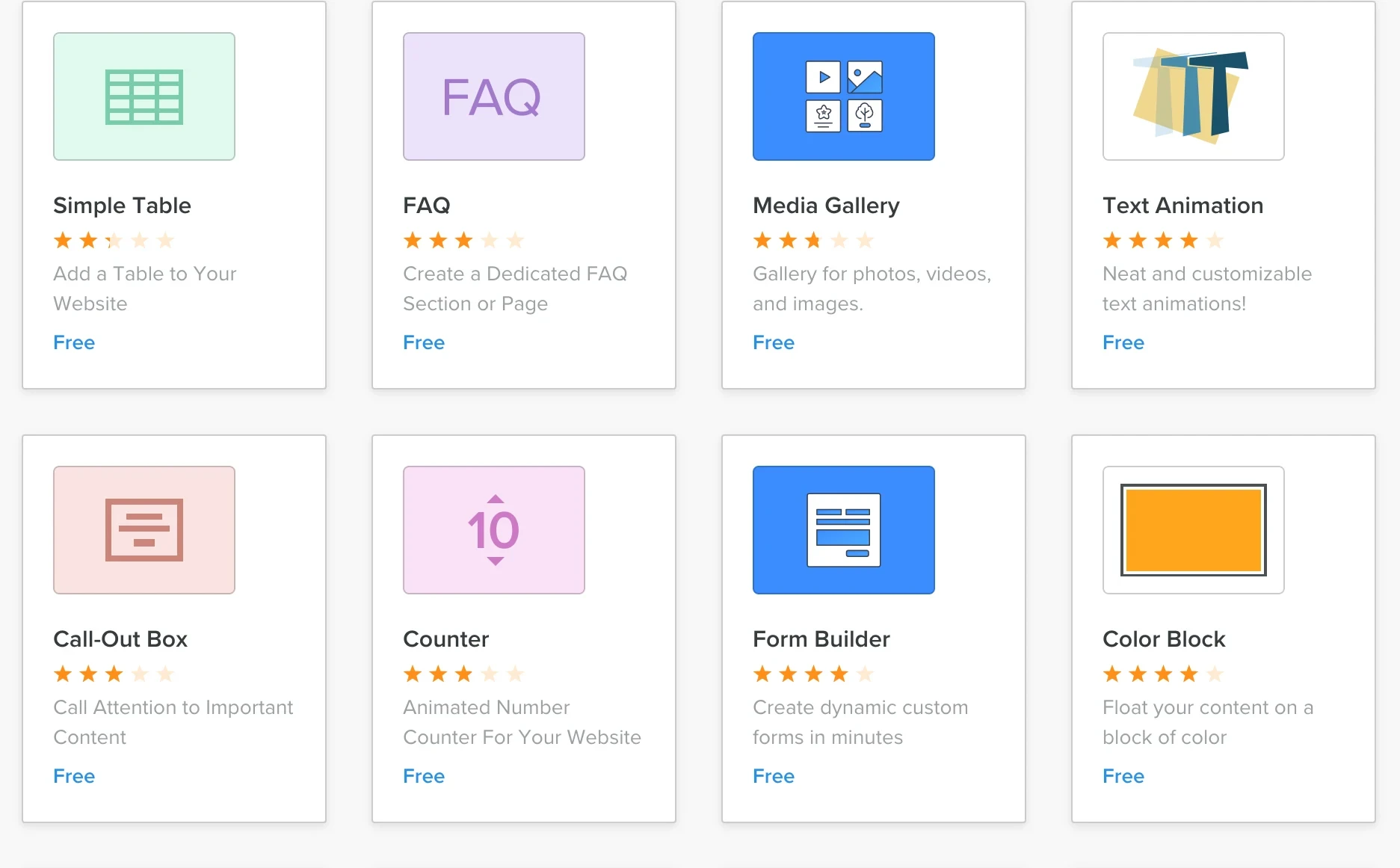
The app store makes Weebly a versatile website builder that you can use to build many great sites.
Guestbooks, tables, or event calendars can be added effortlessly.
A contact address with your own domain looks more professional than a generic free email address.
An email mailbox is not included in the Weebly plans. You can connect an external service such as Google Workspace for that. Its price comes on top of the website plan.
Newsletter
Weebly does have its own newsletter function, but unfortunately it can't be used to its full extent in the German-speaking region (Germany, Austria, Switzerland).
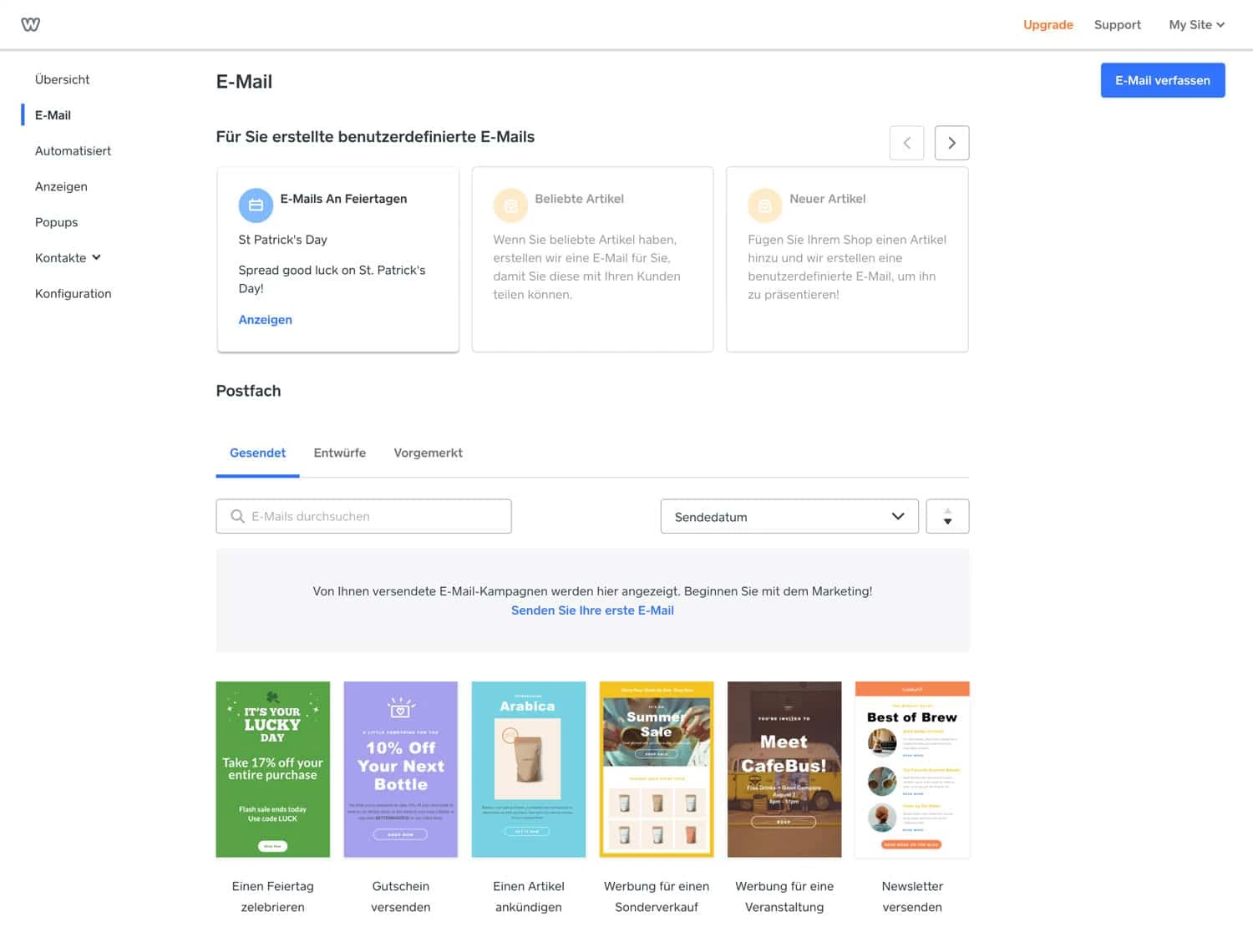
For one thing, there is no double opt-in option at all, which is mandatory under German law. For another, there are questionable features such as notifying customers about an abandoned shopping cart, which are not permitted in Germany either.
So the newsletter function holds quite a few stumbling blocks, especially for inexperienced beginners, and raises legal questions.
Other website builders are clearly ahead here.
That is actually a real shame.
After all, Weebly has many great email marketing tools that are already built in.
The ready-made templates are also really high quality and designed with a lot of care.
So let's hope Weebly improves on legal compliance in the future.
3.2 Ease of use
The ease of use leaves almost nothing to be desired and makes it easy for beginners and pros alike to build a great website.
There are a few small blemishes. More on that later.
After you register, Weebly first greets you with a simple setup wizard. There you first decide the purpose of your website (you choose between a regular website, a blog, or an online store) and can then pick a matching template.
Weebly has thought this through and it feels well coordinated. Among other things, templates that don't fit the website type you chose disappear, which makes the selection much clearer and easier.
After the initial setup, a modern and tidy member area with a well-thought-out menu structure awaits you.
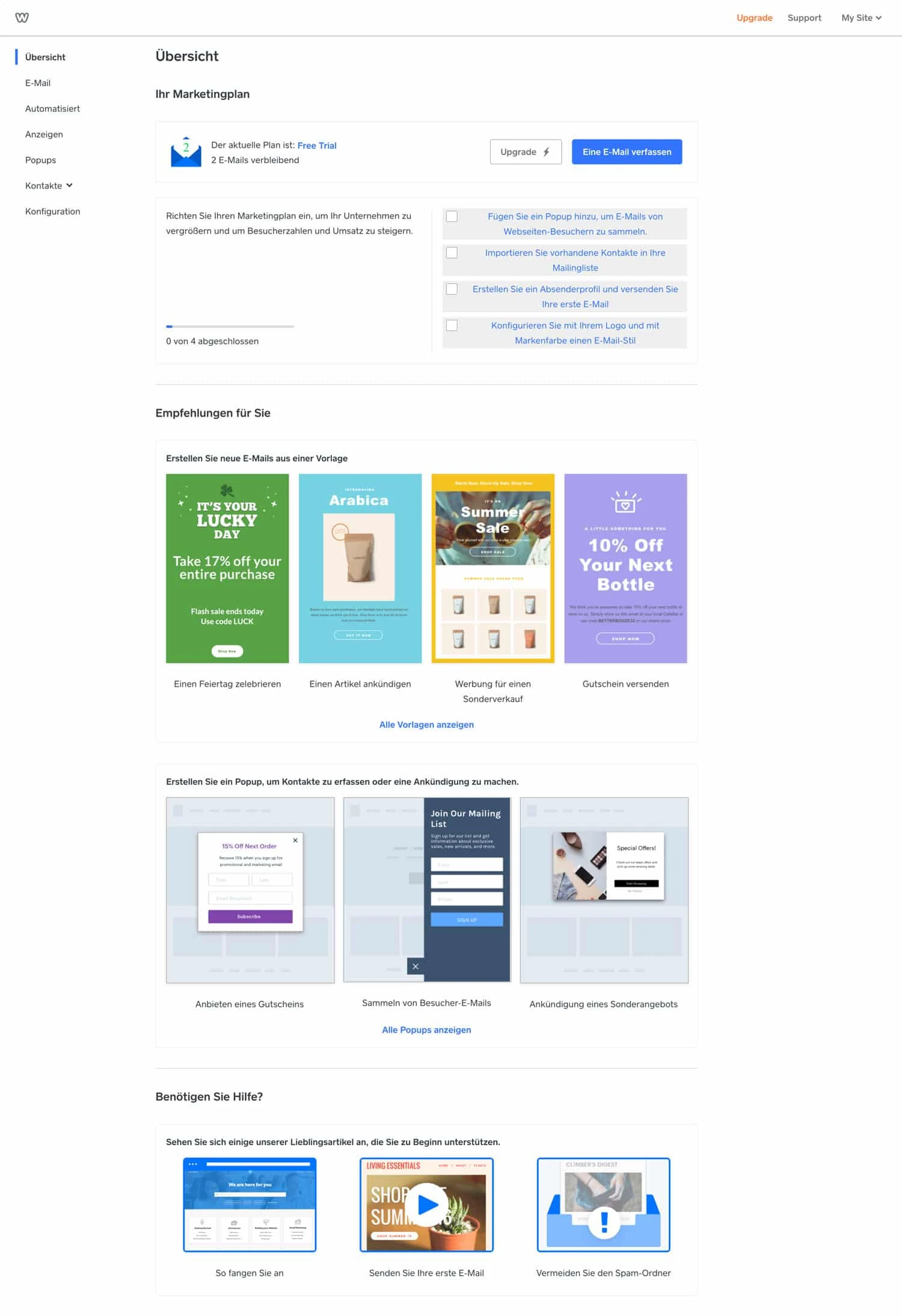
You will certainly find your way around here right away.
The actual centerpiece, the page builder, confirms the good first impression.
In a side menu, you choose an element, for example text, image, or form. You then place it where you want it via drag and drop and adjust it in a submenu.
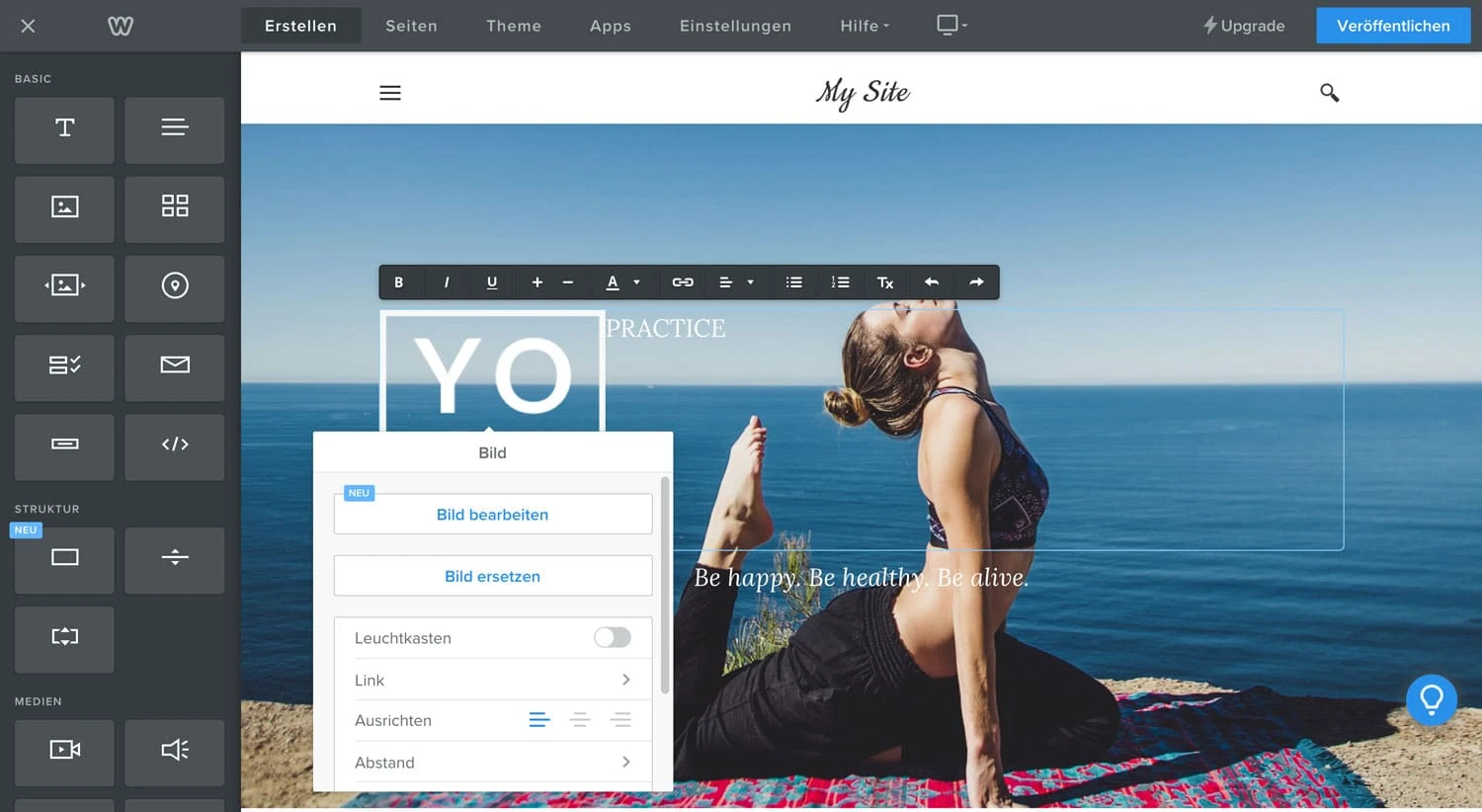
Designing a professional website really can't get any easier.
To be fair, though, other website builders also offer good drag-and-drop editors. The easy operation is therefore not a unique selling point of Weebly.
What's a pity is that the backend partly contains very poor German translations, or texts that haven't been translated at all yet.
That looks unprofessional and urgently needs to be revised.
The former Weebly app for iOS and Android has no longer been offered for new download since December 15, 2025. According to Weebly, those who had already installed it can keep using it for the time being. For new users, it is therefore no longer a reliable argument for buying.
3.3 Templates
Selection
The selection of templates is sufficient.
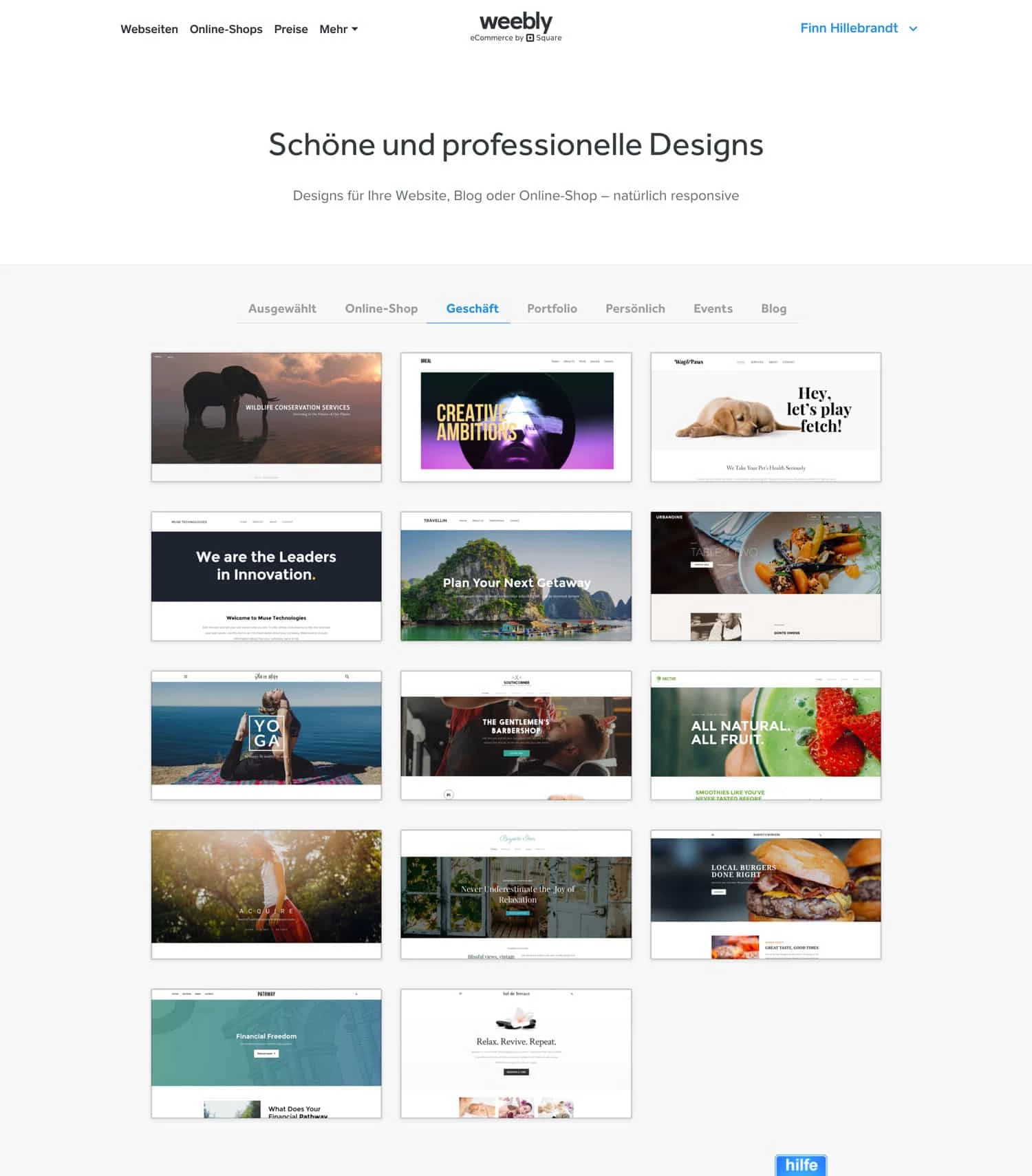
The selection covers many website types and industries, so you can quickly find a suitable design.
Design quality
What applies to the selection applies in the same way to the quality of the Weebly templates.
The designs range from simple and modern to artistic.
Responsiveness
Of course, all templates are optimized for mobile devices and adapt automatically to the screen size.
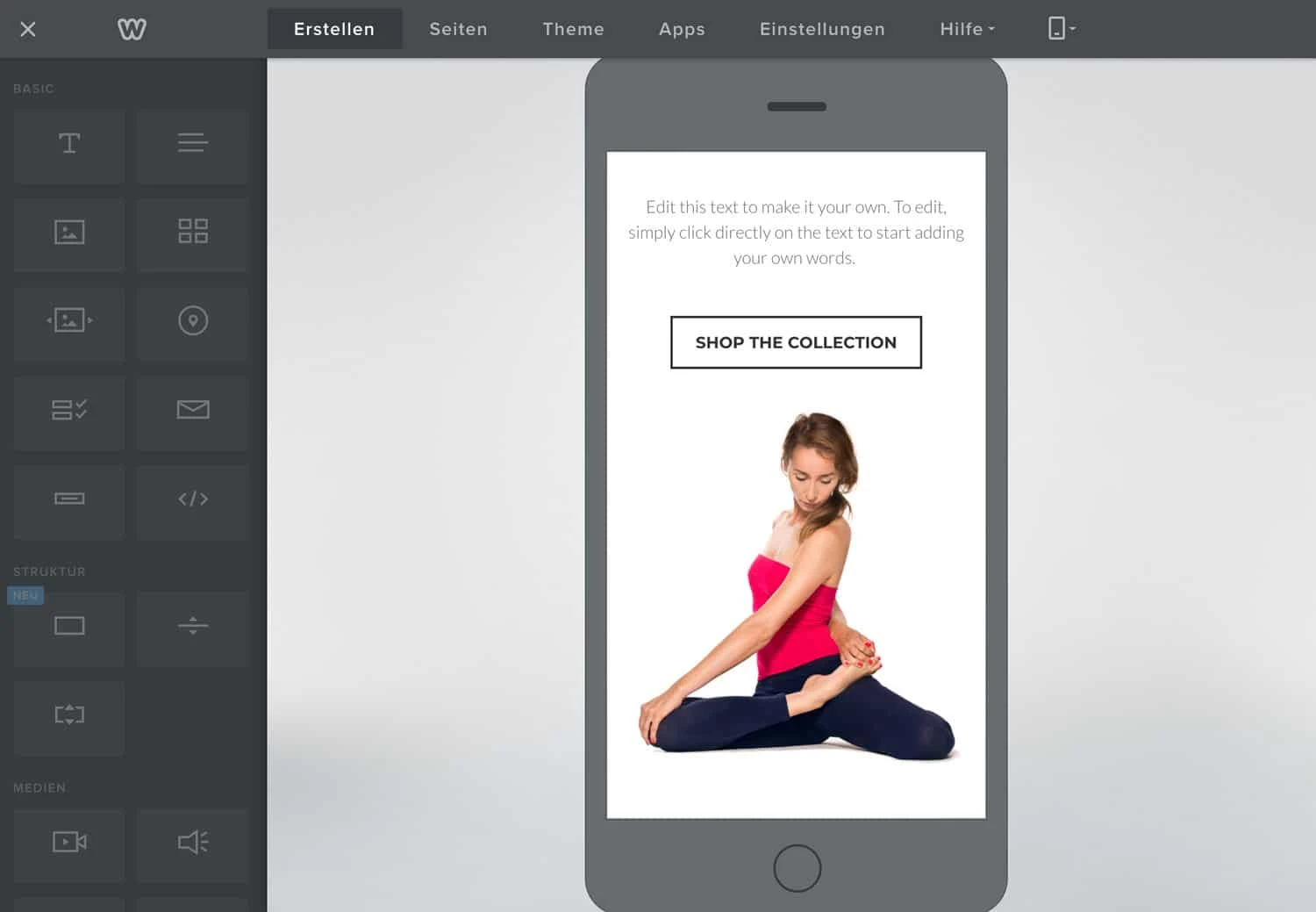
Honestly, though, that is a must-have today and not a point where Weebly can stand out positively.
By the way, while editing you can already take a look at how your page appears on desktop or mobile. One click on the matching icon in the drag-and-drop builder is enough.
Customization (CSS, custom code, etc.)
Weebly gives you the option to customize your website with CSS or your own HTML code and adapt it even better to your wishes.
It can be done as simply as everything else you are used to from Weebly so far.
3.4 Help and support
One of our biggest points of criticism of Weebly lies exactly here: the support.
Not because the staff would be unfriendly or because no comprehensive FAQ section is offered. The latter exists, and the staff are certainly trying hard and are helpful (we have never used the support)...
The support staff speak US English. For other languages, they can use translation software for requests by chat or email. That is not regular German-language support, though.
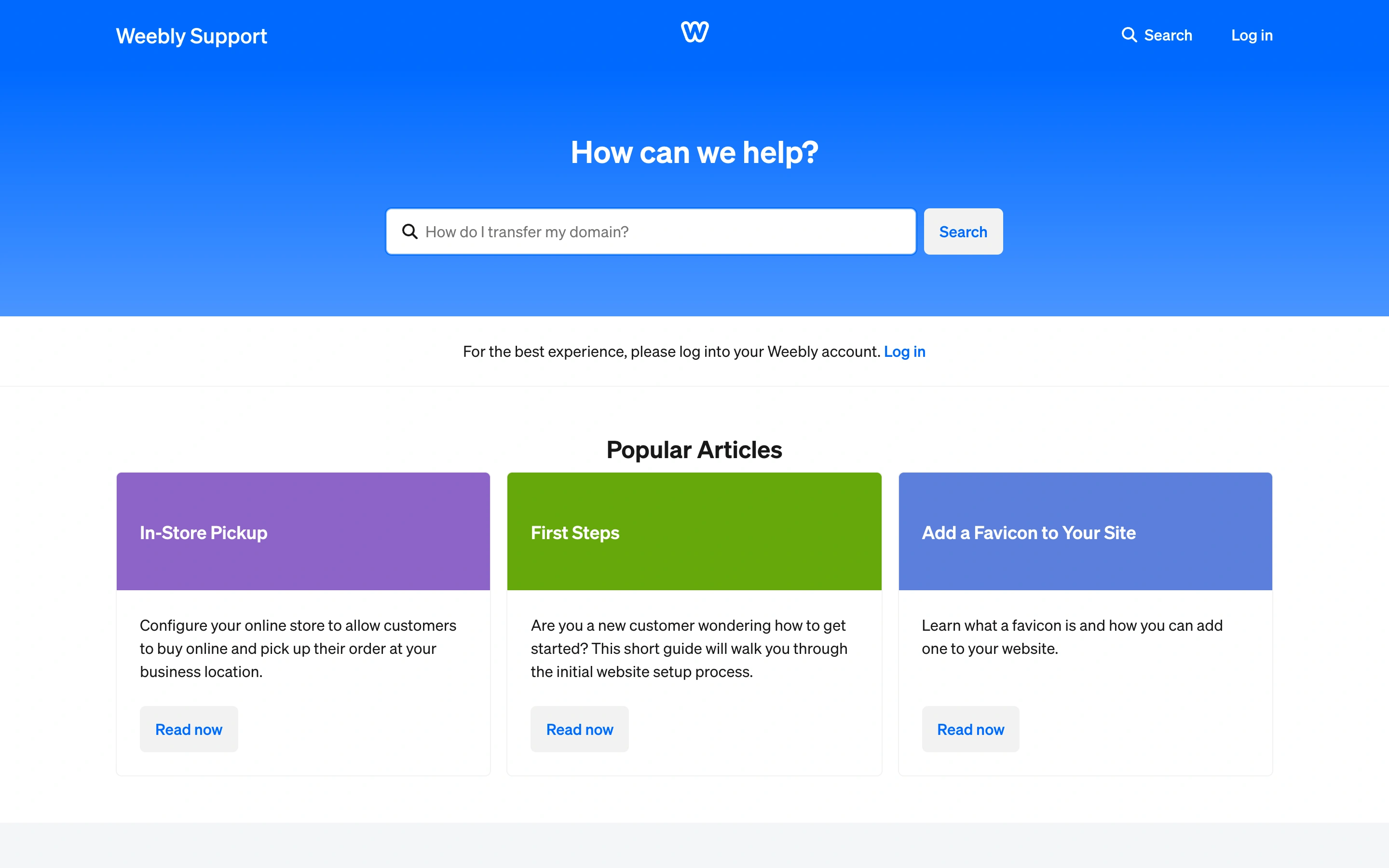
And in a field where so many technical terms are in circulation, that is sometimes enormously uncomfortable, especially for people who don't speak English.
Weebly is one of the few platforms that provides email and chat support even in the free version. That would actually be a big plus.
In the paid plans, Weebly lists phone support in addition to chat and email.
Because of the English-speaking staff and the mostly English help documentation, the support is less comfortable for German-speaking users despite the translation option.
3.5 Languages
The backend is mostly translated and available in German, but many parts are not translated well.
Weebly simply targets an English-speaking audience, and you notice that in many places.
3.5.1 Multilingual websites
You can't create multilingual websites with Weebly.
So if you want to build an internationally oriented website, Weebly may not be the right choice.
3.6 GDPR and legal
Weebly is a US provider whose focus is definitely not on the European or German market.
That is shown not only by the lack of German-language support already mentioned, but also by the implementation of the GDPR, which unfortunately isn't watertight.
The basics, such as a cookie banner or an option to disable cookies, can be set up, but that's about it.
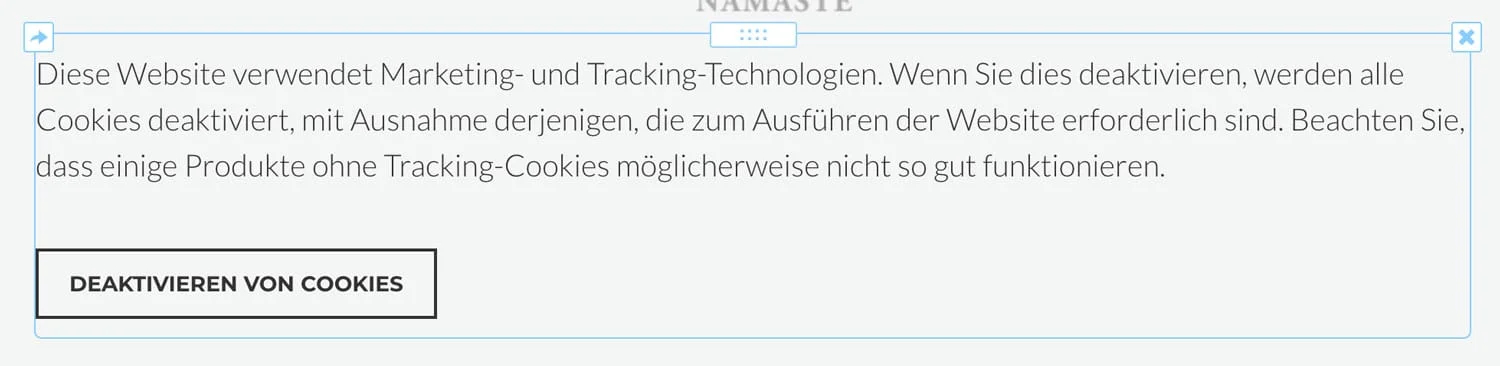
A short overview of all measures:
- Forms can be given an opt-in text
- Statistically collected data is now anonymized
- Your visitors' data can be deleted on request (e.g. IP logs)
- Cookie opt-out option
As you can see: no templates for an Impressum (the legal notice German websites must carry) or a privacy policy, and no GDPR guide in the FAQ section.
Anyone who wants to build a website with Weebly that complies with data protection under German law is unfortunately on their own.
Weebly also fails to give a detailed answer on the exact server location. The thing is, the servers are not in Europe.
By the way: according to its own statements, Weebly provides a data processing agreement.
3.7 Backup, restoration, and portability
Weebly has its own backup option.
You can back up your entire website as a ZIP file. However, this only works manually and not on a fixed schedule.

Restoring is not automatic either and has to be done laboriously by hand via FTP.
There is no version control in Weebly, such as you know from WordPress.
Moving to other platforms is possible, too, but really very complicated. For example, you can move Weebly to WordPress, but you definitely need patience. This guide shows you what that looks like in practice.
4. Alternatives to Weebly
Thanks to the large number of well-built website builders, the alternatives to Weebly are very diverse today.
We want to highlight two scenarios in particular where we would definitely advise you to choose a different solution:
- Your English isn't good or you don't speak any English at all
- You want to create a website that focuses on a blog
In the first case, there are a few website builders that come into question.
We like Wix, webgo (a German web hosting provider), and Jimdo best.
Ultimately, though, it is also a personal decision. Really all website builders have their pros and cons.
For bloggers, our advice is very clear: forget website builders and use WordPress (or at least Squarespace).
WordPress is the most complete and best system if you want to start your own blog. It gives you a gigantic variety of plugins and can be adapted 100% to your ideas in terms of design and functionality.
5. Weebly or WordPress?
The question of Weebly or WordPress can't be answered across the board, because the two systems differ greatly.
Weebly is the perfect solution for you if you can or want to invest only a little time in your website but still aim for the best possible result.
The drag-and-drop builder is very intuitive to use and needs almost no learning time.
That is certainly an enormous advantage of Weebly.
If, on the other hand, you want to run your own blog or the website is the heart of your business, we would strongly advise you to use WordPress.
WordPress is more complex, but it also offers significantly more features and extension options.
The WordPress marketplace for plugins alone included several tens of thousands of entries. A gigantic number that proves how flexibly WordPress can be adapted to your ideas.
So the answer to the question “Weebly or WordPress” depends enormously on your requirements.
6. FAQ
Here you will find answers to frequently asked questions about the Weebly website builder: