
Jimdo is one of the best-known and most popular website builders in the German-speaking region (Germany, Austria, Switzerland).
But is it also the best?
What does Jimdo do well, and where is there still room for improvement? And how does Jimdo stack up against Wix, WordPress.com or the STRATO website builder?
I want to answer these and many other questions in this detailed review.
1. Verdict
Test categories
Pros
- Free plan
- Very fast and clear drag-and-drop editor
- Well-implemented online shop
- Cookie opt-in is easy to integrate
- Extensive template library
Cons
- Number of subpages limited even in premium plans
- No backup option
- No blog function

In our website builder comparison, Jimdo only took 6th place, surprisingly, with an overall grade of satisfactory (58.77 points, graded on the German school scale where 1 is best).
What stood out positively at Jimdo is usability. Thanks to the very fast and clear drag-and-drop editor, it received the highest rating in the entire comparison.
Jimdo also makes it easy to tackle data protection and legal topics in a simple but professional way, through an automatically integrated cookie opt-in.
On the negative side, we noticed that Jimdo limits storage and even the number of subpages in all premium plans except Unlimited, and otherwise gives a rather weak showing in terms of features.
Who is Jimdo suitable for?
If you can use a keyboard and mouse, you can build a website with Jimdo. A site that even looks as if a professional had programmed it.
So Jimdo suits everyone who has no experience (yet) with building websites and has neither the time nor the desire to dig into it, but still wants to run a website of their own.
We can also recommend Jimdo for local businesses that want to take their first steps online and also sell their products over the internet.
2. Prices & costs
Jimdo offers a single plan system. The online shop is not a separate plan series, it is part of the regular plans.
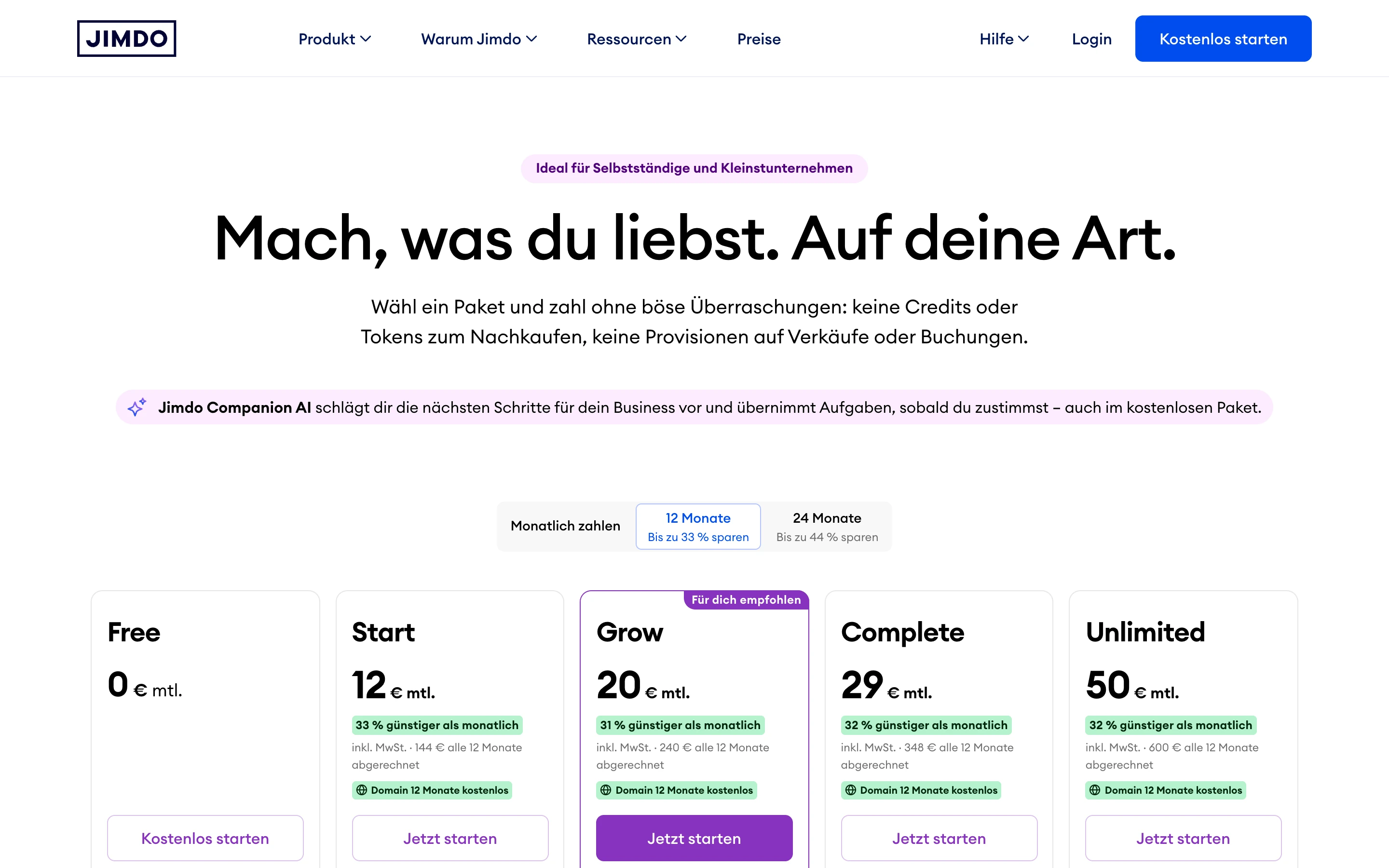
There are currently five plans: Free, Start, Grow, Complete and Unlimited. The prices shown apply to a twelve-month contract term and include German VAT.
2.1 Free version of Jimdo
Jimdo gives you a free plan for testing purposes.
The plan is now called “Free” and is mainly suited to trying out the builder.
It comes with a .jimdosite.com subdomain, 5 pages, 5 GB of storage and access to the basic features.
2.2 Which premium plans are there?
Setting the Free plan aside, there are four Jimdo premium plans.
Jimdo Start for €12 per month
If you choose the Start plan, you get your own domain. Jimdo advertising is also removed from your website.
The plan includes 10 pages, 30 GB of storage, Bookings Lite, payment links and personalized e-invoices.
That is all there is in terms of upgrades worth mentioning.
What we don't like so much here is that the number of subpages is limited to 10. If we subtract the Impressum (the legal notice German websites must carry), the privacy policy and the home page, only seven subpages remain. That is a very small number if you want to build serious projects.
Jimdo Grow for €20 per month
The number of subpages goes up to 50. On top of that you get 50 GB of storage, file uploads in forms, five email forwards and, from this plan on, your own online shop, with no sales commission.
Jimdo Complete for €29 per month
Complete brings product variants, sale prices and discount codes for the shop. Pages and storage stay the same as in Grow, at 50 pages and 50 GB.
An add-on worth €10 per month is also included: with the legal texts manager you get the Impressum, the privacy policy and, for a shop, also terms and conditions (AGB) and a right-of-withdrawal notice. The texts are adapted to changes in the law.
Jimdo Unlimited for €50 per month
Unlimited includes unlimited pages, 500 GB of storage and 20 email forwards.
According to the plan comparison, support answers within 12 hours.
Three add-ons are also included:
- Bookings Pro: Unlimited events, including courses and group appointments, with email reminders and without Jimdo branding on the booking page.
- Legal texts: Same as in Complete.
- Listings Management: Your business is listed on Google, Facebook, Instagram and more, and kept up to date.
2.3 Can I create an online shop with Jimdo?
Yes, you can create your own online shop with Jimdo.
You get your own online shop from the Grow plan on, with no sales commission. Card payment, PayPal, Apple Pay and Google Pay as well as local payment methods are available for payments. You can also sell on Facebook and Instagram.
If you need product variants, sale prices or discount codes, you need at least the Complete plan for €29 per month. The Start plan does not include a shop yet.
Grow and Complete each allow 50 pages, Unlimited allows unlimited pages. For a shop that has to name terms and conditions, a right-of-withdrawal notice and shipping details on top of the Impressum and privacy policy, that is a workable framework.
2.4 How much does a domain cost?
The domain is free for the first contract term in every Jimdo premium plan.
After the first contract term, Jimdo currently charges €26 per year for the domain.
3. Test results in detail
Now that you know all the Jimdo plans, we want to take a closer look at the features and equipment of the Jimdo website builder.
3.1 Features
Pages and storage
The number of pages and the amount of storage depend on the plan you choose.
Here is the summary:
Plan | Pages | Storage |
|---|---|---|
| Free | 5 | 5 GB |
| Start | 10 | 30 GB |
| Grow | 50 | 50 GB |
| Complete | 50 | 50 GB |
| Unlimited | unlimited | 500 GB |
Own domains
With every premium plan you get your own domain, which is even completely free during the first term.
Only the Free plan does not include your own domain. There you have to make do with a .jimdosite.com subdomain.
Blog
Right after registration you can choose whether your website should also have its own blog, or whether you even want to focus on the blog.
If so, you automatically choose Jimdo Creator (one of two website builders, more on that later).
The blog module is simple and has most of the features you would expect from one.
You can write blog posts, set a publication date and assign different categories. Comments from users are of course possible too.
What is unfortunately missing is the option to enable several authors in your blog.
All in all, though, the blog at Jimdo is really fine.
If you want to launch a website whose main focus is the blog, however, we would clearly advise you to use a different system. WordPress, for example, is an option here, and we introduce it in more detail in a later chapter.
Online shop
To set up an online shop, Jimdo offers its own module that we really like.
Let's start with creating a product.
Via “Shop > Produkt erstellen” (shop > create product) a new product page opens, which you can then customize and fill with information to your heart's content. Not only the implementation but also the later look of this page is very appealing. You can add several product photos, shipping information and product details here.
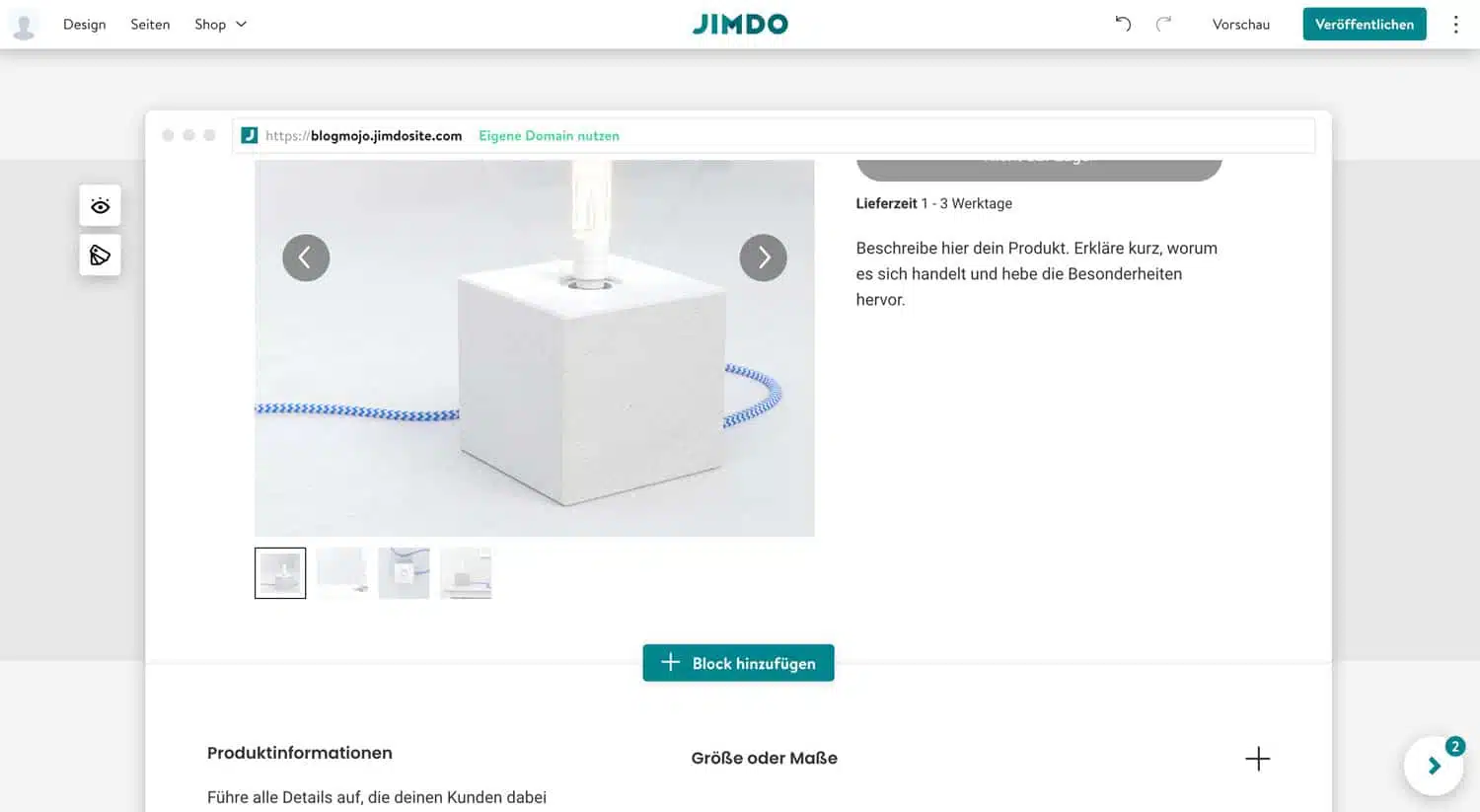
Your products are then displayed in a very nice overview. From here you can either edit or even copy them.
The shop details are also laid out very clearly. Here you set things like sales tax, payment or shipping within the EU and outside the EU.
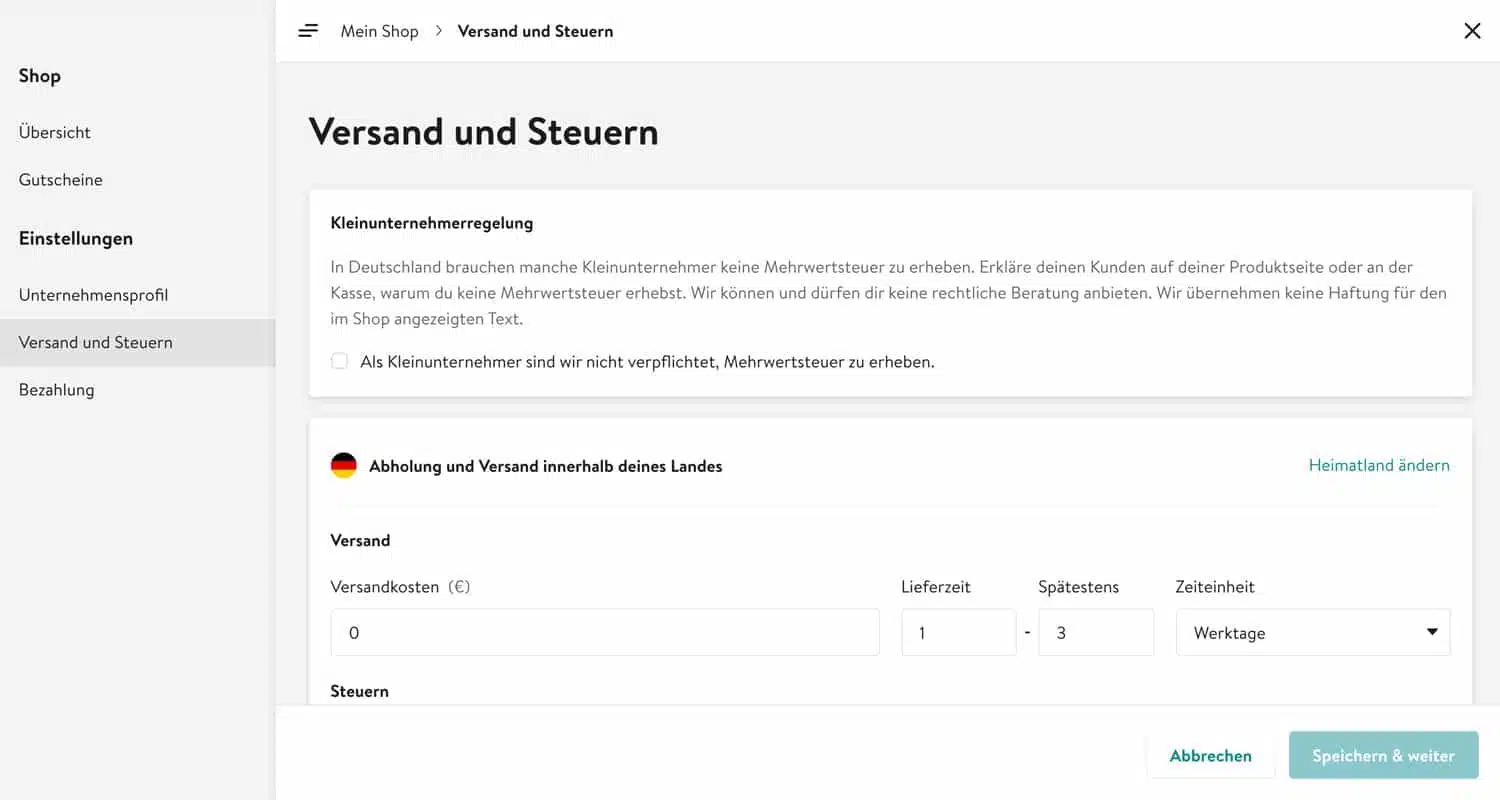
You can even create discount codes or vouchers. For that, however, you need at least the Complete plan.
Another thing that deserves great praise: important shop pages such as terms and conditions, right-of-withdrawal notice or delivery terms are created automatically by Jimdo as soon as you activate your first product. If you use the legal texts manager (included in Complete and Unlimited, otherwise available as an add-on), even the matching content is provided.
SEO
Jimdo offers basic SEO features that we already know from many other builders.
These include individual meta descriptions and page titles, as well as individual URLs.
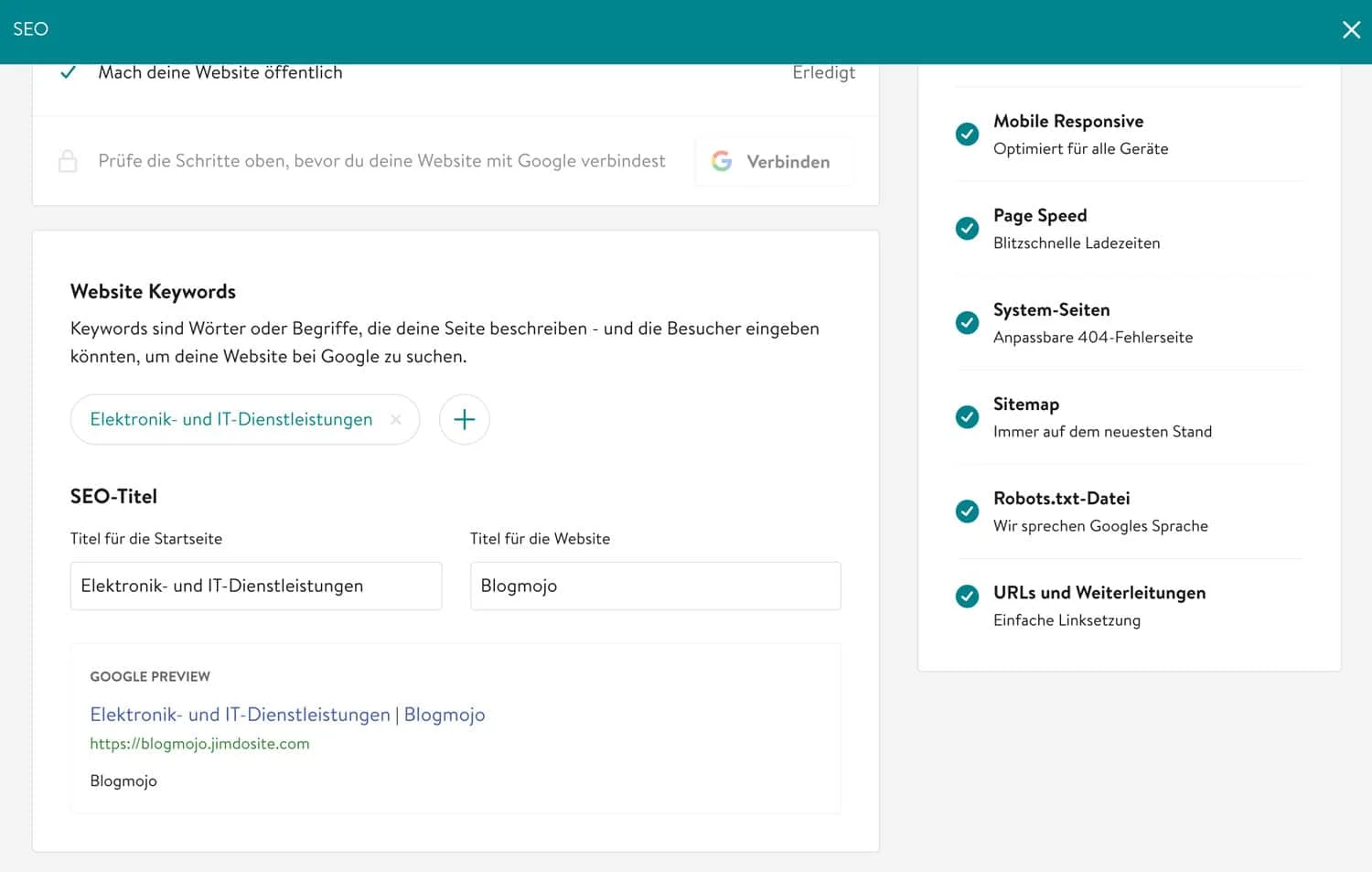
Jimdo also supports you in optimizing your website when you define in the SEO menu which keywords you want to optimize for.
In addition, Jimdo creates an XML sitemap that you can then submit to Google.
Visitor statistics
Visitor statistics are shown in the Jimdo dashboard.
Here you find out how visitors got to your website, which pages they visited and which contact forms convert best.
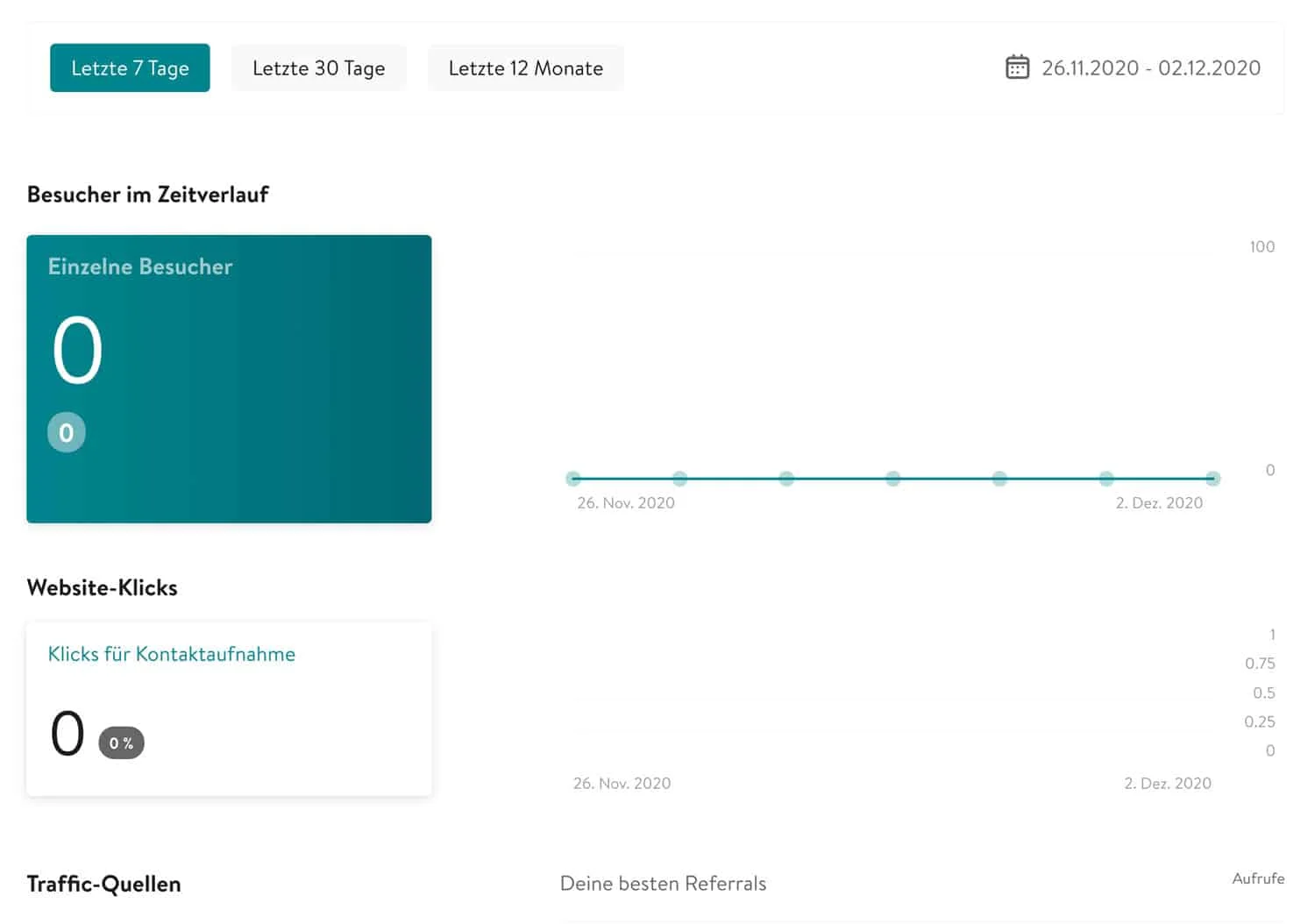
If that is not enough for you, you can connect Google Analytics to your website very easily.
All it takes is entering your tracking ID in the settings. Analytics is then integrated automatically and even a matching cookie is created (including opt-in).
It really doesn't get any better than that!
Contact form
The contact forms that the Jimdo website builder offers look really good and do their job.
You can embed forms either with or without a map display of your business address.
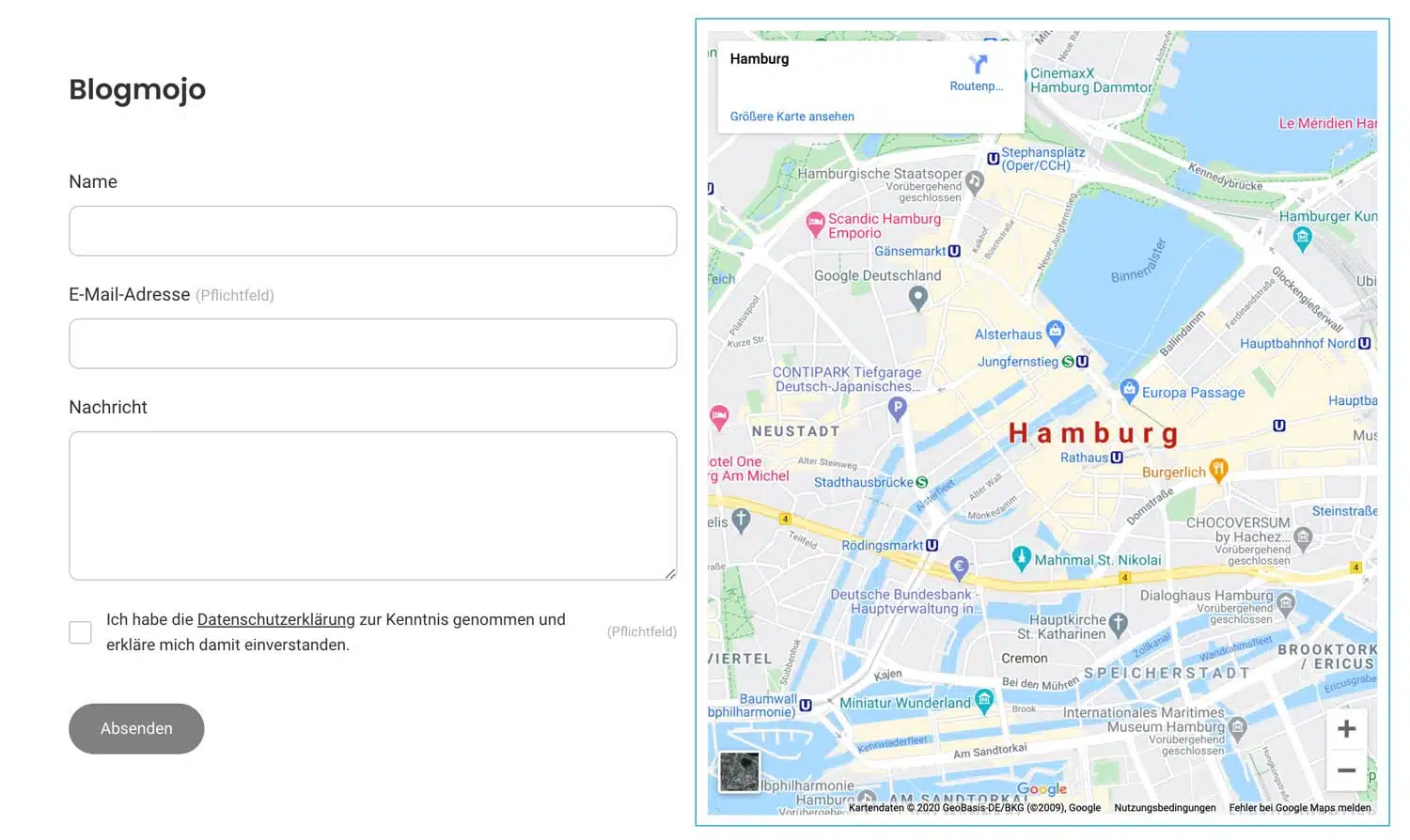
Now for the bad news: unfortunately, only the privacy notice can be edited.
So you can't add form fields or customize the design of the contact form. You also can't send a custom confirmation message or change the recipient address.
Anyone who just wants to show a simple contact form will be satisfied.
But if you want to ask for a bit more data than name and email address, the Jimdo contact forms won't really satisfy you.
Password protection
Password protection: none.
Neither the entire website nor individual pages can be protected with a password at Jimdo.
Extensibility (widgets, plugins, apps etc.)
Like most other website builders, Jimdo relies on various prebuilt widgets in its drag-and-drop builder that you can simply add to your site.
These widgets automatically adapt to the template you choose and therefore blend seamlessly into your website.
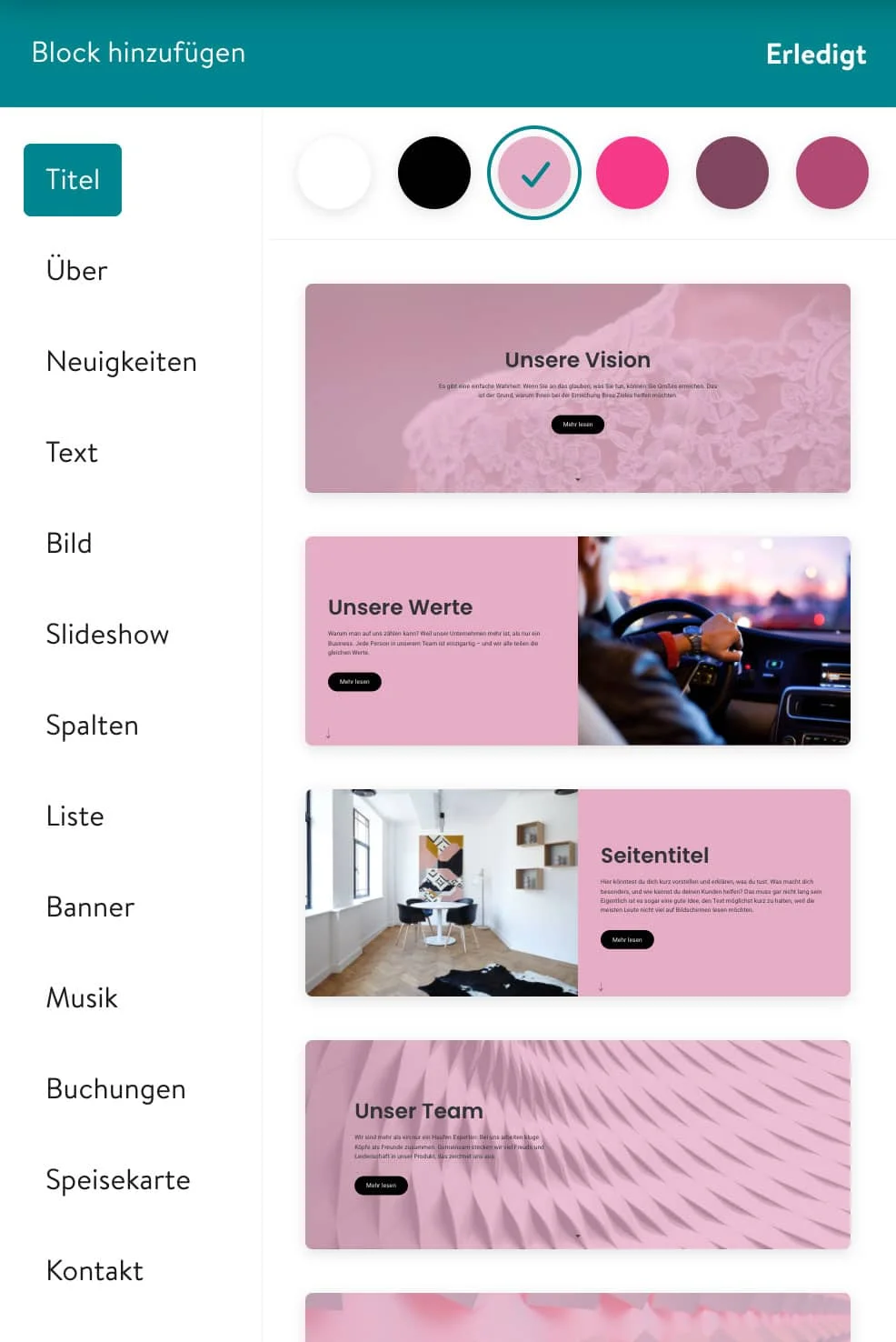
Extensions, meaning third-party plugins, are unfortunately not available.
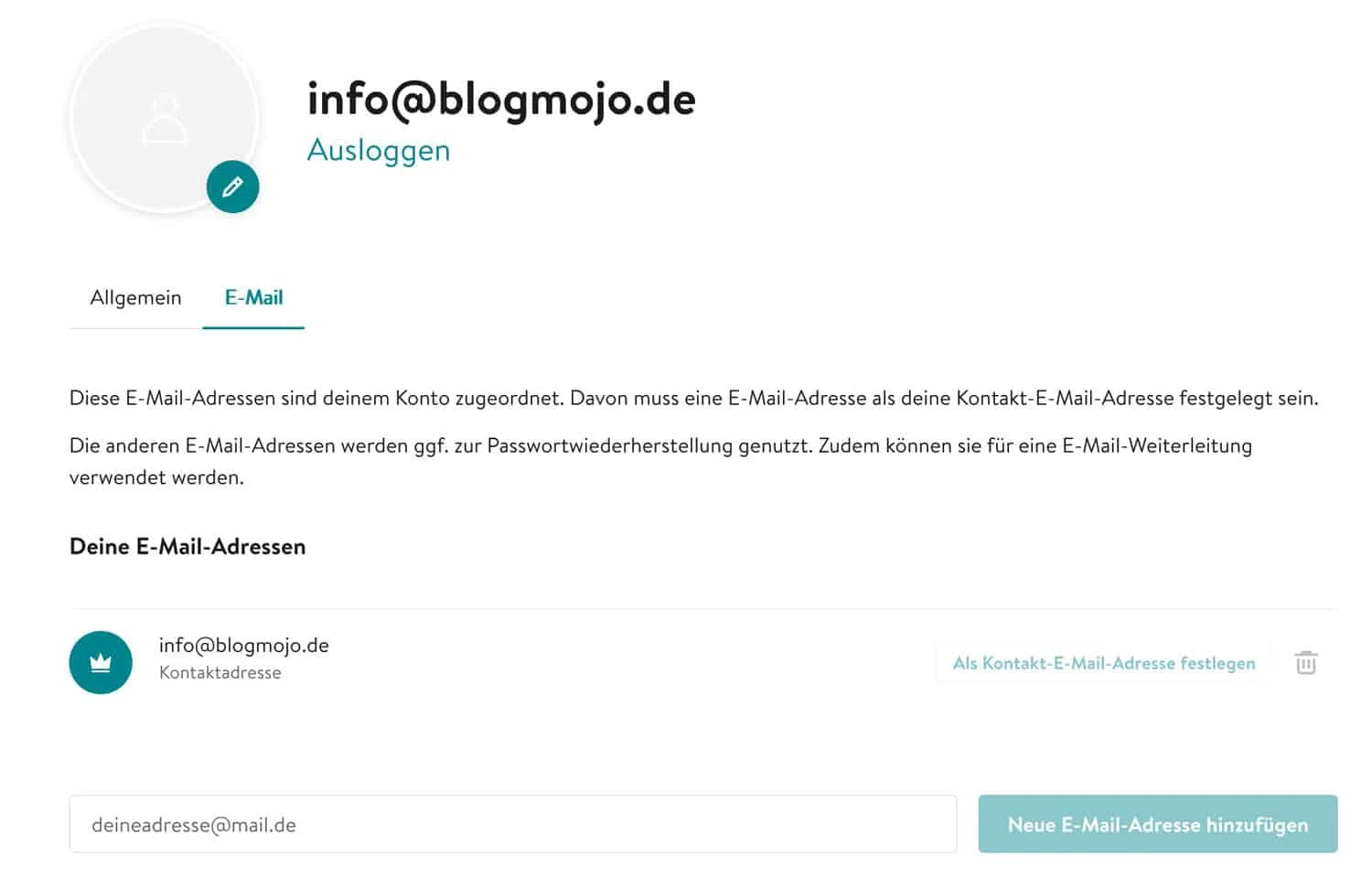
In the premium plans you can connect an email address to your domain.
Depending on the plan, Jimdo also lists one, five or twenty email forwards. A full mailbox is therefore not automatically included and may have to be set up through an external provider.
Newsletter
Jimdo itself does not offer its own newsletter module.
Instead, you can connect external tools such as Mailchimp or CleverReach to the builder.
You will find a guide on how that works, using CleverReach as an example, in the Jimdo FAQ section.
3.2 Usability
Jimdo has set itself the goal of simplifying website creation so much that even complete beginners find their way around right away and can build their own professional site within a few hours.
We would say: it worked.
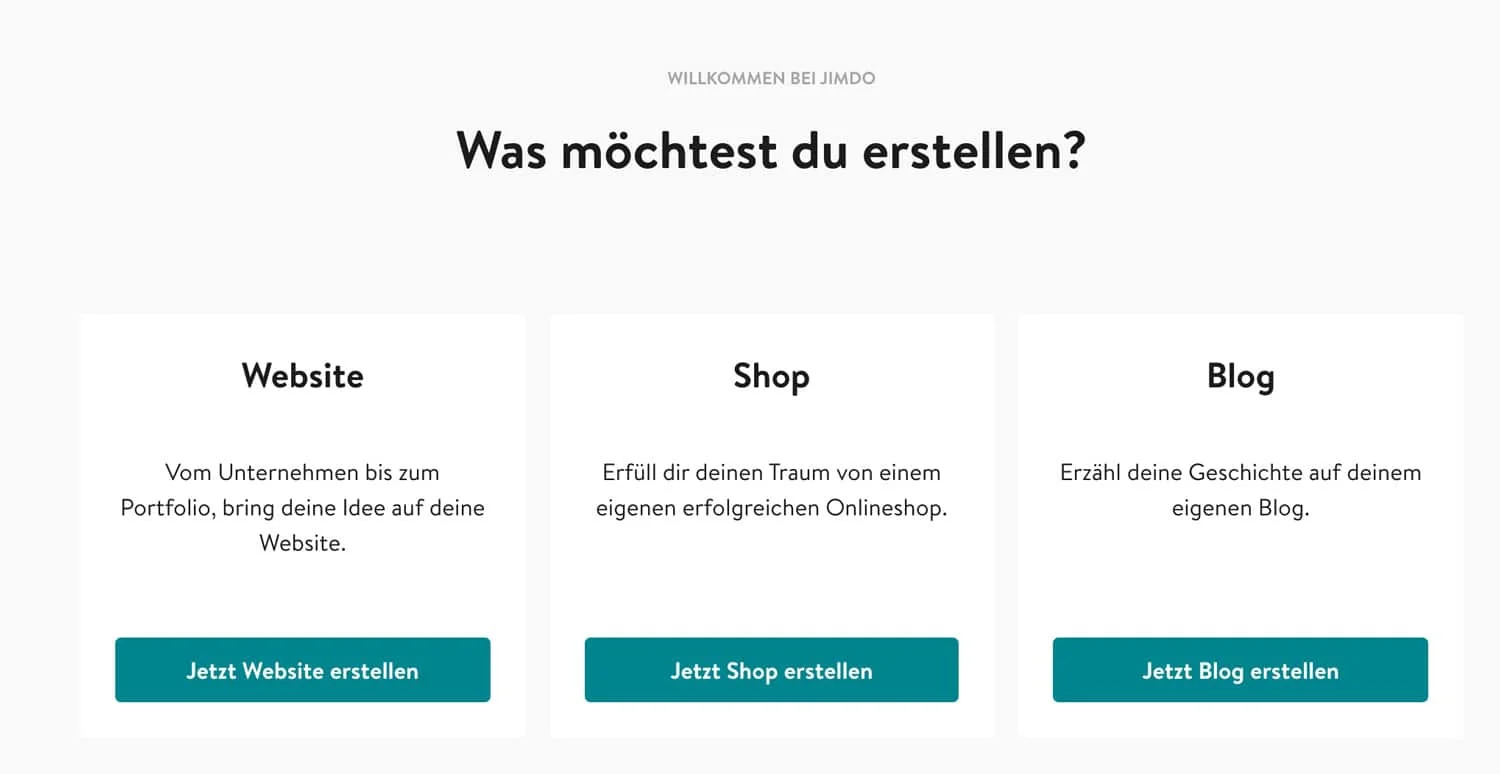
You are first supported by an installation wizard that asks you basic questions such as the goal of your website, the design you want and other important basic settings.
Later on, too, Jimdo doesn't leave you in the lurch and provides a very well-made assistant that points you to possible next steps.
If you run into problems, by the way, this assistant also takes you straight to the FAQ section, where all kinds of processes and technical terms are explained in a very beginner-friendly way.
Now for the design...
The Jimdo website builder is very well designed and implemented. We found our way around right away and could start creating a page immediately after signing up.
The design is minimalist and does without gimmicks. That means you can enjoy very fast loading times and smooth working.
The centerpiece, the drag-and-drop editor, is excellent as well. It is self-explanatory and easy to use.
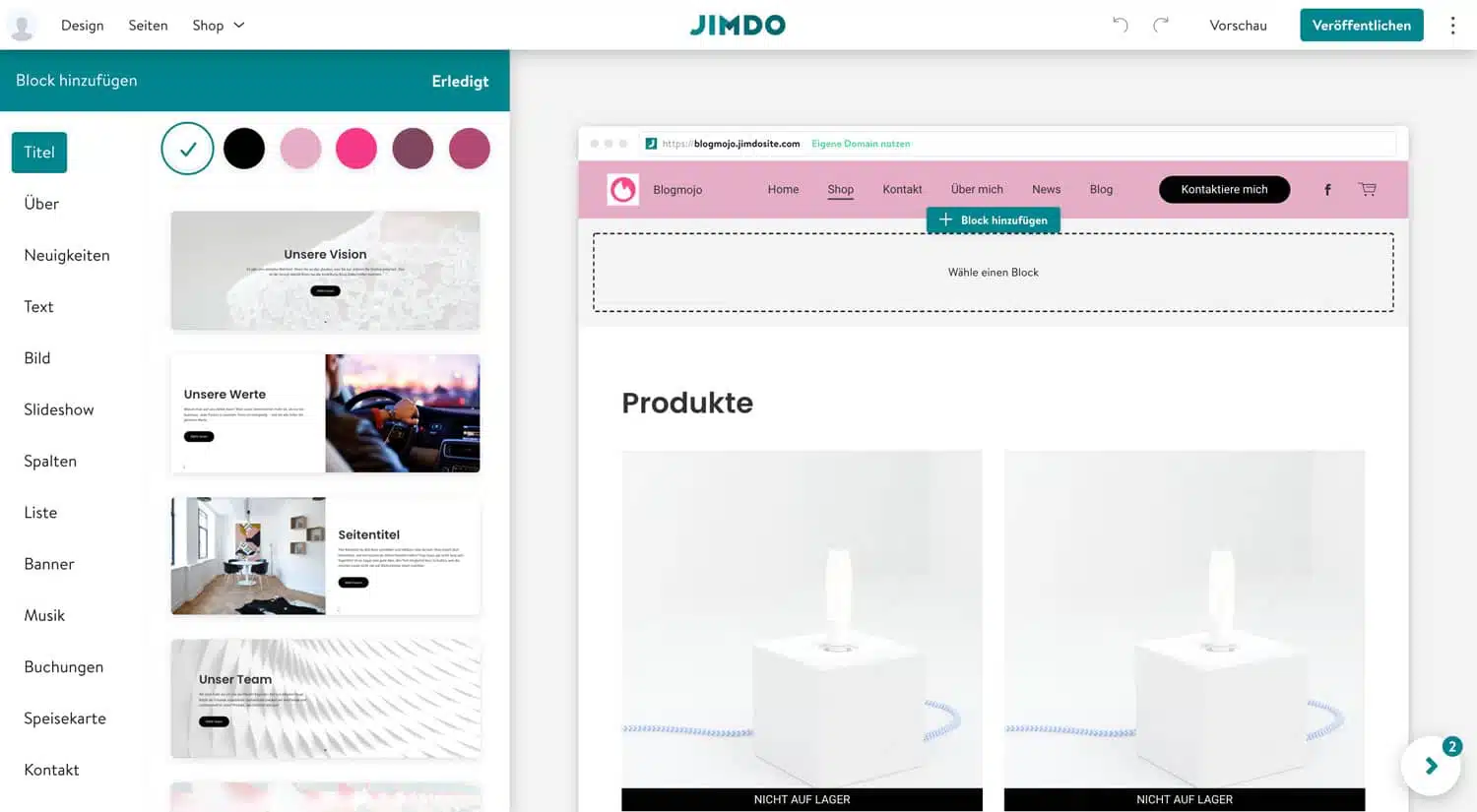
The only criticism: we would like a bit more choice among the prebuilt widgets.
We miss special content here, such as a countdown or slider.
3.3 Templates
Jimdo provides templates that are meant to make your start in web design even more comfortable. You can adopt these templates with a mouse click and then customize them to your liking.
Let's see how good these templates are.
Selection
With more than 100 different templates, some of which differ fundamentally in design, Jimdo gives you a truly complete library.
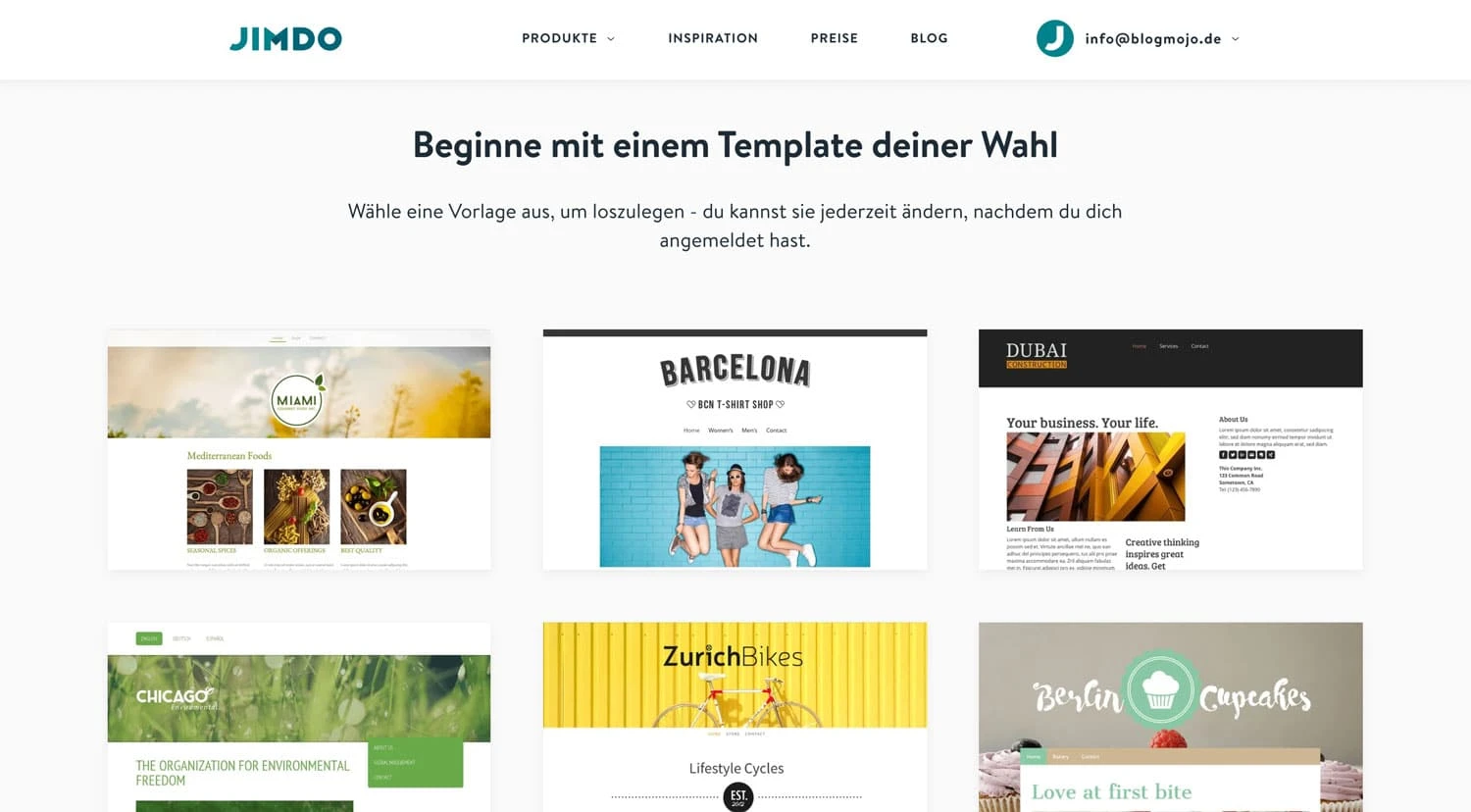
You are guaranteed to find a design here that suits you and your ideas.
Design quality
In terms of quality, too, the Jimdo templates meet the highest standards.
Coherent and modern, the designs convey a professional impression.
Responsiveness
Of course, all Jimdo templates are adapted to mobile devices.
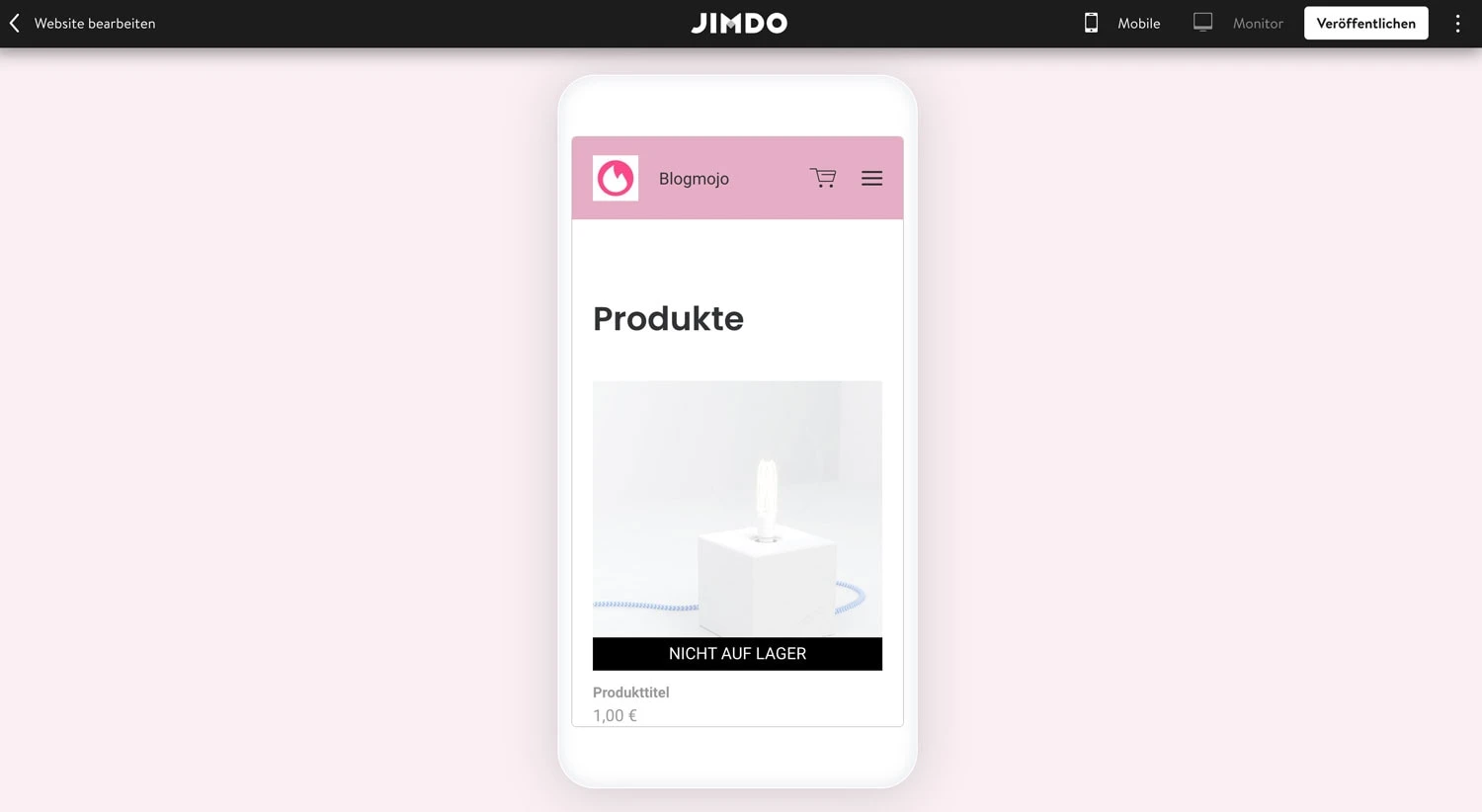
How the site looks on different devices is already shown to you in the backend. That way you can make changes if needed.
Customizability (CSS, custom code etc.)
Unfortunately, Jimdo gives you no way to customize your website through CSS or custom code changes.
That's a shame, because it is an easy way to set your own site apart a little from the “mass templates”.
We would definitely like to see improvements here.
3.4 Help and support
Depending on the plan you choose, you have different ways of getting in touch with Jimdo.
In the Start plan, Jimdo promises a first answer within 2 business days. With Grow and Complete it is up to 24 hours, with Unlimited up to 12 hours.
Unfortunately, no phone service or live chat is offered.
Considering the sometimes very high costs of the individual plans, that is not really satisfactory. Especially since some problems are much easier to describe over the phone than by email.
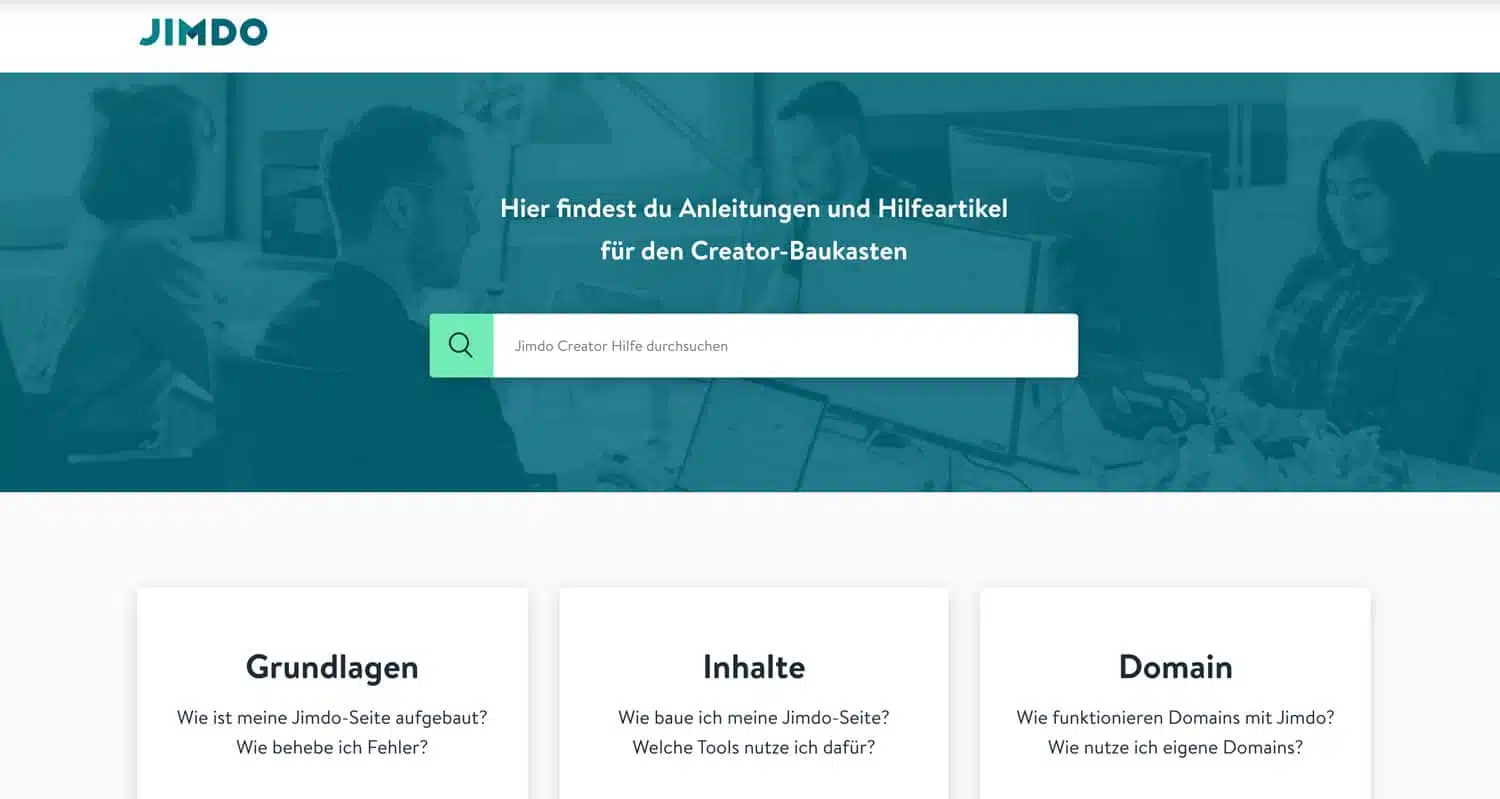
The FAQ section, on the other hand, is very good.
3.5 Languages
Since Jimdo is a German provider, the backend is available entirely in German.
So you won't have any problems here.
If you like, you can even change the system language in the settings. Several options are available.
3.5.1 Multilingual websites
In principle, multilingual websites can be created with Jimdo.
At least there is a matching entry in the backend.
However, it is not really satisfactory, because only parts of your website are translated, for example buttons of contact forms or product pages.
You have to translate the content yourself.
3.6 GDPR and legal
Since Jimdo is a German company headquartered in Hamburg and its servers are located within the EU, you don't need to worry about data protection at first.
Jimdo has implemented the GDPR really excellently.
A necessary data processing agreement (AV contract) is concluded quickly and easily in the member area.
The builder itself offers numerous features that make for a legally compliant website. On this point, we like Jimdo best of all the builders.
Jimdo is the only builder we know of that offers not just a cookie notice but even a cookie opt-in. And in a very user-friendly form, without complex code.
We also like the legal texts manager very much.
It is a paid extension that is not automatically included in every contract, but it is worth paying for. The legal texts manager provides you at all times with texts for the Impressum, privacy policy, or also terms and conditions and right-of-withdrawal notice that are adapted to current law.
3.7 Backup, restore and portability
While we are truly thrilled by how the Jimdo website builder implements data protection, we are appalled when it comes to backups.
There is simply no way to create backups of your own website.
Version control does not exist either.
3.8 Core Web Vitals and load time
As part of our website builder comparison, we measured the absolute load time and the Core Web Vitals of every builder.
To do so, we set up a test website with every provider that has the same design and the same five images and the same placeholder text, to get results that are as accurate as possible.
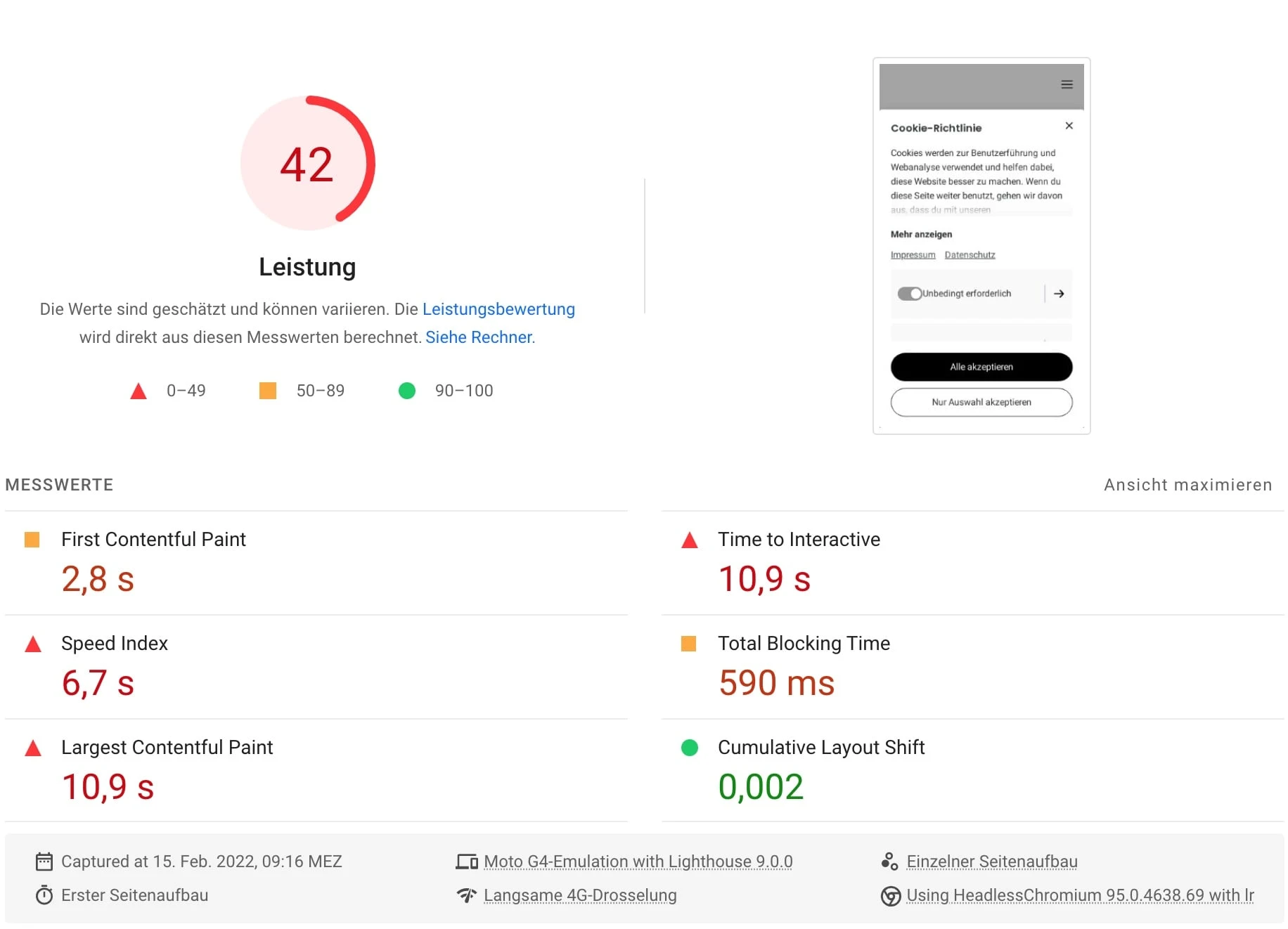
Jimdo's test website does poorly on the Core Web Vitals. It gets a PageSpeed score of 42 with a very high Largest Contentful Paint of 10.9 s:
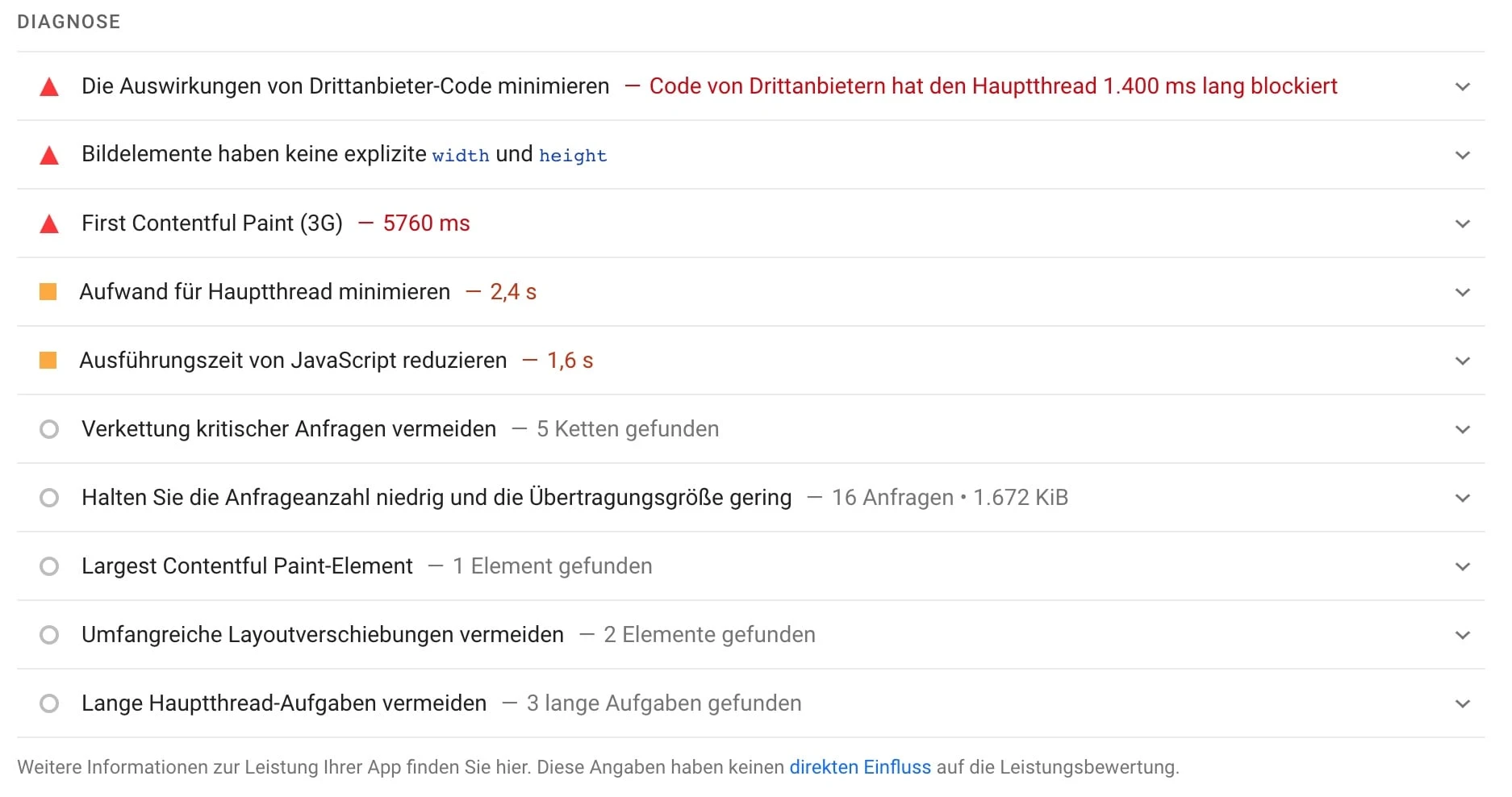
Above all, many files loaded from third parties are responsible for the poor result:
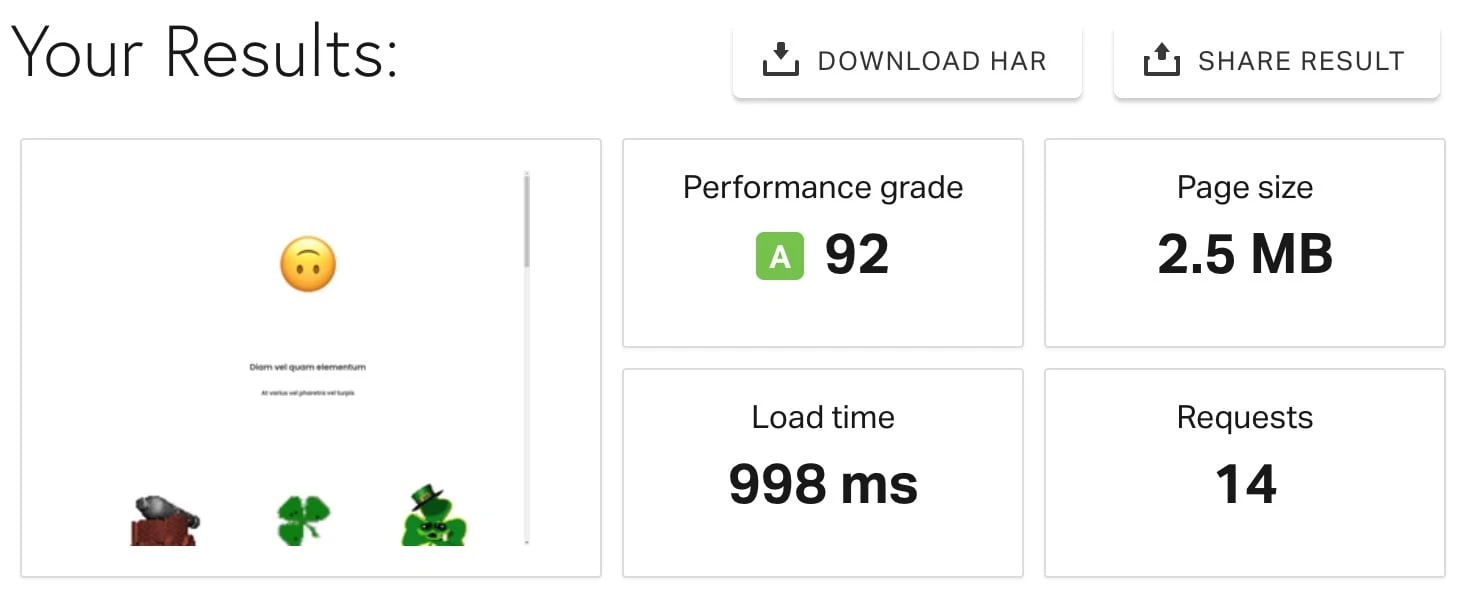
The absolute load time of 0.998 seconds measured by Pingdom Tools (with its location in Frankfurt am Main), on the other hand, is a bright spot, even if it was to be expected given the simple structure of the test website:
4. Examples of Jimdo sites
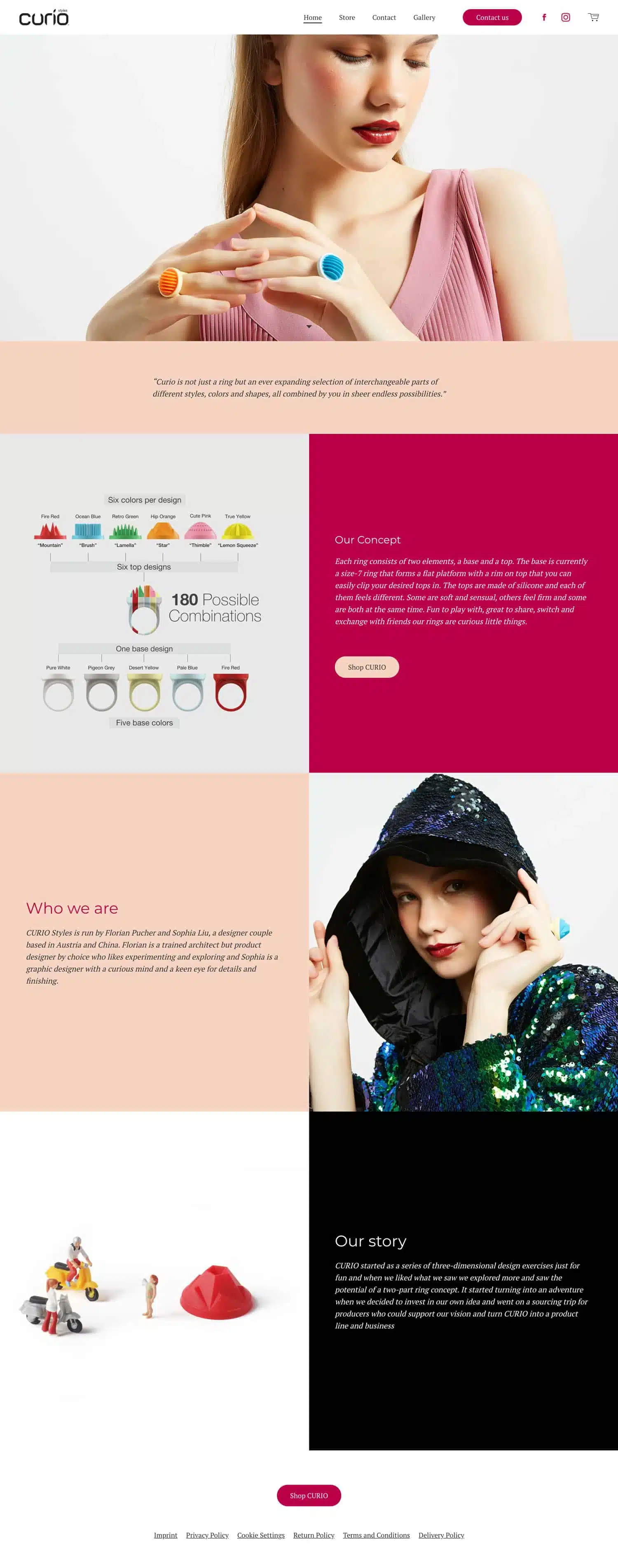
You can build all kinds of sites with Jimdo.
Besides very simple designs...

...you can also realize elaborate projects.
5. Jimdo Creator vs. Jimdo Dolphin
If you decide on Jimdo, sooner or later you will also come across the two terms “Creator” and “Dolphin”.
These are the two website builders that Jimdo uses. After registration, you as the customer have to choose one of the two.
What is important to understand: they are two completely different systems.
But don't worry, that sounds more complicated at first than it actually is.
After registration, Jimdo takes you through a series of questions about your future website. You have to decide whether you want to run a website, a shop or a blog.
Whether you use Dolphin or Creator depends on that choice. While you can use both systems for the website and the shop, for the blog you are tied to Creator.
Now to the differences.
Dolphin works with an artificial intelligence that takes a lot of work steps in the backend off your hands.
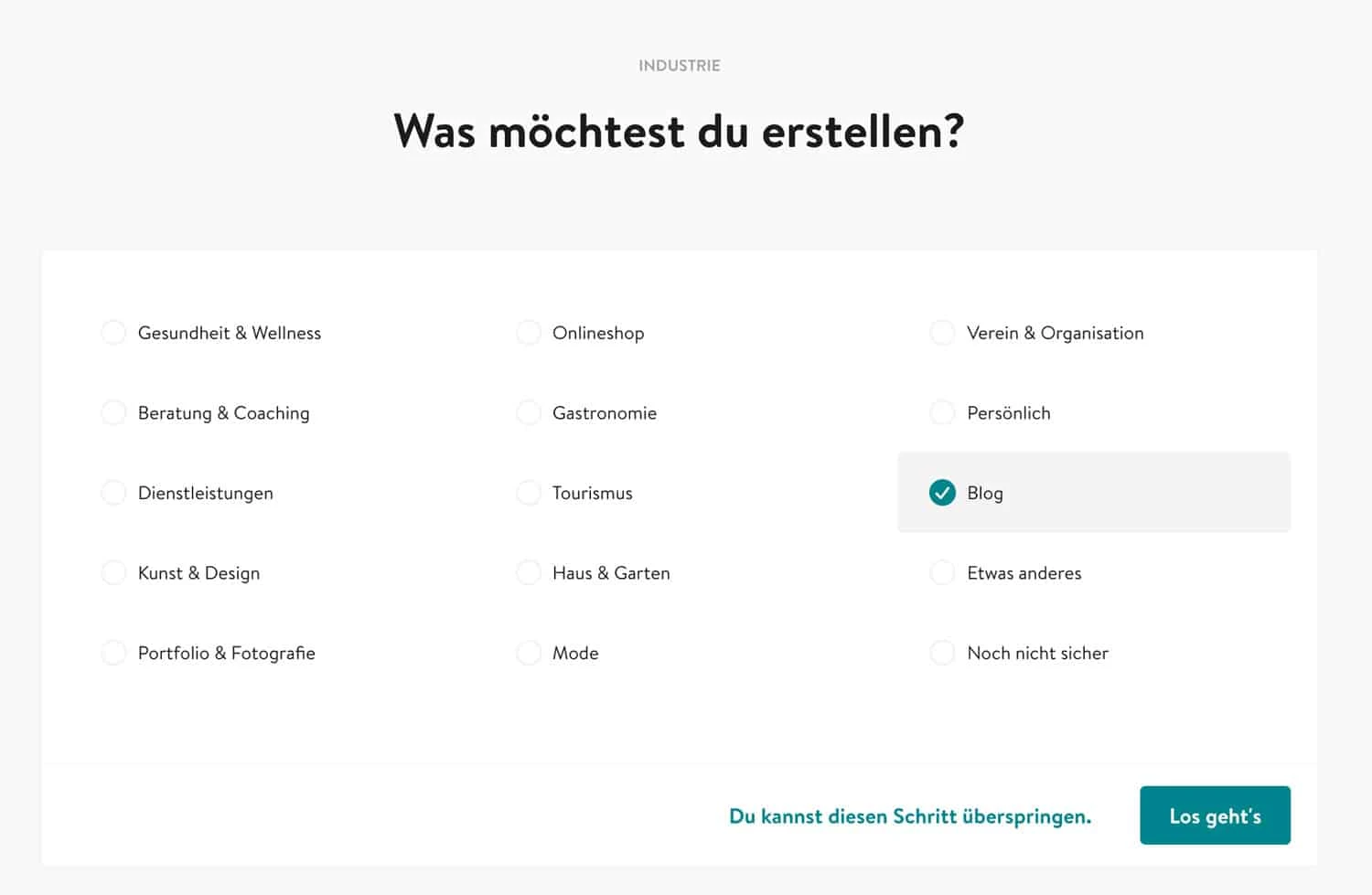
Based on numerous questions (primary goal of your website, color scheme, desired style), Dolphin automatically creates a site that matches your answers exactly. All you have to do afterwards is adapt the texts and perhaps add a few individual images.
That's it.
With the Creator system you do without the AI and choose your desired design manually, connect the domain you want yourself as well, and can then get started customizing your website.
So this system demands more do-it-yourself work, but on the other hand offers significantly more settings.
In the end, we can't recommend either of the two website builders, because you have to decide for yourself which is the better choice for you.
Both are good.
By the way: for our test, we chose Dolphin.
6. Alternatives to Jimdo
Jimdo is a complete system and a really good website builder that will serve most users well.
Still, there are one or two points we don't like quite as much.
In some cases it can therefore make sense to look for an alternative to Jimdo.
That is especially the case in the following scenarios:
Jimdo is too expensive for you
Considering that Jimdo restricts the number of subpages very heavily in the somewhat cheaper plans, only the most expensive plan really makes sense for many projects.
And at €50 per month, that plan is really expensive.
There are alternative providers that offer much more for this price. Above all Wix or Squarespace.
If you are looking for an inexpensive product, we would recommend the builder from 1&1 IONOS or webgo (a German hosting provider).
Your focus is on marketing
Unfortunately, Jimdo offers very few marketing tools, if you set aside the coupon codes for the shop.
Newsletter features in particular are missing here.
If you don't want to do without one, Squarespace, the builder with the really best newsletter feature, could be the right choice.
Your focus is on a blog
We would not necessarily advise any blogger who wants to build a large blog with lots of content to use a website builder...
Because really nobody can compete with the feature set of WordPress.
Why?
More on that in the next chapter.
7. Jimdo or WordPress?
Jimdo is a great website builder that spares beginners in particular a lot of frustration and headaches.
The system is very simple in structure and will let you create a complete website within a few hours without any prior knowledge, one that also makes a very professional impression.
However, Jimdo unfortunately reaches its limits with extensive and large projects.
A blog in particular, where several new posts are published every week or even every month, will definitely not be happy with Jimdo.
Here the advantages clearly lie with WordPress.
In short: if you want to build larger sites and keep the greatest possible flexibility, you are definitely better off with WordPress. Thanks to the gigantic variety of plugins, you can adapt the system perfectly to your ideas.
On the other hand, you naturally have to be aware that you first have to master this system too.
8. FAQ
Here you will find answers to frequently asked questions about Jimdo: