
The Wix website builder is one of the most popular website builders worldwide, or maybe even the most popular.
But how good is Wix really?
Is the builder suitable for someone who has never created a website in their life? What kinds of websites can you build with Wix? How good is the value for money? And how does Wix stack up against market leader WordPress, which powers over 40% of all websites worldwide?
In this detailed test, we put Wix through its paces. Mercilessly and without sugarcoating.
1. Verdict
Test categories
Pros
- Drag-and-drop editor with a huge number of elements
- huge template selection
- flexibly extensible through 200+ apps
- good blog function
Cons
- Data may also be processed outside the EU
- Storage space depends on the plan, and email mailboxes cost extra
Wix achieves a grade of good (2.1) (German school grades, where 1 is best), by far the best result in our website builder comparison.
One of the main reasons is the excellent editor, which impressed us not only with its easy operation but also with its huge range of features. With 200+ apps, it can also be extended flexibly.
The blog function is also better than average and, together with the huge template selection, makes for a good start even for bloggers.
One thing we didn't like is that Wix doesn't include any email mailboxes, so you have to take care of that yourself.
Who is Wix suitable for?
The main target group for Wix is local businesses, similar to the webgo website builder or IONOS myWebsite.
However, Wix is also suitable for more complex websites. So if you don't have the budget for a web designer, or no time to create a self-hosted WordPress website and maintain it, Wix is a good compromise.
Wix has a lot to offer, especially when it comes to customer acquisition and e-commerce, such as a contact form with a wide range of features, a live chat, and CRM and email marketing features. On top of an online store, Wix also offers various options for online bookings or reservations.
2. Prices & costs
2.1 Free version of Wix
Wix offers a permanently free version (so not a time-limited trial version).
However, it has a few drawbacks:
- A floating top banner is shown on your website with the text This website was created with the WIX.com website builder. Create your website today.
- You can't connect your own domain, which means your website is reachable under the not exactly pretty URL yourusername.wixsite.com/yourwebsite.
- Some features aren't available to you, such as visitor statistics, your own mailbox, or the option to set a custom favicon.
For a purely private site or one built for fun, the free version may be enough. For business purposes, such as a company or club website, it is unsuitable.
2.2 Which Premium plans are there?
This is what the current plan overview looks like:
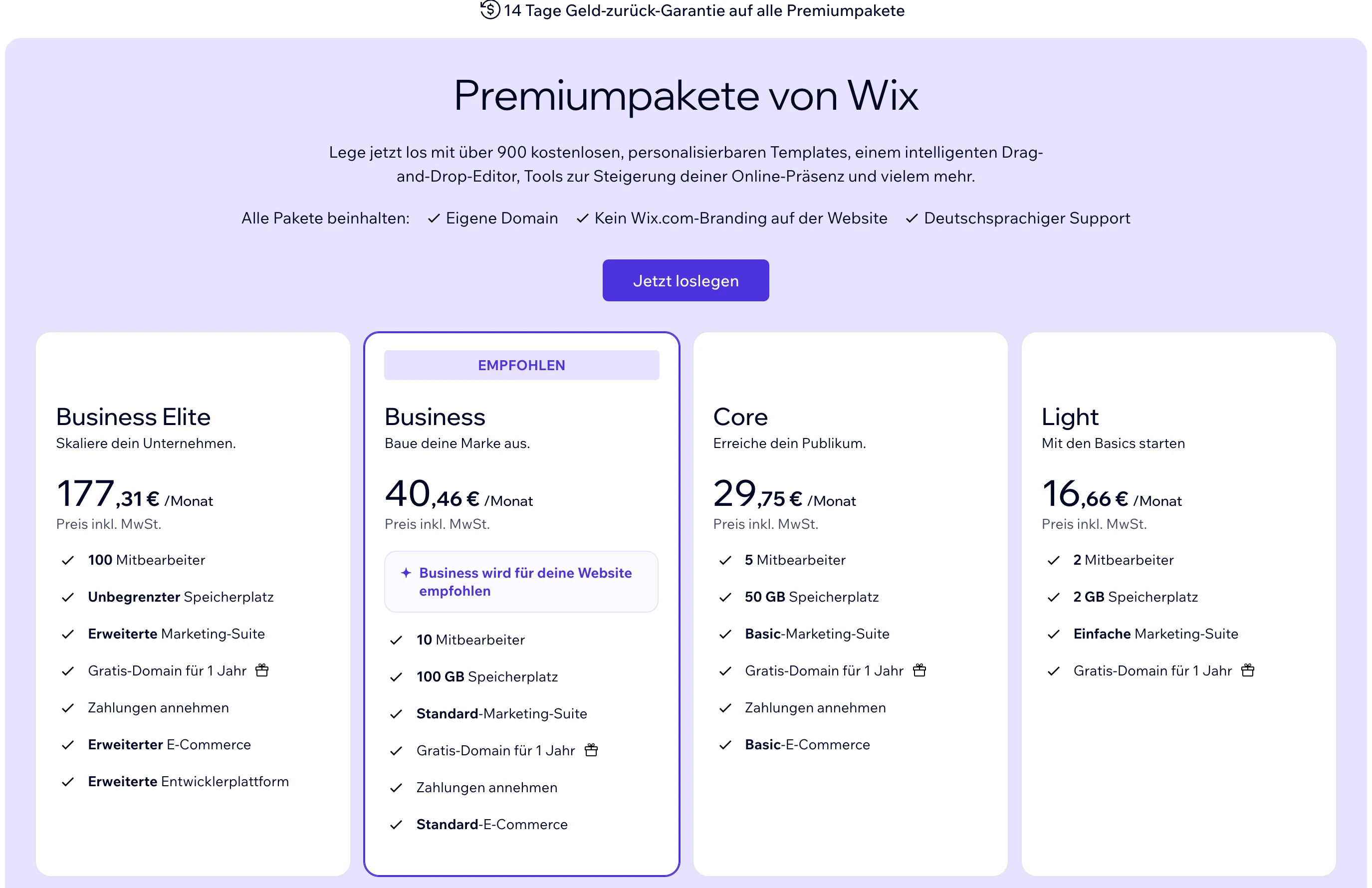
If the drawbacks of the free version bother you, you can upgrade your Wix plan for a low monthly cost.
The choice of plans is varied.
- Light costs €16.66 per month.
- Core costs €29.75 per month.
- Business costs €40.46 per month.
- Business Elite costs €177.31 per month.
The prices apply with annual payment. For the initial purchase of a Premium plan, Wix states a 14-day money-back guarantee.
First, there is the so-called Light plan. It allows you to replace the Wix domain with your own, which is an absolute must for 99.9% of all websites today, and it even gives you a free domain for 12 months.
This plan includes 2 GB of storage and unlimited bandwidth.
However, this plan is really only suitable for very small projects or the start-up phase of your own website. The tight storage space in particular quickly sets limits for larger projects.
But you can upgrade to the next higher plan at any time.
If you want to look professional, you should go for the Core or Business plans, which both include a much larger storage capacity and additional features.
2.3 How much does the Wix online store cost?
If you want to run your own online store, you can choose between Core, Business, and Business Elite. All three plans let you accept online payments from customers.
It doesn't matter whether you sell products or only want to let customers book services.
The Core plan already comes with a large range of features:
- Unlimited bandwidth
- 50 GB of storage
- Your own domain included for 1 year
- Sales and visitor statistics
The two other plans, Business and Business Elite, increase the storage space again. You should book them above all if you run a large, international store that doesn't only serve the German market.
Both plans include the Wix Premium eCommerce features, which give you important functions:
- Offering subscription models
- Automated VAT
- Currency conversion
2.4 How much does a domain cost?
With Wix, you get your own domain free for one year starting with the Light plan. After that, the cost of renewing your domain depends on the following factors:
- Domain extension
- Your currency
- The number of years you selected
- Added privacy protection
- The tax rules usual in your country
Our .de domain, for example, costs €14.95 for a calendar year.
3. Test results in detail
3.1 Features
Storage space and traffic
Wix provides you with complete hosting. That makes Wix a really great all-in-one solution.
With the plan you choose, you should keep an eye on the storage space above all. Bandwidth is unlimited in all Premium plans.
Storage space varies considerably between the individual plans:
- Light: 2 GB
- Core: 50 GB
- Business: 100 GB
- Business Elite: Unlimited
Custom domains
On the free plan, you only get a Wix subdomain.
It has an address like yourusername.wixsite.com/yourwebsite and contains Wix advertising. We don't recommend this solution for a professional web presence.
If you want to use a classic domain (that is, yourname.de or yourname.com), you have several options.
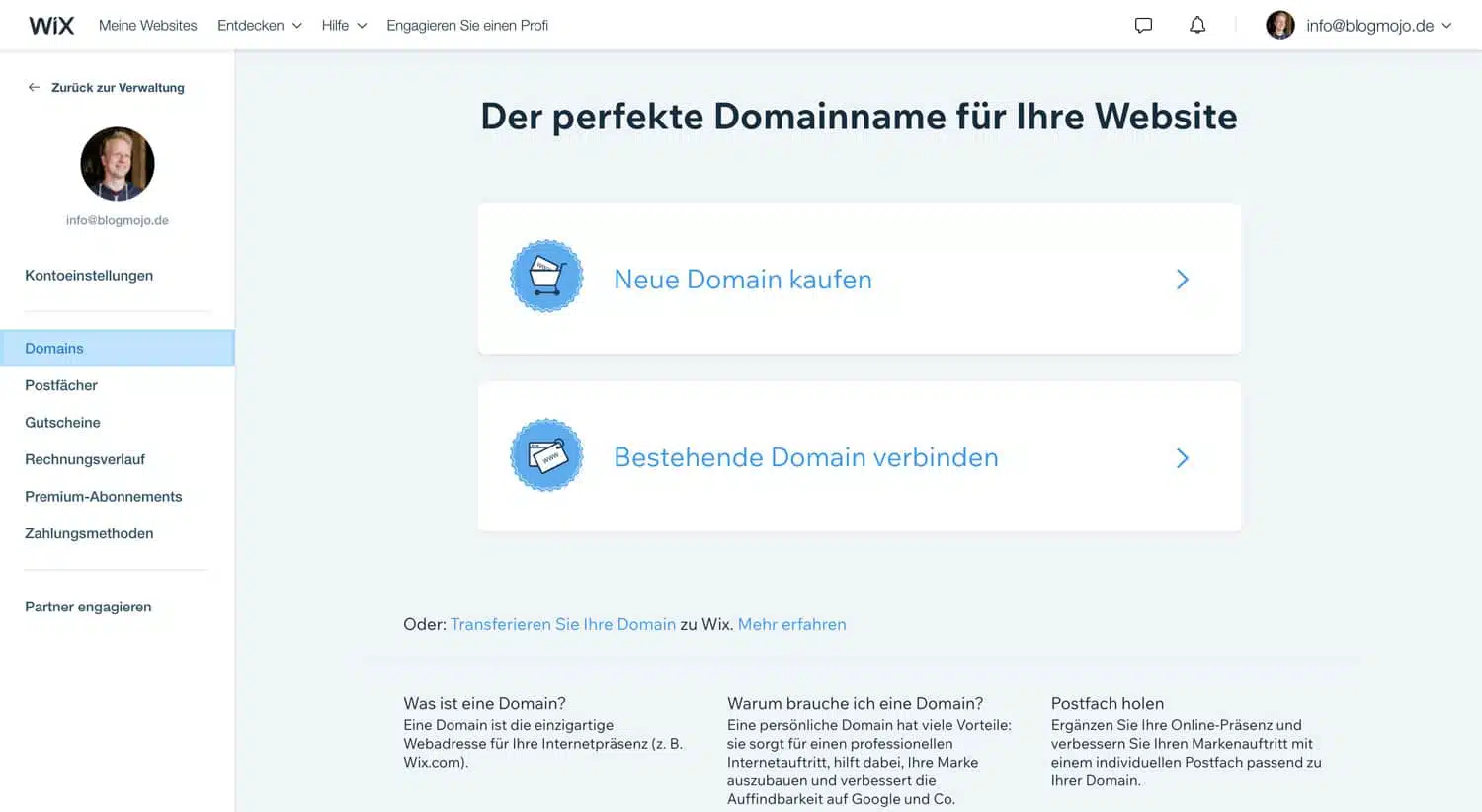
You can either move an existing domain to Wix or register a new domain directly through Wix.
Starting with the Light plan, a domain with the classic extensions is even free for a whole year.
Blog
Wix gives you an extensive blog function.
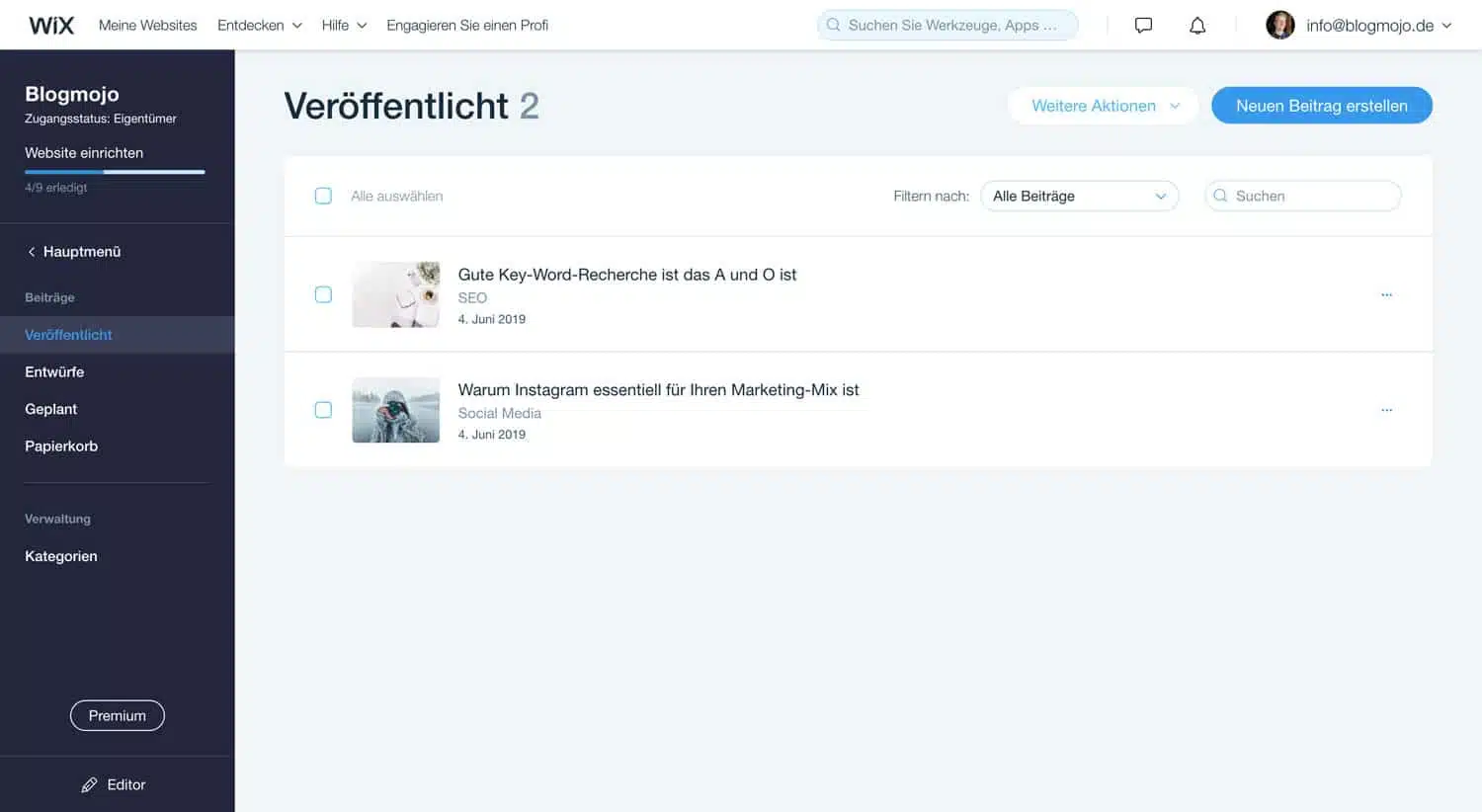
The posts blend seamlessly into the design of your website and can be created easily and quickly in the backend.
They can also be sorted into different categories and given tags.
Just like with WordPress, you can schedule posts in Wix and publish them at a specific time. That adds a lot of flexibility.
Of course, Wix also provides a comment function. Your posts can even be commented on via Facebook.
Online store
The online store function is one of the centerpieces of the Wix platform.
If you have chosen at least the Core plan, you can accept online payments and publish the store.
The design and structure of an online store built with Wix really look good, and the setup is simple too.
You have numerous options available:
- Offer your customers different payment methods such as PayPal or even offline payments.
- Create vouchers or discount codes with ease
- The entire store management is in one central place
- Tax rates can be adjusted to different regions in no time
- Quick import of new items, since the product details can be imported as a CSV file
- Customers can create their own account
Despite the generous range of features, the Wix online store also has some big minus points.
For example, a review function isn't included as standard and first has to be added through an external module. That isn't really convenient and is definitely a no-go, because customer reviews are an important part of an online store.
Wix has by now considerably expanded its checkout features for the German market:
- You can store terms and conditions as well as privacy, shipping, and withdrawal policies, link them on the checkout page, and optionally have customers confirm them with a mandatory checkbox.
- On German store pages, Wix uses the label “Kostenpflichtig bestellen” (order with obligation to pay) for the final button. The text cannot be changed individually.
Taxes, shipping details, order confirmations, and additional checkout fields can be configured as well. You still have to check yourself whether your specific store meets all legal requirements.
All in all, Wix is therefore much better suited for German stores than in our original test. The builder does not replace legal texts or legal advice, though.
By the way, digital products can't be sold through the standard store so far. Here, too, an extension is required.
SEO
Wix offers some SEO features out of the box, such as:
- The option to add meta tags (e.g. important for verification with Google Search Console)
- 301 redirects
- Indexing settings for the whole website (so you can set whether your website should appear on Google at all)
- Indexing settings for individual subpages (to prevent individual pages from being listed on Google, e.g. the legal notice or privacy policy)
- Setting a meta title and meta description (for the homepage and individual subpages)
- Setting alt texts for images
- A sitemap (available at yourdomain.com/sitemap.xml)
What's missing:
- You can't change the file names of images (they automatically get cryptic, non-descriptive names like a4cf104932ac21973fd75e89a9~mv2_d_4446_2964_s_4_2.jpg)
Visitor statistics
Inside the Wix backend, you get extensive statistics on your visitors and sales for free.
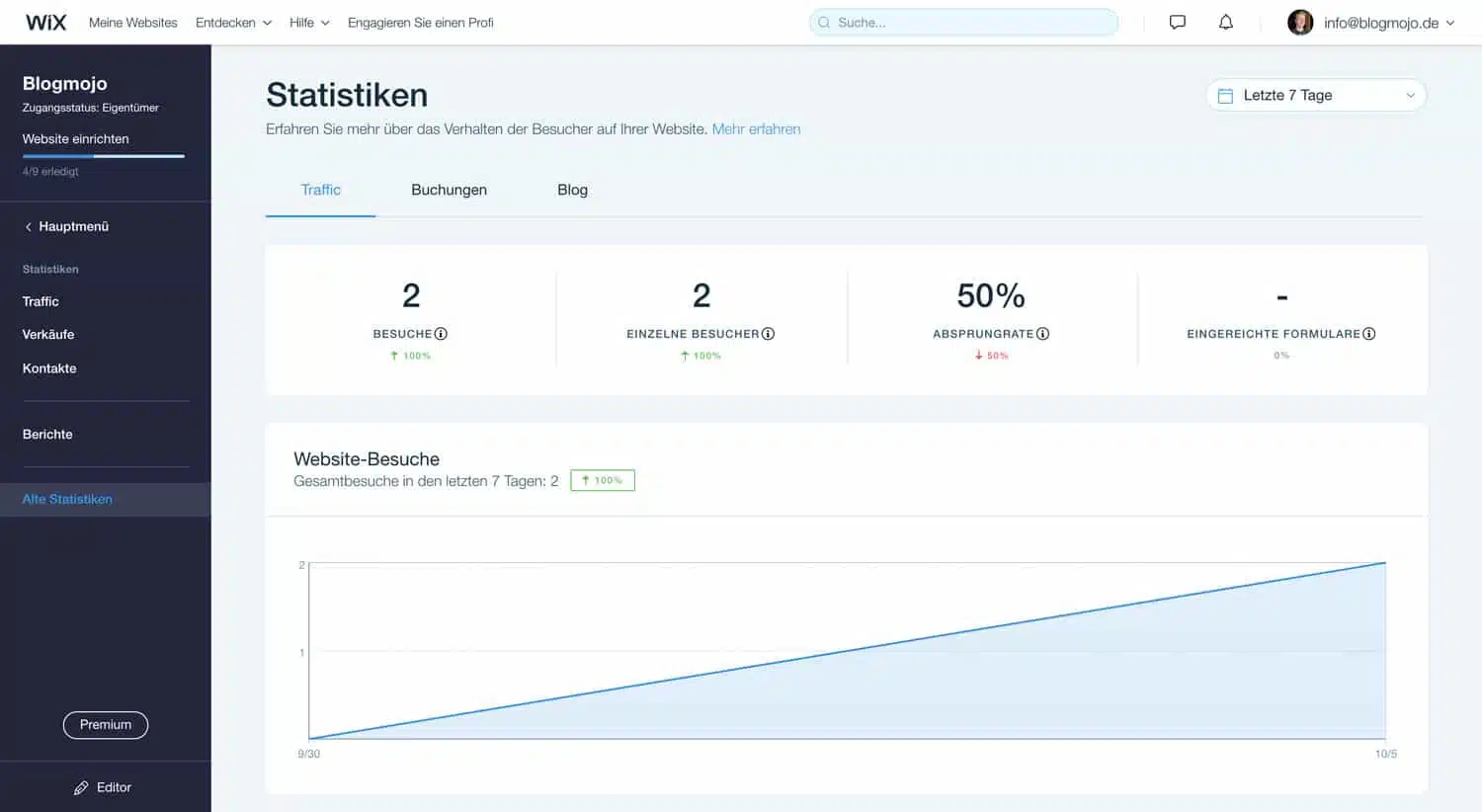
These visitor statistics will be completely sufficient for 99% of all webmasters, since they include not just simple page views but also further data such as the bounce rate or submitted forms.
The included features therefore make third-party tracking software such as Google Analytics or Matomo completely unnecessary.
A plus point for data protection, although you should still pay attention to a few points regarding GDPR.
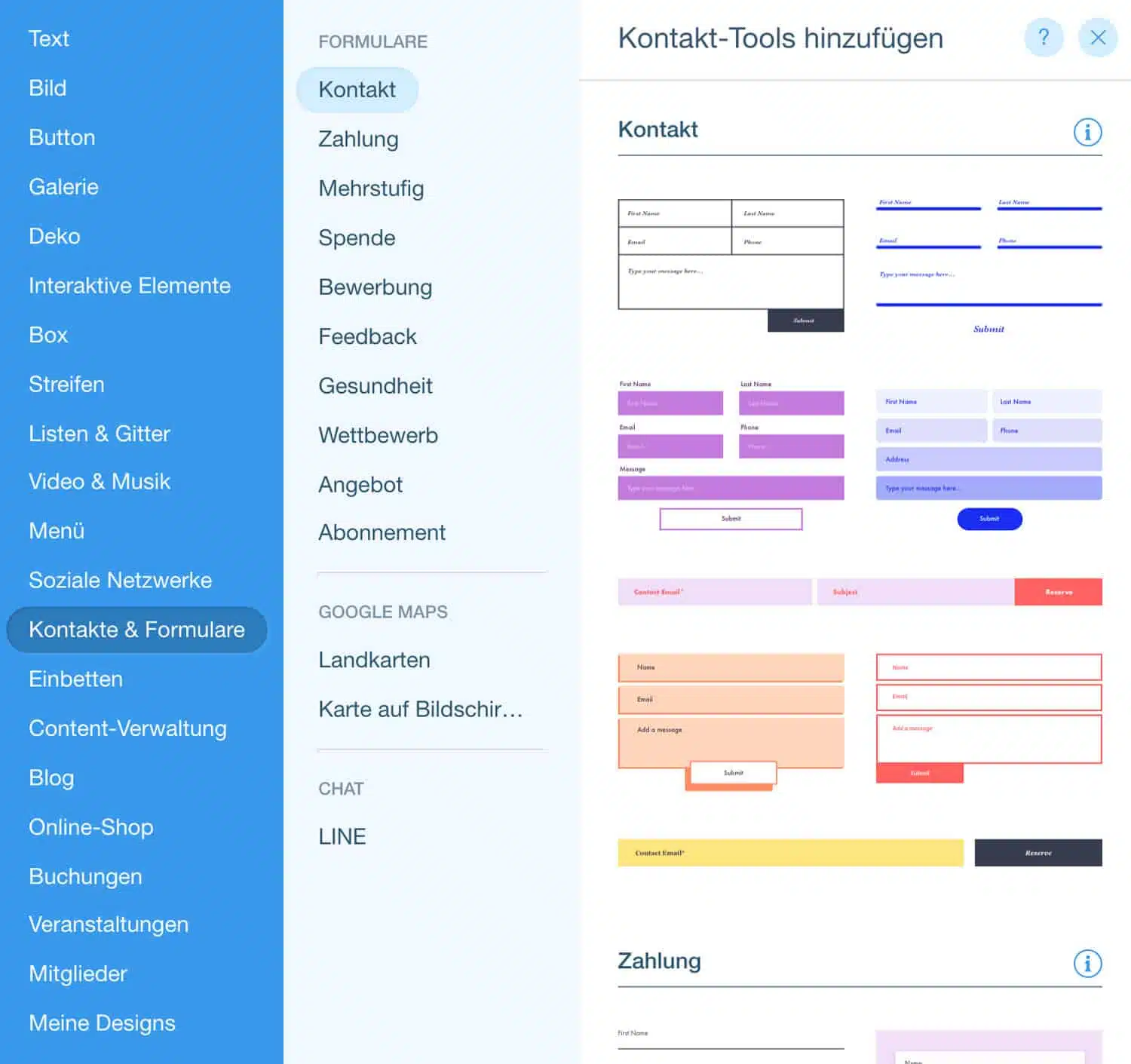
Contact form
Wix offers contact forms in many different designs that are easy to integrate into a page. The forms look good and can be customized with a few clicks, even by beginners.
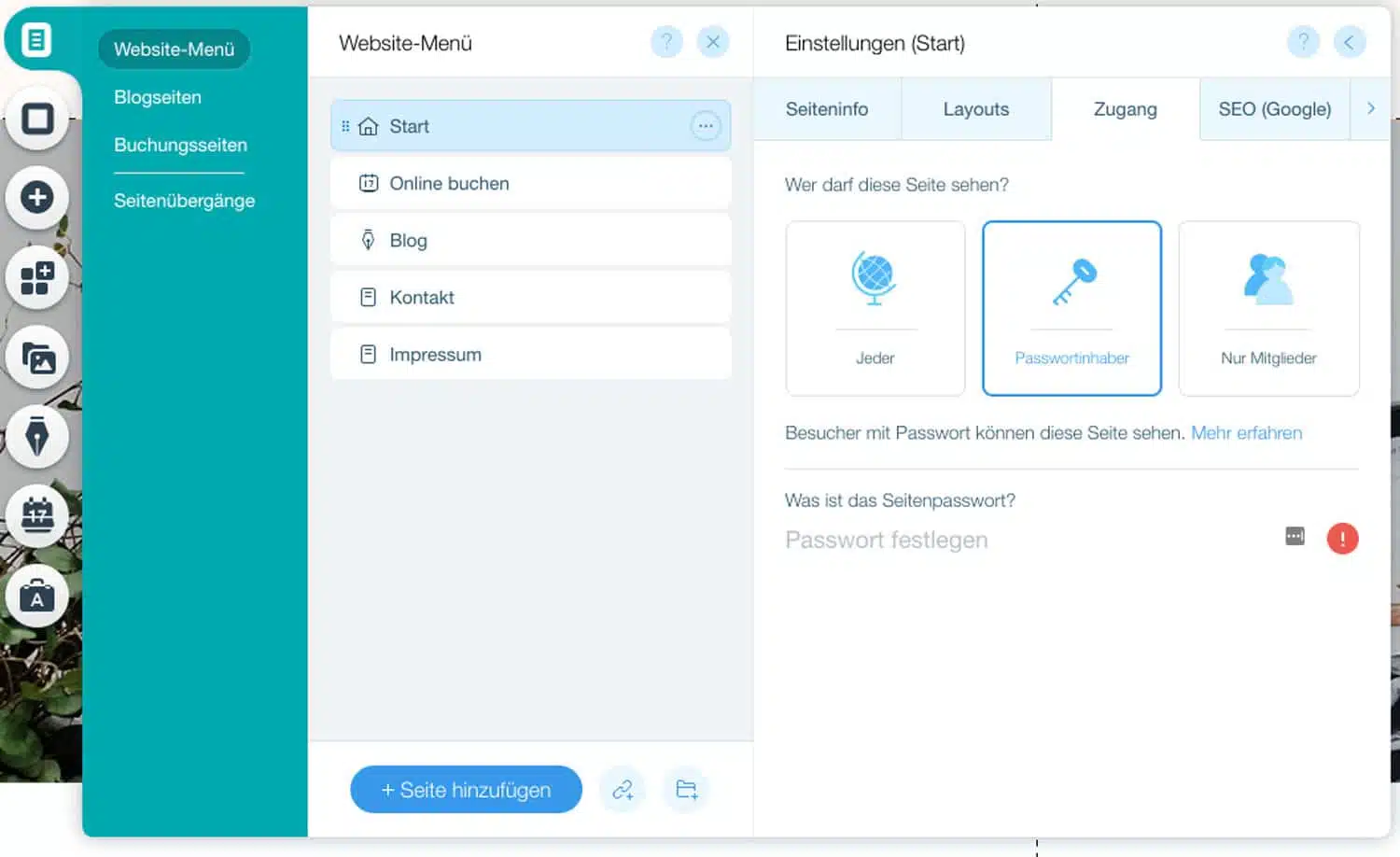
Password protection
Certain parts of your website can be protected either with a password or through member access.
This way, you can quickly and easily create a members area and present exclusive content there.
Extensibility (widgets, plugins, apps, etc.)
Wix gives you an app marketplace that offers free and paid extensions for your website.
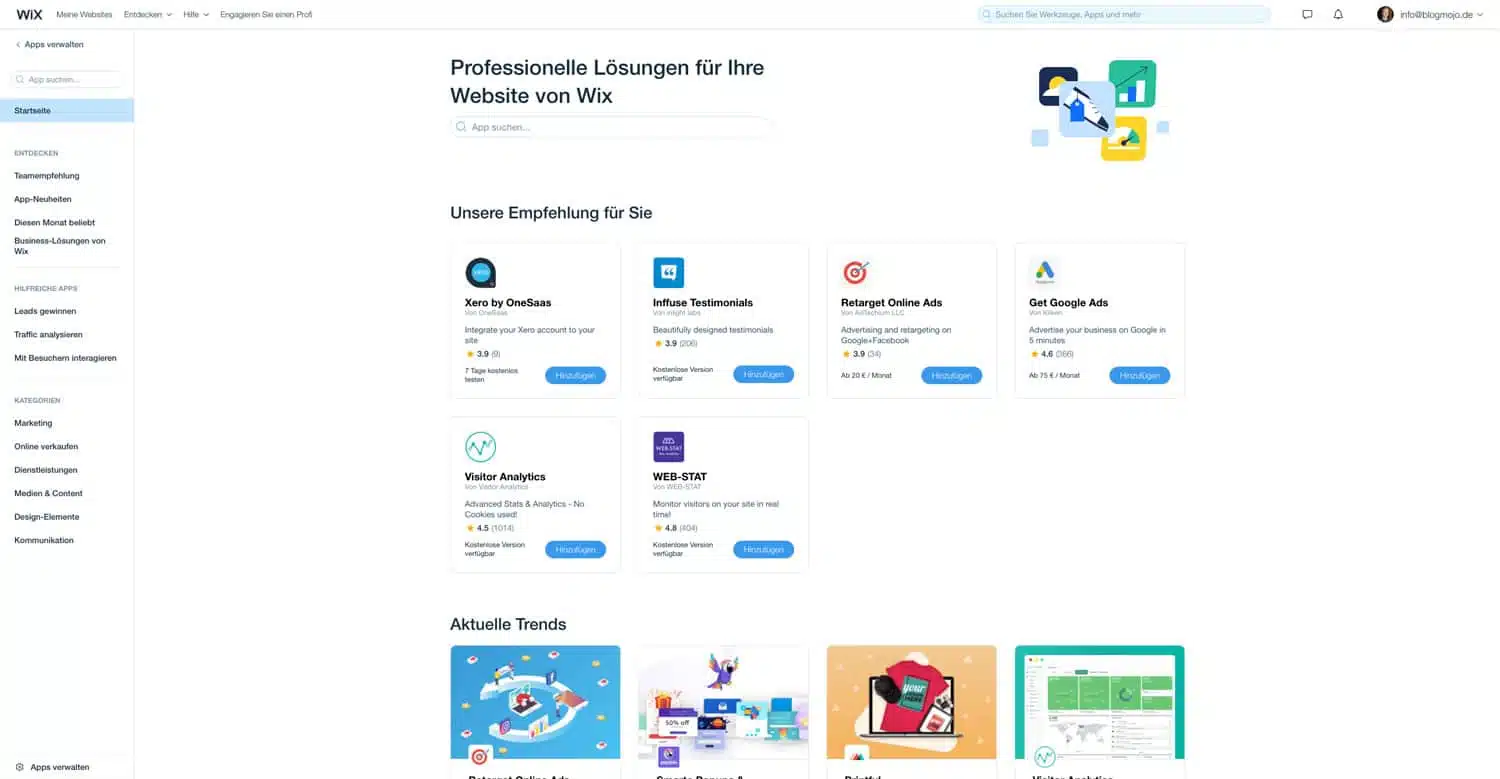
Among them are, for example, additional analytics plugins or solutions that complete your online store.
With the help of the marketplace, your website can therefore be customized considerably.
3.2 Usability
Wix is simple and intuitive to use.
A main menu on the left guides you through the entire backend.
The centerpiece, the editor, is outstanding. Clicking an element opens the editing menu. If you do have questions here, unexpectedly, there is even a help menu for every option.
In short: If you can surf the internet and create a Word document, you can also create a website with Wix, because it comes with the same level of difficulty.
3.3 Templates
Selection
The template selection is large and covers a great many topics and industries.
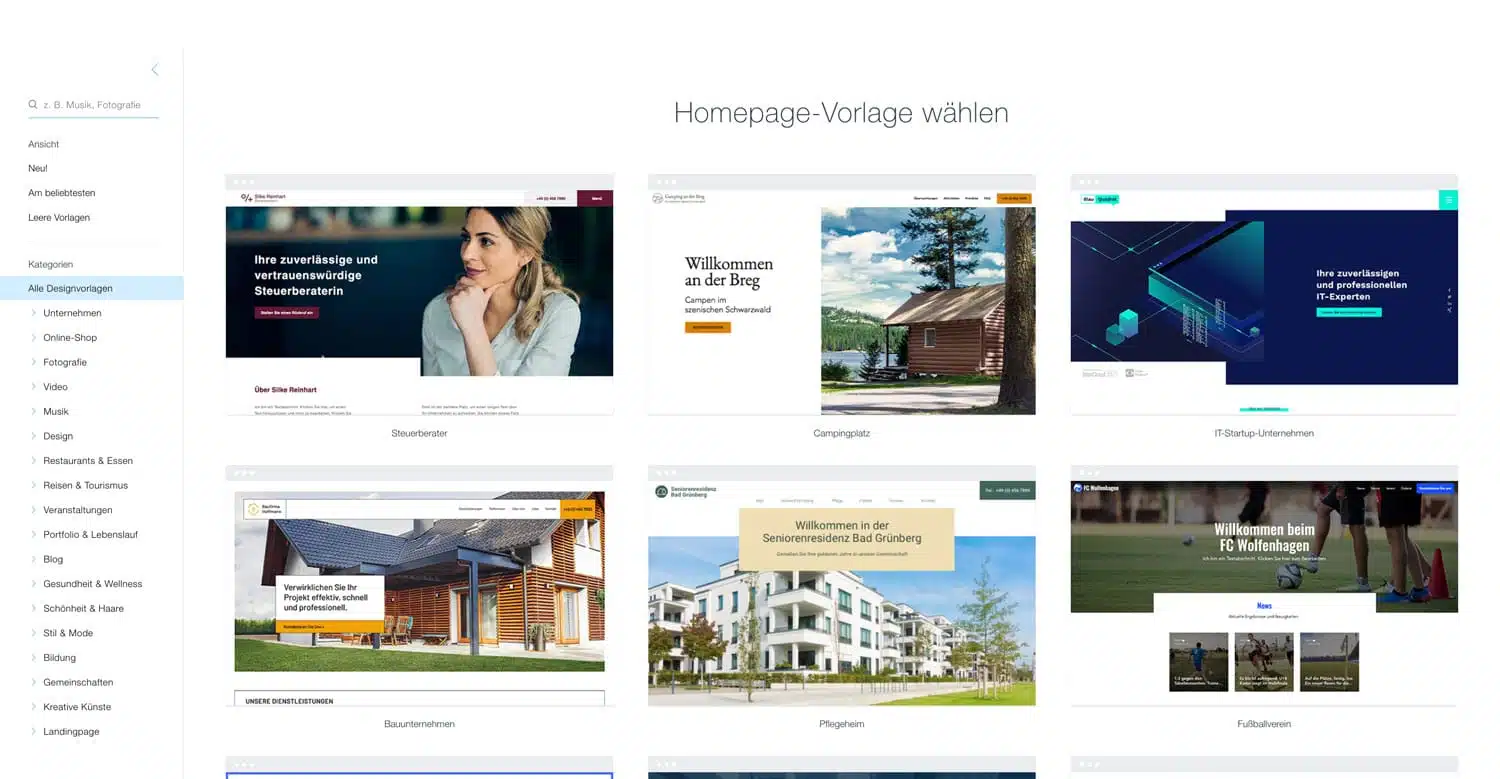
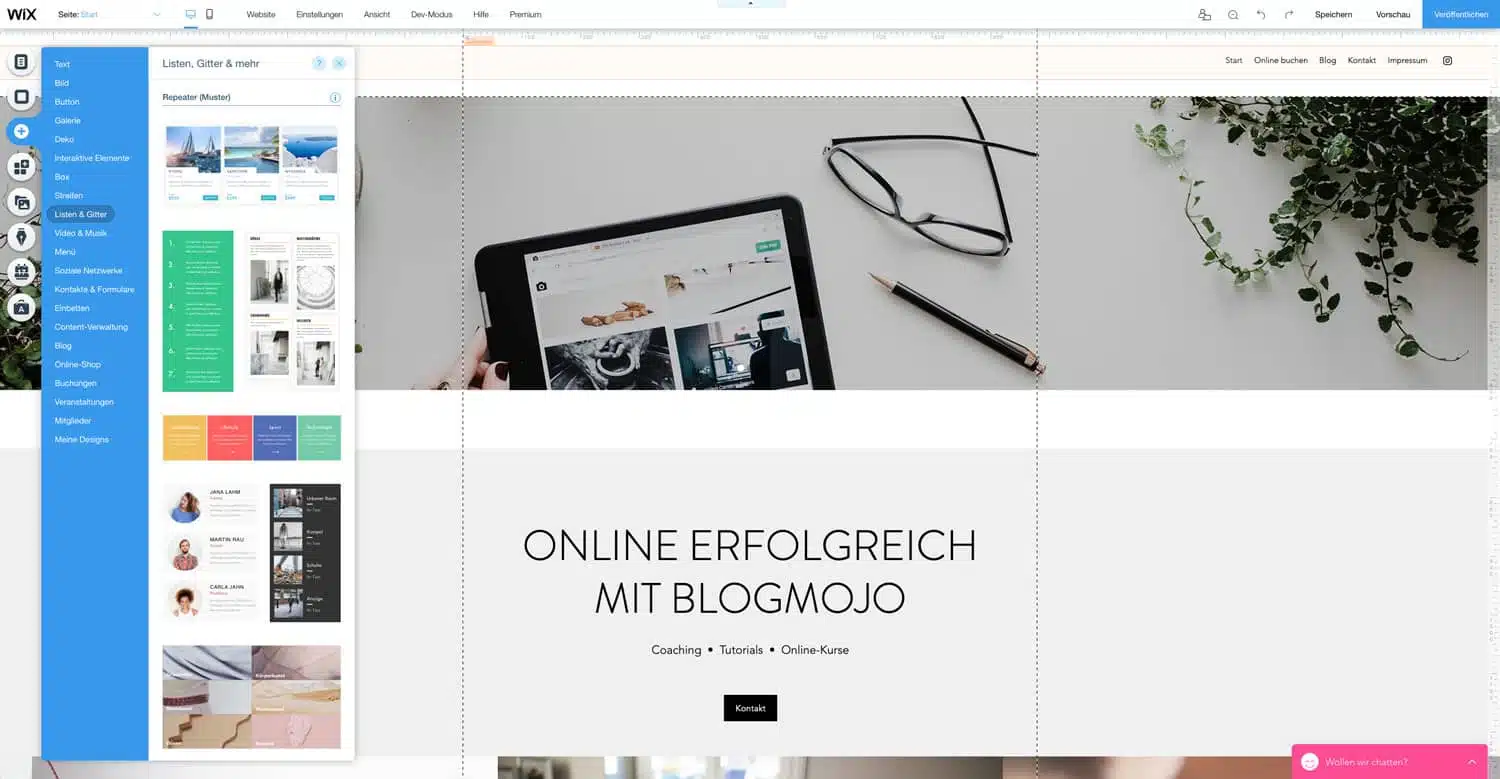
There are not only templates for pages but also for individual sections that you can insert into the editor via drag & drop. This quickly produces an individual design that you can easily adapt to your own needs and ideas.
Design quality
If you take a look at the ready-made templates, you'll quickly notice that the quality is really very good.
With Wix, you can therefore effortlessly create professional websites that look as if a real pro had coded them.
Responsiveness
Of course, all websites you can create with Wix are perfectly adapted to mobile devices.
To check how your page looks on a smartphone, you just have to click the smartphone icon in the menu bar of the editor.
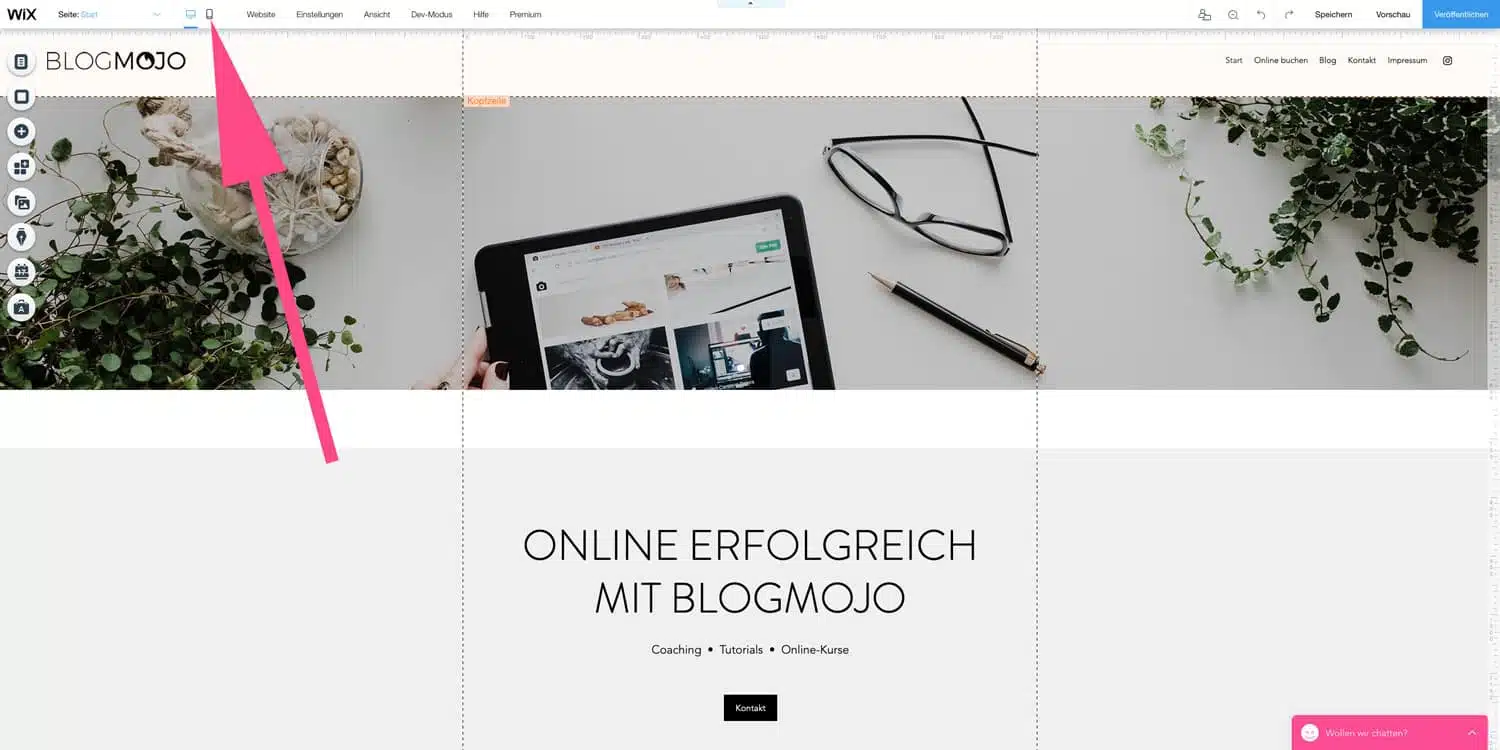
Despite this great feature, you shouldn't rely on this view 100% and should always take a second look at the website with a “real” smartphone.
Customizability (CSS, custom code, etc.)
It is possible, but currently still a little cumbersome, to adapt elements or pages even more individually to your ideas with additional CSS code or JavaScript.
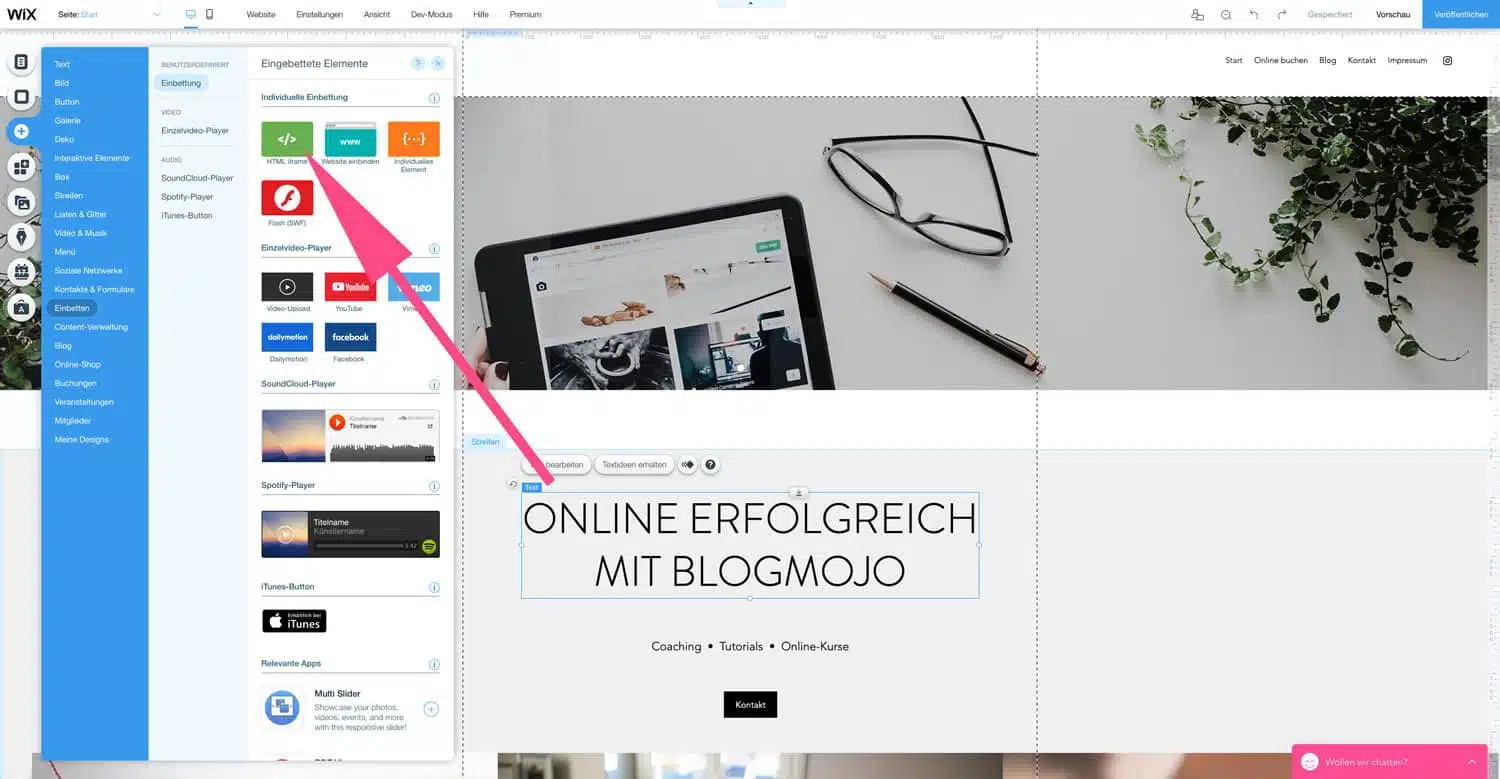
You can also insert your own HTML code without any problem at the desired spot via the “Embed” function in the Wix editor.
3.4 Help and support
Wix really makes a big effort not to leave you alone with problems of any kind.
First of all, there is an extensive help center that answers nearly all questions on really all conceivable topics quickly and in detail.
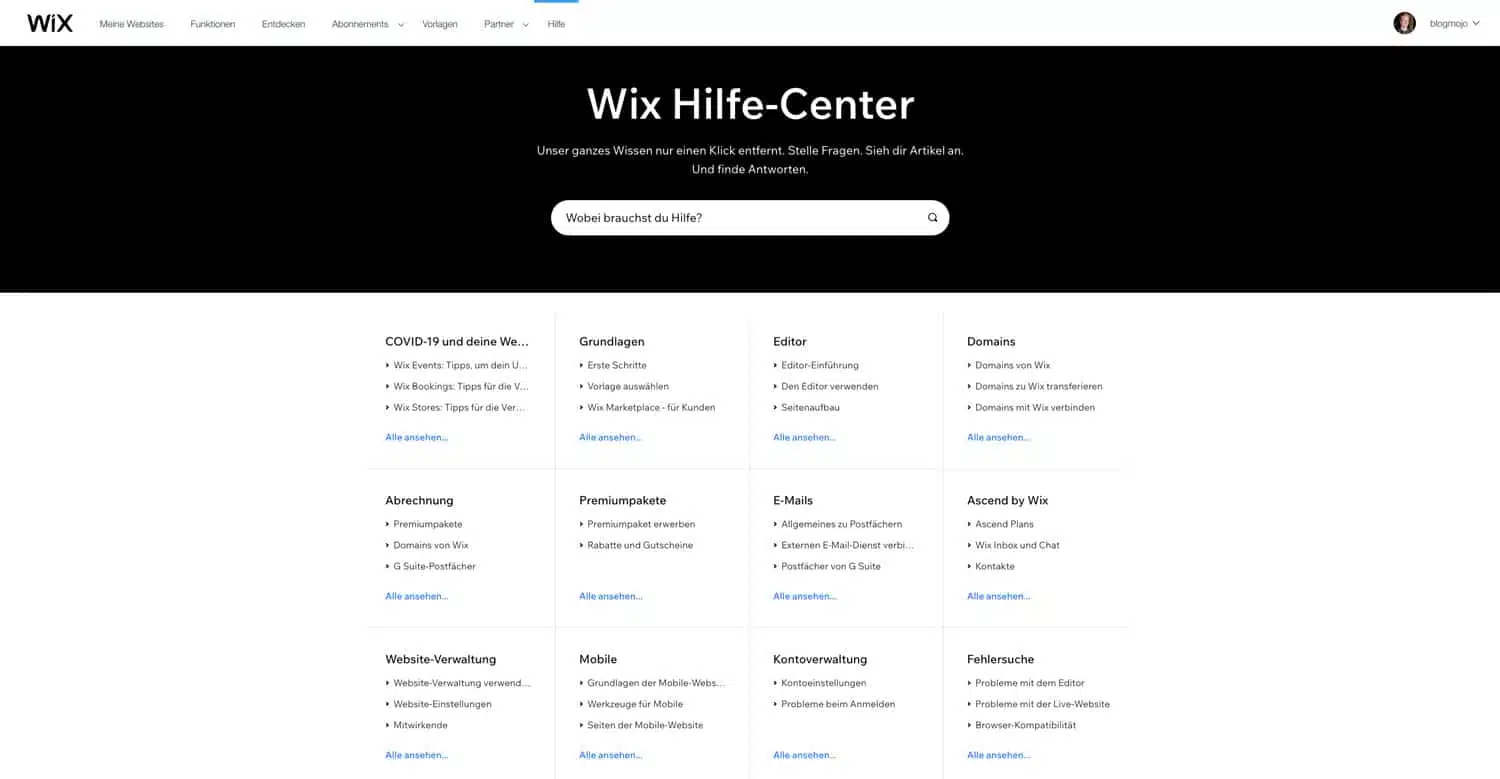
If the help center doesn't solve your problem, you can contact Wix in two different ways:
- You use phone support, which is available to you in German from Monday to Friday, 8:00 a.m. to 5:00 p.m. English-language phone support is even offered around the clock, seven days a week.
- You contact Wix by email
3.5 Languages
The German version of the Wix builder is completely in German, the translation is well done, and everything is understandable for beginners. German video tutorials that you can watch are great too, explaining and showing many features in more detail.
Individual elements for the website are in German as well, and their names are common ones. The support area is also available entirely in German.
3.5.1 Multilingual websites
With Wix, you can create a multilingual website relatively easily. Right in the editor.
16 different languages are available here.
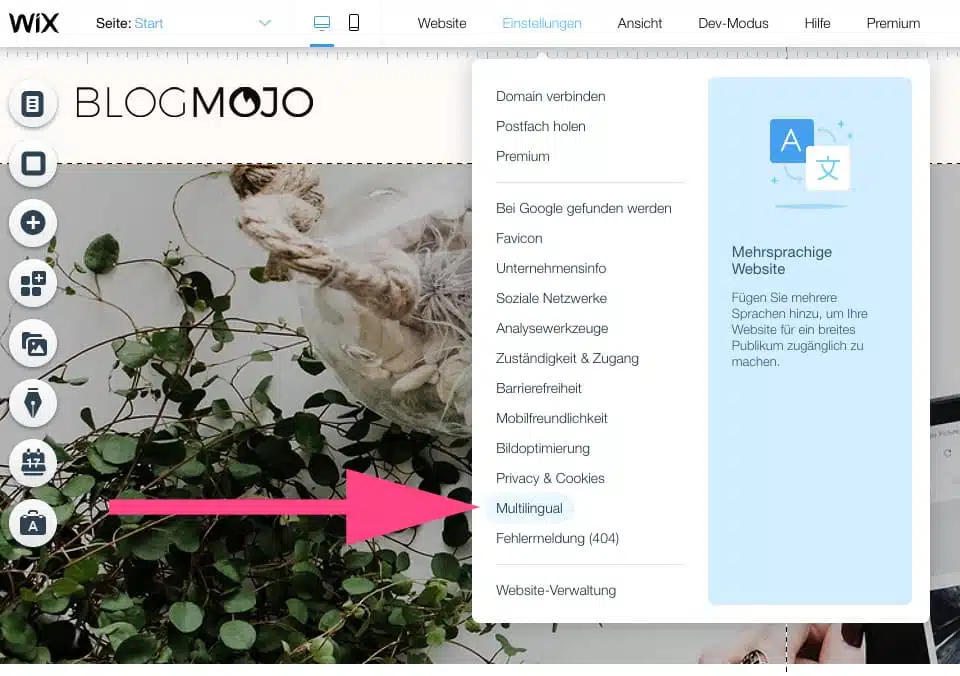
However, this “quick method” has drawbacks too.
Search engines link your page to a “main language” and list the website in the corresponding country index. The reason is that the URLs aren't translated but stay in the original language. For example, a German website that you have translated into English in the Wix editor has very little to no chance of ranking on google.com.
The better but also much more laborious solution is to create two independent websites with .de and .com extensions. However, this requires booking a Wix Premium account.
3.6 GDPR and legal matters
One negative point with Wix is that there are no templates for the Impressum (the legal notice German websites must carry) and a privacy policy. So it can easily happen that someone who doesn't know much about internet law simply forgets these pages.
But since every publicly accessible page absolutely needs an Impressum and a privacy policy, this mistake can get expensive. It makes no difference whether you want to earn money with the website or whether it's just the website of your gymnastics club. Anyone can receive a cease-and-desist letter (Abmahnung) in this case.
Still, Wix deserves credit for having dealt with the topic of GDPR much more than many other providers.
For example, Wix provides a comprehensive GDPR guide that explains the current legal situation to you step by step.
In addition, a “Privacy” area has been set up in the backend.
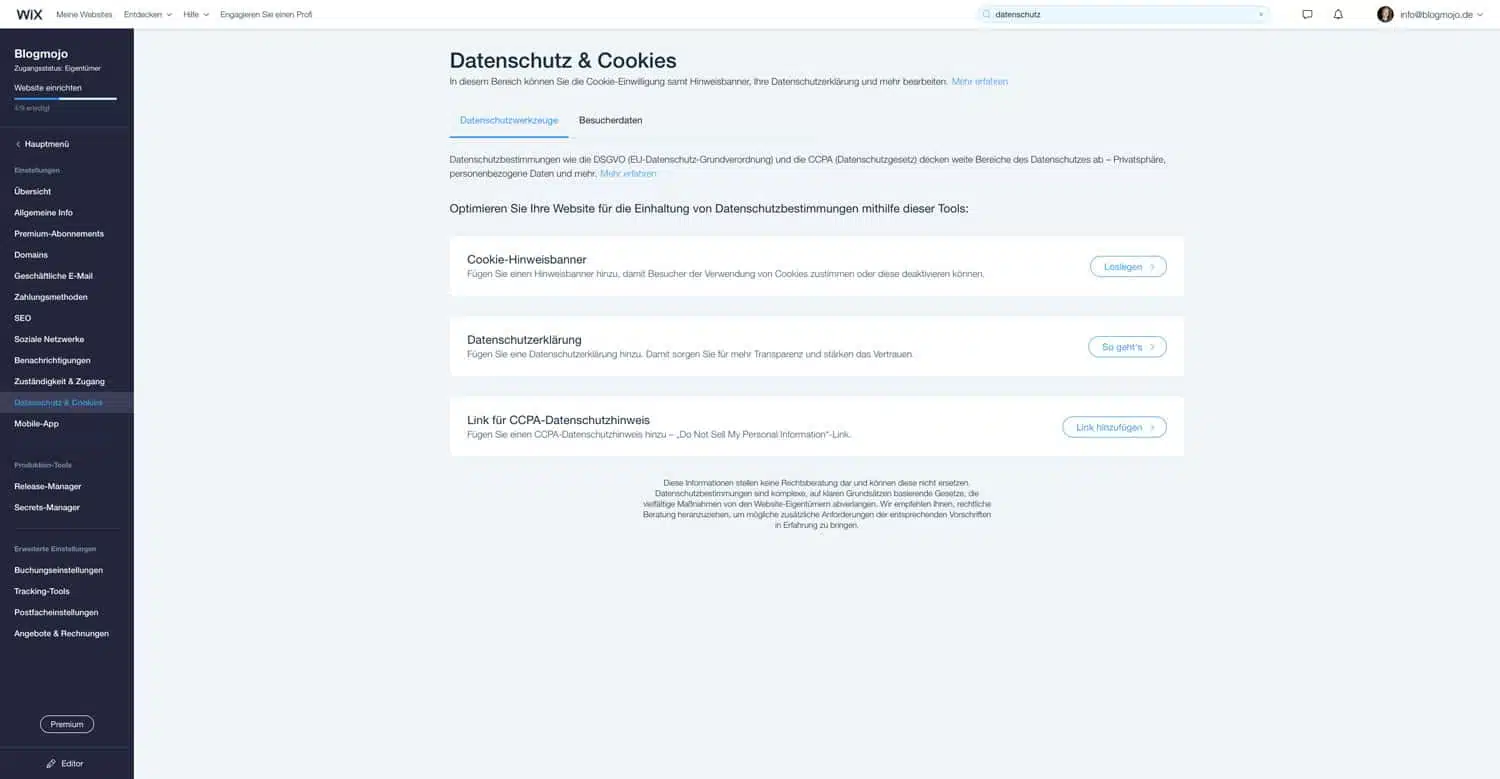
Here you can, for example, design a cookie notice banner and embed it on your page, or see the consent history of your newsletter subscribers.
3.7 Backup, restoration, and portability
With Wix, you can view the edit history of your website and, if needed, return to an earlier version, which is a big plus.
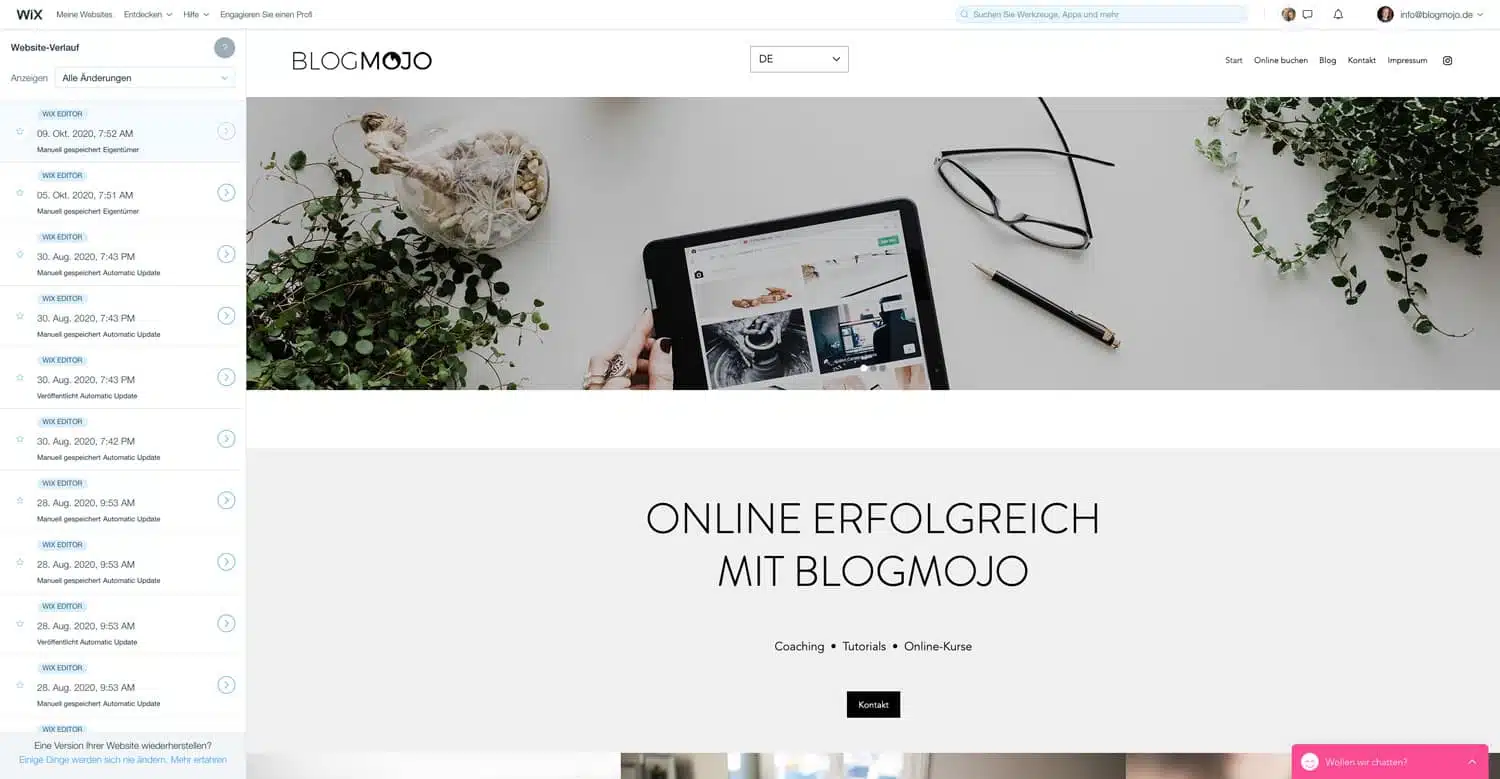
Unfortunately, it isn't possible to export backup files and store them on your own computer.
It also isn't possible to run a Wix website with another hosting provider or to move the content of your website to a CMS (such as WordPress or Joomla) or to another website builder provider (such as Jimdo).
That means that if you want to move, you have no choice but to transfer all texts, images, videos, etc. by hand.
3.8 Core Web Vitals and loading time
As part of our website builder comparison, we measured the absolute loading time and the Core Web Vitals of every builder.
To do so, we created a test website with every provider that has the same design and is filled with the same five images and the same placeholder text, in order to get results that are as accurate as possible.
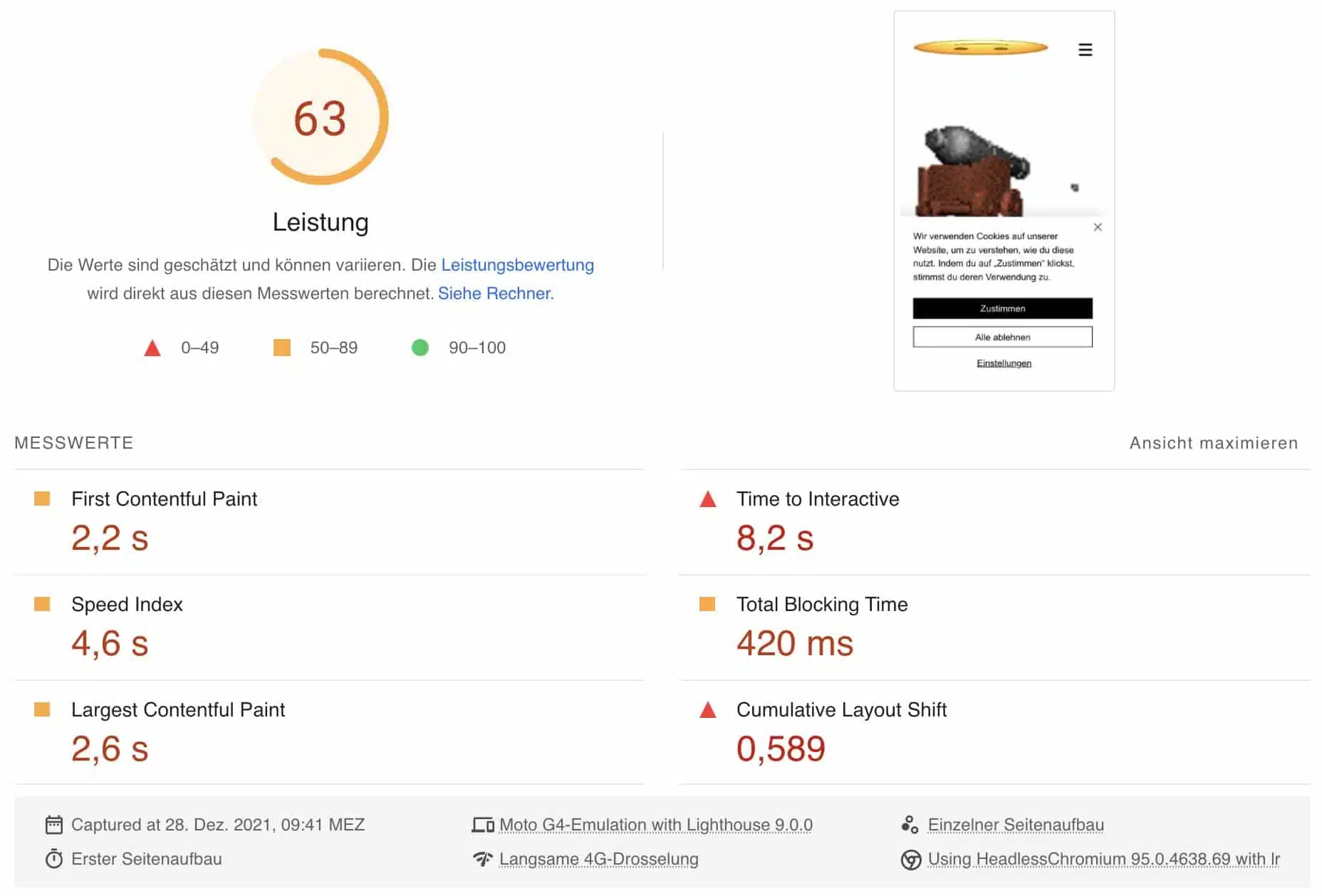
The Wix test website comes out rather mediocre on the Core Web Vitals. It reaches a PageSpeed score of 63 with a very high Cumulative Layout Shift of 0.589:
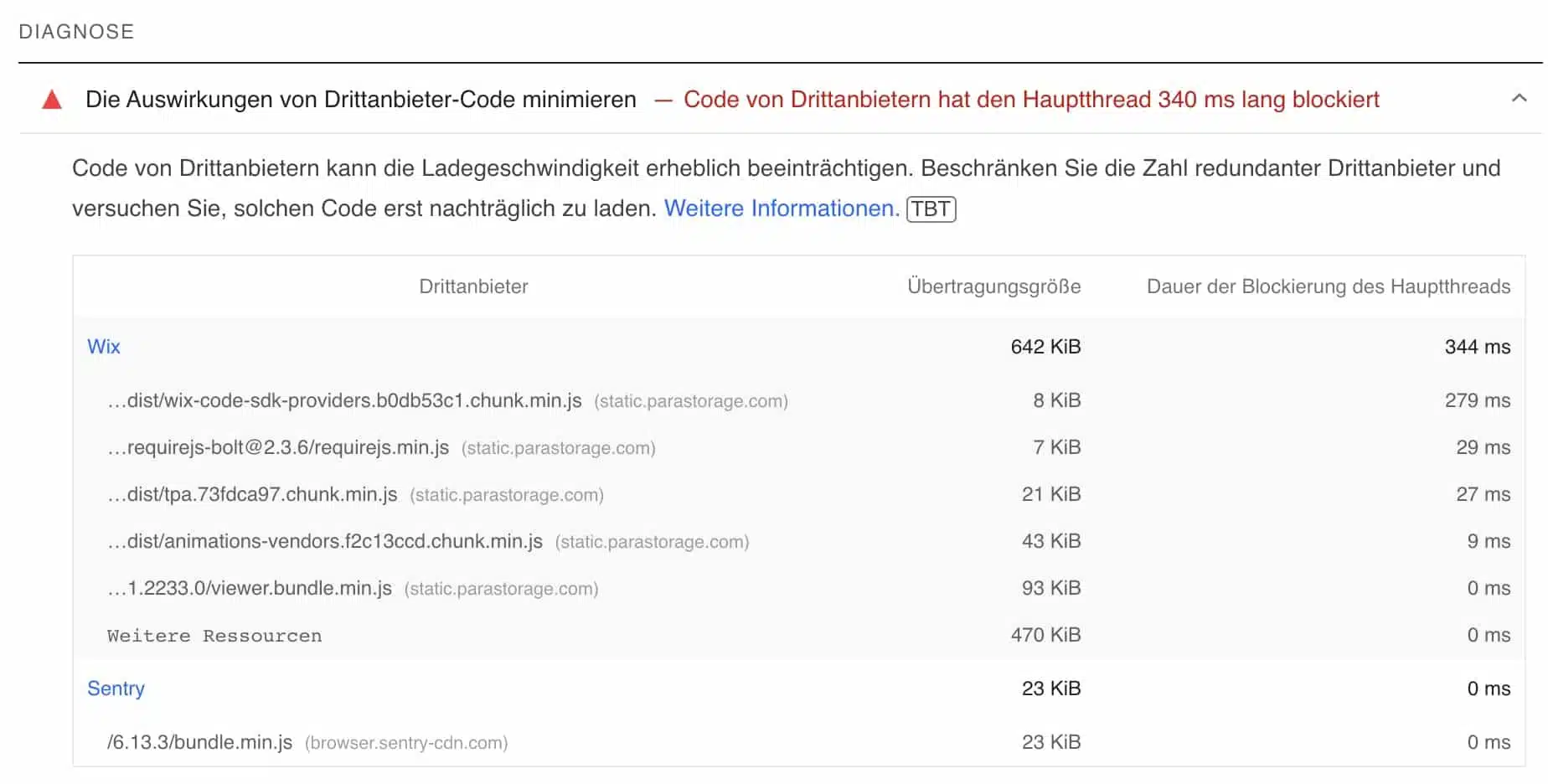
The mediocre result is mainly caused by the many files that are loaded from third parties:
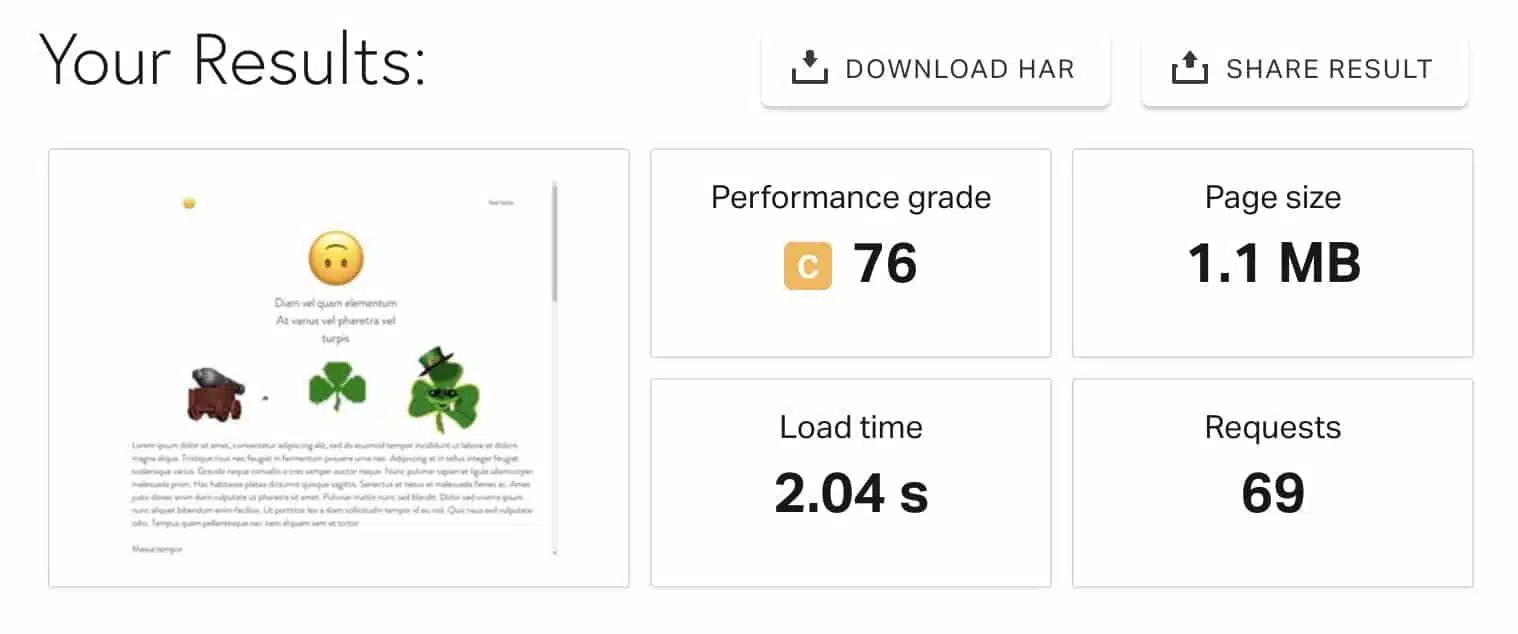
The absolute loading time of 2.04 seconds measured by Pingdom Tools (with the location in Frankfurt am Main) could also be much better given the simple structure of the test website:
4. Examples of Wix sites
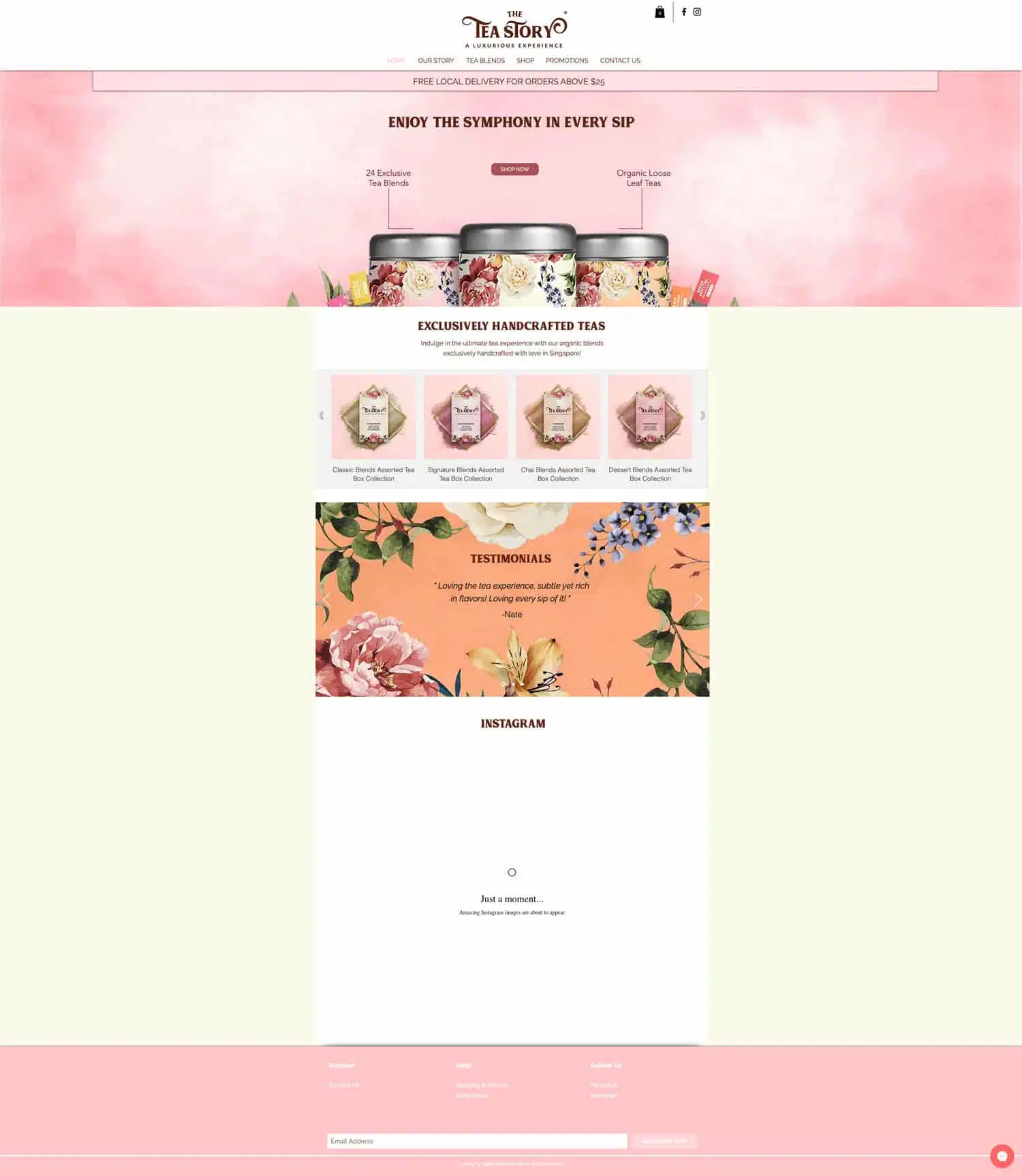
The diverse possibilities Wix offers are easiest to see when you take a look at existing websites that also use the website builder.
From the designer Frankie Ratford, who surely places great value on the look and individuality of his site...
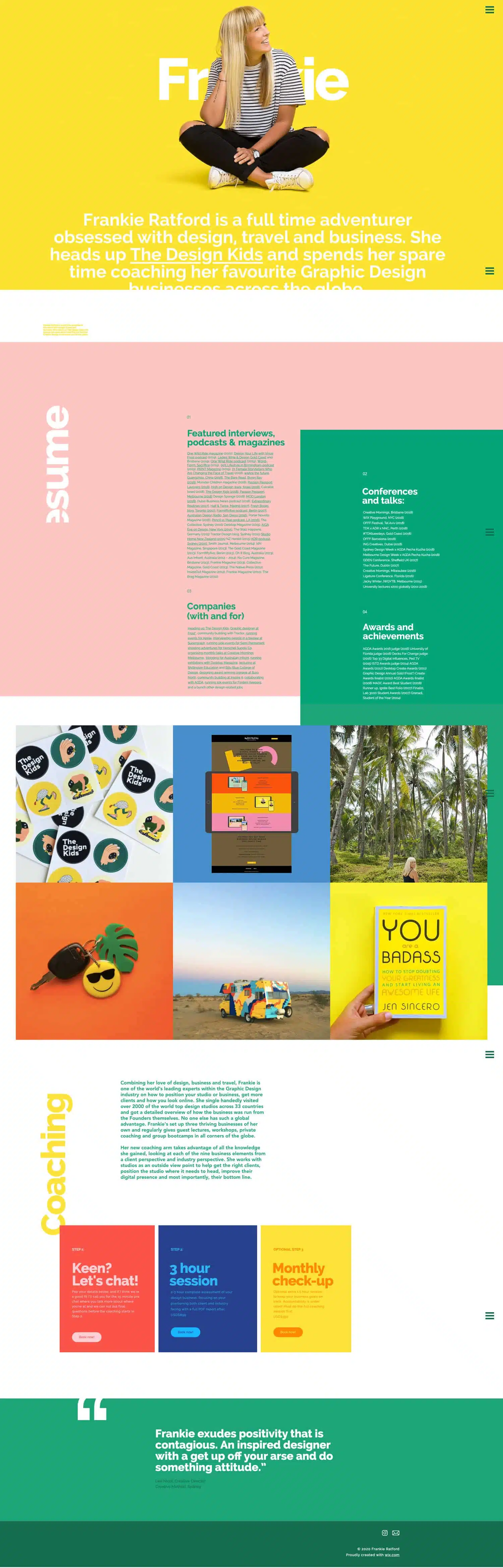
...to the classic online store, really all ideas can be implemented quickly and easily with Wix.
5. Alternatives to Wix
Even though Wix really impresses in many areas, there are also alternatives you should take a closer look at.
Especially if you have very specific ideas of a website, it can make sense to turn to a different solution.
Alternatives for online stores
If the focus is clearly on an online store, Shopify can be the better alternative.
Beginners in particular have it very easy here, since this platform focuses 100% on selling goods.
The trade-off is that the design suffers a bit with Shopify.
Alternatives for blogging
If the centerpiece of your website is your own blog, WordPress is definitely better than Wix.
WordPress is the system for bloggers.
Not only the numerous extension options but also the low price speak for this system.
Other all-in-one alternatives
Besides Wix, there are other all-in-one solutions that we can recommend:
6. FAQ
Here you'll find answers to common questions about Wix: