
We have used webgo (a German hosting provider) as the web host for many of our WordPress projects since 2016, and we are very happy with the support, loading times and range of features.
So we thought:
Let's also take a closer look at the webgo website builder!
What does the builder offer, and can you actually create professional websites with it? And how does it compare to industry giants like Wix or Jimdo?
We booked the “Profi” plan and put it through its paces. In the current price check on November 12, 2026, this plan costs €13.95 per month.
And the result surprised even us.
Test categories
Pros
- Easy-to-use drag-and-drop editor with many elements
- Extensive design settings
- Email mailboxes with plenty of storage included
- Very good German-language support, also on Sundays and public holidays
- Free to test until you publish
Cons
- No way to install apps or plugins
- The blog function is not suited to professional blogs
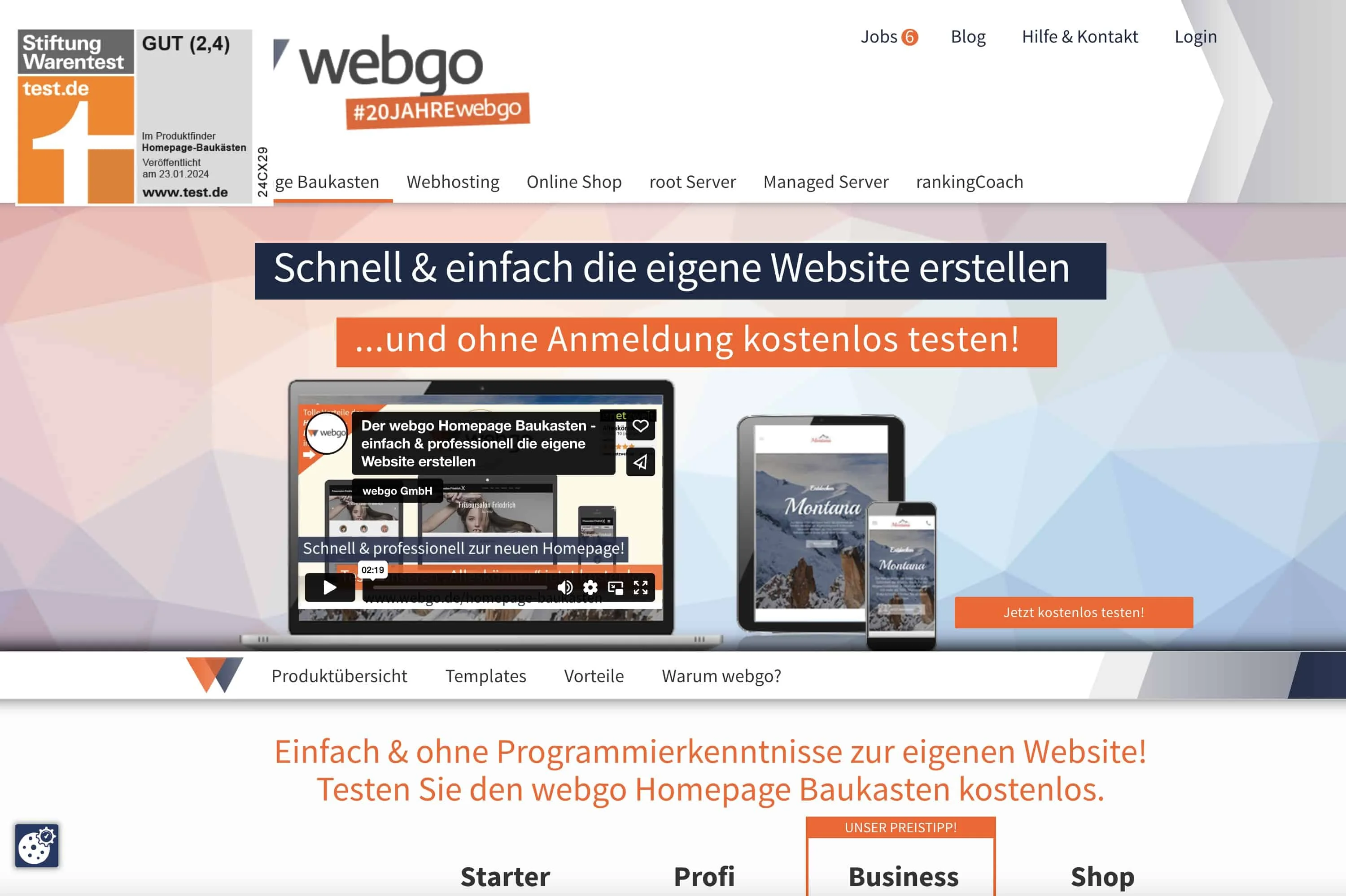
In our website builder comparison, webgo took second place with the grade “good” (German school grades, where 1 is best), surprising but deserved.
The webgo website builder convinces in most of our test categories and only landed in the bottom third for loading time.
Worth highlighting in particular are the usability, with an easy-to-use drag-and-drop editor with many elements, the excellent ratings from other customers and the good German-language support.
For bloggers, however, the webgo website builder is not suitable, because basic features such as tags and categories are missing.
Who is webgo suitable for?
webgo is mainly suitable for local businesses, such as tradespeople, the hairdresser around the corner or the local bike shop, as well as clubs or nonprofit organizations. The builder offers everything you need to create a simple website that looks as if a web designer had made it.
As soon as it gets into professional marketing, such as building an online shop, a professional blog or an online magazine, you are better served by Shopify, WordPress(.org) or Wix.
2. Prices & costs
The webgo website builder offers very flexible pricing models.
You're sure to find the right plan for your project here.
2.1 Is there a free version?
Yes, there is.
You can test the website builder to your heart's content with the features of the Starter plan, and you don't even have to create a customer account for it.
Only when you want to publish your website do you have to create an account and choose a paid plan.
So webgo offers you a free test plan, but you can't run a live website with it.
That's not a really big disadvantage, because if we're honest, the free plans of other website builders aren't really suitable for serious projects either, since they usually come with a very limited range of features or annoying ads.
2.2 Which premium plans are there?
webgo distinguishes between the plans Starter, Profi, Business and Shop.
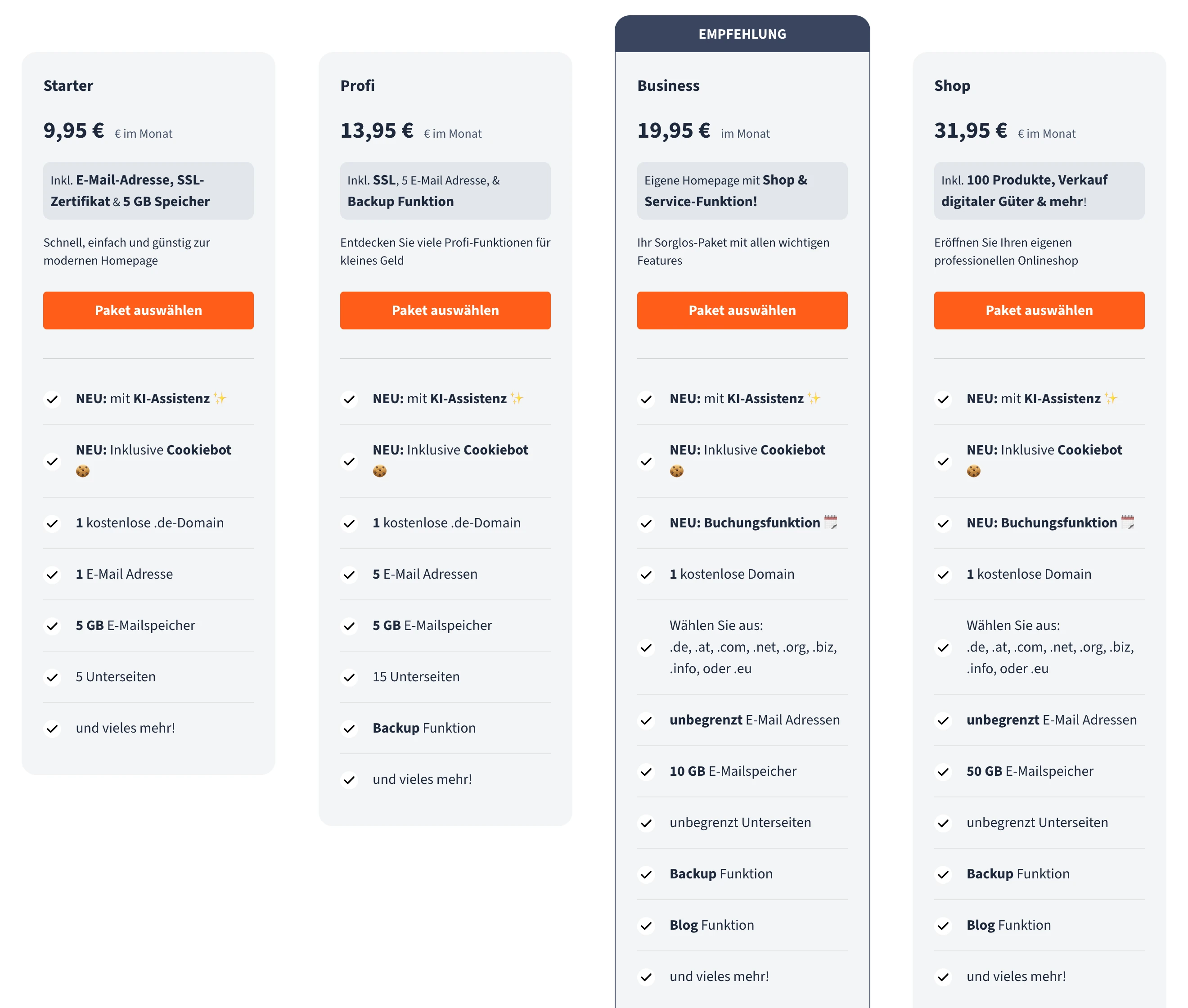
Let's take a closer look at all four plans.
By the way: the prices mentioned apply to a 12-month contract term. Alternatively, webgo offers a monthly contract at higher prices (Starter €10.95, Profi €15.95, Business €22.95, Shop €35.95 per month).
webgo Starter for €9.95 per month
The Starter plan of the webgo website builder is really only suitable for smaller projects and first steps.
You get a .de domain, 5 pages, an email mailbox with 5 GB of storage, an SSL certificate, the AI assistant and Cookiebot.
Granted, 5 GB of email storage and a social media connection are included as well, but that can't replace other important features.
A blog function and backups are not included in the Starter plan.
What we like very much, on the other hand, is that even this inexpensive plan is completely ad-free.
webgo Profi for €13.95 per month
With the webgo Profi plan you can build smaller web projects with up to 15 pages.
In addition to the features already included in the Starter plan, you get the option to create backups of your website and access to the HTML/CSS developer mode.
The plan includes 5 email mailboxes, an SSL certificate, backups, visitor statistics, the AI assistant and Cookiebot.
Other great features, such as visitor statistics or unrestricted access to the template database, are included as well.
webgo Business for €19.95 per month
As the name suggests, professionalism starts with this plan.
The webgo Business plan allows an unlimited number of pages and email mailboxes. On top of that come a shop for products or services, bookings and a blog.
The domain selection is also extended to endings like .com, .net or .info and many others, so you can build international sites as well. Multilingual support is unlocked from this plan on, too.
So webgo Business is suitable for small and medium-sized companies.
webgo Shop for €31.95 per month
If you want to run your own online shop with the webgo builder, this plan is the right choice.
You can create and sell up to 100 products.
You also get numerous important features, such as Facebook Like buttons for products or SEO fields for products.
Inventory and stock management is also partly integrated in this plan.
What we don't like at all, on the other hand, are the numerous restrictions.
For larger shops there are also Shop XL for €56.95 per month with up to 2,500 products and Shop Overflow for €79.95 per month without a product limit. These add marketplace connections, vouchers and gift cards, among other things.
Here other website builders are ahead.
2.3 Can I create an online shop with the webgo website builder?
Yes, you can run an online shop with the webgo website builder.
The Shop plan includes up to 100 products, digital goods, inventory management, product variants and numerous payment methods.
These can be unlocked through individual contracts with webgo, but that is rather inconvenient.
2.4 How much does a domain cost at webgo?
Every plan of the webgo website builder comes with its own domain.
In the Starter and Profi plans this is a .de domain. From the Business plan on, you can also choose other endings like .com, .net or .info.
A separately booked .de domain currently costs €1.19 per month.
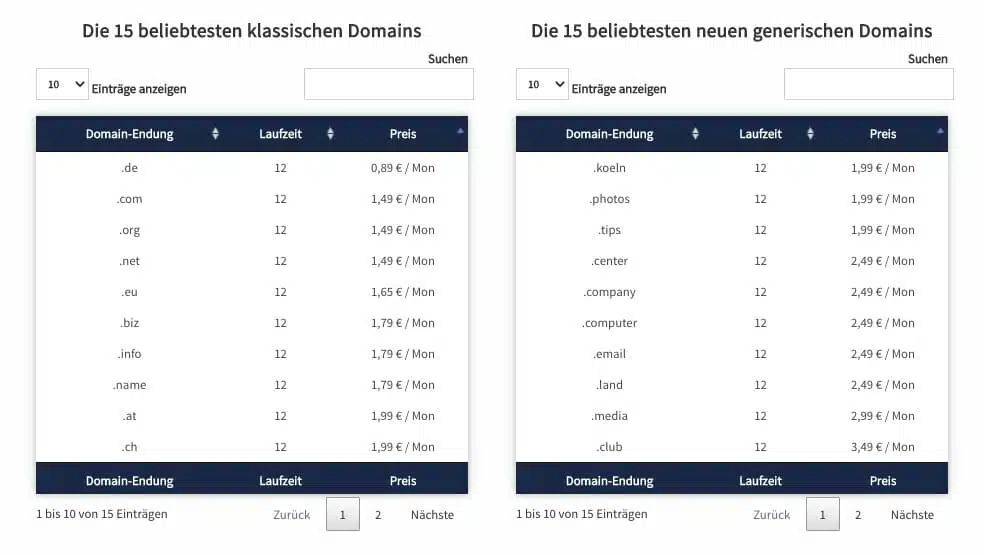
You can find the overview of all endings and prices here.
3. Test results in detail
Now we come to the actual centerpiece of this article: the webgo website builder itself.
In the following chapters we want to show you what the builder can do and where there is still room for improvement.
3.1 Features
Storage and traffic
The webgo website builder is not limited in traffic like some other providers. That means it doesn't matter whether your website is visited by 1,000 or by 10,000 people a day.
It is especially great that storage is not limited either.
So you can create as many subpages and upload as many files as you like. And that from the Starter plan on.
Only the mail storage is capped.
Even with the cheapest plan, however, you get 5 GB, which should be completely sufficient in most cases. In the Shop plan the mail storage grows to up to 50 GB.
Using your own domains
The webgo website builder does without ugly subdomains, as other website builder providers use them, and gives you your own .de domain even with the cheapest Starter plan.
That is really great, because the domain is perceived as the first point of contact between your visitors and you. And here your own domain makes a much better impression than a subdomain.
Blog
From the Profi plan on, the webgo website builder comes with a blog.
Unfortunately, it has a lot of light and shade.
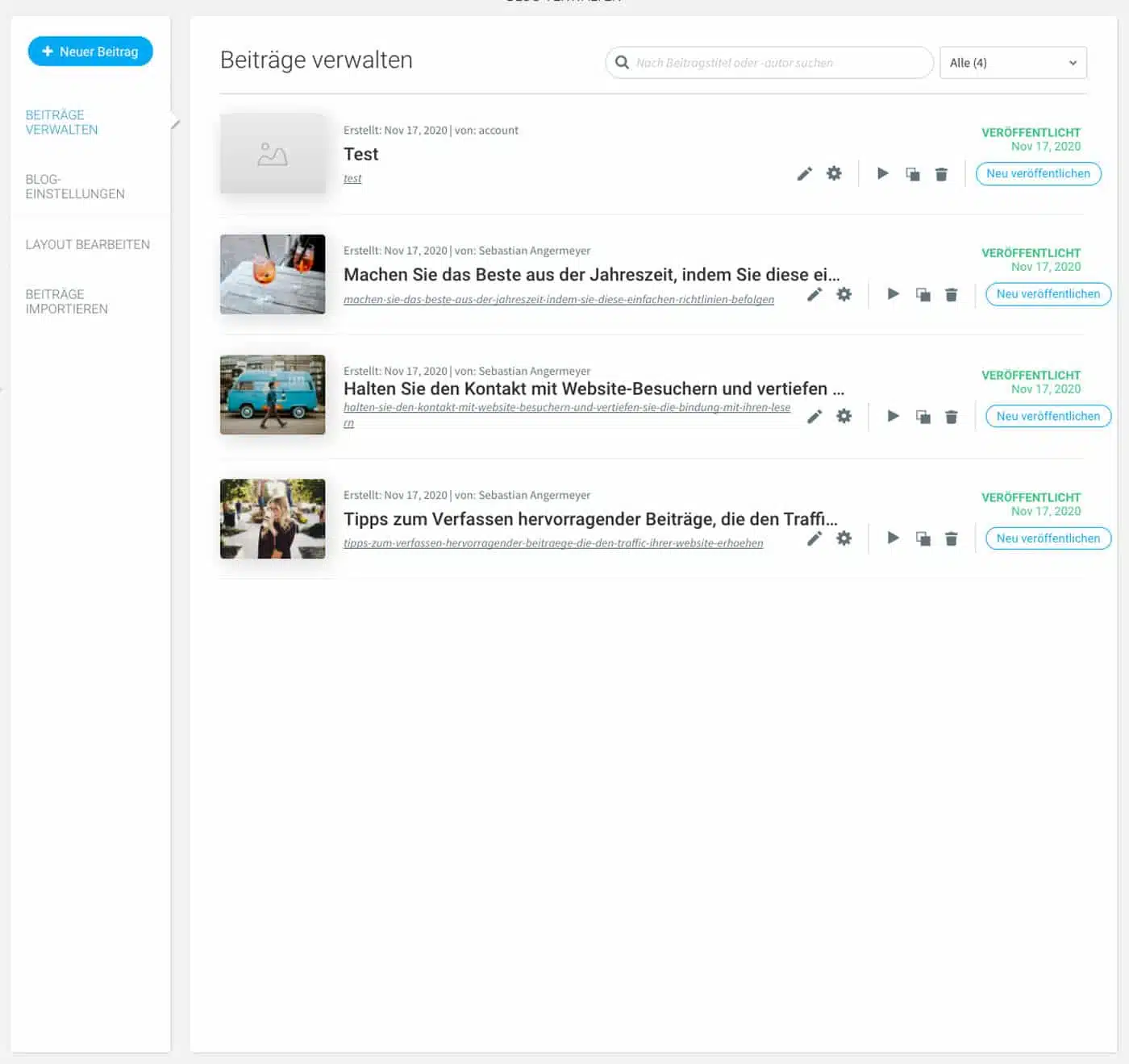
First of all, webgo makes it very easy to create new posts and has equipped the blog with numerous useful features that are already part of the standard range. For example, there is a comment function that, at the visitor's request, also posts directly to Facebook, as well as a “share post” function for all common social media channels.
If you like, you can connect the blog to your own RSS feed in no time.
The design of the posts can also be customized fairly easily.
Now for the negative features.
Unfortunately, there are simply no categories or tags. That makes the blog of the webgo website builder completely unsuitable for a website whose main focus is a blog.
The comment function, which is actually good at first glance, also turns out to be a dud on closer inspection. Comments are not displayed individually under the specific blog post they were written for, but appear under EVERY post.
Unfortunately, we don't see the point of that.
That makes a longer discussion about a post with your visitors impossible. And as you can see on Blogmojo, these discussions can sometimes get very, very long.
In addition, you are not notified about new comments and you can't rule out spam per se.
So: for a small company that wants to write one new post a year, the blog function of the webgo website builder is certainly sufficient. For all other projects, unfortunately, it is not.
Online shop
The webgo website builder comes with its own shop, but its range of features depends heavily on the plan you choose.
From the Business plan on, you get to enjoy some of these features, but you can only create 10 different products here.
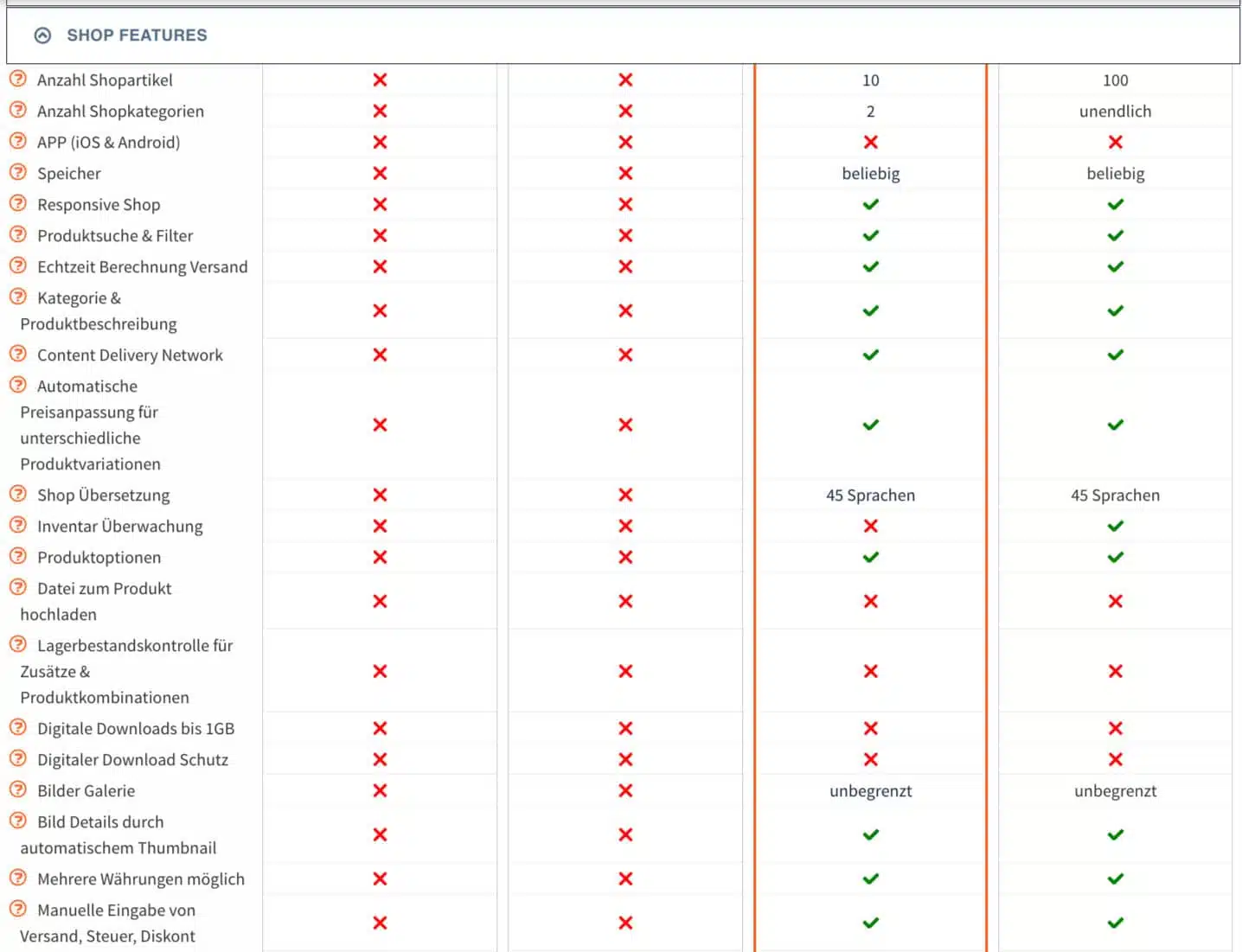
Only with the Shop plan does it get really interesting.
In the backend of the website builder you will find a clear inventory management.
You can also create products quickly and easily.
SEO
In terms of search engine optimization, the webgo website builder comes with classic features that are completely sufficient for beginners at first.
For example, you can assign your own title and your own meta description to each page, very individually.
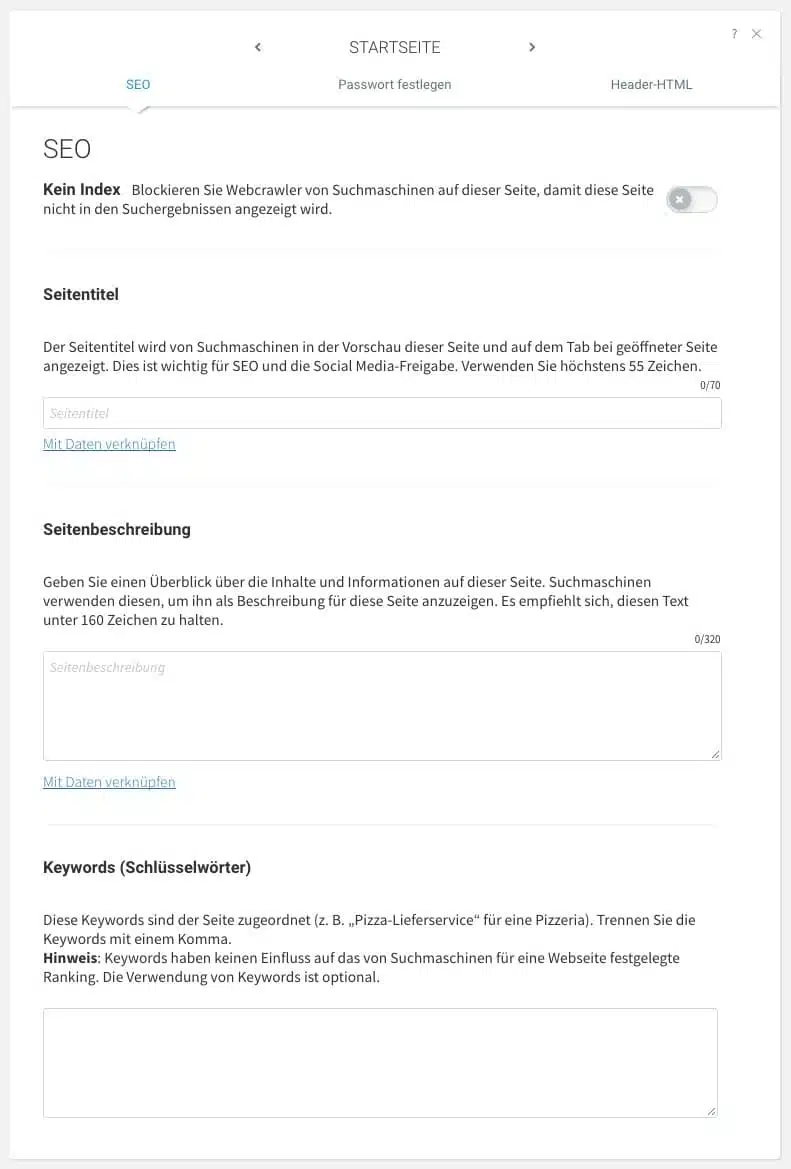
In addition, every page can be set to “no-index”, which prevents it from being indexed in Google search results.
Visitor statistics
From the Profi plan on, the webgo website builder comes with a statistics function that delivers all the important information about your visitors.
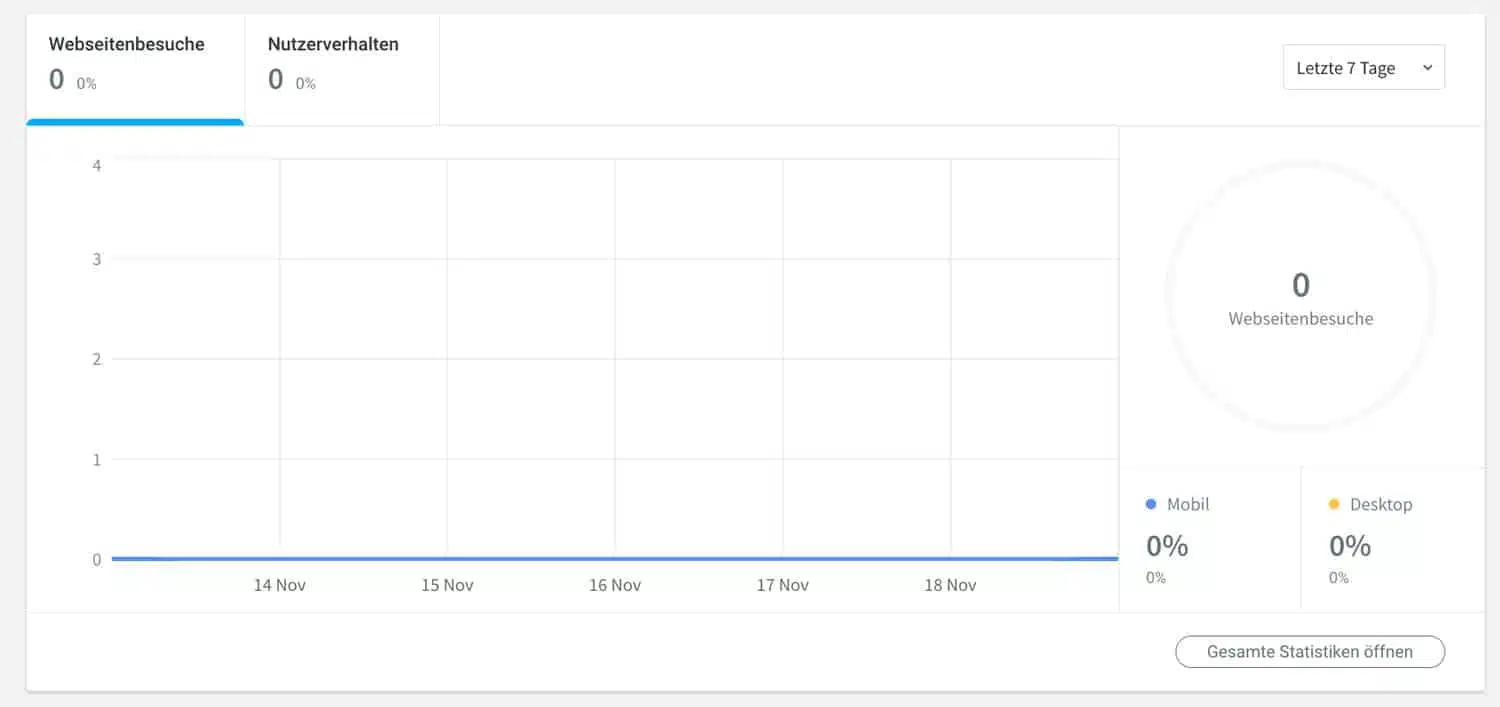
This also includes user behavior, traffic sources and browser data.
If you want more detailed data, you can integrate Google Analytics without any problem.
You do this by entering the tracking ID in the settings.
But be careful: it is not enough to simply add the tracking ID, because the use of Google Analytics is tied to numerous legal requirements.
Contact form
The webgo website builder really shines with its contact form.
Numerous different forms in different designs await you, and you can add them to your website with just one click.
From “visually elaborate” to “minimalist”, there is really everything here.
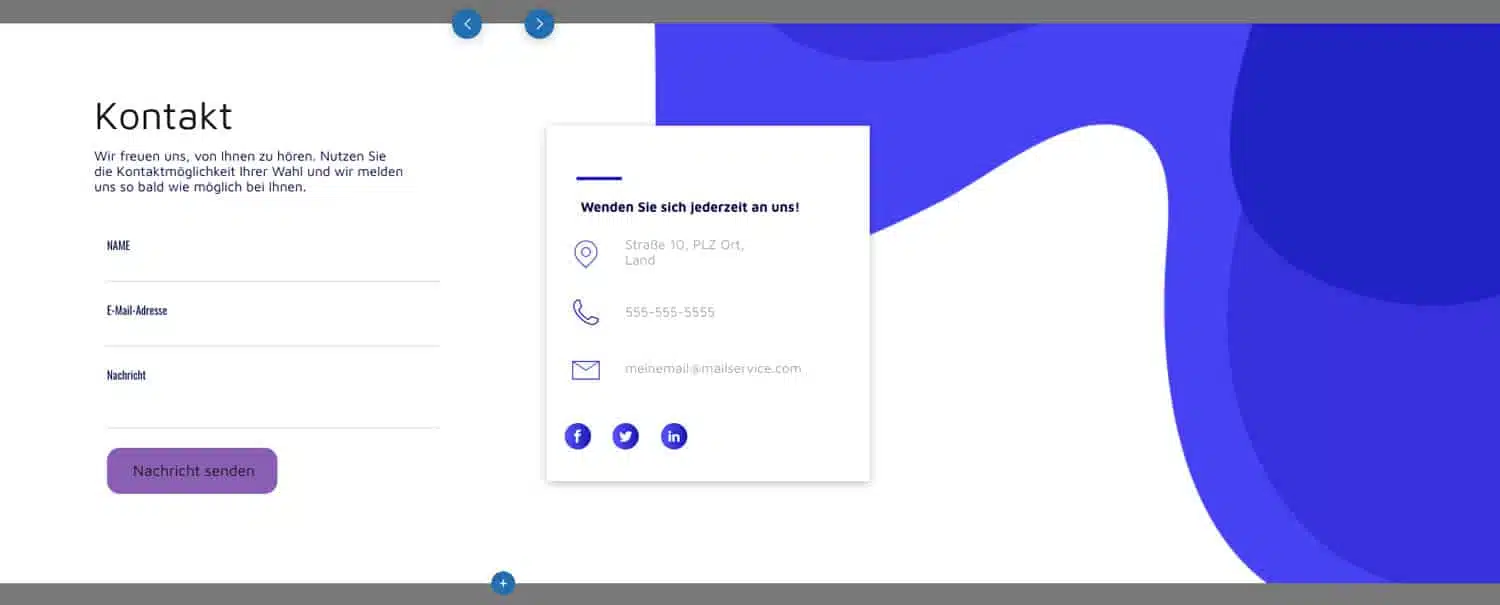
Once inserted, you can make numerous further settings to the form, for example a reCAPTCHA validation, add further input fields as you like or connect external services like Mailchimp.
The forms can even be connected to tracking tools easily and quickly.
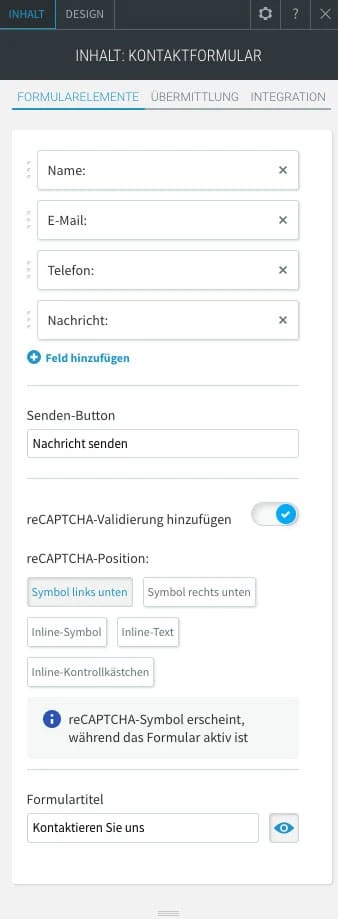
In short: no wishes are left unfulfilled here.
By the way: the messages your visitors send through contact forms are stored in the backend of the webgo website builder and displayed clearly.
Password protection
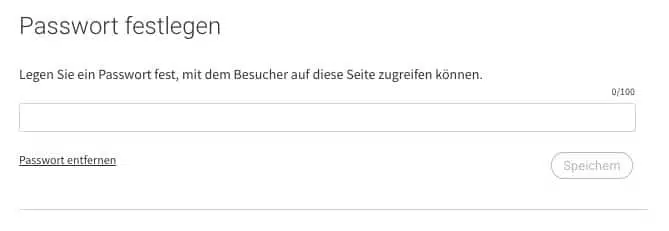
Individual pages can be password-protected in the webgo website builder without any problem.
You will find a matching field in the page settings.
Extensibility (widgets, plugins, apps etc.)
Unfortunately, you will look for extensions in vain in the webgo website builder.
You have to make do with the features provided in the standard version.
webgo provides you with an extensive email mailbox. Depending on the plan you choose, there are one or more email addresses with generous storage that grows to up to 50 GB, again depending on the plan.
You will find all settings for this in the webgo member area, so not directly in the website builder.
The only small minus point: in the member area you have no way to retrieve emails. That has to be done through an external mail program such as Outlook, Apple Mail or Thunderbird.
Newsletter
The webgo website builder does not come with an email newsletter function directly.
However, all contact forms can be connected to external newsletter services like Mailchimp.
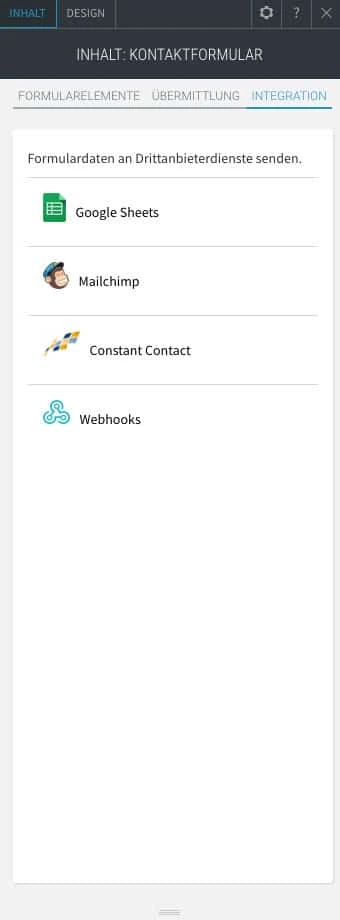
This solution has pros and cons.
By integrating an external provider, you usually benefit from more extensive features. We have not (yet) found a website builder with an integrated newsletter function that comes close to professional tools.
webgo seems to be aware of this fact as well and didn't even try to compete here.
On the other hand, you have to get familiar with another provider and another tool, which also requires further steps in terms of data protection, a very important topic especially with newsletters.
3.2 Usability
The usability of the webgo website builder is very good.
Simple, clear and modern.
After registration, you are first asked which page design you want. webgo offers numerous different templates here, which differ mainly by industry. From the pharmacy to the dentist, you will find a suitable design for every line of work.
Afterwards you arrive at a clear dashboard that gives you access to the drag-and-drop editor, as well as to statistics and to user inquiries that arrive through contact forms.
Because webgo deliberately does without design elements and sophisticated code here, the user area loads really fast. We also couldn't notice any stuttering in the drag-and-drop editor, which is extremely positive and really not a given.
The drag-and-drop editor itself delivers what you probably expect from one.
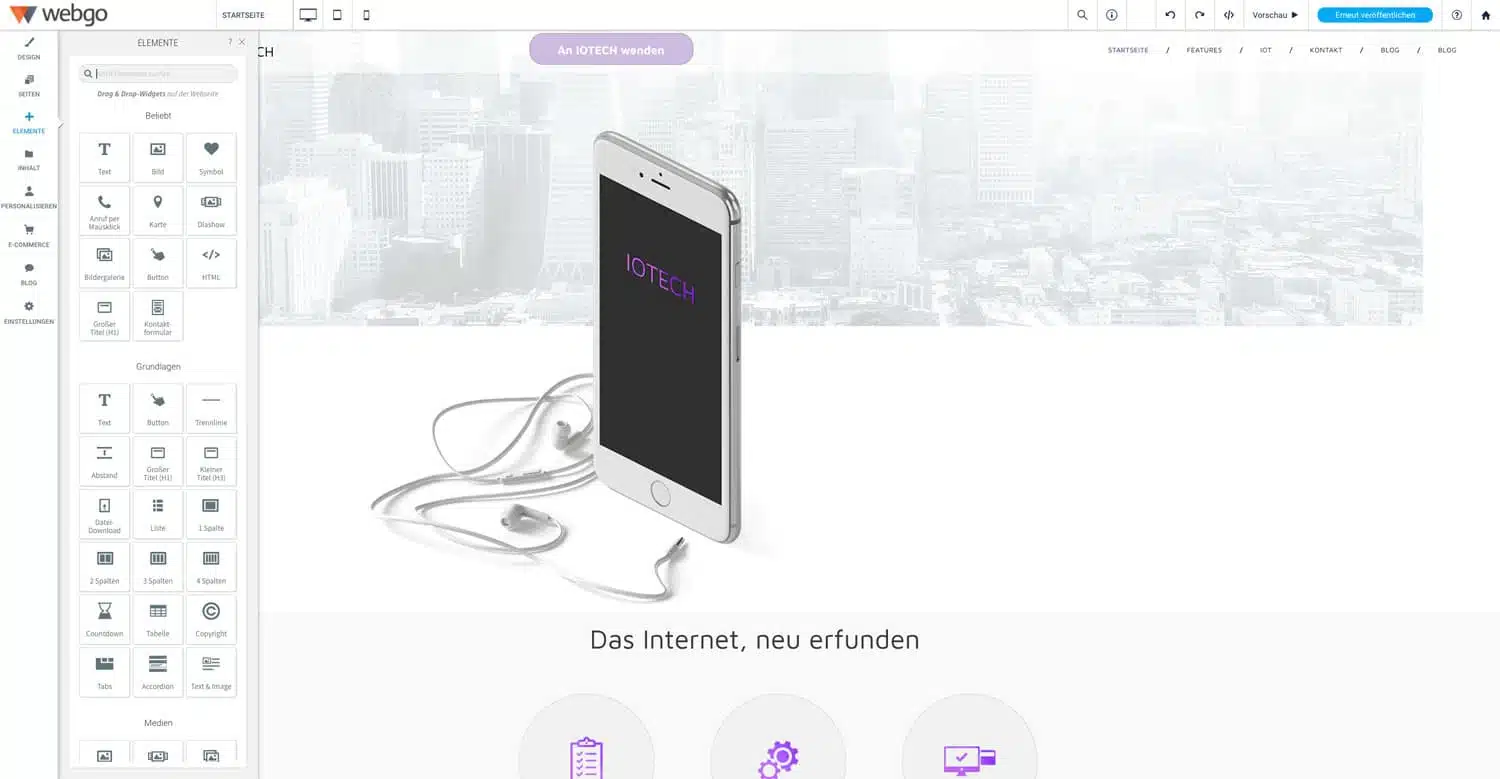
You select new elements from a side menu and then drag them with the mouse to exactly the spot on your website where the element should appear later.
The selection ranges from standard elements like images, maps, buttons or text passages to accordion, countdown or menus.
In a nutshell: the drag-and-drop editor is really good.
In fairness, though, we have to mention here that almost all website builders do great work in this area. So even though webgo really leaves nothing to be desired, the website builder can't stand out clearly from the competition, since all of them work at a high level.
By the way, the admin area is also usable on a mobile device.
However, we would limit the tasks there to looking at statistics or answering inquiries. Working with the drag-and-drop editor on a smartphone is not really practical.
3.3 Templates
Right after creating a new project, you have to decide on a template as the first step.
Let's now take a closer look at how good they are.
By the way: your choice is not set in stone. You can change the template later as well, but you have to accept that content you have already created is deleted again. Only images, shop content and blog content are kept on request.
So you should think carefully about choosing the right design.
Selection
webgo presents you with a gigantic selection of different designs that you can search by various criteria.
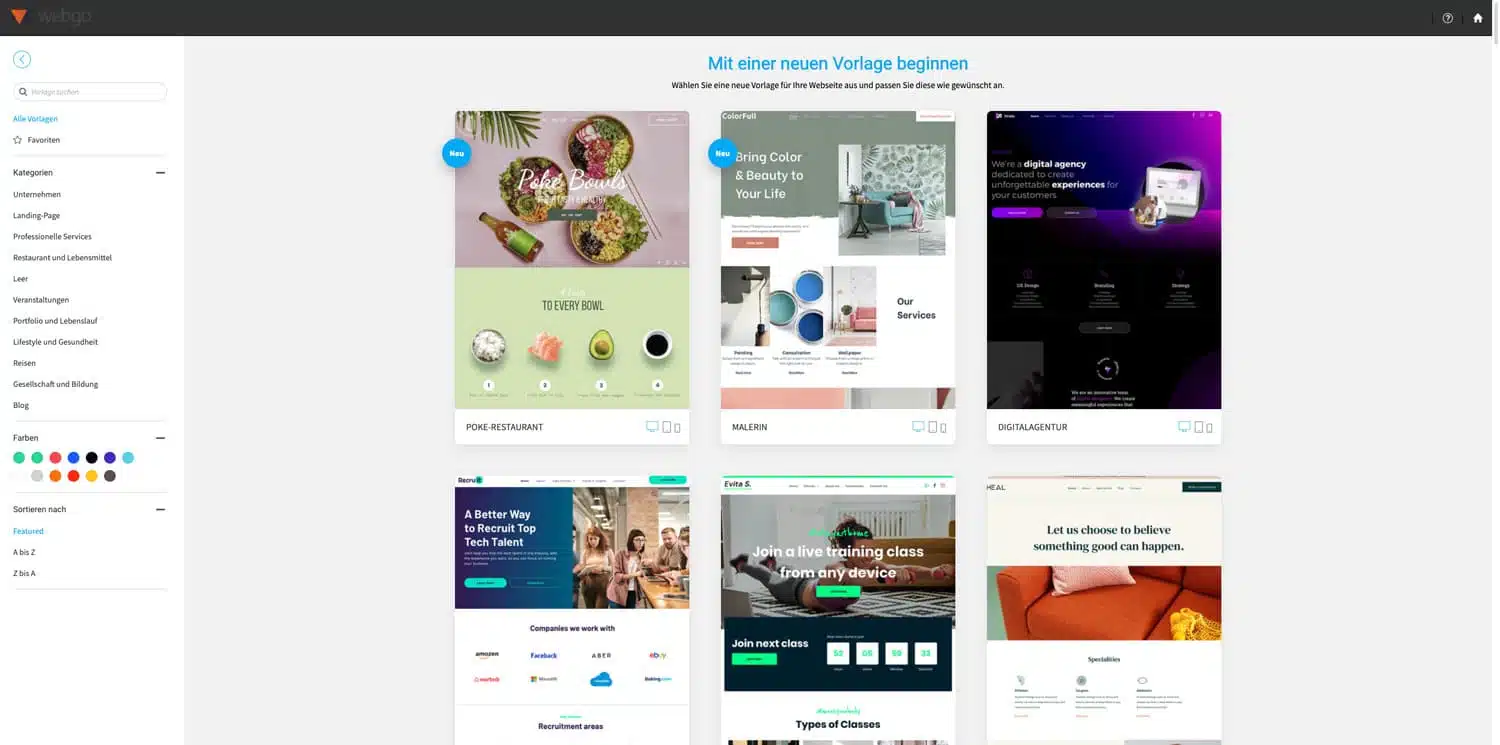
A great filter function is available for this and gets you to your goal quickly.
Design quality
The quality of the designs really leaves nothing to be desired.
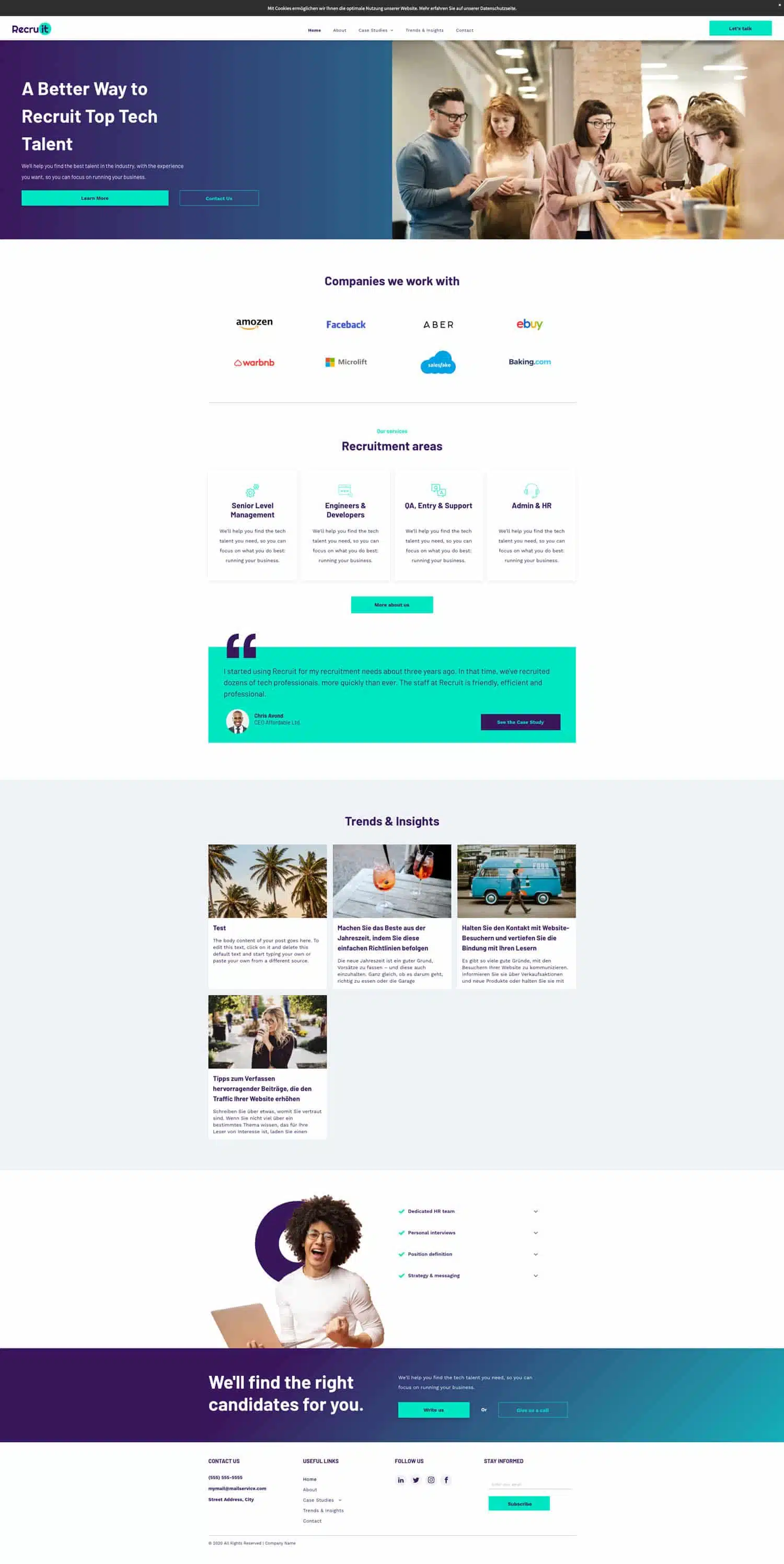
They really made an effort here.
The templates provided look professional and appealing. Your future visitors will guaranteed not notice any difference from a site created by web designers.
Responsiveness
Of course, all templates of the webgo website builder are adapted to different devices.
When choosing templates, you can even have a preview shown of how they will look on the individual devices.
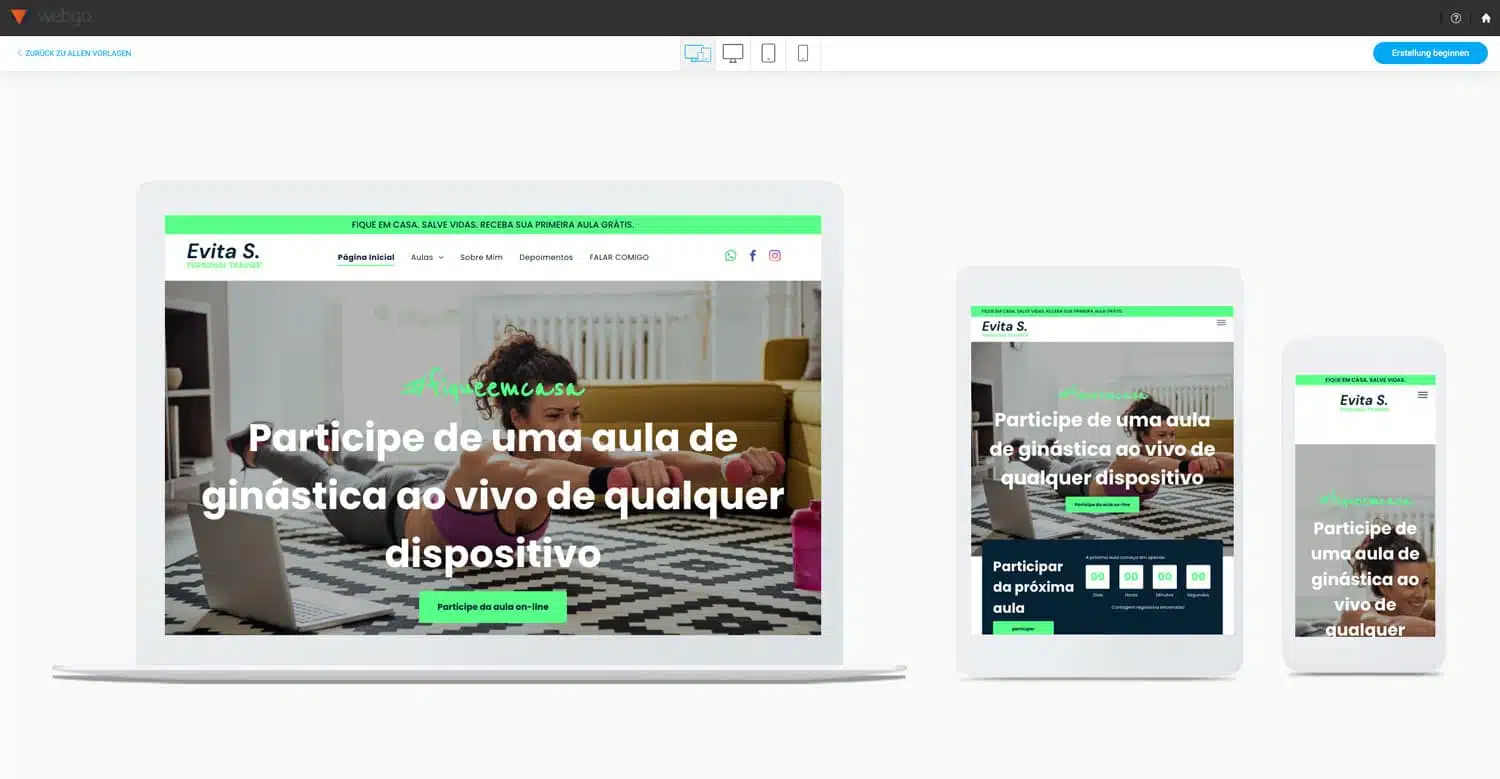
That way you can immediately get an idea of whether the template suits your project or not.
Customizability (CSS, custom code etc.)
With the drag-and-drop builder you can insert your own HTML code simply and quickly.
CSS customization is possible as well: the developer mode is available for this, but it is really only recommended for advanced users.
3.4 Help and support
When it comes to customer service, we give a 1 (the best grade).
webgo has really earned top marks here, because the company offers you every existing way to get in touch.
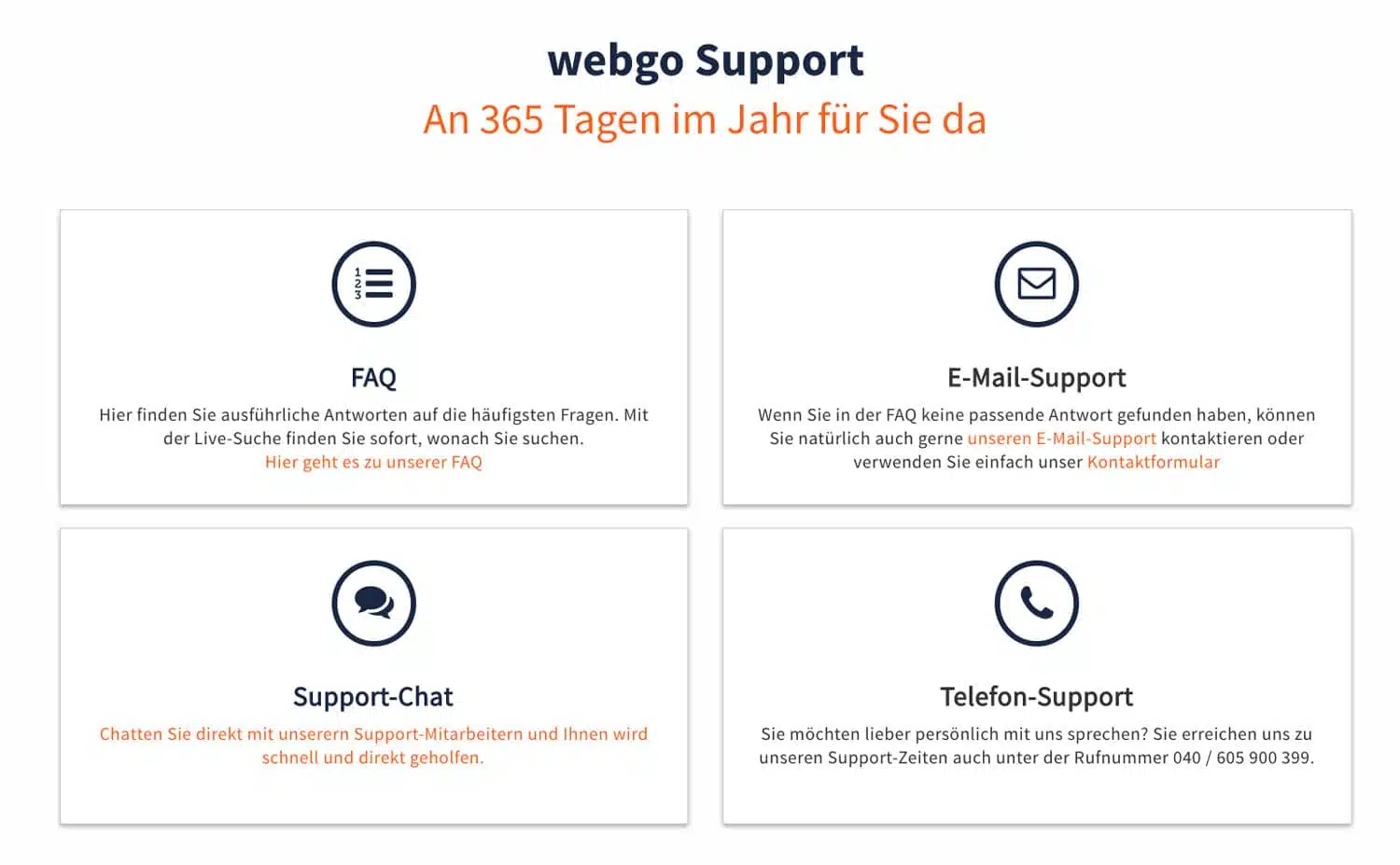
You can reach a person Monday to Friday from 9 am to 8 pm and Saturday and Sunday from 11 am to 6 pm.
You can choose to contact webgo by live chat, phone hotline or email.
The quality of the customer service is top as well. In the past, our concerns and problems were solved professionally and quickly by helpful and competent staff.
We can especially recommend the live chat.
In addition to support, webgo provides you with an extensive FAQ area specifically for the website builder. This lets you clear up most problems quickly.
3.5 Languages
Since webgo is a German company, the language in the member area and the FAQ area is no problem.
If you prefer a language other than German, you can change the editor language easily and quickly in the backend.
3.5.1 Multilingual websites
Yes, you can create multilingual websites with the webgo website builder.
However, at least the Business plan is required for this.
If you have this plan, you can add further languages in the page overview.
3.6 GDPR and legal matters
With the webgo website builder it quickly becomes clear: this is a German company that is directly affected by the GDPR and has taken corresponding precautions.
In the backend of the website builder, you will find a separate section on data protection under settings.
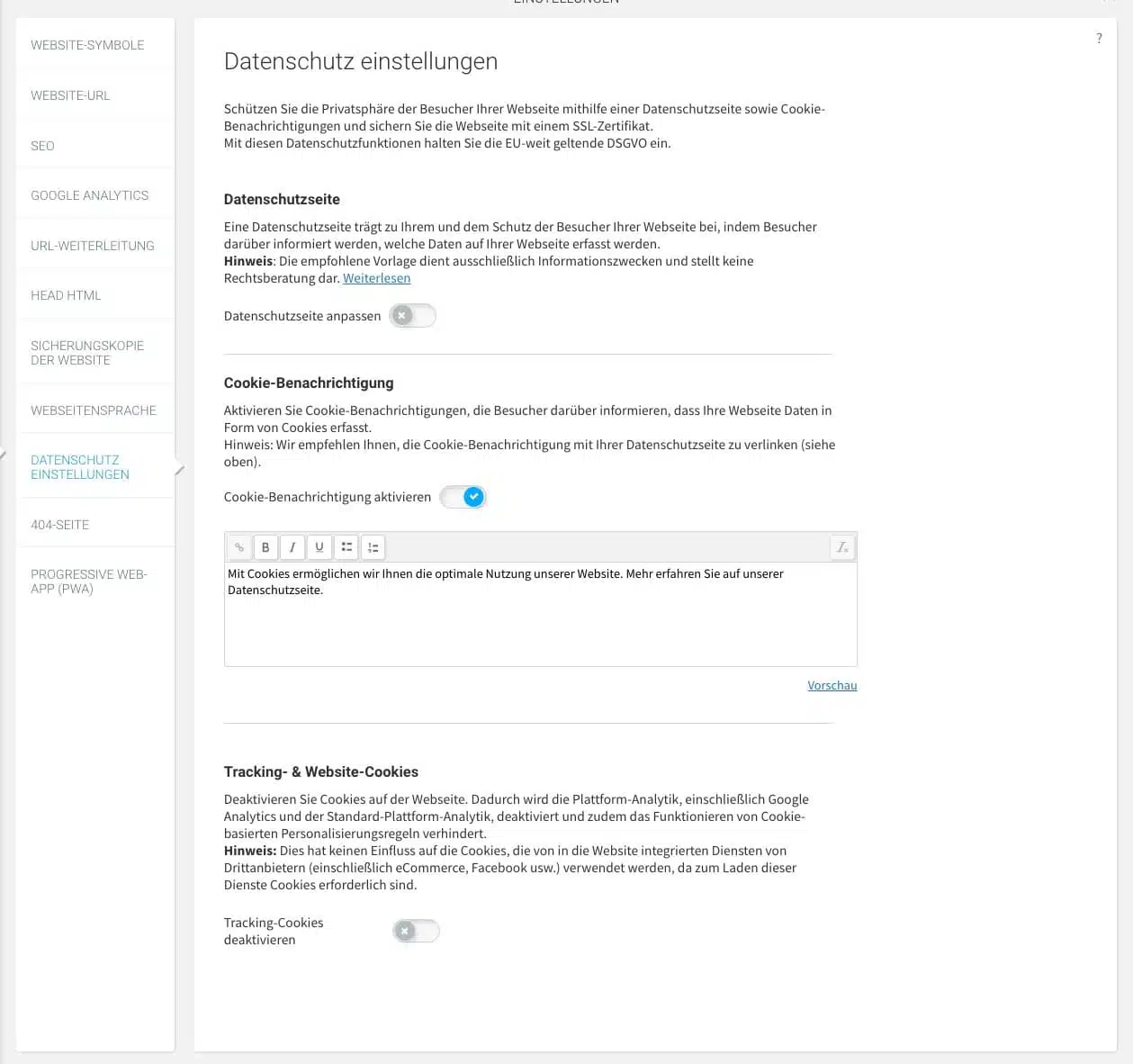
Here you can do three important things:
- webgo provides a ready-made privacy policy that you can customize. That is a really great help that almost no other website builder offers. An Impressum (the legal notice German websites must carry), on the other hand, is unfortunately not offered.
- At the push of a button you can display a cookie notice. However, this is really only a notice box without any further settings.
- Tracking codes from webgo itself can also be deactivated here. This does NOT affect externally embedded tools like Google Analytics or Facebook, though.
That is definitely more than many other website builders offer.
With webgo you have to look at the whole package when it comes to data protection: the servers are in Germany, a data processing agreement (AV contract) can be created at the push of a button in the administration area, and legal changes are responded to quickly and comprehensively.
Only external tracking tools can't be used in a legally compliant way without professional knowledge. Here you need the users' consent before the associated cookies are loaded. This function is not part of the standard scope of the webgo website builder and has to be added through code.
3.7 Backup, restore and portability
When it comes to backups, the webgo website builder shows light and shade.
What is not good is that there is no version history when creating posts. We have often had to fall back on it in WordPress and therefore know how important it is.
Very good, on the other hand, is the backup management of the entire website.
You can create backups manually. They are then displayed in an overview and can be restored with just one mouse click.
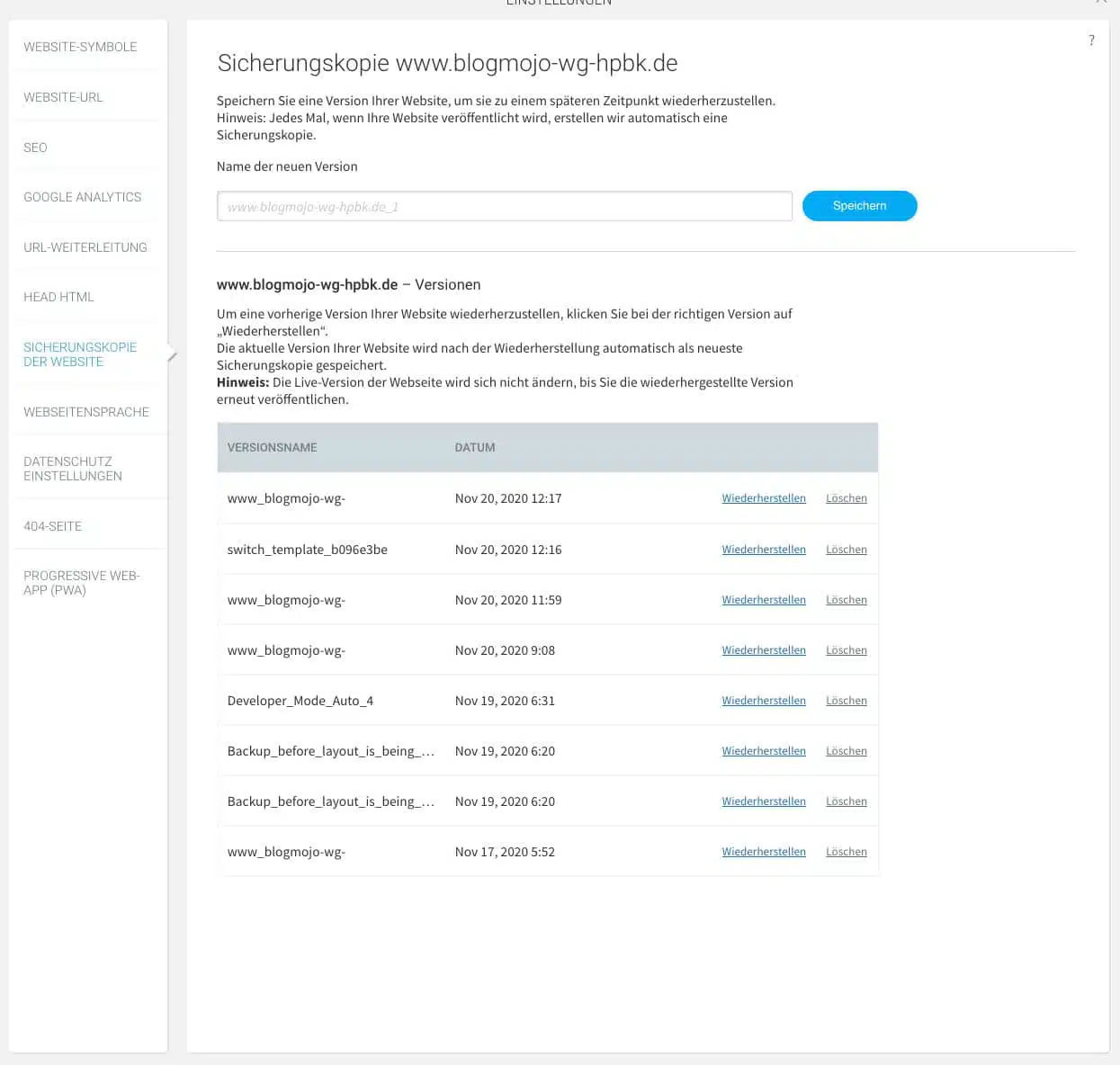
webgo creates automatic backups when you make fundamental changes to your website, for example when you switch the template.
Unfortunately, the backups can't be exported.
A move to other systems, for example from webgo to WordPress, is unfortunately not possible either.
3.8 Core Web Vitals and loading speed
As part of our website builder comparison, we measured the absolute loading time and the Core Web Vitals of every website builder.
To do this, we created a test website with every provider that has the same design and uses the same five images and the same placeholder text, in order to get results that are as accurate as possible.
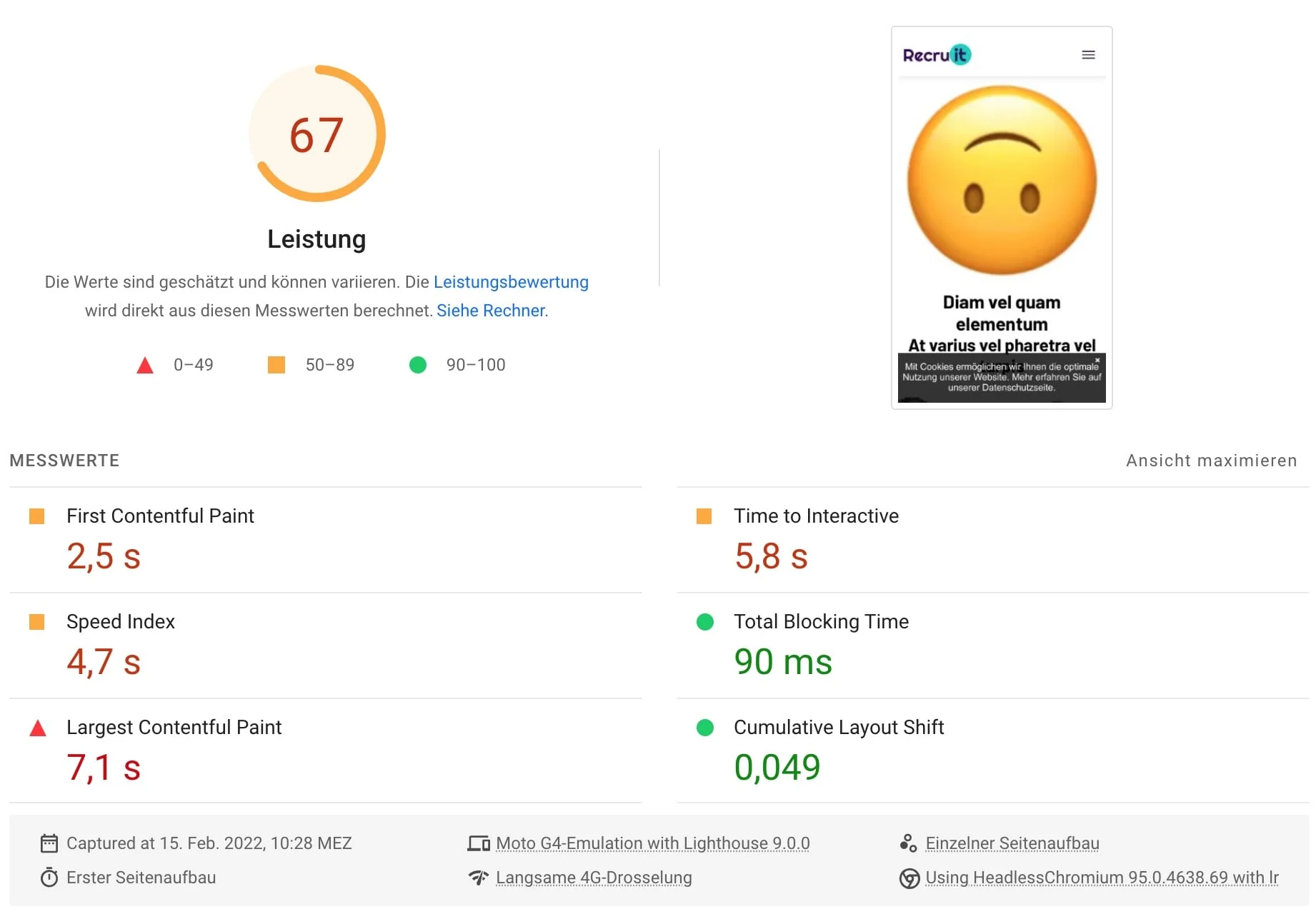
The webgo test website does rather mediocre on the Core Web Vitals. It reaches a PageSpeed score of 67 with a very high Largest Contentful Paint of 7.1 seconds:
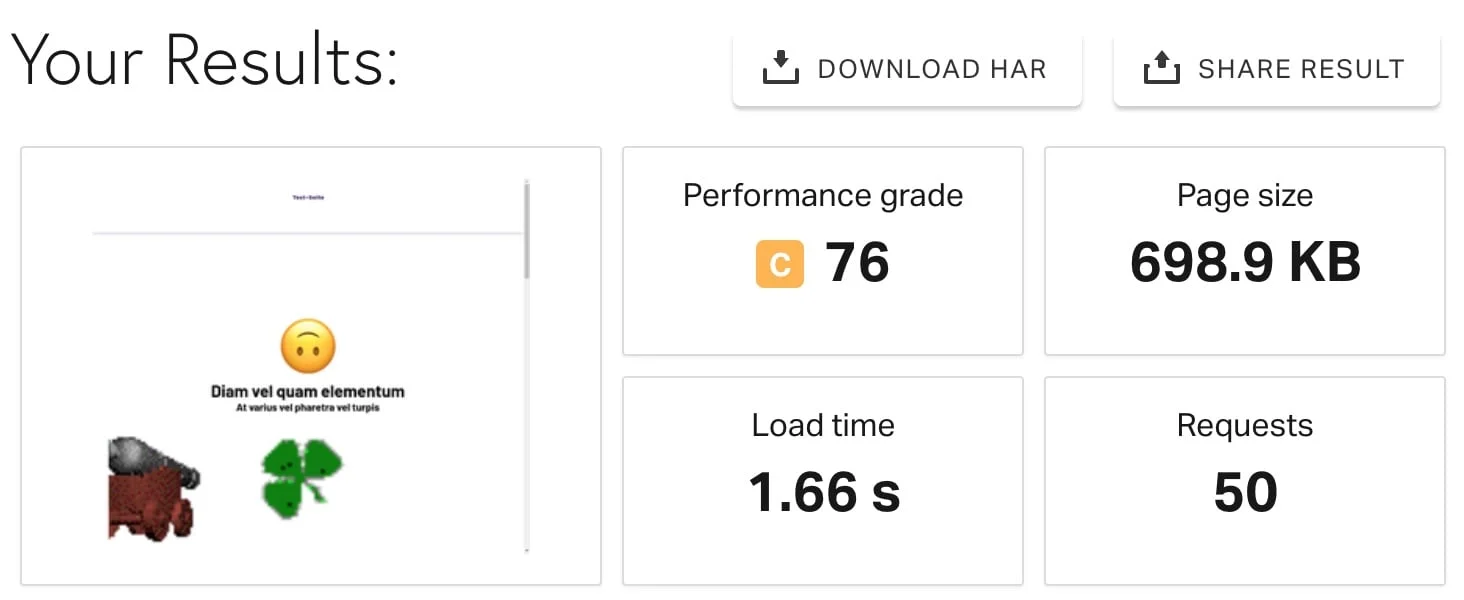
The absolute loading time of 1.66 seconds, measured by Pingdom Tools (with a location in Frankfurt am Main), could be much better given the simple structure of the test website:
4. Alternatives to the webgo website builder
If you are looking for an alternative to the webgo website builder, you will find one quickly today, since there are now numerous different providers.
The question, however, is: do you need an alternative at all? Why are you looking for one?
The webgo website builder basically meets most requirements. So if you are looking around for other solutions, you will be dissatisfied with certain parts.
You should therefore first find out which parts those are before you start looking for alternatives.
With three examples we want to make clear what we mean by that:
Scenario 1: Focus on the shop
If the centerpiece of your website is your own online shop, there are certainly better systems than the webgo website builder.
Especially if you want to create several hundred products.
Marketing tools or sales-boosting apps are also something you look for in vain at webgo.
Here Shopify, for example, can be the much better alternative.
Scenario 2: Focus on newsletters and marketing
When it comes to marketing, webgo clearly falls short.
You can integrate external services like Mailchimp, of course. But if your focus is on marketing and you mainly want to build a large email list, other website builders can be a better alternative.
Wix, for example, offers great options here.
Scenario 3: Focus on the blog
In an earlier chapter we already mentioned that we are not really satisfied with the blogging function of the webgo website builder.
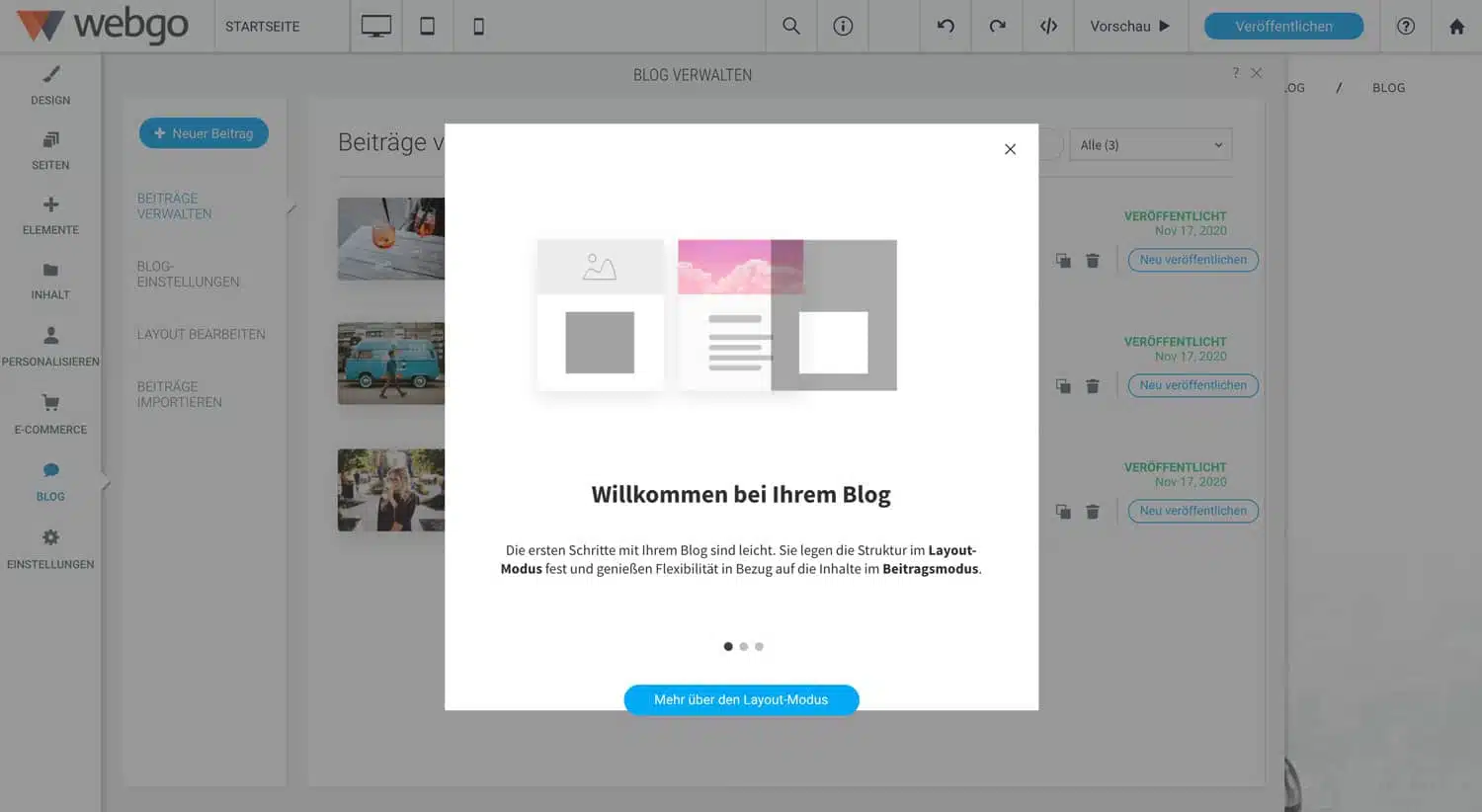
It urgently needs to be improved here!
So if you want to start your own blog, we would definitely advise you against this website builder.
5. webgo website builder or WordPress?
The webgo website builder gives you the option to create your own website very quickly and without complications.
Without prior knowledge or programming skills.
WordPress doesn't offer you that.
If you want to create a website with WordPress, you need basic knowledge of the system, or at least the willingness and time to acquire it.
With webgo you can get started right away without having to install tools and apps first. In theory, you have a completely finished website here within a few hours.
In return, you have to live with extreme differences in features. The webgo website builder simply doesn't offer anywhere near the customization options that WordPress offers you.
What we want to say: if a website is the centerpiece of your business, you should consider whether the webgo website builder offers enough room to grow.
By the way, that applies not only to the webgo builder but to all other website builders as well.
WordPress offers much more flexibility and growth potential than a website builder does.
In return, the learning curve and the complexity are much greater.
So which is the better choice for you depends on your individual needs.
6. FAQ
Here you will find answers to frequently asked questions about the webgo website builder: