
Squarespace advertises its website builder with slogans like “Stand out online” or “Everything you need to grow online.”
We bought Squarespace in the “Business” plan to test in detail how well the US provider holds up against market leaders like Wix or Jimdo.
To do that, we put the website builder through its paces in 10 categories, such as features, usability, support and privacy.
Is it really possible to build a finished website within a few hours that lives up to Squarespace’s slogans?
Let’s take a look.
Test categories
Pros
- Editor that is simple and intuitive to use
- App offers almost all the features of the desktop version
- Professional design quality of the templates
- Offers many SEO options
- Better-than-average blog features
Cons
- Slowest load time in the test
- No backups possible
- Server location in the USA

The “Business” plan, as it was called at the time, took a strong fourth place with 68.42 points in our website builder comparison. The grades in the test results above follow the German school system, where 1 is best.
Squarespace impressed us most in usability and features. What stood out positively is the simple, intuitive editor and the professional, high-quality design of the templates.
The above-average blog feature also stood out in particular. Among website builders (apart from WordPress.com) it has no equal.
Unfortunately, though, Squarespace had the slowest load time in the entire comparison test.
Email support and a time-limited live chat are now available in German. Some help articles are still only available in English, though.
Who is Squarespace for?
Squarespace is actually aimed at website beginners. But the American builder can also be worth a look for advanced users who are unhappy with their current website builder or CMS.
Squarespace is especially suited to coaches, consultants, freelancers or solo entrepreneurs who want to show their portfolio or sell digital products or services and would rather not deal much with technology and web design.
For appointment booking there is Acuity Scheduling. This separately billed Squarespace product handles appointment booking as well as automatic confirmations and reminders. If needed, you can also collect deposits or full payments directly at booking.
If you’re looking for a cheaper alternative, the website builder from webgo is a good fit. You do have to accept a few compromises in features there, but you gain elsewhere, for example in support and privacy.
2. Pricing & costs
The first thing that immediately strikes us positively about Squarespace is the transparent and flexible pricing models.
You have four different plans to choose from: Basic, Core, Plus and Advanced.
Yes, the plans are in part more expensive than with other providers. That’s true.
The feature set is already large in the entry-level plan, though.
2.1 Free version of Squarespace
Unfortunately, there is no permanently free version of Squarespace (like with Wix or Jimdo).
But you can create a trial website that you can test for 14 days without obligation and without entering credit card details.
That means you can try out all the features, templates, the editor and so on in peace before you decide.
2.2 Which premium plans are there?
As mentioned, Squarespace distinguishes between four different subscription plans, which you can book on either an annual or a monthly subscription.
It goes without saying that annual subscriptions are significantly cheaper when calculated over 12 months. Depending on the plan, you can save up to 36% here.
Let’s now look at the individual plans in detail.
Basic for €17 per month
Basic is the cheapest plan and costs €17 per month with annual payment.
That sounds comparatively expensive, but the feature set in this price range is comparatively large.
Let’s briefly summarize the most important features of this plan:
- With annual payment, you get a domain free for the first year
- An SSL certificate is included
- You get unlimited bandwidth
- Two contributors can work on your website
- You get access to the template library
- You get round-the-clock support (more on that later)
We’ll spare ourselves a list of all the features of this plan here.
But I hope you can see that the feature set is really extensive for an entry-level plan.
Core for €24 per month
Core costs €24 per month with annual payment.
Of course, it includes all the features of the Basic plan, extended by the following:
- You can display pop-ups and promotional banners
- You can use your own code and third-party integrations
- There is no Squarespace transaction fee for e-commerce sales
- You get access to extensive analytics tools
- You can create coupon codes for your customers
So the Core plan is the right choice if you want to monetize your site with your own products.
For a larger store with many sales, Plus or Advanced can make more sense thanks to lower payment fees. Here you’ll find our e-commerce platform comparison.
Plus for €42 and Advanced for €79 per month
These two plans are aimed at larger online stores.
For one, the transaction fee no longer applies, and for another you get numerous additional tools to get even more out of your store. For example, your customers can create an account, you can sell products on Instagram and you get access to extended e-commerce statistics.
With the biggest plan, Advanced, you finally move up into the pro league. Here you can, for example, offer subscription models, build in extended discount promotions or use extended shipping.
We would only really recommend both plans to websites whose focus is clearly on their own online store.
Plus costs €42 per month. For Advanced, €79 per month is due. Both figures apply with annual payment.
2.3 Can I create an online store with Squarespace?
Yes, you can create your own online store with Squarespace.
You can already sell with Basic. For physical products, Squarespace charges a 2% transaction fee there. From Core on, this additional e-commerce transaction fee no longer applies.
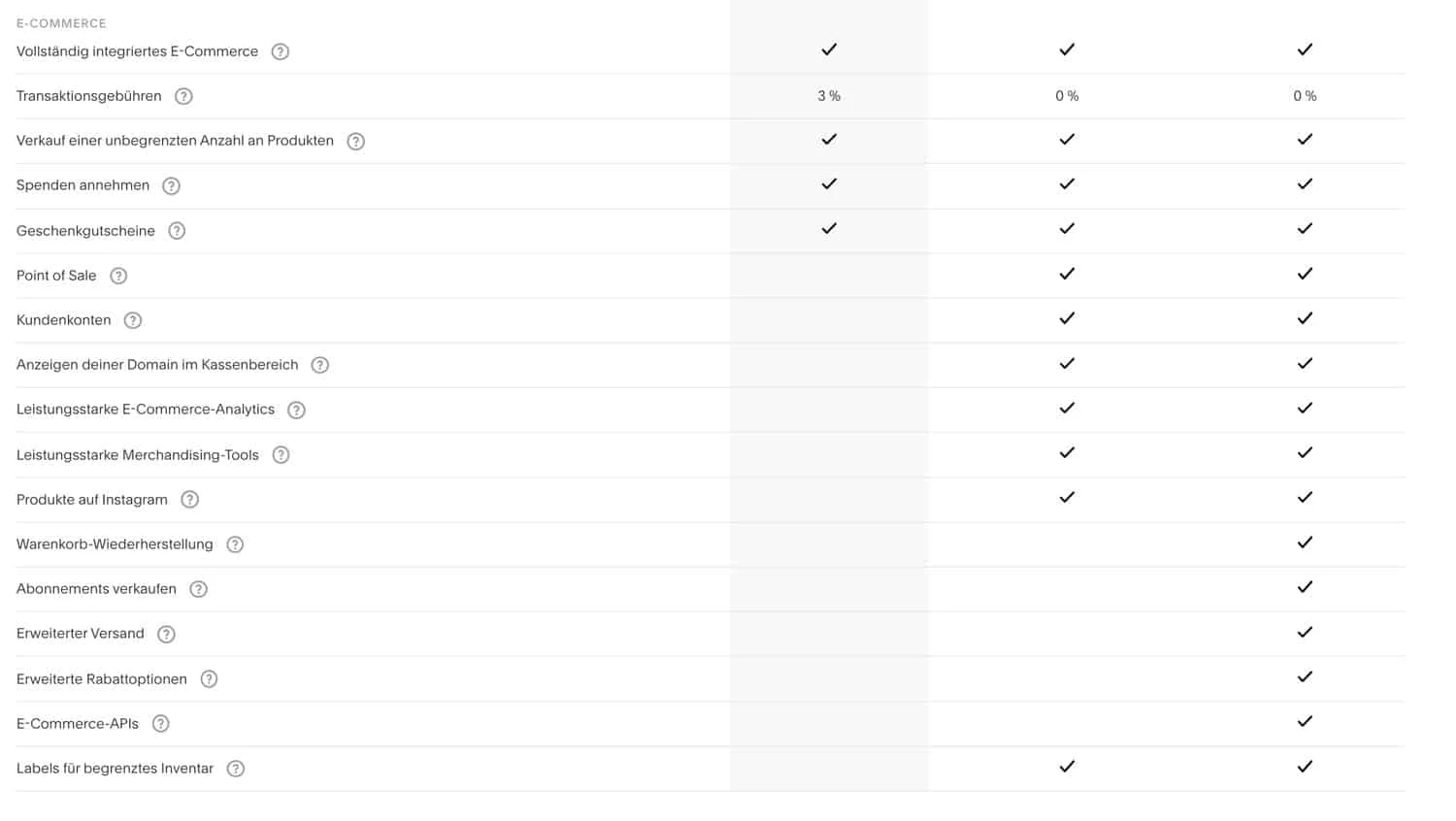
Plus and Advanced add further pro features and lower the fees for payment processing.
2.4 How much does a domain cost?
With annual payment, every Squarespace plan includes your own domain for a full year.
After this year, the domain is renewed at the price shown at that time for the chosen domain extension. The amount depends on the extension and the billing currency.

You can find out how much your domain will actually cost at Squarespace here.
3. Detailed test results
Now let’s get to the feature set and the question: What can the Squarespace website builder really offer?
Here comes the answer!
3.1 Features
Storage and traffic
In all four plans, Squarespace gives you unlimited bandwidth and unlimited storage.
That’s the first gold star right there, because you don’t have to worry about the size of uploaded files or the number of visitors to your website.
Custom domains
With an annual subscription, you get your own domain at Squarespace regardless of the plan, free for the first year.
After the free period ends, the domain is renewed automatically at the price then in effect for the chosen domain extension. Squarespace shows the actual renewal price before registration and in the domain dashboard.
Blog
Finally a website builder again that also cares about a proper blog feature.
Squarespace gives you an extensive blog that you can customize as much as you like. Not only the blog overview page but also the individual blog posts can be designed completely individually.
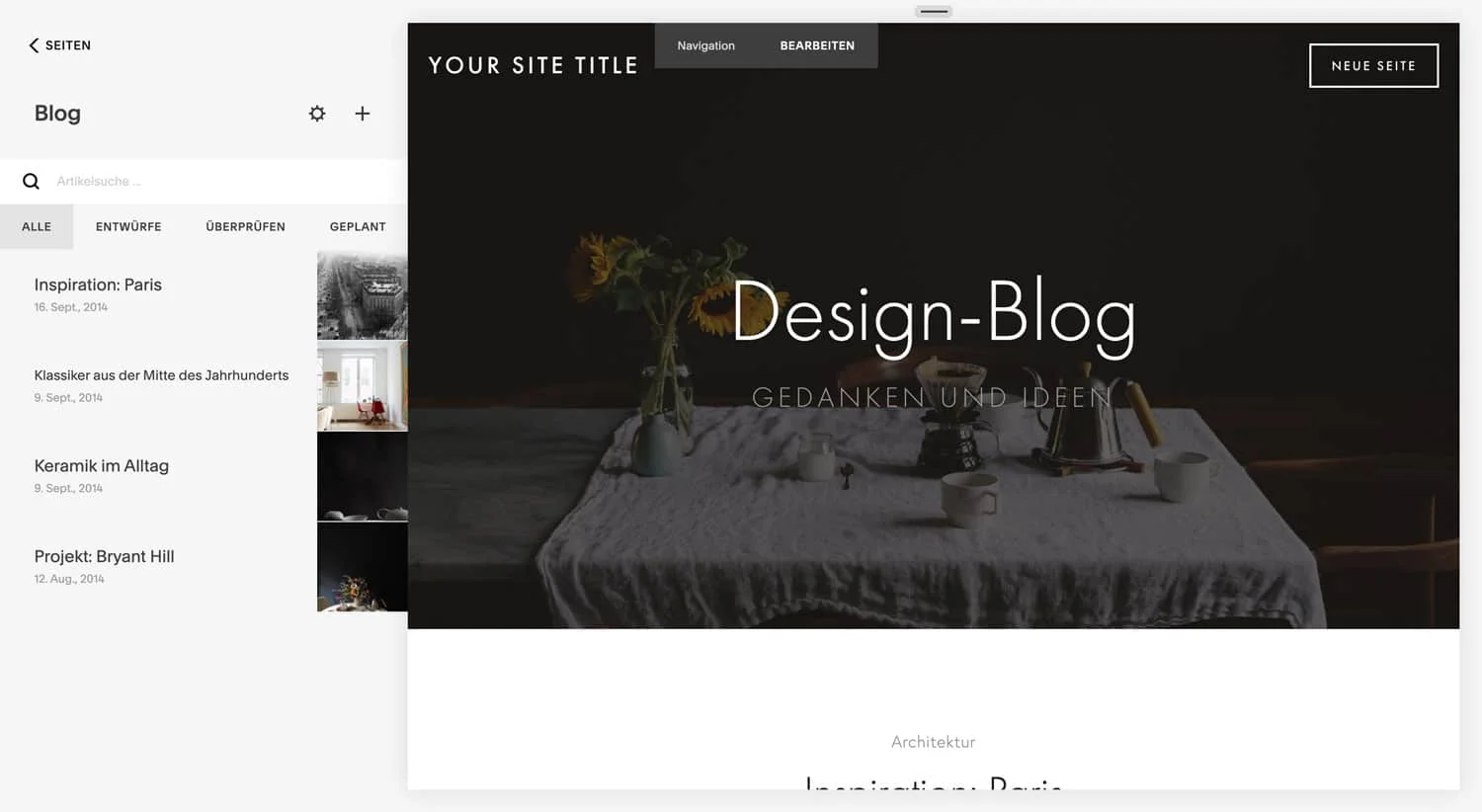
Compared with other website builders, Squarespace offers the blog that comes closest to WordPress.
We’re impressed by the range of features, which we haven’t seen in this form with any other provider.
You can:
- Assign categories and tags
- Create different author profiles
- Create and save drafts
- Enable or disable comments individually
- Add a custom thumbnail
- SEO-optimize every blog post
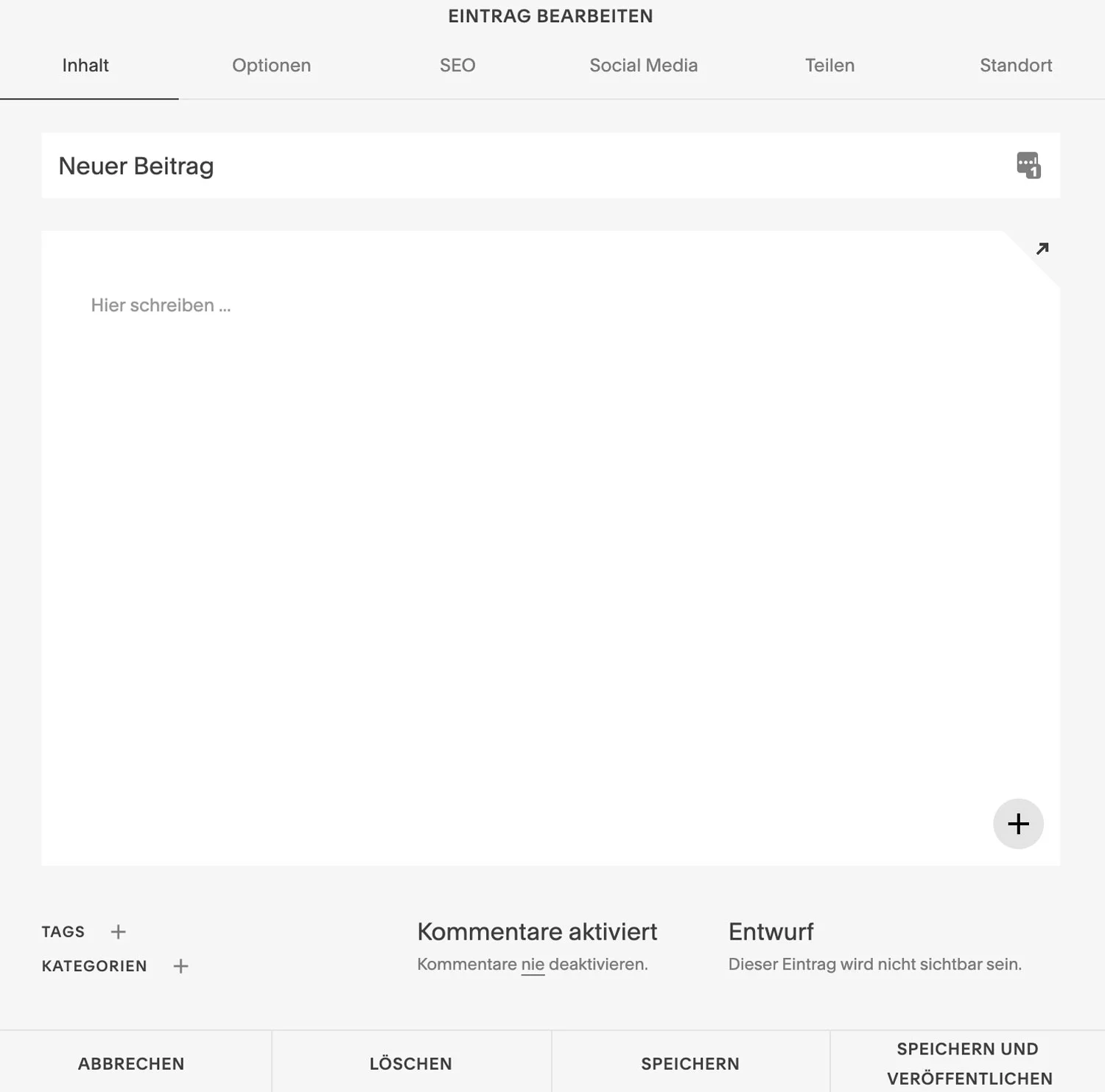
Writing a blog post is also very reminiscent of WordPress, because you get a dedicated editor. So you don’t have to write new posts in the drag-and-drop editor (as is the case with many other builders).
All comments are collected centrally in a menu item created just for that. From there you can reply to or delete these comments.
The only drawback is the confusing structure, since the blog can only be reached through a subpage.
For the blogging feature, Squarespace still clearly gets a 1 with a gold star from us (a top grade in the German school system).
Online store
The store at Squarespace is just as good as the blog.
Clear and excellently structured.
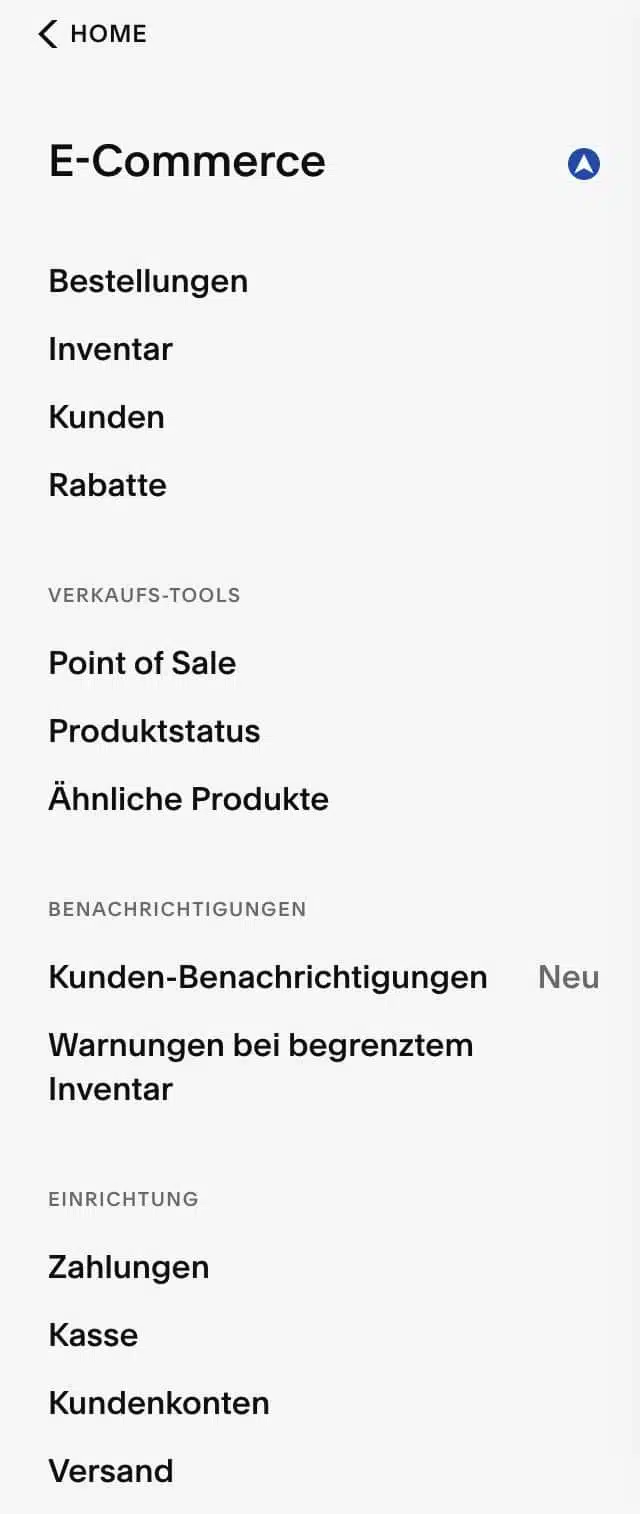
In the backend, you can quickly and conveniently create new products and also maintain a very extensive inventory list.
You also get great tools such as comprehensive statistics on your sales.
Features like discount codes and various shipping options round off the Squarespace store.
The store is also included in the entry-level plan.
Because of the additional 2% transaction fee, Basic is less suited to larger stores.
If you go for Core, Plus or Advanced, you get a thoroughly successful store feature that lets you sell your products and steadily boost revenue with numerous marketing tools.
SEO
SEO is one of the most important topics for attracting new visitors to your own website. Accordingly, it is also a very big topic at Squarespace.
For every page and every blog post, you can set an individual meta description and an individual title. The URL can also be adjusted conveniently.
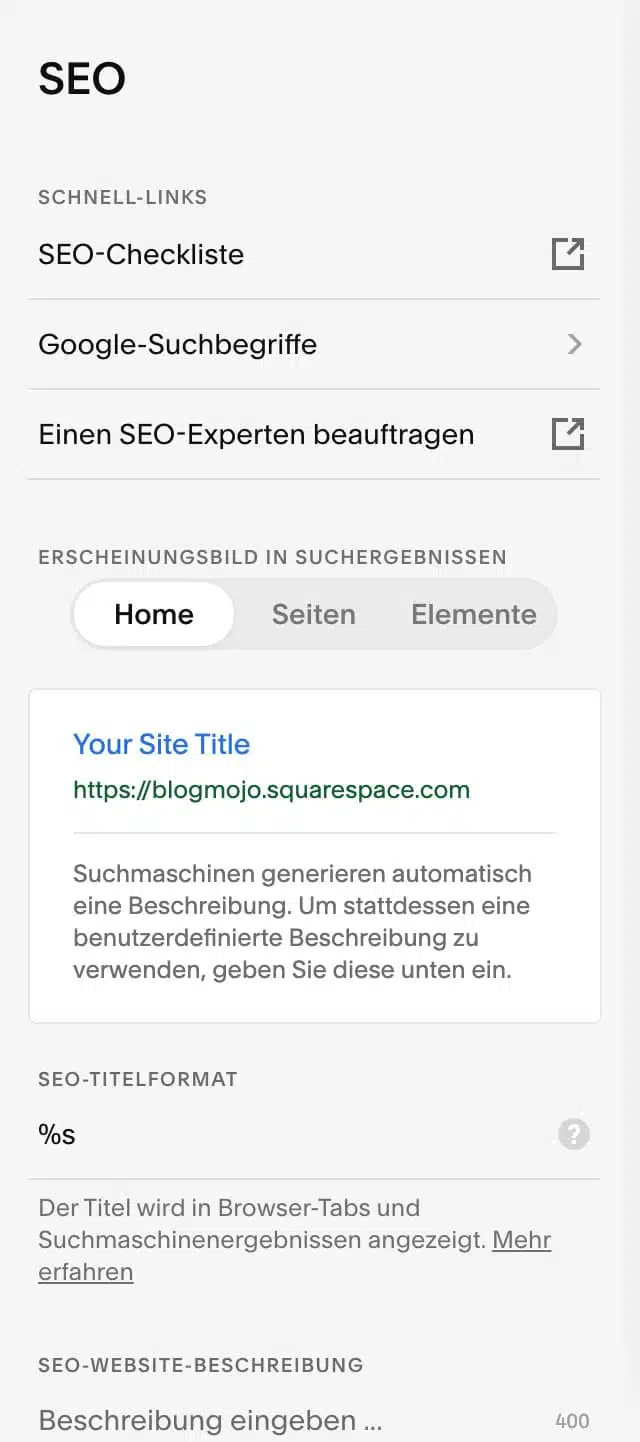
Additional features like an SEO checklist or the option to connect Google Search Console in the backend round off the offering.
Here, too, unfortunately, as with most other builders, there is no option to enable 301 redirects or create an XML sitemap.
For SEO beginners, the features Squarespace offers will certainly be enough, while pros won’t quite get their money’s worth here. So the company should still make some improvements here.
Visitor statistics
In addition to the detailed statistics that Google Search Console provides, Squarespace offers further visitor statistics.
You can see, for example, which traffic sources visitors used to find your website and how they then interacted with your content:
- Which pages got the most visitors?
- Which product generated the most revenue?
- What does my sales funnel look like?
- Which contact forms were used?
- and much more
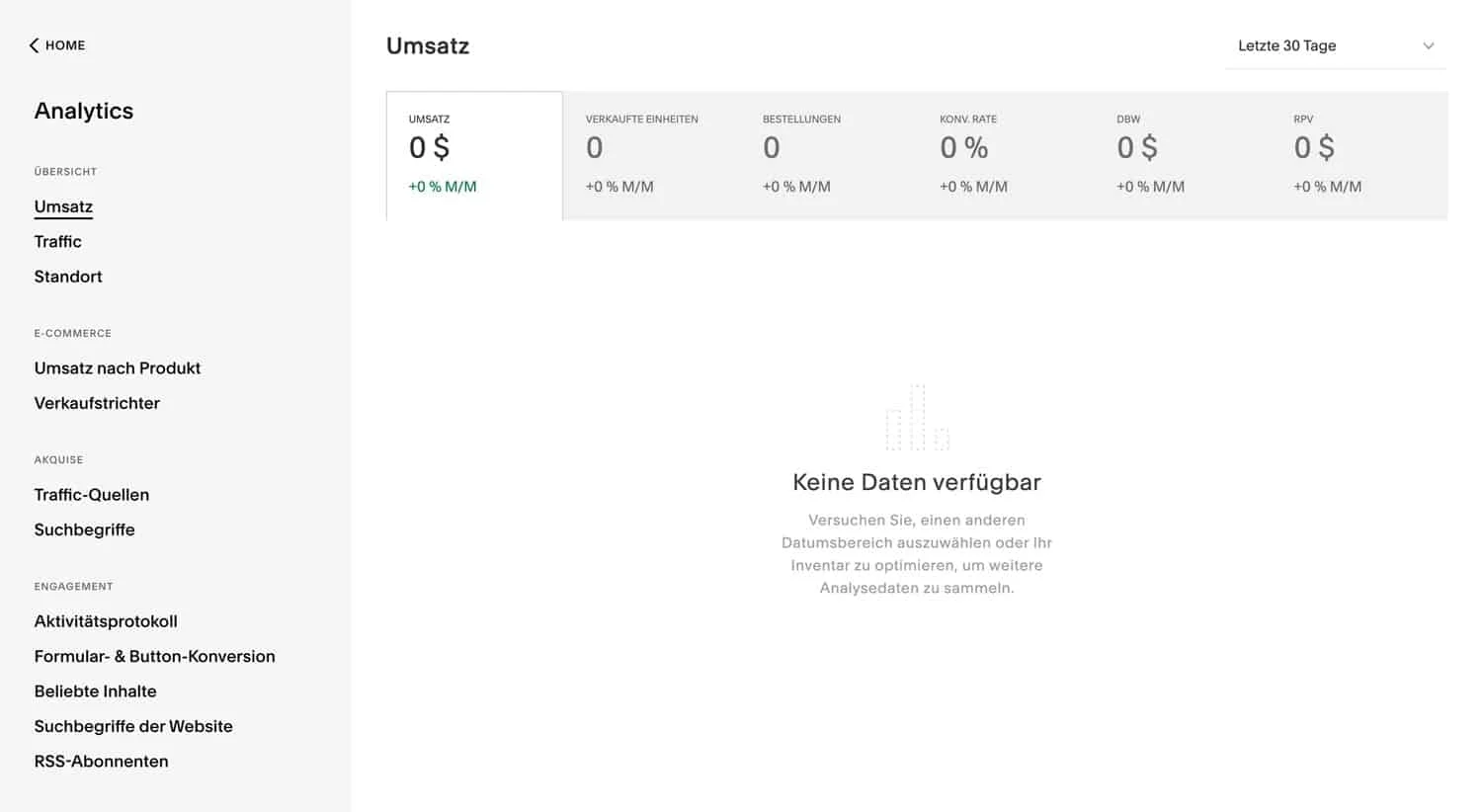
With these detailed statistics you can steadily improve and optimize your website.
Of course, you could also install external tools like Google Analytics. But the statistics from Squarespace are already completely sufficient. Especially since with external tools you always have to struggle with privacy problems.
Contact form
In short: The contact form leaves nothing to be desired.
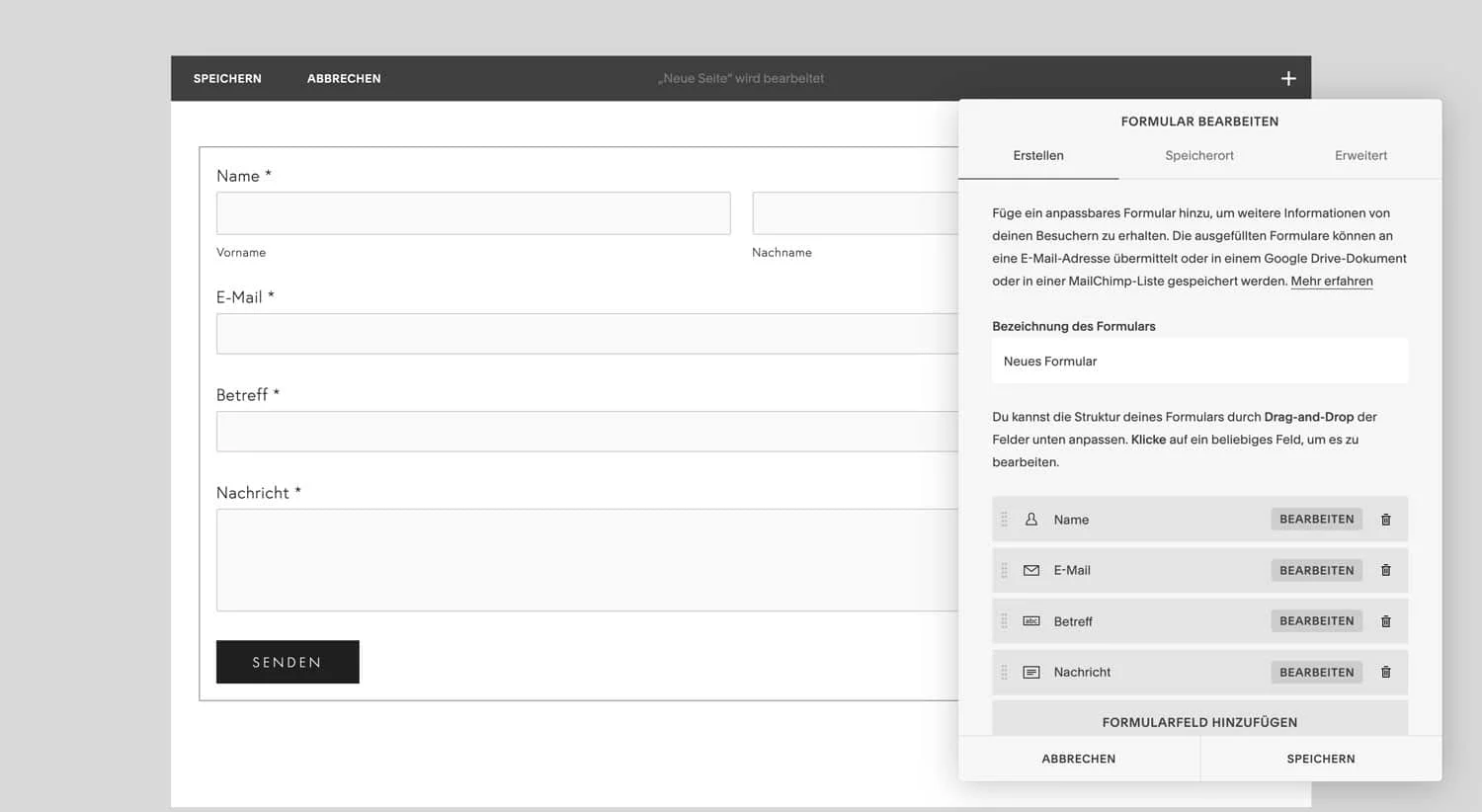
You can add any fields or even maps to your forms and also design them freely however you like.
Further settings, such as a custom confirmation message, round off the contact form.
A plus is that you can send submissions to any destination. Besides receiving them by email, you can also have all submissions sent to a Google Drive. Be careful here, though, when it comes to privacy.
Password protection
You can give every page and every blog post its own password.

That way you can control exactly who gets to see which content.
And Squarespace has one more feature in store for you...
You can create your own member areas.
A matching feature is already preinstalled. However, it is a paid extension that has to be booked first.
Extensibility (widgets, plugins, apps, etc.)
The Squarespace drag-and-drop editor works with classic widgets that you can add to your page anywhere you like.
We already know that from other website builders.
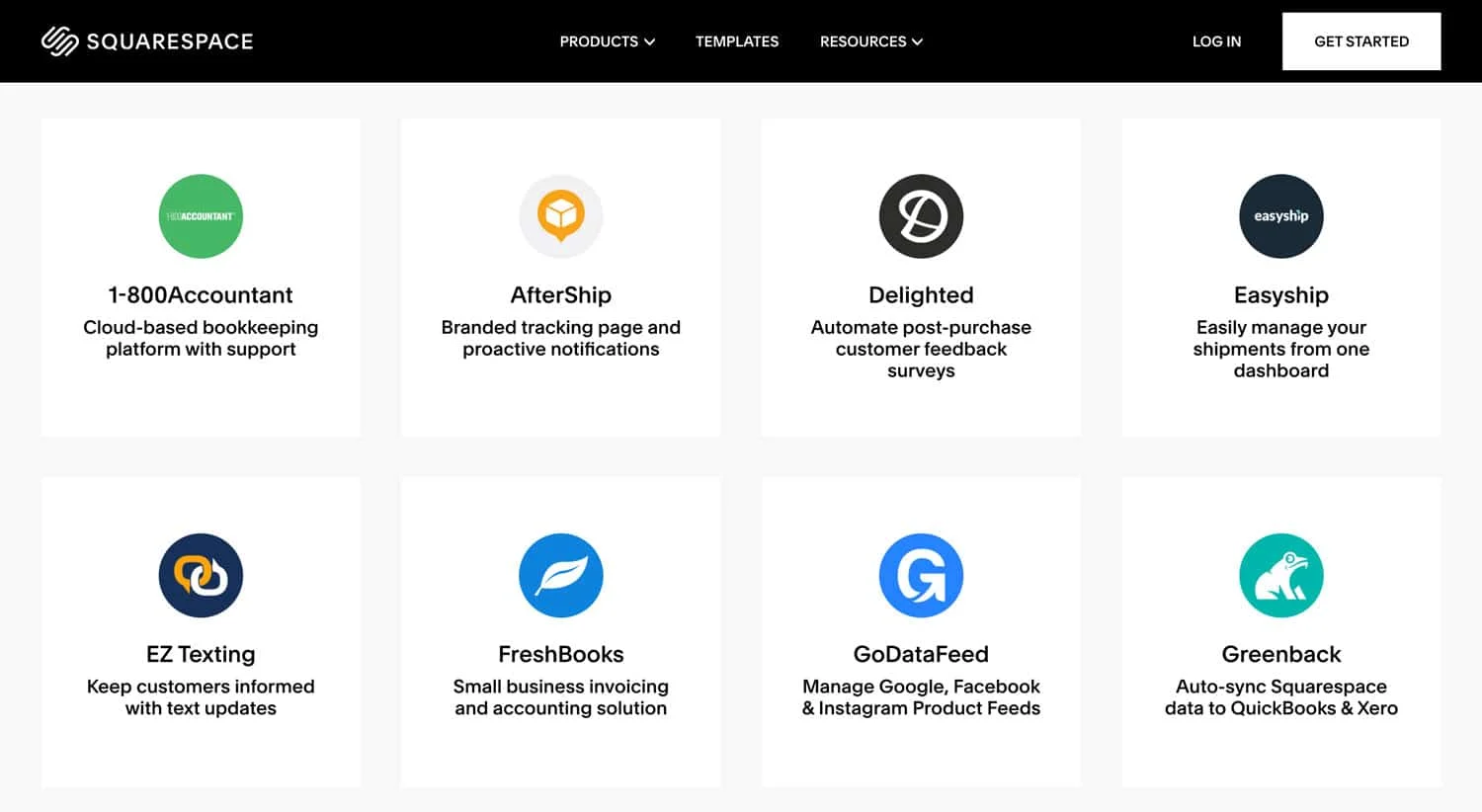
By the way: You get a small app store with third-party applications, which mostly relate to the store, though. You should also know that most of these applications are in English and there is no German translation.
Squarespace gives you an email address that matches your domain.
To use it, you have to book Google Workspace or another external provider. The email mailbox is not part of the website plan.
Newsletter
Even an email marketing solution is built into the Squarespace website builder.

You collect email addresses conveniently through forms on your website, which are then saved automatically in your Squarespace mailing list.
And the brilliant part is: You can even set up automated campaigns. A feature we only know from email marketing tools.
The only drawback: You can only send three campaigns for free. After that, a paid subscription is due.
3.2 Usability
The Squarespace website builder is built simply and plainly.
Through a navigation bar on the left side you find all features, tools and settings and can reach all submenus with just a few clicks.
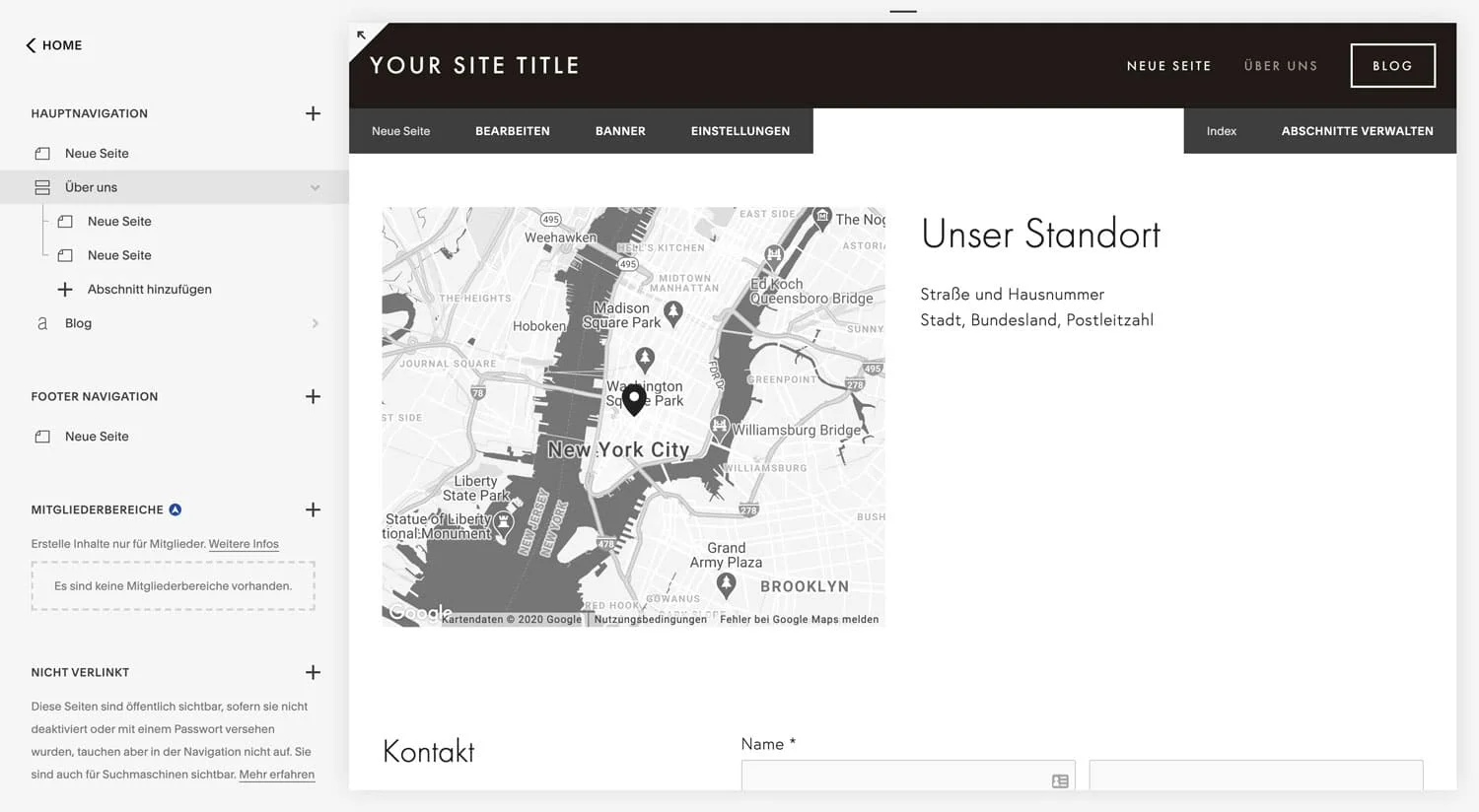
The drag-and-drop editor is very simple and intuitive to use. For example, the website stays completely visible while you add things, and adding new elements is smooth too. There is still a learning curve, of course, but we found our way in quickly.
It’s a real joy to build your own homepage.
The selection of available widgets (content blocks) is huge and lets you adapt your content exactly to your ideas.
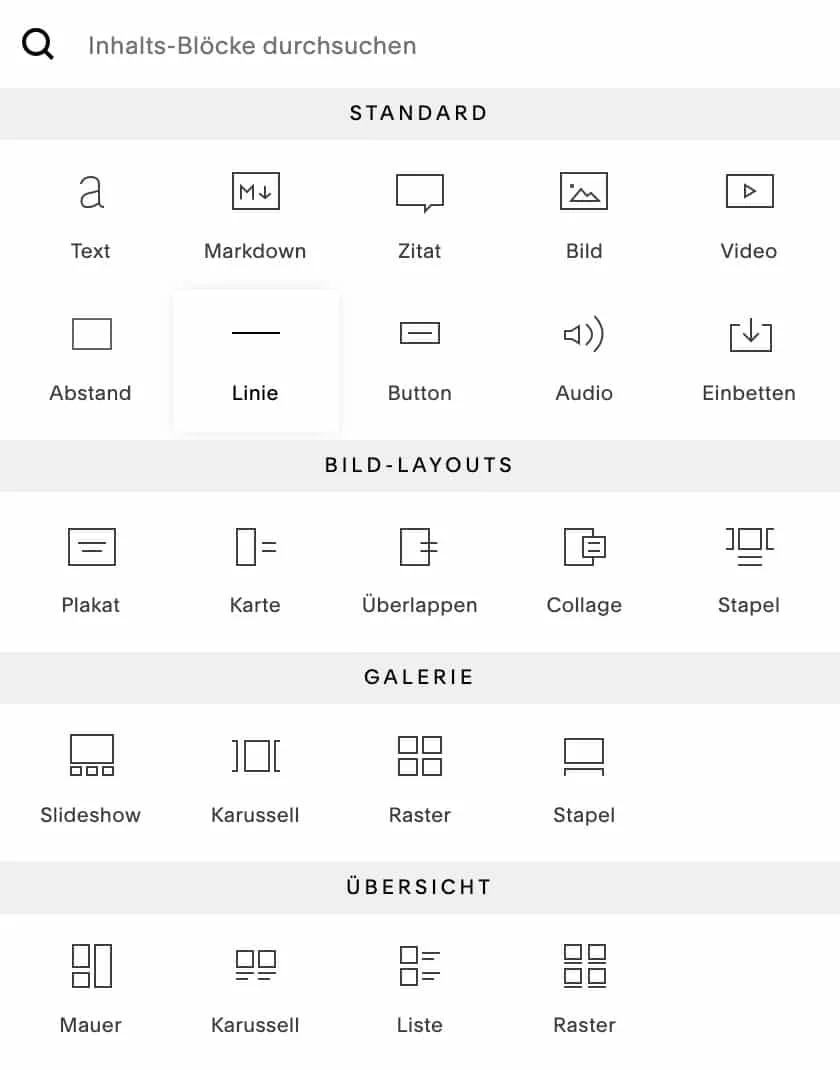
Everything runs very smoothly here, so we had no problems with lag even on larger individual pages.
Of course, the backend is also optimized for mobile devices. So you can easily check new newsletter subscribers or the latest statistics. Working on the content of your site is not really comfortable that way, though. For that we would definitely recommend a desktop PC or laptop.
Only blog posts can also be created without problems on a tablet or smartphone, thanks to the excellent editor.
By the way: Squarespace also provides a smartphone app for working on your website. It is available under the same name for iOS and Android.
3.3 Templates
So far, the Squarespace website builder has really convinced us across the board.
Unfortunately, we have to voice some quiet criticism for the first time with the templates.
But see for yourself...
Selection
The selection of templates leaves nothing to be desired.
There is a suitable template for almost any project, and a filter function lets you sort them very nicely, too.
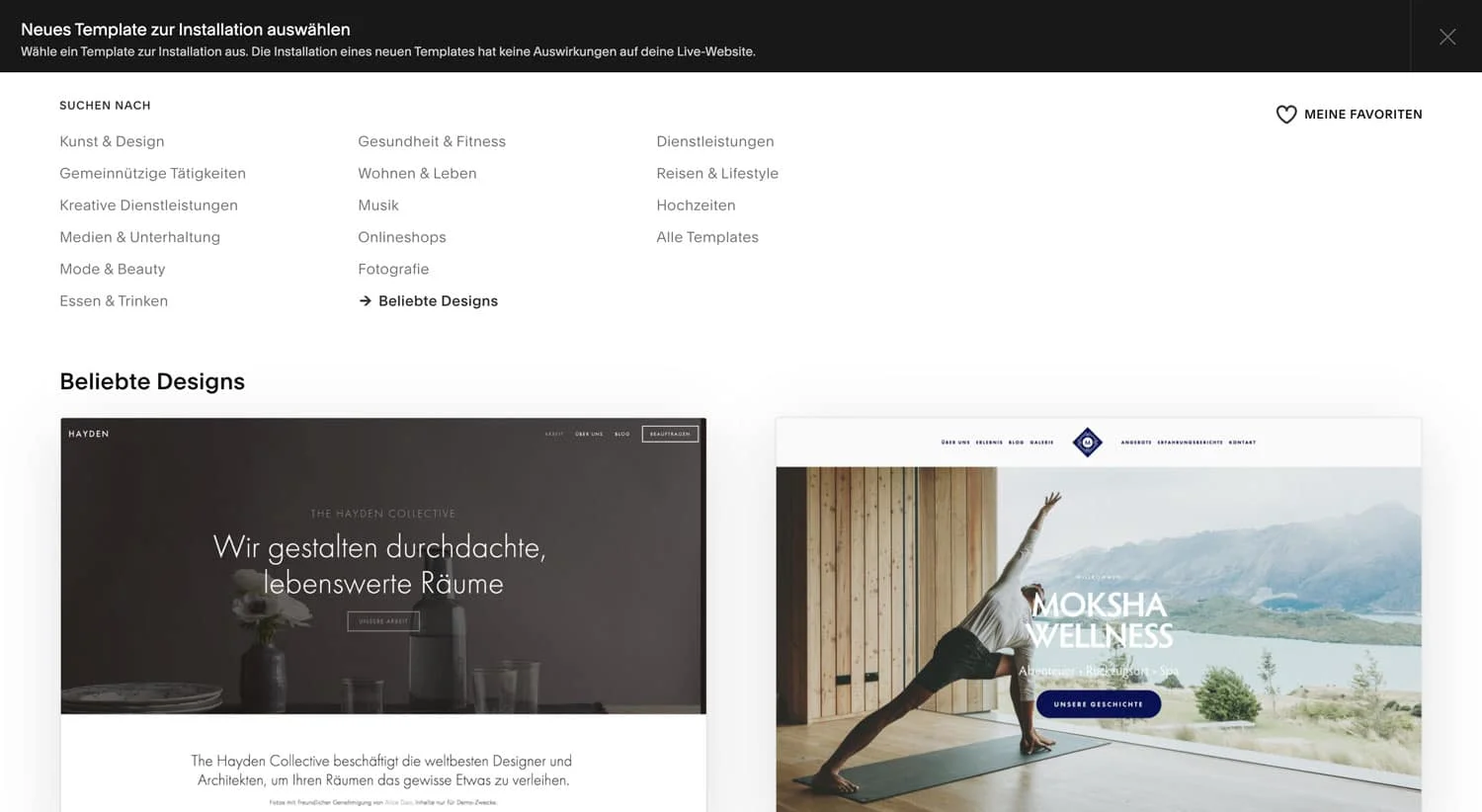
Unfortunately, these templates differ only minimally in design.
Sure, there are different content, different structures and colors, but the basic design is similar across all the ones provided.
And that can’t really be changed later, either. Of course, adjustments are possible, but the design concept is more or less set in stone.
Meaning: Either you like the design Squarespace goes for, or you have a problem.
Design quality
Now let’s get to quality. As mentioned, you either like the Squarespace design or you don’t. We liked it very much.
The design of all templates is coherent, tidy and looks professional. All templates are perfectly built and superbly matched to one another.
Cool scroll effects round off most templates.
Responsiveness
All templates you find at Squarespace are optimized for mobile devices.
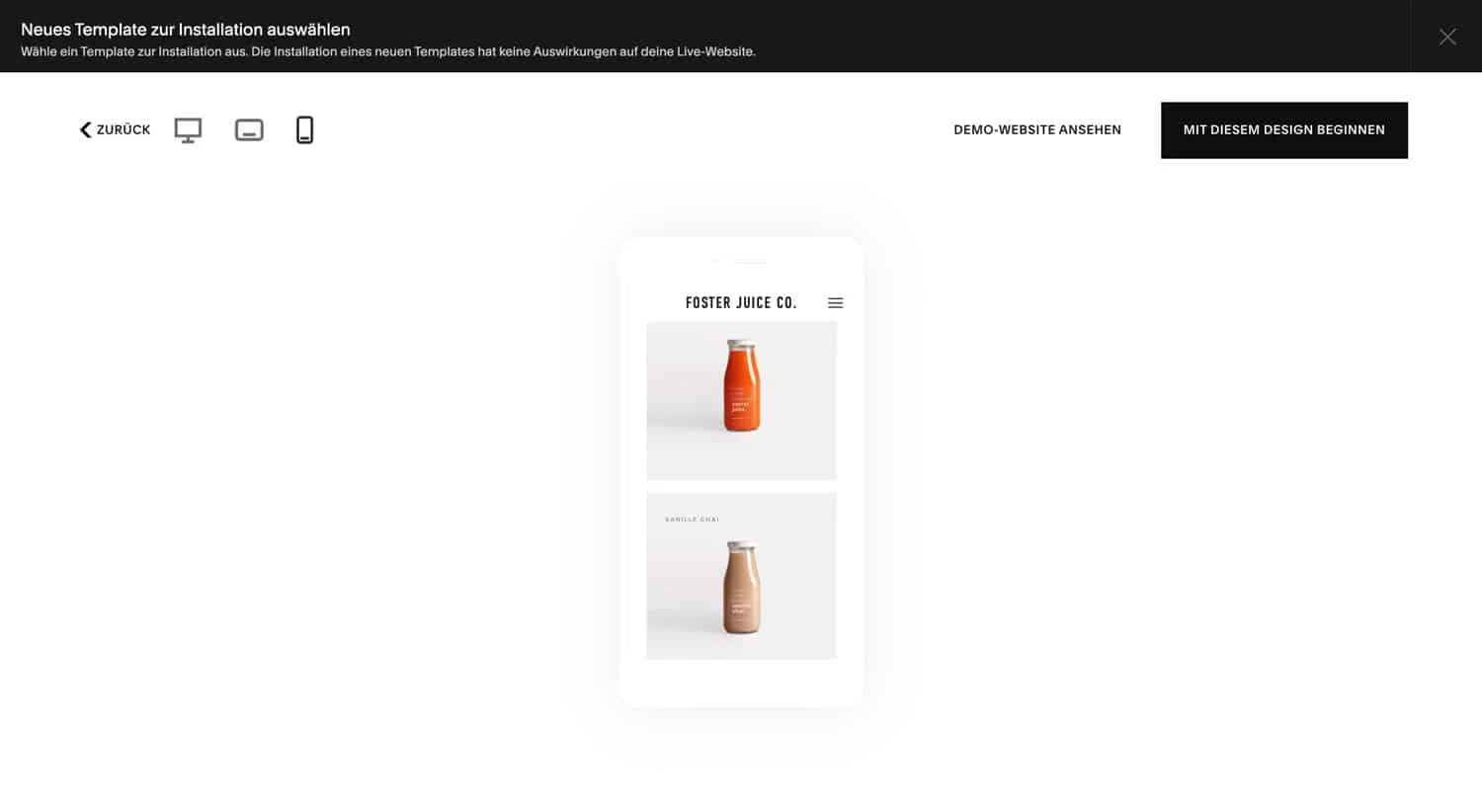
You can get an exact picture of this already when choosing a template, because the website can be shown on several devices there.
Customizability (CSS, custom code, etc.)
Squarespace is one of the few builders that lets you make extensive customizations via CSS.
You’ll find matching input fields for this under “Design”, which are very reminiscent of WordPress.

3.4 Help and support
If you need help building your website, you can contact Squarespace by email or live chat. You can submit support requests by email around the clock. According to the current help center, the German-language live chat is available Monday to Friday from 10:00 a.m. to 4:00 p.m. CET. Squarespace does not offer phone support.
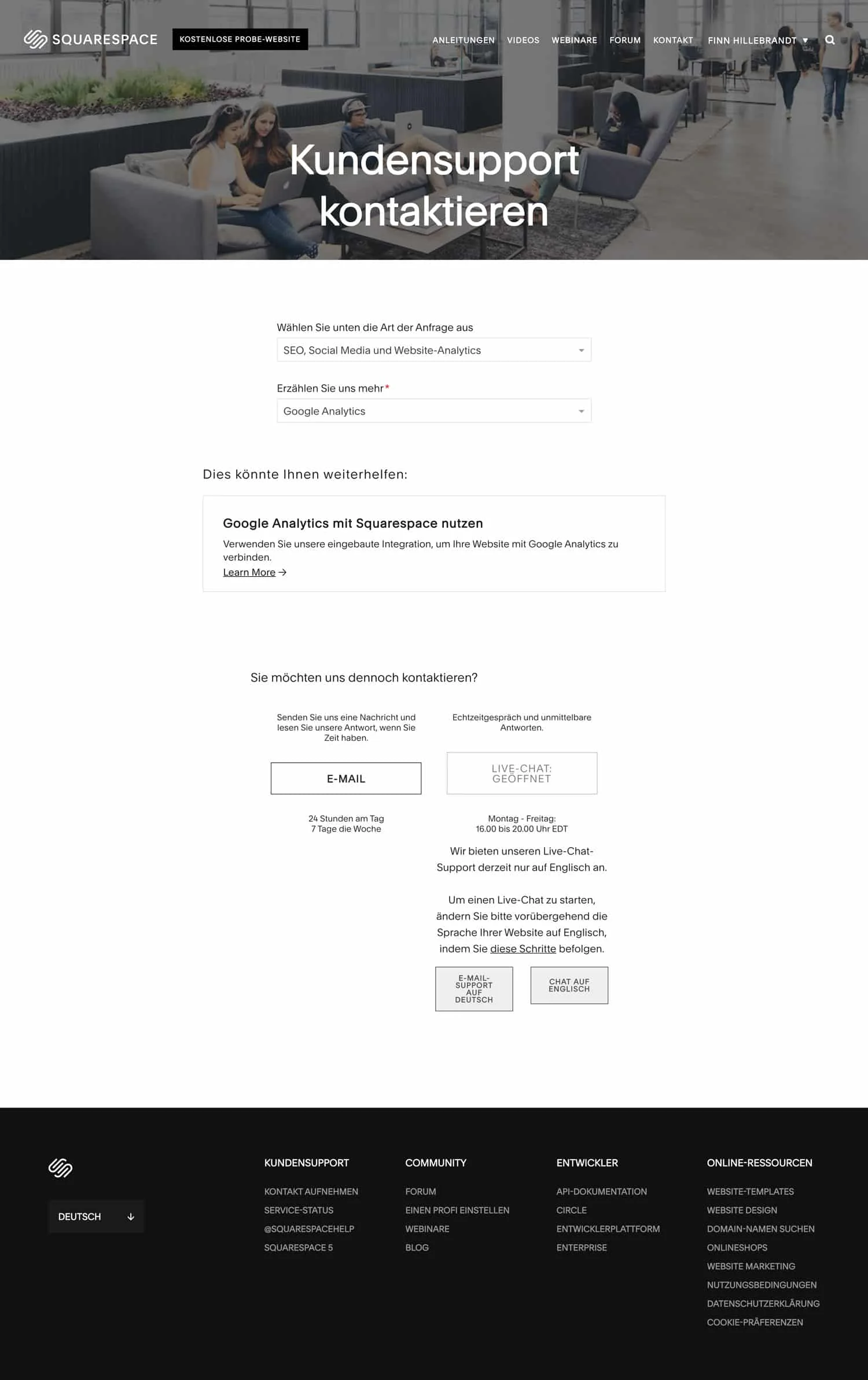
That’s not a big problem, though, because Squarespace has other ways to get help with problems:
- Forum: Squarespace has a community of astonishing size that you can reach through the Squarespace forum. Here, too, you need to be able to speak English, though.
- FAQ section: You’ll find the answer to a great many questions in the extensive FAQ section, which is even available in German.
3.5 Languages
Squarespace is an American provider.
You notice that with some help articles that are only available in English.
All other areas are really excellently translated into German.
Not only the backend but also the FAQ section leave nothing to be desired here.
3.5.1 Multilingual websites
You can build multilingual websites with Squarespace. In version 7.1, there is a Weglot integration with a language selector in the header. With older websites or without Weglot, you have to create the language versions manually.
3.6 GDPR and legal matters
Squarespace is a US provider. The GDPR still applies if the company provides goods or services to people in the EU or monitors their behavior.
Squarespace describes the privacy tools available and international data transfers in a GDPR guide. For transfers to third countries, the provider names, among other things, standard contractual clauses and the EU-US Data Privacy Framework.
You already agree to Squarespace’s data processing agreement with the terms of use. According to the provider, you don’t have to request or sign a separate paper document.
The built-in cookie banner can restrict non-essential cookies until consent is given. You can enable buttons for rejecting all cookies and for managing individual preferences.
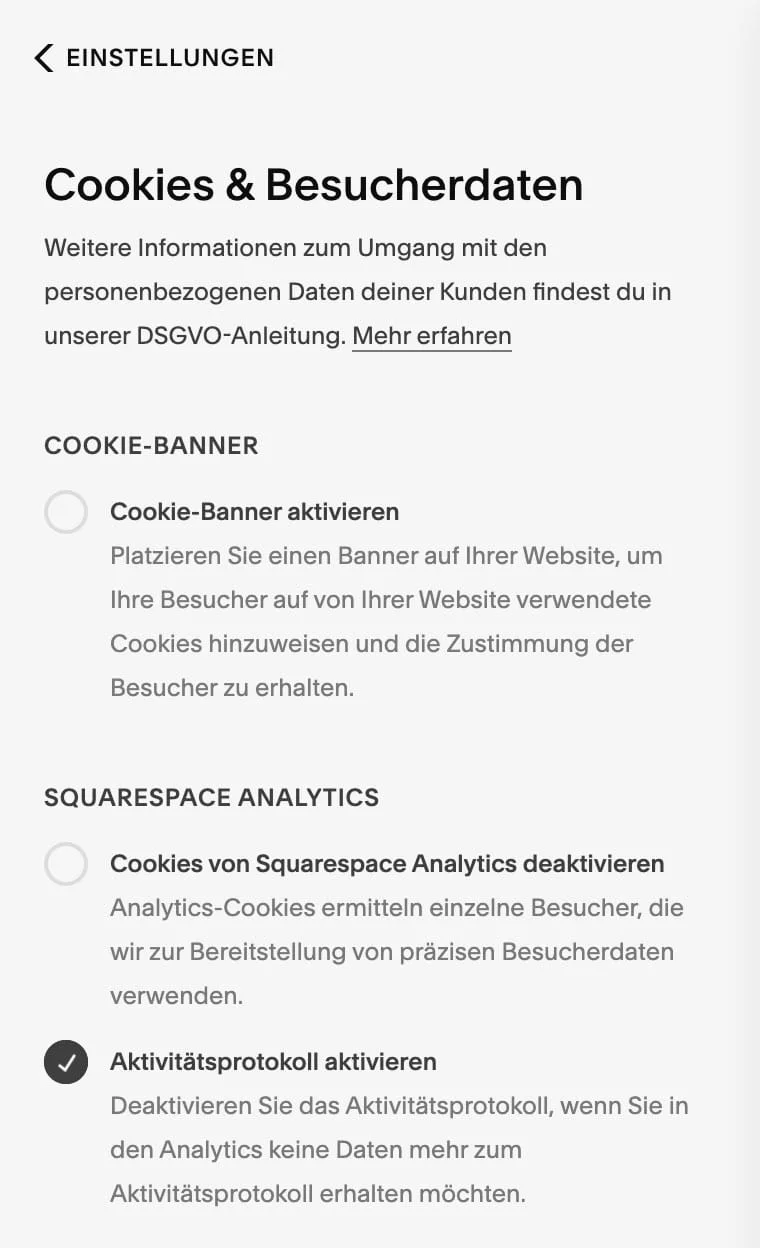
You can create legal pages and your own policy texts and link them in the banner. However, Squarespace does not provide legal advice tailored to your individual case. You have to check third-party code and integrations separately, because the built-in banner does not automatically block every external tracker.
3.7 Backup, restore and portability
Now comes the big letdown!
Squarespace offers no version control and only limited ability to undo revisions in the editor while you work on the website.
You can, however, back up your entire website by exporting it as an XML file.
That way you can even move your entire website to another provider later, such as WordPress.
3.8 Core Web Vitals and load time
As part of our website builder comparison, we measured the absolute load time and the Core Web Vitals of every builder.
To do that, we created a test website with every provider that has the same design and the same five images and the same placeholder text, to get results that are as accurate as possible.
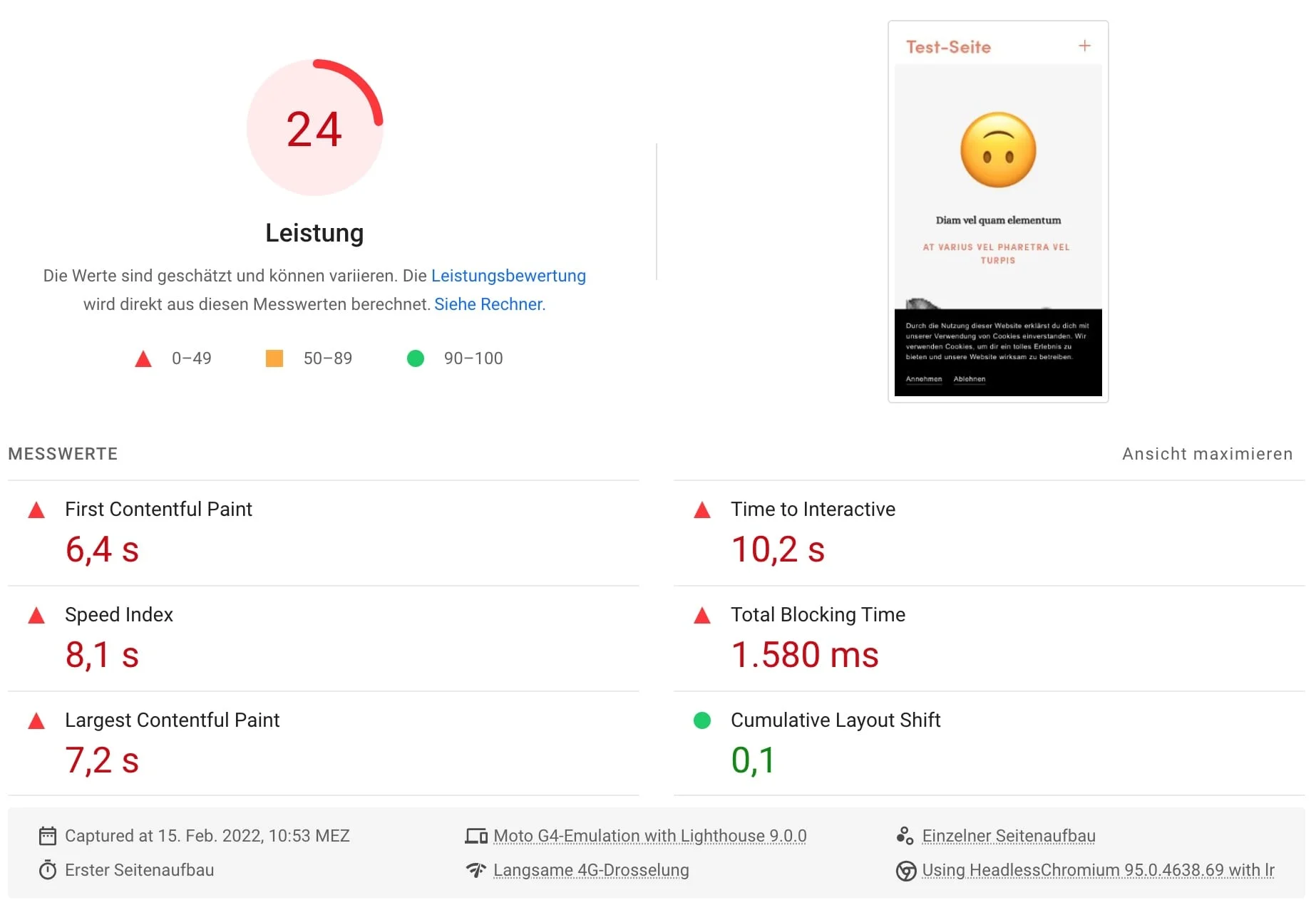
The Squarespace test website does very badly on the Core Web Vitals. It gets a PageSpeed score of 24, with very high values in all metrics except for a good Cumulative Layout Shift of 0.1:
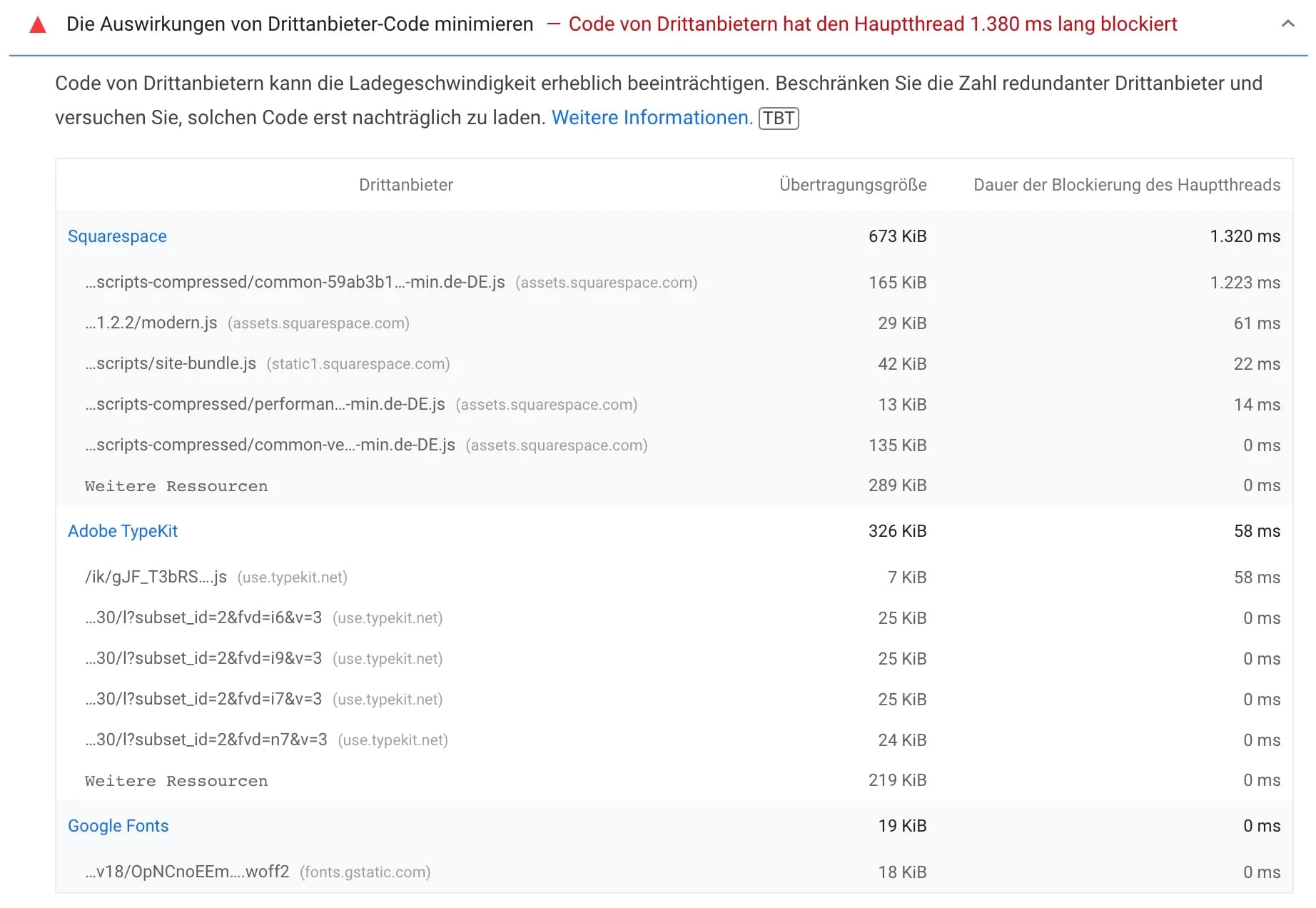
Above all, many files loaded through third parties are responsible for the poor result:
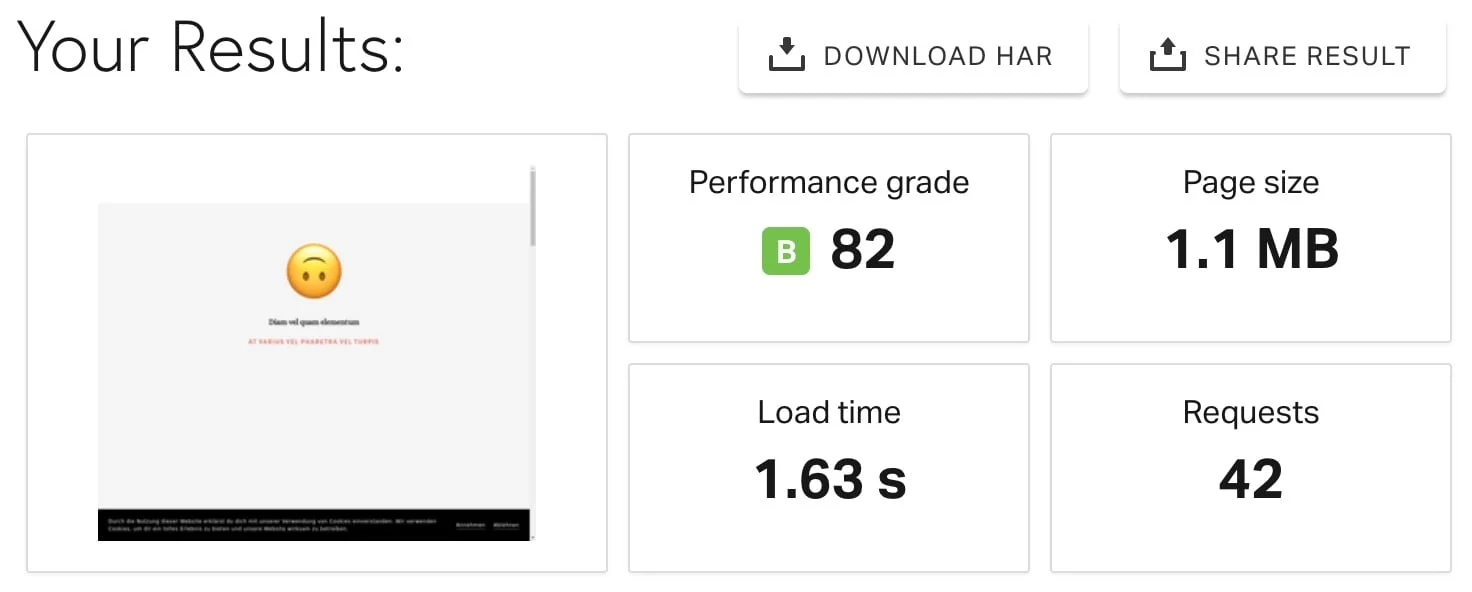
The absolute load time of 1.63 seconds measured by Pingdom Tools (with a location in Frankfurt am Main) could also be significantly better, given the simple structure of the test website:
4. Examples of Squarespace sites
There are hundreds of examples showing how great the websites are that you can build with Squarespace.
A very nice example is the Active School...

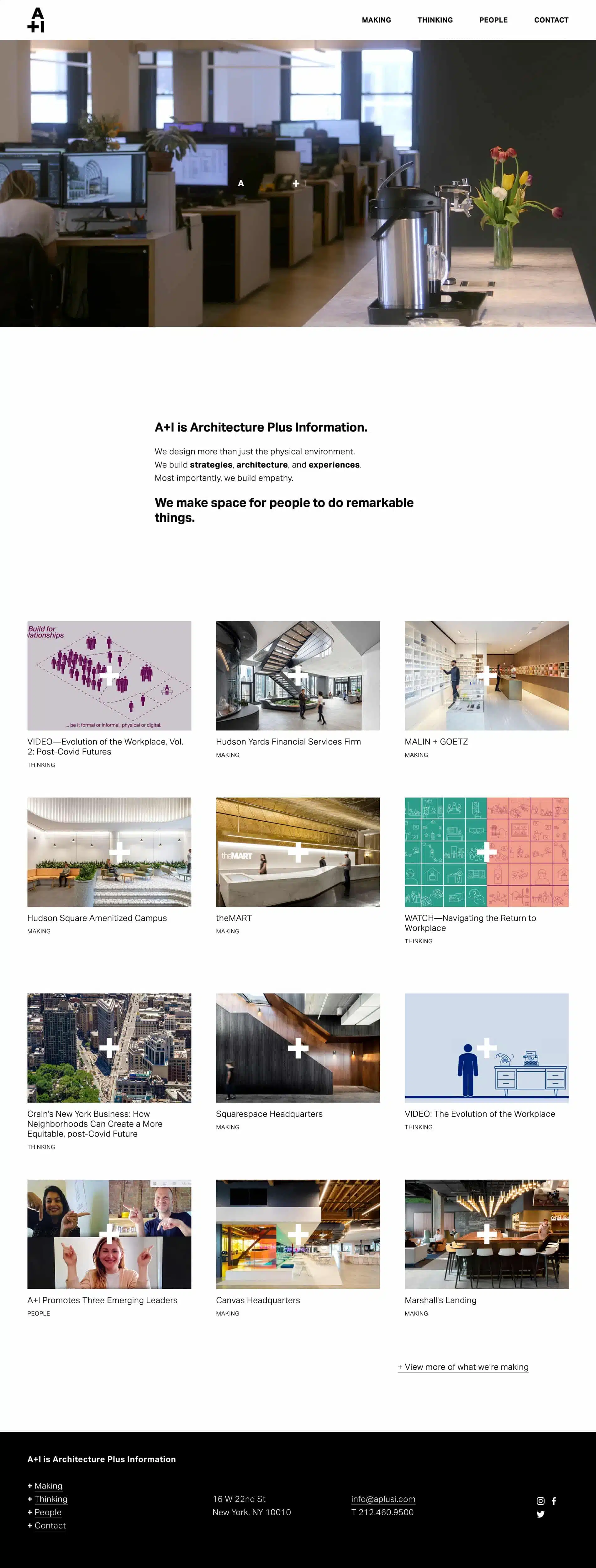
...or the website of A+I.
5. Squarespace alternatives
Squarespace is a website builder at a very high level.
So at first there is no reason to look for alternatives. Unless you don’t like the designs of the templates, or the price is too high for you.
A real alternative in the German-speaking region at a similarly high level as Squarespace is only Wix. With all other products you’ll be more likely to be disappointed once you’ve gotten to know and gotten used to the feature set and reliability of Squarespace.
If you’re looking for a cheaper alternative, we can recommend the builders from 1&1 IONOS or webgo. Here you have to accept compromises in features, but you also gain elsewhere.
Another alternative, WordPress, we’ll look at in the next chapter.
6. Squarespace or WordPress?
This question is hard to answer.
Squarespace does a lot right and also offers you a blogging feature that comes very close to that of WordPress.
So we would really base the recommendation for or against one of the two systems on only two points:
- Learning curve: If you want quick, immediately visible success, Squarespace is definitely the better alternative. There are now drag-and-drop editors for WordPress too (e.g. Elementor or Divi), but the system as a whole is significantly more complex.
- Site size: If you want to build very large and extensive projects, we would advise WordPress. It’s not for nothing that it is the most popular content management system in the world. So if you’re planning a website with several hundred subpages or product pages, or several blog posts per month, WordPress is the better choice.
7. FAQ
Here you’ll find answers to frequently asked questions about the Squarespace website builder: