
WordPress is by far the most widely used system for building a website.
More than 40% of all websites currently run on it. And the share keeps growing.
But WordPress is not the same as WordPress:
With WordPress .com on one side and WordPress .org on the other, there are two versions of WordPress that differ greatly in philosophy and features.
WordPress .org is the self-hosted version, where you get more freedom but also a lot more work lands on you. WordPress .com, on the other hand, is an “all-inclusive, worry-free platform.”
In our detailed test report, we looked at how good WordPress.com really is and how it compares to other providers such as Jimdo or Wix.
1. Verdict
Test categories
Pros
- Free plan
- very good blogging features
- large template selection
Cons
- more learning curve than simple drag-and-drop builders
- developer features only in the Business plan
- no phone support
- Business and Commerce plans fairly expensive
The grades follow the German school system, where 1 is best.
WordPress.com, on what was then the Explorer plan, took 5th place with 60.3 points in our website builder comparison. That plan is now called Premium.
WordPress.com is a strong platform for bloggers. Excellent blogging features and a large template selection form the foundation for many professional blogs.
The biggest improvement since our original test is plugin access. WordPress.com now allows installing plugins on all paid plans.
Developer features such as SFTP, SSH, WP-CLI and Git, as well as real-time backups, are still reserved for the Business plan at €25 per month.
Who is WordPress.com for?
WordPress.com is suited to beginners and can be a good solution for you if you're tackling WordPress, or building a website at all, for the first time.
It's also a good choice for a personal blog, such as a travel or study-abroad diary.
2. Pricing & costs
WordPress.com gives you several plans to choose from, and they differ greatly above all in how much you can customize.
2.1 The free version of WordPress.com
The free version is really only suitable for absolute beginners who want to build a hobby project.
The range of features is significantly limited compared to the paid plans.
You can't install your own plugins and you have fewer design options. You also only get the WordPress.com subdomain mentioned earlier, which doesn't come across as very professional.
In general, the free WordPress.com plan can really only be recommended if you've never worked with WordPress and want a quick look at the CMS to find out whether the system is right for you at all.
The free plan isn't enough for a professional website with its own domain and additional features.
By the way: you get 1 GB of storage with this plan. Free support, on the other hand, is not included.
2.2 Which premium plans are there?
If you want to run a professional website with WordPress.com, you can choose from four different premium plans: Personal, Premium, Business and Commerce. Together with the free plan, that makes five plans.
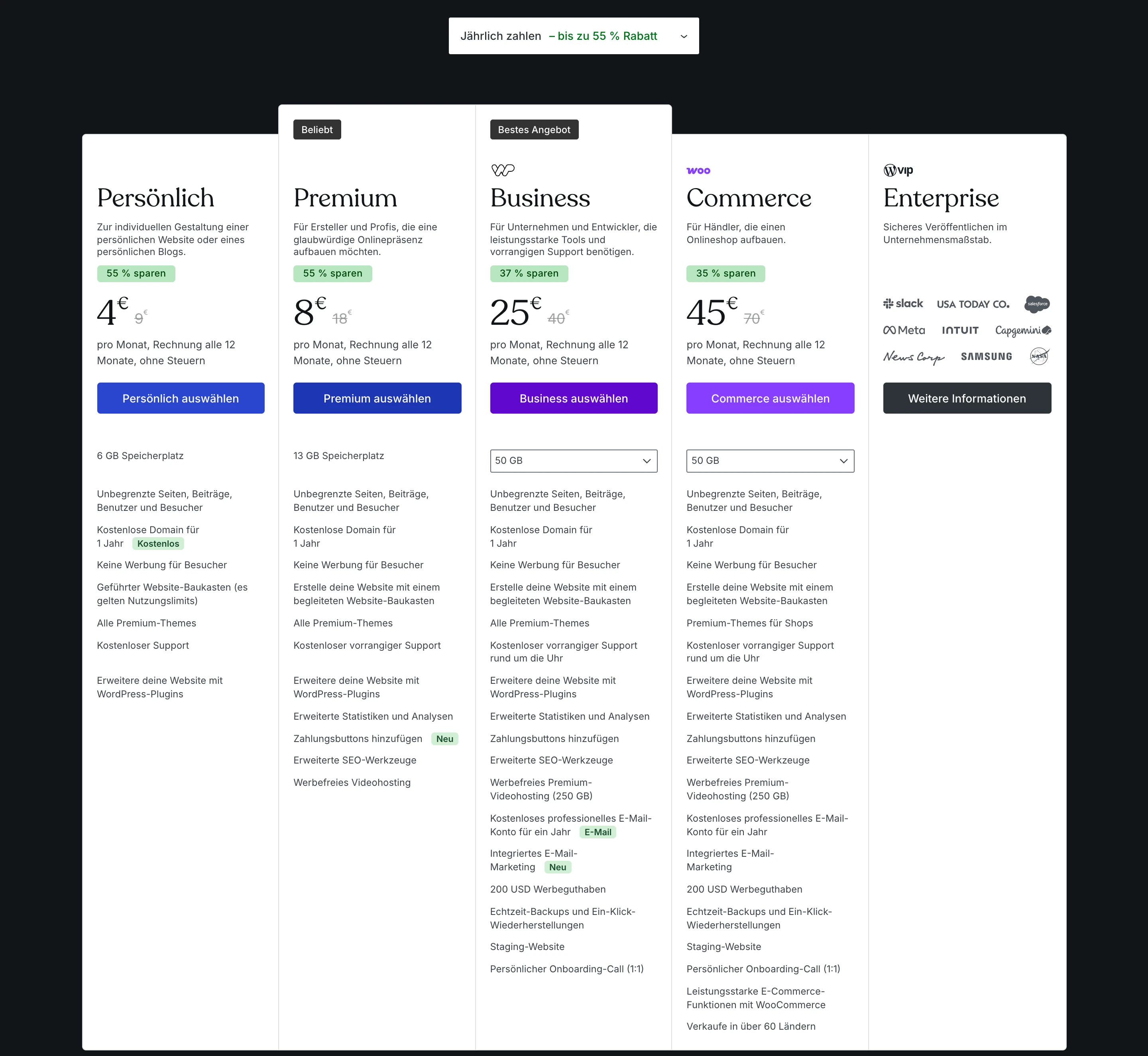
Personal for €4 per month
With the Personal plan and annual payment, you get a domain for the first year at no extra cost and access to support.
Storage goes up to 6 GB and the annoying WordPress.com ads disappear.
You can also install plugins from the directory of more than 50,000 extensions on this plan already.
Premium for €8 per month
Premium includes 13 GB of storage, premium themes, video uploads and additional design features. You can install plugins on this plan too.
Business for €25 per month
Business includes 50 GB of storage, priority support around the clock, real-time backups, and SFTP, SSH, WP-CLI and Git-based deployments.
2.3 Can I create an online shop with WordPress.com?
Yes, you can create your own online shop with WordPress.com.
The Commerce plan intended for this costs €45 per month with annual payment.
In fairness, it has to be said that this is the best WordPress.com plan and you really do get something for your money.
First of all, all features of the Business plan are included.
On top of that, you get the following features:
- a free 15-minute onboarding session in English for new Business and Commerce websites
- accept payments in more than 60 countries
- integration of leading shipping companies directly on your website
- unlimited products and orders
- shop extensions for product recommendations, coupons and abandoned carts
2.4 How much does a domain cost?
A domain of your own is included in the first year from the Personal plan onward, with annual, two-year or three-year payment. This offer doesn't apply to monthly plans.
The term is initially one year.
If you want, you can keep renewing the domain for another year at the regular price.
3. Test results in detail
3.1 Features
Storage and traffic
Compared to other website builders, only the storage varies between the individual WordPress.com plans. How much traffic your site gets doesn't matter.
The storage tiers are as follows:
- Free: 1 GB
- Personal: 6 GB
- Premium: 13 GB
- Business: 50 GB
- Commerce: 50 GB
Custom domains
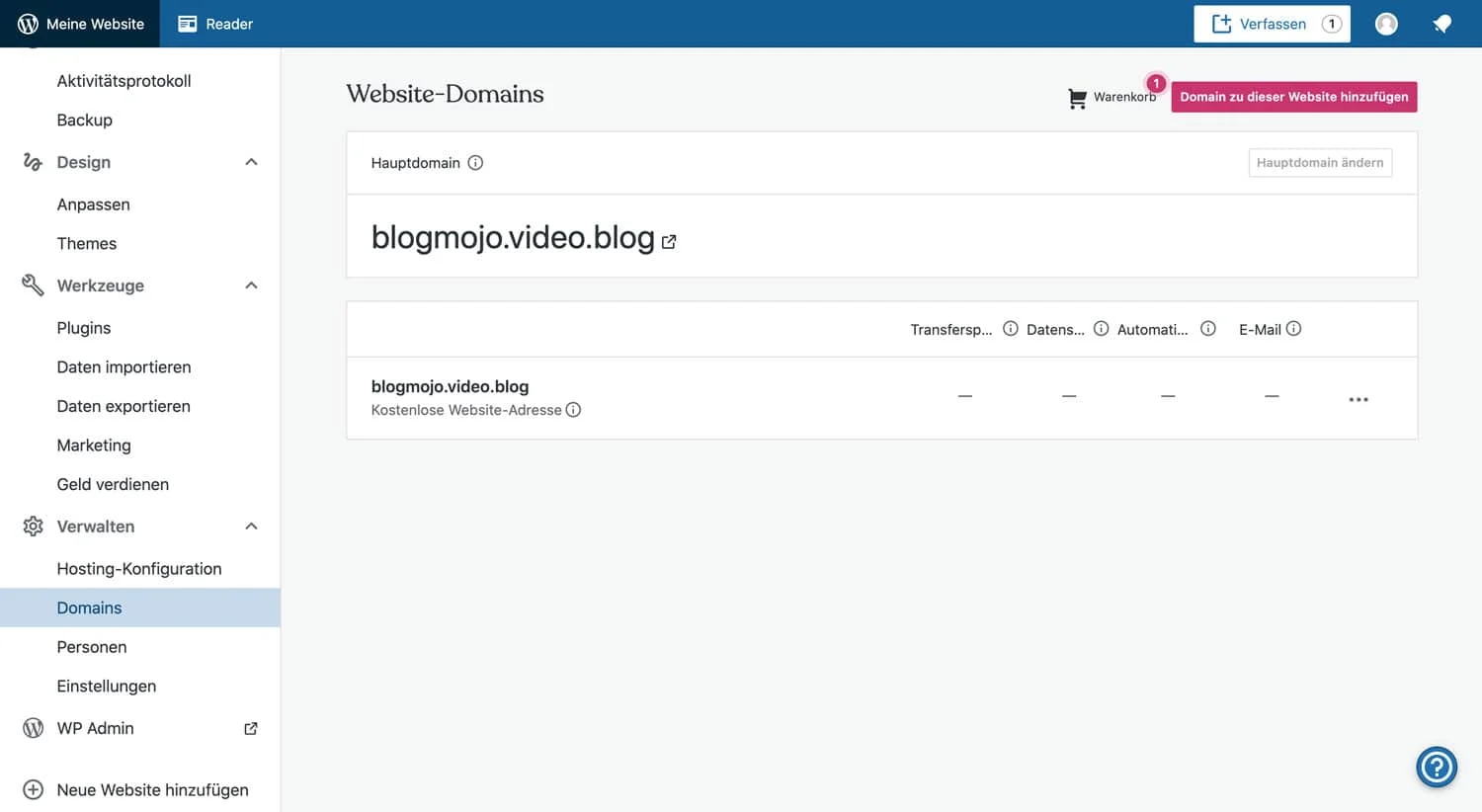
The free plan already includes a WordPress.com subdomain.
That is not a domain of your own, but an address like yourname.wordpress.com. We don't recommend this solution for a professional web presence.
After all, the Personal plan with at least annual payment already includes a domain of your own for the first year.
Blog
WordPress is the blogging platform par excellence, practically a synonym for the word “blog.”
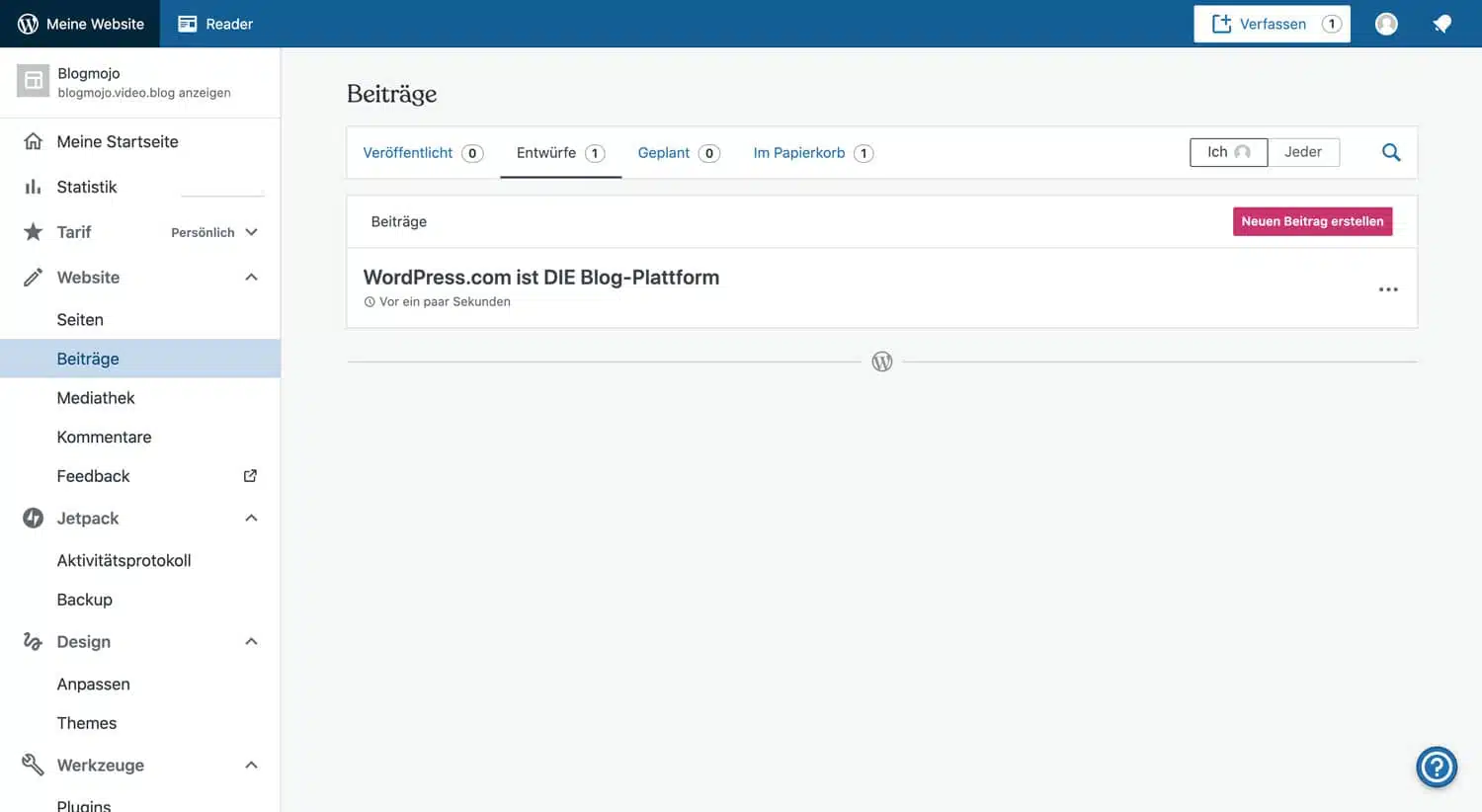
New posts are drafted and published in a matter of seconds.
You get the new Gutenberg editor here, which is controversial but gets better with every update.
To name just a few of the many features, you can:
- add categories, tags and metadata to articles
- create profiles for authors
- create and save drafts
- create custom links
- integrate extensive social media options
- set the publication date of a post individually
The design of your posts fits neatly into the design of the website.
Online shop
If your primary goal is to launch an online shop of your own, we advise against WordPress.com, because there are far simpler and better solutions out there, for example Shopify.
WordPress.com is not only somewhat cumbersome and complex here, but also really expensive.
Simple payment blocks are already included in WordPress.com. For a full WooCommerce shop with its included shop features, the Commerce plan at €45 per month is intended.
So other platforms are clearly ahead here.
If you still decide on WordPress.com, you do of course get a great online shop with many features that you can use to sell physical and digital products.
Additional features, such as customer reviews, have to be added through add-ons, however, and are not included in the standard package.
SEO
WordPress.com technically optimizes all websites for search engines. On the free plan, you can edit titles, URLs, headings, alt texts and excerpts, among other things.
The Premium plan adds custom SEO titles, meta descriptions and visibility settings for individual pages. Staging and further developer tools belong to the Business plan.
Since plugins are now available on every paid plan, you can install an SEO plugin from Personal onward. That makes WordPress.com much more flexible on this point than in our earlier test.
On a paid plan, you therefore have two options for implementing SEO measures for your blog:
- You use the SEO features of WordPress.com included in your plan
- You install an SEO plugin such as Rank Math
Visitor statistics
WordPress.com gives you a statistics tool that will probably be completely sufficient for most bloggers.
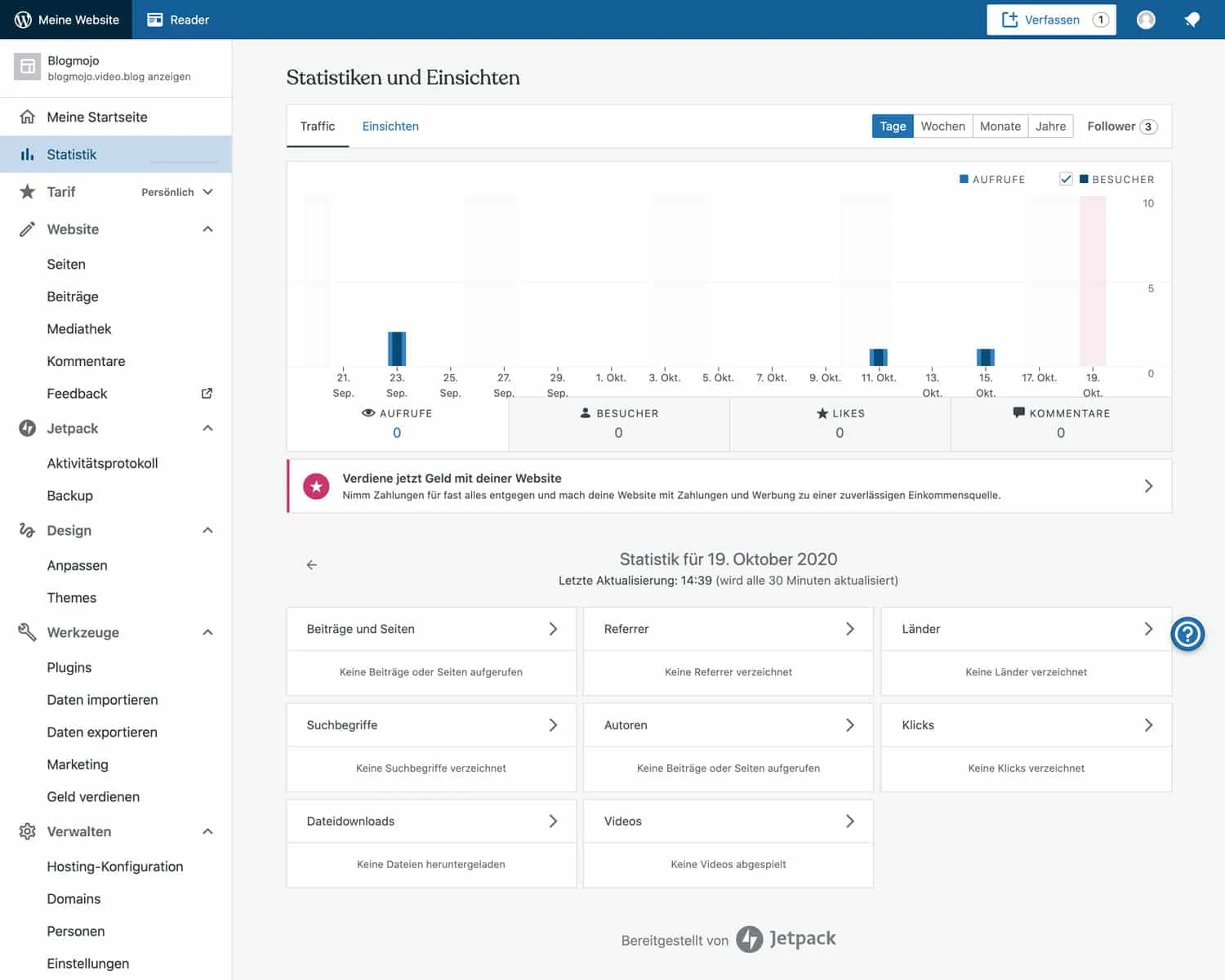
You see right away:
- Which posts/pages were visited
- How the visitor got to your site (search engine, referrer, etc.)
- Where and how often clicks happened
The built-in statistics also make things much easier for you in terms of data protection, because there is no data processor besides WordPress.com.
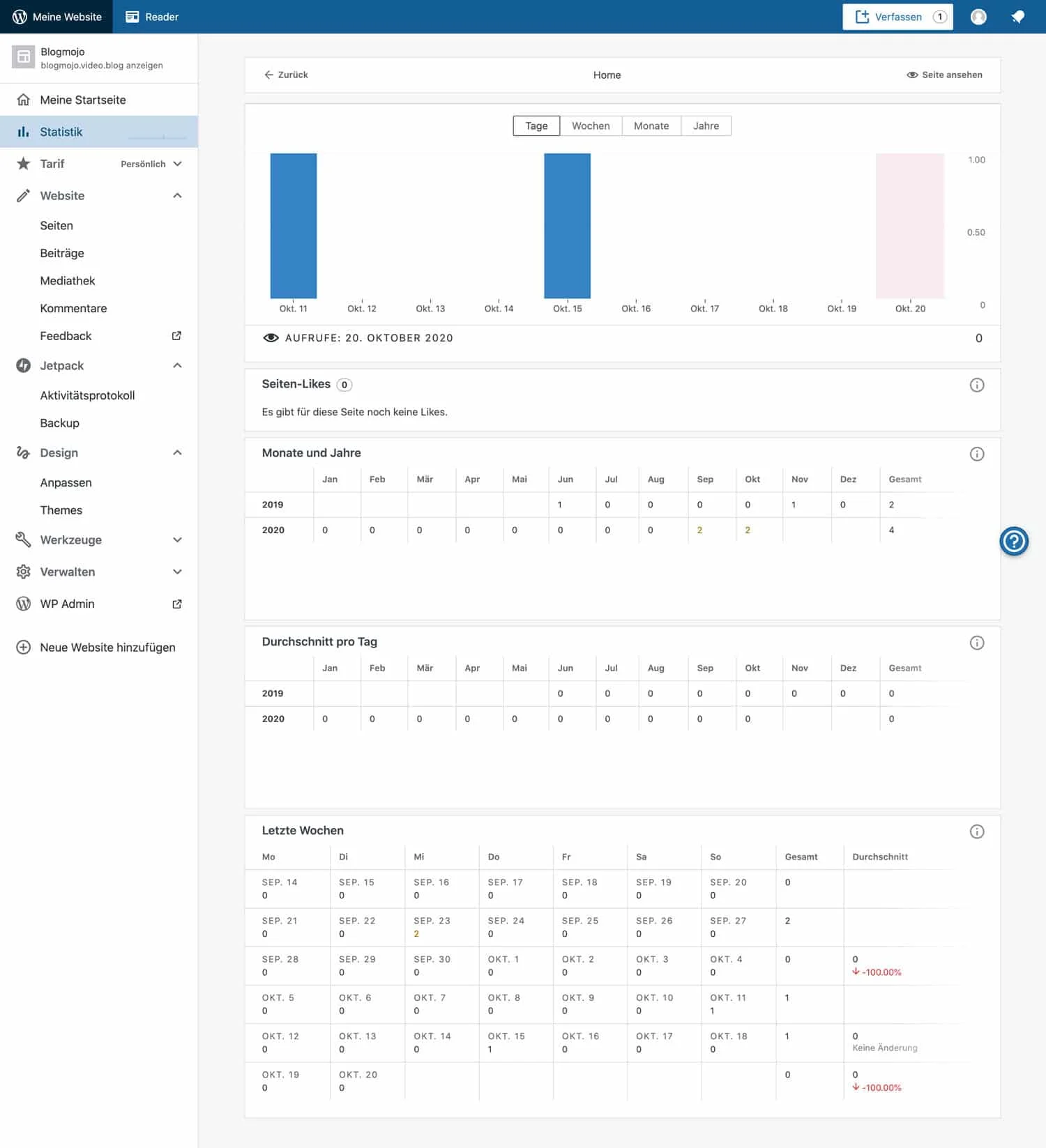
We also really like the statistics feature in the pages area. Here you can see right away how many visitors a particular page has had in the past.
Contact form
With the Gutenberg editor, you can add a simple contact form anywhere on your website in no time.
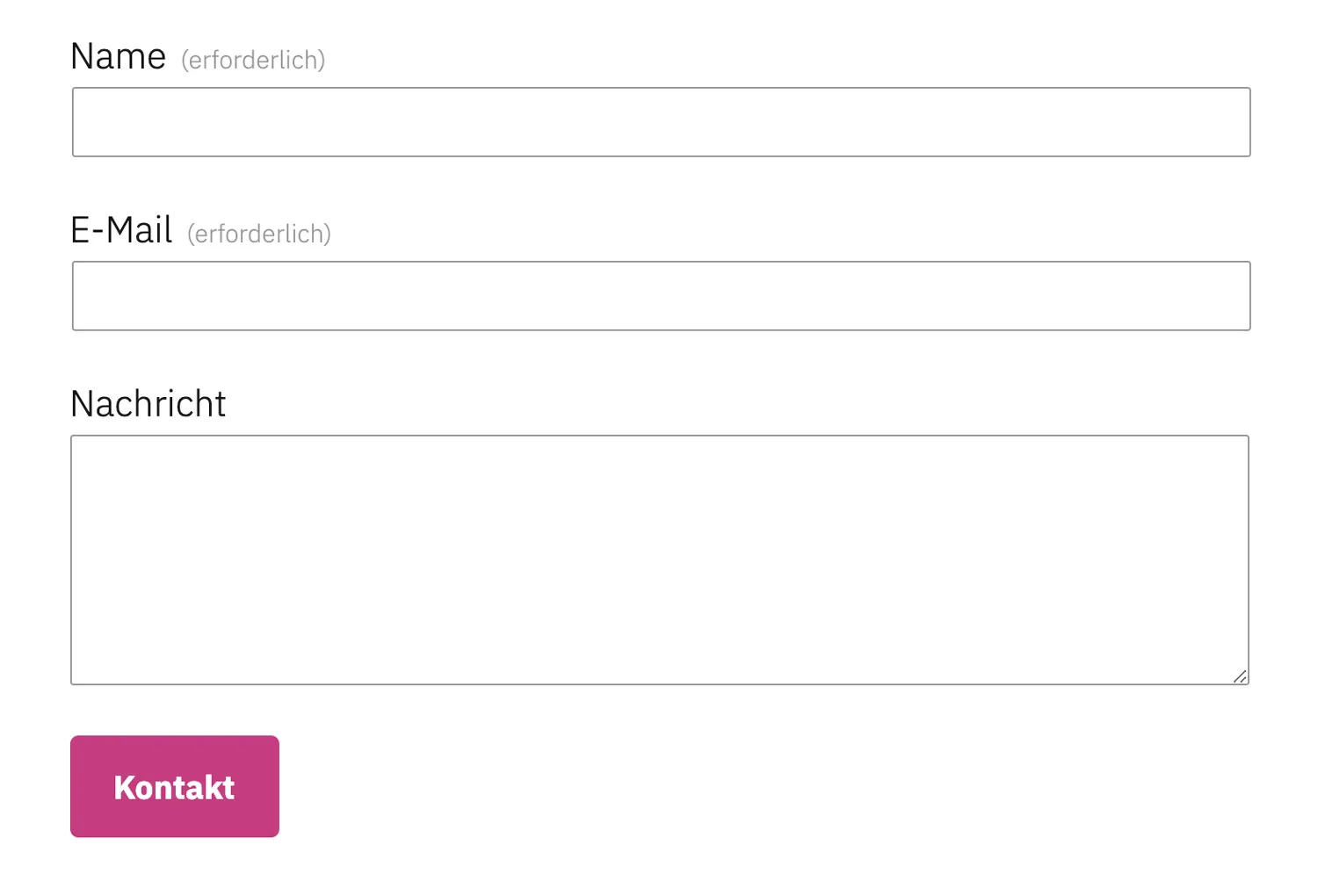
That said, the emphasis here is on “simple”: name, email address and message are the three fields available to you.
If you want to add a more extensive form, you can install a plugin such as Contact Form 7 on any paid plan.
Password protection
You can protect individual content with the built-in WordPress features. You can install plugins for more complex member areas on any paid plan.
So you could create exclusive posts that are only shown to visitors who also pay for them. That makes it relatively easy to build a simple member area.
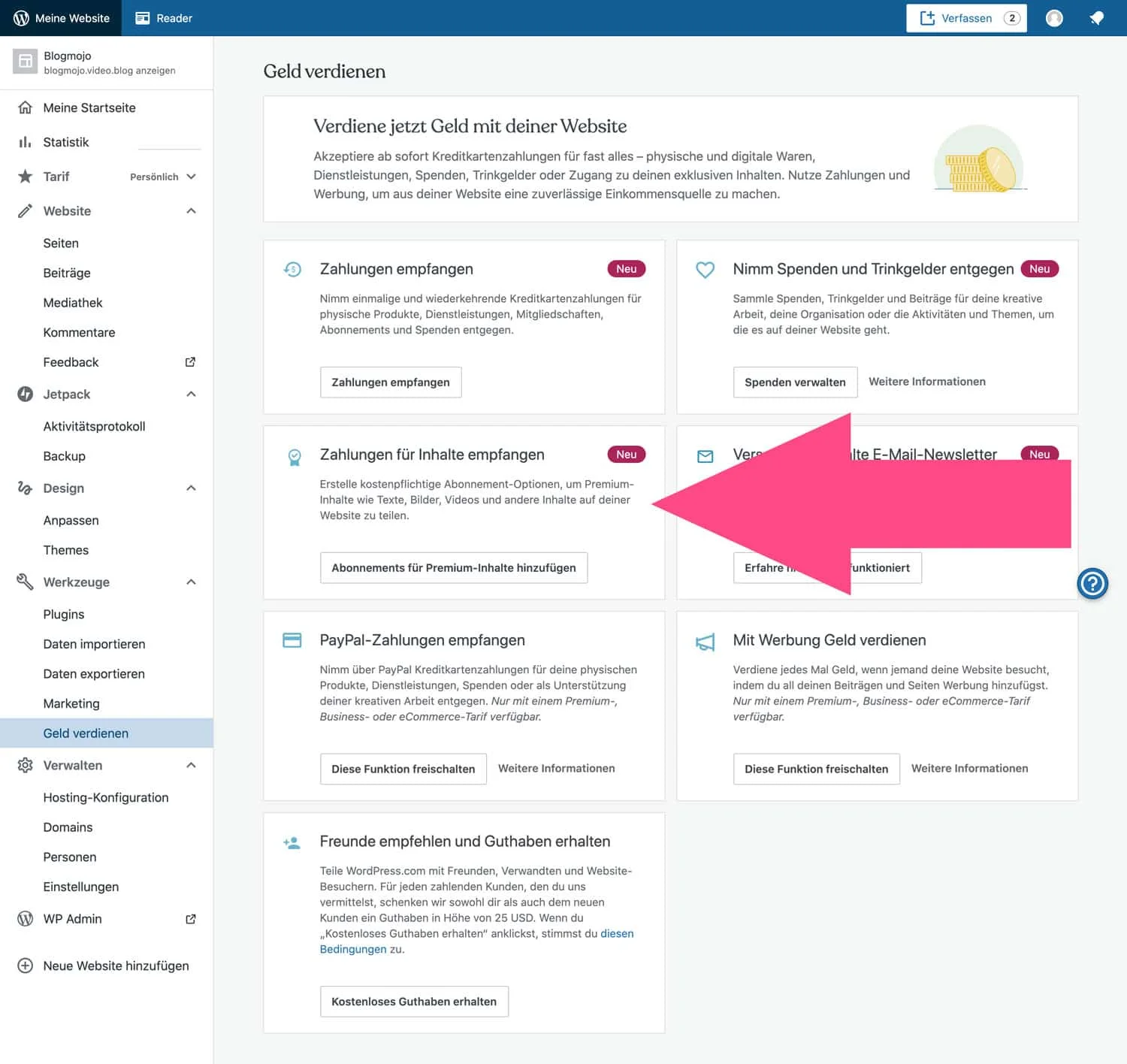
For this, though, you have to connect your website to the payment service provider Stripe, which shouldn't be a major problem.
Extensibility (widgets, plugins, apps, etc.)
One of the biggest advantages of WordPress is its extensibility. With plugins, you can extend your website with almost any function you want, because the WordPress plugin directory offers you more than 50,000 extensions.
Since April 2026, every paid WordPress.com plan gives you access to these plugins.
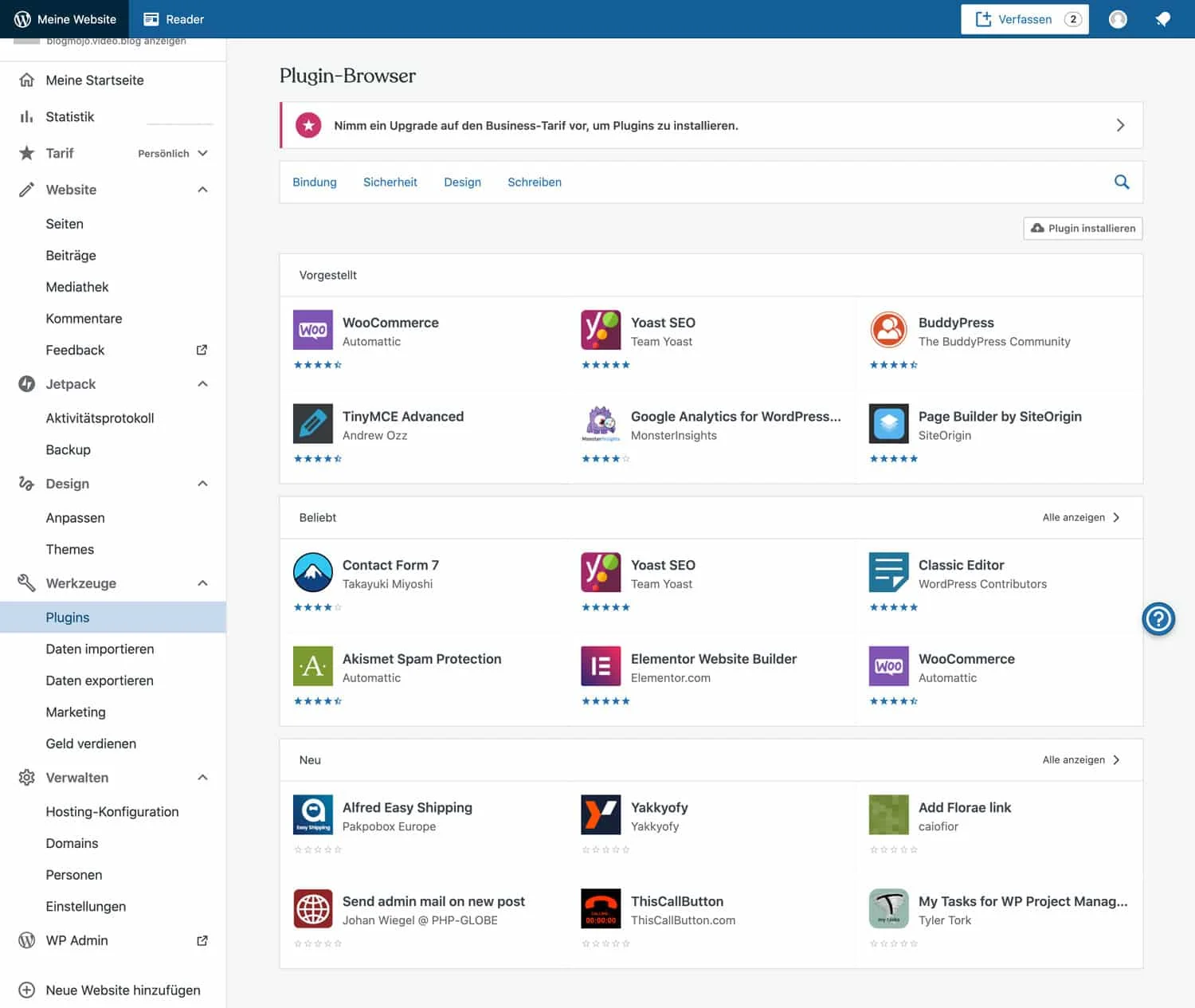
You can also add numerous widgets to your site or your footer.
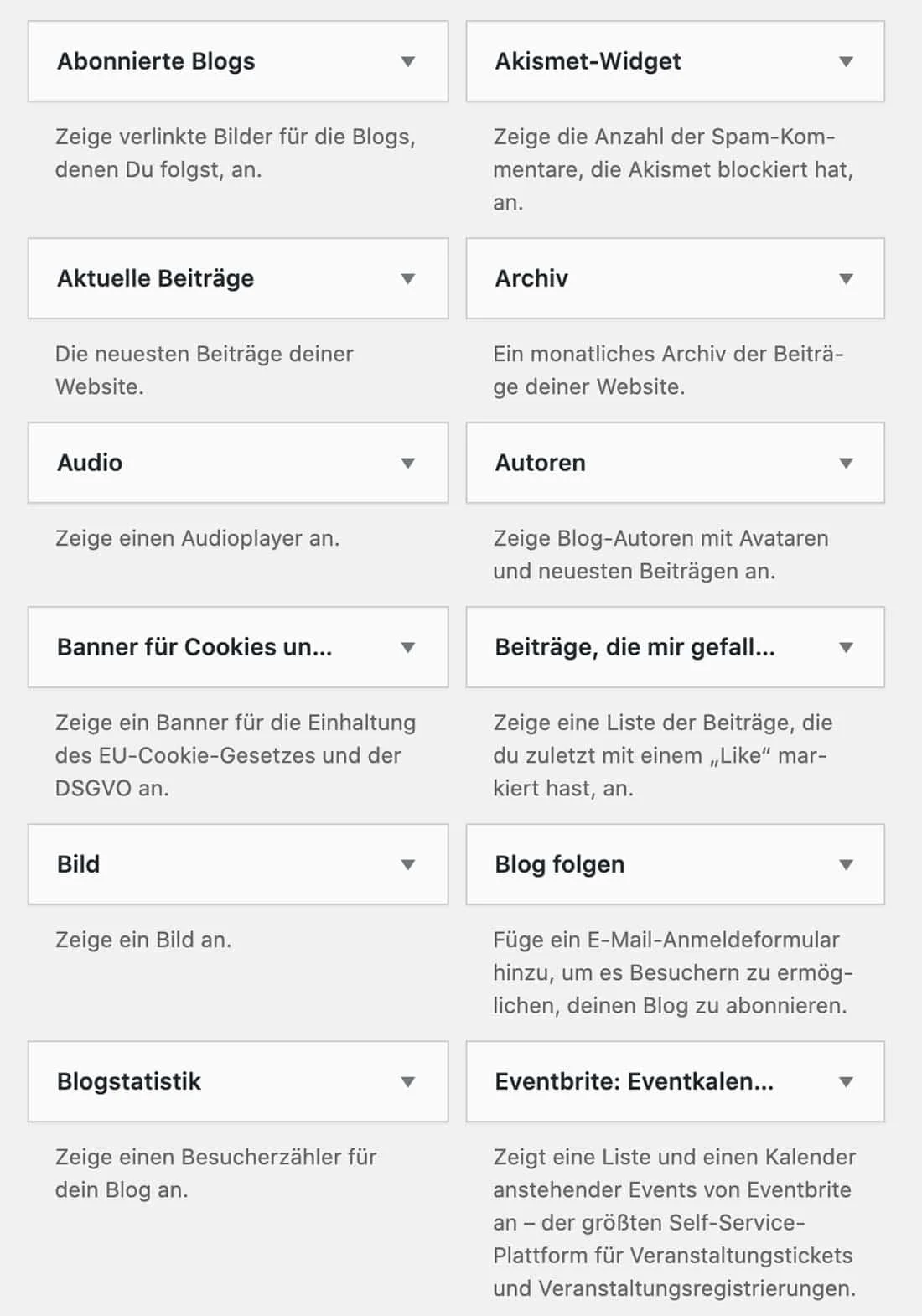
For example, you can display the latest posts or the latest comments in a clear summary.
Newsletter
WordPress.com now includes its own newsletter feature on every plan.
With it, you can insert sign-up forms, send new posts automatically by email and track open and click rates.
The free plan also allows new sign-ups. Importing existing contacts is limited to 100 subscribers in total there, though, while the paid plans have no fixed import limit.
Alternatively, on a paid plan you can install a newsletter plugin or connect a service like Mailchimp.
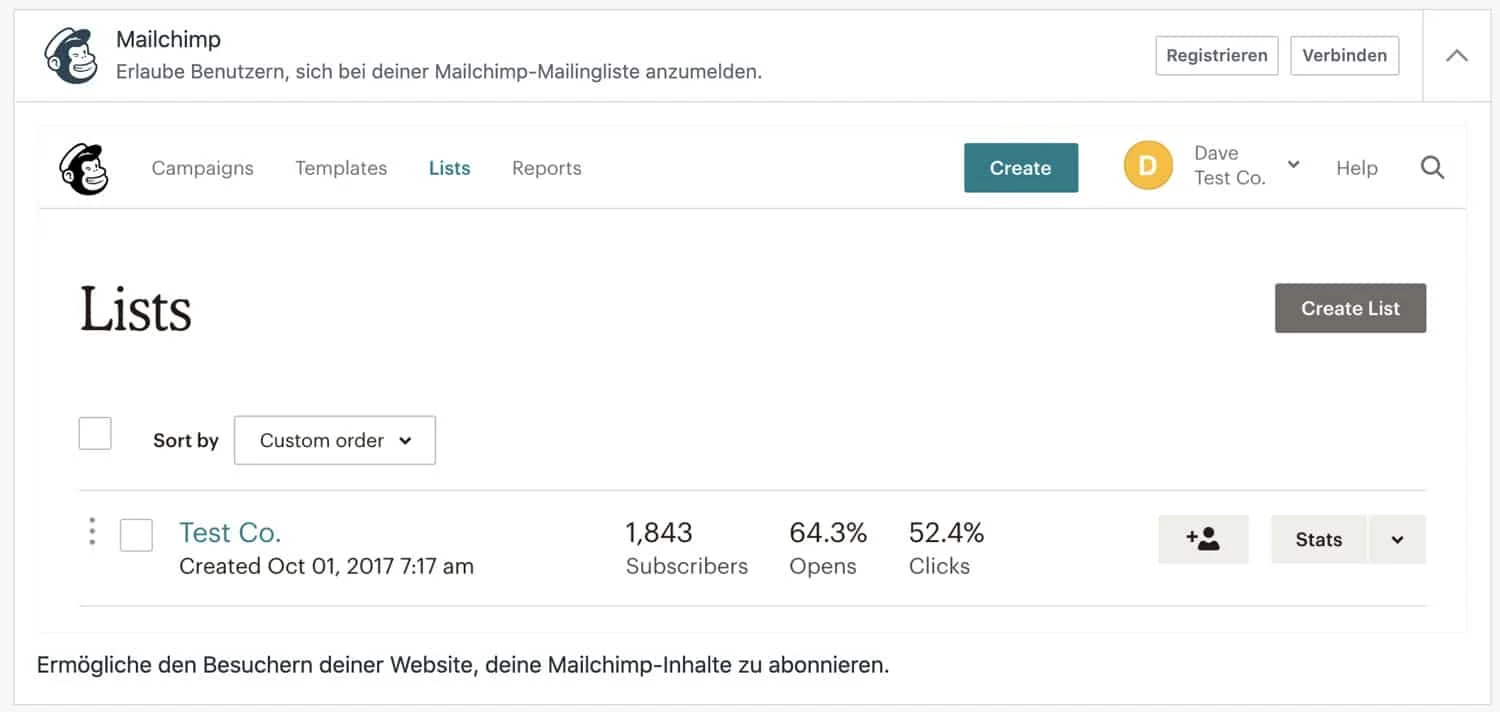
You can then place matching opt-in forms anywhere you like on your website.
3.2 Ease of use
With a bit of practice, WordPress.com is really simple to use.
The backend is very clearly organized and comes in a very subtle, minimalist design.
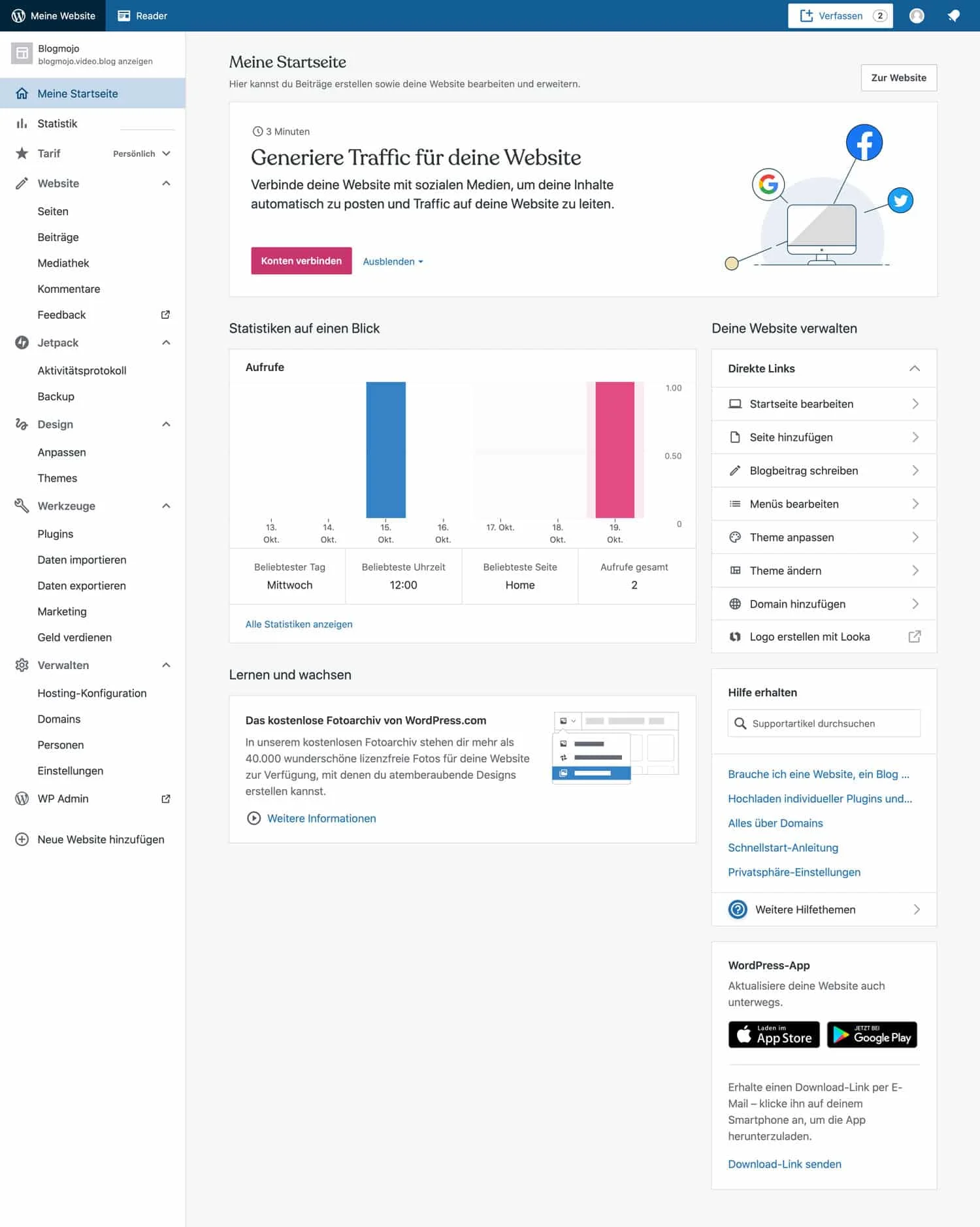
Admittedly, the first time you log in to your administrator area, the large range of features may feel a bit overwhelming. That should fade after the first few times, though.
The block and site editor now largely shows you content and layout directly while you edit. For the exact appearance in your chosen theme, you should still use the preview.
Compared to the freer drag-and-drop editor of Wix, the operating logic is more strongly shaped by blocks, templates and global styles. After a short getting-used-to period, it works well, though.
You can install page builders like Elementor as a plugin on any paid plan.
The load time of the admin area and the adaptation to mobile devices, on the other hand, are very positive.
In theory, you could also work on your website via smartphone or tablet, but because of the very small display that isn't really practical. Answering comments or doing other small jobs is definitely possible on the go, though.
Summary:
- Great, clear admin area
- Fast load times and optimized for mobile devices
- Gigantic range of features
- Visual block and site editor
- More getting started time needed than with simpler builders
3.3 Templates
Selection
The template selection is extensive and entirely sufficient to implement really any project in any niche.
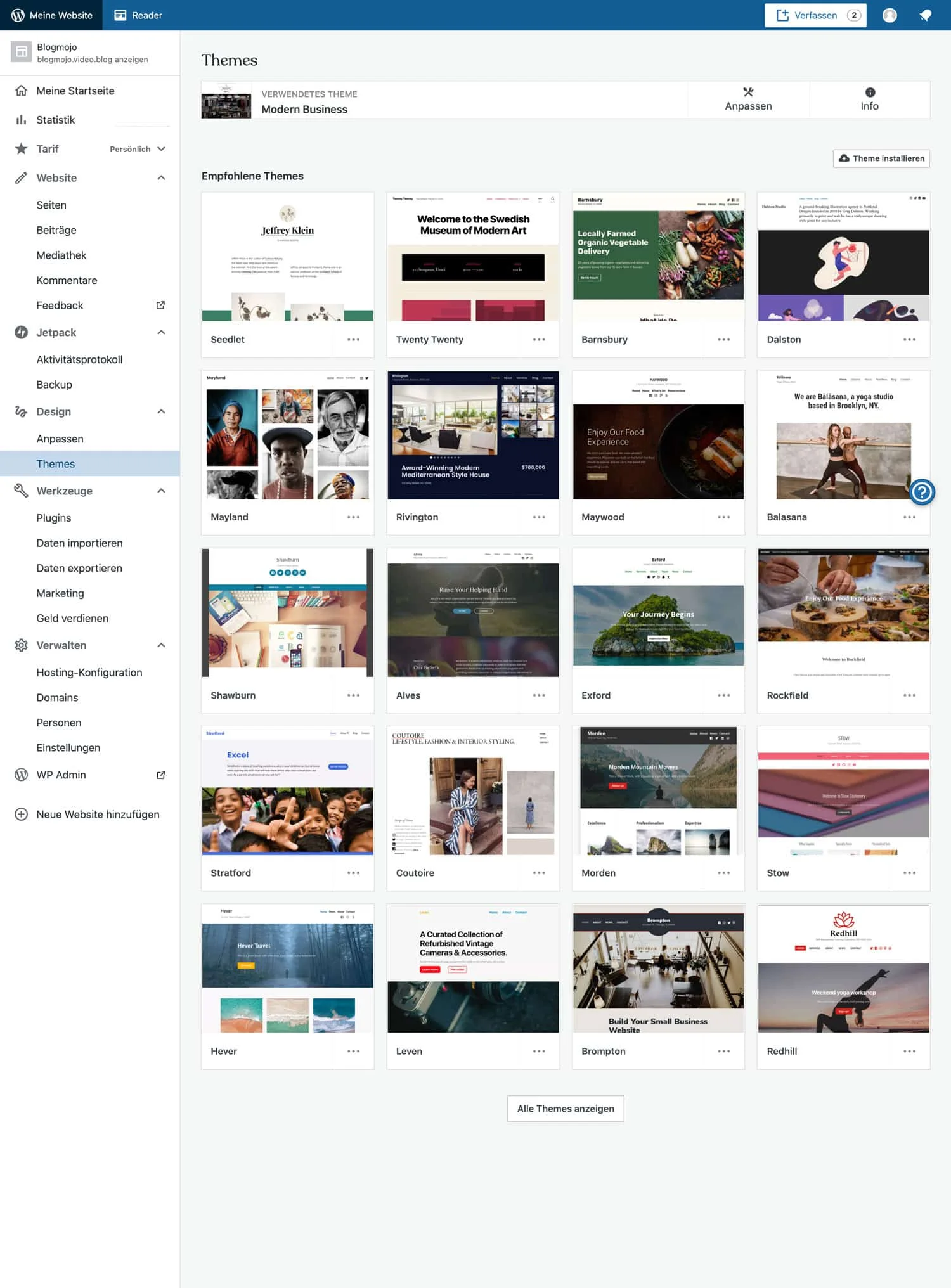
The ready-made templates are loaded directly in the admin area and can then be adapted very flexibly to your own ideas.
Design quality
With its templates, WordPress.com lets really good quality do the talking.
They range from modern and minimalist to graphically exciting. That way, not only the small business around the corner but also the private blogger and even the professional photographer who cares a great deal about an extravagant look is guaranteed to find a suitable design of excellent quality.
Responsiveness
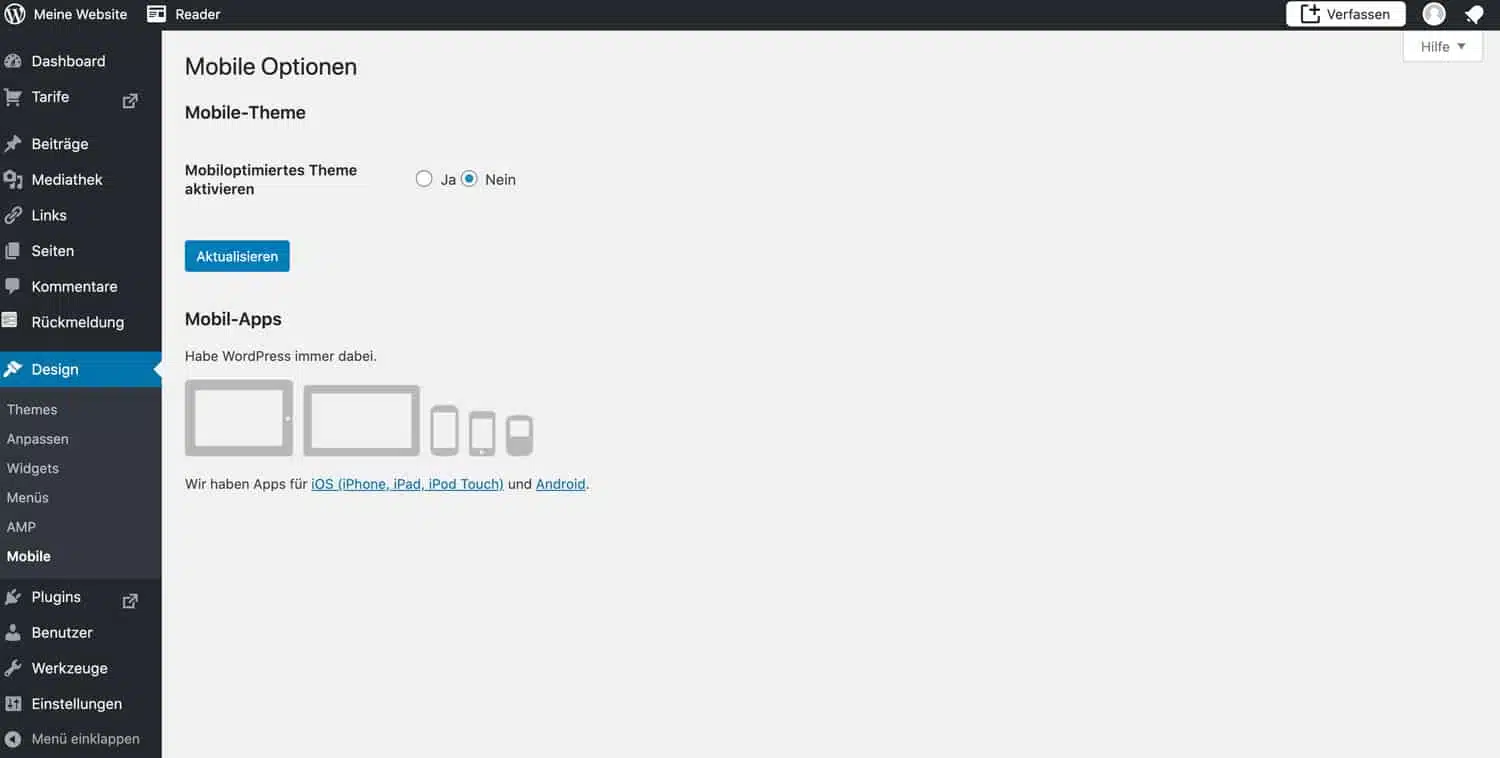
Of course, all templates in WordPress.com are optimized for mobile devices.
In the backend, you can make further settings.
Customizability (CSS, custom code, etc.)
WordPress.com gives you the option to add your own CSS or your own code and thereby adapt the design more individually to your ideas.
Custom CSS and simple code embedding are possible from the Personal plan onward. Developer access such as SFTP, SSH and WP-CLI remains reserved for the Business and Commerce plans.
3.4 Help and support
If you have problems building a website, you're certainly not alone, thanks to a gigantic WordPress community.
Compared to other website builders, with WordPress you don't just get support from WordPress.com, you also find help in thousands of forums and community groups.
That's for sure!
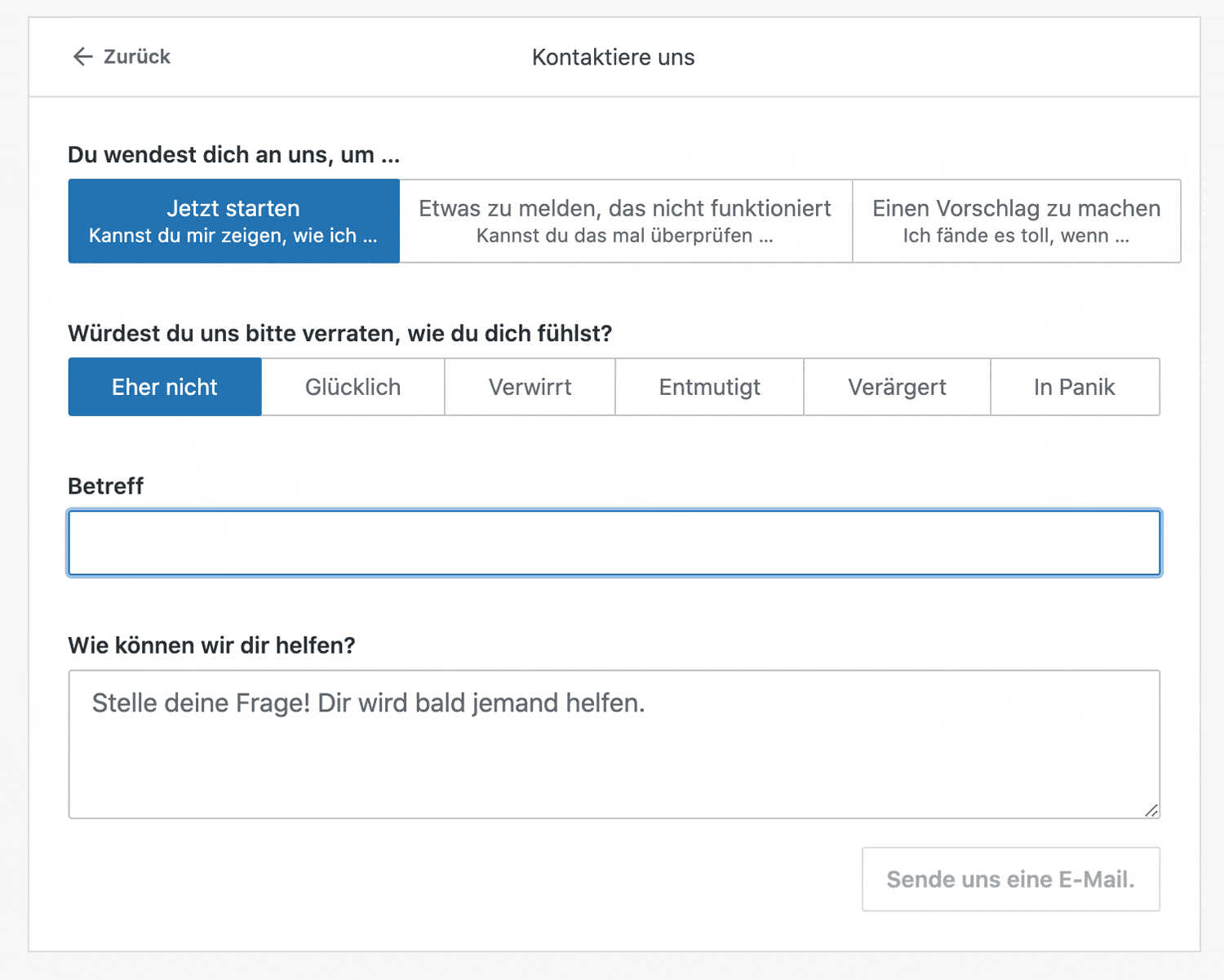
The Happiness Engineers are available around the clock on all paid plans. There is still no phone support.
3.5 Languages
WordPress.com comes with an admin area fully translated into German.
Help documents on nearly all topics are also available in German.
Nothing left to wish for here!
3.5.1 Multilingual websites
If you want to build a multilingual site with WordPress.com, you have numerous different solutions available. Namely in the form of various plugins.
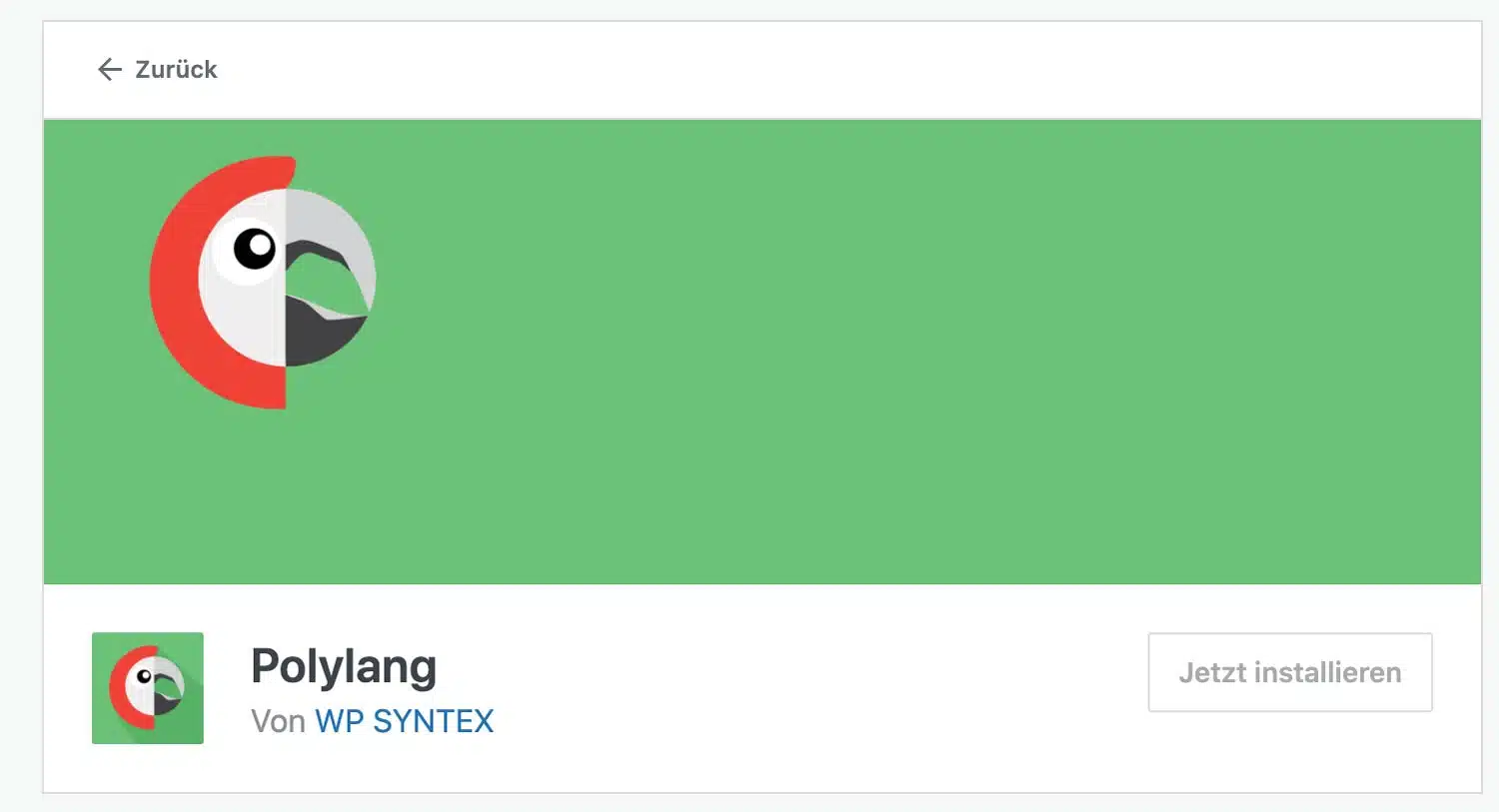
Since plugins are available on every paid plan, you can now build a multilingual website from Personal onward.
In return, you get implementation options that can be adapted perfectly to your ideas.
3.6 GDPR and legal matters
Your WordPress.com website is hosted by the company Automattic Inc., which operates server locations all over the world.
Personal data can be stored both in the EU and in the US. When you first activate the hosting features, the Business plan can now choose “EU West” as its primary data center. Since WordPress.com copies data to several data centers for reliability, however, this is not exclusive storage in a single region. For Business websites that are already activated and for Commerce websites, the primary data center currently cannot be set afterwards.
If you use WordPress.com for business and process your visitors' data in the process, you can request a data processing agreement in the privacy settings of your account.
You can find out about all the cookies WordPress.com sets automatically here.
There is, however, a big minus point for the fact that WordPress.com provides no templates for an Impressum (the legal notice German websites must carry) or a privacy policy. For these you have to create pages yourself and ideally have a lawyer put together suitable texts (there are numerous free generators on the internet).
You can display a simple cookie notice with the cookie consent block or the older consent widget. On free websites financed by ads, a corresponding notice is shown automatically.
The built-in block has no decline button, though. If you need more comprehensive consent management with prior script blocking, you can install a specialized plugin on a paid plan.
3.7 Backup, restore and portability
In the WordPress.com admin area, the Jetpack plugin is integrated by default, which you could use to create backups and restore them without any problem.
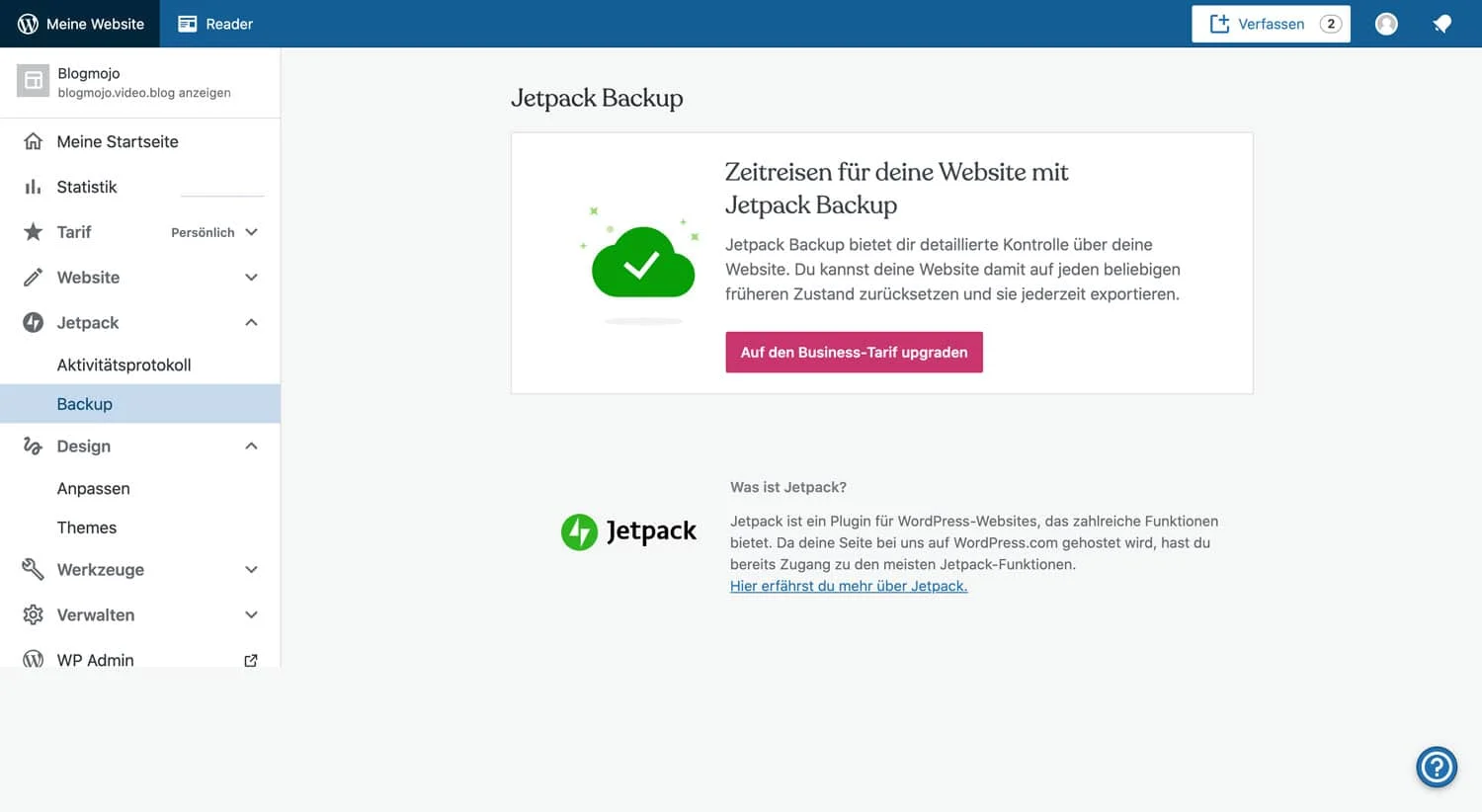
Automatic real-time backups with one-click restore belong to the Business and Commerce plans.
On the other plans, you get the version history for content and the export function, among other things. That does not replace a full website backup, though.
On paid plans, you can also install a compatible backup plugin.
3.8 Core Web Vitals and load time
As part of our website builder comparison, we measured the absolute load time and the Core Web Vitals of every builder.
To do this, we created a test website with every provider that has the same design and is filled with the same five images and the same placeholder text, to get results that are as accurate as possible.
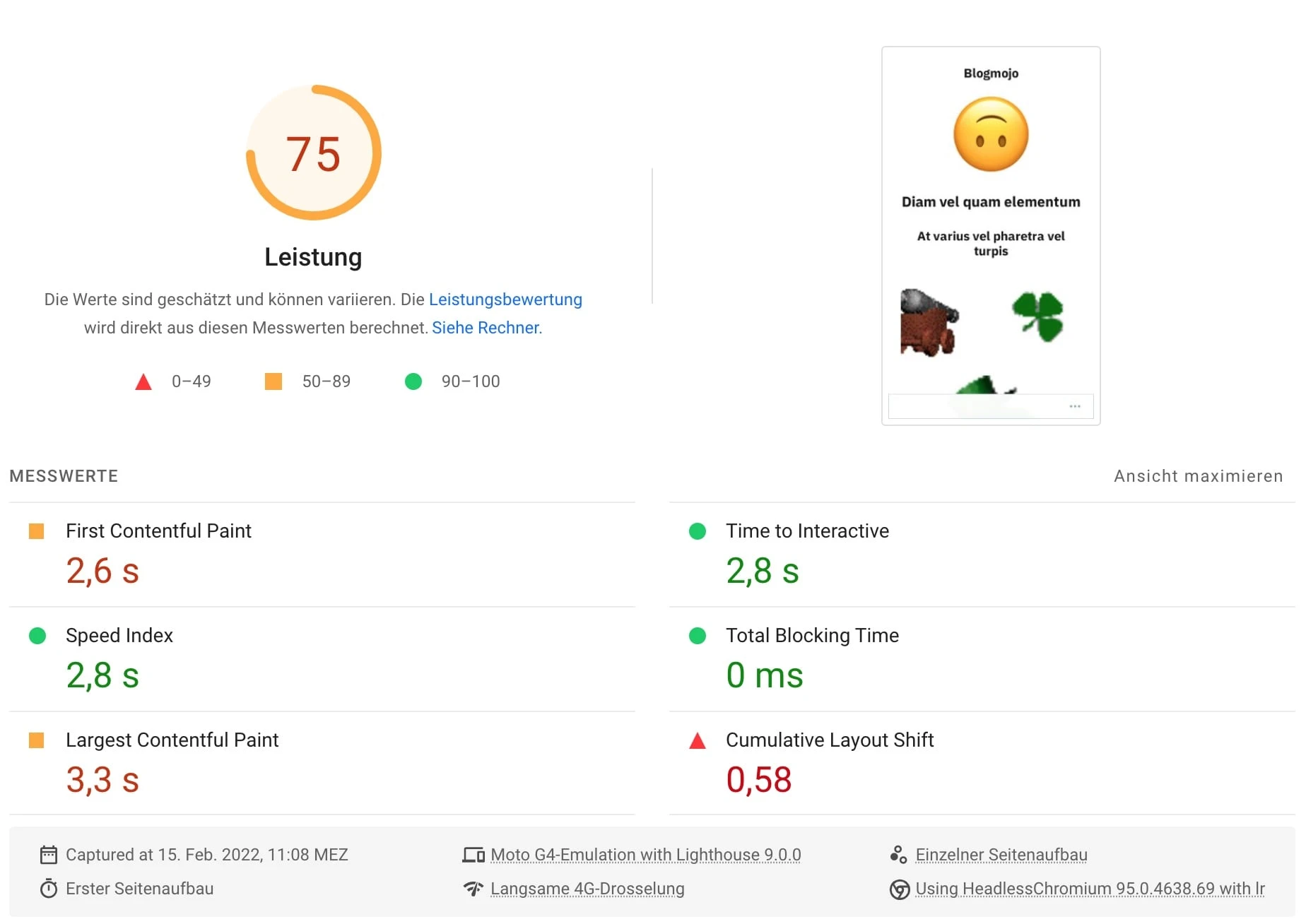
The WordPress.com test website lands in the middle range for Core Web Vitals. It reaches a PageSpeed score of 75, with partly good but also poor values across the different metrics:
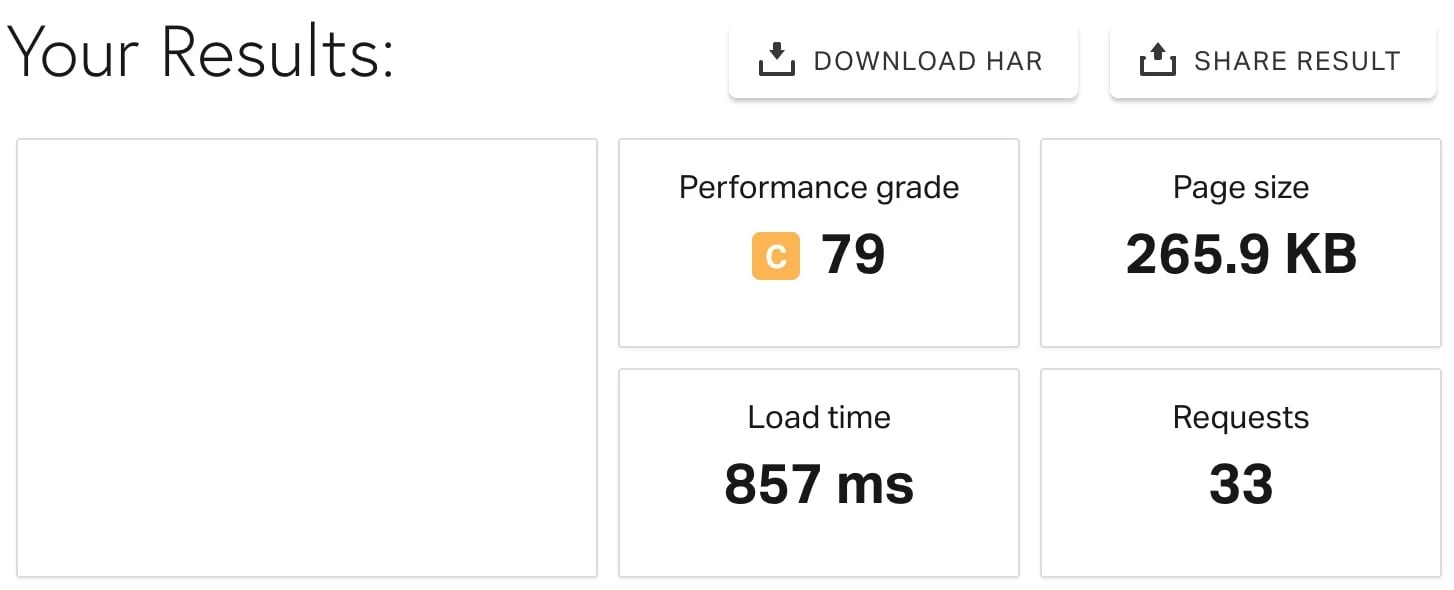
The absolute load time of 0.857 seconds, measured by Pingdom Tools (with a location in Frankfurt am Main), is reasonable given the simple structure of the test website:
4. Examples of WordPress.com websites
There are numerous renowned organizations that rely on WordPress.
One of them is Harvard University, for example:

5. Alternatives to WordPress.com
The best-known alternative to WordPress.com is WordPress.org. We describe the difference between the two systems in more detail in the next chapter.
Outside the WordPress universe, there are very few website builders that can keep up with the gigantic range of features of WordPress.com.
That's no wonder, since WordPress.com is designed as a content management system that copes easily with large amounts of data and therefore with very large websites too.
You'll find better alternatives above all if you want to implement a specific project.
- The online shop: If the focus is on selling products, we would urgently advise you to go with Shopify. Shopify concentrates 100% on selling products and is therefore clearly ahead in this area. That goes for the level of difficulty too, by the way.
- Small sites: If you only want to build a small website with just a few subpages, we would advise a website builder like Wix. Getting started is much easier there.
6. WordPress.com vs. WordPress.org: What's the difference?
The biggest differences between the two systems are the price and the degree of personal responsibility.
What do we mean by that?
With WordPress.com, many things such as hosting and connecting a domain are taken off your hands. Support is also available to you from the Personal plan onward.
You pay a price for that with WordPress.com.
How high that price is depends on how many features of the actual WordPress installation you want to use.
WordPress.org is 100% free.
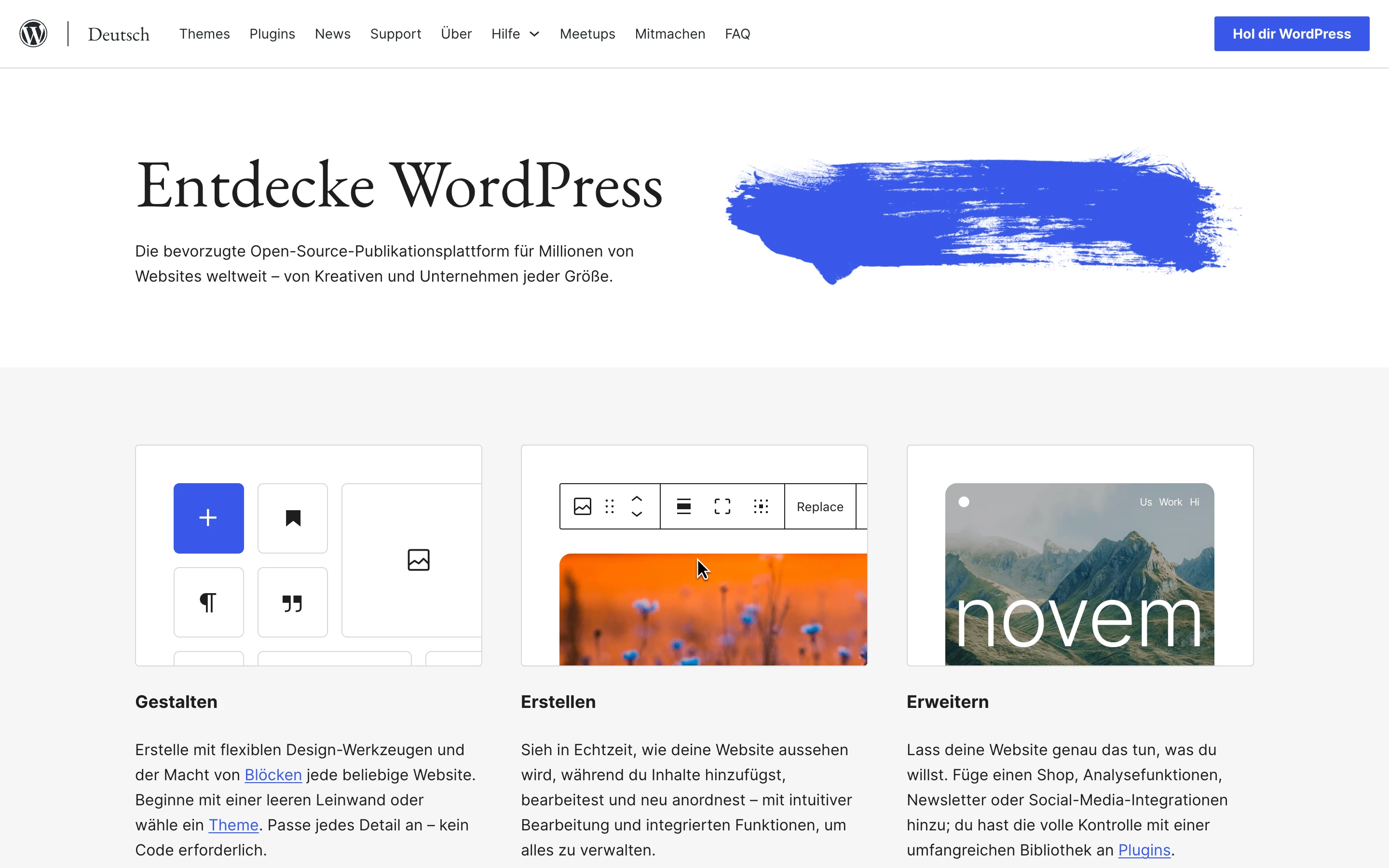
In return, though, you have to take care of everything yourself.
That means you first have to sign a contract with a hosting provider who gives you web space. You also need a domain that is connected to the web space.
After that, you can install WordPress on this web space and build your site.
From the start, you enjoy the full range of features of the system without any restrictions.
The maintenance of the site is also left completely up to you, though.
Put simply: WordPress.com is the all-inclusive, worry-free package, which comes at a price. The freedom of WordPress.org is free, but requires a certain amount of expertise.
Still, you shouldn't be afraid of WordPress.org either, because there are countless guides online that accompany you on the way to your own WordPress website.
7. FAQ
Here you'll find answers to frequently asked questions about WordPress.com: