
Strato is one of the best-known web hosts in the German-speaking region.
But the company's range of services covers much more than pure website hosting. An in-house website builder is part of the product line too.
But is the Strato website builder actually usable?
Where are the pros and cons? How does it compare with competitors like Jimdo, Wix or webgo?
We bought the “Homepage-Baukasten Plus” plan and tested it in detail over an extended period.
1. Verdict
Test categories
Pros
- Email mailboxes with plenty of storage included
- German-language support, including weekends
Cons
- Editor is unintuitive and fiddly
- Design customization is very inflexible
- Hardly any SEO features and meager visitor statistics
In our website builder comparison, Strato only took 7th place with 55.15 points. Our overall grade is 3.3 on the German school scale (1 is best).
As a German provider, it can offer good German-language support that is there for you on weekends too.
The email mailboxes already included in the price come with plenty of storage and are enough for most needs.
The feature set in particular is very limited, though. There are hardly any SEO features, and the visitor statistics are meager and add little value.
On top of that, the editor is unfortunately unintuitive and doesn't always do what you expect from it.
Combined with the inflexible design customization, this is why Strato only takes 7th place.
Who is Strato suitable for?
The Strato website builder is not a tool for advanced users or professionals with higher demands.
It is rather the right solution for those who don't want to put much time and money into their own website but absolutely want to be “online”.
As a beginner you can put a website together quickly. But that's all.
With a different system, such as the webgo website builder, you are better off in most cases.
2. Prices & costs
Strato offers you three different pricing models with different feature sets and different contract terms.
In general, all plans offer good value for money. An extensive online shop function is not part of the standard scope of SmartWebsite, though. For that, STRATO offers its own, separately paid product line called SmartWebshop.
We'll tell you what that looks like in detail later.
2.1 Is there a free version?
Sort of.
With a twelve-month contract term, the first month of Basic and Pro is currently free. With the Plus plan you pay €1 each month for the first twelve months.
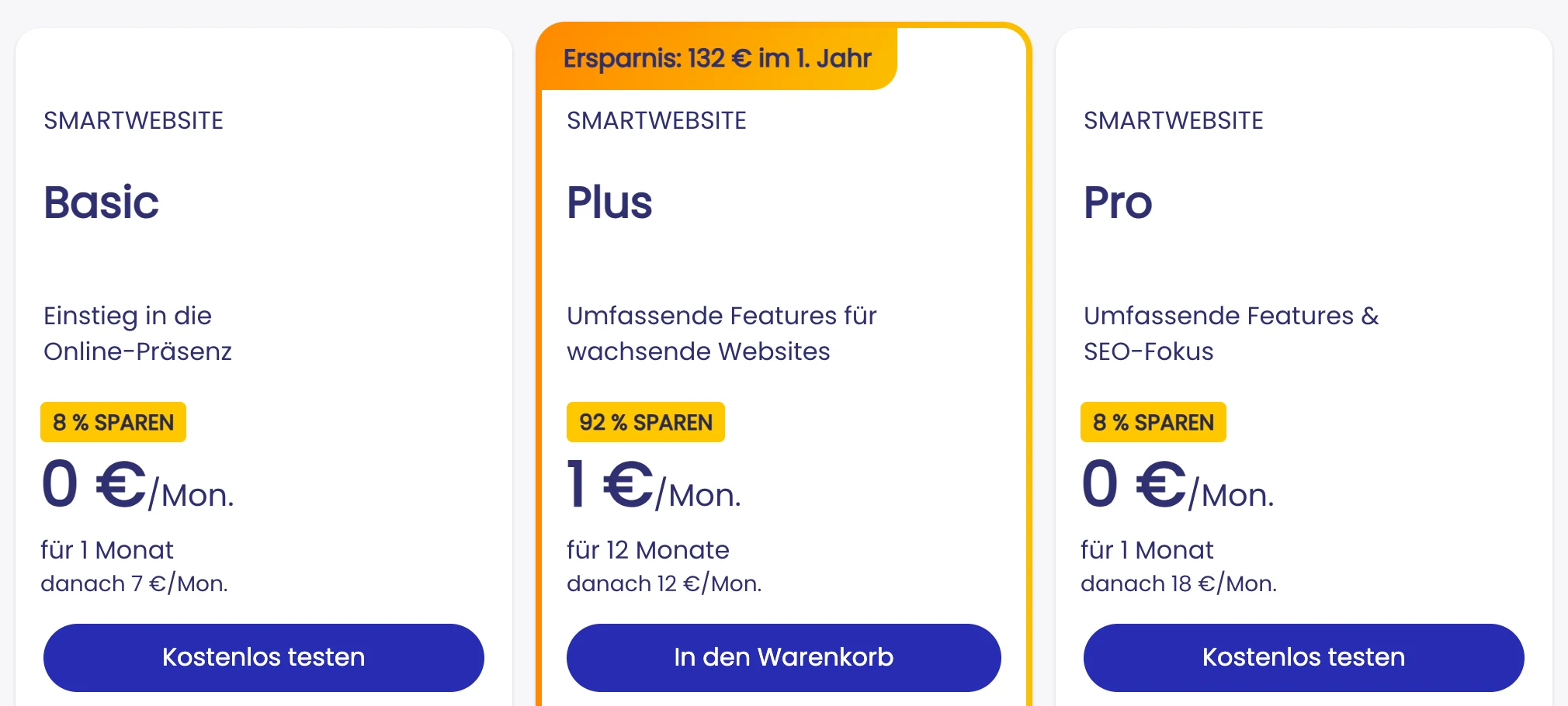
After that, however, fixed monthly installments are due.
Unfortunately, there is no plan with which you can run a website with the Strato website builder for free permanently.
2.2 Which premium plans are there?
STRATO divides its plans into Basic, Plus and Pro. This is what the plans page looked like on November 20, 2026:
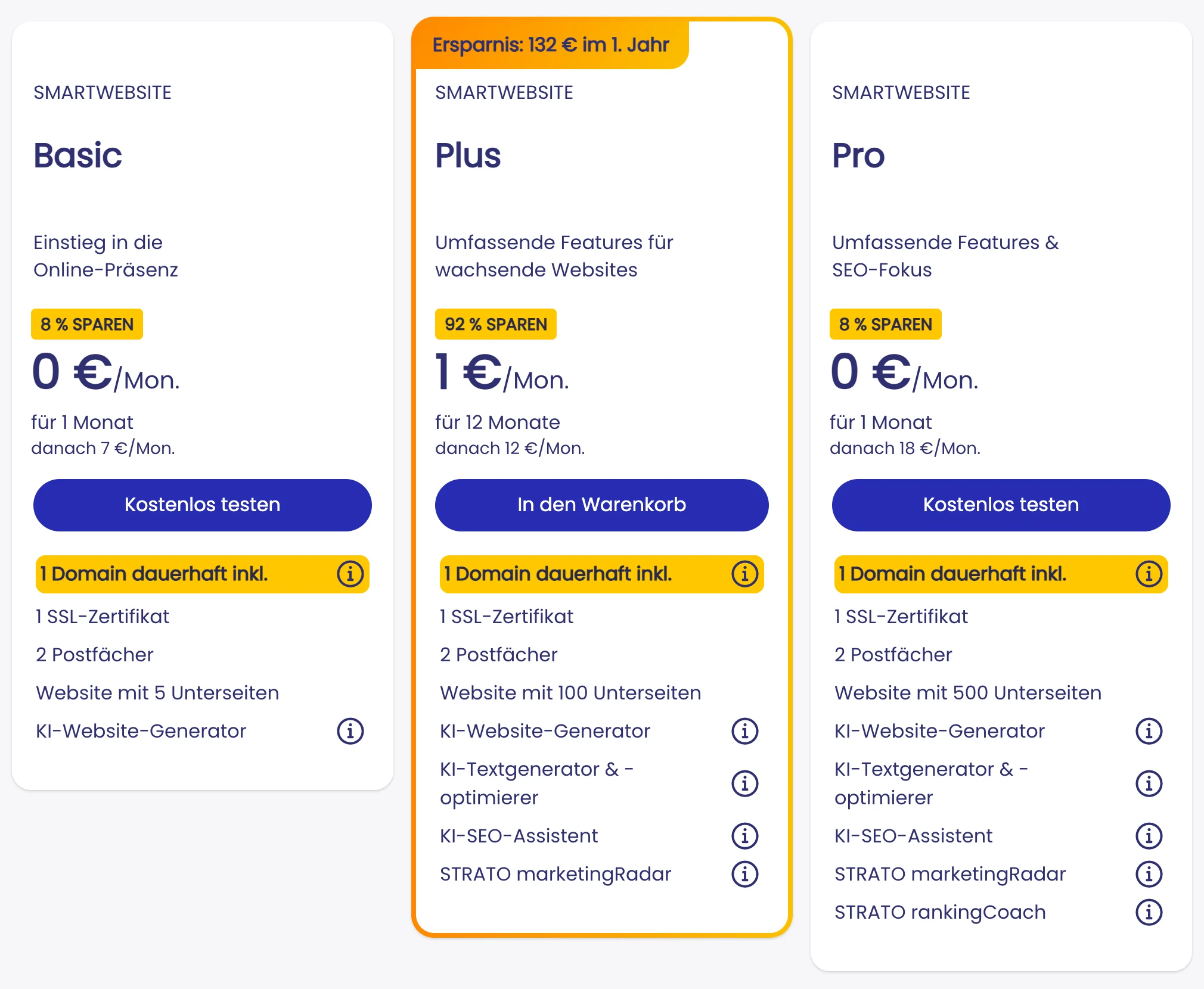
Regular prices with a 12-month contract term:
- Basic costs €7 per month. The first month is free.
- Plus costs €12 per month. For the first 12 months, a promotional price of €1 per month currently applies.
- Pro costs €18 per month. The first month is free.
What about the features?
The thing to say here is that the Basic plan (as the name already suggests) really is only an absolute entry-level solution that is by no means suited to serious web projects.
You get a domain, an SSL certificate and two email mailboxes, but you can only create 5 pages. The AI website generator is included too.
So if you subtract the home page, the Impressum (the legal notice German websites must carry) and the privacy policy, only two further pages are left for you.
The Basic plan offers ready-made layouts and sections, but remains clearly limited in page limit and extra features.
The Plus plan is better.
Here the page limit rises to 100. The AI text generator, the AI SEO assistant and STRATO marketingRadar come on top.
In short: you don't have to start below the Plus plan if you want to build a professional website.
A particular highlight for us is version management. It lets you save different editing states of your website and reactivate them when needed.
The selection of industry layouts and ready-made sections is extensive as well.
The Pro plan raises the number of pages to 500 and adds rankingCoach to the marketingRadar already included in Plus. Domain, SSL certificate and two email mailboxes remain included.
By the way: strictly speaking, there is a fourth plan, the design and maintenance service.
Here the STRATO team builds your website and then also takes care of website maintenance. We leave this plan out of our test report, though.
2.3 Can I create an online shop with the Strato website builder?
The plain SmartWebsite plan is not meant as a full shop system. For professional e-commerce, STRATO now offers the separate extension SmartWebshop.
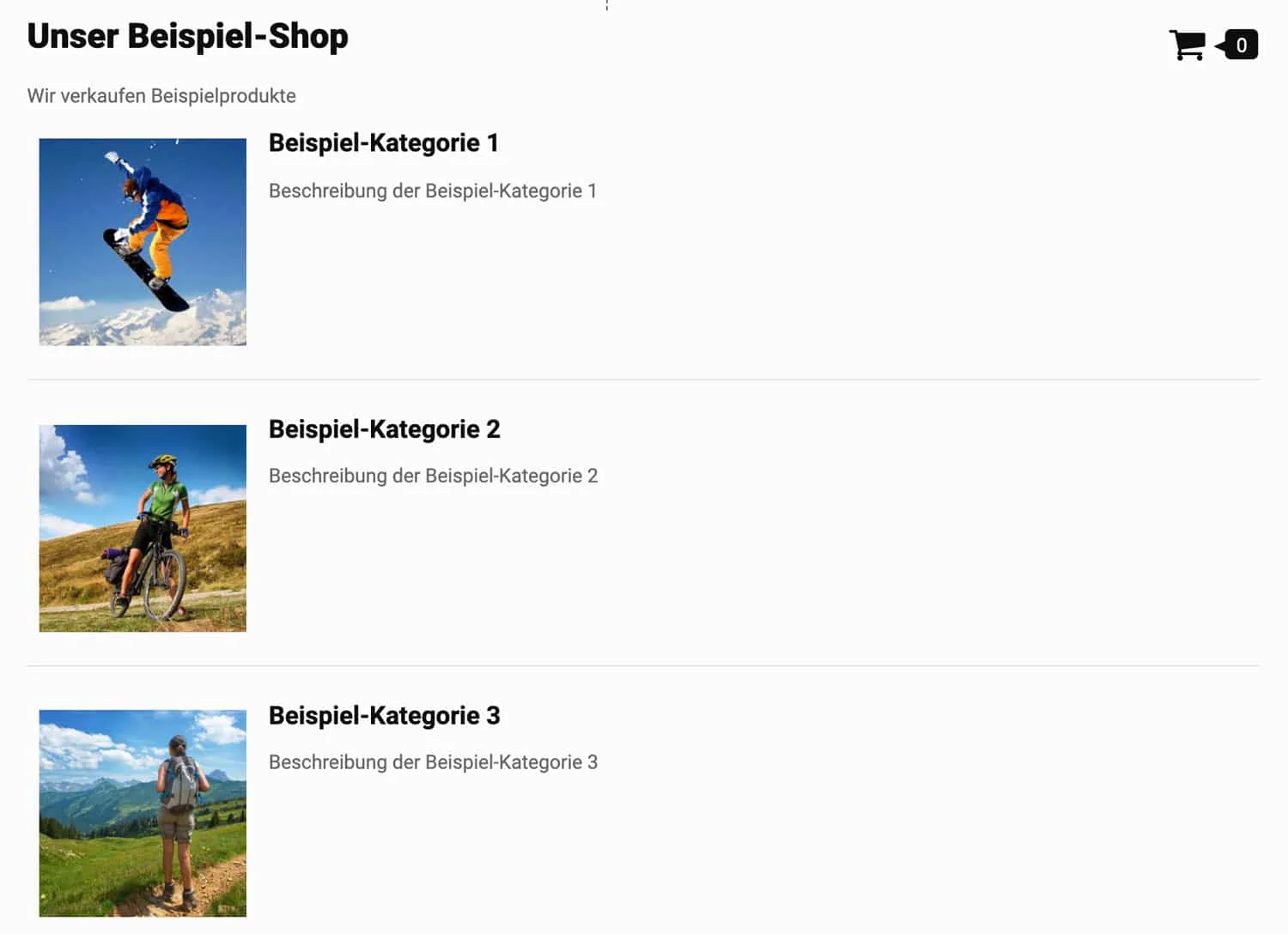
Older STRATO projects may still use shop widgets or Ecwid. For new projects, STRATO points to SmartWebshop or, alternatively, to WooCommerce.
2.4 How much does a domain cost at Strato?
A domain is included permanently in every SmartWebsite plan. Basic costs €7 per month on a twelve-month term or €9 on a monthly term.
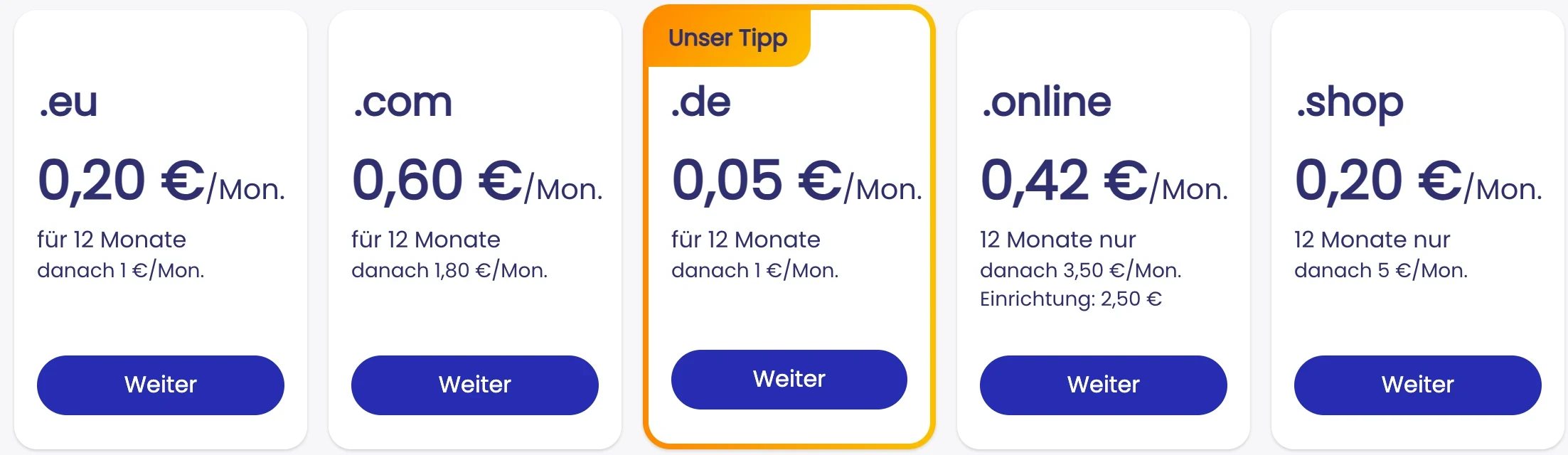
If you prefer, you can also buy domains at Strato independently of the builder.
A separately booked .de domain currently costs €0.05 per month in the first year and then regularly €1 per month.
3. Test results in detail
Now we'll take a closer look at the feature set and properties of the STRATO website builder.
We can already tell you one thing at this point: we really like some features a lot, while others clearly fall behind the competition.
3.1 Features
Storage and traffic
Basic includes 10 GB, Plus 20 GB and Pro 50 GB of web space. Traffic is unlimited in all three plans. Basic allows 5, Plus 100 and Pro 500 subpages.
Custom domains
Strato really scores here!
Starting with the very inexpensive Basic plan, you get your own domain including an SSL certificate.

And it gets even better: Strato doesn't just give you a domain with a .de ending but lets you choose from many different domain variants such as .net, .org or even .com
Currently, a domain is included permanently in each of the three plans.
Blog
Do you want to create a blog with the Strato website builder?
Then we have bad news for you, unfortunately: there is no blog function.
Not even a very stripped-down or minimal version, as in the webgo builder, for example.
Online shop
If you want to build your own online shop, STRATO currently gives you mainly two routes:
- SmartWebshop: You extend the SmartWebsite with the current STRATO shop system.
- WooCommerce: You build the shop on a WordPress basis and gain more options for extensions.
The former Ecwid widget is still relevant for existing projects, but should no longer be the basis for choosing a plan for new shops.
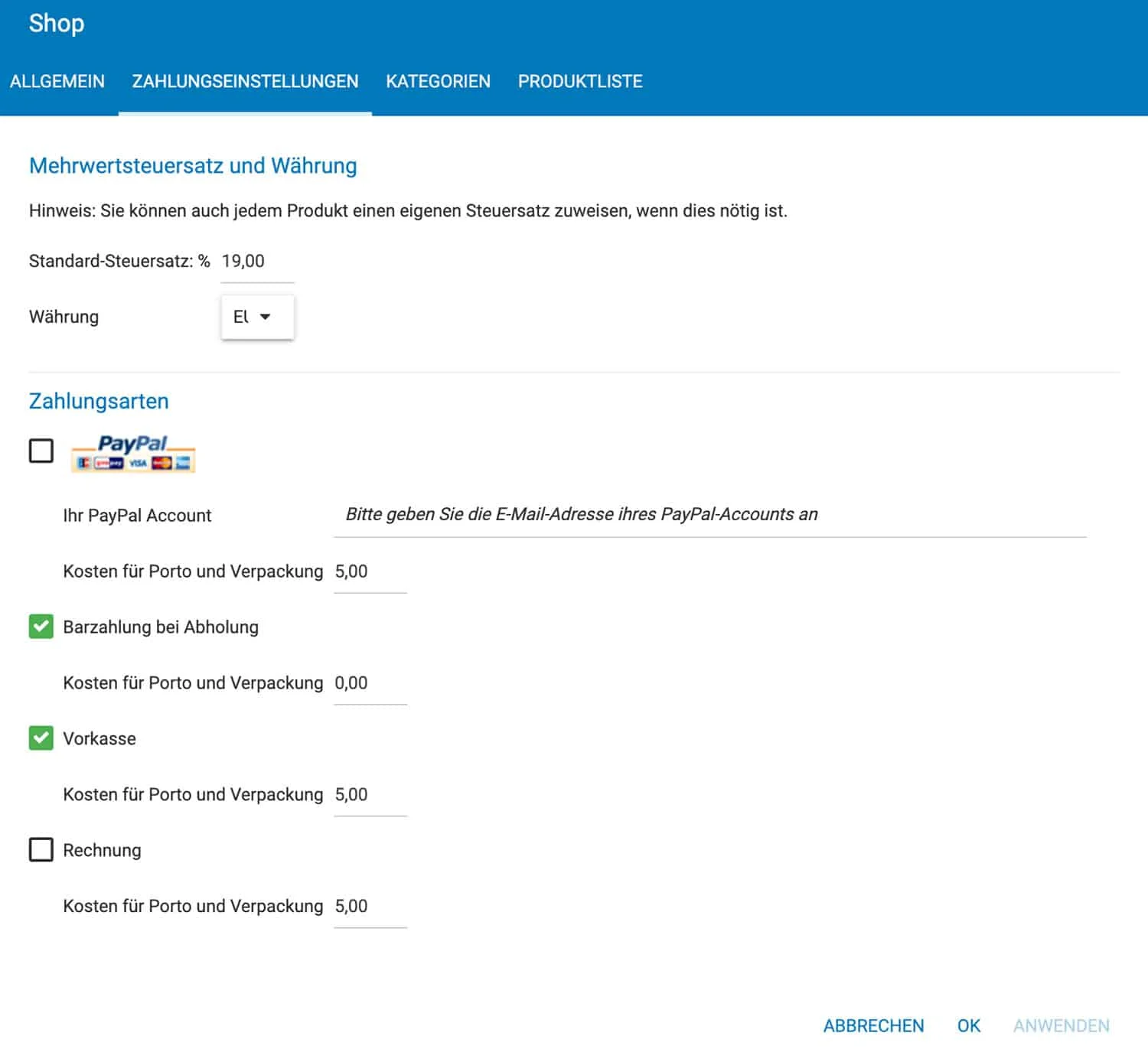
Even though you are given the option to sell products through your own website, the features of the shop function are not really strong. For example, you can't offer coupons or export/import products.
Something else we don't like here is product management: new products can only be created and edited directly in the drag-and-drop editor.
We also miss a detailed overview and statistics of sales.
SEO
In the website builder, Strato gives you the option to implement various SEO measures very easily and conveniently.
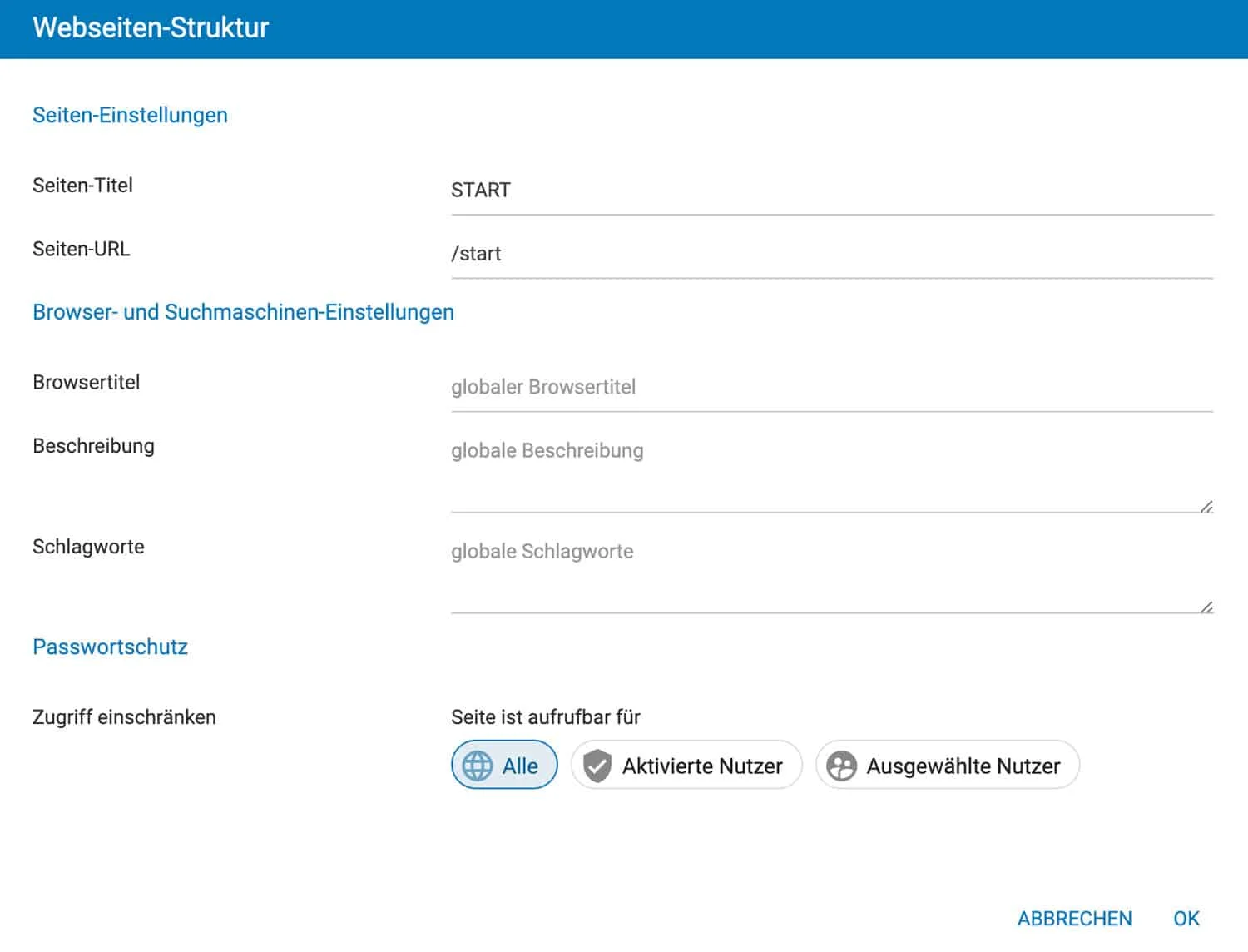
In the page settings you can add a URL, browser title, description and keywords. These are minimalistic and in part outdated settings.
A sitemap can also be added through a widget.
There are no further tools or features, however.
What we might have wished for here is the ability to set up 301 redirects easily or to create an XML sitemap.
Visitor statistics
In the Strato website builder, visitor tracking is already preinstalled.
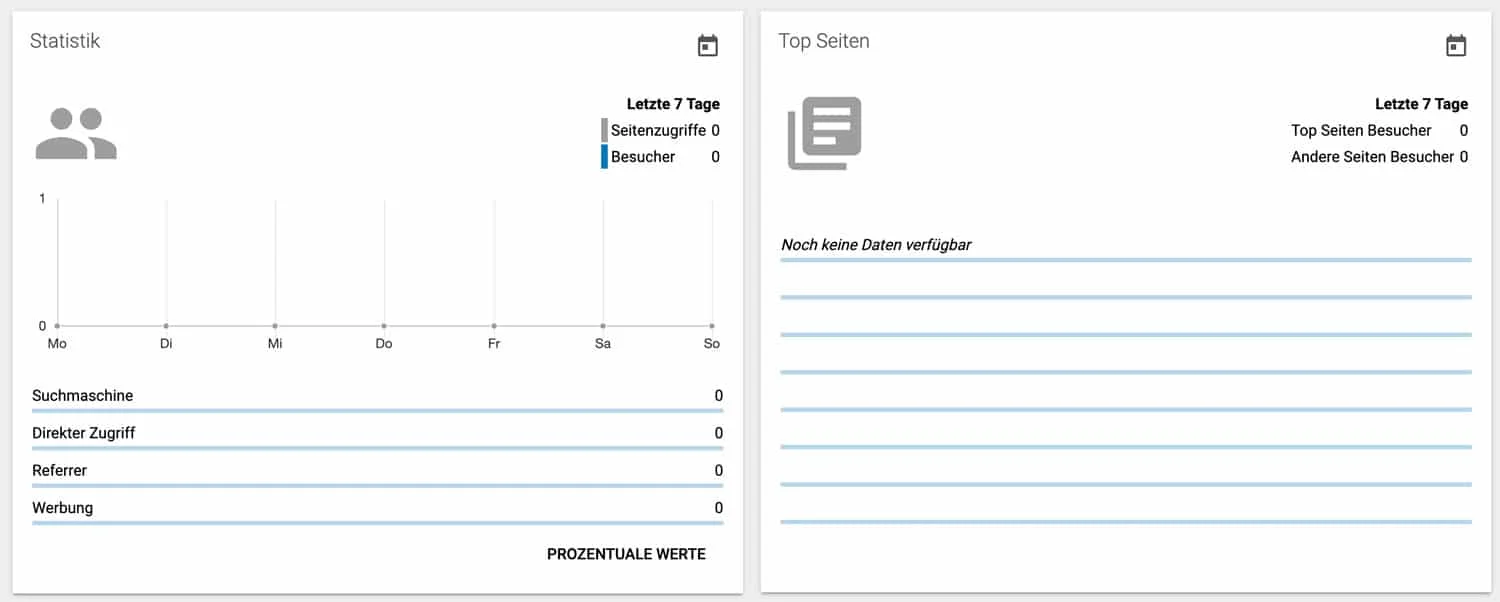
Various values are displayed here that are probably completely sufficient for most site owners.
They include:
- Visitors
- Source
- Most visited pages
Anyone who wants to learn even more about the visitors to their website can use external tools such as Matomo or Google Analytics.
The code can be added relatively simply under the menu item “SEO”.
However, you should definitely observe the very strict data protection criteria in this area.
And unfortunately, you get very little support from Strato itself there. We cover the topic of data protection in a later chapter, though, so we don't want to anticipate anything here.
Contact form
Of course, the drag-and-drop editor of the website builder also includes a contact form that you can place as a widget anywhere on your page.
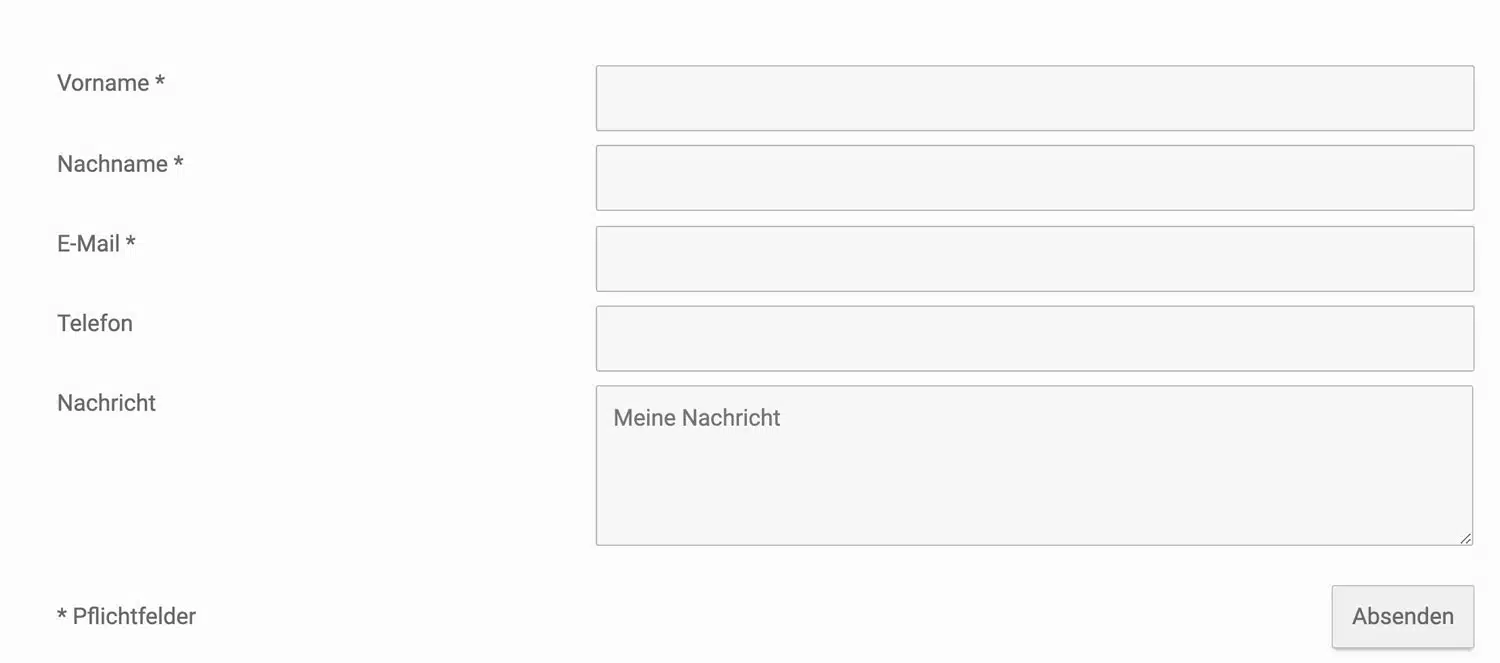
This form serves its purpose 100 percent and comes with all the necessary features: you can adapt the fields to your wishes and send an individual message to users after they have sent you a message through the contact form.
In addition, all messages received through this form are displayed both on the dashboard and in an overview directly in the widget.
Unfortunately, the design can't really be customized, so you have to make do with a very simple look here.
Password protection
When it comes to password protection, the Strato website builder really shines.
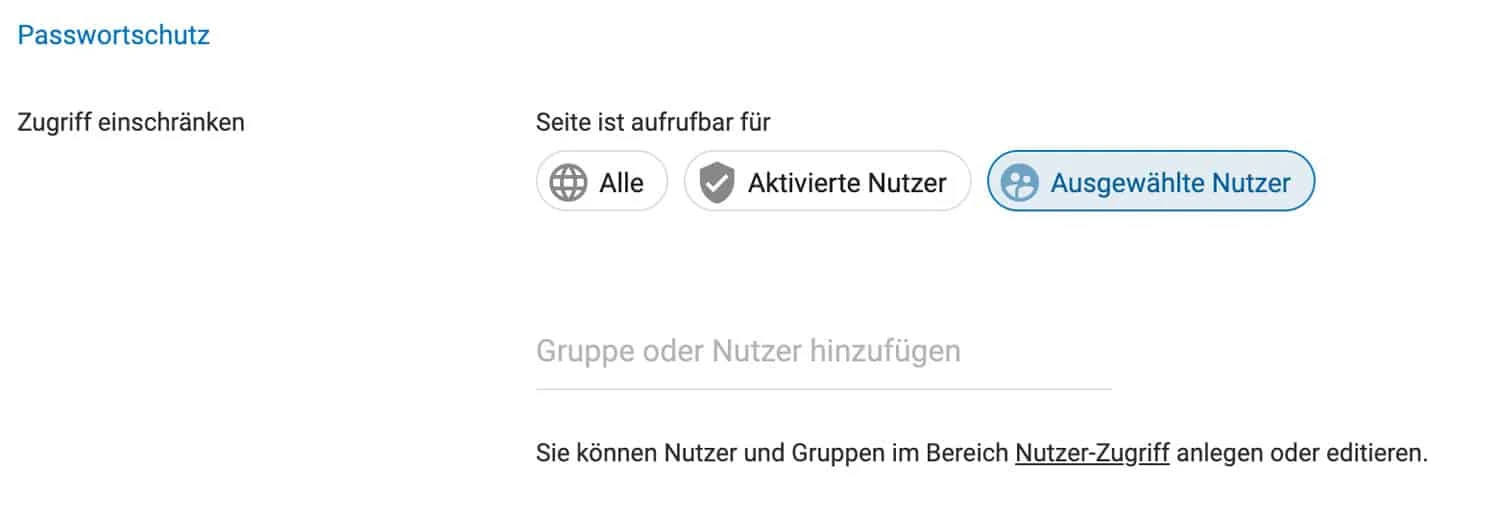
You can not only protect individual pages with a password but also set up comprehensive member management. For example, only registered users have access to special pages if you want that.
A simple member area, so to speak, that is easy to implement.
Extensibility (widgets, plugins, apps etc.)
Strato provides various widgets that help you place special content on your website.
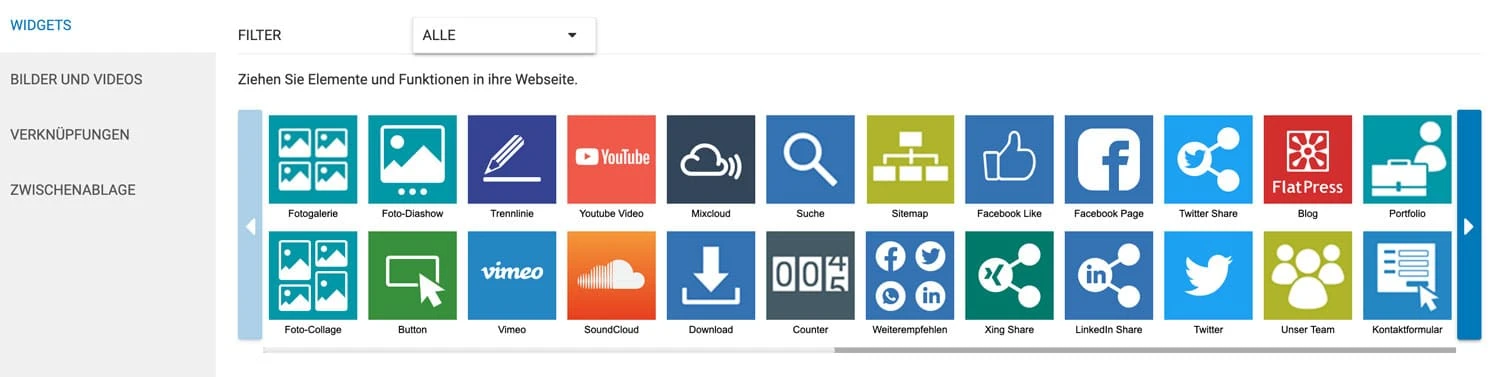
These are not really groundbreaking extensions, though, just classic website content such as a contact form, a countdown or social sharing buttons.
Still, there is also content that other website builders don't offer. Among them, for example, table reservations, events or a survey.
In every package you can create your own email addresses ending in your domain.
They are managed centrally in the member area.
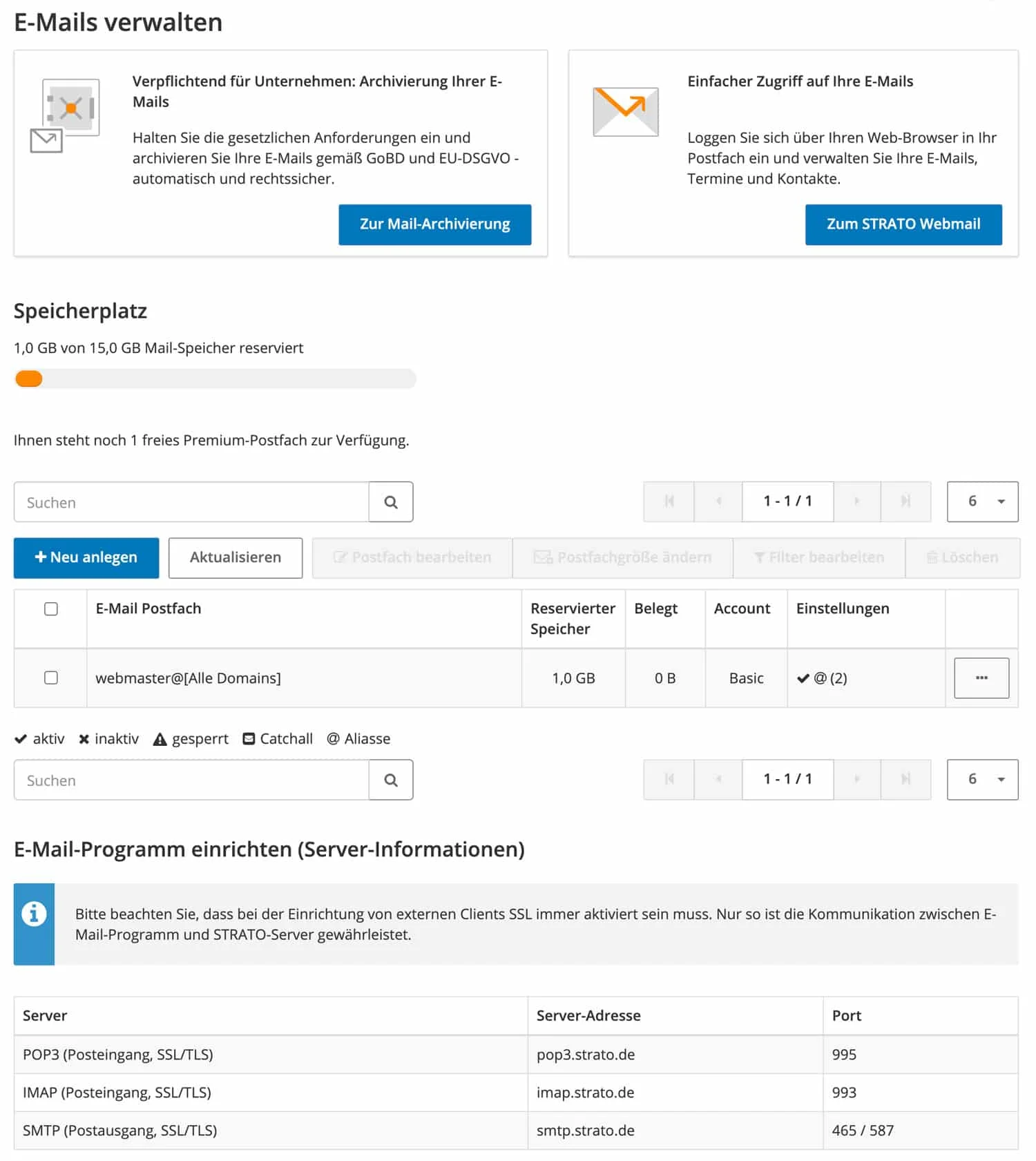
They can of course also be accessed through email programs such as Outlook or Apple Mail.
Newsletter
The Strato website builder does not give you a preinstalled newsletter service.
There is no integration of classic tools like Mailchimp either.
So you have no choice but to add the signup forms of the newsletter tool you use yourself via HTML code. That isn't particularly complicated either, but we would still have wished for a simpler solution here.
3.2 Usability
The usability of the Strato website builder is simple and relatively self-explanatory.
Beginners also find their way around very well and are picked up by an installation wizard right after registration and the first login.
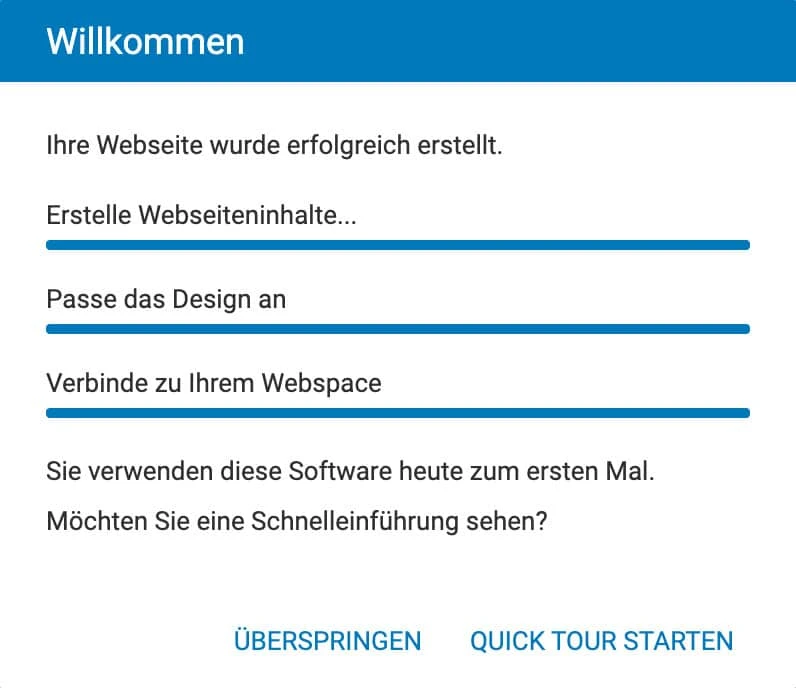
After you have chosen a template, you land on a clear dashboard that gives you the latest statistics on your visitors, contact requests or sales through the shop widget at a glance.
What we like here is that this dashboard is kept in a very simple design.
That is not only good for finding your way around right away but also results in a very fast loading time.
Now let's turn to the drag-and-drop editor...
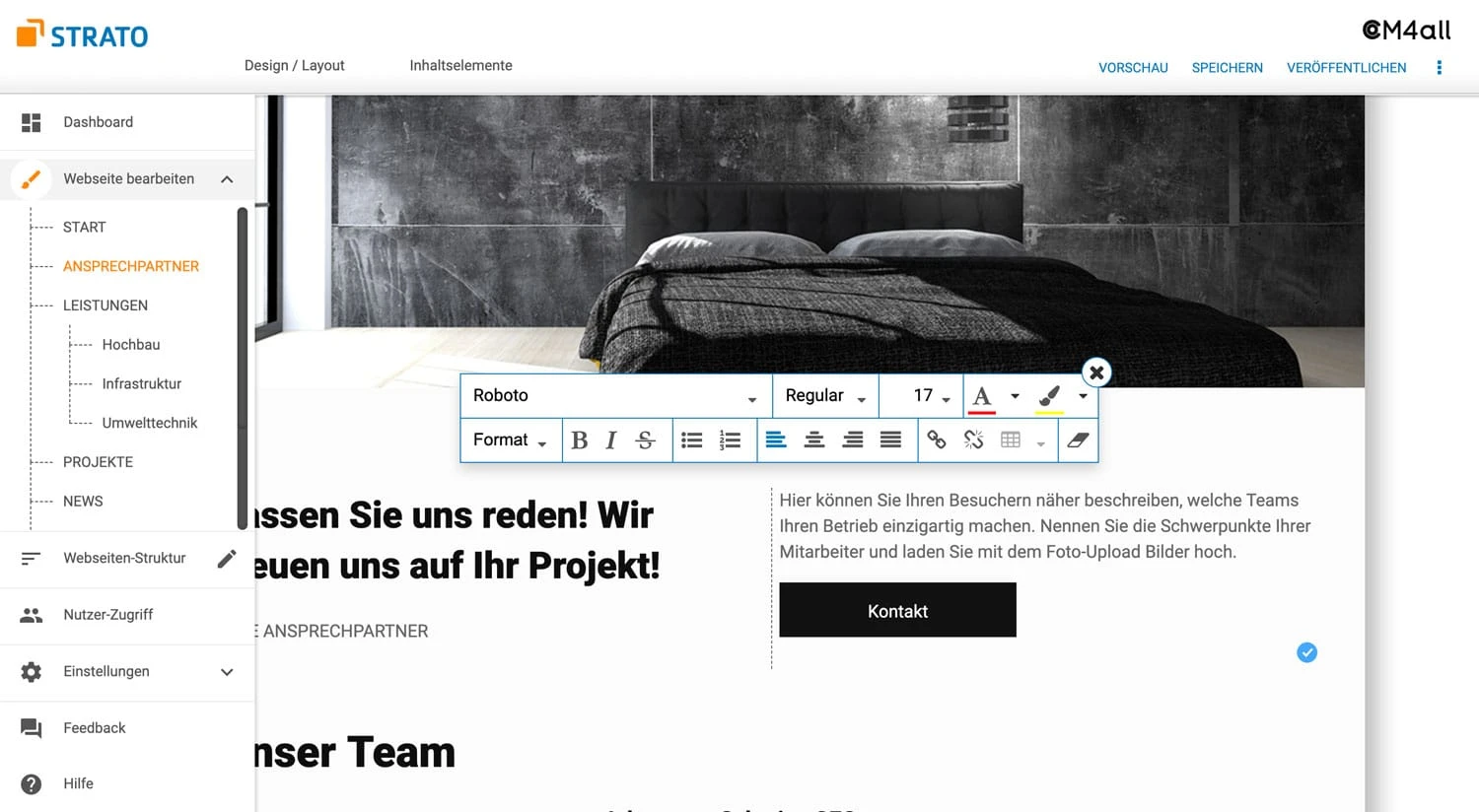
At first, it does exactly what you can expect from one: you can make changes to your website with simple mouse clicks and immediately get a live view of how they actually look.
Compared with other website builders, however, this editor is not really intuitive.
Yes, it is reliable and easy to use.
But if you look at competitors like Wix or webgo, we have to say that Strato's drag-and-drop editor definitely can't keep up. When it comes to content elements and design adjustments alone, the competition is (unfortunately) better.
By the way: the website builder can also be used on a mobile phone.
However, it is not really possible to work on the site in any meaningful way here. That is not a weakness of Strato, though, but the case with really all website builders. They are simply designed for editing on desktop PCs.
Still: for a look at the latest statistics or for checking mail, the mobile view is completely sufficient.
3.3 Templates
Templates are the heart of every website builder.
For this reason, we also want to take a somewhat closer look at STRATO's templates.
Selection
After you log in to the backend of the website builder for the first time, you already have to choose a first template.
A really very extensive selection from the most diverse industries awaits you here.
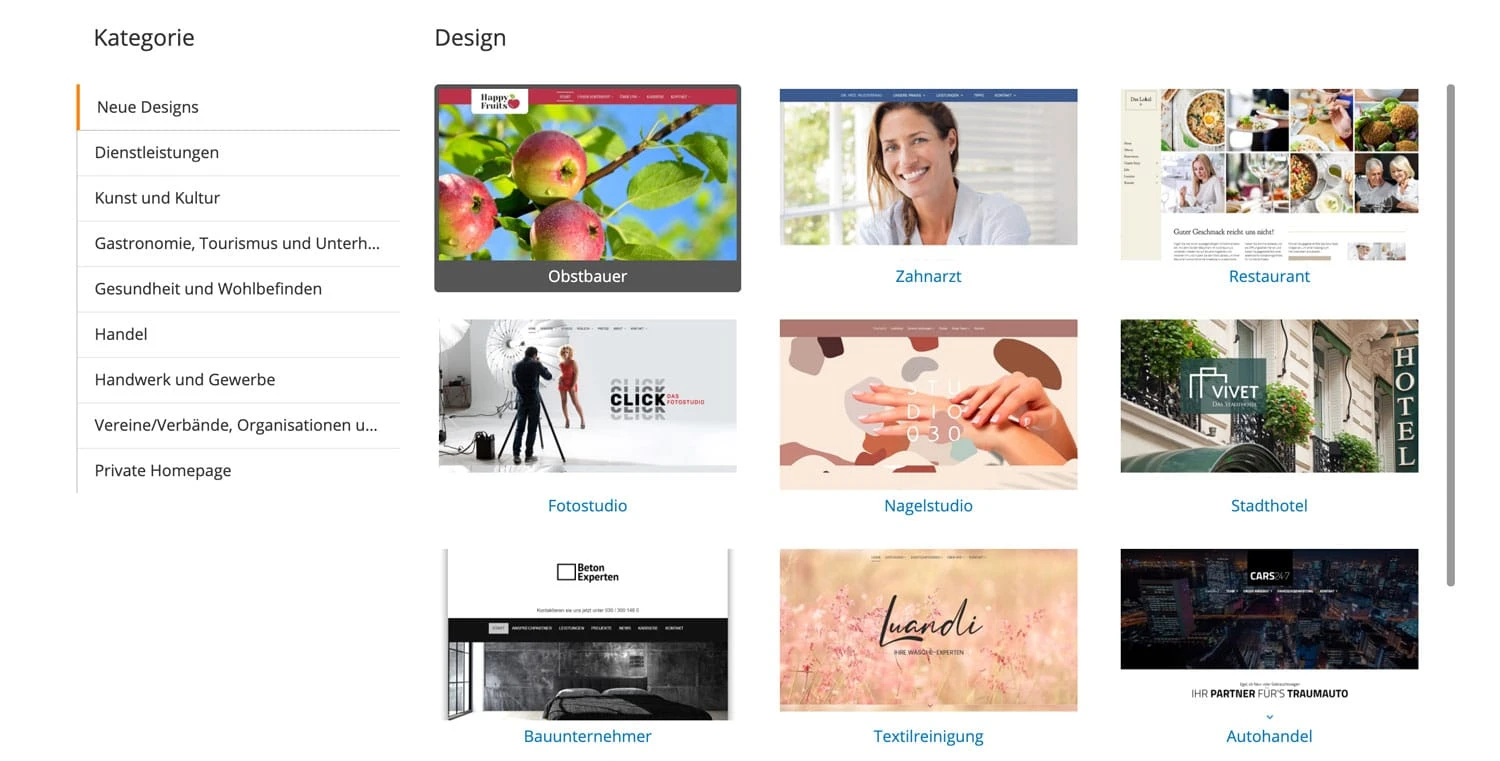
As a result, not only the craft business but also the veterinary practice or the Italian restaurant will surely find a design.
The selection is really very extensive and leaves hardly any field or niche uncovered.
Even in the cheapest plan, you have a large selection of designs and ready-made sections available. The higher plans add further features for growing websites and SEO.
Design quality
So the selection of templates is really good!
What about the design?
There is nothing to complain about here either.
The design quality is mediocre to good. Most of the templates have modern layouts but in part seem a bit boring and uninspired.
Responsiveness
All templates of the Strato website builder are optimized for mobile devices.
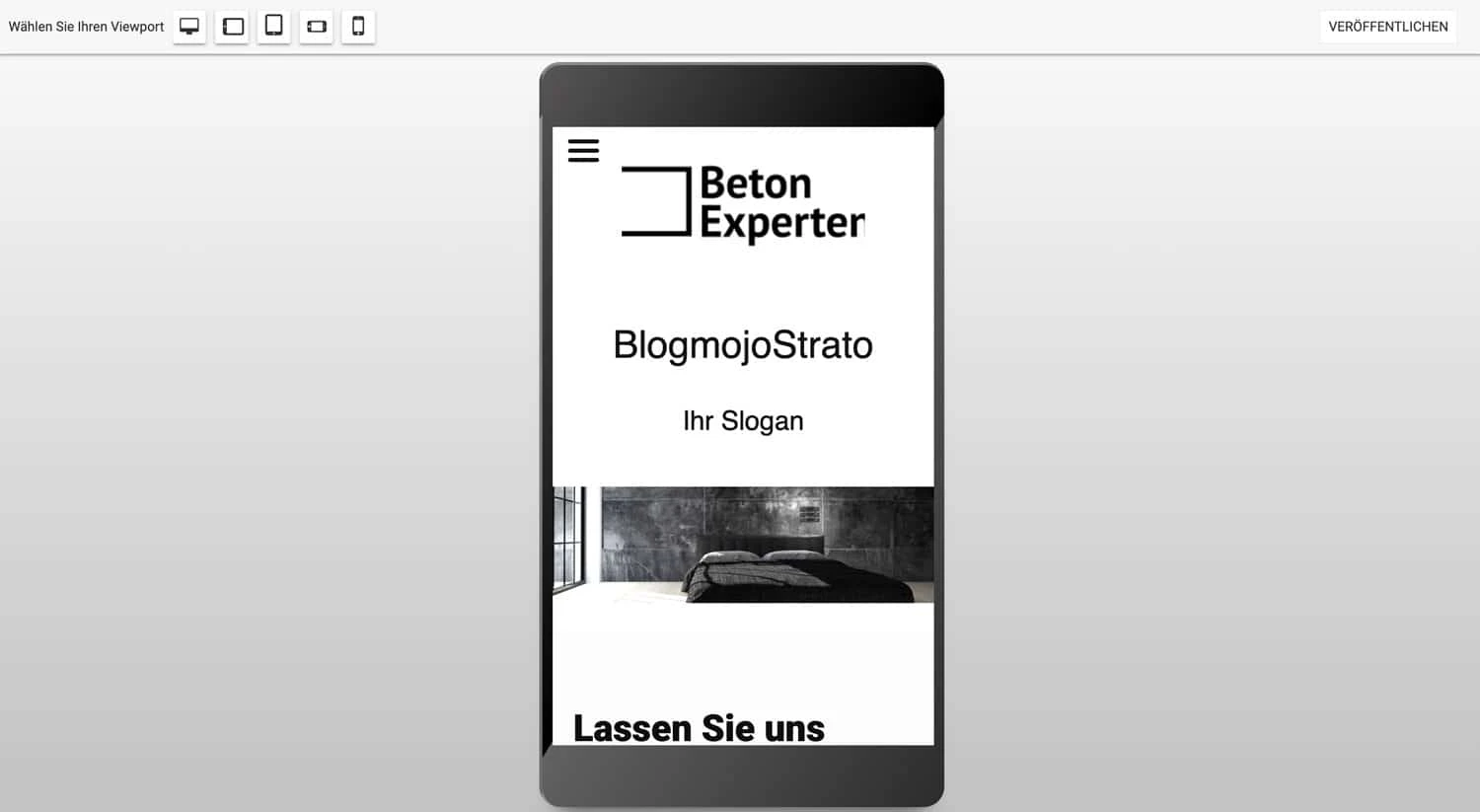
We take that for granted today, though, and it deserves no special praise.
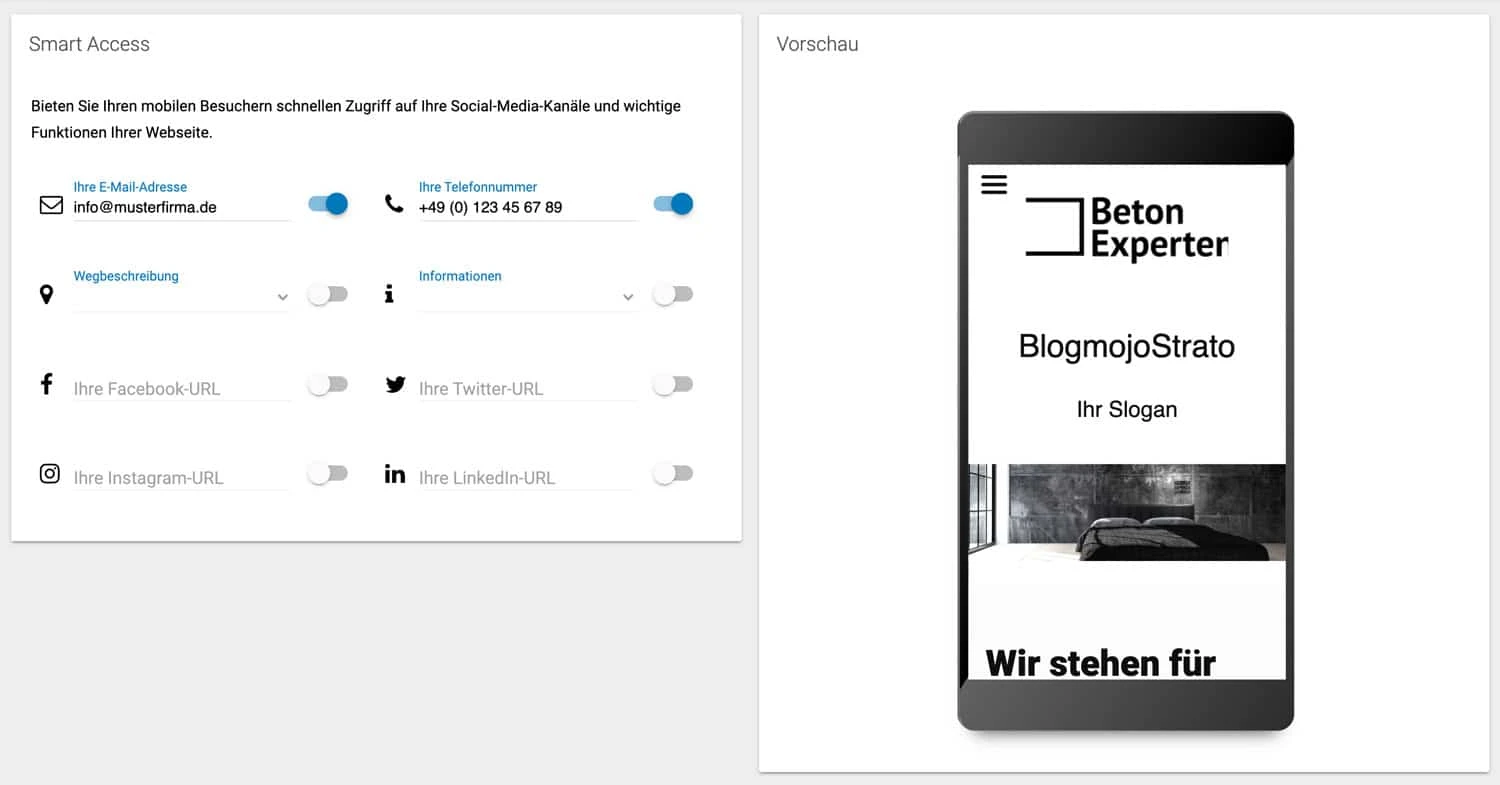
In addition to the optimization Strato has already done, you can make further optimizations for your mobile pages in the settings.
For example, you can add local data or include social sharing buttons specifically for the mobile view.
Customizability (CSS, custom code etc.)
Right in the drag-and-drop editor, you can insert code on the page through a widget.
CSS code can also be added with this method.
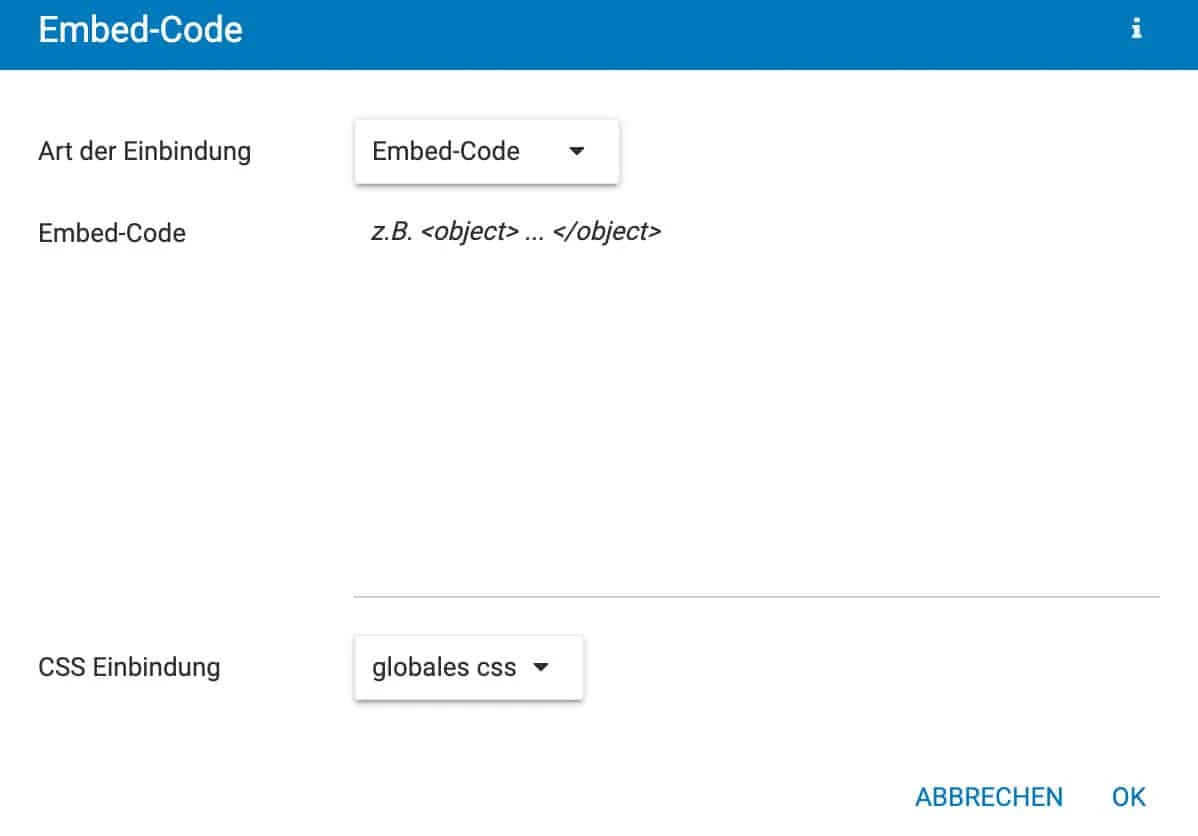
In addition, you can control here whether the code should affect only the current page or the entire site.
3.4 Help and support
Strato is a German company.
For this reason, service and customer support for German-speaking customers are also really very good.
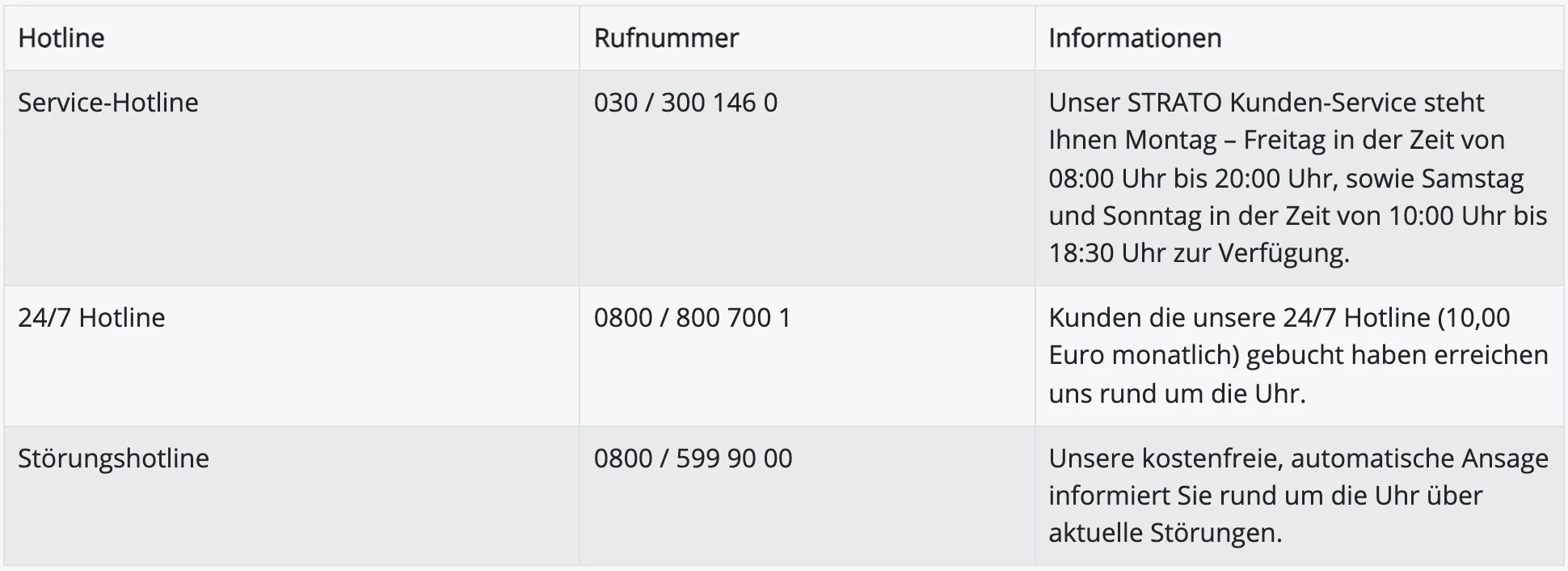
You have the following options for getting in touch with support:
- Free service phone (Mon.-Fri. 8:00 a.m.-8:00 p.m., Sat. and Sun. 10:00 a.m.-6:30 p.m.)
- Optional service phone, around the clock for €10 per month
- Contact form
You can also fall back on an extensive FAQ database directly in the website builder that answers many typical questions.
3.5 Languages
The Strato website builder is available to you entirely in German and was also developed specifically for the German-speaking audience.
So there won't be any problems here.
The builder can't be used in other languages, though. So you can't change the language in the backend.
3.5.1 Multilingual websites
Can the Strato website builder reach an international audience and create a multilingual website?
Yes. In the SmartWebsite plans Pro and Plus you can activate the website translator.
The underlying GTranslate widget automatically translates your pages into the selected languages. You can set the source language and the appearance of the language switcher.
However, this automatic solution does not replace a fully manually maintained language version with individually translated URLs and content.
3.6 GDPR and legal matters
From a provider based in Germany, you would actually expect it to take data protection very seriously and to support its customers accordingly well.
Right?
At first glance, you might assume that for the Strato website builder too.
SmartWebsite has its own privacy settings and pages for the Impressum and the privacy policy.
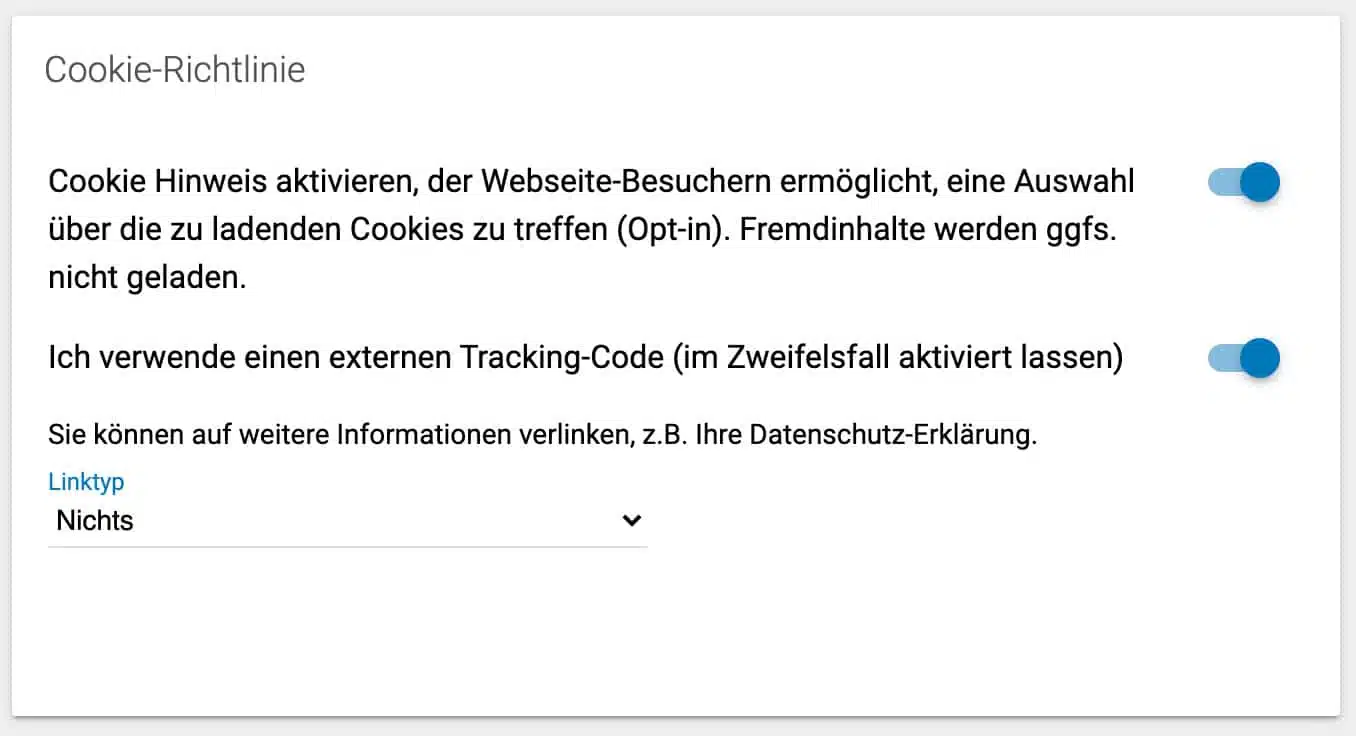
If you use third-party content that sets cookies, SmartWebsite automatically displays a mandatory cookie banner. This includes, for example, embedded services such as Google Maps or YouTube.
The legal texts are not created for you automatically, however. You have to fill the Impressum and the privacy policy with suitable content yourself before publishing.
Even with your own head code and additional external services, it remains your task to check the data processing and configure the banner accordingly.
3.7 Backup, restoration and portability
Strato can't fully convince with backup management either.
The provider does give you backup management. However, it too is very limited in its feature set.
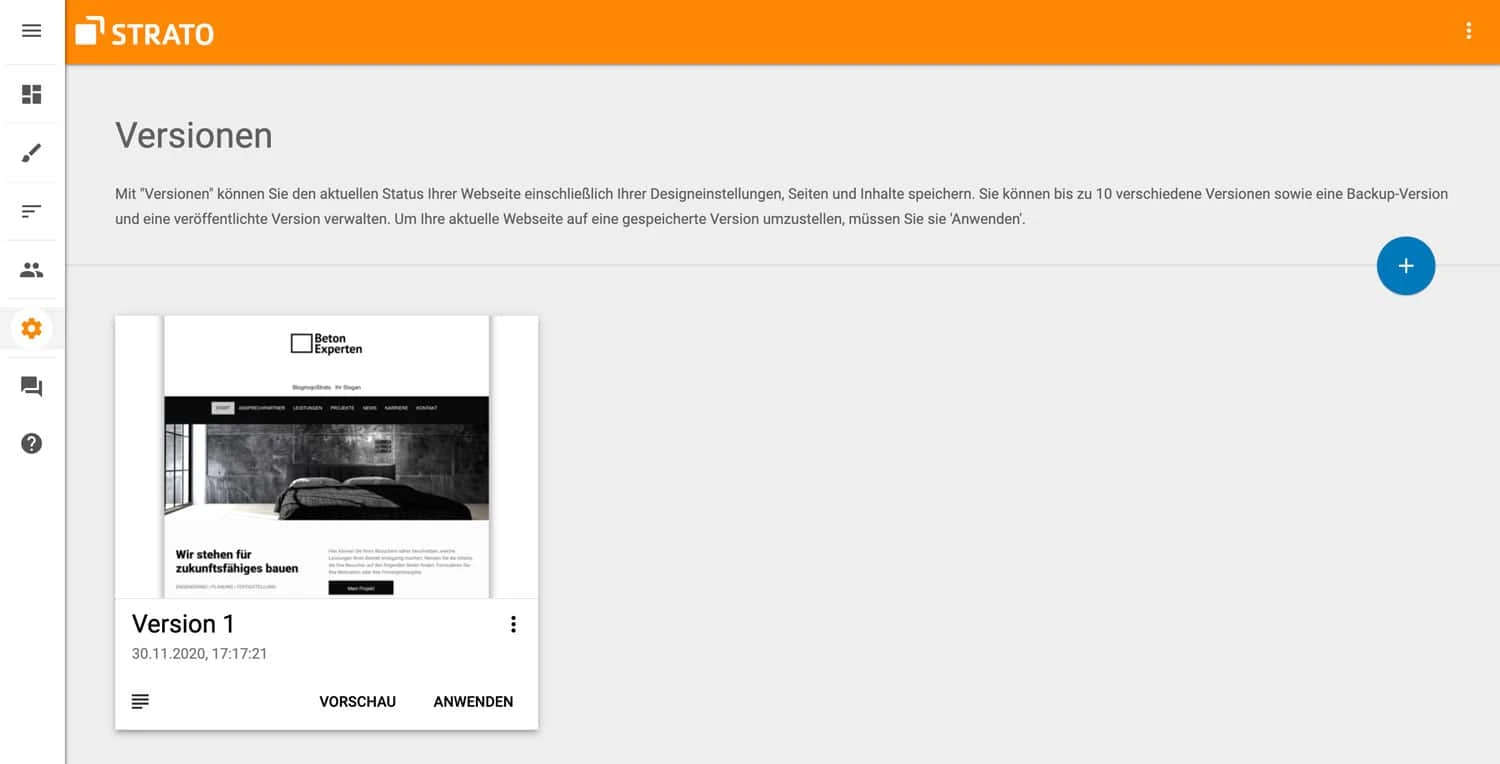
You can create backups very simply in the backend, but you can't export them.
There is also no option to create backups automatically.
What is useful, on the other hand, is that you can easily switch between the individual versions. That makes it possible, for example, to adapt your website to particular seasons.
3.8 Core Web Vitals and loading time
As part of our website builder comparison, we measured the absolute loading time and the Core Web Vitals of every builder.
To do that, we created a test website at every provider that has the same design and is filled with the same five images and the same placeholder text, to get results that are as accurate as possible.
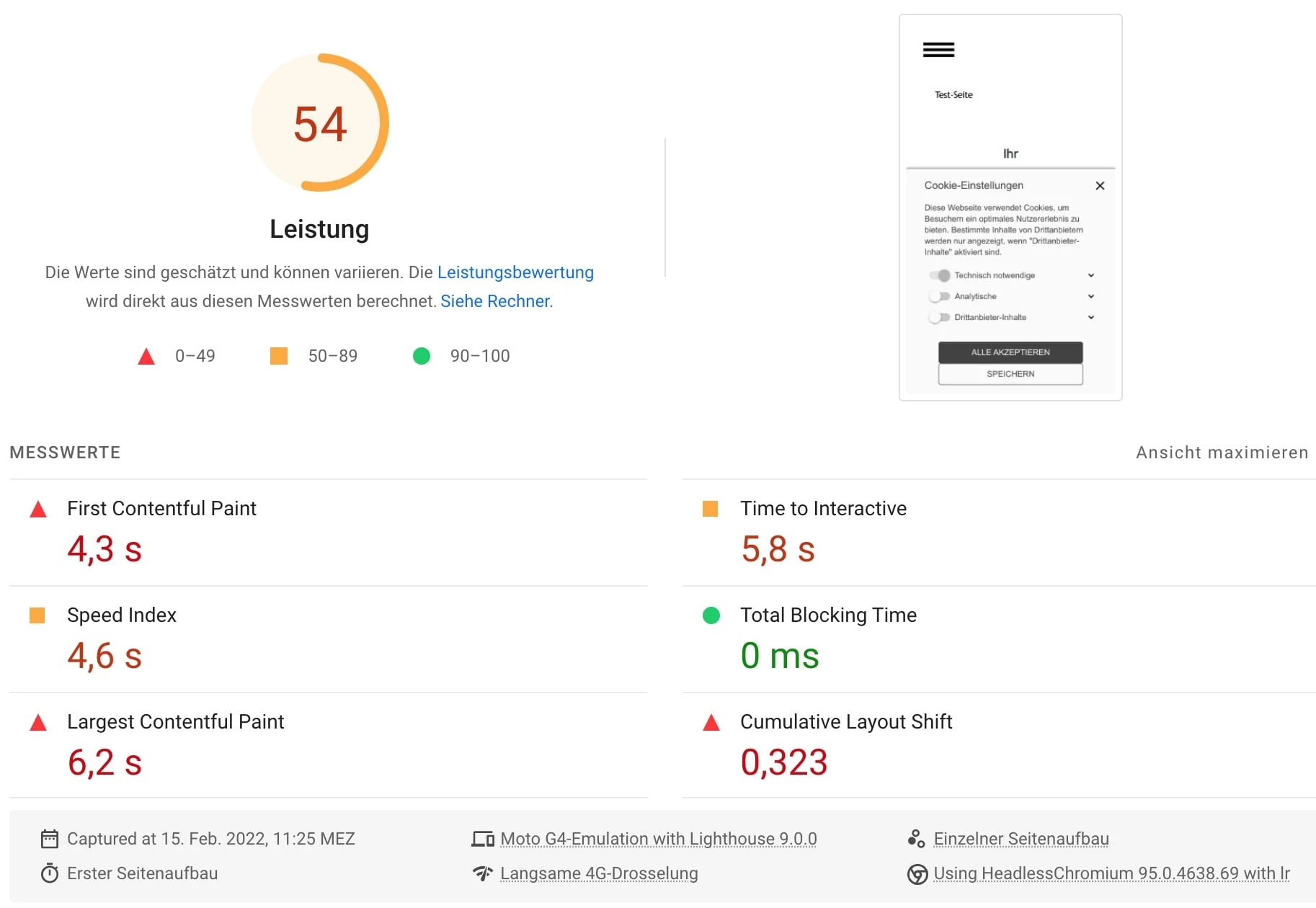
The Strato test website performs mediocrely on the Core Web Vitals. It gets a PageSpeed score of 54, with very high values in a large number of metrics:
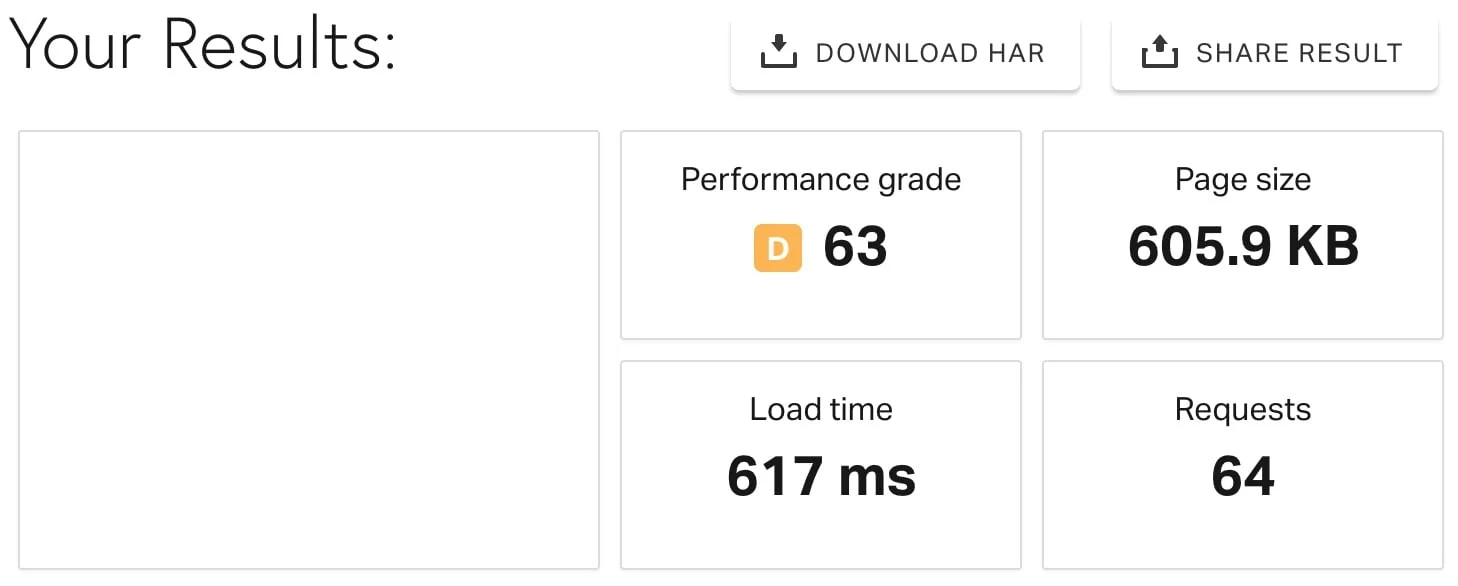
The absolute loading time of 0.617 seconds measured by Pingdom Tools (with a location in Frankfurt am Main) is good for the simple structure of the test website:
4. Alternatives to the Strato website builder
The STRATO website builder unfortunately disappoints in many areas.
If you want to create a small, reputable website and don't want to invest much money or time in it, the Strato solution is certainly recommendable.
But if the goal is a website that serves as the control center of your business model (a blog or an online shop, for example), Strato is definitely the wrong choice here.
Most other website builders, like the one from Wix, do a much better job here.
If you want to set up and run a professional online shop, Shopify is probably the better choice.
In general, we would say: as soon as it goes into areas beyond a truly rudimentary website, we would look for another solution.
5. Strato website builder or WordPress?
Strato or WordPress?
If you know both systems, this question doesn't really arise.
For everyone who has experience with neither STRATO nor WordPress, here comes the answer.
WordPress is a very extensive and individually extendable system that sets you almost no limits when creating a website.
With the several thousand plugins, you can adapt WordPress perfectly to your ideas and extend it as you like. The themes also offer you incredible possibilities when it comes to design.
We particularly want to highlight the blogging function of WordPress, though, which is in a league of its own.
In short: WordPress is guaranteed the best choice if you want to create a truly professional site and don't want to be limited in extension or growth options.
On the other hand, such a system of course demands time to learn and expertise.
To create a website with WordPress, you definitely need a few weeks, because the system is a bit complex in some places.
Here the Strato website builder clearly has the edge, because within a few hours you can create a really great site and use it to win new customers over the internet.
But if you want to expand this online presence at some point, you very quickly hit the limits of what is possible with Strato.
In the end, you have to decide for yourself which system is the right choice for your project.
6. FAQ
Here you will find answers to frequently asked questions about the Strato website builder: