Do you want to create your own website or a simple homepage? And you don't know where to start?
Then you've come to the right place!
In this article, you'll learn everything you need to know to set up a website.
Whether it's for yourself personally, for your company, your organization or your club. And regardless of your budget:
I'll show you both free and paid methods for creating a website or homepage. And even the paid methods won't blow a big hole in your budget (and will cost you far less per month than a gym membership).
On top of that:
I'll take you by the hand and guide you through the entire process in six simple steps.
This is the guide I wish I'd had when I started my online business (and had absolutely no idea how the whole website thing works).
- First determine your website type (simple homepage, website, complex website or blog) to choose the right platform
- Homepage builders like Wix are ideal for simple websites and beginners, while WordPress offers more flexibility for complex projects
- In the two cost examples, a professional website with its own domain costs around €200 to €343 per year
1. Choose your website type
It's important that you first get clear on which type of website you want to create.
Because that determines the choice of the right website system in step 2.
There are generally 4 different types of website:
The simple homepage
A simple homepage (also called a one-page website) consists of just a single page (the start page or homepage) on which all the information is bundled. If needed, there are also pages with legally required information, such as an Impressum (the legal notice German websites must carry) and a privacy policy.
Thanks to its simple structure, it's mainly suited to private individuals who just want to present themselves in brief (e.g. as a digital business card).
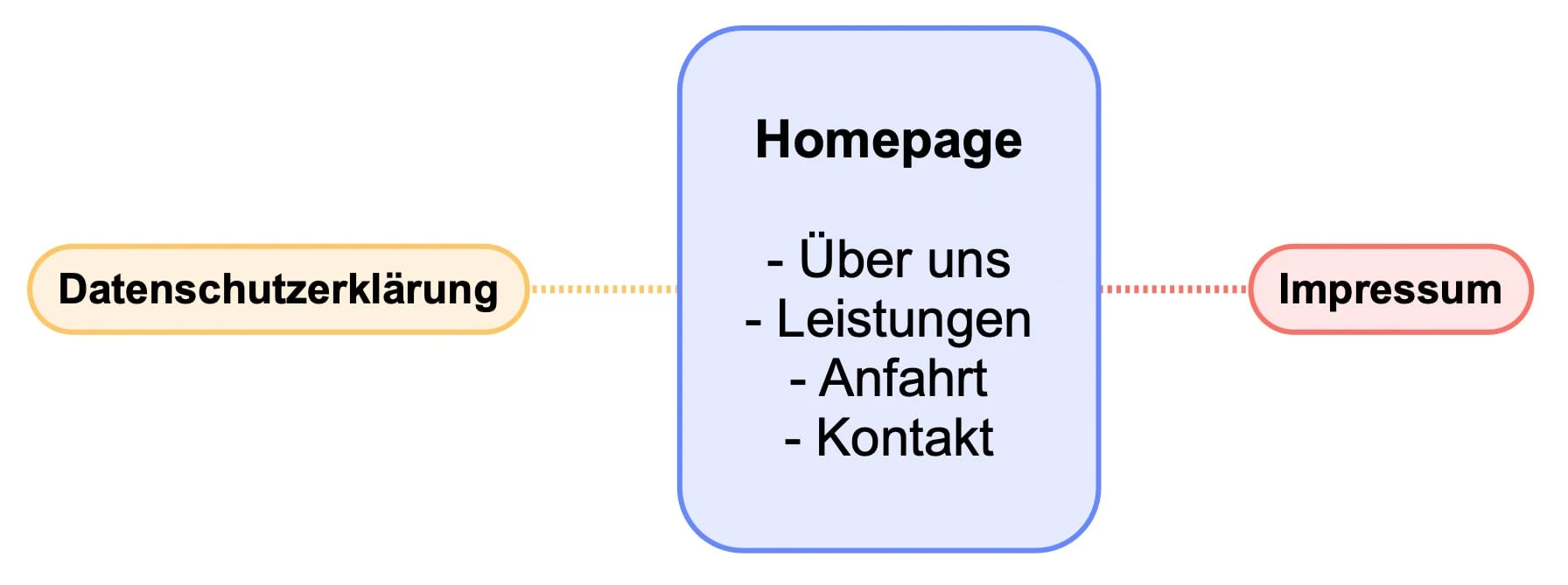
Can't picture it? No problem!
You'll find plenty of examples of one-page sites at One Page Love, for example.
The simple website
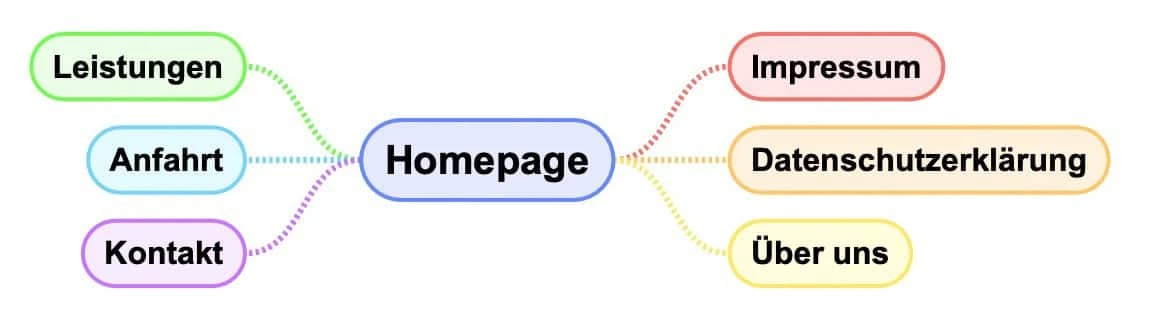
A simple website includes not only the homepage but also a few more subpages. They serve to present your company, you as a person or your organization on the internet, such as:
- Testimonials and references
- Image gallery
- Services offered
- Contact form
- Directions
- Company history, philosophy or values
- Job offers
A simple website is mainly suited to you if you want to win customers online but offer your products or services offline. So, for example, for local businesses, clubs or nonprofit organizations:
The complex website
A complex website differs from a simple website in three ways:
It's usually larger, more elaborately designed and offers visitors technically more advanced features that often require a database, such as:
- A comment system
- Forum software
- A classifieds or job portal
- A member or customer area
- An online store with payment functionality
- Newsletter features (possibly with interfaces to newsletter tools)
- Integrations and interfaces to other services or apps
- Advanced SEO features
- Multilingualism
Such a website is mainly suited to you if you want to win customers online or make money with your website itself. So, if you're, for example, an agency owner, freelancer, coach or consultant:
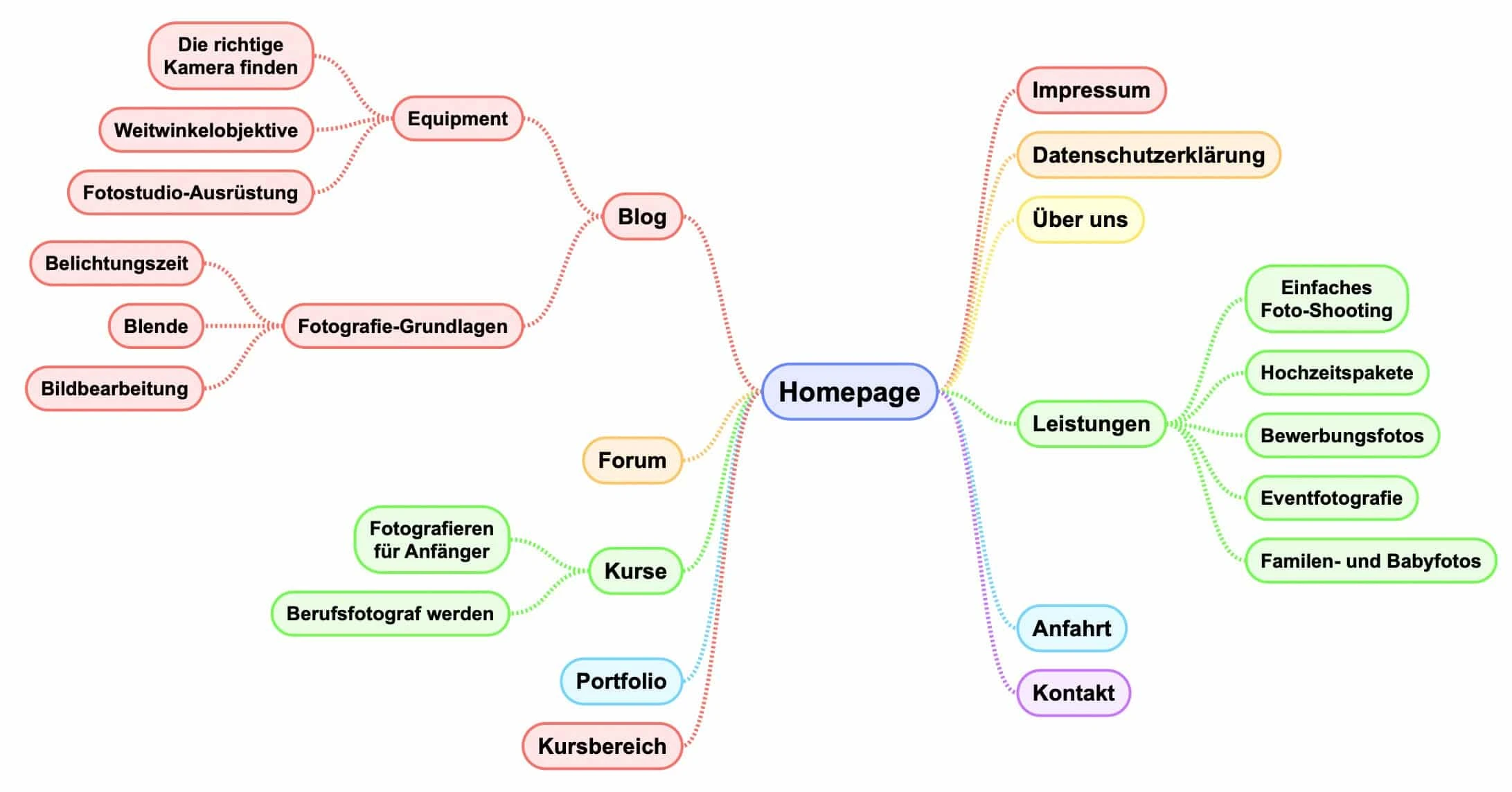
The blog
In the past, blogs (also called weblogs) served exclusively as online diaries. Nowadays, many blogs are also more complex websites (like this one).
Blogs can be powerful marketing tools that help you draw attention to your products or services.
Think content marketing!
What's special about a blog is that posts are usually displayed in chronological order on the homepage. Here's an example from our family blog Faminino:
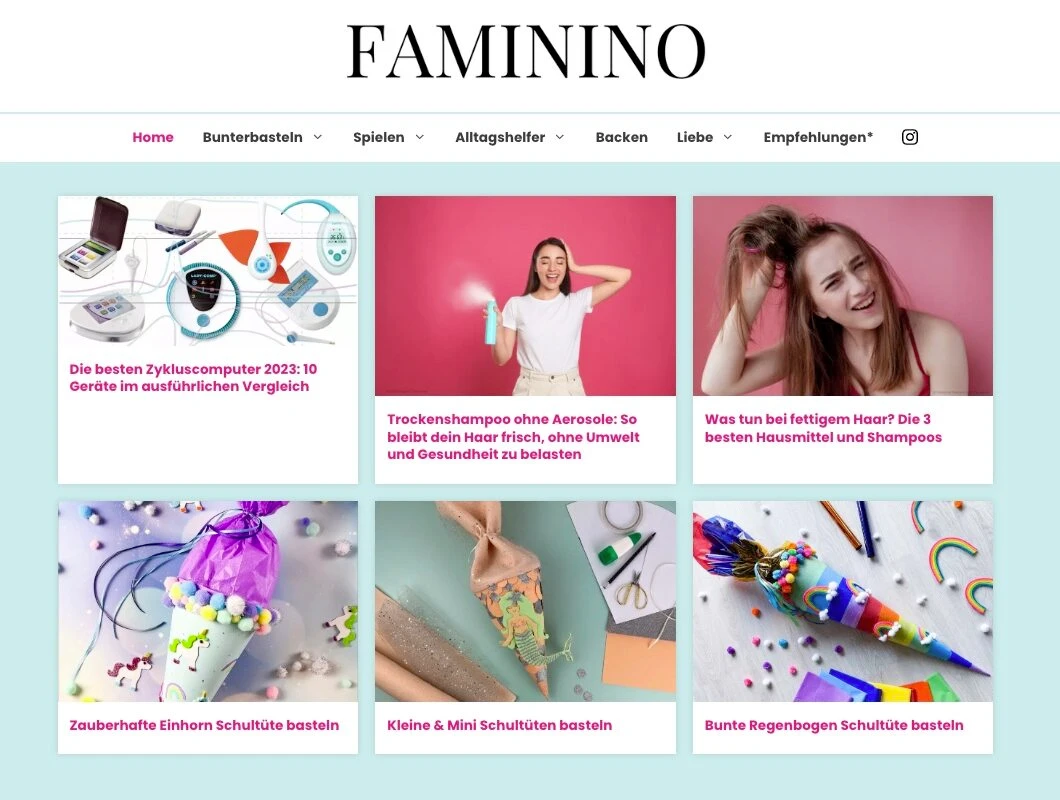
A blog doesn't have to stand on its own. It can also be part of a larger website.
You can read how to set up your own blog in my tutorial: Start a blog in 2026: Easy and fast with ChatGPT
Do terms like website, homepage and web page all mean the same thing? Not even close! Here's a short excursion into the big wide world of website terminology:
- Website: All the content on one domain
- Web page: A subpage of a website
- Homepage: The start page of a website
- Blog: Website with (mostly) chronological display of posts, often also part of a website
- URL: The complete internet address that appears in the browser (e.g. https://jimdo.com)
- Domain: https://jimdo.com/subpage/ (purple part of the URL)
- Subdomain: https://yourhomepage.jimdo.com/subpage/ (blue part of the URL)
2. Decide how you want to create your website
These days, websites are mainly created with these three methods:
- Homepage builder
- WordPress
- Programming your website yourself
Since the 3rd method isn't suitable for beginners, it isn't covered in this article.
Programming a website yourself requires deeper knowledge of HTML and CSS, and possibly even complex programming languages like JavaScript or PHP.
Methods 1 and 2 are also suitable for beginners, but differ in a few key points:
2.1 Homepage builder
Setting up your own website is by far the easiest and fastest with a homepage builder.
You get everything from a single provider, and thanks to the building-block principle you need little time to get up to speed and no programming skills at all.
There are even builder systems for online stores. I've put together the best software and platforms for you here: The 13 best e-commerce platforms compared in 2026.
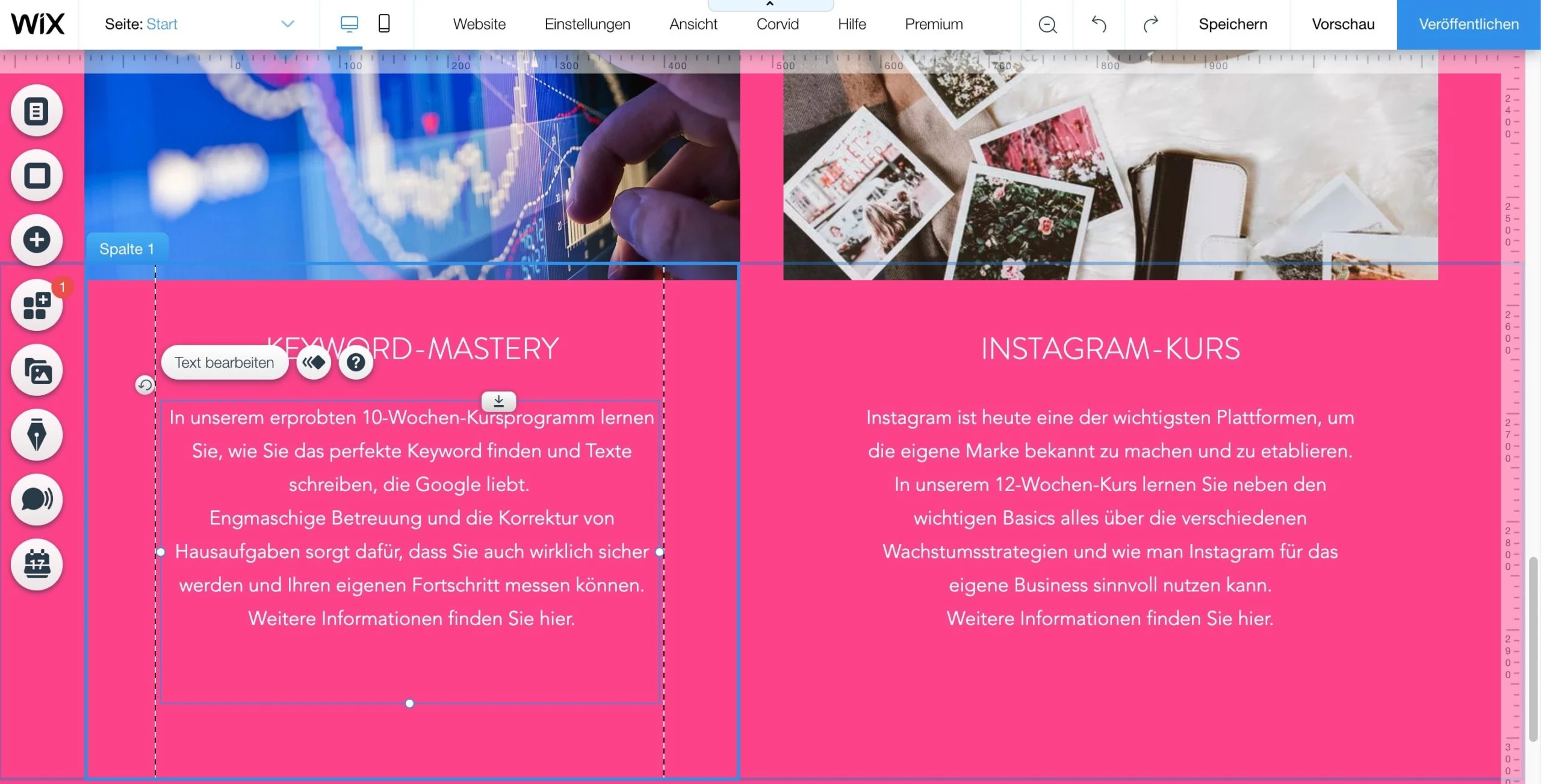
The website itself is created directly in the browser. You can add or remove elements on the individual pages simply by drag and drop (that is, by dragging with the mouse):
Various templates (also called themes) are available for designing your site, which simplifies the design process enormously:
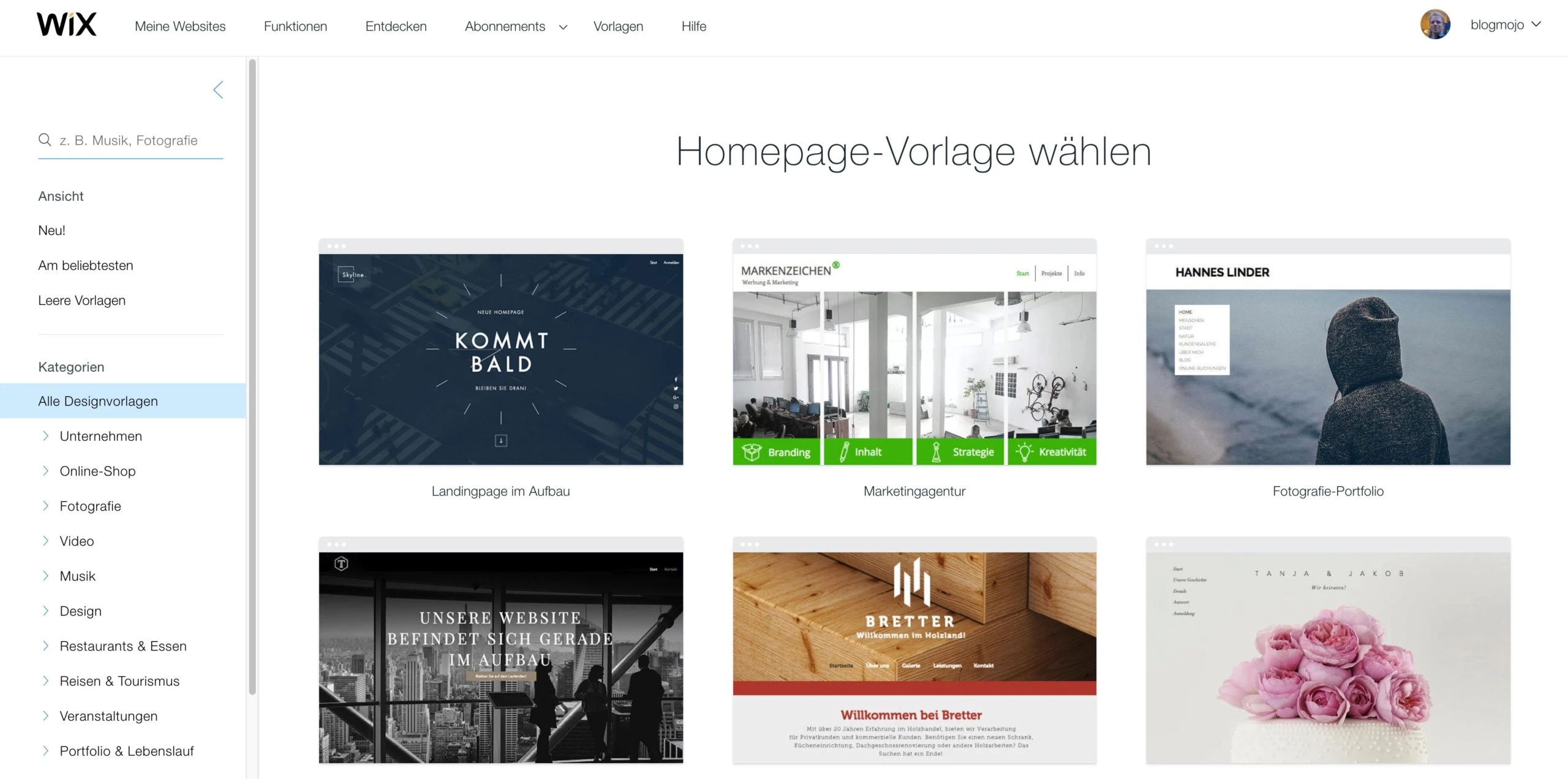
In addition, many builder providers offer an assistant that guides you into creating your homepage:
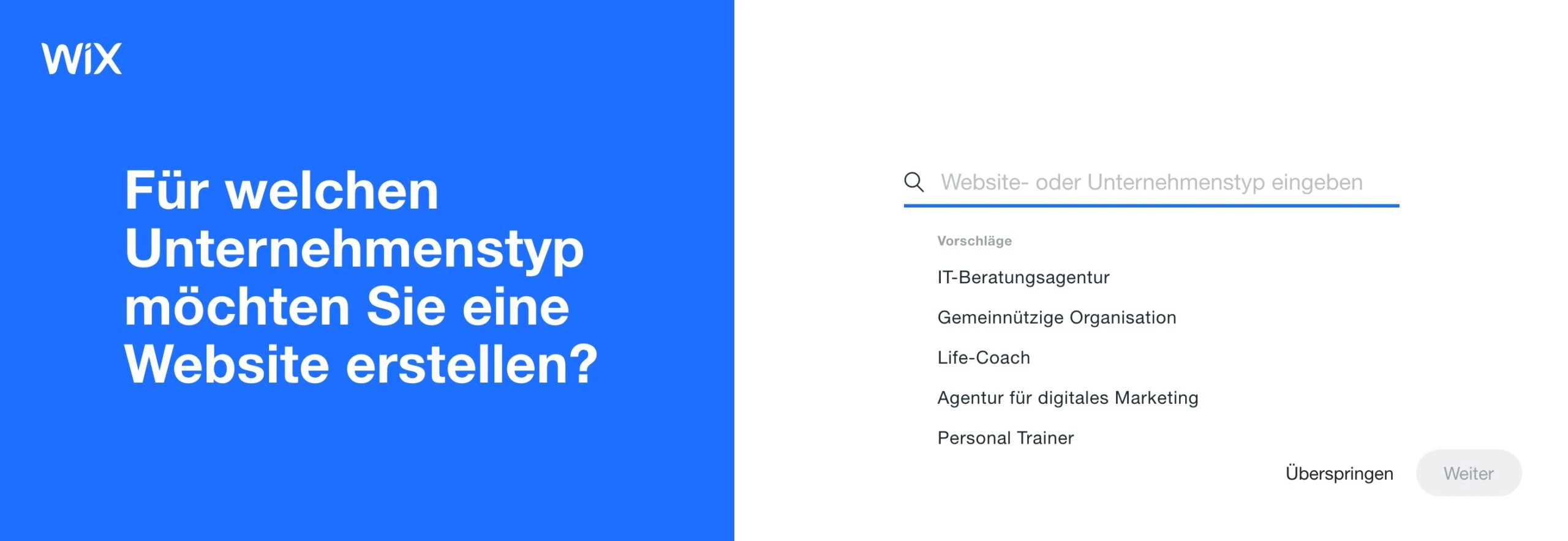
It doesn't get easier than this!
As a builder system, you can use Wix, for example.
I know, the name sounds a bit odd in German...
But Wix did very well in our homepage builder comparison, among other things because it offers more design options than other systems and is easier to use.
Wix is also suitable for more complex websites, since it can be extended with useful features through apps.
The main reason I recommend it to beginners above all:
The basic version of Wix is free. That means you can try out the builder at your leisure and even put your website online without having to sign up for an annual plan right away (the free version is permanently free).
Sounds pretty good, right?
- Free version with a large range of features
- Everything from a single provider
- Pre-made templates as design starting points
- Change individual website elements with drag & drop
- Comprehensive SEO features
- Easy to use
- Short learning curve
- No programming skills required
- Comprehensive support for your website (in the premium version)
- Ugly URL in the free version (https://yourwebsite.wixsite.com/yourwebsite)
- Not suitable for more complex websites
- Dependence on one provider
- Lack of portability (you can't simply export your website and then import it into another system, like WordPress)
2.2 Create a WordPress website
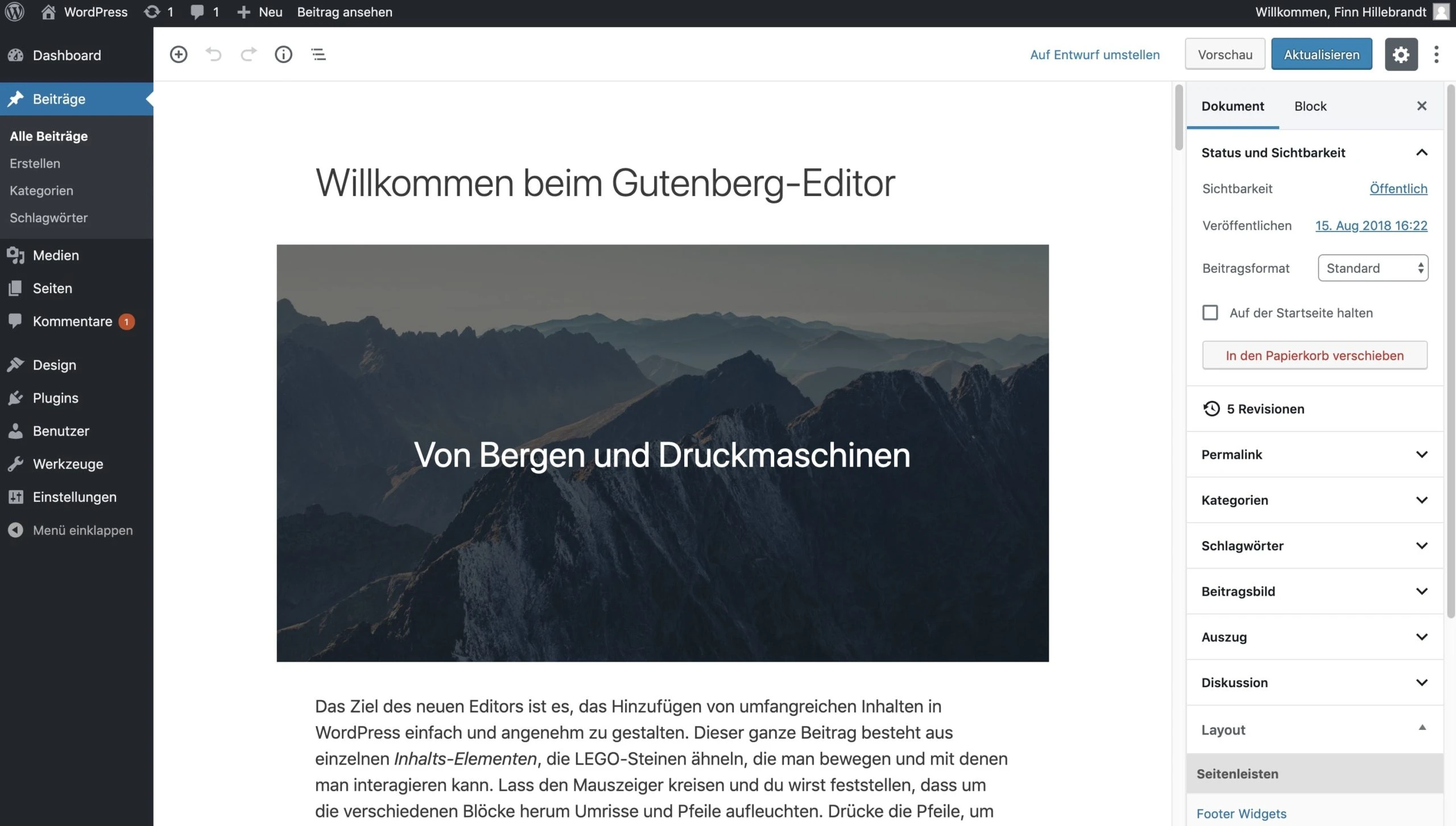
WordPress(.org) is a free content management system you can use to create a blog or a website.
By now, 40.7% of all websites worldwide run on WordPress, making it by far the most widely used platform.
For comparison:
Wix has a share of just 4.2%.
The big advantage of WordPress:
With a WordPress website, you're much more flexible than with a homepage builder. First, you have a huge selection of different WordPress themes (that is, design templates) at your disposal:
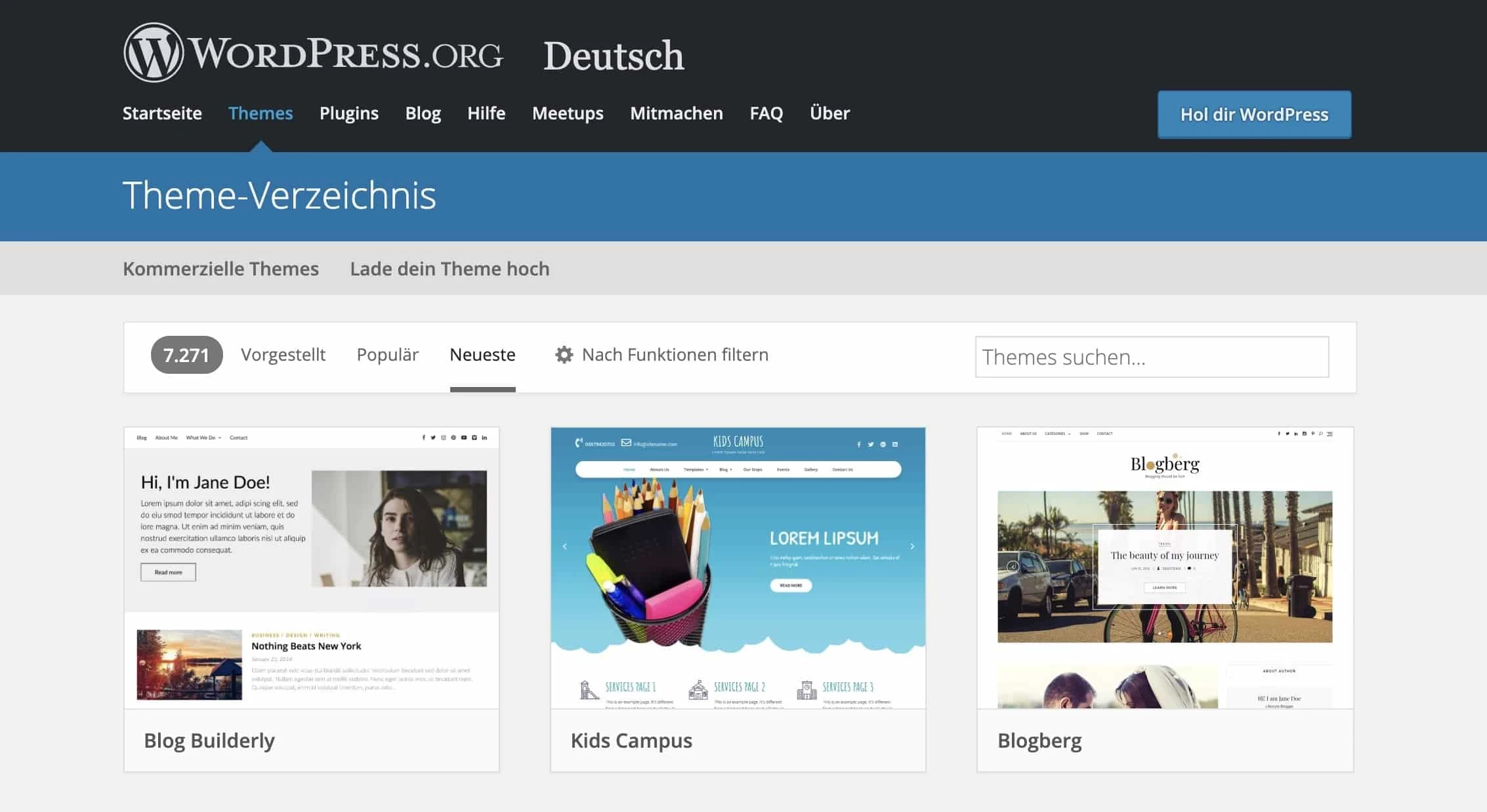
The WordPress theme directory alone currently contains over 7,200 free themes. On top of that come thousands of paid premium themes.
Second, WordPress lets you extend your website with plugins to add various features, like the necessary and helpful cookie consent tools.
The WordPress plugin directory now has over 60,000 plugins:
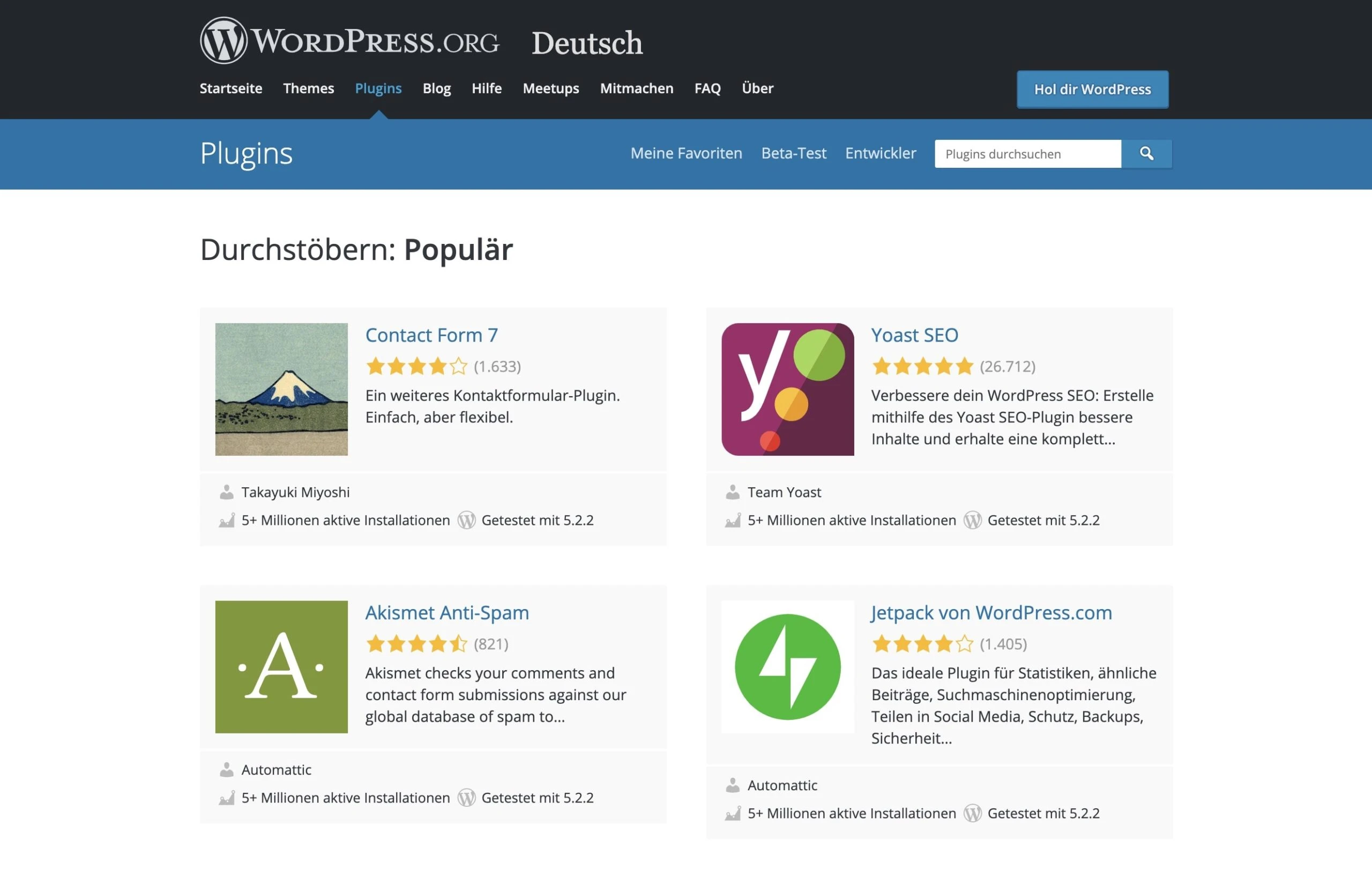
Third, you have complete access to the code of your WordPress installation, including all plugins and themes and your database. That means, provided you have the relevant programming skills, you have (almost) unlimited design options for your website.
The one downside:
Learning WordPress and administering it yourself takes a bit of time and a willingness to engage with technical topics.
You'll find more information in my detailed guide: Create a WordPress website: Here's how in 6 simple steps
- High flexibility and range of features
- Full control over your own data
- A huge number of available themes (design templates) and plugins (extensions)
- Very large community
- Problems with WordPress are very easy to google, since there are plenty of tutorials on all kinds of topics
- possible extra costs for premium plugins or themes
- Not a builder system out of the box, additional plugins are required for that
- More learning time than with homepage builders
- More administration effort (plugins, themes and WordPress itself, for example, always have to be kept up to date)
2.3 WordPress or homepage builder?
I'll level with you:
I'm an absolute WordPress fan (Blogmojo runs on it too) and for a long time I didn't think much of homepage builders.
In recent years, though, my attitude toward them has changed.
For one, because homepage builders have gotten better and better (in the past, Wix websites were based on Flash, for example, which was really scary).
And for another, because I keep getting feedback from readers and customers that WordPress is too complicated for beginners.
The thing is:
With a homepage builder, you can build a website faster and more easily than with WordPress.
I would always advise you against using Wix, Jimdo and the like for more complex web projects or for a web project you want to expand one day.
You're also better off with WordPress if you want to make money with your website, for example if you want to build a niche site, a commercial blog or an online magazine.
Setting up a simple homepage or website with WordPress, however, would be like using a sledgehammer to crack a nut.
Here's a small decision matrix for when to choose WordPress and when to choose a homepage builder:
Simple homepage | Simple website | Complex website | Blog | |
|---|---|---|---|---|
| Homepage builder | Yes | Yes | No | Yes, if purely private |
| WordPress | No | Maybe (if you plan to expand) | Yes | Yes, if commercial |
3. Find a suitable domain
The domain is the address under which your website can be reached on the internet.
In the following example, the part of the URL that represents the domain is marked in bold:
https://yourhomepage.deBy the way, with a free plan of a homepage builder, you only get a subdomain that runs under the provider's domain. With Jimdo, for example, it looks like this:
https://yourhomepage.jimdo.comAnd with Wix it's a bit worse, because the website name you chose is repeated once more at the end:
https://yourhomepage.wixsite.com/yourhomepageDon't get me wrong:
For a private homepage, that's perfectly fine.
But if you want to use your website professionally (e.g. as a company homepage), you should always choose a paid plan with a connectable domain on homepage builders.
Anything else looks unprofessional.
3.1 What should you consider when choosing a domain?
There's quite a bit you can get wrong when choosing the right domain.
So that you pick a domain you'll still be happy with years later, here's a short checklist of important things to watch for:
- The shorter the name, the better (ideally under 16 characters)
- Ideally avoid umlauts (ä, ü, ö) or the Eszett (ß), because they look ugly in a domain name (e.g. unschoen.de for “unschön” or heiss.de for “heiß”)
- The spelling of the name should be clear to most people
- Your domain name should make clear what your site is about.
- You shouldn't infringe any trademark rights with your domain name.
That said:
Don't stress yourself out over choosing a domain either!
You can change your domain at any time later on (which can take a bit of effort, though, and means extra costs of about €5 to €15 for a new order).
3.2 Which domain extension? (.com, .de, .net etc.)
If you're targeting German visitors, I'd always recommend going with a .de domain.
.de domains enjoy the highest trust in Germany.
In second place come .com domains. You should definitely choose one of those if you don't want to address German visitors exclusively but want to build a multilingual website.
If .com and .de aren't available, you could also go for a .net or, if you're a nonprofit organization, an .org domain. But that should always be the second choice.
You should rather steer clear of the top-level domains (new gTLDs) introduced in 2014, such as:
- .web
- .blog
- .berlin
- .discount
- .gmbh
- .versicherung
Although they've been on the market for a few years now, they generally look less professional.
3.3 Your own name as a domain?
In some cases, it can make sense to choose your own name as a domain.
Especially if you yourself are in the foreground as an expert or person, e.g. as a coach, consultant, freelancer, artist, model or author.
Choosing your own name as a domain can help you build a personal brand. It also has the advantage that you don't limit yourself thematically.
If you want to create a private homepage, too, using your own name naturally makes sense.
You shouldn't choose your own name as a domain name, however, if...
- You don't want your website to be found under your name
- You work in a team, for example for a company, an organization or a club
- You plan to sell your domain (and possibly the website that goes with it) at some point
3.4 Is your domain still available?
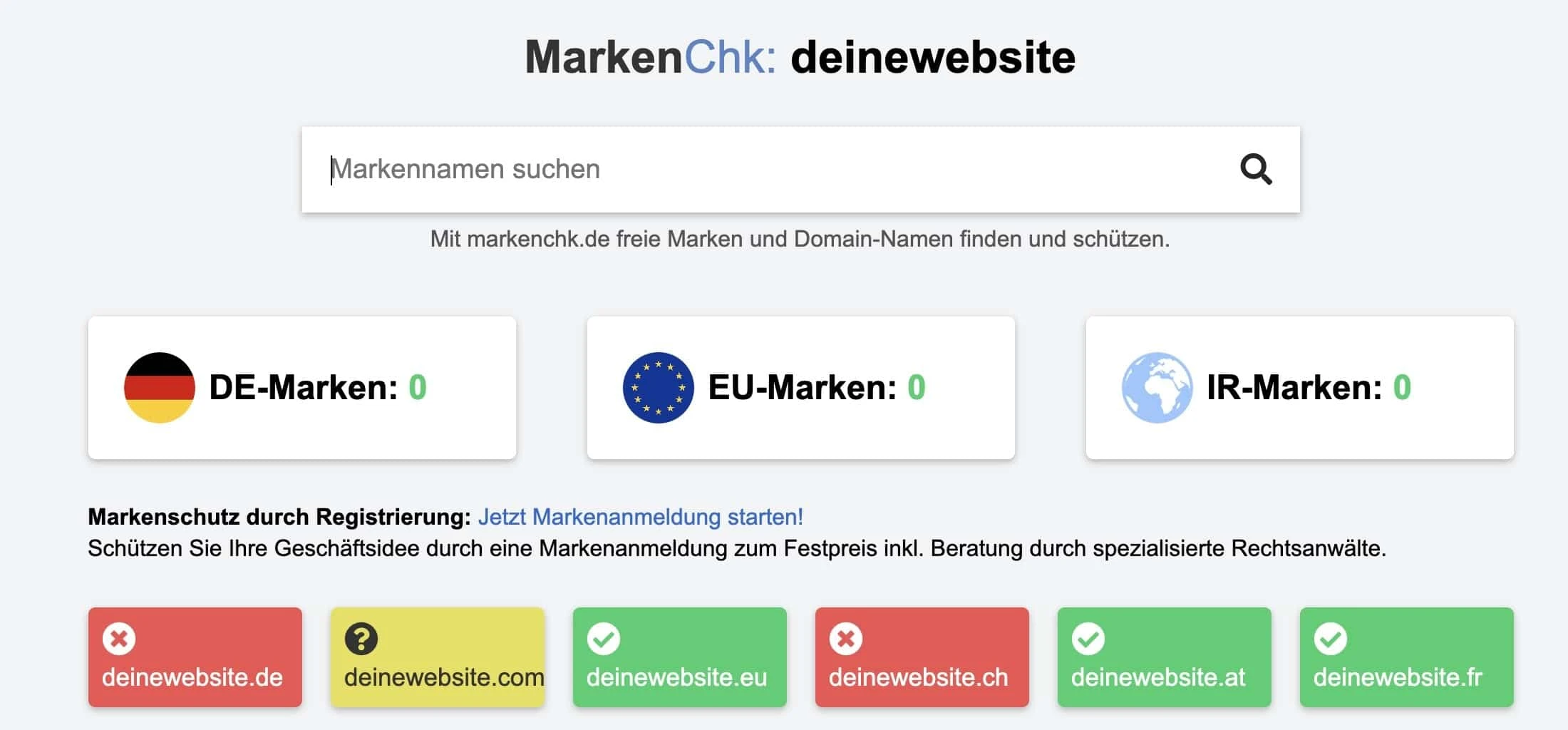
You can check very well at Markenchk.de whether domains for a name are still available or whether you might infringe trademark rights:
3.5 How do I register my own domain?
Maybe you've already asked yourself:
“Finn, choosing a domain is all well and good, but how do I actually get my domain?”
And the answer is relatively simple:
From the provider where you created your website. Theoretically, you can also register your domain with a third-party provider. But to start with, it's easier to have both from a single provider.
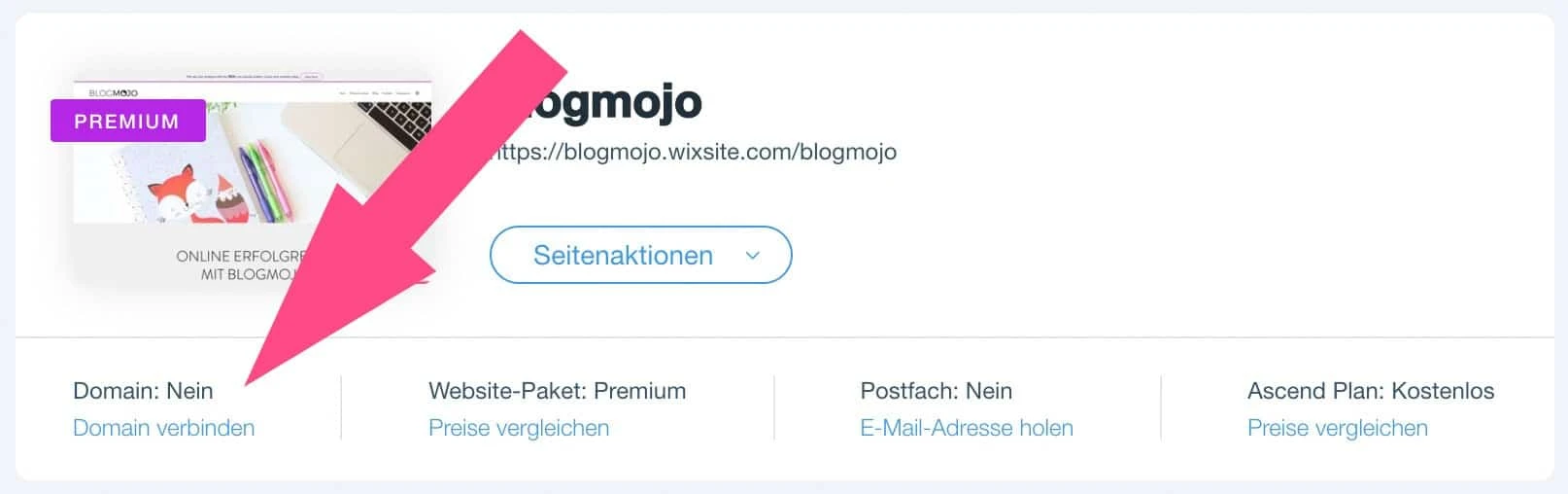
At Wix, you can register your domain directly in the website overview by clicking Domain verbinden (Connect domain):
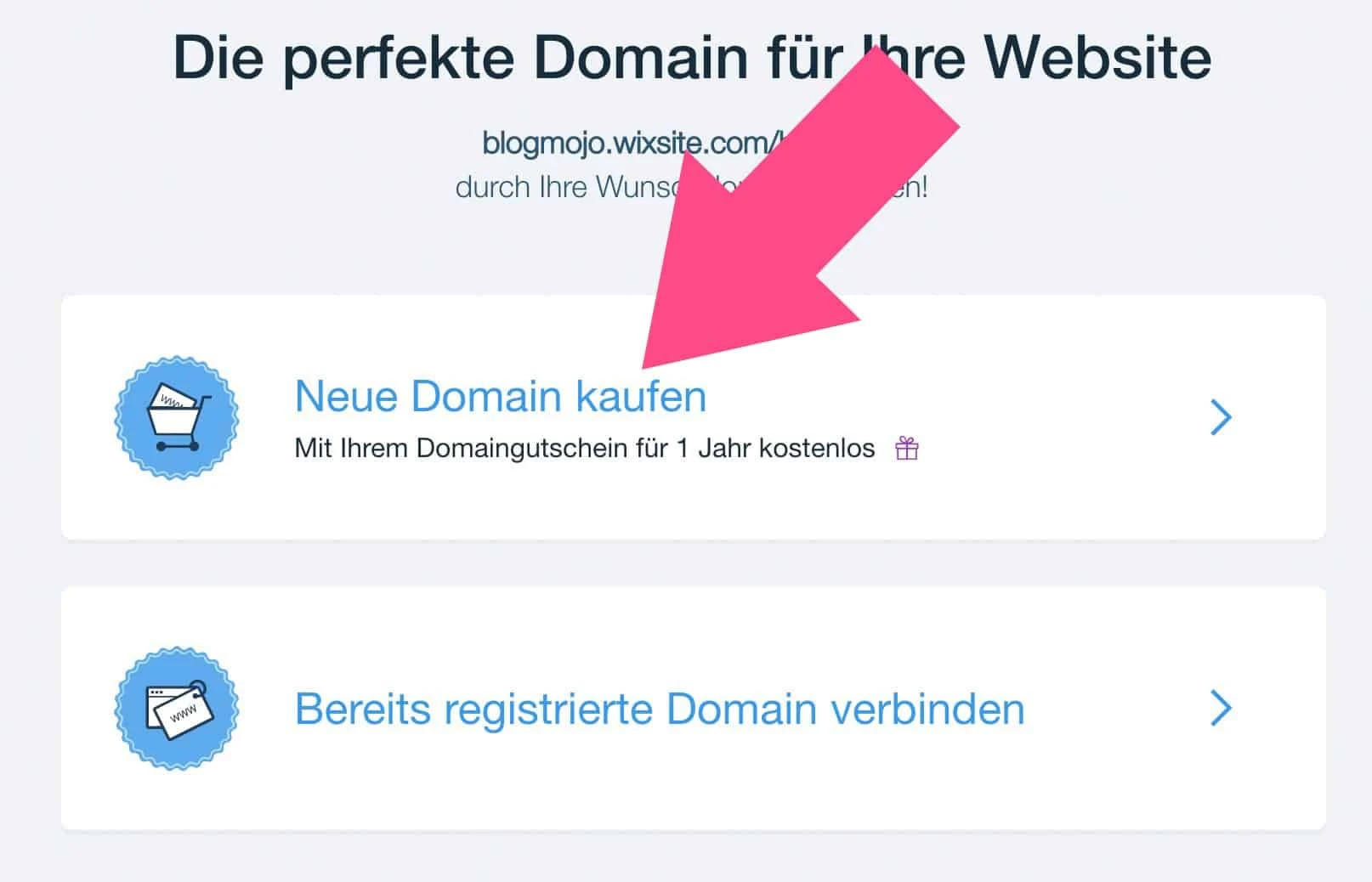
Then you go to Neue Domain kaufen (Buy new domain):
After that, you can check the availability of your domain for different extensions:
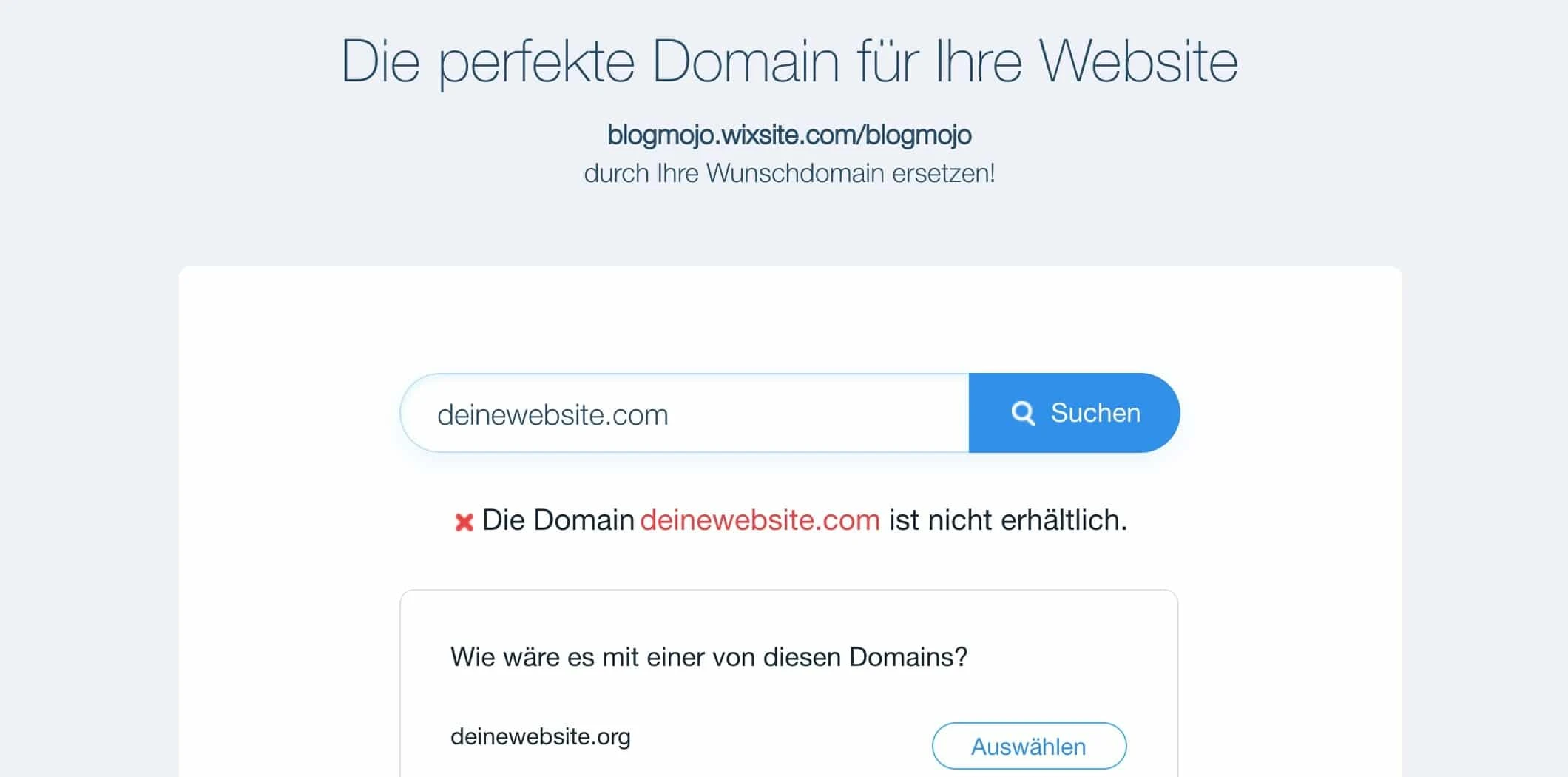
Every premium plan at Wix includes a domain free for 1 year, which applies to common extensions like .com, .net, .org, .info, .biz and .de and also some new top-level domains.
4. Plan your own website
Once you've found and registered a website provider and a domain, it's time for planning.
Of course, some points of design and structure will come up during the actual implementation, but it doesn't hurt to have a rough plan before you get started.
4.1 Create a customer avatar
Especially if your web presence is meant to win customers, it's essential to look at who your customers actually are.
A proven tool for this is creating a “customer avatar” (also called a “buyer persona”). It serves to make the picture of your ideal customer in your head more concrete and thus tailor the content on your online presence better to them.
To create a customer avatar of your ideal customer, you can ask yourself the following questions, for example:
- What demographic characteristics do they have? (age, gender, marital status, occupation, income, education level)
- What prior knowledge do they bring?
- What goals do they have? What do they want to achieve?
- What fears and problems do they have? What questions keep them up at night?
- What sources of information do they use (magazines, social media channels, websites, forums, Facebook, etc.)?
4.2 Define your website structure
Next comes planning your website structure.
That means you think about which subpages (also called web pages) your website should contain and how they're organized hierarchically.
You should ask yourself the following questions:
- What helpful content do I want to provide in order to be found online? (Think content marketing!)
- Which services, products or offers do I want to sell on my web presence?
- What content do I need so that visitors can get to know me better and build trust in me?
- How important are individual pieces of content for visitors? Which content should stand out?
- Do I want to create landing pages (e.g. to win newsletter subscribers or to sell digital products)?
I also recommend that you take inspiration from other websites (e.g. your competitors' or generally websites with a similar topic or purpose) and look at how they're built.
To visualize your entire website with all its web pages, it can help to visualize it with a mind map.
You can do that with pen and paper or use software like SimpleMind, Mindmeister (browser-based) or XMind.
5. Create important pages
There are a few pages that are indispensable for every website.
They include the following:
5.1 Start page
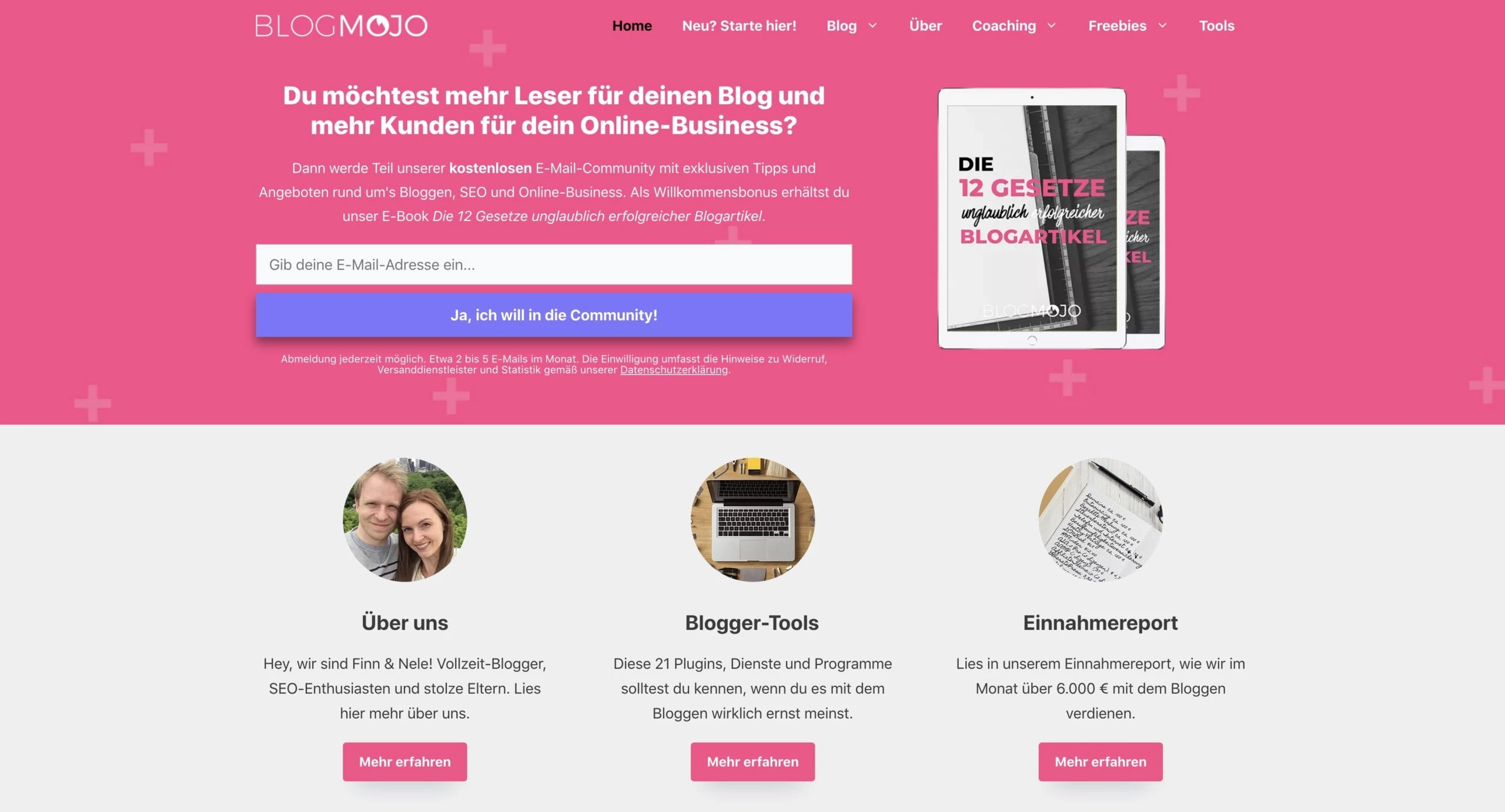
Your start page (also called home, index or homepage) is the basis of your website.
Here, visitors get a first overview of the content of your website and of you or your organization. It serves to build trust with visitors and to get them to find out more about you or your organization.
Common elements for your start page are:
- A short summary of what you and your organization stand for and what you or your team offer
- An overview of the most important content on your site
- Testimonials (customer voices) or a list of customers
- Certificates, memberships in industry associations, awards, customer reviews, seals, etc. (to build trust)
- Postal address, email address, phone number and/or opening hours (for local businesses)
- A form to sign up for your newsletter (if you have one)
- Your latest blog posts (if you have a blog)
In the navigation, the start page is often also called Start or Home. The link in your logo should also lead back to the start page.
5.2 Contact page
On the contact page, potential customers or interested readers find ways to get in touch with you.
Depending on the website, the contact page can contain the following details:
- Address
- Phone number
- Email address
- Messengers (WhatsApp, Facebook Messenger, Skype, etc.)
To make it easier to get in touch, it also makes sense to include a contact form.
In the navigation, the contact page is often also called Contact or Message to me/us.
5.3 About page
On the about page, you introduce yourself or your organization in more detail.
That can include the following points:
- an introduction of you or your team
- your values, vision and mission
- your why
- your history or story
You can of course also split these points across different subpages. In addition, the following subpages are conceivable:
- Press
- Jobs
- Partners
- Testimonials
- Company philosophy
In the navigation, the about page is often titled “About me”, “About us”, “Team” or “Company”.
5.4 Impressum
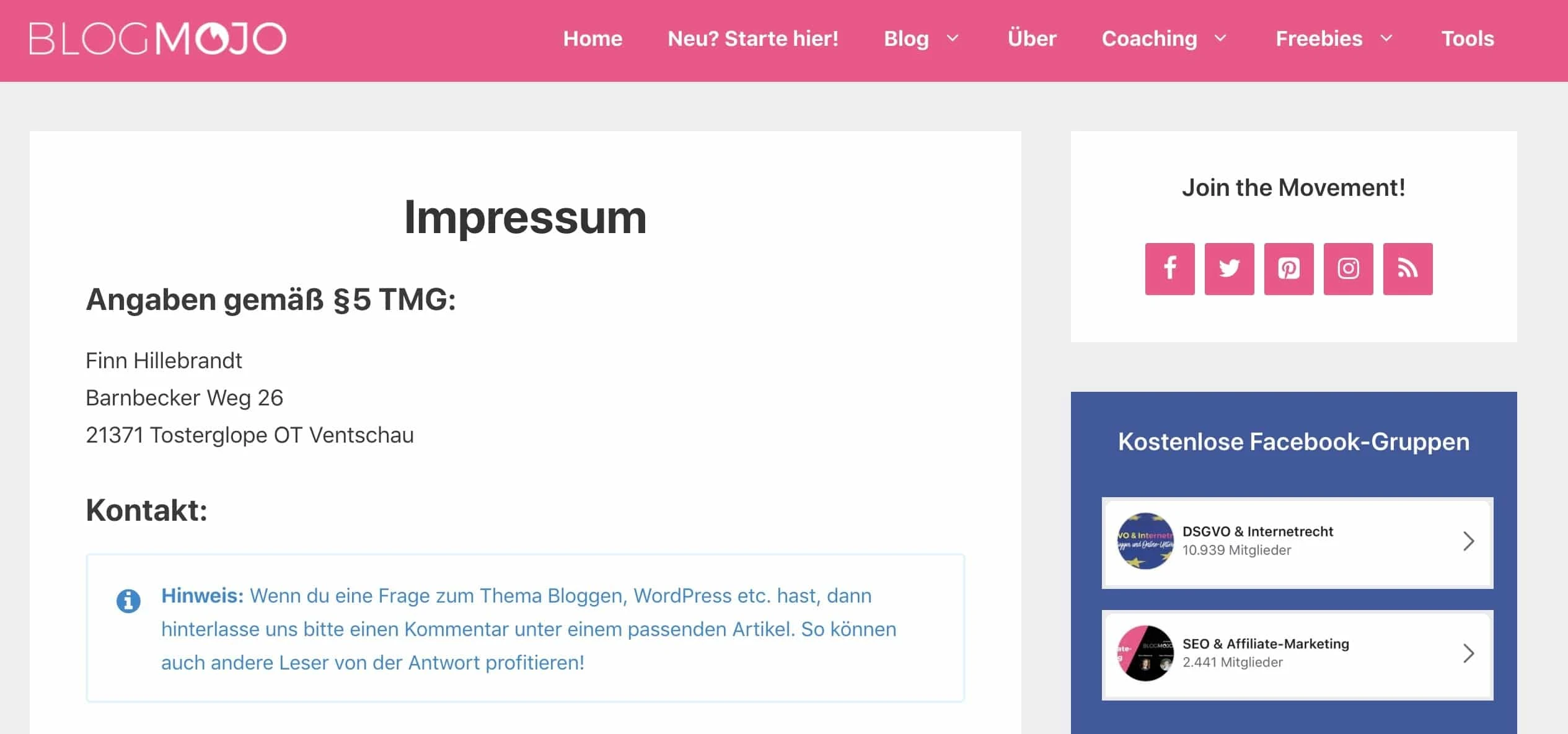
In Germany, the Impressum requirement applies, also called the provider identification requirement.
That means you have to create a page on your website where your name, your address and your contact details can be viewed by visitors. If you want to open a company or club homepage, you also have to provide various further information, such as managing director or VAT ID.
The mandatory information for commercial digital services is now regulated by § 5 of Germany's Digital Services Act (DDG). Purely personal or family-run offerings may be exempt. As soon as you run your website commercially, use advertising or affiliate links, or offer services, you should examine the Impressum requirement carefully.
Which information is required depends on the legal form and your offering. This article therefore does not replace individual legal advice.
5.5 Privacy policy
If you process personal data, you must transparently inform the people concerned about it. The relevant information obligations are set out in Art. 13 GDPR, among others. Since even server logs, contact forms or embedded services can process personal data, a publicly accessible website in practice almost always needs a suitable privacy policy.
It's true that, according to Art. 2, the GDPR does not apply to “natural persons in the course of a purely personal or household activity”.
However, it isn't clearly settled how far this restriction reaches. A single advertising banner or making your content publicly available could already be enough for your web presence to no longer fall under it.
Even with a private homepage, you should therefore check specifically which data is actually processed and whether the so-called household exemption applies.
You can create a privacy policy with the Datenschutz-Generator by Dr. Schwenke, for example (free for private individuals and small business owners). If you're a business owner who is liable for VAT, I recommend a premium membership at eRecht24.
6. Design your website
The design of a website is just as important as its content!
Your content can be as valuable and interesting as you like:
If your web presence looks old-fashioned and like it's from 10 years ago, many visitors will bounce again.
First impressions count!
6.1 General design tips
Here are a few general points to keep in mind when designing your website:
- Readable on all devices: Look at your entire website (not just the start page, but individual web pages too!) in different browsers and on different devices (desktop computer, smartphone, tablet). Ideally, your web presence should be easy to read on all devices.
- Font size and line spacing: Use a font size of at least 16 px for body text and a line spacing of at least 1.5 em (that is, one and a half times the font size)
- Sentence and paragraph length: Don't write overly long, convoluted sentences and avoid paragraphs that are too long.
- Loading time: Test your loading time with tools like Pingdom. Long loading times (over 3 seconds) cause more visitors to bounce.
- Slim navigation: Make sure you don't have too many top-level items in your menu.
- Images: Use images on every page and in every blog article. Especially when there's a lot of text on the page in question. Make sure, though, that they aren't displayed distorted or loaded larger than they're shown in the browser. You'll find a large selection of images, some of them free, here.
- Links: Links should stand out clearly from the body text, e.g. through a different color, underlining and/or bold type. If you can't or don't want to make your links in your brand colors, make them blue.
- Buttons: Use call-to-action buttons to guide visitors to the pages you want them on (e.g. to the contact form or online store)
- Logo: Use a logo in the top area (also called the header). It makes your website look much more professional.
- Search function: Provide a search function so visitors can search your web pages
- Social media channels: Link to your social media channels (e.g. Facebook fan page, X profile, LinkedIn, etc.)
- Use text tools: Spell checkers like LanguageTool or AI text generators can take a lot of work off your hands with your website texts
6.2 Structure of a web page
Every web page consists of different elements:
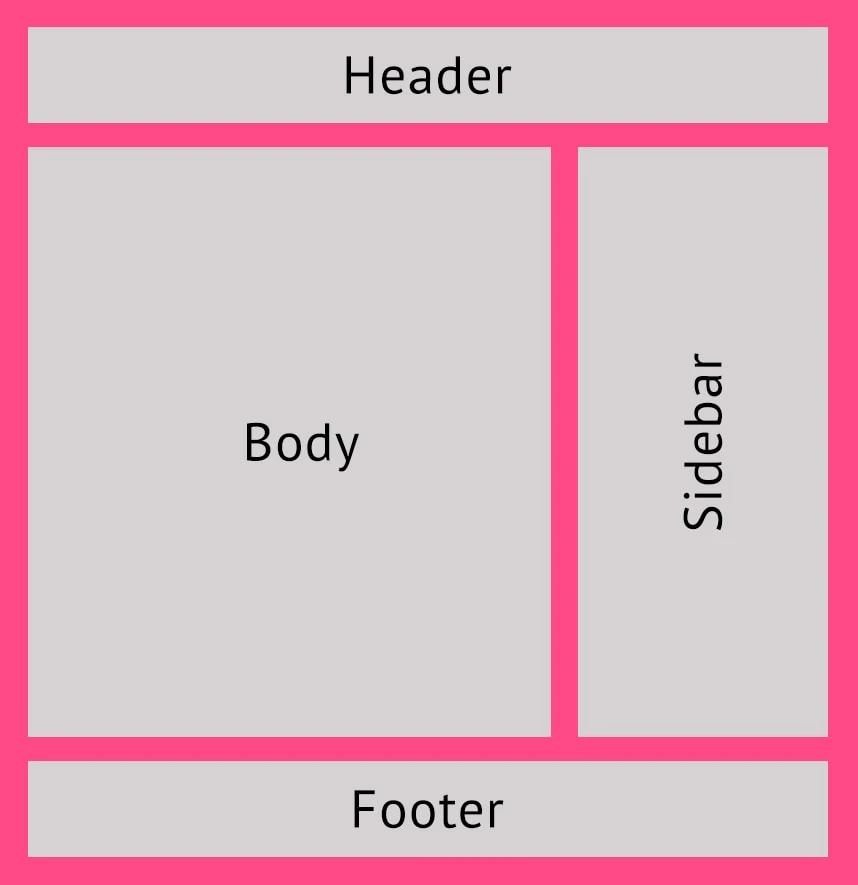
Header
The header usually contains the menu (also called navigation) and your logo. The header is particularly important because it's the first thing visitors see of your web pages.
Body
The body contains your actual content.
Footer
The footer of your web pages contains further links and information that visitors don't need to see right away, such as:
- Your latest blog articles
- Links to the Impressum, privacy policy, terms and conditions or other legally relevant pages
- Certificates, seals and awards
- An overview of further pages on your website
- Links to partners or other websites of yours
- Links to your social media channels
- Footnotes and disclaimers
- Payment methods
- Links to support, customer service, etc.
Sidebar
Like the footer, the sidebar is used to display further links and information. It can be placed on the right, the left or on both sides of a web page.
Unlike the footer, though, the sidebar should contain information of higher importance, since it's more prominently visible:
These include, for example:
- Links to your offerings
- Info about you or your organization (ideally with a picture!)
- Newsletter form
- Advertising banners
- Search function
- Links to your social media channels
7. FAQ
Here you'll find common questions about setting up and building your own website:
Why start your own website?
There are plenty of good reasons to launch your own website.
Here are 15 of them:
- to present your own company on the internet.
- to win clients as a freelancer or photographer and show your portfolio.
- as a wedding website for collecting donations, providing wedding photos, information about the schedule of the day, accommodation options, etc.
- to provide information about your own private interests, hobbies or your family
- to get booked more often as a musician, artist or comedian
- to present a club, an association, a church or an organization
- to win clients as a coach or consultant
- to sell products or services online.
- as a diary or chronicle
- to get more guests and offer online booking as a hotel, hostel or vacation home owner
- to become a blogger or influencer.
- as a niche site that can earn you passive income thanks to SEO and affiliate marketing.
- to start an online magazine, a forum or a job portal.
- to win more customers as a local business (restaurant, café, hairdresser, nail salon, etc.)
- just for fun or to try it out.
How much does a website cost?
It depends.
With homepage providers like Jimdo or Wix, you can create a website for free. In that case, though, you can't connect your own domain and have to expect limitations in functionality.
A domain of your own is not free permanently. With many annual plans it's included in the first year at no extra charge, after that the renewal price of the chosen domain extension applies.
Here's an overview of possible costs with your own domain (incl. VAT and with a contract term of one year):
Wix (with the Light plan)
First year: €199.92
From the second year: €199.92 plus domain renewal
WordPress website (with WPspace LITEspace)
First year: €285.60
Second year: €342.72
Depending on how much you want to do yourself or what you have planned for your web project, there may be additional costs for:
- Various tools (AI text generators, image editing, etc.)
- SEO tools (e.g. keyword tools)
- Online course platform
- Legal texts (e.g. drafting terms and conditions and a privacy policy)
- additional domains
- Plugins or add-ons for your website
- Newsletter software (like Mailchimp or CleverReach)
- Outsourcing (e.g. logo design or managing social media channels)
- Stock photos
- Professional liability insurance (e.g. media liability insurance from exali)
- Payment services (like PayPal)
Are the costs of a website one-time or ongoing?
Having your own web presence always causes ongoing basic costs.
You have to keep paying for the domain and the hosting provider or website builder if you don't want your website to go offline.
Domains are billed annually only. With web hosts and website builders, you can often choose between a term of one month, three months or one year.
The longer the contract term, the cheaper the monthly or annual price often is.
Should I have a website built for me or set it up myself?
Whether you have someone build a website for you or prefer to take it into your own hands depends on several factors.
There's time on the one hand and cost on the other:
Say you have about 1 to 2 hours a day to set up your website.
With a homepage builder, you'll need an estimated week or so to finish a simple website with seven subpages. For the complete setup of a WordPress website, I'd even plan two to four weeks for complete beginners.
Having a professional web designer build the website, on the other hand, would cost about €800 to €1,500.
And then, of course, there's the question of whether you enjoy dealing with technical topics.
How can I make money with a website?
There are numerous ways to make money with a website. Some of the most popular are:
- Banner ads (e.g. via Google AdSense)
- Affiliate links (e.g. via the Amazon Associates program)
- Sponsored posts (paid introduction or review of a product, a service or a company)
- Selling physical products (shipped yourself or via drop shipping)
- Selling digital products (e-books, online courses, etc.)
- Selling services (e.g. as an agency or freelancer)
- Coaching and consulting
- Membership area
- Donations
- Selling or renting out links
You can also combine different methods. On Blogmojo, for example, we make money with our SEO course, affiliate links and coaching, which adds up to five-figure monthly revenue.
A lot of the revenue comes from the fact that we created our own newsletter, which makes sense for almost every website owner.
How can I create an HTML website?
First, a quick note up front (so we don't misunderstand each other):
Every web page is based on HTML (short for Hypertext Markup Language).
Web pages created with WordPress or a homepage builder are also output in HTML. There, however, the HTML code is generated automatically.
It's also possible to write a website in HTML by hand. To make it look appealing, CSS (Cascading Style Sheets) is used.
You can think of it like this: HTML is the shell of your house and CSS is the facade.
To learn HTML and CSS, I recommend the book Einstieg in HTML und CSS (a German-language book) by Peter Müller.
How can I create a WordPress website?
These six steps are necessary to create a website with WordPress:
- Find a hosting provider
- Buy a hosting plan
- Install WordPress
- Register a domain
- Switch your website to HTTPS
- Configure your WordPress website
You'll find detailed descriptions of all the steps and more information in this article: Create a WordPress website: Here's how in 6 simple steps