
Online courses are a great way to make money with your own website or to establish your expert status in a particular subject area.
The great thing is:
It has never been easier to create an online course than it is now.
There are dozens of platforms by now that let you create a course without programming anything yourself or hiring a programmer to do it.
Some platforms even take annoying things like bookkeeping (including invoicing) off your hands, or replace other services with their range of features, such as a newsletter tool, landing page software or even WordPress.
In this article I introduce you to ten of the most popular and best online course platforms, with current prices and a decision guide at the end:
- This list contains 10 of the most popular online course platforms for the German market, from all-in-one solutions and community platforms to WordPress plugins.
- Each platform is presented in detail with prices, pros, cons and the target group it suits best.
- The platforms differ in range of features, pricing model and target group. What usually matters most is payment processing, fees per sale and data protection, less the price of the plan.
1. Coachy
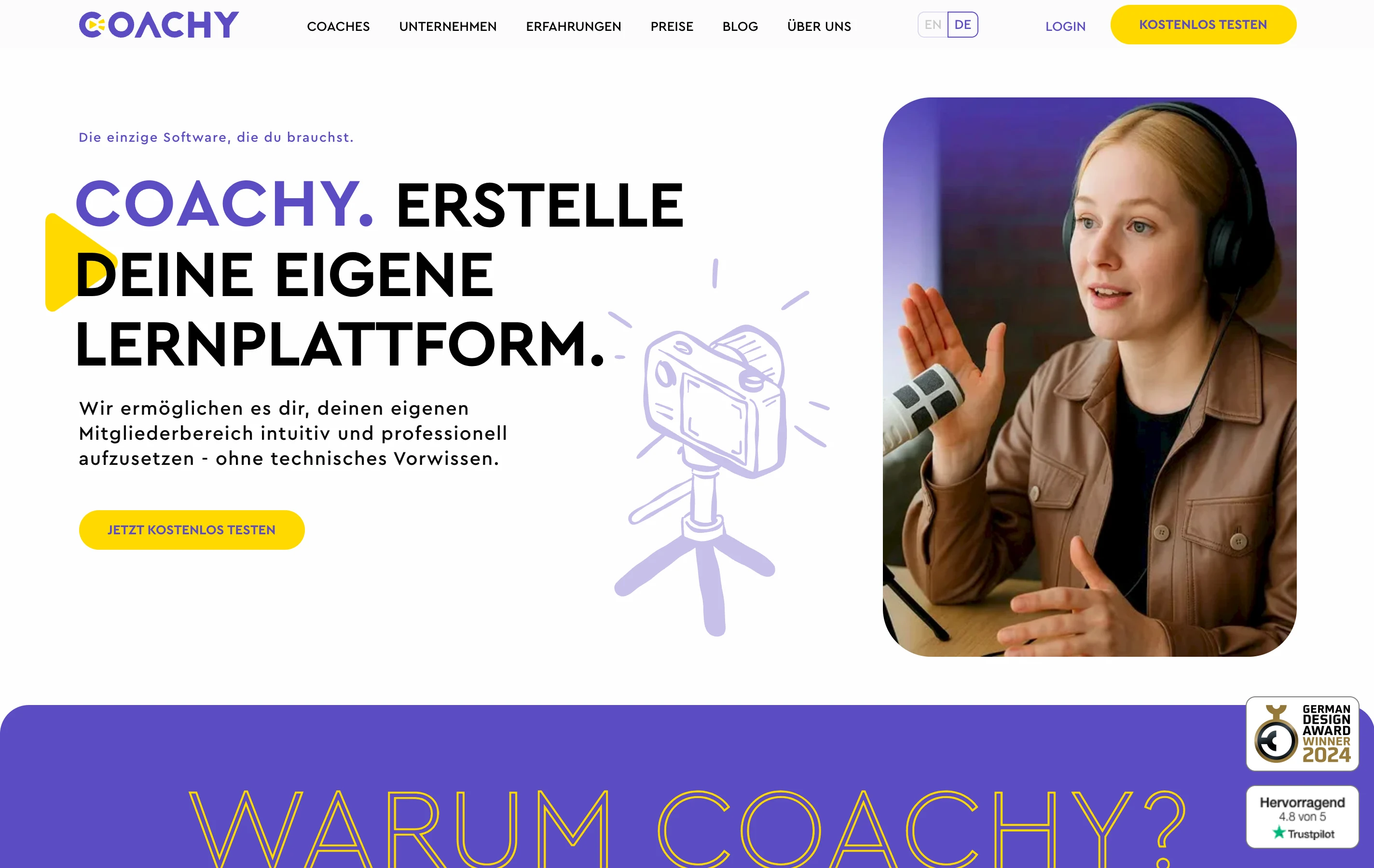
Coachy is a German-language platform for online courses and member areas. According to its legal notice (Impressum), the provider is based in Bulgaria.
You can provide videos, audio and downloads. Hosting is included in the plan.
From Deluxe, you can release individual chapters as a free preview and sell the full course. For your email list, you connect an external email marketing tool.
In its feature list, Coachy describes the community function as comments on lessons and a link to an external group.
For selling, there are direct connections to Digistore24 and CopeCart. Alternatively, according to Coachy's payment documentation, you can sell on invoice and grant access manually.
From Deluxe, you can connect further sales channels through Zapier or Make. The Make integration, for example, enables automatic access activation after a payment through PayPal or Stripe.
Prices
The Coachy price list distinguishes between monthly and annual payment. All prices below are excl. VAT. Members and storage are unlimited in all three plans. You can try Coachy free for 30 days, without a credit card.
- Premium: €42 with monthly payment or €420 per year, which works out to €35 per month. Included are one course or product, basic statistics and automatically generated landing pages.
- Deluxe: €78 with monthly payment, with three courses or products. With annual payment, five are included. You pay €780 per year, which works out to €65 per month. On top of that come the landing page builder, tests, certificates and extended statistics, among other things.
- Enterprise: €234 with monthly payment or €2,340 per year, which works out to €195 per month. Courses, employee accounts and automations are unlimited. YouTube livestreams are also included.
With Premium and Deluxe, you can book additional courses or products.
- German-language interface and support
- Unlimited members and storage in all plans
- Hosting for videos, audio and downloads included
- Connection to external email marketing tools
- Basic statistics already in Premium
- Landing page builder, tests and certificates from Deluxe
- Own domain only from Deluxe, one-time €25 setup fee (excl. VAT)
- Selling requires an external payment provider or manual invoices
- Zapier and Make only from Deluxe
- According to its feature list, the community works through comments and external groups
Who is Coachy right for?
Coachy suits you if you're looking for a hosted course area with a German-language interface and want to connect sales handling separately. For a standalone community, you should check whether comments and a linked group are enough.
2. Digimember & DigiStore24
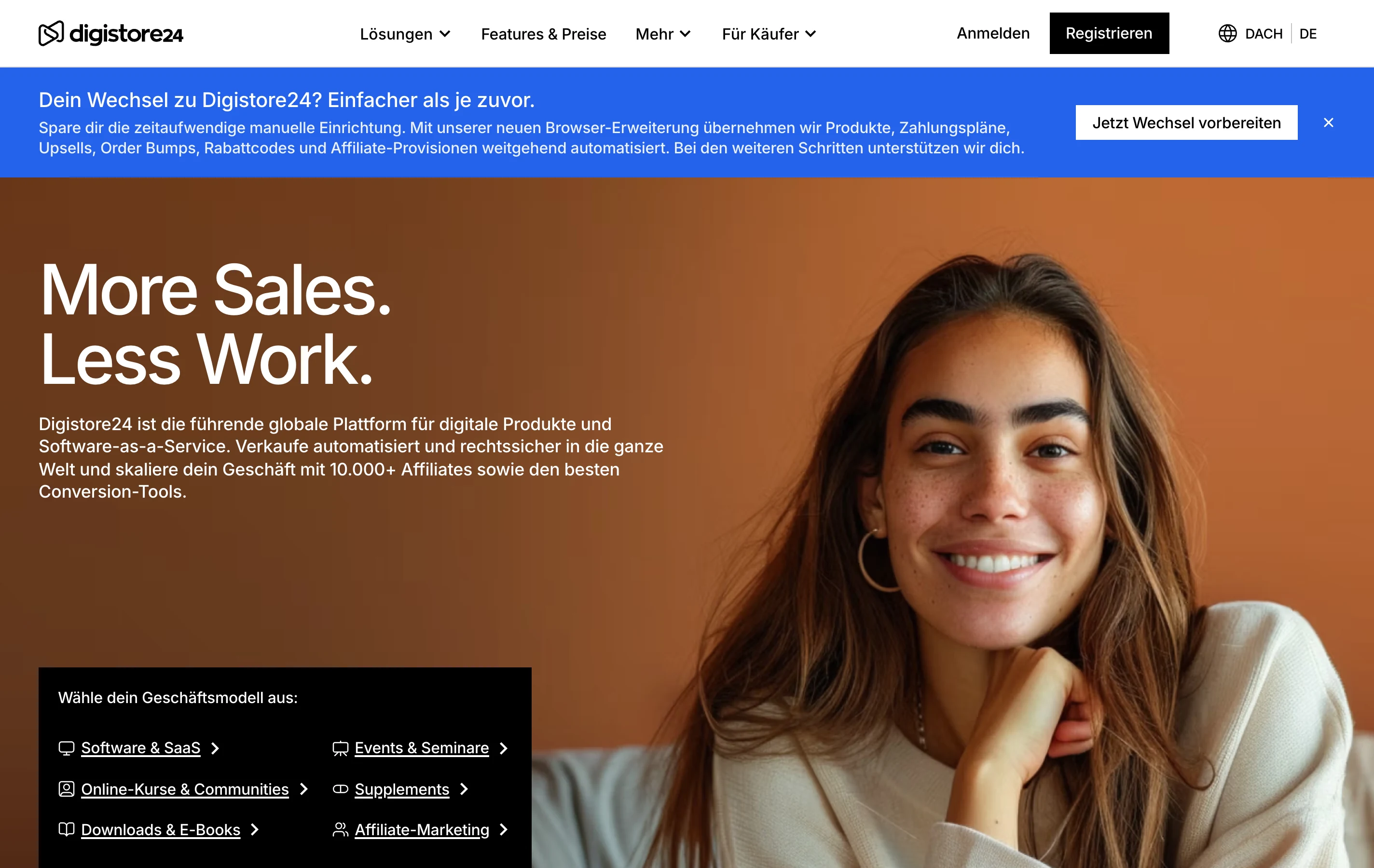
Digimember combined with DigiStore24 is the “dinosaur solution” among online course providers and a veteran of the scene.
This solution consists of two building blocks.
First, the WordPress plugin Digimember, which lets you create a course area directly on your website.
Second, the payment provider DigiStore24, which sells your products under the well-known and proven reseller model.
The advantages of this combination are obvious: because the course area is integrated into your own website, you don't have to send your customers to an external provider. That makes a lot of sense, especially for subscription models and very extensive course areas with features like forums.
Digimember also gives you plenty of settings. For example, you can release content only after a certain time or connect your newsletter tool to the plugin.
DigiStore24, which can be linked automatically in the Digimember plugin, handles all payment transactions.
Since it works with the reseller model, you really don't have to worry about bookkeeping and invoicing, or about returns and refunds. The combination of both solutions therefore has a clear advantage over selling on your own invoice, for example through WooCommerce.
In addition, DigiStore24 is one of the largest affiliate networks in Europe, so you can find advertisers for your product very quickly and easily.
Prices
Although Digimember and DigiStore24 combine perfectly, they don't belong together and have their own cost structures.
Digimember Free is free with no time limit, with a reduced range of features. The Pro version costs €47 per month or €397 per year (excl. VAT) and includes unlimited products, time-controlled release, exams, certificates and all integrations. You buy it through DigiStore24. At DigiStore24 itself, you pay a fee per sale, which you should look up in the current terms before you start.
- Digistore24 is based in Hildesheim and is therefore a German company
- Digimember runs on your own server and therefore doesn't pass on any personal data
- You can create the member area directly on your website and fill it with any content
- No bookkeeping effort, no invoicing
- Digistore24 only costs you something when you make sales
- Many configuration options in Digimember (e.g. releasing content at set intervals, download vault for files)
- Access to a huge affiliate marketplace
- Flexible pricing settings for your products (subscription, one-time payment, discounts, etc.)
- Upsell and downsell funnels
- Not an all-in-one solution
- Occasional synchronization problems between the two components
Who is Digimember & DigiStore24 the best solution for?
Digimember is perfect if you're comfortable with web design. Since the plugin lets you create a member area within your website, you decide which content your customers see.
There really are no limits here, because you're not tied to a provider's restricted software.
3. Kajabi
Kajabi is an American course platform that, much like ablefy, gives you an all-in-one solution.
That means you can create products, websites, landing pages and even marketing emails directly in the backend of the course area. Almost no other platform offers such an extensive package of features.
But there's a downside, too.
The price is quite high, and when it comes to data protection, Kajabi isn't the ideal solution for European customers. Your users' data is stored on servers located in the USA.
Prices
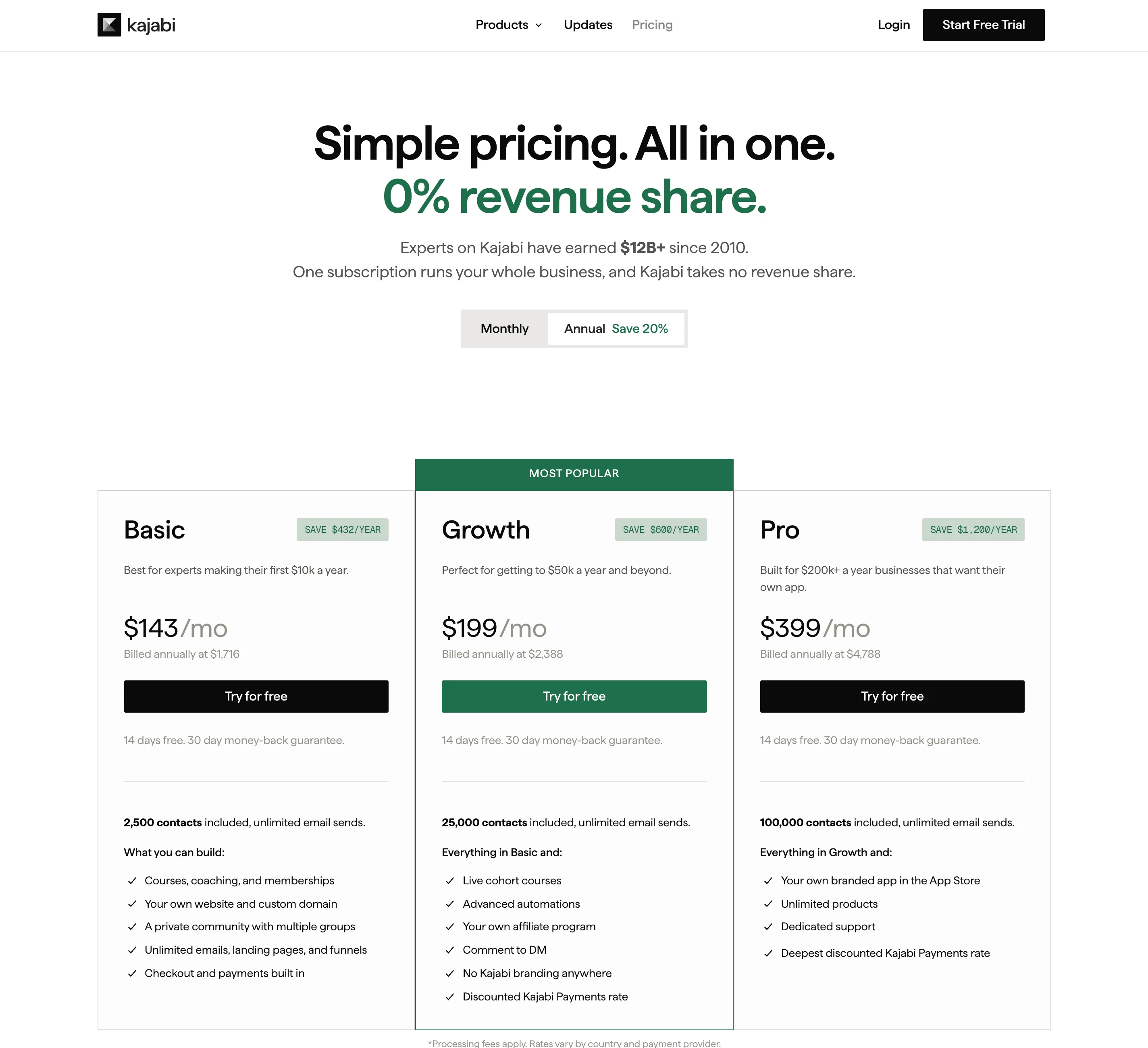
Kajabi's prices are in US dollars. With annual payment, Basic costs $143 per month ($179 monthly), Growth $199 ($249 monthly) and Pro $399 ($499 monthly). Basic includes 5 products, 2,500 contacts and 2 admin accounts, Growth 50 products and 25,000 contacts, Pro unlimited products and 100,000 contacts. Kajabi advertises 0% revenue share. The fees for payment processing come on top, though, and differ by country.
- All-in-one solution
- Video hosting through the renowned platform Wistia is included
- Great range of features including email marketing, statistics, page builder, etc.
- You can create your own podcasts easily and quickly
- Access to the extensive Kajabi University
- Plenty of templates for all kinds of areas
- Free trial
- American platform, so difficult when it comes to data protection
- Very expensive compared to other platforms
Who is Kajabi the best solution for?
If you're looking for an all-in-one platform for really all areas and don't want to rely on other solutions for analytics, marketing or building your website, Kajabi is a great solution.
The platform comes at a price, though!
4. Teachable
Teachable bundles course area, sales pages, email marketing and payment processing in one platform.
You can sell courses, coaching offers, digital downloads, bundles and memberships. For pricing, one-time payments, installment payments and subscriptions are available.
teachable:pay is especially interesting. The built-in payment processing supports 35+ local payment methods, shows customers prices in their currency and, according to Teachable, handles the calculation, collection and remittance of taxes in 45+ countries.
Which payment methods and fees apply depends on your location, plan and the payment processing you choose, however.
Your own affiliate program for your courses is included from the Builder plan. Teachable can handle the payouts to your advertising partners automatically.
- All-in-one solution with a clearly laid out backend
- Free trial period
- 35+ local payment methods through teachable:pay
- Automatic tax calculation and remittance in 45+ countries
- Built-in affiliate program from the Builder plan
- No Teachable transaction fee from the Builder plan
- Custom pricing structures possible
- Courses, coaching, downloads, bundles and memberships possible
- Completion certificates and quizzes in all plans
- American provider. Data protection problems can therefore not be ruled out
- 7.5% transaction fee on the Starter plan
- Product and participant limits depend on the plan
Who is Teachable the best solution for?
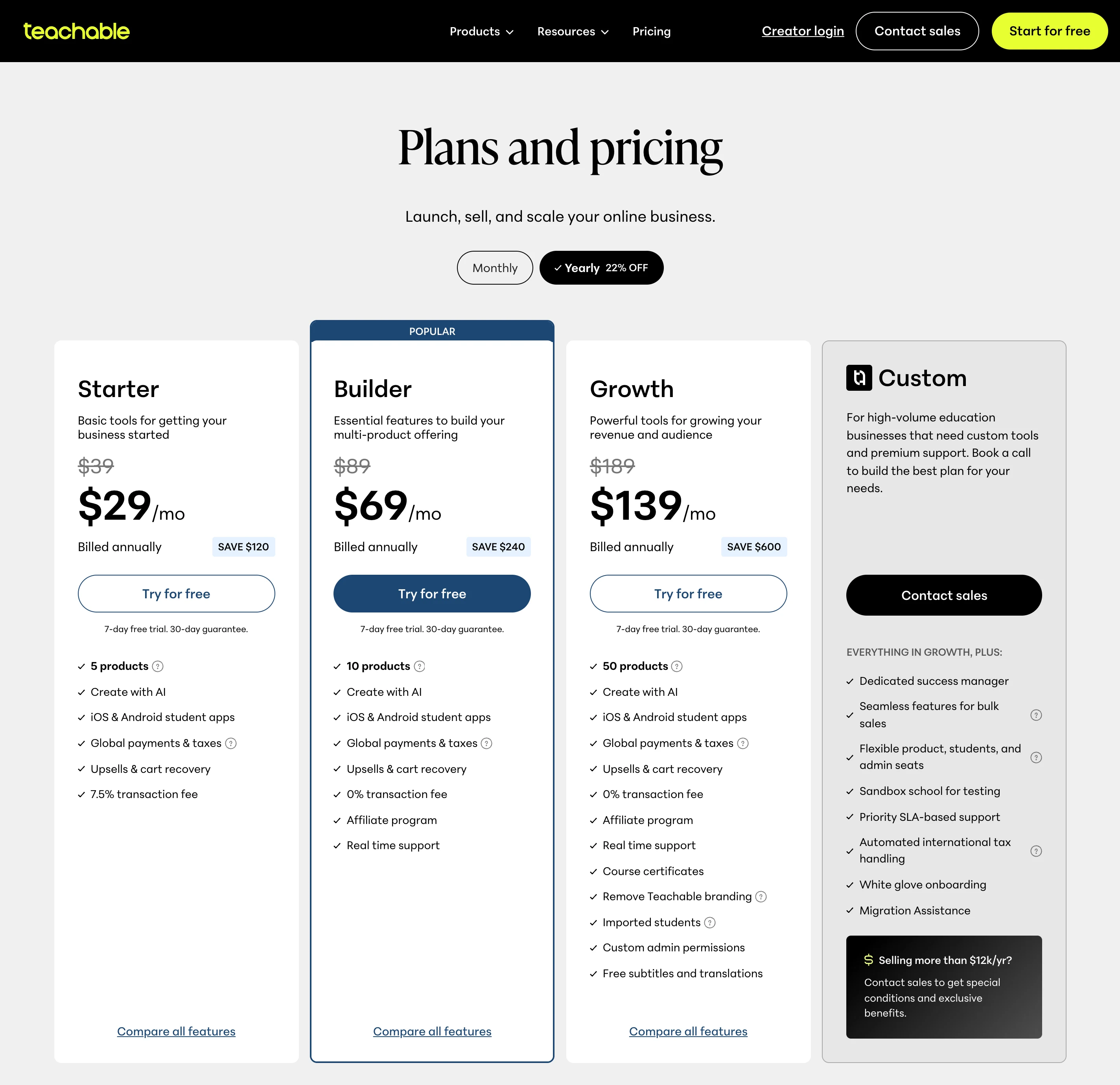
The Starter plan costs $39 with monthly payment, or the equivalent of $29 per month on an annual plan. In return, Teachable also keeps a 7.5% transaction fee. Builder costs $89 ($69 on an annual plan) and Growth $189 ($139 on an annual plan). There, the transaction fee doesn't apply as long as you use Teachable Payments. The usual fees for payment processing still come on top.
If you don't want to run your own website and sell courses to an international audience, Teachable with its free trial period is a good choice.
If you only sell a few products with small revenues, though, you need to do the math carefully. The 7.5% transaction fee of the Starter plan can quickly make the supposedly cheap entry expensive.
5. Thinkific
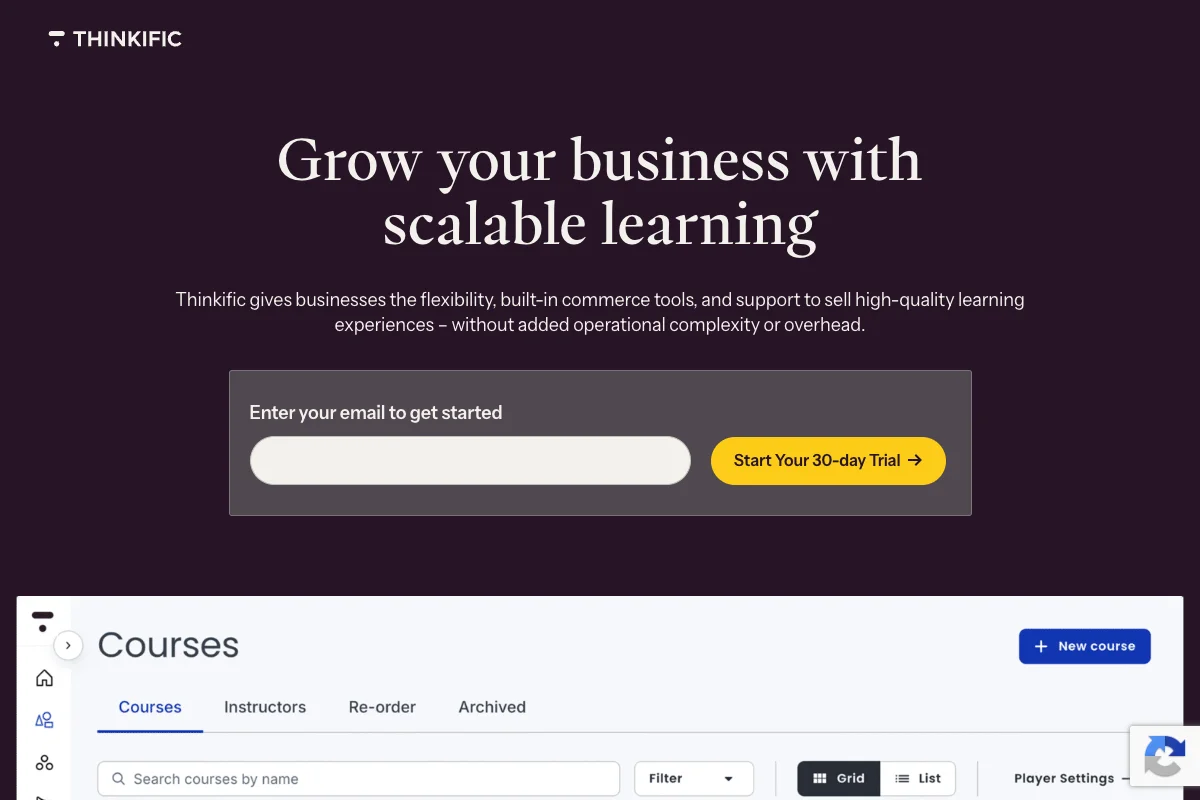
Thinkific has set itself the goal of creating an ideal online learning experience that recalls the atmosphere of a classroom. Communities are now part of it as well. That makes this platform ideal not only for acquiring external customers, but also for offering in-house training for your company.
Numerous templates are waiting for you, which not only help you build pages but also help you plan your online course.
You can tell from the plans who Thinkific wants to appeal to: people who build a portfolio of online courses that are hosted and sold through one platform.
The many standard features you also find at other providers (drag-and-drop builder, support, etc.) are extended by the option to offer one-on-one or group coaching directly through the software.
At the end of a course, you can even issue certificates to your customers.
- Free 30-day trial
- Unlimited courses in all plans
- Very intuitive drag-and-drop builder
- Free hosting of your videos and content
- Course graduates receive certificates for successful completion
- Third-party tools integrate without problems
- German backend and payment in euros possible
- One-on-one and group teaching
- US provider and therefore problematic when it comes to data protection
- No free plan anymore, entry only from €79 per month
- No marketing tools built in
Who is Thinkific the best solution for?
There's no free plan at Thinkific anymore, but you get a 30-day free trial. Start costs €79 per month with annual payment (€107 monthly), Grow €159 (€213 monthly) and Expand €366 (€488 monthly). All plans include unlimited courses and up to 10,000 active participants. With Thinkific Payments, a 2.9% payment fee applies, with Stripe or PayPal their fees.
Thinkific is ideal for you if you want to get in direct contact with your customers through live coaching, for example to offer individual workout sessions.
The platform also plays to its strengths if you want to bundle several coordinated online courses into one portfolio.
6. Learndash
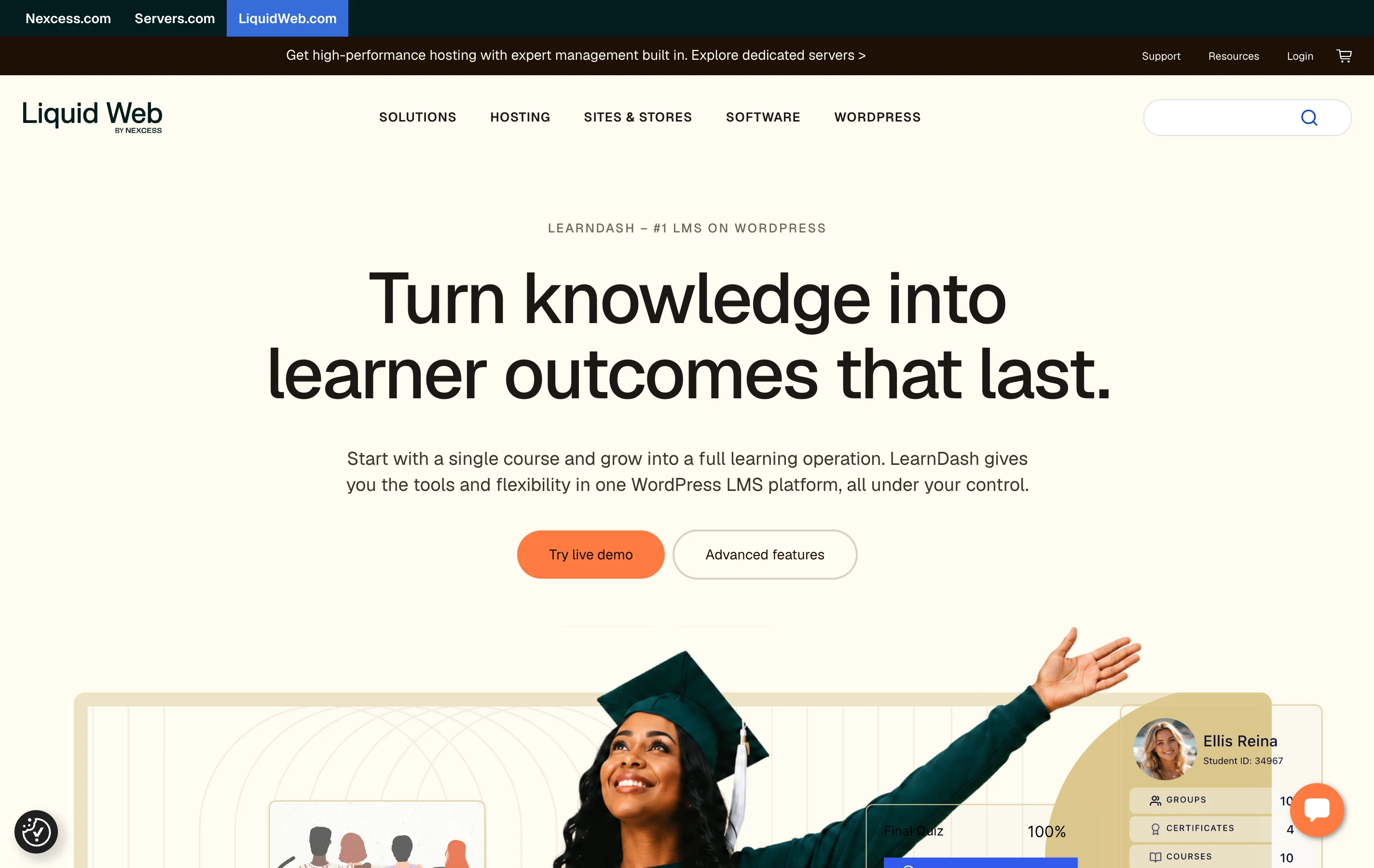
Alongside Digimember, Learndash is the second WordPress plugin I want to introduce to you here. It's now sold through Liquid Web.
With the plugin, you turn your website into a comprehensive learning platform for all kinds of purposes in no time. Besides the classic sale of online courses, you can manage member areas for subscription models, offer employee training or market download products.
Learndash gives you a drag-and-drop course builder and extends your WordPress installation with features like automatic customer notifications, exams with a points system, automatically generated performance tables for your course participants, and discussion forums.
Of course, the plugin is compatible with every WordPress theme and can be used with most tools such as Mailchimp, WooCommerce or Zapier.
Video hosting conveniently runs through YouTube.
You can get additional impressions of LearnDash from the provider's official demo content and example pages.
- No external software, since it's a WordPress plugin
- Full control over all your data
- Adjust content with ease in your familiar system
- Courses integrated directly on your own website
- Various use cases
- Many external tools can be integrated
- Compatible with every theme and page builder such as Divi or Elementor
- Hosting via YouTube or your own server possible
- No sales commission
- Only suitable for advanced users
- Setup takes a lot of time
Who is Learndash the best solution for?
Since Learndash is a plugin, the tool works with annual licenses per website. According to the pricing page at Liquid Web, the license for one website costs $350 per year, for ten websites $599. The package also includes The Events Calendar, Give and the Kadence theme.
If you want to integrate a member area directly into your own website, Learndash is a great solution. You can adapt the design of the online course to your existing branding with ease and thereby boost your brand's popularity even further.
7. Udemy
Udemy is the market leader when it comes to online teaching: millions of learners and tens of thousands of instructors use it.
The biggest advantage of Udemy is the support from staff who are happy to help with really any question. From video production to marketing questions, you can turn to the Udemy team with confidence and get expert support.
The path to your first online course is simple, too.
You just apply as an instructor and, once accepted, create a course with at least 30 minutes of video and 5 lessons.
That's it.
If you're not sure whether a topic suits a standalone course at all, you can take a look at the marketplace. There, the platform gives you a perfect overview of potential competition and even the search volume. That way you can quickly and easily gauge your chances of success with an online course.
- Using the platform is free
- Knowledgeable staff support you with your questions
- Existing marketplace with many customers
- Great research options for topics and niches through existing courses
- Many resources provided for creating courses
- Little to no onboarding time
- Marketing by the platform
- Very high commissions (up to 63% on marketplace sales)
- Selling high-priced courses is not possible
- Building a brand and positioning yourself as an expert is difficult
Who is Udemy the best solution for?
Using the platform and also providing courses is completely free.
However, commissions are due when you make a sale, and they depend on the source through which the customer was acquired. According to Udemy's help page on revenue share, you get 97% on sales through your own coupon or referral link and 37% on sales through the Udemy marketplace. For subscription sales through Udemy's subscription offers, your share has been 15% since January 2026, according to Udemy's announcement.
Udemy is the perfect solution if you're just starting out and have neither your own customer base nor your own sales channels.
In theory, you don't even need a website for Udemy.
For first steps in the online world, this platform is great, because you need neither investment capital nor expertise in video production.
For advanced users who want to sell courses in the three-digit range, however, this platform is unsuitable.
8. ablefy (formerly elopage)
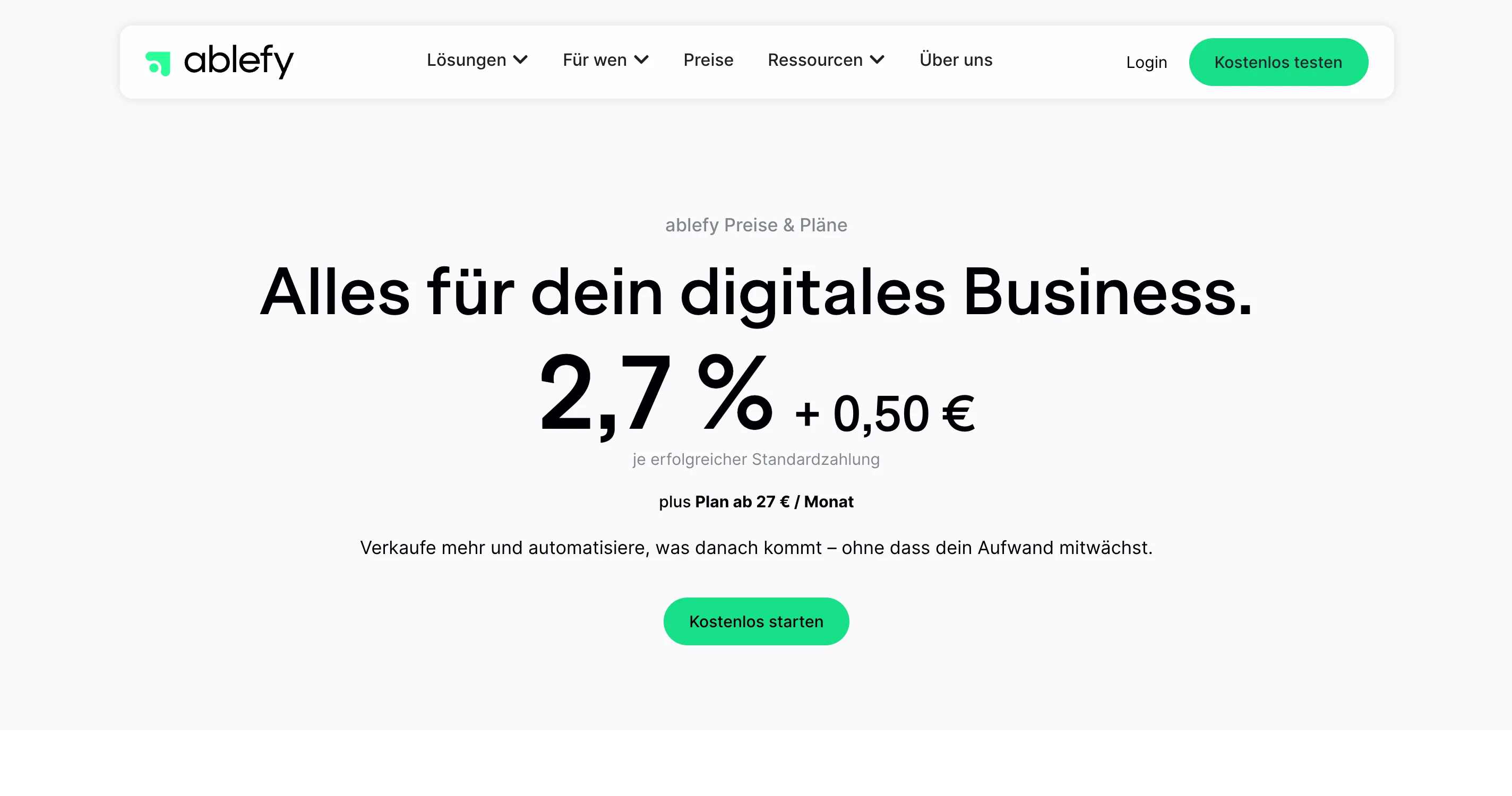
ablefy has developed into one of the most popular course platforms in Germany over the past few years.
I used ablefy for my former SEO course and was happy with it (after a few teething problems).
ablefy is an all-in-one solution that not only handles payment processing, but also lets you create a course area or provide downloads directly.
ablefy also gives you a good page builder that you can use to create sales pages and shop pages.
Further extras, such as the option to integrate affiliates or issue coupon codes, are built in as well.
Who is ablefy (formerly elopage) the best solution for?
ablefy has changed its pricing model. You pay a monthly plan plus 2.7% and €0.50 per successful standard payment. You can try both plans free for 14 days. For individual payment methods and additional services (such as sales handling under the reseller model), further fees apply according to the ablefy pricing page.
- Sell: €27 per month for selling, payment processing, delivery of digital products, invoices and automation, but without courses and member area.
- Create & Sell: Adds courses, memberships and community. The price depends on the number of members: €59 per month up to 150 members, €119 up to 3,000, €229 up to 10,000 and from €397 for unlimited.
So you no longer unlock features through higher plans, you pay as you grow. That's fair as long as you start small. But do the math on how many members you expect in a year.
- All-in-one platform that gives you all the important tools in one product
- German provider and therefore unproblematic when it comes to data protection
- Clear, modern backend with comprehensive statistics
- Flexible subscription model that adapts well to your own needs
- Built-in affiliate program for your online courses
- Smartphone app for end users that can be customized to your brand
- Page builder to customize all pages (no programming skills needed)
- Selling under the reseller model possible (ablefy acts as the seller and takes care of invoicing)
- Many extra features such as quizzes, comments or course emails
- Integrations with almost 1,000 tools (e.g. ActiveCampaign or MailChimp)
- Transparent payment fees (2.7% + €0.50 per standard payment)
- Moving service
- No permanently free plan (14-day trial)
- Price grows with the number of members
- Managing orders and invoices is a little confusing
- Page builder has some quirks (e.g. text pasted into the text element gets formatted strangely)
- Errors in the tool come up repeatedly
- Support is sometimes slow
- Customer communication could be better
Who is ablefy (formerly elopage) the best solution for?
9. Memberspot
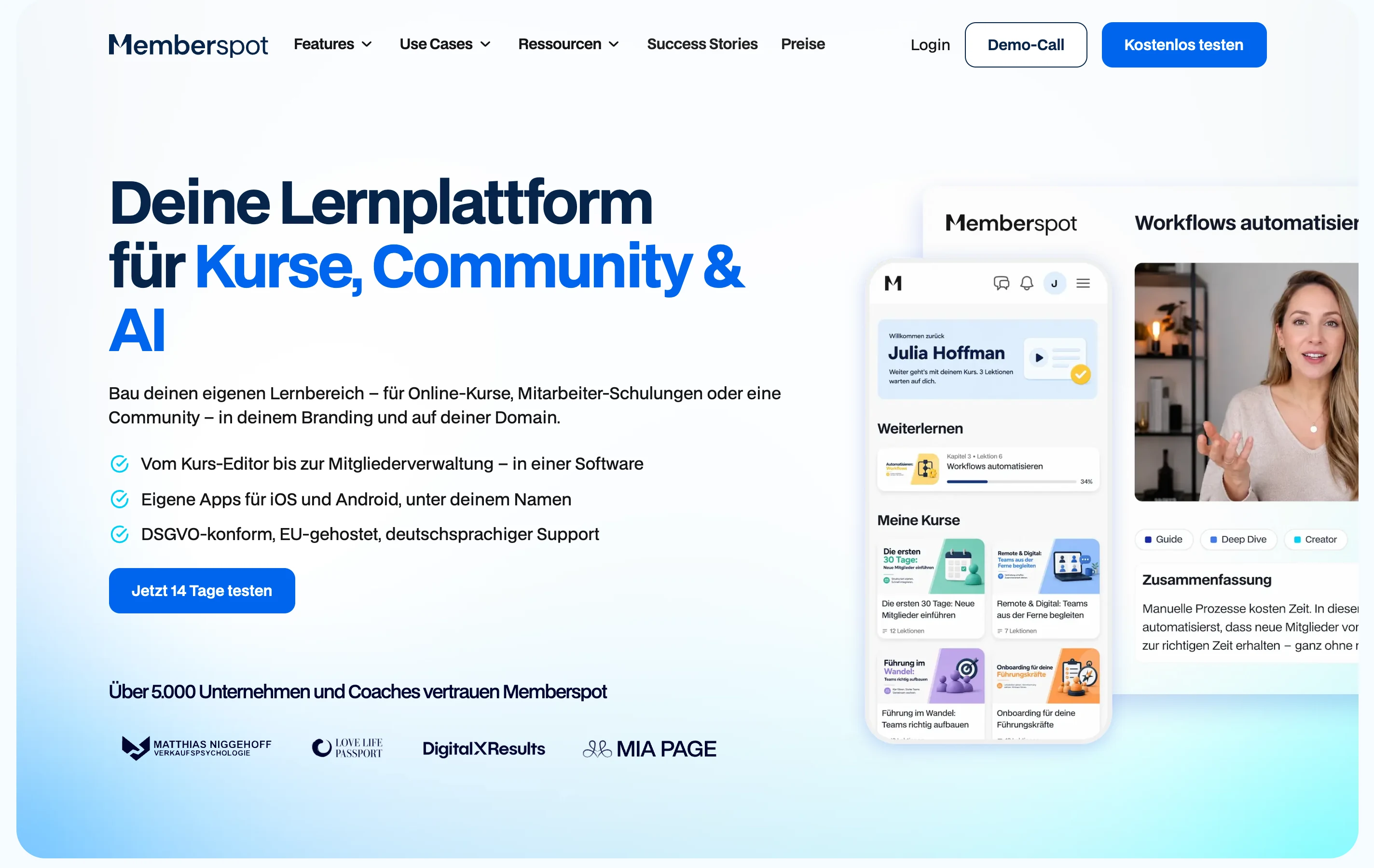
Memberspot is a German learning platform you can use to build your own learning area under your own domain and in your own branding. Besides courses with video, audio, text, PDF and quizzes, there's a community with live events as well as native apps for iOS and Android.
By its own account, the provider hosts on EU servers (Frankfurt, Amsterdam, Dublin). You can take payments for courses through Stripe Connect or through connections to Digistore, CopeCart and ablefy. You connect further providers through the API, Make or Zapier.
Prices
All prices according to the Memberspot pricing page, excl. VAT. Starter costs €39 per month with annual payment (€49 monthly) and includes one course and 100 members. Grow costs €99 (€119 monthly) with unlimited courses and 2,500 members, Scale €199 (€249 monthly) with 10,000 members. Memberspot charges no transaction fee of its own. You can test it for 14 days without payment details.
- German GmbH, hosting on EU servers according to the provider
- No transaction fees from Memberspot in any plan
- Own domain, own branding and apps for iOS and Android
- Courses, community and live events in one software
- Stripe Connect plus connections to Digistore, CopeCart and ablefy
- 14-day free trial without payment details
- Starter plan limited to one course and 100 members
- No built-in payment processing with invoices and tax, so you need a payment provider
- Costs rise with the number of members
Who is Memberspot the best solution for?
Memberspot fits if you have German-speaking customers, value EU hosting and want your own app under your brand. You do have to bring in payment processing separately, though, for example with Digistore24 or Stripe.
10. Skool
Skool is less a classic course platform than a community platform in which courses are just one part. You sell a membership and offer your members discussions, a course area and live calls.
According to the pricing page, there are two plans. Hobby costs $9 per month and keeps a 10% transaction fee, Pro costs $99 per month with a 2.9% transaction fee. Both plans include unlimited members, courses, videos and live calls, as well as your own URL and an affiliate function.
- Community, courses, calendar and live calls in one platform
- Unlimited members, courses and videos in both plans
- Own domain and affiliate function included
- Very low entry price
- 10% transaction fee on the Hobby plan, 2.9% on the Pro plan
- Check data protection and the data processing agreement before use
Who is Skool the best solution for?
Skool is worth it if the exchange among members is what makes your offer valuable, for example with a mastermind or a membership with regular live calls. For a classic video course with your own brand and German invoicing, another platform is usually better suited.
11. The platforms compared
The table shows the cheapest way to get started for each platform, how sales are processed and where you need to watch out for fees:
| Platform | Entry | Fees per sale | Type |
|---|---|---|---|
| Coachy | €35 per month (annual payment) | None of its own, payment provider extra | Hosted course area |
| Digimember + Digistore24 | Free plan is free, Pro €397 per year | Digistore24 per sale | WordPress plugin + reseller |
| Kajabi | $143 per month (annual payment) | No revenue share, payment fees | All-in-one |
| Teachable | $29 per month (annual payment) | 7.5% on Starter, 0% from Builder with Teachable Payments | All-in-one |
| Thinkific | €79 per month (annual payment) | 2.9% with Thinkific Payments | Course platform with community |
| LearnDash | $350 per year | None, payment through your own system | WordPress plugin |
| Udemy | Free | 3% to 63% | Marketplace |
| ablefy | €27 per month (Sell), €59 (Create & Sell) | 2.7% + €0.50 | All-in-one with payment processing |
| Memberspot | €39 per month (annual payment) | None of its own, payment provider extra | Learning platform with app |
| Skool | $9 per month | 10% (Hobby) or 2.9% (Pro) | Community platform |
An example shows why the fees per sale matter more than the plan price: if you sell 20 courses at €200 each, that's €4,000 in revenue. At 2.7% plus €0.50 per payment, you pay around €118 in fees at ablefy, around €300 at a 7.5% transaction fee on the Teachable Starter plan, and even €400 at Skool Hobby. That's a simplified calculation without the payment processing fees, which come on top at most providers.
12. Which platform is right for you?
- You're starting on a small budget and have an audience: Digimember Free with Digistore24 or Coachy with a payment provider.
- You want everything from one source, including invoices and tax: ablefy.
- You need German hosting and your own app: Memberspot.
- You already have a WordPress website and want full control: Digimember or LearnDash.
- You're building a community with a membership fee: Skool or Memberspot.
- You have no audience and want to test whether your topic is in demand: Udemy, even though the margin is small.
- You sell internationally and have high revenues: Kajabi, Teachable or Thinkific.
If you're unsure: start with the free trial of two providers, create a sample course and play through the purchase process yourself once. That way you'll quickly notice which interface suits you.
13. What to look for when choosing an online course platform
The large selection of online course platforms is a blessing and a curse at the same time.
To find the right software for you and your requirements, you should first think through a few important points before you make your final decision on a provider.
13.1. Location of the provider
The location of a provider plays an important role for data protection.
Especially with an all-in-one solution, all customer data is probably stored on the platform's servers, so certain measures become mandatory to meet the requirements of the GDPR.
Ideally, you choose a provider that stores the data on servers in Germany or at least in the EU.
In any case, a data processing agreement (AV-Vertrag) is a must if you don't use a self-hosted option like Digimember or Learndash.
13.2. Costs (including sales commission)
While some platforms work with a very transparent pricing model, others use a combined subscription and commission billing, so you can quickly lose track of the actual fees.
It gets especially complex with hybrid solutions made up of separate models, such as Digimember in combination with Digistore24.
Depending on how many sales you make per month, commissions charged per sale can cut into your profit significantly.
13.3. Range of features
The range of features should meet all the requirements you have of a platform. With most all-in-one solutions, that will be the case.
Still, even such a platform may not provide all the tools you need.
If you want to build an email list alongside selling online courses, for example, you need a platform that offers email marketing features or lets you bring in an external service.
That brings us to the next point.
13.4. Integrations
Not every platform lets you integrate external tools.
If you use the German email marketing software KlickTipp, for example, you're in great shape with Digimember. If you want to connect this service with Teachable, things look different.
13.5. Does the platform have a marketplace?
A marketplace that gives you an overview of the products and courses that already exist is worth its weight in gold.
You can not only get an overview of the existing competition, but also gauge which topics are especially popular and which aren't.
That way you can create exactly the courses that also have high sales potential.
Udemy and Digistore24, for example, offer such a marketplace.
13.6. Is the platform available in German?
Thanks to the many platforms, creating and publishing an online course is no longer rocket science today.
Still, you should find your way around the backend well.
So if your English is only so-so, you might want to go with a German-language platform.
Frequently asked questions
Is ablefy (formerly elopage) or Digistore24 better?
Digistore24 is really only a payment service provider. That means if you want to create an online course, you still need an external course platform or an LMS plugin, such as DigiMember.
What alternatives are there to online course platforms?
If you have a WordPress website or would rather use WordPress as your course platform, you can also use WooCommerce in combination with an LMS plugin or membership plugin, which is more complicated to set up but significantly cheaper.