
Google Analytics is the most widely used web analytics tool in the world.
Since the GDPR came into force in May 2018, however, more and more website owners have been looking for an alternative. Google Analytics stores data in the US, and you have to take many measures and adjust many settings to use the tool in a GDPR-compliant way.
Universal Analytics was replaced by Google Analytics 4 on July 1, 2023, which was an absolute horror and one of the worst product decisions Google has made in a long time.
That's why I researched 12 privacy-friendly and user-friendly alternatives to Google Analytics for you in this article.
These are tools you can run locally on your own server, for example, or use without cookies. According to their providers, with some of the alternatives presented here you can even do without a cookie plugin.
- Go for privacy-friendly alternatives like Fathom, Plausible or Matomo if you want to get by without a cookie banner and US data transfers.
- Compare prices, hosting options (cloud vs. self-hosted) and data processing agreements. Costs range from €0 to over €239 per month, depending on traffic.
- Shops and large projects benefit from solutions like eTracker or DYMATRIX Web Analytics (formerly econda), while lean plugins like Koko Analytics or Statify are completely sufficient for small blogs.
1. Fathom Analytics
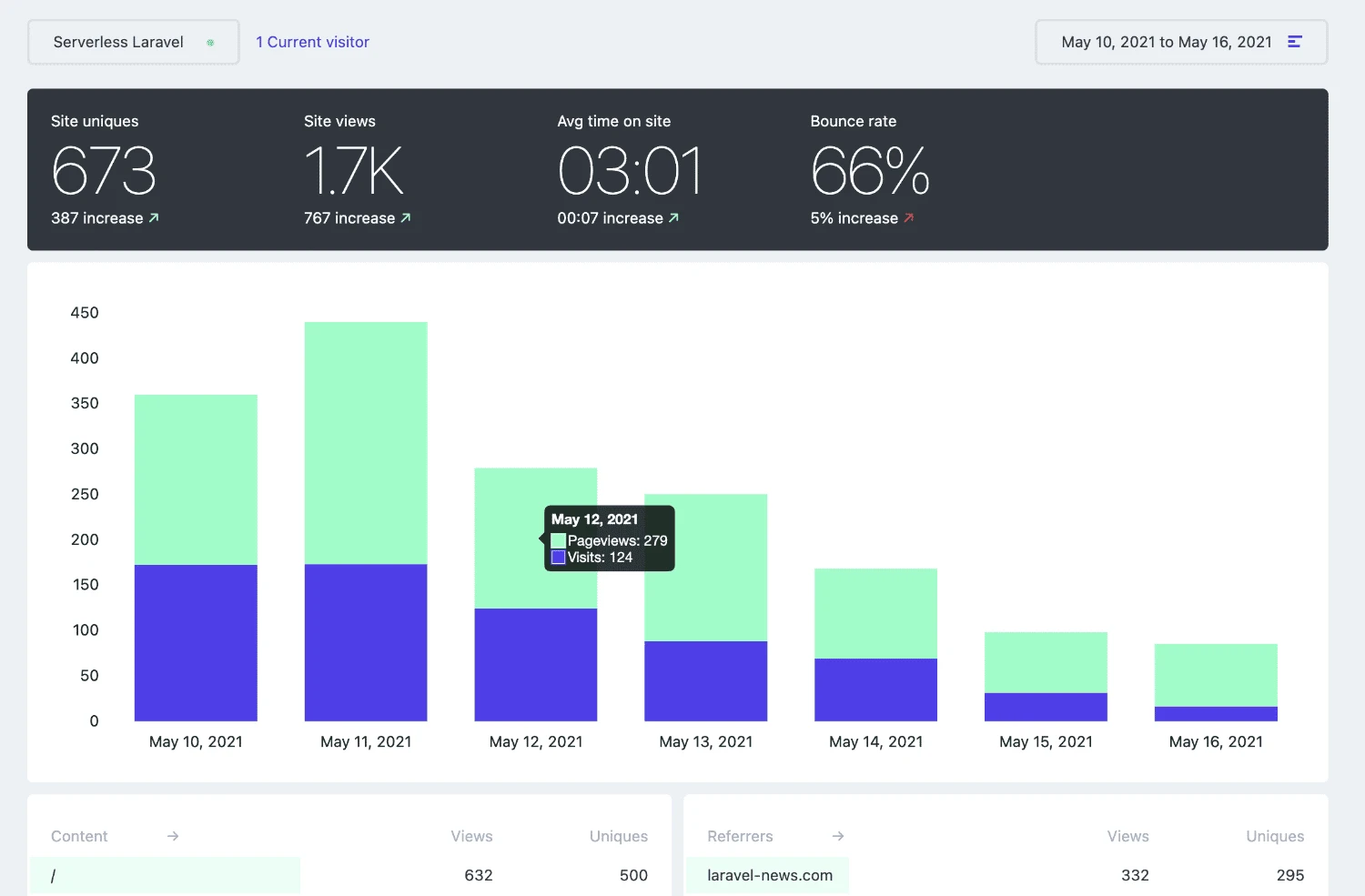
Fathom Analytics is, in my opinion, currently the best alternative to Google Analytics 4. It's easy to use, very clear and privacy-friendly as well.
Much like Matomo, you can either host Fathom yourself as a Lite version or use it in the cloud, so you can choose where your data is stored.
A big advantage of Fathom is that you can manage many websites under one account. In all cloud plans, even the smallest one at $15 per month, you can add up to 50 websites.
The dashboard of Fathom is tidy and gives you an instant overview of the most important statistics of your websites. Conversion tracking, for example how many people signed up for your email list, is no problem either.
Because the tool can be used entirely without cookies, according to the provider you can even do without an annoying cookie banner.
What convinced me most about Fathom:
Recently, it has become possible to move your historical data from Google Analytics to Fathom. You can see how that works in this YouTube video.
Pros
- Importer for Google Analytics (really brilliant!)
- 30-day free trial
- Very transparent data processing (you can see the exact data paths here)
- According to the provider, IP addresses of EU customers are only processed in the EU (through so-called “EU Isolation”)
- Affordable prices (from €14 per month for 100,000 page views)
- Enterprise plans
- Free Lite version
- Clear dashboard
- Simple conversion tracking
- Live tracking
Cons
- Support in English only
- Rather small community so far
2. eTracker
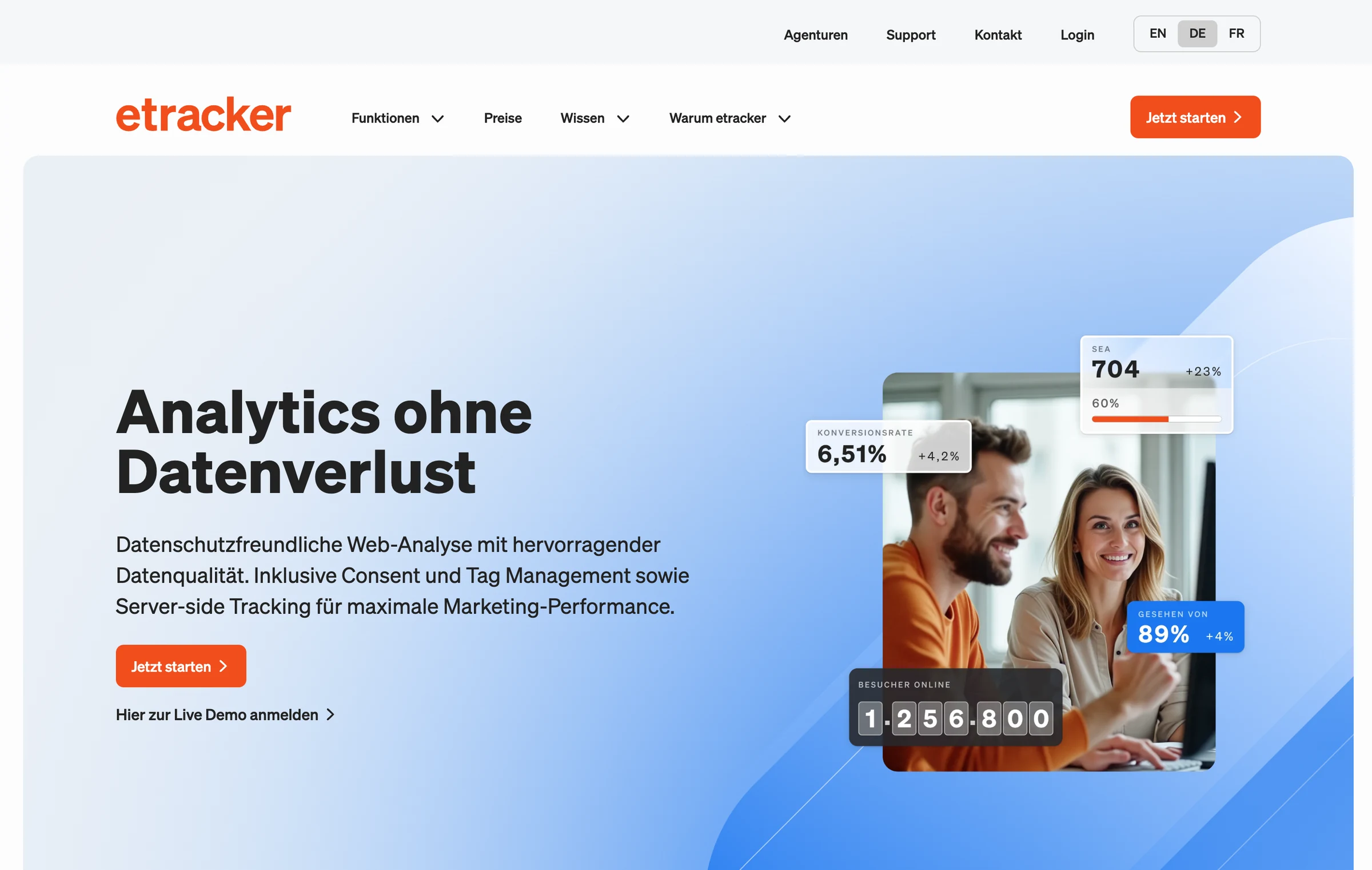
eTracker is one of the best Google Analytics alternatives for larger websites and online shops.
Using eTracker can also make sense for smaller blogs and websites, because up to 25,000 page views the tool costs only €11 per month.
What I like about eTracker is the tidy, clear back end, where you find your way around quickly.
The Basic version has almost all the important features, such as visitor tracking or content and standard reports. If you run an online shop, the Pro plan definitely makes sense, as it gives you eCommerce reports, customer journey reports and a UX analysis.
eTracker also puts a lot of weight on data protection:
For one, the server location is Germany. For another, eTracker can also be used without cookies. According to the provider, you then don't need explicit consent (via a cookie opt-in) to use the tool on your website.
Pros
- Offers all the important features, including extensive shop analysis
- Very clearly designed
- UX analysis (e.g. how far users scroll)
- Server location is in Germany, very strict data protection
- Sets no cookies for analysis (optionally also with cookies)
- Data can be exported quickly and easily
- German-language customer service
Cons
- High prices for sites with a lot of traffic
3. Trackboxx
Trackboxx is a good Google Analytics alternative for small to mid-sized blogs and online magazines.
Trackboxx is run by a German company (the servers are in Germany too), the prices are fair and the software is reliable.
The user interface is clear, modern and lightning fast, unlike Google Analytics, where it can take a few seconds for dashboards or reports to load.
This is what the dashboard looks like in the public Trackboxx demo:
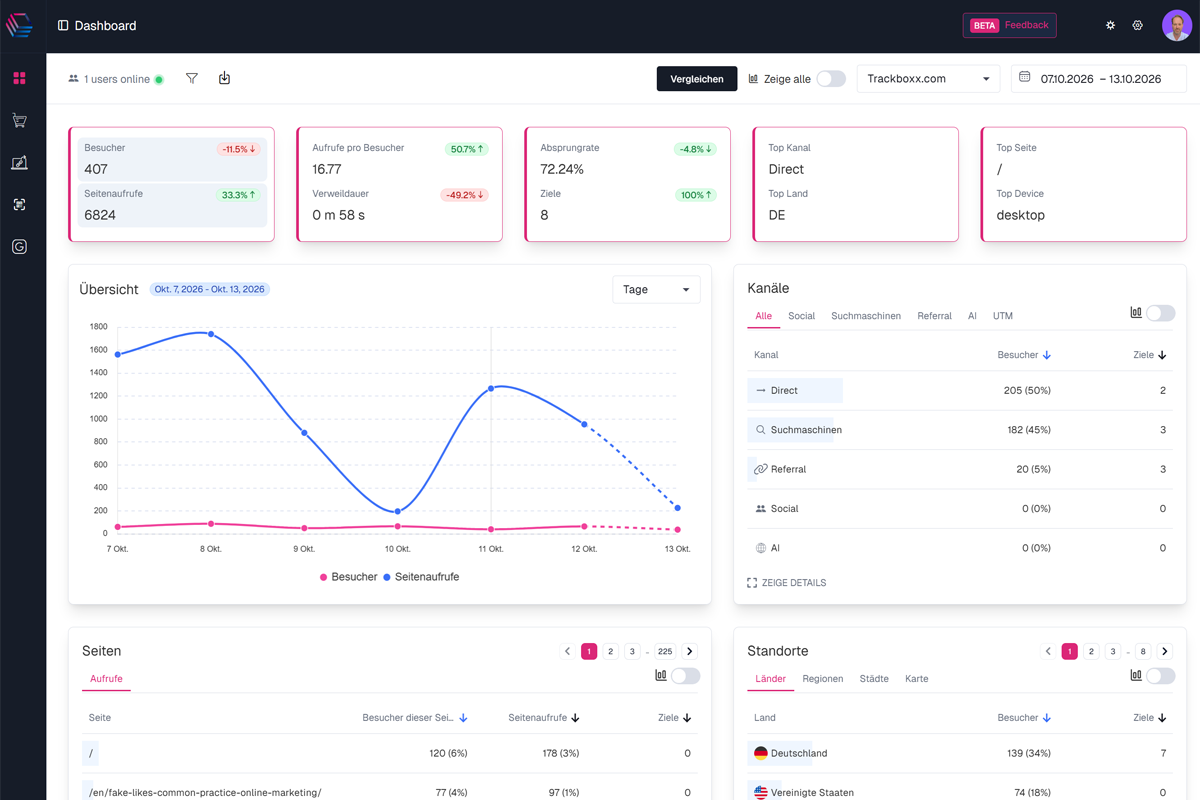
The best way to get an impression is to take a quick look at the live demo.
I also liked four things about Trackboxx:
- You can set up conversion tracking in no time and use it to measure, for example, how often a certain button or link on your website was clicked.
- Like Google Analytics, Trackboxx has so-called UTM tracking. With this technology, you can analyze your traffic sources even more precisely. For example, you don't just see that visitors came from Facebook, but through which post or which ad campaign.
- Outbound links are tracked automatically (in Google Analytics, you have to set that up separately)
- Statistics can be saved and downloaded as clear PDF reports.
For online shops, Trackboxx shows sold products, revenue by traffic source and abandoned carts, according to its feature overview. The provider documents plugins for WordPress and JTL as well as an ePages app in its changelog. For Shopify, there is also a Trackboxx app listed in the Shopify App Store. The setup guide from Trackboxx describes installation and setup. For Shopware, Trackboxx documents plugins for versions 6.6 and 6.7 in a guide.
According to the Trackboxx FAQ, the free web analytics plan is limited to 1,000 page views. E-commerce tracking, goals and UTM sources are not included. The Shopify App Store also lists a free plan. Trackboxx told me by email that the free Shopify app includes visitor analysis but no e-commerce tracking. For the free Shopify plan, Trackboxx confirms by email a limit of 1,000 page views per month. The Shopify App Store names no page view limit for the free plan.
Trackboxx states that its general web analytics can be used without a cookie opt-in.
For Shopify, Trackboxx says the pixel neither sets nor reads cookies, doesn't use the Shopify client ID and follows the shop's consent settings.
According to Trackboxx, the pixel doesn't send an IP address. The server sees it when the page is called, anonymizes it in the first processing step according to the provider, and forms a hash from it that is valid for 24 hours at most. According to Trackboxx, the web server stores IP addresses in technical access logs for security purposes regardless of that.
In its app store declaration, Shopify still lists the IP address and client ID cookie among the data accesses. I haven't installed the app myself and haven't technically verified these statements. The provider's answer therefore doesn't prove that a consent banner is unnecessary in every Shopify shop.
If you activate “Auto Goals”, Trackboxx detects clicks on buttons and downloads. The detected events first appear in a list. There you choose what you want to save as a goal. Only after that does Trackboxx count new triggers of this goal as a conversion.
You can create QR codes in Trackboxx, add your logo to them and manage them. According to the provider, the associated dashboard shows which visits, goals and revenue the QR codes generate.
Pros
- German company with servers in Germany
- Transparent and fair pricing models
- Connection to Google Search Console possible
- Appealing back end with a modern design
- Easy-to-set-up conversion tracking
- UTM tracking
- Bounce rate and time on site are tracked
- Free 30-day trial
- Outbound links are tracked automatically
Cons
- Not quite as many features as Google Analytics
- Hardly any integrations for third-party tools (such as SEO tools, ad networks etc.)
4. Koko Analytics
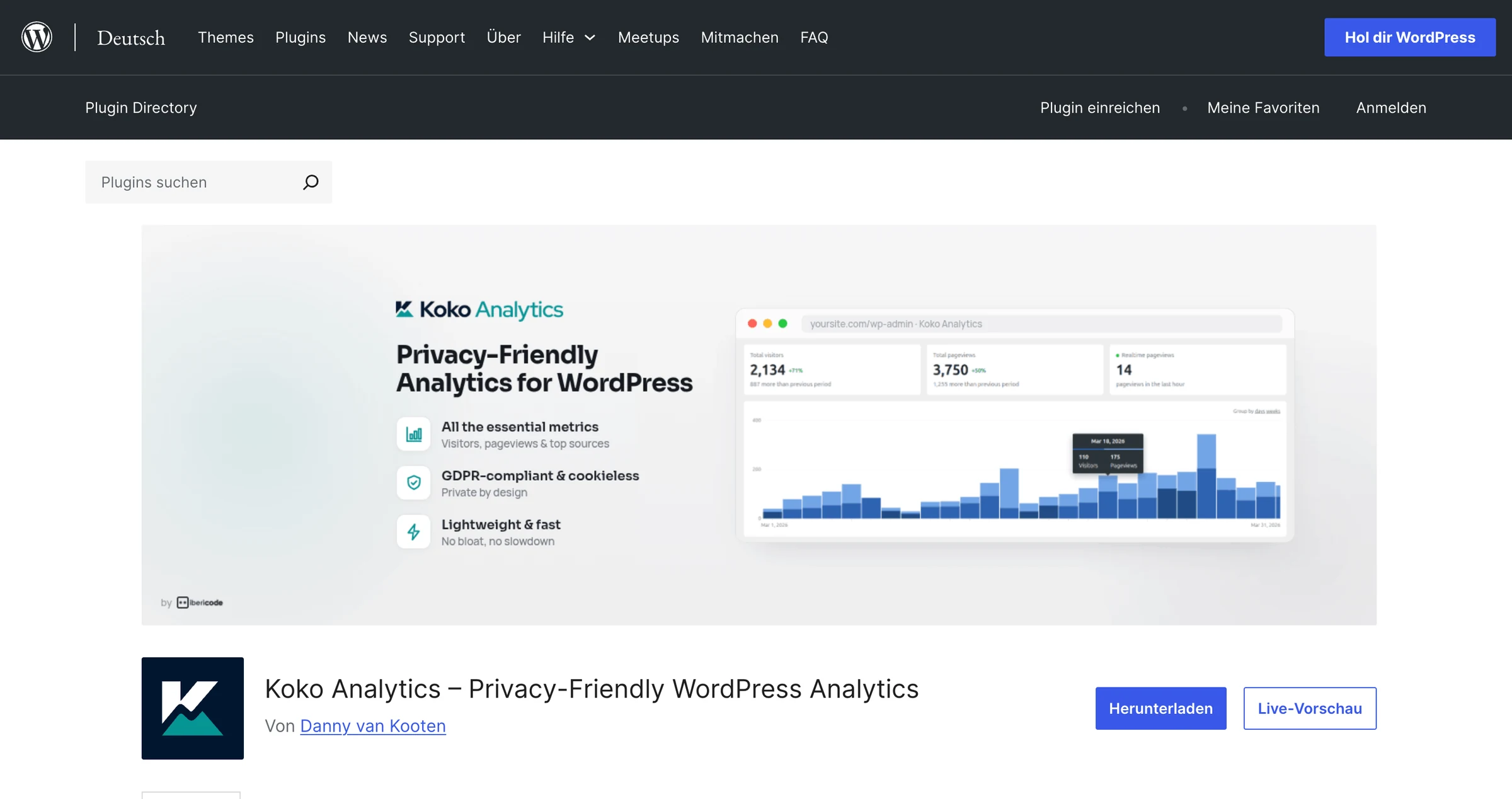
Koko Analytics is a minimalist WordPress plugin aimed primarily at users who can do without many extra features in web analytics.
It's ideal if you've only just started your own website or your own blog and simply want to see how often your website or blog is visited.
It offers four advantages over Google Analytics:
- It has almost no impact on the loading time of your website
- It's easy to install (just download and activate the plugin)
- The visitor statistics are very clear
- It's more privacy-friendly, because all data is stored on your own web space and you can use Koko Analytics without cookies.
The plugin gives you three statistics:
Visitors, page views and the traffic source. That's too little for professional users and e-commerce websites, but completely sufficient for smaller websites or blogs.
Pros
- Completely free
- Plug & play: install the plugin and you're done
- Quick access via the WordPress back end
- Local storage on your own web space, so your data isn't passed on
- Can be used without cookies
- Excellent performance
- Also compatible with cached pages
- Your own visits can easily be excluded
- Widget with the most visited pages can be shown on the blog
Cons
- Limited range of features compared to other tools
- Few analysis options (no time on site, bounce rate, etc.)
5. Statify
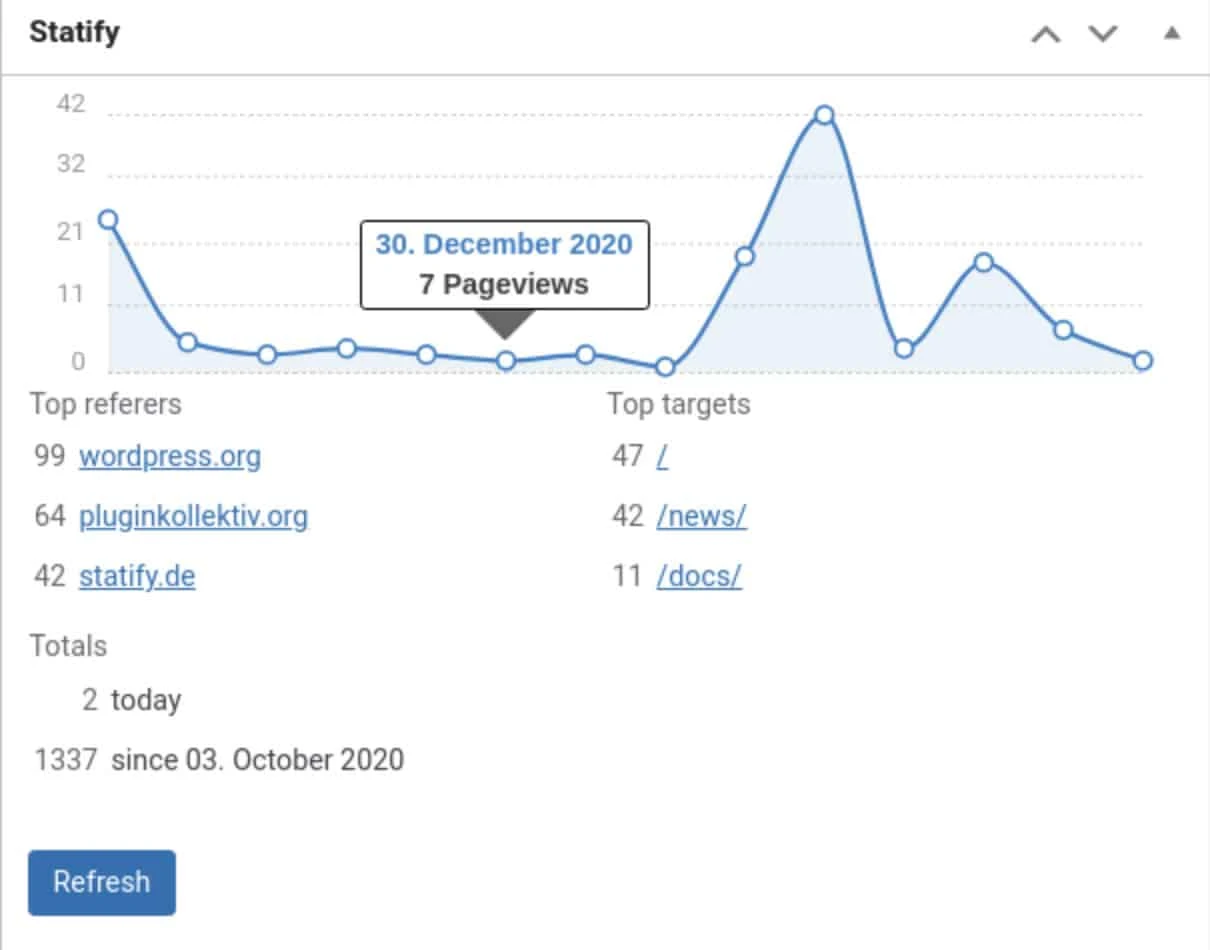
The WordPress plugin Statify got a real boost when the GDPR came into force in 2018 and has been one of the most popular visitor statistics plugins ever since.
The plugin completely avoids collecting personal data such as IP address or location, and doesn't even set cookies on your visitors' computers.
That makes Statify the ideal solution for anyone who has high demands on data security and would happily do without a cookie banner.
The flip side of the coin:
Unfortunately, the range of features is somewhat limited. It only records page views and the most visited pages. So if you want to know exactly how visitors behave on your website, Statify may not be the right solution for you.
I would recommend Statify primarily if you only run a small blog with a few thousand visitors per month, or are just starting out and want first impressions of which content appeals to your target audience and which doesn't.
Pros
- Very high-performance plugin (loads no additional scripts)
- Clear and focused on the essentials
- Range of features can be extended with a free add-on if you want
- Plugin completely avoids cookies
- Stores neither user data nor visitors' IP addresses
- Very accurate data collection
Cons
- Records only page views, not visitors
- Look and feel a bit dated
- No details on bounce rate or time on site
6. Simple Analytics
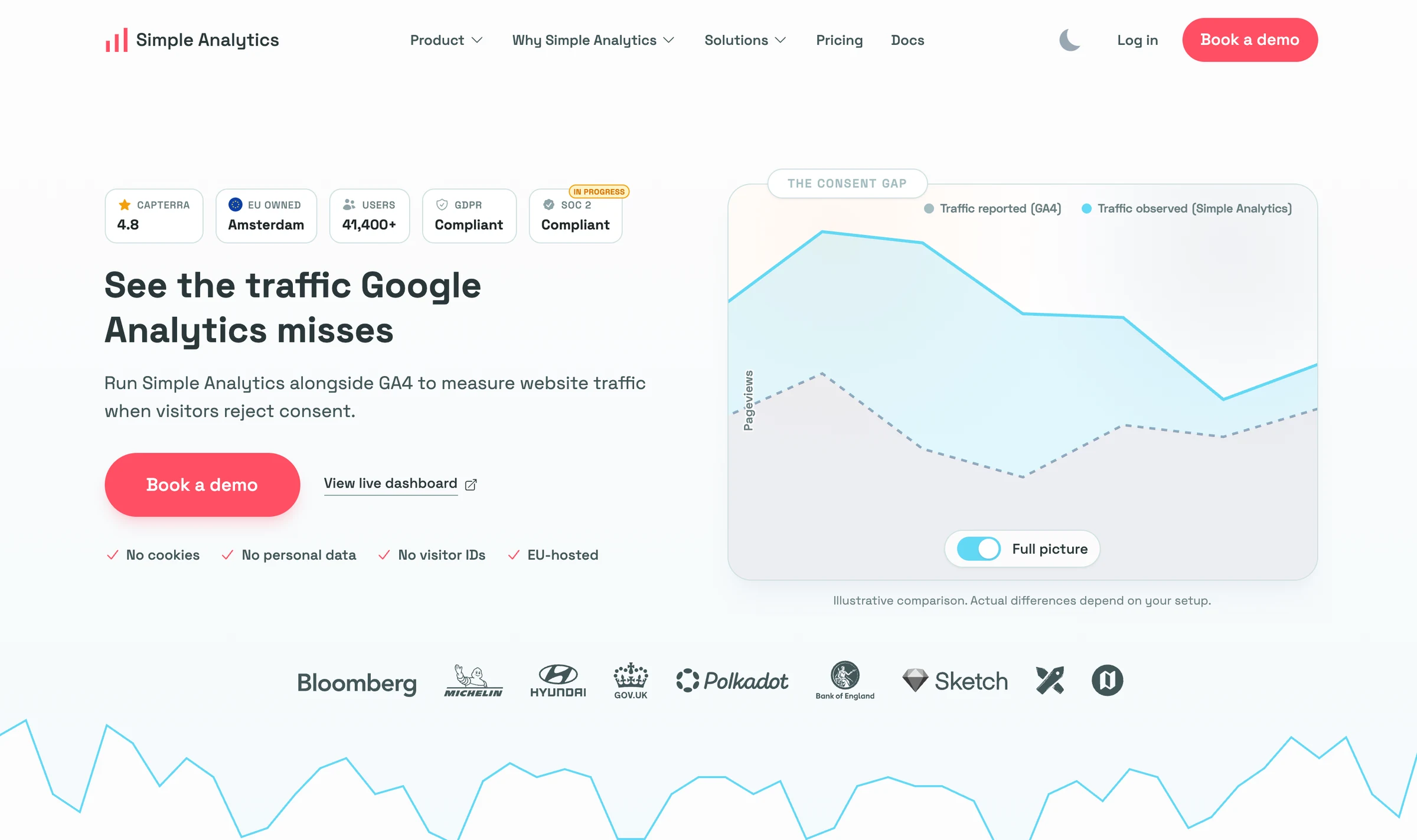
With Simple Analytics, the name really says it all:
Simple Analytics is a good alternative for individuals as well as small and mid-sized businesses that want extensive data about their users but have little use for things like cohort or funnel analysis, as Google Analytics offers them.
You embed Simple Analytics in your blog as usual with a code snippet.
If you have problems using it or general questions about tracking, a very extensive FAQ section or the customer service, which you can reach by email, will help you.
By the way:
The roadmap on the developer's site tells you exactly what the Simple Analytics team is currently working on and which features you can expect in the future.
Pros
- Much clearer than Google Analytics
- Extensive analyses such as countries of origin, devices, browsers, etc.
- Server location in Europe (Netherlands)
- Works without cookies by default
- Clear charts and statistics
- Data export possible
- Free 14-day trial possible
Cons
- Paid
- Dashboard not configurable
7. Matomo
Matomo (formerly Piwik) is probably the best-known and most comprehensive alternative to Google Analytics.
The tool saw huge demand especially after the GDPR came into force.
According to W3Techs, Matomo now has a market share of 18.5% among .de domains (as of May 2026).
The reason:
Matomo can be installed locally and therefore doesn't pass any data on to third parties.
On the other hand, its range of features is only marginally smaller than that of Google Analytics.
But since there isn't just “one Matomo” and there are different versions that sometimes differ considerably from each other, I'd now like to present these three versions to you in detail:
7.1 Matomo On-Premise (self-hosted)
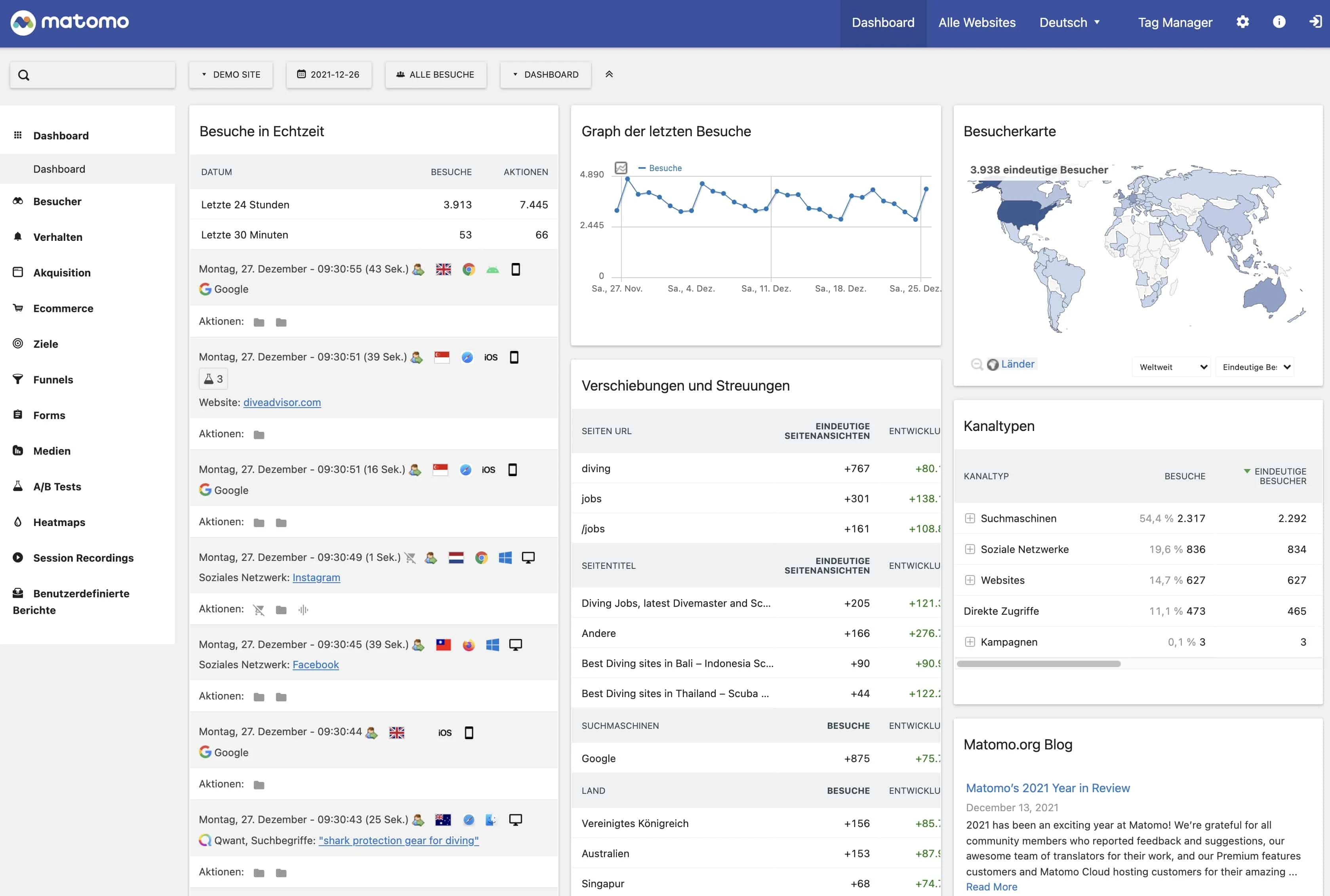
The probably most popular variant of Matomo is the self-hosted one, also called “Matomo On-Premise”.
You can install it on a subpage (www.gradually.ai/matomo) or, even better, on a separate subdomain (matomo.www.gradually.ai).
The self-hosted version on a separate (sub)domain gives you the decisive advantage that the performance of your main website doesn't suffer.
In terms of features, Matomo is hardly inferior to Google Analytics:
From the entry page to the exit page, you see every single click and can keep improving your website with it. Since Matomo 4, further page details such as performance and average load time are even displayed. You can also configure goals, for example the download of a lead magnet. That way you see at a glance what percentage of your page visitors opt for your freebie.
You can also install extensions, although they are paid.
The Matomo Heatmap, which you can unlock for €199 per year and which then gives you real full control over visitor behavior, is highly recommended, for example.
Pros
- 100% free
- Can be installed on a subdomain without any problems (guide available)
- Use without cookies is possible
- Independent of the website and doesn't affect its loading time
- Large range of features and many settings
- Large user community
- Extensible with numerous paid features
Cons
- Has to be installed and configured yourself (that's not hard, though)
7.2 Matomo Analytics (WordPress plugin)
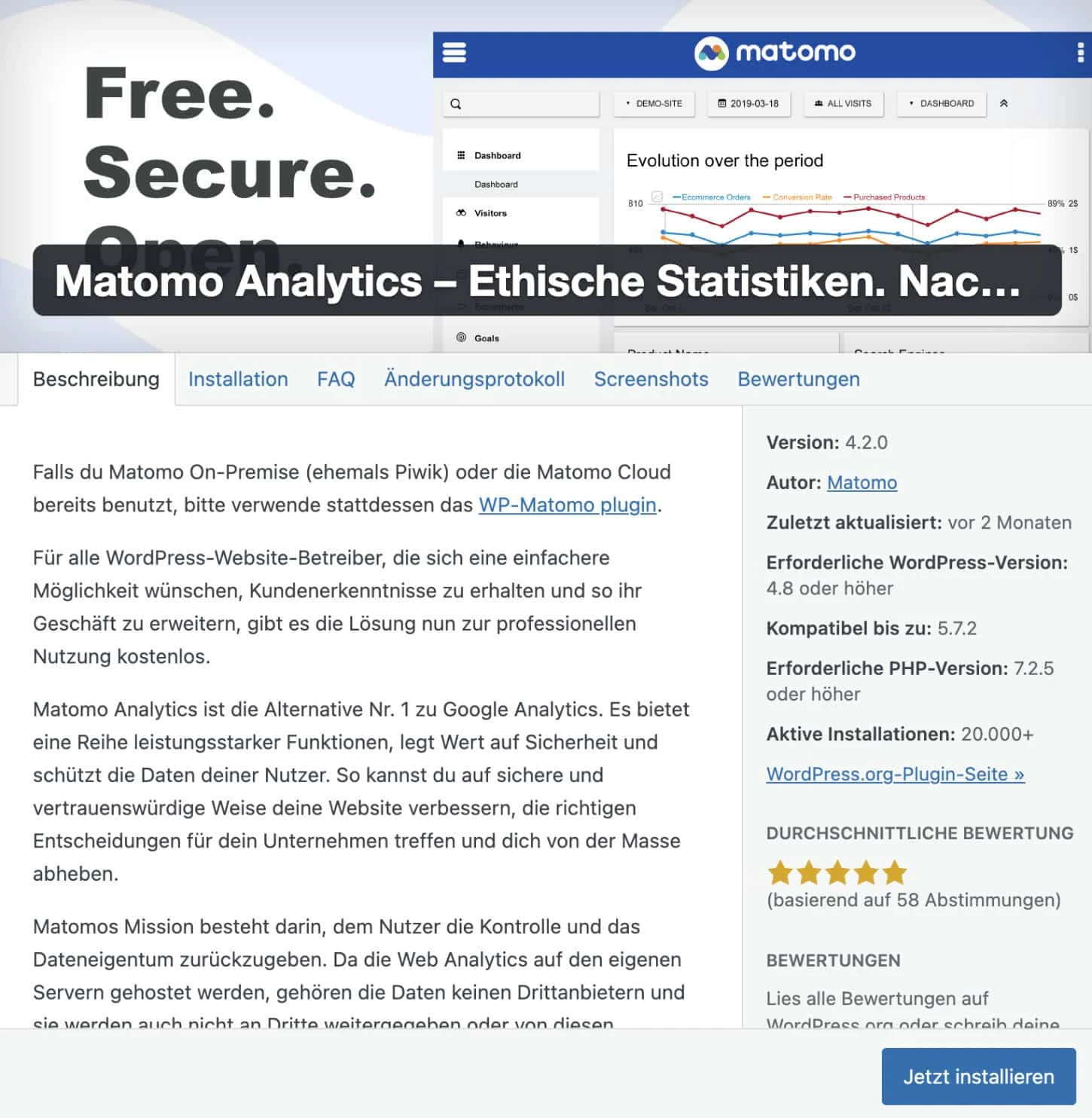
Since October 2019, Matomo has also been available as a WordPress plugin that lets you open the web analytics tool directly from the WordPress back end.
Compared to “Matomo On-Premise”, it has the advantage of being easier to install. You also don't have to log in to another tool to see your statistics.
It offers all the features “Matomo On-Premise” offers. It can also be extended with premium features, such as heatmap, cohort analysis or user flow.
The only downside:
The plugin shares a database and server resources with WordPress, which can cause performance problems. For a WordPress multisite or a website with a lot of traffic, you should rather use “Matomo On-Premise”.
Pros
- Can be installed directly in the WordPress back end via the plugin marketplace
- Data is stored locally and not passed on to third parties
- The tool can be used without cookies if you want
- Extensive data and analysis on your visitors
- Continuously developed and improved
- Large community and very friendly support
Cons
- Shares database and server resources with WordPress, which can cause performance problems
7.3 Matomo Cloud
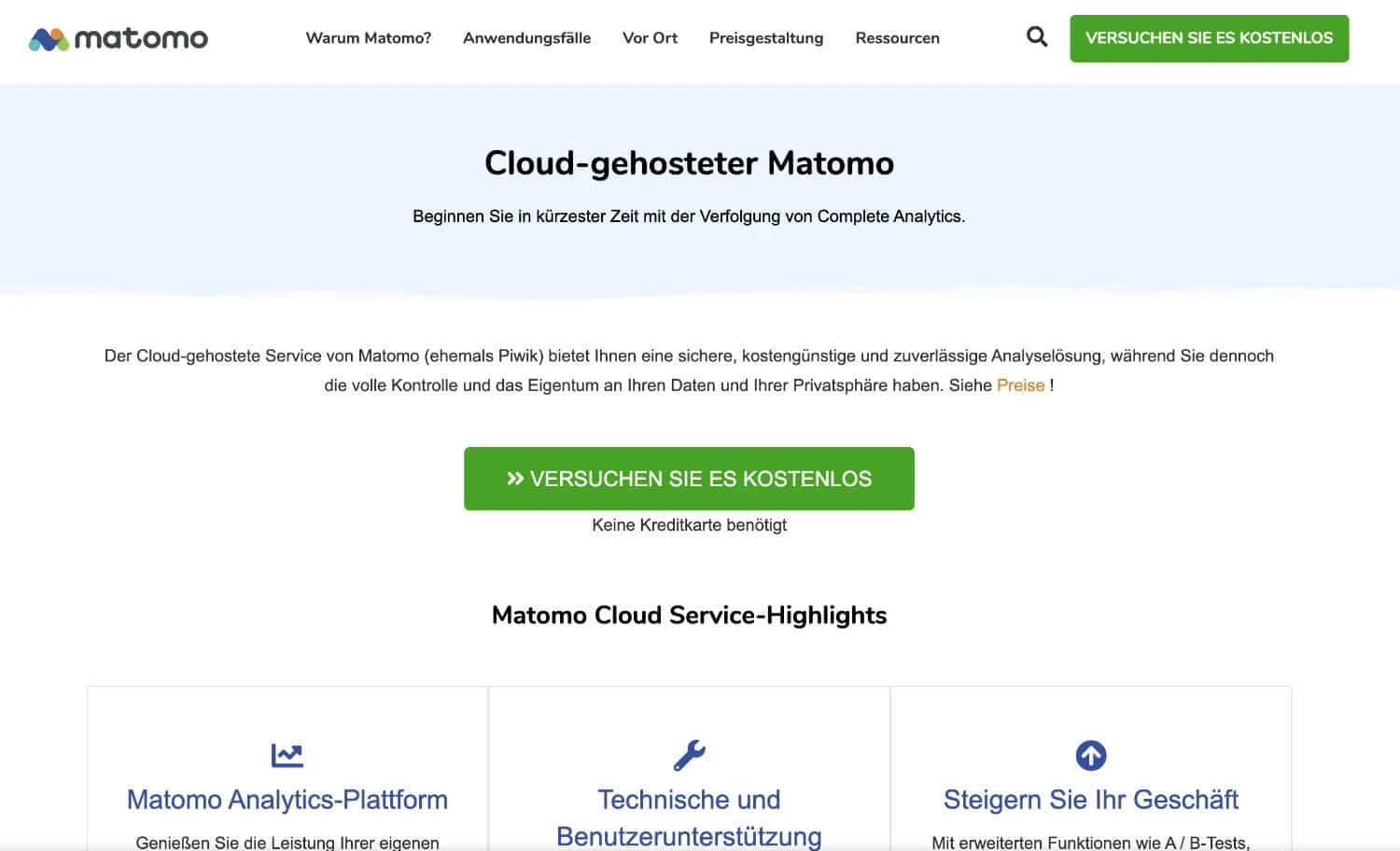
The third and last version is “Matomo Cloud”. The name already tells you what it is:
Like Google Analytics, Matomo is provided as software as a service (SaaS) on an external server.
The range of features is the same, but the cloud variant adds a few features such as A/B testing or video player tracking.
The German data center for Matomo Cloud is in Frankfurt am Main. Unlike with Google Analytics, no personal data is processed outside the EU. Using it does require you to sign a data processing agreement with Matomo.
Of course, Matomo charges something for this service. The smallest plan, which covers up to 50,000 page views per month, comes to €29 per month. At one million page views, you already pay €239 per month.
Pros
- No work involved with hosting yourself
- Extended range of features
- Free trial possible
Cons
- Data is forwarded to countries outside the EU
- High costs, considering that you only get server storage
8. Open Web Analytics
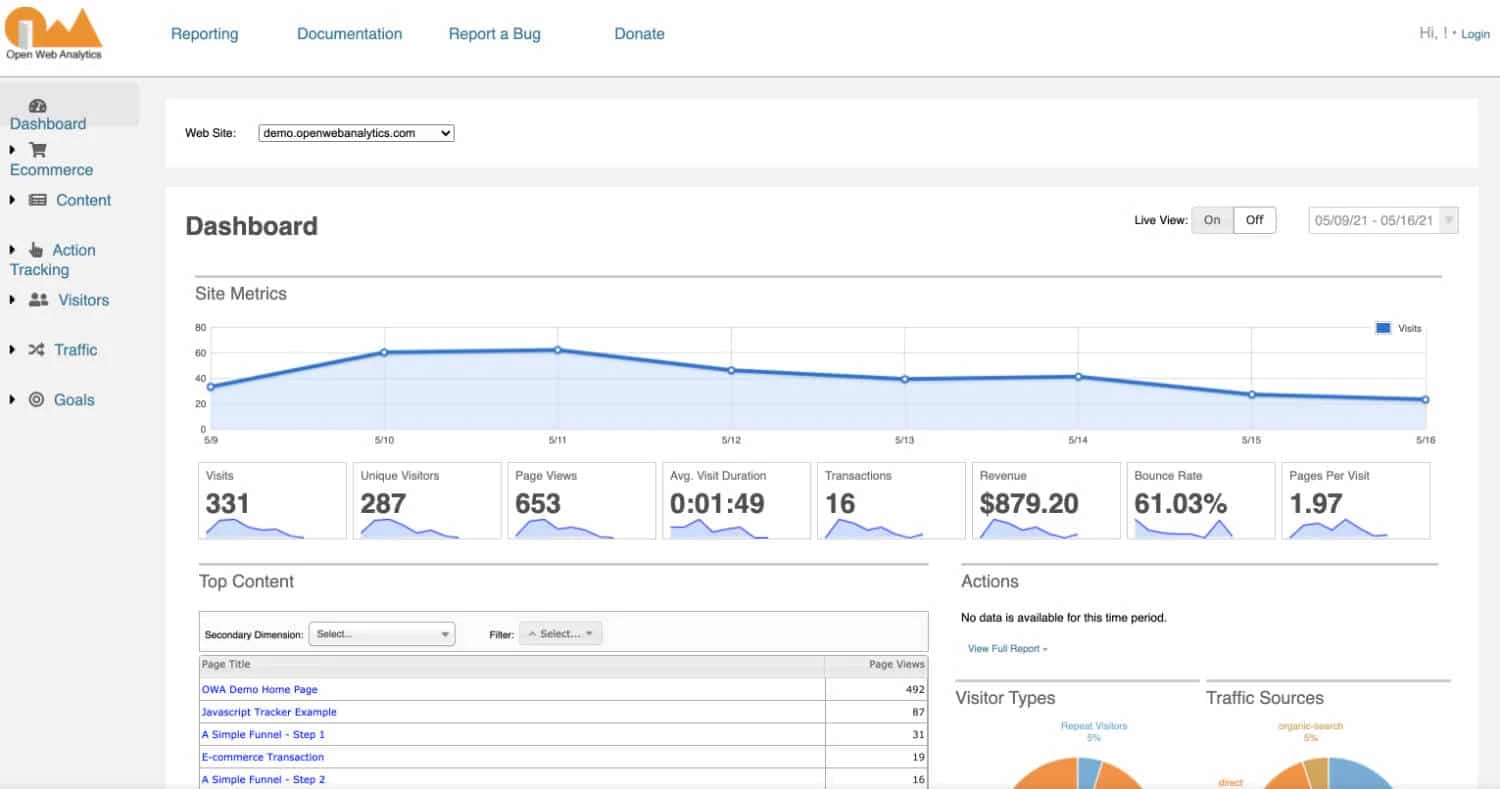
Open Web Analytics strongly resembles Google Analytics in look and range of features. With one big difference:
The analytics tool is installed directly on your web space, so you stay in possession of your data. The software is open source and can be downloaded from GitHub.
The software was originally developed for Linux, which shows somewhat in the look, which is a bit old-fashioned compared to other tools.
In the end, though, functionality matters more than design with web analytics tools. And functionality is exactly where Open Web Analytics can score:
What's special is that a heatmap feature is integrated directly, so you don't depend on an additional provider. It lets you analyze user behavior in detail and optimize your website accordingly.
If you decide on Open Web Analytics, you need to be aware that the community behind it is really small. If you have questions and problems, you're mostly on your own. There is, however, an Open Web Analytics wiki that supports you with the most important steps such as installation and setup.
In this demo you can see Open Web Analytics live in action.
Pros
- Heatmap tool already integrated
- Free open-source software
- Installation on your own web space
- Extensive range of features, including conversion tracking
- Visitor analysis that shows a visitor's path
Cons
- Only very rare updates
- Small community, so don't count on help with problems
- Can't be run without cookies
- Rather old-fashioned design
9. DYMATRIX Web Analytics (formerly econda Analytics)
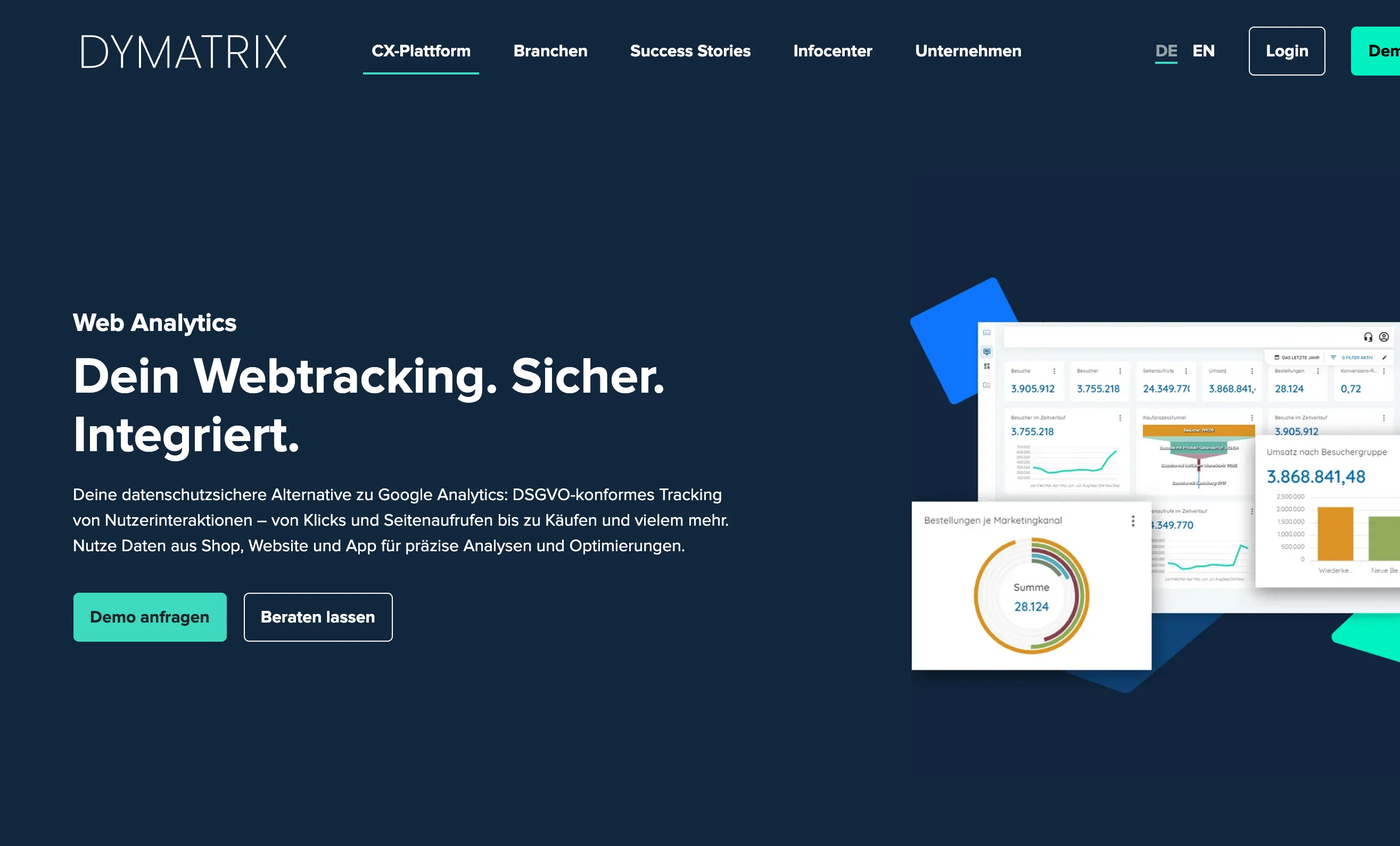
DYMATRIX Web Analytics (formerly econda Analytics) is the somewhat different analytics tool that can't be missing from this list because of its gigantic range of features. The provider has specialized in e-commerce, so it's certainly worth considering if your focus is on your own online shop.
One thing up front:
DYMATRIX Web Analytics is not exactly cheap (you only get prices on request). In return, you get insights and features that hardly any other tool can offer in this form.
That is probably also the reason why econda, the tool's former name, is one of the most widely used analytics platforms in the German-speaking region (Germany, Austria, Switzerland) among the top 100 mail-order retailers.
The e-commerce suite in particular stands out in DYMATRIX Web Analytics, letting you analyze really every area of your shop in detail. With tags, for example, you can find out exactly which affiliates send the most traffic to your shop and which affiliate is responsible for the most conversions. Things like remarketing can also be implemented easily and quickly this way. Even measuring the success of email marketing campaigns is no problem with DYMATRIX Web Analytics.
Pros
- German company, hence strict data protection
- Gigantic range of features for online shops
- Very competent customer service
- Tagging system with which you can analyze really everything
- Can be flexibly adapted to your needs thanks to various modules
- A/B testing already integrated
Cons
- No free trial version
- High price
- Prices on request only
10. AWStats
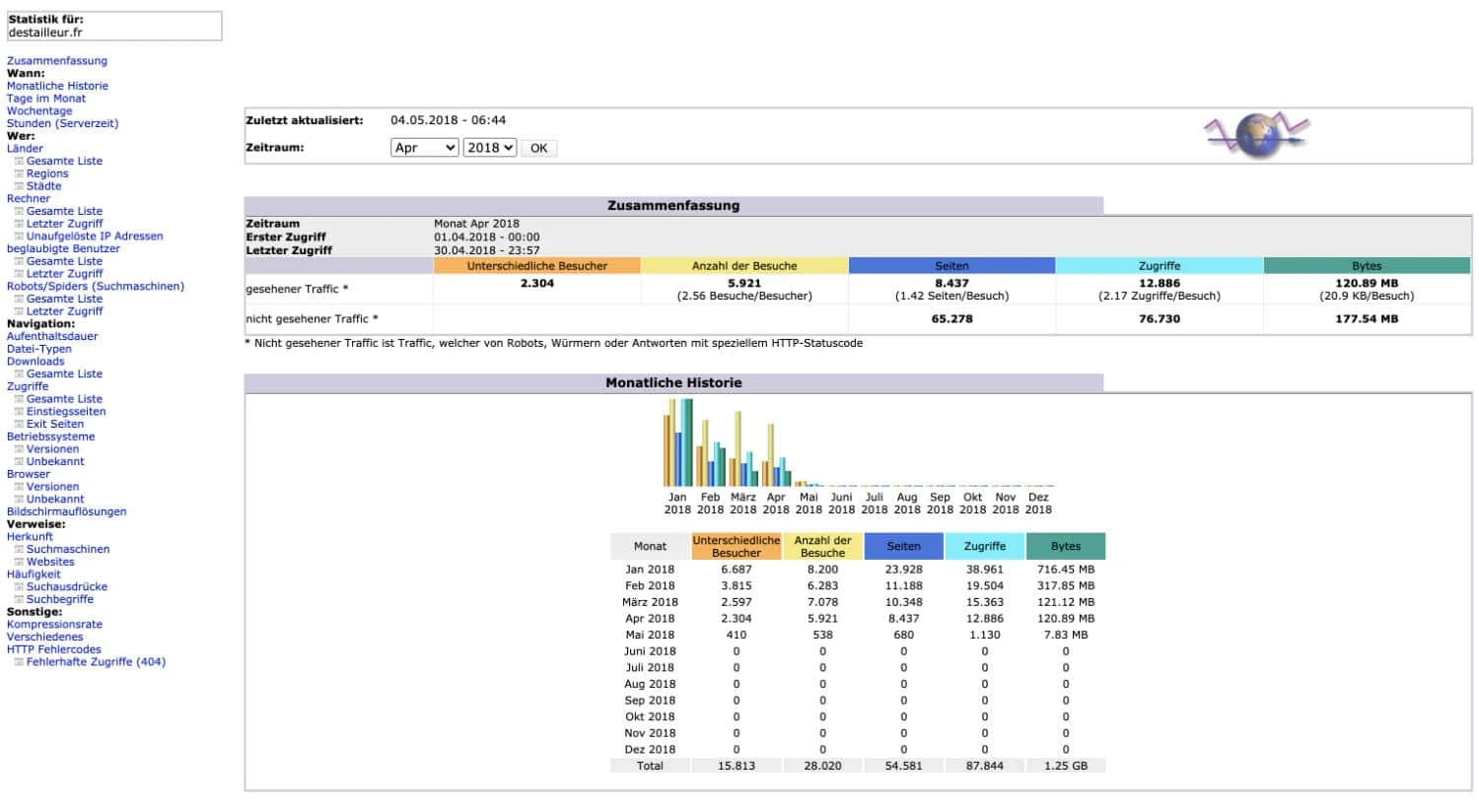
AWStats belongs to the Webalizer group and analyzes visitors based on the IP log files of your host (IP anonymization should be enabled here, which many hosts allow).
The advantage of this method is that no cookies are set, so no consent from your visitors is needed. AWStats is also hosted on your own server and provided as open-source software. So it's completely free.
One caveat:
Admittedly, AWStats is an analytics tool of the older generation. Its Perl-based design has unfortunately become a bit dated.
If that doesn't bother you, though, you can use the tool very well to follow basic statistics about your visitors (such as page views, time on site, acquisition source or screen resolutions).
Pros
- Open source and therefore free
- Hosted on your own server
- Many different kinds of data are available
- Completely avoids cookies
- Installed by default at many hosts
Cons
- Very outdated design
- Hardly any support or help with problems
11. UXWizz
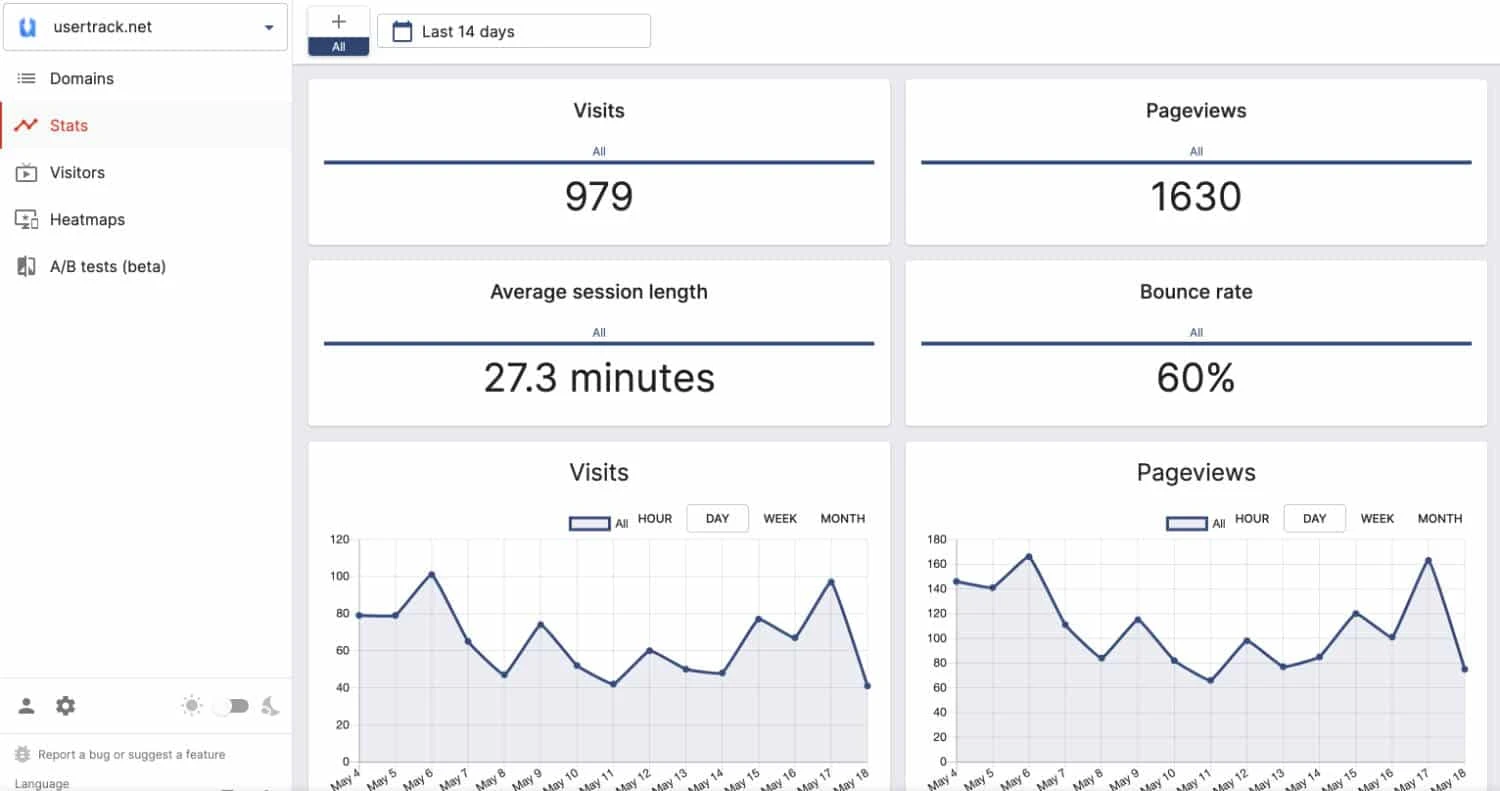
UXWizz (formerly userTrack) is a self-hosted analytics platform.
According to the provider, the Solo license costs $299 one time. Updates and support are included for the first year. Renewing them is optional.
The tool collects all the common data such as visitors, page views, and also bounce rate and time on site. You can also have it generate heatmaps or create session playbacks to understand exactly how users interact with your website. A/B tests are even integrated.
The analytics data sits on the server of your UXWizz installation. You choose the hosting provider and location yourself. According to the provider, the visitor tracker sets no cookies to identify visitors. It does, however, use browser storage for session tokens and temporary recording data. Depending on the configuration, it also stores settings, cache data or A/B test assignments there. The separate dashboard uses login cookies.
A Solo license allows tracking any number of websites on one UXWizz server.
You can take a look at a live demo of UXWizz here.
Pros
- Modern and clear design
- Large range of features (session playback, heatmaps, A/B testing, etc.)
- Premium support
- One-time payment; renewal for updates and support is optional
- Multisite tracking
- Easy installation
- 100% data sovereignty, since it's self-hosted
- Free trial possible
Cons
- Paid
- Cookieless tracking still uses browser storage
- Updates and support included for the first year only
12. Plausible
Plausible is the last tool I'd like to present to you in this article.
The same applies here: Why make it complicated when it can be simple?
Plausible gives you all the important data but leaves out things that really nobody needs:
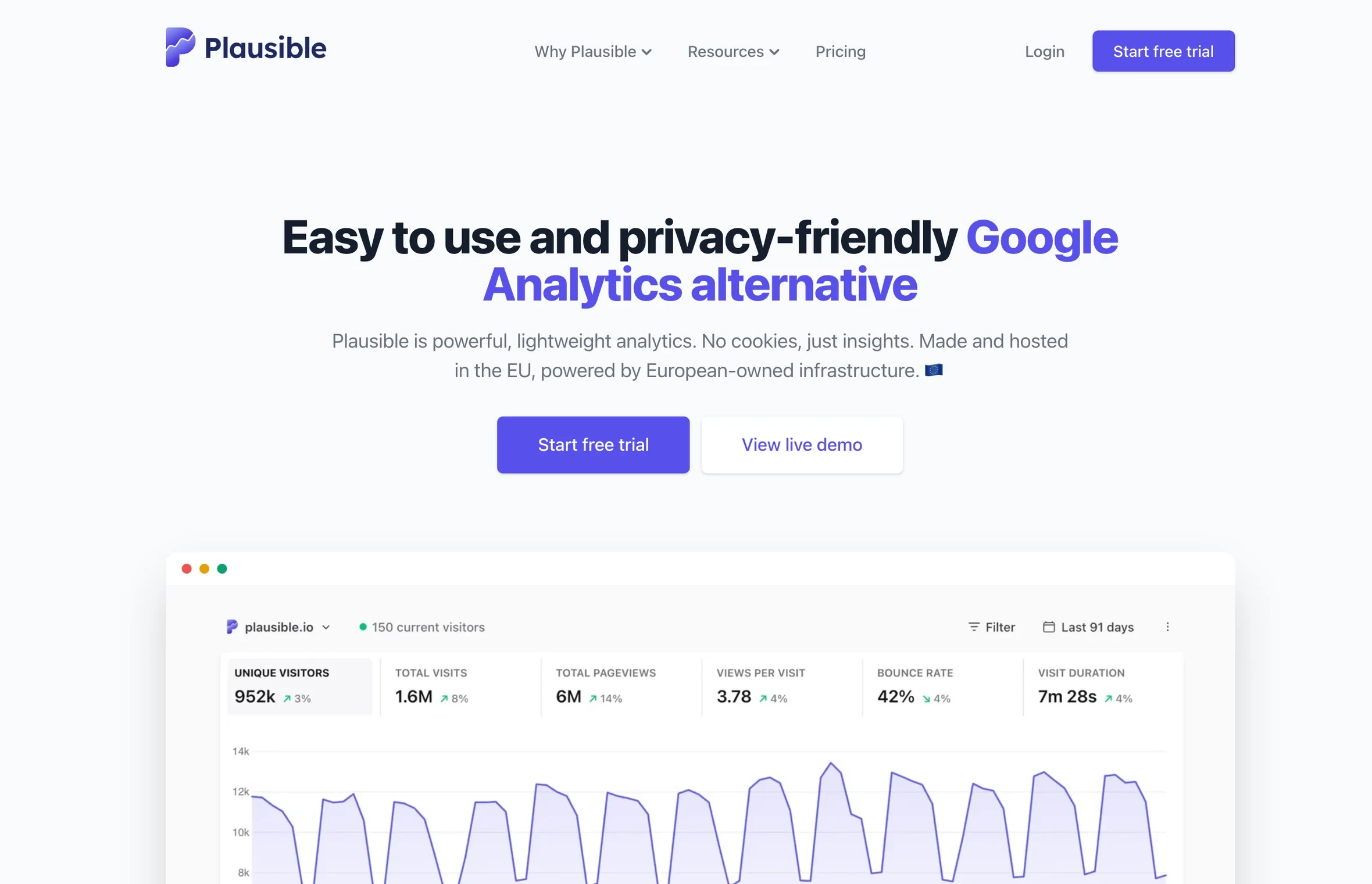
The dashboard is modern and clear. You see at a glance how many visitors and page views your website generated, what the bounce rate was and how long visitors stayed. Plausible also shows you the most visited pages as well as the acquisition sources. You can even analyze email campaigns with the tool.
Plausible completely avoids cookies and stores all data on servers in Germany. If you have your own suitable server, you can even host it yourself.
A special highlight for SEO:
You can connect Plausible to Google Search Console and analyze your search queries within the tool.
Unfortunately, Plausible is not free, but it has a fair pricing model based on monthly page views. Up to 10,000 page views cost you just €6 per month (€60 per year), and at 500,000 views you pay €30 per month (€300 per year).
Here you can see a demo of Plausible Analytics.
Pros
- Simple and tidy design
- Conversion tracking possible
- Provides all the important data
- Works entirely without cookies or PIDs
- Google Search Console integration possible
- Fair pricing model based on page views
- Tool can be self-hosted if you want
- Open source
- Premium support
Cons
- Paid