
When you create and plan your own website, the cost factor plays an important role too.
That's why in this article we want to introduce you to the topic in great detail and present 8 different website types, including the costs you can expect for each.
That way you get a feel for how you should calculate, so you don't get a nasty surprise later.
- Website costs vary widely by type: A blog or private website costs from €5-10 per month (domain + hosting), while a company website or web application can eat up several hundred euros per month.
- There are hardly any one-time costs if you build it yourself. Ongoing costs consist of infrastructure (€10-40 per month for hosting + domain), premium plugins (€40-100 per year) and, if needed, content creation (3-20 cents per word).
- Website builders offer transparent prices and fast results without programming skills, WordPress (a CMS) is more flexible and scalable, and custom-coded solutions cost five to six figures but offer maximum customizability.
1. What type of website do you want to create?
A website isn't just a website!
Even if many addresses on the web look fairly similar at first glance, a look behind the scenes sometimes reveals considerable differences.
Accordingly, the costs aren't necessarily comparable either, and they sometimes vary considerably.
1.1 Blog
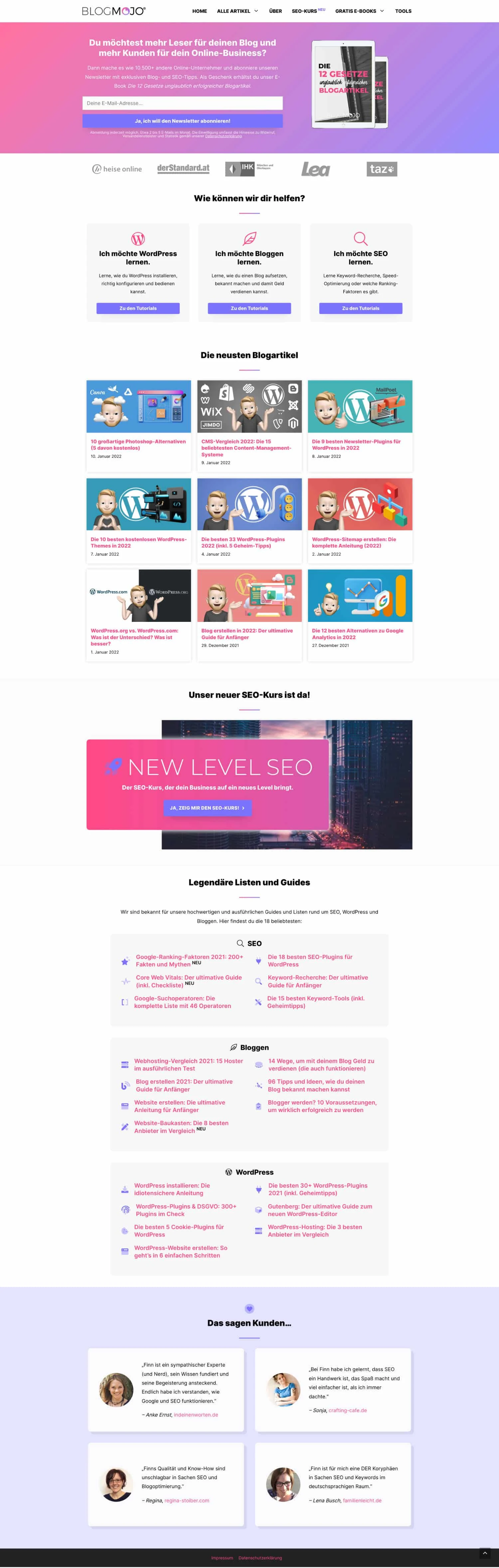
On your own blog, you regularly publish new content tailored to the interests and needs of your readers. Alternatively, you can run a blog like an online diary.
The best example: Blogmojo.
While the goals of a blog can be very different, and a blog is seen both as a hobby project and as a serious source of income, when you create a blog you should definitely use a so-called CMS (content management system) like WordPress.
A CMS gives you freedom in the visual design and is ideally suited to regularly publishing new content.
On top of that, content management systems can be adapted to your needs as you like and extended at any time through so-called plugins. That way the system grows with the size of your website without any problem.
While most CMSs are distributed under a so-called open source license and are therefore free, you do pay small fees for hosting and a domain. These are really low though and, depending on the package you choose, sometimes even in the single digits per month.
That makes the costs of your own blog in its standard form very low, but they can grow very quickly if you pursue commercial interests and have to invest in the right tools and additional software for that.
1.2 Landing page
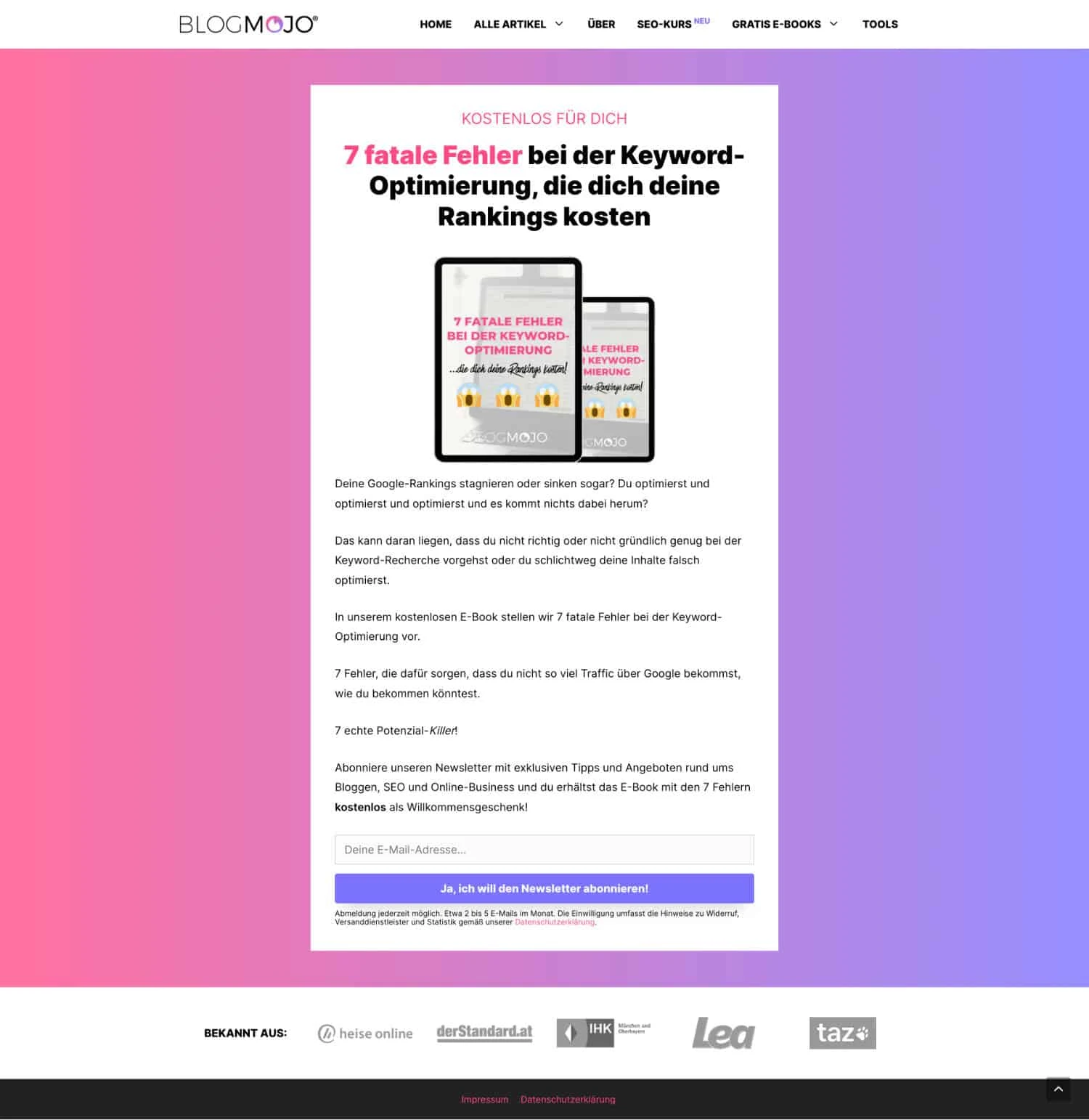
The landing page is the simplest type of web page and the easiest to build. It can either be part of a large website with many subpages or be hosted on its own under its own domain.
As a rule, a landing page pursues one specific goal that it is optimized for, such as signing up for an email newsletter (see the Gradually AI example above) or selling a product or service.
So a landing page is a page that you create once and that then stays in that form.
New content only gets added as part of optimization measures.
Building this page is very easy and can be done with all modern options. You can use one of the many different builders such as Wix, or you use one of the free CMSs.
The only thing that matters is that the solution can connect to third-party providers such as payment services (PayPal, Digistore24, etc.) or, in case you want to run a newsletter, to marketing tools like MailChimp or ActiveCampaign.
1.3 Private website
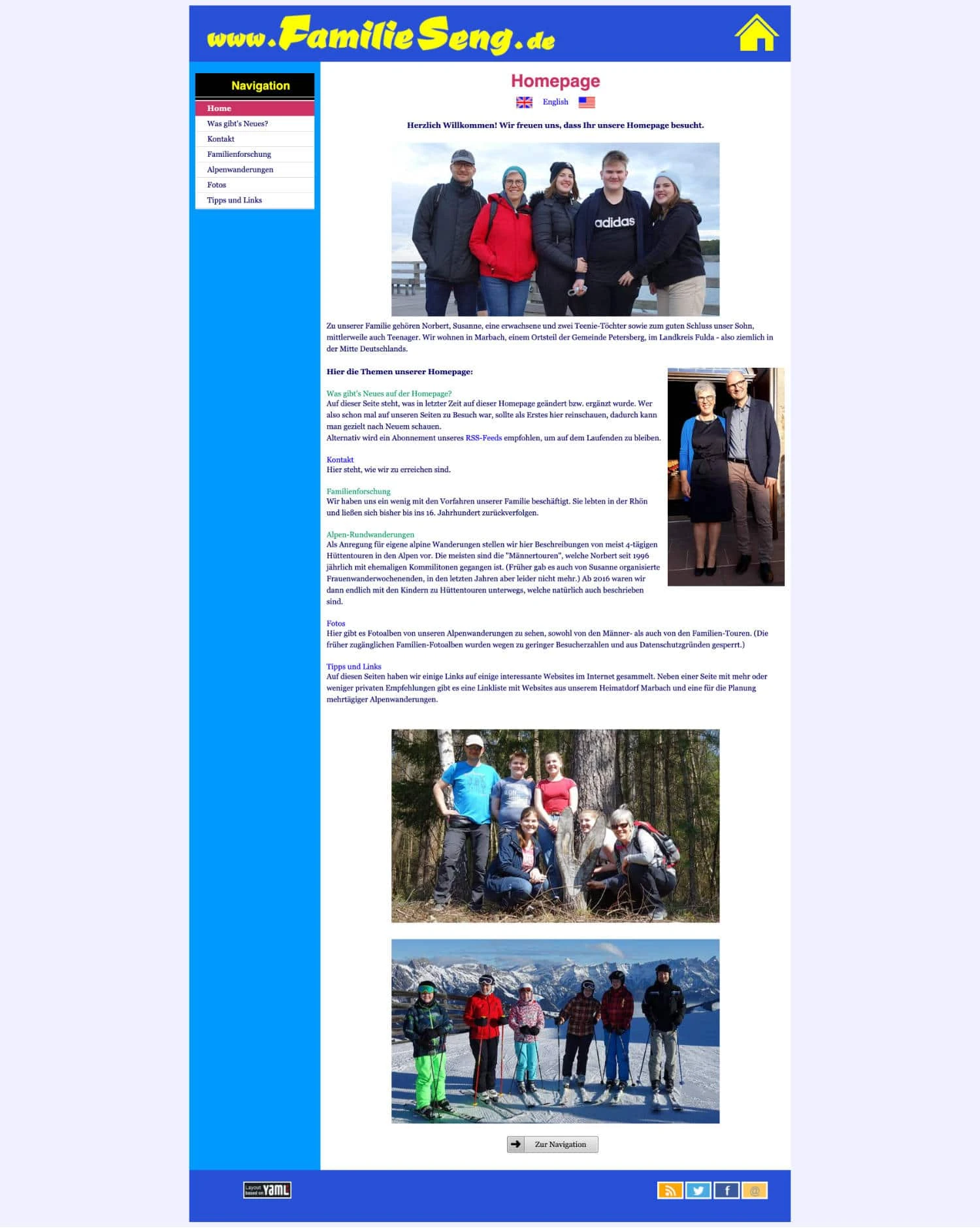
If you don't want to pursue any commercial interests with your website and only want to give private insights into your life, your family or your hobbies, all options are open to you for building this project.
Besides a CMS like WordPress, you can also use one of the many website builders, which offer beginners in particular great ways to create genuinely professional pages and bring them to life.
The time required and the difficulty of this type of website can't be stated across the board, but both are likely to be rather low. Both factors depend considerably on your motivation and your goals, that is, on how much of your free time you want to invest in this project.
The costs should be in the very low range, since no third-party marketing tools are needed.
1.4 Company website

There are millions of examples of company websites on the web, with the most varied approaches.
Company websites are extremely demanding and take a great deal of time, because they often act as the first point of contact between a customer and the company.
Given that, the most professional appearance possible is essential.
Professionalism alone isn't enough here, though. The company website should also be tailored to your target group. That's why market analysis and building a brand identity are two factors you should definitely take into account when creating the website.
On top of that, depending on the size of the company, not only does a lot of content have to be published, it may also have to be offered in several languages.
Of course, these rules don't apply to the small flower shop around the corner that may simply want to present its most beautiful work and offer a way to get in touch.
Large company websites therefore require a well-thought-out approach based on a modern CMS. Because of numerous additional functions, the costs of a website can grow quickly here. The small local business, on the other hand, can happily use a website builder to build a professional page.
1.5 Online shop

Want to sell your own products to customers? Then today there is no better way than starting your own online shop. It's the ideal solution especially as a complement to a local store.
The good news: You no longer have to be an IT pro to make this dream come true.
There are numerous systems, above all Shopify, that give you a ready-made builder system so you can create your own shop even without programming skills. They offer you not only the shop itself but also inventory management, shipping integration and invoicing, so that all interfaces are conveniently combined in one solution.
If you'd rather get hands-on yourself and aren't afraid to pick up a few new skills, many CMSs also offer great options, for example WordPress in combination with WooCommerce.
Depending on the package you choose, the costs are in the low to mid double digits per month, but they can rise significantly very quickly if you run online ads to attract more visitors.
1.6 Membership site
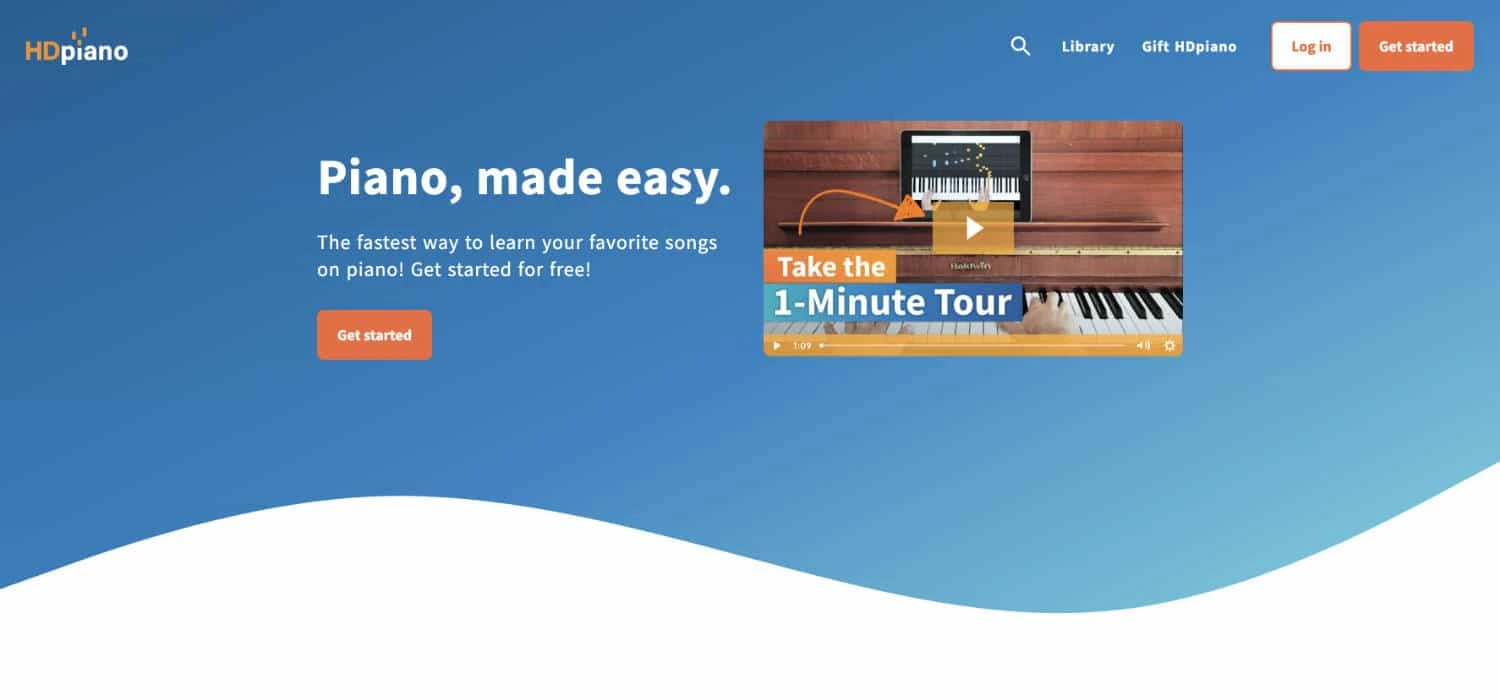
There are various ways to launch your own membership site.
First, the simple methods...
Besides a forum, you could also protect individual pages or posts of your website with a login form or password and thereby make the content available exclusively to your members.
The somewhat more complex and also more expensive way would be to set up a completely self-contained member area on your website and offer, for example, an online course to your members there. To stay with the example in the screenshot above: A course that teaches how to play the piano.
While on the one hand this approach considerably increases your earning potential, the costs for the website go up as well: To run the member area, you usually need a membership plugin, which often costs three-digit amounts per year.
A professionally built membership site of your own can therefore cause costs in the high double digits per month.
1.7 Portfolio
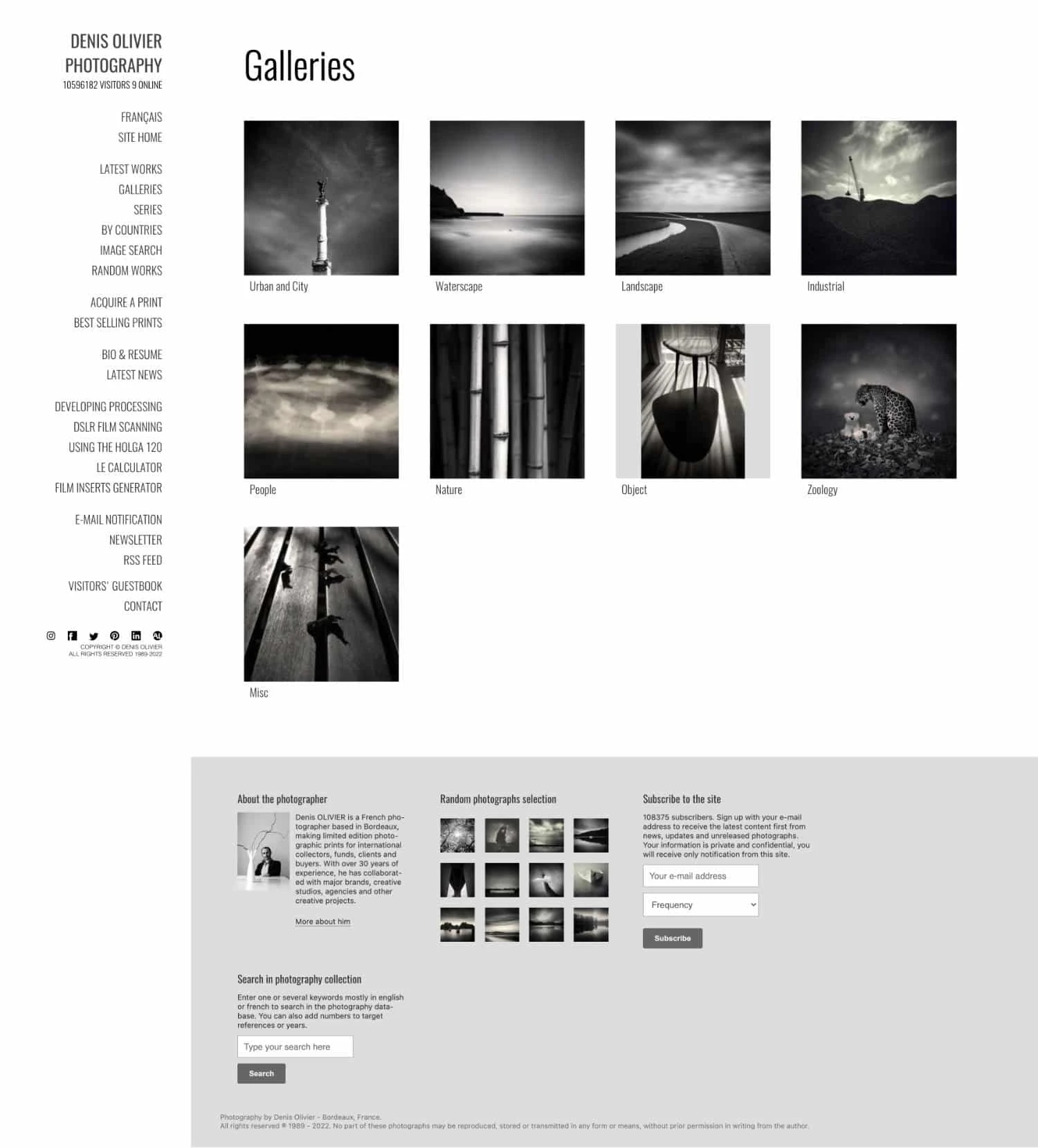
A portfolio website usually serves only one purpose: It's meant to showcase your artistic activities or your past work in your field, to convince future prospects of your expertise and experience.
This type of website is often used by photographers and artists.
While building a portfolio website once doesn't take much time, the upkeep can vary widely, depending on how often you want to add new work.
You can build this project either with a CMS like WordPress or with homepage builders. With the latter, though, keep in mind that the storage space is often significantly reduced. That makes them a rather suboptimal solution for photographers with a large portfolio.
Depending on the solution you choose, the costs will be in the low double digits.
1.8 Web application

Your own web application is the most complex, most expensive and most time-consuming website that currently exists.
As a rule, it can't be built with a CMS or a website builder, so it always has to be custom-coded. If you can't do that yourself, you face high costs for external programmers.
So even creating this website is an expensive pleasure.
The ongoing costs will be very high too, because, depending on the complexity of the application, you'll have to keep having programming work done on the site.
You should also host the app on a server of its own to guarantee reliable availability. For that alone, you pay monthly costs in the three-digit range.
On the other hand, the web application is the website that promises you the highest earning potential.
2. Overview of possible costs and effort
The costs of a website consist of the one-time setup costs, which make up a very small part, and the ongoing costs. Depending on the project, these can vary a lot and range from a low single-digit amount to high three-digit amounts per month.
In this chapter we also want to take a look at the time you may have to put in.
2.1 One-time costs
The one-time costs depend heavily on whether you build your website yourself or have it built.
With a website you build yourself, there are almost no one-time costs. The only exception is tools that make the programming work easier for you. The drag-and-drop builder from Elegant Themes (Divi), for example, lets you develop a professional website completely without programming skills.
The cost here is a one-time price of $249.
That's not a mandatory cost, though.
You can launch your own WordPress website today without paying any one-time setup costs or anything similar: Register a domain and web hosting, install WordPress, and you're done.
2.2 Ongoing costs
Ongoing costs can't be avoided with your own website. Provided, of course, that you want to own a domain of your own and don't want to rely on free services that clutter your site with ads.
The ongoing costs, too, depend enormously on your individual requirements.
Costs for content creation
Have you ever thought about who creates the content for your pages?
If you're a good writer, you can of course write all the texts yourself. And if you want to start your own blog with your ideas and thoughts, the question doesn't come up either.
If you don't have a talent for writing, though, you have to turn to external service providers.
You can either hire a copywriting agency or work closely with a freelancer who writes your texts after close consultation.
Depending on quality, expect 3 cents up to 20 cents per word.
Costs for infrastructure
A domain and hosting are mandatory for running a website.
Depending on quality, storage space, number of domains and included services, the monthly fees for these range between €10 and €40.
A package from webgo (a German hosting provider), for example, is available in the SSD Webhosting Starter plan for €7.95 per month on a 12-month term with annual prepayment (€95.40 per year). On a monthly term it's €8.95 per month, in each case including 19% German VAT.
blogmojo, new customers get a €10 credit on their webgo customer account after successfully placing an order. The credit is applied from the first invoice.The more professional your website is meant to be and the higher your demands on design and functionality, the less the standard WordPress installation may be enough. That means you have to turn to premium plugins, which can cost between €40 and €100 per year.
Even if these sums are certainly small on a monthly basis, these small amounts can add up quickly.
2.3 Time required
The time a website requires is shaped largely by its type.
A blog on which new content is meant to be published regularly can quickly take 5 hours per week or more of your time. A landing page, on the other hand, which you only have to create once, doesn't matter much in terms of time.
As a rule of thumb, you should plan on about 1 hour per month for maintenance and upkeep of your site.
A blog post of 1,000 words, including writing, research and optimization, can easily take 3 to 4 hours if it's of high quality.
3. Which system suits you?
While presenting the 8 website types, we pointed out now and then which system is best for building them.
At this point we'll take another detailed look at a few of these systems we only touched on briefly.
3.1 WordPress (and other CMSs)
If you don't want to work directly with HTML code and CSS, or simply have no experience with them, a CMS is a great solution. It gives you freedom and flexibility, but combines both with a simple system.
We recommend that you create a WordPress website, because it has the largest community and also the most extensions available.
Most CMSs are open source, so you don't have to pay anything for the system itself.
It only gets expensive when you use numerous premium extensions, buy expensive themes and employ programmers to develop custom WordPress solutions.
CMSs are designed to handle large amounts of data with ease, so they have no problem with blogs and larger company websites either.
In short: For 99% of all projects, a CMS like WordPress is probably the right choice.
- Usually open source and therefore free
- Very flexible and customizable
- Free choice of hosting
- Compatible with almost all third-party providers
- Manageable additional costs
- Scalable as much as you like
- Very good community
- No direct support
- Learning curve required
3.2 Website builder
Website builders have sprung up like mushrooms in recent years.
The reason is obvious: With a builder, you get everything from one provider. Besides hosting, domain and email, there are often shop solutions or marketing and statistics built in directly.
On top of that, almost all builders have so-called WYSIWYG editors (what you see is what you get). That means you need no programming skills at all to create a professional page that looks as if an expert developed it.
Behind every builder there is a support team that knows its system perfectly and can help with expert advice and hands-on assistance.
The transparent price structure is also worth highlighting. You know at all times what costs are coming your way, since builders usually work with ready-made packages.
Unfortunately, they also have a downside: Builders are extremely limited in terms of scope and flexibility. So it's not a system that grows with you and that you can adapt to your needs when necessary.
Very individual projects can't be built this way either.
- Everything from one provider
- Very good WYSIWYG editors
- Professional results without prior knowledge
- Fast results thanks to many templates
- Predictable costs
- Hardly any flexibility
- Can't be customized individually
3.3 Custom-coded solution
A custom-coded website can be adapted down to the smallest detail to your wishes and needs.
That lets you realize really any project, and you're not dependent on the limits of an existing system.
Another advantage: The website really only loads what is actually needed. This can have a considerable effect on the performance of your site, which can improve the customer experience and even the search engine ranking.
Of course, such a website can also be adapted to new circumstances or extended with new functions and content at any time.
Sounds great? Definitely!
However, a custom-coded website also has a considerable downside: a very high price. For a well-programmed site with one or two custom functions, five-figure amounts quickly become due, and sometimes even six-figure sums are charged.
You should also keep in mind that, as a rule, you also depend on external programmers for maintenance and when problems come up.
- Flexibly adaptable to your own needs
- No limits on functionality
- Very high costs
- Dependency when problems come up in the future
4. Conclusion
As you can see, there's no blanket answer to how much running your own website will cost in 2022.
The question contains too many variables for that.
To get your individual answer and be able to estimate the costs of your project better, we recommend that you first define the type of website precisely.
After that, you should think about which system you'd like to use.
As a last step, it makes sense to define the functions you want the website to have. That way you quickly see whether the basic version of a content management system or builder is enough, or whether additional costs for extensions are coming your way.
5. FAQ
Here I've put together the answers to the most common questions about website costs:
How long does it take to build a new website?
Setting up a website usually takes a few hours. It doesn't matter whether you create a WordPress website or use a website builder.
The time the further steps take depends on your experience and on their scope. A landing page that consists of just one page will certainly take much less time than building your own online shop.
As a rule, a website is a living thing that will take up your time again and again. That's why it's impossible to define a fixed duration.
Are there calculators for website costs?
Yes, there are a few cost calculators for websites. Most of them are run by web designers or web design agencies, though, so they calculate sums based specifically on their own range of services.
So we wouldn't recommend using these calculators as an actual basis for your calculation.
Instead, work your way through the individual items that could apply in your specific case yourself, by hand.
What are indirect website costs?
Besides direct costs such as web hosting or a domain, a website often causes costs for services or software that are not directly tied to running the site.
Freelancers are the best example here, for instance when they design a logo for you or write texts.
These indirect costs usually can't be calculated in advance and depend on your individual needs and ideas.