
Breadcrumbs are a great tool for giving readers and search engines some orientation.
This small navigation bar is a must, especially for large websites with lots of posts or subpages.
In this article, we'll tell you what breadcrumbs are, why you shouldn't go without them, and how to add them to your site quickly and easily, with or without a plugin.
- Breadcrumbs improve navigation for users and help search engines crawl your site. They can even show up in Google search results.
- The easiest way to add breadcrumbs is with SEO plugins like Rank Math or Yoast SEO. Alternatively, you can use your theme or add them manually with code.
- Don't forget to test the structured data with the Rich Results Testing Tool so the breadcrumbs display correctly in the SERPs.
1. What is breadcrumb navigation?
Breadcrumb navigation, or “breadcrumbs” for short, is a small navigation line that breaks down the path from the homepage to the current page of a website.
We use breadcrumb navigation at Blogmojo, too, as you can see further up in this article:
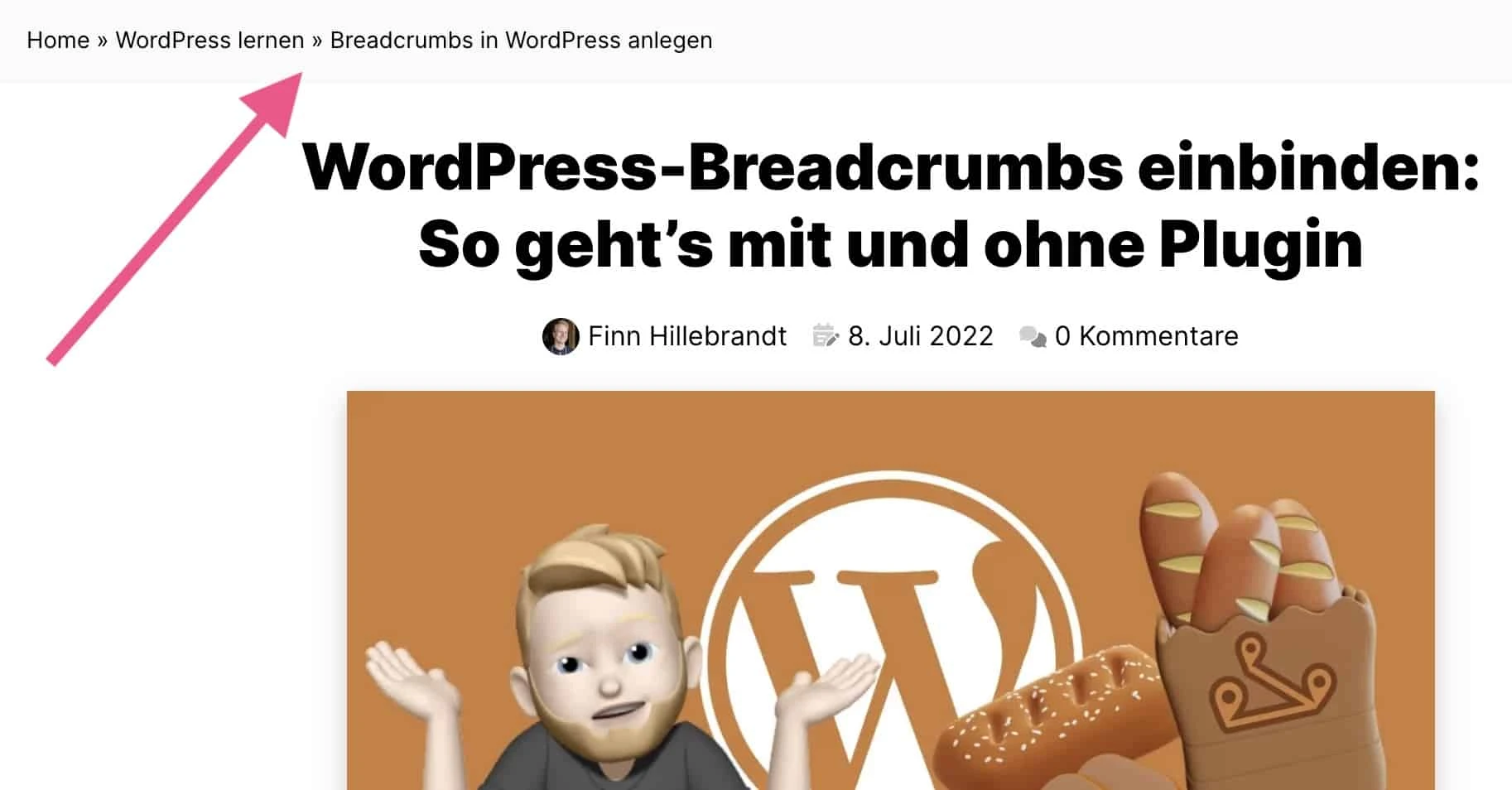
In German, the word translates to “Brotkrumen”.
The term isn't chosen at random, because the purpose of breadcrumb navigation is strongly reminiscent of the fairy tale Hansel and Gretel:
The breadcrumbs are meant to help your visitors find their way around a website and, if needed, find their way back.
1.1 What types of breadcrumbs are there?
In general, there are three types of breadcrumbs:
- Location-based: The most common type of breadcrumb navigation. It has a hierarchical structure and so reflects the structure of a website. An example would be: Home > Category A > Post A
- Attribute-based: This type is mostly found in online stores, since it contains product categories. An example would be: Home > Outdoor > Backpacks > Women's trekking backpack
- Path-based: This type is rather rare. It shows the reader their individual click path and contains the pages they visited most recently.
2. What are the benefits of breadcrumb navigation?
Although breadcrumbs offer many benefits, far from all website owners use them.
These are the three most important benefits of this kind of navigation:
2.1 Usability
Breadcrumbs give users orientation and navigation help, which under some circumstances has a positive effect on visit duration and can lower the bounce rate. This applies above all to websites with lots of pages or blog articles.
2.2 Search engine optimization
Breadcrumbs let search engines crawl websites better (discover their content) and give them more information about the content of pages and how they relate to each other, which can have a positive effect on your ranking in the search results.
Another benefit:
If your breadcrumbs are marked up with structured data, the breadcrumb path is shown in the Google search results instead of the URL, which looks more professional and can increase the click-through rate:
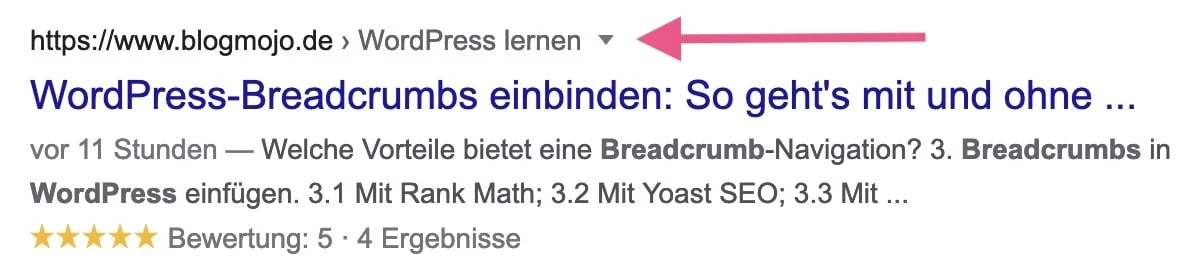
Plugins like Rank Math, Yoast SEO or Breadcrumbs NavXT, which I'll introduce below, add this structured data automatically.
2.3 Usually easy to add
Breadcrumb navigation can usually be added to a WordPress website quite quickly and customized so that it matches your design.
3. Adding breadcrumbs in WordPress
There are many different ways to add breadcrumbs to your WordPress website. Here are the five easiest and most popular ones:
3.1 With Rank Math
Adding breadcrumbs with Rank Math is easy and requires no code. Even beginners will definitely have no problems with this method.
After you've installed and activated Rank Math, you'll find plenty of customization options under Rank Math > Einstellungen > Breadcrumbs (Settings > Breadcrumbs):
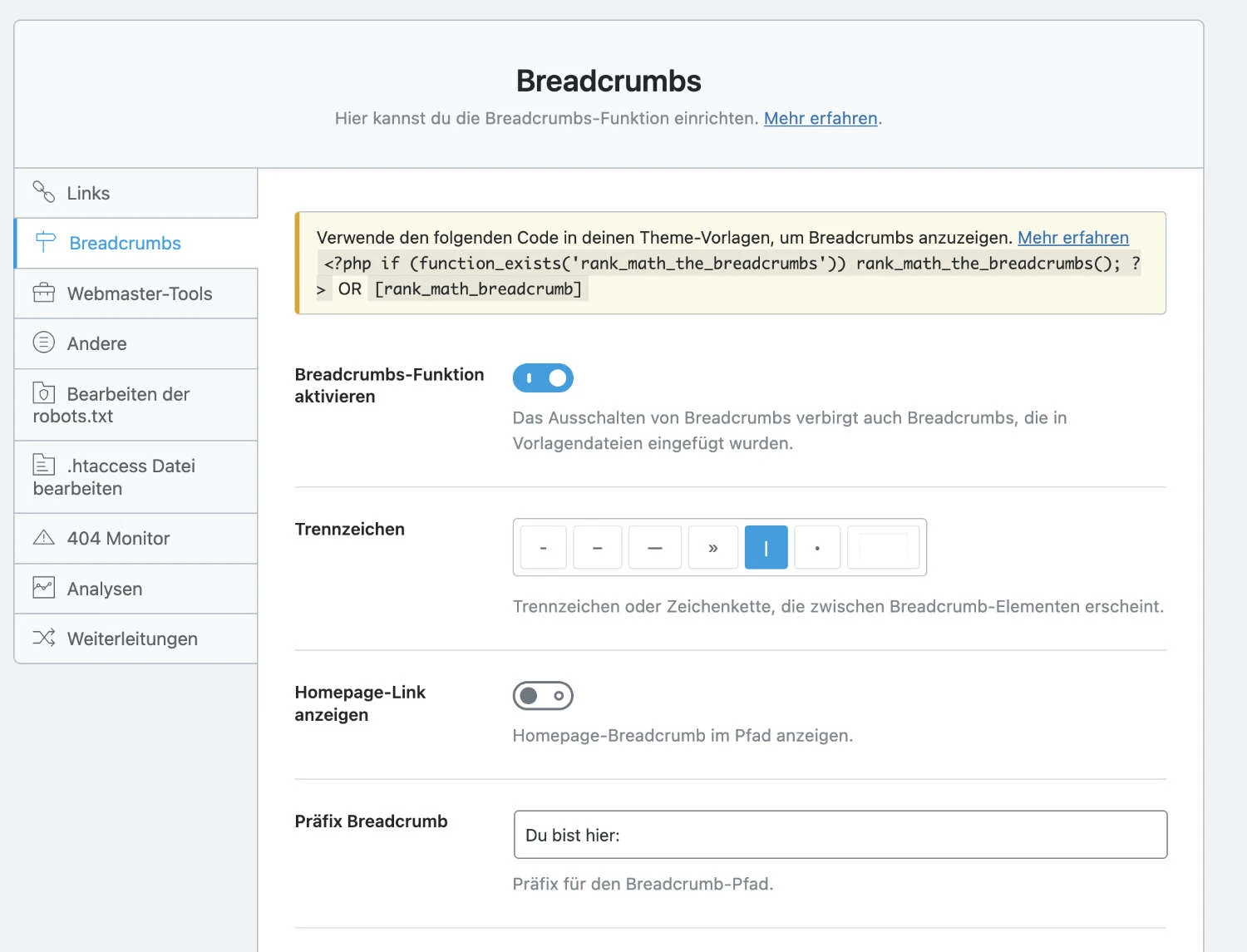
These include:
- Defining the separator character
- Showing/hiding the homepage
- Defining a prefix
- Defining display types (categories and tags)
Many themes automatically adopt all settings once breadcrumbs are activated in Rank Math.
Others unfortunately don't display them automatically, but that's not a big problem. Rank Math gives you a shortcode that lets you insert the breadcrumb navigation bar anywhere you like.
3.2 With Yoast SEO
You can also add breadcrumbs to a page with the Yoast SEO plugin. The process is similarly simple here, if a bit more demanding than with Rank Math.
If your theme doesn't support breadcrumbs from Yoast SEO, you have to add a code snippet to your theme file.
Where exactly you need to put it depends on where the breadcrumbs should appear later. I recommend showing them at the top of the website and site-wide, so the breadcrumb navigation can play out all its benefits. In that case, the file header.php is the right place.
Add the following code here:
<?php
if ( function_exists('yoast_breadcrumb') ) {
  yoast_breadcrumb( '<p id="breadcrumbs">','</p>' );
}
?>After you've added the code, the next step is to activate the breadcrumbs in the backend of the Yoast plugin. You'll find the switch under Yoast SEO > Darstellung in der Suche > Brotkrümelnavigation (Search appearance > Breadcrumbs):
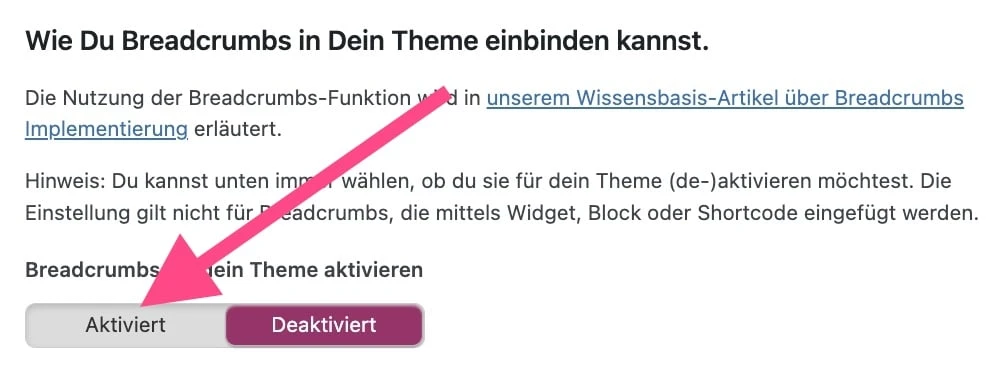
You can adjust settings for the breadcrumbs, such as the separator, the anchor text for the homepage or prefixes, on the same page:
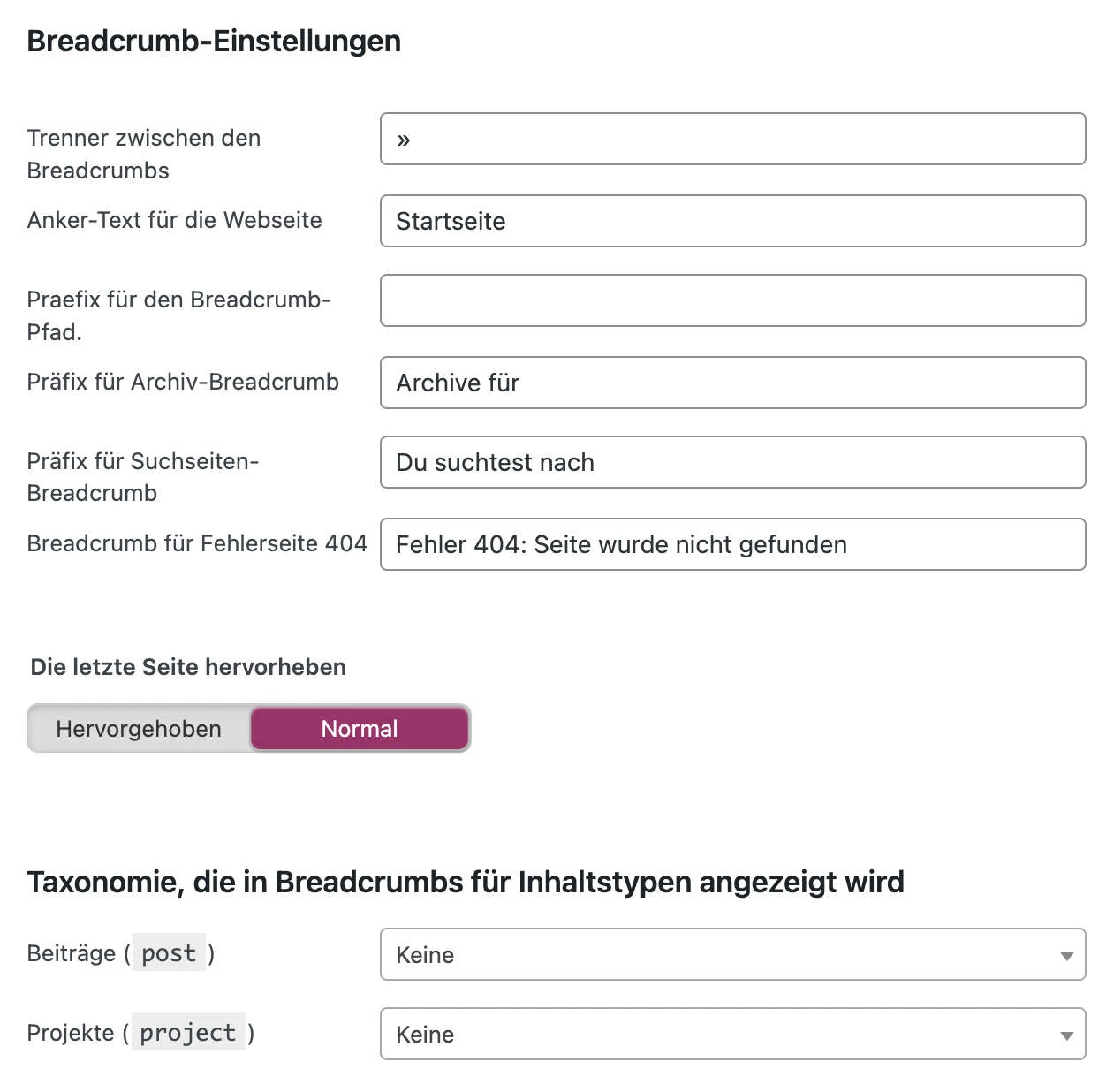
3.3 With Breadcrumbs NavXT
If you'd rather not use an all-in-one SEO plugin, you can also use a dedicated plugin like Breadcrumbs NavXT.
The plugin has a simple structure, is lightweight and does exactly what it's supposed to. As with Yoast, you first have to add the following code before you can customize the look of your breadcrumbs in the plugin settings:
<?php if(function_exists('bcn_display')) {bcn_display();}?>Alternatively, you could also use a shortcode.
Once that's done, you can adjust various settings in the backend:
- Define the separator
- Show/hide the homepage
- Set a prefix
3.4 Via the theme settings
Many themes, including Astra, already have the breadcrumb function built in.
That's a real convenience, because you not only save yourself additional plugins, you can also adjust the look directly in the Customizer.
In Astra, it really is child's play:
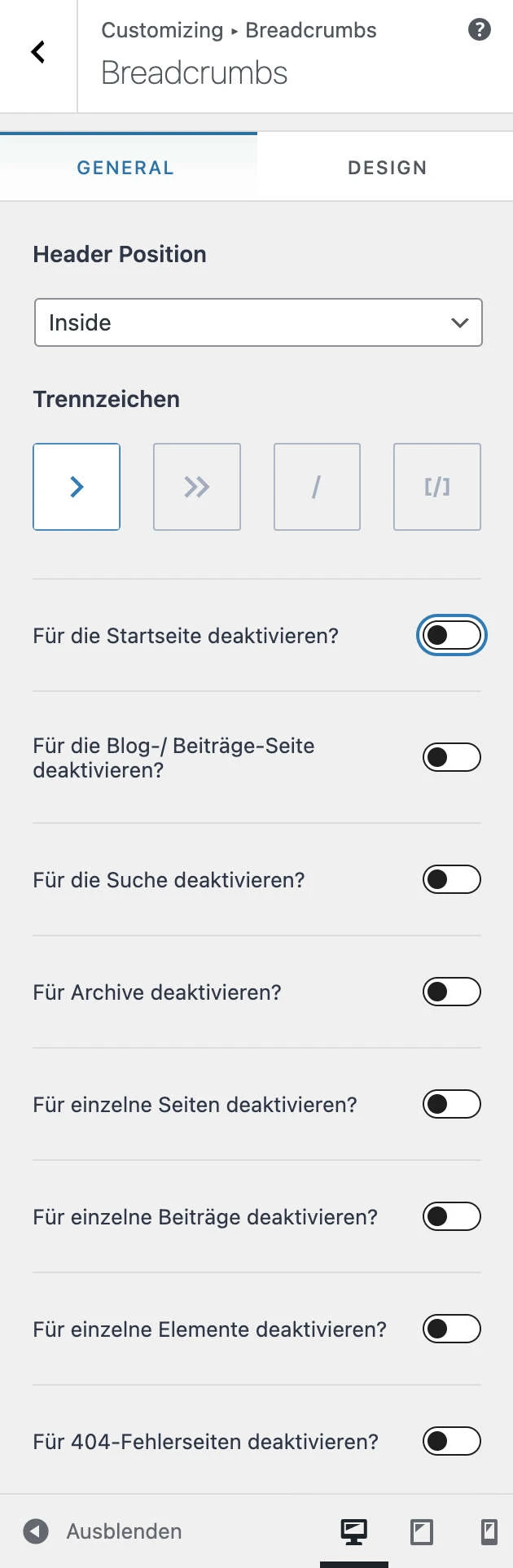
Right in the Customizer you'll find the entry “Breadcrumbs”. Here you can first determine the position of the breadcrumbs before choosing from numerous configuration options:
The one downside:
As a rule, the customization options aren't as extensive as when you add breadcrumbs through a plugin. The position of the breadcrumbs also can only rarely be changed.
3.5 Manually via functions.php
The fifth and last option we'd like to show you is adding them through the functions.php.
The advantage of this method is that you can do without plugins entirely and don't necessarily need a theme that includes a breadcrumb function.
A disadvantage, on the other hand, is that adding them and customizing them later is much more complex.
First you have to write code that includes all the content you want (posts, pages, custom post types, etc.) and displays it later. Here is a simplified basic framework:
function my_breadcrumb() {
$pfad_sep = '»'; // Trenner zwischen den Elementen
$pfad_start = 'Startseite'; // Benennung des Pfadbeginns
echo '<div class="bread"><a href="' . home_url() . '" title="' . esc_attr( get_bloginfo( 'name' ) ) . '" rel="home" class="bread-start">' . $pfad_start . '</a>';
if (is_category() || is_single()) {
echo $pfad_sep;
the_category(' • ');
if (is_single() || is_page()) {
echo $pfad_sep;
the_title();
}
} elseif (is_page()) {
echo $pfad_sep;
the_title();
}
echo '</div>';
}
Next, you have to tell your theme to display the navigation. You do that with the following code, which you add to your theme's header.php:
<?php if (function_exists('my_breadcrumb')) my_breadcrumb(); ?>In the third and last step, the look has to be adjusted. You do that with CSS. The easiest way is to add the CSS through the Customizer, because it offers a live preview.
All in all, though, this method is much more laborious than adding breadcrumbs through a plugin and requires some programming experience. So it's rather unsuitable for beginners.
4. Testing the structured data of your breadcrumbs
Finally, you should use Google's Rich Snippet Testing Tool to check that your breadcrumbs have been marked up with structured data correctly.
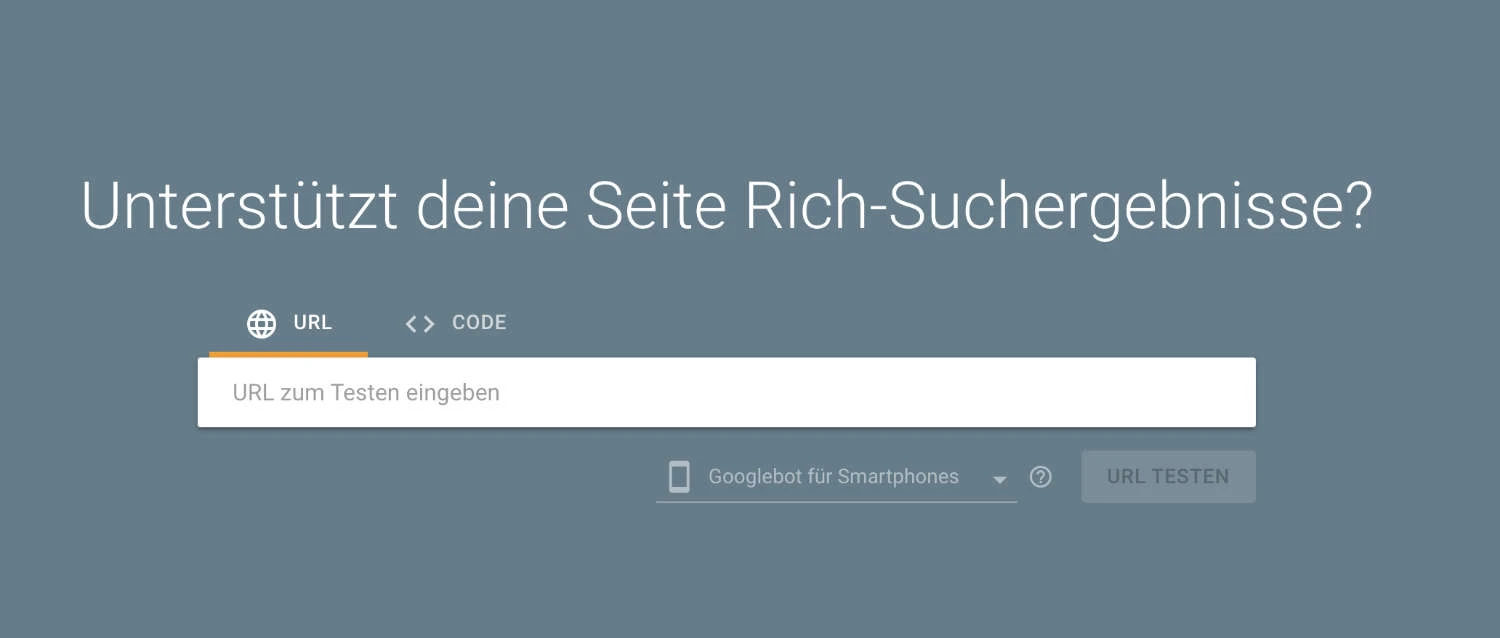
If the tool shows errors or warnings, the breadcrumb paths may not be displayed, or not displayed correctly, in the search results.
For troubleshooting, Google's documentation on breadcrumbs can help.
5. Adding WooCommerce breadcrumbs
Especially for online stores with lots of products, breadcrumbs help visitors find their way around the store.
With the WooCommerce Breadcrumbs plugin, you can do that quickly and easily (provided, of course, that you run a WooCommerce store, otherwise the plugin doesn't work):
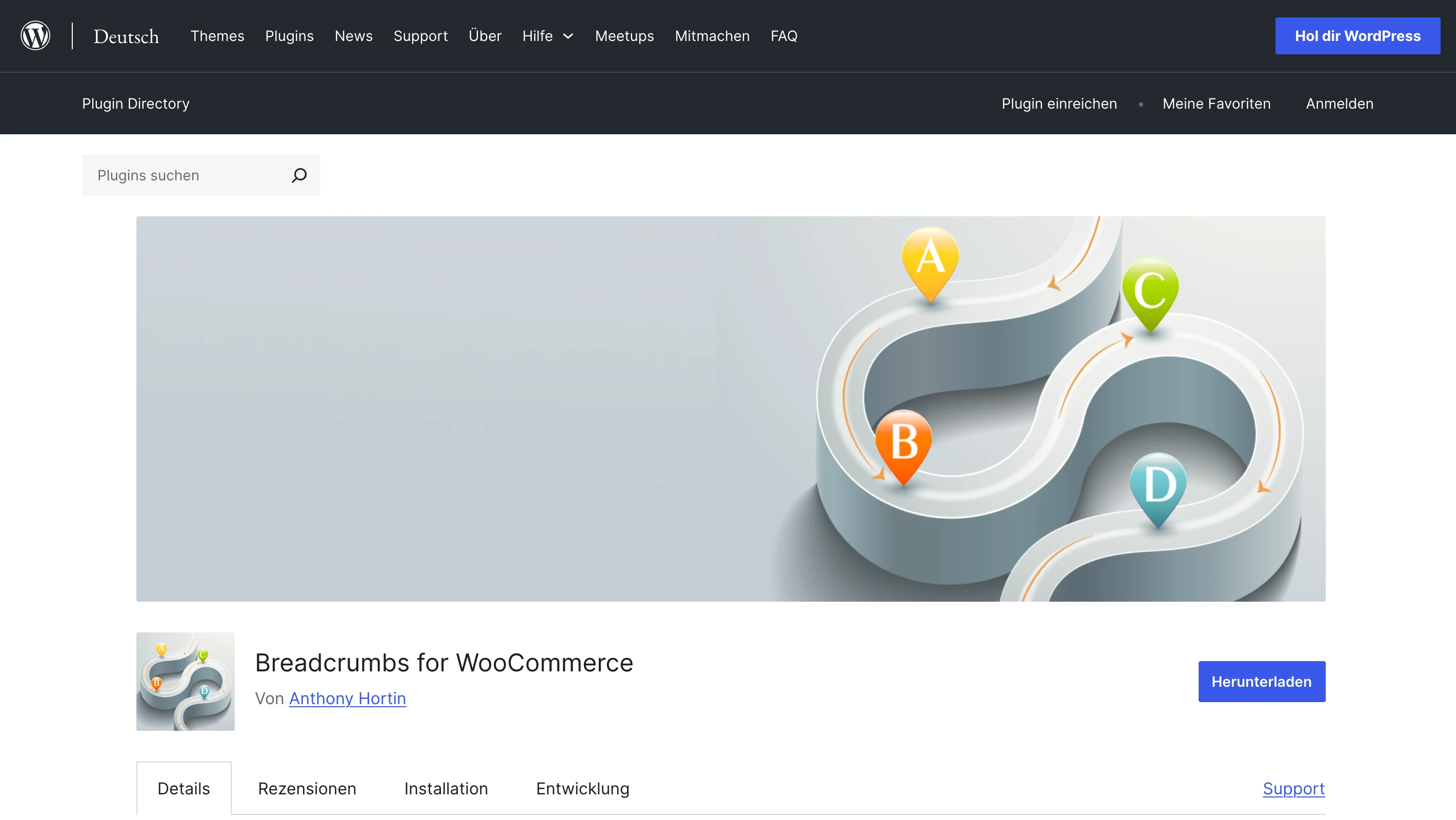
In the WordPress admin area, go to Einstellungen > WC Breadcrumbs (Settings > WC Breadcrumbs). Here you can configure your breadcrumbs individually.
6. A native Gutenberg block for breadcrumbs?
There may soon be a native Gutenberg block for breadcrumbs, which would make adding them even easier.
A corresponding pull request has existed on GitHub since June 2021 and is updated from time to time.
7. FAQ
Here I've put together answers to common questions about WordPress breadcrumbs:
How can I add breadcrumbs in Elementor?
Elementor has its own breadcrumb widget that you can drag and drop wherever you want it on your website.
After that, you can customize the design and content to your liking (color, typography, etc.).
Can I also use WordPress breadcrumbs for custom post types?
Yes, that's no problem.
In Yoast SEO, for example, you can set which post types should show breadcrumbs under SEO > Darstellung in der Suche > Brotkrümelnavigation (Search appearance > Breadcrumbs). You can select custom post types there, too.
Which WordPress plugins can I use to add breadcrumbs?
To add breadcrumbs to your website, you can use an SEO plugin like Yoast SEO or Rank Math.
Standalone plugins like Breadcrumbs NavXT are a great solution as well.
Finally, there are page builders (e.g. Elementor) that include a breadcrumb widget.





