





Practical test and buying guide
WordPress hosting, clearly evaluated

Searching for the right WordPress hosting can be frustrating.
I speak from experience...
In the 15+ years I've been working with WordPress, I've tried out more than 60 different hosting providers for larger and smaller web projects.
I've had positive experiences along the way, but also a lot of negative ones. And in this comparison, I want to share those experiences with you!
In detail, you'll learn:
- How four popular WordPress hosts compare (incl. performance tests).
- The best hosting plans for different use cases (small websites, WooCommerce, affiliate sites, etc.)
- What good WordPress hosting really needs
Why?
So that you, too, can find the best WordPress hosting for your blog or website. Without trying out dozens of providers and burning through your money (like I did).
Links marked with * are affiliate links. If you make a purchase through one of these links, I earn a commission. The price stays the same for you.
1. WordPress hosting compared
WPspace LITEspace | HostPress PLUS | Raidboxes STARTER | WordPress.com Business | |
|---|---|---|---|---|
| Price per month | €24 monthly, €20 with 12 months, net in each case | €49 monthly, €44 with 12 months, net in each case | €24 monthly net, 10% discount with annual billing | €25 with annual billing |
| Websites | 1 | 1 | 1 | 1 |
| Staging sites | 1 | 1 | 1 | Yes |
| Storage | 5 GB NVMe SSD | from 15 GB NVMe SSD | 10 GB SSD | 50 GB, storage technology not stated |
| vCore CPUs | 2 | 4 | 2 | Not stated |
| RAM | 2 GB | 4 GB | 4 GB | Not stated |
| Mailboxes | Not included | 10 | Not included | Not included |
| Migration service | Yes (free) | Yes (free) | Yes (free) | Yes (free) |
| Included domains | None | None | None | 1 (in the 1st year) |
| PHP versions | 7.4 and 8.x | 8.x | 7.2 - 8.4 | managed by the provider |
| Included licenses | None | WP Rocket | None | Jetpack, premium themes |
| Auto backups | 14 days | daily, 14 days | 14 days | daily, up to 6 months |
| Server location | Germany | Germany | Germany | global infrastructure |
| Visit provider | Try free for 14 days | Free demo migration | Try free for 14 days | Try free indefinitely |
Average response time in the historical test
2. Hosting providers in detail
1st place: WPspace
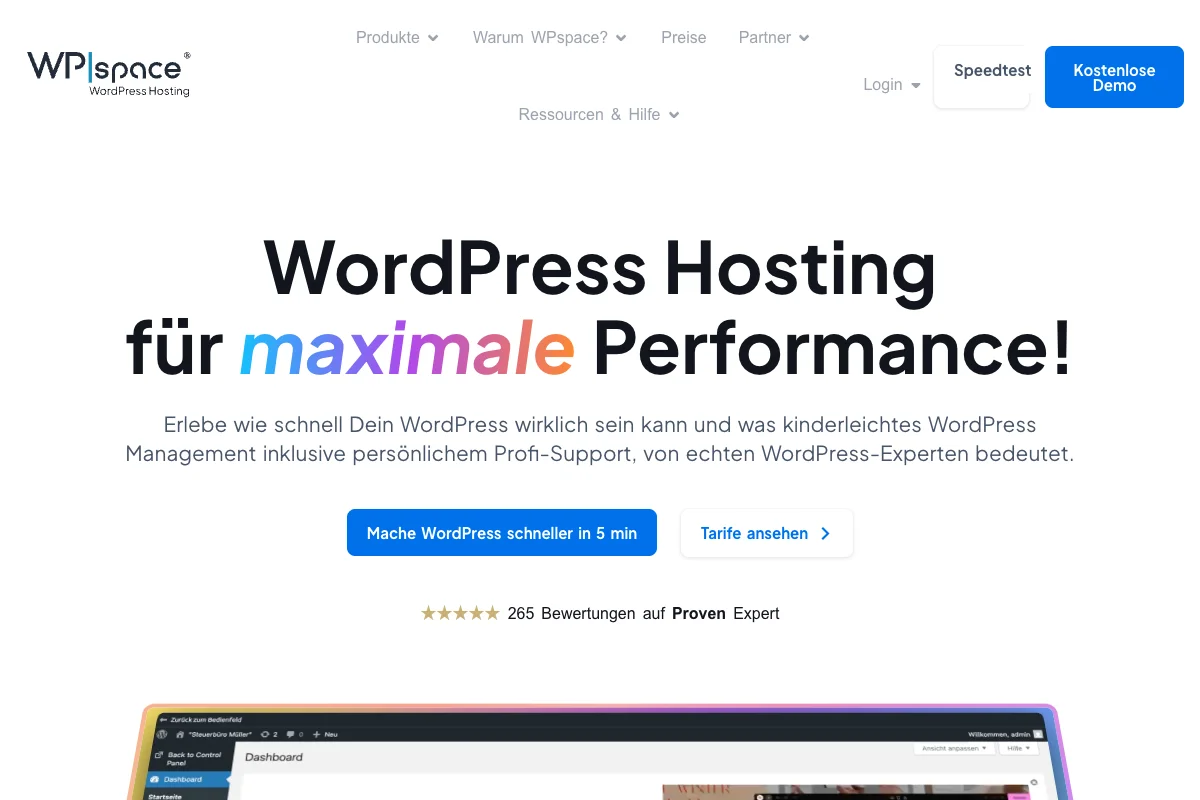
WPspace is a fairly new player on the German hosting market. The company behind it, Broll IT & Media GmbH, has been around for longer, but WPspace as a hosting offer has only existed since early 2021.
So I was skeptical, because I've seen many hosts come and go.
After intensive testing and trying it out, however, I can say:
WPspace is my new favorite host.
I have to admit, though, that it was more love at second sight. Because on paper, WPspace doesn't differ much from other managed WordPress hosts at first:
WordPress is preinstalled, there are built-in caching and security features, promises of top performance, a free SSL certificate, very good customer service, automatic backups, and so on.
As always, the devil (or in this case the test winner) is in the details:
1. WPspace offers more features for the money
LITEspace regularly costs €24 net with monthly billing or €20 net per month when you pay twelve months in advance. The plan includes 2 vCPUs, 2 GB RAM, 5 GB NVMe SSD, staging, Redis Cache, and daily backups with 14 days of retention.
Unlike the STARTER plan I tested earlier, the current LITEspace includes no email mailboxes and no domain.
2. Top performance
In the historical measurement period between January and December 2023, the average response time was 397 ms (measured without a caching plugin, performance optimization, or server-side caching). In that test back then, WPspace performed very well. The measured value is a historical snapshot:
- 2 vCPUs
- 5 GB NVMe SSD
- Redis Cache included
- Free migration service for the website
- Clone WordPress websites with one click
- Customer area and admin panel are clear and modern
- Staging environment
- Server location in Germany
- Fast, competent, and very friendly support
- Very good uptime in the historical test
- Web space management with Plesk Obsidian not as clear as at Raidboxes
- Minimum contract term of 12 months with annual billing
- No email mailboxes included
- No included domain
2nd place: HostPress
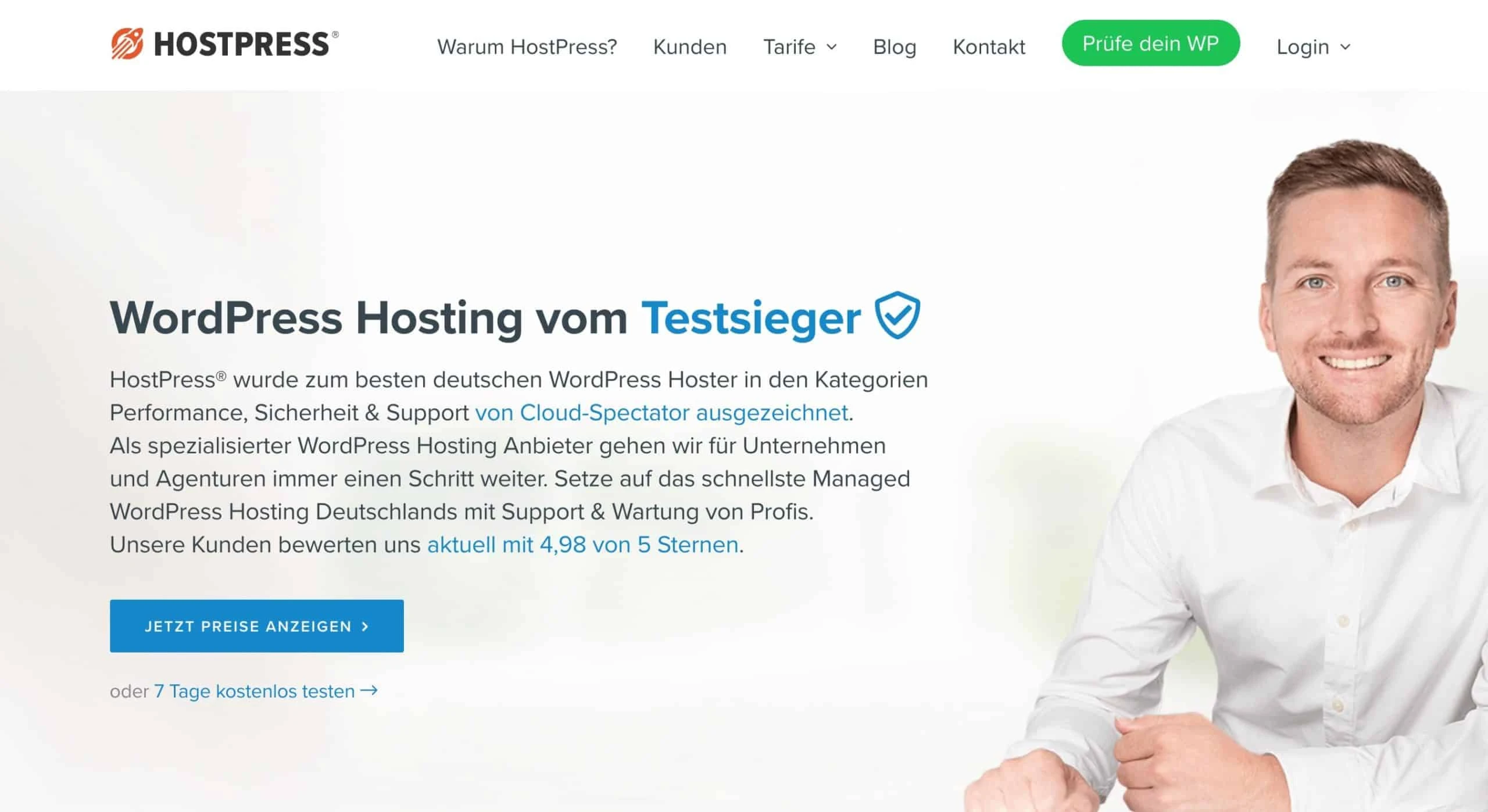
Today's entry-level PLUS plan from HostPress is considerably more powerful and more expensive than the START plan I tested earlier.
PLUS offers 4 vCPUs, 4 GB RAM, at least 15 GB NVMe SSD, 10 mailboxes, daily backups with 14 days of retention, WP-CLI, Git, cron jobs, a free migration, and a license for WP Rocket.
HostPress also relies on the Plesk Obsidian control panel, which makes it easy and straightforward to create SSL certificates, change PHP settings, and manage WordPress installations with the WordPress Toolkit (e.g., automatic updates, security settings, etc.).
The support deserves special praise: it answered a test request quickly, competently, and courteously. HostPress also gets very good average customer ratings on ProvenExpert and states an average response time of 4 minutes, which is very fast.
The following series of measurements is from 2024. Back then, the test installation reached an average response time of 405 ms. It shows the performance of the plan at the time, not of today's PLUS package.
Today, HostPress positions itself in the premium segment:
PLUS costs €49 net with monthly billing or €44 net per month with annual billing.
The higher price is mainly worth it if you actually use the closer support, the emergency support, the included mailboxes and WP Rocket.
Get started with HostPress now
- WP Rocket included
- Very good average customer ratings
- Very good performance
- Fast, competent, and courteous support
- Discount with an annual term
- Free migration service
- Server location in Germany
- Customer area and admin panel are clear and modern
- WordPress Toolkit for managing WordPress directly in Plesk Obsidian
- Staging environment
- Geographically and software-redundant backups with 14 days of retention
- Guaranteed support response time
- High entry price
- Web space management with Plesk Obsidian not as clear as at Raidboxes
- No included domain
- Uptime data in the article comes from a historical test
3rd place: Raidboxes
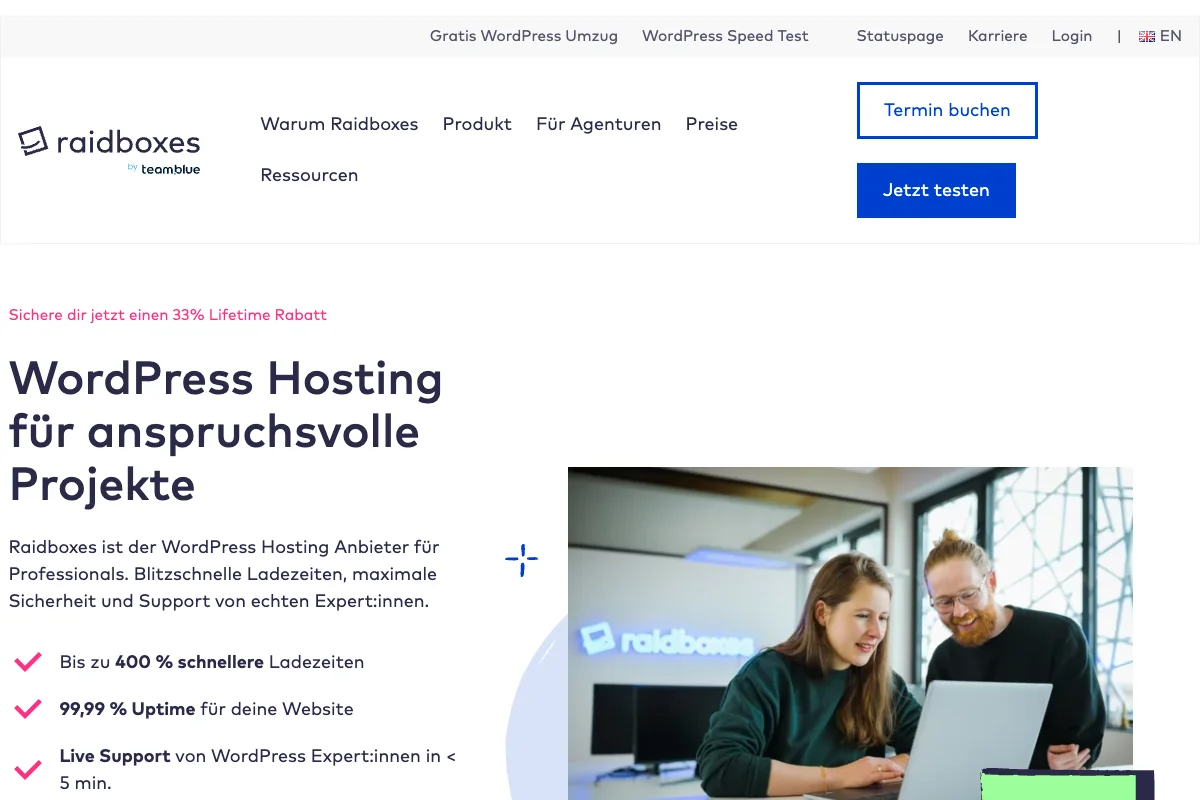
The hosting packages from Raidboxes, also called Boxes, are optimized specifically for WordPress. WordPress comes preinstalled and preconfigured on every Box.
Raidboxes automatically creates daily backups, which you can easily restore via the dashboard or use to create a new Box.
Unlike at WP-Projects, WPspace, and HostPress, you as a user can't modify the core files themselves, which adds extra security. Raidboxes also installs WordPress core updates automatically after a certain time (important security updates within a short time).
Raidboxes impresses with a user-friendly customer area that even works well on mobile, yet still leaves room for some advanced settings, e.g., security headers or single sign-on.
RAIDBOXES currently relies on SSD storage, Apache, and integrated Varnish caching.
Since early 2017, my experience with RAIDBOXES has been mostly good. The customer service is top notch. Very friendly, competent, and fast.
1. Loading time
In the historical speed test from 2024, the average response time was 575 ms. In 2023, it was 635 ms. This series of measurements refers to the test systems at the time:
2. Expensive prices for Pro plans
At a regular €24 net per month, the STARTER plan is fairly priced. With annual billing, RAIDBOXES gives a 10% discount.
Until December 30, 2026, there's also an offer for new customers with a 50% discount on the first hosting contract for a maximum of twelve months. Because this offer is time-limited, I use the regular price for the comparison.
However, I still find the Pro plans too expensive compared to other providers' plans:
For a regular €65 net per month, the Pro plan currently offers 4 vCores, 8 GB RAM, and 20 GB SSD storage.
The price gap is partly explained by the stronger resources. For smaller websites, Mini or Starter are more economical.
- Clear, modern customer area that also works on mobile
- Boxes can be canceled monthly
- Good loading times thanks to fast server-side caching (no extra caching plugin needed)
- free migration service for the website
- free staging environment
- Fast and very friendly support
- Server location in Germany
- Boxes can be tested for free for up to 14 days
- Various advanced security settings (security headers, single sign-on, XML-RPC blocker, etc.)
- Hardened WordPress installation (core files cannot be edited)
- 10% discount with annual billing
- Very good uptime in the historical test
- no included licenses
- no included domain
- 10 GB SSD storage in the Starter plan
- no exec() allowed, which means you can no longer use plugins like EWWW Image Optimizer (only with API)
- Email mailbox costs extra
4th place: WordPress.com
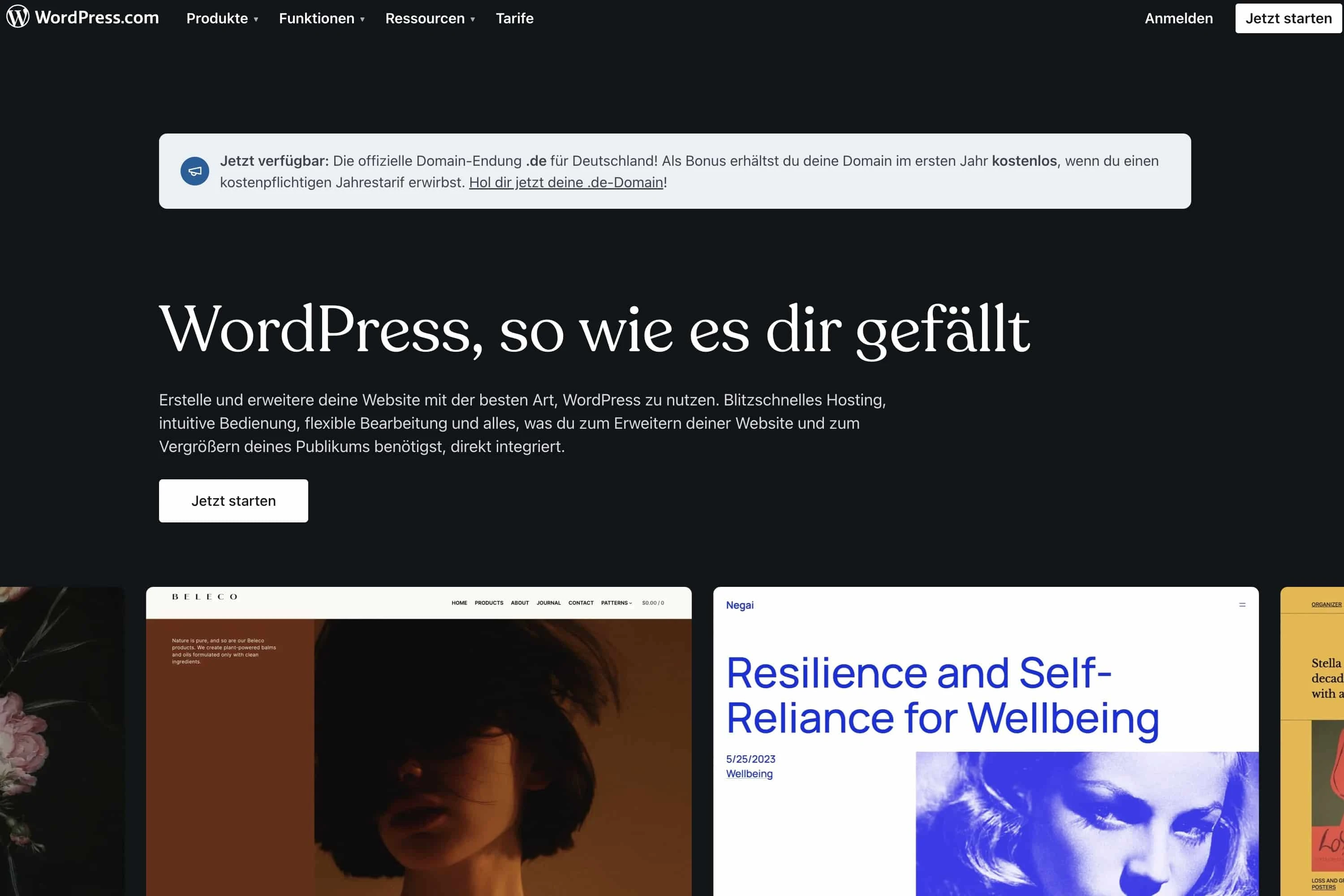
WordPress.com is the oldest and best-known managed WordPress host.
The service comes from Automattic, the company of Matt Mullenweg, one of the original developers of the open source software WordPress.org. Since 2005, the company has been the main coordinator and driving force behind the software.
Does that make WordPress.com the first choice for WordPress hosting?
Unfortunately not.
The Business plan costs €25 per month with annual billing and offers 50 GB of storage, staging, backups and developer features. That makes it convenient, but in some ways less flexible than a classic managed WordPress host.
You can now install plugins on all paid plans. Advanced developer features, however, are reserved for the Business plan. WordPress.com also still maintains a list of incompatible plugins.
Your own backup plugins aren't the intended route, because backups are built into the platform via Jetpack.
WordPress.com works with a global infrastructure. You can't select a fixed server location in Germany on the Business plan. If that specific data location matters to you, the three German providers are more transparent.
Support depends on the plan and the language. That's why I don't count either blanket German-language availability or exclusively English-language support as confirmed here.
- Numerous premium themes included
- Jetpack basic features included (e.g., stats, activity log, and backup function)
- can be tested for free indefinitely
- Reliable and easy-to-use backup function
- one included domain (but only free in the first year)
- free migration service for existing WordPress websites
- lots of storage
- Good AMP integration
- Fast and reliable admin area
- Contract and domain can be managed in the admin area
- Easy WooCommerce setup
- Best uptime in the test
- 24/7 support on paid plans
- No fixed server location in Germany available
- no third-party backup plugins allowed (only the in-house Jetpack)
- Email mailbox costs extra
- Long list of incompatible plugins, including many optimization, caching, and security plugins
3. Cheaper alternative: regular web hosting
Managed WordPress hosting offers more convenience than regular web hosting.
That said:
It can also be three, four, or five times as expensive.
If you have many smaller websites, sometimes 10 or 20 times as expensive, because many managed hosting plans only have room for one WordPress installation.
That's overkill if you want to save money or don't mind installing, backing up, and maintaining your WordPress website yourself and taking full care of its performance (or even enjoy doing it).
In that case, I can warmly recommend webgo as a “regular web host”:
webgo
I've been a webgo customer myself since January 2017 and I'm very happy with it so far.
The web hosting at webgo is very reliable. From June 2020 to June 2022, my test website had an uptime of 99.980% with only two outages.
The current packages rely on NVMe storage and a dedicated Apache web server per customer. That's a much more modern technical basis than in my original test.
In my web hosting comparison, webgo performed above average in the speed tests and mostly secured top positions.
The current NVMe Starter package costs €12.95 per month with an annual term or €13.95 with a monthly term. It includes 25 GB NVMe storage, one domain, 50 email addresses, and Let’s Encrypt. webgo offers PHP 8.5 and the stable branches 8.4 to 8.2.
Customer service responds to requests quickly and (usually) competently. You can conveniently handle cancellations, adding domains, signing the data processing agreement, or plan upgrades through the customer portal.
- fair prices
- Let’s Encrypt included free of charge in all plans
- guaranteed RAM
- fast support via email, phone, or chat
- very good loading times and availability
- NVMe Starter from €12.95 per month with an annual term
- Included domains in every hosting package
- external domains can be added easily and for free (not a given with German hosts)
- free email mailboxes
- 1-click installer for WordPress, Joomla, and co.
- 25 GB NVMe storage in the Starter plan
- Cancellation and signing the data processing agreement conveniently possible online
- Clear contract overview and simple ordering process
- Server location in Germany
- IP logging can be turned off
- The lower price requires a 12-month minimum term
- Restoring automatic backups may cost a service fee
- The regular entry price is higher than some classic shared hosting offers
blogmojo, new customers get a €10 credit on their webgo customer account after a successful order. The credit is applied from the first invoice.4. What is managed WordPress hosting?
Managed WordPress hosting is web hosting where the host takes over the management and administration of your WordPress website, either completely or in part.
The range of included services and the definition of “managed WordPress hosting” varies from host to host. What all providers have in common is that WordPress is already preinstalled and preconfigured. The preconfiguration usually includes caching, automatic backups, and security and performance settings. Support goes further and is more competent (especially with WordPress questions) than at regular hosts.
Here's a more detailed overview of the differences:
Feature | Regular web hosting | Managed WordPress hosting |
|---|---|---|
| Installation | install it yourself | preinstalled |
| WordPress management | mostly manual | Comprehensive management features, e.g., WordPress Toolkit from Plesk |
| Automatic backups | Yes, but usually only restorable via support | Yes, usually restorable yourself |
| Host handles WordPress updates | No, not even for an extra charge | partly (or at least for an extra charge) |
| Storage space | large | rather small |
| Free trial | No | Yes |
| Core files editable | Yes, all of them | Partly no, because they're managed by the host |
| All plugins usable? | Yes | slightly restricted at some hosts |
| Loading time optimization | do it all yourself | many measures already in place |
| WordPress security | mostly do it yourself | many measures already in place |
| Support | from very bad to good | usually very good |
| Price | cheap to average | more expensive for the same features |
The bottom line: you have to worry less about the technology and have more time for the important things in your business.
Of course, managed WordPress hosting isn't a must, just a convenience factor. If you can't afford €15 or more a month, or you enjoy configuring WordPress completely yourself, regular web hosting will do too.
5. Which hosting plan is right for me?
It's silly to pay for more than you actually need.
It's at least as silly to have slow loading times or downtime because of a server that's too weak.
That's why I've picked out hosting plans for different numbers of page views. Keep in mind that these are guidelines.
How much load your server gets also depends on other factors, e.g., which plugins and how many of them you've installed, the number of your posts, the caching methods you use, and quite a few other things.
5.1 Hosting for beginners and small websites
For beginners and smaller websites that get up to 2,000 page views a day, I recommend either a smaller VPS or a shared hosting package from a regular web host:
- WPspace LITEspace
- webgo SSD web hosting (very good value for money and also suitable for multiple websites)
5.2 Hosting for medium-sized websites
For websites or blogs with 2,000 to 7,000 page views a day, I definitely recommend a VPS:
5.3 Hosting for large websites and online stores
For websites or blogs with more than 7,000 page views a day, or for an online store, you're best off switching to your own server, known as a dedicated server, or a large VPS.
With dedicated servers, you always have two options: a managed server or a root server. With the former, the host takes care of the server software; with the latter, you have to take care of it yourself.
If you don't know anything about server administration, I'd always advise you to go with a managed server. Getting maximum performance out of a server and securing it against attacks takes a lot of time and expertise.
5.4 Hosting for affiliates, web designers, and agencies
Do you run many of your own projects as an affiliate, or do you look after many clients' websites as a web designer or agency?
Then you need a solution that can host many websites at once without a loss of performance:
6. What should a good WordPress host offer?
For your WordPress website to run as fast and error-free as possible, for you to have as little stress with it as possible, and for you to be on the safe side in terms of data protection law, your web host should meet certain criteria.
6.1 Data processing agreement (DPA)
Hosting providers are processors under Art. 28 GDPR. So to be on the safe side in terms of data protection law, you should sign a data processing agreement (also called DPA) with your host.
Ideally, you should be able to sign the agreement online with just a few clicks. You can find a selection of different WordPress hosts that offer data processing agreements in my list of data processing agreements.
WordPress host | Data processing agreement |
|---|---|
| WPspace | Can be signed in the customer area |
| HostPress | Download, sign, and send by email |
| Raidboxes | Fill out online and send by email |
| WordPress.com | Request in the customer area and send by email |
6.2 Free SSL certificate
An SSL certificate is now a must for every website. Not just for data protection reasons, but also because...
All WordPress hosts featured in this article offer free SSL certificates. WPspace and Raidboxes use Let’s Encrypt. At HostPress and WordPress.com, SSL is also included in the plan. Setup is easy to very easy:
Hosting plan | SSL certificate | Setup |
|---|---|---|
| WPspace LITEspace | Let’s Encrypt | easy |
| HostPress PLUS | SSL included | easy |
| Raidboxes Starter | Let’s Encrypt | very easy |
| WordPress.com Business | SSL included | automatic |
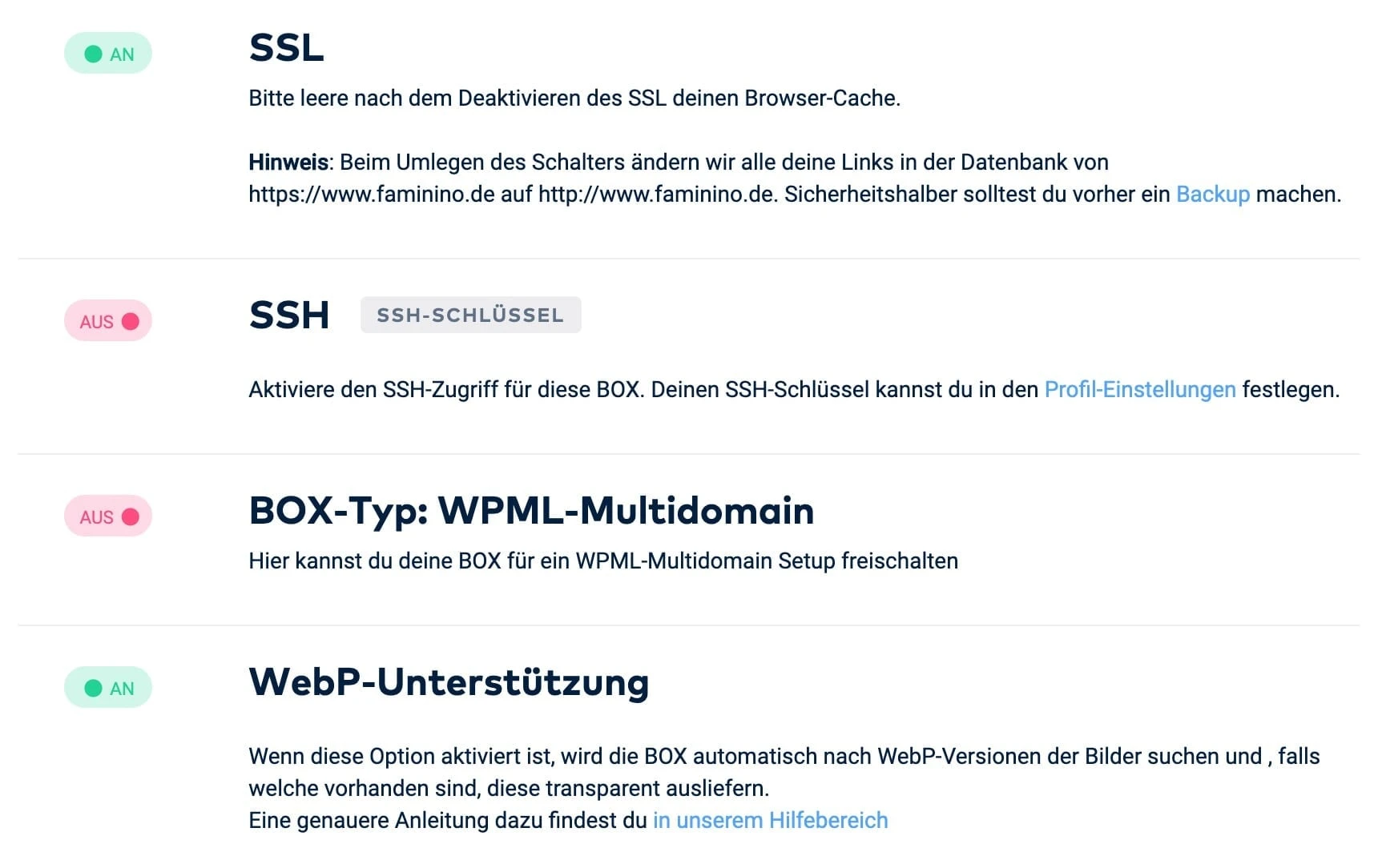
At Raidboxes, for example, you only need to flip a switch to move WordPress to HTTPS. This not only sets up the SSL certificate, it also changes all URLs in the WordPress database:
6.3 Server location in Germany or the EEA
A server location in Germany or the European Economic Area can simplify the data protection assessment, but on its own it doesn't make hosting GDPR-compliant. What matters includes the data processing agreement, subcontractors and the actual data flows. Transfers outside the EEA may require additional safeguards. The European Commission provides an overview.
As for loading time, your WordPress host's data center should be as close as possible to where your visitors are. Otherwise, the longer route adds to the loading time.
Here's an overview of the locations of all tested hosts:
WordPress host | Server location | Data center |
|---|---|---|
| WPspace | Germany | Hetzner, gridscale |
| HostPress | Germany | gridscale, Hetzner, Krämer IT |
| Raidboxes | Germany | Hetzner, dogado, Digital Ocean |
| WordPress.com | global infrastructure | no fixed assignment to Germany |
That means:
If most of your visitors come from Germany, your server should also be in Germany (or possibly in a neighboring country like Austria or the Netherlands).
6.4 Disk storage
SSDs not only have faster access times than HDDs, they can also handle more input/output operations per second (IOPS).
This is also reflected in the loading time and the load stability of your website. MySQL databases in particular should be on SSDs.
On top of that, there should be enough storage space available per WordPress installation:
Hosting plan | Type | Storage size |
|---|---|---|
| WPspace LITEspace | NVMe SSD | 5 GB |
| HostPress PLUS | NVMe SSD | from 15 GB |
| Raidboxes Starter | SSD | 10 GB |
| WordPress.com Business | not stated | 50 GB |
6.5 PHP version
Good WordPress hosting should offer PHP 8.3 or higher. Not just for security reasons, but also for performance reasons.
Here's an overview of which plan offers which PHP version:
Hosting plan | PHP versions |
|---|---|
| WPspace LITEspace | 7.4 and 8.x |
| HostPress PLUS | 8.x |
| Raidboxes Starter | 7.2 - 8.4 |
| WordPress.com Business | managed by the provider |
6.6 The right PHP settings
Besides the PHP version, the right PHP settings also matter for the performance of your WordPress website. Watch out for the following:
- memory_limit = at least 128M, better still 256M
- mod_rewrite = ON (needed for pretty permalinks)
It also helps if you can change important PHP settings yourself, such as upload_max_filesize, max_execution_time, max_input_vars, or post_max_size.
Hosting plan | PHP memory limit |
|---|---|
| WPspace LITEspace | 1024 MB |
| HostPress PLUS | 2048 MB |
| Raidboxes Starter | up to 1024 MB |
| WordPress.com Business | not stated |
6.7 HTTP/2 and HTTP/3
HTTP/2 is the successor to HTTP/1.1. Through better compression and by bundling multiple server requests, HTTP/2 speeds up data transfer from the web server to the browser enormously.
HTTP/3 is the successor to HTTP/2, formerly known as HTTP-over-QUIC. QUIC (Quick UDP Internet Connections) was originally developed by Google. Many modern browsers already support HTTP/3. It has been enabled by default in Chrome since version 87.
Here's an overview of which hosting plan supports which HTTP version(s):
Hosting plan | HTTP version |
|---|---|
| WPspace LITEspace | HTTP/2 |
| HostPress PLUS | HTTP/2 |
| Raidboxes Starter | HTTP/2 |
| WordPress.com Business | HTTP/2 |
6.8 Good support
The ideal WordPress host should offer competent support. For emergencies, ideally available around the clock, 7 days a week.
A fast response time to requests is also very important. Long downtimes, a slow website, or malfunctions frustrate visitors, cost you revenue, and can have a negative impact on your Google rankings.
6.9 High uptime
Besides performance, reliability is also crucial for WordPress web hosts.
The fastest WordPress website does you no good if it's offline for half a day once a week. Ideally, you want an uptime (availability) of 99.8% or higher, which all tested WordPress hosts achieved in the test:
Downtime in the historical long-term test 2023
Hosting plan | Uptime (2023-01-01 to 2023-12-31) |
|---|---|
| WPspace STARTER | 99.984% |
| HostPress START | 99.971% |
| Raidboxes Starter | 99.997% |
| WP-Projects Basic 4.0 | 99.995% |
| WordPress.com Creator | 99.998% |
7. FAQ
What is WordPress hosting and how does it differ from regular web hosting?
How much storage do I need for my WordPress website?
What does GDPR-compliant mean for WordPress hosting?
Do I need managed WordPress hosting or is shared hosting enough?
What is a staging environment and why is it important?
Which hosting is suitable for WooCommerce stores?
Can I switch my WordPress host later?
What does the PHP memory limit mean?
Is WordPress hosting more expensive than regular web hosting?
How important is the server location for SEO?
Is there free WordPress hosting?
Yes, there is free WordPress hosting.
With WordPress.com you can create a free WordPress blog on a WordPress.com subdomain. Your own plugins, your own themes, and your own domain require a paid plan there. All plans in the current comparison are paid.
What about US-based WordPress hosts?
A company headquartered in the USA is not automatically a reason to rule it out. What matters are the server location you can actually choose, the data processing agreement, the subcontractors used, and the agreed safeguards.
There are several reasons for this:
- Can you choose a data center in Germany or the EU?
- Which rules apply to international data transfers?
- At what times and in which language is support available?
- How far is the data center from your target audience?
What are the minimum requirements for WordPress?
WordPress sets the following values for web hosts in its minimum requirements:
- PHP version 8.3 or higher
- MySQL version 8.0 or higher, or alternatively MariaDB version 10.11 or higher
- HTTPS support
WordPress still runs on PHP 7.4 and MySQL 5.5.5 or higher. However, these versions have reached their official end of life and should no longer be the basis for a new plan.
HTTPS is now part of the official requirements.
How do I install WordPress?
To install WordPress with your web host, you need to take the following steps:
- Set up an SSL certificate (with Let's Encrypt)
- Create a database
- Download the WordPress installation files in German as a ZIP file and unzip them
- Rename wp-config-sample.php to wp-config.php and enter the database credentials from your web host (database name, database user, and password)
- Use the FileZilla program to transfer all files to your FTP server (into the directory assigned to your domain)
- Open your website URL and follow the further instructions
You can find a detailed, beginner-friendly guide on how to install WordPress here: Installing WordPress: The foolproof guide
If you choose a managed WordPress host, you can save yourself the trouble, because WordPress is already preinstalled there.
Changelog
2026-08-15
Plan data and rating snapshots verified again
- • All 44 active plans checked again against the publicly available provider information
- • Project limit and unpublished storage technology at Mittwald now shown correctly
- • Server location, GDPR statement, support channels, and uptime guarantee at Host Europe corrected
- • Public rating snapshots of all 14 listed providers updated
2026-08-14
Technical plan details and comparison depth extended
- • More than 40 attributes made comparable in the full table view
- • List, promotional, and renewal prices as well as terms and VAT shown separately
- • Current e-commerce plans from IONOS and Host Europe as well as PROspace and MAXspace from WPspace added
- • netcup web space, PHP memory, Git, cron job limits, and backup display corrected based on the individual plan pages
- • Specifications that are not publicly stated are shown as n/a and are no longer inferred from missing information
2026-08-14
Plans, features, and ratings fully checked
- • Regular prices, terms, promotional prices, and plan features of all listed providers checked again
- • HostPress developer features, Host Europe support, cron job details, and RAIDBOXES retention periods corrected
- • Rating snapshots updated to a uniform snapshot checked on August 14, 2026
Show older versions
2026-08-13
Comparison and guide merged
- • Complete guide integrated below the plan comparison component and organized into three topic areas
- • Historical loading time graphics replaced with accessible charts and both FAQ sections merged
- • Current information on WordPress.com, webgo, and the WordPress minimum requirements checked against official sources
- • Providers without an affiliate program remain fully included in the neutral plan comparison
2026-07-16
Hostinger limits and HostPress price corrected
- • PHP memory, supported PHP versions, and backup retention at Hostinger checked against the current help pages
- • Expired HostPress promotion removed and prices for annual and monthly billing shown clearly
2026-07-16
Source check and display errors corrected
- • Hetzner prices, PHP memory, backup retention, and contract term checked against the current provider information
- • Free promotional prices are now also clearly compared with the regular price in the table view
2026-07-15
Plans and facts updated
- • Prices and features updated for Hostinger, netcup, STRATO, Mittwald, Host Europe, and WPspace, among others
- • Rating data that was not sufficiently current removed from the comparison, sorting, and structured data
- • Notes on data protection, migration, WooCommerce, and price comparison made more precise
2026-05-23
WPspace added and data refresh
- • WPspace initially added with 3 plans (version 1.1)
- • Data refresh for all 14 providers
- • Last-updated display added to the header
2026-01-08
Initial version
- • Over 35 WordPress hosting plans from 14 providers
- • Providers: HostPress, WPspace, Raidboxes, IONOS, All-Inkl, STRATO, Hetzner, webgo, dogado, SiteGround, Hostinger, and more
- • Extensive filter options: price, storage, features, provider
- • Hybrid view: card grid and table view
- • FAQ section with 10 frequently asked questions





