
Searching for the right WordPress host can be really annoying!
In early 2017, I was (once again) unhappy with my hosting provider:
Slow support, bad load times, frequent outages...
As a result, I found myself looking for a new host for the third time in two years. That’s when I came across Raidboxes, and because of many positive reviews I moved my two biggest blogs there.
Just another one-night stand? Not this time!
In this article, you’ll learn everything you need to know about Raidboxes:
My experience as a long-term customer, pros, cons (yes, even Raidboxes isn’t perfect), how the move works, performance, and a lot more.
- Raidboxes is a German managed WordPress host with built-in Varnish caching, automatic backups, and a daily support chat from 8 am to 10 pm.
- In my historical performance test, Raidboxes was 37% faster on Pingdom, 45% faster on GTMetrix, and 53% faster on pagespeed.de than the comparison installation at the time.
- The current entry-level plan Mini regularly costs €18 net per month. Starter costs €24 and Fully Managed €35.
- The free migration service and the 14-day trial make switching to Raidboxes very easy.
1. Features
Raidboxes is so-called managed WordPress hosting.
Every web hosting plan, also called a “box”, hosts one WordPress installation that Raidboxes preconfigures and maintains.
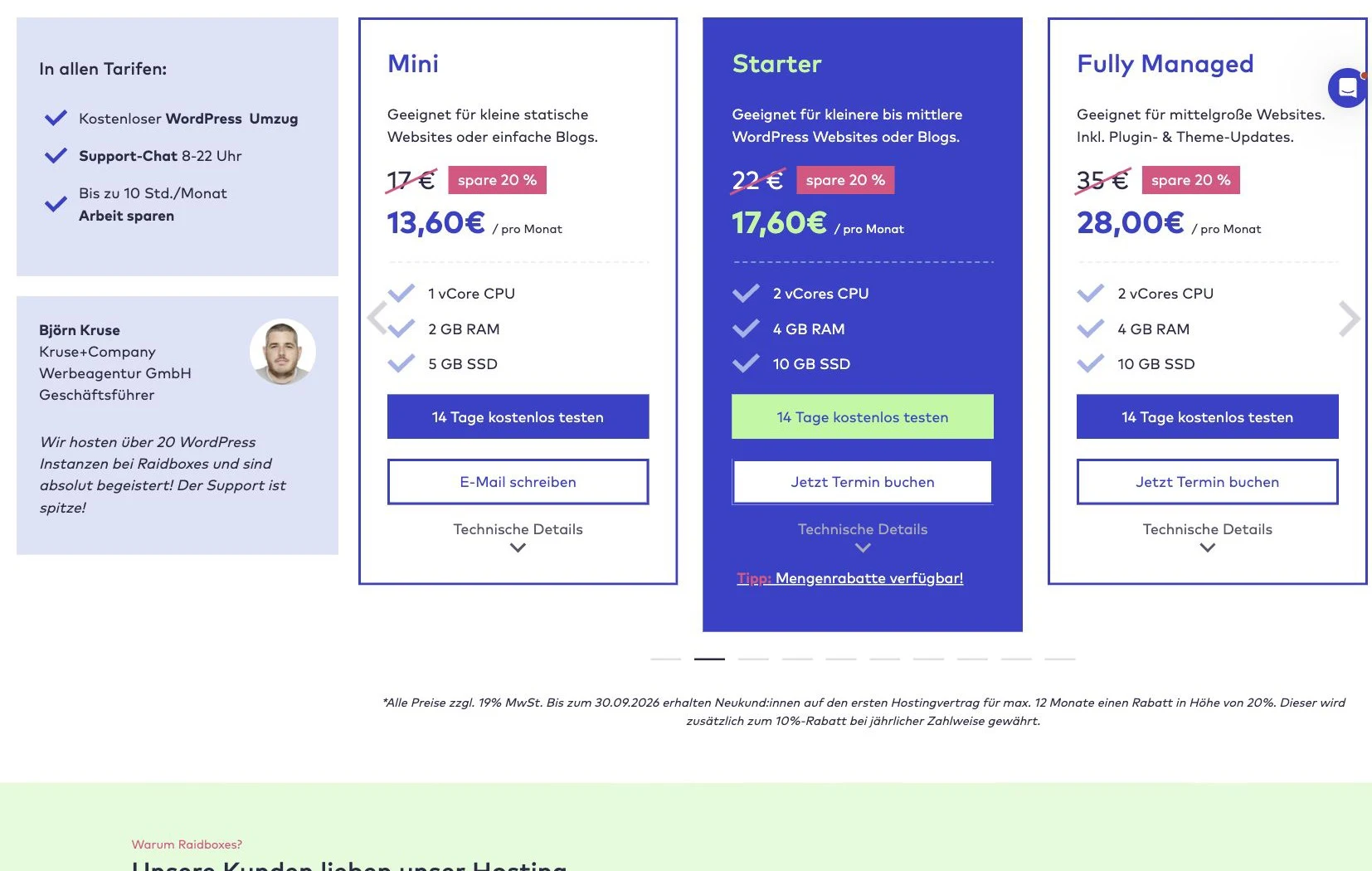
The Mini plan regularly costs €18 net per month (excluding VAT) and offers 1 vCore, 2 GB RAM, and 5 GB SSD storage.
Starter regularly costs €24 net per month and offers 2 vCores, 4 GB RAM, and 10 GB SSD storage. Fully Managed costs €35 net per month, uses the same resources, and adds automatic plugin and theme updates.
Through December 30, 2026, new customers get 50% off their first hosting contract for up to 12 months, and with annual payment another 10% comes on top. The regular price is more meaningful for a long-term comparison.
1.1 Server technology
Raidboxes puts a lot of weight on being modern and always up to date.
Not just when it comes to the user interface, but also the server technology.
Every box offers:
- Storage on fast SSD drives
- PHP 7.2 to 8.4
- Apache web server with built-in Varnish caching
- Brotli compression
- Free SSL certificate
- a built-in staging environment to test changes on a copy of your site in a realistic server environment
- depending on the plan, SSH, WP-CLI, and Git
1.2 Automatic backups
You don’t necessarily need a backup plugin at Raidboxes!
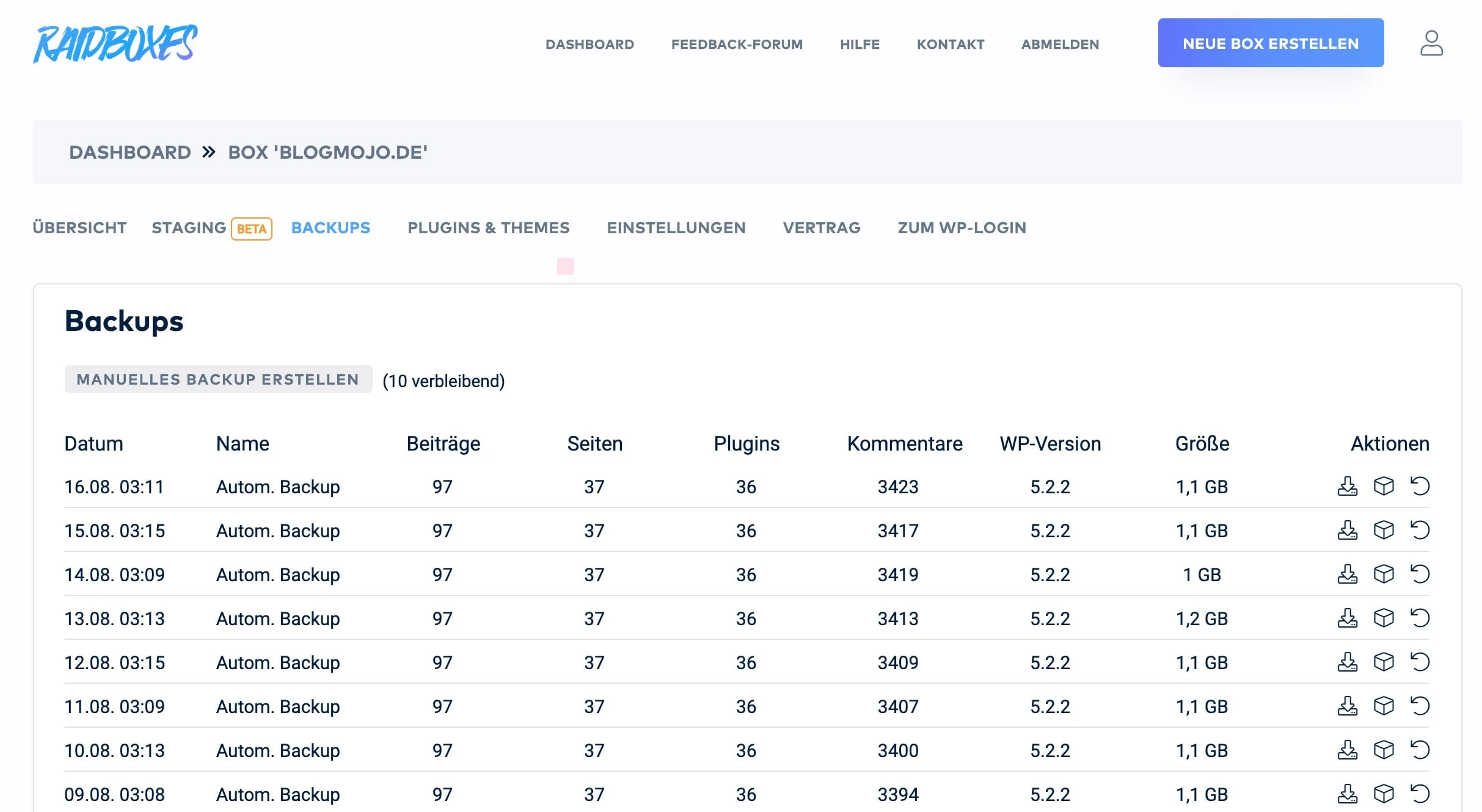
Raidboxes automatically creates daily backups that you can easily restore or download through the dashboard.
You can also create manual backups. One is included in the Mini plan, three in the Starter plan, and ten from Fully Managed up:
1.3 Security
A security plugin isn’t necessarily needed at Raidboxes either!
That’s because the WordPress installation is already very well protected against hacker attacks out of the box.
For example through measures like:
- Enforcing strong passwords
- DDoS protection, web application firewall, and exploit detector
- Protecting the login area with a server-side password
- Automatic backups
- Managed WordPress updates and, on the Fully Managed plan, automatic plugin and theme updates
- XML-RPC can be blocked at the push of a button
- Secure file permissions
- File changes in the WordPress dashboard can be turned off in the box settings
- Renaming the prefix in the WordPress database
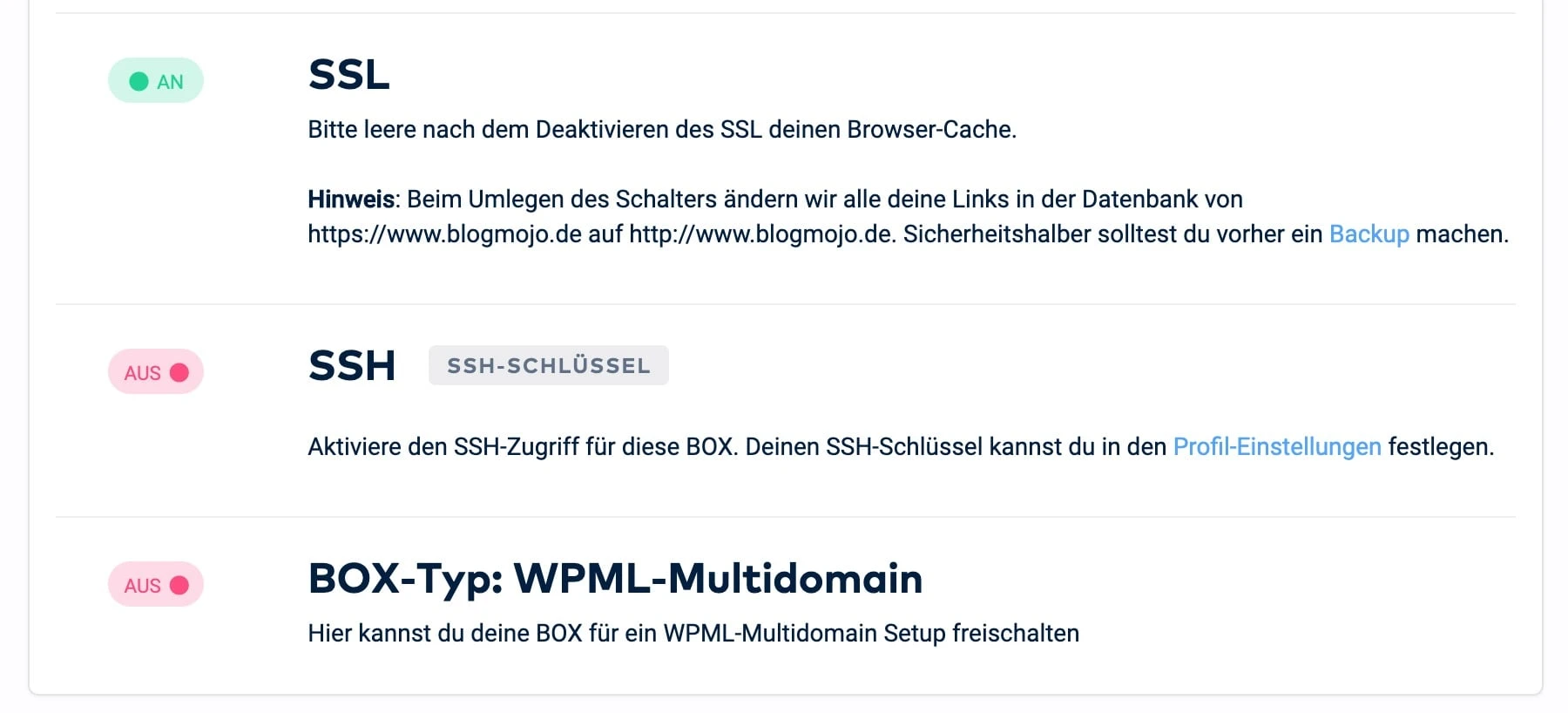
- Free SSL certificate with Let’s Encrypt and switching to SSL at the push of a button
1.4 Preconfigured load time optimization
You still have to do some load time optimization of your own at Raidboxes.
But thanks to server-side caching, preconfigured gzip compression, and preconfigured browser caching, you have to do much less.
In many cases, uninstalling unnecessary plugins and compressing images is enough to get good load times.
2. User interface & usability
Honestly:
The user interfaces of many German hosts are awful.
That goes both for the technical management of your own server or hosting package and for contract management (although contract management is often more modern).
Not so at Raidboxes!
Raidboxes puts a lot of emphasis on modern design, a clear and intuitive user interface, and mobile optimization. And that goes for the dashboard too, not just the sales pages.
Right after logging in to the dashboard, the first thing you see is an overview of your boxes:
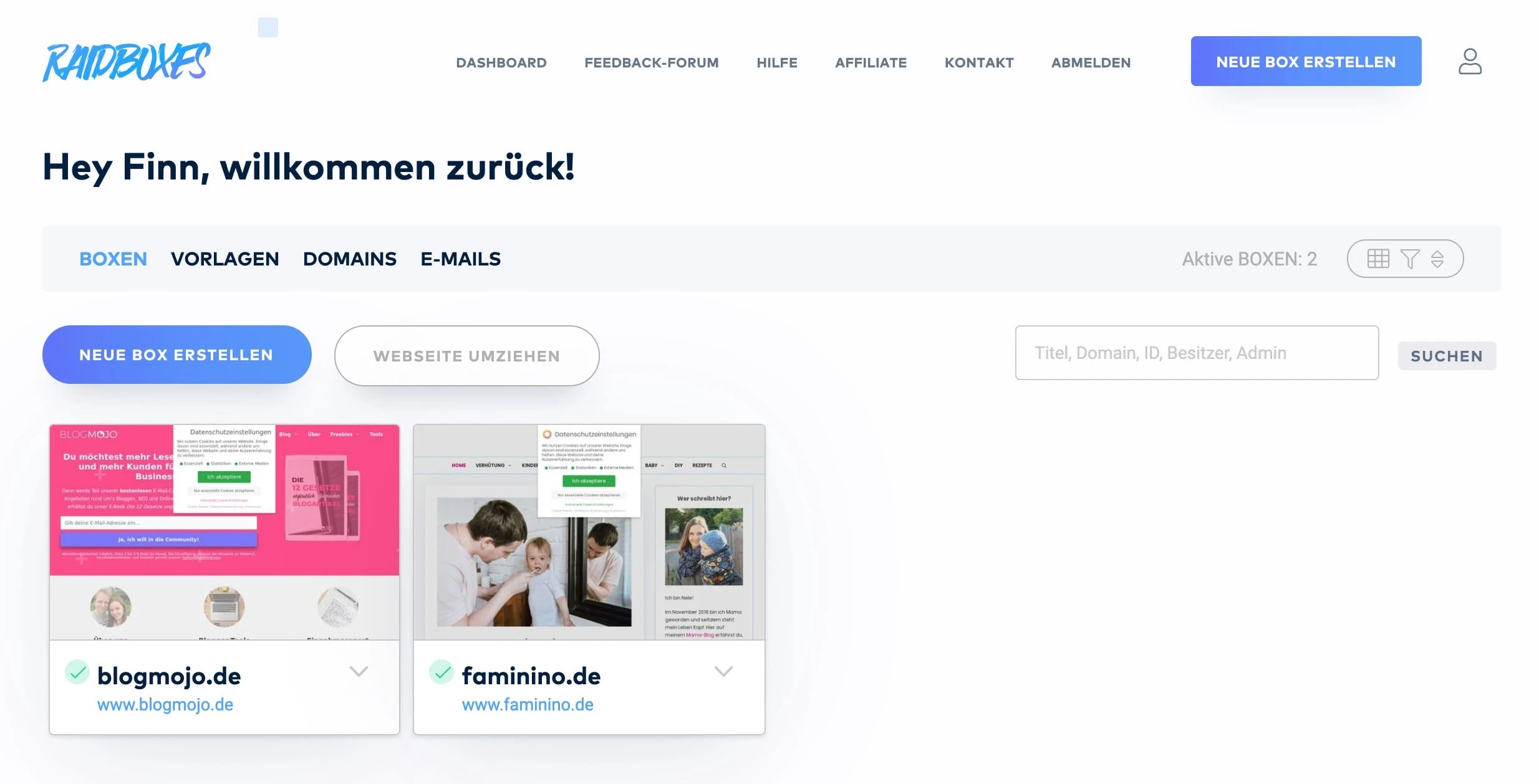
From here you can either create a new box or click on one of the boxes to get to the settings of that box.
I find the box settings very clearly laid out as well:
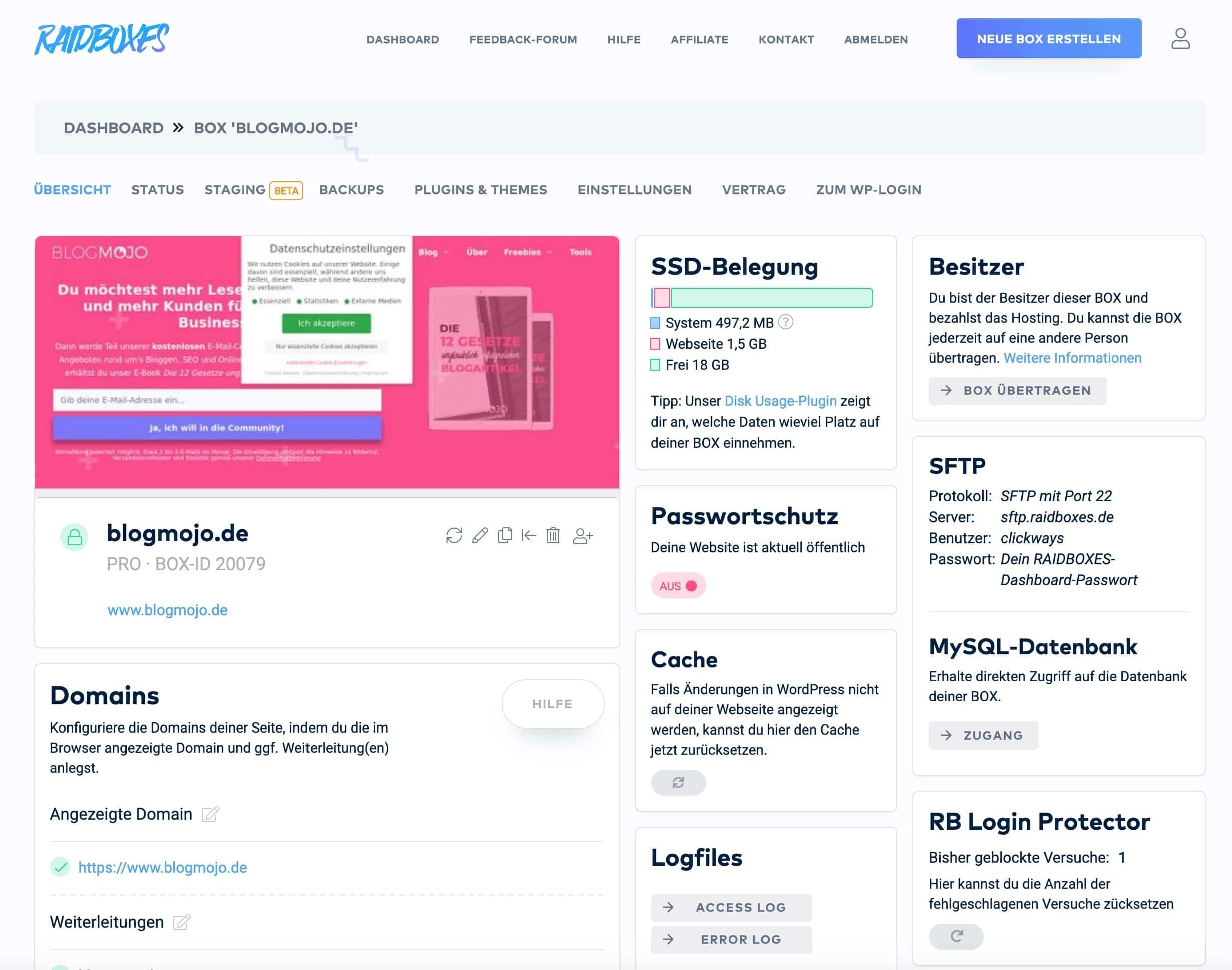
The overview shows the most important settings at a glance.
You can see your available SSD space, set up password protection, reset the cache, configure your domains, view your log files, or access your MySQL database.
The submenu (right above the image) gives you access to more settings, such as:
- Backups
- an overview of your installed plugins and themes
- contract management for the box
- advanced technical settings for caching, PHP version, wp-config.php, etc.
- Staging
- the status of your box with statistics on RAM and CPU usage
2.1 Mobile use
Unlike many other hosts, the Raidboxes user interface is fully responsive and works very well on a smartphone or tablet:
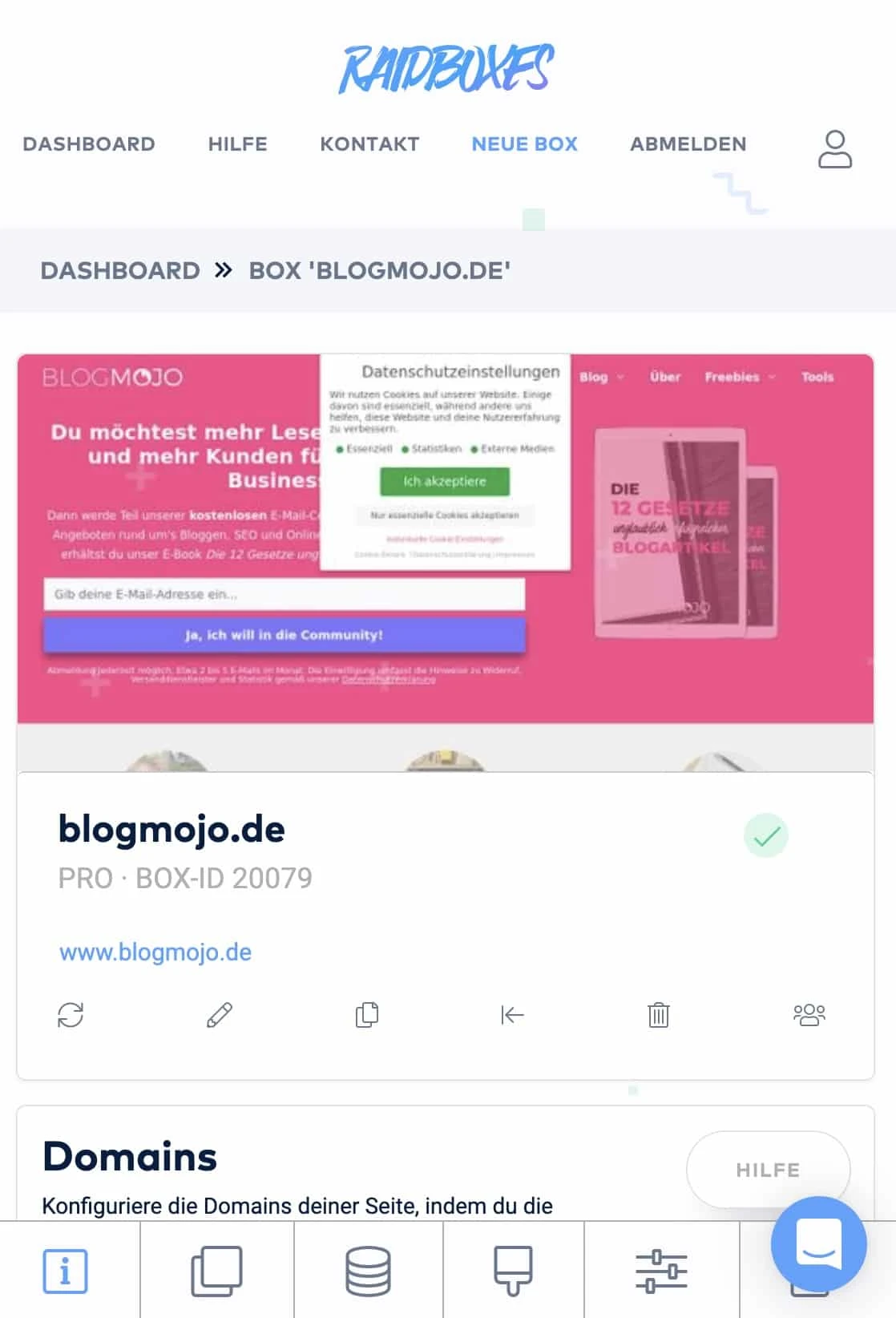
Only occasionally are there elements that overlap or get cut off, as you can see, for example, from the blue chat icon in the screenshot, which covers the last item of the footer menu.
3. Performance
Fast performance is extremely important to me in a WordPress host.
The following measurements come from my earlier tests. They document the performance of the plans and test systems at the time, but are not a guarantee of performance on today’s server configuration.
And I can say:
Raidboxes really is faster than the competition (in most respects).
3.1 One-on-one comparison with all-inkl.com
First, I ran a small single test.
I pitted my website on the Starter plan against a clone at all-inkl.com (PrivatPlus plan).
Here’s what came out of it:
Host | Pingdom (Stockholm) | GTMetrix | TTFB | pagespeed.de |
|---|---|---|---|---|
| Raidboxes | 473 ms | 2600 ms | 464 ms | 766 ms |
| all-inkl.com | 752 ms | 4760 ms | 478 ms | 1630 ms |
With every tool, I ran 5 measurements and then took the average.
The setup of both websites was of course the same. Same theme. Same images. Same total size and number of server requests.
With the only difference that at Raidboxes server-side page caching was enabled, while at all-inkl.com the plugin Cache Enabler was activated for caching.
In all tests, Raidboxes did better than all-inkl.com:
- 2% faster TTFB (really not worth mentioning)
- 37% faster on Pingdom
- 45% faster on GTMetrix
- 53% faster on pagespeed.de.
3.2 Speed comparison with 14 other web hosts
Later I wanted to know more precisely:
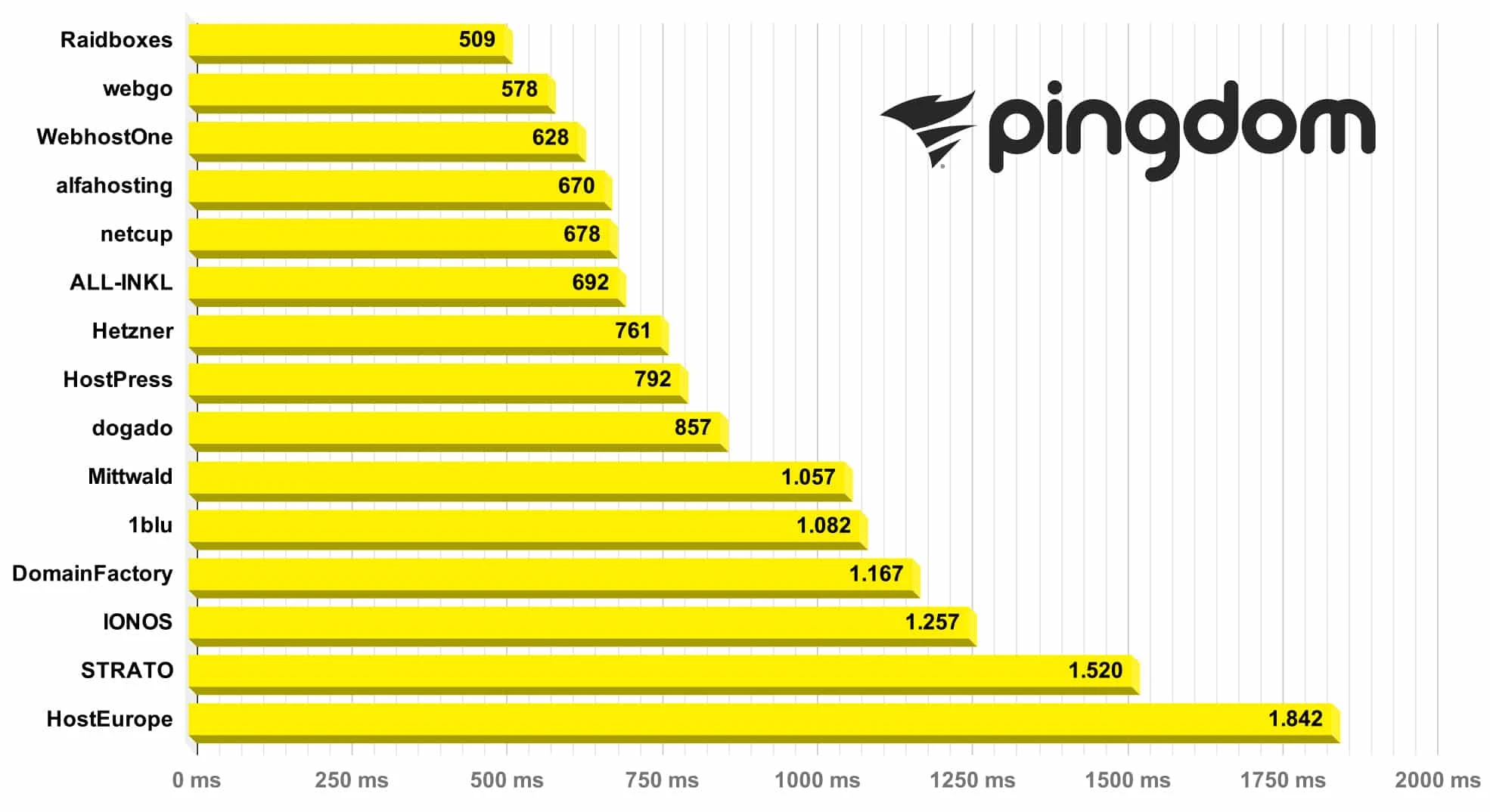
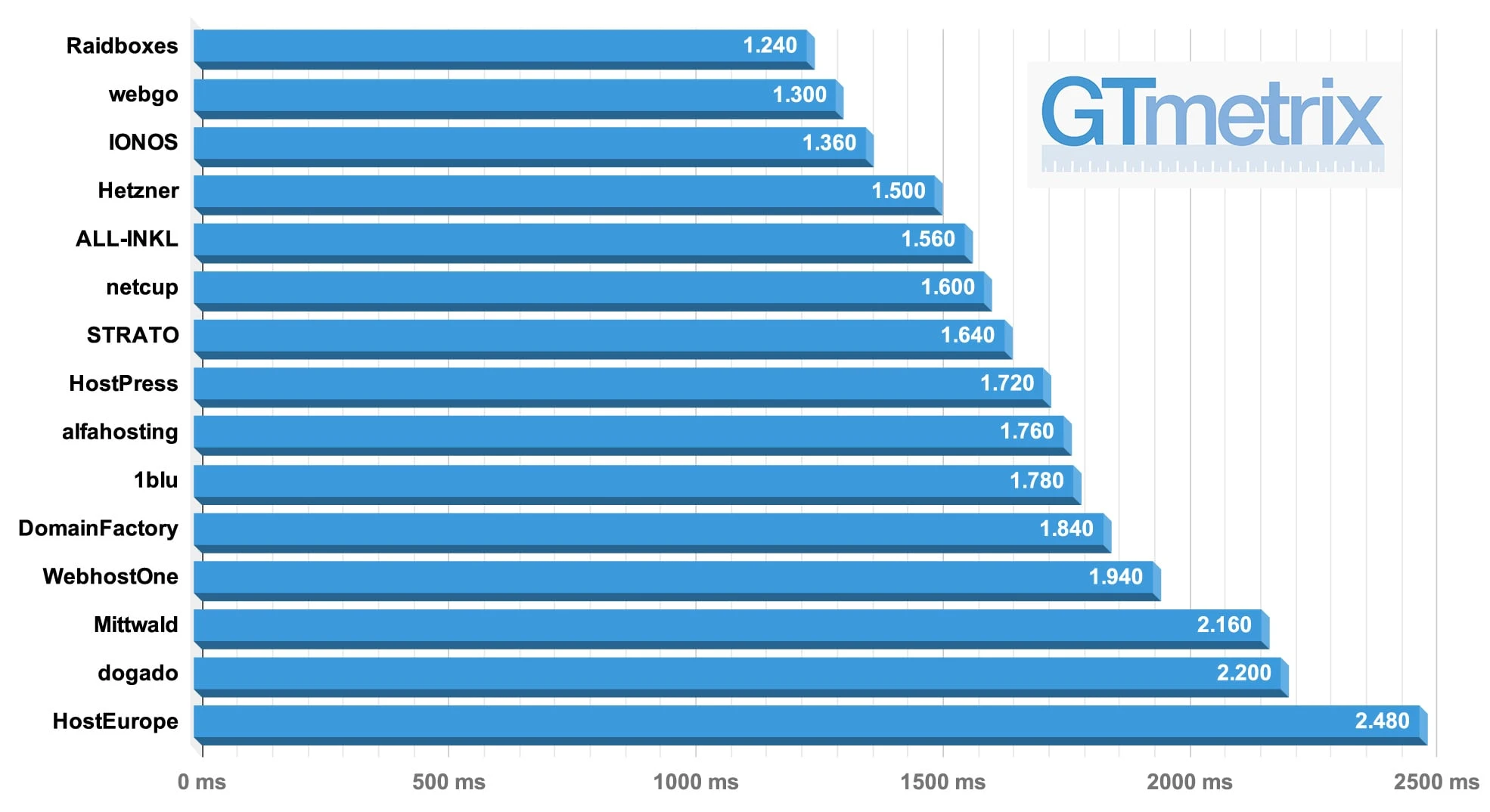
I ran a detailed speed comparison between Raidboxes and 14 other hosting providers. You’ll find it in my web hosting comparison.
And here too, Raidboxes did very well.
The host from Münster secured first place in the load time test with Pingdom Tools at the time:
At GTMetrix, the Raidboxes test website also came out as best in class:
3.3 Core Web Vitals
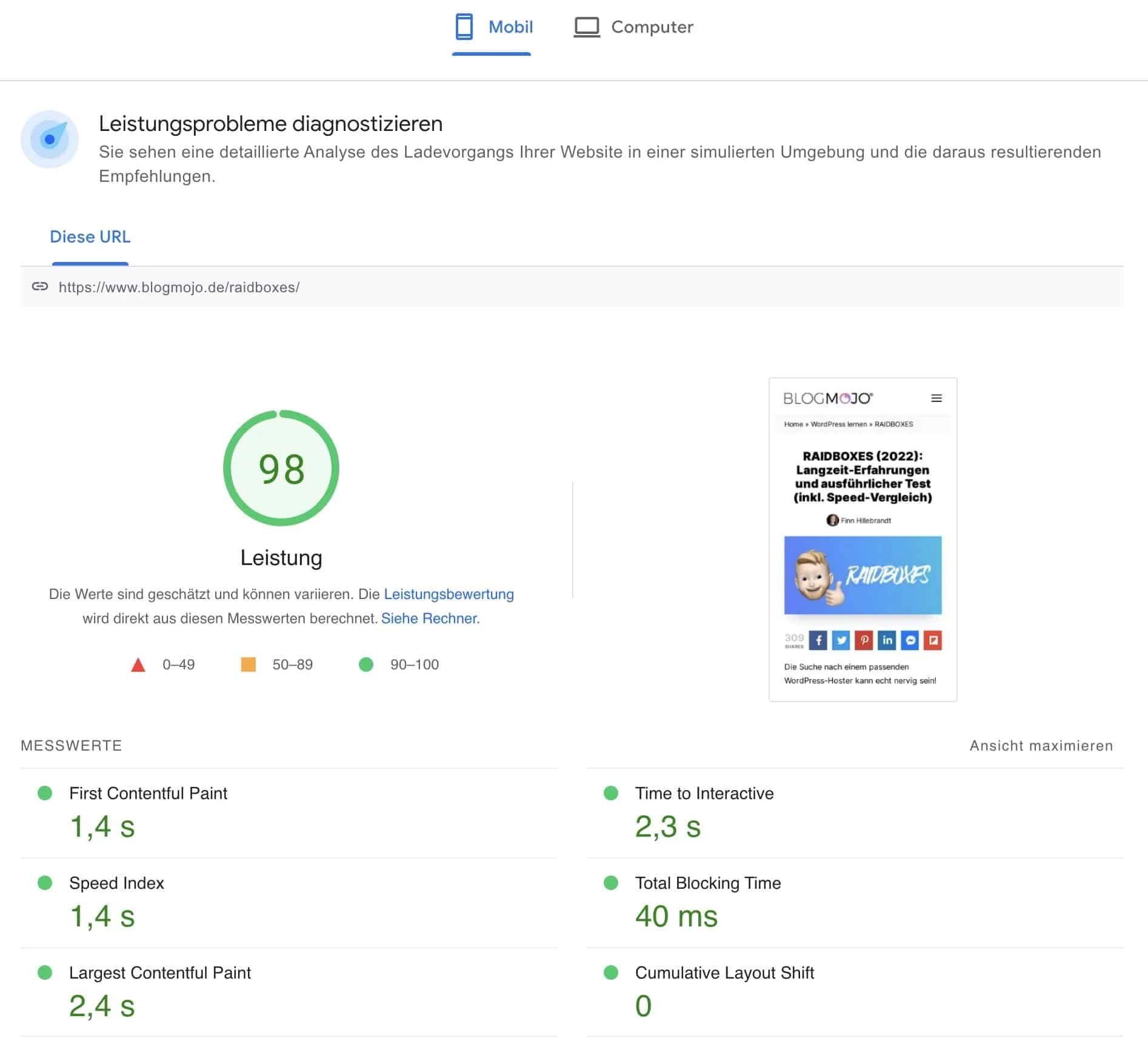
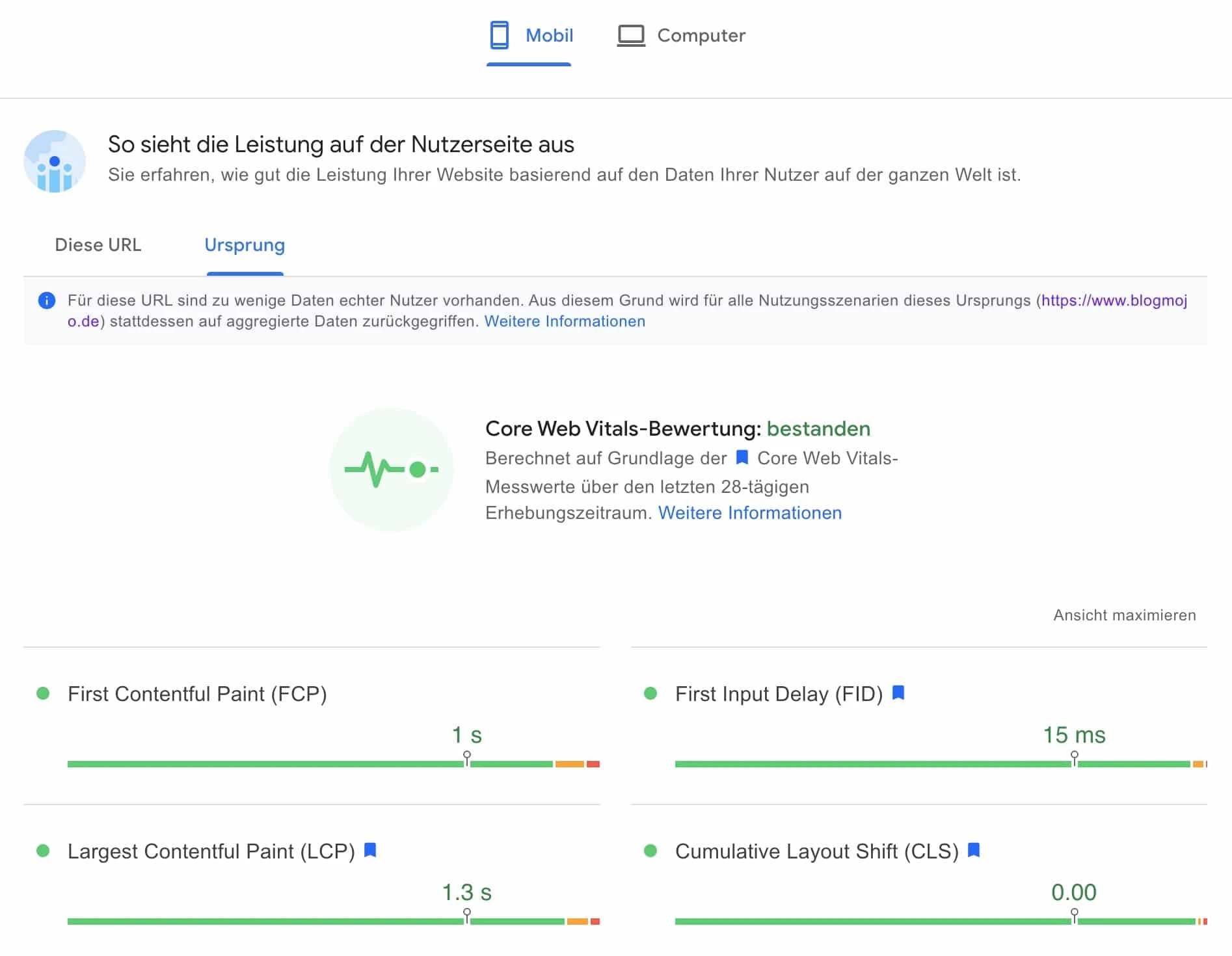
I also get excellent Core Web Vitals scores with Raidboxes.
In combination with GeneratePress as the theme, Gutenberg and GenerateBlocks as the page builder, Asset Cleanup Pro to remove unnecessary CSS and JS files, and WP Rocket, I get mobile PageSpeed scores of 95 to 100 for every page on Blogmojo:
For most of my subpages, the field data is even a few tenths of a second better than the lab data, as you can see in the origin summary:
4. Availability
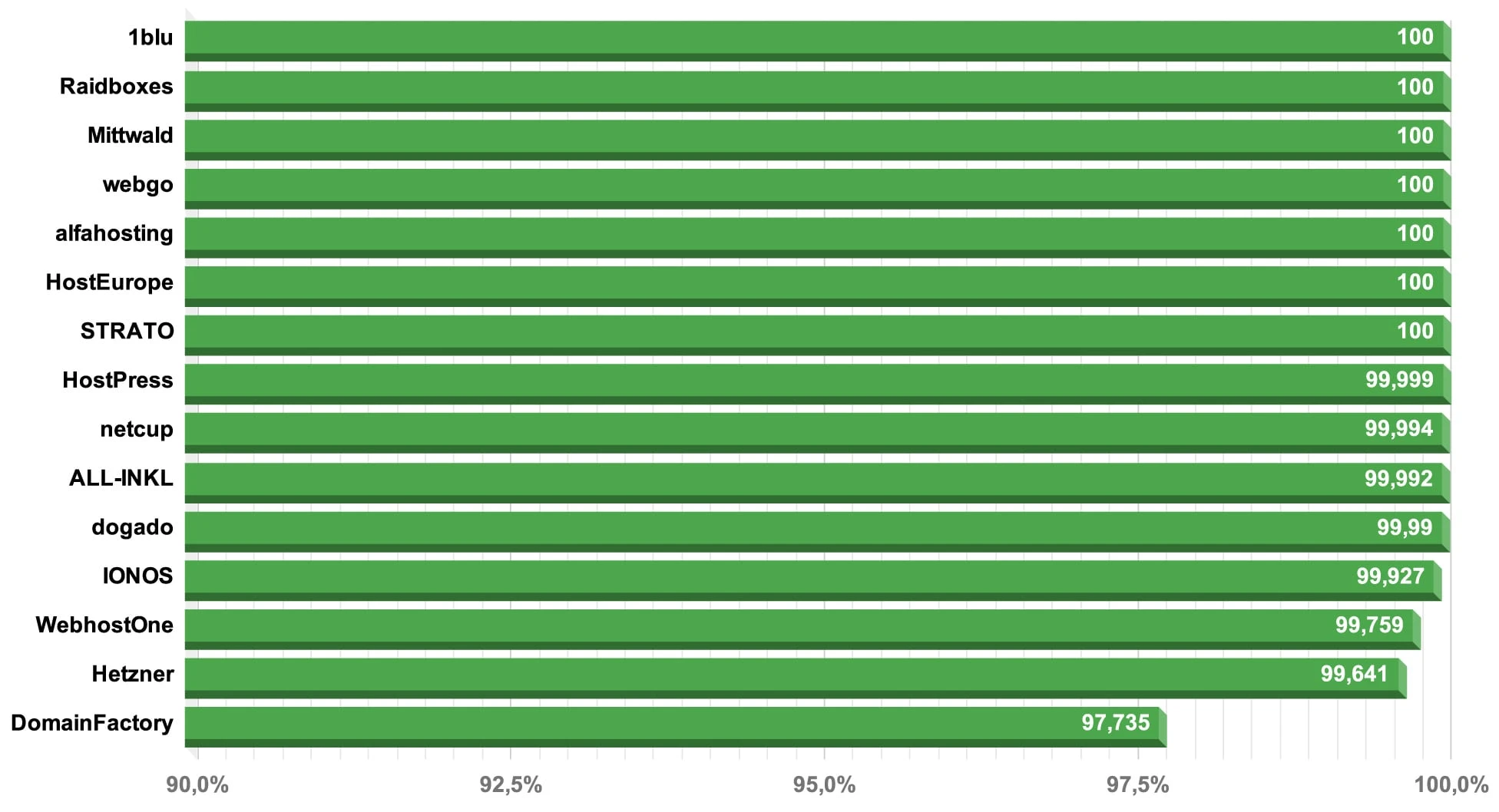
Since I started at Raidboxes in early 2017, apart from occasional maintenance work, mostly at night, I haven’t experienced any longer downtime.
That’s also reflected in my availability comparison, where Raidboxes reached an uptime of 100%:
5. Support
So far, the support at Raidboxes is the best I’ve ever experienced at a web host.
And that’s saying something!
In over 12 years as a blogger, affiliate marketer, and WordPress service provider, I’ve already tested more than 40 different hosting providers for bigger and smaller web projects.
The support at Raidboxes is even better than at webgo or SiteGround. And that’s saying something.
Why?
There are many reasons:
- In an earlier three-year period, I submitted five requests, which were answered in 5.6 minutes on average.
- Every problem I had at Raidboxes could be solved. The support team came across as technically competent.
- I never had the feeling that support was trying to get rid of me as quickly as possible. Instead, Raidboxes wants to solve problems for good and to the customer’s satisfaction.
- I was always informed transparently about changes in the dashboard and about maintenance work.
- Raidboxes offers an extensive and well-organized help center.
- Raidboxes seeks closeness to its customers and actively responds to feedback. There’s a feedback forum where you can submit feature requests and vote on them.
I also think the availability of support is great:
The chat support is available daily from 8 am to 10 pm:
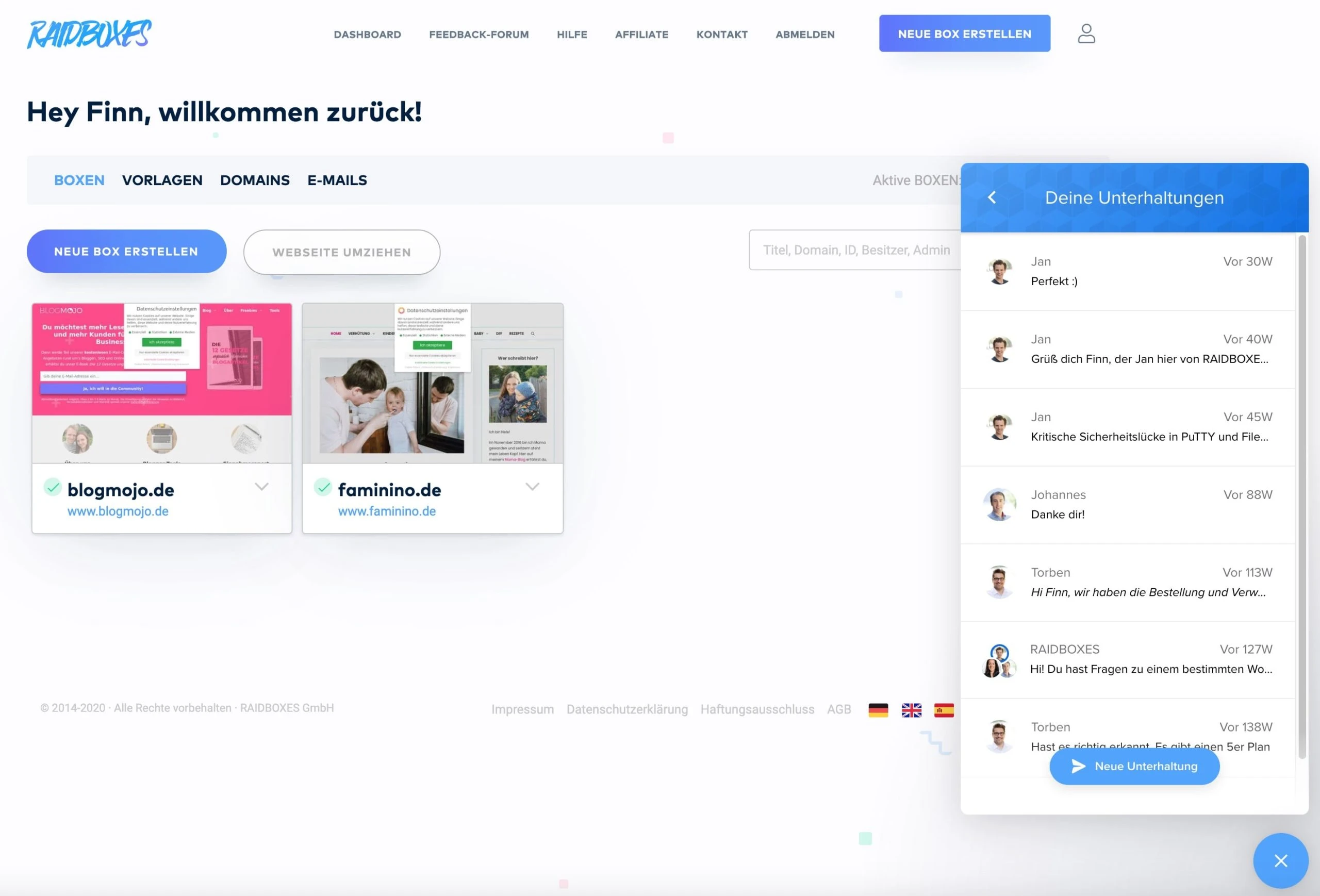
Alternatively, you can write an email. For the Pro plan, RAIDBOXES also lists support by phone.
6. Raidboxes vs. WordPress.com
You might be asking yourself:
Why Raidboxes of all things? Can’t I just go to WordPress.com, which is managed hosting too?
Sure, it is. And not the worst, either.
Raidboxes does offer a few decisive advantages over WordPress.com, though:
- Depending on the plan, RAIDBOXES gives you SFTP, SSH, WP-CLI, and Git. WordPress.com bundles comparable developer features in its Business plan.
- You can easily move your blog to another host if needed
- Despite managed hosting, at RAIDBOXES you can make many advanced settings yourself
- RAIDBOXES offers German-language support with fixed daily chat hours
- Server location in Germany
- RAIDBOXES plans can be canceled monthly
7. Moving to Raidboxes
Moving to Raidboxes is really simple.
You have two options:
Either you use the Raidboxes Migrator plugin on your existing WordPress website or you use the free migration service:
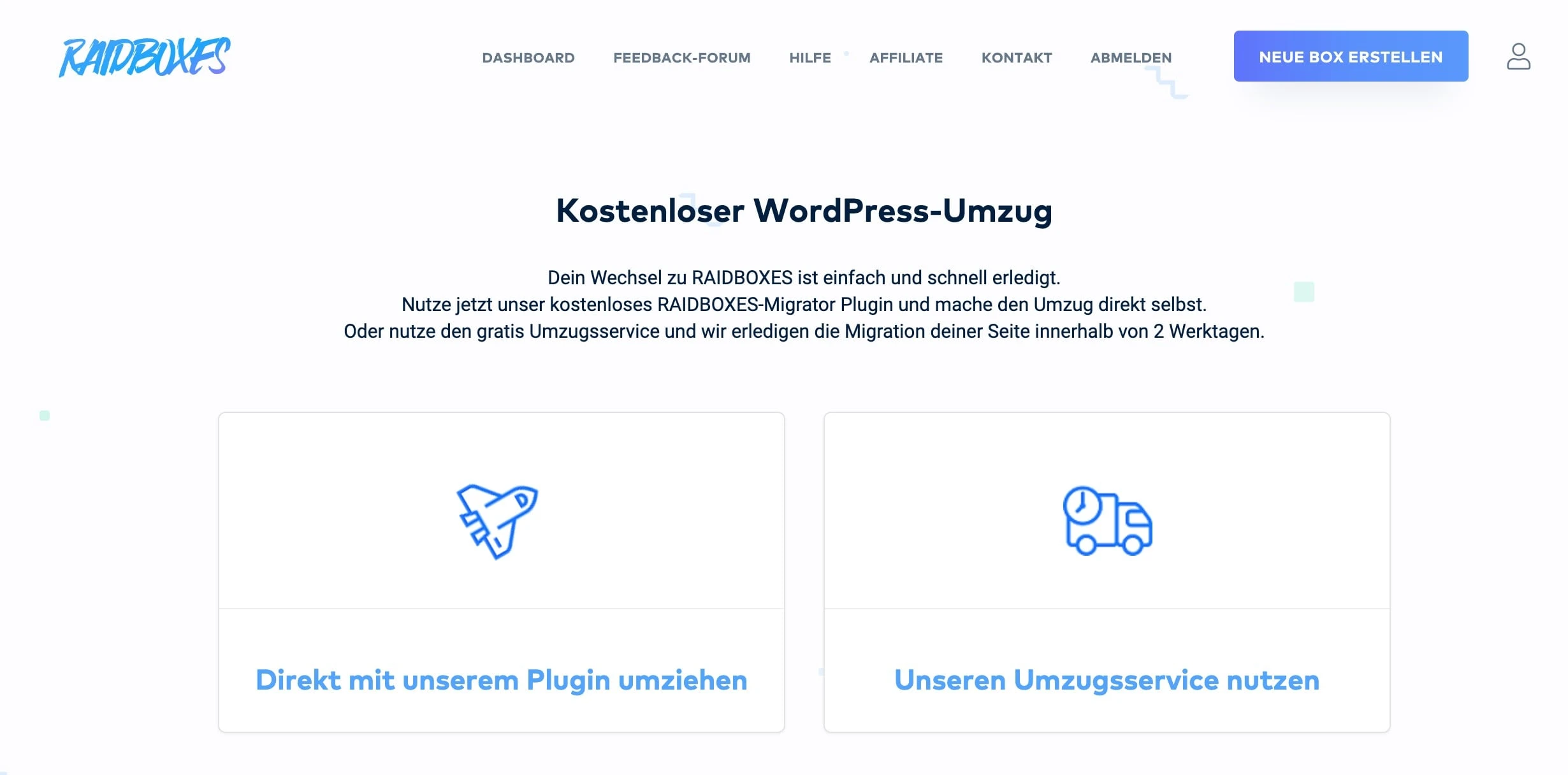
For the migration service, all you have to do is enter your WordPress login details and the access details for your FTP server:
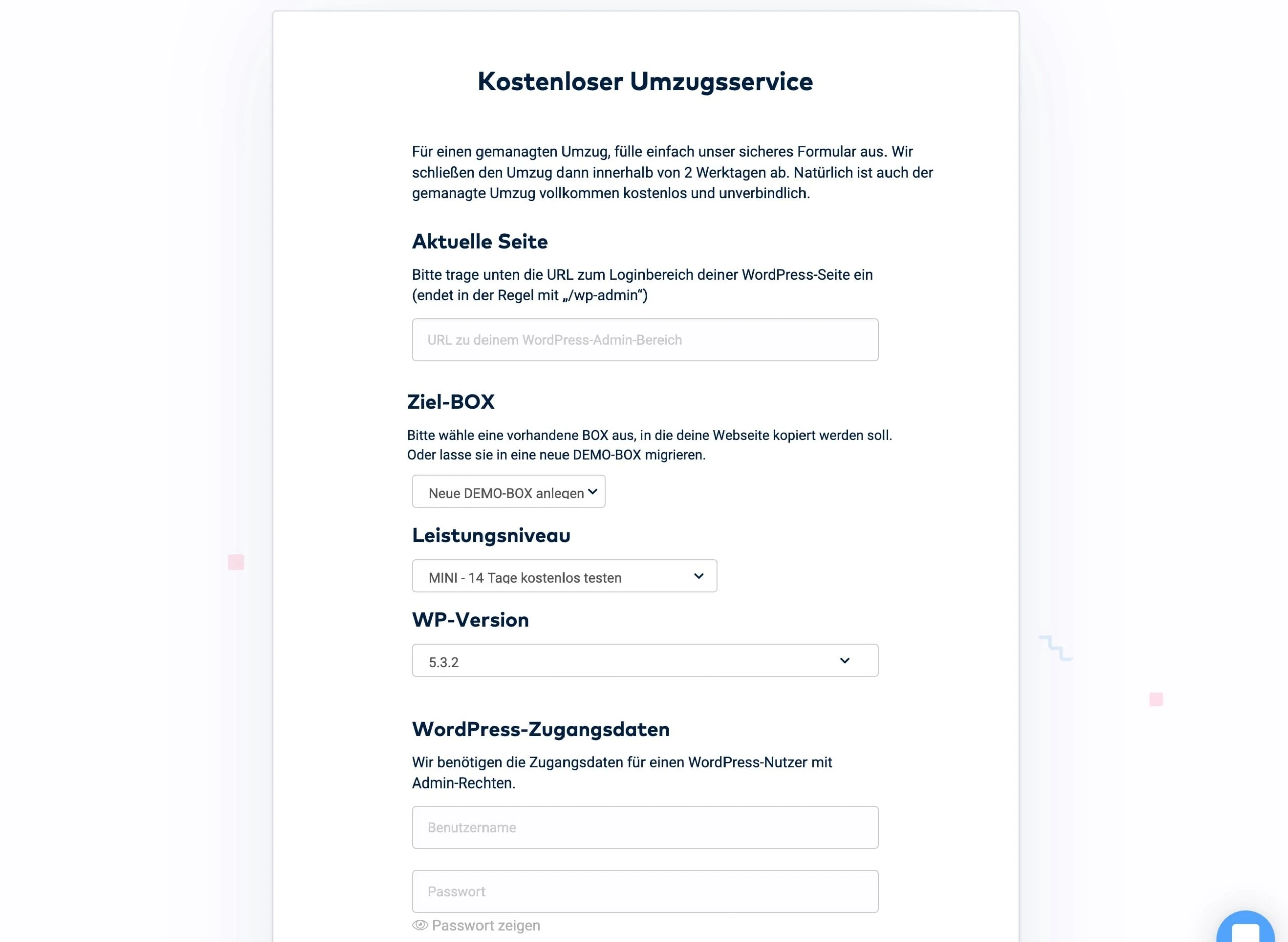
After you request it, the move usually happens within 48 hours.
Once the move is complete, your website shows up directly as a new box in your Raidboxes dashboard.
At first, it’s reachable under a subdomain, such as c9ptdjm.myraidbox.de. To use your own domain, you have to assign it in the box settings.
If your domain is with another provider, you have to point your A records at your hosting provider to the IP address of your BOX.
You can read how that works in this guide.
8. Conclusion
Raidboxes gets 4.7 out of 5 stars from me! At regularly €18 for Mini and €24 for Starter per website, the provider is somewhat more expensive than classic shared hosting.
In return, I don’t just get a super fast WordPress installation that gets me fantastic load times of 300 to 700 ms, I also save myself a lot of administration work:
WordPress is already preinstalled, I can switch to HTTPS at the push of a button, Raidboxes moves my website for me for free, and I have to worry less about caching, backups, and security because everything is already preconfigured.
That’s why Raidboxes is also a great fit for beginners, for people switching from other hosts, or generally anyone who wants to deal with as little tech as possible.
The one downside:
If you want to send email through your domain (e.g. info@yourdomain.de), you need an additional mail server.
RAIDBOXES offers email mailboxes as an add-on from €3 net per month.
Try Raidboxes free for 14 days now!
Pros
- Dead-simple operation and installation
- Built-in server-side Varnish caching
- Staging (lets you test design changes without them being visible on your live website)
- No caching plugin required
- Automatic daily backups
- Secured WordPress installation
- PHP 7.2 to 8.4
- Apache web server and Brotli compression
- Free SSL certificate via Let’s Encrypt
- Switching from http to https at the push of a button (URLs are automatically changed in the database)
- Various advanced security settings (security headers, single sign-on, XML-RPC blocker, etc.)
- Fast and very friendly support
- The boxes can be canceled monthly
- Boxes can be tested free for 14 days (4 days from the Pro plan up)
- free migration service
- supports WordPress multisites
Cons
- no exec() allowed, so you can no longer use plugins like the EWWW Image Optimizer (only with the API)
- wp-config.php and other WordPress system files can’t be edited (but you can make special entries through the box settings, e.g. to limit post revisions)
- no domain included
- email mailbox costs extra
Frequently asked questions
Does Raidboxes offer a data processing agreement?
Yes, of course. You’ll find it in the help center.
How long can I test the boxes?
You can test boxes on the MINI, STARTER, and FULLY MANAGED plans free for 14 days. Boxes on higher-priced plans, such as PRO, PRO XL, and so on, can be tested free for 4 days.
How do I set up an email mailbox at Raidboxes?
The hosting plans at RAIDBOXES don’t include any email mailboxes.
To send and receive email through your own domain, you can add a mailbox from €3 net per month.
Alternatively, you can use an external email provider.
Do I need a caching plugin for Raidboxes?
No. RAIDBOXES uses built-in server-side Varnish caching.
So if you switch to Raidboxes, please remember to deactivate caching plugins such as W3 Total Cache, WP Fastest Cache, WP SuperCache, Cache Enabler, WP Rocket, or Comet Cache, or at least turn off their caching function.
Does Raidboxes work with Autoptimize?
Yes. Autoptimize mainly optimizes CSS, JavaScript, and HTML, so you can use it alongside server-side caching. You should, however, deactivate the cache function of any additional page caching plugin.
Which plugin should I use for image compression?
For security reasons, Raidboxes has blocked the exec() function.
That’s why you can’t use any plugins that compress images on your own server, such as the EWWW Image Optimizer.
That means you have to switch the EWWW Image Optimizer to compression via API, which compresses the image on a different server. Alternatively, you can use plugins such as Smush, the Short Pixel Image Optimizer, or Compress JPG & PNG images.
Can I also register domains at Raidboxes?
Yes, that’s (by now) easy and convenient through the Raidboxes dashboard.
Can I also use external domains with Raidboxes?
Yes, that’s no problem either. My own domains are also with do.de, and I point them to my boxes at Raidboxes from there.
All you have to do is set the IP of your BOX as an A record in the DNS settings. You’ll find the IP under Übersicht > Domains (Overview > Domains) when you click on your box:
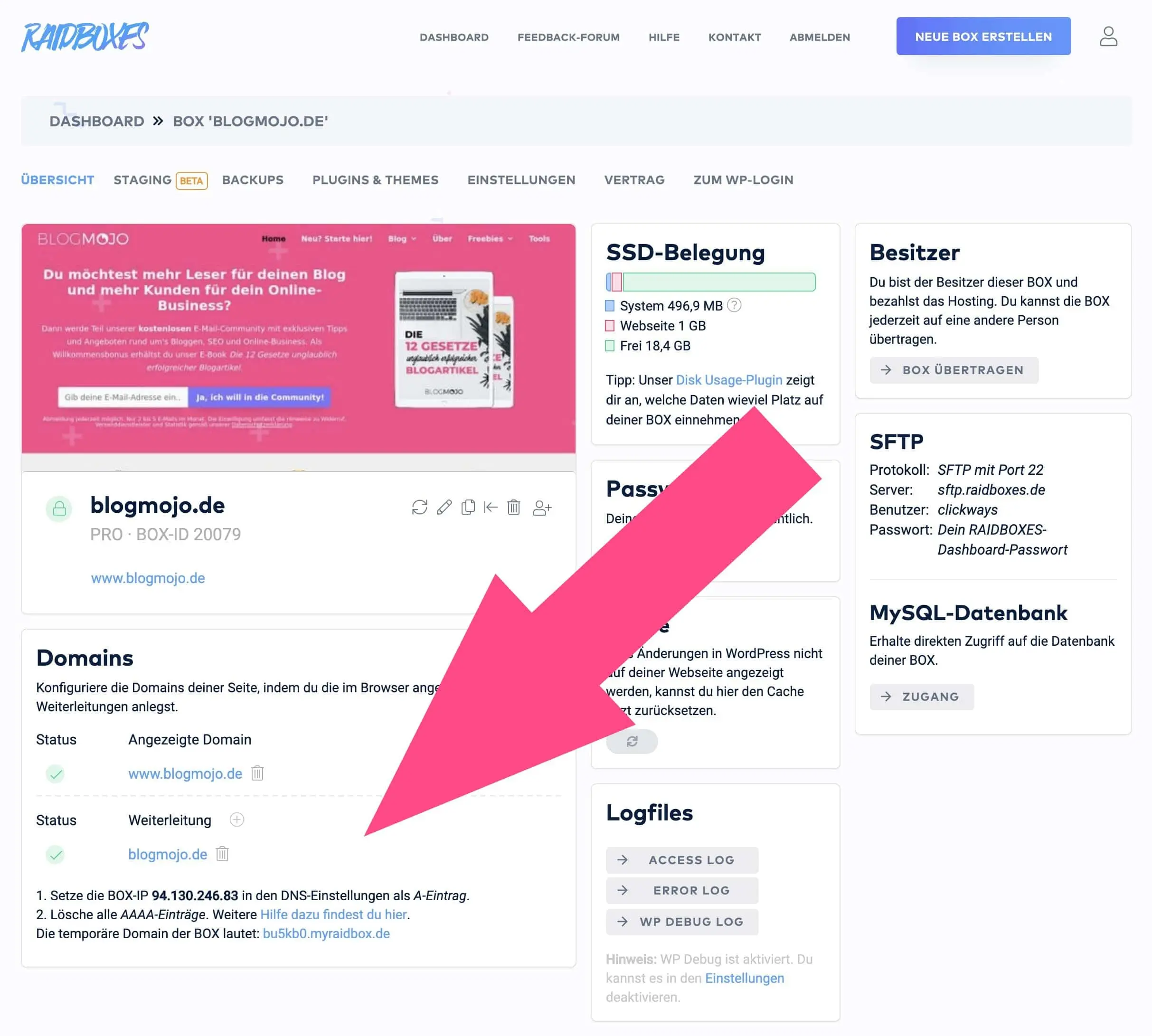
Please don’t forget to set up the alternative versions of your domain as a redirect (so if you use your domain with www, also the one without www).
What alternatives to Raidboxes are there?
German managed WordPress alternatives include HostPress and WPspace. By now, the plans differ considerably in resources, support, and price.
That said, I have to say that I like Raidboxes better in many respects (I don’t quite like HostPress’s customer area and Plesk interface, for example).





