
Sharing buttons shouldn't be missing from your website, because they give your readers a quick and convenient way to share content on social networks and so spread it further.
Unfortunately, many social media plugins have one or more of the following problems:
- They don't show share counts
- They don't meet the strict German and European privacy requirements
- They have a negative effect on the load time and Core Web Vitals of your website
In this post, I introduce the 4 best social media plugins for WordPress.
I've tested all four plugins personally and used them over a longer period. Even so, they differ significantly in privacy, share counts, feature set and current maintenance status.
- Novashare is my recommendation if you're looking for a lean plugin with many placement options and regular updates.
- Shariff Wrapper is free and, by default, only connects to social networks after an active click.
- Besides design and share counts, pay attention to the maintenance status and to optional statistics, analytics and API features that can trigger additional data transfers.
1. Novashare
I've been using Novashare on Blogmojo since 2022 and I'm very happy with it.
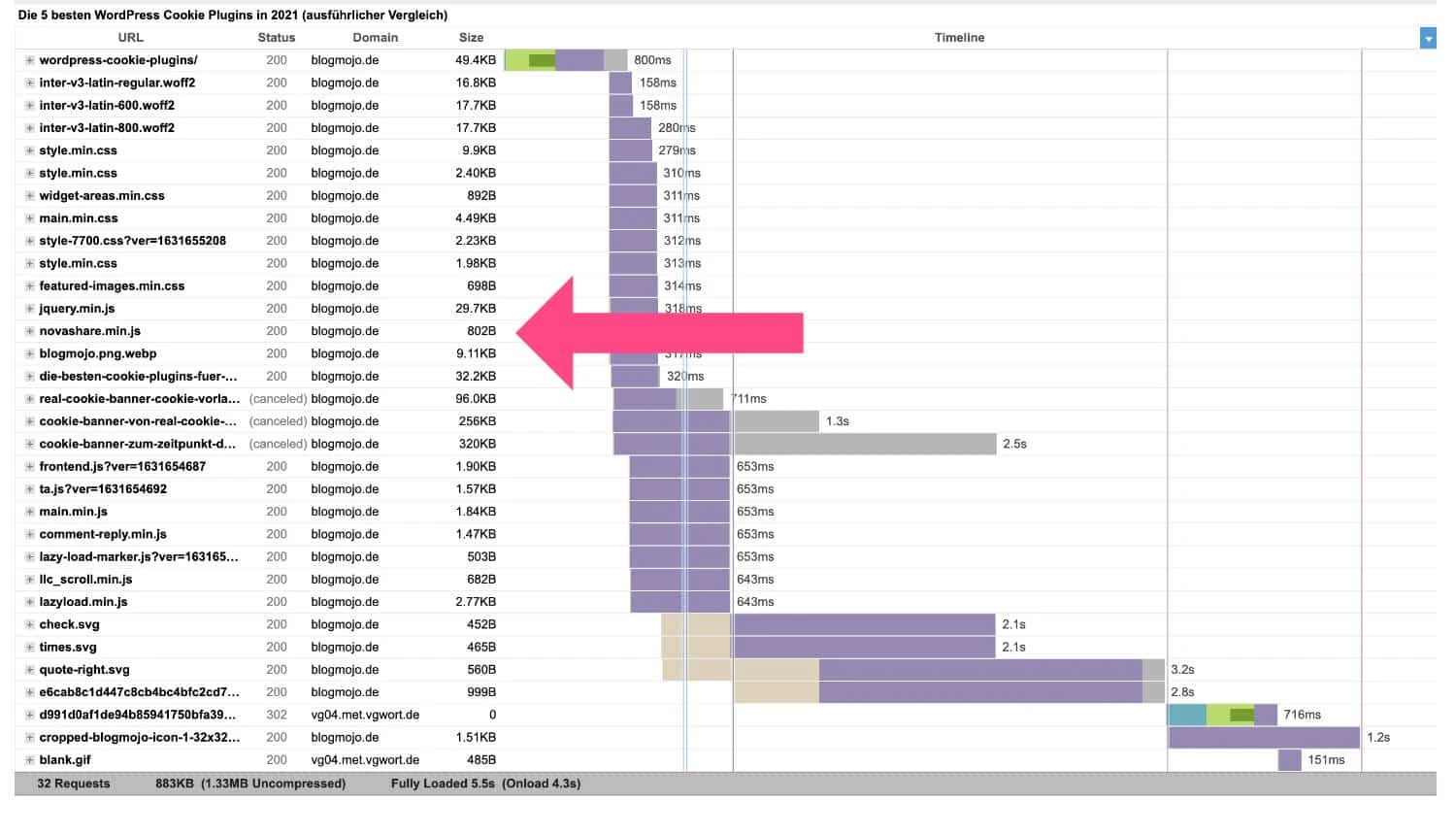
Novashare is built for a small additional file size. The vendor states under 3.2 KB for the front end. How much the plugin affects your Core Web Vitals also depends on your theme, configuration and the features you enable, though.
And that's not an exaggeration:
The JavaScript file novashare.min.js that the plugin loads is, for example, just 802 bytes in size:
The feature set leaves nothing to be desired either:
You decide which social networks are shown and where the sharing buttons appear. You can also add a floating bar to your site if you like, and insert click-to-tweet sections in the post or Pinterest buttons on your images.
A connection to Google Analytics or URL shortening with bit.ly is also possible with Novashare.
In its basic configuration, Novashare sets no cookies of its own, according to the vendor, and only loads the actual sharing URL after an active click. Still, check additional features such as share counts, Google Analytics and Bitly in your specific configuration, and document the services you use in your privacy policy.
Pricing
Novashare works with a subscription model billed annually:
- Personal: Support and updates for one website ($19.95 per year)
- Business: 3 websites ($49.95 per year)
- Unlimited: Any number of websites ($99.95 per year)
Every plan comes with a 30-day money-back guarantee, so you can test Novashare risk-free.
- Excellent performance
- minimal additional file size
- customizable design
- You decide which networks are shown
- Add-ons such as the floating bar already built in
- privacy-friendly (no cookies, no tracking, connection to social networks only after the click)
- compatible with Google Analytics
- Share counts
- URL shortener built in
- Affordable
- Regular updates
- only available as a paid version
2. Shariff Wrapper

The WordPress plugin Shariff Wrapper is based on the open-source tool Shariff, developed by the computer magazine c't, which also has integrations for other CMSs such as Drupal, Joomla! or TYPO3.
It is privacy-friendly because a connection to social networks is only established when a user actively clicks the share button.
It is also simple and clearly structured:
You decide which networks are displayed and can have them shown through automated conditions (before or after a post) or place them anywhere with the shortcode [shariff].
Currently 31 services are included, among them Reddit, Tumblr, Xing and Bluesky. You can also display a PayPal donation button with Shariff Wrapper.
The design of the buttons and animation effects can be configured in the back end. Don't expect too many options here, though.
Pricing
Shariff Wrapper is completely free and can be downloaded and installed directly from the WordPress.org plugin directory.
- Free
- 31 different services built in
- Various design adjustments possible
- Insertion automatically or via a shortcode
- German development team
- Regular updates
- Share count display
- Fewer features compared to other plugins
- no add-ons
- Button design is a bit dated
- fewer convenience features than the premium solutions
3. Social Warfare

Social Warfare lets you place visually appealing sharing bars at every conceivable spot on your website. The plugin is easy to set up and privacy-friendly.
It also stands out for a wide range of design options. It lets you flexibly configure not only the combination of buttons but also their position and appearance. You can decide on shape, color, size and even the hover behavior.
Advanced features such as a floating bar that you can place anywhere on the edge of the screen, click-to-tweet buttons and a Google Analytics connection are included in the feature set.
I particularly like that in the back end you can add individual images for each network to your posts. This feature is really great for Pinterest in particular, because it means the post image isn't what gets shared.
Social Warfare is built for lean scripts and styles. You should measure the actual additional load on your own website, because it depends on the networks and extra features you activate.
Pricing
Social Warfare comes in a free version and a premium version with extended design options and additional networks.
The costs of the Pro version break down as follows:
- One website: $29 per year
- Up to 5 websites: $89 per year
- Up to 10 websites: $139 per year
- Unlimited: $349 per year
- Hardly any impact on load time
- Numerous design options
- Easy to use
- Very attractive look
- Many ways to insert the buttons
- Many different networks
- Can be used in compliance with the GDPR
- built-in URL shortener
- Caching
- Back end entirely in English
- Plugin updates not very frequent
- In the past, problems after plugin updates fairly often
4. Easy Social Share Buttons for WordPress
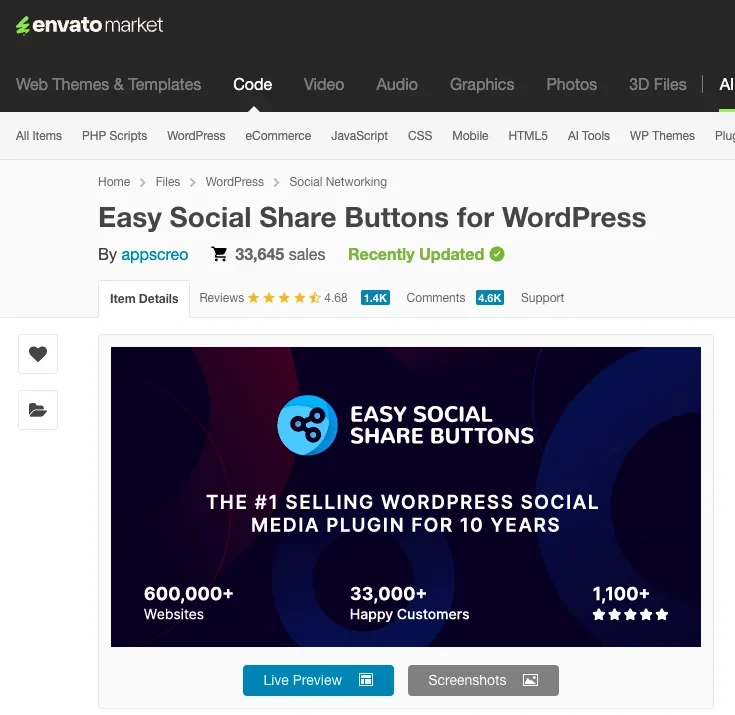
Easy Social Share Buttons is a social sharing plugin that stands out from the other plugins presented here mainly through its large feature set.
It offers share buttons for 50 social networks and apps. Among them are exotic ones like Evernote and several Russian networks.
It also offers numerous ways to insert prompts. Among other things, you can show a request to share after commenting, scrolling, a purchase or a click on a post.
The design settings have almost no limits either: you determine the look of the sharing buttons through different styles, animations or the arrangement of the networks.
The feature set is rounded off by a connection to Google Analytics, a floating bar, a WooCommerce integration and caching.
You can decide where your share buttons should appear both through automatic rules and via a shortcode.
As with the other plugins presented, Easy Social Share Buttons only establishes a connection to social networks after the click.
Try Easy Social Share Buttons now
Pricing
Easy Social Share Buttons is sold through CodeCanyon and currently costs $59 as a regular license for one end product. Future updates and 6 months of support are included. According to CodeCanyon, the price is in US dollars, plus any taxes and fees that may apply.
The extended CodeCanyon license costs $299. It is not a blanket developer license for any number of client projects. Which license you need depends on the respective end product and the use.
- Access to 50 networks
- Newsletter integration
- Different display options
- Customizable design
- Sharing of images, videos and quotes
- Calls to action after a user action
- A/B tests built in
- Google Analytics integration
- Lifetime updates
- Fast load time
- Low price through a one-time payment
- Setup is a bit complex because of the many features
What do I need to look for when choosing a sharing plugin?
When choosing a social media plugin, 4 areas are what matters most:
1. Flexible placement options
The spot where you encourage your readers to share a post is of decisive importance. That's why it can make sense to include sharing buttons not just once per page but in several different places.
Accordingly, you should definitely look at which placement options a social sharing plugin offers.
Novashare makes it possible, for example, to show buttons before posts, after posts, or before and after posts:
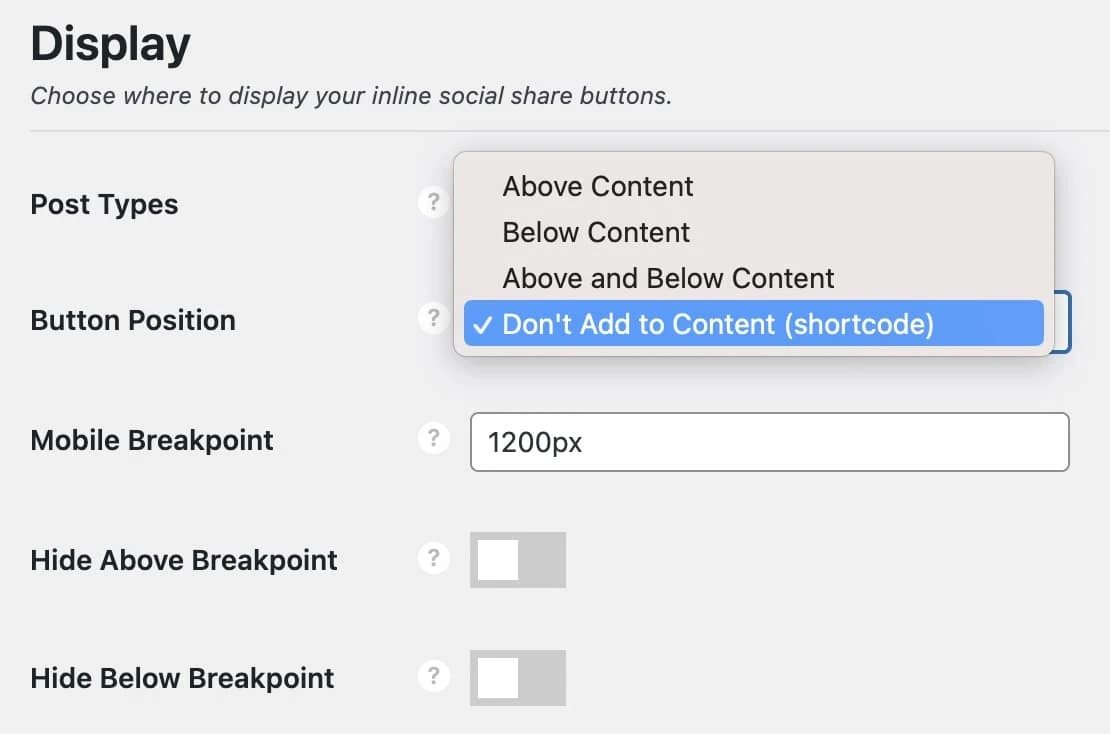
The fourth option, which is selected at the top of the screenshot, is something a good social sharing plugin should offer as well:
A PHP function or a shortcode with which sharing buttons can be inserted into theme files, with the help of hooks, or within the content of pages and posts.
With Novashare, you can place sharing buttons freely in pages or blog articles using, for example, the shortcode [novashare_inline_content].
2. Privacy
Privacy is an important topic with sharing buttons.
US solutions in particular, or buttons built into themes, often establish a connection to Facebook, Twitter and Co. as soon as the page is loaded.
As a result, personal data such as the IP address is transferred or tracking cookies are set without users having been informed or having consented.
That's why it is important that social media plugins only establish a connection to social networks after the click on a like or sharing button.
3. Impact on load time and Core Web Vitals
Load time has long been a ranking factor for Google. Both a direct and an indirect one.
With the introduction of the Core Web Vitals, Google raised its weighting once more.
Accordingly, with a social media plugin too, you should make sure that it…
- doesn't make too many requests (JavaScript and CSS files, icons, fonts etc.)
- doesn't make requests that are too large (e.g. by loading JavaScript libraries)
- doesn't establish connections to third-party servers (e.g. to a social network or external resources such as Google Fonts or icon fonts)
All four plugins presented can be used without embedded like widgets. Novashare is particularly lean. The vendor states under 3.2 KB for its front-end files. Only activate share counts, analytics and additional integrations if you really need them.
4. Share counts
Share counts show how often a particular URL has been shared on social networks:
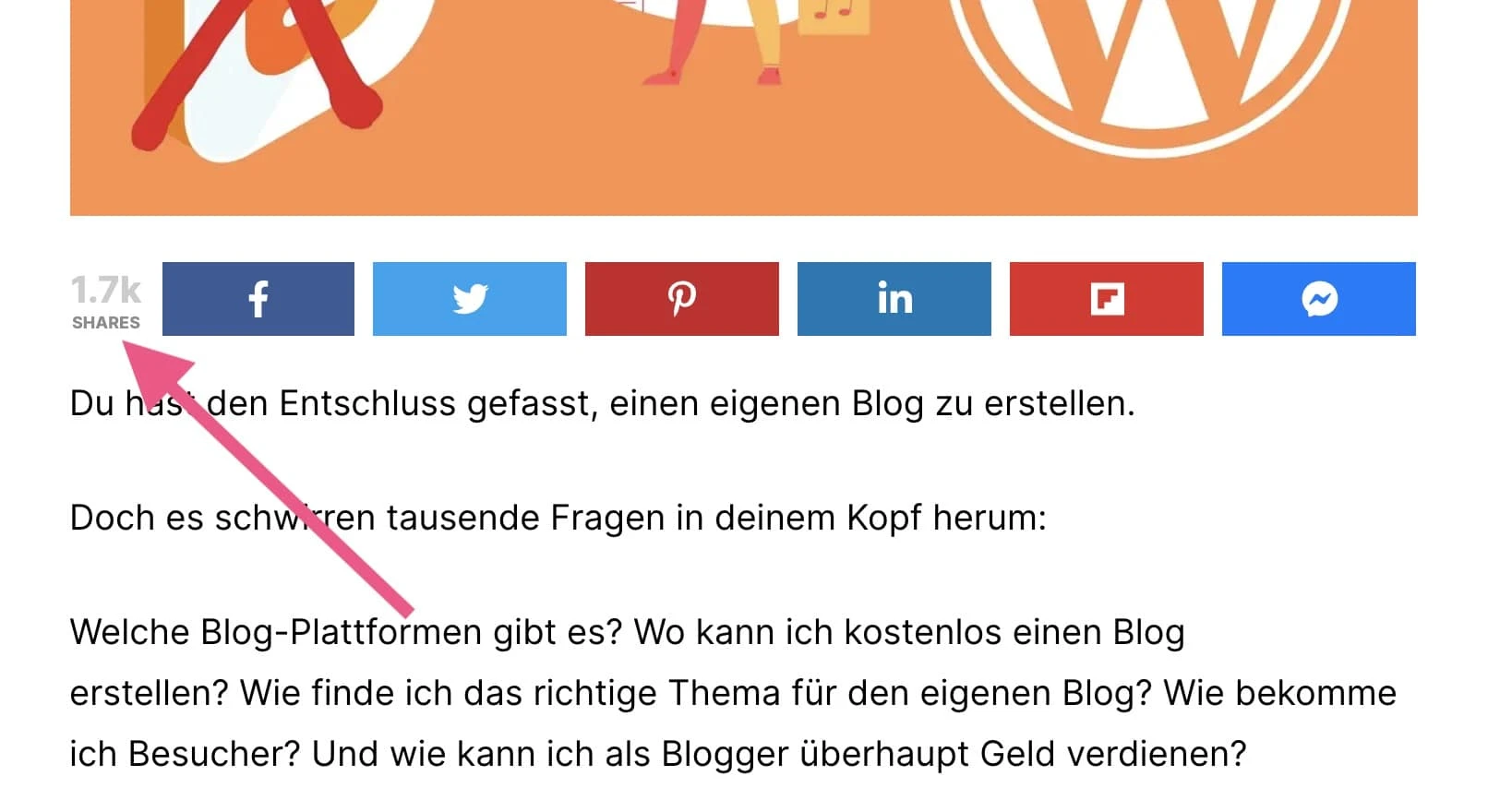
That is a very useful feature. When your readers see that an article has already been shared several hundred times on social networks, they trust it more.
And the more your readers trust an article, the more likely they are to start reading it, read it for longer, or share it on social networks as well.
Social media plugins not recommended
I currently don't recommend the following social media plugins. Some are closed, others load third-party content or are not maintained well enough:
- AddThis (closed since March 27, 2023)
- AddToAny Share Buttons
- BestWebSoft Like & Share
- Fuse Social Floating Sidebar
- Milotree
- Pinterest “Pin It” Button (closed since May 13, 2022)
- Pinterest Pin It Button On Image Hover And Post
- Social Media Share Buttons & Social Sharing Icons
- ShareThis
- Twitter Button by BestWebSoft
FAQ
Here I've put together the answers to the most common questions about social media plugins:
Are there free social media plugins?
Yes. Of the four social media plugins presented here, Shariff Wrapper is completely free to use. The plugin is actively maintained and offers a smaller feature set than the premium solutions.
Does every WordPress website need a social media plugin?
Social media plugins are not mandatory, of course. But because sharing content on social networks increases the reach of blog articles or pages, I recommend them for most website owners, bloggers and online entrepreneurs.
Which plugins do you need for WordPress?
That depends on what kind of website you have and what goal you are pursuing with it.
In my article on the best WordPress plugins you'll find a good overall overview of popular and recommended WordPress plugins for SEO, privacy, performance optimization, the Gutenberg editor and the administration of your website.





