If you want to create a website, you inevitably have to deal with the question of which system you use to build it.
The choice is gigantic!
Besides countless website builders that are currently popping up like mushrooms, there is one system that has been hugely popular for many years and wins people over with a whole series of advantages.
I'm talking about WordPress.
In this post, I want to explain exactly what WordPress is, where the pros and cons of the content management system lie, what costs to expect, and much more.
1. What is WordPress?
Before we look at the individual facets of WordPress, I first want to explain in plain terms what WordPress actually is.
First, the simple explanation: If you want to run a website or a blog, you need, first, online storage where the data of your website is kept and can be accessed from anywhere in the world (web space). Second, you need a kind of operating system on that web space, which you use to define the design of your website and create the content.
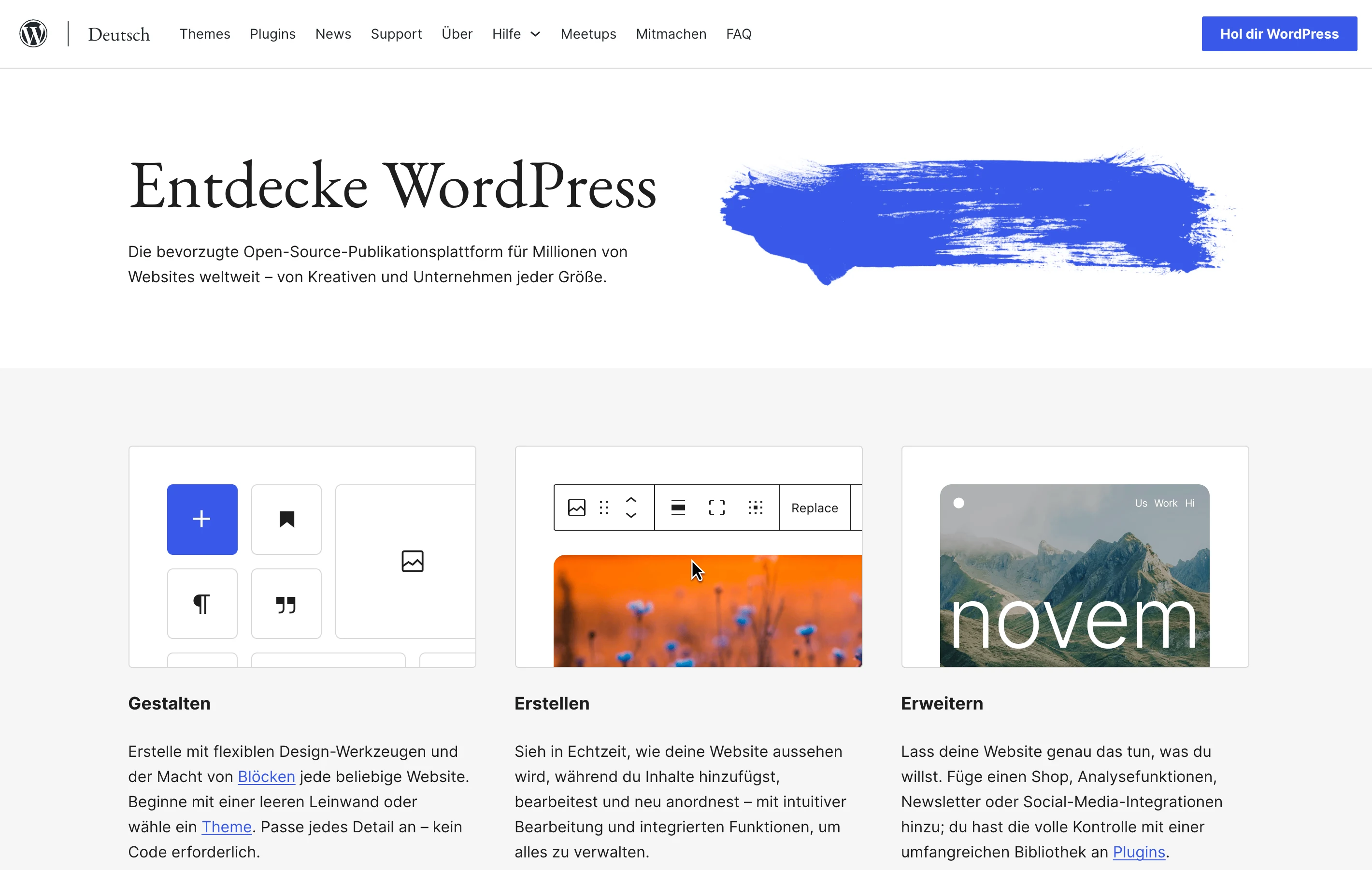
This “operating system” is WordPress:
Got it?
Then we can now make it a little more complicated and use the proper technical terms in the explanation.
WordPress is the most widely used (more on that later) content management system (CMS) in the world.
With a CMS, you can structure, organize, and create content. It translates your input into HTML code, in a way, and so makes sure your visitors are shown a website. Without you having to write a single line of code.
Brilliant, isn't it?
By the way, WordPress is distributed under the “General Public License (GPL)” and is therefore free. I'll tell you later which costs you will still face.
2. WordPress.com vs. WordPress.org
Now it gets a bit confusing:
WordPress is not the same as WordPress.
There are two different “versions” of WordPress, and I'd like to introduce them briefly in this chapter.
- WordPress.com: This is, so to speak, the “worry-free solution”. With WordPress.com, you get a domain, web space, and WordPress in a ready-made package. So you don't have to take care of anything else.
- WordPress.org: This version takes a bit more initiative. All you get here is the installation file for WordPress. You have to take care of the domain, web space, and installation yourself. That sounds more complicated at first glance than it turns out to be.
Of course, WordPress.com charges for this service. So you have to be able to live with a monthly fee to use it. On top of that, the range of functions is sometimes severely limited. On the other hand, this version is very beginner-friendly.
WordPress.org is free and doesn't limit your functionality. In return, you have to expect more time to get started.
3. Market share and popularity of WordPress
WordPress is not just a system for creating websites, WordPress is THE system.
According to W3Techs, WordPress had a market share of 43 percent in December 2021, making it the undisputed market leader.
It also gains new share year after year. Ten years ago, the market share was a meager 13.1 percent.
The development shows how popular WordPress really is, which is definitely down to its many advantages that hardly any other system can offer.
More on that later.
For comparison: In second and third place behind WordPress are Shopify with a market share of 4.3 percent and Wix with 1.9 percent. So WordPress's lead is enormous.
By the way, Blogmojo uses WordPress too.
4. Who invented WordPress?
The birth of WordPress goes back several years: The system first appeared in 2003. It was developed by Matt Mullenweg, who at the time was just 19 years old and a student at the University of Houston.
WordPress was distributed as open-source software from the start, which means the developer code is publicly available.
To this day, Matt Mullenweg is one of the minds behind WordPress and, among other things, CEO of the company Automattic, which he founded in 2005 and which stands behind WordPress.com.
5. How much does WordPress cost?
I already mentioned in an earlier chapter that there are two different versions of WordPress: WordPress.org and WordPress.com.
WordPress.org is the free version of the system. However, you only get the installation file, and as mentioned, you have to take care of a few things yourself that can cost money.
Even though it's often claimed that WordPress.org is available for free, that's (unfortunately) only half the truth. The monthly costs you face are really manageable, though.
5.1 Fixed costs
Let's take a quick look at which costs come with WordPress.org:
- WordPress hosting: If you want to run a website, you need web space. That is, storage on the internet where the data of your site is kept and can be accessed. Depending on the provider and the features of this web space, the fees can vary. A starter package from a good German host like webgo is, for example, the SSD Starter package for €7.95 per month with a 12-month term and annual prepayment (€95.40 per year). On a monthly term it's €8.95 per month, each including 19% German VAT.
- Domain: Besides web space, you need a domain under which your site can be reached. Many hosts already include one in their web space packages. If you want to buy the domain externally, the costs are in the single-digit to low double-digit range per year.
Web space and a domain are basic requirements if you want to run a website with WordPress.org.
5.2 Variable costs
Variable costs come on top:
- WordPress plugins: You can adapt WordPress to your requirements with ease by installing plugins. While there are many tens of thousands of free plugins, some providers charge a fair amount for their premium plugins.
- Themes: WordPress comes with numerous free design templates (themes). Here too, though, you can turn to premium themes, which cost money. The best known are GeneratePress Premium, Elementor, or Divi.
As you can see, even the basically free WordPress.org version will bring monthly expenses.
Compared with WordPress.com, though, you are always better off on cost with WordPress.org.
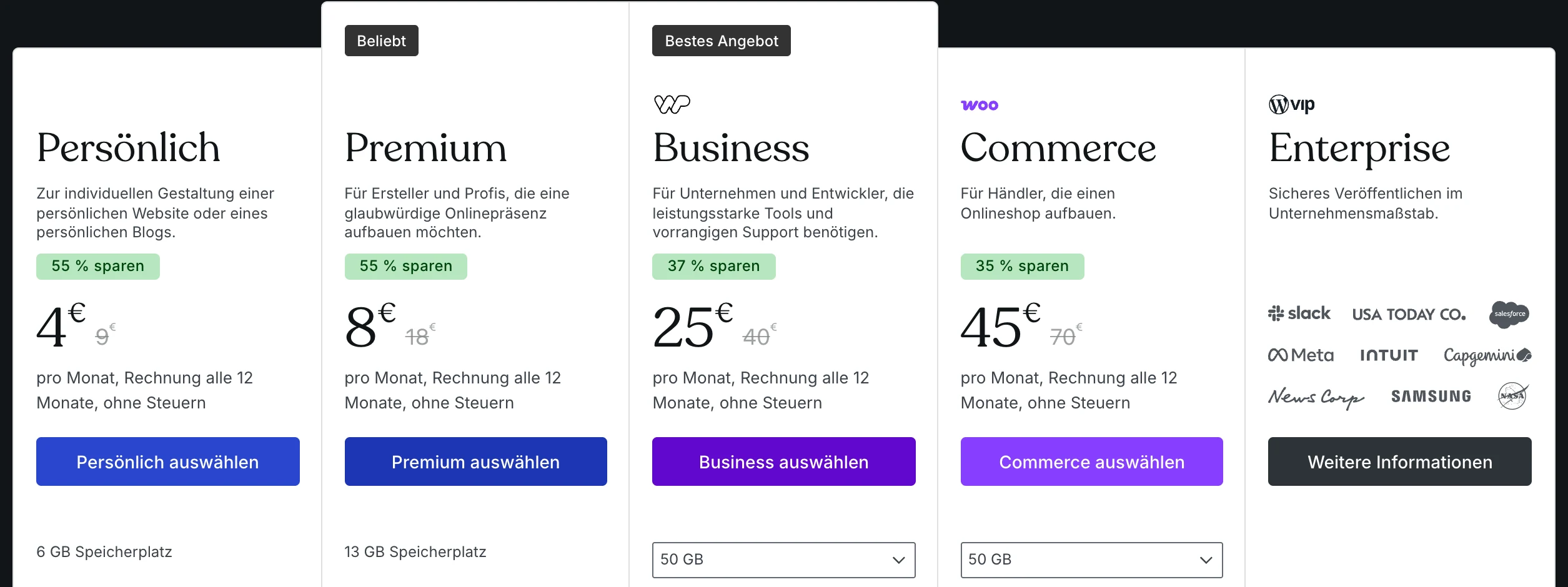
WordPress.com has five plans (Free, Personal, Premium, Business, and Commerce), of which only “Business” (€25 per month) and “Commerce” (€45 per month) are really usable, because the three entry plans are too limited in functionality. The prices apply with annual payment.
6. Why WordPress? What are the advantages?
In my eyes, WordPress is the most well-thought-out, simplest, and most flexible system for getting your own website off the ground. I've used WordPress myself for many years and I'm very happy with it.
Here is a brief overview of what I see as the biggest advantages of WordPress.
6.1 Getting started is child's play
Even if the WordPress backend may confuse you at first glance, I can tell you: WordPress is definitely not complex.
Quite the opposite.
WordPress is tidy and really focuses on the most important functions.
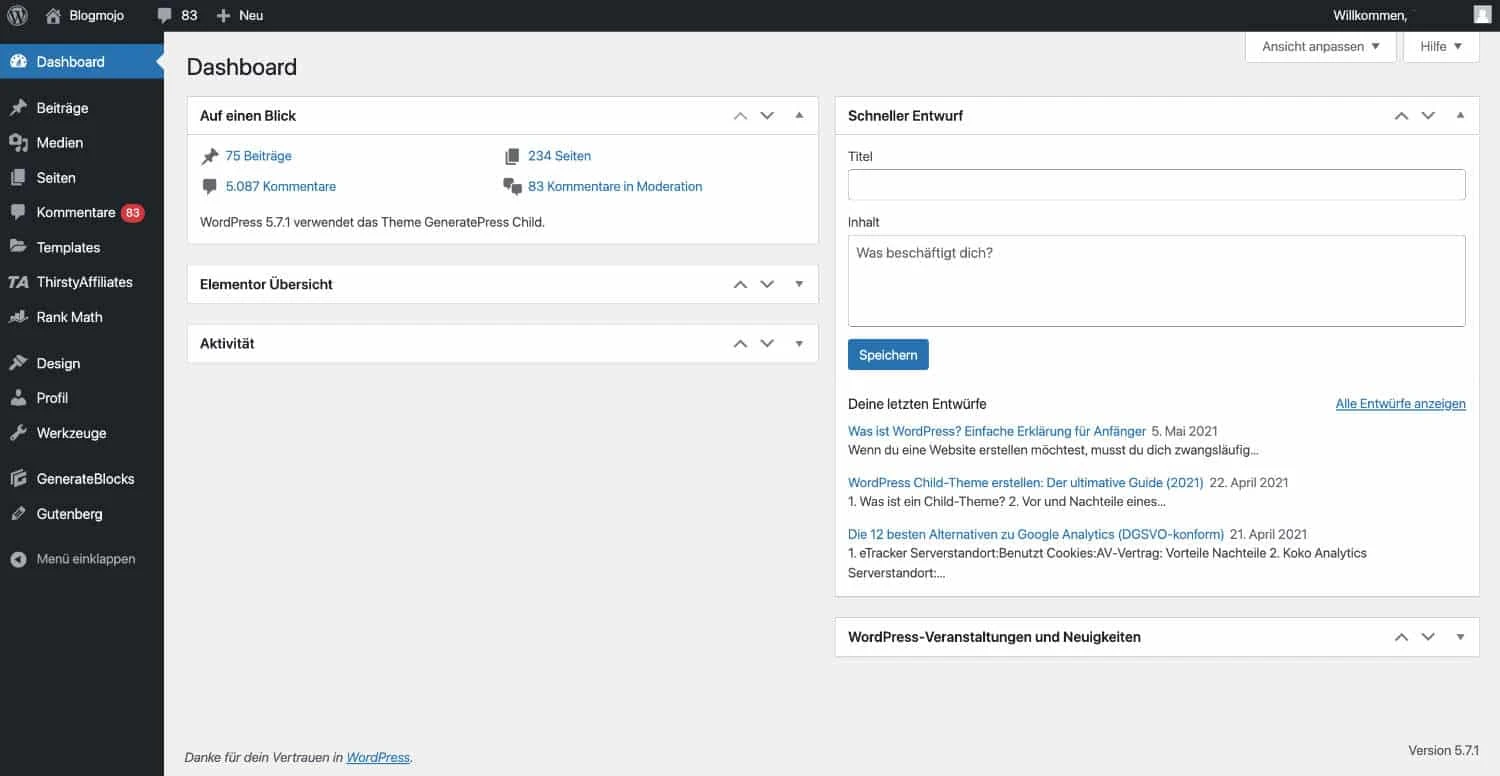
After a short learning period, you'll definitely find your way around blindfolded.
Building the website is simple too and requires no programming skills. Modern WYSIWYG editors (What you see is what you get) like Elementor let you customize the website extremely individually, entirely without code. With a tool like that, even an inexperienced website owner can create a professional site in no time.
6.2 WordPress is easy to customize
The WordPress plugin library currently holds several tens of thousands of free plugins that you can use to easily adapt WordPress to your requirements.
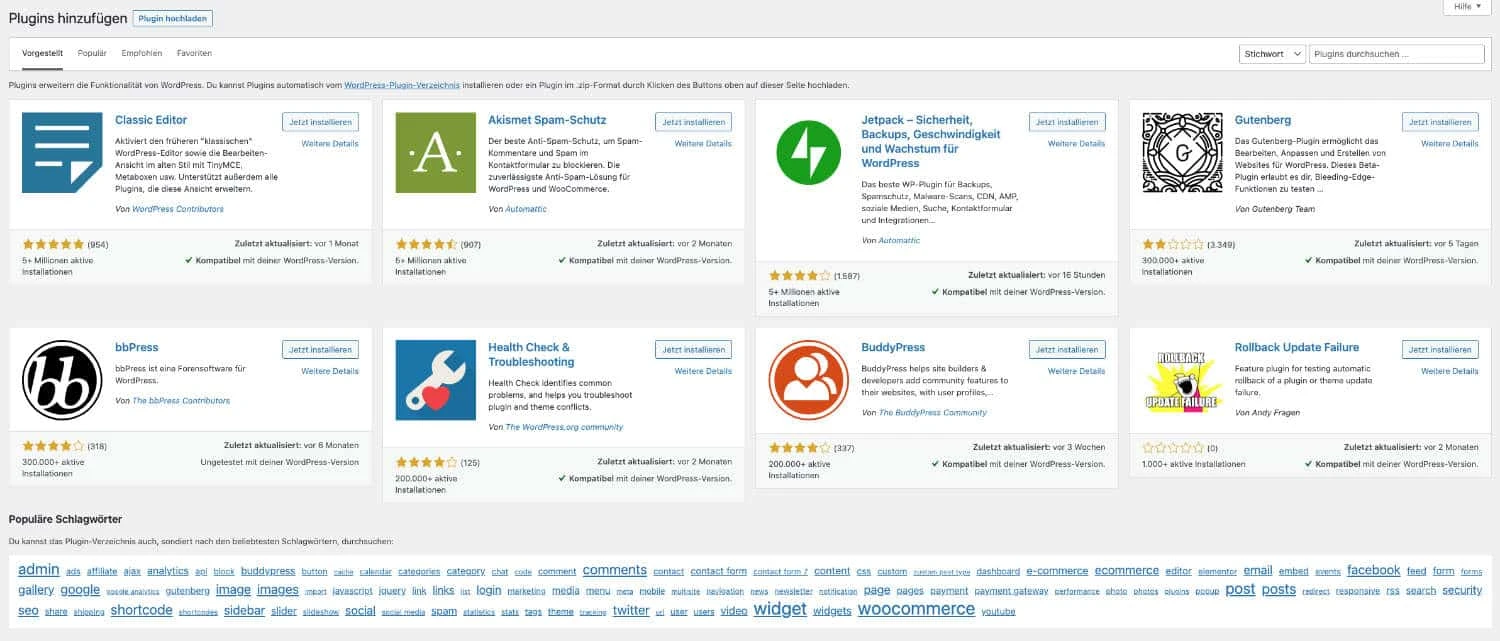
Whether it's a backup solution, design, function, or security, you'll definitely find what you need among WordPress plugins. An online store with an integrated payment function, by the way, can also be set up that way with ease.
Even external tools like newsletter providers (e.g. Mailchimp) or payment service providers can be integrated into WordPress in no time.
6.3 The community is huge
WordPress is the most widely used weblog software in the world and accordingly has a huge community.
You may not see the big advantage of that at first glance, but you will at the latest when your first problems and questions come up and you can't get any further on your own.
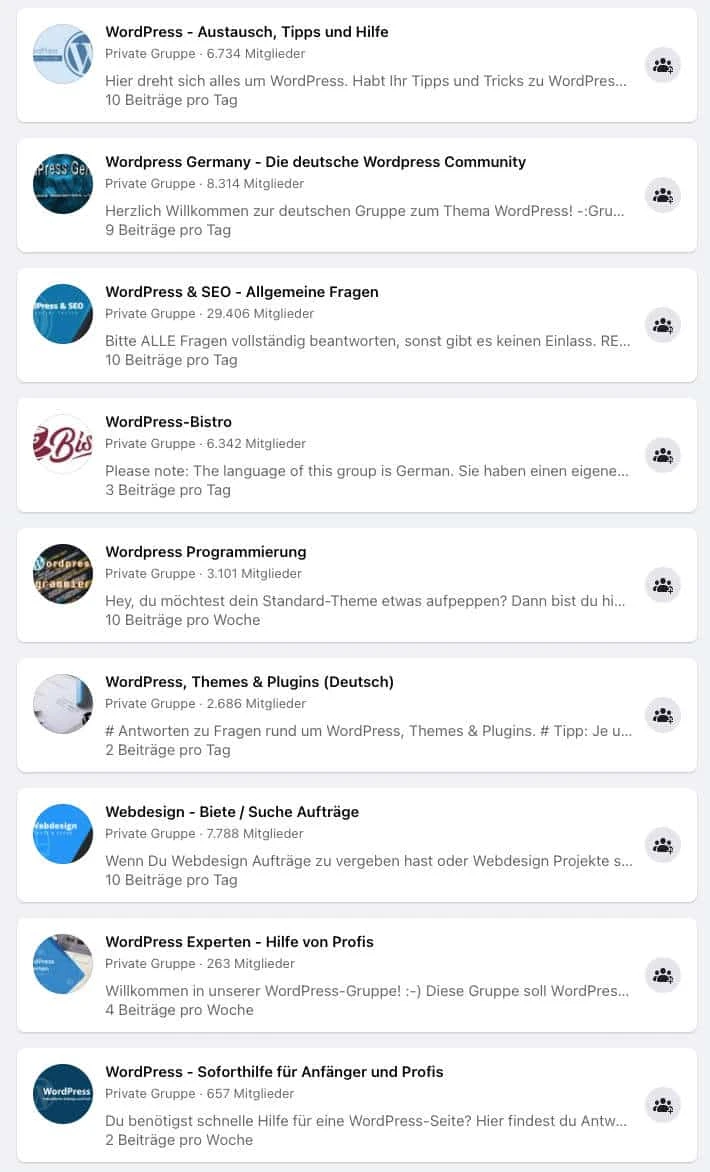
For truly EVERY WordPress problem, you'll find quick and free help in the form of WordPress blogs, YouTube videos, or Facebook groups:
6.4 WordPress is constantly developed
WordPress is a living system.
That means: The developers are constantly working on improvements and optimizations.
That way, WordPress regularly adapts to modern requirements.
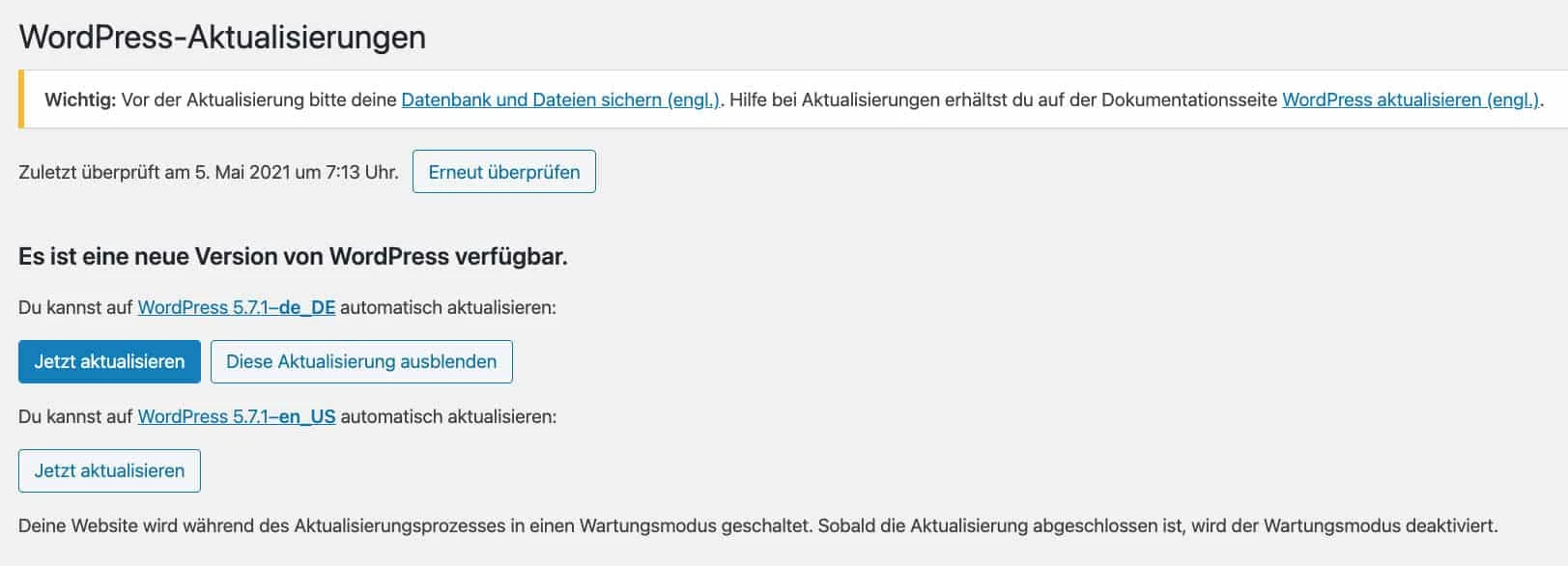
Security holes in the system are also often closed quickly once they're discovered, even though that doesn't make WordPress invulnerable.
More on that in the next chapter.
6.5 Many uses
WordPress is very flexible in how you use it. You can build small hobby blogs, company websites, or gigantic web projects with the system.
The simple post and page management and the perfectly structured media library let you keep an overview at all times.
6.6 Google loves WordPress
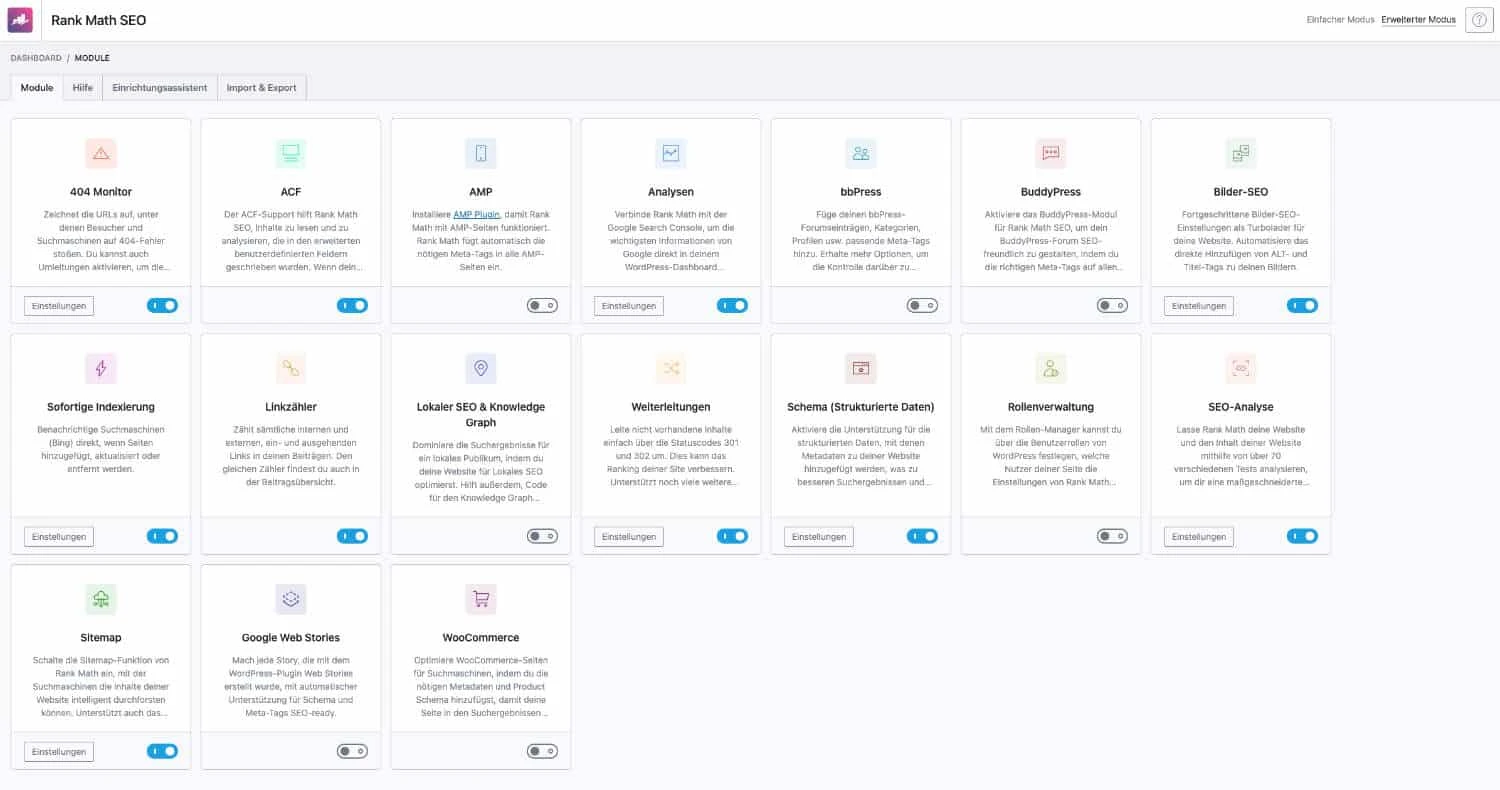
If you rely on WordPress, you've already taken the first important step in search engine optimization. Out of the box, WordPress has numerous SEO features, such as search-engine-friendly URLs or a built-in sitemap.
Thanks to free plugins like Rank Math or Yoast SEO, you can make further SEO optimizations with ease.
6.7 Performance
The standard WordPress installation already has very good load times. With free plugins like Autoptimize or WP Rocket, you can optimize performance even further at the push of a button.
That improves the visitor experience, which ultimately also affects your rankings in the search engines.
7. What are the disadvantages of WordPress?
No system has only advantages. Neither does WordPress.
Although I consider WordPress the best and simplest system, I don't want to keep a few well-known weak points from you.
7.1 Hacker attacks
The fact that WordPress is the most widely used content management system in the world is a blessing and a curse at the same time.
On the one hand, you find support right away in the big community. On the other hand, WordPress is also the target of many hacker attacks. Security holes in plugins or themes are the biggest weak point here.
7.2 Updates and backups
If you decide on WordPress.org, you inevitably have to take care of backups and updates yourself.
Backups can be automated fairly simply with a plugin. Updating the system and individual plugins, on the other hand, can't really be avoided. Depending on how many extensions you've installed, this is necessary several times a week.
7.3 High learning effort at the start
Even though WordPress really is easy to understand and use, it does take some time to get started. The large range of functions in particular can confuse beginners a little.
After a short time (I'm 100% sure of that), you'll find your way around the WordPress backend blindfolded.
8. Examples of WordPress websites
International top brands and large companies also rely on the free system. Another proof of how good WordPress really is!
By the way:
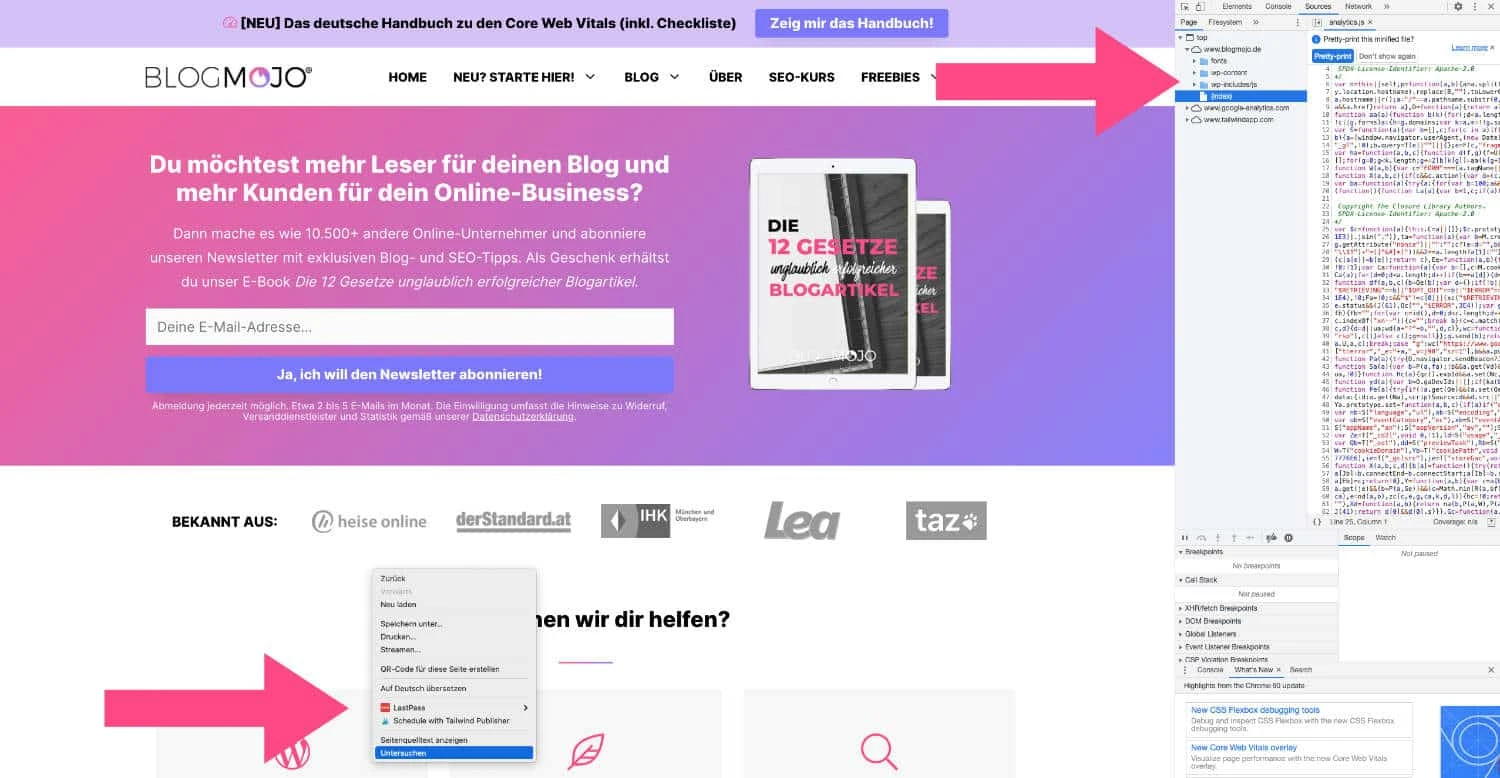
You can tell fairly easily whether a website was built with WordPress.
In the Chrome browser, all you need is a right click and then a click on “Untersuchen” (Inspect). Under the “Sources” tab, a WordPress website shows the entries “wp-content” and “wp-includes/js”.
Here are some well-known websites that are based on WordPress:
1. The White House: whitehouse.gov

2. Sony Music: sonymusic.com

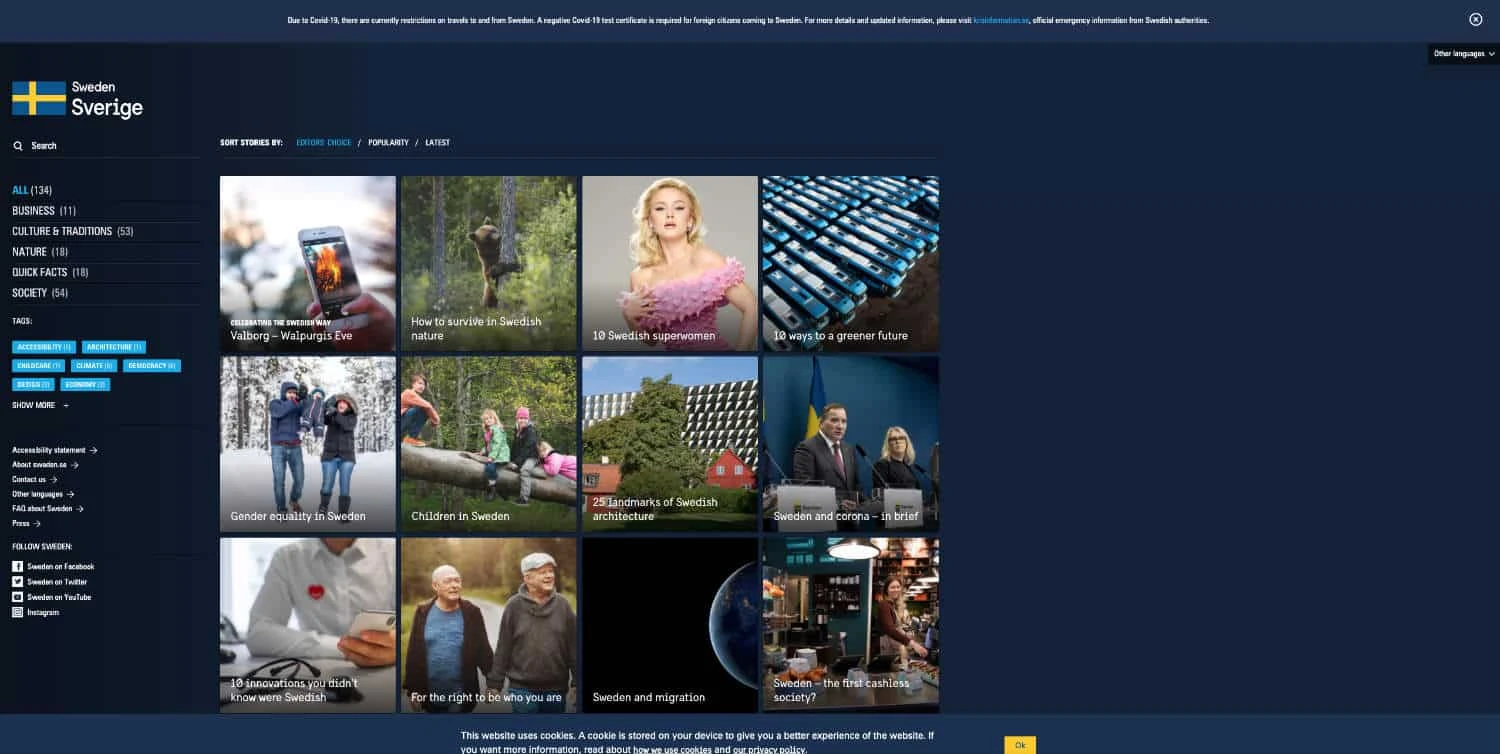
3. The official website of Sweden: sweden.se
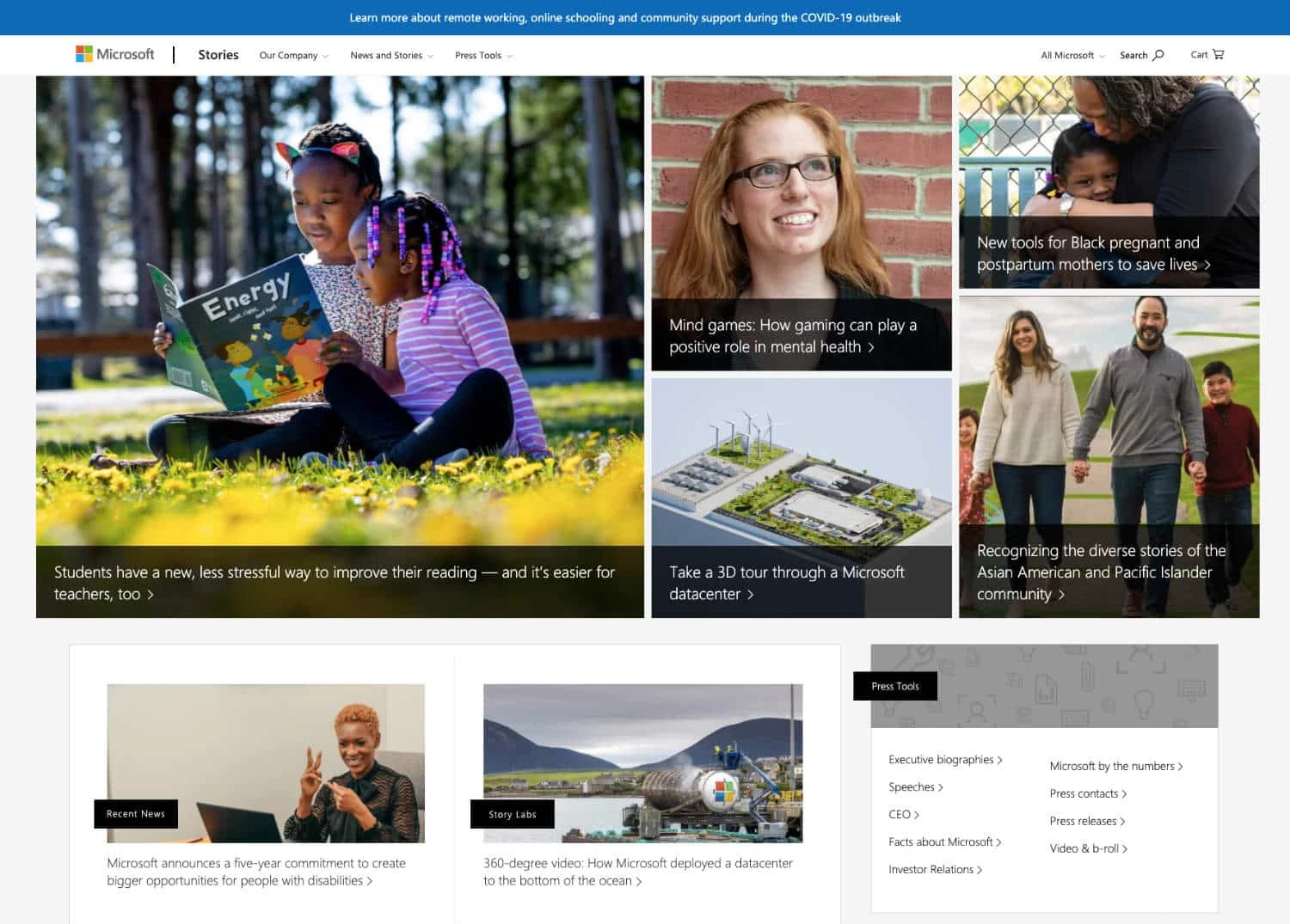
4. Microsoft: news.microsoft.com